power steering AUDI A5 2020 Owner's Manual
[x] Cancel search | Manufacturer: AUDI, Model Year: 2020, Model line: A5, Model: AUDI A5 2020Pages: 302, PDF Size: 81.67 MB
Page 206 of 302
Media
— Extremely high or low temperatures that
can occur inside vehicles can damage mobile
devices and/or impair their performance.
Never leave mobile devices in the vehicle in
extremely high or low temperatures.
Gi) Tips
— Always follow the information found in
=> page 88.
— When you switch the ignition off, the USB
ports are still supplied with power until the
energy management intervenes.
— Do not use an additional adapter cable or
USB extension cable to connect mobile devi-
ces to the Audi music interface that already
have a cable or that must be connected with
a USB adapter cable (> page 203, fig. 158).
Using an additional adapter or US extension
cable may impair functionality.
— Functionality is not guaranteed for mobile
devices that do not conform to the USB 2.0
specification.
— USB hubs are not supported.
— Video playback through the Audi music in-
terface is not supported on Apple and MTP
devices (such as smartphones).
— iPod touch or iPhone malfunctions also af-
fect the operation of the MMI. Reset your
mobile device in these situations.
— Audi recommends updating the iPod touch
or iPhone software to the latest version. Re-
fer to your mobile device owner's manual
for more information.
— The USB adapter on the Audi music inter-
face will support iPod touch or iPhone devi-
ces from the 5th generation or newer with
the lightning connector.
— For more information about the Audi music
interface and supported devices, check the
Audi database for mobile devices at www.
audi.com/mp3 or contact an authorized
Audi dealer or authorized Audi Service Fa-
cility.
204
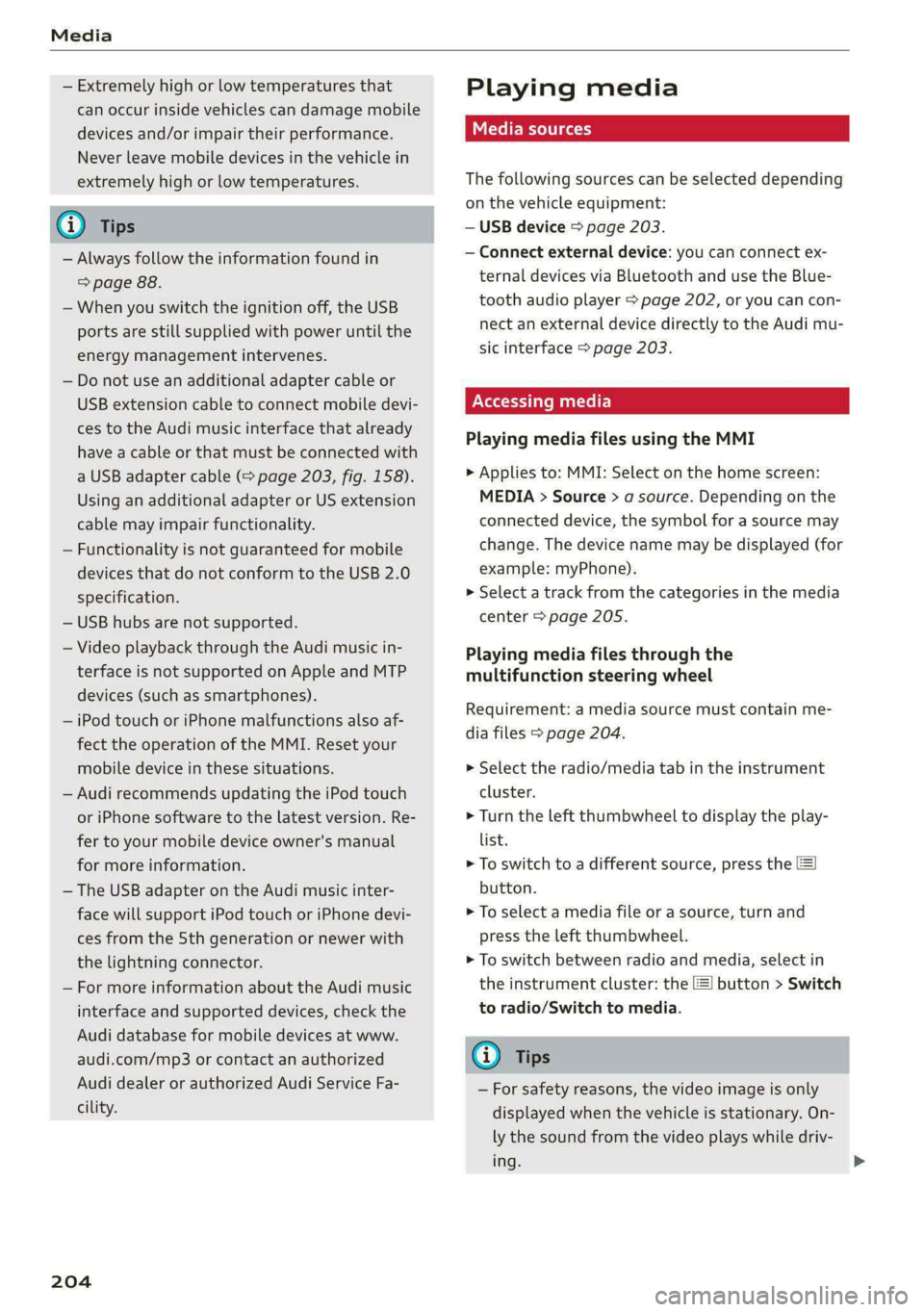
Playing media
The following sources can be selected depending
on the vehicle equipment:
— USB device > page 203.
— Connect external device: you can connect ex-
ternal devices via Bluetooth and use the Blue-
tooth audio player > page 202, or you can con-
nect an external device directly to the Audi mu-
sic interface > page 203.
Nee mate)
Playing media files using the MMI
>» Applies to: MMI: Select on the home screen:
MEDIA > Source > a source. Depending on the
connected device, the symbol for a source may
change. The device name may be displayed (for
example: myPhone).
>» Select a track from the categories in the media
center > page 205.
Playing media files through the
multifunction steering wheel
Requirement: a media source must contain me-
dia files > page 204.
> Select the radio/media tab in the instrument
cluster.
> Turn the left thumbwheel to display the play-
list.
> To switch to a different source, press the
button.
> To select a media file or a source, turn and
press the left thumbwheel.
> To switch between radio and media, select in
the instrument cluster: the =] button > Switch
to radio/Switch to media.
@) Tips
— For safety reasons, the video image is only
displayed when the vehicle is stationary. On-
ly the sound from the video plays while driv-
ing.
Page 270 of 302

Emergency assistance
Additional information on towing with a tow
truck
The vehicle may only be towed with the front axle
raised. Do not wrap any chains or cables around
the brake lines.
Tow bar and towing cable
The vehicle can be towed with a tow bar or tow-
ing cable. Both drivers should be familiar with
the special considerations when towing, especial-
ly when using a towing cable.
Always make sure the traction force does not ex-
ceed the permitted level and there are no shock
loading conditions. There is always the risk of the
coupling becoming overloaded when driving off-
road.
For the most safety and security, drive with a tow
bar. You should use a towing cable only if a tow
bar is not available. Use a towing cable made of
synthetic elastic cable similar elastic material.
ZA\ WARNING
— Towing highly increases the risk of an acci-
dent, for example from colliding with the
towing vehicle.
—To reduce the risk of an accident, do not al-
low anyone to remain inside the vehicle
when it is being transported by a tow truck
or a special transporter.
@) Note
— If normal towing is not possible, for exam-
ple if the transmission is faulty or if the
towing distance is greater than 30 miles
(50 km), then transport the vehicle ona
special carrier.
— If the vehicle is towed by a tow truck at the
axle that is not permitted, this can cause se-
vere damage to the transmission.
— The vehicle must not be tow started for
technical reasons.
G) Tips
— If the power supply is interrupted, then it
will not be possible to move the selector
lever out of the "P" position. The parking
lock must be released using the emergency
268
release before towing the vehicle
=>page 105.
— Follow the local legal regulations for tow-
ing.
Read and follow the important information under
=> page 267.
Preparations
> Only secure the towing cable or tow bar at the
designated towing loop > page 269.
> Make sure the towing cable is not twisted. Oth-
erwise it could disconnect from the towing loop
while towing.
> Switch the emergency flashers on in both
vehicles > page 57. However, do not do this if it
prohibited by law.
Towing vehicle (front)
> Only start to drive when the towing cable is
taut.
> Press the brake pedal very carefully.
> Avoid sudden braking or driving maneuvers.
Vehicle being towed (rear)
> Make sure the ignition is switched on so that
the steering wheel is not locked and so that you
can use the turn signals, the horn, and the
windshield wipers if needed > A\.
> Switching it off before the vehicle has stopped
may impair the function of the brake booster
and power steering. You would then need to
use more force to steer and brake the vehicle.
> Release the parking brake > page 110.
> Select the “N” selector lever position.
> Make sure the towing cable is always taut.
ZA WARNING
Never tow a vehicle using a tow bar or towing
cable if the vehicle does not have electrical
power.
Page 275 of 302
![AUDI A5 2020 Owners Manual 8W7012721BA
Fuses and bulbs
Fuse assignment - Driver's side of the Fuse assignment - Left side of the luggage
(ole 4o}ig compartment
GU -
|_8aw-0013]
Fig. 194 Driver side co](/img/6/57566/w960_57566-274.png "AUDI A5 2020 Owners Manual 8W7012721BA
Fuses and bulbs
Fuse assignment - Driver's side of the Fuse assignment - Left side of the luggage
(ole 4o}ig compartment
GU -
|_8aw-0013]
Fig. 194 Driver side co")
8W7012721BA
Fuses and bulbs
Fuse assignment - Driver's side of the Fuse assignment - Left side of the luggage
(ole 4o}ig compartment
GU -
|_8aw-0013]
Fig. 194 Driver side cockpit: fuse panel with plastic bracket
Fuse panel
No. | Equipment
1 |Vehicle opening/start (NFC)
2 | Telephone, mobile device charger
4 |Head-up display
5 |Audi music interface, USB charging port
6 Front climate control panel, instrument
Fig. 195 Left side of the luggage compartment: fuse panel
with plastic clip
panel
7 |Steering column lock
Infotainment system display Fuse panel @) (black)
9 |Instrument cluster No. | Equipment
Windshield defroster
Windshield defroster
10 | Infotainment unit
11 | Light switch, switch module
12 | Steering column electronics Suspension control
Particulate matter sensor for climate con-
trol system
13 Automatic transmission
Rear window defogger
14 | Infotainment system Rear seat heating
Left tail lights
10 | Airbag control module
WOl/OINID|M|)WInN 16 | Steering wheel heating
Luggage compartment lid lock, fuel filler
iL
door lock, luggage compartment cover
12 |Luggage compartment lid control module
Fuse panel (8) (red)
No. | Equipment
6 | Battery power interrupt
Fuse panel © (brown)
No. | Equipment
2 |Telephone, safety belt microphone
273
Page 293 of 302
8W7012721BA
Locking and unlocking
By remote control. ...... 0... eee ee 35
Using the lock cylinder...............0. 32
With the convenience key............... 35
Low beam headlights .................... 54
LTE
refer to Exterior antenna.............. 167
Luggage compartment................0- 89
Cover (manual) ............20 20200 e eee 90
Pass-throughi« = sce =» awe s sam ¢ s Meum « 92
POWEPSOUPGES ies: 6 siiecs oo esa & wares + i 88
Tie-downs .... 0.0... cece eee 92
Valet parking s = secs exes ve een ss eres ss 43
also refer to Luggage compartment...... 89
Luggage compartment lid
Closing BUEEOM:. « «soca s+ weainine + & eraser +o anew 38
Generalinformation................... 36
Mechanically unlocking.............0005 40
Opening and closing.................4. 37
Opening and closing with foot motion..... 39
Power opening and closing.............. 38
Luggage compartment net.............0- 92
Lumbar support.............-.0 eee ee aee 67
M
Maintenance ......... 6... eee eee ee eee 278
Maintenance intervals.................. 233
Malfunction Indicator Lamp (MIL)........ 220
Manualishifting’. « sassis so eniosie sw anevive © ¥ arene 104
Map
Changing the scale................... 186
Display « secs ¢ eee ¢ Heea es Feeu si ees = 188
QPerating « « wssce ss vesuse so amen s were eo oe 187
Setting the destination................ 186
MAP
refer to Message Access Profile......... 173
Map previeW........ 0.00 cece eee eee eee 186
Map update..... 0.2... cece eee eee 1911
Online... 2... eee eee eee 191
USB. CONNECHON 0 + wae a s awe se wenn ss 191
Massage function
FROM & csccoce vo sancene ¥ & ascnane ww ceneaie © w oem © 68
Mechanical. keys ss ssives & owes © mace se wows 34
MeGidiccsn a = wes 3 x eae 3 2 meee a F EER 202, 204
Supported formats................0-. 208
Mediatcenter’s « csisccs so cscs 0 0 somine + a asco w 205
Memory fUNCtION ses xo cee ee ree ee ees oe 75
Menu language
refer to Setting the language........... 213
Message Access Profile................- 173
MOSSAGESE os wcities excuses 3 oo amet 4 0 aeOS os 173
MitrorcoMpass’s « ssw so sve 6 4 some 6 o ene 5 64
Mirrors
Adjusting exterior mirrors............... 60
Dimming ........... cece eee eee eee 60
Vanityimirtor’s sews 2 » sews sy aeons & 2 wees ge 61
MMI Navigation plus
refer to Multi Media Interface........... 18
MMI radio
refer to Multi Media Interface........... 18
MMI Radio plus
refer to Multi Media Interface........... 18
Mobile device
refer to Telephone.............0ee000e 165
Mobile device reminder signal............ 168
Mountain passes ...........0-. 0c eee eee 112
Mountain roads.................000005 112
Multifunction steering wheel
Buttons... 0... cece eee ees 12, 26
Operating’; ss wes6 s secu = s weree & & wee & x Be 12
Programming buttons.................. 26
Voice recognition system............... 24
Multi Media Interface................005 18
Menus and symbols..............2.-00- 19
Operating:: « s wsw0s ¢ wawn es wren « assum x 16,19
Switching onoroff..............22-00. 18
WAGE Gis ce oe srscoens @ pecans x sme Hm este ww ize 26
MYAUGT © ceciene vx asecene we ener © w ames ¥ oo 27, 177
myAudi navigation................. 183, 186
MYAUGI USEIS & cscs sv eee ov cea ao eee yes 27
N
Natural leather care and cleaning......... 257.
Navigation = xoes < = eas < = eee ¢ o sees pee 183
Bette riroutericas & 2 osc x» masun 2 8 weno & wane 192
Calling. ..... 0... eee eee eee 186
Changing the scale................0-. 186
alsosrefer'to Maps + ws 2 2 wen = sien ae we 187
Navigation database
Version information...............00. 215
Navigation (instrument cluster).......... 189
Neckheating ies 2 o acne so eens 2 o esos ee eens 98
Page 294 of 302

re ee 88
NHIGA.. « oss 2 2 owe as wees os oars 2 x oun 280
Notificationicenter’s « gas ¢ eam a + name 6 s pom 20
O
Octane rating (gasoline)................ 217
OdGITIGtEHs se: 5 2 eee 5 x qe ss wee ge See 14
RESCUING pais «6 cress wo vanes ab orem aw aeons 14
Office address
refer to Business address.............. 190
OFF (DUttON) |. sccvere 4s sseseos a coenens wo antares vw aoe 96
Oil
referto Engine oil..................0. 223
On-board computer...............2-.00. 15
On Board Diagnostic System (OBD)... 220, 275
Onlinerradio « weiss «2 coswos so serene oo comme wo 0 198
also refer to Online radio.......... 198, 199
Online roadside assistance.............. 182
Online services
refer tO CONNECT... . ke eee eee eee 176
Online system update...............-.. 214
Online traffic information............... 192
Openings: « = suscn os mene 3 v ames © 6 emme wa ome 30
Automatic luggage compartment lid...... 38
Convenience opening................... 42
Fuebtillerdoors « s sisisu s © ascowa oe mesa a 4 as 218
HOOd .. 0... eee 222
Luggage compartment lid............... 37
Luggage compartment lid with foot motion . 39
Panoramic glass roof................005 42
Power top...........0 000.2 eee eee eee 47
Sunshade (COOf)\: « + wei os caus ¢ © meen a ew 42
WIMGOWS. « sono xo: seeens © 0 seers a 0 seeem a 8 us 41
Opening and closing
refer to Unlocking and locking........ 30,35
Operating
Head-up displays << sacs ¢ & wersy ¢ & oes 5 2 2 23
Instrumenticluster wise 2 wos so mean wees 12
Multifunction steering wheel............ 12
Multi Media Interface............... 16,19
TEXEINPUES ss eee + 2 cen + peen sv ee 2 we 21
Touch display......... 02... eee cece eee 16
Voice recognition system............... 24
Optional equipment number............. 283
292
Options
Media... .. cece eee eee eee eee 208
RaGiC swiss § ¢ engi oo aga oo REE aE ome oY 200
OVERVIEWACOCKDit) iss 2 ¢ scee a a aees sp ees a oa 6
P
Paint code... . ee eee eee eee eee 283
Paint damage............--. 0c eee eae 256
PANIC button. ..................000 000s 34
Pani@TUMetions. « x sais wx omnes © swe 0 sect « 34
Panoramic glass roof................2.0. 42
Convenience opening and closing......... 42
Emergenicy closings: ¢ ¢ exes » «ava ss eee 43
Tintenion ailowie + sccscso x seems «2 anenene a 8 am 43
Quick opening.......... 0... c eee ee eae 43
Panksassist susie 0 o ansnene e w sossene so eswice 4 «seen 162
Parkingeaidsas « « scan « i morn every © euamice 1 154
Adjusting the volume................. 155
Automatic activation.................. 154
Cleaning the sensors/camera........... 256
Park assist... 2... eee ee 162
Parkingaid PlUSs < « eax ¢ y eeme ey eeae doe 154
Parking space search.................. 160
Peripheral cameras............2-0000. 156
Rearview cameéta swe. < see, sv ees sven 156
Parking and maneuvering..............- 154
Parking brake
refer to Electromechanical parking brake. 110
Parking light a
Parking lock
Manually releasing...........0eee eae 105
also refer to Gears...........0--0 00 eee 102
Passethrough « ses
Paths: ss nwo 2 3 cow ¥ Qamom us dem Ge ROO A 17
Pause (media files)... ......0.c cc eee eee 204
PédalS ses ¢ s naces 5 x wales 5b Res Gt eG ce 104
Perchlorate. ... 0.2.0... cece eee eee eee 278
Peripheral cameras.............000005. 156
Phone
Connecting a second mobile device...... 166
Disconnecting a mobile device.......... 166
SQEUIGS sccenn o « suounse = » svexene » 0 eneenne @ 4. acostene 172
Phonebook
refer to Directory.............00--000 170
Page 296 of 302
Index
S
Safety belt microphone................. 174
Safety belts. ....... cee eee eee eee 72
Belt positioner. « . sacs ss gece ss yeas sb ees 74
Cleaning’: « « ssi =» cena vo www = seen ee a8 257
LOGKIMG) crs » 0 sxoiae 9 « eedece # 6 souete a n anuene © © 4 85
Securing child safety seats.............. 84
Satellite Map... .. 2... eee eee eee 190
Saving fuel
EWeroy COnSUNIERS ccs = same 2 5 wares 3 ¢ ee 15
Recuperation « «esis 2s ose s wien ws were a 15
Screen
refer to Touch display...............-.. 16
Senewdhiver's « + sxassne w x iussous a a axewose to aeauene 9 260
Search function
refer to Free text search............... 207
Seat heating...............--0000005 97,98
Seats
Adjusting ......... 2... eee eee 67
ClOGniNG's ¢ = sews = # eee a v eee 2 women ge ee 257
Easy entry function « & esis oe ena se owe os 69
Head restraints ...............00 eee eee 71
Memory function : sccs ss sees ss vows tp ees 75
Resetting the position.................. 69
Storing aseat profile................... 75
Seat ventilation...............0.0005 97,98
Selecting a source (media).............. 204
Selector levers «i sss ae wins a a owes a 0 aswwee 102
Selector lever position
refer to Gears. 1... eee eee eee eee 102
Sensors
Coverage areaS.... 0.0... eee eee eee 122
LOCatiONS =: « = sass = « sees ss come ee ee 123
Service interval display...............0. 233
SET REAR (button) ...............200005- 97
Setting measurement units.............. 213
SEEEIMGSE. « « sosnece + v enenene a w axnton © exememeie © sia 213
Bluetooth.......................000. 213
Dateand tim@ies sv aso « 2 waves @ 2 awe & & 213
LAN QUAGE vesrens a x saree + + cammeve ow ewes 3 0 ieee 213
Measurement units...........--.00005 213
Media's ¢ 2 aeoy 5 9 mewn se game c Kamm o + ne 208
Navigationiene < «mec © a meas © sates « 9 ieee « 193
Radio... 0.6... cece 200
SOUNG ews » » naam & ¥ eae yA Wem 2 eee ea 213
SYSEQIs 6 scare & © erates © & atanreta w # evairane & @ aoers 213
THIMONZONG evens co & caries oo arenece oe come oo eee 213
Wi-Fi hotspot....... 0.0... 179
Setting the language................... 213
Setting the time..............2.0000005 213
Shift paddles vec <5 cco: < v waves vo ermvene a 2 oe 104
SHOP isc « «veces vo ween s ween es Meee oF EER 178
SHUPTcms v s nwa & ¢ seyne 2 & Ree 5 2 eee 204, 206
Sid@laSSiStaws « 2 aevme 2 a eens 4 e eeeE a 2 ER 2 150
Cleaning the sensors...............--. 256
SIMicard « 3 secs oo amscw 2 ace 2 aaenw 2 x amsee LHZ,
Sliding/tilting sunroof
refer to Panoramic glass roof............ 42
Smartphone
refer to Telephone..............2.000- 165
Smart presets ........ 00.00 e ee eee eee 198
SMOW:GHANS isn « ces » wrazsen wo emesis eo wiecane 250
Socket
refer to Power sourceS..........--.00--- 88
Software information
Legalinformation..............-....- 215
Software version (MMI)
Version information ..: «6 iieak casas snes 215
Sound
refer to Adjusting the sound............ 213
Space-saving spare tire (compact spare tire) . 265
SPar@ tiles + cnweww + neen se roowR ee HS gee 265
Speed limit information
refer to Traffic sign recognition......... 125
Speed limits
refer to Traffic sign recognition......... 125
Speedometer’s « esc a a same a a asawies v ¥ amet a a 11
Speed warning system..............-00. 125
Sport differential.................-.04. 116
Start/Stop systeMss «= sees se seen sp ewe: 107
Switching off and OM « «ssa oo waa so wo 107
Starting tordrivles « = ace + 2 we 2 y caus & og 101
Starting (engine) 2 = = sees ss sews se ees ee 108
StSChiNG wr. ss gem 5 o eres y Heeee ev Hee eg 115
Audi driveselects, « iisin ss assase o o wari 0 ow 114
also refer to Steering...............-. 115
Steering lock.......... 0.0.00... 0 ee eee 100
Steering
wheel
Adjusting .....................0.00005 70
Adjusting manually.................00. 70
Shiftpaddless. « cases « « eneses vv emus xu sone 104