Boost AUDI A5 2021 Owners Manual
[x] Cancel search | Manufacturer: AUDI, Model Year: 2021, Model line: A5, Model: AUDI A5 2021Pages: 318, PDF Size: 85.96 MB
Page 4 of 318
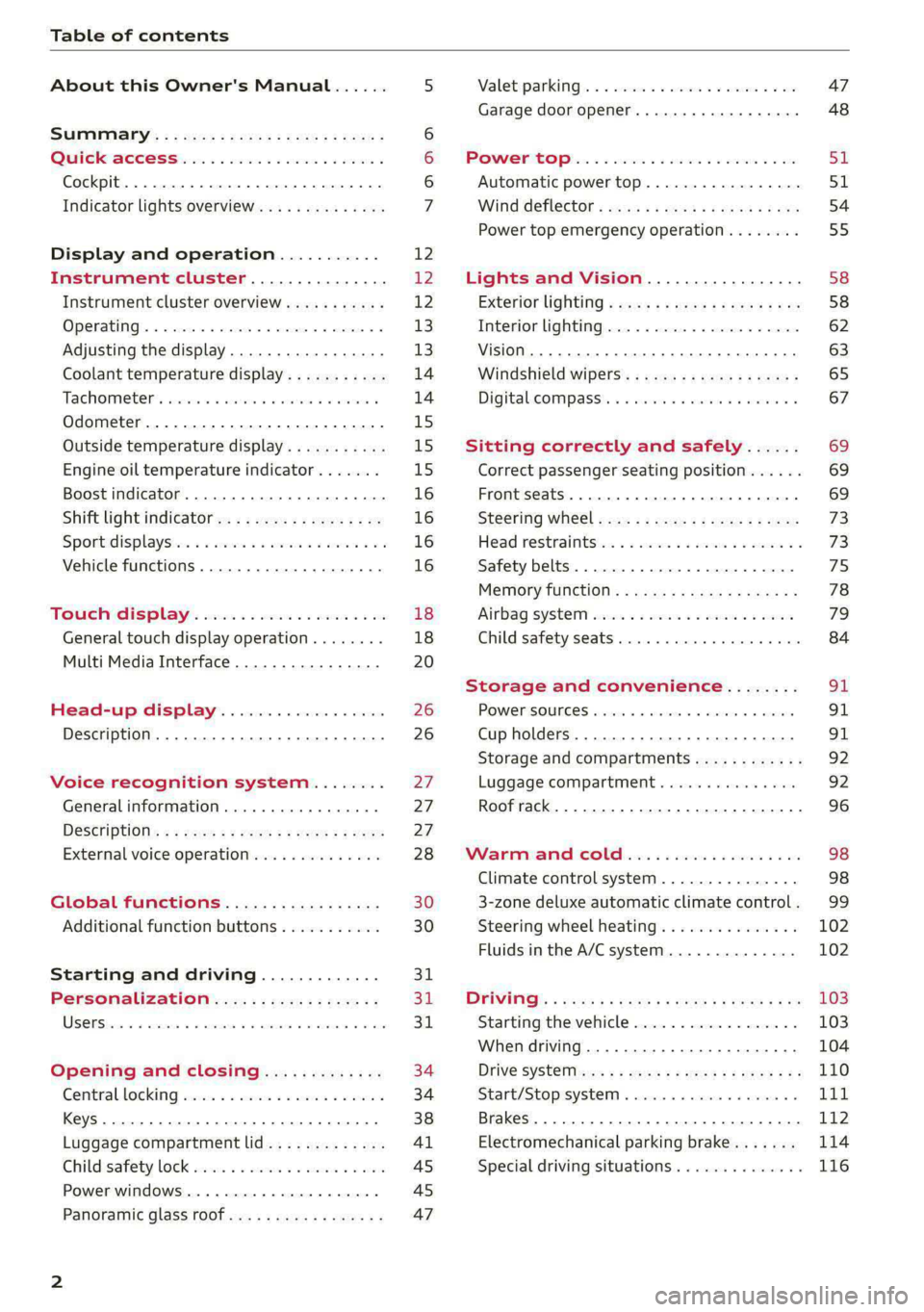
Table of contents
About this Owner's Manual......
SUMIMAry: < = exe : eens: Seen cs sens
QutckeaeCe ssh: «i esis se ois a eaves @
Cockpit. ...... 0... eee eee eee eee
Indicator lights overview...........4..
Display and operation...........
Instrument cluster...............
Instrument cluster overview...........
Operating. ecccuse w+ were oo wens oo ayes 9 ¥
Adjusting the display.................
Coolant temperature display...........
Tachometer’ series i ewe so snes ¥ & ome
Odometer.............. cee eee eee ee
Outside temperature display...........
Engine oil temperature indicator.......
Boost indicator...............0--000.
Shift light indicator..................
Sportidisplaystens « scwne x » eum os vomew «02
Vehicle functions ..............00000.
TOUCH AISPLAY ' sevece: 3 seisas 6 sessen 6 6 ws
General touch display operation........
Multi Media Interface................
Head-up display..................
Description............0.. ee cee eee
Voice recognition system........
General information..............00.
DESGriptiOns « = seen ¢ = seme xs eee st eee
External voice operation..............
Global functions.................
Additional function buttons...........
Starting and driving.............
Personalization..................
Opening and closing.............
Central locking) sani x x swasien © x sponae 2 aaaonor
Keys... eee
Luggage compartment lid.............
Childisafety lock seis 2 « sere ¥ © were 3 ¢ overs
Power windows............000eeeeee
Panorartiic glass roof 0... ieee s ieee es
12 12 12
13
13
14 14
15
15
15
16
16
16
16 18
18
20 26 26 27 27 27
28
30
30
311.
Bi
3,
34
34
38
Al 45 45
47
Valetiparking = s ssse «x cscs ov crue a ¥ oe 47
Garage door opener..........--.00 eee 48
POWOEPRtOP lies. 5 6 sisi. ae sic ao oie & wae 51
Automatic power top................. 51
Wind deflect6r « cccs ss pees sv eeea sv ees 54
Power top emergency operation........ 55
Lights and Vision................. 58
Exteriorlighting « css < «sees < ¢ caew soars 58
Interior lightinGpenis « « sen 0 mew © 2 amore 62
VISION. 2... eee ee eee eee 63
Windshield wipers..................- 65
Digital. compass’. « . ceria ss caw s cei es 67
Sitting correctly and safely...... 69
Correct passenger seating position...... 69
Front seats ....... 0c eee 69
Steering Wheel sows » s wou sg wane x x see 73
Head restraintsti:. «ose a a nase ao oan ae 73
Safety belts. .............0...00000. 75
Memory function..............ee sees 78
‘Airbag SYSteM eviscie co soaae es werae oo eee 79
Child
safety seats... ...... 00... eee eee 84
Storage and convenience........ 91
POWEPISQUIGES vases + arouse « 6 eomaime « + eects 91
Cup holders............. eee eee eee 91
Storage and compartments............ 92
Luggage compartment............... 92
Roof rack... 2.0.2... 2c eee eee eee 96
Warmandicoled ioc. es isco & 6 anes 9 5 ae 98
Climate control system............... 98
3-zone deluxe automatic climate control. 99
Steering wheel heating............... 102
Fluids in the A/C system.............. 102
DYPIVITVE: « eens ¢ & cars ¢ & seme 4 2 HasEE Ee 103
Starting the vehicle.................. 103
When driving.............00eeee eens 104
Drive SYStE Misses ¢ = sawe + « mee se eee sb 110
Start/Stopisystei « sso so aceon 4 @ suena a 111
Brakes... . 2.2.2.0... 2c eee ee eee eee 112
Electromechanical parking brake....... 114
Special driving situations.............. 116
Page 18 of 318
Instrument cluster
cause for concern as long as the B or 3 indica-
tor lights do not turn on.
Boost indicator
Applies to: vehicles with boost indicator
Depending on vehicle equipment, the current en-
gine load (meaning the current boost pressure)
may be indicated by a bar in the instrument clus-
ter.
> Applies to: vehicles with Audi virtual cockpit:
Open the vehicle functions tab and switch to
the enhanced view > page 13.
> Applies to: vehicles with analog instrument
cluster: Open the lap timer > page 133.
Shift light indicator
Applies to: RS models
The shift light indicator informs the driver when
the RPM limit is reached.
» Applies to: vehicles with Audi virtual cockpit:
Set the RS Performance or RS Runway layout if
necessary > page 13.
» Applies to: vehicles with analog instrument
cluster: Open the lap timer > page 133.
The shift light indicator is displayed with green,
yellow and red ranges in the upper areas of the
tachometer. The shift light indicator will blink red
when approaching the engine speed limit. Shift
to the next highest gear at the right time.
Sport displays
Applies to: RS models
Various sport displays, such as a G meter or tire
pressure indicator, may be available depending
on vehicle equipment.
Opening sport displays in the instrument
cluster
Applies to: vehicles with Audi virtual cockpit
> Select in the instrument cluster: Vehicle func-
tions tab > EE] button > Sport displays.
> Turn the left thumbwheel on the multifunction
steering wheel until the desired sport display
appears in the instrument cluster.
16
Opening sport displays in the MMI
> Applies to MMI: Select on the home screen: VE-
HICLE > RS monitor.
> Browse to the desired display if necessary.
G meter
Applies to: vehicles with Audi virtual cockpit
The G meter displays the longitudinal and lateral
acceleration. The current values are displayed in
the instrument cluster while driving. The maxi-
mum values that are reached are stored and dis-
played when the vehicle is stationary. Only the
maximum values that are reached are displayed
in the MMI.
> To reset the stored values, press and hold the
left thumbwheel on the multifunction steering
wheel for one second.
Tire pressure
The tire pressure monitoring system displays the
current tire pressures and temperatures. Also see
=> page 263, Tire pressure monitoring system.
Engine data
Applies to: vehicles with Audi virtual cockpit
The engine data in the instrument cluster shows
which percentage of the maximum output or
maximum torque is currently being used.
Temperature
The temperature display in the MMI shows the
temperature of various fluids and vehicle compo-
nents, such as the engine oil or sport differential.
Vehicle functions
(OTe TWN]
The trip computer is displayed in the first tab of
the driver information system. Additional vehicle
functions can be accessed depending on the vehi-
cle equipment.
> Press the =] button on the multifunction steer-
ing wheel.
— On-board computer > page 17
— Sport displays > page 16
— Lap times > page 133
Page 105 of 318

8W7012721BB
Driving
Driving
Starting the vehicle
(eta
Applies to: vehicles with convenience key
Fig. 100 Center console: starting the engine
Requirement: the key must be in the vehicle.
Starting the engine
> Press and hold the brake pedal.
> Press the [START ENGINE STOP] button. The
engine will start.
Equipment that uses a lot of electricity is switch-
ed off temporarily when you start the engine. If
the engine does not start immediately, the start-
ing procedure stops automatically after a short
time. If this is the case, repeat the starting pro-
cedure after approximately 30 seconds.
Stopping the engine
> Bring the vehicle to a full stop.
> Press the [START ENGINE STOP] button. The
engine will switch off.
Applies to: vehicles with steering lock: The steer-
ing is locked when you turn off the engine and
open the driver's door. The steering lock helps
prevent vehicle theft. “P” must be engaged on
vehicles with an automatic transmission.
Stopping the engine in an emergency
If necessary in an emergency, the engine can also
be stopped while driving using the emergency off
function*.
> Press the [START ENGINE STOP] button twice in
a row or press and hold it one time.
Switching on and off
If you would like to switch the ignition on or off
without starting the engine, follow these steps:
> Press the [START ENGINE STOP] button without
pressing the brake pedal.
Switching the ignition off automatically
To prevent the vehicle battery from draining, the
ignition and possibly the exterior lighting may
switch off automatically.
Requirements:
— The Start/Stop system must have stopped the
engine.
— You must have left the vehicle for longer than
30 seconds.
— The ignition must be switched on.
Among other indicators, the system detects that
you have left the vehicle based on the following
factors:
— The driver's door has been opened.
— The driver's safety belt has been unbuckled.
— The brake pedal is not being pressed.
The ignition will also be switched off after 30 mi-
nutes or if you lock the vehicle from the outside.
Z\ WARNING
—To reduce the risk of asphyxiation, never al-
low the engine to run in confined spaces.
— Never turn off the engine before the vehicle
has come to a complete stop. Switching it
off before the vehicle has stopped may im-
pair the function of the brake booster and
power steering. You would then need to use
more force to steer and brake the vehicle.
The fact that you cannot steer and brake as
usual may increase the risk of accidents and
serious injuries.
— Secure the vehicle against rolling before ex-
iting the vehicle > page 104.
CG) Note
— Avoid high engine speed, full throttle, and
heavy engine load if the engine has not
reached operating temperature yet. You
could damage the engine.
103
Page 113 of 318

8W7012721BB
Driving
— The vehicle battery will gradually drain if
the vehicle is not driven for long periods of
time, or if electrical equipment is used
when the engine is not running. To ensure
that the vehicle can still be started, the
electrical equipment will be limited or
switched off.
IC Te lt
B Drive system: malfunction! Safely stop vehi-
cle
There is a malfunction in the drive system. The
brake booster and the power steering may stop
working. Stop the vehicle immediately or as soon
as possible and do not continue driving. Secure
the vehicle against rolling before exiting the vehi-
cle > page 104. Have the problem corrected by
an
authorized Audi dealer or authorized Audi
Service Facility.
B Drive system: malfunction! Please contact
Service
There is a malfunction in the drive system. Drive
slowly to an authorized Audi dealer or authorized
Audi Service Facility to have the malfunction cor-
rected.
Start/Stop system
Applies to: vehicles with Start/Stop system
The Start/Stop system can help increase fuel
economy and reduce CO2 emissions.
In Start/Stop mode, the engine shuts off auto-
matically when stopped, for example at a traffic
light. If certain conditions are met, the engine
may stop before the vehicle has come to a com-
plete stop. If you press the accelerator pedal
when this happens, the engine will start and driv-
ing power will be transmitted.
The ignition and important assist systems such
as the brake booster will remain available during
the Stop phase. The engine will restart automati-
cally when needed.
The Start/Stop system is automatically activated
once
the ignition is switched on.
Switching the Start/Stop system off and on
The @)* button is located above the selector lev-
er in the center console. The LED in the button
turns on when the function is switched off.
> Press (A)>F to switch the system on or off.
If you switch the system off during a Stop phase,
the engine will start again automatically.
Basic requirements
— The driver’s door and the hood must be closed
and the driver’s safety belt must be fastened.
—"P","N", or"D" must be engaged.
—The steering wheel must not be turned far in ei-
ther direction.
— The vehicle must have driven faster than 2 mph
(3 km/h) since the last time it stopped.
— The vehicle is not in trailer mode.
@) Note
Always switch the Start/Stop system off when
driving through water > page 111.
G) Tips
— Depending on the driving situation, the en-
gine may already stop when coasting before
the vehicle has come to a complete stop.
—If you select the "D" position after shifting
into reverse, the vehicle must be driven fast-
er than 6 mph (10 km/h) in order for the
Start/Stop system to become active again.
This makes it possible to maneuver without
stopping the engine.
Stopping and starting the engine
Applies to: vehicles with Start/Stop system
> Press and hold the brake pedal until the vehicle
has stopped. The @J indicator light appears in
the instrument cluster once the engine stops
automatically.
> The engine starts again when you remove your
foot from the brake pedal. The indicator light
turns off.
If the parking brake is set, the engine will only
start again when the accelerator pedal is pressed. >
111
Page 115 of 318

8W7012721BB
Driving
braking heavily several times while driving at
high speeds can clean the brake rotors > A\.
Brake pads
New brake pads do not achieve their full braking
effect during the first 250 miles (400 km). They
must be “broken in” first. However, you can com-
pensate for the slightly reduced braking force by
pressing firmly on the brake pedal. Avoid heavy
braking during the break-in period.
Brake pad wear depends largely on the way the
vehicle is driven and on operating conditions.
Brake pad wear increases when driving frequently
in the city or short distances or when using a very
sporty driving style.
Ceramic brakes
Applies to: vehicles with ceramic brakes
Ceramic brakes provide excellent deceleration
rates.
The break-in period for new ceramic brakes may
be significantly longer than for standard brake
rotors. Due to the properties of the material,
they may cause noises at lower speeds. Ceramic
brakes also absorb more moisture in wet condi-
tions. Therefore, there will temporarily be less
braking force than when the brakes are dry. You
can compensate for this by pressing the brake
pedal harder.
Automatic post-collision braking system
The automatic post-collision braking system can
help to reduce the risk of sliding and of addition-
al collisions after an accident. If the airbag con-
trol module detects a collision, the vehicle is
braked by the ESC.
The vehicle does not brake automatically if one of
the following occurs:
— The driver presses the accelerator pedal, or
— The braking force generated by the pressed
brake pedal is greater than the braking force
that
would be initiated by the system
— The ESC, the brake system, or the vehicle elec-
trical system is not functioning
ZA\ WARNING
— Only apply the brakes for the purpose of
cleaning the brake system when road and
traffic conditions permit. You must not en-
danger other road users and increase the
risk of an accident.
— Due to the risk of injury, only have an au-
thorized Audi dealer or authorized Audi
Service Facility work on the brake system.
Incorrect repairs could impair the function.
— Never let the vehicle roll while the engine is
stopped because this increases the risk of an
accident.
— During automatic braking maneuvers, the
brake pedal may move downward automati-
cally. To reduce the risk of injury, do not
place your foot under the brake pedal.
@) Note
— Never let the brakes “rub” by pressing the
pedal lightly when braking is not actually
necessary. This can cause the brakes to over-
heat and increases braking distance and
causes wear.
— Observe the important information for driv-
ing downhill > page 116. This especially ap-
plies when towing a trailer.
(i) Tips
— In vehicles with an electromechanical brake
booster, the resistance in the brake pedal
may vary depending on the driving situation
(such as if driver assistance system are ac-
tive).
— If you retrofit your vehicle with a front spoil-
er, wheel covers or similar items, make sure
that the air flow to the brakes is not ob-
structed. Otherwise the brake system can
overheat.
— Also refer to the information about brake
fluid > page 238.
GG / @® Brakes: malfunction! Stop vehicle
safely
113
Page 116 of 318

Driving
There is a malfunction in the brake system. If
ES/@ana BAalso turn on, there is a malfunc-
tion in the ABS, ESC, and braking distribution. If
the brake booster is not working, you have to use
much more force when braking the vehicle.
Do not continue driving. See an authorized Audi
dealer or authorized Audi Service Facility for as-
sistance. Read and follow the other safety pre-
cautions > A\.
fie / @ Brake pads: wear limit reached. You
can continue driving. Please contact Service
The brake pads are worn. Drive to an authorized
Audi dealer or authorized Audi Service Facility as
soon as possible to have the malfunction correct-
ed.
Brake booster: limited functionality. You can
continue driving. Please contact Service
There is a brake booster malfunction. The brake
booster is available, but its effectiveness is re-
duced. The braking performance may be different
compared to the usual performance. Drive to an
authorized Audi dealer or authorized Audi Service
Facility immediately to have the malfunction cor-
rected.
Brake booster: deactivated. See owner's manual
The brake booster remains active for a brief peri-
od of time after switching off the ignition. Secure
the vehicle against rolling > page 104.
Other indicator lights
When you switch the ignition on, the BRRMa / @
indicator light turns on briefly to check the func-
tion. If the indicator light does not turn on, there
is a system malfunction.
If Be / @ stays on, there is a malfunction in
the brake system.
© - Ahigh load was placed on the brakes from
driving downhill for a long period of time. Follow
the instructions in the message to utilize the en-
gine braking effect and to relieve the brakes.
ZA WARNING
If a malfunction occurs in the ABS, ESC, and
braking distribution, interventions that stabi-
114
lize the vehicle will no longer be available.
This could cause the vehicle to swerve, which
increases the risk that the vehicle will slide.
Do not continue driving. See an authorized
Audi dealer or authorized Audi Service Facility
for assistance.
Electromechanical
parking brake
Operating the parking brake
The electromechanical parking brake is used to
secure the vehicle from rolling away unintention-
ally.
The ©) switch is located under the selector lever
in the center console. It turns on when the park-
ing brake is set. You can release the parking brake
manually or automatically when you start to
drive.
Setting and releasing the parking brake
> Setting: pull the ®) switch.
> fiin/ appears, the parking brake is hold-
ing the vehicle. You can remove your foot from
the brake pedal.
> Releasing: when the ignition is switched on,
press and hold the brake pedal and press the ©)
button.
If the red indicator light flashes, the braking
force has not built up enough or it has decreased.
You can also secure the vehicle by selecting the
“P” gear or pressing the brake pedal. Make sure
the indicator light is off before you start driving.
Automatically releasing the parking brake
when starting to drive
Requirement: the driver's door must be closed
and the driver’s safety belt must be fastened.
> Press the accelerator pedal to start to drive.
ZA WARNING
—To reduce the risk of an accident, always
make sure the vehicle is situated safely
while stationary.
— If the parking brake is set, it can release au-
tomatically when the accelerator pedal is
Page 175 of 318
8W7012721BB
Telephone
Disconnecting a mobile device
Applies to: vehicles with telephone
> To disconnect a Bluetooth device from the MMI,
use the Connected devices menu > page 223.
Using the Audi phone
box
General information
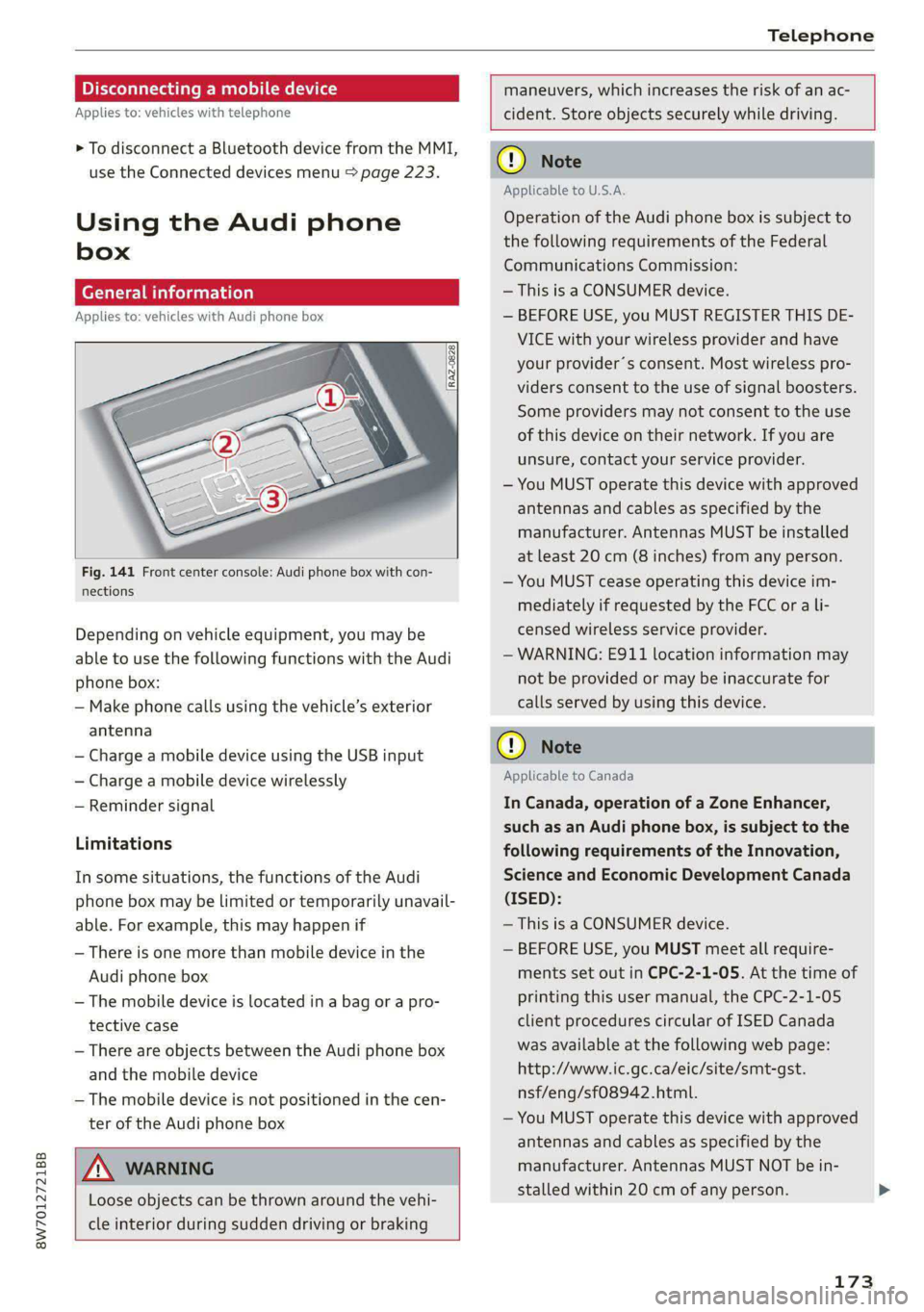
Applies to: vehicles with Audi phone box
Fig. 141 Front center console: Audi phone box with con-
nections
Depending on vehicle equipment, you may be
able to use the following functions with the Audi
phone box:
— Make phone calls using the vehicle’s exterior
antenna
— Charge a mobile device using the USB input
— Charge a mobile device wirelessly
— Reminder signal
Limitations
In some situations, the functions of the Audi
phone box may be limited or temporarily unavail-
able. For example, this may happen if
— There is one more than mobile device in the
Audi phone box
— The mobile device is located in a bag or a pro-
tective case
— There are objects between the Audi phone box
and the mobile device
— The mobile device is not positioned in the cen-
ter of the Audi phone box
A WARNING
Loose objects can be thrown around the vehi-
cle interior during sudden driving or braking
maneuvers, which increases the risk of an ac-
cident. Store objects securely while driving.
CG) Note
Applicable to U.S.A.
Operation of the Audi phone box is subject to
the following requirements of the Federal
Communications Commission:
— This is a CONSUMER device.
— BEFORE USE, you MUST REGISTER THIS DE-
VICE with your wireless provider and have
your provider’s consent. Most wireless pro-
viders consent to the use of signal boosters.
Some providers may not consent to the use
of this device on their network. If you are
unsure, contact your service provider.
— You MUST operate this device with approved
antennas and cables as specified by the
manufacturer. Antennas MUST be installed
at least 20 cm (8 inches) from any person.
— You MUST cease operating this device im-
mediately if requested by the FCC or a li-
censed wireless service provider.
— WARNING: E911 location information may
not be provided or may be inaccurate for
calls served by using this device.
® Note
Applicable to Canada
In Canada, operation of a Zone Enhancer,
such as an Audi phone box, is subject to the
following requirements of the Innovation,
Science and Economic Development Canada
(ISED):
— This is a CONSUMER device.
— BEFORE USE, you MUST meet all require-
ments set out in CPC-2-1-05. At the time of
printing this user manual, the CPC-2-1-05
client procedures circular of ISED Canada
was available at the following web page:
http://www.ic.gc.ca/eic/site/smt-gst.
nsf/eng/sf08942.html.
— You MUST operate this device with approved
antennas
and cables as specified by the
manufacturer. Antennas MUST NOT be in-
stalled within 20 cm of any person.
173
Page 285 of 318

8W7012721BB
Emergency assistance
(50 km), then transport the vehicle on a
special carrier.
— If the vehicle is towed by a tow truck at the
axle that is not permitted, this can cause se-
vere damage to the transmission.
— The vehicle must not be tow started for
technical reasons.
@® Tips
— If the power supply is interrupted, then it
will not be possible to move the selector
lever out of the "P" position. The parking
lock must be released using the emergency
release before towing the vehicle
=> page 108.
— Switch Audi pre sense* off > page 155 when
loading the vehicle onto a vehicle carrier,
train, ship, or other type of transportation,
or when towing the vehicle. This can prevent
an undesired intervention from the pre
sense* system.
— Follow the local legal regulations for tow-
ing.
Read and follow the important information under
=> page 282.
Preparations
> Only secure the towing cable or tow bar at the
designated towing loop > page 283.
> Make sure the towing cable is not twisted. Oth-
erwise it could disconnect from the towing loop
while towing.
> Switch the emergency flashers on in both
vehicles > page 61. However, do not do this if it
prohibited by law.
Towing vehicle (front)
> Only start to drive when the towing cable is
taut.
> Press the brake pedal very carefully.
» Avoid sudden braking or driving maneuvers.
Vehicle being towed (rear)
> Make sure the ignition is switched on so that
the steering wheel is not locked and so that you
can use the turn signals, the horn, and the
windshield wipers if needed > A\.
> Switching it off before the vehicle has stopped
may
impair the function of the brake booster
and power steering. You would then need to
use more force to steer and brake the vehicle.
> Release the parking brake > page 114.
> Select the “N” selector lever position.
> Make sure the towing cable is always taut.
JN WARNING
— Never tow a vehicle using a tow bar or tow-
ing cable if the vehicle does not have electri-
cal power.
— If the vehicle runs out of power while it is
being towed, stop towing the vehicle imme-
diately and consult an authorized Audi deal-
er or qualified repair facility.
Rear towing loop
Applies to: RS models
Fig. 190 Rear bumper: installing the towing loop
The threaded opening for the towing loop is lo-
cated on the right rear of the bumper.
> Remove the towing loop from the vehicle tool
kit > page 274.
283
>
Page 304 of 318
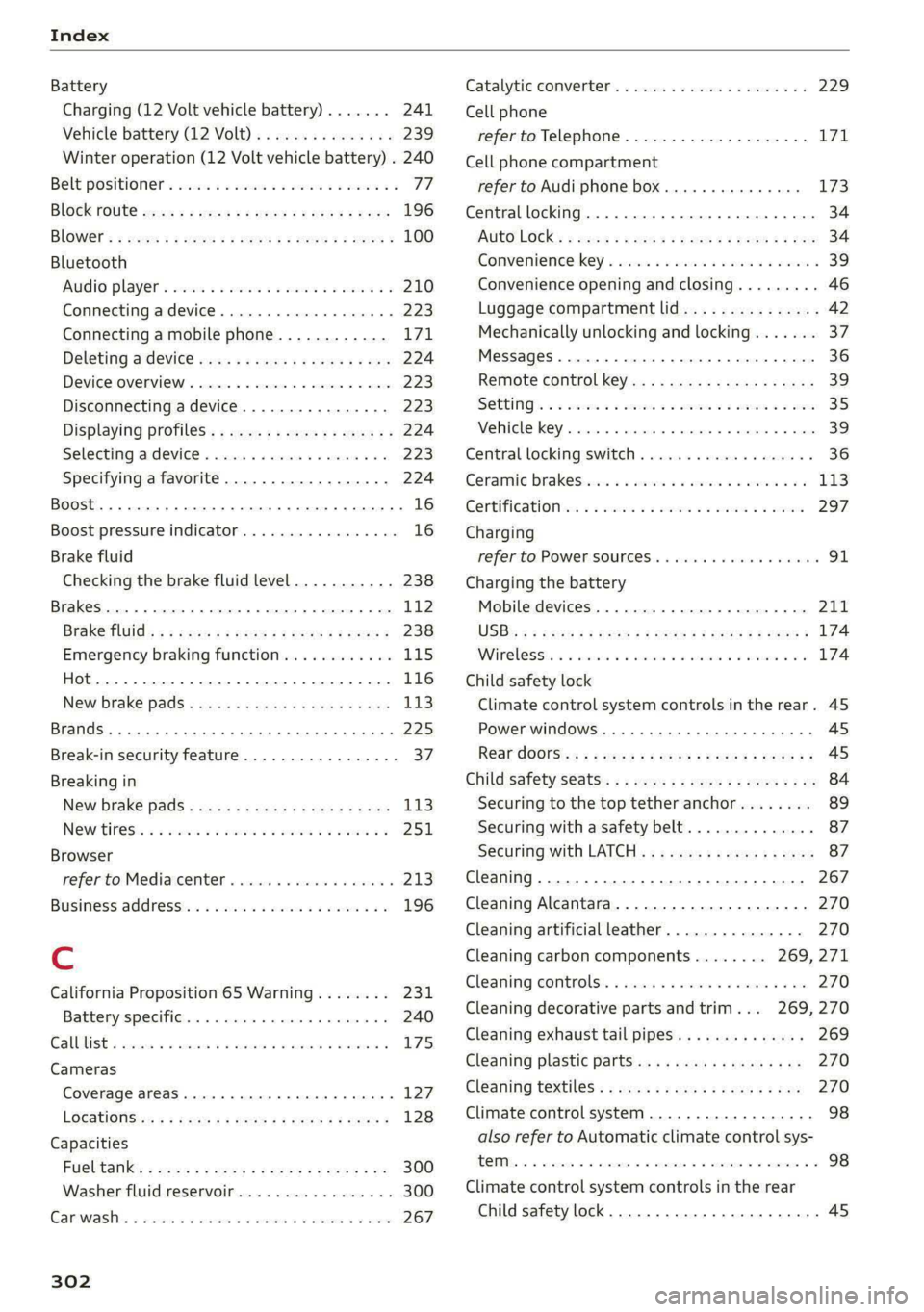
Index
Battery
Charging (12 Volt vehicle battery)....... 241
Vehicle battery (12 Volt)............... 239
Winter operation (12 Volt vehicle battery) . 240
Belt positioners sins oe seus vo new vs eww oe 77
BlOGk POURC sew: 2s wencu 2 o pee 2s eee F ee 196
BlOWEr's » owes 2 = seme 2 2 saves 2 eee oe ree E 100
Bluetooth
AUGiO player = secu ss mone oo wasn oo inane Wo 210
Connecting a device..............0000- 223
Connecting a mobile phone............ 171
Deleting a device ........ ces eee eeeeeee 224
Device Overview « sicisce « « ssc «© cscceue a 6 aoeee 223
Disconnecting adevice................ 223
Displaying profiles..................0. 224
Selecting adeviee « scsics 2 6 snscis © 6 arsnin + 6 « 223
Specifying a favorite.................. 224
BoOSt ..... cece eee eee 16
Boost pressure indicator................. 16
Brake fluid
Checking the brake fluid level........... 238
Brakes... 2... eee 112
Brake fluid: « « seas s ¢ wows se eews oo eee 238
Emergency braking function............ L15
(0) 116
New brake pads................ 000 eee 113
Brands ..... 2... ee eee eee eee 225
Break-in security feature.............000. 37
Breaking in
New brake pads..........-.. eee eee ee 113
NQWHIFESS = 5 sccons 3 0 ascane © 0 wemwm ooo aa 9 251,
Browser
refer to Mediacenter................0- 213
Business. addressins ¢ vss «+ mean a 3 man oo 196
Cc
California Proposition 65 Warning........ 231
Battery specific.......... see eee eee eee 240
CAlElist,. scsnis x 2 ammnes + « creme & & mean = eee « 175
Cameras
Coverage areaS.. 1... eee eee eee 127
LOGAtIONS <5 « = seem 5 2 Rom FE eR FE oe 128
Capacities
Fuelitank’: » soos 3 2 mews 2 2 awe 2 4 came + ne 300
Washer fluid reservoir................. 300
Carwashiis s sxsw 2 «crue 6 o ance a 0 comics oo oem 267
302
Catalytic converter..............-00000- 229
Cell phone
refer to Telephone...............-.00. 171
Cell phone compartment
refer to Audi phone box............... 173
Central locking.................520 eee ee 34
AUTO LOGK:: » cuoz = wees: = sem 4 s seu 2 mae 34
Conveniencerkey a ica 2 swoon wwe o 6 sao a 39
Convenience opening and closing......... 46
Luggage compartment lid............... 42
Mechanically unlocking and locking....... 37
Messages ........... 0.00. c eee eee ee 36
Remote control key...........eeeeeeeee 39
SOLUINGS « 2 sees & o cmnmres © 3 smreees w o omnes Bo seats 35
EMILE KY, wccssie wc » sienna us oneuane # % ansine 5 ens 39
Central locking switch..............20005 36
Ceramic Drakestiins oo scuns wo sueeme « omen ¥ 5 8 113
GOrtiTiCati Oia « sacs oo omens oo sam oo sm 297
Charging
refer to Power SOUrCES ..... eee ee ee eee 91.
Charging the battery
Mobile devices. ................000005 211
USB « = usu = ¢ nme © E ROU ¢ FoR § 2 ee 174
Wirelesst. xs seswes « 0 ansuosa sx aswsar oo amanere #0 6 174
Child safety lock
Climate control system controls inthe rear. 45
Power WINdOWS........ 0. cece ee eee eee ee 45
Rear dOOrSisy: + « sexse & s saws 4 Scum s 2 oem ge 45
Child safety seats..............--.000-05 84
Securing to the top tether anchor........ 89
Securing with a safety belt.............. 87
Sectiring with LATCH « s « avs « ¢ zeus 5 x ewer 87
Cleaning... 0.0... . cece eee eee eee eee 267
Cleaning Alcantara............--.00000. 270
Cleaning artificial leather............... 270
Cleaning carbon components........ 269, 271
Cleaning CONtrOIS:. « sie. 6 sree oo eevee 4 2 we 270
Cleaning decorative parts andtrim... 269,270
Cleaning exhaust tail pipes.............. 269
Cleaning plastic parts.................. 270
Cleaning textilee:s » vows se cena: 2eas a ¢ toe 270
Climate control system .............0000. 98
also refer to Automatic climate control sys-
ROI = sscas © 6 woanere © wennane © 6 over © oo ammo 98
Climate control system controls in the rear
Child safety lock.. 0.2.0... cee cece eee 45