wheel AUDI A5 CABRIOLET 2011 User Guide
[x] Cancel search | Manufacturer: AUDI, Model Year: 2011, Model line: A5 CABRIOLET, Model: AUDI A5 CABRIOLET 2011Pages: 364, PDF Size: 86.48 MB
Page 103 of 364
_________________________________________________ W_ a_ r_m _ a_ n_d_ c_ o_ ld _ ___._
App lies to veh icles : with delux e auto matic clim ate contro l p lus
Air vents
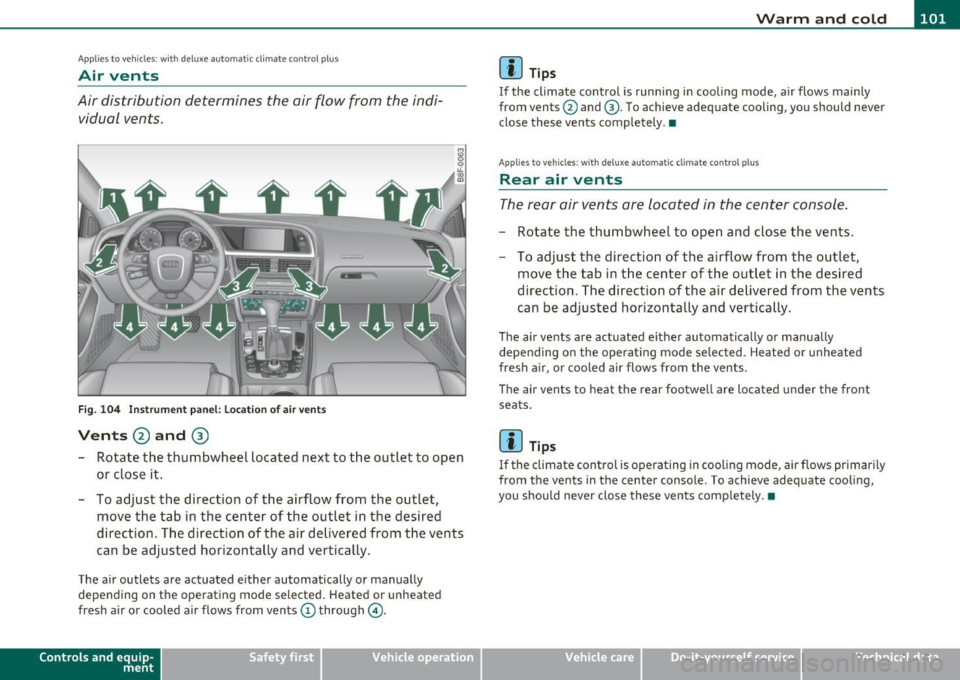
Air distribution determines the air flow from the indi
vidual vents .
Fig. 104 Instrument panel: Locat ion of air vents
Vents @and @
-Rotate the thumbwheel located next to the outlet to open
or close it.
- To adjust the direction of the airflow from the outlet,
move the tab in the center of the outlet in the desired
direction . The direction of the air delivered from the vents
can be adjusted horizontally and vertically.
The air outlets are actuated e ither automatically or manually
depending on the operating mode selected. Heated or unheated
fresh air or cooled air flows from vents(!) through @.
Con tro ls a nd e quip
m en t Vehicle
OP-eration
(I) Tips
If the climate control is running in cooling mode, air flows main ly
from ve nts @ and @. To ach ieve adequate cooling, you should never
close these vents completely .•
App lies to vehicles : wit h delu xe aut omatic clim ate co ntro l pl us
Rear air vents
The rear air vents are located in the center console.
Rotate the thumbwheel to open and close the vents .
- To adjust the direction of the airflow from the outlet,
move the tab in the center of the outlet in the desired
direction . The direction of the air delivered from the vents
can be adjusted horizontally and vertically.
The air vents are actuated e ither automatically or manua lly
depending on the operating mode selected . Heated or unheated
fresh a ir, or cooled a ir flows from the vents .
The air ven ts to he at the re ar fo otwell are l ocat ed under the front
seats .
(I) Tips
If the climate control is operating in cooling mode , air flows pr imarily
from the vents in the center console . To achieve adequate cooling,
you should never close these vents comp letely. •
Vehicle care Do-it-yourselt service iTechnical data
Page 105 of 364
_________________________________________________ W_ a_ r_m _ a_ n_d_ c_ o_ ld _ ___.lfll
Seat heating
Ap plies to vehicles: w it h fr ont se at heat in g
Front seat heating ~
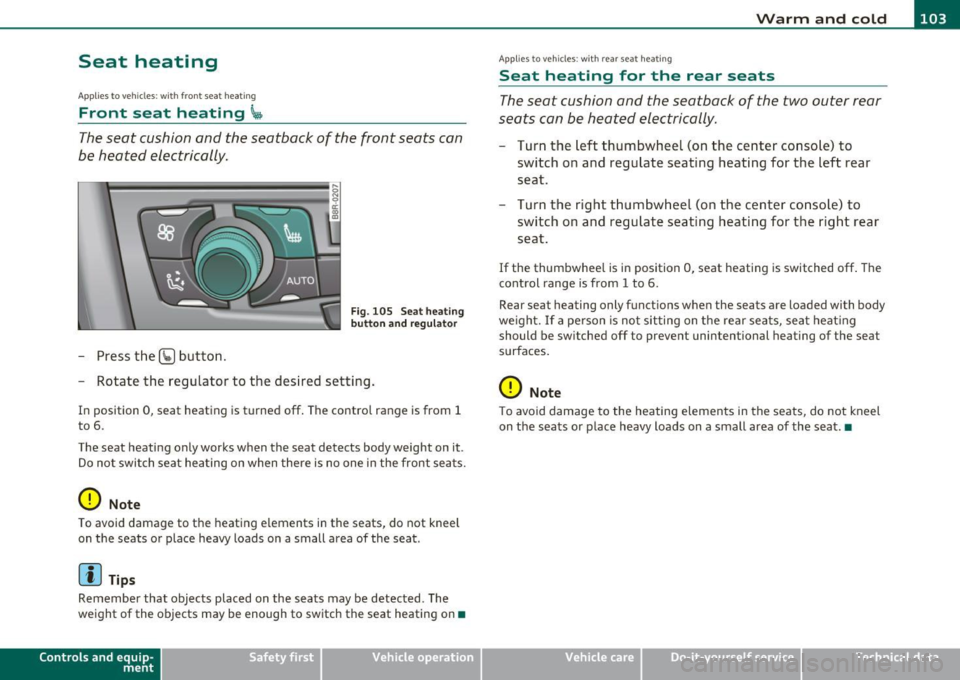
The seat cushion and the seatback of the front seats can
be heated electrically.
- Press the (g button.
s ci: ., m
Fig. 105 Seat heati ng
button and r egul ator
- Rotate the regulator to the des ired setting .
In position 0, seat heating is turned off . The contro l range is from 1
t o 6.
The seat heating only works when the seat detects body weight on it .
Do no t swi tc h s eat he ating on when the re is no one in the front se ats.
0 Note
To avoid damage to t he heat ing e lements in the seats, do not kneel
on t he seats o r place heavy loads on a small area of the seat .
[I) Tips
Remember that objects placed on the seats may be detected . The
we ight of the objects may be enough to switch the seat heating on •
Contro ls a nd e quip
m en t Vehicle
OP-eration
Applies to ve hicles : w ith rea r sea t heat ing
Seat heating for the rear seats
T he seat cushion and the seatback of the two outer rear
seats c an be heated electrically.
- Turn the left thumbwheel (on t he center conso le) to
switch o n and reg ulate seating heat ing fo r the left rear
seat.
Turn t he right t humbwhee l (on the center co nsole) to
switch on and regulate seat ing heating for the r ight rear
seat.
If the thumbwhee l is i n position 0, seat heating is switched off . The
control range is from 1 to 6.
Rear sea t heating only funct ions when the seats are loaded with body
we igh t. If a pe rson is no t sitting on t he rear sea ts, sea t heat ing
should be sw itched off to preve nt unintentional heating of the seat
surfaces.
0 Note
T o avoid damage to the heatin g elements in the seats, do not kneel
on the sea ts or p lace heavy loads on a small area of the seat .•
Vehicle care Do-it-yourselt service iTechnical data
Page 107 of 364
___________________________________________________ O;,__ n_ t ;,__ h:...:e:.....:.. r..:o :...:a::.:... d.:.;___,J-
On the road
Steering
App lies to veh icles : w ith manu ally adjusta ble steering whe el
Manually adjustable steering wheel
Th e height and rea ch of th e st eer ing wh eel can b e
a dju sted.
Fir st, adj ust the drive r's s eat co rrec tly.
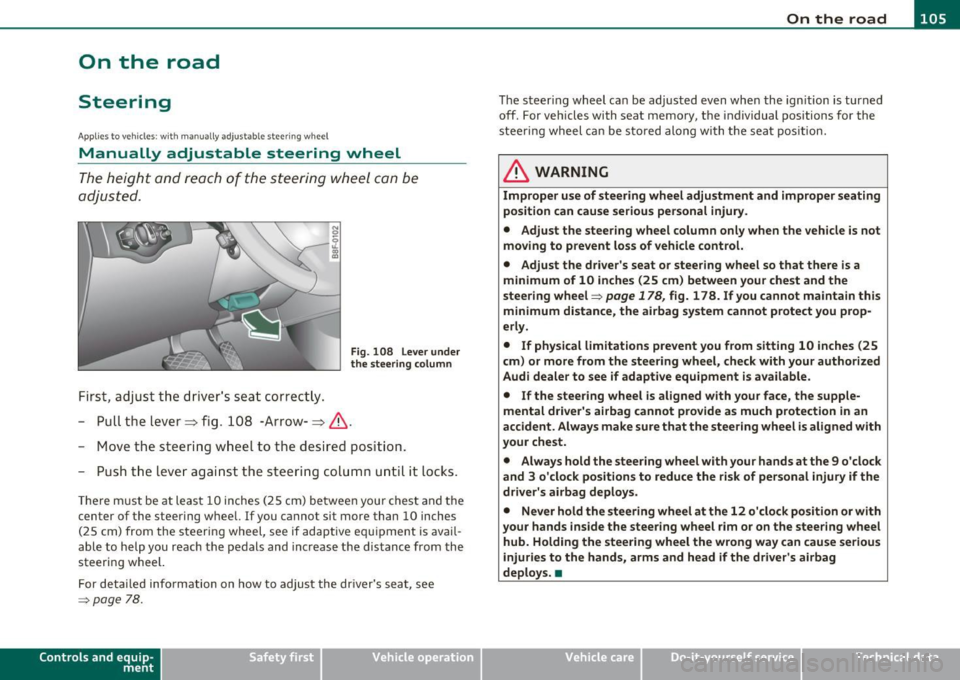
Fig . 108 Lever under
the steering colum n
-Pull th e lever=> fig. 10 8 -Ar row-=> &.
- Move the steeri ng w hee l to the des ired pos it ion.
- Pus h the lever aga inst the s tee ring column until it loc ks .
Th ere m ust be at leas t 10 inches (2 5 cm) be twee n you r chest a nd the
center of the steering whee l. If you cannot si t more than 10 inches
( 2 5 cm) from the s teer ing wheel, see if adaptive eq uipment is av ail
able to help you reach the p edals and inc rease t he distance from the
s teeri ng wheel.
F or det aile d info rmation on how to adju st the dr iver's sea t, see
=> page 78.
Con tro ls a nd e quip
m en t Vehicle
OP-eration The
steeri ng wh eel ca n be adju sted ev en wh en the ign ition is turn ed
off. For ve hicles with seat memory, the individual positions for the
stee ring wheel c an be st ored al ong wi th t he sea t positi on .
& WARNING
Improper use of steering wheel adjustment and improper seating
position can cause serious personal injury .
• Adjust the steer ing wheel column only when the vehicle is not
moving to prevent loss of vehicle control.
• Adjust the dri ver's seat or steering wheel so that there is a
minimum of 10 inches (25 cm) between your chest and the
steering wheel=>
page 178, fig. 178 . If you cannot maintain this
minimum distance , the airbag system cannot protect you prop
erly .
• If physical limitations prevent you from sitting 10 inches (25
cm) or more from the steering wheel, check with your authorized
Audi dealer to see if adaptive equipment is available.
• If the steering wheel is al igned with your face, the supple
mental driver 's airbag cannot provide as much protection in an
accident . Always make sure that the steering wheel is aligned with
your chest.
• Always hold the steering wheel with your hands at the 9 o 'clock
and 3 o'clock positions to reduce the risk of personal injury if the
driver's airbag deploys .
• Never hold the steering wheel at the 12 o'clock po sition or with
your hands inside the steering wheel
rim or on the steer ing wheel
hub. Holding the stee ring wheel the wrong way can cause serious
injur ies to the hands, arms and head if the driver's airbag
deploys. •
Vehicle care Do-it-yourselt service iTechnical data
Page 113 of 364
On the road -
----------------
more detail. If the driver message Parking brake! appears, there is an
operat ing malfunction in the parking brake which you should have
repaired immediately by an authorized Audi dealer or other qualified
workshop ~
page 30.
[I] Tips
• You can apply the parking brake at any time -even with the igni
tion turned off. The ig nition must be turned on in order to release the
parking brake.
• Occasional noises when the parking brake is applied and released
are normal and are not a cause for concern.
• When the vehicle is parked, the parking brake goes through a self
test cycle at regular intervals . Any associated noises are normal. •
Parking
Various rules apply to prevent the parked vehicle from
rolling away accidentally.
Parking
-Stop the vehicle with the foot brake.
- Pull the switch to apply t he parking brake.
- Move the selector lever to P.
- Turn the engine off::::>&.
In addition on inclines and grades
-Turn the steering wheel so that your vehicle will ro ll
against the curb in case it should start to move.
_& WARNING
• When you leave your vehicle -even if only briefly· always
remove the ignition key. This applies particularly when children
Controls and equip
ment Safety first
& WARNING
(continued )
remain in the vehicle. Otherwise the children could start the
engine, release the parking brake or operate electrical equipment
(e.g. power windows). There is the risk of an accident.
• When the vehicle is locked, no one -particularly not children
should remain in the vehicle. Locked doors make it more difficult
for emergency workers to get into the vehicle -putting lives at
risk. •
Starting from rest
The starting assist function ensures that the parking
brake is released automatically upon starting.
Stopping and applying parking brake
-Pull the switch to apply the parking brake.
Starting and automatically releasing the
parking brake
- When you start to drive as usual, the parking brake is auto -
matically released and your vehicle begins to move.
Whe n stopping at a tra ffic signal or stopping in city traffic on ve hicles
with an automatic transmission, the parking brake can be applied.
Th e vehicle does not have to be held with the footbrake. The parking
brake eliminates the tendency to creep with a drive range engaged.
As soon as you drive off as usual, the parking brake is released auto
matically and the vehicle starts to move.
Starting on slopes
When starting on inclines, the starting assist prevents the vehicle
from unintentionally rolling back. The braking force of the parking
brake is not released until sufficient driving force has been built up at
the whee ls. ..,
Vehicle care Technical data
Page 114 of 364
![AUDI A5 CABRIOLET 2011 User Guide ""L___::O:::.:., n:....:: t.:..:h :.:e :...:.. r.:::o :.::a :.: d=--------------------------------------------------
(I] Tips
For s afety reasons, t he pa rking br ake is r eleased automatical](/img/6/57571/w960_57571-113.png "AUDI A5 CABRIOLET 2011 User Guide \"\"L___::O:::.:., n:....:: t.:..:h :.:e :...:.. r.:::o :.::a :.: d=--------------------------------------------------
(I] Tips
For s afety reasons, t he pa rking br ake is r eleased automatical")
""L___::O:::.:., n:....:: t.:..:h :.:e :...:.. r.:::o :.::a :.: d=--------------------------------------------------
(I] Tips
For s afety reasons, t he pa rking br ake is r eleased automatically only
when the driver 's safety belt is engaged in the buck le .•
Starting off with a trailer
To prevent rolling back unintenti onally on an incline, do
the following :
-Keep the switch pu lled and depress the accelerator. T he
parking brake stays a pp lied and prevents the vehic le from
ro lling backward.
- You can re lease the switch once you are sure tha t you are
deve lopi ng enough driving force at t he wheels by
depressing the accelerator .
Depending on the we ight of the rig (vehicle and trailer) and the
sever ity o f the in cl ine, you may roll backwa rds as you start . You can
prevent roll ing backwards by holding the park ing brake sw itch pulled
out and accele ra ting -just as you wou ld when starting on a hill wi th a
conventional hand brake .•
Emergency braking
In the event that the conventional brake system fails or
locks .
-In an emergen cy , pull t he sw itch and contin ue to pull it to
slow your vehic le down with t he p arking brake.
- As soon as you re lease t he swi tch or acce lerate, the
bra king process s tops.
If you pull the switch and hold it above a speed of about 5 mph (8
km/h), the emergency braking fu nction is initiated . The vehicle is braked at all four wheels by activating the
hydraulic brake system.
Th e b rake pe rformance is s imila r to mak ing an eme rge ncy sto p .=>
&
In order not to act ivate the emergency brak ing by m istake, an audib le
warning tone (buzzer) sounds when the switch is pulled. As soon as
t he swi tch is re leased, or the acce lerator pedal is dep ressed , emer
gency braking stops .
& WARNING
Emergency braking should only be used in an eme rgency , when
the normal foot brake has failed or the brake pedal is obstructed .
Using the parking brake to perform emergency braking will slow
your vehicle down as if you had made a full brake application . The
laws of physics cannot be suspended e ven with ESP and its associ ·
at ed components (ABS, ASR, EDS ). In corners and when road or
weather conditions are bad , a full brake application can cause the
vehicle to skid or the rear end to break away· ri sking an accid ent. •
Driver messages in the instrument cluster
Warning Vehicle incline i s excessive
Th is message appears when the parking brake is applied on an incline
t ha t exceeds abo ut 3 0%.
I n th is case the braking power of the parking brake may
not be
adequate
to prevent the vehicle from rolling unintentionally.
Pl ease release parking brak e
Please note that for safety reasons the pa rking brake is re leased auto
matically on ly if the d river's seat be lt is fully engaged i n the buck le .
To relea se the parking brake pre ss the brake pedal
Th is dr iver message appears when the switch to release the parking
brake was pressed . The par king brake can only be released if you s tep
on the brake peda l and at the same time p ress the switc h or you auto- _.,
Page 118 of 364
ffl Adaptive cruise control .._ __ :,..._ ____ _,;__,;_...;.____ ________________________________ _
Adaptive cruise control
Speed and distance control system
Applies to veh icl es : w it h adaptive c ruise contro l
Description
The adaptive cruise control driver assistan ce program is a
combined speed and distance control system .
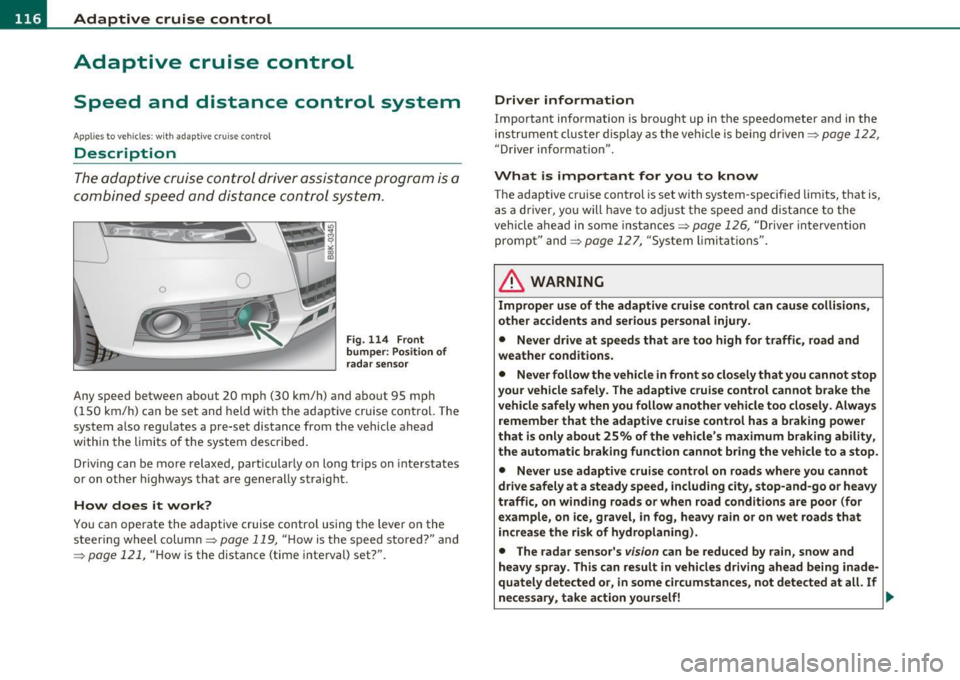
Fig. 114 Front
bum per : Po sitio n of
r a d ar sen sor
Any speed betwee n about 20 mph (30 km/h) and about 95 mph
( 1 50 km/ h) can be set and held with the adaptive cruise control. The
system also regu lates a pre-set distance from the vehicle ahead
w ith in the limits of the system described.
Driv ing c an be more relaxed, particularly o n long tr ips on inter states
or on other highways that a re generally straig ht.
How does it work?
Yo u ca n operate the adaptive c ruise contro l using the leve r o n the
steer ing wheel column:::,
page 119, "H ow is the speed sto red? " and
=:> pag e 121, "How is the distance (time interval) set?".
Driver information
Important info rmation is brought up in the speedometer and in the
instrumen t clust er dis play as the ve hicl e is be ing driven :::,
page 122,
"Driver in format ion ".
What is important for you to know
The adaptive cru ise cont rol is set with system-specified lim its, that is,
a s a driver, yo u will h ave to adju st the speed and dist an ce to the
vehicle ahead in some instances :::,
page 126, "Driver inte rvention
promp t" and =>
page 127, "Sy stem limi ta tions ".
& WARNING
Improper u se of the adaptive cruise control can cause colli sion s,
othe r accidents and serious personal injury.
• Never drive at speeds that are too high for traffic, road and
weather condition s.
• Never follow the vehicle in front so closely that you cannot stop
your vehicle safel y. The adaptive cruise control cannot brake the
vehicle safely when you follow another vehicle too closely . Alway s
remember that the adapti ve cruise control has a braking power
that i s only about 25% of the vehicle 's maximum br aking ability,
the automatic b rak ing function cannot bring the vehicle to a stop.
• Never use adaptive cruise control on roads where you cannot
drive safely at a steady speed , including city , stop-and-go or heavy
traffi c, on winding road s or when road cond ition s are poor (for
example , on ice, gravel, in fog, heavy rain or on wet roads that
in crea se the risk of hydroplaning).
• The rada r sensor' s
vis io n can be reduced by rain, snow and
heavy spray . This can re sult in vehicle s driving ahead being inade
qu ately detected or, in some circumstances , not detected at all. If
necessary, t ake action yourself! ..,
Page 131 of 364
____________________________________________ A_ d_ a___,_ p_t_ i_v _e _ c_r _u _ i_ s _e _ c_o _ n_ t_r _o _l _ __.ffl'I
A pp lies to vehicl es : wi th a daptiv e cr uise c ontro l
Vehicles that are difficult to detect
OJ
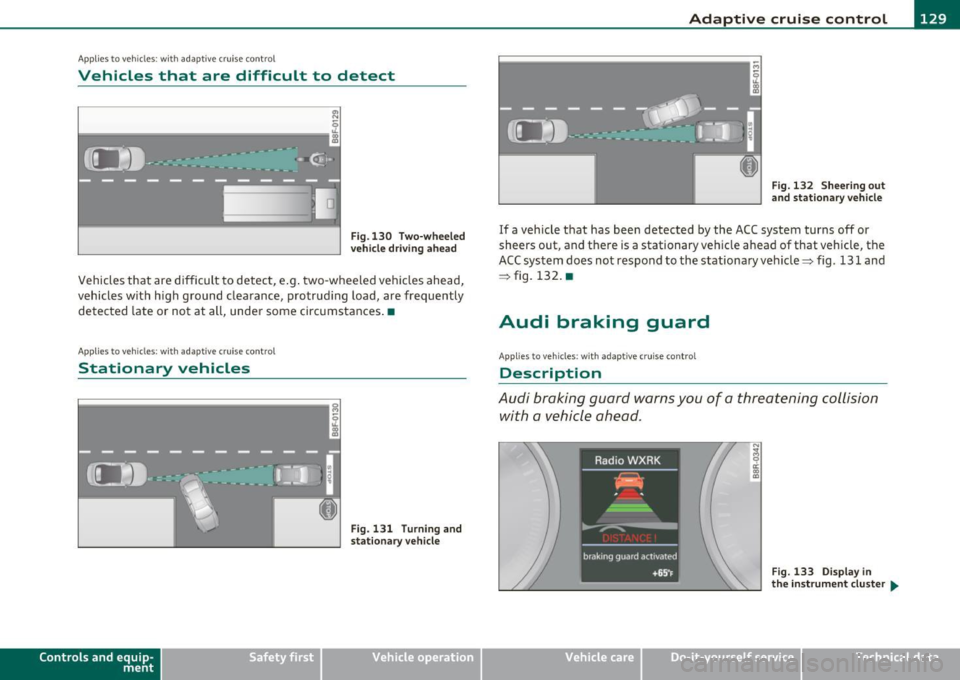
Fig .130 Two-wheeled
vehicle driving ahead
Vehicles that are difficult to detect, e .g . two-wheeled vehicles ahead,
vehicles with h igh ground clearance, protrud ing load, are frequently
detected late or not at all, under some circumstances .•
A ppli es to ve hicl es: with ad apti ve c rui se cont rol
Stationary vehicles
k-----------------· g
Con tro ls a nd e quip
m en t
;
Fig. 131 Turn ing and
stat ionary v ehicle
Vehicle OP-eration
Fig. 132 Sheering out
and stationary vehicle
If a vehicle that has been detected by the ACC system turns off or
sheers out, and there is a stationary veh icle ahead of that vehicle, the
ACC system does not respond to the stationary vehicle=> fig. 131 and
=> fig. 132. •
Audi braking guard
Applies to vehicles: with ada ptiv e cr uise con trol
Description
Audi braking guard warns you of a threatening collision
with a vehicle ahead .
N
I
Fig. 133 Display in
the in strum ent cluster ...
Vehicle care Do-it-yourselt service iTechnical data
Page 134 of 364
IIIIL_!_A~u~d~i~l!:!a~n~e '...:a~s~s:!:is~t ~--------------------------------------------
Aud i Lane assist
Lane assist
Applies to veh icles : w ith lane assist
Description
Lane assist helps you keep your vehicle in your lane.
Lane assist uses a camera to detect lane boundary lines. If the system
detects that your vehicle is about to leave a lane boundary line, the
steering wheel
vibrates to alert the driver. If lane assist detects
boundary lines on both sides o f the veh icle's lane, the system enters
act ive standby mode, which is indicated by t he gree n indicator light
/ : on the instrument cluster .
If the system is in active standby mode and the turn signal is acti
vated before driving over the boundary line , the warning does not
occur sinc e th e system allows for in tention al lane changes.
The system is designed for driving on freeways and expanded high
ways and th us works only at speeds of 40 mph (65 km/h) or more.
& WARNING
• Lane assist will not keep your vehicle in your lane. The system
only warns the driver when the vehicle is leaving the lane. The
driver is always responsible for keeping the vehicle in the lane.
• The camera is not able to detect all lane boundary lines and in
some cases might also detect lane structures or objects as
boundary lines. This can lead to incorrect warnings or warnings
that fail to go off at all.
• The camera's visibility can be impaired by vehicles ahead of
you, for instance, or by rain, snow, heavy spray or light shining
into the camera lens. This can cause lane assist to fail to detect
boundary lines. •
Applies to veh icles: wit h lane assist
Activating and deactivating
•
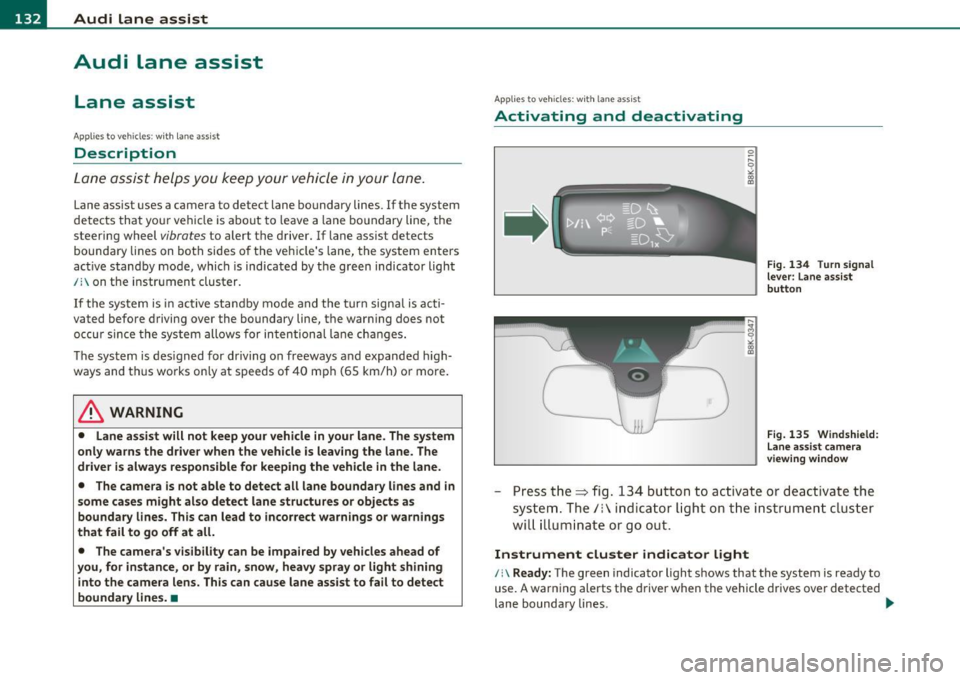
Fig. 134 Turn signal
lever: Lane assist
button
Fig. 135 Windshield:
Lane assist camera
viewing window
-Press the=> fig . 134 button to act ivate or deactivate the
system. The/: ind icator light o n the instrument cluster
will illumi nate or go out.
Instrument cluster indicator light
/:\Ready: The green indicator light shows that the system is ready to
use. A warning alerts the driver when the vehicle drives over detected
lane boundary lines . -.,
Page 137 of 364
Audi lane assist -_______________________________ lff'II
Applie s to vehicles: w ith lane assist
Setting the warning time and steering
wheel vibration
You c an use the radio or MM I* to adjust the warning time
and steerin g wheel vibration.
Setting the warning time
- Press the [ CA R] function button .
- Selec t
Systems * in the CAR men u.
- Selec t
Audi lane assist .
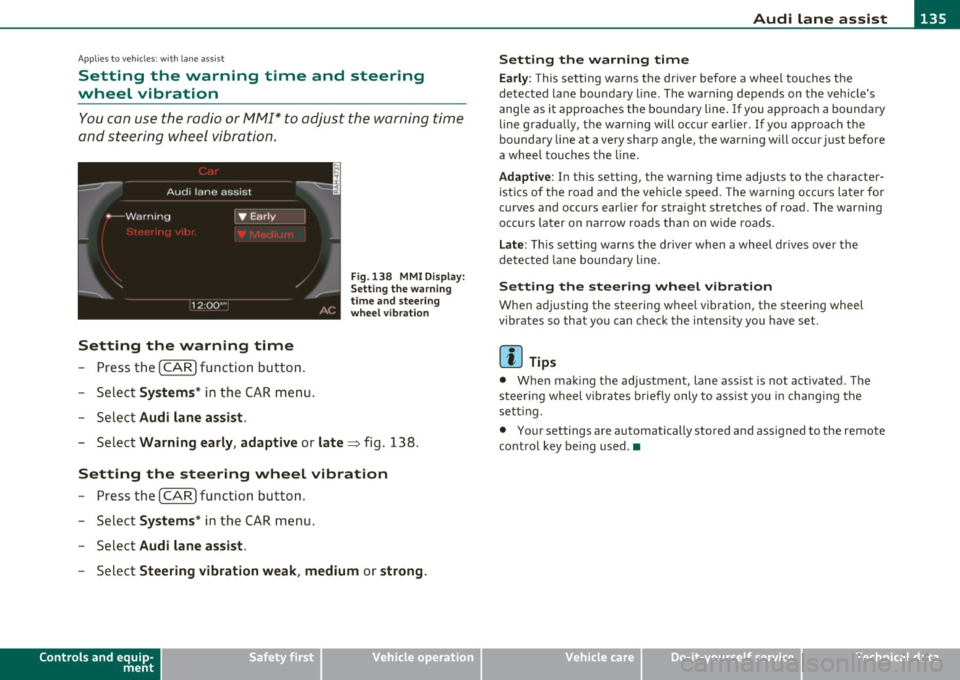
Fig. 13 8 MMI D isplay:
S ettin g the w arning
time an d stee ring
w he el vibr ation
- Select Warning early , adaptive or late => fig. 138.
Setting the steering wheel vibration
-Press th e [ CAR] function bu tt o n.
- Select
Systems * in the CAR men u.
- Select
Audi lane assist .
-Selec t Steering vibration weak , medium or strong .
Controls and equip
ment Safety first
Setting the warning time
Earl
y: This setting wa rns the driver before a wheel touches the
detected la ne bounda ry l ine. The warn ing depends on the vehicle's
angle as it approaches the bo undary line . If you app roach a bounda ry
line gradua lly, t he war ning will occ ur earlier. If you app roach the
boundary line at a very sharp angle, the warning will occur just before
a whee l touches the line.
Adapti ve : In this setting, the warning time adjusts to the character
ist ics o f th e road and the veh icle speed . The wa rning occurs later for
c u rves and occurs ear lier for straight stretches of road. The warn ing
occurs later on narrow roads t han on w ide roads .
Late: This setti ng warns the d river when a whee l dr ives over the
detected lane boundary line.
Setting the steer ing wheel vibration
When ad justing the steering wheel vib ration, the steer ing wheel
vibrates so that yo u can c hec k t he intens ity you have set.
(I) Tips
• Whe n mak ing t he ad justment, lane ass ist is not act ivated. The
steering wheel v ibrates briefly only to assist you in chang ing the
se tt ing.
• Your settings are automatically stored and assigned to the remote
cont rol key being used. •
Vehicle care Technical data
Page 151 of 364

____________________________________________________ T_r_a _ n_ s_m_ i_ s _s_ i_ o _ n __ _
The selector lever must be in Nor P . If one o f the dr iv in g positions is
e n gag ed a saf ety s witch will preven t the engin e from b eing sta rt e d.
S ee also=>
page 106.
Be fore you move t he se lecto r lever from t he P position, yo u m ust
a lw ay s a ppl y the b rake pedal before and while depr ess ing the bu tton
in t he handle of the selector lever.
_& WARNING
• Unintended vehicle movement can cause serious injury.
- When the selector lever is
in a driving position, the vehicle
may creep, even at idle speed. Therefore do not release the
parking brake
or foot brake until you are ready to move,
because power is transmitted to the wheels as soon as a driving
position is engaged.
- Do not accelerate while selecting a driving position . At this
time the engine must be at idle speed so that undue stress is
not placed on the clutches in the transmission.
- Remember : · even when stopped briefly with the automatic
transmission
in " D", "S" or "R", engine power is being trans
mitted to the wheels. Your vehicle could "creep " forward or
backward. When stopped, keep the brake pedal fully
depressed and use the parking brake if necessary to keep the
vehicle from rolling .
• If the selector lever is unintentionally moved into N while you
are driving, take your foot off the accelerator pedal and wait for
the engine to return to idle speed before selecting a driving posi
tion.
• Never shift into "R" or "P " when the vehicle is in motion .
• Never get out of the d river's seat when the engine is running.
• If you must get out of the vehicle , move the selector lever
securely into the P position and apply the parking brake firmly .
• If the engine must remain running, never have any driving
position engaged when checking under the hood. Make sure the
selector lever has securely engaged and is locked in "P " with the
Controls and equip
ment Safety first
& WARNING (
cont inued)
parking brake firmly set=> page 272, "Engine compartment ".
Otherwise, any increase in engine speed may set the vehicle in
motion, even with the parking brake applied. •
App lies to vehicles : w it h auto mat ic t ransmiss ion
Selector lever positions
T his s ection d escrib es the s ele ct or l eve r posi tions and
drivin g ran ges.
Fig. 152 Di splay in
the instrum ent cluster:
selector lever In posi
tio n P
Th e sele ctor lever posi tion engaged appe ars ne xt to the se le ct or lever
as well as in the instr umen t cluster display .
P -Park
In this selector lev er position the transmiss ion is mecha nica lly
l oc ked. Engage
P only when the vehi cle is comple tely sto pp ed=> &
in " Driving t he automatic transmiss io n" on page 148.
T o sh ift in o r o ut of position P , yo u must first press an d hold the brake
peda l
and th en press t he r elease b utton in t he se lec to r l eve r hand le
wh ile moving the selector lever to or from
P. Yo u can s hif t out of thi s
posit ion on ly with t he ignit ion on . .,,
Vehicle care Technical data