key battery AUDI A5 CABRIOLET 2011 Owners Manual
[x] Cancel search | Manufacturer: AUDI, Model Year: 2011, Model line: A5 CABRIOLET, Model: AUDI A5 CABRIOLET 2011Pages: 364, PDF Size: 86.48 MB
Page 35 of 364
warning goes out after about S seconds, but it can be brought up at any time by pressing the !SETI button again
Defective ignition switch Get it serviced!
-Do not turn the engine off.
- Drive immed iately to an authorized service facility to have
the malfunction corrected.
If there is a malfunction in the electron ic ignition lock, the ignition
cannot be turned off . Drive immediately to an authorized service
facility to have the cause of the malfunction corrected.
On vehicles w ith convenience key *, the e ng ine should not be switched
off using the start/stop button because the engine cannot be started
again after the ignit ion has been switched off.
[ i ] Tips
The symbol's appearance might be d ifferent in some models. •
Yellow symbols
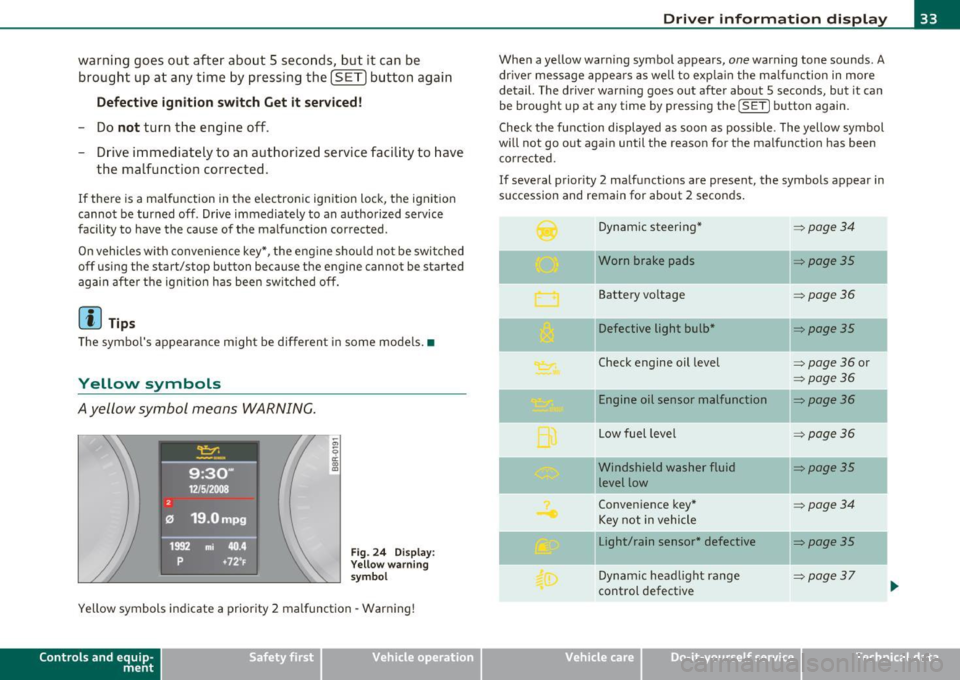
Ayellow symbol means WARNING.
Fig. 24 Display:
Yellow warning
symbol
Yellow symbols indicate a priority 2 malfunction -Warning!
Con tro ls a nd e quip
m en t Vehicle
OP-eration
Driver information display
When a yellow warning symbol appears, one warning tone sounds. A
dr iver message appears as well to expla in the malfunction in more
detail. The driver warn ing goes out after about 5 seconds, but it can
be brought up at any time by pressing the
! SET] button again.
Check the function displayed as soon as possible . The yellow symbol
will not go out again until the reason for the malfunction has been
corrected.
If several priority 2 malfunctions are present, the symbols appear in
succession and remain for about 2 seconds.
Dynamic steering*
~ page34
-Worn brake pads ~poge35
Battery voltage ~poge36
Defective light bulb* ~poge35
Check engine oil level => page 36 or
~page36
Engine oil sensor malfunction ~page36
-
Low fuel level =:>page 36
- -Windshield
washer fluid ~poge35
level low
Convenience key*
~poge34
Key not in vehicle
Light/rain sensor* defective
::::>poge35
--
Dynamic headlight range => page37
control defective ...
Vehicle care Do-it-yourselt service iTechnical data
Page 36 of 364

Driver information display
Battery in remote control key :::>page 39
--
Elect romechan ical => page 112
par king b rake
-
Engine speed limitat ion * =>page 36
adaptive light* defect ive => page 37
Ignition lock malfunction ::::>page37
Adapt ive dampers * :::>page 37
Windshield w iper defectiv e :::>page 37
--
Significant loss of air pressu re* => page 315
Ti re pressu re m onito ring sys-=> page 315
tern * (malfunction)
[I] Tips
The speed warnings warning thres ho ld 1 and warning threshold 2
v are also yellow symbols in some mo dels . The wa rnin g is always
show n as a sma ll symbol in the uppe r area of t he d isp lay
=> page 26 . •
Ap plies to ve hicle s: with Aud i d rive se le ct
Dynamic steering f?i
1:.;,. Dynamic steering : Sy stem malfunct ion
Th is driver message and the symbol appear when a system
ma lfunction occurs dur ing trave l. Yo u can continue to dr ive carefully
at a reduced speed to a q ua lified workshop. Steering can be more difficult or sens
it ive than usua l. The steering wheel can a lso be at a n
ang le w hen d riving s traight .
Dynamic steering : initialization
If this driver message appears and the indicator light is f lash ing on
t he inst rument pane l, dynam ic steering is being reini tial ized . On ce
you start the engine after t his is finished , the steering wheel w ill be
e a sy to move. Re- ini tia lizat ion mig ht be necess ary if th e s teering
wheel was moved hard to the left and right while the veh icle was not
movi ng. The disp lay goes o ut as soon as initialization is complete .
& WARNING
Have the dynamic steering sy stem malfun ction repaired a s soon
as possible by an authorized Audi dealer or any qualified workshop
- risk of accident!
[ i ] Tips
Th e dynamic steering st abili ty systems are no t ava ila bl e in the event
of a system ma lfunct io n.•
App lie s to v eh icl es: w it h co nv en ience key
Key not in vehicle 7
., Key not in vehicle
Thi s remin der appears along wi th the .... symbol if the maste r key is
removed from the vehicle with t he e ngine running . It is intended to
remind you (e.g. w hen c hanging dr ive rs) not to co ntinue t he journey
w ithout the master key.
If t he master key is no longer in t he ve hicl e, yo u can not swi tch off the
ign ition after stopping the engine and you also cannot start the
eng ine a gain. You also cannot lock the vehicle from the ou ts ide. •
Page 41 of 364
![AUDI A5 CABRIOLET 2011 Owners Manual (]] Tips
• The operation of the remote control key can be temporarily
d isrupted by interfe rence from transmitters in the v icinity of the
vehicle wo rking in the same freq](/img/6/57571/w960_57571-40.png "AUDI A5 CABRIOLET 2011 Owners Manual (]] Tips
• The operation of the remote control key can be temporarily
d isrupted by interfe rence from transmitters in the v icinity of the
vehicle wo rking in the same freq")
(]] Tips
• The operation of the remote control key can be temporarily
d isrupted by interfe rence from transmitters in the v icinity of the
vehicle wo rking in the same frequency range (e.g. a cell phone, rad io
equipmen t) .
• If you open the dr ive r's doo r with the key left in the ignit ion lo ck,
a ch ime will sound . This is your reminder to remove the key and lock
the doo r.
• For security reasons, replacement keys are only available from
Audi dealers.
• For Declaration of Complia nce to United States FCC and Industry
Canada regulations=>
page 346 . •
Check Light in the master key
The check li ght in the master key provides inform ation
about different conditions.
!
lJl
Fig. 2 6 Che ck lig ht in
t h e maste r key
The check light comes on brief ly once when a button is p ressed, and
du ring an " inquiry" by the convenience key system.
Con tro ls a nd e quip
m en t Vehicle
OP-eration
Opening and closing
If the check light does not come o n, the batte ry is dead and has to be
rep laced. In addi tion , when the batte ry is dead the • sym bol appears
in the instrument cluster d isp lay as well as the message :
Please change ke y batte ry
Battery replacement => page 39. •
Master key battery replacement
..
Fig . 2 7 R em ote
m aste r ke y: Rem ovin g
th e m ech anic al ke y
Fig. 28 Remot e
m as ter k ey: Rem oving
t he batte ry hol der
We recommend having the battery changed by an authorized
Audi dealer . However , if you wish to rep lace the dead battery
yourse lf, proceed as follows :
- P ress the release button©=> fig. 27.
~
Vehicle care Do-it-yourselt service iTechnical data
Page 42 of 364
Opening and closing
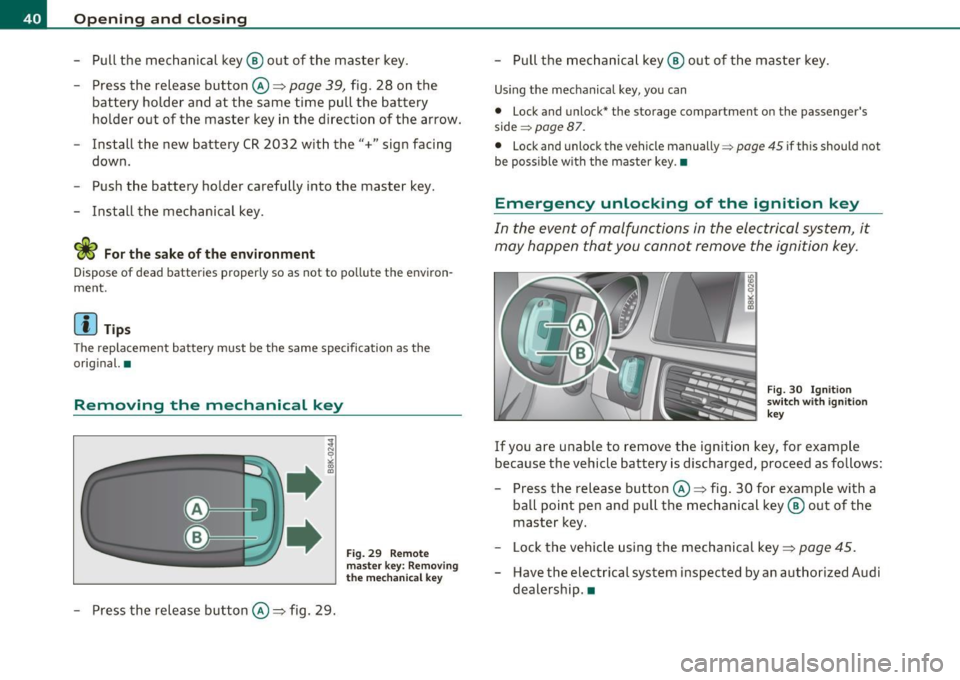
-Pull the mechanical key ® out of the master key.
- Press the release button©=>
page 39, fig. 28 on the
battery holder and at the same time pull the battery
holder out of the master key in the direction of the arrow.
- Install the new battery CR 2032 with the"+" sign facing
down.
- Push the battery holder carefully into the master key.
- Install the mechanical key.
<£> For the sake of the environment
Dispose of dead batteries properly so as not to pollute th e environ
ment.
(I] Tips
Th e replacement battery must be the same specification as the
original. •
Removing the mechanical key
-Press the release button©=> fig. 29.
Fig. 29 Remote
master key: Removing
the mechanical key
-Pull the mechanical key ® out of the master key.
Using the mechanical key, you can
• Lock and unlock* the storage compartment on the passenger's
side ~
page 87.
• Lock and unlock the vehicle manually =:> page 45 if this should not
be possible with the master key .•
Emergency unlocking of the ignition key
In the event of malfunctions in the electrical system, it
may happen that you cannot remove the ignition key.
Fig. 30 Ignition
switch with ignition
key
If you are unable to remove the ignition key, for example
because the vehicle battery is discharged, proceed as follows:
- Press the release button©=> fig. 30 for example with a
ball point pen and pull the mechanical key ® out of the
master key.
- Lock the vehicle using the mechanical key=>
page 45.
-Have the electrical system inspected by an authorized Audi
dealership. •
Page 47 of 364
Locking vehicle
-Move the selector lever to the P position (automatic trans
mission), otherwise the vehicle cannot be locked.
- Touch the sensor at the door handle
once~ page 44,
fig. 35 to lock the vehicle ~ & in "General description"
on
page 41 .
The vehicle can be locked and unlocked at any door. It depends on the
settings in the radio or in the MMI* whether the entire vehicle is
unlocked or one of the doors=>
page 43. The master key must be
within a range of about 1.5 m from the appropriate door or the rear
lid . It makes no difference whether the master key is in your jacket
pocket or in your brief case.
If you grip the door handle while locking, th is can adversely affect the
locking function.
It is not possible to re-open the door for a brief period directly after
closing it. This allows you to ensure that the doors are properly
locked.
& WARNING
Read and follow all WARNINGS => & in "General description " on
page 41.
[ i ] Tips
If your vehicle has been standing for an extended period, please note
the following :
• The proximity sensors are deactivated after a few days to save
powe r. You then have to pull on the door hand le once to unlock the
vehicle and a second time to open the vehicle .
• To prevent the battery from being discharged and to preserve your
vehicle's ability to start for as long as possible, the energy manage
ment system gradually switches off unnecessary convenience func-
Controls and equip
ment Safety first
Opening and closing
tions. It is possible that you w
ill not be able to unlock your vehicle
us ing these conven ience f unctions .
• For Declaration of Compliance to United States FCC and Industry
Canada regulations =>
page 346. •
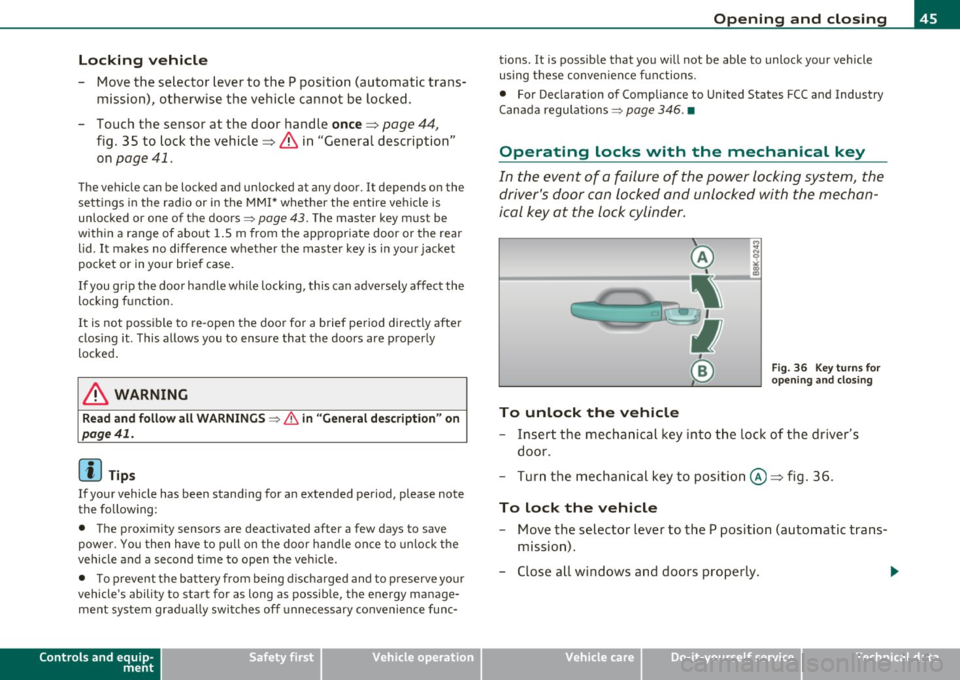
Operating locks with the mechanical key
In the event of a failure of the power locking system, the
driver's door con locked and unlocked with the mechan
ical key at the lock cylinder.
To unlock the vehicle
Fig. 36 Key turns for
opening and closing
- Insert the mechanical key in to the lock of the driver's
door.
- Turn the mechanical key to position @~ fig . 36.
To lock the vehicle
- Move the selector lever to the P position (automatic trans
mission) .
- Close all windows and doors properly.
~
Vehicle care Technical data
Page 52 of 364
Opening and closing
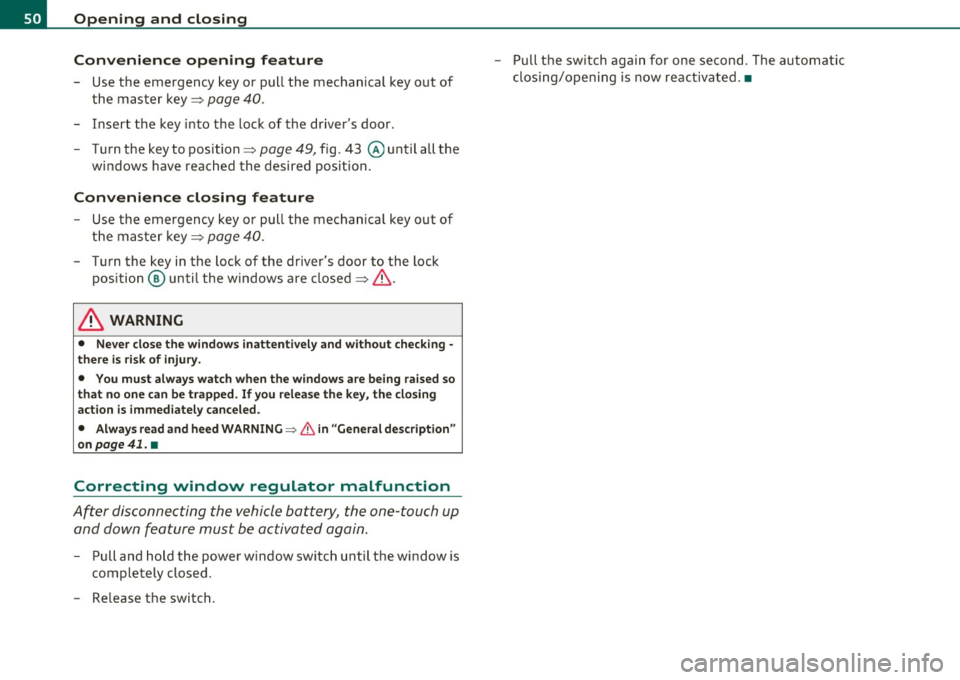
Convenience opening feature
- Use the emergency key or pull the mechanical key out of
the master key=>
page 40.
-Insert the key into the lock of the driver's door.
- Turn the key to position=>
page 49, fig. 43 @until all the
windows have reached the desired position.
Convenience closing feature
- Use the emergency key or pull the mechanical key out of
the master key=>
page 40.
-Turn the key in the lock of the driver's door to the lock
position @ until the windows are closed=>
&-
& WARNING
• Never close the windows inattentively and without checking ·
there is risk of injury.
• You must always watch when the windows are being raised so
that no one can be trapped. If you release the key, the closing
action is immediately canceled.
• Always read and heed WARNING=>
& in "General description"
on
page 41. •
Correcting window regulator malfunction
After disconnecting the vehicle battery, the one-touch up
and down feature must be activated again.
- Pull and hold the power window switch until the window is
completely closed.
- Release the switch. -
Pull the switch again for one second. The automatic
closing/opening is now reactivated. •
Page 70 of 364

Clear vision High be am
~D @
- Push the lever forward to switch on the high beam.
- Pull the lever back towards you to switch off the high
beam.
H eadlight flasher ~D ©
- Pull the lever toward the steering whee l to use the head
light flasher.
Not es on th es e fe ature s
• The turn signals only work with the ignit ion turned on. The indi
cato r lights ¢ or¢ in the instrument cluster also blink.
• After you have turned a corner, the turn signal switches off auto
matically.
• The
high beam works only when the headlights are on. The indi
cator light ~D in the instrument cluster illuminates when the high
beams are on.
• T he
headlight flasher works only as long as you hold the lever -
even if there are no lights switched on. The indicator light ~Din the
instrument cluster illuminates when you use the headlight flasher.
0 Note
Do not use the high beam or headlight flasher in if you know that
these could be blinding oncoming traffic.•
Interior lights
Interior lights
The interior lights include the reading lights for the driver
and the front passenger .
Activating door contact circuit
Fig. 72 Sect ion from
h ead liner: Interio r
l ig ht s
- Press the button@. The LED in the button illuminates .
Deactivating door contact circuit
-Press the button@. The LED in the button goes out .
Front reading Lights ~
- Press one of the switches @ to turn the right or le ft
reading light on or off .
With the door contact circu it, the inte rior lights turn on as soon as
you un lock the vehicle or open the doors. The interior lights are also
tu rned on when the ignit ion key is removed. The lights turn off about
30 seconds after the doors are closed. When the vehicle is locked or
when the ignition is tu rned on, the interior lights are turned off.
When a door is open, the interior lights are turned off after about 10
min utes to prevent battery draining. _,.
Page 89 of 364

• Only use the c igarette ligh ter socket as a powe r source for e lec
tr ical a ccesso ries f or short dur ations. Use the socke ts * in the ve hicle
when a powe r so urce is needed fo r lo nger durations.
[I] Tips
When the eng ine is of f and accessories ar e st ill plugged in and are on,
the ve hicl e battery can sti ll be draine d.•
Storage
General overview
There are num er ous pla ce s to stor e item s in your v eh ic le .
Glove com par tm en t =>page 87
& WARNING
• Always remove objects from the instrument panel. Any items
not put away could slide around inside the vehicle while driving or
when accelerating or when applying the brake s or when driving
around a corner .
• When you are driving make sure that anything you may have
placed in the center console or other sto rage locat ions cannot fall
out into the footwells. In case of sudden braking you would not be
able to brake, depress the clutch or accelerate. •
Controls and equip
ment Safety first
Seats and storage
Glove compartment
Th
e g lov e comp artmen t is i llum inat ed and c an be lo cked.
To open glove compartment
Fig. 94 Glov e
c om partment
- Pull the h andl e i n th e dir e ct ion of t he arro w ~ fig . 9 4 and
swi ng th e co ver d own to o pen.
To close glove compartment
-Push t he gl ove co mpa rtment lid upward u ntil t he lock
engages.
T he re are holders for a pen and a pad of paper in the glove compart
me nt lid.
On t he right s ide in the glove compartment is a holder with the key
body into w hich t he eme rgency key mus t be clip ped to be able to start
the vehicle.
& WARNING
To reduce the risk of personal injury in an accident or sudden stop, always keep the glove compartment closed while driving. •
Vehicle care Technical data
Page 90 of 364
Warm and cold
Warm and cold
Deluxe automatic climate control
Applies to vehicles: with deluxe automat ic climate cont ro l
Description
The climate control system can be used to set a comfort
able temperature inside the vehicle .
The climate control system is a combination of a heating and ventila
tion system as well a cooling system respons ible for dehumid ifying
and cooling the air inside the vehicle.
Th e automatic climate control system automatically maintains a
temperature once it has been set. The temperature of the air from
the vents, fan speed (air volume) and air distribution are a lso auto
matically adjusted . The system also takes into account strong
sunlight so that manual adjustment is not necessary . So in almost all
cases, automatic mode offers the best conditions for the comfort of
the occupants at all times of the year=>
page 90.
Please note the following :
The cooling mode lowers the humidity level inside the vehicle. This
prevents fogging up of the windows.
In the case of high outside humidity and temperatures,
condensation
can drip from the air conditioning system evaporator and form a pool
under the veh icle. This is normal and not an indication of leaks!
At low outs ide temperatures, the fan automatically switches to a
higher speed when the coolant reaches a sufficient temperature
except in the defroster position.
When starting with full throttle, the compressor of the automatic
climate control system is temporarily switched off to achieve full
engine power.
T o ensure engine cooling when the engine is under an extreme load,
the compressor is switched off at h igh coolant temperatures.
Pollutant filter
The pollutant filter (particle filter) ensures that impurities in the
outs ide a ir (e.g. dust, pollen) and odors are significantly reduced or
stopped. The air is also filtered in recirculation mode.
Th e pollutant filter e lement must be changed at the intervals speci
fied in the service plan so that the performance of the automatic
climate control system is not impaired.
If the effect iveness of the filter decreases premat urely due to opera
tion of the vehicle in areas with significant pollution, the filter
element must be changed between the specified service dates.
Key recognition
The current climate control settings are automatically stored and
assigned to the key being used. The settings assigned to the key are
restored automatically when the vehicle is started. These settings are
different when the power top is open or closed. Each driver can use
his or her preferred settings witho ut having to man ually adjust them
when using their own key.
If another driver changes the settings while using your key, your
prefer red sett ings will be erased.
Energy management
To prevent the battery from be ing discharged and to restore the
balance of energy, components which require large amounts of
energy are temporarily cut back or switched off=>
page 247. Heating
systems in partic ular require a great dea l of energy. If you notice, for
example, that the rear window heater is not heating , the n it has been
temporarily reduced or switched off by
energy management . These
systems are available again as soon as the energy balance has been
restored. .,,_
Page 97 of 364
Deluxe automatic climate control
plus
A pplie s to v ehicl es: w ith d elu xe auto matic climate control p lu s
Description
The air conditioner is fully automatic and is designed to
maintain a comfortable and uniform climate inside the
vehicle.
We recommend the following settings:
- Set the temperature to 75
°F (+23 °C).
- Press the [AUTO] button .
With this setting, you attain maximum comfort in the least amount
of time. Change this setting, as desired, to meet your personal needs.
The climate controls are a combination of heating, ventilation and
cooling systems, which automatically reduce humidity and cool the
air inside your vehicle.
The climate control automatically maintains a temperature once it has been set. The temperature of the air from the vents, fan speed
(air volume) and air distribution are also automatically adjusted . The
system also takes into account strong sunshine so that manual
adjustment is not necessary . So in almost all cases ,
automatic mode
offers the best conditions for the comfort of the occupants at all
times of the year:::::,
page 97.
Please note the following:
Turn on the air conditioner to reduce humidity in the vehicle. This also
prevents the windows from fogging up.
When the outside temperature is high and the air is very humid,
condensation from the evaporator may drip under the vehicle . This is
normal and does not indicate a leak.
Controls and equip
ment Safety first
Warm and cold
If the outside temperature is
low, the fan normally only switches to a
higher speed once the engine coolant has warmed up sufficiently .
The air conditioner temporarily switches off when you drive off from
a standstill using full throttle to save engine power.
The compressor also switches off if the coolant temperature is too
high, so that t he engine can be adequately cooled under ex treme
loads.
Pollutant filter
The pollutant filter (particle filter) ensures that impurities in the
outside air (e.g. dust, pollen) and odors are significantly reduced or
stopped . The air is also filtered in recirculation mode.
The pollutant filter element must be changed at the intervals speci
fied in the service plan so that the performance of the automatic
climate control system is not impaired .
If the effectiveness of the filter decreases prematurely due to opera
tion of the vehicle in areas with significant pollution, the filter
element must be changed between the specified service dates.
Key recognition
The current climate control settings are automatically stored and
assigned to the key being used. The settings assigned to the key are
restored automatically when the vehicle is started. These settings are
different when the power top is open or closed. Each driver can use
his or her preferred settings without having to manually adjust them
when using their own key.
If another driver changes the settings while using your key, your
preferred settings will be erased.
Energy management
To prevent the battery from being discharged and to restore the
balance of energy, components which require large amounts of
energy are temporarily cut back or switched off=>
page 247. Heating
systems in particular require a great deal of energy .
If you notice, for
example, that the rear window heater is not heating, then it has been
temporarily cut back or switched off by
energy management. These .,_
Vehicle care Technical data