parking brake AUDI A5 CABRIOLET 2011 Owners Manual
[x] Cancel search | Manufacturer: AUDI, Model Year: 2011, Model line: A5 CABRIOLET, Model: AUDI A5 CABRIOLET 2011Pages: 364, PDF Size: 86.48 MB
Page 4 of 364
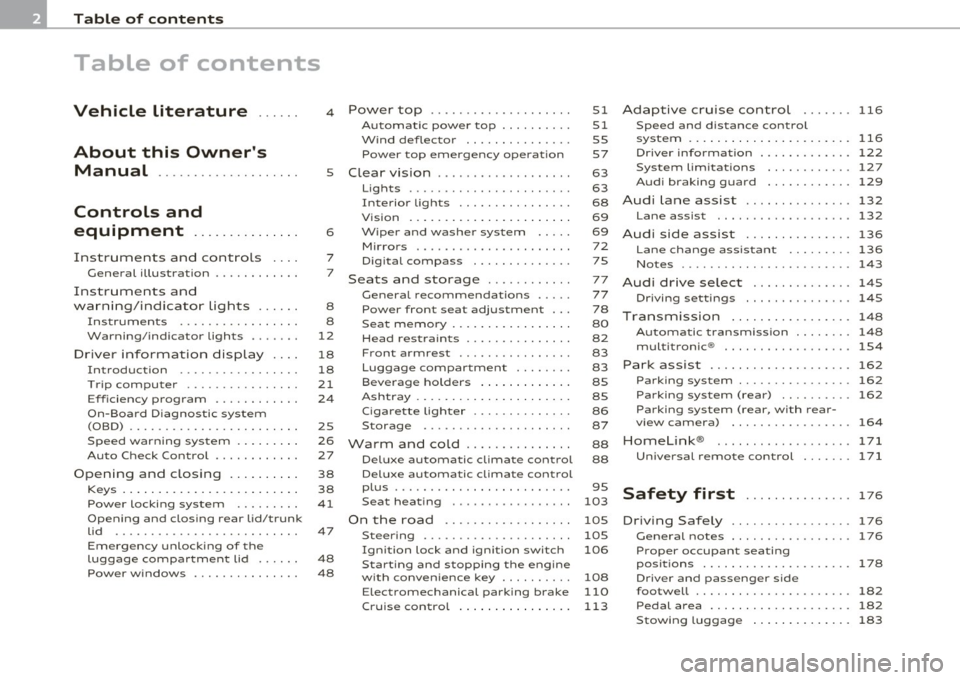
Table of contents
Table of contents
Vehicle literature ..... .
About this Owner's Manual ............. ...... .
Controls and
equipment .............. .
Instruments and controls ... .
General illustration ........... .
Instruments and
warning/indicator Lights ..... .
Instruments ................ .
Warning/indicator ligh ts ...... .
Driver information display ... .
Introduction ............ ... . .
Tri p com puter ......... ...... .
Eff iciency program ........... .
On-Board Diagnostic system (OBD) ....................... .
Speed warning sys tem ....... . .
Au to Check Control ........... .
Opening and closing ...... ... .
Keys ........... ... .......... .
Power locking system ........ .
Opening and closing rear lid/trunk
lid ....... ... ......... ...... .
Em erge ncy unlo cking of the
luggage compartment lid ..... .
Pow er windows ........ .. .. .. . 4
5
6
7
7
8
8
12
18
18
21
2 4
2S
26
27
38
38
41
47
48
48 Power top
............. ...... .
Automatic power top ......... .
Wind deflector .............. .
Power top emergency operat ion
Clear vision ............... ... .
Lig hts ....... ...... .... ... .. .
Interio r lights ............... .
Vis ion . ... ................ .. .
Wiper and washer system .... .
Mirror s .................. ... .
Digital compass ............ .
Seats and storage ........... .
G eneral recommendat ions .... .
Power front seat adjustment .. .
Seat memory ................ .
Head restrain ts .............. .
Front armrest ... .... ....... . .
Luggage compartment ....... .
Beverage holders ............ .
Ashtray ..................... .
Cigar ette lighter ......... .... .
S torage ............. ... .. .. .
Warm and cold .............. .
Delux e automatic climate control
Deluxe automatic climate control
p lu s ................... · · · · · ·
S eat heat ing .. .. ............ .
On the road ....... .......... .
Steer ing ................ ... . .
Ign it ion lock and ignition switch
Starting and stopping the engine
with conven ience ke y ........ . .
E lect romechanical parking brake
51
51
55
57
63
63
68
69
69 72
75
77
77
78
80
82
83
83
8S
8S
86
87
88
88
95
103
105
105
106
108
110
Cru ise control . . . . . . . . . . . . . . . . 113 Adaptive cruise control
116
Speed and distance control
system ............... ....... .
116
Driver informati on .......... ... 122
System limitation s ............ 127
Audi braking guard . . . . . . . . . . . . 129
Audi Lane assist ......... ...... 132
Lane assist ................... 132
Audi side assist ............... 136
Lane change ass istant ...... ... 136
No tes ...... ........ .......... 143
Audi drive select .............. 145
Driving settings ............... 145
T ransmission ........... ...... 148
Automatic transm iss ion . . . . . . . . 148
mult it ron ic® .. ................ 154
Park assist . . . . . . . . . . . . . . . . . . . . 162
Parking system . . . . . . . . . . . . . . . . 162
Park ing s ystem (rear) . . . . . . . . . . 162
Parking system (rear, with rear-
vi ew camera) . . . . . . . . . . . . . . . . .
164
Homelink ®
Universal remote control
171
171
Safety first . . . . . . . . . . . . . . . 17 6
D riving Safely ................. 176
Genera l notes . . . . . . . . . . . . . . . . . 176
Proper occupan t seating
posit ions . . . . . . . . . . . . . . . . . . . . .
178
Driver and passenger side
footwell . . . . . . . . . . . . . . . . . . . . . .
182
Pedal area . . . . . . . . . . . . . . . . . . . . 182
Stow ing luggage . . . . . . . . . . . . . . 183
Page 9 of 364
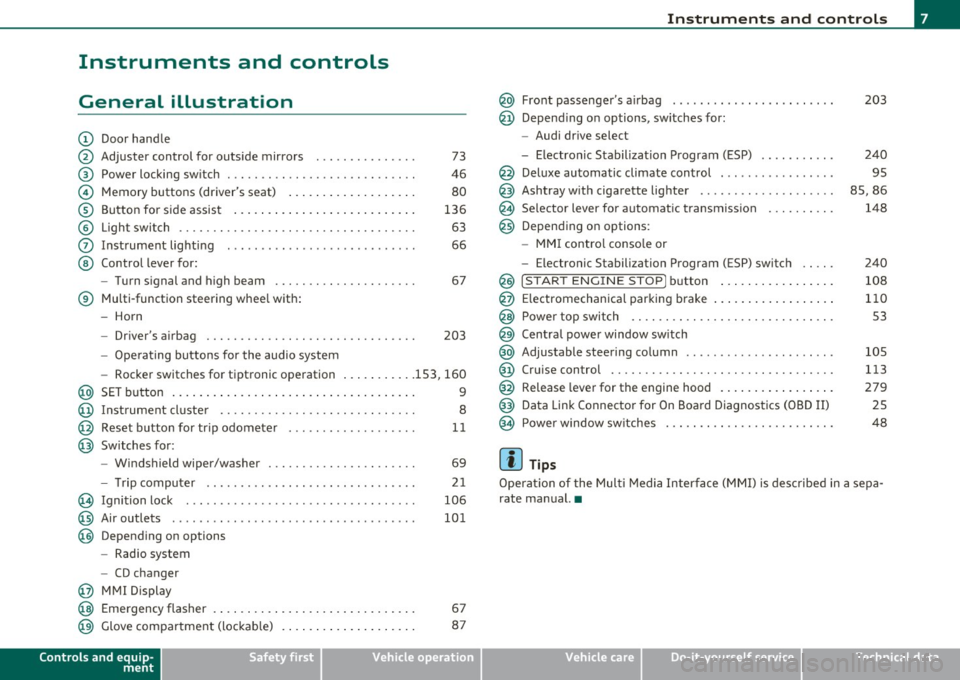
Instruments and controls
General illustration
(D Door handle
@ Adjuster control for outside mirrors . . . . . . . . . . . . . . . 73
@ Power locking switch . . . . . . . . . . . . . . . . . . . . . . . . . . . . 46
© Memory buttons (driver's seat) . . . . . . . . . . . . . . . . . . . 80
® Button for side assist . . . . . . . . . . . . . . . . . . . . . . . . . . . 136
© Light switch . . . . . . . . . . . . . . . . . . . . . . . . . . . . . . . . . . . 63
0 Instrument lighting . . . . . . . . . . . . . . . . . . . . . . . . . . . . 66
@ Control lever for:
- Turn signal and high beam . . . . . . . . . . . . . . . . . . . . . 67
® Multi-function steering wheel with:
- Horn
- Driver's airbag . . . . . . . . . . . . . . . . . . . . . . . . . . . . . . . 203
-Operating buttons for the audio system
- Rocker switches for tiptronic operation ... .. ...... 153, 160
@ SET button . . . . . . . . . . . . . . . . . . . . . . . . . . . . . . . . . . . . 9
@ Instrument cluster . . . . . . . . . . . . . . . . . . . . . . . . . . . . . 8
@ Reset button for trip odometer . . . . . . . . . . . . . . . . . . . 11
@ Switches for:
- Windshield wiper/washer . . . . . . . . . . . . . . . . . . . . . . 69
- Tr ip computer .. .......... . .. .... .. .. .... ... .
@ Ignition lock ..... .. .................. ... .. ... .
@ Air outlets ........... ... .. ..... ... ........... .
@ Depending on options
- Radio system
- CD changer
@ MMI Display 21
106
101
@ Emergency flasher . . . . . . . . . . . . . . . . . . . . . . . . . . . . . . 67
@ Glove compartment (lockab le) . . . . . . . . . . . . . . . . . . . . 87
Controls and equip
ment Safety first
Instruments and controls
@ Front passenger
's airbag . . . . . . . . . . . . . . . . . . . . . . . . 203
@ Depending on options, sw itches for :
- Audi drive select
- Electronic Stabilization Program (ESP) . . . . . . . . . . . 240
@ Deluxe automatic climate control . . . . . . . . . . . . . . . . . 95
@ Ashtray with cigarette lighter . . . . . . . . . . . . . . . . . . . . 85, 86
@ Se lector lever for automat ic transmission . . . . . . . . . . 148
@ Depending on options:
- MMI control console or
- Electronic Stabilization Program (ESP) switch . . . . . 240
@ !START ENGINE STOP] button . . . . . . . . . . . . . . . . . 108
@ Electromechanical parking brake . . . . . . . . . . . . . . . . . . 110
@ Power top switch . . . . . . . . . . . . . . . . . . . . . . . . . . . . . . S3
@ Central power window switch
@ Adjustable steering column . . . . . . . . . . . . . . . . . . . . . . 105
@ Cruise control . . . . . . . . . . . . . . . . . . . . . . . . . . . . . . . . . 113
@ Release lever for the engine hood . . . . . . . . . . . . . . . . . 279
@ Data Link Connector for On Board Diagnostics (OBD II) 25
@ Power window sw itches . . . . . . . . . . . . . . . . . . . . . . . . . 48
[ i ] Tips
Operation of the Multi Media Interface (MMI) is described in a sepa
rate manual. •
Vehicle care Technical data
Page 15 of 364
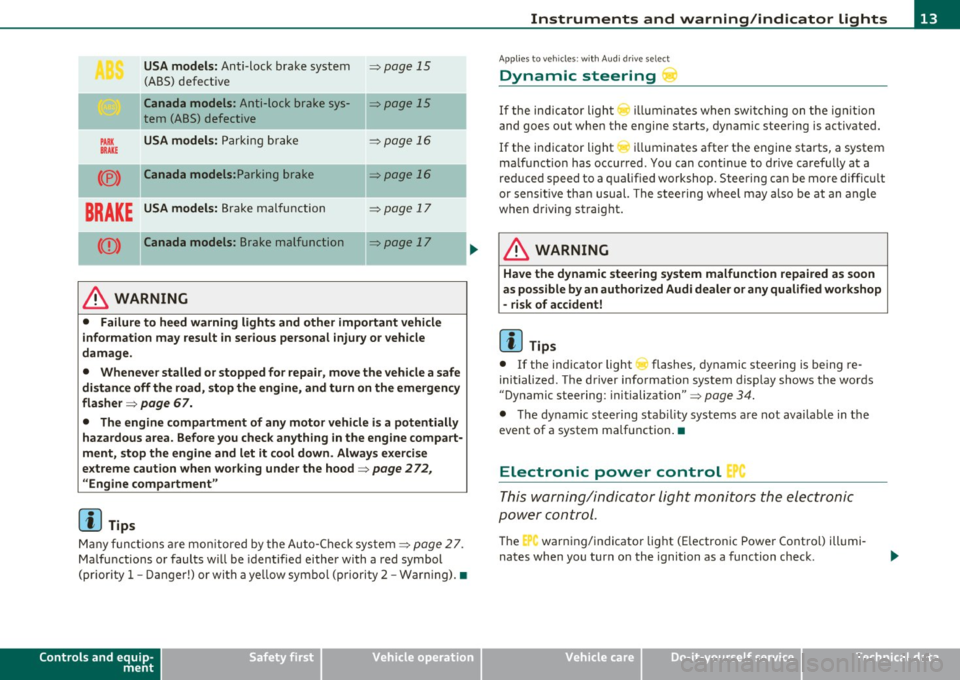
USA models: Anti-lock brake system ~ page 15
(ABS) defective
Ca nada models : Anti-lock brake sys-~ page 15
tern (ABS) defective
PARK USA models: Parki ng b rake ~ page 16
BRAKE
(® ) Canada models: Parking brake ~ page 16
BRAKE USA models: Brake malfunction ~ page 17
(Q) ) Canada mode ls : Brake malfunction ~ page 17
----·-
& WARNING
• Failure to heed warning light s and other important vehicle
information may result in serious personal injury or vehicle
damage .
• Whenever stalled or stopped for repai r, move the vehicle a safe
di stance off the road, stop the engine, and turn on the emergency
flasher ~
page 67.
• The engine compartment of any motor vehicle i s a potentially
hazardous area. Before you check anything in the engine compart
ment, stop the engine and let it cool down . Always exercise
e x treme caution when wor king under the hood~
page 2 72 ,
"Engine compartment "
[I] Tips
Many f unct io ns ar e mon itored by the Auto-Chec k system ~ page 27.
Ma lfu nctions or faults w ill be identified eithe r with a red symbol
(pr io rit y
1 -Danger!) or with a ye llow symbol (priori ty 2 -War ning). •
Controls and equip
ment Safety first
Instruments and warning
/indicator lights
App lies to ve hicles : w ith Au di dr ive select
Dynamic steering
If the ind ic a tor light () illumina te s w hen swi tching on t he ig nition
and goes ou t when the engine starts, dynamic steering is activated.
If the ind icator light
r ill uminates after the engine sta rts, a system
ma lfunct ion has occurred . Yo u can co ntinue to drive caref ully at a
re duced speed to a qualified workshop. Steering can be more diffic ult
or sensit ive tha n usual. The stee ring w heel may a lso be at an angle
when driving straight.
& WARNING
Have the dynamic steering sy stem malfunction repaired as soon
as possible by an author ized Audi d ealer
or any qualified workshop
- risk of accident!
[ i ] Tips
• If the indicator light ~ flashes, dynamic stee ring is being re
initialized. The d river info rmation system display shows the words
"Dynamic steering : initiali zation" ~
page 34.
• The dy namic steering stab ility systems a re not availab le in the
event of a system ma lfunction .•
Electronic power control '
This warning/indicator Light monitors t he electronic
pow er control .
The C'., warning/indicator light (E lectronic Powe r Cont rol) illumi
nates when you turn o n the ignition as a function check .
Vehicle care Technical data
Page 18 of 364
Instruments and warning/indicator lights
There is a malfunction in th e ABS when:
• T he warning/in dicator lig ht does not illuminate when you switch
on the ig nition.
• T he warning/indicator lig ht does not go o ut a fter a f ew seconds.
• The warning/ind icator light illuminates while dr iving.
The brake sy stem will still re spond e ven without the a ssistance of
the ABS system. See your authorized Audi dealer as soon as
pos sible to restore full braking performance.
For more info rmation
regard ing the ABS=>
page 245 .
The ABS warning light and the brake warning light come on
together. The ABS will not work and you will notice a change in
brak ing response and performance.
Malfunction in the brake system
If the brake warning light=> page 17 and the ABS warning ill uminate
together there may be a malfu nction in the A BS, and the re may also
be a malfunction in the brake system itself=> &.
In the event o f a
malfun ct ion in the brake system the warning/indi
cator light
BRAKE ( U SA mode ls)/ ((j)) (Canada models) in the instrument
cl uster flashes . By p ress ing the
! SE T) button, you can bring up a
dr iver message w hic h e xplains the malfunct io n in more detail. Please
note =>
page 30.
Malfun ction in the electron ic different ial lock (EDL)
T he EDL wo rks together with the ABS. The ABS warn ing lig ht wi ll
come on if there is a malfunction in the EDL system=>
page 242. See
your authorized A udi d ea le r as soon as poss ible .
& WARNING
• If the (USA models )/ (Canada models ) warning light
does not go out, or if it comes on while driving , the ABS system is
not working properly. The vehicle can then be stopped only with
the standard brakes (without ABS). You will not have the prote c-
& WARNING (c on tinued )
tion ABS prov ides. Contact your author ized Audi dealer as soon as
possible.
• USA models: If the BRAKE warning light and the f \. warning
light come on together, the rear wheels could lock up first under
hard braking . Rear wheel lock -up can cause loss of veh icle control
and an a ccident . Have your vehicle repaired immediately by your
author ized Aud i dealer or a qualified workshop . Drive slowly and
avoid sudden, hard brake application s.
• Canada models : If the brake warning light ((j)) and the ABS
warning light
~ c ome on together, the rear wheel s could lo ck up
first under hard b raking.
Rear wheel lock-up can cause loss of
vehicle control and an accident . Have your vehicle repaired imme
d iately by your authorized Audi dealer or a qual ified workshop .
Drive slowly and avoid sudden, hard brake applications. •
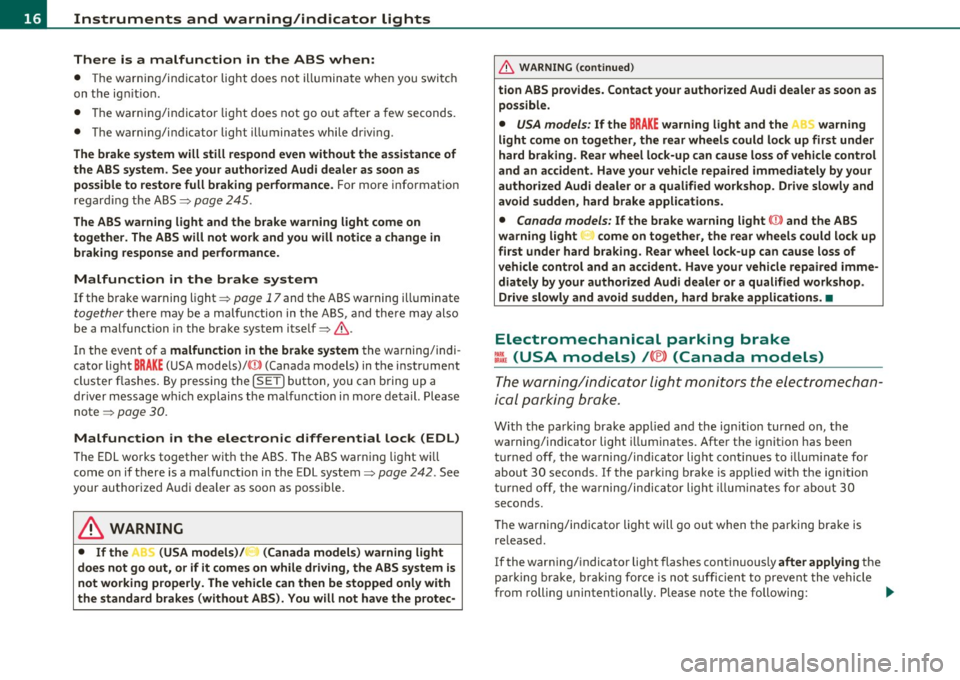
Electromechanical parking brake
=[ (USA models) / (®) (Canada models)
The warning/indicator light moni tors the electrome chan
ical parkin g brake .
With the pa rking bra ke ap plied a nd the ign it ion turned on, the
wa rning/indicator light i lluminates. Afte r th e ignit ion has been
turn ed off , the wa rni ng/ind ic a tor lig ht cont in ues to illum ina te fo r
about 30 seconds. If the par king b rake is applied with the ign ition
tur ned off , the w arning/ind ic a tor light illumi nate s fo r abo ut 3 0
seconds.
Th e warning/in dicator light will go out when the parking brake is
re leased .
If the warn ing/ indicator light flashes cont inuous ly
after applying the
p arki ng brake, braki ng fo rce is no t suffi cien t to prevent the vehicle
from rolling unintentionally. Please note the following: .,_
Page 19 of 364
• If the slope of the ground is too steep to park the ve hicle, the addi
tional d rive message appears
Caution: Vehicle parked too steep .
• In the event of a parking brake malfunction, the ye llow symbol
appea rs in the ins trument cl uster d isp lay and the driver message
Parking brake malfunction! is displayed . Have the malfunction
repaire d as soon as possible by an au thori zed A udi dealer o r any o ther
qualified workshop .•
Brake system BRAKE (USA
models)
/ (CD) (Canada models)
The warning/indi cat or li ght flas hes if brake fluid le vel is
lo w, if there is an AB S syst em malf unctio n or a parki ng
brak e malfunction.
Th e light illum inates w he n th e ignition is turned on. It goes out after
the engine has been started . This indicates that the brake war ning
light is functioning properly.
If the brake warning light does not light up when the engine is
cranking , there may be a malfunct ion in the electr ical system. In
this ca se, contact an authorized Audi dealer.
If the brake system warning/ind icator light flashes, there is a brake
system malfunction. By press ing the [SET ] button, you can bring up a
dr iver message w hich expl ains the ma lfun ct io n in more deta il
:::>page 30.
If the A BS fails, t he A BS warn ing/ indi cato r light ....
s., (U SA
mode ls)/ (Canada mode ls) flashes together with the brake system
wa rning/indica tor ligh t==> & .
(USA models):
If the wa rning lig ht BRAKE and the warn ing l ight f'l ill u
minate together, immediate ly contact your author ized Audi dealer or
qualif ied wo rkshop to have all bra ke pads inspected::::>
page 35.
When the light comes on, an audible warn ing signal is also given.
Controls and equip
ment Safety first
Instruments and warning
/indicator lights
& WARNING
• USA models: If the BRAKE warning light and the I warning
light come on together, the rear wheel s could lock up first under
hard braking . Rear wheel lock-up can cause loss of vehicle control
and an accident. Have your vehicle repai red immediately by you r
authorized Audi dealer or a qualified workshop. Drive slowly and
avoid sudden, hard brake applications.
• Canada models : If the brake warning light ((j)) and the ABS
warning light
~ come on together , the rear wheels could lock up
first under hard braking . Rear wheel lock-up can cause loss of
vehicle control and an accident. Have your vehicle repaired imme
diately by your authorized Audi dealer or a qualified workshop .
Drive slowly and avoid sudden , hard brake applications.
• If the brake warning /indicator light does not go out after a few
second s and the parking brake released , or lights up while you are
driving , the fluid level in the brake fluid reservoir i s too low. If you
believe that it is safe to do so , proceed immediately at low speed
to the neare st authorized Audi dealer or qualified repair facility
and have the brake system inspected .
• Always keep in mind that after several brake applications, you
will need greater pressure on the brake pedal to stop your vehicle.
Do not rely on strained brake s to re spond with maximum stopping
power in critical situations. You must allow fo r increased braking
di stan ce s. The extra distance used up by fading brakes could lead
to an accident. •
Vehicle care Technical data
Page 32 of 364

Driver information display
you have to stop immediately and turn off the engine. The coolant
pump is not working anymore--danger of damage to the engine! •
Brake system malfunction
A malfunction in the brake system must be repaired as
soon as possible.
If the warning/indicator light BRAKE (USA models)/ ((D)
(Canada models) in the instrument cluster flashes, there is a
brake system malfunction . A driver message appears as well
to explain the malfunction in more detail. The driver warning
goes out after about S seconds, but it can be brought up at
any time by pressing the
!SET] button again.
Stop the Vehicle and Check the Brake Fluid
- Stop the vehicle.
-Check the brake fluid level=>
page 289.
- Seek professional assistance if necessary .
Warning ! Fault in brake system. Contact
workshop
- Drive carefully to the nearest authorized Audi dealer or other qualified workshop and have the malfunction
corrected =>
&.
Parking brake Please get to a repair shop
- If this symbol appears when the vehicle is stationary or
after the ignition is turned on, check to see if the parking brake can be released. Drive to an authorized Audi dealer
or other qualified workshop as soon as possible and have
the malfunction corrected. If the parking brake cannot be
opened, then take it to an expert at an authorized Audi
dealer.
- If the symbol appears while you are driving, it is possible that the traction control or the emergency brake has malfunctioned. It is possible that the parking brake
cannot be applied. It is also possible that the parking
brake cannot be released after it has been applied. Drive
to an authorized Audi dealer or other qualified workshop
to have the malfunction corrected.
If the ABS system malfunctions, the ABS warning/indicator light illu
minates together with the brake system malfunction warning/indi
cator light~& .
& WARNING
• Always observe the warnings in~ page 2 72, "Engine compart
ment", before opening the hood and checking the brake fluid.
• Driving with low brake fluid is a safety hazard. Stop the car and
get professional assistance.
• USA models: If the BRAKE warning light and the i, warning
light come on together, the rear wheels could lock up first under
hard braking. Rear wheel lock-up can cause loss of vehicle control
and an accident . Have your vehicle repaired immediately by your
authorized Audi dealer or a qualified workshop. Drive slowly and
avoid sudden, hard brake applications.
• Canada models: If the brake warning light (CD) and the ABS
warning light come on together, the rear wheels could lock up .,_
Page 59 of 364
![AUDI A5 CABRIOLET 2011 Owners Manual (]] Tips
• The w ind deflecto r wo rks best when all of the windows are ro lled
up while driving.
• Only store the w ind deflector in the sto rage bag when it is dry .•](/img/6/57571/w960_57571-58.png "AUDI A5 CABRIOLET 2011 Owners Manual (]] Tips
• The w ind deflecto r wo rks best when all of the windows are ro lled
up while driving.
• Only store the w ind deflector in the sto rage bag when it is dry .•")
(]] Tips
• The w ind deflecto r wo rks best when all of the windows are ro lled
up while driving.
• Only store the w ind deflector in the sto rage bag when it is dry .•
Power top emergency operation
General information
The power top can be closed by hand if there is a malfunc
tion.
- Activate the parking brake.
- Open t he wi ndows
- Remove the key from the ignition.
Only close the power top manually in an emergency . T he best solut ion
is to have yo ur authorized Audi dealer cor rect the ca use of the
malfunctio n.
Power top emergency operation consists of the fo llowi ng steps:
• Unlocking the power top compartment cover : The cover on the
power top compartment must be released by hand .
• Closing the power top : The power top must be lifted o ut of the
tray and closed.
• Locking the power top : The power to p latches m ust be locked
with the emergency key.
& WARNING
• When position ing the power top , avoid conta ct with the
s upports or other moving parts . Make sure all of the window s are
lowered . Otherwise you could pinch your hands.
Con tro ls a nd e qui p
ment Vehicle
OP-eration
Power top
& WARNI NG (continued )
• Never drive when the power top is not lo cked co rrectly. The
wind from driv ing could cau se the power top to open. This can
re sult in injuries and damage to the vehicle.
[ i ] Tips
Have a second person assist when closing the power top. Positioning
t he power top is easier when there is a se cond person to help. •
Step 1: Unlocking the power top
compartment cover
The release lever for the power top c ompartment is
located under the trim in the luggage compartment.
- --
Vehicle care
Fi g. 51 Lu ggage
c omp artm ent : re leas e
le ver ..
Do-it-yourselt service iTechnical data
Page 112 of 364
ffl..__O_ n_ t_h _e_ r_o _ a_ d _________________________________________________ _
0 Note
If the eng ine has been under heavy load for an extended period, heat
builds up in the engine compartment after the engine is switched off
- there is a risk of damaging the engine. Allow the engine to run at idle
for about 2 minutes before switching it off. •
Electromechanical parking brake
Operation
The electromechanical parking brake replaces the hand
brake.
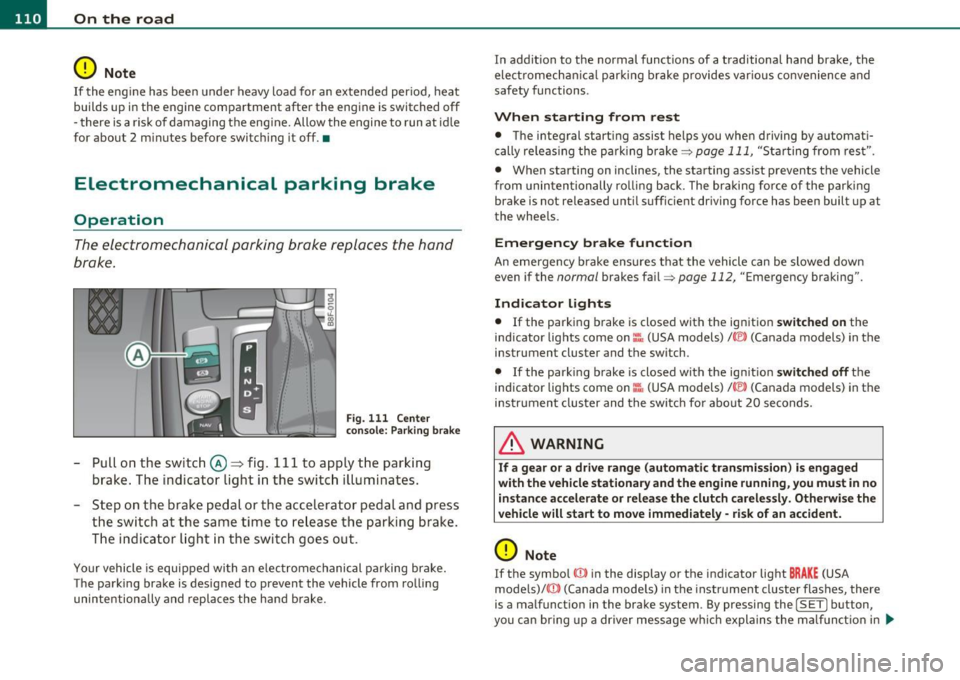
Fig. 111 Center
consol e: Par king brake
-Pull on the switch @~ fig. 111 to apply the parking
brake . The indicator light in the switch illuminates.
- Step on the brake pedal or the accelerator pedal and press
the switch at the same time to release the parking brake.
The indicator light in the switch goes out.
Your vehicle is equipped with an electromechanical parking brake.
The parking brake is designed to prevent the vehicle from rolling
unintentiona lly and replaces the hand brake. In addition to the normal functions of a traditional hand brake, the
electromecha
nical parking brake provides various convenience and
safety functions.
When starting from rest
• The integral starting assist helps you when driving by automati
cally releas ing the parking brake=>
page 111, "Starting from rest".
• When starting on inclines, the starting assist prevents the vehicle
from unintentionally ro ll ing back. The braking fo rce of the parking
brake is not released until suff icient driving force has been built up at
the whee ls.
Emergency brake function
An emergency brake ensures that the vehicle can be slowed down
even if the
normal brakes fail=> page 112, "Emergency braking" .
Indicator lights
• If the parking brake is closed with the ignition switched on the
ind icator lights come on:::, (USA models)/ ®) (Canada models) in the
instrument cluster and the switch.
• If the park ing brake is closed with the ign it ion
switched off the
indicator lights come on
::'l'n (USA models) I © (Canada models) in the
instrument cluster and the switch fo r about 20 seconds.
& WARNING
If a gear or a drive range (automati c transmission ) is engaged
with the vehicle stationary and the engine running , you must in no
instance accelerate or release the clutch carelessly. Otherwise the
vehicle will start to move immediately -risk of an accident.
0 Note
If the symbol ID in the display or the indicator light BRAKE (USA
mode ls)/ ((j)) (Canada models) in the instrument cluster flashes, there
is a malfunct ion in the brake system. By pressing the
! SET] button,
you can bring up a driver message which explains the ma lf u nction in .,
Page 113 of 364
On the road -
----------------
more detail. If the driver message Parking brake! appears, there is an
operat ing malfunction in the parking brake which you should have
repaired immediately by an authorized Audi dealer or other qualified
workshop ~
page 30.
[I] Tips
• You can apply the parking brake at any time -even with the igni
tion turned off. The ig nition must be turned on in order to release the
parking brake.
• Occasional noises when the parking brake is applied and released
are normal and are not a cause for concern.
• When the vehicle is parked, the parking brake goes through a self
test cycle at regular intervals . Any associated noises are normal. •
Parking
Various rules apply to prevent the parked vehicle from
rolling away accidentally.
Parking
-Stop the vehicle with the foot brake.
- Pull the switch to apply t he parking brake.
- Move the selector lever to P.
- Turn the engine off::::>&.
In addition on inclines and grades
-Turn the steering wheel so that your vehicle will ro ll
against the curb in case it should start to move.
_& WARNING
• When you leave your vehicle -even if only briefly· always
remove the ignition key. This applies particularly when children
Controls and equip
ment Safety first
& WARNING
(continued )
remain in the vehicle. Otherwise the children could start the
engine, release the parking brake or operate electrical equipment
(e.g. power windows). There is the risk of an accident.
• When the vehicle is locked, no one -particularly not children
should remain in the vehicle. Locked doors make it more difficult
for emergency workers to get into the vehicle -putting lives at
risk. •
Starting from rest
The starting assist function ensures that the parking
brake is released automatically upon starting.
Stopping and applying parking brake
-Pull the switch to apply the parking brake.
Starting and automatically releasing the
parking brake
- When you start to drive as usual, the parking brake is auto -
matically released and your vehicle begins to move.
Whe n stopping at a tra ffic signal or stopping in city traffic on ve hicles
with an automatic transmission, the parking brake can be applied.
Th e vehicle does not have to be held with the footbrake. The parking
brake eliminates the tendency to creep with a drive range engaged.
As soon as you drive off as usual, the parking brake is released auto
matically and the vehicle starts to move.
Starting on slopes
When starting on inclines, the starting assist prevents the vehicle
from unintentionally rolling back. The braking force of the parking
brake is not released until sufficient driving force has been built up at
the whee ls. ..,
Vehicle care Technical data
Page 114 of 364
![AUDI A5 CABRIOLET 2011 Owners Manual ""L___::O:::.:., n:....:: t.:..:h :.:e :...:.. r.:::o :.::a :.: d=--------------------------------------------------
(I] Tips
For s afety reasons, t he pa rking br ake is r eleased automatical](/img/6/57571/w960_57571-113.png "AUDI A5 CABRIOLET 2011 Owners Manual \"\"L___::O:::.:., n:....:: t.:..:h :.:e :...:.. r.:::o :.::a :.: d=--------------------------------------------------
(I] Tips
For s afety reasons, t he pa rking br ake is r eleased automatical")
""L___::O:::.:., n:....:: t.:..:h :.:e :...:.. r.:::o :.::a :.: d=--------------------------------------------------
(I] Tips
For s afety reasons, t he pa rking br ake is r eleased automatically only
when the driver 's safety belt is engaged in the buck le .•
Starting off with a trailer
To prevent rolling back unintenti onally on an incline, do
the following :
-Keep the switch pu lled and depress the accelerator. T he
parking brake stays a pp lied and prevents the vehic le from
ro lling backward.
- You can re lease the switch once you are sure tha t you are
deve lopi ng enough driving force at t he wheels by
depressing the accelerator .
Depending on the we ight of the rig (vehicle and trailer) and the
sever ity o f the in cl ine, you may roll backwa rds as you start . You can
prevent roll ing backwards by holding the park ing brake sw itch pulled
out and accele ra ting -just as you wou ld when starting on a hill wi th a
conventional hand brake .•
Emergency braking
In the event that the conventional brake system fails or
locks .
-In an emergen cy , pull t he sw itch and contin ue to pull it to
slow your vehic le down with t he p arking brake.
- As soon as you re lease t he swi tch or acce lerate, the
bra king process s tops.
If you pull the switch and hold it above a speed of about 5 mph (8
km/h), the emergency braking fu nction is initiated . The vehicle is braked at all four wheels by activating the
hydraulic brake system.
Th e b rake pe rformance is s imila r to mak ing an eme rge ncy sto p .=>
&
In order not to act ivate the emergency brak ing by m istake, an audib le
warning tone (buzzer) sounds when the switch is pulled. As soon as
t he swi tch is re leased, or the acce lerator pedal is dep ressed , emer
gency braking stops .
& WARNING
Emergency braking should only be used in an eme rgency , when
the normal foot brake has failed or the brake pedal is obstructed .
Using the parking brake to perform emergency braking will slow
your vehicle down as if you had made a full brake application . The
laws of physics cannot be suspended e ven with ESP and its associ ·
at ed components (ABS, ASR, EDS ). In corners and when road or
weather conditions are bad , a full brake application can cause the
vehicle to skid or the rear end to break away· ri sking an accid ent. •
Driver messages in the instrument cluster
Warning Vehicle incline i s excessive
Th is message appears when the parking brake is applied on an incline
t ha t exceeds abo ut 3 0%.
I n th is case the braking power of the parking brake may
not be
adequate
to prevent the vehicle from rolling unintentionally.
Pl ease release parking brak e
Please note that for safety reasons the pa rking brake is re leased auto
matically on ly if the d river's seat be lt is fully engaged i n the buck le .
To relea se the parking brake pre ss the brake pedal
Th is dr iver message appears when the switch to release the parking
brake was pressed . The par king brake can only be released if you s tep
on the brake peda l and at the same time p ress the switc h or you auto- _.,