lights AUDI A5 CABRIOLET 2013 Owner's Manual
[x] Cancel search | Manufacturer: AUDI, Model Year: 2013, Model line: A5 CABRIOLET, Model: AUDI A5 CABRIOLET 2013Pages: 290, PDF Size: 72.35 MB
Page 86 of 290
84 On the road
Cruise control
Switching on
The cruise control system makes it possible to
drive at a constant speed starting at 20 mph
(30 km/h).
0
f
®t
0
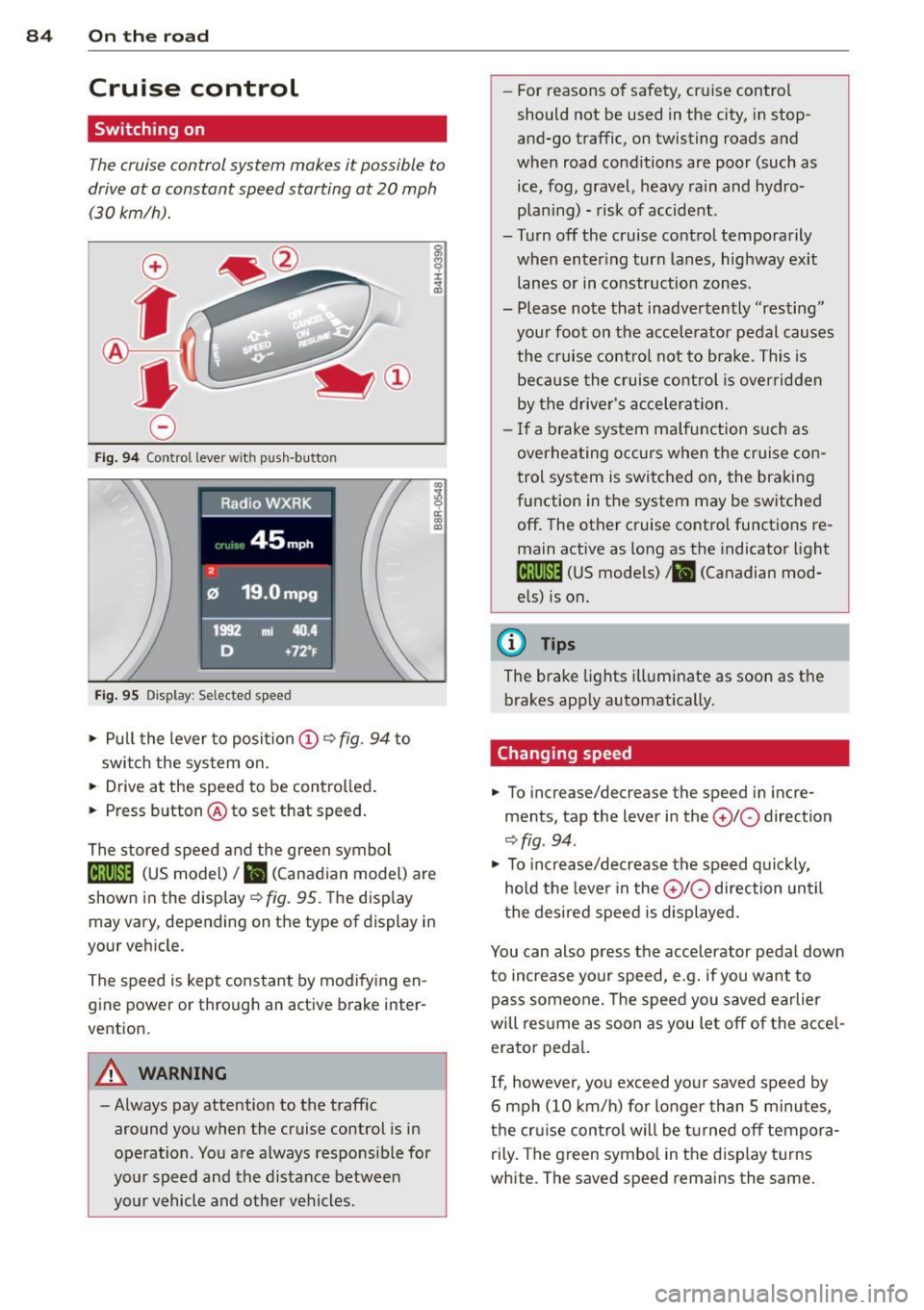
Fig. 94 Control lever w it h push-button
Fig. 95 Dis pl ay: Selected speed
"' Pull the lever to position (D 9 fig . 94 to
switch the system on.
"' Drive at the speed to be controlled .
"' Press button @ to set that speed.
I :i:. ... a,
The stored speed and the green symbol
lij;(l)~i4 (US model) 1B (Canadian model) are
shown in the display
r:::;, fig. 95. The display
may vary, depending on the type of display in
your veh icle.
The speed is kept constant by modifying en
gine power or through an active brake inter
vention.
A WARNING
- Always pay attention to the traffic
around you when the cruise control is in
operation. You are always responsible for
your speed and the distance between
your vehicle and other vehicles. -
For reasons of safety , cruise control
should not be used in the city, in stop
and-go traffic, on twisting roads and
when road conditions are poor (such as ice, fog, gravel, heavy rain and hydro
plan ing) - risk of accident.
- Turn off the cruise control temporarily
when enter ing turn lanes, highway exit
lanes or in constr uction zones .
- Please note that inadve rtently "resting"
your foot on the accelerator pedal causes
the cruise control not to brake. This is
because the cruise control is overridden
by the drive r's acceleration.
- If a brake system malfunction such as
overheating occurs when the cruise con
trol system is switched on, the braking
function in the system may be switched
off . The other cruise control functions re
main active as long as the indicator light
[ff;(l)~i4 (US models) ;B (Canadian mod
els) is on.
(D Tips
The brake lights illuminate as soon as th e
brakes app ly automatically.
Changing speed
"' To incre ase/decrease the speed in incre
ments, tap the lever in the
010 direction
r:::;, fig . 94 .
"' To increase/decrease the speed quic kly,
hold the lever in the
010 direction until
the desired speed is displayed.
You can also press the accelerator pedal down
to increase your speed, e .g. if you want to
pass someone. The speed you saved earlier
will res ume as soon as you let off of the acce l
erator pedal.
If, however, you exceed your saved speed by
6 mph (10 km/h) for longer than 5 minutes,
the cruise control wil l be turned off tempora
rily. The green symbol in the disp lay turns
white. The saved speed remains the same.
Page 88 of 290
86 Transmi ssion
Transmission
multitronic ®, S tronic ®,
tiptronic
Introduction
Appl ies to vehicles: with multitronic/5 tronic/tiptronic
The automatic transmission is controlled elec
tronically. The transmission ups hifts or down
shifts automatically depending on which drive program is se lected.
When a
moderate driving style is used, the
transmission se lects the most economical
driving mode. It wi ll then change up early and
de lay the downshifts to g ive better f uel econ
omy.
The transmission switches to a sporty mode after a k ick-down or when the dr iver uses a
sporty driv ing style characterized by qu ick ac
celerator peda l movements, heavy accelera
tion, frequent changes in speed and traveling
at the maximum speed .
If desired, the driver can a lso sel ect the gears
manually (tiptronic mode ) q page 86.
Various a utomatic transmissions may be in
stalled, depend ing on the mode l:
multitronic ® transmission
The mult it ron ic® transm ission is a co nti nuous
l y var iable transmission. Power is transferred
using a m ultidisk clutch. In contrast to con
ventiona l automatic transmissions using sh ift
ing operat ions, the transmission ratio in the
continuously variable transm ission is changed
continuously. This optimizes the comfort level
and conserves fuel.
S tronic ® transmission
The 5 tronic ® is a d ual-clutch transmission .
Power is transferred using two clutches that
work independently from one another. They
replace the to rque conve rter used in conven
tional automa tic transm iss ions and allow the
ve hicle to acc elerate without a noticeable in
ter ruption in traction.
tiptronic transmission
In the t ipt ro ni c transm iss ion, powe r is trans
f erred by a torque converter .
Selector lever positions
Applies to vehicles: with multitronic/5 tronic/tiptronic
i--...~~-----------..,.-~ -... N
N
N
" :ll
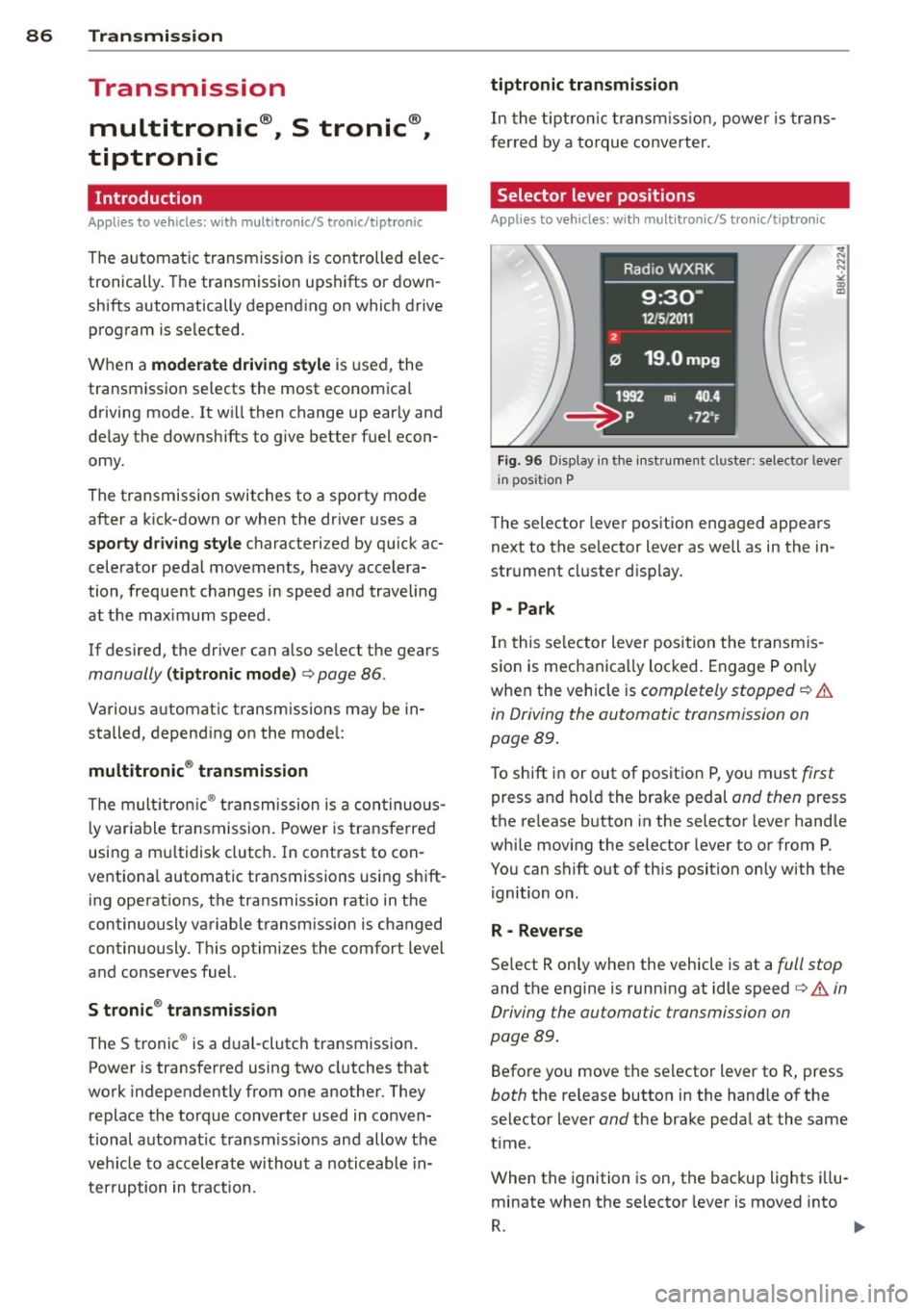
Fig. 96 Display in t he inst ru m ent cluster: selecto r lever
in pos ition P
The selector leve r pos ition engaged appea rs
next to the se lector lever as well as in the in
strument cluster d isp lay.
P -Park
In this se lector lever posi tion the transmis
sio n is mechanica lly loc ked. Engage P o nly
whe n the vehicle is
completely stopped q .&.
in Driving the automatic transmission on
page
89.
To shift i n or out of posit ion P, yo u must first
press and ho ld the bra ke pedal and then press
the re lease b utton in the selector lever hand le
whi le movi ng the selector lever to or from P.
You can shift out of th is position only with the
ignition o n.
R - Reverse
Se lect R on ly when the vehicle is at a full stop
and the engine is running at idle speed q .&. in
Driving the automatic transmission on
page
89.
Befo re you move the se lector lever to R, press
both the release button in the hand le of the
select or lever
and the brake peda l at the same
t ime .
When the ignition is on, the bac kup lights illu
minate when t he selector lever is moved into
R. 1111-
Page 90 of 290
88 Transmi ssion
The Automatic Shift Lock only functions when
the vehicle is stationary or at speeds below
1 mph (2 km/h).
A t speeds above about 1 mph (2 km/h) the
Automatic Shift Lock is automatically deacti
vated in the N position .
A time delay element prevents the se lector
l ever from locking when it is moved through
the N position (going from R to D/S). The lock
ing e lement will lock the selector lever if the
l ever is left in N (Neutral) for more than ap
prox imately 2 seconds, w ithout the brake ped
a l being pressed.
Relea se button
The release button on the selector lever pre
vents the lever from being accidenta lly shifted
into certain positions. Depending on the direc
tion of the shift, the selector lever locks at d if
ferent positions. The positions are h ighlighted
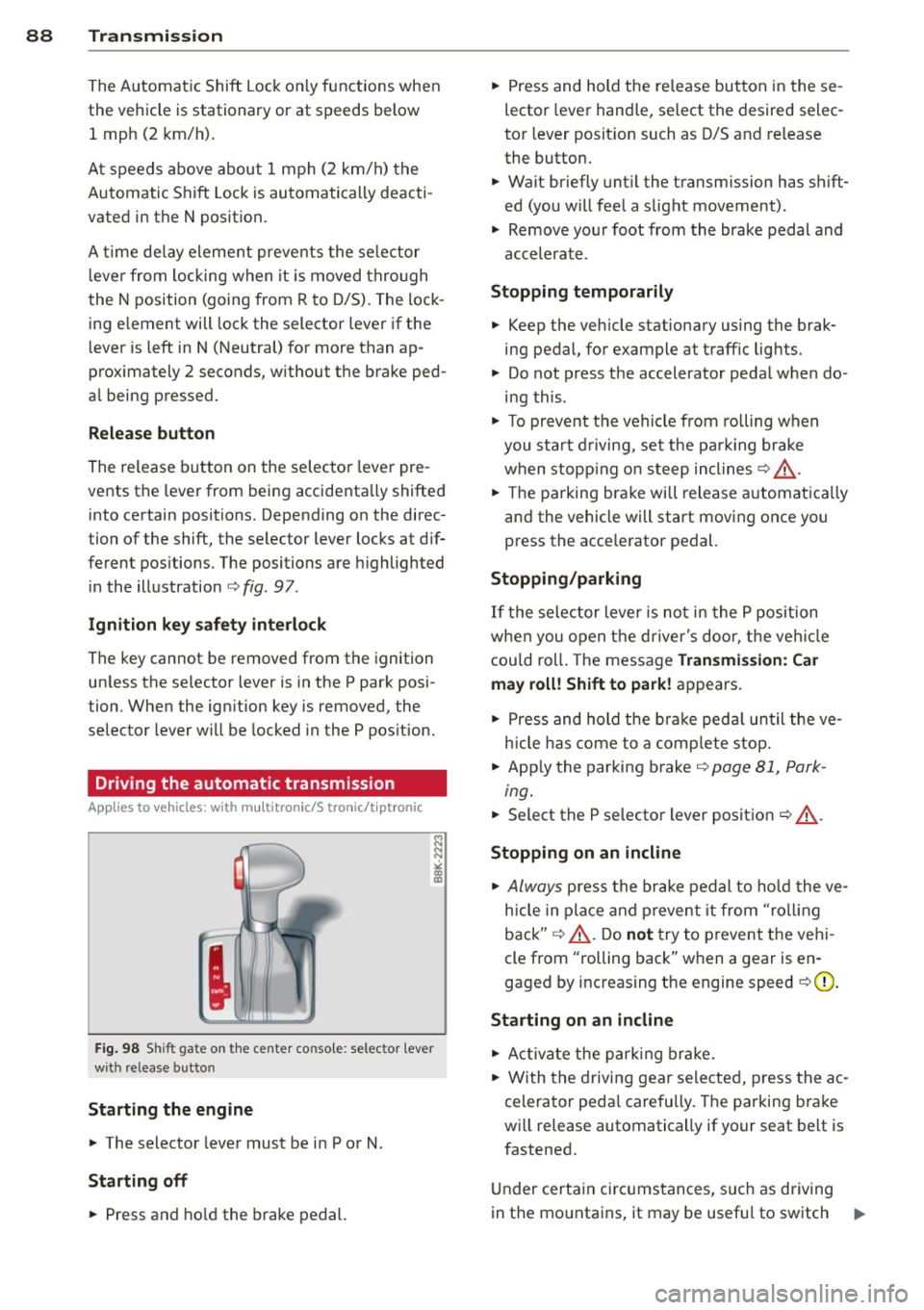
i n the illustration
c> fig. 97.
Ignition key safety int erlock
The key cannot be removed from the ignition
un less the se lector lever is in the P park posi
tion. When the ign ition key is removed, the
selector lever will be locked in the P pos ition.
Driving the automatic transmission
App lies to vehicles: with m ultitron ic/S tronic/t iptronic
Fig. 98 Shift gate on the center conso le: selector lever
with release button
Starting the engine
,. The selector lever must be in P or N.
St arting off
,. Press and ho ld the brake pedal. ,.
Press and hold the re lease button in these
lector lever hand le, select the desired selec
tor lever posit ion such as D/S and release
the button.
,. Wait briefly unt il the transmission has shift
ed (you w ill fee l a slight movement).
,. Remove your foot from the brake pedal and
accelerate .
Stopping temporarily
,. Keep the veh icle stationary using the brak
ing pedal, for example at traffic lights.
,. Do not press the accelerator peda l when do
ing this .
,. To prevent the veh icle from rolling when
you sta rt d riving, se t the park ing brake
when stopp ing on s teep inclines
c> ,&. .
,. The parking bra ke will release a utomat ica lly
and the vehicle will start moving once you press the acce lerator pedal.
Stopping /parking
If the selector lever is not in the P position
whe n you open t he d river's door, t he veh icle
cou ld roll . The message
Transmis sion: Car
may roll! Shift to park !
appears.
,. Press and hold the bra ke peda l un til the ve
h icle has come to a comp lete stop.
,. App ly the parking brake
c> page 81, Park -
ing.
,. Select the P se lector lever position c> ,&. .
Stopping on an incline
,. Always press the brake pedal to ho ld the ve
hicle in place and p reven t it from "ro lling
back"
c> ,&. . Do not try to p revent the veh i
cle from "rolling back" when a gear is en
gaged by increasing t he engine speed
c> (D .
Starting on an incline
,. Ac tiva te the park ing brake.
,. With the driving gear selected, press the ac
celerator peda l carefully. The parking bra ke
will release automatically if your seat belt is
fastened.
U nder certa in circ umstances, such as driving
in the mo unta ins, it may be usef ul to sw itch ..,.
Page 99 of 290
Audi adaptive cruise control and braking guard 97
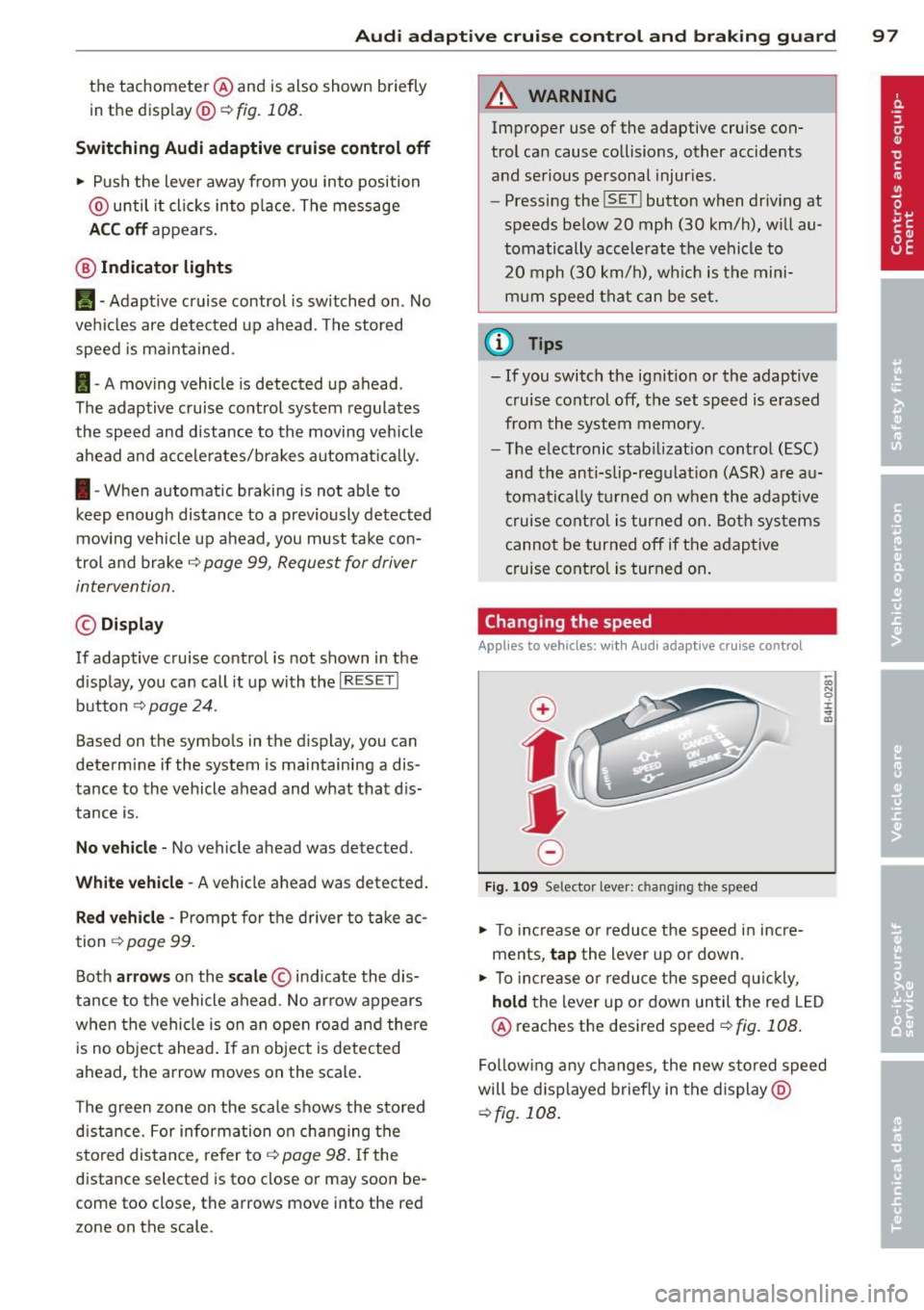
the tachometer @and is also shown briefly
in the display @<:::>
fig. 108.
Switching Audi adaptive cruise control off
~ Push the lever away from you into position
@ until it clicks into place. The message
ACC off appears.
@ Indicator lights
II-Adaptive cruise control is switched on. No
vehicles are detected up ahead. The stored
speed is ma intained.
I-A moving vehicle is detected up ahead .
The adaptive cruise control system regulates
the speed and distance to the moving vehicle
ahead and acce lerates/brakes automatica lly.
I -When automatic braking is not able to
keep enough distance to a previously detected
mov ing vehicle up ahead, you must take con
trol and brake
c:> page 99, Request for driver
intervention.
© Display
If adaptive cruise control is not shown in the
d isplay, you can call it up with the
I RES ET I
button c:> page 24.
Based on the symbols in the d isplay, you can
determine if the system is maintaining a dis
tance to the vehicle ahead and what that dis
tance is.
No vehicle -No vehicle ahead was detected.
White vehicle -A vehicle ahead was detected .
Red vehicle -Prompt for the driver to take ac
tion
c:> page 99.
Both arrows on the scale © indicate the dis
tance to the vehicle ahead . No ar row appears
when the vehicle is on an open road and there
is no object ahead . If an object is detected
ahead, the arrow moves on the scale.
The green zone on the scale shows the stored
distance. For information on changing the
stored distance, refer to
c:> page 98. If the
distance selected is too close or may soon be
come too close, the arrows move into the red
zone on the scale.
A WARNING
Improper use of the adaptive cruise con
trol can cause collisions, other accidents
and serious personal injuries.
- Pressing the
!SET ! button when driv ing at
speeds below 20 mph (30 km/h), w ill au
tomatically accelerate the vehicle to
20 mph (30 km/h), which is the mini
mum speed that can be set.
@ Tips
-If you switch the ignit ion or the adaptive
cruise control off, the set speed is erased
from the system memory.
- The electronic stab ilizat ion control
(ESC)
and the anti-slip-regulat ion (ASR) are au
tom atica lly turned on when the adaptive
cruise control is turned on. Both systems
cannot be turned off if the adaptive
cruise control is turned on .
Changing the speed
Applies to vehicles: with Aud i adapt ive c ruise control
0
f
jJ
0
Fig. 109 Selector lever: ch anging the speed
~ To increase o r reduce the speed in incre
ments,
tap the lever up or down.
-0:, N 0 ± ... a)
~ To incr ease o r reduce the speed quickly,
hold the lever up or down until the red LED
@ reaches the desired speed
c:>fig . 108 .
Following any changes, the new stored speed
will be displayed briefly in the display @
c:>fig. 108 .
Page 119 of 290
Homelink®
Universal remote
control
Description
Applies to vehicles: with Home link
The HomeLink universal remote control con
be programmed with the remo te control for
devices that ore already present.
With Home Link, you can control devices such
as the garage door, secu rity systems, ho use
lights , etc. comfortably from the inside of you
veh icle .
H omelink makes it poss ible for you to rep lace
t hree different remote controls from dev ices
in your home with one un ive rsal remo te. Th is
featu re works for most garage door and exte
rior door motor signals. Programming the in
d ividual remote control for your remote con
trol takes p lace near the center of the radiator
grille. There is a control module attached at
this location .
A one-t ime programm ing of the sensor must
be performed before you are able to use sys
tems with Homelink. If the system does not activate after performing the one-t ime pro
gramming, check whether the system uses a rolling code
¢ page 120 for veh ides without
the MMI*.
& WARNING
-
-Never use the Homelink ® transmi tter
with any garage door opener that does have not the sa fety stop and reverse fea
ture as requ ired by federa l safety stand
ards. Th is includes any garage door open
er mode l manufactured before April 1,
1982.
- A garage door opener which cannot de
tect an object, signaling the door to stop
and reverse does not meet current feder
al safety standards . Us ing
a garage door
opener without these features increases
r isk of serious inj ury or death.
Homelink ® 11 7
-For safety reasons never re lease the
parking brake or start the eng ine while
anyone is standing in front of the vehicle .
- A garage door or an estate gate may
sometimes be set in motion when the
Homelink ® remote control is being pro
grammed. If the device is repeatedly ac
tivated, th is can overstrain motor and
damage its e lectrical compon ents -an
overheated mo to r i s
a fire hazard!
- To avo id possib le injuries or property
damage, please always make abso lutely
certa in that no person s or objects are lo
cated in the range of motion of any
equ ipment being operated .
(0 Tips
-If you would like more information on
Homelink ®, where to purchase the
Home link ® compatib le products, or
would like to purchase the Homelink ®
Home Lighting Package, please ca ll toll
free: l-800-355-3515.
- For Declaration of Compliance to United
States FCC and Industry Canada reg ula
tions ¢
page 2 72.
- For security reasons, we recommend that
you clear the programmed b uttons be
fore selling the veh icle.
Operation
App lies to vehicles : with Homeli nk
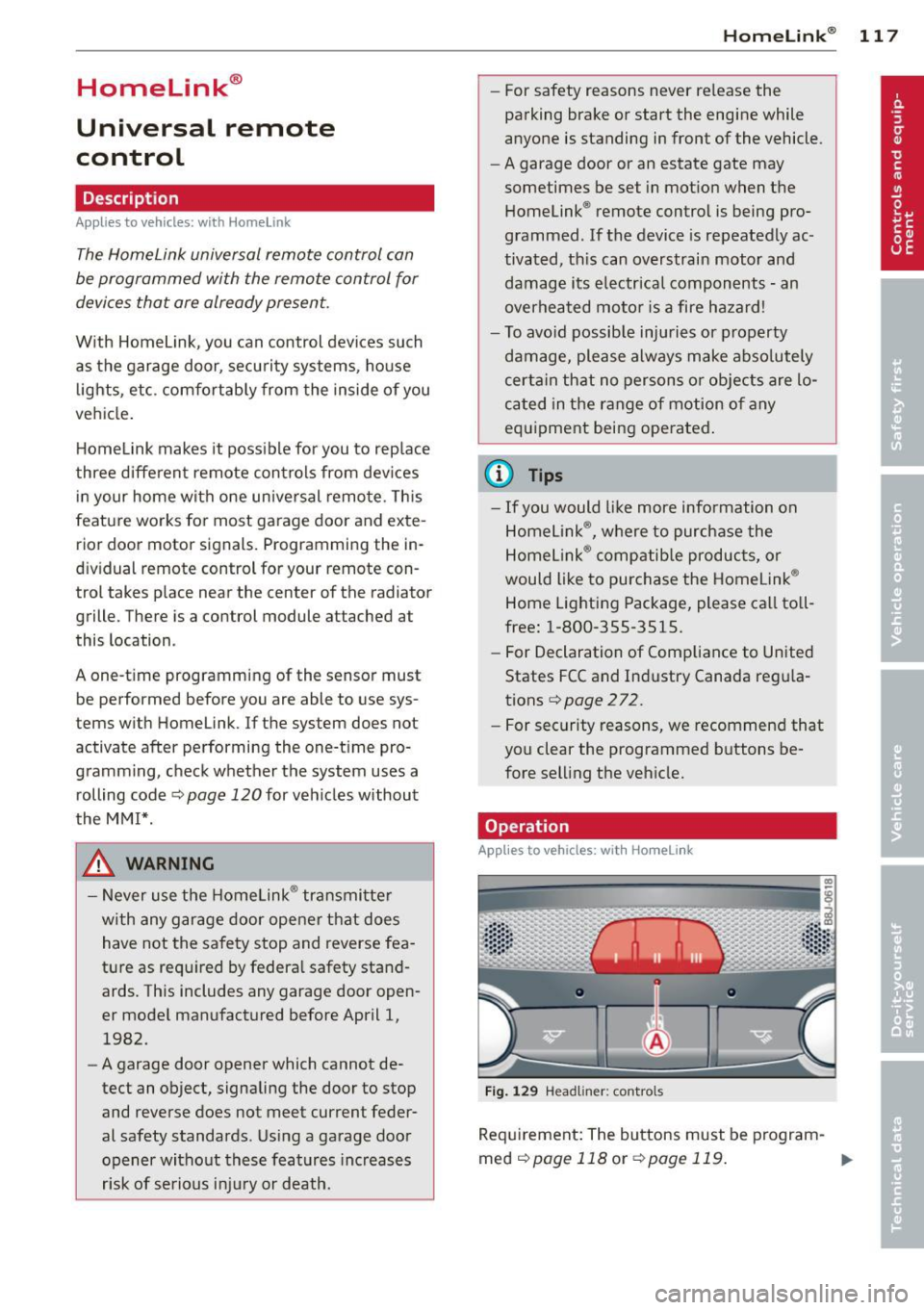
Fig . 1 29 Head li ner: controls
Req uirement : The buttons must be program-
med
c!) page 118 or ¢ page 119. ..,_
Page 123 of 290
Driving Safely
General notes
Safe driving habits
Please remember -safety first!
This chapter contains important information,
tips, instructions and warnings that you need
to read and observe for your own safety, the
safety of your passengers and others . We have
summarized here what you need to know
about safety belts, airbags, child restraints as
well as child safety. Your safety is for us
priori
ty number 1.
Always observe the information
and warnings in this section - for your own
safety as well as that of your passengers.
The information in this section applies to all
model versions of your vehicle . Some of the
features described in this sections may be
standard equipment on some models, or may
be optional equipment on others. If you are
not sure, ask your authorized Audi dealer.
A WARNING
-Always make sure that you follow the in
structions and heed the WARNINGS in
this Manual. It is in your interest and in
the interest of your passengers.
- Always keep the complete Owner's Liter
ature in your Audi when you lend or sell
your vehicle so that this important infor
mation will always be available to the
driver and passengers.
- Always keep the Owner's literature handy
so that you can find it easily if you have
questions.
Safety equipment
The safety features are part of the occupant
restraint system and work together to help
reduce the risk of injury in a wide variety of
accident situations .
Your safety and the safety of your passengers
should not be left to chance. Advances in
technology have made a variety of features
available to help reduce the risk of injury in an
Driving Safely 121
accident. The following is a list of just a few of
the safety features in your Audi :
- sophisticated safety belts for driver and all
passenger seating positions,
- belt force limiters for the front seats,
- belt pretensioners for the seats,
- head restraints for each seating position,
- front airbags,
- side airbags in the front seats,
- special LATCH anchorages for child re-
straints,
- adjustable steering column.
These individual safety features, can work to
gether as a system to help protect you and
your passengers in a wide range of accidents.
These features cannot work as a system if
they are not always correctly adjusted and cor
rectly used.
Safety is everybody's responsibility!
Important things to do before driving
Safety is everybody's job! Vehide and occv
pant safety always depends on the informed
and careful driver.
For your safety and the safety of your passen
gers,
before driving always:
.,. Make sure that all lights and signals are op
erating correctly .
"' Make sure that the tire pressure is correct.
.,. Make sure that all windows are clean and
afford good visibility to the outside.
.,. Secure all luggage and other items carefully
r=)page 66.
.,. Make sur e that nothing can interf ere with
the pedals .
.,. Adjust front seat, head restraint and mir
rors correctly for your height.
.,. Instruct passengers to adjust the head re
straints according to their height .
"' Make sure to use the right child restraint
correctly to protect children
r=) page 161,
Child Safety.
.,. Sit properly in your seat and make sure that
your passengers do the same
r=) page 61,
Seats and storage.
ll>
•
•
Page 134 of 290
13 2 Safety belts
Safety belts
General notes
Always wear safety belts!
Wearing safety belts correctly saves lives!
This chapter explains why safety be lts are nec
essary, how they work and how to adjust and
wear them correctly .
.. Read a ll the information that fo llows and
heed all of the instruct ions and WARNINGS.
A WARNING
Not wearing safety belts or wearing them
improperly increases the risk of ser ious
personal in jury and death .
- Safety belts are the sing le most effective
means avai lab le to reduce the risk of se
r ious injury and dea th in a utomob ile acci
dents. For your protection and that of
yo ur passenge rs, always co rrectly wear
safety belts when the vehicle is moving.
- P regnant women, injured, or physically
im paired perso ns mu st also use safety
bel ts. Lik e all veh icle occup ants, they are
more like ly to be ser iously injured if they
do not wea r safety be lts . The best way to
protect a fetus is to protect the mother -
throughout the entire pregnancy.
Number of seats
Your Audi has a total of four seating positions: two in the front and two in the rear. Each seat
ing position has a safety belt .
A WARNING
Not wearing safety belts or weari ng them
improp erly increases th e risk of ser ious
pe rsonal i njury and dea th.
- N ever st rap more than one pe rson, in
cl uding small ch ild ren, into any belt.
It is
e speci ally dange rous to pla ce a safety
belt over a child s itting on yo ur lap.
- N ever le t mo re people ride in the ve hicl e
than there are s afe ty be lts avail able. -
Be s ure everyone riding in the vehicle is
properly restrained w ith a separate safe
ty belt or child restra int.
Safety belt warning light
Your vehicle hos o warning system for the
driver and (on USA models only) front seat
passenger to remind you about the impor
tance of buckling-up .
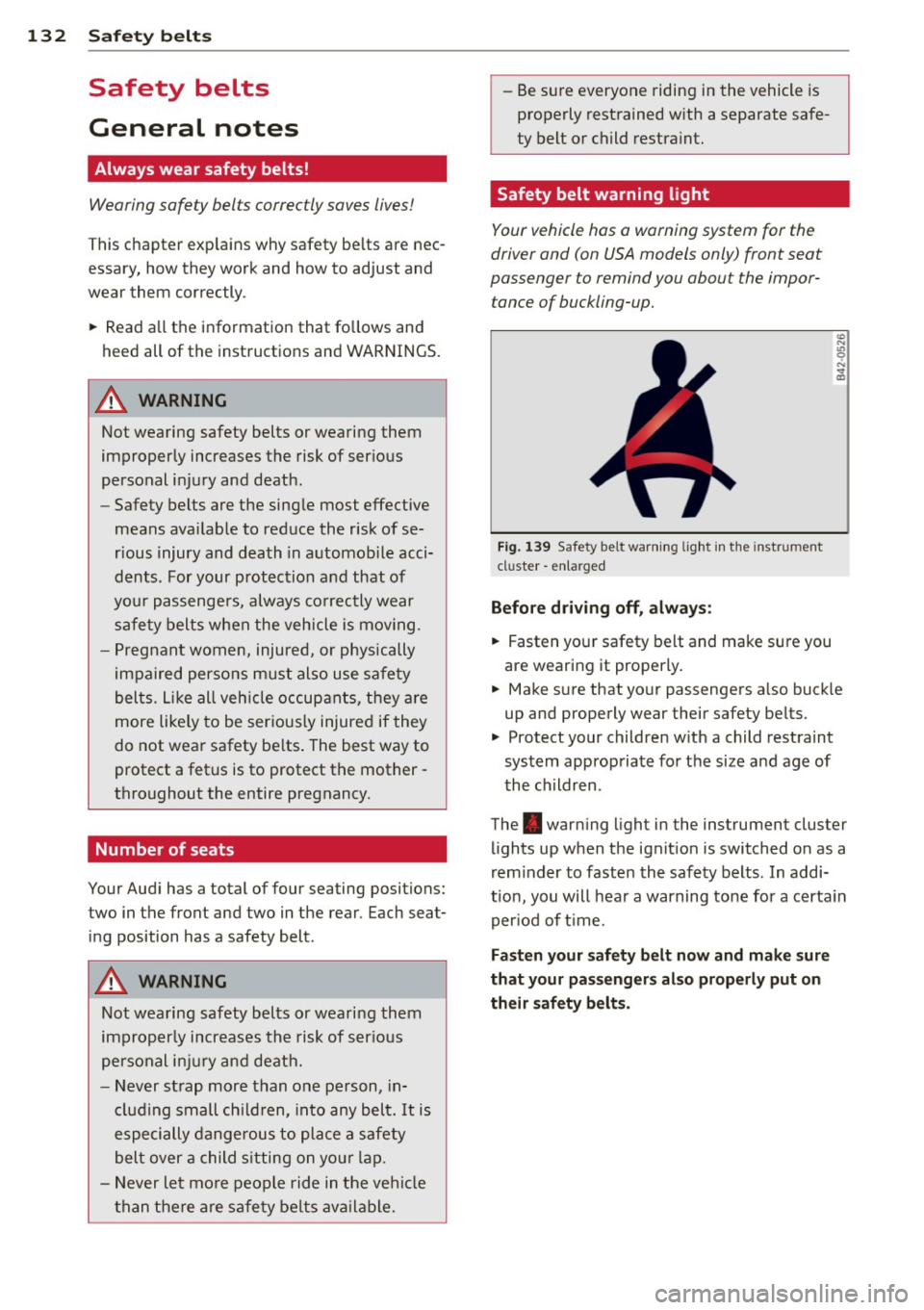
Fi g. 139 Safety belt warni ng lig ht in the instrument
cluster -en larged
Before driving off, always :
.. Fasten you r safety belt and make sure you
are wearing it properly .
.. Make s ure that yo ur passengers a lso buck le
up and properly wear their safety be lts.
.. Protect your children w ith a child rest raint
system approp riate fo r the size and age of
t he children.
The . war ning light in the instrument cluster
lights up when the ignit ion is switched on as a
rem inder to faste n the safety belts. In addi
t ion, you will hea r a warning tone for a certa in
per iod of t ime.
Fasten your safety b elt now and make sure
that your pas sengers also properly put on
their safety belts.
Page 185 of 290
-You should perform braking maneuvers
for the purpose of clean ing the brake
system only if road condit ions permit.
Other road users must not be put at r isk -
you may cause an acc ident!
- Before descending a steep grade, reduce
speed and shift transmiss ion into a lower
gear or lower d riving range . Do not ride
the brakes or hold the pedal down too
long or too often. This cou ld cause the
brakes to get hot and dimin ish braking
effi ciency.
- Do not "r ide the b rakes" by resting your
foot on the pedal when yo u do not intend
to brake. This may cause the b rakes to
overheat, premat ure wear and increased
stopp ing distance .
- Under certain climatic and operating
conditions such as passing through wa
ter, driving in heavy rain or after wash ing
the vehicle, the effect iveness of the
brakes can be reduced. In winter, ice can
accumulate on the brake pads, linings,
discs and d rums . Carefully apply brakes
for a test. Brakes will dry and ice coat ings will be cleaned off afte r a few ca re
f ul brake appl ications.
- Driv ing fo r an ex tended pe riod of time on
salt-covered ro ads w ithout using yo ur
brakes can also affect braking efficiency.
Clean off accumu lated salt coating from
brake discs and pads with a few caref ul
brake applicat ions.
- If you damage the front spoiler, or if you
install a different spoiler, be sure the air
flow to the front brakes is not obstruct
ed. Otherwise the brake system co uld
overheat reducing the effectiveness of
the ent ire brake system.
- Failure of one brake c ircuit will impair
the braking capability resulting in an in
creased stopp ing distance. Avoid driv ing
the vehicle and have it towed to the near
est author ized Audi dealer or qualified
wor kshop.
- Never let the v ehicle roll to a stop w ith
t he engine shu t off.
Int ellig ent technolog y 183
-If the brake booster is not working, for
examp le when towing your vehicle, or
because the brake booster has somehow
been damaged, the brake pedal must be
pressed conside rably harder to make up
for the lack of booster assistance .
Electro-mechanical
power assist, dynamic
steering
The electro-mechanical power assist helps
the driver when steering .
Power steer ing adapts electronically based on
the vehicle speed.
Indicator lights and messages
• Steering defecti ve! Do not d rive vehicle!
If this indicator light turns on and stays on
and t his message appears, the power steer ing
may have failed .
Do
not con tinue dr iv ing . See your author ized
Audi dealer or other qualified repair facility
fo r ass istance.
f-r,ij Dynamic st eering: System fault! You can
continue driving
If the indicator light turns on and the mes
sage appears, the steering may be more diffi
cu lt to move or more sensit ive tha n usual. The
stee ring wheel may a lso be at an angle when
driv ing straight .
Drive slowly to your a uthorized Audi dea ler or
qualified workshop to have the ma lfunction
correc ted .
fifl Dynamic steer ing: in itializing
If this drive r message appea rs and the indica
tor light is flash ing on the instrument panel,
dynamic steer ing * is being rein itia lized. Once
you start the engine after th is is finished, the
steering wheel will be easy to move. Re- init i
al ization might be necessa ry if the steering
wheel was moved ha rd to the left a nd right
wh ile the vehicle was not moving. The display
goes ou t as soon as initialization is comp lete. .,.
•
•
Page 192 of 290
190 Driving and en vironm ent
(0 Note
Do not leave engine idling unattended af
ter starting . If warning lights should come
on to indicate improper operation, they
would go unheeded. Extended idling also
produces heat, which could result in
over
heating or other damage to the vehicle or
other property.
Regular maintenance
A badly tuned engine unnecessarily wastes a lot of fuel .
.,. Have your vehicle serv iced at regular inter-
vals.
By having your vehicle regularly serviced by an
author ized Audi dealer he lps to ensure that it
runs properly and economically. The condition
of your vehicle not only affects its safety and
ab il ity to hold its value, it also affects
fu el
con sump tion .
C heck your oil each time you fill your tank.
The amount of oil used is related to engine
l oad and speed.
I t is normal for the oil consumption o f a new
engine to reach its lowest val ue after a certain
mileage has been driven.
You mus t drive yo ur vehicle abo ut 3,000 miles
(5,000 kilometers) be fo re yo u can properly
assess oi l consumption.
This a lso applies to fuel consumption and en
g ine output.
(]) Note
-Have yo ur vehicle maintai ned properly
and in accordance with the service re c
ommendations in your War ran ty
& Mai n
tenance bookle t. Lack of proper mainte
nance as well as imp roper use of the
ve
hicle will impair the function of the
emission control system and could lead
to damage. -
Do not alter or
remove any component of
the Emission Control System unless ap
proved by the manufacturer .
- Do not alter or
remove any device, such
as heat shie lds, switches, ignition w ires,
valves, which are designed to protect
your vehicle's Emission Control System and other important vehicle compo
nents.
Fewer short trips
Fuel consumption will always be relatively
high on short trips .
.,. Try to avoid driv ing short distances w ith a
cold engine.
The engine and cata lytic converter have to
reach their opt imal
oper ating temperature to
reduce fuel consumpt ion and nox ious em is
s ions effectively.
Just after starting, a co ld engine in a mid-size
car on ly achieves a fuel economy of 6-8 m iles
per gallon (30-40 l/100 km). After about a
half a mile, fuel economy climbs to 12 mpg
(20 l/100 km) . After about
2 .5 miles (4 km),
the engine is at its prope r operating tempera
tu re and fuel economy has reached a normal
level. So you can see that yo u should avo id
short trips whenever poss ible.
T he
outside temperatur e is also cr it ical in t his
regard. Your car consumes more fue l in the
winter tha n in the s umme r.
Page 193 of 290
Trailer towing Driving with a trailer
General information
Your Audi was designed primarily for passen
ger transportation .
If you plan to tow a tra iler, p lease remember
that the addit ional load will affect durab ility,
economy and performance .
T railer towing not on ly places more stress on
the vehicle, it also calls for more concentra
tion from the driver.
F or this reason, a lways fo llow the operating
and driving instructions provided and use
common sense.
Technical requirements
Traile r hitch
Use a weight-carrying hitch conforming to the
gross trailer we ight. The hitch must be suita
b le for your veh icle and trailer and must be
mounted secure ly on t he veh icle's chassis at a
technically sound location . Use only a t railer
h itch w ith a removab le ball moun t. A lways
check with the tr ailer hitch man ufac tur er to
make sure that you are using the correct
hitch.
Do not use a bumper hitch.
T he hitc h must be installed in such a way that
it does not inte rfe re with the impac t-absorb
i ng b umper syst em. No modifica tions should
be made to the vehicle exhaus t and b rake sys
tems . From t ime to time, check that a ll hitch
mo unt ing bolt s remain securely fas tened.
W hen you are not tow ing a trailer, remove the
trai le r hi tch ball moun t. T h is prevents the
hi tch from causing damage sho uld your ve hi
cle be str uck from be hind
¢ &. .
Trailer brakes
If yo ur tra iler is equ ipped w it h a braking sys
tem, check to be su re that it conforms to a ll
r eg ulat io ns.
Trailer towin g 191
The trailer hyd ra ulic bra ke system must not be
direct ly connected to the vehicle's hydraulic
brake system
¢ &. .
Safety chains
Alw ays use s afety chains between your ve hicle
and t he tra ile r.
Trailer lights
Tra ile r lights m ust meet all reg ulations . Be
su re to check w ith your authorized Audi dealer
fo r c orrec t w iri ng, sw itches, and relays.
Mirrors
If you a re unable to see the traffic behind you
u sing the regula r outside m irrors, then you
must insta ll ext ended mir ro rs. It is important
t h at you
always have clea r vis io n to the rear .
.8, WARNING
- If a trailer has elec trica l br ake s plea se
no te th at t hese bra kes are not activat ed
by the fa ctory -fit ted control unit -risk of
accident!
- After removing the t railer hi tch, do no t
s to re it in yo ur vehicle . In case of sudden
brak ing, the hitch could fly fo rward and
in ju re you or yo ur passenge rs .
Operating instructions
Maximum traile r we ight
-
A trai ler for your vehicle is limited to a typical
class 1 or class 2 tra iler.
Trailer load distribution
Be sure the lo ad in the traile r is h eld secure ly
i n p lace to p reven t it from shifting fo rward,
backward or sideways.
Never allow a passenger to ride in a trailer
¢ &. in Driving instru ctions on page 19 2.
Engine cooling system
Towing a t railer ma kes t he engine wor k hard
er . It is impo rta nt that the cooling system's
perfo rman ce is up to the additional load.
Make sure tha t the coo ling sys tem h as enough
f lu id . .,..
•
•