change wheel AUDI A5 CABRIOLET 2013 Owners Manual
[x] Cancel search | Manufacturer: AUDI, Model Year: 2013, Model line: A5 CABRIOLET, Model: AUDI A5 CABRIOLET 2013Pages: 290, PDF Size: 72.35 MB
Page 11 of 290
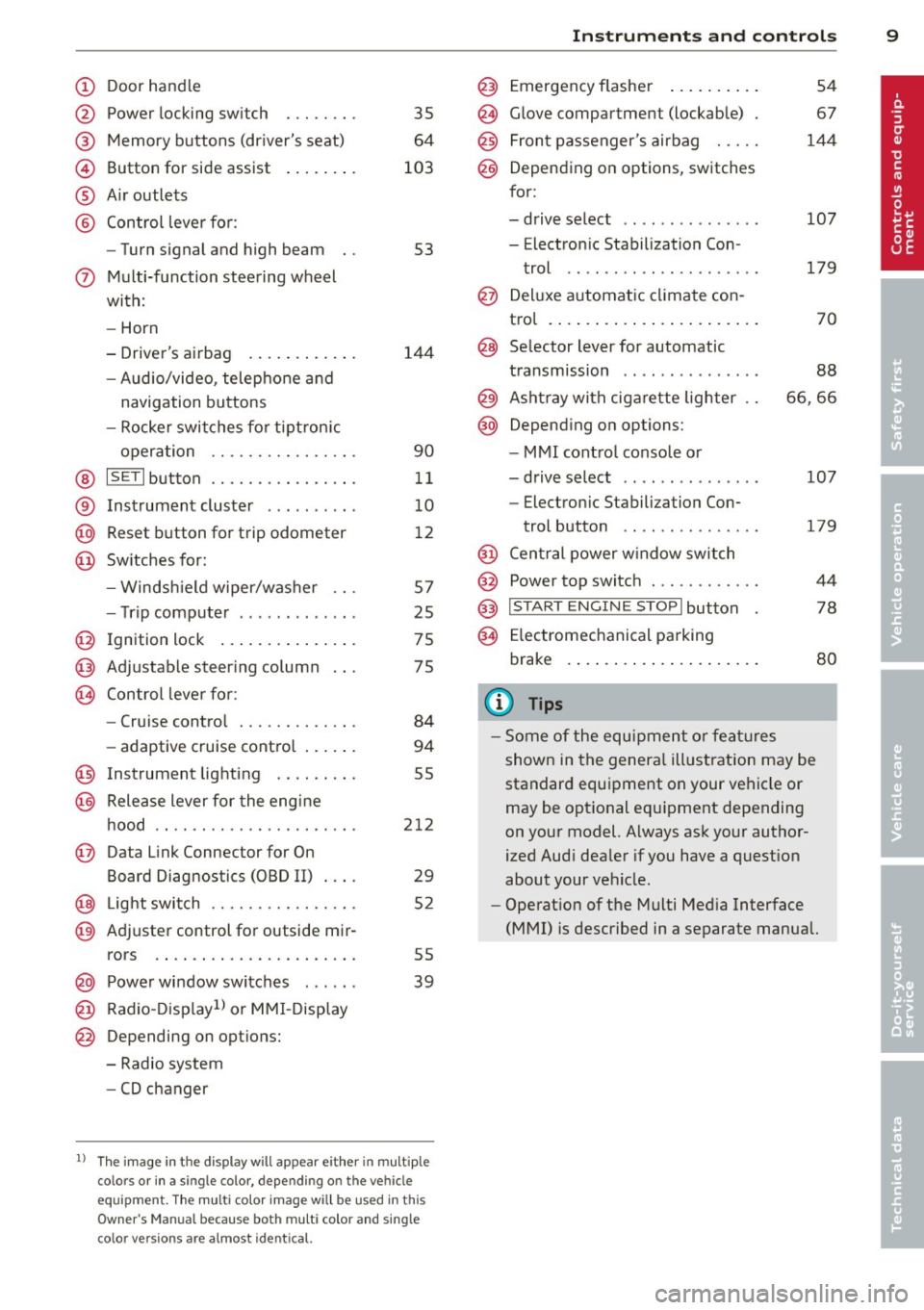
(!) Door handle
@
®
©
®
®
Power locking sw it ch
Memory buttons (dr iver's seat)
Button for side ass ist
A ir outlets
Control lever for :
- Turn signal and high beam
0 Multi-function steering wheel
with:
- Horn
- Driver's airbag ........... .
- Audio/video , telephone and
navigation buttons
- Rocker switches for tiptronic
operation .... .... ... .... .
@ ISETI button .... ....... .... .
® Instrument cluster ......... .
@ Reset button for trip odometer
@ Switches for:
- Windshield wiper/washer
- Trip computer ............ .
@ Ignition lock ............ .. .
@ Adjustable steer ing column
~ Control leve r for :
- Cruise contro l .. ... ... .... .
- adaptive cruise contro l ... .. .
@ Instrument lighting .. ... ... .
@ Release lever for the engine
hood .. .. .. ............. .. .
@ Data Link Conne ctor for On
Board Diagnos tic s (OBD II) ... .
@ Light switch ........... .. .. .
@ Adjuster control for outside mir-
35
64
103
53
144
90
11
10
12
57
25
75
75
84
94
55
212
29
52
rors . . . . . . . . . . . . . . . . . . . . . . 55
@ Power window switches . . . . . . 39
@ Radio-Displayll or MMI-Display
@ Depending on options:
- Radio system
- CD changer
l) The im age in t he d ispl ay will app ea r either in mu lt ipl e
col ors or in a singl e co lor , de pen din g o n th e vehicl e
e q ui pment. Th e m ulti co lo r im age w ill be use d i n this
O w ner's Manual becau se bo th mult i co lo r and sin gle
col or vers io ns are almost iden tic al.
Instruments and controls 9
@) Emergency flasher ......... .
@ Glove compartment (lockable)
@ Front passenger's airbag .....
@ Depending on options, switches
for :
- drive select .............. .
- Electron ic Stabilization Con -
trol ..... ... .. ..... ..... .
@ Deluxe aut omatic climate con-
tro l ...................... .
@ Selector lever for automatic
transmission ......... ..... .
@ Ashtray with cigarette lighter
@ Depend ing on options:
- MMI cont ro l console or
- drive select ......... ..... .
- Electron ic Stabili zation Con-
trol button .............. .
@ Central power window switch
@ Powe r top switch ........... .
@ I START ENG IN E STOPI button
@ Electromechanical parking
brake .. .. .... ... .. ....... .
(D Tips
54
67
144
107
179
70
88
66 ,66
107
17 9
44
78
80
-Some of the equipment or features
shown in the general illustration may be
standard equipment on your vehicle or
may be optional eq uipment depending
on your model. Always ask your author
ized Audi dealer if you have a quest ion
about your vehicle.
- Operation of the Multi Media Interface
(MMI) is described in a separate manual.
Page 84 of 290
82 On the road
Starting off with a trailer
To prevent rolling back unintentionally on an
incline , do the following:
.,. Keep the switch@¢ fig. 92 pulled and de
press the accelerator . The parking brake
stays applied and prevents the vehicle from rolling backward .
.,. You can release the switch @once you are
sure that you a re develop ing enough dr iv ing
f orce at the wheels by dep ress ing the accel
erator.
Depending on the weight of the r ig (veh icle
and tra iler) and the seve rity of the in cli ne , you
may roll backwards as you start . You can pre
vent rolling backwards by holding the parking brake switch @ pulled out and accelerating -
just as you would when starting on a hill with
a conventional hand brake.
Emergency braking
In the event that the conventional brake system
foils or locks.
... In an emergency, pull the switch @
¢
fig. 92 and continue to pu ll it to slow your
vehicle down with the parking brake.
.,. As soon as you release the sw itch @ or ac-
celerate, the braking process stops.
If you pu ll the switch @and ho ld it above a
speed of about 5 mph (8 km/h), the emergen
cy braking function is in iti ated. The vehicle is
braked at al l four wheels by activating the hy
d raul ic brake system . T he brake performance
is simi lar to making an eme rgency stop¢.&. .
In order not to activate the emergency brak ing by mistake, an audible warning tone (buz
zer) sounds when the switc h@ is pulled . As
soon as the switch @is released, or the accel
e rator pedal is dep ressed , emergency b ra ki ng
stops.
.&_ WARNING
Emergency braking sho uld only be used in
an emergency, when the normal foot brake
has failed or the brake pedal is obstructed . Using the par
king brake to pe rform emer
gency braking will s low your veh icle down
as if you had made a full brake application.
The laws of p hysics cannot be suspended
even with ESC and i ts associated compo
nents (ABS, ASR, EDS). In corners and
when road o r weathe r cond itions are bad,
a full brake appl ication can ca use the vehi
cle to s kid or the rear end to break away -
risking an acciden t.
Speed warning system
Overview
The speed warning system helps you to keep
your driving speed below a set speed limit.
T he speed warning system warns if the driver
e xc eeds a previously stored max imum speed .
A warning tone w ill sound as soon as the vehi
cle speed exceeds the set speed by abou t
3 mph (3 km/h) . At the same t ime, a warning
symbol appears in the display . T he symbol's
appea rance might be different in some mod
els .
The speed warn ing system has two warning
t hr esholds that funct io n in dependent ly of
each other and that have somewhat diffe rent
purposes:
Speed wa rning 1
You can use speed warning 1 to se t the maxi
mum speed while you are driving . T his setting
will remai n in effect unt il you turn off the ig ni
t io n, assuming that you have not changed or
r ese t the sett ing.
The . (USA mode ls)
I. (Canada mode ls)
speed warning symbol in the warning 1 dis
play appears when you exceed the maximum
speed .
It goes ou t when the speed falls be low
the stored maximum speed .
T he speed warn ing symbol will also go out if
the speed
exceeds the stored maximum speed
by more than about 25 mph (40 km/h) for at
least 10 seconds. The sto red max imum speed
is de leted . .,..
Page 106 of 290
104 Audi side assist
General information
App lies to vehicles: with Audi side assist
®
©
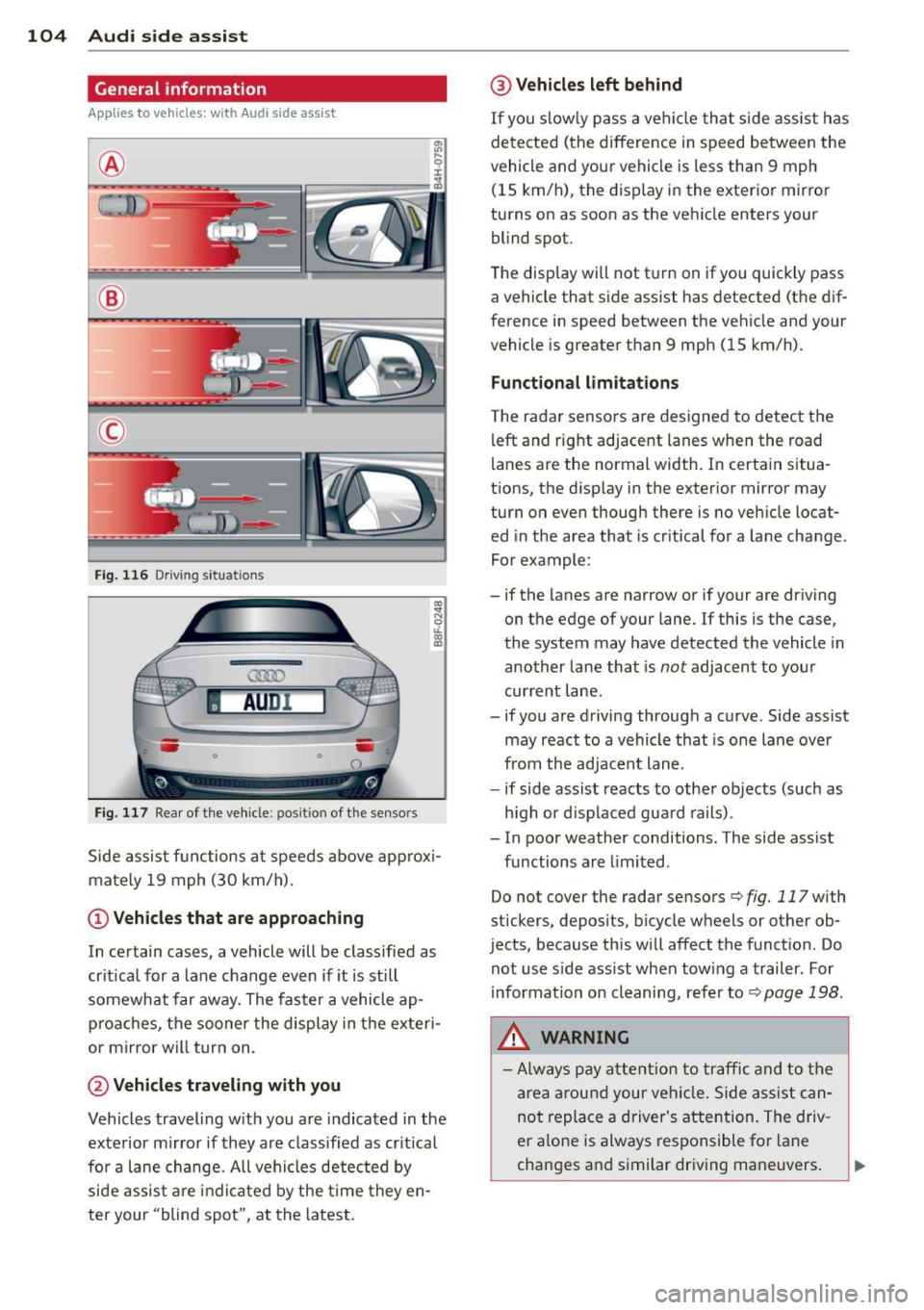
Fig. 116 Driving sit u at ions
F ig . 11 7 Rea r of th e ve hicle: positio n of t he se nso rs
Side assis t fu nctions at speeds above app rox i
ma tely 19 mph (30 km/h).
(D V ehicles that are approaching
In certain cases, a vehicle will be classified as
cr itical for a lane change
even if it is still
somewhat far away. The fas ter a vehicle ap
p ro aches, the sooner the disp lay in the exteri
or m irror will t urn on.
@ Vehicles traveling with you
Vehicles traveling w ith you are indicated in the
exterior m irror if they are classified as cr it ical
for a lane change. All vehicles detec ted by
side assis t are in dicated by the time they en
ter your "blind spot", at the latest.
@ Vehicles left behind
If you s low ly pass a ve hicl e tha t sid e ass ist has
dete cted (t he difference in s peed between the
vehicle and you r vehicle is less than 9 mph
(15 km/h), the display in the exter ior mirror
turns on as soon as the vehicle enters your
blind spot.
The display wi ll not t urn on if you quickly pass
a vehicle that s ide assist has detected (the dif
ference in speed between the ve hicle and your
vehicle is greater than 9 mph (15 km/h).
Functional lim itations
T he radar senso rs are designed to detect the
left and right adjacent lanes whe n the road
l anes a re the normal width. In certain situa
t ions, the d isp lay in the exterior mirror may
turn on
even though there is no ve hicle locat
ed in the area that is cr itical for a la ne cha nge.
Fo r example:
- if the lanes are narrow or if your are driving
on th e edge of your lane. If this is the case,
the system may have detected the vehicle in
another la ne that is
not adjacent to you r
cur rent lane .
- if you a re driving throug h a c urve . Side assist
may react to a vehicle that is one lane ove r
from the ad jacent lane .
- if side assist reacts to other objects (such as
high or d isp laced gua rd rails) .
- In poor weather conditions. The side assist
fu nctions are limited .
Do not
cover the radar sensors c::> fig. 117 with
stickers, depos its, bicycle wheels or other ob
jects, because this will affect the funct ion. Do
not use s ide ass ist when towing a trailer . For
i nforma tion on cleaning, refe r to
c::> page 198 .
&_ WARNING
-Always pay a ttention t o traffic and to th e
ar ea arou nd your vehi cle. Side a ssist c an
no t repl ace a driver 's atte ntion. The driv
er a lone is always res ponsible fo r lane
cha nges a nd similar driving maneuvers.
Page 107 of 290
-Improper reliance on the side assist sys
tem can cause collisions and serious
personal injury:
- Never rely only on side assist when
changing lanes.
- Always check rear view mirrors to make
sure that it is safe to change lanes.
- Side assist cannot detect all vehicles un
der all conditions- danger of accident!
- Please note that side assist indicates
there are approaching vehicles, or
vehicles in your blind spot, only after
your vehicle has reached a driving speed
of at least 19 mph (30 km/h).
- In certain situations, the system may not
function or its function may be limited.
For example:
- if vehicles are approaching or being left
behind very quickly. The display may
not turn on in time.
- in poor weather conditions such as
heavy rain, snow or heavy mist .
- on very wide lanes, in tight curves or if
there is a rise in the road surface .
Vehicles in the adjacent lane may not
be detected because they are outside
of the sensor range.
(D Note
The sensors can be displaced by impacts or
damage to the bumper, wheel housing and
underbody. This can affect the system .
Have your authorized Audi dealer or au
thorized Audi Service Facility check their
function.
(D Tips
- If the window glass in the driver's door
or front passenger's door has been tint
ed, the display in the exterior mirror may be misinterpreted.
- For Declaration of Compliance to United
States FCC and Industry Canada regula
tions
~page 272.
Audi side assist 105
Activating and deactivating
Applies to vehicles : wi th Aud i side ass ist
Fig. 118 Driver 's doo r: Side assis t button
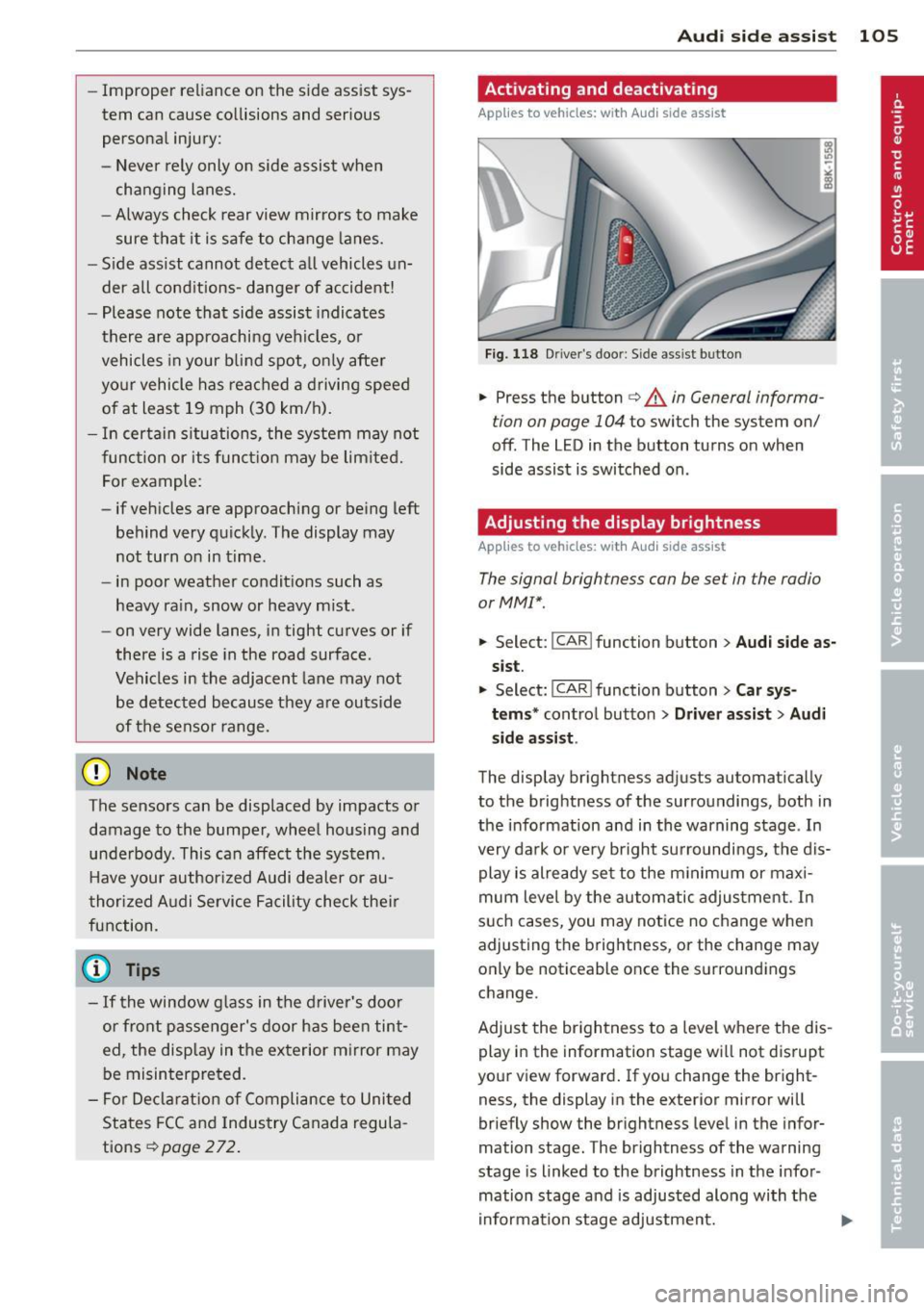
.,. Press the button c> .&. in General informa
tion on page 104
to switch the system on/
off . The LED in the button turns on when
side assist is switched on.
Adjusting the display brightness
App lies to vehicles: wit h Audi side ass ist
The signal brightness can be set in the radio
orMMI* .
.,. Select: I CAR I function button > Audi side as
sist.
.,. Select: I CAR ! function button > Car sys
tems*
control button > Driver assist > Audi
side assist .
The display brightness adjusts automatically
to the brightness of the surroundings, both in
the information and in the warning stage . In
very dark or very bright surroundings, the dis play is already set to the minimum or maxi
mum level by the automatic adjustment. In
such cases, you may notice no change when
adjusting the brightness, or the change may
only be noticeable once the surroundings
change.
Adjust the brightness to a level where the dis
play in the information stage will not disrupt
your view forward. If you change the bright
ness, the display in the exterior mirror will
briefly show the brightness level in the infor
mation stage. The brightness of the warning
stage is linked to the brightness in the infor
mation stage and is adjusted along with the
information stage adjustment.
Page 118 of 290
116 Park assist
In the MMI display, the direction of travel
of the vehicle rear is represented depending on the steering wheel angle. The vehi
cle front swings out more than the vehicle
rear. Maintain plenty of distance from an
obstacle so that your outside mirror or a
corner of your vehicle does not collide with
any obstacles -danger of accident!
@ Tips
The left or right orientation lines and sur
faces will be displayed, depending on the turn signal being used.
Adjusting the display and warning tones
Applies to vehicles: with parking system (rear, with rear
view camera)
The display and warning tones are adjusted in
the radio or MM!*.
"' Select: I CARI function button > Parking sys·
tern.
Or
"' Select: ~I C~A~RI function button > Car sys
tems*
control button > Driver assist > Park·
ing aid.
Display
- Off -when the parking system is switched
off, only audible signals are given.
- On -when the parking system is switched
on, the picture from the rear view camera is
displayed.
Warning tones
- Rear volume -
rear sensor volume
-Rear frequency -rear sensor frequency
-Music volume while parking -when the
parking system is switched on, the volume
of the active audio source is lowered.
The newly adjusted value is briefly heard from
the signal generator. The settings are auto
matically stored and assigned to the remote
control key.
A WARNING
- Always make sure that the volume and
frequency of the warning tones is adjust
ed so that you can easily hear the acous
tic distance signal even if the radio is
playing, the air-conditioner blower is on
High or there is a high level of outside
noise.
- Check the settings whenever someone
else has driven the vehicle before you.
@ Tips
- The warning tones can also be adjusted
directly from the rear view camera im
age. Simply press the Settings* control
button.
- Changed settings are activated when
parking assist is switched on again.
Error messages
Applies to vehicles: with parking system (rear, with rear
view camera)
-
If a warning tone is audible for about five sec
onds when you turn on the ignition, there is a
malfunction in the system. Have the problem
corrected by your authorized Audi dealer.
Keep the sensors in the rear bumper clean and
free from ice so that the acoustic park assist system can function properly.
Page 156 of 290
154 Airbag system
There are some important things you have to
know to make sure that the effectiveness of
the system will not be impaired and that dis
carded components do not cause injury or pol
lute the environment.
A WARNING
Improper care, servicing and repair proce
dures can increase the risk of personal in
jury and death by preventing an airbag
from deploying when needed or deploying an airbag unexpectedly:
- Never cover, obstruct, or change the
steering wheel horn pad or airbag cover
or the instrument panel or modify them
in any way.
- Never attach any objects such as cu
pholders or telephone mountings to the
surfaces covering the airbag units.
- For cleaning the horn pad or instrument
panel, use only a soft, dry cloth or one
moistened with plain water. Solvents or
cleaners could damage the airbag cover
or change the stiffness or strength of the
material so that the airbag cannot de
ploy and protect properly.
- Never repair, adjust, or change any parts
of the airbag system .
- All work on the steering wheel, instru
ment panel, front seats or electrical sys
tem (including the installation of audio
equipment, cellular telephones and CB
radios, etc .) must be performed by a
qualified technician who has the training
and special equipment necessary.
- For any work on the airbag system, we
strongly recommend that you see your
authorized Audi dealer or qualified work shop.
- Never modify the front bumper or parts
of the vehicle body.
- Always make sure that the side airbag
can inflate without interference:
- Never install seat covers or replace
ment upholstery over the front seat
backs that have not been specifically
approved by Audi . -
Never use additional seat cushions that
cover the areas where the side airbags
inflate.
- Damage to the original seat covers or
to the seam in the area of the side air
bag module must always be repaired
immediately by an authorized Audi
dealer .
- The airbag system can be activated only
once. After an airbag has inflated, it
must be replaced by an authorized Audi
dealer or qualified technician who has
the technical information, training and
special equipment necessary.
- The airbag system can be deployed only
once . After an airbag has been deployed,
it must be replaced with new replace
ment parts designed and approved espe
cially for your Audi model version. Re
placement of complete airbag systems
or airbag components must be per
formed by qualified workshops only.
Make sure that any airbag service action
is entered in your Audi Warranty
& Main
tenance booklet under
AIRBAG REPLACE
MENT RECORD .
-In accidents when an airbag is deployed,
the vehicle battery separates the alterna
tor and the starter from the vehicle elec
trical system for safety reasons with a pyrotechnic circuit interrupter.
- Work on the pyrotechnic circuit inter
rupter must only be performed by a
qualified dealer -risk of an accident!
- If the vehicle or the circuit interrupter
is scrapped, all applicable safety pre
cautions must be followed.
@ For the sake of the environment
Undeployed airbag modules and preten
sioners might be classified as Perchlorate Material -special handling may apply, see
www.dtsc.ca.gov/hazardouswaste/per
chlorate. When the vehicle or parts of the restraint system including airbag modules
safety belts with pretensioners are scrap
ped, all applicable laws and regulations
must be observed. Your authorized Audi
1J1-
Page 157 of 290
dealer is familiar with these requirements
and we recommend that you have your
dealer perform this service for you.
Other things that can affect Advanced
Airbag performance
Changing the vehicle's suspension system can
change the way that the Advanced Airbag Sys
tem performs in a crash. For example, using
tire-r im combinations not approved by Audi,
lowering the vehicle, changing the stiffness of
the suspension, including the springs, suspen
sion struts, shock absorbers etc. can change
the forces that are measured by the airbag sensors and sent to the electronic control
unit. Some suspension changes can, for exam
ple, increase the force levels measured by the
sensors and make the airbag system deploy in
crashes in which it would not deploy if the
changes had not been made . Other kinds of
changes may reduce the force levels meas
ured by the sensors and prevent the airbag
from deploying when it should .
The sensors in the safety belt buckle for the
d river and front passenger seat tell the elec
tronic control module if the safety belt is
latched or not. If the safety belt is being used,
the front airbag will deploy at a slightly high
er rate of vehicle deceleration than if the safe
ty belt is not being used. Therefore, in a par
ticular collision, it is possible that an airbag
will not deploy at a seating position where the safety belt is being used but will inflate at the
position where the safety belt is not being
used. It is important that nothing interfere
with the safety belt buckles so that the sen
sors can send the correct information about
safety belt use to the electronic control unit.
.&_ WARNING
Changing the vehicle 's suspension includ
ing use of unapproved tire-rim combina
tions can change Advanced Airbag per
formance and increase the risk of serious personal injury in a crash.
- Never install suspension components
that do not have the same performance
Airbag system 155
characteristics as the components origi
nally installed on your vehicle .
- Never use tire-rim combinations that
have not been approved by Audi.
.&_ WARNING
= -
Items stored between the safety belt buckle and the center console can cause
the sensors in the buckle to send the
wrong information to the electronic con
trol module and prevent the Advanced Air bag System from working properly.
-Always make sure that nothing can inter-
fere with the safety belt buckles and that
they are not obstructed.
Knee airbags
Description of knee airbags
Applies to vehicles: wit h knee airbags
The knee airbag system can provide supple
mental protection to properly restrained
front seat occupants.
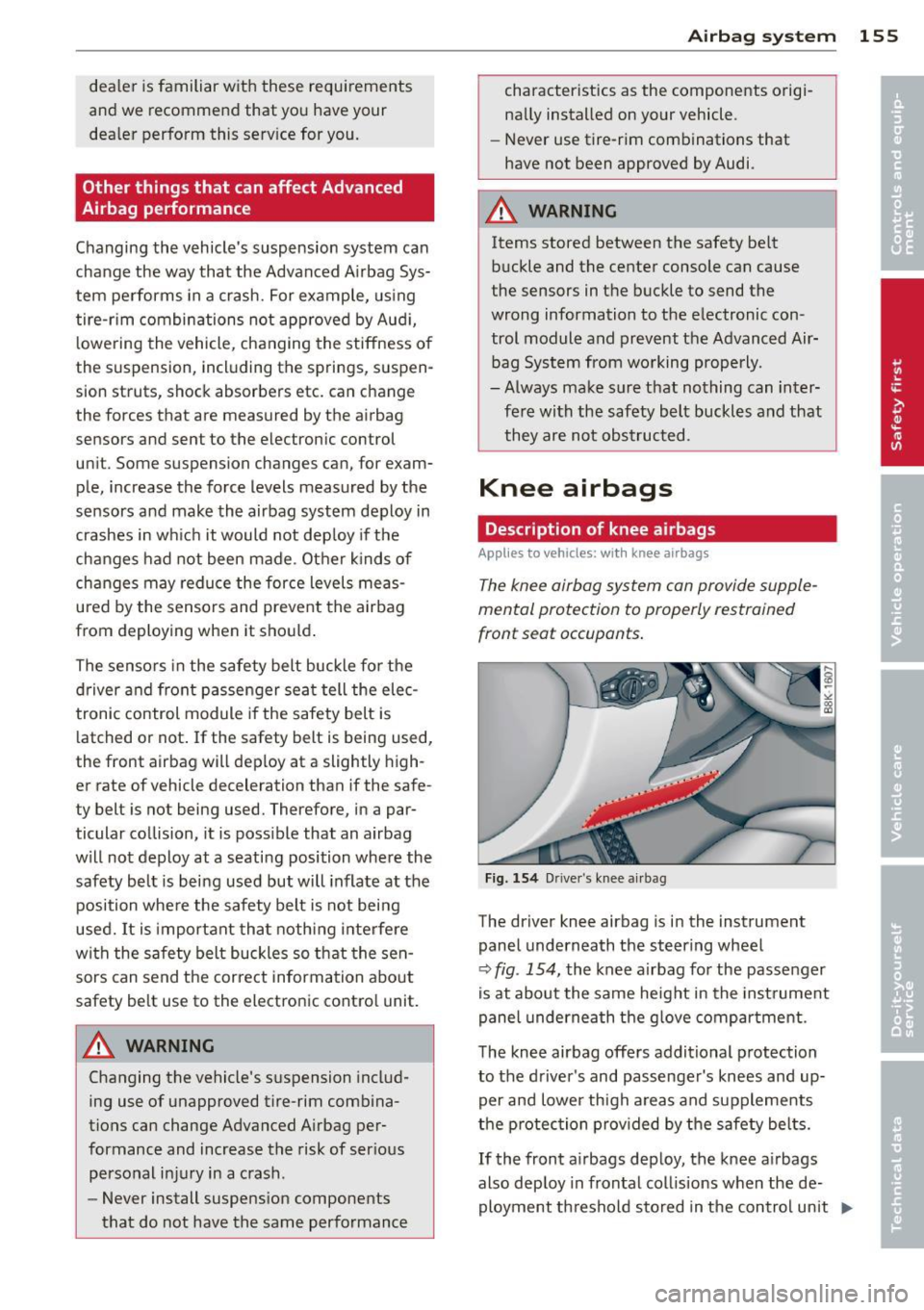
Fig. 154 Driver 's knee airbag
The driver knee airbag is in the instrument
panel underneath the steering wheel
Q fig . 154, the knee airbag for the passenger
is at about the same height in the instrument
panel underneath the glove compartment .
The knee airbag offers additional protection
to the driver's and passenger's knees and up
per and lower thigh areas and supplements
the protection provided by the safety belts.
If the front airbags deploy, the knee airbags
also deploy in frontal collisions when the de ployment threshold stored in the control unit
I),-
Page 181 of 290
Intelligent technology Notice about data
recorded by vehicle
control modules
Your vehicle is not equipped with an Event Da
ta Recorder (EDR), installed by some manu
facturers for the express purpose of capturing
data for retrieval after an accident or crash
event. EDR's are sometimes called "crash re
corders".
Some state laws restrict the retr ieval or down
loading of data stored by EDR's that were in
stalled in a vehicle for the express purpose of
retrieving data after an accident or crash
event without the owner's consent.
Although your vehicle is not equipped with an
EDR, it is equipped with a number of electron
ic control modules for various vehicle systems
such as, for examp le, engine function, emis
sion control, as well as for the airbags and
safety belts.
These electronic control modules also record
vehicle-related data during norma l vehicle op
eration for diagnostic and repair purposes.
The recording capacity of the electronic con
trol modules is limited to data (no sound is re
corded) and only a small amount of data is ac
tually recorded over a very limited period of
time and stored when a system fault or other
condition is sensed by a control unit. Some of
the data then stored may relate to vehicle
speed, direction, braking as we ll as restraint
system use and performance in the event of a
crash or other condition. Stored data can only be read and downloaded with special equip
ment.
Electronic Stabilization
Control (ESC)
Description
ESC helps to improve road holding and vehicle
dynamics to help reduce the probability of
skidding and loss of veh icle control. It works
only when the engine is running. ESC detects
Intelligent technology 179
certain difficult driving situations, including
when the vehicle is beginning to spin (yaw)
out of control and helps you to get the veh icle
back under control by se lectively braking the
wheels, and/or reducing engine power and
providing steering ass istance to help hold the
vehicle on the driver's intended course. The in
dicator light
JjJ in the instrument cluster
blinks when ESC is taking action to help you
control the vehicle.
ESC has limitations .
It is important to remem
ber that ESC cannot overcome the laws of
physics.
It will not always be able to help out
under all conditions you may come up against.
For example, ESC may not always be able to
help you master situations where there is a
sudden change in the coefficient of friction of
the road surface. When there is a section of dry road that is suddenly covered with water,
slush or snow, ESC cannot perform the same
way it would on the dry surface. If the vehicle
hydroplanes (rides on a cushion of water in
stead of the road surface), ESC will not be
able to help you steer the vehicle because con
tact with the pavement has been interrupted
and the vehicle cannot be braked or steered .
During fast cornering, particularly on winding
roads, ESC cannot always deal as effectively
with difficult driving situations than at lower
speeds. When towing a trailer, ESC is not able
to help you regain control as it would if you
were not tow ing a trailer.
A lways adjust your speed and driving style to
road, traffic and weather conditions. ESC can
not override the vehicle's physical limits, in
crease the available traction, or keep a vehicle
on the road if road departure is a result of
driver inattention. Instead, ESC improves the
poss ibility of keeping the vehicle under con
trol and on the road dur ing extreme maneu
vers by using the driver's steering inputs to
help keep the vehicle going in the intended di
rection. If you are traveling at a speed that
causes you to run off the road before ESC can
provide any assistance, you may not experi
ence the benefits of ESC.
•
•
Page 182 of 290
180 Intelligent technology
ESC includes and/or works together with the
anti-lock brake system (ABS), brake assist sys
tem, anti-slip regulation (ASR) , e lectronic dif
ferential lock (EDL), dynamic steering" and
e lectronic interaxle differentia l lock* /selective
wheel torque control* . ESC is switched on all
the t ime. I n certa in s ituations whe n you need
l ess t raction, you can switch off ASR by p ress
i ng the bu tto n
[ru ¢ fig. 167 or ¢ fig. 168. Be
sure to sw itch ASR on ag ain when you no lon
ger need less trac tion.
Anti -lock braking system (ABS)
ABS prevents t he wheels from locking up
when braking. The veh icle can still be st eered
even d uring ha rd b rak ing . Apply steady p res
sure to the br ake pedal. Do no t pu mp the ped
a l. A puls ing in t he bra ke peda l ind icates that
the system is he lping yo u to b rake the vehicle .
Brake assist system
The brake assist system can decrease bra king
d ista nce. It increases braking powe r w hen the
d river p resses the brake pedal quickl y in eme r
gency situa tions . You mus t press and ho ld the
brake peda l until the situation is over. In
ve hicles with adaptive cruise contro l", the
brake assist system is more sensit ive if the
d ista nce detected to t he vehicle a head is too
smal l.
Anti-slip regulation (ASR)
ASR reduces engi ne power when the drive
wheels begin to spin and adapts the fo rce to
the road condit ions. This makes it easier to
start, accelerate and drive up hills.
Electronic diffe rential lock (EDL )
The EDL brakes wheels that are spinning and
tra nsfers t he d rive powe r to the other d rive
wheel or whee ls if the vehicle is equipped with
all-wheel drive*. This function is available up
to about 60 mph (100 km/h).
In extreme cases, EDL a utomatica lly switches
off to help keep the bra ke on the braked whee l
from overheating. EDL will switch on aga in au
tomatically when conditions have returned to
normal.
Dynamic steering*
On vehicles wi th dynam ic s teering *, ESC he lps
sta bilize the steer ing in crit ica l sit uat ions.
Electronic interaxle differential lock*/
selective wheel torque control*
T he ele ctroni c in te raxle di fferentia l lock ( fron t
whee l drive) o r th e se lective whee l torque
control (all -whee l drive) operates when driv
ing t hro ugh cu rves. The front wheel on the in
s ide of the c urve or both whee ls on the inside
of the curve are braked selectively as needed .
Th is mi nimizes sliding in the front wheels and
allows for more precise d rivi ng through
cu rves . The a ppl icable syste m may not acti
vate when dr iv ing in wet o r snowy cond itions.
_&. WARNING
- E SC, A BS, ASR, ED L d ynam ic steering *
a nd the elect roni c in ter ax le d ifferenti al
loc k* /se lective whee l torque control *
cannot ove rcome the laws of physics .
This is especia lly important on slippery
or wet r oads. If the systems beg in acting
to stabilize your veh icle, yo u should im
mediately change you r speed to match
the road and t raff ic conditions. Do not
let the increased safety prov ided by
t hese systems temp t you to ta ke r is ks.
Doing so will increase the risk of a lo ss of
veh icle cont ro l, col lision an d ser io us per
sonal injur ies.
- Always adapt your speed to ro ad, traff ic
an d wea ther conditions . The risk of los
ing contro l of t he vehicle increases when
driving too fast, es pec ially through
curves and on slippery or wet roads, and
when dr iv ing too close to vehicles up
a head. ESC, ABS, the brake ass ist sys
t e m, ASR, EDL dynam ic s teer ing* and the
elec tronic inte raxle differe ntia l lock*/se
lective whee l to rque contr ol* cannot p re
vent co lli sion s.
- Always accelerate wi th special care on
eve n smooth s urfaces su ch as those that
'
ar e we t or covered w ith i ce and snow.
T he drive whee ls can spin even w ith
-
these assistance systems that can not ~
Page 195 of 290
Trailer towing tips
Important to know
Your vehicle hand les different ly when tow ing
a trailer because o f the addit ional weight and
d iffe ren t weight distribution . Safety, perform
ance and economy w ill greatly depend on how
caref ully you load your trailer and operate
your rig.
B efore you actua lly tow your trailer, pr actice
turning, stopp ing and bac king up in an area
away from traffic. Keep practicing until you have become comp lete ly fam iliar with the way
your veh icle-trailer comb ination behaves and
responds.
Backing up is d ifficu lt a nd requires practice .
Backing up with a tra iler genera lly requires
steer ing action opposite to that when backing
up your vehicle without a trailer.
M aintain a g reater distance betwee n your ve
h icle and the one in front o f you . You will need
mo re room to stop. To compensate for the
trailer, you will need a larger than normal
turning radius .
W hen pass ing, remember that yo u cannot ac
celerate as fast as yo u normally wo uld be
cause of the added load. Make sure you have
e nough room to pass . After passing , allow
p lenty o f room fo r your tra iler before chang
in g la nes aga in .
Avoid jerky starts, sharp turns or rap id lane
changes.
(D Tips
- Do n ot tow a tra ile r during the break-in
period of you r vehicle.
- If you tow a trailer, your A udi may re
quire more frequent maintenance due to
t h e ext ra load
o page 269.
Trailer towin g 193
Parking on a slope
Do not park on a slope with a trailer . If it can
not be avoided, do so only after doing the fol lowing:
When parking:
.. App ly the foot brake.
"' Have someone p lace chocks under both the
veh icle and the tra iler wheels .
"' With chocks in place, slowly release t he
bra kes unt il t he whee l chocks absorb the
load .
.. Tur n the whee ls towa rds t he curb .
.,. App ly the parking brake.
.. Move the se lector lever to P.
When restarting after parking:
.. App ly the foot brake .
.,. Sta rt t he engine .
.. Move the se lector lever to D/S .
.. Release the pa rking brake and s low ly pull
out a nd away from the wheel chocks .
.. Stop and have someone retr ieve the wheel
chocks .
(D Tips
If you move the selector leve r of the auto
matic transmission to P befo re a pplying
the parking brake and before bloc king the
whee ls, you may have to use more force
l ater to move the l ever out of the P posi
tion .
•
•