lights AUDI A5 COUPE 2010 User Guide
[x] Cancel search | Manufacturer: AUDI, Model Year: 2010, Model line: A5 COUPE, Model: AUDI A5 COUPE 2010Pages: 360, PDF Size: 84.39 MB
Page 19 of 360
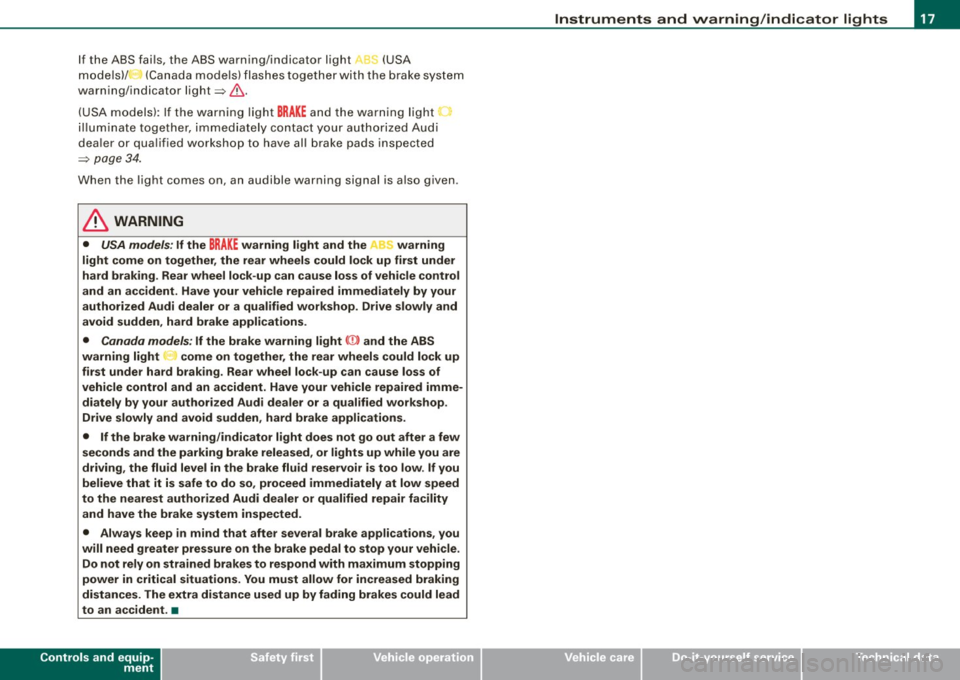
If the ABS fai ls, the ABS warning/indicator light, ,., (USA
m odels)/ (Canada mode ls) flashes toge ther wit h the b rake system
warning/ind icator light=> &.
(USA models): If the warning light
BRAKE and the warning light
i llum inate toge ther, i mmediately co ntact your authorized Aud i
dea ler or qua lified workshop to have al l brake pads inspected
=>
page 34.
When the light comes on, an audible warning signal is also given .
& WARNING
• USA models : If the BRAKE warning light and the r,i:r warning
light come on together , the rear wheels could lock up first under
hard braking. Rear wheel lock -up can cause loss of veh icle control
and an ac cident. Have your vehicle repaired immediately by your
authorized Audi dealer o r a qualified workshop . Drive slowly and
avoid sudden, hard brake applications .
• Canada models : If the brake warning light ((D) and the ABS
warning light come on together, the rear wheels could lock up
first unde r hard braking . Rear wheel lock -up can cause lo ss of
vehicle control and an accident. Have your vehicle repaired imme
diately by your authorized Audi dealer or a qualified workshop .
Drive slowly and avoid sudden , hard brake applications.
• If the brake warning /indi cator light does not go out after a few
second s and the parking brake released, or lights up while you are
driving , the flu id level in the brake flu id reser voir is too low . If you
believe that it is safe to do so , proceed immediately at low speed
to the nearest authorized Audi dealer or qualified repair facility and have the brake system inspected.
• Always keep in mind that after several brake applications , you
will need greater pressure on the brake pedal to stop your vehi cle .
Do not rely on strained brakes to respond with ma ximum stopping
power in critical situations . You must allow for increased braking
distances . The extra di stance used up by fading brakes could lead
to an ac cident. •
Controls and equip
ment
Instruments and warning /indi cator lights
I • •
Page 31 of 360
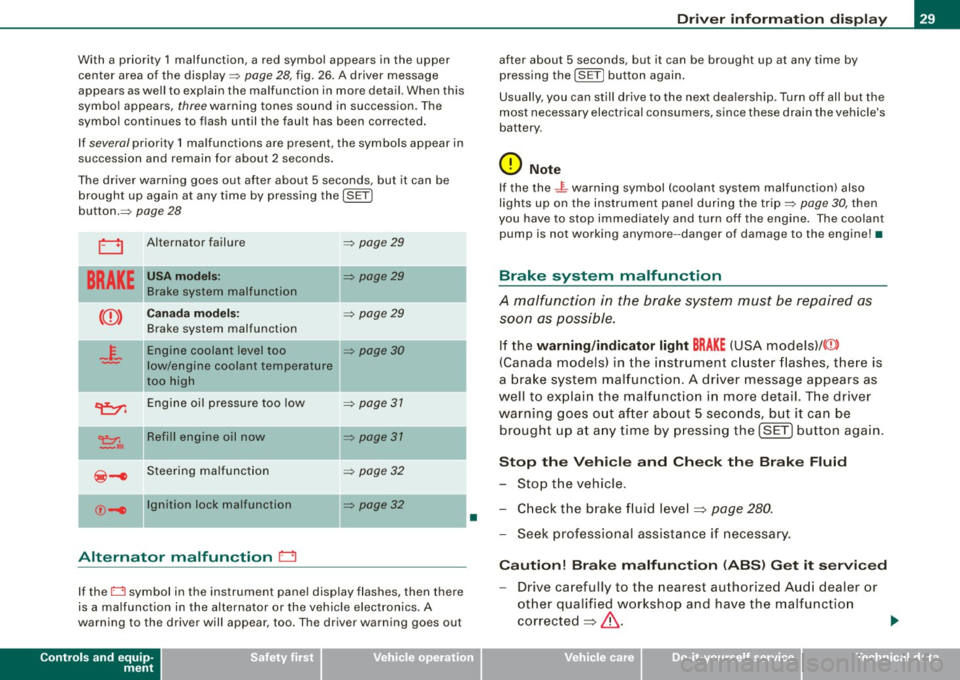
With a priority 1 malfunction, a red symbol appears in the upper
center area of the display=:>
page 28, fig. 26. A driver message
appears as well to explain the ma lfunction in more detail. When this
symbo l appears,
three warning tones sound in succession. The
symbol continues to flash until the fault has been corrected.
If
several priority 1 malfunctions are present, the symbols appear in
succession and remain for about 2 seconds .
T he driver warning goes out after about 5 seconds, but it can be
brought up again at any time by pressing the
I SE T]
button.=:>
page 28
LJ Alternator failure =:> page 29
BRAKE
USA model s: =:> page 29
Brake system malfunctio n
--
Ca nad a mod els: =:> page 29
Brake system malfunction
- F-Engine coolant level too =:> page 30
-low/engine coolant temperature
too high
~ Engine oil pressure too low =:> page 31
~,. Refill engin e oil now =:> page 31
~-e Steering ma lfunction =:> page 32
--
©-e Ignition lock malfunction
=:> page 32
Alternator malfunction 0
If the O symbol in the instrument pane l disp lay flashes, then there
is a malfunction in the alternator or the vehicle electronics. A
warning to the driver will appear, too . The driver warning goes out
Controls and equip
ment
•
Dr ive r informat ion di spl ay
after about 5 seconds, but it can be brought up at any time by
pressing the
ISETj button again .
Usually, you can still drive to the next dea lership . Turn off all but the
most necessary electrical consumers, since these drain the vehicle's
battery .
0 Note
If the the .JL warning symbol (coolant system ma lfunction) also
lights up on the instrument pane l during the trip=:>
page 30, then
you have to stop immediately and turn off the engine . The coolan t
pump is not working anymore --danger of damage to the engine! •
Brake system malfunction
A malfunction in the brake system must be repaired as
soon as possible.
If the warning /indi cator light BRAKE (USA models)/ (©)
(Canada models) in the i nstrument cluster flashes, there is
a brake sys tem mal funct ion . A driver message appears as
well to explain the malfunction i n more detail. T he driver
warning goes o ut after about 5 seco nds, but it ca n be
br ought up a t any time by p ressing the !SET] button aga in .
S top th e Vehi cle and Che ck the Brak e Fluid
- Stop the vehicle.
- Check the brake fluid level=> page
280 .
-Seek professional assistance if necessary .
Cauti on! Brake m alfun ction (ABS ) G et it s ervi ced
- Drive carefully to the nearest authorized Aud i dealer or
other qualified workshop and have the malfunction
corrected =>
&. .,_
I • •
Page 33 of 360
& WARNING
• If your vehicle should break down for mechanical or other
reasons, park at a safe distance from moving traffic, turn off the
engine and turn on the hazard warning lights
=> page 57, "Emer
gency flashers
A".
• Never open the hood if you see or hear steam or coolant
escaping from the engine compartment -you risk being scalded.
Wait until you can no longer see or hear steam or coolant
escaping.
• The engine compartment of any vehicle is a dangerous area .
Before you perform any work in the engine compartment, turn of
the engine and allow it to cool . Follow the warning stickers
=> page 263, "Engine compartment".
0 Note
Do not continue driving if the -F-symbol illuminates. There is a
malfunction in the engine cooling system -you could damage your
engine .•
Engine oil pressure malfunction 9=::7-
The red engine oil pressure warning symbol requires
immediate service or repair. Driving with a low oil pres
sure indication is likely to cause severe engine damage.
If the ~ symbol on the display flashes, the engine oil pres
sure is too low. A driver message appears as well to explain
the malfunction in more detail. The driver warning goes out
after about 5 seconds, but it can be brought up at any time
by pressing the [SET] button again.
Switch off engine and check oil level
- Stop the vehicle.
Controls and equip
ment
Driver information display
Turn the engine off.
- Check the brake fluid level=>
page 275.
Seek professional assistance if necessary.
Engine oil level too low
If the engine oil level is too low, add engine oil=> page 275.
Engine oil level correct
If the symbol "t::7-flashes even though the engine oil level is correct,
please seek professional assistance. Do not continue driving . Do not
leave the engine running
idle, either.
[ i] Tips
• The engine oil pressure symbol "t::7-is not an indicator for a low
engine oil level. Do not rely on it. Instead, check the oil level in your
engine at regular intervals, preferably each time you refuel, and
always before going on a long trip .
• The yellow oil level warning indication .,... requires oil refill or
workshop service without delay. Do not wait until the red oil pres
sure warning
"t::7-starts to flash before you respond to the low oil
level warning . By then, your engine may already have suffered
serious damage. •
Fill engine oil now ~ ..
~-Please replenish oil now
If the ~ symbol lights up, then the oil has to be replenished right
now =>
page 275. •
I • •
Page 36 of 360
Driver information display
more difficult or sensitive than usual. The steering wheel can also
be at an angle when driving straight.
Dynamic steering: initialization
If this driver message appears and the indicator light is flashing
on the instrument panel, dynamic steering is being reinitialized.
Once you start the engine after this is finished, the steering wheel
wi ll be easy to move. Re-initialization might be necessary if the
steering whee l was moved hard to the left and right while the
vehicle was not moving. The display goes out as soon as initializa
tion is complete .
& WARNING
Have the dynamic steering system malfunction repaired as soon
as possible by an authorized Audi dealer or any qualified work
shop -risk of accident!
[ i ] Tips
The dynamic steering stability systems are not available in the event
of a system malfunction. •
Applies to vehi cles: wit h conven ienc e key
Key not in vehicle
Key not in vehicle
This reminder appears along with the symbol if the master key is
removed from the vehicle with the engine running. It is intended to
remind you (e .g. when changing drivers) not to continue the journey
without the master key.
If the master key is no longer in the vehicle, you cannot switch off
the ignition after stopping the engine and you also cannot start the
engine again . You also cannot lock the vehicle from the outside .•
Ap plies to vehi cles : w it h li ght/ ra in sensor
Light /rain sensor defective C../1
...i-Automatic headlights /automatic wipers defective
If the symbo l il luminates, the light sensor has failed . For safety
reasons the low beams are turned on permanently with the switch
in
AUTO . However, you can continue to turn the lights on and off
using the light switch. In the case of a defect in the rain sensor, the
windshie ld wiper lever functions are still available. Have the
light/rain sensor checked as soon as possible by an authorized Audi
dea ler. •
Worn brake pads
Brake pads!
If the warning light illuminates, immediately contact your autho
rized Audi dealer or qualified workshop to have all brake pads
inspected . On USA models the warning light 't comes on together
with the warning light
BRAKE . Both sets of brake pads on an axle must
a lways be replaced at the same time .
& WARNING
Driving with bad brakes can cause a collision and serious personal
injury.
• If the warning light and the warning lig ht
BRAKE1
l with the
message Brake pads! comes on in the instrument cluster display ,
immediately contact your authorized Audi dealer or qualified
workshop to have all brake pads checked or replaced if
necessary .•
1 1 BRAK£ : USA models only
Page 37 of 360
Applies to vehic les: with defective light bulb warn ing
Defective light bulb warning
The defective light bulb warning monitors the function of
the light bulbs in the vehicle.
The defective light bulb warning monitors the function of the light
bulbs. If a defective light bulb is detected, or if a light bulb has
burned out, a yellow symbol appears as well as a notification that
shows which light bulb is defective.
Defective bulb
If this symbol lights up, a turn signal (front or rear), a headlamp,
a brake light, the back-up light, a fog lamp or a rear fog lamp has
failed.
& WARNING
• Light bulbs are under pressure and can explode when bulbs are
replaced -risk of injury.
• With gas-discharge lamps* (xenon headlights), the high
voltage component must be handled appropriately. Doing other
wise poses a risk of death!
[ i] Tips
Have an authorized Audi dealer or other qualified workshop perform
the replacement or the repair. •
Windshield washer fluid level too low ->
Top off the washer fluid
If the symbol illuminates, add windshield washer fluid to the washer
system and also to the headlight washer system* =>
page 286. •
Controls and equip
ment
Driver information display
Fuel supply too low \l
When the symbol illuminates, this means there are about 2.1
gallons
(8 liters) of fuel left in the fuel tank. Time to refuel!
=>
page 266.
If the symbol lights up, even when there is ample fuel in the tank,
and the text
TANK SYSTEM MALFUNCTION ! CONTACT WORKSHOP
appears in the display, there is a fault in the system. Contact a qual
ified workshop to have the fault rectified. •
Applies to veh icles: with battery voltage warning
Battery voltage ..:J
If battery power drops into the range where it can limit the ability of
the engine to start, this the symbol appears in the instrument
cluster display with the following driver message
battery charge
low: Indicates charging by being driven .
While this driver notification is displayed, you have to be prepared
for limited starting capability.
Driver message appears and goes out again
If this driver message appears after the ignition is turned on or
while driving and it goes out again after a while, the battery has
been adequately recharged.
Driver message appears and does not go out again
If this driver notification appears after the ignition is turned on or
while driving and does not go out again, the battery's state of
charge is not in the optimal range. Starting capability is restricted.
Have the battery checked at an authorized Audi dealer or other qual
ified workshop as soon as possible. •
I • •
Page 38 of 360

Driver information display
Check engine oil ~
:... Please top off with max. 1 L of oil . You can keep driving.
If the .._. symbol lights up displaying this driver message, then add
a maximum of 1 liter at your earliest opportunity=>
page 275. •
Engine oil level 'I..!.
Please check oil level
When the symbol illuminates, check the engine oil level as soon as
possible =>
page 275. Top off the oil at your earliest opportunity
=>
page 275. •
Engine oil sensor defective --
,. Oil level! Sensor defective
If the symbol illuminates, contact your authorized Audi dealer and
have the oil sensor inspected . Until you have this done, check the oil
level each time you refuel just to be on the safe side=>
page 275. •
Applies to vehi cles: with engine spee d lim itation
Engine speed limitation
~ Engine speed maximum XXXX RPM
The / symbol illuminates when there is an engine control malfunc
tion . The indicator light • in the instrument cluster also illumi
nates. The engine speed is limited to the speed displayed in the
driver information system. Keep in mind that the engine speed will not exceed the value displayed in the driver information system, for
example when downshifting.
Please go to an authorized Audi dealer or other qualified workshop
to have the malfunction repaired. •
• Headlight range control defective )
, > Headlight range control defective !
If the symbol "', illuminates, the dynamic headlight range control is
no longer working properly. Have the system checked and repaired
at your authorized Audi dealer. •
Applies t o vehicl es: with a dapt iv e ligh t
Adaptive light defective .CJ
Adaptive Light defective
When this symbol illuminates, it means that adaptive light is
defective. Go to an authorized Audi dealer to have the headlights or
the control unit for the adaptive light repaired. •
Ignition lock malfunction ~
Ignition lock defective
If the symbol in the display comes on, there is a malfunction in
the electronic ignition lock. Please go to an authorized Audi dealer
or other qualified workshop to have the malfunction repaired. •
Applies to vehi cles : with Audi drive se lec t
Adaptive dampers
11
Adaptive dampers: system malfunction
If the symbol in the display comes on, there is a malfunction in the
adaptive dampers . Please go to an authorized Audi dealer or other
qualified workshop to have the malfunction repaired. •
Page 55 of 360

Clear vision
Lights
Switching the lights on and off -'t.5--
0 9
" l8
Fig. 51 Ins trument
pane l: H eadlight
co ntr ol sw itch
Switching on AUTO -Automatic headlight
control*
- Tur n t he light switch to AUTO => fig. 51 .
Turning on the side marker lights
-Tur n t he head light co ntrol switc h to :oo~.
Switching on low beams
- Tu rn t he headlight contro l sw itc h to ~D.
Switching off the lights
- Tur n t he headlight control switc h to 0.
The low beams only il luminate with the ignition turned on.
With the side marker lights or headlights switched on, the symbol next to t he light switch illuminates
::oo: .
Con tro ls and eq uip
ment
Clear vision
A UTO -Automat ic headlight contro l*
With the switch in the AUTO position, the low beams are switched
on automatically depending on the ambient ligh t, for e xample in a
tunnel, at dusk and when it is raining or snowing. When the low
b ea ms are switche d on, th e
:oo : symbol comes on . The low beams
remain switched on regardless of the ambient light when you turn
on the fog lights .
When you turn off the ignition, the low beams are automatica lly
switched off .
On vehicles with a rain senso r* the head ligh ts switch on au tomat i
cally after a few windshield wiper passes. However, the instrument
lighting will n ot be switched on.
With automatic headligh t control, you a lso have the high-beam
function available . However, if you have not switched high beams
back to low beams wh ile driving with automatic headlight control,
only the low beams come on the next time you turn on automatic
head light control. In order to return to high beams again, you f irst
have to pul l the high beam lever back to the normal position and
t hen pu sh the lever forward .
Light sens or* m alfun ctio n
In the event of a ligh t sensor* malfunct ion, the driver is no tifi ed in
the instrument cluster display:
Automatic driving light s/autom atic wiper s defective
For safety reasons, the low beams are turned on permanently with
the switch in
AUTO . However, you can continue to turn the lights on
and o ff using the light switch. Have the light sensor checked as soon
as possible at an authorized Audi dealer or other qualified work -
shop .
~
Vehicle care I I irechnical data
Page 56 of 360

Clear vision
& WARNING
Automatic headlights are only intended to assist the driver. They do not relieve the driver of his responsibility to check the head
lights and to turn them on manually according to the current light
and visibility conditions. For example, fog cannot be detected by
the light sensors. So always switch on the headlights under these
weather conditions and when driving in the dark
tD .
[ i ) Tips
• The light sensor* for headlight control is located in the rear view
mirror mount. You should therefore not apply any stickers to the
windshield in this area in order to prevent malfunctions or failures.
• The sensitivity level for the light sensor* set at the factory can be
changed in the MMI* menu ~
page 55 in the automatic driving
lights function.
• When you remove your key from the ignition while the vehicle's
lights are turned on, a buzzer sounds as long as the driver's door is
open.
• Please obey all laws when using the lighting systems described
here.
• The coming home/leaving home function* is available only with
the switch in the AUTO position. •
Fog lights
Fig. 52 Fog light
switch
To turn on the fog lights }D, press button (D => fig. 52.
- To turn on the rear fog lights
Ot press button @.
Fog lights
The side marker lights or low beams must be switched on. When the
fog lights are switched on, the green check light at the edge of the
switch comes on.
If automatic driving light control AUTO is activated, the low beams
are switched on when the fog lights are turned on.
Rear fog lights
Low beams or side marker lights with fog lights must be turned on.
When the rear fog lights are turned on, the yellow check light at the
edge of the switch comes on.
0 Note
The rear fog lights should only be turned on in accordance with
traffic regulation, as the lights are bright for following traffic. •
Page 57 of 360
![AUDI A5 COUPE 2010 User Guide Adjusting exterior lighting
The functions are selected in the radio or MM/*.
Fig. 53 MMI Display:
Exterior l ighting
-Select: Function button [CAR]> Exterior lighting .
Coming home](/img/6/57582/w960_57582-56.png "AUDI A5 COUPE 2010 User Guide Adjusting exterior lighting
The functions are selected in the radio or MM/*.
Fig. 53 MMI Display:
Exterior l ighting
-Select: Function button [CAR]> Exterior lighting .
Coming home")
Adjusting exterior lighting
The functions are selected in the radio or MM/*.
Fig. 53 MMI Display:
Exterior l ighting
-Select: Function button [CAR]> Exterior lighting .
Coming home*
The coming home function ensures that after
turning off the igni
tion and opening the driver's door
the vehicle periphery is illumi
nated in the dark. In addition, the front fog lights, the tail lights and
the license plate light are turned on. The power-on time can be set
for a period from
O (off) to 30 or 60 seconds.
Leaving home*
The leaving home functions ensures that
when unlocking, the
vehicle periphery is illuminated in the dark. In addition, the front fog
lights, the tail lights and the license plate light are turned on. This
function can be turned on and off.
Auto headlights*
When the light switch is in the AUTO~
page 53 position, the switch
on point of the lights can be changed in the automatic driving light
function.
Controls and equip
ment
Clear vision
Daytime running lights
The daytime running lights can be turned on or off using this func
tion. If the function is active, the daytime running lights are turned
on automatically when the ignition is switched on.
[ i] Tips
The coming home/leaving home function * is available only with the
switch in the AUTO position . •
Daytime running lights
When you turn on the ignition the daytime running lights
will come on automatically .
USA models
The daytime running lights are activated when the light switch
~ page 53, fig. 51 is in the O position or the AUTO position (only in
daylight conditions). The daytime running lights function can be
turned on and off in the radio or
MMI* menu Exterior lighting
~ page 55.
Canada models
The daytime running lights are activated when the light switch
~ page 53, fig. 51 is in the O position, ooo: position or the AUTO posi
tion (only in daylight conditions). The daytime running lights func
tion cannot be turned off.
& WARNING
Never use daytime running lights to see where you are going. They
are not bright enough and will not let you see far enough ahead for
safety, especially at dusk or when it is dark. Be aware of changes
in outside light conditions when you are driving and respond by
switching on your low beams
io. ~
I • •
Page 58 of 360

Clear vision
0 Note
Always be aware of changes in outside light conditions while you
are driving. Respond in time to fading daylight by turning the light
switch to position
gO (or "AUTO") to turn on your headlights. •
Instrument lighting
The basic brightness of the illumination for the instru
ments, the center console and the display can be
adjusted.
Press the knob to release it.
Fig. 54 Instrument
lighting
- Rotating the knob to the right"+" will increase the basic
brightness when it is dark.
Rotating the knob to the left" -" will decrease the basic
brightness when it is dark.
- Pressing the knob will prevent unintentiona l changes.
0 Note
The instrument cluster and center console illumination (gauges and
needles) comes on when you switch on the ignition and the
vehicle headlights are off
.
Be aware of the following difference between
models built to US or Canadian specifications:
• USA models: illumination of the instrument cluster (gauges and
needles), dash and center console around the gearshift lever is
controlled by a light sensor located in the instrument panel. The
instrument panel illumination will automatically become dimmer
as the daylight fades away and eventually will go out completely
when outside light is very low. This is to remind you, the driver, to
switch on the headlights before it gets too dark.
• Canada models: instrument panel illumination will stay bright
regardless of the intensity of ambient light . Always be aware of
changes in outside light conditions while you are driving. Respond
in time to fading daylight by turning the light switch to position
gD
(or "AUTO" if your car is equipped with this feature) to turn on your
headlights. •
Applies to vehicles : w ith xenon head ligh ts
Xenon headlights
After starting the engine, the xenon headlights are automatically
adjusted to the load and angle of the vehicle (for example, during
acceleration and braking!. This prevents oncoming traffic from
experiencing unnecessary headlight glare from your xenon head
lights.
If the system is not operating properly, a warning symbol in the
Auto-Check Control is displayed
:::::> page 36. •