wheel AUDI A5 COUPE 2012 User Guide
[x] Cancel search | Manufacturer: AUDI, Model Year: 2012, Model line: A5 COUPE, Model: AUDI A5 COUPE 2012Pages: 316, PDF Size: 78.59 MB
Page 64 of 316

62 Seats and storage
Front passenger's seat
Always move the front passenger seat into
the rearmost position.
To avoid contact with the airbag while it is de
ploying, do not sit any closer to the instru
ment panel than necessa ry and always wear
the three-point safety belt provided adjusted
correctly. We recommend that you adjust the
passenger's seat i n the fol low ing ma nner:
"' Bring the backrest up to an (almost) upright
posit ion.
Do not ride w ith the seat reclined .
"' Adjust the head restraint so the upper edge
i s as even a s poss ible with the top of yo ur
head.
If that is not possible, try to adjust
the head rest raint so that it is as close to
this position as possible ¢
page 67.
"' Place your feet on the floor in front of the
passenger's seat .
Adjusting front seats
manually
Seat adjustment controls
Applies to vehicles: with man uaUy adjustable seats
The seat has several adjustmen ts.
Fig . 66 Contro ls on the drive r's seat
Some the controls shown are only installed in
certain model versions or are supplied as an
option.
Controls
CD Fore -and-aft adjustment
@ Upper thigh support*
@ Adjusting seat c ush ion angle*
@ Adjusting lumbar support *
® Adjust ing seat height
@ Adjusting seatback ang le
Adjusting the seat
Appl ies to vehicles: wit h manually adjustable seats
Position and shape of the seat can be adj ust
ed manually to ensure safe and comfortable
seating .
Read and fo llow the warning notices¢ & be
f ore you adjust yo ur seat.
Fore-and-aft adjustment
"' Pull the lever CD¢ page 62, fig . 66 up and
push the seat to the desired position .
"' Release the lever CD and cont in ue to move
t he seat until it loc ks in to pl ace.
Lengthening or shortening upper thigh
support*
"' Lift the b utton @under the seat cush ion.
The fron t seat cush ion moves forw ard under
spri ng force .
"' Push the seat c ushion back when yo u have
fi nished using it .
Adjusting seat cushion angle*
"' Pull or push the lever@¢ page 62, fig. 66
up or down (pumping mo tion).
Ad justing the curvature of the lumbar
support*
"' Push the swi tc h plate @) forward o r bac k
ward to increase o r reduce the curvature.
Ad justing the height of the lumbar
support*
"' Push the switc h plate @) up or dow n to po
sit ion the curva ture h igher or lower.
Raising or lowering seat height
"' Pull or push the lever®¢ page 62, fig . 66
up or down (pumping motion).
Adju sting seatback angle
"' Remove we ight from the seatback (do not
lean against it).
"' Turn th e hand wheel@¢
page 62 , fig . 66
to adjust the angle of the seatback accord -
ing ly.
Iii>
Page 91 of 316

Warm and cold 89
Air vents
Applies to vehicles: w it h Deluxe automatic climate control plus
Air distribution determines the air flow from the individual vents.
Fig. 102 Instrument pa nel: Locat ion of air vents
Vents @and @
• Ro tat e the thumbwheel located next to the
outlet to open or close it.
• To adjust the direction of the airflow from
the outlet, move the tab in the center of the
outlet in the desired direct ion. The direction
of the air delivered from the vents can be
adjusted horizontally and vertically.
The air out lets are actuated either automati
cally or manually depending on the operating
mode selected. Heated or unheated fresh air
or cooled a ir flows from vents(!) through @.
(D Tips
If the climate control is running in cooling
mode, air flows mainly from vents @and
@. To achieve adequate cooling, you
should never close these vents complete ly .
Rear air vents
Applies to vehicles: with Del uxe automatic climate con
tro l pl us
The rear air vents ore located in the center
console.
• Rotate the thumbwheel to open and close
the vents .
• To adjust the direction of the airflow from
the outlet , move the tab in the center of the
outlet in the desired direction. The direction
of the a ir delivered from the vents can be
adjusted hor izonta lly and vert ically .
The air vents are actuated either automat ical
ly or manually depending on the operat ing
mode selected . Heated or unheated fresh air,
or cooled air flows from the vents .
The air vents to heat the rear footwell are lo
cated under the front seats.
Page 94 of 316

92 On the road
On the road
Steering
Manually adjustable steering wheel
The height and reach of the steering wheel
can be adjusted .
Fig. 104 Lever under the s tee ring colum n
First, adjust the driver's seat correctly .
• Pull the lever
o fig . 104 -Arrow -o &_.
" a, a,
• Move the steering whee l to the desired po
s it ion.
• Push the lever aga inst the steering column
u ntil it locks.
There must be at least 10 inches (25 cm) be tween your chest and the center of the steer
ing wheel. If you cannot si t more than 10 in
ches (25 cm) from the steering whee l, see if
adaptive equipment is available to help you
reach the pedals and increase the distance
from the steering whee l.
F or detai led information on how to adjust the
driver's seat, see
o page 63.
The steering wheel can be adjusted even when
the ign ition is turned off. For vehicles wi th
seat memory, the individual positions for the
steering wheel can be stored a long with the
seat position .
A WARNING
Improper use of steering wheel adjust
ment and improper seating position can
cause serious personal injury .
-Adjust the steer ing whee l co lumn on ly
when the vehicle is not moving to pre
vent loss of veh icle control.
-
- Adjust the driver's seat or steering whee l
so that there is a m inimum of 10 inches
(25 cm) between your chest and the
steer ing whee l
r::;,page 145, fig . 162 . If
you cannot maintain th is m inimum dis
tance, the a irbag system cannot protect
you properly.
- If physical limitations prevent you from
sitting 10 inches (25 cm) or more from
the steering wheel, check with your au
thorized Audi dealer to see if adaptive equ ipment is ava ilable .
- If the steer ing whee l is aligned with your
face, the supplementa l dr iver's a irbag
cannot provide as much protection in an
accident. Always make sure that the
steer ing whee l is aligned with your
chest .
- Always hold the steering wheel with your
hands at the 9 o'clock and 3 o'clock posi
tions to reduce the risk of persona l injury
if the driver's airbag deploys.
- Never hold the steering wheel at the 12 o'clock position or with your hands inside
the steeri ng wheel rim or on the steering
wheel hub. Holding the steer ing wheel
the wrong way can cause serious injuries
to the hands, arms and head if the driv
er's airbag deploys.
Ignition lock and ignition switch
Starting engine with the key
The igni tion is switched on and the engine
started with the ignition key .
Fig. 105 Ig nitio n key
Page 95 of 316

~ Insert the key into the ignition lock .
~ Manual transmission: Fully depress the
clutch peda l and move the sh ift lever to the
neutral position.
~ Automa tic transmission*: Step on the brake
pedal and move the selector lever to the
P
or N position .
~ Press the key~ fig. 105 -the eng ine will
sta rt.
By pressing the key
without stepp ing on the
clutch or the brake, the ig nition is switched o n
and off. With the ignit io n on, t he steer ing
wheel is un locked.
You can only remove the key w ith the ignition
sw itched off . T o do this, you have to p ress on
the key aga in. Wi th an a utomat ic transm is
sion, the se lecto r lever must be in the
P posi
tion .
When starting the engine, ma jor e lectr ica l
l oads are switched off tempo ra rily .
After start ing a cold engine, there may be a
brief period of increased no ise because the oi l
p ressu re must fi rst build up in the hydraulic
va lve adjusters. This is normal and not a cause
fo r concern.
If the engine should not start immediately,
the starting p rocess is automatically stopped
after a sho rt time . Repeat sta rting p rocedu re.
Driver me ssage in the in strument cluster
display
Press brake pedal to start engine
This message appea rs if you do not step on
the brake pedal to sta rt the eng ine on a veh i
cle with an automat ic transm iss ion.
Press clutch pedal to start engine
This message appears if you do not step on
the clutch peda l to start the engine on a ve hi
cle with a manua l transm ission .
Engage Nor P to start engine
T his message appears when attempting to
start the engine if the se lector lever for the
automatic transmission is not in the
P or N
On th e ro ad 93
posit ion . The engine can only be started wi th
the se lecto r in these positions .
Shift to P, otherwise vehicle can roll away.
Doors do not lock if lever is not in P .
This message appears for safety reasons
along with a warn ing signal.
It a ppears if the
se lector lever for the automatic transmission
is not in the
P position after the ignition is
switched off . Move the selector lever to the
P
pos ition, ot herwise the vehicle is not secured
against ro lling away . You also cannot lock the
vehicle us ing the locking b utton o n the doo r
hand le o r us ing the remo te key .
.8, WARNING
-Always take the key w ith you whe never
you leave your ve hicle. O therw ise, the
en gine cou ld be sta rted o r ele ct rical
eq uip me nt s uch as the power windows
could be operated. This can lead to seri
ous injury.
- Never leave children or persons re quiring
assistance unattended in the ve hicle. The
doors can be locked using the remote
transmitter, preventing people from es caping from t he veh icle on t heir own in
the ev ent of an e merge ncy. D epe nding
on t he time of yea r, peop le inside the ve
hicle can be expo sed to very high o r very
low tempe ra tur es.
- Never re mo ve the ign ition key from the
ig nition lo ok while the veh icle i s m oving .
O the rwise, the s teering lock could su d
d enly en gage and yo u wo uld not be a ble
to steer the vehicle .
@ Note
- In th e even t of a m alf un ct io n in the ele c
t ronic ignit io n loc k a symbol in the in
strument cl uste r flashes with the mes
sage
Ignition lock defective .
-Avo id hi gh engine spee ds, fas t a ccelera
tion or heavy engine loa ds while the en
gine is still cold . This could damage the
eng ine.
Page 99 of 316

In addition to the norma l functions of a tradi
tional hand brake, the electromechanica l
parking brake provides various convenience
and safety functions.
When start ing f rom re st
- T he integ ral starting assist helps you when
driving by automatically releasing the park
ing brake ¢
page 98, Starting from rest.
-When starting on inclines, the starting as
sist prevents the vehicle from unintentional
l y rolling back. The braking force of the
parking brake is not released until sufficient
driv ing force has been built up at the
wheels .
Emergenc y bra ke function
An emergency brake ensures that the vehicle
can be slowed down even if the
normal brakes
fa il¢
page 98, Emergency braking .
Indicator light s
-If the parking brake is closed w ith the igni
tion
s witch ed on the . (USA models) /
• (Canada models) indicator lights come
on in the instrument cluster and the switch.
-If the parking brake is closed with the igni
tion
s witched off the . (USA models) I
• (Canada models) indicator lights come
on in the instrument cluster and the switch
for about 20 seconds.
A WARNING
If a gear or a drive range (automat ic trans
m ission) is engaged with the vehicle sta
tionary and the engine run ning, you must
in no inst ance accelerate o r release the
cl utch carelessly. Otherwise the veh icle
wi ll start to move immediately -risk of an
accident.
CJ) Note
If the . symbol in the disp lay o r the
- (USA
models) ;II (Canada mode ls)
ind icator light in the instr ument cluster
flashes, there is a ma lfunction in the brake
system. By pressing the
! SETI button, you
can br ing up a driver message which ex-
On th e ro ad 97
plains the ma lf u nction in more detail. If
the driver message
P ark ing brake! ap
pears, the re is an operating malfunct ion in
the parking brake which you should have
repaired immed iate ly by an authorized Au
di dealer or other qualified workshop
¢page 30.
(D Tips
-You can apply the parking brake at any
time -even with the ign ition turned off.
The ignit ion must be turned on in order
to release the par king b rake .
- Occasional noises when the parking
brake is applied and released are normal
and are not a cause fo r conce rn.
- When the vehicle is parked, the park ing
brake goes throug h a self-test cycle at
regu lar inte rva ls. Any associated noises
are normal.
Parking
Various rules apply to prevent the parked ve
hicle from rolling away accidentally.
Parking
"' Stop the vehicle with t he foot brake .
"' Pull the switch to apply the parking brake.
"' Automatic transmission*: Move the selector
lever to
P .
"' Tur n the engine off¢_&.
"' Ma nual transmiss ion: Shift into 1s t gear.
In addition on inclines and grades
"' Turn the steering wheel so that your vehicle
w ill roll aga inst the curb in case it shou ld
start to move.
A WARNING
- When you leave you r vehicle -even i f on
ly briefly -always remove t he ignition
key. This app lies pa rticularly when chil
dren remain in the vehicle. Otherwise t he
children could start the eng ine, release
the park ing brake or operate electrical
equ ipme nt (e.g. power windows). There
is the risk of an acc ident.
Page 100 of 316

98 On the road
-When the vehicle is locked, no one - par
t icu larly not ch ildren should remain in
the vehicle. Locked doors make it more
difficult for emergency workers to get in
to the vehicle - putt ing lives at risk.
Starting from rest
The starting assist function ensures that the
parking brake is released automatically upon
starting .
Stopping and applying parking brake
.. Pu ll the switch to apply the parking brake.
Starting and automatically releasing the
parking brake
.. When you start to drive as usua l, the park
ing brake is automatically re leased and your
vehicle begins to move.
When stopping at a traffic signal or stopping
in city traffic on vehicles with an automatic
transmission, the park ing brake can be ap
plied. The veh icle does not have to be held
with the footbrake. The park ing brake elimi
nates the tendency to creep with a drive range
engaged. As soon as you dr ive off as usual,
the park ing brake is released automatically
and the veh icle sta rts to move.
Starting on slopes
When starting on inclines, the start ing ass ist
prevents the vehicle from unintentionally roll
i ng back . The braking force of the parking
brake is not released until sufficient dr iving
fo rce has been built up at the whee ls.
(D Tips
For safety reasons, the park ing brake is re
leased automatically only when the dr iv
er 's safety belt is engaged in the buck le.
Starting off with a trailer
To prevent rolling back unintentionally on an
incline, do the following:
• Keep the switch pulled and depress the ac
celerator . The parking brake stays applied
and prevents the vehicle from roll ing back
ward .
• You can re lease the switch once you a re sure
that you are developing enough driving
force at the wheels by depressing the accel
erator.
Depending on the weight of the rig (vehicle
and t railer) and the severity of the incline, yo u
may roll backwa rds as you start . You can pre
vent rolling backwards by holding the parking
brake switch pulled out and accelerating -just
as you would when starting on a hill with a
convent ional hand brake.
Emergency braking
In the event that the conventional brake sys
tem fails or locks.
.. In an emergency, pull the switch and con
tinue to pull it to slow your vehicle down
w ith the park ing brake.
• As soon as you release the switch or acceler-
ate, the brak ing process stops.
If you pull the switch and hold it above a
speed of about 5 mph (8 km/h), the emergen cy brak ing funct ion is initiated . The vehicle is
braked at all four wheels by activating the hy
draulic brake system . The brake performance
i s sim ilar to making an emergency stop~& .
In order not to act ivate the emergency brak
i ng by mistake, an audib le warning tone (buz
zer) sounds when the switch is pulled. As soon
as the switch is re leased, or the accelerator
pedal is depressed, emergency braking stops.
A WARNING
Emergency braking should only be used in
an emergency, when the norma l foot brake
has failed or the brake pedal is obstructed. .,..
Page 104 of 316

102 Adapti ve crui se control
Adaptive cruise control
Speed and distance
control system
Description
Applies to vehicles: with Audi adaptive cruise co ntrol
The adaptive cruise control driver assistance
program is a combined speed and distance
control system.
F ig. 110 Front bumper: Positio n of radar sensor
Any speed between about 20 mph (30 km/h)
and about 95 mph (150 km/h) can be set and
held with the adaptive cruise control. The sys
tem also regulates a pre -set distance from the
vehicle ahead within the limits of the system described.
Driving can be more relaxed, particularly on
long trips on interstates or on other highways
that a re generally straight .
H ow do es it work?
You can operate the adaptive cruise contro l
using the lever on the steering wheel column
c::> page 104, How is the speed stored? and
c::> page 106, How is the distance (time inter
val) set? .
Driver inform ation
Important information is brought up in the
speedometer and in the instrument cluster
d isplay as the vehicle is being driven
c:::, page 107, Driver information .
What is imp orta nt fo r you to kn ow
The adaptive cruise control is set with system
specified limits, that is, as a driver, you will have to adjust the speed and distance to the vehicle ahead in some instances
c:::,
page 111,
Driver intervention prompt
and c::, page 112,
System limitations.
A WARNING
--
Improper use of the adaptive cruise con
trol can cause collisions, other accidents
and serious personal injury.
- Never drive at speeds that are too high
for traffic, road and weather conditions.
- Never follow the vehicle in front so close ly that you cannot stop your veh icle safe
ly . The adaptive cruise control cannot
brake the vehicle safely when you follow
another vehicle too closely. Always re
member that the adaptive cruise control
has a braking powe r that is only about
25% of the veh icle's maximum braking
abi lity, the automatic braking function
cannot bring the vehicle to a stop .
- Never use adaptive cruise control on
roads where you cannot drive safely at a
steady speed, including city, stop-and-go
or heavy traffic, on winding roads or
when road cond it ions are poor (for exam
p le, on ice, gravel, in fog, heavy rain or
on wet roads that increase the risk of hy
d rop laning) .
- The radar sensor 's
vision can be reduced
by rain, snow and heavy spray. This can
resu lt in veh icles dr iving ahead be ing in
adequately detected or, in some circum
stances, not detected at a ll.
If necessary,
t ake action yourself!
- Always turn off adap tive c ruise control
when en ter ing turn la nes, highway exit
lanes and construction zones or similar
situations beca use the vehicle will a uto
mat ically acce le rate to the stored speed.
- Never rest your foot on the accelerator pedal, especially when t he adaptive
cruise contro l is being used because do
ing so will override the braking function
and prevent the brakes from being ap plied by the system when it detects a sit
uation when the brakes must be applied.
- Always remember that the adaptive
cru ise contro l has limits -it does not
Page 115 of 316

Lane changes by other vehicles
Applies to vehicles: with adaptive cruise control
Fig. 125 A vehicle changes lanes
Vehicles which move into your lane a short
d istance ahead cannot be identified by the
adapt ive cruise control until they are in the ra
dar sensor's detection range.
Vehicles that are difficult to detect
Applies to vehicles: with a daptive cruise control
Fig . 126 Two -wheeled vehicle driving ahead
Vehicles that are difficult to detect, e.g. two
wheeled vehicles ahead, vehicles with high ground clearance, protruding load, are fre
quently detected late or not at all, under
some circumstances.
Adaptive cruise control 113
Stationary vehicles
Applies to vehicles: wit h adaptive cruise control
Fig. 127 Turning and stationary veh icle
Fig. 128 Sheering out and stat ionary vehicle
If a vehicle that has been detected by the ACC
system turns
off or sheers out, and there is a
stationary vehicle ahead of that vehicle, the
ACC system does not respond to the station
ary veh icle
~ fig. 12 7 and ~ fig. 128.
Audi braking guard
Description
Appl ies to vehicles: wit h adaptive cruise control
Audi braking guard warns you of a threaten
ing collision with a vehicle ahead.
Fig. 129 D isplay in the instrument cluster
Page 129 of 316
Rocking back and forth to becom e
un stuc k
~ Shift on ly between D and R when the vehi
cle is at a full stop and the e ngine is r unni ng
at idle speed .
Stopping
~ Press and ho ld the brake pedal unti l the ve
hicle has come to a complete stop .
~ Keep the brake pedal depressed so that the
vehicle cannot roll forward or backward
while it is idling¢ &_.
~ Once stopped, do not depress the accelera
tor pedal to rev up the engine ¢&_ .
Parkin g
~ Press and ho ld the brake pedal unti l the ve
hicle has come to a complete stop.
~ Set the parking brake firmly¢ page 97,
Parking.
~ Press and hold the release button in these
lector lever handle, move the selector lever
into
P a nd the n let go of the release button
¢,&_ .
The selector lever must be in Nor P. If one of
the dr iving pos it ions is engaged a safety
sw itch w ill prevent the engine from be ing
started. See also ¢
page 92.
Before you move the selecto r lever from the P
position, you must always apply the brake
pedal before and whi le dep ress ing t he button
i n the hand le of the se lec to r lever .
A WARNING
-Unintended ve hicle movement can cause
serious injury.
- When the selector lever is i n a dr iving
position, the ve hicle may creep, even at
i dl e speed . Therefo re do not release
the par king brake or foot b rake until
you are re ady to move, because powe r
is transmit ted to the whee ls as soon as
a dr iving position is engaged.
- Do not ac celera te while selecti ng a
d riving posi tion. At th is time the en
g ine must be at idle speed so t hat un-
Tran sm iss ion 12 7
due stress is not placed on the clutches
in the transmiss ion.
- Remember: Even when stopped briefly
with the automatic transmission in D,S
or R, eng ine power is being transmit
ted to the wheels. Your veh icle cou ld
"creep" forward or backward. When
stopped, keep the b rake pedal fu lly de
pressed and use the pa rking brake if
ne cessary to keep the vehicle from ro ll
i ng.
- I f the selecto r lever is un intent ionally
moved into N while you are dr iv ing, t ake
your foo t off the accelerator ped al and
wait for the engine to retu rn to idle
speed before se lecting a driving position .
- Never sh ift into
R or P when the vehicle is
in motion.
- Never get out of the driver's seat when
the engine is running.
- If you m ust ge t out of the vehicle, move
the selector lever secure ly into the P po
sition and apply the pa rking brake firmly.
- If t he eng ine mus t rem ain r unning , neve r
have any driving posit ion engaged w hen
checking under the hood. Make sure the
selector lever has securely engaged and
is locked in P w ith the park ing brake
firm ly set¢
page 230, Engine compart
ment.
Othe rwise, any inc rease in engine
speed may set the vehicle in motion,
even with the park ing brake applied .
Page 133 of 316
until near maxim um RPM is reached, or unt il
the driver shifts into 2nd gear .
I f y ou ta ke your foo t off the acceler ator ped al
when dr iving down a steep in cline, tiptronic
will downshift from the se lected gea r into the
next lowe r gear until it reaches 1st gea r,
based on road speed and eng ine RPM. A uto
mat ic downshifting is interrupted as soon as
you apply the thrott le aga in.
@ Tips
- When yo u shift into the next lower gear,
t h e transmiss io n will downs hift only
when there is no possibility of over-rev
v ing the e ngine.
- When t he kick-down comes on, the
transmission will sh ift down to a lower
gear, d epe nding on vehicle a nd e ngine
s peeds .
- tiptron ic is inoperative when the trans
mission is in th e fail-safe mode .
Steering wheel with tiptronic
Applies to vehicles: with tiptronic steer ing wheel
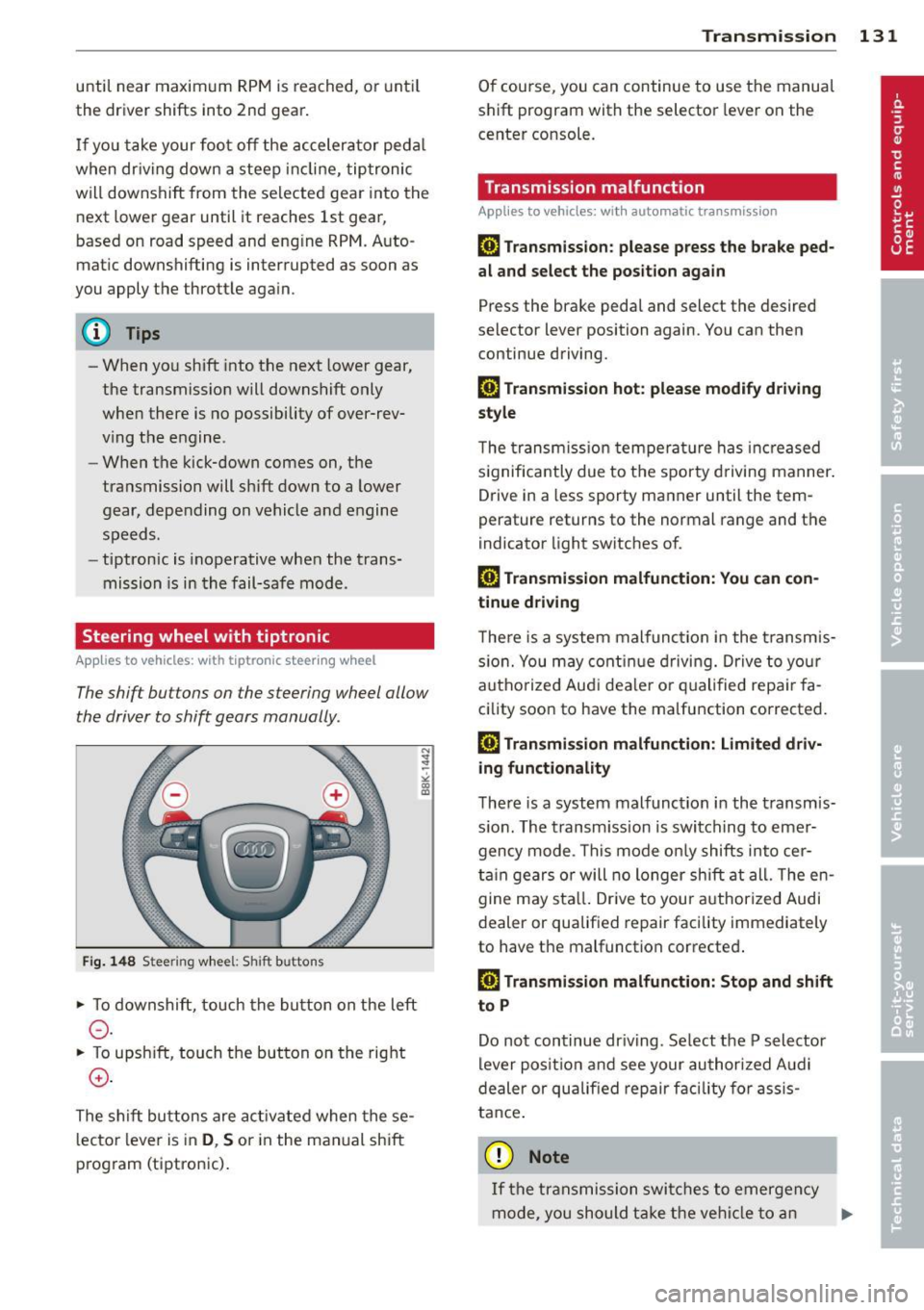
The shift buttons on the steering wheel allow
the driver to shift gears manually .
Fig. 148 S tee rin g w hee l: S hift buttons
• To downshift, to uch the button on the left
0 -
• To upsh ift, touch the but ton on the rig ht
0 -
The s hift buttons are ac tivated when the se
l ecto r lever is in
D , S or in the manual shift
p rog ram (tiptron ic) .
Transm ission 131
O f course, you can continue to use the manua l
s h ift pr ogram with the selector lever on the
cente r co nsole.
Transmission malfunction
Applies to vehicles: wit h automatic transmission
[O] Transmission : please press the brake ped
al and select the position again
Press the bra ke pedal and select the desired
selector lever position again. You can then
continue driving.
[O] Transmi ssion hot: please modify driving
style
T he trans mission tempe ra tur e has increased
s ignifica ntly due to t he spor ty dr ivin g manner .
Drive in a less sporty ma nner until the tem
perature returns to the normal range and the
indicator light switches o f.
[O] Transmission malfunction: You can con
tinue driv ing
T here is a system malfunc tion in the transm is
s io n. You may con tinu e dr ivin g. D rive to yo ur
a utho rize d Au di dea le r or qu alified repa ir fa
c ility soon to have the ma lfunction corrected .
[O] Transmission malfunction: Limited driv
ing functionality
T he re is a system mal func tion in the t ransmis
s io n. The transm iss ion is swi tching to emer
gency m ode . Th is mode o nly shifts into cer
t ain gears o r will no longer shi ft at all. The en
g ine m ay sta ll. Drive to you r author ized Audi
dealer or qualif ied repair facility immediately
to have the malfunction corrected .
[O] Transmission malfunction: Stop and shift
to P
Do n ot continue dr iving. Se lect t he P selector
lever posi tion an d see your au thori zed A udi
de aler or qu alified re pair facili ty for assis
ta nc e.
(D Note
If th e tra ns missi on swit ches to emer gen cy
mode, y ou sh oul d tak e th e ve hicl e to an
IJll>