ABS AUDI A5 COUPE 2012 Owner's Manual
[x] Cancel search | Manufacturer: AUDI, Model Year: 2012, Model line: A5 COUPE, Model: AUDI A5 COUPE 2012Pages: 316, PDF Size: 78.59 MB
Page 220 of 316

218 Trailer towing
Trailer towing
Driving with a trailer
General information
Your Audi was designed primarily for passen
ger transportation .
If you plan to tow a trailer, p lease remember
that the additional load will affect durability,
economy and performance .
Trailer towing not on ly places more stress on
the vehicle, it also calls for more concentra
tion from the driver.
For this reason, always fo llow the operating
and driving instructions provided and use
common sense.
Technical requirements
Trailer hitch Use a weight-carrying hitch conforming to the
gross trailer weight. The hitch must be suita
ble for your vehicle and trailer and must be
mounted securely on the veh icle's chassis at a
technically sound location. Use only a trailer
hitch with a removable ball mount. Always
check with the trailer hitch manufacturer to
make sure that you are using the correct
hitch.
Do not use a bumper hitch.
The hitch must be installed in such a way that
it does not interfere with the impact-absorb
ing bumper system . No modifications should
be made to the vehicle exhaust and brake sys
tems . From time to time, check that all hitch
mounting bolts remain securely fastened.
When you are not towing a trailer, remove the
trailer hitch ball mount. This prevents the
hitch from causing damage should your vehi
cle be struck from behind
¢ A.
Trailer brakes
If your trailer is equipped with a braking sys
tem, check to be sure that it conforms to all
regulations . The trailer
hydraulic brake system must not be
direct ly connected to the vehicle's hydraulic
brake system
~ A.
Safety chains
Always use safety chains between your vehicle
and the trai le r.
Trailer lights
T railer lights must meet all regulations. Be
sure to check w ith your authorized Audi dealer
for correct wiring, switches, and relays.
Mirrors
If you are unable to see the traffic behind you
using the regular outside mirrors, then you
must install extended mirrors . It is important
that you
always have clear vis ion to the rear.
,8. WARNING
- If a trailer has electrical brakes please
note that these brakes are not activated
by the factory-fitted control unit -risk of
accident!
- Afte r removing the trailer hitch, do not
store it in your vehicle. In case of sudden
braking, the hitch could fly forward and
injure you or your passengers.
Operating instructions
Maximum trailer weight
-
A trailer for your vehicle is limited to a typical
class 1 or class 2 tra iler.
Trailer load distribution Be sure the load in the trailer is held secure ly
in place to prevent it from shifting forward,
backward or sideways.
Never allow a passenger to ride in a trailer
¢ A in Driving instructions on page 219.
Engine cooling system
T owing a trailer makes the engine work hard
er. It is important that the cooling system's
performance is up to the additional load.
Make sure that the cooling system has enough
fluid . .,..
Page 222 of 316
220 Trailer towing
who is not properly wearing the restraints
provided by Aud i.
Trailer towing tips
Important to know
Your vehicle hand les different ly when towing
a trailer because of the additional weight and
different weight distribution. Safety, perform
ance and economy wi ll greatly depend on how
carefully you load your trailer and operate
your rig.
Before you actually tow your trailer, practice
turning, stopp ing and backing up in an area
away from traffic. Keep practicing until you have become completely familiar with the way
your vehicle-trailer combination behaves and responds.
Backing up is difficult and requires practice.
Backing up with a trai ler genera lly requires
steering action opposite to that when backing up your vehicle without a trailer.
Maintain a greater distance between your ve
hicle and the one in front of you. You will need
more room to stop. To compensate for the
trailer, you will need a larger than normal
turn ing radius .
When passing, remember that you cannot ac
celerate as fast as you normally would be
cause of the added load. Make sure you have
enough room to pass . After passing, allow
plenty of room for your tra iler before chang
ing lanes aga in.
Avoid jerky starts, sharp turns or rapid lane
changes .
(D Tips
-Do not tow a tra iler during the break-in
period of your vehicle.
- If you tow a trailer, your Audi may re
quire more frequent maintenance due to
the extra load
q page 293.
Parking on a slope
Do not park on a slope with a trailer . If it can
not be avoided, do so only after doing the fol lowing:
When parking:
.. App ly the foot brake.
.. Have someone place chocks under both the
vehicle and the trailer wheels .
.,. With chocks in place, slowly release the
brakes until the wheel chocks absorb the
load.
.. Turn the wheels towards the curb.
.. App ly the parking brake.
.. Place an automatic transmission* in
P, re
spectively a manual transmission in first or reverse gear.
When restarting after parking:
.. App ly the foot brake.
.. Start the engine.
.. Move the se lector lever to
D , respectively a
manual transmission in first gear .
.. Release the parking brake and slow ly pu ll
out and away from the wheel chocks.
.. Stop and have someone retr ieve the wheel
chocks .
(D Tips
If you move the selector lever of the auto
matic transmission* to
P before applying
the parking brake and before blocking the
whee ls, you may have to use more force
lat er to move the lever out of the
P posi
tion.
Page 229 of 316
~ Then wipe the MMI contro l conso le with a
clean, soft, slightly damp cloth.
The MM I control console shou ld be cleaned
with a brush first so that no dirt is trapped be
tween the buttons and the housing . We rec
ommend giving the MMI contro l console a fi
na l wipe with a cloth moistened with water
and d ish washing detergent.
(D Note
To prevent damage, make sure that no flu
id ever gets into the MMI control console .
Aluminum trim
Use only neutral-pH products to remove spots
and depos its from alum inum surfaces.
Ch rome care products and alkaline cleaners
will attack alum inum su rfaces and can dam
age them ove r time.
A WARNING
Always read and heed a ll WARNINGS and
other information
¢ page 2 2 1.
Fabrics and fabric coverings
Fabrics and fabric coverings (e .g. seats, door
trim panels, etc.) should be cleaned at reg ular
interva ls with a vacuum cleaner. Th is removes
surface dirt particles which could become em
bedded in the fabr ic through use. Steam
cleane rs should not be used, because the
steam tends to push the dirt deeper into the
fabric and lock it there.
Norm al cleaning
Generally, we recommend using a soft sponge
or a lint-free microfiber cloth to the clean fab
ric. Brushes should o nly be used for carpets
and floor mats, s ince other fab ric su rfaces
could be harmed by b rushes .
Normal surface sta ins can be cleaned using a
commercially available foam cleaner . Spread
the foam on the surface of the fab ric with a
soft sponge and work it in gently. Do not satu
r ate the fabric. Then pat the foam d ry using
Cleaning and protec tion 22 7
absorbent, dry cloths (e .g . m icrofiber cloth)
and vac uum it after it has dried completely .
Cleaning stains
Stains caused by beverages (e.g. coffee, fr uit
j u ic e, etc.) ca n be treated w ith a mild de ter
gen t solu tion. Apply the detergent sol ution
with a sponge. In the case o f stubborn stains,
a detergent paste can be applied directly to
the stain and worked into the fabric . After
wards, use copious amounts of clean water to remove the rema ining detergent. Apply the
water wit h a damp cloth or sponge and pat
the fabr ic dry with an absorbent, dry clot h.
Stains from choco late or makeup should have
detergent paste rubbed into them . After
wards, remove the soap with water (damp
sponge) .
Alcohol can be used to treat stains from grease, o il, lipstick or a ballpoint pen. Melted
grease or dye must be patted off using ab
sorbent mater ial. It may be necessary to re
treat the areas with detergent paste and wa
te r.
In the case of general soiling of the up hols
te ry and cover material, we recommend hir ing
a spec ia list t hat has the equipment to clean
the seat cove rs and othe r fabr ic surfa ces by
shampooing a nd spray extraction.
A WARNING ~ -
Always read and heed all WARN INGS and
the information
~ page 221 .
(D Tips
Open Ve lcro fas teners on yo ur clothing can
d am age the sea t cover. Please m ake su re
that Ve lcro fasteners are closed .
Plastic parts and instrument panel
Always use a clean cloth moistened in clear
water to clean these areas. For persistent d irt
use an Aud i approved
sol vent -free p lastic
cleaner/protectant. ..,. •
•
Page 231 of 316
preservative cream that contains UV
blockers and that works into the leather .
This cream w ill nourish and mo istur ize
the leather, he lp ing it to breathe and
stay supple. It also helps to build up a
protective coating on the surface.
- Clean the leather every 2 - 3 months,
and clean any areas that get soiled.
- Remove fresh marks made by ballpoint pens, ink, lipst ick, shoe polish, etc. as
soon as possib le.
- Preserve the color of the leather as need
ed by using a special colored leather care
cream to touch up areas of uneven color.
Cleaning and caring for leather
upholstery and trim
Applies to vehicles: with natural leather
Natural leather requires special care and at
tention.
Norm al cleaning
.,. Clean soiled areas w ith a slightly mo istened
cotton or woolen cloth.
Mor e stub born dir t
.,. More stubborn dirt can be removed using a
cloth saturated with a m ild soap so lution (2
tablespoons m ild liquid soap) .
.,. Never allow the soap solution to saturate
the leather, and make certa in that no water
soaks into the seams .
.,. Wipe off the soap solut ion with a soft, dry
cl oth.
Cleaning spots
.,. Remove fresh water -b ased spots (such as
coffee, tea, ju ices, blood) w ith an absorbent
cloth or paper towel.
.,. Remove fresh
gr eas e or oil -ba sed spot s
(such as b utter, mayon naise , chocolate) wi th
an absorbent cloth or paper towe l, or use
the cleaner from the leat her ca re kit i f the
spot has not yet penetrated into the s urface
of the leather .
.,. Use an oil/grease disso lv ing spray, if
oil /
grease spots h ave d ried on.
Cleaning and protec tion 229
.,. Remove specific k inds of spots (ba llpoint
pe n, fe lt marker, fingernai l polish, water
based pa int, shoe po lish, etc .) with a spot
remover specifically formu lated for leather.
L e ather care
.,. Every half year use an approved leather care
product (available from your authorized Au
di dea ler) to care for the leather .
.,. App ly the product very sparingly.
.,. Wipe it off with a damp cloth.
If you have any q uestions about cleaning and
caring for the leather in yo ur vehicle, it is best
to contact your a uthorized Audi dea ler, who
will be g lad to help you and tell you about our
full range of leather care products, such as :
- Leather cleaning and care kit
- Creams to ca re fo r colored leather
- Spot removers for ballpoin t pens, shoe pol-
ish, etc.
- Oil/grease d issolving spray
- New and upcom ing products .
.&_ WARNING
Always read and heed all WARN INGS and
other in formation
r::!) page 221 .
(D Note
- N ever use chem ica l so lvents (e .g . lighte r
fluid, tu rpe nti ne), waxes, s hoe polish o r
simi la r prod ucts on the lea ther surfaces
i n yo ur Audi .
- To avoid damage, have stubbo rn sta ins
remove d by a comme rcial clean ing spe
c ialist .
Cleaning Alcantara ® (synthetic suede)
Applies to vehicles: with Alcantara® upholste ry
R emoving du st and dirt
.,. Mois ten a cloth, squeeze out excess water
and wipe down the seat surfaces .
Removing stains
.,. Moisten a cloth with lukewa rm wate r o r
w ith di luted
ethyl (rubbing ) alc ohol.
•
•
Page 249 of 316
~ Read the brake fluid level from the brake
fluid reservoir ¢
fig. 207. The brake fluid
level must be between the "MIN" and
"MAX" markings .
The brake f luid reservoir is located at the rear
partition of the engine compartment on the
l eft side ¢
page 239 .
The fluid level may drop slightly after some
time due to the automatic adjustment of the brake pads . This is not cause for alarm .
If the brake fluid level falls considerably be
l ow the "M IN" mark, the brake wa rning/indi
cator light (U .S . mode ls: . , Canadian
models: . will come on
¢page 18 and
¢
page 30. Do not continue to operate the ve
h icle. The complete brake system shou ld be
thoroughly checked by an authorized Aud i
dealer or qualified workshop and the cause
corrected . If the brake fluid level is too low,
the brake warning/ind icator light will illum i
nate. Contact an autho rized Aud i deale r
im
mediately .
(D Tips
The brake f luid rese rvoir is located unde r
neath the cove r.
Changing brake fluid
Hove the broke fluid changed by an experi
enced technician .
Brake fluid absorbs moistu re from the a ir . If
the water content in the brake fluid is too
hi gh, cor rosion in the b rake system may result
after a per iod of t ime . The bo ili ng po int of the
b rake fluid w ill also decrease considerab ly and
decrease b raking performance.
Therefore, the brake flu id must be changed
e ver y two year s. Always use new b ra ke fluid
which confo rms to Federal Motor Vehicle
S tandard "FMVSS 1 16 DOT 4".
The brake flu id rese rvoi r can be difficult to
reac h, therefo re , we recommend that yo u
h ave the br ake fl uid changed by yo ur autho r
ized
Audi dealer . Your deale r has the co rrect
Checkin g and fillin g 247
tools, the right brake fl uid and t he know -how
to do this for you .
A WARNING
-Brake fl uid is poisonous. It must be stor
ed only in the closed or iginal container
out of the reach of children!
- Brake failure can res ult from o ld or inap
propriate brake f lu id. Observe these pre
cautions:
- Use only b rake fluid th at mee ts SA E
spe cificat ion
J 17 03 and conforms to
Fe dera l Mo to r Ve hicl e Standard 1 16.
Always check with yo ur authorized Au di
dealer to make sure yo u are using the
correct brake fluid. The cor rect type of
brake f luid is also ind icated on t he
brake f luid reservoir .
- The bra ke fl uid must be new. Heavy use
of the brakes ca n cause a vapor lock if
the b rake fluid is left i n the system too
long. This can se riously affect the effi
c iency of the b rakes as well as your
safety , T his could result in an accide nt.
(!) Note
Brake fluid will damage the pai nt of your
vehicle.
@) For the sake of the environment
Because of the prob lem of proper disposal
of brake fluid as well as the spec ial too ls
r equired an d the nec essary expertise, w e
r ecomme nd that yo u have th e brake flu id
c hanged by yo ur aut ho rize d Aud i dea le r.
Battery
General information
U nder normal oper ating cond itions, the bat
tery in your Audi does not need any ma inte
nance . With
high outside temperat ures or
lo ng da ily drives we recommend that you have
t h e e lectrolyte leve l che cked by an autho riz ed
A udi de aler or qu alified workshop. The elec
tro lyte leve l should also be checked e ach time
the battery is charged
¢ page 250 . 1J1>
•
•
Page 250 of 316
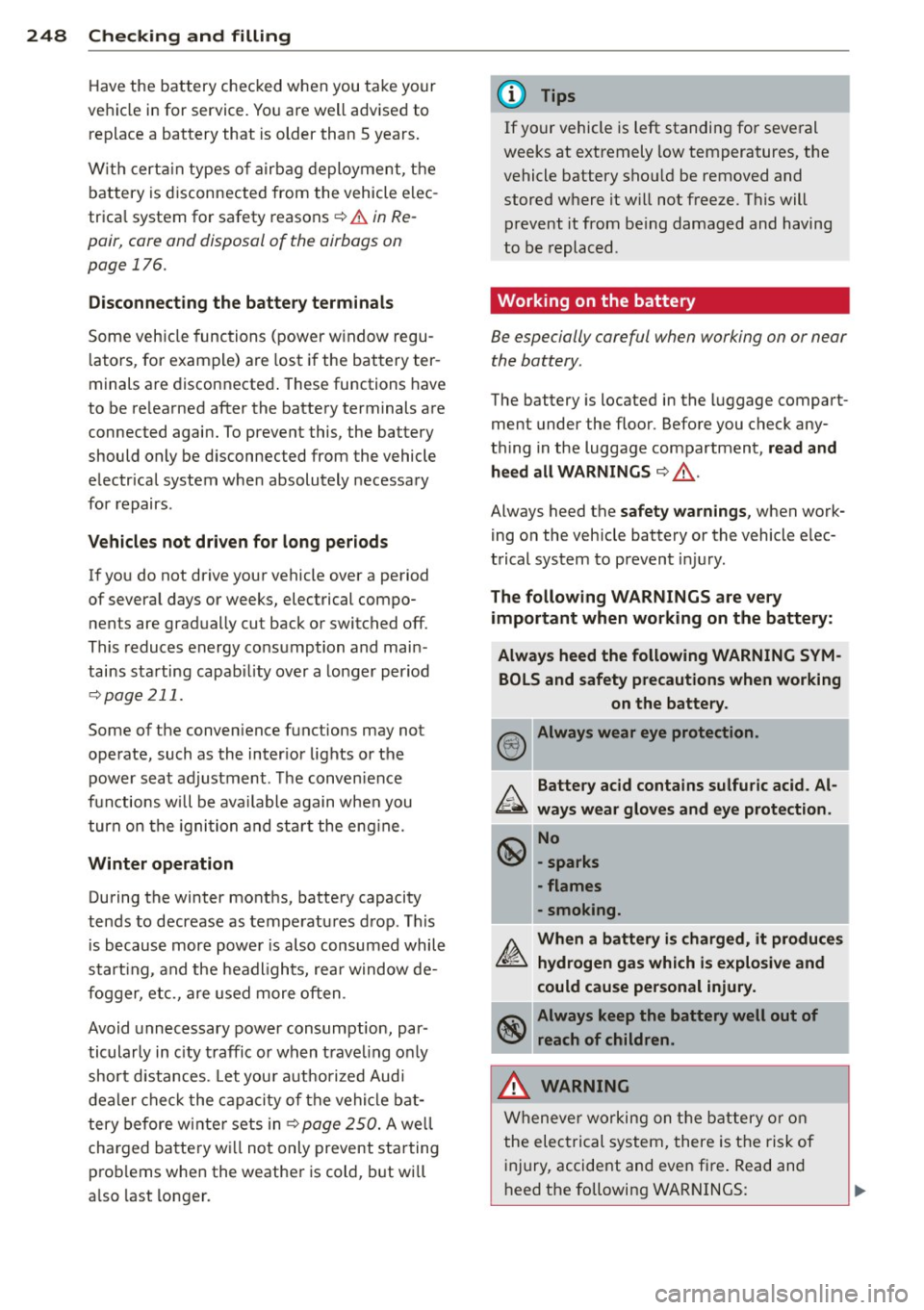
248 Checking and filling
Have the battery checked when you take your
ve hicle in for service. Yo u are well advised to
replace a battery that is older than 5 years .
W ith certa in types o f airbag deployment, the
battery is d isconnected from the vehicle elec
trica l system for safety reasons ¢
& in Re
pair, core and disposal of the airbags on
page 176.
Disconnecting the battery terminals
Some veh icle func tions (power w indow regu
l a tors, for example) are los t if the bat tery ter
minals a re disconnected . These functions have
to be re learned after the battery terminals a re
connected agai n. To prevent this, the battery
should only be disconnected from the vehicle
e lectrical system whe n absolutely necessary
for repairs .
Vehicles not driven for long period s
If you do not drive your vehicle over a period
of several days or weeks, electrical compo n ents are gradually cut back o r switched off.
This reduces energy consumption and main
tains starting capab il ity over a longer period
¢ pag e 211.
Some of the conven ience functions may not
operate, such as the inter ior lights or the
power seat adjustm ent. The conven ience
f u nctions w ill be ava ilable again when you
turn on the igni tion and st art the eng ine.
Winter operation
During the winter months, battery capacity
tends to decrease as tempe rat ures d rop . This
i s becaus e more powe r is also consumed while
start ing , a nd the headligh ts, rea r window de
f o gger, etc., are used more o ften .
Avoid unnec essary power consumption, par
ticular ly in c ity traffic or w hen t rave ling o nly
short d istances. Let you r auth o riz ed Audi
d ea le r che ck t he cap acity of the ve hicl e bat
tery be fore w inte r se ts in
¢ page 250. A we ll
cha rged batte ry w ill not only prevent sta rting
p ro bl ems when the weathe r is cold, but wi ll
a ls o l ast longer.
(D Tips
If your vehicle is left stan ding for seve ral
weeks at e xtremely low temperatures, the
vehicle battery sho uld be removed and
st ored w here it w ill n ot freeze . This will
p revent it from be ing damaged and having
to be replace d.
Working on the battery
Be especially careful when working on or near
the battery.
The battery is located in the luggage compart
ment under the floo r. Befo re you check any
t hi ng in the luggage compartment,
read and
heed all WARNINGS
¢ ,& .
Always heed t he safety warnings , when work
i ng on the veh icle battery or the vehicle e lec
t rical system to prevent injury.
The following WARNINGS are very
important when working on the battery:
Always heed the following WARNING SYMBOLS and safety precautions when working on the battery .
@) Always wear eye protection .
b.. Battery acid contains sulfuric acid . Al
~ ways wear gloves and eye protection .
~ No
\!!51 -sparks
-flames
-smoking.
A. When a battery is charged, it produces
&£:,. hydrogen gas which is explosive and
could cause personal injury.
~ Always keep the battery well out of
V:!JI reach of children.
_& WARNING
Wh eneve r workin g on th e ba ttery o r o n
the elec trical system, there is t he ris k of
in jury, accident and even fi re . Read and
h eed the followin g WAR NINGS:
-
Page 273 of 316

wheels on your vehicle to ensure that the re
p lacement or a lternate tires and wheels allow
the TPMS to continue to function properly .
Tire pressure indicator appears
Appl ies to vehicles: w ith t ire pressure monitoring sys te m
The tire pressure indicator in the instrument
cluster informs you if the tire pressure is too
low or if there is a system malfunction.
Fig . 2 15 Display: underin flati on wa rning
Fig. 216 Disp lay: System malfunction
Using the ABS sensors, the tire pressure moni
tor ing system compares the t ire tread circum
fe rence and vibration characteristics of the in
d iv idual tires.
If t he pressure decreases in one
or mo re tires, th is is indica ted in the instru
men t clus ter with a
[I] warning symbo l and a
message ¢
fig. 215. The driver message in the
disp lay goes out after 5 seconds . The drive r
message can be d isplayed again by pressing
the
! SET ! button. If only one tire is affected,
the display will indicate its pos ition.
The tire press ure monitoring system must be
reset via radio o r MM! * each time the p res
sures are adjusted (e.g . when sw itching be
tween partial and full load pressure) or after
changing or replacing a t ire on your vehicle
<::> page 2 72 . You can find the recommended
Tires and wheels 2 71
tire p ressu res for your vehicle on the label on
drive r's side B-pillar
c!;> page 256 .
Tire tread circumference and vibrat ion charac
teris tics can change and cause a tire pressure
warning if:
- t he t ire p ress ure in one or mo re tires is too
low,
- t he tir e has s tructural damage,
- the t ire pressu re was changed, w heels rotat-
ed or rep laced but the TPMS was not reset
c::>page272 .
Warning symbols
[I] Loss of pressure in at least one tire c::> .&. .
Check the tire or tires and replace or repa ir if
necessary . T he
[I] indicator l ight in the instru
ment cluster also illum inates
<::> page 13.
Check/cor rect the p ress ures of all fou r tir es
and reset TPMS via radio o r M MI*.
11@1@1 (Ti re Pressure Monito ring System) Tire
pre ssure! Sy stem ma lfunction .
Ifll@lf:1 appears after switching the ignition
on or while driving
c::> fig . 216 and the [I] indi
cator light in the instr ument cluster blinks for
approximately one m inute and then stays on,
there is a system malfunction. See your au
thorized Aud i de aler as soon as possible .
& WARNING ~
- If the tire pressure ind icator appears in
the instrument cluster display, one or more of your tires is significant ly unde r
inflated. Reduce your speed immediately
and avoid any hard steering or b raking
maneuvers. Stop as soon as possib le and
check the tires and their pressures . In
flate the tire pressure to the prope r pres
sure as indica ted o n the v ehicl e's tire
p ressu re labe l
c::>page 256. Driving on a
sig nifican tly un der- infla te d tire causes
the t ire to ove rheat and can lead to ti re
fa ilu re . Unde r-inflation also is l ikely to
impair the vehicle's hand ling and stop
ping ability .
Page 274 of 316
272 T ire s and wheel s
- The driver is responsible for maintaining
the correct tire pressures. You must
check the tire pressures regularly.
- Under certain conditions (such as a spor
ty driving style, winter condit ions or un
paved roads), the pressure monitor ind i
cator may be delayed .
- Ask your author ized Audi dealer if run
flat tires may be used on your veh icle.
Your vehicle regist rat ion becomes invalid
if you use these tires when not permit
ted. Damage to your veh icle or acc idents
cou ld also resu lt.
(D Tips
- The tire pressure monitoring system
stops working when there is an ESP/ABS malfunction.
- Using snow chains may result in a system
malfunction.
- To ensure a proper TPMS function use AUDI O riginal Tires wh ich are marked
with "AO" or "RO" on the tire sidewall.
¢page 263.
-The tire pressure monitoring system on
you r A udi was ca lib rated us ing tires w ith
the "AO" or "RO" identification. We rec
ommend using these tires .
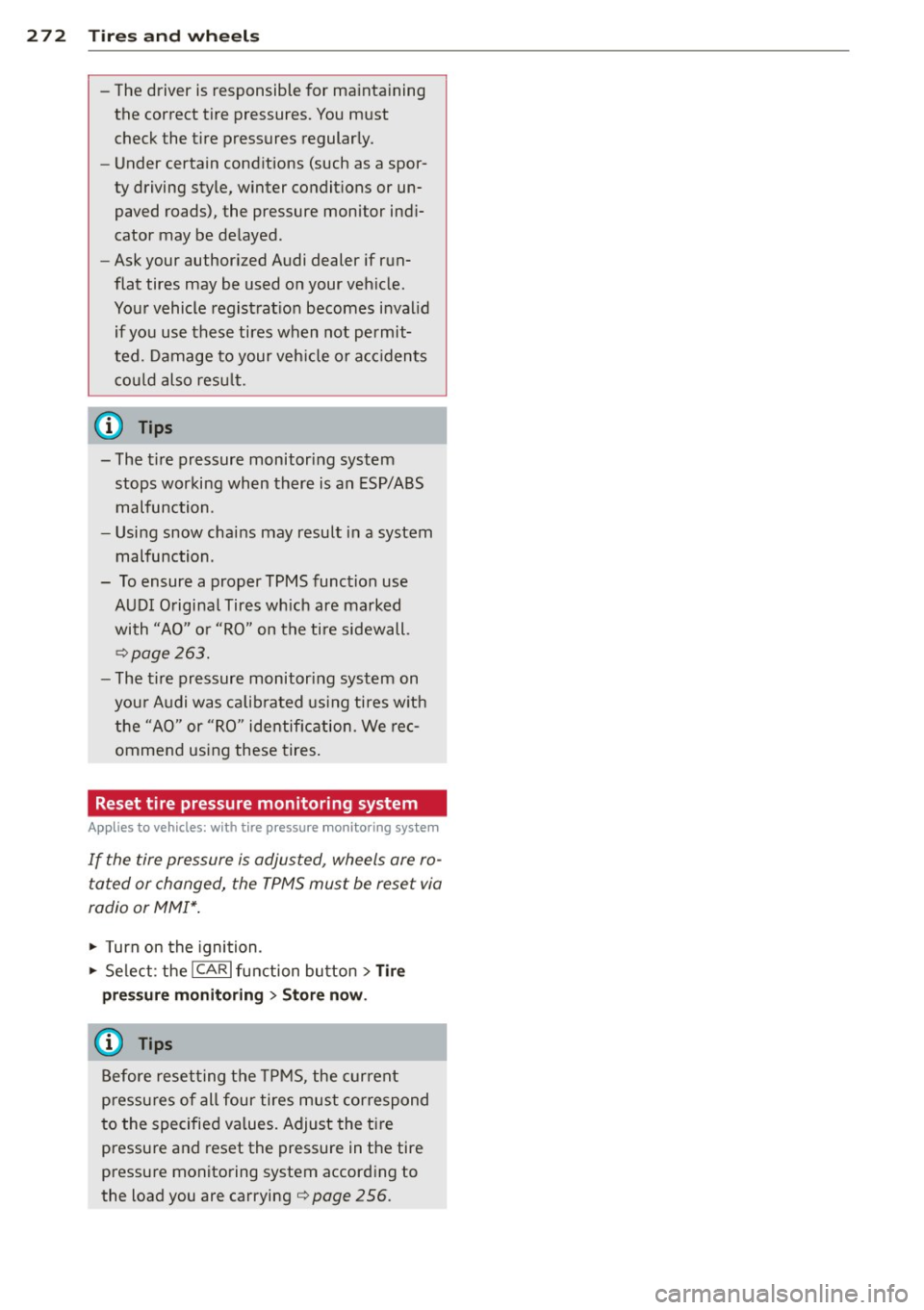
Reset tire pressure monitoring system
Applies to vehicles: with tire pressure monito ring system
If the tire pressure is adjusted, wheels are ro
tated or changed, the TPMS must be reset via
radio or MM!*.
• Turn on the ignition.
• Se lect : the
ICARI function bu tton> Tire
pre ssure monitoring
> Store now .
@ Tips
Before resetting the TPMS, the current
pressu res of all four tires must correspond
to the specified values. Adjust the t ire
pressure and reset the pressure in the tire
pressu re monitoring system according to
the load you are carrying
¢ page 256 .
Page 300 of 316
298 ~l :..:.: nd ~e ~x :._ ______________________________ _
A
A/C mode 83,88
Accessories .. ....... ...... ... ... .. . 295
Adaptive cruise control . . . . . . . . . . . . . . . 102
Changing speed . . . . . . . . . . . . . . . . . . . 105
Driver information . . . . . . . . . . . . . . . . . 107
Driver intervention prompt . .. .. .. .. . 111
Driving in traffic . . . . . . . . . . . . . . . . . . . 103
Driving program . ........... .. .. .. . 111
Error messages .......... .... .... . 109
Open road .. ............. .. .. .. .. . 103
Override ... ................ ..... . 103
Request for driver to assume contro l . . 103
Save speed ............... ... .... . 104
Setting distance . . . . . . . . . . . . . . . . . . . 106
Settings . . . . . . . . . . . . . . . . . . . . . . . . . 111
Setting time interval .......... .... . 106
Special driving situations ...... .. .. . 112
Status messages ... ...... .. .. .. .. . 109
Switching on and off .... .. .. .. .. ... 104
System limits . ........... .... .... . 112
Temporarily turning off .. .. .. .. .. .. . 105
Warning/indicator lights ............ 108
Adaptive dampers . .......... ... .. .. . 124
Adaptive light ............. .. .. ......
52
defective ................ .... .... .. 36
Adding
Engine coolant ............ ... .... .
245
Engine oi l .. ................ ..... . 242
Windshield washer fluid ... .. .. .... . 251
Addit ional accessories
Addit ives 295
Eng ine oil .. ................ ... .. . 242
Adjusting
Steering column manually . .. .. .... ..
92
Adj usting front seats ....... .. .. .. .. . . 61
Airbag system . . . . . . . . . . . . . . . . . 162, 181
Advanced Airbag System ....... .. ... 166
Advanced Airbag System components . 169
Care ... .. ............... .. .. .... . 175
Children . .... ........... .. .. .. .. . 187
Child restraints .............. ..... . 188
Components (front airbags) . ... .... . 169
Danger of fitting a child safety seat on
the front passenger seat . . . . . . . . . . . .
163
Disposal . ................. .. .... . 175
Front airbags . . . . . . . . . . . . . . . . 166, 167
How do the front airbags work? ... ... 171
How many airbags does my vehicle
have? ... ... .. .. .. .............. .
169
How the Advanced Airbag System com-
ponents work together ......... ....
170
Important safety instructions on the
knee airbag system ...... ...... .. ..
179
Important things to know .......... . 162
Indicator light . ... ............ .. .. 173
Knee airbags ..... ... .......... .... 177
Monitoring . ..... ................ . 173
PASSENGER AIR BAG OF F light . . . . . . . 173
Repairs .......................... 175
Safety instructions ............. .... 175
Side airbags ... .. ............. .... 180
Side curtain airbags ............ .... 182
Weight-sensing mat ............... 187
When must the system be inspected? 173
All-wheel drive
Winter tires ... .. ... .......... ....
267
Alloy wheels .. .. . .. ............ .. .. 225
All wheel drive 210
Alternator
Malfunction ... ... ................ .
30
Anti-freeze
refer to Engine coolant system ....... 244
Anti-lock brake system
How the ABS system works ..........
208
Warning/indicator lights ............ . 16
Anti-Slip Regulation System (ASR)
How the system works ............. .
206
Anti-theft systems
Electronic immobilizer ...............
39
Ashtray .. .. .. .. .. .... ......... .... . 75
ASR
How the Anti -Slip Regulation System
works
Asterisk
206
What does it mean when something is marked with an asterisk? . . . . . . . . . . . . . . 6
Audi braking guard ................. .
113
Error messages .................. . 115
Settings .. .... .. ............. .... 115
Status messages ... ........... .. .. 115
Switching on and off ........... .... 115
Page 312 of 316
310 Index
V
Valet parking .. .. .......... .. .. .... .. 47
Vanity mirror . . . . . . . . . . . . . . . . . . . . . . . . 54
Vehicle-care products ....... .. .. .. .. . 221
Vehicle Identification Number (VIN) .... 290
Vehicle jack .... ... .... .... .. .. .. .. . 277
Vehicle literature . . . . . . . . . . . . . . . . . . . . . 5
Vehicle tool kit ....... ..... .. .. .. .. .
273
Ventilation
Deluxe automatic climate control . . . . . .
79
De luxe automatic climate control plus . . 83
w
Warning/indicator lights .... .. .. .... .. 10
Adaptive cruise control . . . . . . . . . . . . . 108
Airbag system .. .. .... ... .. .. .. .. .. 15
Anti-lock brake system (ABS) ... .. .. . . 16
Brake system . . . . . . . . . . . . . . . . . . . . . . 18
Cruise control ................ .... .. 16
El ectrom echanical parking brake ...... 17
El ectronic power control ... .. .. .. .. . . 15
Elect ronic stabilization program (ESP) .. 15
High beam .. .. .......... .. .. .... .. 16
Malfunction Indicator Lamp (MIL) .....
16
Safety belt .............. .. .. .... .. 16
Tire pressure monitoring system .. .... 16
Turn signals .. .. .. .... ... .. .. .. .. .. 16
Warning lights .. .......... .. .. .... .. 13
Warranty coverages ...... .. .. .. .... . 293
Washer reservoir .............. .... . 251
Washing .... ... .......... .. .. .... . 221
Automatic car wash ........... .... . 222
by hand .... ... .......... .. .. .... . 222
General information .............. . 221
with a power washer ...... .... ..... 223
Waxing ..... ... .......... .. .. .... . 223
Wear indicato r ... ...... .... ... .. .. . 262
Weights . ................. .... ..... 290
What happens if you wear your safety belt
too loose? ... ... .......... .. .. .... .
158
What happens to unbelted occupants? .. 155
What impairs driving sa fety? . . . . . . . . . . 145
What should I do after changing a
wheel? .. .... ............... .. .. .. .
259
What should I do after replacing wheels? 259
Wheel bolts
Torque . ... .... .. .. ... ........ .. ..
269
Wheels .... .... ............... .... 252
Cast alloy . .. .. .. ............. .. .. 225
Ch ecking tire pressure .............. 258
Cold tire inflation pressure .......... 256
General notes .... ... .......... .. .. 252
G lossary of tire and loading terminolo-
gy ....... .... .. .. ........... ....
253
New tire s and wheels ............. .. 263
Tires and vehicle load limits ... .. .. .. 260
When must a safety belt be replaced? . . 157
When must the airbag system be inspect-
ed? .... .. .. .. .. .. .. ... ........ ....
173
When should I adjust the ti re pressures? 259
When should I check the tire pressures? . 259
Where can I find the tire pressures for my
car? ....... .... ............... ....
258
Why safety belts? . . . . . . . . . . . . . . 154, 155
Window regulators
Malfunctions .... ... .......... .. .. .
47
Power locks ... .. .. ........... .. .. . 46
Windows
Cleaning .. .. .. .. ............. .... 224
Windshield defogging/defrosting . . .
83, 88
Windshield washer fluid
Low level .. .. .. .. ............. .. .. .
35
Windshield wipers . ............... ... 55
Fau lty .... .... ................... .
36
Replacing windshield wiper blades .. .. . 56
Service position . . . . . . . . . . . . . . . . . . . . 56
Washer reservo ir .................. 251
Winter operation
Batt ery ... .... ............... ....
247
Coola nt system .. .. ........... .. .. 244
Defrosting windows . . . . . . . . . . . . . 82, 88
Front seat heating . ............ .. .. . 91
Tires ..... .... ............... .... 210
Windows . .. .. .. ............. .... 224
Winter tires ..... .. ... .......... .. .. 267
All-wheel drive ... .. ........... .. .. 267
Wiper blades
Replacing windshiel d wiper blades .... .
56
also refer to Windshield wip ers .. .. .. . 56