warning light AUDI A5 COUPE 2013 User Guide
[x] Cancel search | Manufacturer: AUDI, Model Year: 2013, Model line: A5 COUPE, Model: AUDI A5 COUPE 2013Pages: 294, PDF Size: 73.84 MB
Page 21 of 294
Instruments and warning/indicator lights 19
@ Tips
The symbol's appearance might be differ
ent in some models .
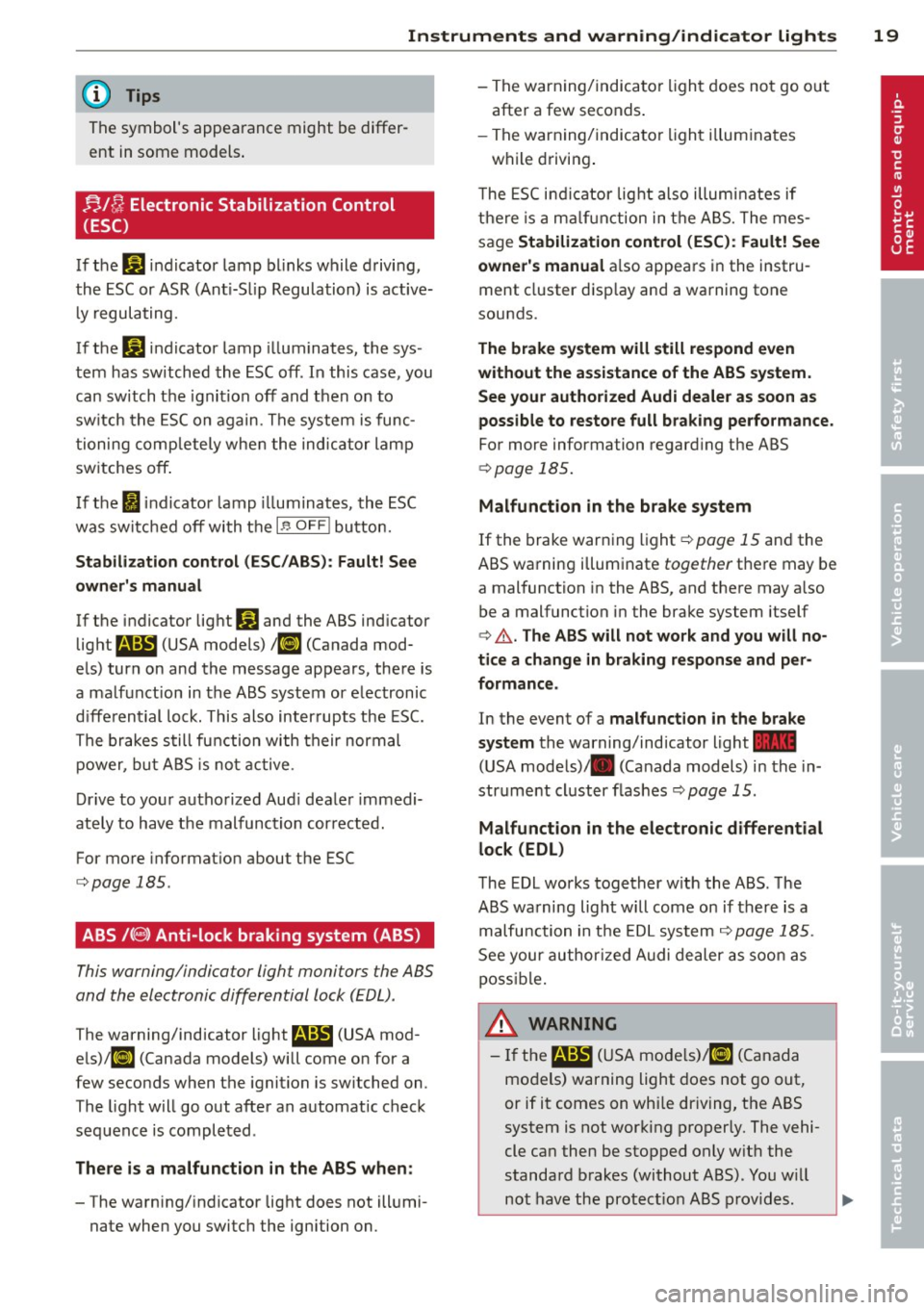
n,/{J Electronic Stabilization Control
(ESC)
If the G1 indicator lamp blinks while driving,
the ESC or ASR (Ant i-S lip Regulation) is active
ly regulating.
If the G1 indicator lamp illuminates, the sys
tem has switched the ESC off. In this case , you
can switch the ignition off and then on to
sw itch the ESC on again . The system is func
tioning completely when the indicator lamp
switches off .
I f the
Ii indicator lamp illuminates, the ESC
was switched off with the
I.!? O FF ! button.
Stabilization control (ESC/ABS): Fault! See
owner's manual
If the indicator light G1 and the ABS indicator
light
l!SJ (USA models) / li] (Canada mod
els) turn on and the message appears, there is
a malfunct ion in the ABS system or electronic
differential lock. This also interrupts the ESC.
The brakes still function with their normal
power, but ABS is not active.
Drive to your autho rized Aud i dealer immedi
ately to have the malfunction corrected.
For more informat ion about the ESC
c::> page 185.
ABS /(8) Anti-lock braking system (ABS)
This warning/indicator light monitors the ABS
and the electronic differential lock (EDL) .
T he warning/indicator light
E (USA mod
els)l[i] (Canada models) will come on for a
few seconds when the ignition is switched on .
T he light will go out after an automatic check
sequence is completed .
There is a malfunction in the ABS when:
- The warning/indicator light does not illumi
nate when you switch the ignition on. -
The warning/indicator light does not go out
after a few seconds.
- The warning/indicator light il luminates
while driving.
T he ESC indicator lig ht also illuminates if
there is a ma lfunct ion in the ABS. The mes
sage
Stabilization control (ESC): Fault! See
owner 's manual
also appears in the instru
ment cluster display and a warning tone
sounds.
The brake system will still respond even
without the assistance of the ABS system.
See your authorized Audi dealer as soon as
possible to restore full braking performance.
For more information regarding the ABS
c::> page 185.
Malfunction in the brake system
If the brake warning light c::> page 15 and the
ABS warning illuminate together there may be
a malfunction in the ABS, and there may a lso
be a malfunction in the brake system itself
c::> .&. . The ABS will not work and you will no
tice a change in braking response and per
formance.
In the event of a malfunction in the brake
system
the warning/indicator light 1111
(USA models)/ . (Canada models) in the in
strument cluster flashes
c::> page 15 .
Malfunction in the electronic differential
lock (EDL)
The EDL works together w ith the ABS . The
ABS warning light will come on if there is a
malfu nction in the EDL system ¢ page 185 .
See your authorized Audi dealer as soon as
poss ible.
A WARNING
-If the ma:1 (USA mode ls)/ [i] (Canada
models) warning light does not go out,
or if it comes on whi le dr iving, the ABS
system is not working properly. The vehi
cle can then be stopped only w ith the
standard brakes (without ABS). You w ill
not have the protect ion ABS provides.
-
...
Page 22 of 294
20 Instruments and warning /indicator lights
Contact your authorized Audi dealer as
soon as possible.
-USA models: If the la warning light
and the
E warn ing light come on to
gether, the rear wheels could lock up
first under hard braking. Rear wheel lock
up can cause loss of vehicle control and
an acc ident. Have your vehicle repaired
immediately by your authorized Audi
dealer or a qualified workshop. Dr ive
slowly and avoid sudden, hard brake ap
plications.
- Canada models: If the brake warning
light . and the ABS warning light
li]
come on together, the rear wheels could
lock up first under hard braking. Rear
wheel lock-up can cause loss of vehicle
control and an accident. Have your vehi
cle repaired immediately by your author
ized Audi dea ler or a qualified workshop.
Drive slowly and avo id sudden, hard
brake applicat ions.
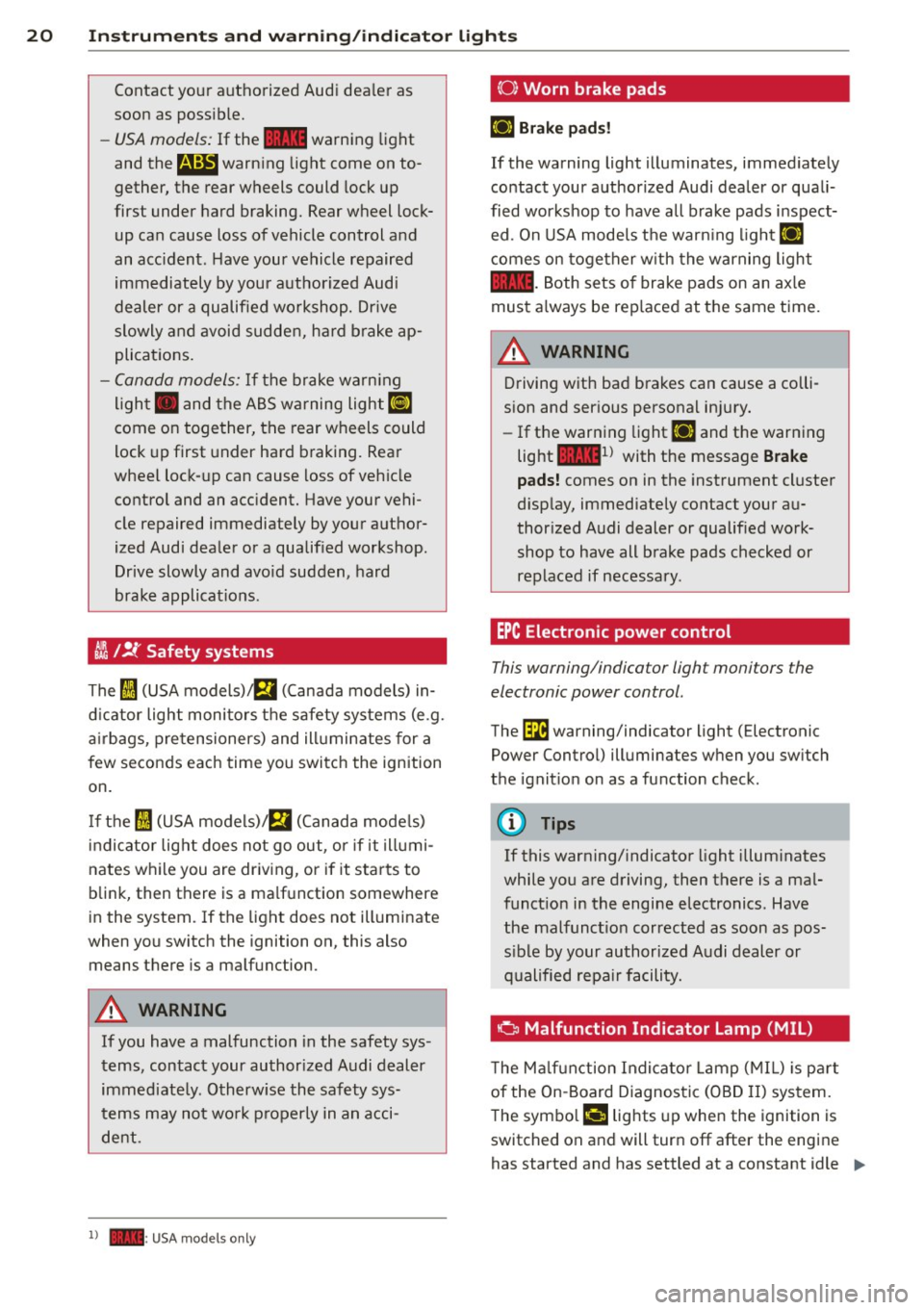
I I !f Safety systems
The fl (USA models),£,1 (Canada models) in
dicator light monitors the safety systems (e.g.
airbags, pretensioners) and ill uminates for a
few seconds each time you switch the ignition
on.
If the fl (USA models)/ fll (Canada mode ls)
indicator light does not go out, or if it illumi
nates while you are driv ing, or if it starts to
blink, then there is a ma lfunction somewhere
in the system.
If the light does not illuminate
when you switch the ignition on, this also
means there is a malfunction.
& WARNING
If you have a malfunction in the safety sys
tems, contact your author ized Audi dealer
immediate ly. Otherw ise the safety sys
t ems may not work properly in an acci
dent.
l ) - : USA mod els only
(0) Worn brake pads
EiJ Brake pads!
If the warning light illuminates, immediately
contact your authorized Audi dealer or quali
fied workshop to have all brake pads inspect ed . On USA models the warn ing light
EiJ
comes on together with the warning light
la-Both sets of brake pads on an ax le
must a lways be rep laced at the same time.
A WARNING
Driving with bad brakes can cause a colli
sion and serious personal injury.
- If the warning light
EiJ and the warning
light
la1 l with the message Brake
pads! comes on in the instrument cluster
d isplay, immediately contact your au
thor ized Audi dealer or qualified work
shop to have all brake pads checked or
replaced if necessary.
EPC Electronic power control
This warning/indicator light monitors the
electronic power control.
The ~ warning/indicator light (Electronic
Power Control) illuminates when you switch
the ignition on as a function check.
(D Tips
If this warning/ indicator light illuminates
while you are driving, then there is a mal
funct ion in the engine electronics. Have
the malfunction corrected as soon as pos
s ib le by your authorized Audi dealer or
qualified repa ir facility.
Ci Malfunction Indicator Lamp (MIL)
T he Malfunction Indicator Lamp (MIL) is par t
of the On-Board Diagnostic (OBD II) system.
-
The symbo l ¢4' lights up when the ignition is
switched on and will turn off after the engine
has started and has settled at a constant idle
IJ>,
Page 23 of 294
Instruments and warning/indicator lights 21
speed. This ind icates that the MIL is working
properly.
The warning light illuminates when there is a
mal funct ion in the engine e lectronic system.
Contact your authorized Audi dealer and have
the ma lfunction corrected .
An improperly closed fuel filler cap may also
cause the MIL light to illum inate
r::!,> page 213.
For more informat ion r:!,> page 30 .
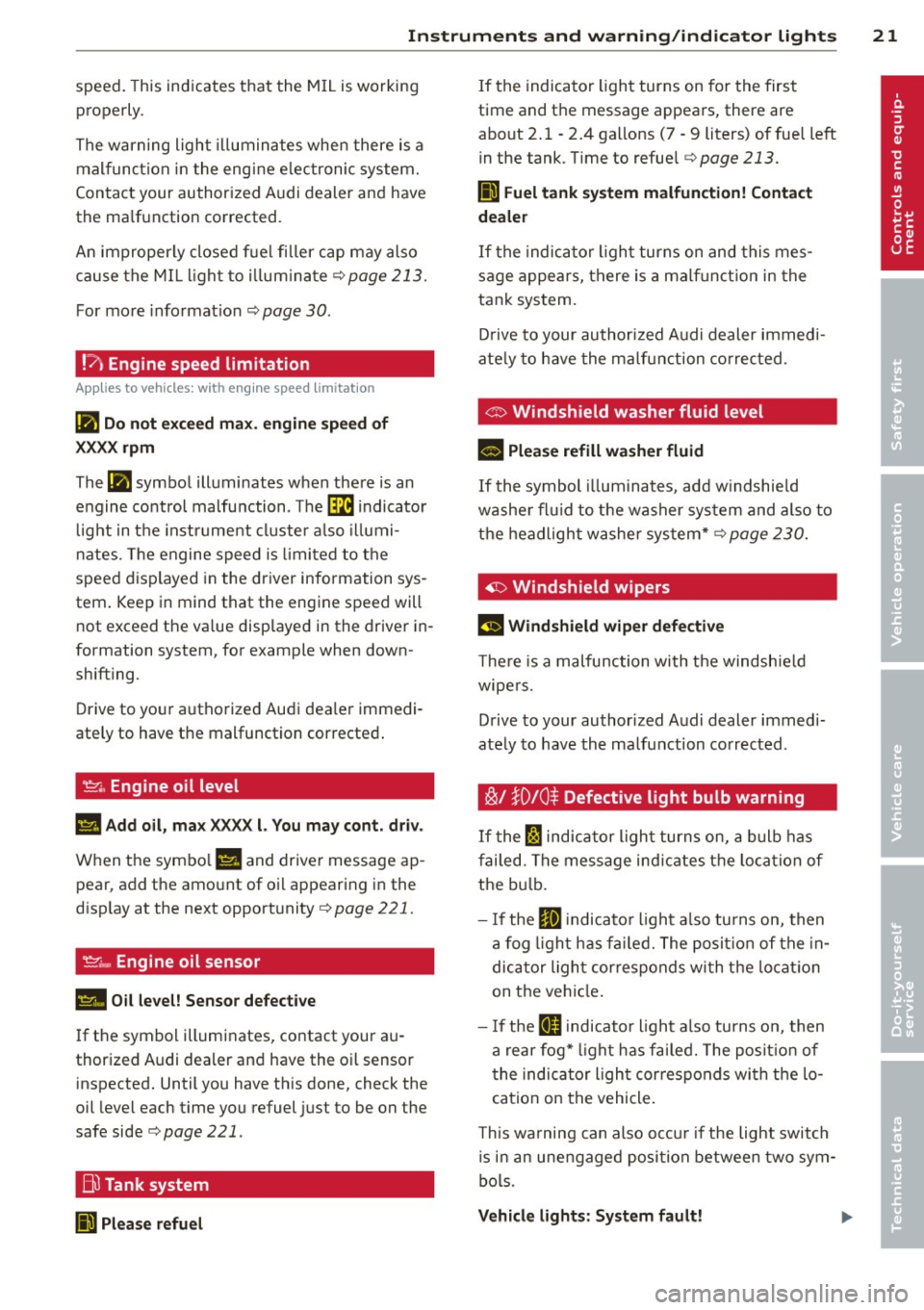
!?) Engine speed limitation
App lies to vehicles: wit h eng ine speed lim itat ion
(II Do not exceed max. engine speed of
XXXX rpm
The (I! symbol illuminates when there is an
engine control malfunction. Th e~ indicator
l ight in the instrument cluster also illumi
nates. The engine speed is lim ited to the
speed displayed in the driver information sys
tem . Keep in mind that the engine speed will
not exceed the va lue displayed in the driver in
formation system, for example when down
shifting.
Drive to your authorized Audi dea ler immedi
ately to have the malfunction corrected .
~ .. Engine oil level
1111 Add oil , max XXXX l. You may cont. driv.
When the symbo l l!I and driver message ap
pear , add the amount of oil appearing in the
disp lay at the next opportunity
r:!,> page 221.
~;.., Engine oil sensor
II Oil level! Sensor defective
If the symbol illuminates, contact your au
thor ized Audi dealer and have the o il sensor
inspected. Until you have this done, check the
oil level each time you refuel just to be on the
safe side
r:!,> page 221 .
Bu Tank system
liJl Please refuel
If the indicator light turns on for the first
time and the message appears, there are
about 2. 1 -2.4 gallons (7 -9 liters) of fuel left
in the tank . T ime to refuel
r::!,> page 213.
Ii] Fuel tank system malfunction! Contact
dealer
If the indicator light turns on and this mes
sage appears, there is a malf unct ion in the
tank system.
Drive to your authorized Audi dealer immed i
ate ly to have the malfunction corrected.
<:::> Windshield washer fluid level
- Please refill washer fluid
If the symbol illum inates, add w indshie ld
washe r fluid to the washer system and also to
the headlight washer system*
r:!,> page 230.
'1:> Windshield wipers
El'J Windshield wiper defective
The re is a malfunction with the windshield
wipers.
Drive to your authorized Audi dealer immedi
ately to have the malfunction corrected .
~/ }D 10 $ Defective light bulb warning
If the Fl indicator light turns on, a bulb has
failed. The message ind icates the location of
the bulb.
- If the
IIJ indicato r light also turns on, then
a fog light has fai led. The position of the in
dicator ligh t corresponds wi th the locatio n
on the vehicle .
- If the
ftD indicator light also turns on, then
a rear fog* light has fai led. The position of
the indicator light cor responds wi th the lo
cation on the vehicle .
T his wa rning can also occu r if the light switch
is in an unengaged posi tion between two sym
bols .
Vehicle lights: System fault!
Page 24 of 294
22 Instruments and warning/indicator lights
If the message appea rs, there is a mal func
tion in the headlights or lig ht switch.
Dr ive to yo ur autho rize d Audi deale r i mmedi
a te ly to have the mal func tion cor re cte d.
8_ WARNING
- Ligh t bul bs are pressurized and co uld ex
plode while t hey are being changed caus
ing ser ious persona l injury.
- W ork w ith due care when handling the
high-volta ge section of gas discha rge
(xenon) lights*. Fai lure to do so could re
sult in death or se rious i njury.
Have the bulb replaced or t he connection
re paired by yo ur auth o rized Au di Service
department.
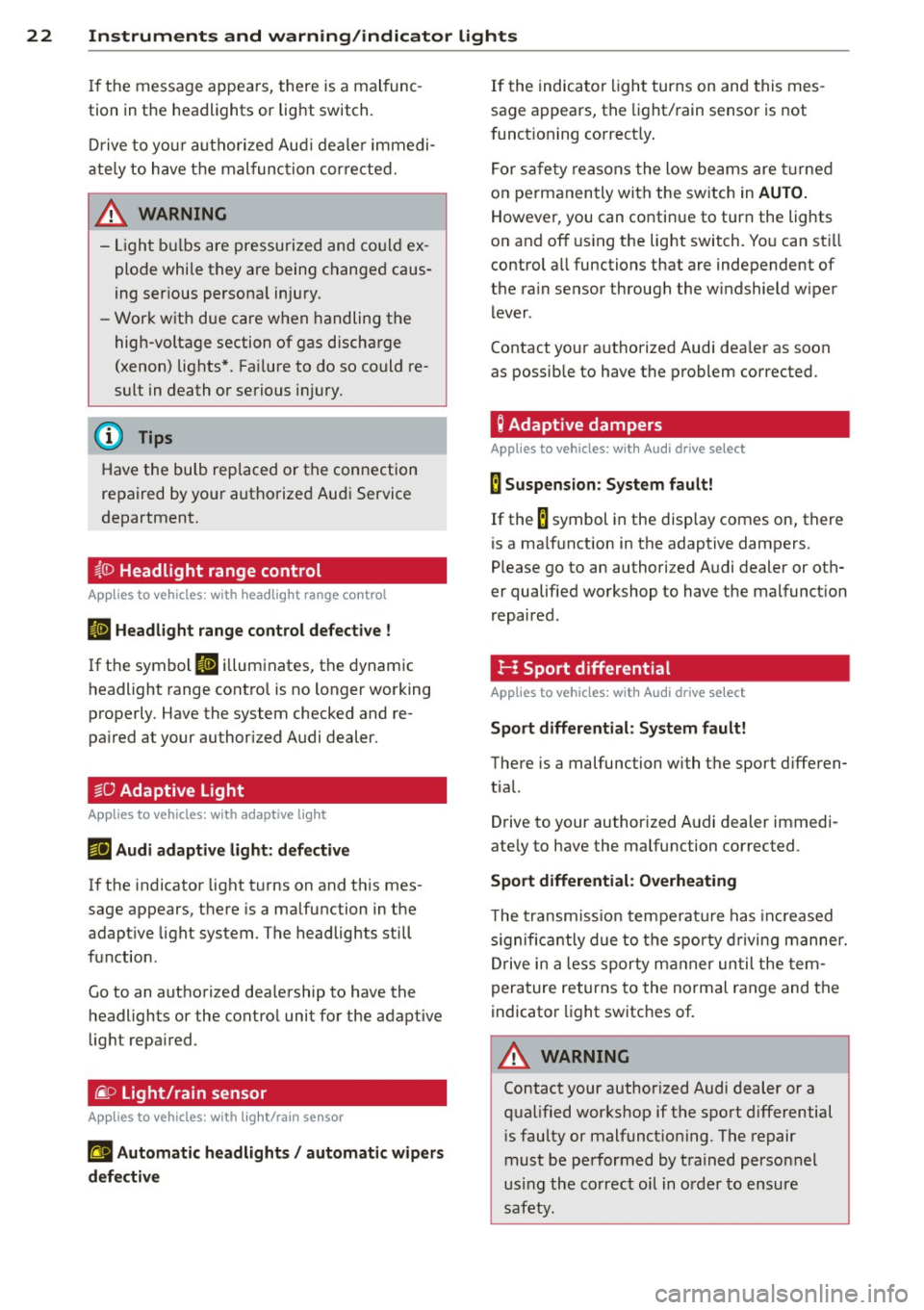
~()) Headlight range control
Applies to vehicles: with headlight range control
El Headlight range control defective !
If t he symbo l El il lum inates , the dynam ic
headlight range cont ro l is no longer wo rking
properly . Have the system checked and re
pa ired at your author ized Audi dealer.
§0 Adaptive Light
Applies to vehicles: with adaptive light
mil Audi adaptive light : defective
If the indicator light turns on and th is mes
sage appears, there is a malfunction in the
adapt ive light system. The headlights still
f u nction .
Go to an authori zed dea lership to have the
headlights or the contro l unit for the adapt ive
light repa ired .
~D Light/rain sensor
Applies to vehicles: with light/rain sensor
tfl Automatic headlights / automatic wipers
defective
If the indica to r li ght turns on and this mes
sage a ppears, the light/ rain senso r is not
f unct ioning correct ly .
F o r sa fe ty reasons the low be ams are turne d
o n pe rmanen tly with the sw itch in
AUTO.
However, you can conti nue to turn the lights
o n and off using the light switch. Yo u can st ill
control a ll functions that are independent of
the ra in sensor through the w indshield w iper
l ever .
Contact your a uthorized Aud i dea ler as soon
as possible to have the problem co rrected .
Q Adaptive dampers
Applies to vehicles: with Audi drive select
B Suspension : System fault!
If the B symbol in the disp lay comes on, there
is a ma lf u nction in the adaptive dampers.
Please go to an authori zed A udi dealer or ot h
er qualified wo rkshop to have the malfunct ion
r epaired .
I-: Sport differential
Applies to vehicles: with Audi drive select
Sport differential : System fault!
There is a malfunction with t he sport d iffe ren
tia l.
Drive to your auth orized A udi dealer immedi
ate ly to have the malfunction corrected .
Sport differential: Overheating
The t ransm iss ion t empe ra tur e has in cr eased
s ignific antly due to t he spo rty dr iving manner .
D rive in a less sporty m anner un til the tem
pera ture re turns to the normal range and the
indicato r light switches of.
8_ WARNING
Contact your author ized Audi dealer or a
q ua lified workshop if the spo rt differential
i s faulty or malfunct io ning . T he repair
must be performed by train ed perso nnel
usi ng the co rr e ct oil in o rder to e nsure
s a fety.
Page 25 of 294
Instruments and warning/indicator lights 23
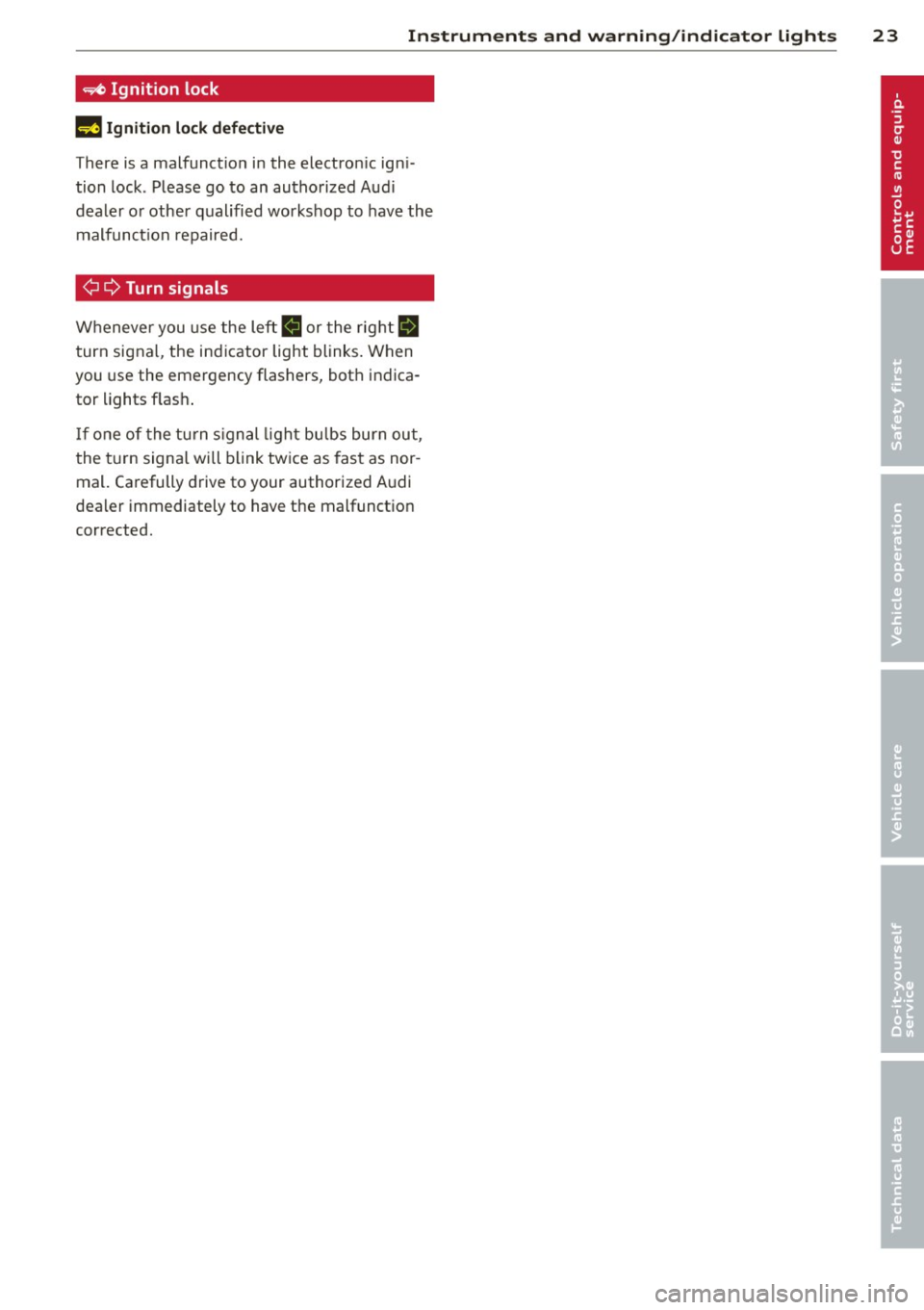
=/4 Ignit ion lock
l!J Ignition lock defective
There is a malfunction in the electron ic igni
tion lock. Please go to an authorized Aud i
dealer or other qualified workshop to have the
malfunct ion repaired.
¢ Q Turn signals
Whenever you use the left II or the right IJ
turn signal, the indicator light blinks. When
you use the emergency flashers, both indica
tor lights flash .
If one of the turn signal light bulbs burn out,
the turn signal will blink twice as fast as nor
mal. Carefully drive to your authorized Audi
dealer immediately to have the malfunction
corrected.
Page 26 of 294
24 Driver information d isplay
Driver information
display
Introduction
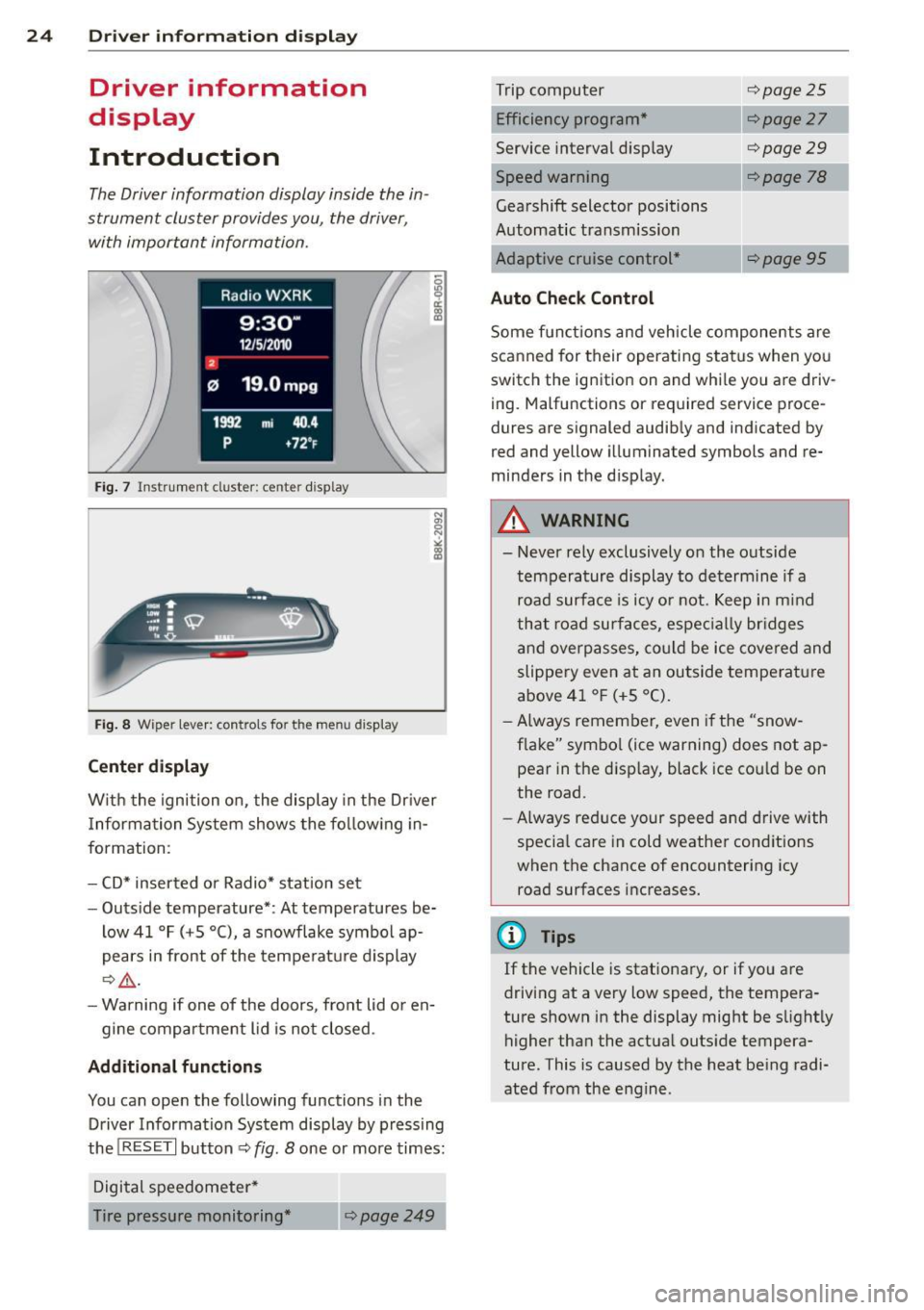
The Driver information display inside the in
strument cluster provides you, the driver ,
with important information.
Fig. 7 Ins trum en t cl uster : ce nter display
Fig. 8 W iper lev er: con trols fo r th e menu disp lay
Center display
W ith the ignition on, the display in the Dr iver
I nformation System shows the following in
formation :
- CD* inserted or Radio* station set
- Outside temperature* : At temperatures be-
low 41 °F (+5 °C), a snowflake symbol ap
pears in front of the temperature display
c::> .&_.
-Warning if one of the doors, front lid or en-
gine compartment lid is not closed .
Additional functions
You can open the following functions in the
Driver Information System display by pressing
the
! RESET I button c::> fig. 8 one or more times:
Digital speedometer*
Tire pressure monitoring *
~page249
Trip computer
Efficiency program*
Service interval display
c::>page25
c::> page 27
c::> page 29
--·-
Gearshift selector positions
Automatic transmission
Adaptive cruise control*
Auto Check Control
c::> page 78
Some functions and vehicle components are
scanned for their operating status when you
switch the ignition on and whi le you are driv
ing. Malfunctions or required service proce
dures are signaled audibly and indicated by
red and yellow illuminated symbols and re
minders in the d isplay.
A WARNING
--- Never rely exclusively on the outside
temperature display to determine if a
road surface is icy or not. Keep in mind
that road surfaces, especially br idges
and overpasses, could be ice covered and
slippery even at an outside temperature
above 41 °F (+5 °C).
- Always remember, even if the "snow
flake" symbol (ice warning) does not ap
pear in the disp lay, black ice cou ld be on
the road.
- Always reduce your speed and drive with
specia l care in cold weather cond itions
when the chance of encountering icy
road surfaces increases.
¢j) Tips
If the vehicle is stationary, or if you are
driving at a very low speed, the tempera
ture shown in the display might be s light ly
higher than the actual outs ide tempera
ture. This i.s caused by the heat being radi
ated from the engine .
Page 32 of 294
30 Driver information display
the approp riate service on your vehicle. You
a lso have the possibility to reset the oil
change schedule after having performed an
oil change according to Audi specifications.
Select
I CAR I function button > Service interval
display > Reset oil change interval
or ICARI
function button> Car systems control button
> Servicing & checks > Reset oil change inter
val.
(CT;) Note
If you disconnect the battery terminals, no
calculations can be made for the service
interva l display during this time and no
service reminder will appear. Remember
that observing the proper serv ice interva ls
is vitally important to extending the life of
your vehicle, particularly the engine, and
maintaining its value. Even if the mileage
driven is low, the maximum period of one
year from one serv ice to the next must not
be exceeded.
@ Tips
-Do not reset the display between oil
changes, otherw ise the display will be in
correct.
- The information in the Service Reminder
remains stored even when the vehicle
battery is disconnected.
On-Board Diagnostic
system (OBD)
Malfunction Indicator Lamp (MIL)
The Malfunction Indicator Lamp (MIL) II in
the instrument cluster is part of the On-Board
Diagnostic (OBD II) system.
The warning/indicator light illuminates when
the ignition is switched on and goes out after
the engine starts and the idle has stabi lized .
This indicates that the MIL is working proper
l y.
If the light does not go out after the engine
is started, or illuminates while you are driv
ing, a malfunction may exist in the engine sys- tern.
If the
light illuminates, the catalytic con
verter could be damaged.
Continue driving
with reduced power (avoid
ing sustained high speeds and/or rapid accel
erations) and have the condition corrected.
Contact your authorized Audi dea ler.
If the light illuminates, the electronic speed
limiter may also be malfunct ioning. For more
information
q page 31, El ectronic speed
limiter .
An improperly closed fuel filler cap may also
cause the MIL light to illuminate
~page 213.
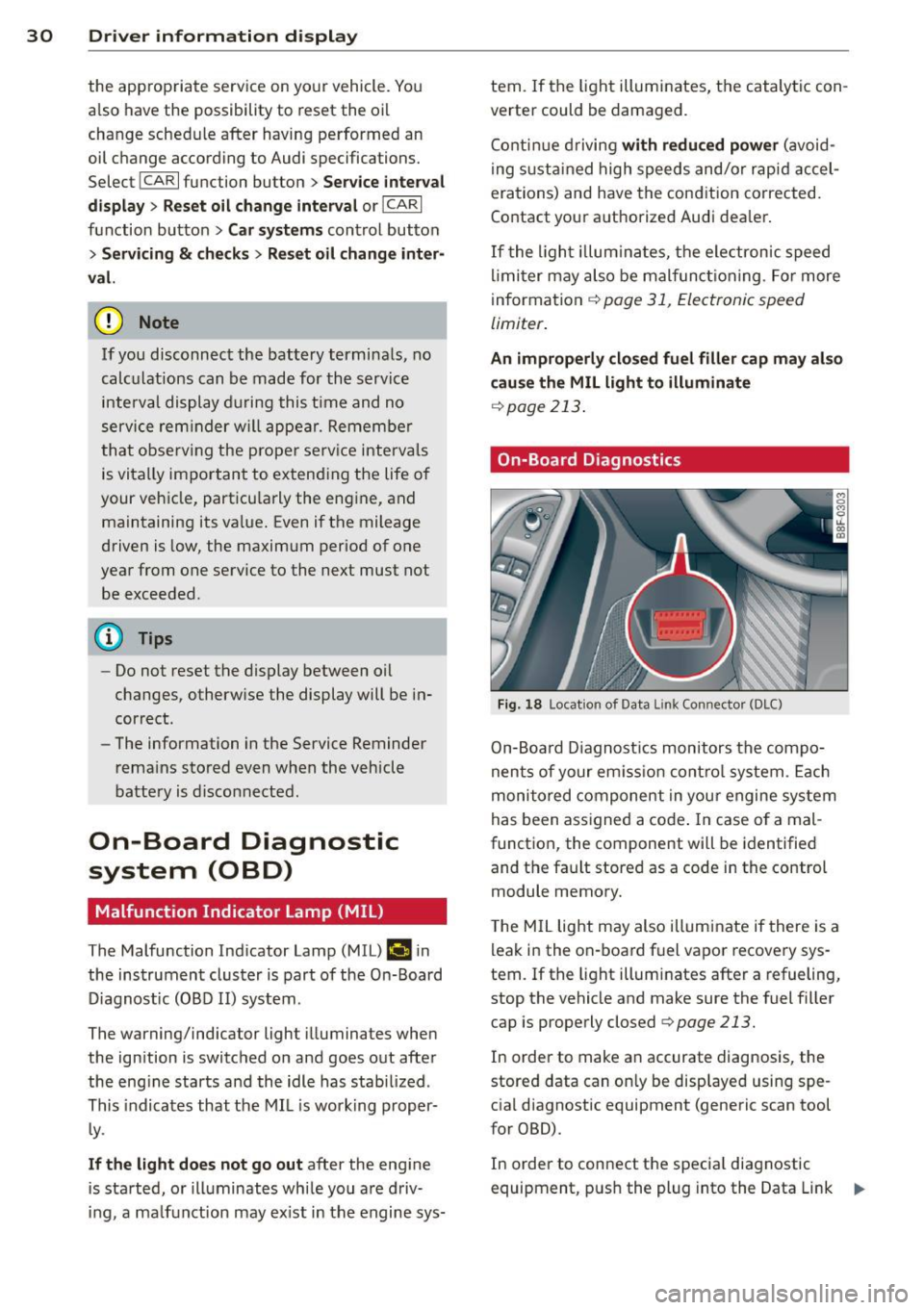
On-Board Diagnostics
Fig. 18 Locat ion of Data L ink Connector (DLC)
On-Board Diagnostics monitors the compo
nents of your em ission control system . Each
monitored component in your engine system
has been assigned a code . In case o f a mal
function, the component will be identified
and the fault stored as a code in the control
module memory.
T he MIL light may also illuminate if there is a
leak in the on-board fuel vapor recovery sys
tem.
If the light illuminates after a refueling,
stop the vehicle and make sure the fuel filler
cap is properly closed
q page 213.
In order to make an accurate diagnosis, the
stored data can on ly be displayed using spe
cial diagnostic equipment (generic scan tool
for OBD).
In order to connect the special diagnostic
equipment, push the plug into the Data Link ..,.
Page 33 of 294
Connector (DLC). The DLC is located to the
right of the hood release¢
fig. 18.
Your authorized Audi dealer or qualified work
shop can interpret the code and perform the
necessary repair.
~ WARNING
Do not use the diagnostic connector for
personal use. Incorrect usage can cause
malfunctions, which can increase the risk
of a coll is ion!
Electronic speed limiter
-
Your veh icle may be factory equipped with
tires that are rated for a maximum speed of 130 mph (210 km/h). This is may be less than
the maximum speed of your ve hicle. To reduce
the risk of sudden tire failure and loss of con
trol if the vehicle is operated at excess ive
speeds, your vehicle has an e lectronic speed
limiter. The electronic speed limiter prevents
your vehicle from going faster than the t ire
speed rating. For more information
¢page 242.
If the engine contro l unit receives fau lty vehi
cle roadspeed signals, the Malfunction Indica
tor Light (MIL)
(llllij will illuminate . If this oc
curs, contact the nearest authorized Audi
dealer for assistance .
A WARNING
-
Always observe the posted speed limits
and adjust your speed to suit prevailing
road, traffic and weather conditions. Never
drive your vehicle faster than the maxi
mum speed rating of the tires insta lled .
Driver information display 31
Page 39 of 294
- You cannot open the doors or the rear lid
from the outside (increased security, for ex
amp le when you are stopped at a red light).
- The diodes in the power locking switc h illu
minate when all the doors are closed and
locked.
- You can unlock and open the doors from the
i nside by pul ling on the door hand le .
- If you have a crash and the airbag is activat
ed , the doors automatically un lock .
_& WARNING
- The power locking switch works with the
ignition off and automatically locks the
entire vehicle when it is actuated .
- On a vehicle locked from the outside the
power locking system switch is inopera
t ive.
- locked doors make it more difficult for
emergency workers to get into the vehi
cle, which puts lives at risk . Do not leave
anyone behind in the veh icle, especially
children .
@ Tips
Your vehicle is locked automatically at a
speed of 9 mph (15 km/h) (Auto lock)
Qpage 32. You can un lock the vehicle
aga in using the opening function in the
powe r locking system switch~-
Setting power locking
In the radio/MM!*, you can set which doors
the centrol locking system will unlock .
~ Select : ICARI funct ion button > Central lock
ing .
Or
~ Select: ~ IC_A_R~I funct ion button > Car system s
control button > Vehicle settings > (C entral
locking )* .
Sin gle door unlocki ng /Unl ock door s* -
you
can specify which doors u nlock when you open
the vehicle .
- Se lecting
off / All and pressing the Ii button
on the remote control key unlocks the entire
vehicle.
Opening and clo sin g 3 7
- Select ing o n/Dri ver and pressing the~ but
ton on the remote control key once u nlocks
only the driver's door . In vehicles w ith a con
ven ience key*, only the door whose handle
you pull w ill unlock . If you press the @! but
ton tw ice, the entire vehicle will u nlock . If
you press the [@] button, t he e ntire ve hicle
w ill always lock .
Luggage comp. lock /Lock e xterio r trunk han
dl e -
If you select On , you can no longer open
the luggage compartment us ing the rear lid
hand le
Q page 39, fig. 28 . In this case, the
r ear lid can be opened with the
l""I bu tton on
the maste r key
Q poge 35, fig. 22 or with the
I"" I* button in the driver's door .
Tone when locking -if you select On, a tone
will sound when yo u loc k the vehicle .
Auto Lock /Lock when driv ing -if you select
On, the entire vehicle w ill lock automatically
when the speed reaches 9 mph (15 km/h) .
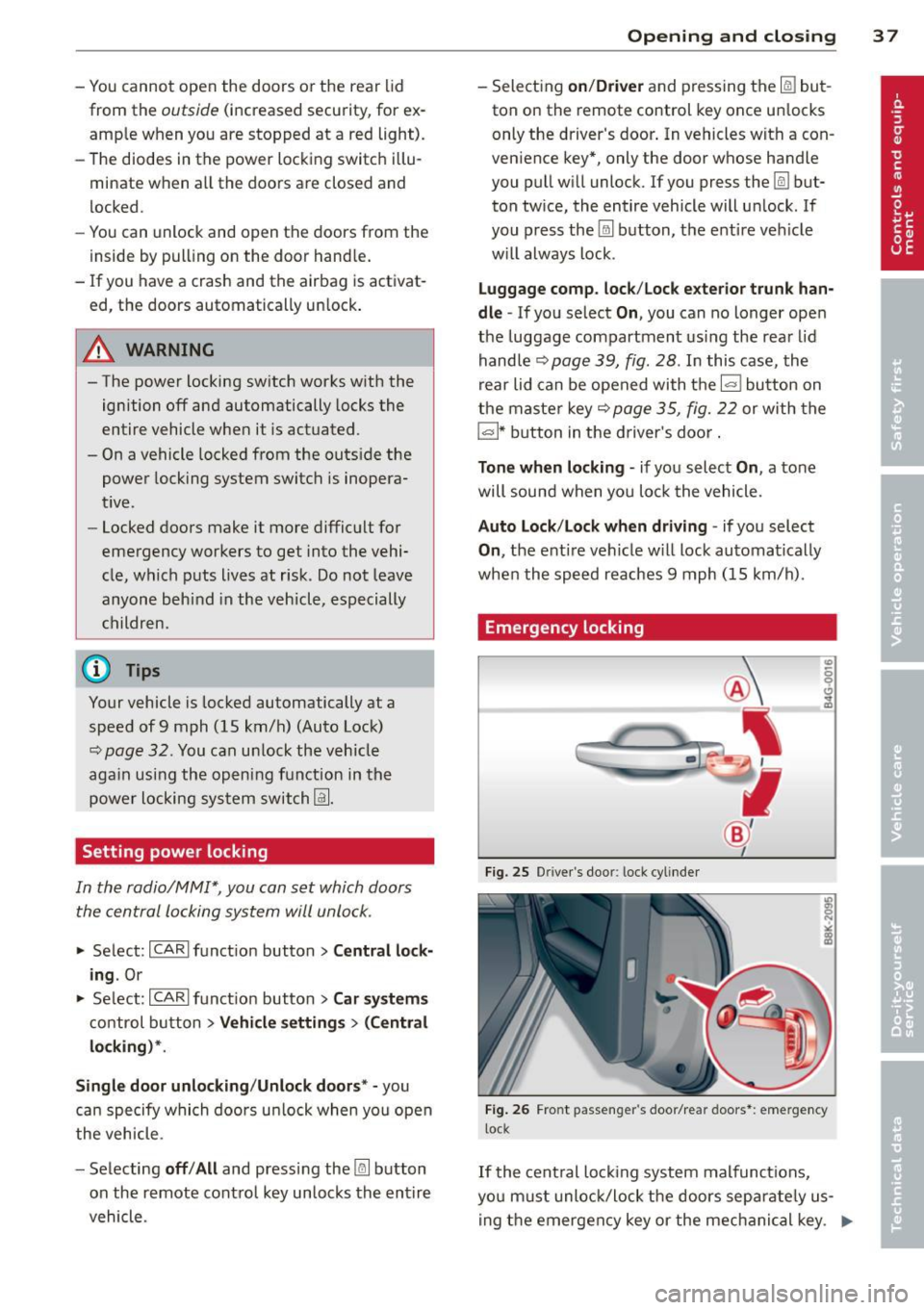
Emergency locking
Fig. 25 D rive r's doo r: lock cylinder
Fig . 26 Fro nt p assen ger 's doo r/rear doors*: eme rgency
lock
If the cent ral locking system malfunct ions,
yo u m ust unlock/lock the doors separate ly us
ing the emergency key or the mec hanical key . .,,.
Page 41 of 294
Rear lid
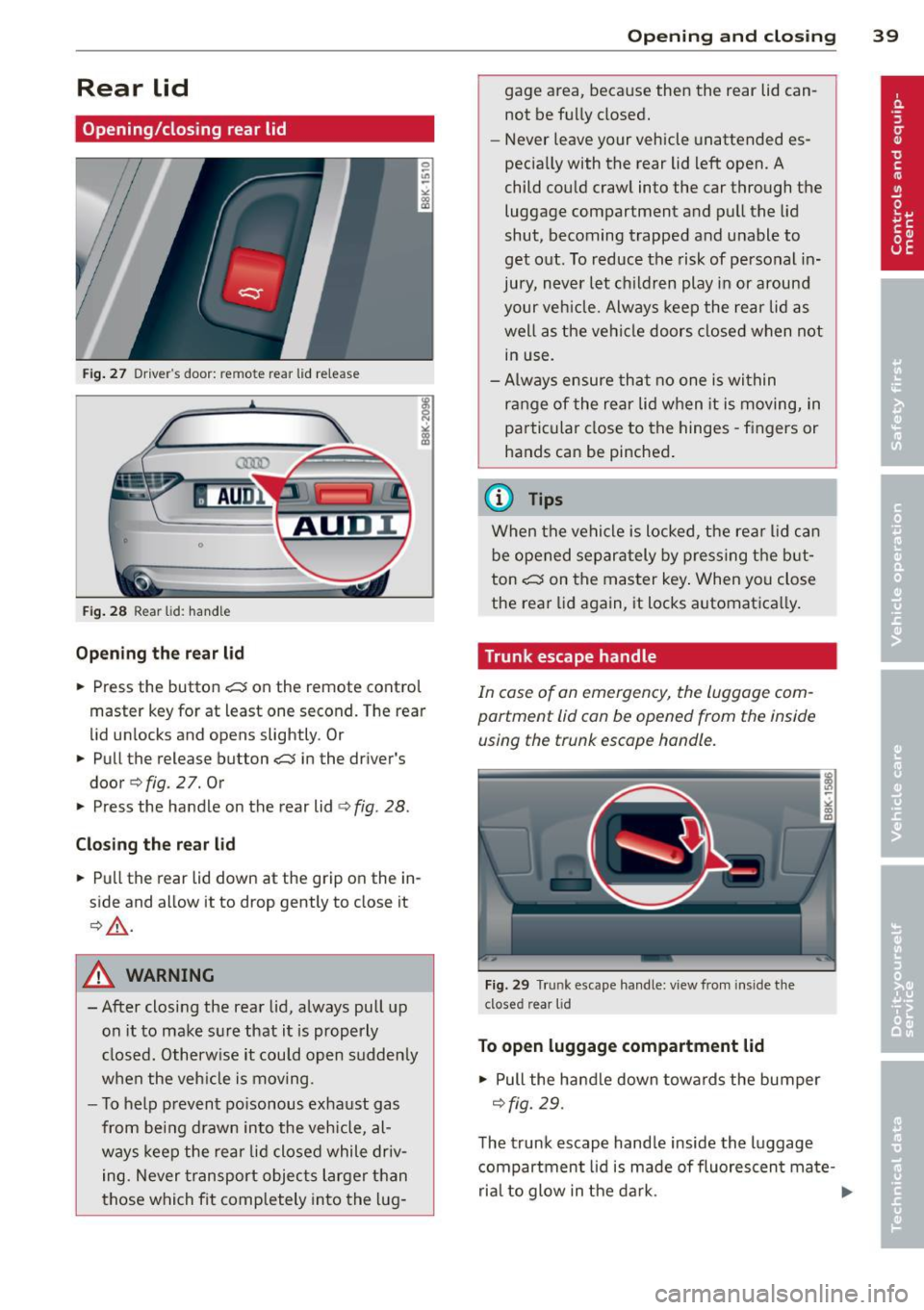
Opening/closing rear lid
Fig. 27 Drive r"s door: re m ote rear lid rele ase
Fig. 28 Rear lid: handle
Opening the rear lid
.,. Press the button .c::5 on the remote control
master key for at least one second. The rear
lid unlocks and opens slightly . Or
.,. Pull the release button
.c::5 in the driver's
door
q fig. 2 7. Or
.,. Press the handle on the rear lid
¢fig . 28.
Closing the rear lid
.,. Pull the rear lid down at the grip on the in
side and allow it to drop gently to close it
¢ ,&. .
A WARNING
-After closing the rear lid, always pull up
on it to make sure that it is properly
closed. Otherwise it could open sudden ly
when the veh icle is moving .
- To help prevent poisonous exhaust gas
from being drawn into the vehicle, al
ways keep the rear lid closed while driv
ing. Never transport objects larger than
those which fit comp letely into the lug-
Opening and closing 39
gage area, because then the rear lid can
not be fully closed.
- Never leave your vehicle unattended es
pecia lly with the rear lid left open. A
child could craw l into the car through the
luggage compartment and pull the lid
shut, becoming trapped and unable to
get out. To reduce the risk of personal in
jury, never let childre n play in or around
your vehicle. Always keep the rear lid as
well as the vehicle doors closed when not
in use.
- Always ensure that no one is within
range of the rear lid when it is moving, in
particular close to the hinges -fingers or
hands can be pinched .
@ Tips
When the vehicle is locked, the rear lid can
be opened separately by pressing the but
ton
.c::5 on the master key . When you close
the rear lid aga in, it locks automat ica lly.
Trunk escape handle
In case of an emergency, the luggag e com
partment lid can be opened from the inside using the trunk escape handle .
Fig . 29 T run k escape handle: view fr om ins ide the
closed rear lid
To open luggage compartment lid
.,. Pull the handle down towards the bumper
¢fig. 29.
The trunk escape handle inside the luggage
compartment lid is made of fluorescen t ma te-
rial to glow in the dark. .,..