airbag AUDI A5 COUPE 2013 Owners Manual
[x] Cancel search | Manufacturer: AUDI, Model Year: 2013, Model line: A5 COUPE, Model: AUDI A5 COUPE 2013Pages: 294, PDF Size: 73.84 MB
Page 5 of 294
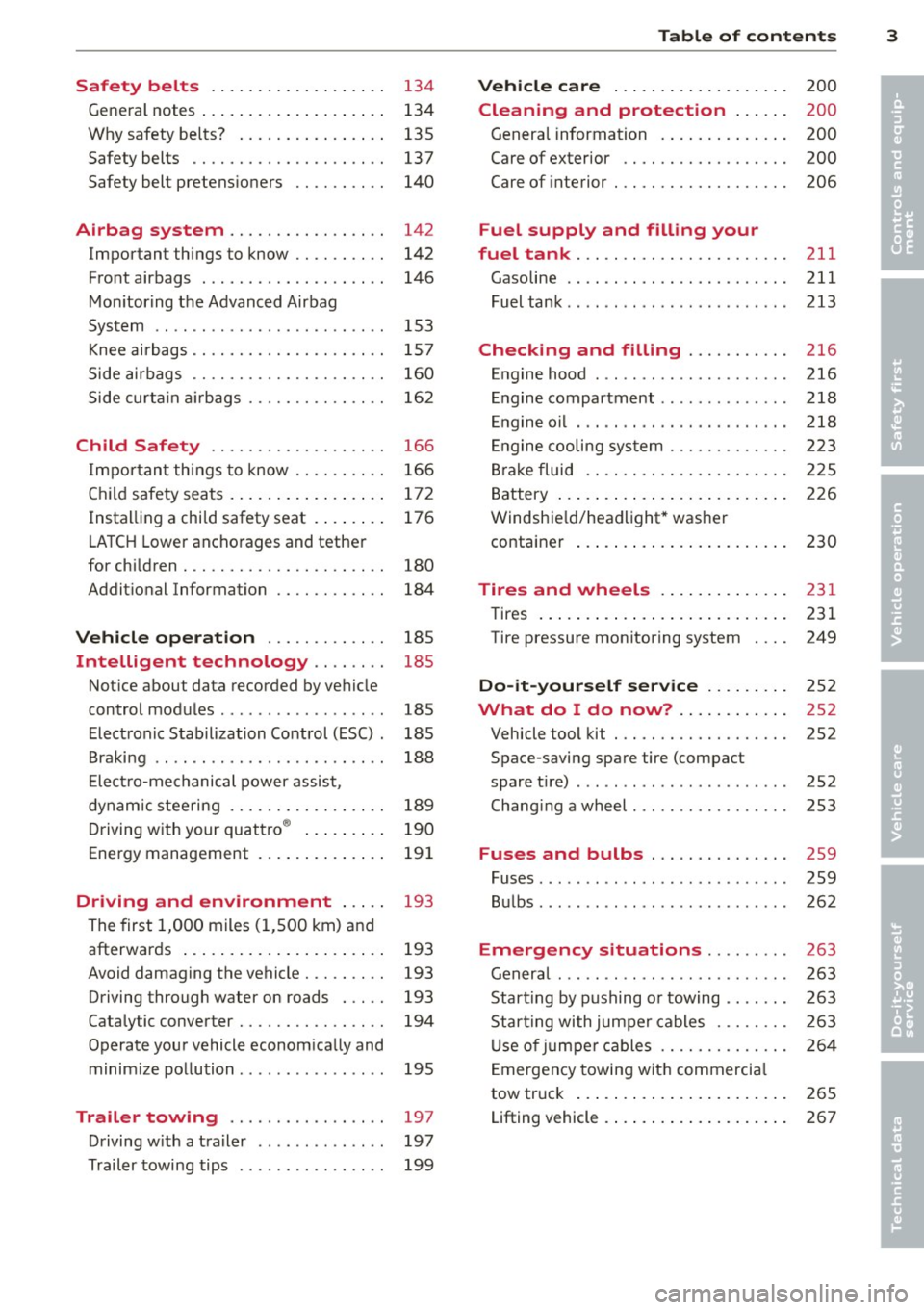
Safety belts . . . . . . . . . . . . . . . . . . . 134
General notes . . . . . . . . . . . . . . . . . . . . 134
Why safety be lts? . . . . . . . . . . . . . . . . 135
Safety belts . . . . . . . . . . . . . . . . . . . . . 13 7
Safety belt pretens ioners . . . . . . . . . . 140
Airbag system . . . . . . . . . . . . . . . . . 142
Important things to know . . . . . . . . . . 142
Front airbags . . . . . . . . . . . . . . . . . . . . 146
Mon itor ing the Advanced Airbag
System . . . . . . . . . . . . . . . . . . . . . . . . . 153
Knee ai rbags . . . . . . . . . . . . . . . . . . . . . 157
Side airbags . . . . . . . . . . . . . . . . . . . . . 160
Side curta in a irbags . . . . . . . . . . . . . . . 162
Ch ild Safety . . . . . . . . . . . . . . . . . . . 166
I mpor tant things to know . . . . . . . . . . 166
C hil d safety seats. ..... ... .. .. .. .. 172
Install ing a child safety seat . . . . . . . . 176
L A T CH Lower ancho rages and tethe r
for children . . . . . . . . . . . . . . . . . . . . . . 180
Addit ional Information 184
Vehicle operation . . . . . . . . . . . . . 185
Intelligent technology . . . . . . . . 185
Not ice about data recorded by vehicle
control modules . . . . . . . . . . . . . . . . . . 185
E lect ron ic Stabilization Control (ESC) . 185
Braking . . . . . . . . . . . . . . . . . . . . . . . . . 188
E lect ro-me chanical power assist ,
dynam ic steering . . . . . . . . . . . . . . . . . 189
D riving w ith your quattro ® . . . . . . . . . 190
Energy management . . . . . . . . . . . . . . 191
Driving and environment . . . . . 193
The first 1,000 miles (1,500 km) and
afterwards . . . . . . . . . . . . . . . . . . . . . . 193
Avoid damaging the vehicle . . . . . . . . . 193
Driving through water on roads . . . . . 193
Cataly tic converter . . . . . . . . . . . . . . . . 194
Operate your vehicle econom ically and
minim ize pollution ............... . 195
Trailer towing . . . . . . . . . . . . . . . . . 197
Driving w ith a t ra iler . . . . . . . . . . . . . . 197
Trailer towing tips . . . . . . . . . . . . . . . . 199
Table of contents 3
Vehicle care . . . . . . . . . . . . . . . . . . .
200
Cleaning and protection . . . . . . 200
Genera l information . . . . . . . . . . . . . . 200
Care of exterior . . . . . . . . . . . . . . . . . . 200
Care of interior . . . . . . . . . . . . . . . . . . . 206
Fuel supply and filling your
fuel tank ... .. .. .. . .............
211
Gasoline . . . . . . . . . . . . . . . . . . . . . . . . 211
Fuel tank .. .. .. .. .. . .. .... ...... . 213
Checking and filling . . . . . . . . . . . 216
Engine hood . . . . . . . . . . . . . . . . . . . . . 216
Engine compartment .............. 218
E ngine oil . . . . . . . . . . . . . . . . . . . . . . . 218
En gine cooling system . . . . . . . . . . . . . 223
Br ake fluid . . . . . . . . . . . . . . . . . . . . . . 225
Battery . . . . . . . . . . . . . . . . . . . . . . . . . 226
Windshie ld/headlight* washer
container . . . . . . . . . . . . . . . . . . . . . . . 230
Tires and wheels ... ..... ... .. .
Tires ... .. .. .. .... . ... ...... ... . 231
231
Tire pressure monitoring system 249
Do-it-yourself service . . . . . . . . . 252
What do I do now? . . . . . . . . . . . . 252
Vehicle tool kit . . . . . . . . . . . . . . . . . . . 2S2
Space-saving spare tire (compact
spare tir e) . . . . . . . . . . . . . . . . . . . . . . . 252
Chang ing a wheel . . . . . . . . . . . . . . . . . 253
Fuses and bulbs . . . . . . . . . . . . . . . 2S9
Fuses ... .. .. .. .. .. . .. .... ...... . 259
Bulbs . . . . . . . . . . . . . . . . . . . . . . . . . . . 262
Emergency situations . . . . . . . . . 263
General . . . . . . . . . . . . . . . . . . . . . . . . . 263
Starting by pushing or towing . . . . . . . 263
Star ting with jumpe r cables . . . . . . . . 263
U se of jumpe r cables . . . . . . . . . . . . . . 264
E mergency towing with commercia l
tow truck . . . . . . . . . . . . . . . . . . . . . . . 265
Lifting vehicle . . . . . . . . . . . . . . . . . . . . 267
•
•
Page 11 of 294
CD
@
®
©
®
®
(j)
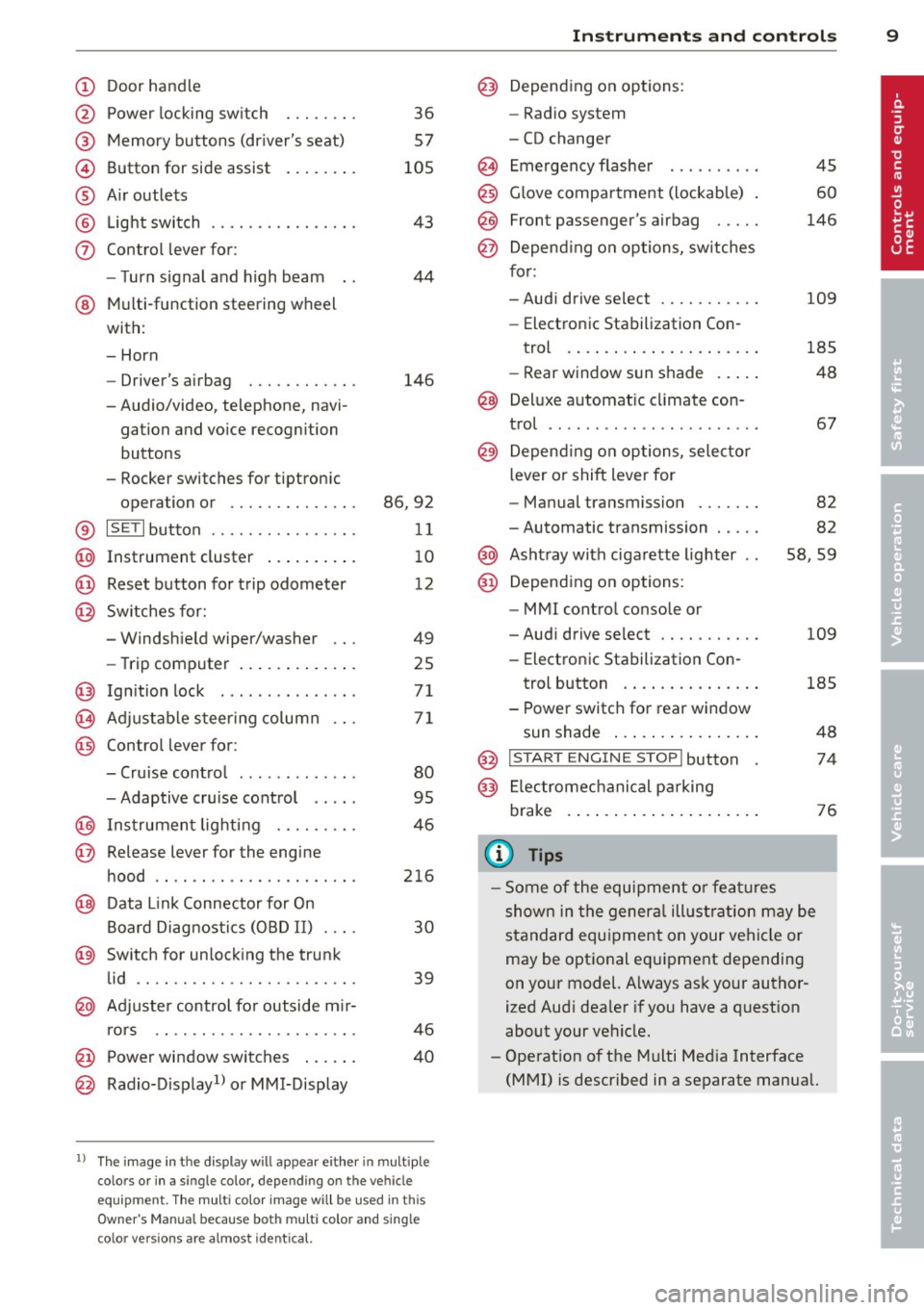
Door handle
Power locking sw it ch
Memory buttons (dr iver's seat)
Button for side ass ist
A ir outlets
L ight switch
Control lever for :
- T urn signal and high beam
@ Multi-function steering wheel
with:
- Horn
- Driver's airbag
- Audio/video, telephone, navi
gation and vo ice recogni tion
buttons
- Rocker switches for tiptroni c
36
57
105
43
44
146
opera tion or . . . . . . . . . . . . . . 86, 92
® ISET lbutton . . . . . . . . . . . . . . . . 11
@ Instrument cluster . . . . . . . . . . 10
@ Reset button for trip odometer 12
@ Switches for:
- Windshield wiper/washer 49
- Trip computer . . . . . . . . . . . . . 25
@ Ignition lock ............. . .
(8) Adjustable s teer ing column
@ Control lever for :
- Cruise contro l ......... ... .
- Adaptive cruise control .. .. .
@ Ins trumen t lighting .... .. .. .
@ Release lever for the engine
hood .. .. .. .. ........... .. .
@ Data L ink Connector for On
B oard Diag nostics (OBD II) . .. .
@ Sw itch for unlock ing the trunk
lid .. .. .. ...... ..... ...... .
@ Adjuste r control fo r outside m ir-
r ors .. .. .. .. ........... .. .
@ Power window switches ... .. .
@ Rad io-Display1l or MMI-Display
71
71
80
95
4 6
216
30
39
46
40
l) T he image in t he d is pl ay will app ea r e it h er in mu lt ipl e
c o lor s or in a singl e co lor , de pen din g o n th e vehicl e
e q ui pment. T he m ulti co lo r im age w ill b e used i n this
O w ner's M anual becau se bo th mu lt i co lo r and sin gle
c o lor ver sio ns are almos t identic al.
In strument s and control s 9
@) Depending on options:
- Rad io system
- CD changer
Emergency flasher
G love compartment (lockab le)
Front passenger's airbag .....
Depend ing o n options, sw itches
for:
45
60
146
- Audi drive se lect .......... .
109
- Electronic Stabili zation Con-
trol . ... .. .. .. . .. ... .... .
- Rear window sun shade .. .. . 185
48
@ Deluxe automat
ic cl imate con-
trol ...... .. .... .......... .
@) Depending on options, selecto r
lever or shift lever for 67
- Manual transmission . . . . . . . 82
- Automatic transmission . . . . . 82
@ Ashtray with ciga rette lighter 58, 59
@ Depend ing on options:
- MMI contro l console or
- Aud i drive select . . . . . . . . . . . 109
- Electronic Stab ilizat ion Con-
trol button . . . . . . . . . . . . . . . 185
- Power switch for rear window sun shade . . . . . . . . . . . . . . . . 48
@ I STA RT ENGI NE STOPI button 74
@) Electromec hanical pa rking
brake . . . . . . . . . . . . . . . . . . . . . 76
(D Tips
-Some of the equipment o r feat ures
show n in the genera l ill ustration may be
standard equ ipment on your vehicle or
may be optional eq uipment depending
on your model. Always as k your author
ized Aud i dea ler if you have a question
about your vehicle.
- Operat ion of the Multi Med ia Interface
(MMI) is described in a separate manual.
Page 22 of 294
20 Instruments and warning /indicator lights
Contact your authorized Audi dealer as
soon as possible.
-USA models: If the la warning light
and the
E warn ing light come on to
gether, the rear wheels could lock up
first under hard braking. Rear wheel lock
up can cause loss of vehicle control and
an acc ident. Have your vehicle repaired
immediately by your authorized Audi
dealer or a qualified workshop. Dr ive
slowly and avoid sudden, hard brake ap
plications.
- Canada models: If the brake warning
light . and the ABS warning light
li]
come on together, the rear wheels could
lock up first under hard braking. Rear
wheel lock-up can cause loss of vehicle
control and an accident. Have your vehi
cle repaired immediately by your author
ized Audi dea ler or a qualified workshop.
Drive slowly and avo id sudden, hard
brake applicat ions.
I I !f Safety systems
The fl (USA models),£,1 (Canada models) in
dicator light monitors the safety systems (e.g.
airbags, pretensioners) and ill uminates for a
few seconds each time you switch the ignition
on.
If the fl (USA models)/ fll (Canada mode ls)
indicator light does not go out, or if it illumi
nates while you are driv ing, or if it starts to
blink, then there is a ma lfunction somewhere
in the system.
If the light does not illuminate
when you switch the ignition on, this also
means there is a malfunction.
& WARNING
If you have a malfunction in the safety sys
tems, contact your author ized Audi dealer
immediate ly. Otherw ise the safety sys
t ems may not work properly in an acci
dent.
l ) - : USA mod els only
(0) Worn brake pads
EiJ Brake pads!
If the warning light illuminates, immediately
contact your authorized Audi dealer or quali
fied workshop to have all brake pads inspect ed . On USA models the warn ing light
EiJ
comes on together with the warning light
la-Both sets of brake pads on an ax le
must a lways be rep laced at the same time.
A WARNING
Driving with bad brakes can cause a colli
sion and serious personal injury.
- If the warning light
EiJ and the warning
light
la1 l with the message Brake
pads! comes on in the instrument cluster
d isplay, immediately contact your au
thor ized Audi dealer or qualified work
shop to have all brake pads checked or
replaced if necessary.
EPC Electronic power control
This warning/indicator light monitors the
electronic power control.
The ~ warning/indicator light (Electronic
Power Control) illuminates when you switch
the ignition on as a function check.
(D Tips
If this warning/ indicator light illuminates
while you are driving, then there is a mal
funct ion in the engine electronics. Have
the malfunction corrected as soon as pos
s ib le by your authorized Audi dealer or
qualified repa ir facility.
Ci Malfunction Indicator Lamp (MIL)
T he Malfunction Indicator Lamp (MIL) is par t
of the On-Board Diagnostic (OBD II) system.
-
The symbo l ¢4' lights up when the ignition is
switched on and will turn off after the engine
has started and has settled at a constant idle
IJ>,
Page 34 of 294
32 Openin g and clo sing
Opening and closing
Power locking system
General description
The power locking system locks or unlocks all
doors and the rear lid simultaneously.
You can lock and unlock the vehicle centrally.
You have the following choices:
- Remote master key~
page 35,
-Door handles with convenience key*
~page 36,
-Lock cy linder at the dr iver's door
~ page 37, or
- Power loc king switch inside
~ page 36.
Automatic l ocking
The automatic locking feature locks all the ve
h icle doors and the rear lid when you drive
faster than 9 mph ( 15 km/h) .
The car is unlocked again once the ignition key is removed. In addition, the veh icle can be un
locked if the opening function in the power
lock ing system switch or at one of the door
leve rs is actuated. The Auto Loc k function can
be turned on and off in the rad io or
MMI*
~ page 37.
Addit ionally, in the event of a crash with a ir
bag deployment the doors are automatically
un locked to allow access to the veh icle.
Selective unlocking
When you lock the vehicle, the power locking
system w ill lock the doors and the rear lid .
When unlocking, you can set in the rad io or
MMI* whether
only the dr iver's door or the
enti re ve hicle should be unlocked
~ page 37.
Anti -th eft alarm warning system
If the anti-theft alarm warning system de
tects a break- in into the vehicle, acoust ic and
visua l wa rning signals are triggered.
The anti -theft warn ing system is act ivated au
tomatically when you lock the vehicle .
It is de
activated when u nlocking using the remote key, with the mechanica
l key, and when yo u
switch on the ignition.
T he alarm a lso t urns off when t he a la rm cycle
has expired.
Turn signals
When you u nlock the veh icle, the turn s ignals
flash twice , when you lock it once . If they do
not flash, one of the doo rs, the luggage com
partment lid or the hood is not locked or the
ignition is s till sw itched on.
Unint entionally locking yourself out
In the follow ing cases there safegua rds to
prevent you lock ing you r remote master key in
the vehicle:
- The vehicle does not lock w ith the power
lock ing switch ~
page 36 if the drive r's
door is open .
- On veh ides with convenience key*, if the
most recently used master key is in the lug
gage compa rtment, the rear lid is automat i
cally un locked again after it is closed.
Do not lock your veh icle w ith the remote mas
ter key or convenience key* unt il all doors and
the rea r lid a re closed . In this way you avoid
locking yourself out accidentally .
_& WARNING
-
-When you leave the veh icle, alw ays re
move the ignition key and take it with
you . This will prevent passengers (chil
dren, for example) from acc identally be
ing locked in the vehicle should they acci
dentally press the power locking switch in the front doors .
- Do not leave ch ildren inside the vehicle
unsuperv ised. In an emergency it would
be imposs ible to open the doors from
the o utside without the key .
(D Tips
- In the event of a crash with airbag de
ployment all locked doors will be auto
matically unlocked to give access to the
vehicle occupants from the outside.
Page 39 of 294
- You cannot open the doors or the rear lid
from the outside (increased security, for ex
amp le when you are stopped at a red light).
- The diodes in the power locking switc h illu
minate when all the doors are closed and
locked.
- You can unlock and open the doors from the
i nside by pul ling on the door hand le .
- If you have a crash and the airbag is activat
ed , the doors automatically un lock .
_& WARNING
- The power locking switch works with the
ignition off and automatically locks the
entire vehicle when it is actuated .
- On a vehicle locked from the outside the
power locking system switch is inopera
t ive.
- locked doors make it more difficult for
emergency workers to get into the vehi
cle, which puts lives at risk . Do not leave
anyone behind in the veh icle, especially
children .
@ Tips
Your vehicle is locked automatically at a
speed of 9 mph (15 km/h) (Auto lock)
Qpage 32. You can un lock the vehicle
aga in using the opening function in the
powe r locking system switch~-
Setting power locking
In the radio/MM!*, you can set which doors
the centrol locking system will unlock .
~ Select : ICARI funct ion button > Central lock
ing .
Or
~ Select: ~ IC_A_R~I funct ion button > Car system s
control button > Vehicle settings > (C entral
locking )* .
Sin gle door unlocki ng /Unl ock door s* -
you
can specify which doors u nlock when you open
the vehicle .
- Se lecting
off / All and pressing the Ii button
on the remote control key unlocks the entire
vehicle.
Opening and clo sin g 3 7
- Select ing o n/Dri ver and pressing the~ but
ton on the remote control key once u nlocks
only the driver's door . In vehicles w ith a con
ven ience key*, only the door whose handle
you pull w ill unlock . If you press the @! but
ton tw ice, the entire vehicle will u nlock . If
you press the [@] button, t he e ntire ve hicle
w ill always lock .
Luggage comp. lock /Lock e xterio r trunk han
dl e -
If you select On , you can no longer open
the luggage compartment us ing the rear lid
hand le
Q page 39, fig. 28 . In this case, the
r ear lid can be opened with the
l""I bu tton on
the maste r key
Q poge 35, fig. 22 or with the
I"" I* button in the driver's door .
Tone when locking -if you select On, a tone
will sound when yo u loc k the vehicle .
Auto Lock /Lock when driv ing -if you select
On, the entire vehicle w ill lock automatically
when the speed reaches 9 mph (15 km/h) .
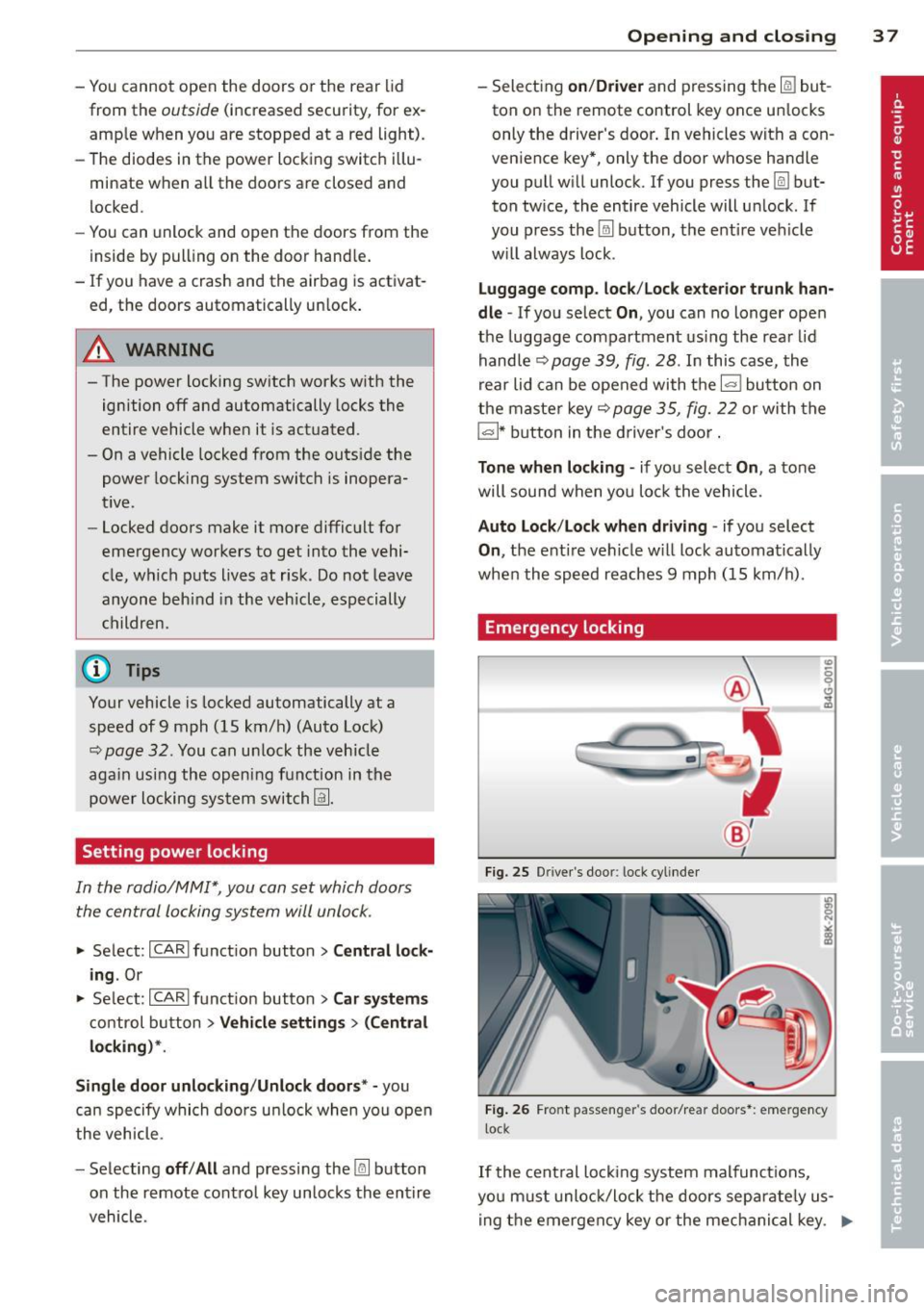
Emergency locking
Fig. 25 D rive r's doo r: lock cylinder
Fig . 26 Fro nt p assen ger 's doo r/rear doors*: eme rgency
lock
If the cent ral locking system malfunct ions,
yo u m ust unlock/lock the doors separate ly us
ing the emergency key or the mec hanical key . .,,.
Page 47 of 294
The leavin g home function il luminates the
area around the vehicle when unlocking it.
This function can be switched on and off.
The
c o ming h om e and lea ving home func
tions on ly operate when it is dark and the
light switch is in the AUTO position
¢ page 43, fig. 34.
Auto headlight s*
When the light switch is in the A UTO
¢
page 43 position, the switch-on po int of the
lights can be changed in the automatic driving
light function.
Daytime running lights
USA m odel s:
You can switch the dayt ime run
ni ng lights
on and o ff .
Canada mod els:
The function cannot be
turned off .
It is activated a utomat ica lly each
time the ignition is switched on.
Travel mode*
The headlight beam is asymmetrical. This pro
v ides stronger illum ination on the side of the
road on wh ich you are driving .
If you are driv
i ng in a count ry that d rives on the opposite
side of the road from your own country, th is
will cau se glare for on coming dr ivers. To pre
vent glare:
- Trave l mode must be selected in vehicles
with Xenon headlights*.
- In veh icles with halogen headlights, ce rtain
areas of the head light lenses must be cov
ered w ith wate rproof adhesive covers that
prevent light from passing thro ugh. Fo r
more information, please see your author
ized Audi dea ler or author ized repa ir faci lity .
(D Tips
When trave l mode is activated, a display in
the dr iver information system indicates
this each time you switch the ignit io n on.
Clear vi sion 45
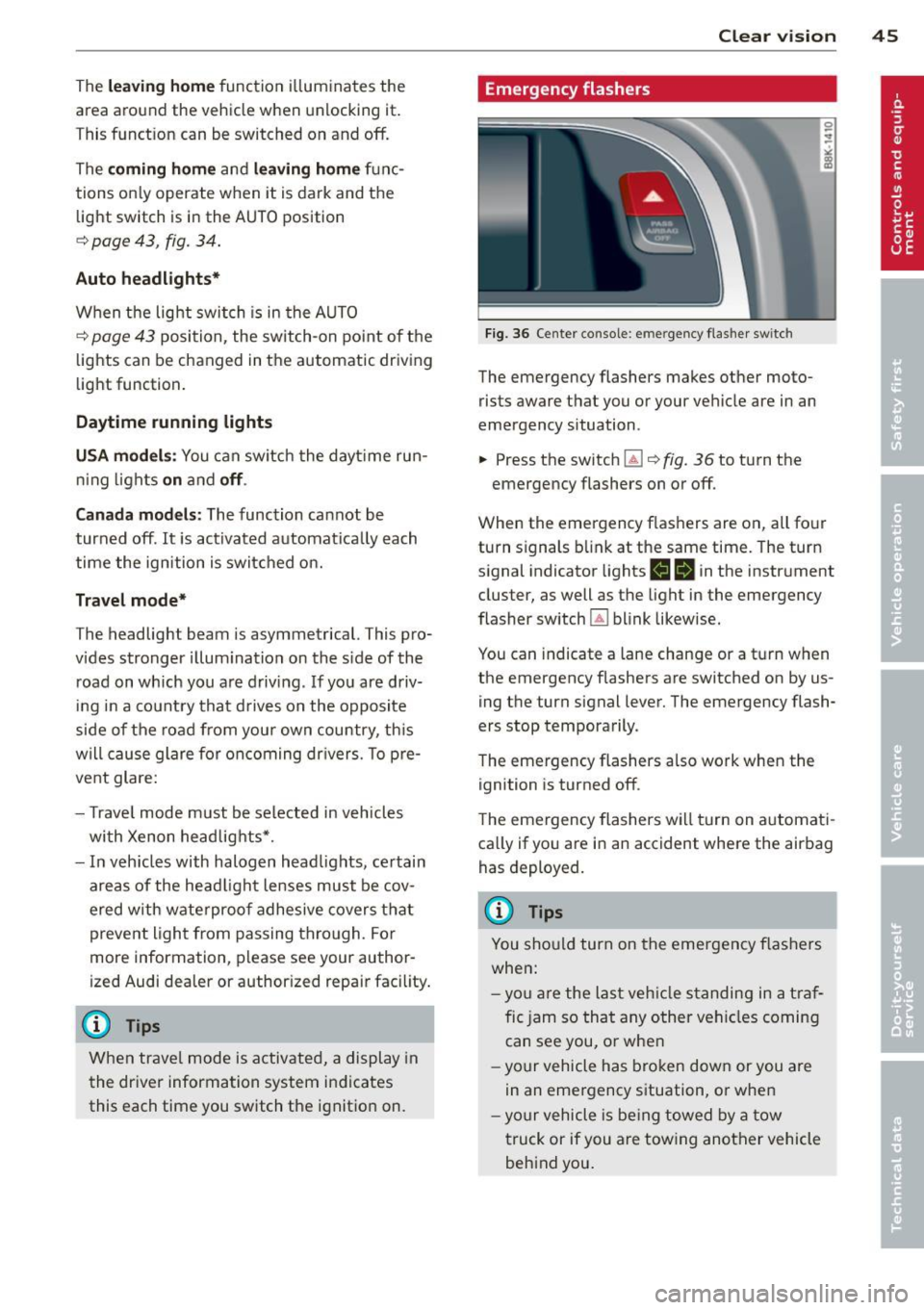
Emergency flashers
F ig. 36 Center console: emergency flasher switch
The emergency flashers makes other moto
rists aware that you or your vehicle are in an
emergency situation .
.,. Press the switch ~¢
fig. 36 to turn the
emergency flashers on or off.
When the emergency flas hers are on, all four
turn signals b link at the same time. The turn
s ignal indicator lights
1111 in the instrument
cluster, as well as the light in the emergency
flasher switch ~ blink likewise.
You can indicate a lane change or a t urn w hen
the emergency flashers are switched on by us
ing the turn signal lever. The emergency flash
ers stop temporarily.
T he emergency flashers also work when the
ignition is turned off.
T he emergency flashers wi ll turn on a utomat i
ca lly if yo u are in an accident where the airbag
has deployed.
(D Tips
You sho uld turn on the emergency f las hers
when:
- yo u are the last veh icle standing in a t raf
fic jam so that any other vehi cles coming
can see you, or whe n
- your vehicle has bro ken down or you are
in an emergency s ituation, o r when
- yo ur vehicle is be ing towed by a tow
truck or if you are tow ing another vehicle
beh ind you.
Page 55 of 294
Seats and storage
General recommen
dations
Why is your seat adjustment so important?
The safety belts and the airbag system can
only provide maximum protection if the front
seats are correctly adjusted.
There are various ways of adjusting the front
seats to provide safe and comfortable support
for the driver and the front passenger. Adjust
your seat properly so that :
- you can easily and quick ly reach all the
switches and controls in the instrument
panel
- your body is properly supported thus reduc ing physical stress and fatigue
- the safety belts and airbag system can offe r
maximum protection
¢ page 142.
In the following sections, you will see exactly
how you can best adjust your seats .
There are special regulations and instructions
for installing a child safety seat on the front passenger's seat. Always follow the informa
tion regard ing child safety provided in
¢ page 166, Child Safety.
.&_ WARNING
-
Refer to ¢ page 124, Driving Safely for
important information, tips, suggestions
and warnings that you should read and fol
low for your own safety and the safety of
your passengers.
.&_ WARNING
Incorrect seating position of the driver and
all other passengers can result in serious
personal injury.
- Always keep your feet on the floor when
the vehicle is in motion -never put your
feet on top of the instrument panel, out of the w indow or on top of the seat cush
ion. This app lies especially to the passen-
S eat s an d sto rage 53
gers . If your seating position is incorrect,
you increase the risk of injury in the case
of sudden braking or an accident . If the
airbag inflates and the seating position
is incorrect, this cou ld result in pe rsonal
in jury or even death.
- It is important for both the driver and front passenger to keep a distance of at least 10 inches (25 cm) between them
selves and the steering wheel and/or in
strumen t panel. If you're s itting any
closer than th is, the airbag system can
not protect you properly. In addition, the
front seats and head restraints m ust be
adj usted to your body height so that they
can give you max imum protect ion.
- Always try to keep as much distance as
possible between yourself and the steer
ing wheel or instrument panel.
- Do not adjust the driver's or front pas senger's seat whi le the vehicle is moving.
Your seat may move unexpectedly, caus
ing sudden loss of veh icle control and
pe rsonal injury. If you adjust you r seat
while the veh icle is moving, you are ou t
of posit ion.
Driver's seat
The correct seat position is important for safe
and relaxed driving .
We recommend that you adjust the dr iver's
seat in the follow ing manner:
.., Adjust the seat in fore and aft direction so
that you can easily push the pedals to the
floor wh ile keeping your knees slightly bent
¢ .&, in Why is your seat adjustment so im
portant? on page 53.
"" Adjust the seatback so that when you sit
w ith your back against the seatback , you can
s ti ll grasp the top of t he steering wheel.
... App lies to vehicles with adjustable head re
straints: Adjust the head restraint so the up
per edge is as even as possible wit h the top
of your head. If that is not possib le, try to
adjust the head restraint so that it is as .,.
Page 56 of 294
54 Seats and storage
close to this position as possible
¢page 56.
A WARNING
Never place any objects in the driver's foot
well. An object could get into the pedal area and interfere with pedal function. In
case of sudden braking or an accident, you
would not be able to brake or accelerate .
Front passenger's seat
Always move the front passenger seat into
the rearmost position .
To avoid contact with the airbag while it is de
ploying, do not sit any closer to the instru
ment panel than necessary and always wear
the three-point safety belt provided adjusted correctly . We recommend that you adjust the
passenger's seat in the following manner:
• Bring the backrest up to an (almost) upright
position. Do not ride with the seat reclined .
• Applies to vehicles with adjustable head re
straints: Adjust the head restraint so the up
per edge is as even as possible with the top
of your head . If that is not possible, try to
adjust the head restraint so that it is as
close to this position as possible
¢ page 56.
• Place your feet on the floor in front of the
passenger's seat.
Front seats
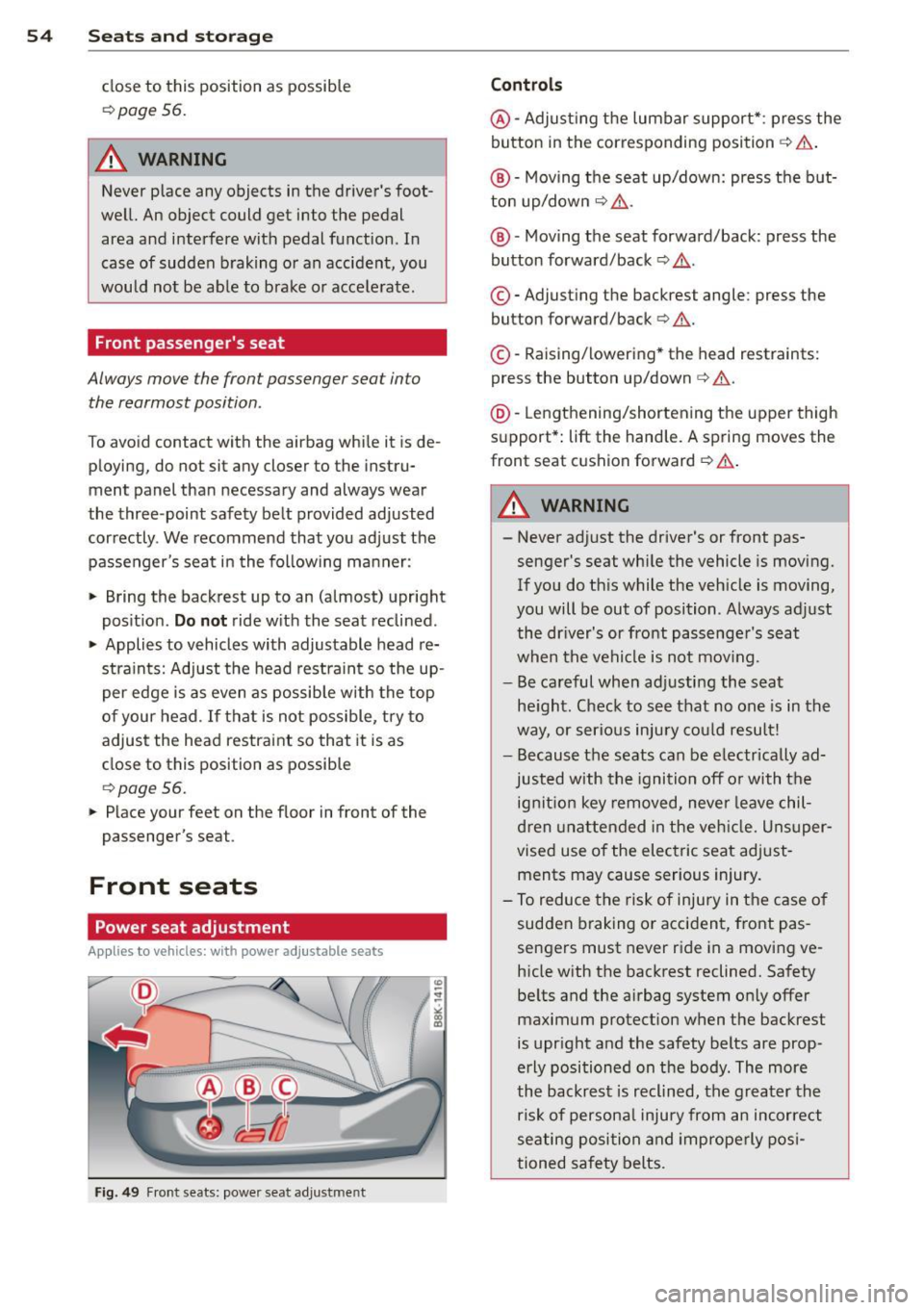
Power seat adjustment
Applies to vehicles: with power adjustab le seats
Fig. 49 Front seats: powe r seat adjustme nt
Controls
@ -Adjusting the lumbar support* : press the
button in the corresponding position ¢ .&, .
@ -Moving the seat up/down: press the but
ton up/down ¢ .&, .
@ -Moving the seat forward/back : press the
button forward/back ¢.&, .
©-Adjusting the backrest angle: press the
button forward/back ¢.&, .
©-Raising/lowering * the head restraints:
press the button up/down¢.&, .
@ -Lengthening/shortening the upper thigh
support* : lift the handle. A spring moves the
front seat cushion forward ¢ .&, .
A WARNING
---Never adjust the driver's or front pas
senger's seat while the vehicle is moving.
If you do this while the vehicle is moving,
you will be out of position . Always adjust
the driver's or front passenger's seat
when the vehicle is not mov ing.
- Be careful when adjusting the seat
height . Check to see that no one is in the
way, or serious injury could result!
- Because the seats can be electrically ad
justed with the ignition off or with the
ignition key removed, never leave chil
dren unattended in the vehicle. Unsuper
vised use of the electric seat adjust
ments may cause serious injury.
- To reduce the risk of injury in the case of
sudden braking or accident, front pas
sengers must never ride in a moving ve hicle with the backrest reclined. Safety
belts and the airbag system only offer maximum protection when the backrest
is upright and the safety belts are prop
erly positioned on the body. The more
the backrest is reclined, the greater the
risk of personal injury from an incorrect
seating position and improperly posi
tioned safety belts.
Page 63 of 294
cannot fall out into the footwells. In case
of sudden braking you would not be able
to brake or accelerate.
- Any articles of clothing that you have
hung up must not interfere with the driv
er's v iew. The coat hooks are designed
only for lightweight clothing. Never hang any clothing w ith hard, pointed or heavy
objects in the pockets on the coat hooks.
During sudden braking or in an accident -
especially if the airbag is deployed -
these objects cou ld injure any passen
gers inside the vehicle .
- To reduce the r isk of personal injury in an
accident or sudden stop, always keep the
glove compartment closed while driving.
- Read and fo llow all WARN INGS
~ page 161, Important safety instruc
tions on the side airbag system.
- Hang clothes in such a way that they do
not impair the driver's vision .
- T he coat hooks must only be used for
lightweight clothing. Do not leave any
heavy or sharp edged objects in the pock
ets which may interfere with the side cur
tain airbag deployment and can cause personal injury in a crash.
- Do not use coat hangers for hanging clothing on the coat hooks as this can in
terfere with proper deployment of the
side curtain airbags in an accident.
- Do not hang heavy objects on the coat
hooks, as they could cause personal in
jury in a sudde n stop.
- Always keep the compartment above the
rearview mirror closed while driving to
reduce the risk of injury in the event of
sudden braking maneuvers or a col lision.
(D Note
Objects located on the rear shelf that rub
aga inst the rear w indow cou ld damage the
heating wires for t he rear w indow defog
ger.
S ea ts a nd s to rage 61
@ Tips
-A vent slot is located between the shelf
and the rear w indow . Do not block the
vent with any items you may place on the
rear window she lf.
- Do not place bu lky items on the rear win
dow shelf as they could restrict or block
the driver's vision in the rear view m irror.
Roof rack
Description and mounting location s
Additional cargo can be carried with a roof
luggage rack.
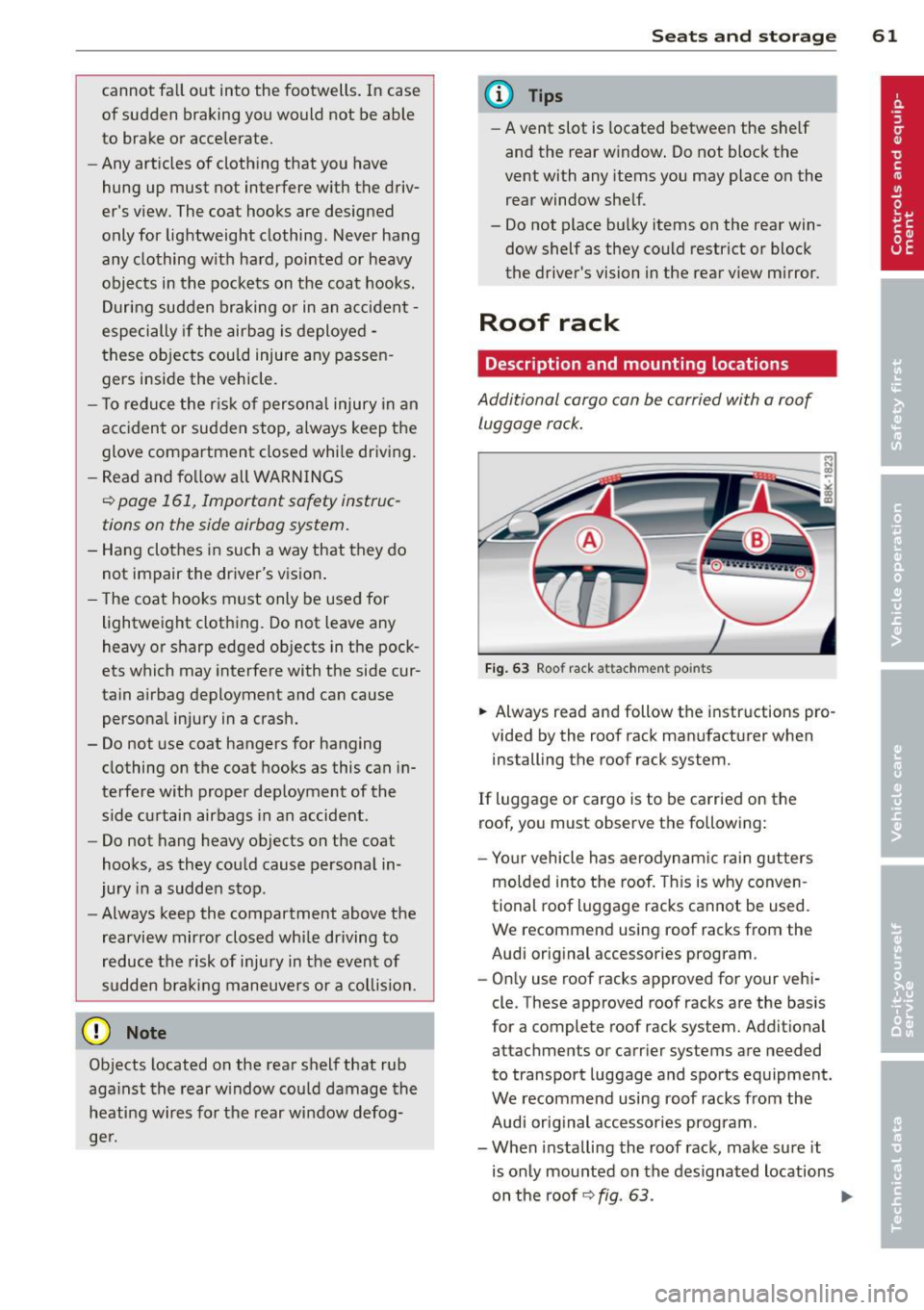
F ig . 63 Roof rack attachmen t po ints
.,. Always read and follow the i nstructions pro
vided by the roof rack manufacturer when
installing the roof rack system.
If luggage or cargo is to be carried on the
roof, you must observe the fo llowing:
- Yo ur vehicle has aerodynam ic rai n gutters
mo lded into the roof. This is why conven
tional roof luggage racks cannot be used.
We recommend using roof racks from the
Audi orig inal accessories program.
- On ly use roof racks approved for your vehi
cle. These approved roof racks are the bas is
for a complete roof rack system. Addit ional
attachments or carrier systems are needed
to transport luggage and sports equipment.
We recommend using roof racks from the
Audi orig inal accessories program .
- When installing the roof rack, make sure it
is only mounted on the designated locations
on the roof
Q fig . 63 . ..,.
Page 73 of 294
On the road
Steering
Manually adjustable steering wheel
The steering wheel position is fully adjustable
up and down and forward and back.
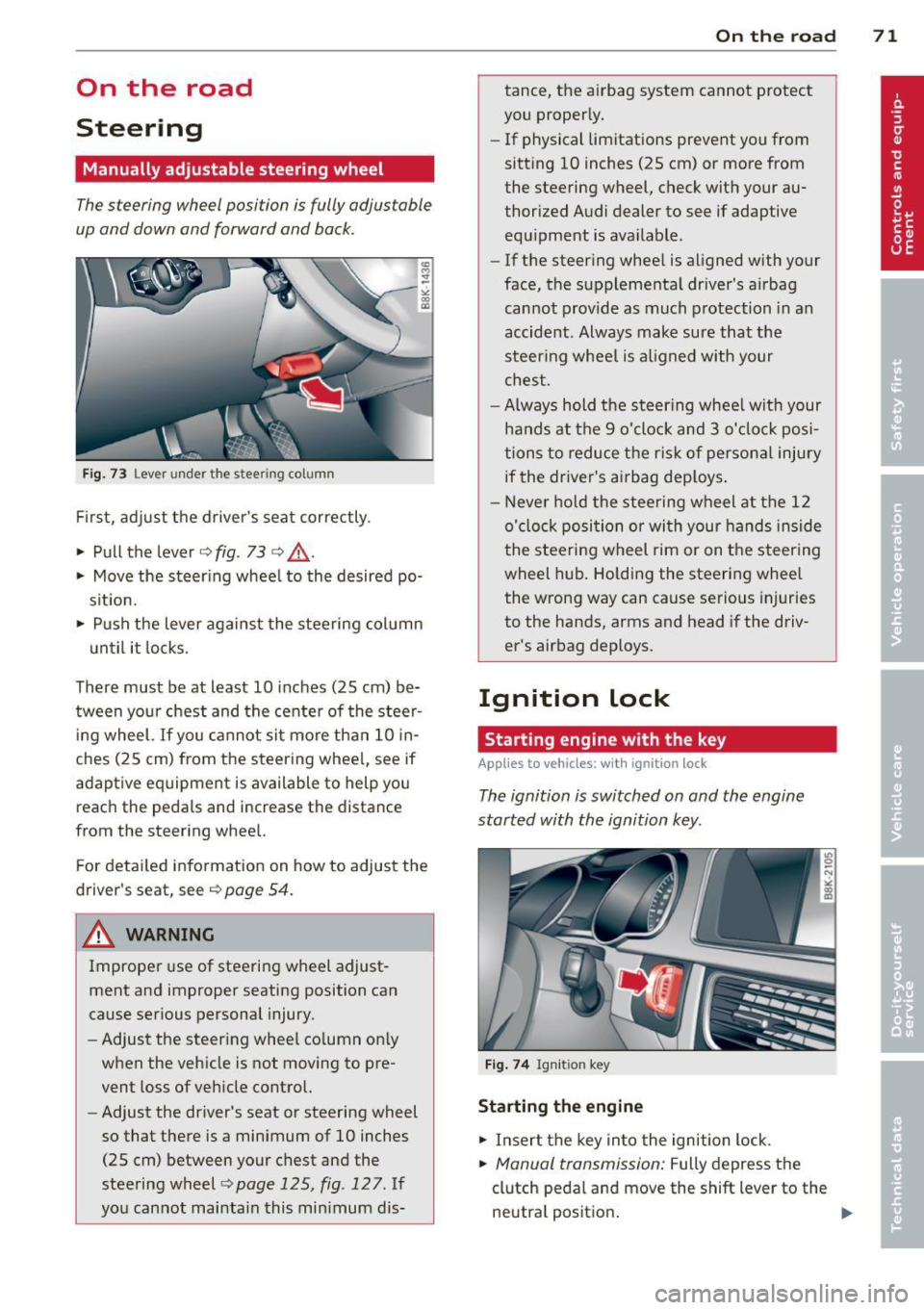
F ig . 73 Lever under the steer ing column
Fir st, adj ust t he d river's sea t correctly.
• Pull the lever
i:> fig . 73 ¢ Lo, .
• Move the steer ing wheel to th e desired po
s it ion.
• Push the lever against the steering col umn
u ntil it locks.
There must be at least 10 inches (25 cm) be
tween your chest and the cente r of the stee~
i ng wheel. If you cannot si t more than 10 in
ches ( 25 cm) from the steering whee l, see if
adaptive equipment is available to help yo u
reach the peda ls and increase the distance
from the steering whee l.
F or detai le d informatio n on how to adjust the
d river's seat, see
i:> page 54.
& WARNING
Imprope r use of stee ring wheel adjust
ment and improper seating position can
cause serious personal injury.
- Adjust the steer ing whee l co lumn on ly
when the veh icle is not moving to pre
vent loss of veh icle control.
- Adjust the driver's seat or steering wheel
so that there is a minimum of 10 inches
(25 cm) between your chest and the
steering wheel¢
page 125, fig . 127. If
yo u cannot mai ntain this mi nimum dis -
On the road 71
tance, the a irbag system cannot protect
you proper ly.
- If physical limitations prevent you from
sitt ing 10 inches (25 cm) or more from
the steering wheel, check with your au
thorized Audi dealer to see if adaptive
equ ipment is ava ilable.
- If the steer ing wheel is aligned with your
face , the suppleme nta l dr iver's a irbag
cannot provide as much protection in an
accident . Always make sure that the
steer ing whee l is a ligned with your
ches t.
- Always h old the ste ering whee l w ith your
hands at t he 9 o'clock and 3 o'clock posi
tions to redu ce the risk of persona l injury
if the driver's airbag dep loys .
- N ever hold the stee ring wheel at the 12
o' clock posi tion or wi th your hands in si de
the stee rin g wheel rim or on t he steering
wheel h ub. Holding the steering whee l
the wrong way can cause se rious injuries
to the hands, arms and head if the driv
er 's airbag deploys.
Ignition lock
Starting engine with the key
App lies to vehicl es: wi th igni tion lo ck
The ignition is switched on and the engine
started with the ignition key .
Fig . 7 4 Ig nition key
Starting the engine
• Insert the key in to the ignition lock.
• Manual transmi ssion: Fully depress the
clutch peda l and move the shift lever to the
neutra l positio n.