manual transmission AUDI A5 COUPE 2014 Owners Manual
[x] Cancel search | Manufacturer: AUDI, Model Year: 2014, Model line: A5 COUPE, Model: AUDI A5 COUPE 2014Pages: 286, PDF Size: 70.99 MB
Page 11 of 286
CD
@
®
©
®
®
(j)
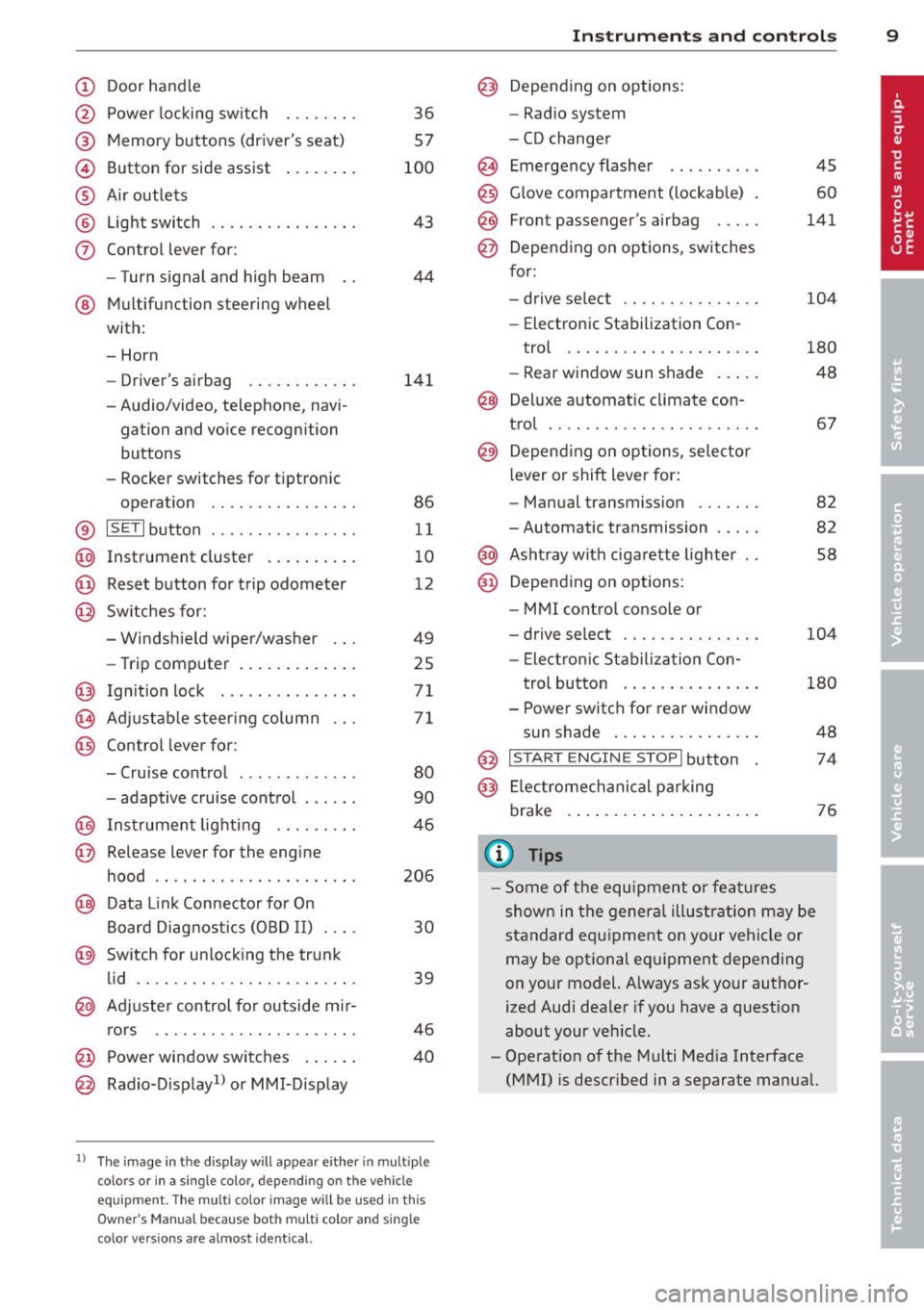
Door handle
Power locking sw it ch
Memory buttons (dr iver's seat)
Button for side ass ist
A ir outlets
L ight switch
Control lever for :
- T urn signal and high beam
@ Multifunction steering wheel
with:
- Horn
- Driver's airbag
- Audio/video, telephone, navi-
gation and vo ice recogni tion
buttons
- Rocker switches for tiptroni c
opera tion ........... .... .
® ISET I button .... .... ... .... .
@ Instrument cluster .. ...... . .
@ Reset button for trip odometer
@ Sw itches for:
- Windshield wiper/washer
- Trip computer ..... ... ... . .
@ Ignition lock .............. .
(8) Adjustable steering column
@ Con trol lever for :
- Cruise contro l ......... ... .
- adaptive cruise control ..... .
@ Instrument lighting .... .. .. .
@ Release lever for the engine
hood .. .. .. .. ........... .. .
@ Data L ink Connector for On
Board Diag nostics (OBD II) . .. .
@ Switch for unlocking the trunk
lid .. .. .. ...... ..... ...... .
@ Adjuste r control fo r outside m ir-
r ors .. .. .. .. ........... .. .
@ Power window switches ... .. .
@ Rad io-Display1l or MMI-Display
36
57
100
43
44
141
86
11
10
12
49
25
71
71
80
90
46
206
30
39
46
40
l) T he image in t he d is pl ay will app ea r e ither in mu lt ipl e
col ors or in a singl e co lor , de pen din g o n th e vehicl e
e q ui pment. T he m ulti co lo r im age w ill b e used i n this
O w ner's M anual becau se bo th mu lt i co lo r and sin gle
c o lor ver sio ns are almost iden tic al.
In strument s and control s 9
@) Depending on options:
- Rad io system
- CD changer
Emergency flasher
G love compartment (lockab le)
Front passenger's airbag .....
Depend ing o n options, sw itches
for:
- drive select .. .. .......... .
- Electronic Stabilization Con-
trol . ... .. .. .. . .. ... .... .
- Rear window sun shade .. .. .
@ Deluxe automat ic cl imate con-
trol ...... .. .... .......... .
@) Depending on options, selecto r
lever or shift lever for :
- Manual transmission ...... .
- Automatic transmission .... .
@ Ashtray with cigarette lighter
@ Depend ing on options:
- MMI contro l console or
- drive select .. .... ........ .
- Electronic Stab ilizat ion Con-
45
60
141
104
180
48
67
82
82
58
104
trol button . . . . . . . . . . . . . . . 180
- Power switch for rear window sun shade . . . . . . . . . . . . . . . . 48
@ I START ENG IN E STOPI button 74
@) Electromec hanical pa rking
brake . . . . . . . . . . . . . . . . . . . . . 76
(D Tips
-Some of the equipment o r feat ures
show n in the genera l ill ustration may be
standard equ ipment on your vehicle or
may be optional eq uipment depending
on your model. Always as k your author
ized Aud i dea ler if you have a question
about your vehicle.
- Operat ion of the Multi Med ia Interface
(MMI) is described in a separate manual.
Page 17 of 286
Instruments and warning/indicator lights 15
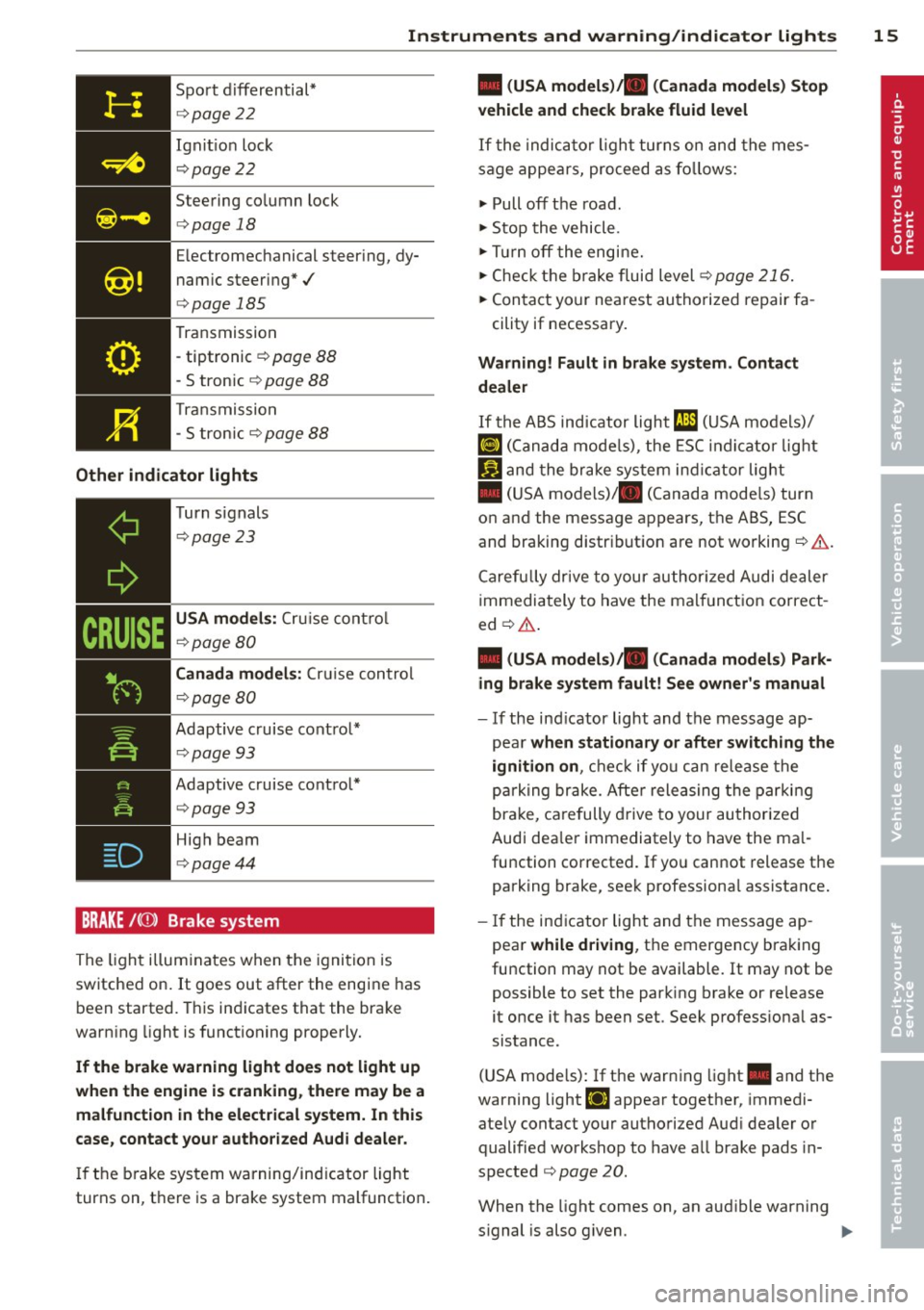
Sport d iffer ential*
¢ page 22
Ign it io n loc k
¢pag e 22
Steering co lumn lock
¢ pag e 18
Electromec hanical steer ing, dy
nam ic steer ing* ./
¢pag e 185
Transmission
- tiptronic ¢
page 88
- S tronic ¢ page 88
Tran smissio n
- S tron ic
¢ page 88
Other indicator lights
CRUISE
T urn signals
¢ page 23
USA models: Cruise con trol
¢page 80
Canada models: Cruise contro l
¢page 80
Adaptive c ruise cont ro l*
¢pag e 93
Adaptive cruise cont ro l*
¢ page 93
High beam
¢pag e44
BRAKE /((J) ) Brake system
The ligh t ill um inates when t he igni tion is
switche d on . It goes out after the engi ne has
been started. This in dicates that the bra ke
warn ing light is functioning properly.
If the brake warning light does not light up
when the engine is cranking , there may be a
malfunction in the electrical system. In this
case, contact your author ized Audi dealer.
If th e b rake system warning/ind icator light
turns on, t here is a brake system mal function .
• (USA models)/ . (Canada models) Stop
vehicle and check brake fluid level
If t he indic ator lig ht tu rns on and the m es
s a ge a ppe ars, pro ceed as fo llows:
"' Pull off t he roa d.
"' Sto p t he vehicle.
"' Turn off t he engi ne.
"' Check t he bra ke fluid level ¢
page 216.
"'Con tact your nea rest au thorized re pair fa -
cility if necessary .
Warning! Fault in brake system. Contact
dealer
If the ABS ind icator light CD (USA mode ls)/
lG) < C anad a mo de ls), the ESC in dicato r light
If.) and the bra ke sys tem in dicat or lig ht
• (US A mo dels)/ . (Canada mode ls) turn
o n and the messa ge appears, the ABS, ESC
and brakin g distr ibution are not workin g¢ &. .
C arefu lly dr ive to your author ized Audi de aler
immedi ately to have the malf unct ion correct
ed ¢&. .
• (USA models)/ . (Canada models) Park
ing brake system fault! See owner' s manual
- If the in dicator light and the m essage ap -
pe ar
when stationary or after switching the
ignition on ,
check if yo u can re lease the
p arki ng br ake. Afte r relea sing the park ing
bra ke, ca re fully drive to your au thori zed
A udi dea le r i mmediately to have the ma l
fu nction corrected . If yo u cannot release t he
parking brake, see k professiona l assistance .
- If the in dicator light and the message ap
pea r
while driving , th e e mergency bra king
fu nction may not be available. It may not be
possible to set the par king brake or re lease
it once it has been set. Seek profess iona l as
sistance.
( U SA mode ls) : If th e warn ing lig ht. and the
warning light
fi] appear togethe r, immedi
ate ly contact yo ur aut horized Aud i dealer o r
qualified wo rks hop to have a ll brake pads in
s p ected
¢ page 20.
When the light comes on, an aud ible warning
s ignal is also g iven.
Page 29 of 286
In addition , you can determine what informa
tion from the trip computer should be shown in the instrument cluster display. If one of the
pieces of driver information is turned
O ff , that
driver information will not be shown in the
d isp lay. The information will continue to be
calculated by the trip computer and can be
turned back
On at any time .
(D Tips
-This function is not availab le on all
vehicles .
- The driving information in the efficiency
program is also reset to zero with t he
s ingle-trip memo ry.
Gearshift Indicator
Applies to vehicles: with manual transmission and gear·
shift indica tor
This indica tor can help conserve fuel .
r--....~------------...,,~ ~.,,
~ ~
" ., .,
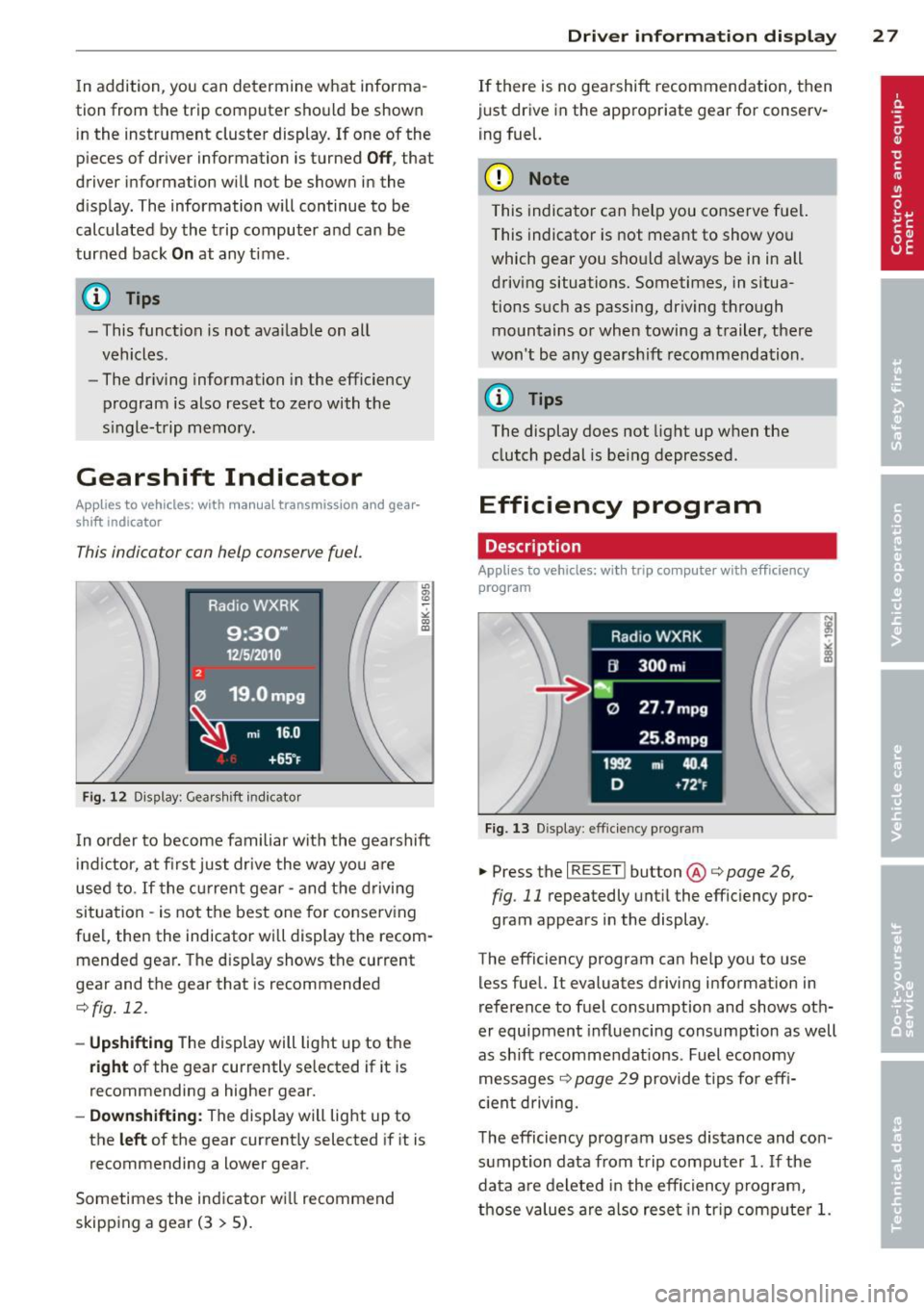
F ig. 12 D is pl ay : G ea rs hi ft indicator
In order to become familiar with the gearshift
indictor, at firs t just drive the way you a re
used to.
If t he cu rrent gear· and the driving
situation - is not the best one for conserving
fuel, then the indicator will display the recom· mended gear. The d isp lay shows the current
gear and the gear that is recommended
¢fig. 12.
- Up shifti ng The d isplay will lig ht up to the
right of the gear currently selected if it is
recommending a higher gear.
- Dow nshifting: The display will light up to
the
left of the gear current ly selected if it is
recommending a lower gear .
Sometimes the indicator wi ll recommend
skipp ing a gear (3
> 5).
Dri ver inform ation di spl ay 2 7
If there is no gea rshift recommendation, then
just drive in the appropriate gear for conserv· ing fuel.
(D Note
This indicator can help you conserve fuel.
This indicator is not meant to show you
which gear you should a lways be in in all
driving situations. Sometimes, in situa
tions such as passing, dr iving thro ugh
mountains or when towing a trailer, there
won't be any gears hift recommendation .
(D Tips
The display does not light up w hen the
clutch pedal is be ing depressed .
Efficiency program
Description
Applies to vehicles: with trip computer with efficiency
program
F ig. 13 Displ ay : eff icie ncy pro gram
.. Press the I RESET ! button @c;, page 26,
fig .
11 repeatedly unt il the effic iency pro·
gram appears in the display .
T he efficiency program can he lp you to use
less fuel. It evaluates driving information in
reference to fuel consumption and shows oth
er equipment influencing consumption as well
as shift recommendat ions. Fuel economy
messages ¢
page 29 provide tips fo r eff i
c ient driving.
T he efficiency program uses distance and con
sumption data from trip computer
1. If the
data a re de leted in the efficiency p rogram,
those values are also rese t in tr ip comp ute r
1.
Page 73 of 286
On the road
Steering
Manually adjustable steering wheel
The steering wheel position is fully adjustable
up and down and forward and back .
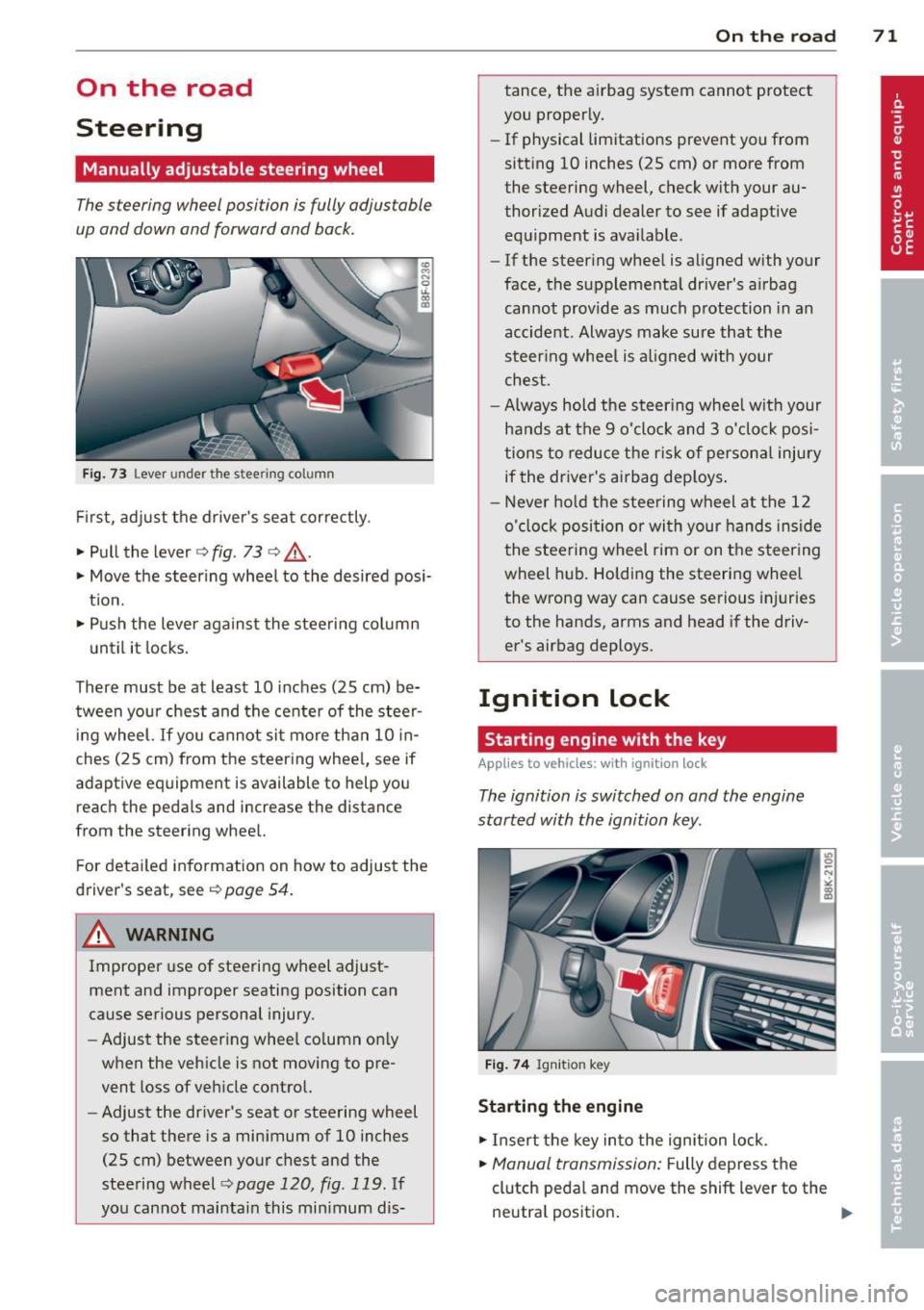
Fig. 73 Lever under the stee ring column
First, adjust the driver's seat correctly.
• Pull the lever
c> fig . 73 c> ,& .
• Move the steering wheel to the desired posi
t ion.
• Push the lever against the steering column
until it locks.
There must be at least 10 inches (25 cm) be
tween your chest and the center of the stee~
ing wheel.
If you cannot sit more than 10 in
ches (25 cm) from the steering wheel, see if
adaptive equipment is available to help you
reach the pedals and increase the distance
from the steering wheel.
For detailed information on how to adjust the
driver's seat, see
c> page 54.
& WARNING
Improper use of steering wheel adjust
ment and improper seating position can
cause serious personal injury.
- Adjust the steering wheel column only
when the vehicle is not moving to pre
vent loss of vehicle control.
- Adjust the driver's seat or steering wheel
so that there is a minimum of 10 inches
(25 cm) between your chest and the
steering wheel
c> page 120 , fig . 119. If
you cannot maintain this minimum dis-
On the road 71
tance, the airbag system cannot protect
you properly.
- If physical limitations prevent you from
sitting 10 inches (25 cm) or more from
the steering wheel, check with your au
thorized Audi dealer to see if adaptive equipment is available .
- If the steering wheel is aligned with your
face, the supplemental driver's airbag
cannot provide as much protection in an
accident . Always make sure that the
steer ing whee l is aligned with your
chest .
- Always hold the steering whee l w ith your
hands at the 9 o'clock and 3 o'clock posi
tions to reduce the risk of persona l injury
if the driver's airbag dep loys .
- Never hold the steering wheel at the 12
o'clock position or with your hands inside
the steeri ng wheel rim or on the steering
wheel hub. Holding the steering wheel
the wrong way can cause serious injuries
to the hands, arms and head if the driv
er's airbag deploys.
Ignition lock
Starting engine with the key
Applies to veh icles : w it h ig ni tio n lock
The ignition is switched on and the engine
started with the ignition key .
Fig. 74 Igni tion key
Starting the engine
• Insert the key into the ignition lock .
• Manual transmission: Fully depress the
clutch pedal and move the shift lever to the
neutral position .
Page 76 of 286
7 4 On the road
(D Note
If the engine has been under heavy load
for an extended period, heat builds up in
the engine compartment after the engine
is switched off -there is a risk of damaging
the engine . Allow the engine to run at idle
for about two minutes before switching it
off.
Convenience key
Starting the engine
Applies to vehicles: with co nve nience key
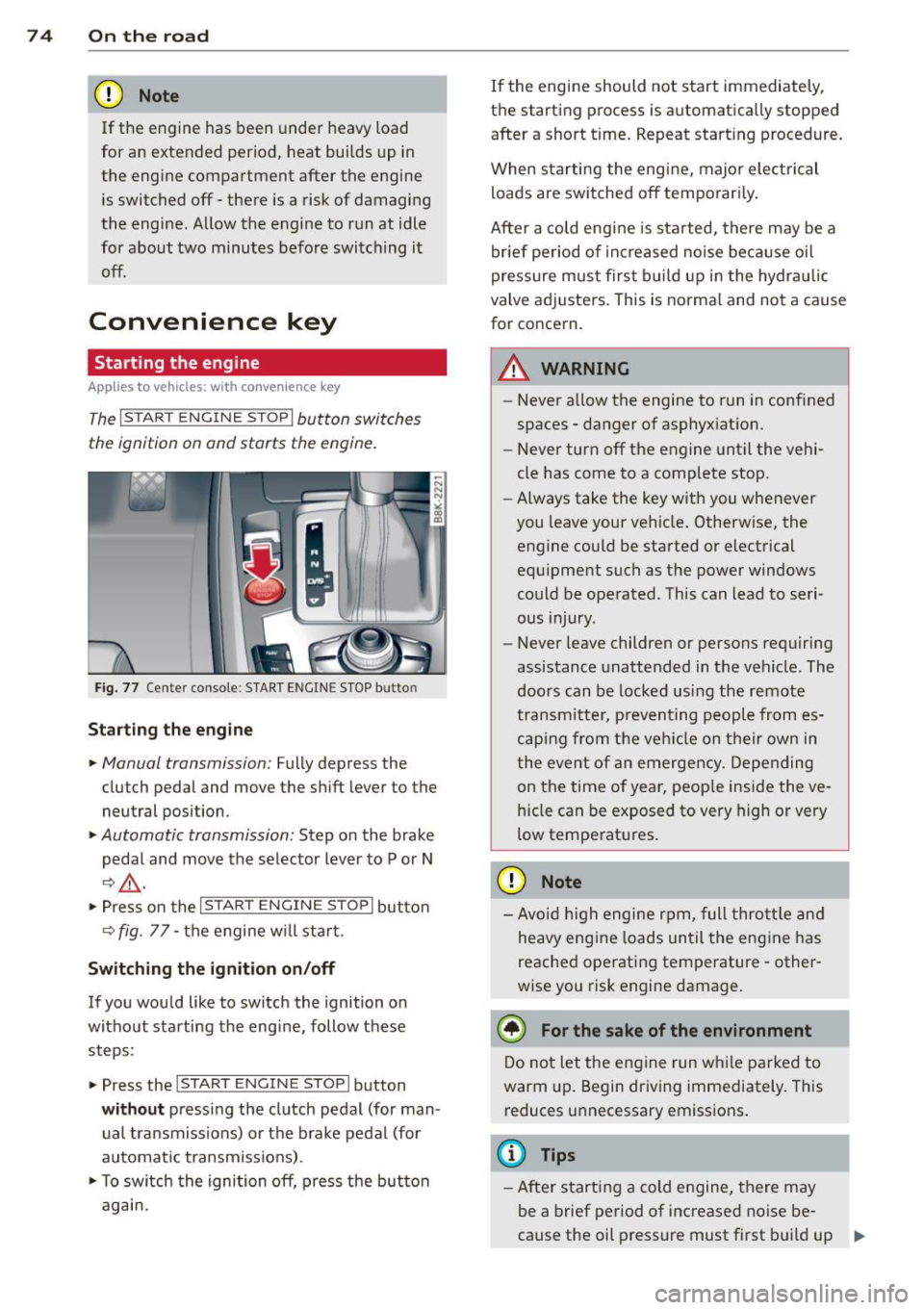
The I S TA RT EN GINE ST OP ! button switches
the ignition on and starts the engine .
Fig. 77 Center console : S TART ENGINE STOP bu tto n
Starting the engine
.. Manual transmi ss ion: Fully depress the
clutch pedal and move the shift lever to the
neutral posi tion .
.. Automatic transmission: Step on the brake
pedal and move the selector lever to P or N
I:?&_ .
.. Press on the I ST AR T ENGIN E ST OP I button
<=? fig . 77 -the engine w ill sta rt .
Switching the ignition on/off
If you would like to switch the ignition on
without starting the engine, follow these
steps :
.. Press the
!START ENGIN E STOP! button
without pressing the clutch pedal (for man
ual transmissions) or the brake pedal (for
automatic transmiss ions) .
.. To sw itch the ignition off, press the button
again. If
the engine should not start immediately,
the sta rting process is automatically stopped
afte r a short t ime. Repeat start ing procedure.
When sta rting the engine, major elect rical
loads are switched off temporar ily .
After a cold engine is started, there may be a
brief period of increased noise because oil
pressure must first build up in the hydrau lic
valve adjusters . This is norma l and not a cause
for concern .
.&_ WARNING
-
-Never allow the engine to run in confined
spaces -danger of asphyxiation.
- Never turn off the engine until the vehi
cle has come to a complete stop.
- Always take the key with you whenever
you leave your veh icle . Otherw ise, the
engine could be started or electrical
equ ipment such as the power windows
could be operated . This can lead to seri
ous injury .
- Never leave children or persons requiring
assistance unattended in the vehicle . The
doors can be locked using the remote
tr an smitter, preventing people from es
caping from the veh icle on their own in
the event of an emergency. Depending
on the time of year, peop le inside the ve
hicle can be exposed to very high or very
low temperatures .
(D Note
-Avo id high engine rpm, full throttle and
heavy eng ine loads until the engine has
reached operating temperature -other
wise you risk engine damage.
@ For the sake of the environment
Do not let the engine run while parked to
warm up. Begin driving immediately. This
reduces unnecessary emissions .
(D Tips
-After starting a cold engine, there may
be a brief period of increased noise be-
cause the oil pressure must first build up .,.
Page 79 of 286
Emergency brake fun ction
An emergency brake ensures that the vehicle
can be slowed down even if the
normal b rakes
fail
c::> pag e 78 , Emergency broking .
Indicat or light s
-If the par king b rake is closed w ith the igni
t ion
s wit ched on the . (USA mode ls) /
• (Canada models) indica tor lights come
on in the instrument cluster and the switch .
-If the par king brake is closed w ith the igni
tion
s witched off the . (USA mode ls) /
• (Canada models) indicator lights come
on in the instrument cluster and the switc h
for about 20 seconds.
A WARNING
If a gear or a drive range (automat ic trans
m ission) is engaged with the vehicle s ta
tionary and the engine runn ing, you must
in no instance accelerate or release the
clutch* care lessly. Otherw ise the vehicle
w ill sta rt to move immediately- risk of an
accident.
(D Note
If the . symbol in the display or the.
(USA models) . (Canada mode ls) indica
tor light i n the instrument cluster flashes,
there is a mal function i n the brake system.
By pressing the
I SETI button, you can bring
up a driver message which explains the
malfunction in more detai l. If the driver
message
Park ing brake! appears, there is
an operating malfunct ion in the parking
brake wh ich you shou ld have repa ired im
mediately by an author ized Audi dealer or
qualified workshop
c::> poge 15.
(D} Tips
-You can apply the parking brake at any
time -even w ith the ignition switched
off . The ignit ion must be t urned on and
the brake peda l must be pressed in o rder
to release the pa rking bra ke .
On th e ro ad 77
-Occasional noises when the parking
brake is app lied and released are normal
and are not a cause for concern.
- When the vehicle is pa rked, the park ing
brake goes through a self -test cycle at
regu lar interva ls. Any associated noises
are normal.
Parking
.,. Press the brake pedal to stop the veh icle .
.. Pull the sw itch @
c::> page 76, fig . 78 to set
the parking brake .
.,. Automatic transmission : M ove the selecto r
lever to P.
.. Tu rn the engine off¢,&. .
.. Manual transmission: Shift into 1st gear.
.. When on inclines or declines, turn the steer
ing wheel so that the vehicle will roll into
the curb if i t beg ins to move.
A WARNING
--- When you leave your vehicle -even if on-
ly briefly -always remove the ignition
key . Thi s app lies pa rticula rly whe n chil
dren remain in the vehicle. Ot herwise t he
children could star t the eng ine , release
the par king brake or operate electrical
equipment (e.g. power windows). There
is the risk of an accident.
- When the veh icle is locked, no one -par
ticularly not children should remain in
the vehicle . Locked doors make it more
difficult for emergency workers to get in
to the vehicle -putting lives at risk .
Starting from rest
The starting assist function ensures that the
parking brak e is r ele ased automatically upon
star ting.
Stopping and applying park ing brake
.. Pull the switch @¢ page 76, fig. 78 to ap-
ply th e parking brake. ..,.
Page 83 of 286
You can also p ress the accelerator pedal down
to increase your speed , e .g. if you want to
pass someone. The speed yo u saved earlier
will resume as soon as you let off of the accel
erator pedal.
If, however, you exceed your saved speed by
6 mph (10 km/h) for longer than 5 min utes,
the cruise control will be turned off tempora rily. The green symbol in the display turns
white . The saved speed remains the same .
Presetting your speed
You can preset your desired speed while the
vehicle is not moving.
" Switch on the ignition.
" Pull lever into pos ition
(D c> page 80,
fig. 80.
" Press the lever in the 0 or O direction to
i ncrease o r decrease yo ur speed .
" Re lease the lever to save that speed.
This funct ion makes it possible, for example,
to save th e speed you want before driving on
the highway . Once on the hig hway, activate
the c ruise cont ro l by pulling the leve r towa rd
(D .
Switching off
Temporary deactivation
" Press the br ake peda l, or
" Manual transmission: Keep the clutch peda l
pressed down
longer, or
" Press the lever into pos ition @ (not clicked
into p lace)
~ page 80, fig. 80, or
" Drive for longer than 5 minutes at more
than 6 mph (10 km/h) above the stored
speed .
Switching off compl ete ly
" Press lever into position @(clicked into
place), or
" Switch the ignition off.
The speed yo u saved wi ll be retained if the
cru ise control has been switched off tempora
rily. To resume the saved speed, let up on the
On th e ro ad 81
brake or clutch pedal and p ull the lever to po
sition
(I) .
Swi tc hi ng the ignit ion off e rases the saved
speed.
A WARNING ~
You shou ld only ret urn to the saved speed
if it is not too fast for the current traffic
conditions -risk o f an accident!
Page 84 of 286
82 Transmission
Transmission Manual transmission
Gearshift lever
Applies to vehicles: with manual transmission
The clutch pedal must be depressed all the
way before you can start the engine.
The manual transmission in your Audi is
equipped with an
interlock-feature .
• Depress the clutch pedal all the way.
• Start the engine with the gearshift lever in
Neutral and the clutch pedal depressed.
(D Note
Always depress the clutch pedal fully when
changing gears. Do not hold the vehicle on
a hill with the clutch pedal partially de
pressed. This may cause premature clutch
wear or damage .
@ Tips
-Resting your hand on the gearshift lever
knob while driving will cause premature
wear in the transmission.
- The back-up lights go on when you sh ift
in to Reverse with the ignition on.
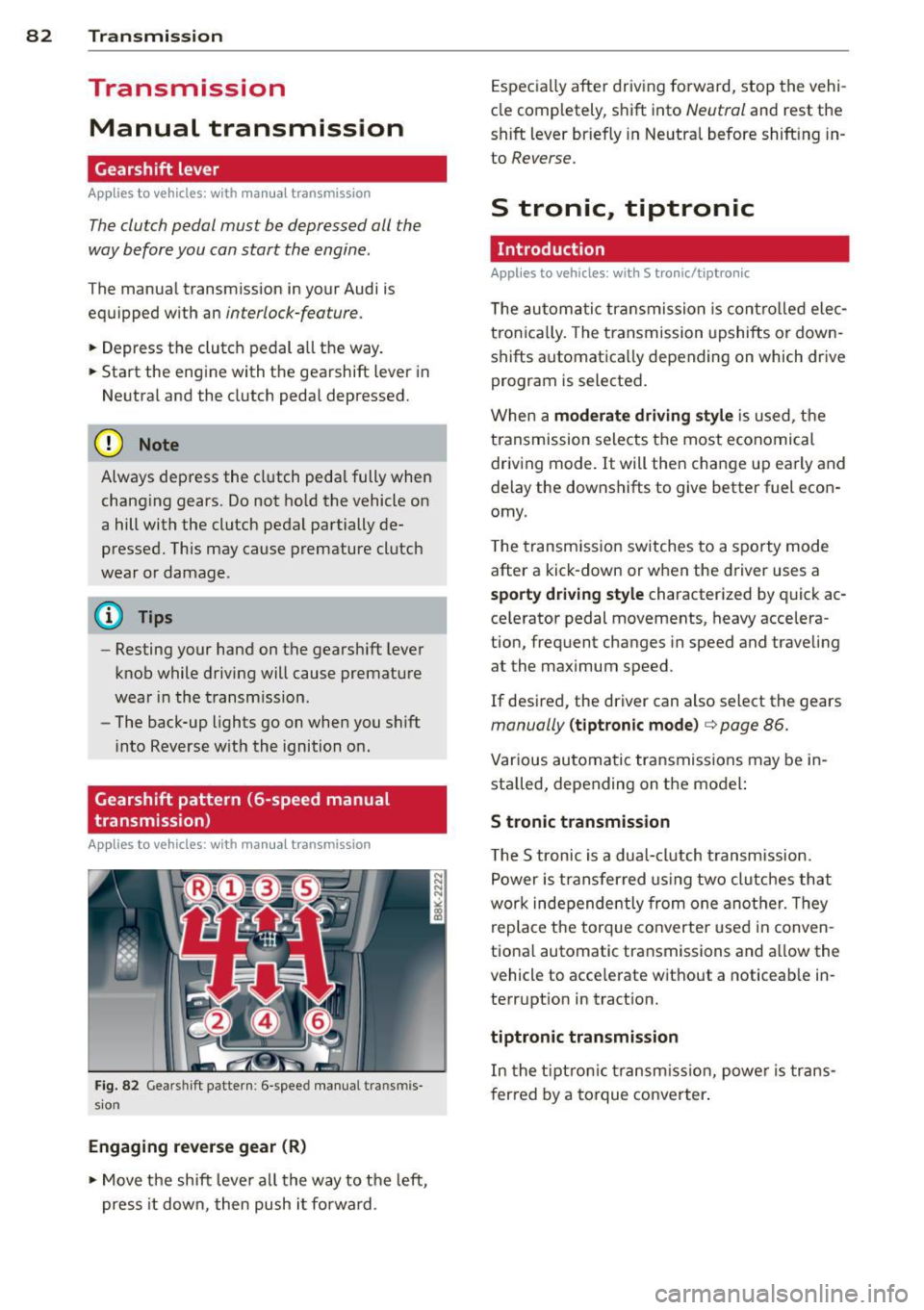
Gearshift pattern (6-speed manual
transmission)
Applies to vehicles: with manual transmission
Fig. 82 Gears hi ft pattern : 6 -speed manual tra n smi s
sio n
Engaging reverse gear (R)
• Move the shift lever all the way to the left,
press it down, then push i t forward . Especially
after driving forward, stop the vehi
cle completely, shift into
Neutral and rest the
shift lever briefly in Neutral before shift ing in
to
Reverse.
S tronic, tiptronic
Introduction
Applies to vehicles: with S tronic/tiptronic
T he automatic transmission is controlled elec
tronically. The transmission upshifts or down
shifts automatica lly depending on which drive
program is selected.
When a
moderate driving style is used, the
transmission selects the most economical
driving mode. It will then change up early and
delay the downshifts to give better fuel econ
omy .
T he transmission switches to a sporty mode
after a kick-down or when the driver uses a
sporty driving style characterized by quick ac
ce lerator pedal movements, heavy accelera
tion, frequent changes in speed and traveling
at the maximum speed.
If desired, the driver can also select the gears
manually (tiptronic mode) c> page 86.
Various automatic transmissions may be in
stalled, depending on the model:
S tronic transmission
The S tronic is a dual-clutch transmission.
Power is transferred using two clutches that
work independe ntly from one another. Th ey
replace the torque converter used in conven
tional automatic transmissions and al low the
vehicle to acce lerate without a noticeable in
terruption in tract ion.
tiptronic transmission
In the tiptronic transmission, power is trans
f er red by a torque converter.
Page 88 of 286
86 Transmis sion
illuminates and a driver message ap
pears
¢ page 88 when the clutch is
overloaded.
- If the engine must remain running, never
have any driving position engaged when
checking under the hood. Make sure the
selector lever has securely engaged and
is locked in P with the parking brake set
¢ page 206. Otherwise, any increase in
engine speed may set the vehicle in mo
tion, even with the park ing brake ap
plied.
(D Note
- When stopping on an incline, do not try
to hold the vehicle in place by pressing
the accelerator pedal while a driving gear
is selected. This can cause the transmis
sion to overheat and can damage it. Acti
vate the parking brake or press the brake
pedal to prevent the vehicle from rolling.
- Allowing the vehicle to roll when the en
gine is stopped and the selector lever is
in N will damage the transmission be
cause it is not lubricated under those cir
cumstances.
@ Tips
For safety reasons, the park ing brake is re
leased automatically only when the driv
er's safety belt is engaged in the buckle.
Hill descent control
Applies to vehicles: with S tronic/tiptronic
The hill descent control system assists the
driver when driving down declines.
Hill descent control is activated when these
lector lever is in D/S and you press the brake
pedal. The transmi ssion automatically selects
a gear that is suitable for the incline. Hill de
scent control tries to maintain the speed ach ieved at the time of braking, within physical
and technical limitations. It may st ill be nec
essary to adjust the speed with the brakes. Hill descent contro
l switches off once the de
cline levels out or you press the accelerator
pedal.
On vehicles with the cruise control system*
¢ page 80, hill descent control is also activat
ed when the speed is set.
A WARNING
--
Hill descent control cannot overcome
physical limitations, so it may not be able
to maintain a constant speed under all
conditions. Always be ready to apply the brakes .
Manual shift program
Applies to vehicles: with S tronic/tiptron ic
Using the manual shift program you can
manually select gears.
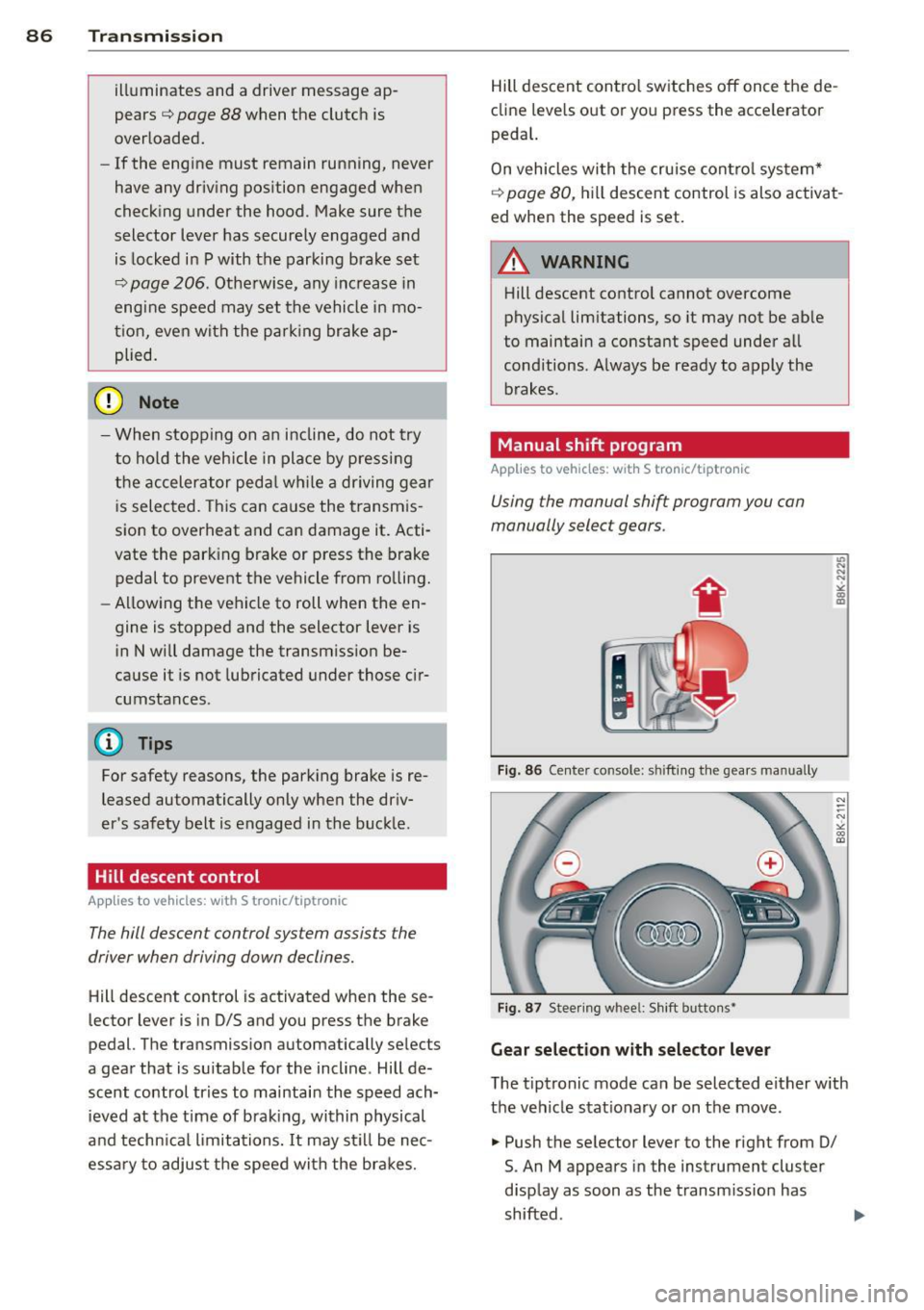
Fig. 86 Center console: shift ing the gears manually
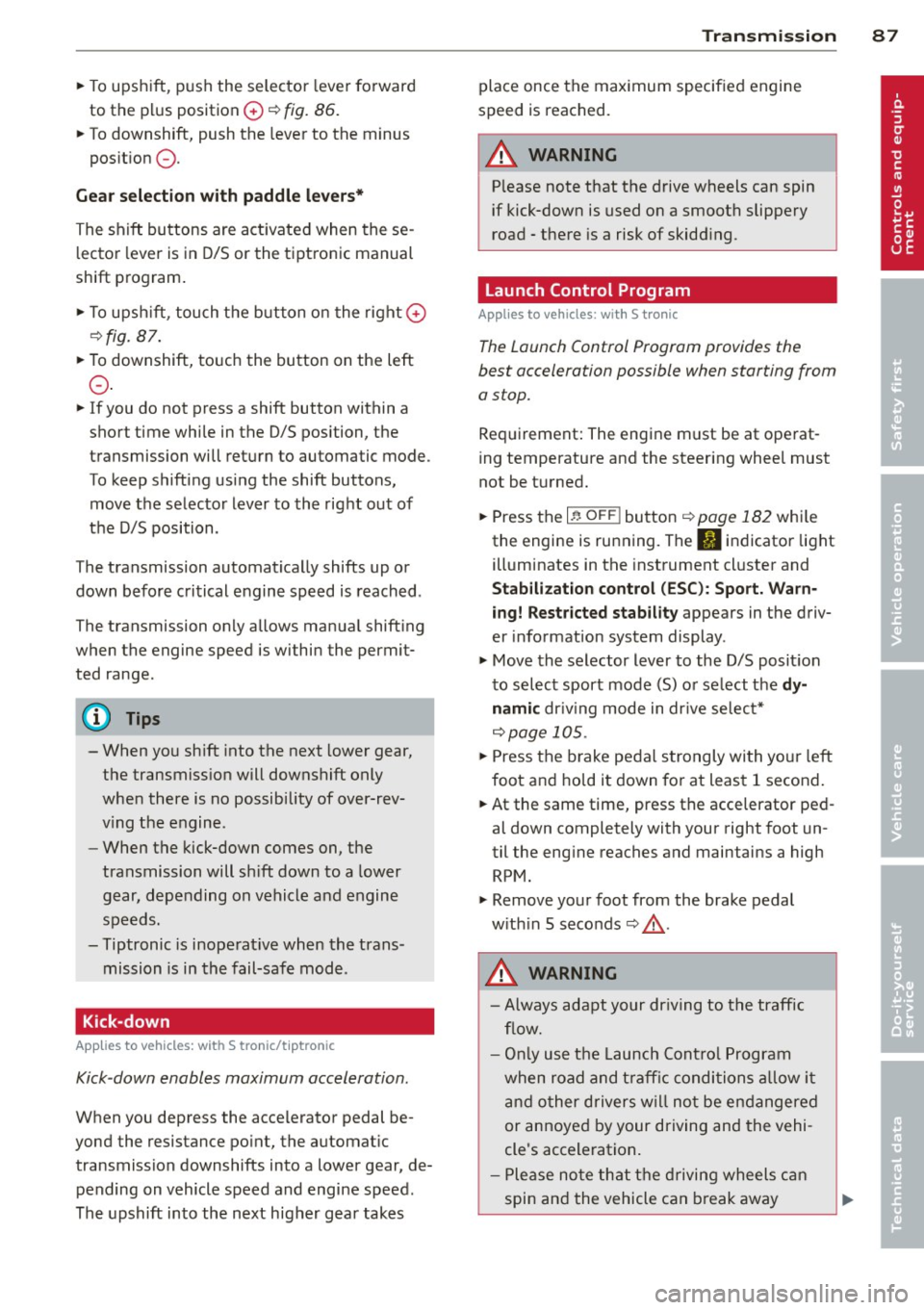
Fig. 87 Steering whee l: Shift butto ns~
Gear selection with selector lever
L'> N ... "!
"' m a,
N
--N ,;,
gi
The tiptronic mode can be selected either with
the vehicle stationary or on the move.
.,. Push the selector lever to the right from 0/
S. An M appears in the instrument cluster
display as soon as the transmission has
shifted .
Page 89 of 286
"To upshift, push the selector lever fo rward
to the plus position
0 ~ fig. 86.
" To downshift, push the lever to the minus
pos it ion
Q .
Gea r se lection with paddle lever s*
The shift buttons are act ivated when these
l ector lever is in D/S or the tiptronic manual
shift program .
"T o upsh ift, touch the button on the right
0
~ fig. 87.
"To downshift, touch the button on the left
Q .
"If you do not press a shift button within a
short time while in the D/S position, the
transmission will return to automatic mode .
To keep shifting using the shift buttons, move the selector lever to the right out of
the D/S position .
T he transmission automatically shifts up or
down before critical engine speed is reached .
The transmission only a llows manua l shifting
when the engine speed is within the permit ted range .
(D Tips
-When yo u sh ift into the next lower gear,
the transmiss ion will downshift only
when there is no possibility of over-rev
v ing the engine .
- When the kick-down comes on, the
transmission will sh ift down to a lower
gear, depending on vehicle and engine
speeds.
- Tiptronic is inoperat ive when the trans
mission is in the fail-safe mode .
Kick-down
Appl ies to vehicles: with S tro nic/t iptronic
Kick -down enables maximum acceleration .
When you depress the accelerator pedal be
yond the resistance po int, the automat ic
transmission downshifts into a lower gear, de pending on vehicle speed and engine speed .
The upshift into the next higher gear takes
Tran sm iss ion 87
place once the max imum specified engine
speed is reached.
A WARNING
P lease note that the drive wheels can spin
if kick-down is used on a smooth slippery
road - there is a risk of skidd ing .
Launch Control Program
App lies to vehicles : wi th S tronic
The Launch Control Program provides the
best acceleration possible when starting from
a stop.
Req uirement: The engine must be at operat
ing temperature and the steering whee l must
not be t urned.
" Press the
I~ O FF ! button r::!:> page 182 whi le
the engine is running. The
II indicator light
ill uminates in the instrument cl uster and
Stabili zat ion control (ESC): Sport. Warn ·
ing! Restricted stability
appears in the driv
er information system display .
" Move the selector lever to the D/S posit ion
to select sport mode (S) or se lect the
d y
nami c driv ing mode in dr ive se lect*
r::!:> page 105.
"Press the brake pedal s trongly with yo ur left
foot and hold it down for at least 1 second .
" At the same time, press the acce lerator ped
al down completely with your right foot un
til the eng ine reaches and maintains a high
RPM.
" Remove your foot from the brake pedal
w ith in 5 seconds
r::!:> & .
A WARNING
-Always adapt your dr iving to the traffic
f low.
- On ly us e th e Launch Cont ro l Program
when road and t raff ic condi tions a llow i t
an d other d rivers w il l not be e ndangered
or annoyed by your driving and the vehi
cle's acceleration.
- Please no te that t he drivin g wheels c an
spin and the vehicle can break away
-