service AUDI A5 COUPE 2014 Owners Manual
[x] Cancel search | Manufacturer: AUDI, Model Year: 2014, Model line: A5 COUPE, Model: AUDI A5 COUPE 2014Pages: 286, PDF Size: 70.99 MB
Page 4 of 286
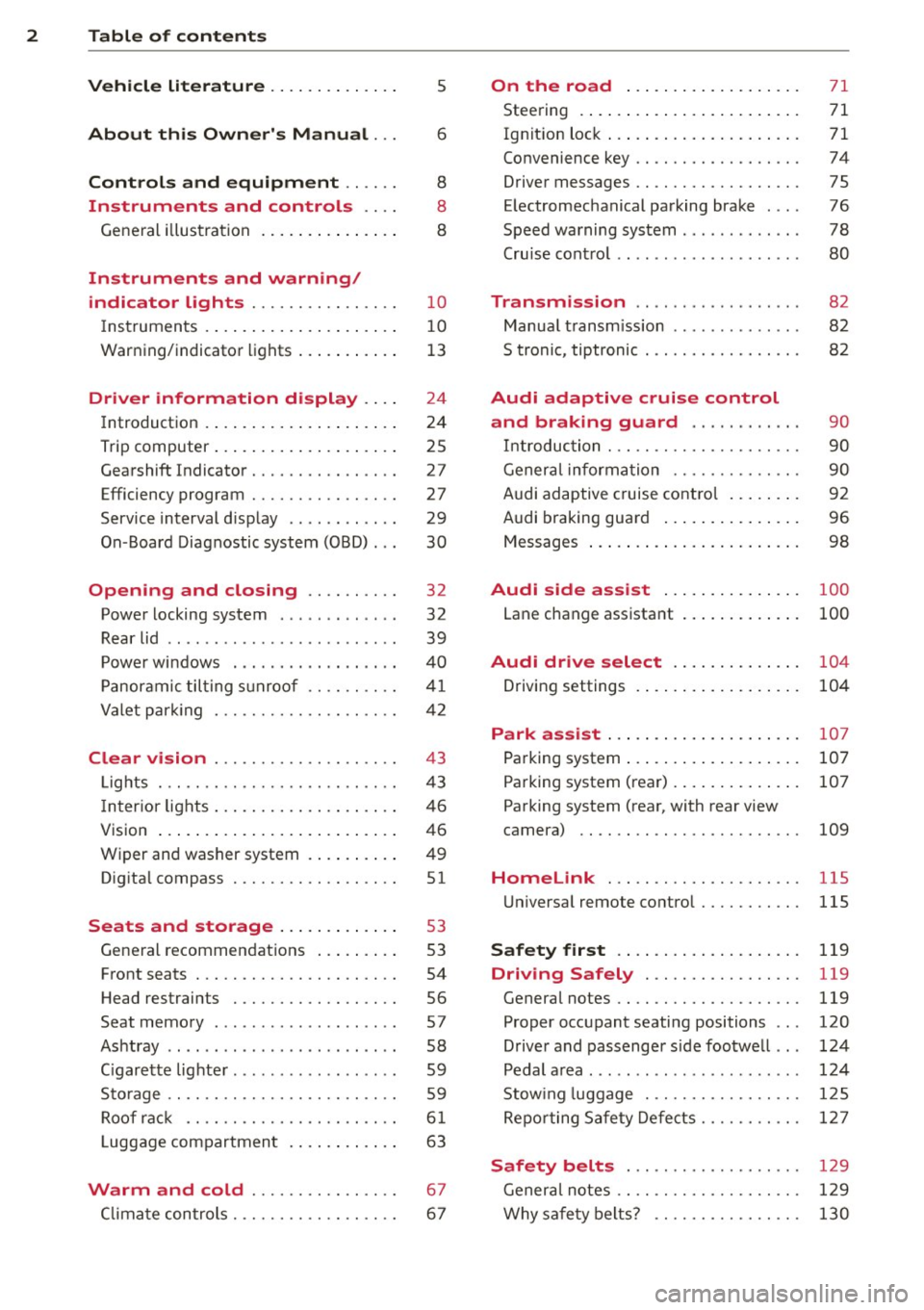
2 Table of contents Vehicle literature .. .. .. .. .. ... .
About this Owner's Manual ...
Controls and equipment .. ... .
Ins truments and controls .. . .
General illus tration .... ... .. .. ... .
Instruments and warning /
indicator lights ........ .. .. .. . .
Ins truments . .. .. ..... ... .. .. ... .
War ning/ indi cator lights ... .. ... .. .
Driver information d isplay .. . .
Introduct ion . .. .. ..... ... .. .. ... .
Trip computer .. .. ..... ... .. .. ... .
Gearshift Indicator ........ .. .. ... .
Efficiency program ........ .. .. .. . .
Service interval d isp lay .. .. .. .. .. . .
On -Board Diagnostic system (OBD) .. .
Opening and closing .... .. .. . .
Power locking system .. ... .. .. .. . .
R ear lid .. .. ................ ... . .
P owe r windows . ......... .. .. ... .
P anorami c til ting s unroof .. .. .. .. . .
Va let p arki ng ............ .. .. .. . .
Clear vision .............. .. ... .
Lig hts . .. .... ........... .. .. .. . .
I n ter ior lights .. . ...... ... .. .. ... .
V1s 1on ...... .. .. ..... ... .. .. ... .
Wi per and washer system . ... .... . .
Dig ita l compass .......... .. .. ... .
Seats and storage ... .. .. .. ... .
General recommendat ions ... ... .. .
Front seats ................ .. ... .
H ead restraints .......... .. .. ... .
Seat memory . .. ...... .... ... .. . .
As htray .. .. ................ ... . .
C igar ette lighte r .... ...... .. .. .. . .
S to rage .... ... .......... .. .. .. . .
Ro of r ack .. ............. ....... .
5
6
8
8
8
10
1 0
13
24
24
25
27
27
29
30
32
32
39
40
41
42
43
4 3
46
46
49
51
53
53
54
56
57
58
59
5 9
6 1
Luggage compartmen t . . . . . . . . . . . . 63
Warm and cold ............ ... .
C lima te con trols .......... .. .. ... .
67
6 7
On the road ... ... .. ..... .... . .
Stee ring . ..... .. .. ... ..... ... .. .
Ig nit ion loc k ... .. ... .. ..... ... .. .
Convenience key .. ............. .. .
Driver messages .. ............. .. .
E lectromechanical pa rking brake ... .
Speed warning system .. .. ... ... .. .
71
71
71
74
75
76
78
Cru ise cont ro l . . . . . . . . . . . . . . . . . . . . 80
Transm1ss1on . . . . . . . . . . . . . . . . . . 82
Manua l transm iss ion . . . . . . . . . . . . . . 82
S tronic, tiptronic . . . . . . . . . . . . . . . . . 82
Audi adaptive cruise control
and braking guard . . . . . . . . . . . .
90
In troduc tio n . . . . . . . . . . . . . . . . . . . . . 90
Ge ner al i nforma tion . . . . . . . . . . . . . . 90
Audi adaptive cruise cont rol . . . . . . . . 92
Audi braking gua rd . . . . . . . . . . . . . . . 96
Messages . . . . . . . . . . . . . . . . . . . . . . . 98
Audi side assist . . . . . . . . . . . . . . . 100
Lane change ass istant . . . . . . . . . . . . . 100
Audi drive select . . . . . . . . . . . . . . 104
Driving settings . . . . . . . . . . . . . . . . . . 104
Park a ssist . . . . . . . . . . . . . . . . . . . . . 107
Pa rking system . . . . . . . . . . . . . . . . . . . 107
Pa rking system (rear) . . . . . . . . . . . . . . 107
Pa rking system (rear, with rear view
camera) . . . . . . . . . . . . . . . . . . . . . . . .
109
Homelink . . . . . . . . . . . . . . . . . . . . . 115
U niversa l remote control.......... . 115
Safety first . . . . . . . . . . . . . . . . . . . . 119
Driving Safely . . . . . . . . . . . . . . . . . 119
General notes . . . . . . . . . . . . . . . . . . . . 119
Proper occupant seating positions . . . 120
Driver and passenger side foo twe ll . . . 124
Pedal a rea . . . . . . . . . . . . . . . . . . . . . . . 12 4
Stow ing luggage . . . . . . . . . . . . . . . . . 12 5
Repo rting Sa fety Defe cts.......... . 127
Safety belts . . . . . . . . . . . . . . . . . . . 129
Genera l notes . . . . . . . . . . . . . . . . . . . . 1 29
Why sa fe ty belts? . . . . . . . . . . . . . . . . 130
Page 5 of 286
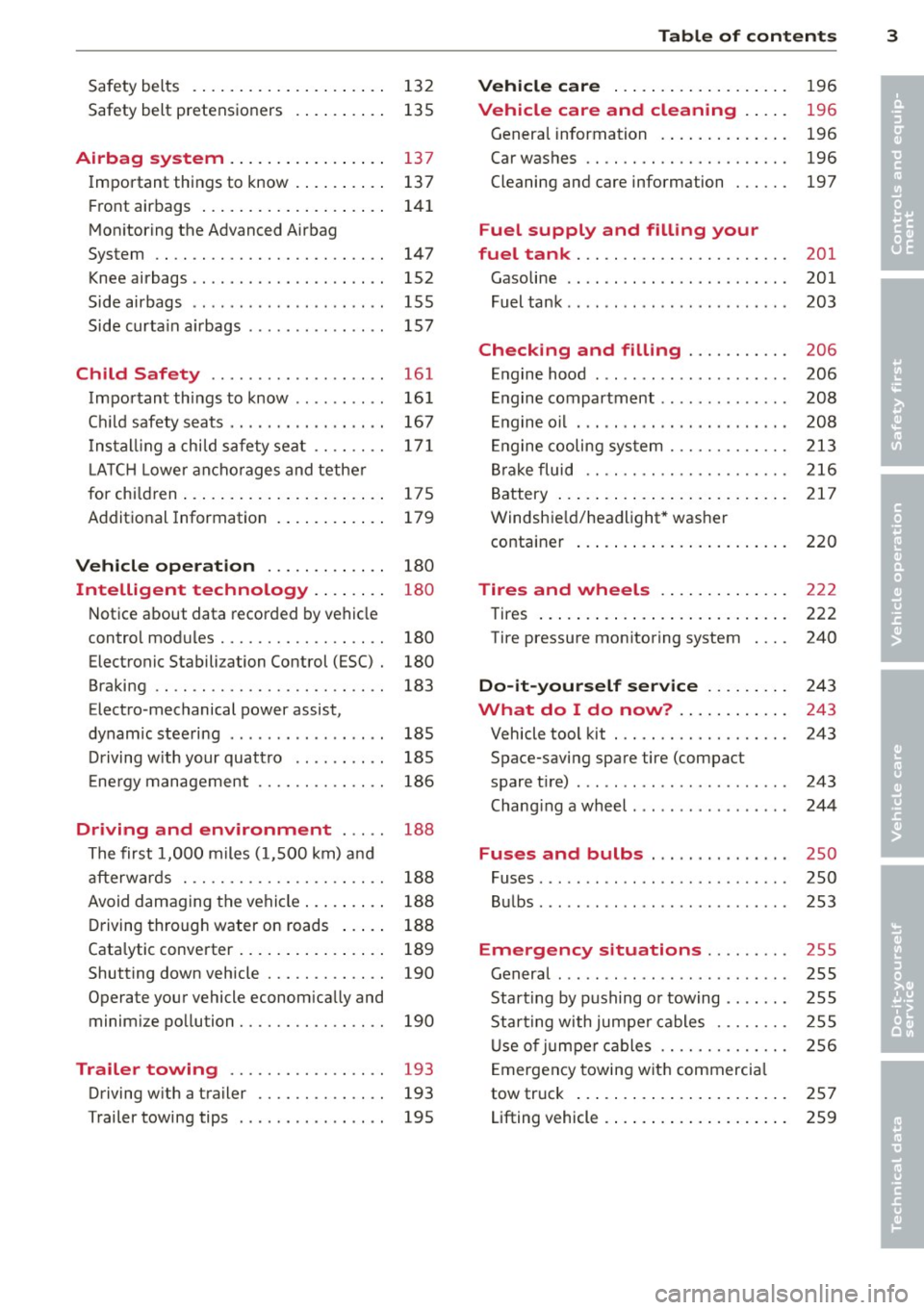
Safety belts . . . . . . . . . . . . . . . . . . . . . 132
Safety belt pretens ioners . . . . . . . . . . 135
Airbag system .. .... ... .. .. .. .. 137
I mportant th ings to know . . . . . . . . . . 137
Fr ont airbags . . . . . . . . . . . . . . . . . . . . 141
Mon itor ing the Advanced Airbag
System . . . . . . . . . . . . . . . . . . . . . . . . . 147
Knee airbags . . . . . . . . . . . . . . . . . . . . . 152
Side airbags . . . . . . . . . . . . . . . . . . . . . 155
Side curta in a irbags . . . . . . . . . . . . . . . 157
Ch ild Safety ........ .... ... ... .
Important things to know ....... .. .
C hil d safety s eats .... ... .. .. .. .. . .
I n st all ing a chi ld safe ty seat .. .. .. . .
L A TC H Lowe r ancho rages and tethe r
for ch ild ren ..... ...... ... .. .. .. . .
A ddit ional Information 161
16
1
167
17 1
175
179
Vehicle operation . . . . . . . . . . . . . 180
Intelligent technology . . . . . . . . 180
N ot ice about data recorded by veh icle
contro l mod ules . . . . . . . . . . . . . . . . . . 180
Electronic Stabili zation Control (ESC) . 180
Braking . . . . . . . . . . . . . . . . . . . . . . . . . 183
Elect ro -mechanical power assist,
dynam ic stee ring . . . . . . . . . . . . . . . . . 185
Dr iving w ith your quattro . . . . . . . . . . 185
E ne rgy management . . . . . . . . . . . . . . 186
Driving and environment . . . . . 188
T he first 1, 000 miles (1, 500 km) a nd
afterw ards . . . . . . . . . . . . . . . . . . . . . . 18 8
Avoid damaging the vehi cle . . . . . . . . . 188
D riving through water on roads . . . . . 188
Cata lytic converter . . . . . . . . . . . . . . . . 189
Shutting down vehicle . . . . . . . . . . . . . 190
Operate your vehicle econom ica lly and
minim ize po lluti on . . . . . . . . . . . . . . . . 190
Trailer towing . . . . . . . . . . . . . . . . . 193
Driving w ith a tra iler . . . . . . . . . . . . . . 193
T railer towing tips . . . . . . . . . . . . . . . . 195
Table of contents 3
Vehicle care . . . . . . . . . . . . . . . . . . .
196
Vehicle care and cleaning . . . . . 196
Genera l information . . . . . . . . . . . . . . 196
Car washes . . . . . . . . . . . . . . . . . . . . . . 196
Cleaning and care information . . . . . . 197
Fuel supply and filling your
fuel tank . . . . . . . . . . . . . . . . . . . . . . .
201
Gasoline . . . . . . . . . . . . . . . . . . . . . . . . 201
Fuel tank . . . . . . . . . . . . . . . . . . . . . . . . 203
Checking and filling . . . . . . . . . . . 206
E n gine hood . . . . . . . . . . . . . . . . . . . . . 206
E ngine compartment . . . . . . . . . . . . . . 208
E ngine o il . . . . . . . . . . . . . . . . . . . . . . . 20 8
En gine cooling sy stem . . . . . . . . . . . . . 213
Br ake fluid . . . . . . . . . . . . . . . . . . . . . . 216
B attery . . . . . . . . . . . . . . . . . . . . . . . . . 217
Windshie ld/headlight* was her
containe r . . . . . . . . . . . . . . . . . . . . . . . 220
Tires and wheels . . . . . . . . . . . . . . 222
Tires . . . . . . . . . . . . . . . . . . . . . . . . . . . 222
Tire pressure monitor ing system 240
Do-it-yourself service . . . . . . . . . 243
What do I do now? . . . . . . . . . . . . 243
Vehicle tool kit . . . . . . . . . . . . . . . . . . . 243
Space-saving spare tire (compact
spare t ire) . . . . . . . . . . . . . . . . . . . . . . . 243
Chang ing a wheel . . . . . . . . . . . . . . . . . 244
Fuses and bulbs . . . . . . . . . . . . . . . 250
Fuses ... .. .. .. .. .. . .. .... .... .. . 250
B ul bs. . . . . . . . . . . . . . . . . . . . . . . . . . . 253
Emergency situations . . . . . . . . . 255
Genera l . . . . . . . . . . . . . . . . . . . . . . . . . 255
Start ing by pushing or towing . . . . . . . 255
Star ting with jumpe r cables . . . . . . . . 255
U se o f jumpe r ca bles . . . . . . . . . . . . . . 256
E mergency towing wit h commerci al
tow truck . . . . . . . . . . . . . . . . . . . . . . . 257
Lifting vehicle . . . . . . . . . . . . . . . . . . . . 259
•
•
Page 6 of 286
4 Table of contents
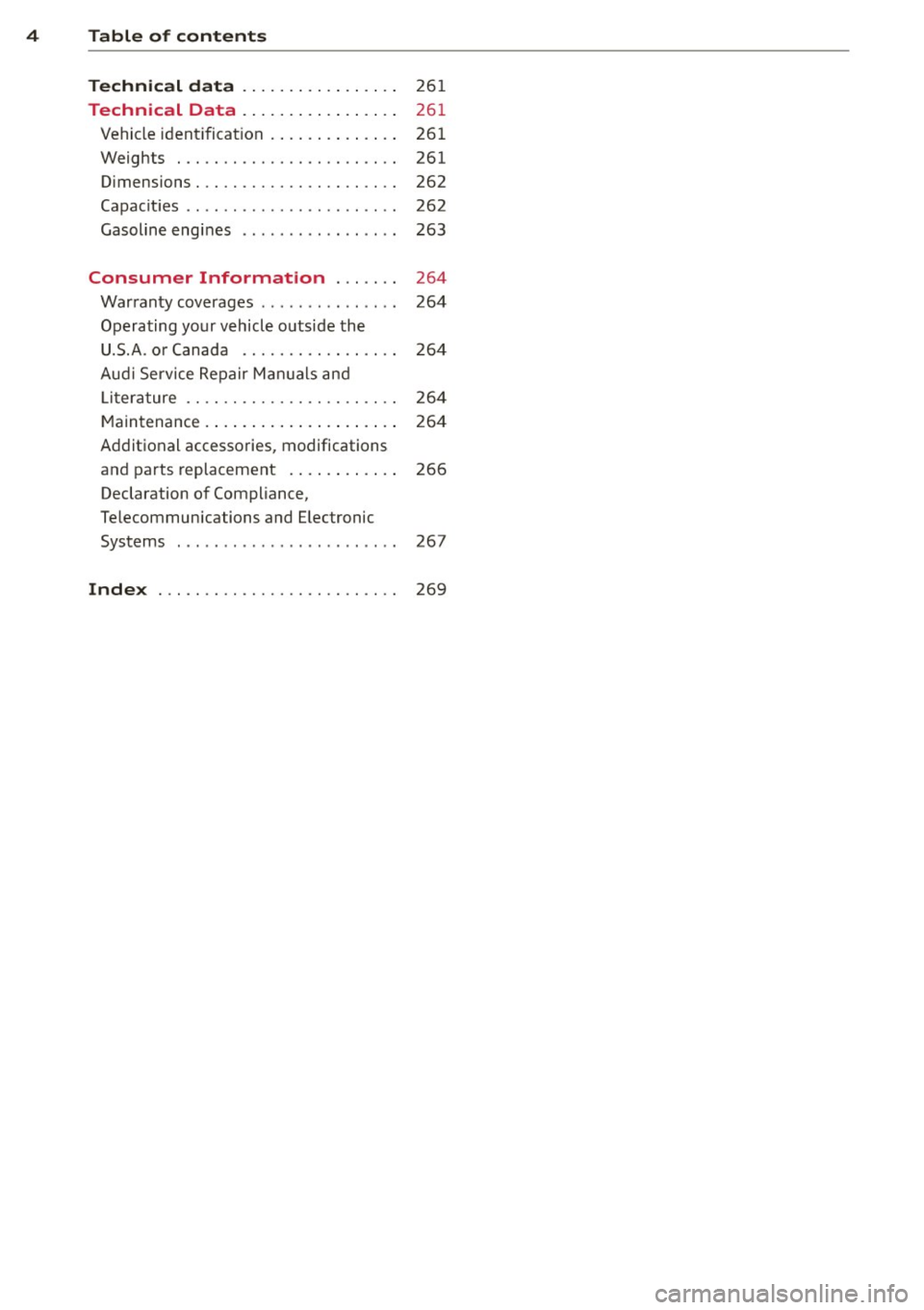
Technic al d ata . . . . . . . . . . . . . . . . .
26 1
Technical Data . . . . . . . . . . . . . . . . . 261
Vehicle ident ificat ion . . . . . . . . . . . . . . 261
Weights . . . . . . . . . . . . . . . . . . . . . . . . 261
Dimensions. . . . . . . . . . . . . . . . . . . . . . 262
Capacit ies . . . . . . . . . . . . . . . . . . . . . . . 262
Gasoline engines . . . . . . . . . . . . . . . . . 263
Consumer Information . . . . . . . 264
Warranty coverages . . . . . . . . . . . . . . . 264
Operating your vehicle outside the
U.S.A. or Canada . . . . . . . . . . . . . . . . . 264
Aud i Service Repair Manuals and
Li terature . . . . . . . . . . . . . . . . . . . . . . . 264
Maintenance . . . . . . . . . . . . . . . . . . . . . 264
Additional accessories, modifications
and parts replacement . . . . . . . . . . . . 266
Declaration of Compliance,
Telecommunications and E lectronic
Systems . . . . . . . . . . . . . . . . . . . . . . . . 267
Inde x . . . . . . . . . . . . . . . . . . . . . . . . . . 269
Page 7 of 286
In addition to t his Owner's Ma nual, your A udi
comes w ith a Warranty
& Maintena nce book
l et.
Mor eover , d ep en ding on the mode l and t he
e quip ment, there may be additiona l ins truc
tion boo klets delivered w ith your vehicle (for
e x amp le, Ope rat ing Instr uctions fo r yo ur
Sound System, Navigation System etc .).
If yo u are m iss ing one of these publicat ions,
or if you believe that the inf ormation is not
comp lete, contact you r auth orized Audi dea le r
for assistance.
The Warranty & Maintenance booklet
explains how yo u can kee p your A udi in top
d riving conditi on by hav ing it serviced regular
l y and conta ins deta iled in fo rmat ion about
the wa rranties covering your Aud i. Always
h ave the book let with yo u when yo u take your
ve hicle to an auth orized Audi dealer for serv
i ce . Y our Aud i Service Adviso r will record each
sche duled service and can answer any ques
tions you may have r ega rding how to ma intain
your ve hicle.
In Canada,
the vehicle lite ratu re is also avai lab le in
Fr ench . T o obtai n a co py, c ontact your dea ler
or w rit e to :
Au Canada, on peut se procure r un e xempla ire
e n fran~ais de ce doc ument aupres du conces
sionna ire ou de :
Vo lkswagen Canada, Inc.
Client Assistance
Assistance a la Clientele
77 7 Bayly Street, West,
A jax, On tario LIS 7G 7
If you sell your Audi
all literatu re should be left in the veh icle to
make the Warranty terms as we ll as a ll oper
ating, safety and ma intenance information
ava ilab le to the ne xt owne r.
Vehicle literature 5
If you change your address or if you
bought this Audi used
b e s ure to send in a "Notice of A ddress
Change"
I " N otice of Used Car Purchase" post
ca rd. T his card can be fo und in the War ranty
&
M aint enance booklet or obtained from your
a utho rized Aud i dea le r.
It is in your own interest that we are able to
contact you should the need arise .
•
•
Page 19 of 286
Instruments and warning/indicator lights 17
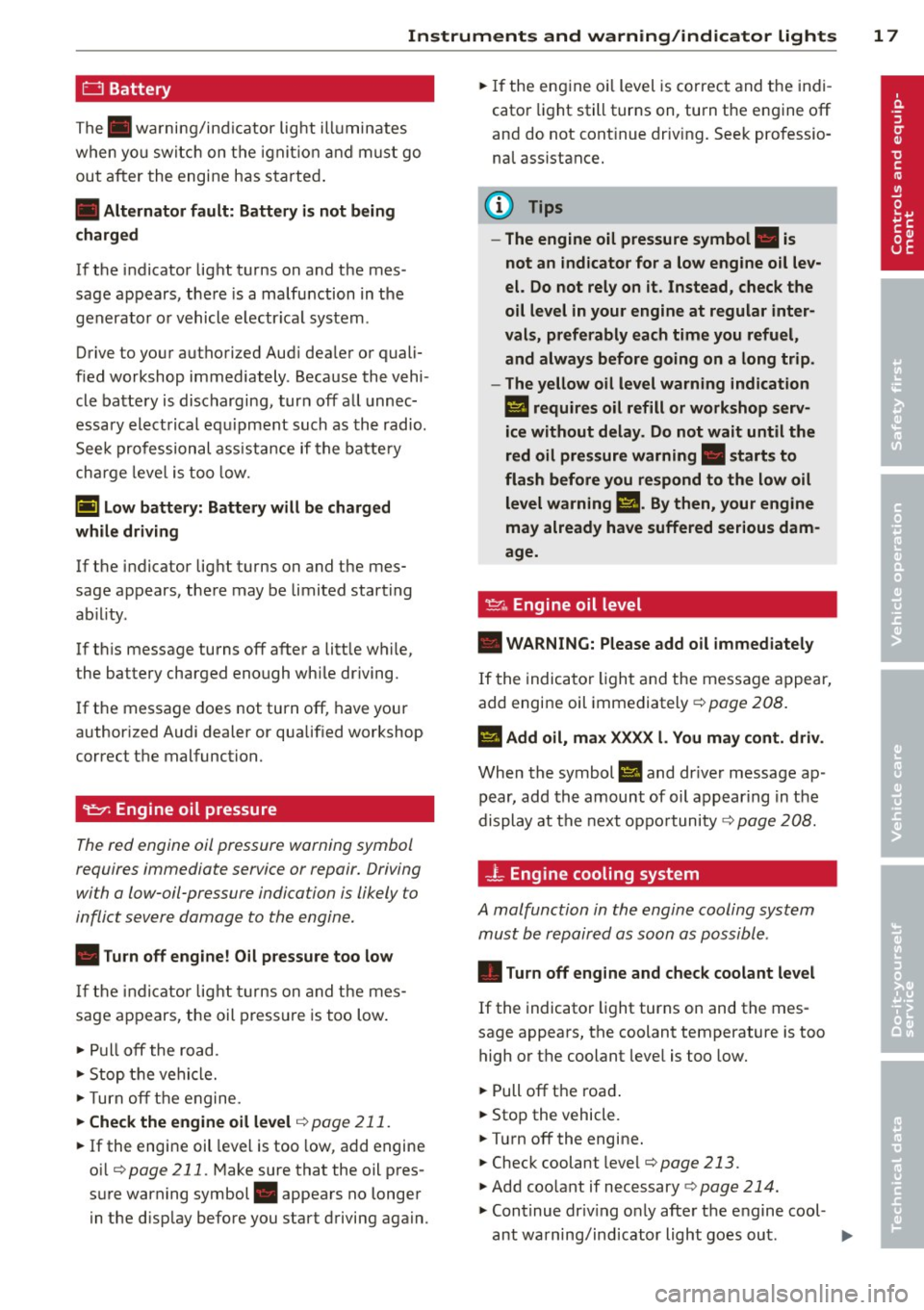
0 Battery
The. warni ng/ind icator lig ht ill umin ates
when yo u switc h on the igni tion and mu st go
ou t aft er the engine has s tarte d.
• Alternator fault: Battery is not being
charged
I f the i ndicator lig ht t urns on and t he mes
sage appears, the re is a malf unction in t he
gen erato r or vehicle e lectr ica l system .
Drive to yo ur autho rized Aud i dea le r or quali
fied workshop immediately . Because the vehi
cl e ba ttery is disc harging, tur n off a ll unnec
essa ry ele ct rical eq uipment suc h as th e radio.
S eek profession al ass is ta nce if the batte ry
ch arg e leve l is t oo low.
(•) low battery: Battery will be charged
while driving
If t he indicator lig ht t urns on and t he mes
sage appears, the re may be limited starting
ab il ity .
If
t hi s message turns off after a litt le w hile,
the battery charged enough wh ile driving.
If t he message does not turn off, have your
author ized Audi dealer or qua lified wor kshop
c o rrect the malfunctio n.
't:::7: Engine oil pressure
The red en gine oil pressure warning symbol
requires immediate service or repair . Driving
with a low-oil -pressure indication is likely to
inflict severe damag e to the engine.
• Turn off engine! Oil pressure too low
If th e ind ic a tor lig ht tur ns on and th e me s
sage a ppears, the oil press ure is too low .
~ Pull off the road.
~ Sto p th e ve hicl e.
~T urno ff th e e ngine.
~ Check the engine oil level ¢ page 211.
~ If the engine oi l leve l is too low , add engine
o il
¢ page 211. Make sure that the oil pres
s ur e warning symbol. appea rs no longer
i n t he d isp lay before you start d riving aga in.
~ If the en gine o il level is co rrec t and the in di
cato r light still turns on, turn the e ngine
off
and do not cont inue driv ing . See k pr ofessi o
na l assistance .
(D Tips
- The engine oil pressure symbol. is
not an indicator for a low engine oil lev
el. Do not rely on it. Instead, check the
oil level in your engine at regular inter
vals, preferably each time you refuel,
and always before going on a long trip.
- The yellow oil level warning indication
Ill requires oil refill or workshop serv
ice without delay . Do not wait until the
red oil pressure warning. starts to
flash before you respond to the low oil level warning
Ill. By then, your engine
may already have suffered serious dam
age.
·
~ .. Engine oil level
• WARNING: Please add oil immediately
If the indica to r li ght and the message a ppear,
add engine oil immediately ¢
page 208 .
El Add oil, max XXXX l. You may cont. driv .
When the symbol El and dr ive r message ap
pear, add the amoun t of oil app ear ing in t he
display at t he next oppo rtunity ¢
page 20 8.
-L Engine cooling system
A malfunction in the engine cooling system
must b e repaired as soon as possibl e .
• Turn off engine and check coolant level
If the indicato r light turns on and the mes
sage appears, the coolant temperature is too
high or the coolant leve l is t oo low.
~ Pull off t h e roa d.
~ Stop the vehicle.
~ Tu rnoff the engine .
~ Check coolant level¢ page 213 .
~ Add coolant if necessary ¢ page 214.
~ Continu e dr iv in g o nly afte r the engin e cool-
ant wa rning/ind icator light goes ou t. ..,.
Page 24 of 286
22 Instruments and warning/indicator lights
&_ WARNING
-light bulbs are pressurized and could ex
plode while they are being changed caus
ing serious personal injury.
- Work with due care when handling the
high-voltage section of gas discharge
(xenon) lights*. Failure to do so could re
sult in death or serious injury.
(D Tips
Have the bulb replaced or the connection
repaired by your authorized Audi Service
department.
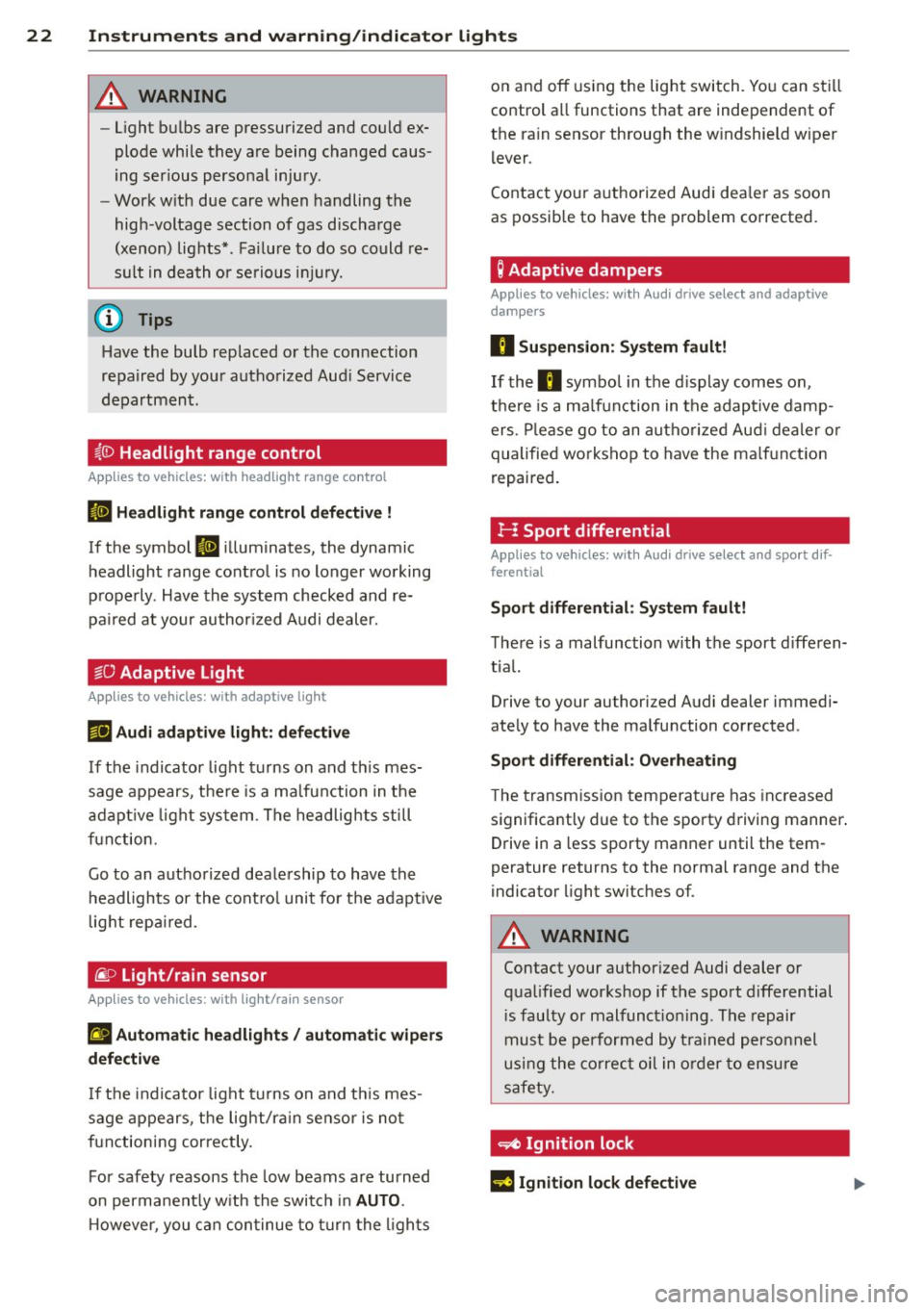
~(D Headlight range control
Appl ies to vehicles: with headlig ht range co ntrol
II Headlight range control defective !
If the symbol II illuminates, the dynamic
headlight range control is no longer working
properly . Have the system checked and re
paired at your authorized Audi dealer.
§0 Adaptive Light
Appl ies to vehicles: with adaptive light
r!l Audi adaptive light: defective
If the indicator light turns on and this mes
sage appears, there is a malfunction in the
adaptive light system. The headlights still
function.
Go to an authorized dealership to have the
headlights or the control unit for the adaptive
light repaired .
@..D light/rain sensor
Applies to vehicles: with light/rain sensor
II Automatic headlights/ automatic wipers
defective
If the indicator light turns on and this mes
sage appears, the light/rain sensor is not
functioning correctly.
For safety reasons the low beams are turned
on permanently with the switch in
AUTO.
However, you can continue to turn the lights on and off
using the light switch . You can still
control all functions that are independent of
the rain sensor through the windshield wiper lever .
Contact your authorized Audi dealer as soon
as possible to have the problem corrected.
Q Adaptive dampers
Applies to vehicles: with Aud i drive select and adaptive
dampers
II Suspension: System fault!
If the II symbol in the display comes on,
there is a malfunction in the adaptive damp
ers. Please go to an authorized Audi dealer or
qualified workshop to have the malfunction
repaired.
H Sport differential
Appl ies to vehicles: with Aud i drive select and spo rt dif
ferential
Sport differential: System fault!
There is a malfunction with the sport differen
tial.
Drive to your authorized Audi dealer immedi
ately to have the malfunction corrected .
Sport differential: Overheating
The transmission temperature has increased
significantly due to the sporty driving manner.
Drive in a less sporty manner until the tem
perature returns to the normal range and the
indicator light switches of.
&_ WARNING
-
Contact your authorized Audi dealer or
qualified workshop if the sport differential is faulty or malfunctioning . The repair
must be performed by trained personnel
using the correct oil in order to ensure
safety.
~ Ignition lock
l3 Ignition lock defective
Page 26 of 286
24 Driver information d isplay
Driver information
display
Introduction
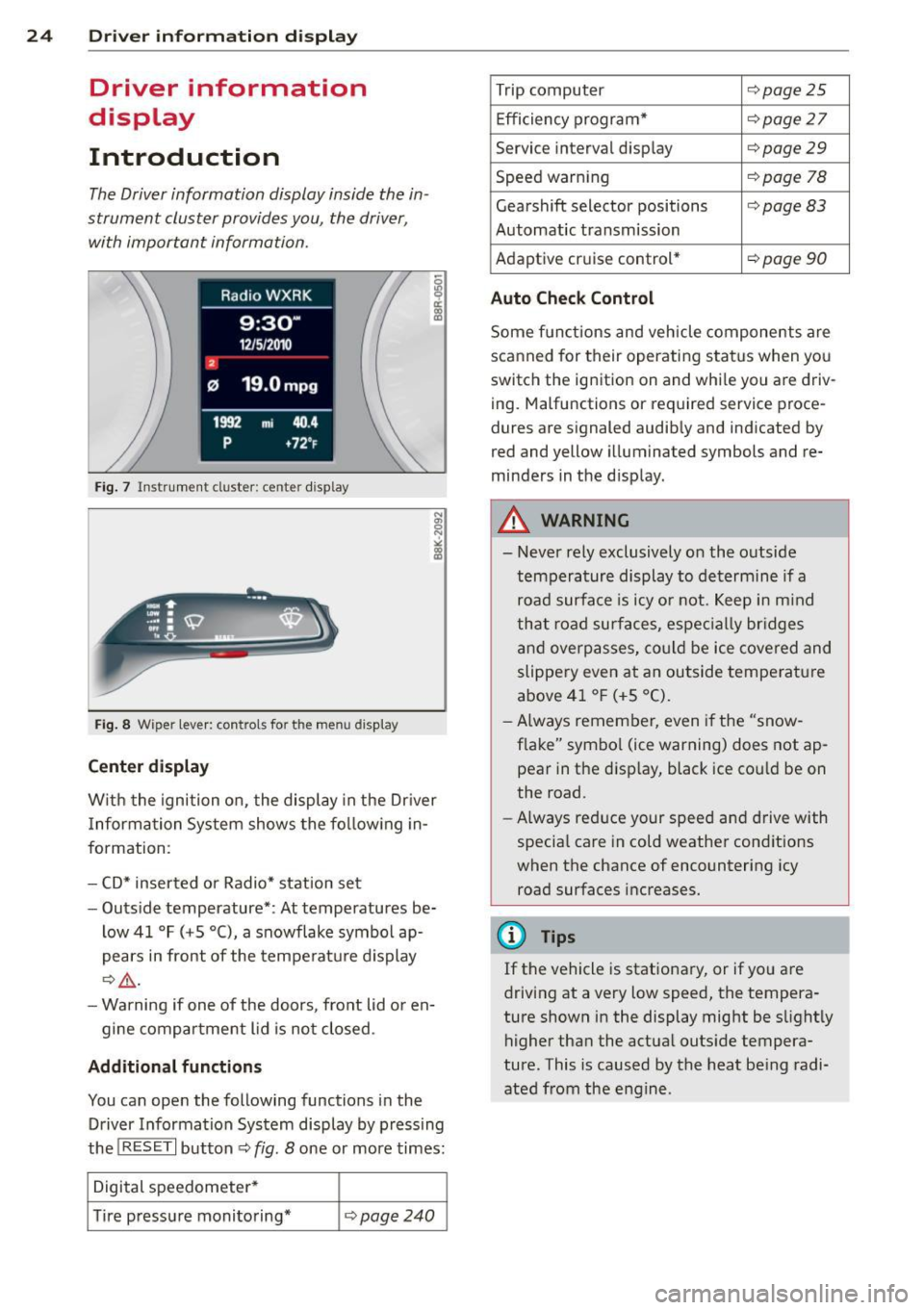
The Driver information display inside the in
strument cluster provides you, the driver,
with important information.
Fig. 7 Instrument cluster: ce nter display
Fig. 8 Wiper lever: controls for the menu display
Center display
With the ignition on, the display in the Dr iver
I nformation System shows the following in
formation:
- CD* inserted or Radio* station set
- Outside temperature*: At temperatures be-
low 41 °F (+S °C), a snowflake symbol ap
pears in front of the temperature display
c::> .&_.
-Warning if one of the doors, front lid or en-
gine compartment lid is not closed.
Additional functions
You can open the following functions in the
Driver Information System display by pressing
the
! RESET I button c::> fig. 8 one or more times:
Digital speedometer*
Tire pressure monitoring*
<::>page240
Trip computer <::>page25
Efficiency program* <::> page 27
Service interval display <::> page 29
Speed warning <::> page 78
Gearshift selector positions <::> page 83
Automatic transmission
Adaptive cr uise control*
<::> page 90
Auto Check Control
Some functions and vehicle components are
scanned for their operating status when you
switch the ignition on and whi le you are driv
ing . Malfunctions or required service proce
dures are signaled audibly and indicated by
red and yellow illuminated symbols and re
minders in the d isplay.
A WARNING
--- Never rely exclusively on the outside
temperature display to determine if a
road surface is icy or not . Keep in mind
that road surfaces , espec ially br idges
and overpasses, could be ice covered and
slippery even at an outside temperature
above 41 °F (+S °C).
- Always remember,
even if the "snow
flake" symbol (ice warning) does not ap
pear in the disp lay, black ice cou ld be on
the road.
- Always reduce your speed and drive with
specia l care in cold weather conditions
when the chance of encountering icy
road surfaces increases.
¢j) Tips
If the vehicle is stationary, or if you are
driving at a very low speed, the tempera
ture shown in the display might be slightly
higher than the actual outside tempera
ture. This i.s caused by the heat being radi
ated from the engine .
Page 31 of 286
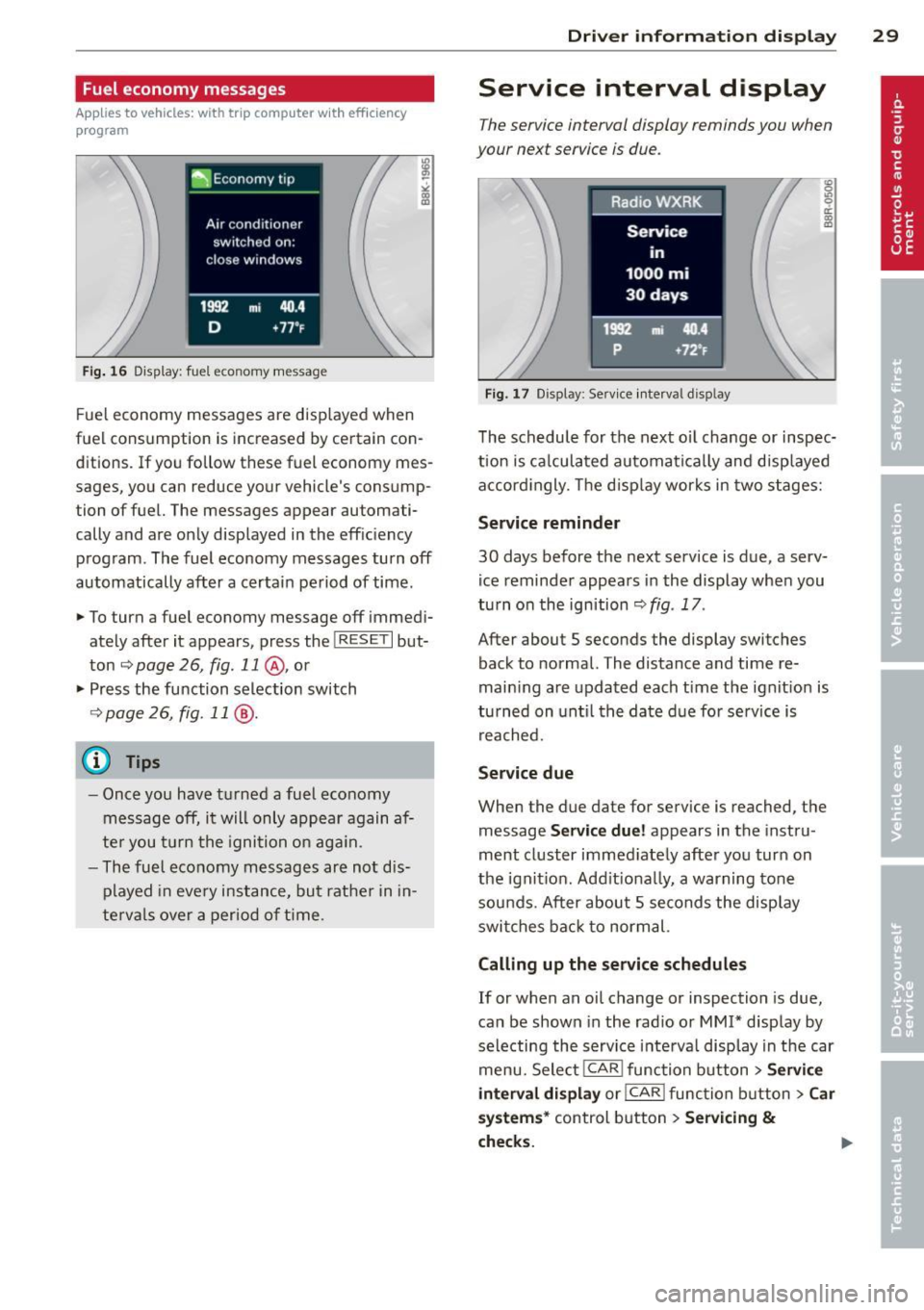
Fuel economy messages
Applies to vehicles: with trip computer w ith efficiency
program
Fig . 16 Display: fuel eco nomy me ssage
F ue l economy messages are disp layed when
fuel consumption is increased by certa in con
ditions. If you follow th ese fu el economy mes
sages, you can reduce your vehicle's consump
tion of fuel. The messages appear automati
cally and are only displayed in the eff ic iency
program . The fuel economy messages turn off
automatically after a certain period of time .
• To turn a fuel economy message off immedi
ately after it appears, pres s the !R ES ETI but
ton
~ page 26, fig . 11 @ , or
• Press the function selection switch
¢ page 26, fig. 11 @ .
(D Tips
- Once you have turned a fuel economy
message off, it will only appear again af
te r you turn the ignition on aga in.
- The fuel economy messages are not dis
played in every instance, but rathe r in in
te rva ls over a period of time .
Driver inform ation di spl ay 29
Service interval display
The service interval display reminds you when
your next service is due .
Fig. 17 Disp lay: Se rvice i nterval d is pl ay
The schedule for the next oi l change or inspec
tion is ca lculated automatica lly and disp layed
accord ingly. The d isp lay works in two stages:
Service reminde r
30 days before the next service is due, a serv
ice reminder appears in the display whe n you
turn on the ignition ¢
fig. 17 .
After about S seconds the display switches
back to normal. The distance and time re
main ing are updated each time the ignit ion is
tu rned on unt il th e date due for service is
reached.
Service due
When the due da te for service is reached , the
message
Ser vice due! appears in the in stru
ment cluster immed iately after you turn on
the ignit ion. Add it iona lly, a warning tone
sou nds . After about S seconds the disp lay
switches bac k to normal.
Calling up the service schedule s
If or when an oil change or inspection is due,
can be shown in the rad io or
MMI* disp lay by
selecting the service interva l display in the car
menu. Select !CAR ! func tion button>
Servic e
interval d ispl ay
o r! CAR ! function button> C ar
sys te m s*
control button > Serv icing &
check s.
Page 32 of 286
30 Driver information display
Resetting the service interval display
Your authorized Audi dealer will reset the cor
responding service schedule after performing
the appropriate service on yo ur vehicle . Yo u
also have the possibility to reset the oil
change schedule after having performed an
oil change according to Audi specifications.
Select
I CAR I function button > Service interval
display > Reset oil change interval
or ICARI
function button> Car systems* control but
ton
> Servicing & checks > Reset oil change
interval.
(D Note
If you disconnect the battery terminals, no
calculations can be made for the serv ice
interval display during this time and no
service rem inder wi ll appear. Remember
that observing the proper service intervals
is vitally important to extend ing the life of
your vehicle, particu larly the eng ine, and
maintaining its value. Even if the mileage
driven is low, the maximum period of one
yea r from one service to the next must not
be exceeded .
@ Tips
-Do not reset the display between oil
changes, otherwise the display will be in
correct.
- The information in the Service Reminder
r ema ins stored even when the vehicle
battery is disconnected.
On-Board Diagnostic
system (OBD)
Malfunction Indicator Lamp (MIL)
The Malfunction Indicator Lamp (MIL) ¢4' i n
the instrument cluster is part of the On-Board
Diagnostic (OBD II) system.
The warning/indicator light illuminates when
the ignition is switched on and goes out after
the engine starts and the idle has stabilized .
This indicates that the MIL is working proper
ly.
If the light does not go out after the engine
is started, or illuminates while you are driv
i ng, a malfunction may exist in the eng ine sys
tem . If the light illuminates, the catalytic con
verter could be damaged .
Continue driving
with reduced power (avoid
ing sustained high speeds and/or rapid accel
erations) and have the cond ition corrected.
Contact your authorized Audi dealer.
If the light il luminates, the electronic speed
limiter may also be malfunct ioning. For more
information
c:> page 31 , Electronic speed
limiter.
An improperly closed fuel filler cap may also
cause the
MIL light to illuminate
c:>page 204.
On-Board Diagnostics
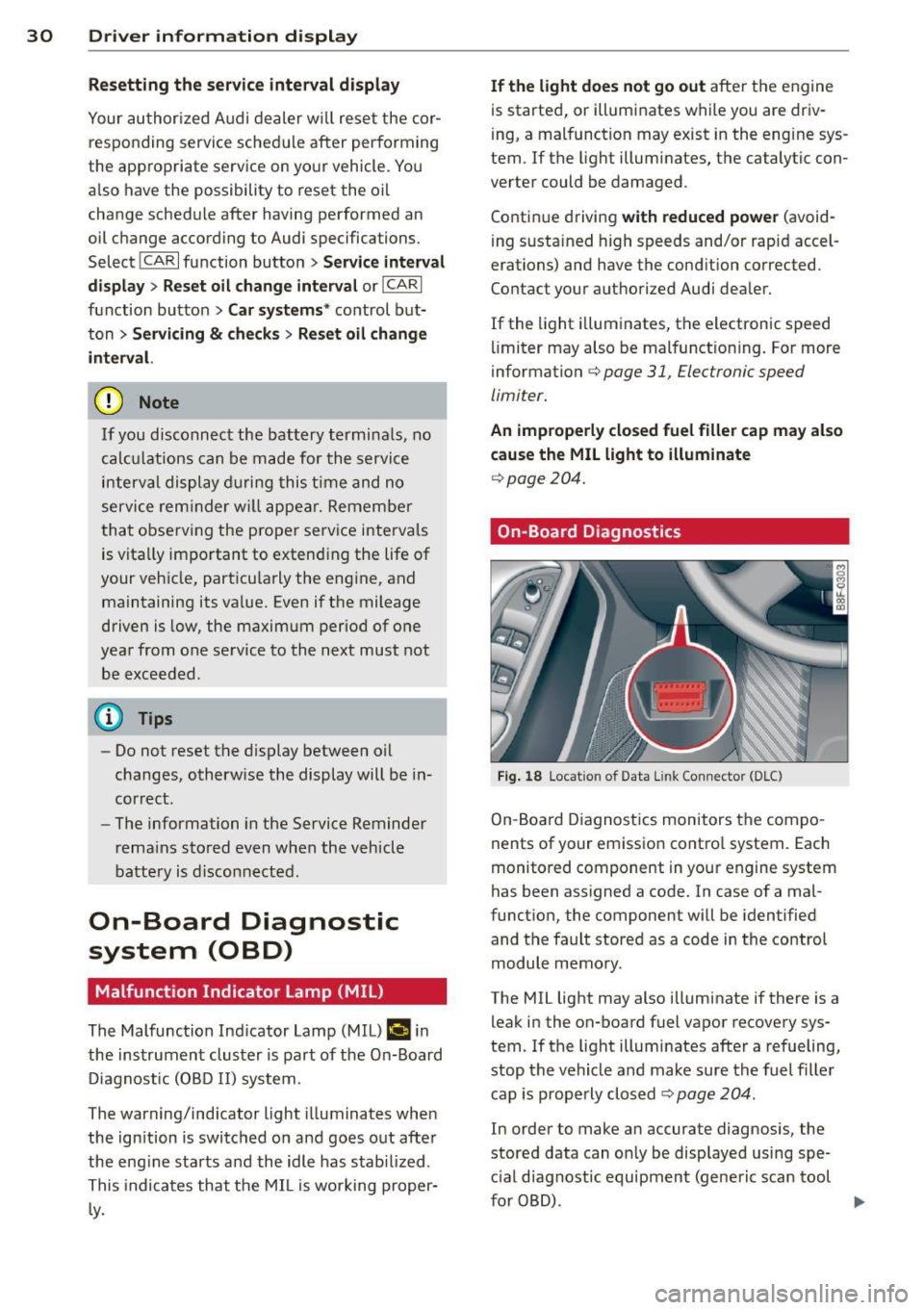
Fig . 18 Locat io n of Data Link Con nector (D LC)
On-Board Diagnostics monitors the compo
nents of your emission control system . Each
monitored component in your engine system
has been assigned a code. In case of a mal
function, the component will be identified
and the fault stored as a code in the control
module memory.
The MIL light may also illuminate if there is a leak in the on-board fuel vapor recovery sys
tem. If the light illuminates after a refueling,
stop the vehicle and make sure the fuel filler
cap is properly closed
c:> page 204.
In order to make an accurate diagnosis, the
stored data can on ly be displayed using spe
c ial diagnostic equipment (generic scan tool
furOBD) .
~
Page 35 of 286
-If the power lock ing system should ma l
function, you can lock the driver's door
using the mechanical key
~ page 3 7.
- If the power locking system should fail,
you can still open the fue l tank flap in an
emergency <=>
page 205.
-You are well advised not to keep valua
bles inside an unattended vehicle, visible
or not . Even a properly locked vehicle
cannot provide the security of a safe .
- If the LED in the upper edge of the driv
er's door panel comes on for about
30
seconds after the vehicle is locked, there
i s a malfunction in the power locking or
the anti-theft warning system. Have the
malfunction corrected by an author ized
Audi dealersh ip or qua lified repair fac ili
ty.
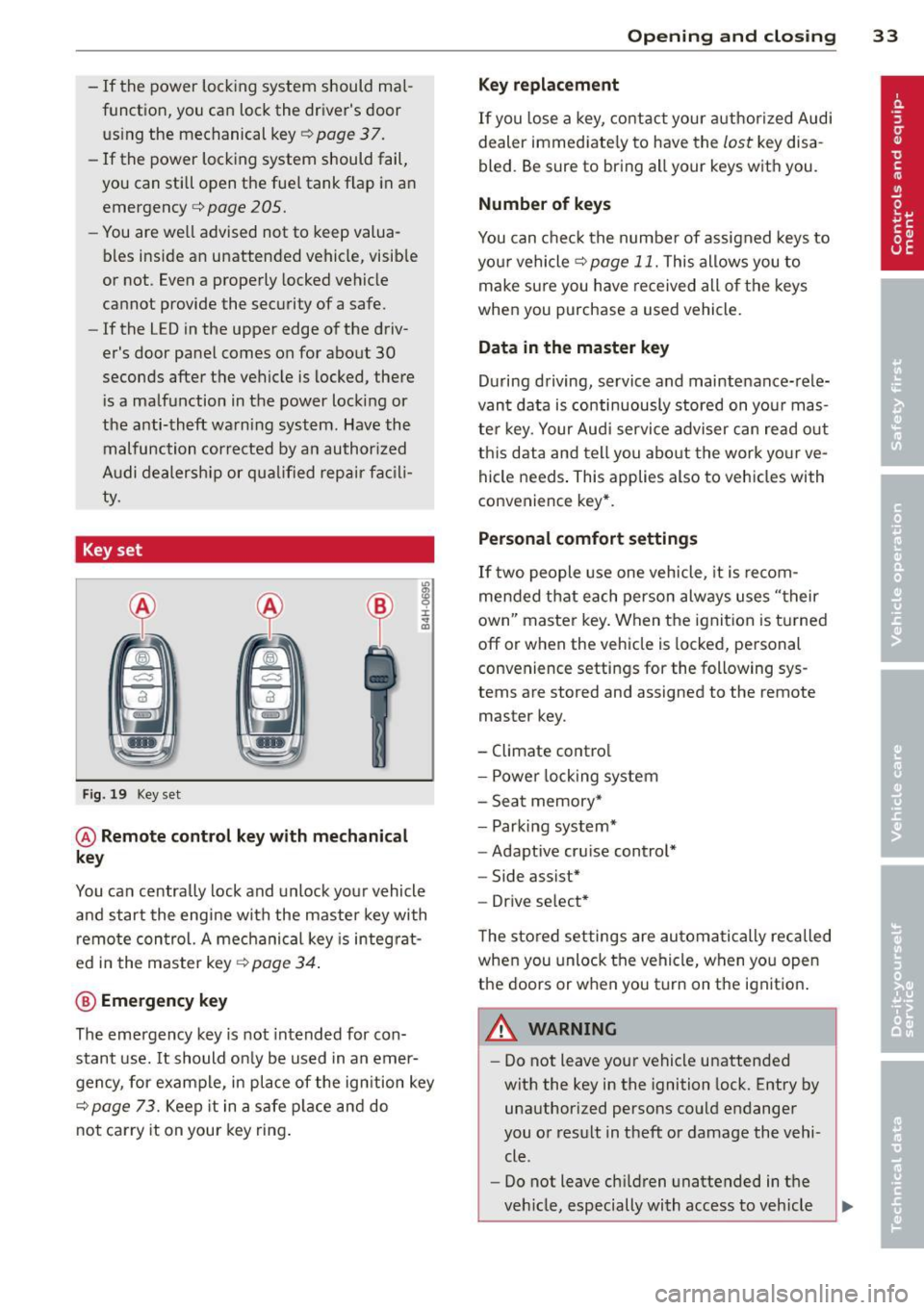
Key set
Fig. 19 Key set
@ Remote cont rol k ey with me chanical
ke y
You can centrally lock and unlock your vehicle
and start the engine with the master key with
remote control. A mechanical key is integrat
ed i n the master key
<=> page 34 .
@ Emerg ency key
The emergency key is not intended for con
stant use.
It should on ly be used in an emer
gency, for example, in place of the ign ition key
<=> page 73. Keep it in a safe p lace and do
not carry it on your key ring .
Openin g an d clos ing 33
Ke y re plac ement
If you lose a key, contact your author ized Audi
dealer immediate ly to have the
lost key disa
bled. Be sure to bring all your keys with you .
Number of keys
You can check the number of assigned keys to
you r vehicle <=>
page 11. This allows you to
make sure you have re ceived all of the keys
when you purchase a used vehicle.
Data in th e mast er ke y
During driving, service and maintenance-rele
vant data is continuously stored on your mas
ter key. Your Audi service adviser can read out
this data and tell you abo ut the work yo ur ve
hicle needs . This applies also to vehicles with
convenience key*.
Person al comf ort settings
If two people use one vehicle, it is recom
mended that each person always uses "their
own'' master key. When the ignition is turned
off or when the vehicle is locked, pe rsonal
convenience settings for the following sys
tems are stored and assigned to the remote
master key.
- Climate control
- Powe r locking system
- Seat memory*
- Parking system*
- Adaptive cruise control*
- Side assist*
- Drive select*
T he sto red settings are automatically recalled
when you unlock the vehicle, when you open
the doors or when you turn on the ignition .
A WARNING
--
-Do not leave your vehicle unattended
with the key in the ignition lock . Entry by
unauthorized persons could endanger
you or result in theft or damage the vehi
cle .
- Do not leave ch ildren unattended in t he
veh icle, especially with access to vehicle