infotainment AUDI A5 COUPE 2018 Owner's Manual
[x] Cancel search | Manufacturer: AUDI, Model Year: 2018, Model line: A5 COUPE, Model: AUDI A5 COUPE 2018Pages: 409, PDF Size: 67.63 MB
Page 70 of 409
Lights and Vi sion
CJ) Note
- If there is frost, make sure the windshie ld
wiper blades are not frozen to the wind
sh ield. Switching on the windshield wipers
when the blades are frozen to the wind
shield can damage the wiper blades.
- The windshield wiper system must be
switched off (lever in position 0) before
us
i ng a car wash. This prevents the wipe rs
from sw itching on unintentionally and caus
i ng damage to the w indshield wiper system.
(D Tips
- The windshield wipers switch off when the
ignition is switched off. You can act ivate the
windsh ield wipers after the ign ition is
switched back on by moving the windsh ield
wiper lever to any pos it ion.
- Wo rn o r dirty windshield wipe r blades result
i n streak ing. This can affect the ra in sensor
fun ct ion . Check your windshield wiper
blades regularly .
- The washer fluid nozzles fo r the windshie ld
washer system are heated at low tempera
tures when the ignition is on.
- When stopp ing temporarily, such as at a
traffic light, the speed of the windshie ld
wipers automatically reduces by one leve l.
Cleaning the wiper blades
Clean the wiper blades when you see wiper
streaks. Use a soft cloth and a glass cleaner .
~ Place the windshield wiper arms in the service
position
c::> page 68.
~ Fo ld the windshield wiper arms away from the
windshield.
A WARNING
Dirty windshield wiper blades can impair vi
sion, which increases the risk of an accident.
68
-
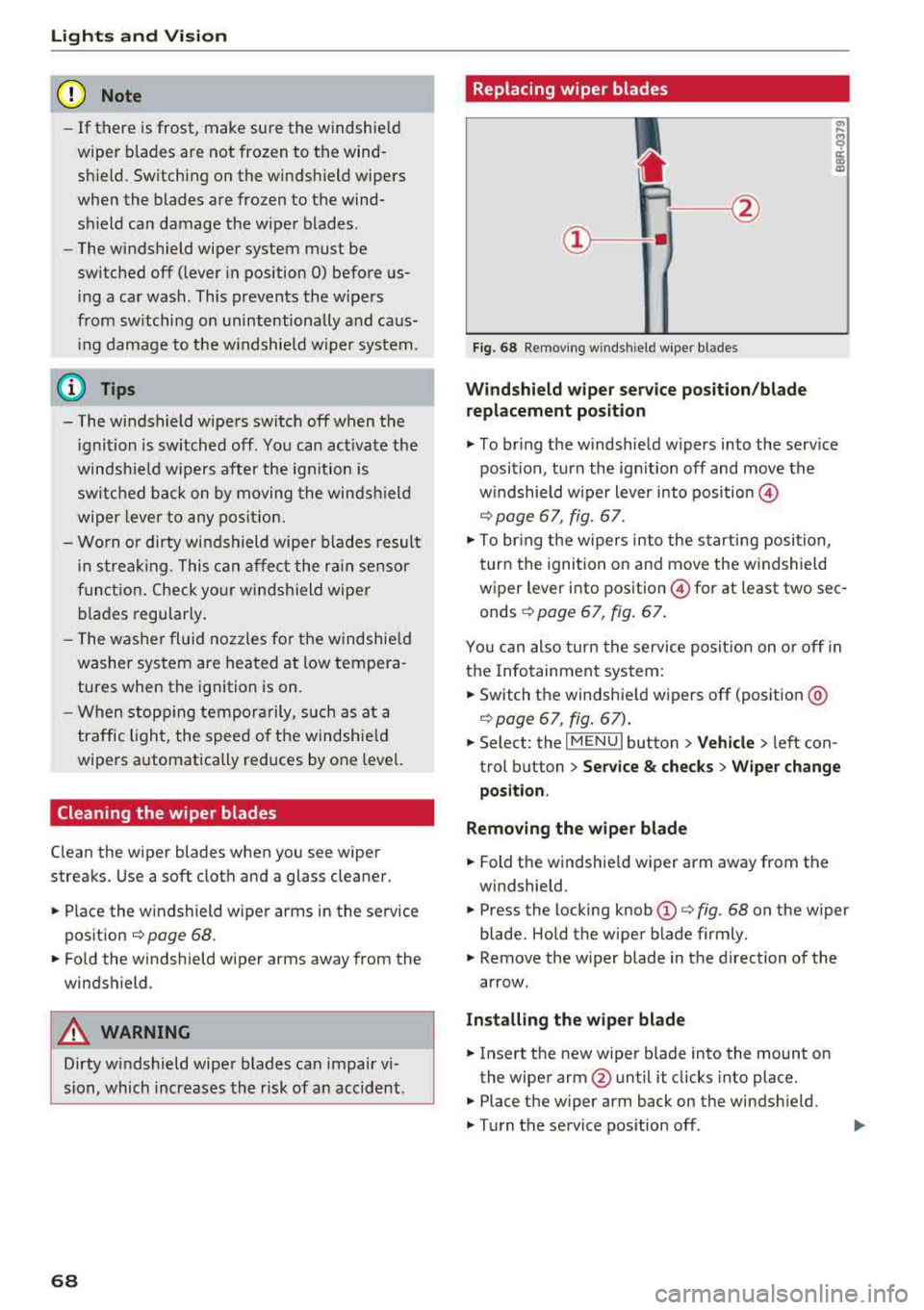
· Replacing wiper blades
Fig. 68 Removing windshield wiper blades
Windshield wiper se rv ice po sition /blade
repl acement position
~ T o br ing the windshield w ipers into the serv ice
position, turn the ign ition off and move the
w indshie ld wiper lever into position @
c::> page 67, fig. 67.
~ To bring the w ipers into the starting posi tion,
turn the ignition on and move the windshield
wiper lever into position
@for at least two sec
onds
¢ page 67, fig. 67.
You can also turn the service posit ion on or off in
the Infotainment system:
~ Switch the windshie ld wipers off (position @
c::>page 67, fig . 67) .
~ Select: the IM ENU I button > Veh icle > left con
trol button
> Serv ice & chec ks > W ip er change
position .
Removing the wipe r blade
~ Fold the windshie ld wiper arm away from the
windshield.
~ Press the locking knob (D c::> fig. 68 on the wiper
blade. Hold the wiper blade firmly.
~ Remove the wiper blade in the direction of the
arrow.
Install ing the wiper blade
~ Insert the new wiper blade into the mount on
the wiper arm@until it clicks into place.
~ Place the wiper arm back on the windsh ield.
~ Turn the service pos ition off .
Page 73 of 409
Seats and storage
General information
A WARNING
See ¢ page 258, Driving safety for important
information, tips, suggestions and warnings
that you should read and follow for your own
safety and the safety of your passengers.
Front seats
Power seat adjustment
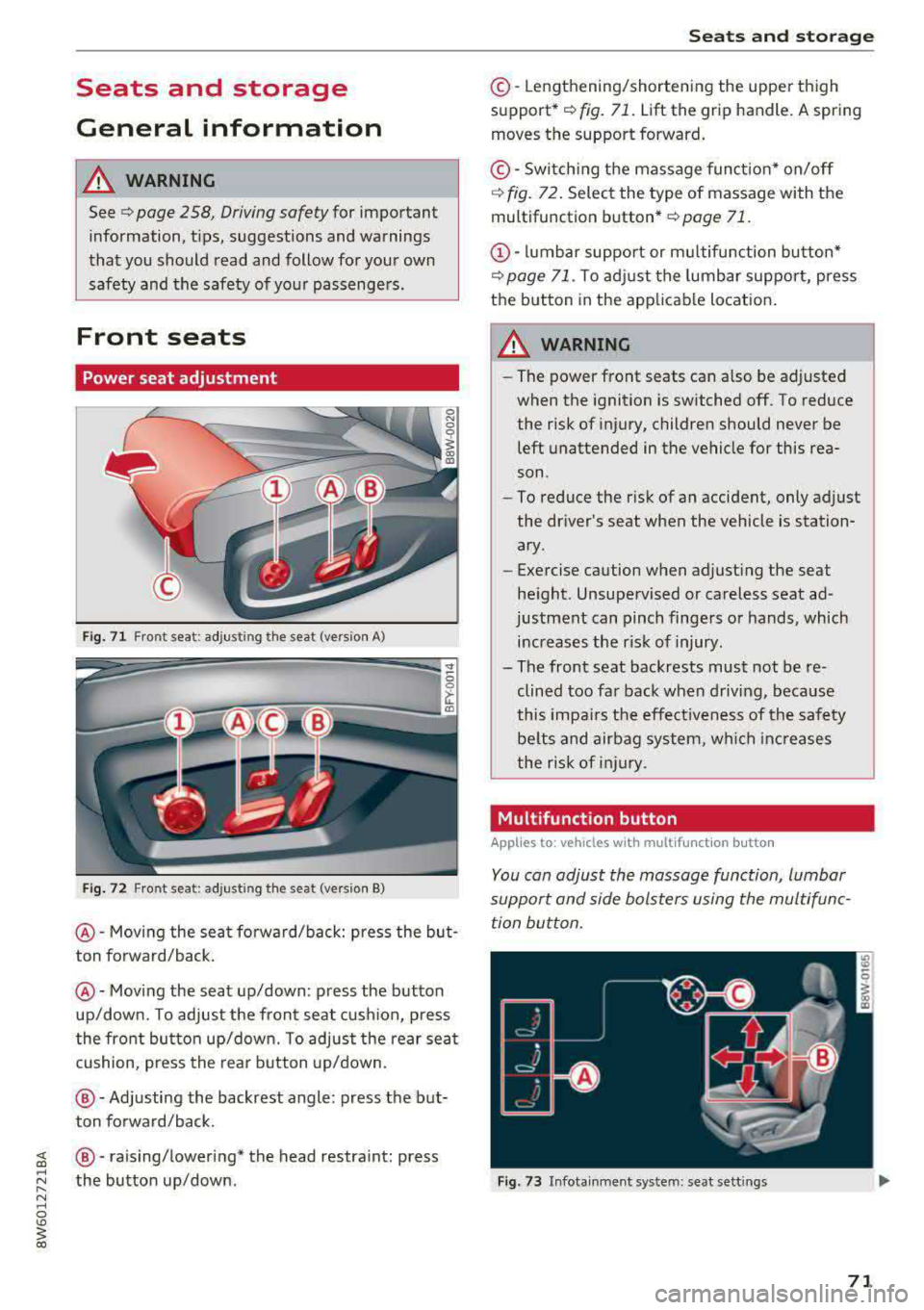
Fig. 71 Fro nt seat: adjus ting the seat (version A)
Fig. 72 Fro nt seat: adjust ing the sea t (version B)
@ -Moving the seat fo rward/back: press the but
ton forward/back.
@ -Moving the seat up/down: press the button
up/down. To adjust the front seat cush ion, press
the front button up/down. To adjust the rear seat
cushion, press the rear button up/down.
@-Adjusting the backrest angle: press the but
ton forward/back.
~ @ -raising/lowering* the head restra int: press
~ ~ the button up/down .
N ~ 0
'° ~ co
Seats and storage
©-Lengthening/shortening the upper thigh
support•¢ fig. 71. Lift the grip handle. A spring
moves the support forward.
© -Switching the massage function* on/off
¢ fig. 72. Select the type of massage with the
multifunction
button* ¢ page 71.
(D-lumbar support or multifunction button*
¢ page 71. To adjust the lumbar support, press
the button in the applicable location.
A WARNING
- The power front seats can also be adjusted
when the ignition is switched off. To reduce
the risk of injury, children should never be left unattended in the vehicle for this rea
son .
- To reduce the risk of an accident, only adjust
the driver 's seat when the vehicle is station
ary .
- Exercise caution when adjusting the seat
height. Unsupervised or careless seat ad
justment can pinch fingers or hands, which increases the risk of injury.
- The front seat backrests must not be re
clined too far back when driving, because
this impairs the effectiveness of the safety
be lts and airbag system, which increases
the risk of injury.
, Multifunction button
Applies to: vehicles with multifunction button
You can adjust the massage function, lumbar
support and side bolsters using the multifunc tion button.
Fig . 73 Infotainment sys te m : s eat sett in gs
71
Page 74 of 409
Sea ts and stor age
Operating
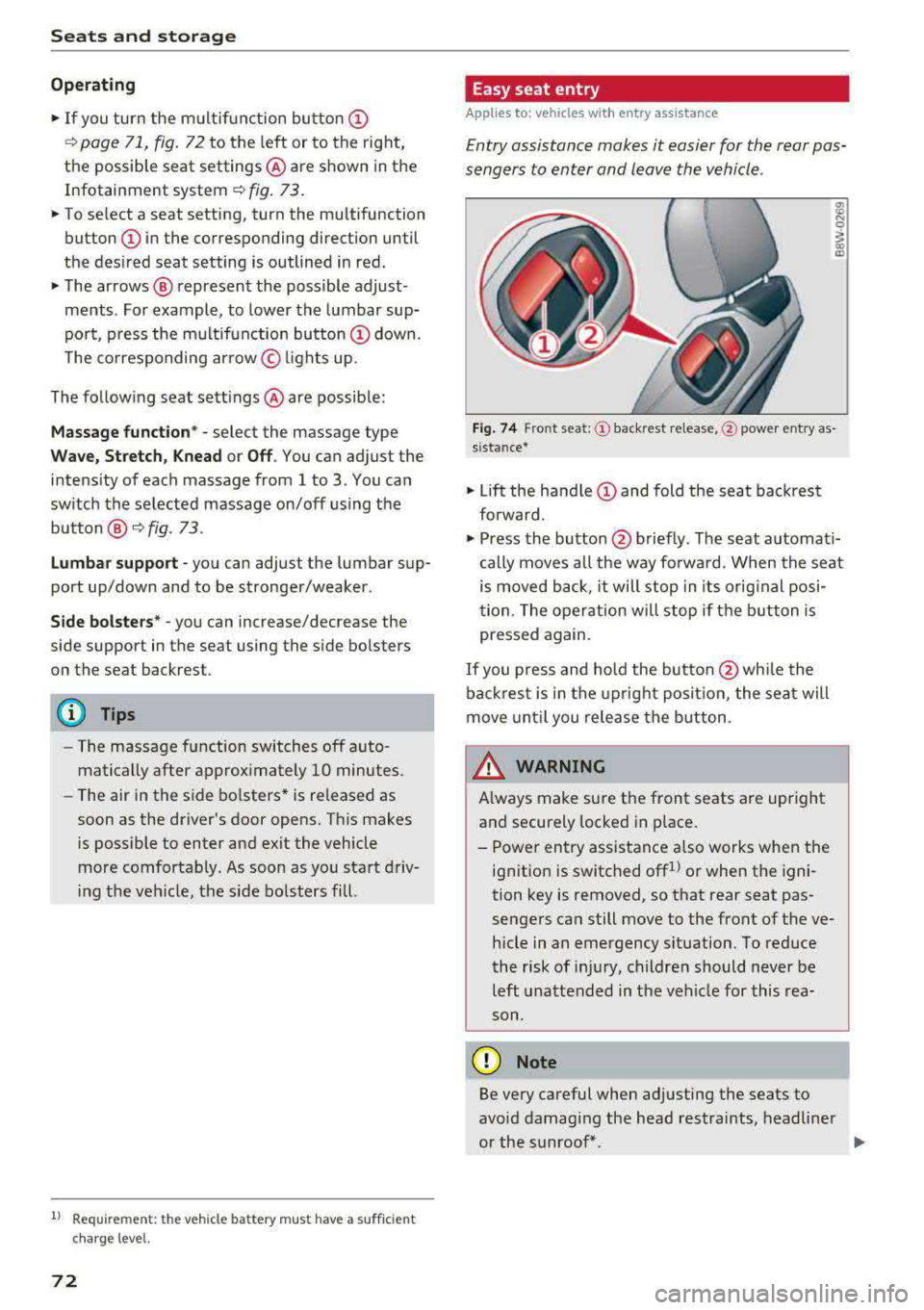
.. If you turn the m ultif unction bu tton CD
¢ page 71, fig . 72 to the left or to the right,
the possible seat settings @ are shown in the
Infotainment system
~ fig . 73 .
.. To se lect a seat setting, turn the multifunction
button
CD in the corresponding direction until
the des ired seat setting is outlined in red.
• The arrows @ represent the possible adjust
ments . Fo r example, to lower the lumbar sup
po rt, p ress the m ultifunction bu tton
CD down.
T he co rresponding arrow © lights up.
The fo llowing seat sett ings @ are possible :
Massage func tion * -select the massage type
Wave, St retch , Knead or Off . You can adjust the
i n tens ity of each massage from 1 to 3 . You can
sw itch the selected massage on/off using the
button @~ fig. 73 .
Lumb ar support -you can adjust t he lumbar sup
port up/down and to be stronger/weaker .
Side bolsters * -you can increase/decrease the
side support in the seat using the side bo lsters
on the seat backrest .
(I) Tips
-The massage function switches off a uto
matically after approx imately 10 minutes.
- The air in the side bo lsters* is released as
soon as the driver's door opens. This makes
i s possible to enter and exit the vehicle
mo re comfortab ly. As soon as you sta rt driv
i ng the veh icle, the s ide bo lsters fill.
1l Requ irem en t: the ve hicl e battery m ust have a suff icien t
c ha rge le v e l.
72
Easy seat entry
App lies to: vehicles with entry ass istance
Entry assistance makes it easier for the rear pas
sengers to enter and leave the vehicle .
Fig . 7 4 Fro nt seat: © backrest re lease, @powe r entry as
s ista nce*
• Lift the hand le CD and fold the seat backrest
forward .
• Press the button@ briefly . T he seat automati
cally moves a ll the way fo rwa rd . When the seat
is moved back, it will stop in its o rig inal posi
tion . The operation will stop if t he b utton is
pressed again.
If you p ress and hold the butto n
@while the
bac kres t is in the upright posi tion, the sea t will
move unt il you release the b utton .
& WARNING
Always make su re the front seats are upright
and securely locked in p lace .
- Power entry assistance also works when the
ignit ion is switched off
1
) or when the igni
tion key is removed , so t hat rear seat pas
sengers can still move to the front of the ve
hicle in an emergency s ituation. To red uce
the risk of inj ury, childre n should never be
left unattended in the vehicle for this rea
son .
(D Note
Be very careful when adjusting the seats to
avo id damaging the head restraints, headline r
or the sunroof*.
Page 77 of 409
Remote con- Memory but-trol key ton
Driver Driver
Sea t X X
Both exterior
X X mirrors*
Remote control key
Applies to: vehicles with memory function
The driver's seat profile can be assigned to the
remote control key when the vehicle is locked .
.. Select in the Infotainment system: !MENUI but
ton
> Vehicle> left control button > Vehicle
settings
> Seats > Driver's seat > Store set
tings on remote control key.
@ Tips
If you do not wish to have the seat profile for
another driver assigned to the remote control
key, switch the memory function off in the In
fotainment system.
Memory buttons
Applies to: vehicles with memory function
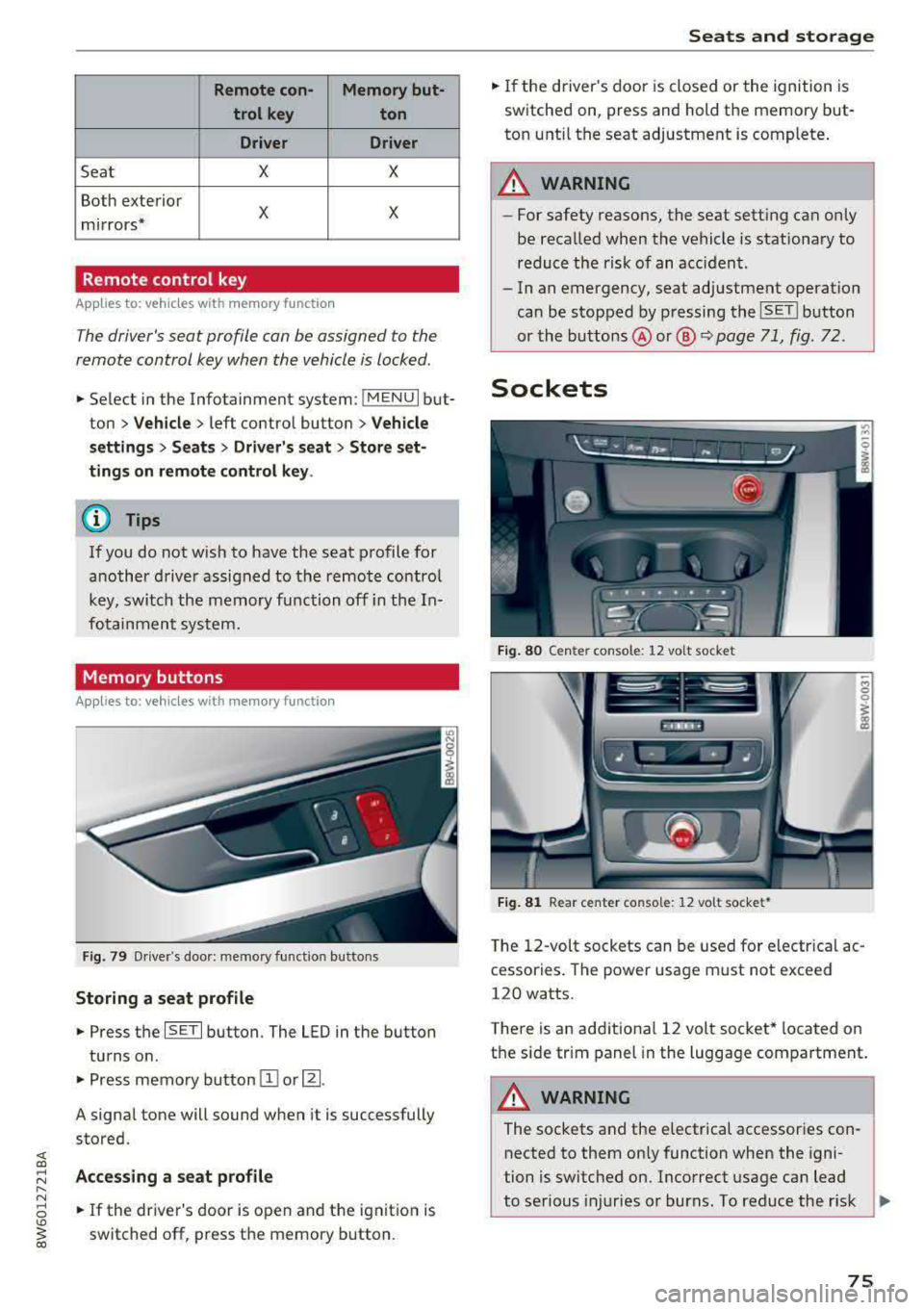
Fig. 79 Driver's door: memory functio n buttons
Storing a seat profile
.. Press the ISET I button. The LED in the button
turns o n .
.. Press memory button IT] or~ -
A signal tone will sound when it is successfully
stored.
;:::: Accessing a seat profile ...... N
8 .. If the driver's door is open and the ignition is
'° ~ switched off, press the memory b utton. co
Seats and storage
.. If the driver's door is closed or the ignition is
switched on, press and hold the memory but
ton until the seat adjustment is complete .
_& WARNING
-For safety reasons, the seat setting can only
be recalled when the vehicle is stationary to
reduce the risk of an accident.
- In an emergency, seat adjustment operat ion
can be stopped by pressing the
ISE TI button
or the buttons @ or@
~ page 71, fig. 72.
Sockets
Fig. 80 Cen ter console : 12 vo lt socket
Fig. 81 Rear center console: 12 volt socket •
The 12-volt sockets can be used for electr ical ac
cessories . The power usage must not exceed
120 watts.
T here is an additiona l 12 volt socket* located on
the side tr im panel in the luggage compartment.
A WARNING
The sockets and the e lectrical accessories con
nected to them only function when the igni
tion is switched on. Incorrect usage can lead
to serious injuries or burns. To reduce the r isk
Ji--
75
Page 87 of 409
<( a, .... N ,....
N .... 0 \0
3 a,
-The heat output from the neck heating* is l ower when the power top* is closed than
when it is open.
Setup
The climate control system basic settings ore ac
cessed in the Infotainment system .
.,. Select in the Info tainment sys tem: !MENUI b ut
ton
> V ehi cle > left contro l button > A ir condi
tioni ng
Auto reci rculation
When switched on, automatic recircu lation con
trols the rec irculation mode a utomat ically . If the
windows fog up , press
the@ M AX button.
Automatic au xiliary heater*
The auxiliary heater helps to warm the vehicle in
ter ior more quickly .
Steering wheel heating
Applies to: veh icles with steering whee l heating
The steering wheel rim con be heated .
.. Press the @I Q page 15 , fig . 1 1 button on the
mult ifunction steering wheel to switch the
stee ring wheel heating on and off. The mes
sage
Steerin g wh eel heating : on/St eerin g
wh eel h eat ing : off
appears in the instrument
cluster disp lay.
The temperat ure is maintained at a constant lev
e l when steering wheel heating is switched on .
The steering wheel heat ing settings are stored
automatically and ass igned to the remote control
key that is in use.
Warm and c old
85
Page 109 of 409
Assistance systems Electronic speed limiter
Your vehicle may be factory equipped with t ires
that are rated for a maximum speed of 130 mph (210 km/h). This is less than the maximum speed
of your vehicle. To reduce the risk of sudden tire
failure and loss of control if the vehicle is operat
ed at excessive speeds, your vehicle also has an
electronic speed limiter . The electronic speed
limiter prevents your vehicle from going faster
than the t ire speed rating. For mo re information
~page 341.
If the engine control unit receives faulty vehicle
road speed s ignals, the Malfunction Indicator
L amp
(MIL) ¢..ij will illuminate. If this occurs,
contact the nearest autho rized Audi dealer for
assistance.
_& WARNING
Always observe the posted speed limits and
adjust your speed to suit prevailing road, traf
fic and weather conditions. Never drive your
vehicle faster than the max imum speed rating
of the tires installed.
Speed warning system
Introduction
Applies to: vehicles with speed warning system
The speed warning system helps you to stay be
low a specified maximum speed that can be set,
changed or deleted in the Infotainment system.
-
The speed warning system warns you if you are
exceeding the maximum speed that you have set .
A wa rning tone will sound as soo n as yo ur speed
exceeds the s tored value sligh tly. The
[01 (USA
models)/
[01 (Canada models) indicator light
and a message appear in the instrument cluster
display at the same time. The
HI] / [0] indicator
light and the message turn off if the speed falls
back below the stored maximum speed.
Setting a threshold is recommended if you would l ike to be reminded when yo u reach a certain
maximum speed. Situations where you may want
to do so include driving in a country with a gen er-
Ass is ta nce syst ems
al speed limit or if there is a specified maximum
speed for winter tires.
Setting the warning threshold
Se lect in the Infotainment system: !MENU I b ut
ton
> Vehi cle > left contro l button > Driver a ss is
tance > S peed w arning > Manual.
(j) Tips
Regardless of t he speed warning system, you
shou ld always mon itor your speed using the
speedometer and make s ure yo u are fo llow ing
the lega l speed limit .
Cruise control system
Switching on
Applies to: vehicles with cruise control system
The cruise control system makes it possible to
drive at a constant speed starting at
15 mph
(20 km/h) .
0
f
~
0
Fig . 1 07 Operat ing lever: cruise control system
~
"' 0 > u. m
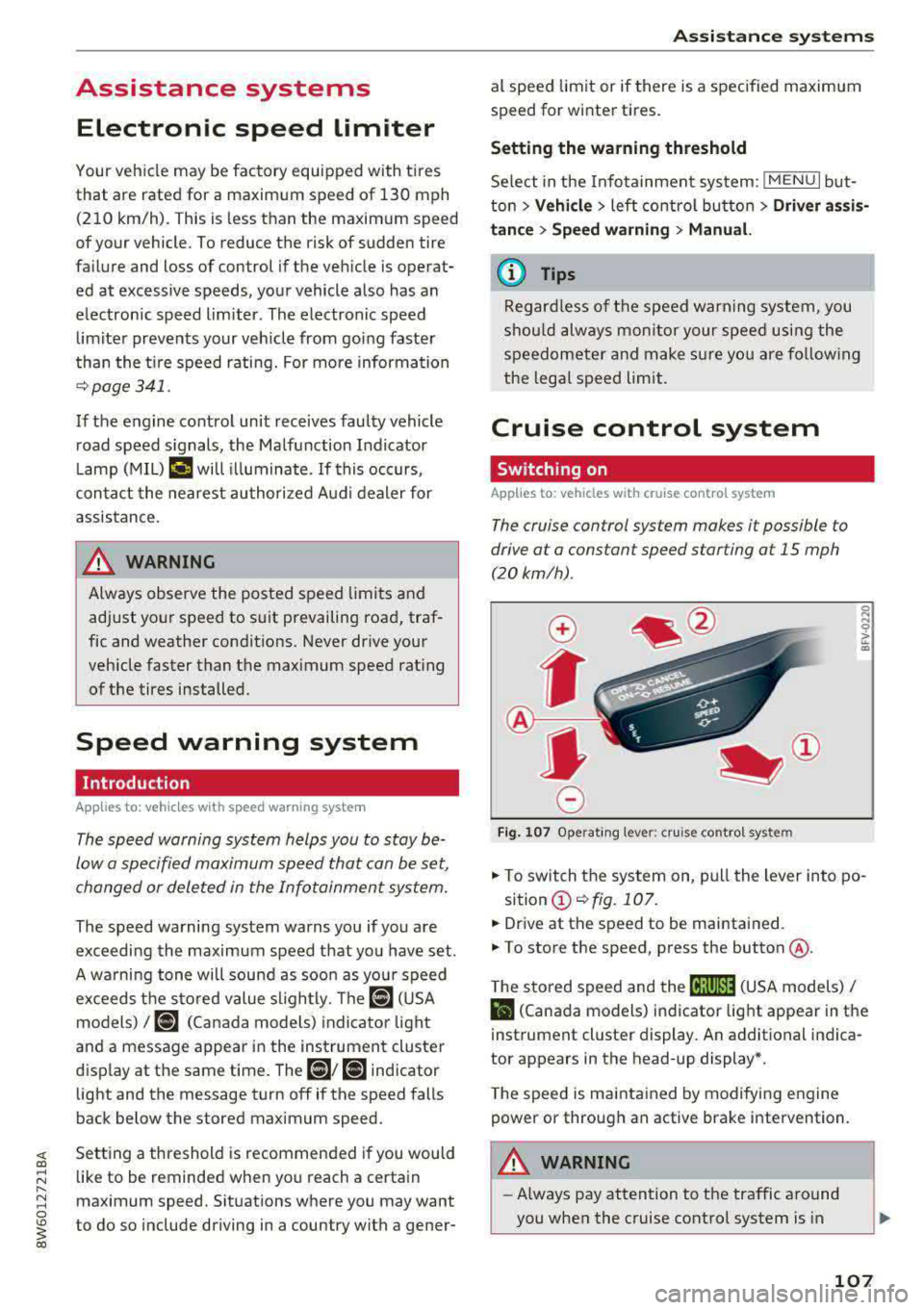
.. To switch the system on, pull the lever into po-
sition
(D ~ fig. 107 .
.. Dr ive at the speed to be maintained.
.. To store the speed, press the button @.
T he stored speed and the
cij;jl)~14 (USA models) /
Bl (Canada models) indicator light appear in the
instrument cluster display . An additional ind ica
tor appears in the head-up display *.
T he speed is maintained by modifying engine
power or through an active brake intervention.
A WARNING
-~
- Always pay attention to the traffic around
you when the cruise control system is in
107
Page 112 of 409
Ass is tance sy stems
- Under some circumstances, traffic sign rec
ognition may not detect traffic signs cor
rectly or detect them at all. As a result, the
system may not display the correct speed limit or any speed limit.
- Traffic s ign recognition does not adapt your
vehicle's speed to match the speed limit!
- The disp lay in the instrument cluster is
based on the units of measurement used for
speed in that country . As a result, the d is
play
SO in the instr ument cluster can mean
ei ther km/h o r mph, depending on the coun
t ry .
Operation
Applies to : vehicles with camera-based traffic sign recogn i
tion
F ig. 11 0 In stru ment cl uste r: add it iona l d isplay
Acces sing traffic sign recogniti on
.,. Se lect : the first tab> Traffic signs .
Setting a speed warning
You can set a warning t hreshold down to 10 mph
(15 km/h). The tra ffic sign for the current detect
ed spee d limit w ill blink in the disp lay if yo u ex
ceed the set thresho ld .
.,. Se lect in the Infotainment sys tem : I MENU I but
t on
> Vehicle > left contro l button > Driver a s
sistan ce
> Speed warning > Traffic sign ba sed
warning .
Additional display
I f a view othe r than the traffic sign recogni tion is
selec ted in the instrument cluster disp lay, the
speed lim it w ill be shown in ano ther disp lay
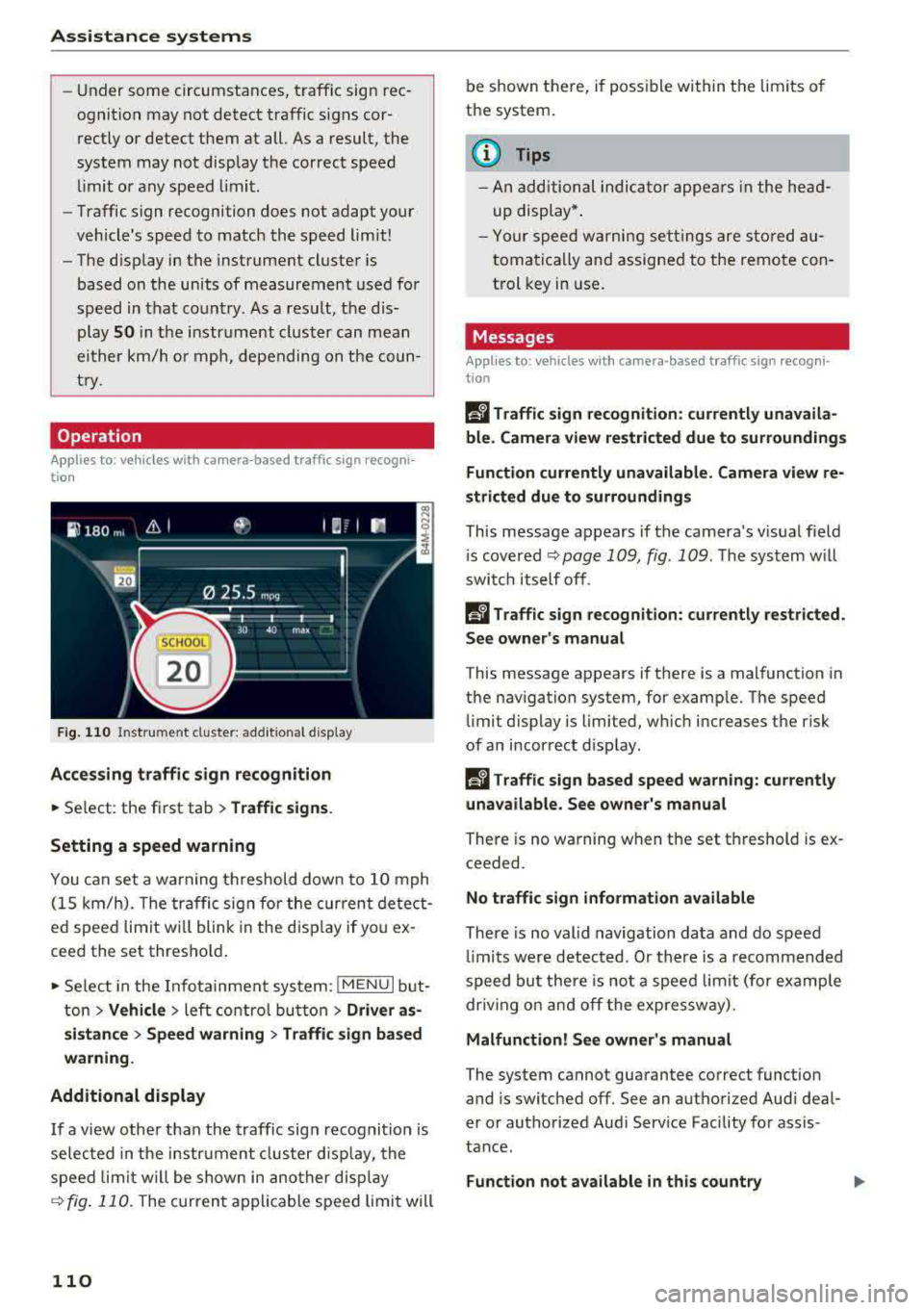
q fig . 110 . The curren t appl ica ble speed limi t will
110
be shown there, if possible within t he limits o f
the system .
(1) Tips
-An additional indica tor appe ars in the he ad
up display* .
- Your speed w arning set tings are sto red au
toma tic ally and assigned to the remo te con
t rol key in use .
Messages
Applies to: vehicles with camera -based traff ic sign recogn i
tio n
Ii Traffic sign recognition: currently unavaila
ble . C amera view re str icted due to surroundings
Fun ction currently unavailable. Camera view r e
strict ed due to surroundings
This message appears if the camera's v is ual field
i s covered
q page 109, fig . 109 . The system w ill
swi tch itself off .
Ii Traffic sign recognition: currently restricted.
Se e own er's manual
This message appears if there is a malfunction in
the nav igation system, for examp le. The speed
limit d isplay is limited, w hich increases the risk
of an incor rect d isplay .
Ii Tra ffic sign based speed warning : currently
unavailable. See owne r's manual
There is no warning when the set threshold is ex
ceeded.
No traffic sign inform ation available
There is no valid navigation data and do speed
li mi ts were detec ted . Or there is a recommended
speed bu t there is not a speed limit (for examp le
dr iv ing on and off the exp ressw ay).
Malfunction! See owner' s manual
The system cannot guarantee correct function
and is switched off. See an authorized Aud i deal
er o r autho rized Aud i Serv ice Facility for assis
tance.
Function not a vailable in this country
Page 115 of 409
-No messages are displayed when at speeds
under
20 mph (30 km/h) .
Settings in the Infotainment system
Applies to: veh icles with predictive efficiency assist
~ In the Infotainment system, select: IMENU !
button > Vehicle > left control button > Driver
assistance
> Efficiency assist .
Predictive messages are shown when this f unc
tion is sw itched on.
(D Tips
No predictive messages are shown on vehicles
w ithout a navigation system .
Audi adaptive cruise
control
Description
Applies to: veh icles with Audi adaptive cruise contro l
Fig. 111 De tect ion range
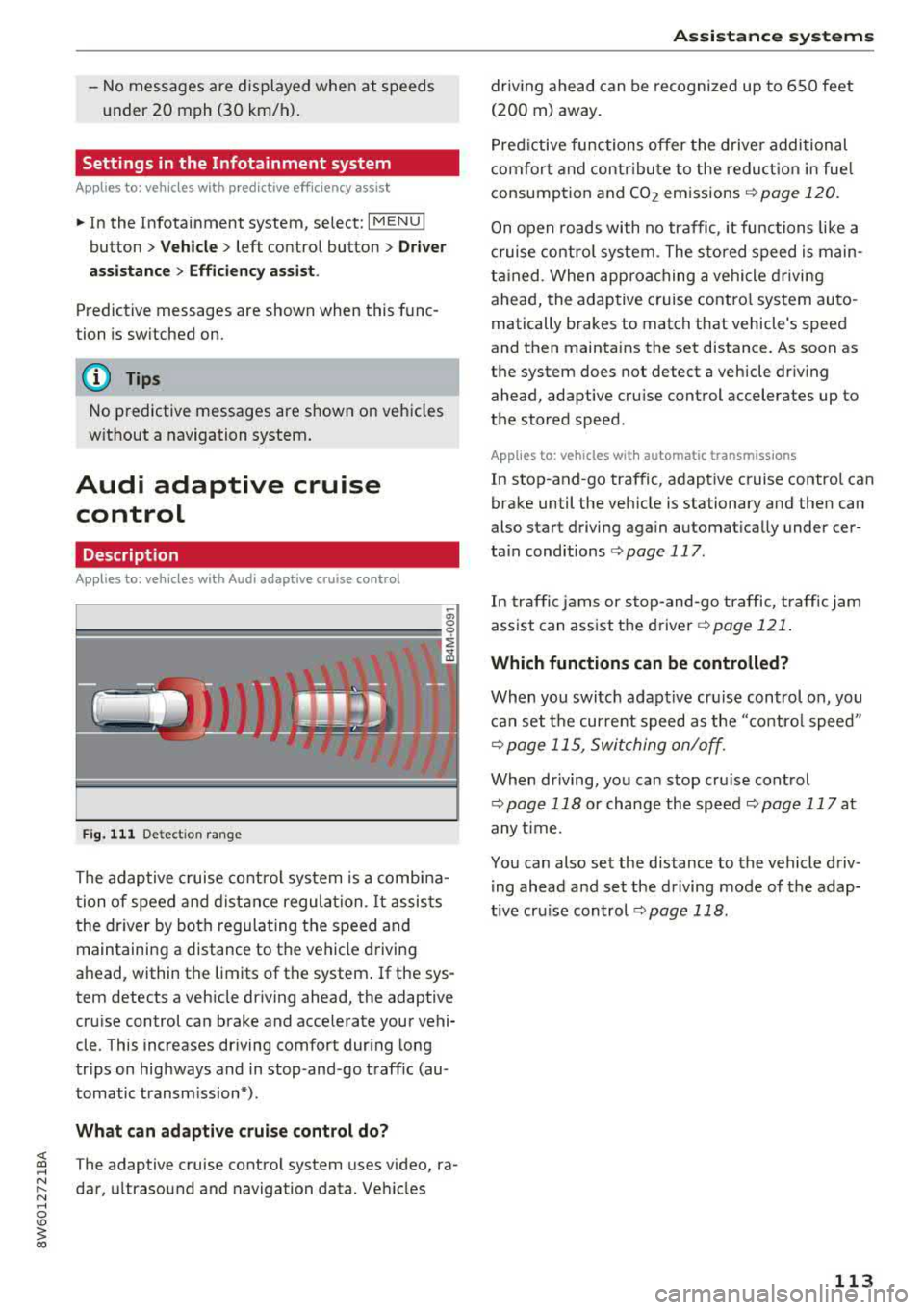
The adaptive cruise control system is a combina
t ion of speed and distance regulation.
It assists
the driver by both regulating the speed and
maintaining a distance to the vehicle driving
ahead, within the limits of the system . If the sys
tem detects a veh icle driving ahead, the adaptive
cru ise control can brake and acce lerate your vehi
cle . This increases driving comfort dur ing long
tr ips on highways and in stop-and -go traff ic (au
tomatic transm iss ion*) .
What can adaptive cruise control do?
<( ~ The adaptive cruise contro l system uses video, ra-
"' ~ dar, ultrasound and navigation data. Veh icles
.... 0 \0
3
driving ahead can be recognized up to 650 feet
(200 m) away.
Predictive functions offer the driver additional
comfort and contr ibute to the reduction in fue l
consumption and CO2 emissions
¢ page 120.
On open roads with no traffic , it functions like a
cruise control system. The stored speed is main
tained . When approaching a vehicle driving
ahead, the adaptive cruise contro l system auto
matically brakes to match that vehicle's speed
and then mainta ins the set distance. As soon as
the system does not detect a vehicle dr iv ing
ahead, adaptive cru ise control accelerates up to
the stored speed .
Applies to: vehicles with automatic transmissions
In stop-and-go traffic, adaptive cruise control can
brake until the veh icle is stationary and then can
also start driving again automat ically under cer
ta in cond itions
¢ page 117.
In traffic jams or stop-and -go traffic, traffic jam
ass ist can assist the
driver ¢ page 121.
Which functions can be controlled?
When you switc h adapt ive cruise control on, you
can set the current speed as the "contro l speed"
¢ page 115, Switching on/off.
When driving, you can stop cru ise control
¢ page 118 or change the speed ¢ page 117 at
any time.
You can also set the distance to the vehicle driv ing ahead and set the driving mode of the adap
t ive cru ise control
¢ page 118.
113
Page 121 of 409
That is equal to the general recommendation of
"half the speed shown on the speedometer".
The distances provided are specified val ues. De
pending on the d riving situation and how the ve
hicle ahead is driving, the actual distance may be
more or less than these target distances.
If you change the time gaps, the newly se t value
appears briefly in the instrument cluster display,
for example
II for Distance 3. This only occurs if
the
Driver assistance disp lay is not currently
shown in the display
~ page 115, fig. 116.
Distance 1 : this setting corresponds to a distance
of 92 feet (28 meters) when traveling at 62 mph
(100 km/h), or a time distance of 1 second.
Distance 2 : this setting corresponds to a distance
of 118 feet (36 meters) when traveling at 62
mph (100 km/h), or a time distance of 1.3 sec
onds.
Distance 3: this setting corresponds to a distance
of 164 feet (SO meters) when traveling at 62
mph (100 km/h), or a time distance of 1.8 sec
onds.
Distance 4: this setting corresponds to a distance
of 219 feet (67 meters) when traveling a t 62
mph (100 km/h), or a time distance of 2.4 sec
onds.
Distance 5: this setting corresponds to a distance
of 328 feet (100 meters) when traveling at 62
mph (100 km/h), or a time distance of 3.6 sec
onds.
A WARNING
When setting the distance, the driver is re
sponsible for adhering to any applicab le legal
regulations.
@ Tips
- Depending on the selected driving mode in
drive select* and the set distance, the driv
ing behavior will vary from dynamic to com
fortable when accelerating
c::;, page 139.
- Distance 3 is set automatically each time
you switch the ignition on. If you would like
to set another d istance as the default set
ting, you can have the
adaptive cruise con-
Assistance systems
trol menu enabled by an authorized Audi
dealer or authorized Audi Service Facility.
- Your settings are automatica lly stored and
assigned to the remote control key being
used.
Setting the driving program
Applies to : vehicles wit h Audi ada ptive c ruise control
Depending on the selected driving program and
distance, driving behavior when accelerating will
vary from dynamic to comfortable .
Setting the driving program on vehicles
without drive select*
.,. Select in the Infotainment system: I MENU! but
ton
> Vehicle > left control button > Driver as
sistance> Audi adaptive cruise control > Driv
ing program
> Comfort, Standard or Dynamic.
Setting the driving mode on vehicles with
drive select*
See c::;, page 139.
¢j) Tips
Your settings are automatically stored and as
s igned to the remote control key being used .
Driver intervention request
Applies to: vehicles wit h Audi ada ptive cr uise contro l
Fig. 121 Instrument cluster : request for driver interven·
t ion
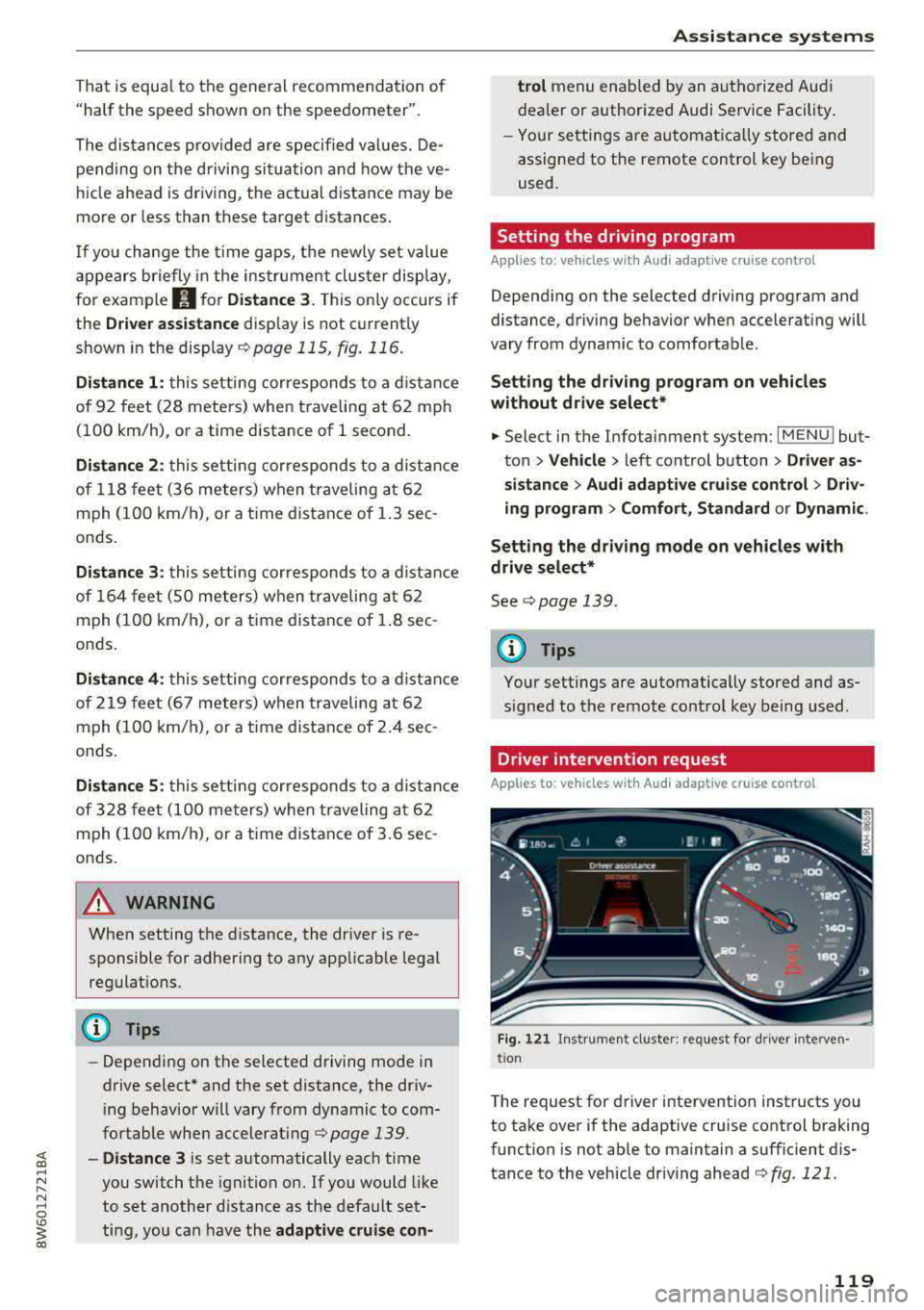
T he request for driver intervention instructs you
to take over if the adaptive cruise control braking
function is not able to maintain a sufficient dis
tance to the vehicle driving ahead
c::;, fig. 121 .
119
Page 123 of 409
-The system only considers traffic signs that
give a speed limit.
- The permitted speed can be exceeded if the
adaptation to a speed limit is incorrect. The dr iver is responsible for adhering to the per
mitted speed.
- The speed at which a curve is driven through
does not necessarily match your own driving
style . Brake the vehicle yourself when need
ed to reduce the r isk of a n accident .
(D Tips
-If a speed limit is detected, the stored
speed is also adjusted in the speedometer
L ED line when the adaptive cruise control is
not active .
- The adaptation by the system depends on
the driving mode set in drive select* .
- Switch ing off pred ictive control, for exam
ple when dr iving in low traffic zones, does
not cause the adaptive cru ise control to
switch off.
-After switching on the ignit ion, the system
i nit ially adjusts to a speed of 80 mph
(130 km/h) when driv ing onto h ighways
wi thou t a speed limit . Then the system ad
ju sts to the last speed stored by the driver.
- There is no adaptation to speed limits when
driv ing thro ugh highway interchanges and
when driving on o r off the expressway.
- There is no predictive cont rol at speed limits
u nder 20 mph (30 km/h).
- If a speed limit is only detected by the cam
era and the actual speed is s ignificantly
h igher, then the speed limit will blink i n the
display unti l you have reached the requ ired
speed
~ page 110 .
-Incorrect values from the camera-based
traffic sign recognition* or outdated naviga
tion system map data can lead to incorrect
or implausible control.
- When route guidance is switched on, the
system adapts to the route provided by the navigation system. Driving w ithout route
guidance or leaving a route can resu lt in im
plaus ible control.
A ss is ta nce syst ems
-The system switches off when outside of a
road system that is recorded in the naviga
tion system map data .
Setting predictive control
Applies to: vehicles with Aud i adapt ive cru ise control and pre
dic tive efficiency assist
.,. Select in th e Infotainment system: I MENU ! but
ton
> V ehicle > left control b utton > D riv er as
s istance
> Audi adapti ve cruise cont ro l > Pr e
dictive co ntrol.
Set speed limit -
when this function is switched
on, the system adjusts to the speed limits. This
can also be done w ith at to lerance, if desired. In
th is scenario , you may fall below or exceed the
set speed in favor of increased efficiency .
Adaptation to route ahe ad -when this function
is sw itched on, the system adapts to the route
ahead (su ch as reducing the speed in curve s).
Traffic jam assist
Description
Appl ies to: vehicles with traffic jam assist
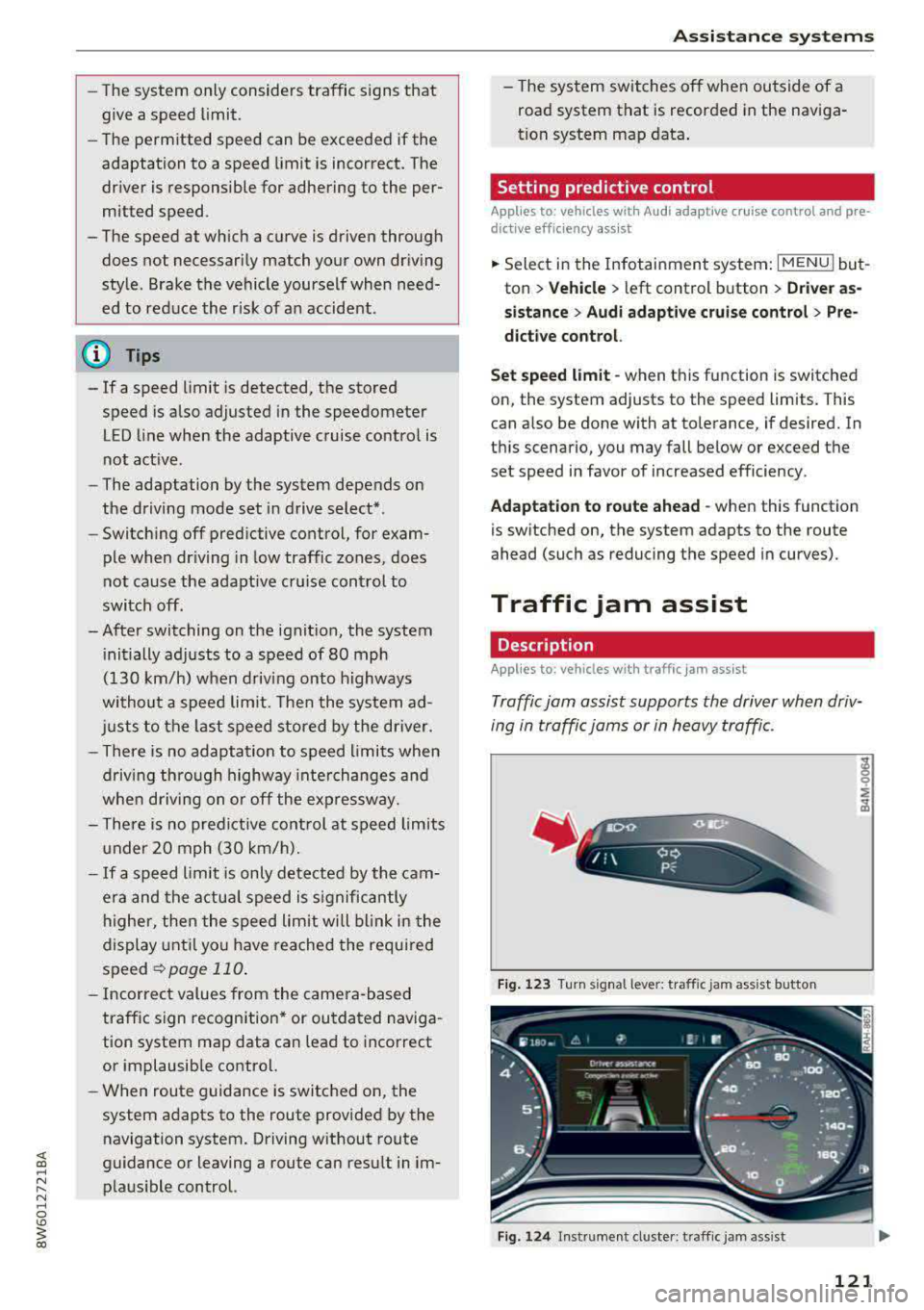
Traffic jam assist supports the driver when driv
ing in traffi c jams or in heavy traffic.
F ig . 1 23 Turn signa l leve r: tra ffic jam assist butto n
Fig. 124 Instrumen t cl uster: traff ic jam ass is t
121