door lock AUDI A6 2011 Owner's Manual
[x] Cancel search | Manufacturer: AUDI, Model Year: 2011, Model line: A6, Model: AUDI A6 2011Pages: 370, PDF Size: 87.15 MB
Page 61 of 370
brightness increases again, the low beams are turned off again auto
matically =>& .
In the
AUTO position the low beams are switched off automatically
when the ignition is turned off.
Light Sensor Malfunction
In the event of a light sensor ma lfunct ion, the driver is notified in the
instrument cluster display:
Automatic headlights/automatic wipers defective
For safety reasons the low beams are turned on permanently with t he
switch in
AUTO. However, you can continue to turn the lights on and
off using the light switch. Have the light sensor checked as soon as
possible at a dealership.
& WARNING
• Never use daytime running lights to see where you are going.
They are not bright enough and will not let you see far enough
ahead for safety, especially at dusk or when it is dark. Always
switch on the low beams at dusk or when it is dark.
• Automatic headlights are only intended to assist the driver .
They do not relieve the driver of his responsibility to check the
headlights and to turn them on manually according to the current
light and visibility conditions. For example, fog and rain cannot be
detected by the light sensors. So always switch on the headlights
under these weather conditions and when driving in the dark
io.
• Crashes can happen when you cannot see the road ahead and
when you cannot be seen by other motorists.
- Always turn on the headlights so that you can see ahead and
so that others can see your car from the back.
[ i ) Tips
• With the switch in AUTO front fog lights and rea r fog ligh ts cannot
be turned on in addition .
Controls and equip
ment Safety first
Clear vision
•
The light sensor for headlight control is located in the rear view
mirror mount. Do not apply any stickers to the winds hield in this area
to prevent malfunctions or failures .
• If you remove the ignition from the ignitio n lock w hile the head
lights are still on, a buzzer will sound as long as the dr iver's door is
open to remind you to turn off the lights.
• Always observe the specific loca l regulations for your area as to
when to use your lights .•
Adjusting exterior lighting
The functions are set in the MMI.
-Select: Function button [CAR]> Systems* > Exterior
lighting .
Coming home
The Coming home function ensures tha t after turning off the igni
tion and opening the driver's door
the vehicle per iphery is illum i
nated in the dark. In addition, the front fog lights, the tail lights and
the license plate light are turned on. On-time can be set for a per iod
from O (off) to 60 seconds .
Leaving home
The Leaving home function ensu res that when unlocking the vehicle
per iphery is illuminated in the dark. In addition, the front fog lights,
the tail lights and the license plate light are turned on. This function
can be turned on and off .
Daytime running lights
USA models: On vehicles with xenon lights the daytime running
lights can be turned on or off using this function . On vehicles with
halogen lights there is no daytime running lights function .
Canada models: The function cannot be turned off. It is activated
automatically each time the ignition is tur ned on. This menu item is
shown "greyed out". •
Vehicle care Technical data
Page 65 of 370
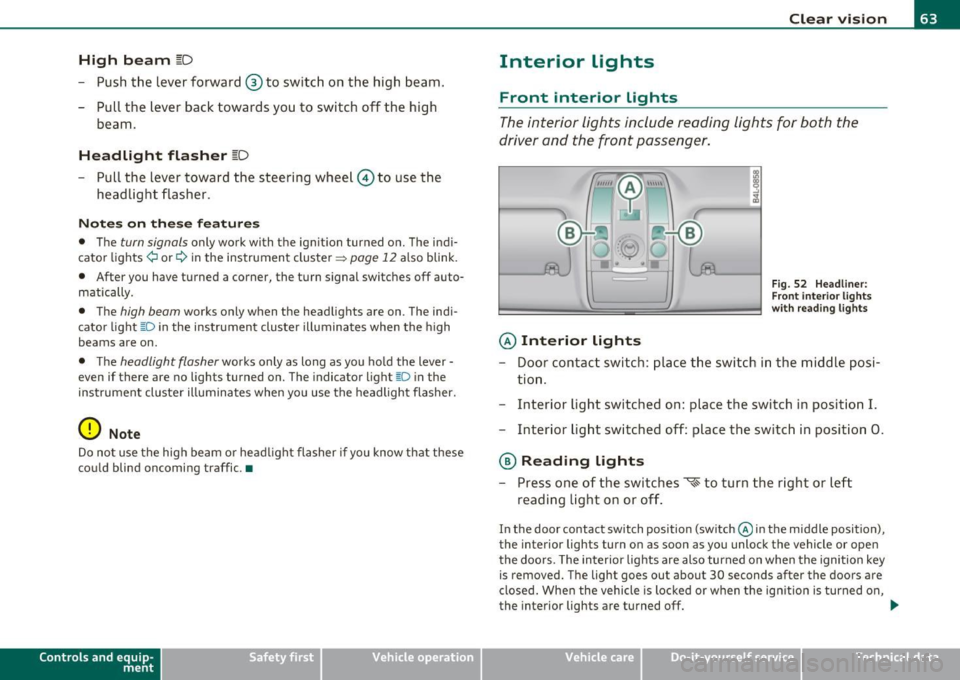
High beam l[D
-Push the lever forward ® to switch on the high beam.
- Pull the lever back towards you to switch off the high
beam.
H eadlight flasher l[D
- Pull the lever toward the steering wheel© to use the
headlight flasher.
Notes on the se fea ture s
• The turn signals only work with the ignition turned on. The indi
cato r lights ¢ or¢ in the instrument cluster=>
page 12 also blink.
• After you have turned a corner, the turn signal switches off auto
matically.
• The
high beam works only when the headlights are on. The indi
cato r light [D in the instrument cluster illuminates when the h igh
beams are on.
• T he
headlight flasher works only as long as you ho ld the lever -
even if there are no lights turned on. The indicator light~D in the
instrument cluste r illuminates when yo u use the headlight flasher.
0 Note
Do no t use the high beam or head light flasher if you know that these
could blind oncoming traffic .•
Con tro ls a nd e quip
m en t Vehicle
OP-eration
Clear vision
Interior lights
Front interior lights
The interior lights include reading lights for both the
driver and the front passenger.
© Interior lights
Fig . 52 Headli ner:
F ron t inte rior lights
wit h rea ding lights
- Door contact switch : place the switch in the middle posi-
tion .
- Interior light switched on: place the switch in position
I.
-Interior light switched off: place the switch in position 0.
® Reading lights
- Press one of the switches '* to turn the right or left
reading light on or off .
In the door contact switch position (switch @in the middle position),
the interior lights turn on as soon as you unlock the vehicle or open
the doors. The interior lights are also turned on when the ignition key is removed. The light goes out about 30 seconds after the doors are
closed . When the vehicle is locked or when the ign ition is turned on,
the interior lights are turned off.
~
Vehicle care Do-it-yourselt service iTechnical data
Page 66 of 370
Clear vision
When a door is open, the interior lights are turned off after about 10
minutes to prevent draining the battery.
The brightness of the lights is controlled automatically by a dimmer
when they a re switched on and off .•
Rear interior Lights
There ore reading lights in the rear for the passengers.
0 '-80
Fig . 53 Headline r:
Rea r read ing lights
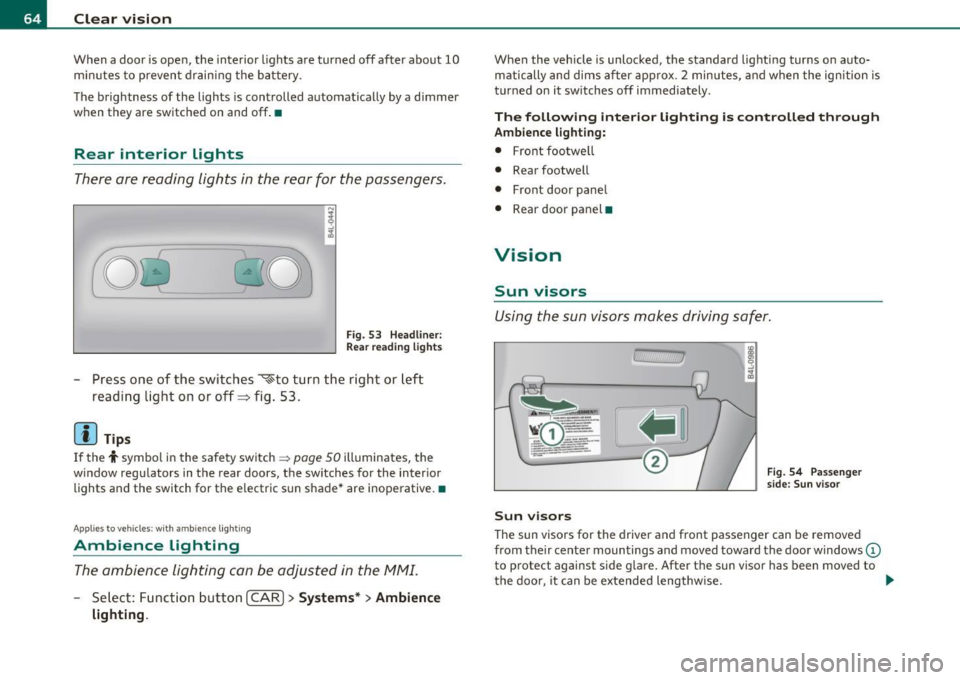
Press one of the switches ~to turn the right or left
reading light on or off=> fig . 53 .
[I) Tips
If the t symbol in the safety switch ~ page 50 illuminates, the
w indow regulators in the rear doors, the switches for the interior
lights and the switch for the electric s un shade* are inoperative. •
Applies to ve hic le s: wit h am bien ce ligh tin g
Ambience Lighting
The ambience lighting con be adjusted in the MMI.
-Select: Function button I CAR ]> Systems* > Ambience
lighting.
When the vehicle is unlocked, the standard lighting turns on auto matically and dims after approx . 2 minutes, and when the ignition is
turned on it sw itches off immediately.
The following interior lighting is controlled through
Ambience lighting:
• Front footwe ll
• Rear footwell
• Front door panel
• Rear door panel •
Vision
Sun visors
Using the sun visors makes driving safer.
Sun visors
Fig. 54 Passenger
side: Sun visor
The sun visors for the driver and front passenger can be removed
from the ir center mountings and moved toward the door w indows
(D
to protect against side glare. After the sun visor has been moved to
the door, it can be extended lengthw ise. ..
Page 81 of 370

Seat memory
Applies to veh icles: with seat memory
Driver's seat memory
The seat adjustment settings for two drivers can be
stored using the memory buttons in the driver's door.
-...... SET 1 2 ,,..,
Fig. 68 Driver's door:
Seat memory
In addition to the setting for the driver's seat, the settings for the
steering column* and both exterior mirrors can be stored.
Storing and r ecalling setting s
Using the memory buttons 1 and 2, you can store and recall the
settings for two different drivers~ fig . 68 .
T he current settings are also automatically stored on the remote
control key being used when the vehicle is locked. When the vehicle is
unlocked, the settings stored on the remo te contro l key being used
are automatically recalled. This function has to be activated in the
MMI
~ page 80, " Activating remote cont rol key memo ry" .
Tur ning seat m em ory o n and off
If the [ ON/OFF I switch is depressed , the seat memo ry is inoperative .
The word
OFF next to the [ ON/OFF ) switch illuminates.
All the stored settings are retained. We recommend using the
I ON/OFF ) switch and deact ivat ing the seat memory if the vehicle is
Controls and equip
ment Safety first
S
eats and storage
only going to be used temporarily by a driver whose settings are not
going to be stored .•
App lies to veh icles : w it h seat memo ry
Storing and recalling a seat position
Before you can store or recall your seat position, the
[ON/OFF) button must be engaged (down) .
Storing settings
-Adjust the driver 's seat => page 76.
- Adjust the steering column*=>
page 107.
-Adjust both outside mirrors=> page 71. In the ti lt-down
position, the passenger mirror can be adjusted to the
preferred position and saved in the seat memory.
- Press the
[SETI button and hold it down. At the same
time, press one of the memory buttons for at least one
second .
- Release the buttons. The settings are now stored under the corresponding memo ry bu tton.
Recalling settings
- Driver's door open -press the des ired memory button.
- Driver's door closed - press the corresponding memory
button unt il the stored position is reached .
Su ccessfu l storage is confirmed audib ly and by the light in the [SET )
button illuminat ing .
When the vehicle is
locked , the current settings are stored and
assigned to the remote control key. But the settings sto red on
memory buttons 1 and 2 are not deleted. They can be recalled at any ..,
Vehicle care Technical data
Page 97 of 370

Fig. 91 Lock ing pin
for glove compartment
-Remove with the cover with the aid of a screwdriver
==>
page 94, fig . 90.
- Now press the locking pin inward with the screwdriver
==> fig . 91. •
Storage compartment in roof
111111 \\\H
. '
Fig. 92 Storage
compartment in roof
-To open the lid you have to touch the bar==> fig . 92
(arrow) . The lid opens automatically.
- To close the lid, push it up until it engages.
Con tro ls a nd e quip
m en t Vehicle
OP-eration
Seats and storage
& WARNING
Always keep the lid closed while driving to reduce the risk of injury
during a sudden braking maneuver or in the event of an accident. •
Coat hooks
& WARNING
Fig. 93 Coat hooks at
rear doors
• Hang clothes in such a way that they do not impair the driver's
vision .
• The coat hooks must only be used for lightweight clothing. Do
not leave any heavy or sharp edged objects in the pockets which
may interfere with the side curtain airbag deployment and can
cause personal injury in a crash.
• Do not use coat hangers for hanging clothing on the coat hooks
as this can interfere with proper deployment of the side curtain
airbags in an accident.
• Do not hang heavy objects on the coat hooks, as they could
cause personal injury in a sudden stop. •
Vehicle care Do-it-yourselt service iTechnical data
Page 113 of 370
![AUDI A6 2011 Owners Manual On the road -_______________ __.
Switching the ignition on
-Press the [S TART] button once to the firs t stage to switch
on on ly the igni tion .
Starting the engine
-Step o n t](/img/6/57593/w960_57593-112.png "AUDI A6 2011 Owners Manual On the road -_______________ __.
Switching the ignition on
-Press the [S TART] button once to the firs t stage to switch
on on ly the igni tion .
Starting the engine
-Step o n t")
On the road -_______________ __.
Switching the ignition on
-Press the [S TART] button once to the firs t stage to switch
on on ly the igni tion .
Starting the engine
-Step o n the bra ke.
Mov e the selector leve r to the P or N position ~& .
- Press the [START ] button to the seco nd stage to sta rt the
engine .
After a co ld eng ine is started, there may be a br ief per iod of increased
no ise because oil pressure m ust first build up in the hydraulic valve
adjusters. Th is is no rma l and no t a cause for conce rn .
If the engine does not start immediately, stop trying after 10 seconds
and then t ry to res tart the engine abou t 30 seconds later .
& WARNING
Never allow the eng ine to run in confined space s -danger of
asphy xiation.
0 Note
Avoid high engine speeds, fast acceleration o r heavy eng ine loads
wh ile the engine is st ill cold. This cou ld damage t he eng ine .
For the sake of the environment
Do not a llow the e ngine to warm up with the veh icle s tat ionary . St art
driving rig ht away. I n this way you avoid unnecessary emissions.
Con tro ls a nd e quip
m en t Vehicle
OP-eration
(I) Tips
If you open the d river 's door whe n the ignition is sw itched on, a
buzzer sounds and the message
Ignition is on appea rs i n the instru
me nt clu ster display. Ple ase swit ch the ign it ion off. •
Applies to v ehicles : w ith Co nven ience key
Switching engine off with the !STOP] button
- Bring yo ur ve hic le to a co mplete s top.
Fig. 103 Conv enien ce
ke y:
ENG INE ST OP
button
- Move t he se lector lever to t he P or N posit ion.
- Press the (STOP ] button~ fig. 103 .
Pressing the ! STOP] button once sw itches off the engine and t he igni
tion. If yo u press the
!S TO P] button again fo r more than 1 second,
the steer ing is locked, prov ide d that the selector lever is in the P posi
t ion ~& -
Emergency OFF function
If necessary, the engine ca n be switched off with the selecto r lever in
th e R, Do r S posit ions . To do so, step on th e brake pedal and press
and hold the
I S T OP I button (vehi cle spee d m ust be less than 6 mph
/ 10 km/h. .,,_
Vehicle care Do-it-yourselt service iTechnical data
Page 114 of 370
-On the road .,,, ___________________ _
in. WARNING
• Never turn off th e engine until the vehicle has come to a
c omplete stop .
• The b rake booste r and servotronic only work when the eng ine
is running . With the ignition turned off, you have to apply more
force when stee ring or braking . Since you cannot steer and stop
normally , thi s can lead to accident s and serious in juries.
• For s afety reasons , you should always park your vehicle with
the selector lever in P. Otherwi se, the vehicle could inadvertently
roll away.
• After the engine has been switched off , the radiator fan can
continue to run for up to 10 minutes - even with the ignition
s witched off. It can also switch on again after some time if the
c oolant temper ature rises as the r esult of a heat buildup or if the
engine is hot and the engine compartment is additionally heated
by the sun's rays .
0 Note
If the eng ine has been under heavy load for a n extended per iod, heat
builds up in the engine compartment after the engine is switched
off
- there is a r is k of damaging t he eng ine. Allow the e ngine to run at id le
for about 2 min utes before switc hing it
off. •
Appli es to ve hicles : w it h Conve nience key
Driver messages in the instrument cluster
display
If a function is not present, a driver mess age appea rs .
No key identified
Th is message appears when the ! START ] button is p ressed if there is
no mast er key ins ide the veh icle o r if t he sys tem does not recogn ize
it. For examp le, the master key cannot be recognized if it is covered
by an o bject (e.g . al uminum br ie f c ase) w hich
screens the r adio signal. .Electronic dev
ices such as cell phones can also interfere with
t he radio signal.
Press brake pedal to start engine
Thi s message appea rs if yo u press the !STAR T] butto n to start the
eng ine and do not depress the brake pedal. The engine can on ly be
s t ar ted i f the brake ped al is dep ressed .
Engage N or P to start engine
This message appea rs w he n th e engi ne is started if the sele cto r lever
for the automa tic transmission is not in the P o r N position. The
eng ine can only be s tarted w ith the se lec tor in these pos itions.
? Key not in vehicle
Thi s message appea rs alo ng with the symbol if the master key is
removed from the vehicle with t he engine runn ing. It is intended to
remind you (e.g. w hen c hanging dr ive rs) not to con tinue t he journey
w ithout the master key.
If t he master key is no longe r in the ve hicle, yo u cannot switch of f the
ig nitio n after stopping the engine and you a lso cannot start the
engine again. Moreover, you cannot lock the vehicle from the outside
w ith the key.
Shift to P otherwise vehicle can roll away. Doors do not lock if you
are not in P .
This message appea rs for safety reasons along with a warning buzzer
if the se lector lever for the automatic transmission is not in the P
position when t he ig nition is sw itched
off with t he !STOP] button and
t he d river's door is opened. Move t he selector lever to the P posit io n ,
otherwise the vehicle is not secured against rolling away. You also
c anno t lock the vehicle usi ng the lo cking but ton o n the door hand le
or using the remote key.
To engage steer ing lock, press and hold STOP button
Thi s message appears for safety reasons if the engine and the ignit ion
h ave bee n sw itche d off by p ress ing the
!S T O P) bu tton once, and t hen .,,_
Page 115 of 370

On the road -_______________ __.
the driver's door is opened. In t his instance, the steer ing is not
locked. The s teer ing is locked:
• If you press the
(STOP) button again for more than 1 second .
• If you close the driver 's door and lock yo ur vehicle from the
outs ide .•
Electromechanical parking brake
Operation
The electromechanical parking brake replaces the hand
brake.
Fi g. 104 Cente r
co nsol e: Pa rki ng brak e
- Pull the switch to apply the parking brake ~fig . 104. The
indicator light in the switch will come on.
- Step on the brake pedal or the accelerator pedal and press the switch at the same time to re lease the parking bra ke.
The indicator light in the switch wil l go out .
Your vehicle is equipped with an electromec hanical park ing brake
w hich replaces the handb rake. The parking brake is d esigned to
prevent the vehicle from ro lling unintent iona lly .
Con tro ls a nd e quip
m en t Vehicle
OP-eration
In addit io n to the normal functions of a traditional hand brake, the
ele ct romechan ica l parki ng br ake p rovides various convenience and
safety functions .
Emergency brake
An emergency brake ensures that the vehicle can be slowed even if
t he
normal bra kes fail => page 115, "E merge ncy bra king" .
Indicator lights
• If the pa rking brake is applie d with the ig nition turned on , the
indicator light in the instrument cluster (U.S models:
:'.Ii , Canadian
mode ls: © ) and i n the swi tch
(e)) w ill come o n.
• If the parking brake is applied with the ign ition
turned off , the
indicator light in the in strument cluste r (U.S. models:
::'.l, , Ca nadian
models: ©) and in the switch© will come on for about 30 seconds
and then go out .
& WARNING
If the vehicle is stati onary and the transmi ssion is engaged with
the eng ine running, the e ngine should not be speeded up (e.g.
m anuall y from under th e hood ). Otherwi se the vehicle will st art to
mo ve -you run the risk of an ac cident.
0 Note
If the warning/ind icator light (U.S. models: BRAKE , Canadian mode ls:
(Ci)) ) flashes in the ins trumen t clus ter, t here is a brake sys tem
malfunction. By press ing the [
CHECK) b utton, yo u can bri ng up a
dr iver message which explains the malfu nction in mo re deta il.
If the
message
Parking brake! Please contact workshop appea rs, the re is a
parking brake malfunction which yo u should have repaired immedi-
ately by an au thorized dealership=>
page 26 . ..
Vehicle care Do-it-yourselt service iTechnical data
Page 116 of 370
![AUDI A6 2011 Owners Manual 1111....__0_ n_ t_h_ e_ r_ o_ a _ d _________________________________________________ _
(I] Tips
• You can apply the parking brake at any time -even with the igni
tion turned off. T](/img/6/57593/w960_57593-115.png "AUDI A6 2011 Owners Manual 1111....__0_ n_ t_h_ e_ r_ o_ a _ d _________________________________________________ _
(I] Tips
• You can apply the parking brake at any time -even with the igni
tion turned off. T")
1111....__0_ n_ t_h_ e_ r_ o_ a _ d _________________________________________________ _
(I] Tips
• You can apply the parking brake at any time -even with the igni
tion turned off. The ignition must be turned on in order to release the
parking brake.
• Occasional noises when the parking brake is applied and released
are normal and are not a cause for concern.
• Th e parking brake goes through a se lf-test cycle at regular inter
vals -when the vehicle is parked. Any associated noises are normal. •
Parking
To prevent a parked vehicle from rolling away, there are
a few things you should do.
When you park your vehicle, do the following
- Stop the vehicle using the brake pedal.
- Pull the switch to apply the electromechanical parking
brake.
- Move the selector lever into the
P position==> &.
- Switch off the engine and remove the ignition key from
the ignition lock .
When you park your vehicle on hills, do the
following
- Stop the vehicle using the brake pedal.
- Pull the switch to apply the electromechanical parking
brake.
- If you are parking headed
downhill, turn the front wheels
toward the curb. -
If you are parking headed
uphill, turn the front wheels
away from the curb.
- Move the selector lever into the
P position.
- Switch off the engine and remove the ignition key from
the ignition lock.
& WARNING
This is how you can reduce the risk of injury when leaving your
vehicle.
• Never park the vehicle where it can come in contact with dry
grass, spilled fuel or any other flammable materials.
• When parking on hills, always turn the wheels so that the front
wheels will first roll into the curb, if the vehicle should start to
roll.
• Never allow anyone -especially small children -to remain in
the vehicle when it is locked. Locked doors make it more difficult
for rescuers to access the passenger compartment in the event of
an emergency. Danger to life!
• Never leave children unsupervised in the vehicle. Children
could release the parking brake or move the gearshift lever out of
gear. The vehicle could start to roll away and cause an accident.
• No matter what the season is, the temperature in a parked
vehicle can reach dangerous levels.
0 Note
• Please exercise care when you park your vehicle in parking areas
with parking barriers or curbs. Parking barriers and curbs vary in
height and could damage your bumper and related components as
the front of your vehicle moves over a barrier or curb that is too high,
as you park or as you back out of a parking spot. In order to be sure
that no such damage can occur, you may wish to stop short of having
the front tires of your car touch the parking barrier or curb. .._
Page 186 of 370
• ....__D_ r_iv _i_ n_, g=-- S_ a _ f_e _,Ly _ ______________________________________________ _
in. WARNING
Improperly stored luggage or other items can fly through th e
vehicle c au sing seriou s per sonal injury in the event of hard braking
or an accident . To h elp reduce the risk of serious personal injury :
• Always put objects, for examp le, luggage or other heavy items
in the luggag e compartment .
• Alway s secure objects in the luggage compartment using the
tie -down eyelets and suitable straps.
& WARNING
Heavy loads will influence the way your vehicle handles. To help
reduce the ri sk of a loss of control leading to seriou s personal
injury:
• Always keep in mind when tran sporting heavy objects, that a
c hange in the center of gr avity can also cause changes in vehicle
handling:
-Always di stribute the load as evenly as po ssible.
- Place heavy objects as far forward in the luggage compart-
ment as po ssible.
• Never e xceed the Gross Axle Weight Rating or the Gross Vehicle
Weight Rating specified on the safety compliance sticker on the
left door jamb . Exceeding permissible weight standards can cause
the vehicle to slide and handle differently .
• Please observe information on safe driving =>
page 176 .
in. WARNING
To help prevent poisonous exhaust gas from being drawn into the
vehicle, always keep the rear lid closed while driving.
• Never transport objects larger than those fitting completely
into the luggage area because the rear lid cannot be fully closed.
& WARNING (c on tinued )
• If you absolutely must drive with the rear lid open , ob serve the
following note s to reduce the risk of poisoning:
- Close all windows ,
- Close the power roof*,
- Open all air outlet s in the instrument panel,
- Switch off the air recirculation ,
- Set th e fresh air fan to the high est speed .
in. WARNING
Always make sure that the doo rs , all windows, the power roof*
and the rear lid are securely clo sed and locked to reduce the risk of
i njury when the vehicle is not be ing used.
• After closing the rear lid, always make sure that it is properly
closed and locked.
• Never leave your vehicle unattended especially with the rear lid
left open. A child could c rawl into the vehicle through the luggage
c ompartment and clo se the rear lid becoming trapped and unable
to get out . Being trapped in a vehicle can lead to serious personal
injury.
• Never let children play in or around the vehicle.
• Never l et pa ssengers ride in the luggage compartment. Vehicle
occupants must always be properly restrained in one of the
vehicle 's seating positions .
(I) Tips
• Air circulation helps to re d uce win dow fogging. Sta le air es capes
to the outside through vents in the trim panel, on the left s ide of the
lugg age compa rtmen t. B e sur e to keep these s lots free and ope n.
• Th e tire pressure m ust correspond to the load . The tire pressure is
shown o n the tir e pressu re label. The tire pressu re label is loc ated o n .,_