stop start AUDI A6 2014 Owner's Manual
[x] Cancel search | Manufacturer: AUDI, Model Year: 2014, Model line: A6, Model: AUDI A6 2014Pages: 304, PDF Size: 76.32 MB
Page 112 of 304
110 Automatic Tran sm iss ion
multitronic transmission : Your vehicle is
equipped with
hill hold assist allowing you to
start while on an incline. The system is acti
vated when the brake pedal is pressed down
and held
f o r a few s econds . The brake pres
sure will hold for
a moment after the brake
pedal loosens to prevent the veh icle from roll
ing backwards whi le starting up .
A WARNING
- The veh icle can also roll when the engine
is stopped.
- Unintended veh icle movement can cause
serious injury .
- Never leave your vehicle with the eng ine
running wh ile in gea r. If you must leave
yo ur vehicle when the engine is running,
act ivate the park ing brake and move the
selector lever to P .
- Power is st ill transmitted to the whee ls
when the engine is running at idle . To
prevent the vehicle from "creeping", you
must keep your foot on the brake when
the engine is running and the selector
lever is in D/S or R or "tiptronic" mode is
selected.
- Do not press the accelerator pedal when
changing the selector lever pos ition
wh ile the vehicle is stat io nary and the
engine is running .
- Never shift into R or P wh ile driving .
- Before driv ing down a steep slope, re-
duce your speed and shift into a lower
gear with "tiptronic" .
- Do not ride the brakes or press the brake
pedal too often or too long when dr iving
down a hill. Constant braking causes the
brakes to overheat and substant ially re
duces b raking performance, inc reases
braking distance or causes comp lete fail
ure of the brake system.
- T o prevent the veh icle from rolling back
when stoppi ng on incl ines, always hold it
in place with the brake peda l or parking
brake.
- Never hold the veh icle on an incl ine with
a slipping clutch. The clutch opens auto
matically when it becomes too hot from the overload. An indicato
r lamp
[O] illu
minates and a driver message appears
¢ page 112 when the clutch is overload
ed.
- If the engine must remain running, never
have any driving posit io n engaged when
checking under the hood . Make sure the
selector lever has securely engaged and is locked in P with the park ing brake set
¢ page 224. O therwise, any increase in
engine speed m ay se t the vehicle in mo
tion, even with the parking brake ap plied .
(D Note
-S tronic- and tiptronic transmission :
When stopping on an incl ine , do not try
to hold the vehicle in place by pressing
the acce lerator pedal while a driving gear
is se lected. This can cause the transmis
sion to overheat and can damage it. Acti
vate the parking brake or press the brake
peda l to prevent the vehicle from roll ing.
- S tronic- and tiptronic transmission : A l
lowing the vehicle to ro ll when the en
gine is stopped and the selector lever is
in N will damage the transmission be
cause it is not l ubricated unde r those cir
cumstances.
{!) Tips
For safety reasons, the parking brake is re
l eased automatically only when the d riv
er's safety belt is engaged in the buckle.
Hill descent control
Applies to vehicles: with multitro nic/5 tronic/t iptronic
The hill descent control system assists the
driver when driving down declines .
Hill descent control is activated when these
lector lever is in D/S and you press the brake
pedal. The transmission automatically selects
a gear that is sui table fo r the incline. H ill de
scent contro l tries to ma inta in the speed ach-
ieved at the time of b raking, with in physica l .,.
Page 114 of 304
112 Automatic Tran sm iss ion
Kick-down
Applies to vehicles: with multitron ic/S tronic/t iptronic
Kick-down enables maximum acceleration .
Applies to ve hicle s w ith a multit ro nic
t ransmi ssion
When you depress the accelerator pedal be
yond the resistance po int, the transmission
downshifts into a lower gear ratio depend ing
on the vehicle speed and engine speed. As
l ong as the accelerator peda l is depressed, the
engine speed is automat ica lly regulated for
maximum accelera tion.
Appli es to veh icl es with a S tronic -/,
tiptronic tran smi ssion
When you depress the accelerato r pedal be
yond the resistance po int, the a utomat ic
transmission downshifts into a lower gear, de
pending on vehicle speed and engine speed.
T he upshift into the next higher gear takes
p lace once the maximum specified engine
speed is reached.
A WARNING
,-
Please note that the drive wheels can spin
if kick-down is used on a smooth slippery
road - there is a risk of skidding .
Launch Control Program
Applies to vehicles: with S tronic
The Launch Control Program provides the
best acceleration possible when starting from
a stop .
Requirement : The engine must be at operat
ing temperature and the steering wheel must
not be turned .
.. Press the
I~ O FFI button c> page 196 while
the engine is running. The
1B indica tor light
illuminates in the instrument cluster and
Sta bilization contr ol (ESC ): Off Warn ing!
R educed stabi lit y
appears in the dr iver in
fo rmat io n system disp lay .
.. Move the selecto r lever to position D/S to
select sport mode (5) or select
D ynam ic
mode in Audi dr ive select <=> page 101 . ..
Press the brake pedal strongly with your left
foot and hold it down for at least 1 second .
.. At the same time, press the acce lerator ped
al down completely with your right foot un
til the eng ine reaches and maintains a high
RPM .
.. Remove your foot from the brake pedal
w ith in 5 seconds <=>,&. .
_&. WARNING
-Always adapt your dr iving to the traff ic
f low.
- On ly use the Launch Contro l Program
when road and t raff ic condi tions a llow it
and other d rivers w ill not be endangered
or annoyed by your driving and the vehi
cle's acceleration.
- Please note that the driving wheels can spin and the vehicle can b reak away
when sport mode is switched on, espe
cially when the road is slippery.
- Once you have accelerated, you shou ld
sw itch sport mode off by pressing the
I~ OFF I button.
(D Tips
- The transmission temperature may in
crease signif icantly after using the
Launch Control Program. If that hap
pens, the program may not be availab le
for a few minutes. It will be ava ilable
again after a cool-down period.
- When accelerating using the Launch
Contro l Program, all vehicle parts are
subject to heavy loads . Th is can result in
increased wear .
Transmission malfunction
Applies to vehicles: with multitronic/S tronic/tiptronic
[O] Tran smi ssio n: Pr ess brake pedal and se
lect ge ar again
Press the brake peda l and select the desired
selector lever position again. You can the n
continue d riving .
[O] Tran smi ssion overheating: Plea se drive
con servatively
Page 125 of 304
Parallel parking
Applies to vehicles: with parking system plus and rear
mode
This view may be used when parallel parking
along the side of a street.
F ig. 139 Infot ainme nt: bl ue su rfaces aligned in th e
park ing space
Fig . 14 0 Infota inmen t: co ntact of the blue curved line
with t he curb
Parking on the right is described he re. It is
ident ical when parki ng on the left .
I f there is an obstacle next to the park ing
space (such as a wall), refer to information for
"Parking nex t to obstacles"
c::> page 123.
~ Activate the turn s ignal.
~ Position your vehicle next to a parked vehi
cle in front of the desired parking space . T he
distance to th is vehicle sho uld be approxi
mately 3 ft (1 m).
~ Turn the Infotainment on and shift into re
verse gear. The parking system is turned on
and the
parallel parking i ndicator is dis
played .
~ Press the@¢ page 118 , fig . 127 control
button on the Infotainment un it repeatedly
unt il the
cross parking view is disp layed.
~ Backup and align yo ur vehicle so the blue
area @ borders on the rear end of the vehi-
Parking systems 123
cle or on the parking space line c::> A in Gen
eral information on page 120,
c::> (D in Gen
eral information on page 120.
The b lue area
represent s an extens ion of the vehicle 's out
line by approximately 16 ft (5 m) to the rear.
The long side of the blue area should be on
the curb . The entire blue area must fit into
th e parking space .
~ With the vehicle stopped, turn the stee ring
wheel to t he righ t as fa r as it will go.
~ Back into the parking space unt il the blue
curve
c::> page 118, fig. 128 to uches the curb
c::> A in General information on page 120,
c::> (D in General information on page 120.
Stop the vehicle.
~ With the vehicle s topped, turn the steering
wheel to the left as far as it w ill go.
~ Continue to back into the parking space un
til the vehicle is parked parallel to the curb
c::> ..&. in General information on page 120,
c::> (D in General information on page 120.
@ marks the rear bumper. Stop the vehicle,
at the latest, when the red orientation line
@ borders an object . Keep an eye on the
front of your vehicle while do ing this .
Parking next to obstacles
When there is an obstacle (such as a w all)
next to the parking space, choose a space with
more space on the sides . Positio n the long
side of the blue area so that there is suff icient
space from the curb. The area must not be on
the curb. You will a lso need to start turning
the steering wheel much earlier . T here should
be a sufficient amount of space between the
c ur b and the bl ue curve, and t he b lue curve
c::> page 118, fig . 128 m ust no t touch the curb.
@ Tips
The left o r right orientation lines and su r
faces w ill be disp layed, depending on the
turn s ignal being used .
Page 128 of 304
126 Homelink
Homelink
Universal remote
control
General information
Applies to vehicles: with Homelink u nive rsal remote con
tro l
The HomeLink universal remote control can
be programmed with hand-held transmitters
from existing equipment.
With Homelink, you can control devices such
as the garage door, security systems, house
lights, etc. comfortably from the inside of you
vehicle.
Homelink makes it possible for you to replace
three different remote controls from devices in your home with one universal remote . Th is
feature works for most garage door and exte
rior door motor signals. Programming the in
d iv idual remo te control fo r your remote con
trol takes p lace near the center of the radiator
grille. There is a control module attached at
this location .
A one-t ime programm ing of the sensor mus t
be performed before you are able to use sys
tems w ith Homelink.
A WARNING
- Never use the Homelink transmitter
with any garage door opener that does
have not the safety stop and reverse fea
ture as requ ired by federal safety stand
ards. Th is includes any garage door open
er model manufactured before April 1, 1982.
- A garage door opener which cannot de
tect an object, signaling the door to stop
and reverse does not meet current feder
al safety standards . Us ing a garage doo r
opener witho ut these fea tures increases
risk of serious injury or death.
- For safety reasons never release the
parking brake or start the engine while
anyone is standing in front of the vehicle .
- A garage door or an estate gate may
sometimes be set in motion when the Homelink remote control is being pro
grammed. If the device is repeatedly ac
tivated, this can overstrain motor and
damage its electrical components -an
overheated motor is a fire hazard!
- To avo id possible injuries or property
damage, please always make absolutely
certa in that no persons or objects are lo
cated in the range of motion of any
equ ipment being operated.
(0 Tips
- If you would like additional information
on the Homelink Un iversal Transceiver,
Homelink compatible products, or to
purchase other accessories su ch as the
Homelink Lighting Package, please con
tact Homelink at 1 -800-355-3515 or on
the Internet at www.homelink.com.
- For Declara tion of Comp liance to United
States FCC and Ind ustry Canada reg ula
tions¢
page 286 .
-For security reasons, we recommend that
you clear the programmed b uttons be
fore selling the ve hicle .
Operation
Appl ies to vehicles: wit h Ho melink
Fig . 14 2 Headliner: controls
M 0
9 (!)
~
Requirement: The buttons must be program
med
¢page 127.
"'To open the garage door , press the program
med b utton . The LED @ will light up o r
flash.
"' To close the garage door, press the button
again .
Ill>
Page 198 of 304
196 Intelligent technology
@ Tips
-ABS and ASR on ly work correctly when
all four wheels are equipped with identi
ca l tires. Different tire sizes can lead to a
reduct ion in engine power.
- You may hear noises when the systems
described are working.
Switching on and off
- If the indicator light DJ or til] (USA
mode ls)/ [I] (Canada models) appears,
there may be a malfunction
¢ page 20 ,
¢ page 19.
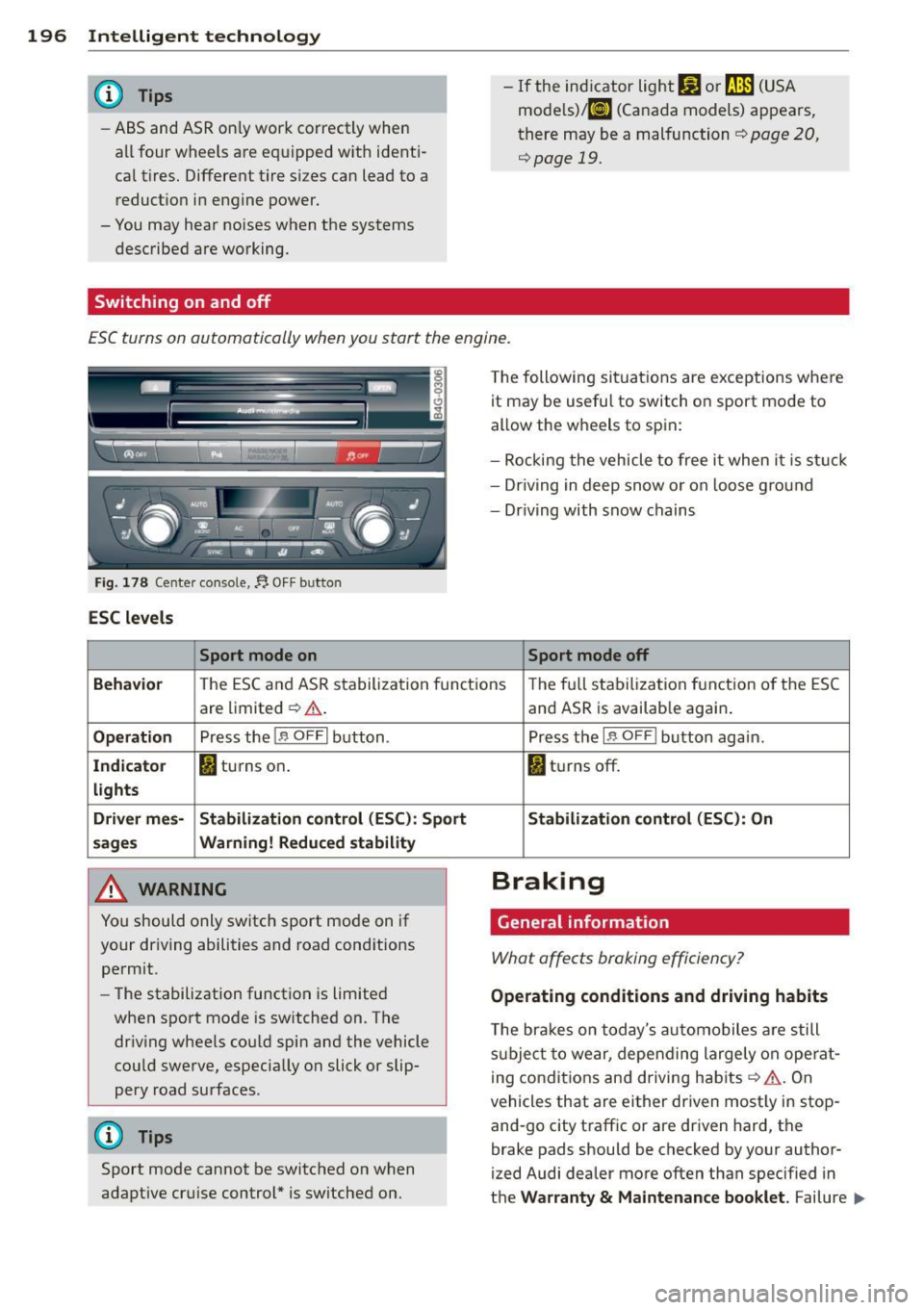
ESC turns on automatically when you start the engine.
Fig. 178 Ce nter co ns ole, f). O FF bu tton
ESC levels
Sport mode on
The following situations are exceptions where
it may be usefu l to switch on sport mode to
allow the wheels to spin:
- Rocking the vehicle to free it when it i s st uck
- Dr iving in deep snow or on loose g round
- Driving with snow chains
Sport mode off
Beha vio r
The ESC a nd ASR stabilization fun ct ions The fu ll stabilization function o f the ESC
are limited ¢.&, .
Op eration Pr ess the 1.$ O FFI button .
Indicato r I) turns on.
lights
Driv er mes- Stabiliza tion control (ESC ): Sport
sage s Warning! R educed stability
,8. WARNING
You should only switch sport mode on if
your driving abilities and road cond itions
permit.
- The stabilization function is limited
when sport mode is sw itched on. The
dr iv ing whee ls could spin and the vehicle
cou ld swe rve, especially on slick or slip
pery road surfaces .
{D) Tips
Sport mode cannot be switched on when
adapt ive cr uise control* is switched on.
-
and ASR is availab le again .
Press the
1 .$ O FF I button again.
fl tu rns off.
Stabilization c ontrol (ESC ): On
Braking
General information
What affects braking efficiency?
Operating conditions and driving habits
The bra kes on today's automobiles a re still
s u bje ct to wear, depending largely on ope rat
i ng conditions and driving hab its
¢ A . On
vehicles that are either driven most ly in stop
and-go city traff ic or are driven hard, the
brake pads should be checked by your author
ized Audi dealer more often than specified in
the
Warranty & Maintenance booklet . Failure .,,_
Page 204 of 304
202 Driving and en vir onm ent
Catalytic converter
Appl ies to vehicles: with gasoline e ngin e
It is very important that your emission con
trol system (catalytic converter) is function
ing properly to ensure that your vehicle is run
ning in an environmentally sound manner .
.. Always use lead-free gasoline¢ page 215,
Fuel supply .
.. Never run the tank down all the way to emp-
ty .
.. Never put too much motor oil in your engine
¢ page 229, Adding engine oil
The catalytic converter is an eff ic ient "clean
up" device built into the exhaust system of
the vehicle. The catalyti c converter burns
many of the pollutants in the exhaust gas be
fore they are released into the atmosphere.
The exclus ive use of unleaded fuel is cr itically
important for the l ife of the cata lytic convert
e r and proper functioning of the engine.
A WARNING
T he temperature of the exhaust system is
high, both when driving and after stopping
the engine .
- Never touch the exhaust tail pipes once
they have become hot. This could result
in burns.
- Do not park or operate the vehicle in
areas where the hot exhaust system may
come in contact with dry grass, brush,
fuel spill or other material which can
cause a fire.
- Do not apply additional undercoating or
rustproofing on or near the exhaust
man ifold, exhaust p ipes, catalytic con
verter or heat shields . During driving, the
substance used for undercoating cou ld
overheat and cause a fire.
@) Note
- Be aware that just one tank f illing with
leaded fuel will al ready seriously de
grade the perfo rmance of the cata lytic
conve rter. -
Do not exceed the correct engine oil level
¢page 229.
-Do not drive until the fue l tank becomes
completely empty . The engine co uld m is
fire . Unburned fuel could also get into
the exhaust system and this cou ld cause
the catalytic converter to overheat.
- Do not switch off the ignition while the
vehicle is mov ing .
- Do not continue to ope rate your vehicle
under these conditions, as otherwise fuel
can reach the catalyt ic converter. Th is
cou ld result in overheating of the con
verter, requir ing its replacement .
- To assure efficient operation of the Emis
sion Control System:
- Have you r vehicle maintained p roperly
and in accordance w ith the service rec
ommendations in your Warranty & Maintenance book let.
- Lack of prope r maintenance as we ll as
improper use of the vehicle wi ll impair
the function of the em ission contro l
system and could lead to damage.
@) For the sa ke of the en vironment
Even when the Emission Control System is
ope rat ing properly, the exhaust gas can
have a sulfur-like exhaust gas smell under
some operat ing states. This depends on
the sulfur content of the fuel being used .
Usi ng a different brand of fuel may help,
or f illing the tank with lead-free super
grade gasoline.
Diesel particulate filter
Applies to vehicles: with diese l eng ine
The diesel part icu late filter filters nearly all of
the soot pa rticles out of the exhaust . T he fil
te r cleans itself automat ica lly unde r no rma l
dr iv ing cond itions . If the filte r cannot clean it
self (for example, because you are on ly driving
short distances), the filter becomes clogged
with soot and the
II symbol for the diesel
particulate filter ill uminates ¢
page 22. ..,.
Page 205 of 304
A WARNING ,~
- Do not park your vehicle over flammable
materials such as grass or leaves because
the high temperature of the diesel par
t icu late filter cou ld start a fire .
- Do not apply an underbody protectant in the exhaust system area or a fire could sta rt.
Avoid damaging the
vehicle
When you are driving on poor roads, o r over
curbs, steep ramps, etc., make ce rtain that
l ow -lying parts such as spoi lers and exhaust
system parts do not bottom out and get dam
aged.
This is especially true for vehicles with low
slung chassis (sports chassis)* and f ully load
ed veh icles.
Driving through water
on roads
Note the following to avoid vehicle damage
when dr iv ing t hrough water, for example on
flooded roads:
- The water must not be any higher than the
bottom of the veh icle body.
- Do not drive faster than wa lking speed.
A WARNING
After driving through water, m ud, slush,
etc., the brakes may be slow to take effect
because of wet brake roto rs and pads. Dry
the brakes fi rst by brak ing carefully to re
sto re the full b raking effect.
- Vehicle components such as the eng ine,
transmission, suspension or e lectr ical
system can be severe ly damaged by driv
i ng th rough water.
- Always switch off the Start-Stop-System
when driving through water
r::;> pag e 79.
-
Dri vin g and en vironm ent 203
(D Tips
-Check t he dept h of the water before d riv
ing through it .
- Do not stop the vehicle, drive in reverse
or switch the e ngine off w hen driving
thro ugh water.
- Keep i n mind t hat oncoming vehicles
may create waves that raise the water
level and make it too deep for your vehi
cle to drive through safely.
- Avo id driving through salt water because
it can cause corros ion.
Shutting down vehicle
If you would like your vehicle to remain inop
erative for a longer period of t i me, contact an
Audi or other spec ia lized dealer. They can ad
vise you on necessary precautions e.g . corro
s io n prevention, maintenance and sto rage .
Pay attent io n to additional info rmation con
ce rning the bat tery. Refe r to ¢
page 235.
Operate your vehicle
economically and
minimize pollution
General
Your per sonal style of driving will de termine
the economy of your vehicle, as well as ex
haust and noise levels .
Fuel economy, environme nta l impact, and
wear on your eng ine, brakes and tires la rgely
depe nd on three fac to rs:
- your personal d riving style
- operati ng conditions
- technical limitat ions
If you ant ic ipate what you need to do next and
drive economica lly, yo u can easily cut yo ur
f uel consumpt ion by 10-15 percent. This sec
tion w ill give you some tips on how you can
help the env ironment and your pocketbook. •
•
Page 206 of 304
204 Driving and en vir onm ent
The consumption estimates as published
by ENVIRONMENTAL PROTECTION AGENCY
(EPA) and Transport Canada may not corre
spond to your actual consumption on the
road, which will vary depending upon vehi
cle load and speed, road and weather con
ditions, tr ip length, etc .
Drive smoothly and keep a lookout
ahead
Vehicles use the most fuel when they are ac
celerating.
• Avoid unnecessary accelerating and braking.
Vehicles use the mo st fuel when they are ac
celerating . If you anticipate what is go ing to
happen next, you will need to brake less and,
thus , accelerate less. Let the vehicle coast
wheneve r poss ible -for example when you see
that the next traffic l ight is red.
Avoid full throttle
Driving at moderate speeds saves fuel and
improves your mileage.
• Try and keep well below your car 's max imum
speed .
Accelerating gently reduces fuel consump
tion, engine wear, and does not disturb the
environment .
Fuel consumption, exhaust emissions and en
g ine no ise increase d isproportionately at high
speeds. If you dr ive at approximately three
quarters of top speed, fue l consumption will
be reduced by one half. Neve r dr ive faste r
than the posted speed limit and wea ther con
d itions permit.
Reducing unnecessary idling
Even when your car is just idling it burns up
fuel.
• Shut the engine off when you are not dr iv ing
the vehicle. •
Do not warm up the vehicle by letting the
engine run at id le .
T he id ling phase is automatically red uced for
vehicles with the Start/Stop system . It is effi
cient to switch off the engine in vehicles with
out the Start-Stop -System when stopp ed at
railroad crossings and long red lights. Tu rning
the engine off for jus t 30-40 seconds saves
more fuel than is burned by starting the en-
. . gme again .
It takes a long time for the eng ine to warm up
fully when i t is running at idle. However, wear
and noxiou s emissions are espec ially high
when the eng ine is warm ing up . So you should
drive away as soon as you start the engine and
avo id running at high rpms while the engine is
still warming up.
W Note
Do not leave engine idling unattended af
ter start ing . If wa rning lights should come
on to indicate improper operation, they
wo uld go unheeded . Ex tended idling also
produces heat, wh ich could res ult in ove r
heating or other damage to the ve hicle or
other property .
Regular maintenance
A badly tuned engine unnecessarily wastes a
lot of fuel.
• Have your veh icle serviced at reg ular in ter -
vals .
By having your ve hicle regu la rly se rviced by an
Audi dealer he lps to ensu re tha t it runs p rop
erly and economically . The condition of your
vehicle not only affects its safety and ability to
ho ld its va lue, it also affects
fuel con sump
tion .
Check your oil e ach time you
fill y our tank.
The amount of o il used is re lated to engine
load and speed.
It is normal for the oil consumption of a new
engine to reach its lowest value after a certa in
mileage has bee n driven . ..,.
Page 210 of 304
208 Trailer towing
Always apply brakes early. When driving
downhill, shift into a lower gear to use the en
g ine braking effect to slow the vehicle . Use of
the brakes alone can cause them to overheat
and fail.
Coolant temperature
The coolant temperature gauge¢ page 11
must be observed carefully. The coolant tem
perature can increase if you drive on long in
clines in a low gear at high engine speeds. Re
duce your speed immediately if the LEDs in
the top part of the display turn on .
For more information about indicator lights,
refer to.
¢ page 17 .
A WARNING
Anyone not properly restrained in a mov
ing vehicle is at a much greater risk in an
accident . Never let anyone r ide in your car
who is not properly wear ing the restraints
provided by Aud i.
Trailer towing tips
Important to know
Your vehicle handles differently when towing
a trailer because of the additional weight and
different weight distribution . Safety, perform
ance and economy w ill greatly depend on how
carefully you load your trailer and operate
your rig .
Before you actually tow your trailer, practice
turn ing, stopp ing and back ing up in an area
away from traffic. Keep practicing until you
have become comp lete ly familiar with the way
your ve hicle-trai ler comb ination behaves and
responds.
Backing up is difficult and requires practice .
Backing up with a tra iler generally requi res
steering act ion opposite to that when backing
up your vehicle without a trailer.
Maintain a greater distance between your ve
hicle and the one in front of you. You will need
more room to stop. To compensate for the trailer, you wi
ll need a larger than normal
turning radius.
When passing, remember that you cannot ac
celerate as fast as you norma lly would be
cause of the added load. Make sure you have
enough room to pass . After passing, a llow
plenty of room for your trailer before chang
ing lanes again.
Avoid jerky starts , sharp turns or rapid lane
changes.
(D Tips
- Do not tow a trailer during the break-in
period of your vehicle.
- If you tow a trailer, your Audi may re
quire more frequent maintenance due to
the extra load ¢
page 283.
Parking on a slope
Do not park on o slope with a trailer. If it can
not be avoided, do so only after doing the fol
lowing:
When parking:
.,. App ly the foot brake .
.. Have someone place chocks under both the
vehicle and the trailer wheels.
.. With chocks in place, slowly release the
brakes until the wheel chocks absorb the
load .
.. Turn the wheels towards the curb.
.. Apply the parking brake.
.. Select the P selector lever position .
When restarting after parking:
.. Apply the foot brake.
.. Start the engine.
.. Select the D/S selector lever position .
.. Release the parking brake and slowly pull
out and away from the wheel chocks .
.,. Stop and have someone retr ieve the wheel
chocks .
Ill-
Page 212 of 304
210 Vehicle care and cleaning
Vehicle care and
cleaning
General information
Regular, proper care helps to maintain your
ve hicle 's value. It can also be a requirement
when subm itting warranty claims for corro
sion damage and paint defects on the body .
The required cleaning and care prod ucts can
be obtained from your authorized Audi dea ler
or a qualified workshop. Read and follow the
instr uctions for use on th e packaging .
A WARNING
-Us ing cleaning and care products incor
rec tly can be dange ro us to your hea lth .
- Always store cleaning and care products
o ut of rea ch of children to redu ce the r is k
of po ison ing.
@) For the sake of the environment
- Preferably use environmentally-friendly
products when buying cleaning agents .
- Do not d ispose of leftover cleaning and
ca re p rod ucts with household trash .
Car washes
-
The longer that depos its suc h as insects, bird
d roppings , tree sap o r road salt rema in on the
ve hicl e, the more the su rface can be dam
aged. High tempe ra tur es such as those
c a used by s unligh t increase the cor rosive ef
fect.
B efore was hing, wet heavy deposits w ith p le n
ty of water.
A lso , wash the underside of your vehicle once
r oad salt stops be ing used fo r th e season .
Pressure wa shers
When washing your veh icles w ith a pressure
washer, always follow the operating instruc
tions provided w ith the pressure washe r. Th is
i s especially important in rega rd to t he pres
sure and spray ing distance . Do not aim the
spray d irectly at seals o n side w indows, doors, the
hood, the rear lid o r the sunroo f* or at
t ir es , rub ber hoses, insu lating mate rial, sen
sors * or camera lenses *. Keep a d istance o f at
l east 16 inches (40 cm).
Do not remove snow and ice wi th a p ressu re
washe r.
Never use rota ry no zzle s or high pressure noz
z les.
T he wate r temperature must not be above
140
° F (60 °() .
Automatic car washes
Spray off the ve hicle before washing.
Make sure that the w indows and roof * are
closed and the winds hield wipers are off . Fo l
l ow instructions from the car wash operator,
especially if there are accessories attached to
your vehicle.
If possible, use car washes that do not have
brushes .
Washing by hand
Clean the ve hicl e starting from the top and
working down using a soft sponge or cleaning
brush . Use solvent-f ree cleaning products.
Washing vehicles with matte finish paint
by hand
To avoid damaging the paint when washing,
first remove dust and la rge particles from
yo ur vehicle. Insects, grease spots and finger
pri nts are best removed with a special cleaner
for matte finish paint .
Apply the p rod uct us ing a microfiber cloth . To
avo id damag ing the pa int surface, do not use
too much pressure.
Rinse the ve hicl e thoro ughly with water . Then
clean usi ng a neutral shampoo and a soft mi
crof iber cloth.
Rinse t he vehi cle thoroughly again and le t it
air dry . Remove any wa ter residue using a
shammy.
Stubborn dep osit s su ch as b ird drop pin gs o r
t ree sap are best remove d with p le nty o f wa -
te r and a microfiber cloth . ..,.