warning lights AUDI A6 2014 Owner's Manual
[x] Cancel search | Manufacturer: AUDI, Model Year: 2014, Model line: A6, Model: AUDI A6 2014Pages: 304, PDF Size: 76.32 MB
Page 46 of 304
44 Clear vision
& WARNING
-Automatic headlights are only intended
to assist the driver . They do not relieve
the driver of his responsibility to check
the headlights and to turn them on man
ually according to the current light and
visibility conditions. For example, fog
cannot be detected by the light sensors.
So always switch on the headlights
io
under these weather conditions and
when driving in the dark.
- Crashes can happen when you cannot see
the road ahead and when you cannot be
seen by other motorists. Always turn on
theheadlightssothatyoucanseeahead and so that others can see your car from
the back .
- Please observe legal regulations when
using the lighting systems described .
(D Note
The rear fog lights should only be turned
on in accordance with traffic regulation, as
the lights are bright for following traffic.
{D) Tips
- The light sensor* for automatic head
light range control* is located in the rear
view mirror mount . You should therefore
not apply any stickers to the windshield
in this area in order to prevent malfunc
tions or failures .
- In the event of a light sensor malfunc
tion, the driver is notified in the instru
ment cluster display ~
page 23 .
-You will hear a warning tone if you open
the driver door when the exterior lights
are switched on.
- In cool or damp weather, the inside of
the headlights, turn signals and tail lights can fog over due to the tempera
ture difference between the inside and
outside. They will clear shortly after
switching them on. This does not affect
the service life of the lighting.
Emergency flasher
The emergency flasher makes other motorists
aware that you or your vehicle are in an emer
gency situation .
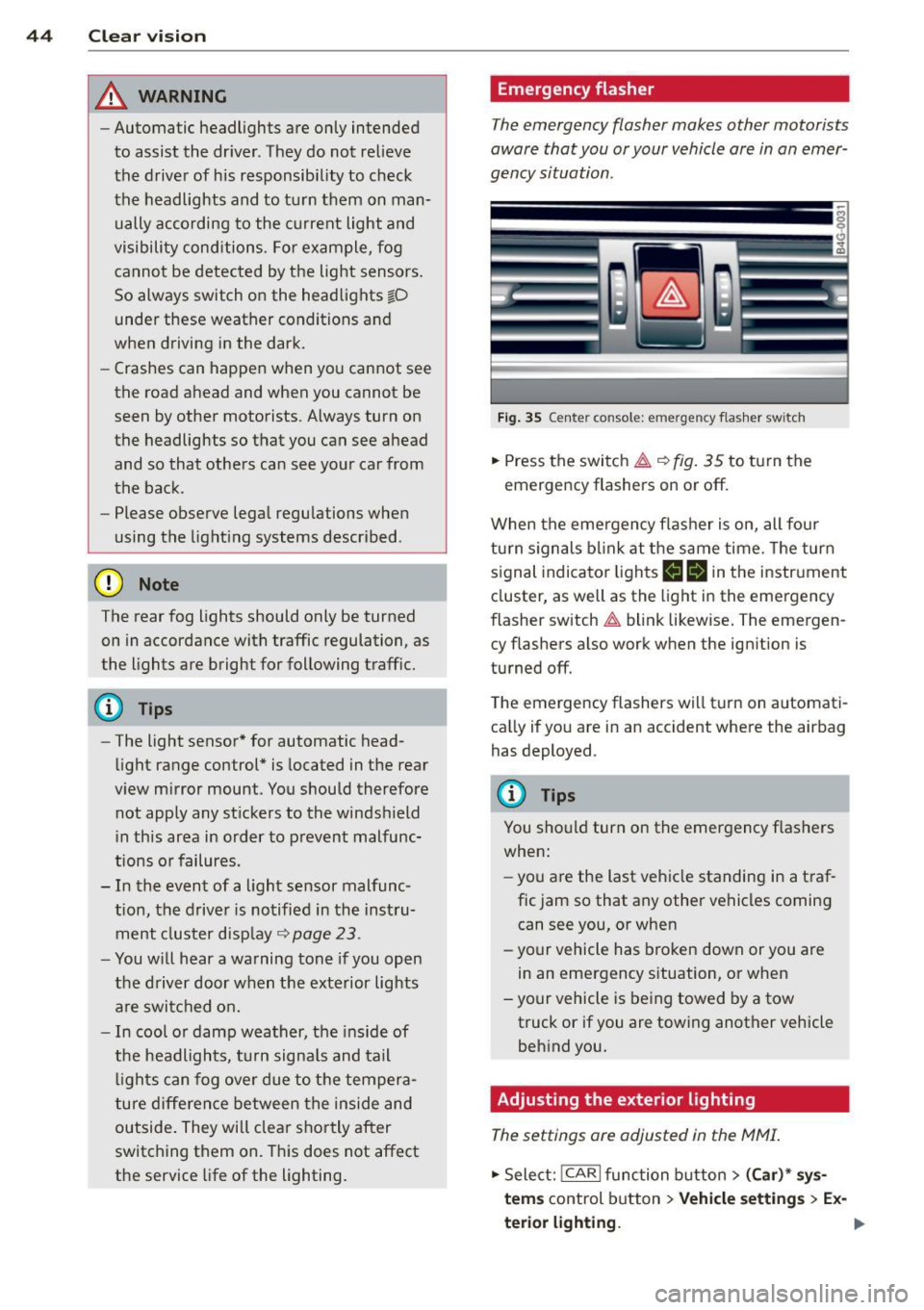
Fig. 35 Ce nte r co nso le: em erg en cy flash er sw itc h
.. Press the switch~~ fig. 35 to turn the
emergency flashers on or off.
When the emergency flasher is on, all four
turn signals blink at the same time. The turn
signal indicator lights
B Nin the instrument
cluster, as well as the light in the emergency
flasher switch
~ blink likewise. The emergen
cy flashers also work when the ignition is
turned off.
The emergency flashers will turn on automati
cally if you are in an accident where the airbag
has deployed.
@ Tips
You should turn on the emergency flashers
when:
- you are the last vehicle standing in a traf
fic jam so that any other vehicles coming
can see you, or when
- your vehicle has broken down or you are
in an emergency situation, or when
-your vehicle is being towed by a tow
truck or if you are towing another vehicle
behind you.
Adjusting the exterior lighting
The settings ore adjusted in the MMI.
.. Select: !CARI function button> (Car)* sys
tems
control button > Vehicle settings > Ex-
terior lighting.
Ill>
Page 48 of 304
46 Clear vis ion
instrument cluste r illuminates when the
high beams are on.
- T he
headlight flash er works only as long as
yo u hold the lever - even if there are no
l ights turned on. The indicator light
II in
the instrument cluster il luminates when you
use the headlight flasher.
A WARNING
Do not use the high beam or headlight
flasher if you know that these could blind
oncoming traffic.
Interior lights
Front and rear interior lighting
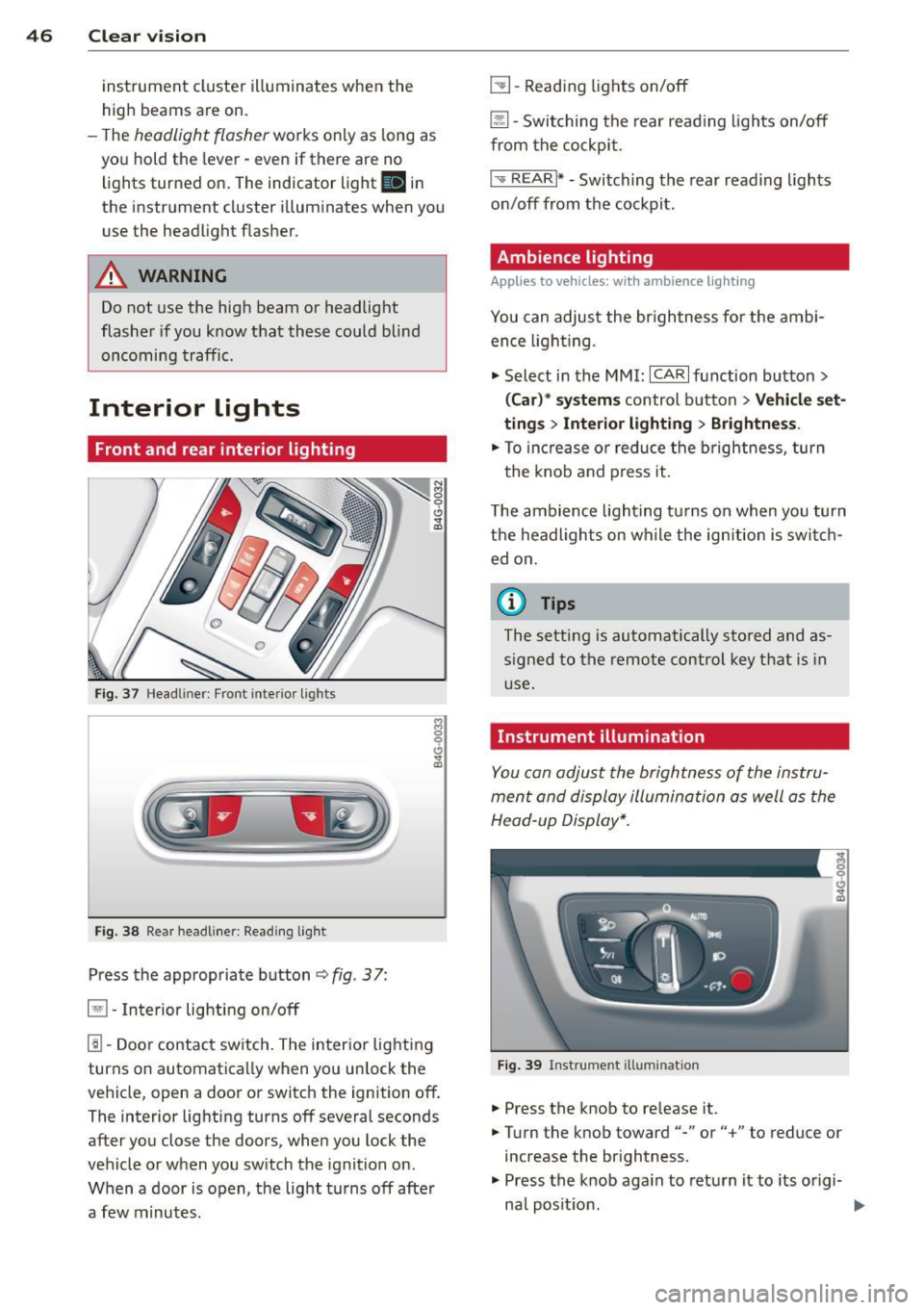
Fi g. 37 Headliner: Front interior ligh ts
Fig . 38 Re ar headli ne r: Readi ng light
Press the appropriate button q fig . 3 7:
El -Interior lighting on/off
I]]-Door contac t sw itch . The inter ior lighting
turns on automatica lly when you unlock the
vehicle, open a door or switch the ignition off.
The interior lighting turns off several seconds
after you close the doors, when you lock the
vehicle or when you sw itch the ignition on.
When a door is open, the light t urns off afte r
a few minutes.
L:!l -Read ing lights on/off
~ - Switching the rear read ing lights on/off
from the cockpi t.
I" REARI * -Switching the rear reading lights
o n/off from the cockpit.
Ambience lighting
Applies to vehicles: w ith amb ience lighting
You can adjust the br ightness for the ambi
ence ligh tin g.
.. Select in the MMI:
ICA RI function button>
(Car )* sys tem s control button > Vehicle set
ting s
> Interi or lighting > Brightne ss.
.. To increase or reduce the b rightness, turn
t he knob and press it .
T he ambience light ing tu rns on when you turn
the headlights on wh ile the ign ition is swi tc h
ed on.
(D Tips
The setti ng is automati cally sto red and as
s igned to the remo te contr ol key t hat i s in
u se.
Instrument illumination
You can adjust the brightness of the instru
men t and di splay illumination a s well as the
Head-up Display*.
Fi g. 39 Instrume nt illumina tion
... Press the knob to release it.
.. Turn the knob toward"-" or"+" to reduce or
increase the br ightness .
.. Press the knob aga in to return it to its o rigi-
na l posit ion . ...
Page 49 of 304
@ Tips
The instrument illumination (for dials and
needles) lights on when the ign it ion is
sw itched on and the vehicle lig hts are
turned off. As the daylight fades, the illu
m ination of the dials likewise dims auto
mat ically and w ill go out comp lete ly when
the o utside lig ht is ve ry low. This fea ture is
meant to remi nd you t o swit ch on the
headl igh ts when o utside light condi tions
become poor.
Vision
Sun visors
( J
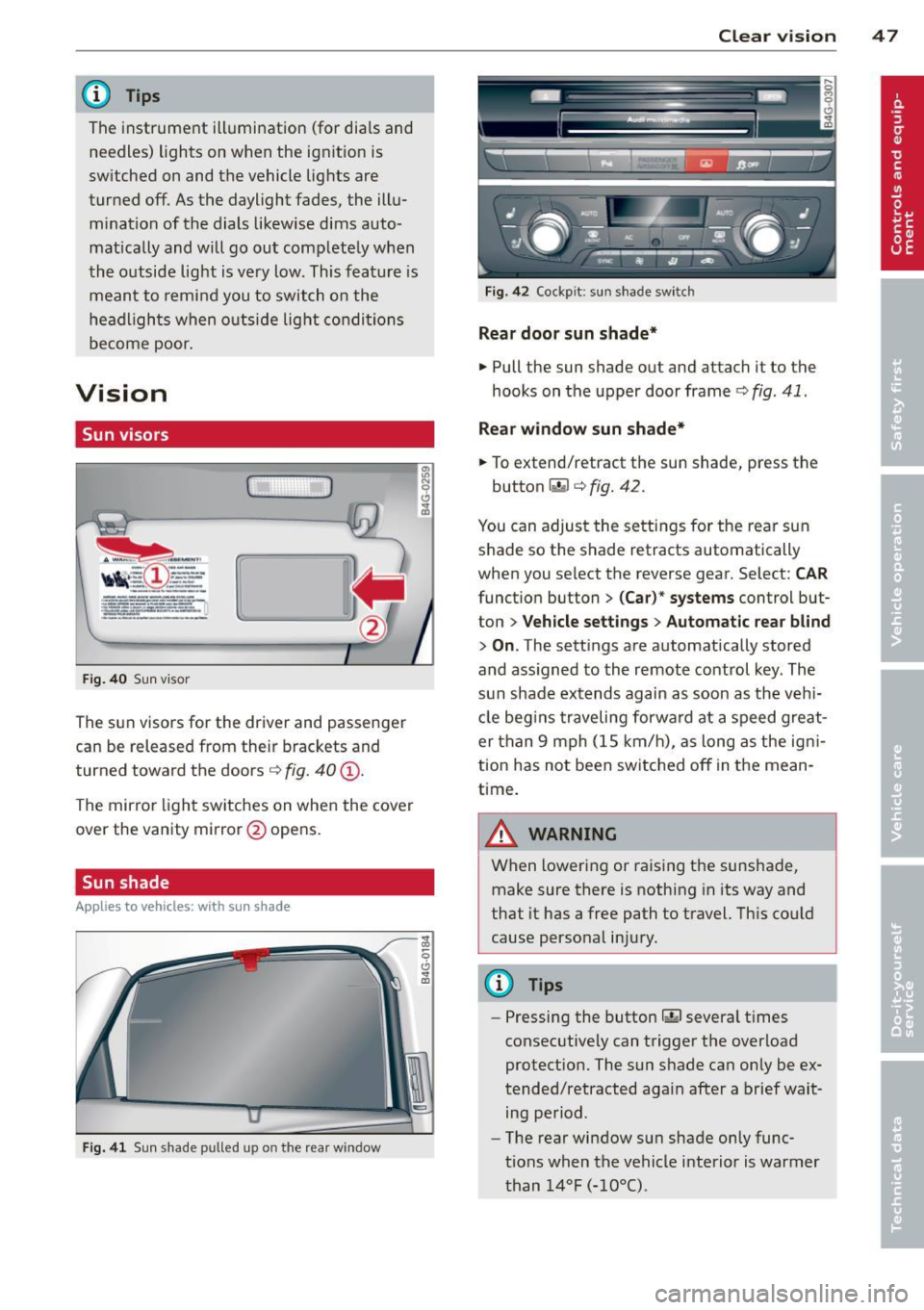
F ig . 40 Sun visor
The sun visors for the driver and passenger
can be released from their brackets and
turned toward the doors¢
fig. 40@.
The mirror light switches on when the cover
over the vanity mirror @opens.
Sun shade
Applies to vehicles: with sun shade
F ig . 41 Sun shade pulled up on the rea r window
Clear vi sion 4 7
Fig . 4 2 Cockp it: sun shade switch
Rear door sunshade*
.. Pull the sun shade out and attach it to the
hooks on the upper door frame¢
fig. 41 .
Rear window sun shade*
.. To extend/retract the sun shade, press the
button~ ¢
fig. 42.
You can adjust the settings for the rear sun
shade so the shade retracts automatically
when you select the reverse gear. Select:
CAR
function button > (Car )* systems control but
ton >
V ehicle settings > Automatic rea r bl ind
> On .The sett ings are automatically stored
and ass igned to the remote control key . The
s u n shade extends again as soon as the v ehi
cle beg ins traveling forwa rd at a speed gre at
er than 9 mph (1S km/h), as long as the ig ni
tion has not been switched off in the mean
time.
A WARNING
When lowering or raising the sunshade, make sure there is nothing in its way and
that it has a free path to t ravel. Th is cou ld
cause perso nal inju ry.
@ Tips
-
- Pressing the button rn severa l t imes
consec utive ly can trigger the overload
protect ion. The sun s hade can only be ex
tended/retracted again after a brief wait ing period.
- The rear window sun shade only func
tions when the vehicle i nterior is warmer
than
1 4°F ( -10°() .
Page 50 of 304
48 Clear vis ion
Wiper and washer
system
Switching the windshield wipers on
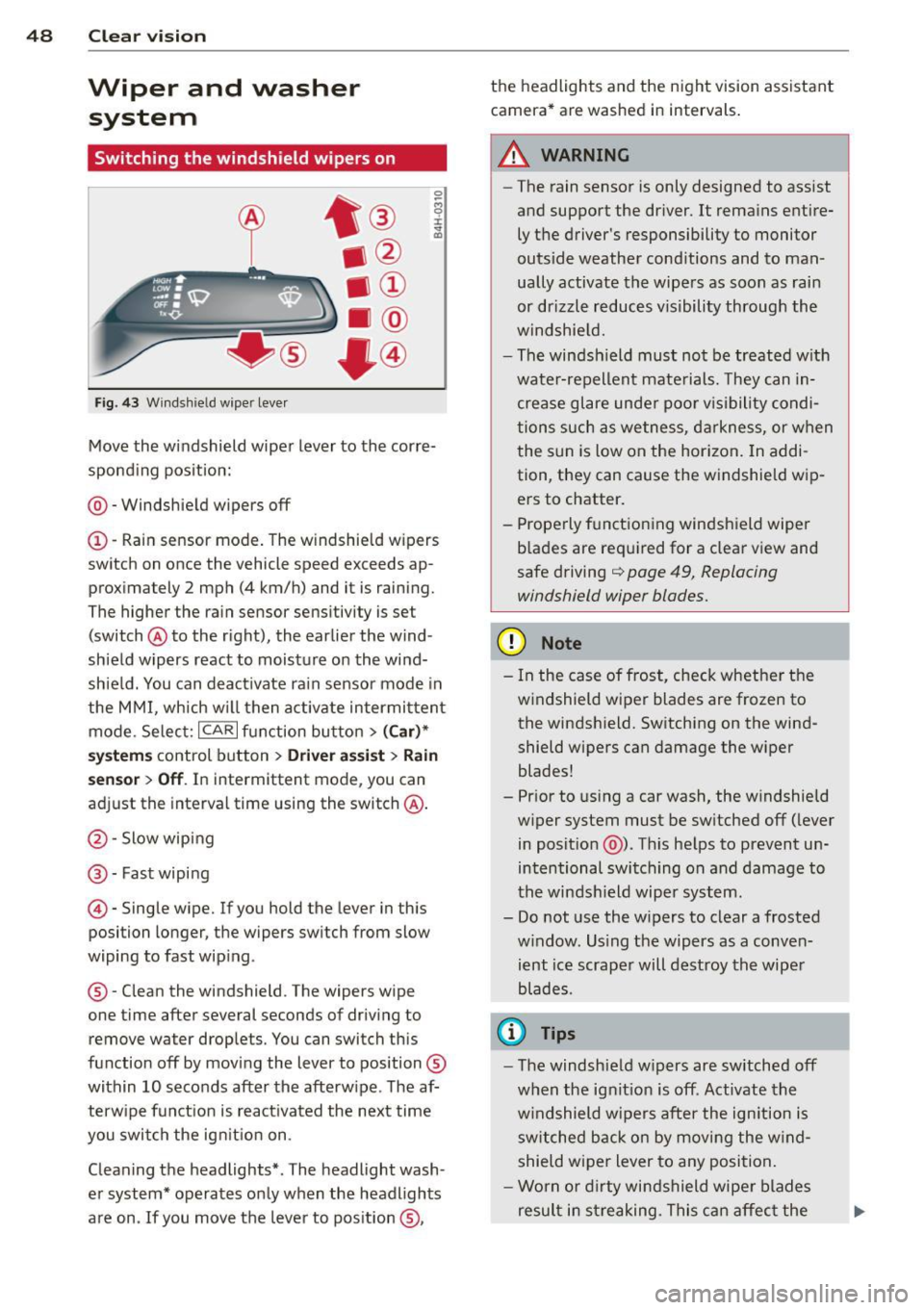
F ig. 43 Wind sh ie ld wipe r lever
Move the windshield wiper lever to the corre
sponding pos ition:
@ - Windshie ld wipers off
(I) -Rain sensor mode . The windshield w ipers
switch on once the vehicle speed exceeds ap
proximately 2 mph (4 km/h) and it is raining.
The higher the rain sensor sens itivity is se t
(switch @to the right), the earlier the wind
shield wipers react to moisture on the wind
shie ld. You can deact ivate rain sensor mode in
the MMI, which w ill then activate intermi ttent
mode. Selec t:
ICAR I function bu tton > ( Car )*
system s control button > Driver ass is t > Rain
se nsor
> Off . In intermittent mode, you can
adjust the interval time using the switch @.
@-Slow wiping
@-Fast wiping
© -Single wipe. If you hold the lever in this
posi tion longer, the wipers sw itch from slow
wiping to fast wip ing .
® - Clean the windshield . The wipers wipe
one time after several seconds of driv ing to
remove water drop le ts. You can switch this
function off by mov ing the lever to position ®
within 10 seconds after the afterw ipe . The af
terw ipe fun ct ion is react ivated the next time
you swit ch the ig nition on .
Cleaning the headlights* . The headlight wash
e r system* operates only when the headlights
are on . If you move the lever to pos ition ®, the headlights and the night vision assistant
camera* are washed in intervals .
.&_ WARNING
-
-The rain sensor is only designed to assist
and support the driver.
It remains entire
ly t he driver's responsibility to monitor
outside weather cond itions and to man
ually activate the wipe rs as soon as rain
or drizzle reduces v isibility through the
windshie ld.
- The windsh ield must no t be treated w ith
wate r-repellent mate rials. They can in
crease glare unde r poo r vis ibility condi
tions such as wetness, d arkness, or when
the sun is low on the hor izon. In addi
tion, they can cause the w indshield w ip
ers to chatter .
- Prope rly f unctioning windshield wiper
b lades are required for a clear view and
safe driving
q page 49, Replacing
windshield wiper blades.
(D Note
- In the case of frost, check whethe r th e
windshield wiper blades are frozen to
the windsh ield. Switching on the wind
shield wipers can damage the wiper
blades!
- Pr ior to us ing a car wash, the w indshield
w iper system must be sw itched off ( lever
in posit ion @). Th is he lps to prevent un
intentional switching on and damage to
the winds hield wiper system.
- Do not use the w ipers to clear a frosted
w indow . Us ing the wipers as a conven
ient ice scrape r will destroy the wipe r
blades .
(D Tips
-The windshie ld w ipers are switched off
w hen the ignit ion is off . Activate the
w indshield wipers after the ign ition is
switched back on by moving the w ind
shield wiper lever to any position.
- Worn or dirty windshield wipe r blades
result in streaking. This can affect the
Page 53 of 304
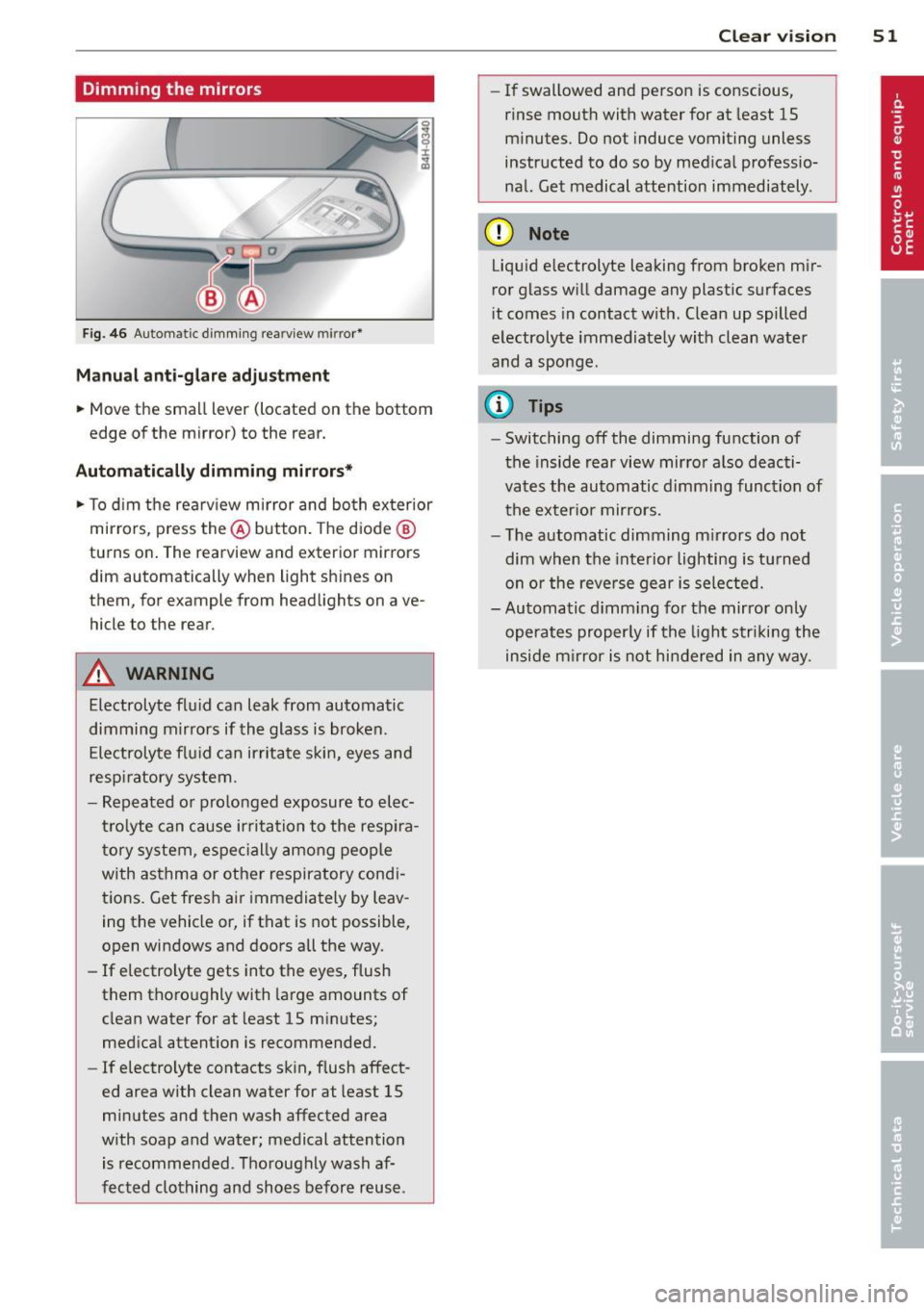
Dimming the mirrors
Fig. 46 Automatic d imm ing rearv iew mirro r*
M anual ant i-glar e adjustment
.. Move the small lever (located on the bottom
edge of the mirror) to the rear.
Automatic ally dimming mirror s*
.. To d im the rearv iew mirror and bo th ex terior
mirrors, p ress the @button. The d iode @
turns on. The rearview and exterior mirrors
dim automatically when light shines on
them, for example from headlights on ave
hicle to the rear.
&_ WARNING
Electrolyte flu id can leak from automatic
dimming mirrors if the glass is broken.
Ele ctrolyte fl uid can irritate s kin, eyes and
respi ratory system.
- Repeated or prolonged exposure to elec
tr olyte can cause ir ritation to the resp ira
tory syste m, espec ially among people
with asthma or othe r respiratory cond i
tions. Get fres h ai r i mmedia tely by leav
ing the vehicle or, if that is not possible,
open windows and doors all the way.
- If electrolyte gets into the eyes, flush
them thoro ughly with large amounts of
clean water for at least 15 m in utes;
med ica l attent ion is recommended.
- If electrolyte contacts sk in , flush affect
ed area with clean water for at least 15
minutes and then wash affected area
w ith soap and water; medical attention
is recommended. T ho roughly wash af
f e cted clothing and sho es befor e reuse.
Clear vi sion 51
- If swallowed and perso n is conscious,
rinse mouth with water for at least 15
m inutes. Do not induce vomiting unless
instructed to do so by med ica l professio
nal. Get medical attention immediately .
(D Note
Liqu id e lectrolyte leaking from broken m ir
ror glass w ill damage any plastic surfaces
i t comes in contact wit h. Clea n up spilled
electrolyte immed iately w it h clean water
and a sponge.
@ Tips
- Switching off the dimming function of
the inside rear view mir ro r also deacti
vates the automatic d imming function of
t he ex ter ior mirro rs.
- T he automatic dimming m irrors do not
dim when the inte rior lighting is tu rned
on or the reve rse gear i s sele cted.
- Automatic d imm ing fo r th e mirror only
operates proper ly if the light s trik in g the
inside m irror is not hin dered in any way.
Page 59 of 304
Remote Memory button control master
key
Driver Driver Front passen-
ger
Seat X X X
Stee ring X X
wheel*
Both exterior
X X
rearview mir-
rors*
Remote control key
Applies to vehicles: with memory function
To assign the d river 's sea t settings to the re
mote cont ro l key w hen locking the vehicle, the
function must be swi tc h ed on .
~ Select: I CARI funct io n button > (Car )* sys
tems
con trol button > Vehicle settings >
Seats > Driver seat > Remote control key >
On .
@ Tips
If you do not wa nt ano ther d river' s set
t ings to be a ssigned to the remote control
key, switch off the memory f unction usin g
the MMI or the
! OFF ! button ce:> page 57.
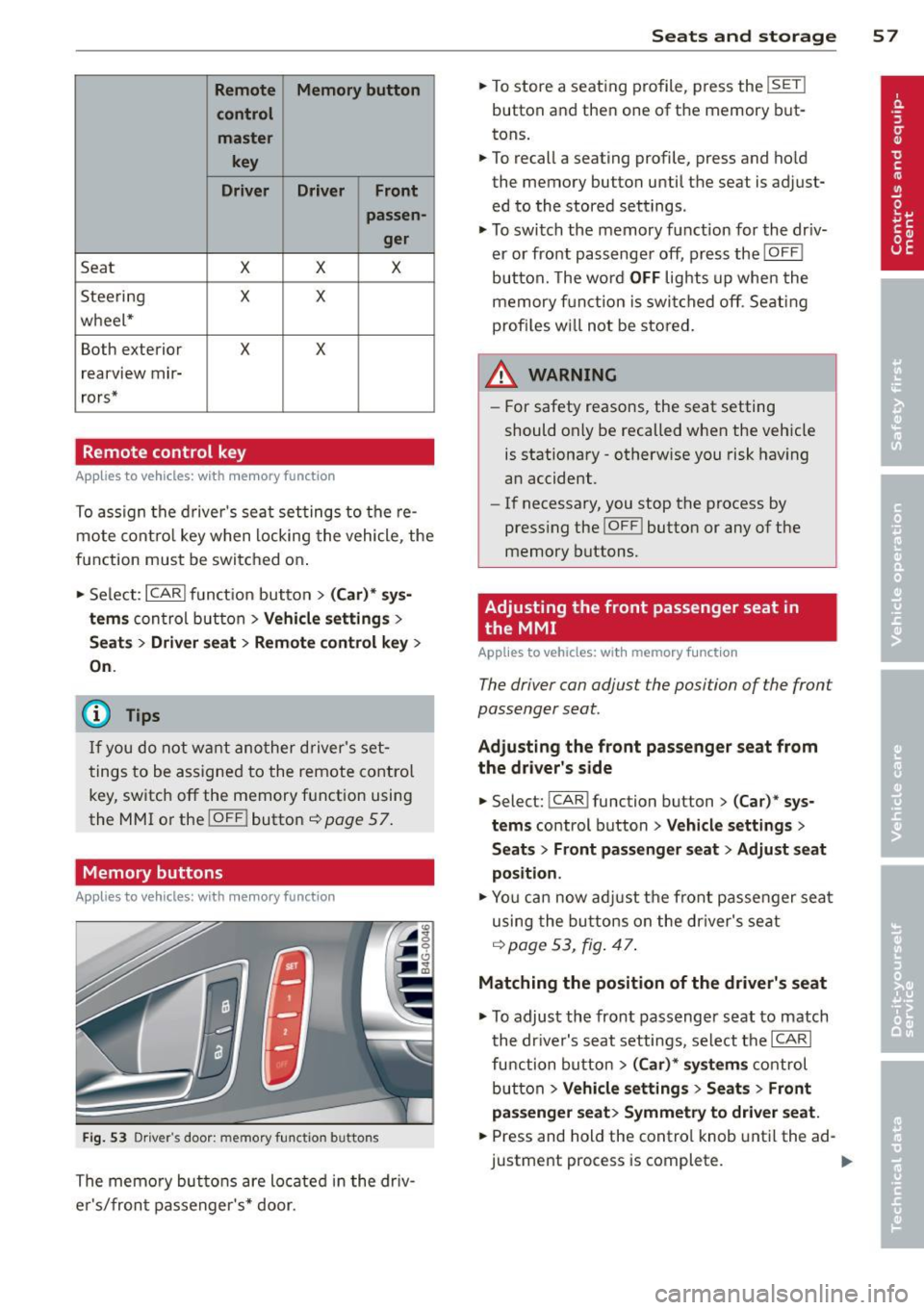
Memory buttons
Applies to vehicles: with memory function
Fig. 53 Dr iver·s door: memory fu n ct io n buttons
The memo ry but tons are located in the dr iv
e r's/fron t passenger 's * door.
Seats and storage 5 7
~ To store a seating profile, p ress the !SET !
button and then one of the memory but
tons.
~ To recall a seating profile, press and ho ld
the memory button until th e seat is adjust
ed to the stored settings.
~ To swi tch the memory funct ion for the dr iv
er or fro nt pa sse nge r off, pre ss the
!OFF I
button. The wo rd OFF lights up whe n the
mem ory f unction is swi tched off . Sea ting
prof iles w ill not be stored.
WARNING
-For safety reasons, the seat setting
should only be recalled when the veh icle
is stationary -otherw ise you risk hav ing
an accident.
- If necessary, you stop the process by
press ing the
!OF F! button or any of the
memory buttons.
Adjusting the front passenger seat in
the MMI
Applies to vehicles: with memory function
The driver can adjust the position of the front
passenger seat.
Adjusting the front pas senger seat from
the driver's side
~ Select: ! CAR I function button > (Car) * sy s
tem s
control button > Vehicle settings >
Seats > Front passenger seat > Adjust seat
position .
~ You ca n now ad just the fron t passe nger sea t
using the bu ttons o n the dr iver's se at
q page 53, fig. 47 .
Matching the position of the driver's seat
~ To adjust th e front passenger seat to match
the dr ive r's seat settings, select t he
ICARI
function button > (Car )* system s cont rol
but ton
> Vehicle settings > Seats > Front
pa ssenger seat > Symmetry to driver seat.
~ Press and hold the contro l knob unti l the ad
justment process is complete.
Page 77 of 304
Starting th e engin e
"'Press the brake peda l c::> _&..
"'Press the !START ENGINE STOP I button
c::>fig. 75. The engine will start .
"' It is possible that the re wi ll be a slight de lay
when starting the engine for diesel vehicles
in colder temperatures. Therefore, you must
hold the brake pedal down until the eng ine
starts. The indicator lamp
&I illum inates
when the eng ine is preheated .
If the engine should not start immediately,
the starting process is automatically stopped
after a short time . Repeat starting procedure .
Start-Stop-Sy stem *:
Note the information on c::> page 79, Start
S top-Sys tem.
A WARNING
- Never allow the engine to run in confined
spaces -danger of asphyxiation .
- Never turn off the eng ine unti l the vehi
cle has come to a complete stop .
- The brake booster and power steer ing
only work when the engine is running . If
the engine is off, you have to use more
force when steering or braking. Because
you cannot stee r and brake as you usua l
ly wou ld, this could lead to crashes and
ser ious injur ies.
- Avoid high engine rpm, fu ll throttle and
heavy engine loads unti l the engine has
reached operating temperat ure - ot her
wise yo u risk eng ine dam age.
- The eng ine ca nnot be started by pushing
or tow ing the veh icle.
(D Tips
- After a cold engine is sta rted, there may
be a brief period of increased noise be
ca use oil p ress ure mus t fi rs t bu ild up in
the hyd raulic valve adjus ters. This is nor
mal and not a ca use for concern .
-If yo u leave the vehicle with t he ignit ion
switched on, the ignition will switch off
On th e ro ad 75
after a cer tain per iod of t ime. Please
note that electrical eq uipment such as
exterior lights will sw itch off as well
when that happens.
Stopping the engine
"' Bring your vehicle to a complete stop.
"' Move the selector lever to the P or N posi
tion .
"' Press the
I STA RT E NGINE ST OP I button
c::>page 74, fig. 75.
When you stop and the Start-Stop-System*
turns off the engine, the ignition remains on .
Press the
! S TAR T ENGIN E ST OPI button to
swi tch the ig nition off du ring a stop phase.
Steering lock
The steeri ng locks when you tur n the engine
off using the
I S TART ENGINE STOP I button
and open the driver's door. The locked steer
i ng helps p revent vehicle theft.
Emergency off
If necessary, t he engine can be switc hed off
with the se lector lever in the R or D/S posi
tion. The eng ine stops if you press the
I S TART ENGI NE STOP I button at speeds below
6 mph (10 km/ h) .
A WARNING
- Never turn off t he engine un til the vehi
cle has come to a complete stop .
- T he b rake boos ter and power stee ring
only work w hen the eng ine is r unning . If
the engine is off, yo u have to use more
force when steering or braking. Because
you cannot steer and brake as you usual
ly would, th is cou ld lead to crashes and
serious injuries.
- For safety reasons, you sho uld a lways
park your vehicle w ith the selector lever
in P . Otherwise, the vehicle could inad
vertently roll away.
- After the eng ine has been switched off,
the radiator fan can cont inue to run for
up to 10 minutes - even with the ignition .,..
Page 79 of 304
.. Hold the master key vertically in the loca
tion indicated
y>>) c::> fig. 76.
.. Press the brake pedal
c:;, A in Starting the
engine on page 75.
.. Press the l~S_T_A_R_T_ E_N_ G_ I_ N _ E_ S_T_ O_ P~ I button . The
engine will start .
.. Drive to your author ized Audi dealer imme
diately to have the malfunction co rrected .
('O Tips
You can view the message again by press
ing the
! START ENGINE STOP I button.
Electromechanical
parking brake
Operation
The electromechanical parking broke replaces
the hand broke.
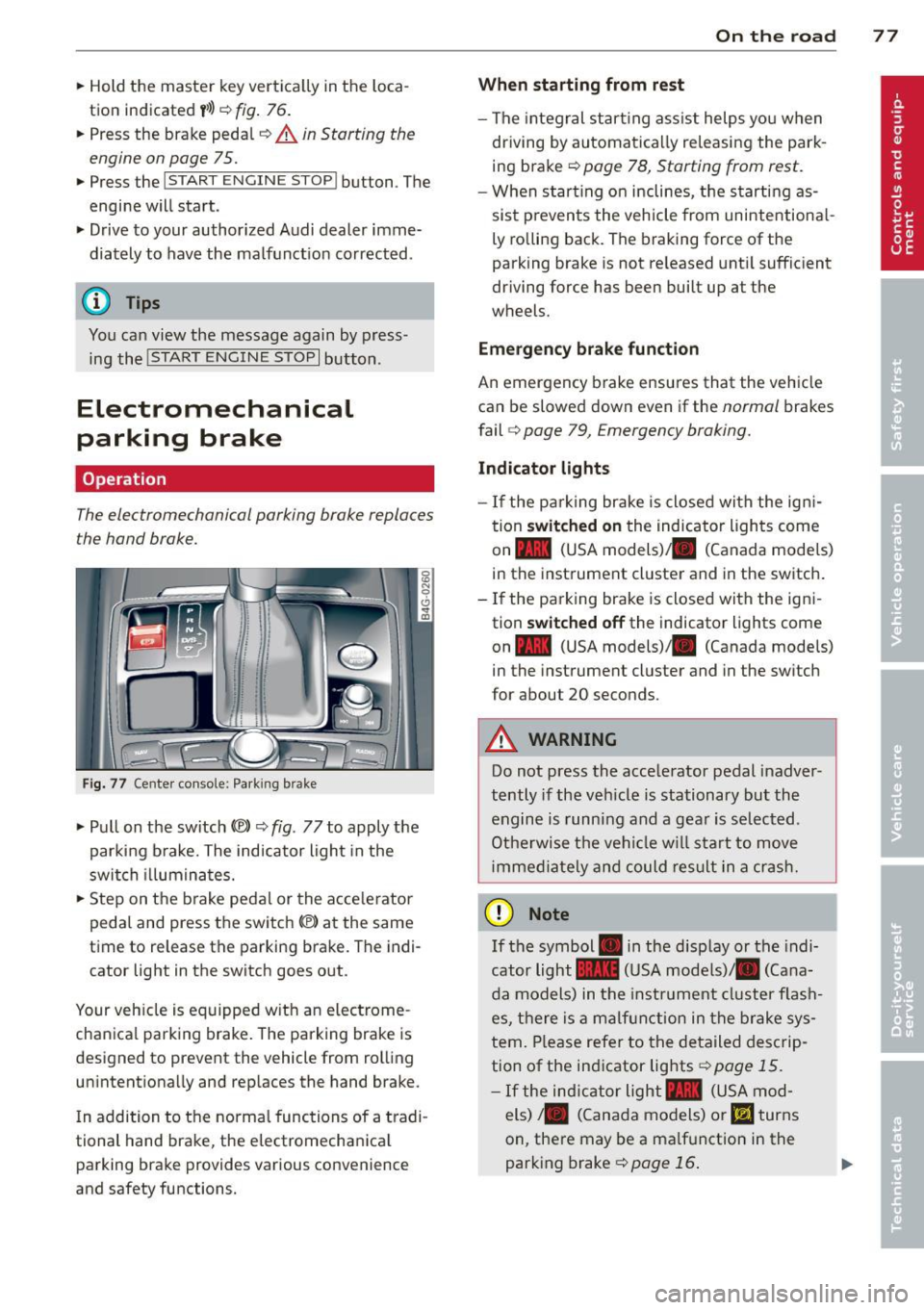
Fig. 77 Center console: Park ing brake
.. Pull on the switch (®) c::> fig. 77 to apply the
parking brake. The indicator light in the
switch illuminates .
.. Step on the brake pedal or the acce le rator
pedal and press the switch(®) at the same
time to release the parking brake. The indi
cator light in the switch goes out.
Your veh icle is equipped w ith an electrome
chanica l park ing brake. The parking brake is
designed to prevent the vehicle from rolling
un intentiona lly and rep laces the hand brake.
I n addition to the normal functions of a tradi
tional hand brake, the electromechanica l
parking brake provides various convenience
and safety functions.
On the road 77
When starting from rest
-The integral start ing assist helps you when
driving by automatically re leasing the park
ing brake
c::> page 78, Starting from rest .
- When start ing on inclines, the starting as
sist p revents the vehicle from unintentiona l
ly rolling back. The braking force of the
parking brake is not re leased until sufficient
driving force has been built up at the
wheels.
Emergency brake function
An emergency brake ensures that the vehicle
can be slowed down even if the
normal brakes
fail
c:;, page 79, Emergency broking.
Indicator lights
- If the pa rking brake is closed with the ign i
tion
switched on the indicator lights come
on - (USA
models) ,tl (Canada models)
in the instrument cluster and in the switch.
- If the parking brake is closed with the igni
tion
switched off the indicator lights come
on - (USA
models) ,tl (Canada models)
in the instrument cluster and in the sw itch
for about 20 seconds.
A WARNING
Do not press the accelerator pedal inadver
tently if the veh icle is stationary but the
engine is running and a gear is selected .
Otherwise the vehicle w ill start to move
imm ediately and could result in a crash.
(D Note
If the symbol . in the disp lay or the indi
cator light
1111 (USA models)/. (Cana
da models) in the instr ument cluster fla sh
es, there is a malfunction in the brake sys
tem. Please refer to the detailed descrip
tion of the indicator lights
c::>poge 15.
-If the indicato r light - (USA mod-
els) /. (Canada models) or
11',1 turns
on, there may be a malf un ction in the
parking brake
c::>poge 16.
Page 83 of 304
-The windshield is being defrosted
Q page 69, ~ page 71 .
-The brake peda l is pressed several times in a
row.
- The battery charge level becomes too low.
- High power consumption .
Switching the ignition automatically
To prevent the battery from draining, the igni
tion will switch off
automatically when all of
the following conditions have been met:
- The vehicle has already been driven .
- The engine has been turned off by the Start-
Stop-System*.
- The driver's door is opened .
- The driver's seat belt is removed.
- The bra ke peda l is not pressed down.
- The vehicle is stationary.
In this case, the activated low beam will be re
placed by the side marker lights. The side
marker lights will switch off after approx i
mately 30 minutes or when you lock the vehi
cle .
If the Start-Stop System has
not turned off
the engine or if you have switched the Start
Stop system off manually, the ignition wil l
not
be automatically switched off and the engine
will continue to run ~,& .
& WARNING
Never allow the engine to run in confined
spaces -danger of asphyxiation.
(0 Tips
If you shift into the D, N or S positions af
ter shifting into reverse, the vehicle must
be driven faster than 6 mph (10 km/h) in
order for the engine to switch off again .
On the road 81
Switching the Start-Stop-System on/off
manually
Applies to veh icles: w ith Star t-Stop-Sys te m
If you do not wish to use the system, you can
switch it off manually.
=~-
-~ ---
' I~ -
--
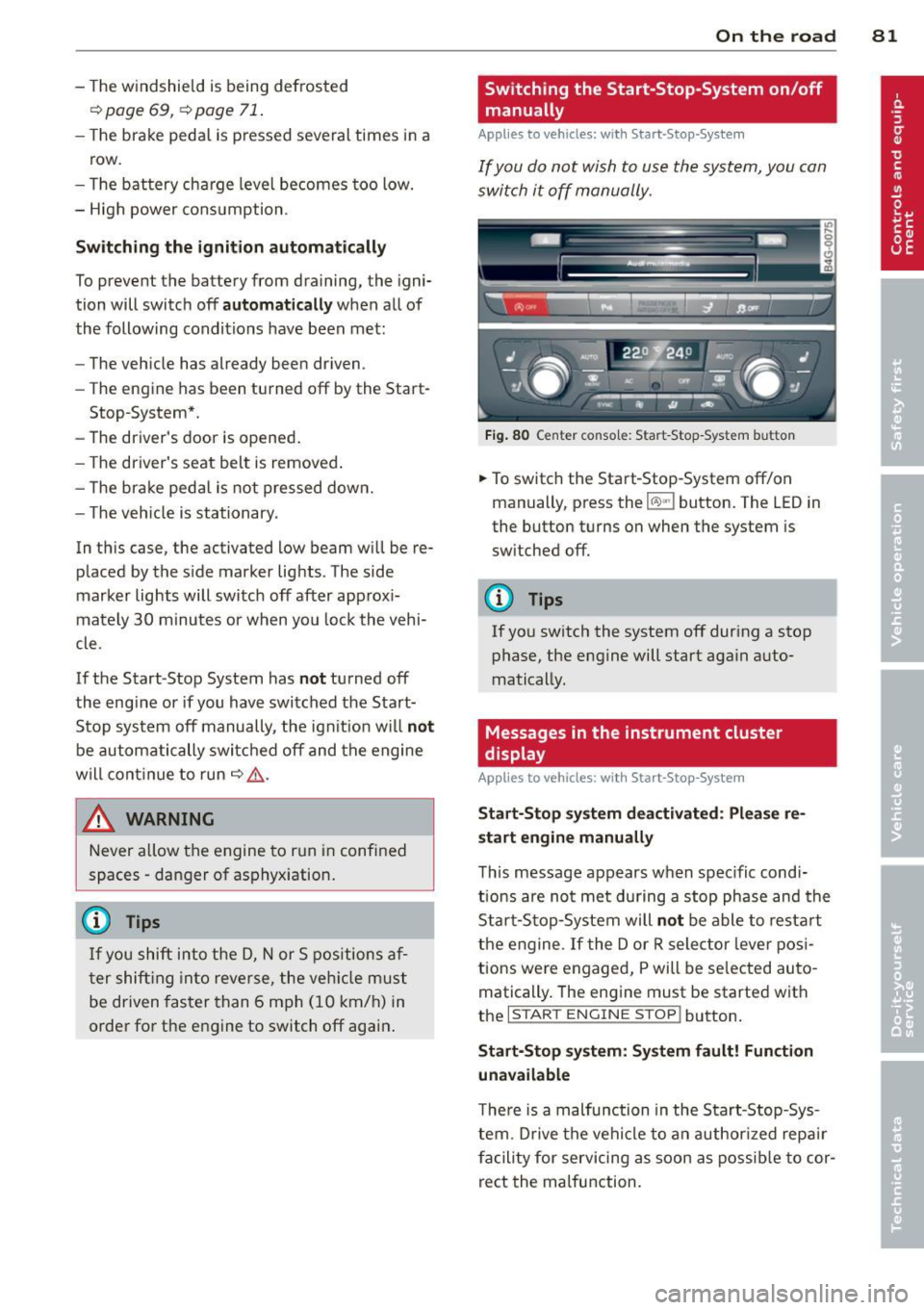
Fig. 80 Center console: Start-Stop-System button
.,. To switch the Start-Stop-System off/on
manually, press the
1 (1() ~·1 button. The LED in
the button turns on when the system is
switched off.
(D Tips
If you switch the system off during a stop phase, the engine will start again auto
matically.
Messages in the instrument cluster
display
A pp lies to veh icles : w ith S tart-Stop -Sys tem
Start-Stop system deactivated: Please re
start engine manually
This message appears when spec ific condi
tions are not met during a stop phase and the
Start-Stop-System will
not be able to restart
the engine . If the Dor R selector lever posi
tions were engaged, P will be selected auto
matically. The engine must be started with
the
I START ENGINE STOP! button.
Start-Stop system: System fault! Function
unavailable
There is a malfunction in the Start-Stop-Sys
tem . Drive the vehicle to an authorized repair
facility for servicing as soon as possible to cor
rect the malfunction.
Page 85 of 304
the distance between your vehicle and
other vehicles.
- For safety reasons, the cruise control
should not be used in the city, in stop
and-go traff ic, on twisting roads and
when road conditions are poor (such as
ice, fog, grave l, heavy rain and hydro
planing) -risk of acc ident .
- Turn off the cruise control temporari ly
when entering turn lanes, highway exit lanes or in const ruction zones .
- Please note that inadvertent ly "rest ing"
yo ur foot on the accelerato r peda l causes
the cruise control not to brake. This is
because t he cr uise con trol is overr idden
by the driver's a cce le rat ion.
- If a brake system malfunction such as
overheat ing occurs when the cruise con
t ro l system is sw itche d on, t he braking
f unction in the system may be switched
off. The other cr uise control f unctions re
main active as long as the indicator light
(~j(O~i4 (US models) !Iii (Canad ian mod
els) is on.
The brake lights illuminate as soon as the brakes decelerate automat ica lly.
Changing speed
App lies to vehicles: with cruise contro l
.. To increase/decrease the speed in incre
ments, tap the lever in the
0 10 d irection
<=>
page 82, fig . 81
.. To increase/dec rease the speed qu ickly, hold
the leve r in the
010 direction unti l the de
s ir ed speed is d isplayed.
You can a lso p ress the accelerato r pedal down
to inc rease your speed, e.g . if you want to
pass someone. The speed yo u saved ea rlier
will resume as soon as yo u release the acceler
a tor peda l.
I f , however, you exceed your saved speed by
6 mp h (1 0 km/h) fo r longe r th an 5 mi nutes,
the cruise cont ro l w ill turn off te mpor arily.
The green sym bo l
M;\1)~14 (US models) !Iii
On th e ro ad 83
(Canadian mode ls) in the disp lay will go out
but the saved speed remains the same .
· Presetting your speed
Applies to vehicles : with cruise control
You can preset your desired speed while the
vehicle is not moving .
.. Switch on the ignition.
.. Pull leve r into posi tion (!)<=>
page 82,
fig. 81 .
.. Press the lever in the 0 or 0 direction to
increase or decrease your speed .
.. Release the lever to save that speed.
T his function makes it possib le, for examp le,
to save the speed you want before driving on
the h ighway. Once on the highway, act ivate
the cru ise control by pulling the lever toward
(!) .
Switching the system off
App lies to vehicles : with cruise control
Temporary deactivation
.. Press the brake pedal, or
.. Press the leve r into position @(not cl icked
into place)
<::;> page 82 , fig . 81, or
.. Dr ive fo r longer t han 5 m inutes at mo re
t han 5 mph (10 km/h) above the stored
speed.
Switching off completely
.. Press lever into position @ (clicked into
plac e), or
.. Switch t he ignit ion off .
The system retains the saved speed if you de
activate the cruise control temporar ily . To re
sume the saved speed, re lease the brake ped
al a nd pu ll th e leve r to pos it ion (!).
Switc hing the ignit ion off erases the saved
speed .
_& WARNING
You shou ld only retu rn to the saved speed
if it is not too fast for the c urrent traffi c
conditions -ris k of an accident!