Red light AUDI A6 2015 User Guide
[x] Cancel search | Manufacturer: AUDI, Model Year: 2015, Model line: A6, Model: AUDI A6 2015Pages: 314, PDF Size: 77.57 MB
Page 27 of 314
M N
0 I.J "". rl I.O
"' rl
"' rl
Instrument s and warning /indicator lights 25
- For in formation on the a udio/video and
navigation * functions, refer to the se pa
r ate
M MI owner's manual.
Operation
The driver information system is operated us
ing the buttons on the multifunction steering
wheel.
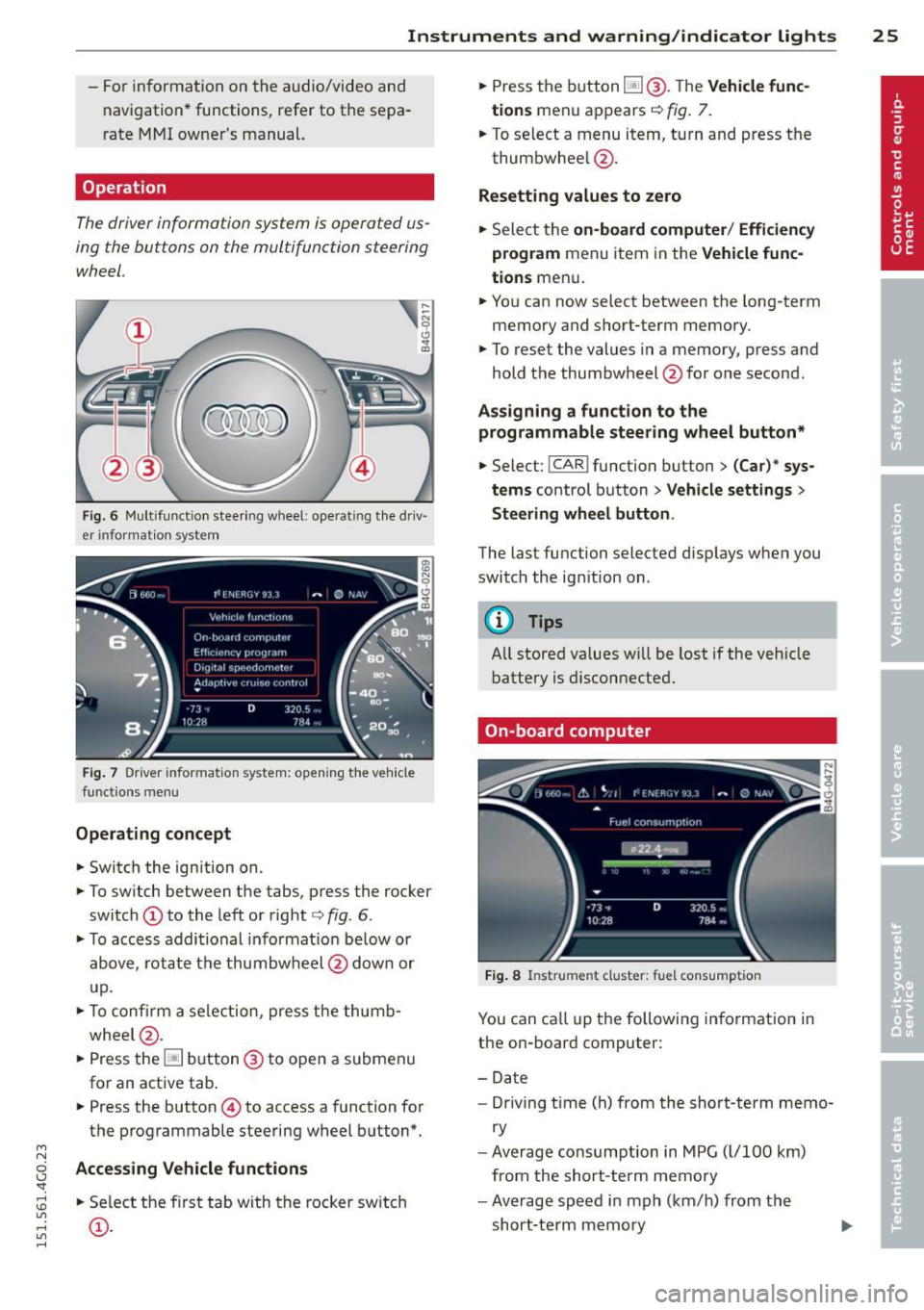
Fi g. 6 Mult ifu nct io n stee ring wheel: operat ing t he dr iv
er informat ion system
F ig. 7 Driver informat ion system: open ing t he ve hicle
funct ions men u
Operating concept
• Switch the ign ition on.
• To sw itch between the tabs, p ress the rocker
switch
(D to the left or right c> fig . 6 .
• To access addi tional in format io n be low or
above, rotat e th e thumbw heel @dow n or
u p.
• To c onfirm a sele ction, press t he thumb
whee l@ .
• Press the~ button @to open a submen u
for an active tab .
• Press the button
© to access a function for
the programmable steering w heel b utton*.
Acce ss ing Vehicle functions
• Se lect the f irst tab w ith the rocker sw itch
(D .
• Press the button ~@-T he Vehicle func
tions
men u appears c> fig. 7.
• To se lect a menu item, turn and press t he
thumbwhee l@ .
Resetting values to zero
• Sele ct the on-board computer / Efficiency
program
men u item in the Vehicle func
tions
men u .
... Yo u can now select between the long-term
memory and s hort -term memory .
.,. To reset the values in a memory, p ress and
hold t he thumbwheel @for one second.
Assigning a funct ion t o the
programmable steering wheel button*
• Select: !CAR ! function button> (Car)* sys
tems
control button > Vehicle settings >
Steering wheel button .
The last functi on selected disp lays when you
switch the ig nition on .
('!) Tips
All stored va lues w ill be lost if the veh icle
battery is disconnecte d.
On-board computer
Fig. 8 In strume nt cluster : fuel consump tion
You can ca ll u p t he following information in
the on-board computer:
- Date
- Dr iving t ime (h) from the sho rt-term memo-
ry
- Average consumption in MPG ( l/100 km)
from the short-term memory
- Average speed i n mph (km/h) from the
short-te rm memory
Page 28 of 314
26 Instruments and warning /indicator lights
-Distance d riven in mi les (km) from the
short-term memory
- Current fue l co nsumption in MPG (l/100
k m)
- Sho rt-t erm memo ry overview
- Long -term memo ry overview
The sho rt-term memo ry co llects d riving i nfo r
mat ion from the time the ignition is switched
on un til it is switched off . If yo u con tinue dr iv
i ng wi thin two hou rs a fter switching the igni
tion off, the new val ues are i ncl uded when cal
culating the current trip informa tion .
Unlike the short-term memory , the long-term
memory is no t erased au toma tically. You can
se lec t t he time period fo r eval uat ing trip in
formation yo urself.
For some ve hicle fu nctions, you can access the
tr ip info rmat ion from the tempor ary memory
in t he line
(D.
Fuel consumption
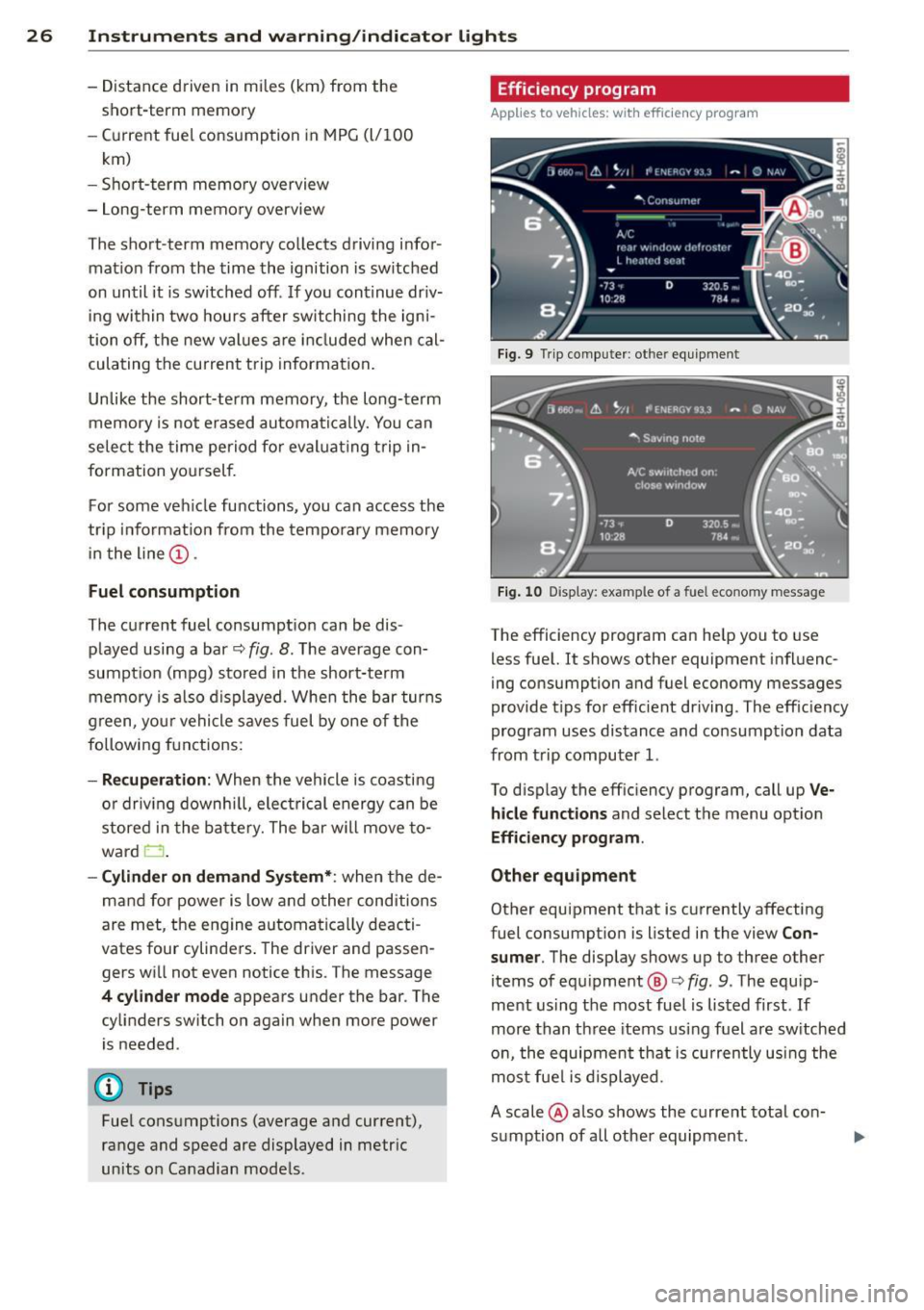
The cu rrent fuel consumpt ion can be dis
p layed using a bar
c::> fig. 8 . The average con
sumpt ion (mpg) stored in the short-term
memory is a lso di splayed. Whe n the bar tur ns
g reen, you r vehicle s aves fuel by one of the
followi ng fun ctions:
- Recuperation : When the vehicle is coasting
o r dr iv ing downh ill, ele ctrical energy ca n b e
store d in t he b atte ry. The bar w ill move to
ward 0.
-Cylinder on demand System* : when the de
ma nd for power is low a nd other conditions
are met, the en gine automa tica lly deac ti
vates four cylinde rs . T he driver and passen
gers w ill not eve n notice th is . T he message
4 cylinder mode appears under the bar . T he
cylinders switch on again when more power
is needed .
@ Tips
Fuel cons umpti ons (average an d cur rent),
ra nge and speed are displaye d in metr ic
un its o n Ca nadian mode ls .
Efficiency program
Applies to vehicles: wit h effic ie ncy program
Fig . 9 Trip comp uter : ot her eq uipment
Fig. 10 Display: exa mple of a fue l econo my message
The efficiency program can he lp you to use
less fue l. It shows othe r equipment influenc
ing consumption and fuel economy messages
provide t ips for eff icient driving. The eff ic iency
program uses distance and co nsump tion data
from t rip computer 1 .
To d isp lay the eff ic iency p rogram , call up
Ve·
hide functions and select t he menu opt io n
Efficiency program .
Other equipment
Other equipment that is cu rrently affecti ng
fuel consumpt io n is liste d in the view
Con
sumer . The display shows up to three other
items of eq uipme nt @
c::> fig . 9. The equ ip
ment using the most fuel is lis ted first. If
more than th ree items us ing f uel are sw itched
o n, the equipmen t that is cu rren tly us ing the
m os t fue l is disp layed .
A scale @also s hows the current total co n
sumption of all othe r equipmen t.
Page 29 of 314
M N
0 I.J "". rl I.O
"' rl
"' rl
Instrument s and warning /indicator lights 2 7
Fuel economy messages
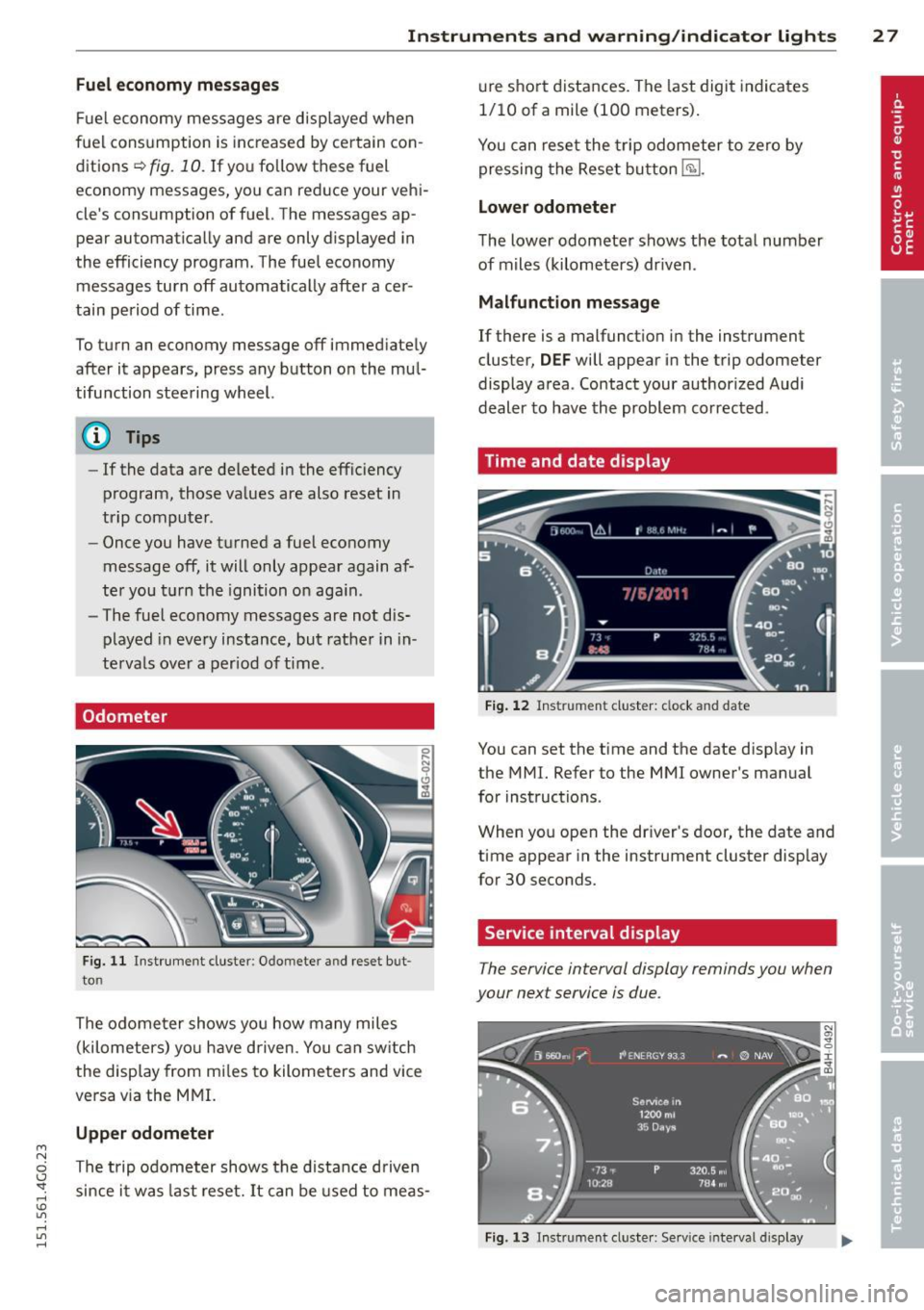
Fuel economy messages are disp layed when
fuel consumption is increased by certain con
ditions ~
fig. 10 . If you follow these fuel
economy messages, you can reduce your vehi
cle's consumption of fuel. The messages ap
pear automatically and are only displayed in
the efficiency program. The fuel economy messages turn off automatically after a cer
tain period of time .
To turn an economy message off immediately after it appears, press any button on the mul
tifunction steering wheel.
@ Tips
- If the data are deleted in the efficiency
program, those values are also reset in
trip computer .
- Once you have turned a fuel economy
message off, it will only appear again af
ter you turn the ignition on aga in .
- The fuel economy messages are not dis
played in every instance, but rather in in
tervals over a period of ti me .
Odometer
Fig. 11 Instrument cluster: O domete r an d rese t but
to n
The odome ter shows you how many miles
(kilometers) yo u have d riven . You can switch
the display from mi les to kilometers and vice
versa via the MMI.
Upper odometer
The trip odometer shows the distance driven since it was last reset. It can be used to meas- ure
short distances. The last digit indicates
1/10 of a mile (100 meters).
You can reset the trip odometer to zero by
pressing the Reset button
E§l.
Lower odometer
The lower odometer shows the total number
of miles (kilometers) dr iven .
Malfunction message
If there is a malfunct ion in the instrument
cluster,
DEF will appear in the trip odometer
display area . Contact your authorized Audi
dealer to have the problem corrected .
Time and date display
Fig. 12 Instrume nt cluster: clock and date
You can set the time and the date disp lay in
the MMI. Refer to the MMI owner's manual
for instructions .
When you open the dr iver's door, the date and
time appear in the instrument cluster display
for 30 seconds.
Service interval display
T he service interval display reminds you when
your next service is due .
Fig. 13 Instrumen t cl uster: Serv ice interva l display
Page 30 of 314
28 Instruments and warning /indicator lights
The schedule fo r the next oil change o r inspec
t ion is calculated automatically and d isplayed
according ly . T he display works in two stages :
Service reminder
30 days befo re the ne xt service is due, a serv
i ce rem inder appears in the di splay when yo u
switch the ignit ion on
¢ fig . 13.
Afte r abo ut 5 seconds the display sw itches
b ack to normal. The di sta nce and time re
maining a re update d eac h time the ignition is
switched on unt il the date due for service is
reac hed .
Service due
When the due date for service is reached , the
message
Service due! appears in the instr u
men t clus ter immedia tely after you switch the
i gnition on. Additionally, a war ning tone
sounds . After about 5 seconds the display
switches back to normal.
Calling up the service schedules
If o r whe n an oil change o r inspect ion is due,
can be shown in the MM I disp lay by select ing
the service interva l disp lay in the car menu .
Select the
! CAR ! function b utton> (Ca r)* s ys
tems
contro l button > Servicing & chec ks >
Service interval displays.
Resetting the service interval display
Your author ized A udi dealer w ill reset the cor
responding service sched ule after perform ing
the app rop riate serv ice on yo ur vehicle. Yo u
a ls o have the possibility to reset the oi l
change schedule after having performed an
oil change according to Audi specifications.
Selec t the
I CAR ! function button > (Car) * sys
tems
cont ro l button > Servicing & checks >
Service Intervals > Re set oil change interval.
(D Note
- Only reset the o il change d isp lay when
you hav e compl eted an o il change .
- If you d isconnect t he battery te rm inals,
no calc ulations can be made for the serv
i ce interv al display during this t ime and
n o servi ce re mi nder w ill appear . Reme m- ber th
at o bse rv ing the p roper service in
tervals is vita lly im po rtant to extend ing
the life of your vehicle, part icularly the
eng ine , and maintain ing its value. Eve n if
the mileage driven is low, the maxim um
p er iod of one year fro m one service to
t he next mus t not be e xceed ed .
@ Tips
The information in the Service Reminder
r ema ins sto red even when the vehicle bat
tery is disconnected.
Head -up Display
Applies to veh icles: w ith Head-up D isp lay
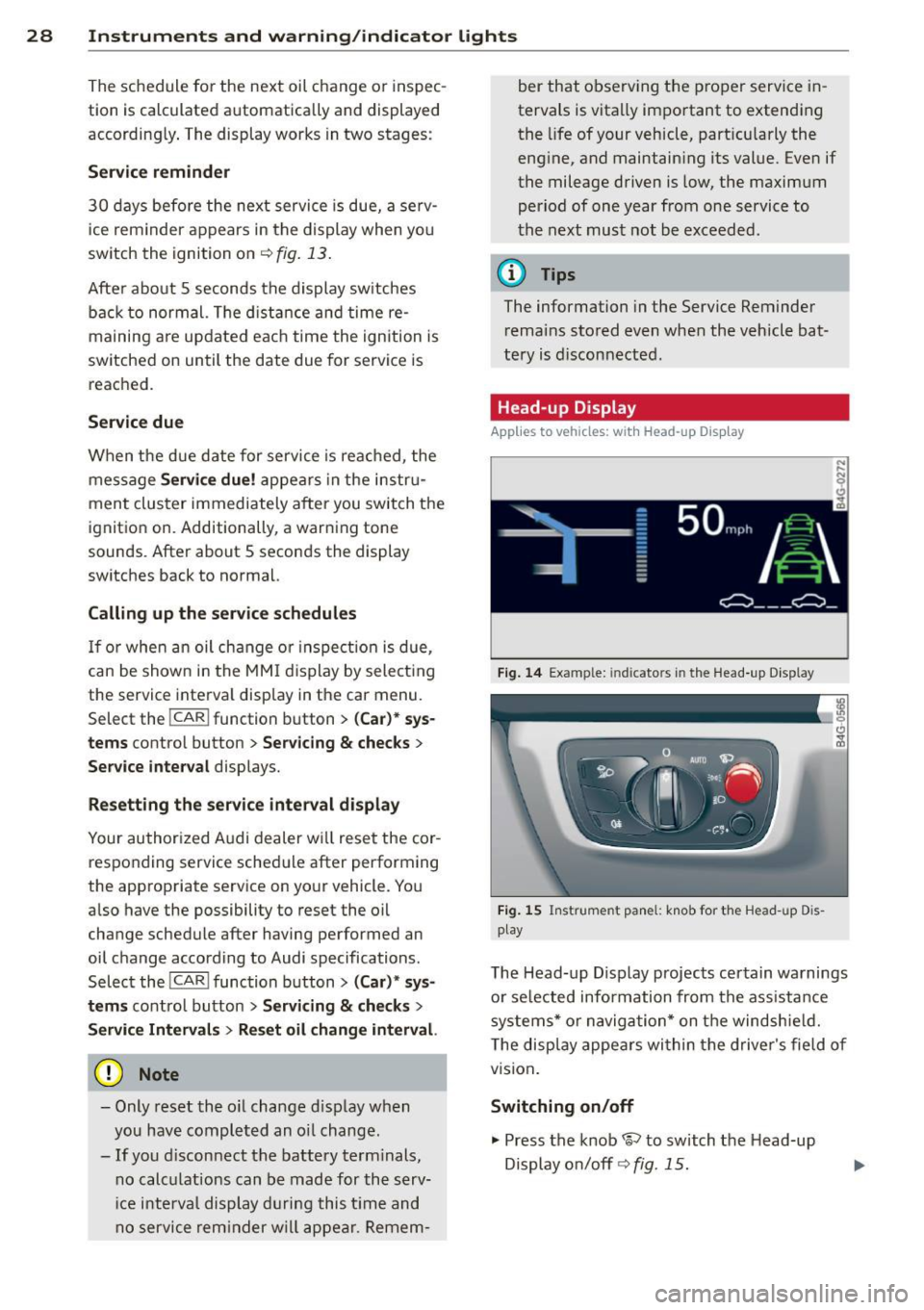
Fig. 14 Exa mple: in dic ato rs in th e Head -up D isplay
Fi g. 1 5 Ins trume nt panel: k nob for t he Head -u p D is
play
The Head -up D isplay projects cer tain warnings
o r se lected info rmation from the ass istance
syste ms* or na vigatio n* on t he windsh ie ld .
T he disp lay appe ars wi thin the drive r's field o f
vision .
Switching on/off
.,. Press the knob 1rl to switch t he Head-up
Display o n/off ¢
fig. 15.
Page 31 of 314
M N
0 I.J "". rl I.O
"' rl
"' rl
Instrument s and warning /indicator lights 29
Adjusting the height
The height of the display can be a djus ted to
t he individual driver .
.. Make sure you a re seated cor rect ly
<=>page 127.
.. Turn the knob~ to adjust the displ ay .
Settings in the MMI
.. Se lect: I CARI funct ion button > ( Car )* s ys
tems
control button > D river Assist > Head
up Display > Head-up Display content
or
Di splay brightne ss .
Display content
In the MMI, you ca n specify which information
should be displayed :
- Cruise contro l system*
- Navigatio n information*
- A udi adaptive cruise control *
- Audi a ct ive lane assist*
- Night vis ion assistant*
The speed display and some of the red indica tor lights cannot be hidden in the MMI.
Display brightness
You can ad just the display brightness in t he
MMI. The display brightness decreases auto
mat ica lly as the amount of light decreases.
The basic leve l of brightness is adjusted with
the ins trumen t illum ina tion ¢
page 46 .
(D Note
To prevent sc ratches on t he g lass covering
the Head-up Disp lay, do not place any ob
jects in the proj ection opening.
(D Tips
- Sung lasses w ith polar izat ion fi lters an d
unfavorable lighting condit ions can af
fect the display.
- A specia l w indshield is needed for the
Head-up Display funct io n.
- Fo r information on cleaning, refer to
¢ table on page 211.
On-Board Diagnostic
system (OBD)
Malfunction Indicator Lamp (MIL )
The Ma lfunction Indicator Lamp ( MIL ) ¢'4 in
the instr ument cluster is part of the On-Board
Diagnostic (OBD II) system .
T he wa rni ng/indicator light ill uminates when
the ignit io n is switched on and goes out after
the engine sta rts and the id le has stab ilized.
This indicates that the MIL is working proper
ly .
If the light does not go out afte r th e en gine
is started, or illuminates while you are dr iv
ing, a mal function may exist in the engine sys
tem.
If the lig ht illum inates, the catalyt ic con
verter could be damaged .
Contin ue driving
with reduced power (avoid
ing s ustained high speeds and/or rapid accel
erations) and have the cond ition corrected.
Contact your aut horized Audi dea ler.
If the light illuminates, the e lectronic speed
limiter may also be malfunct ioning . For more
information
c> page 30, Electronic speed
limiter.
An improperly closed fuel filler cap may also
cause the MIL light to illuminate
c> page 216.
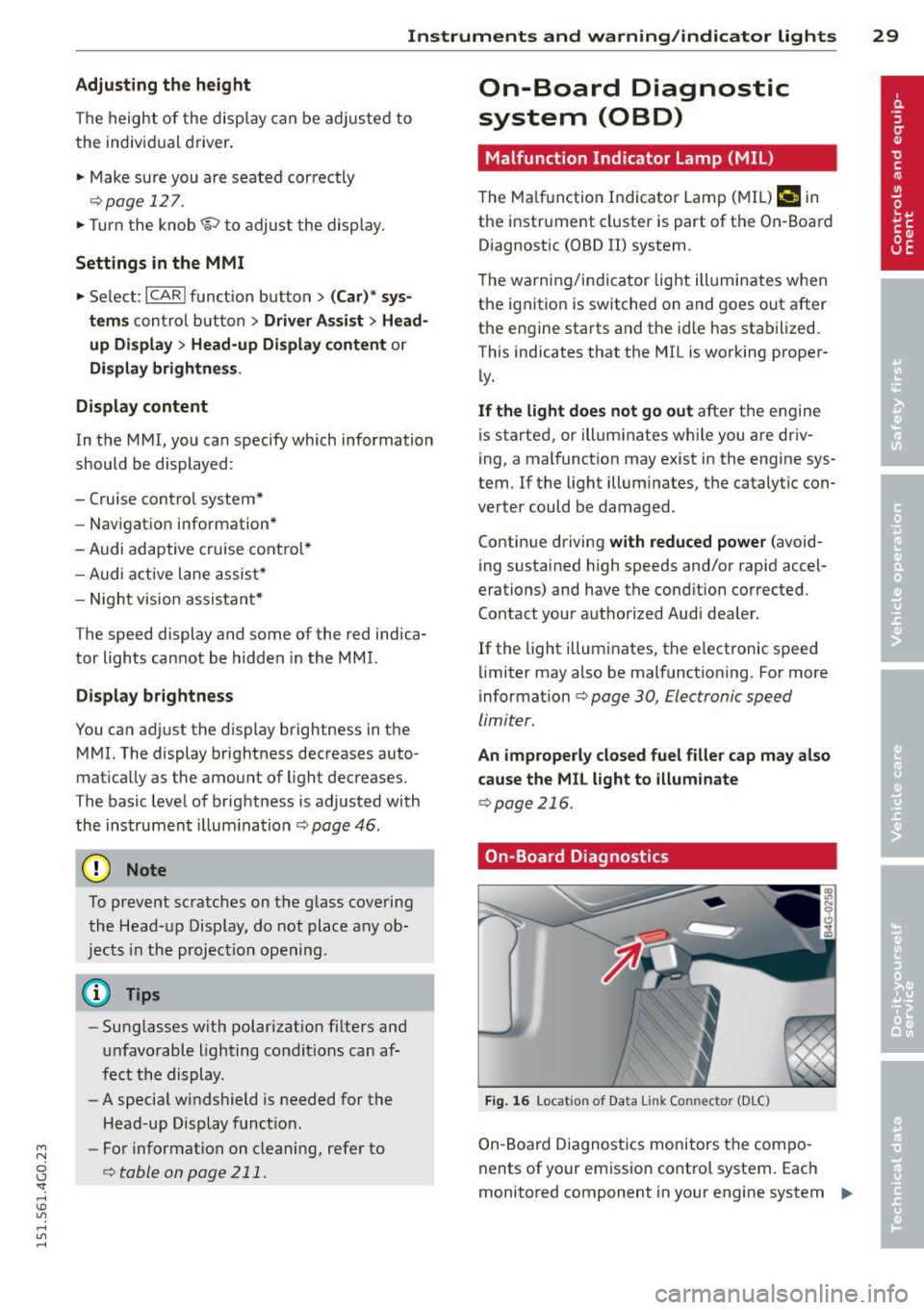
On-Board Diagnostics
Fig. 1 6 Location o f Data Li nk Co nnector (D LC)
On-Board Diagnostics monitors the com po
nents of your emission cont ro l system. Each
monitored component in your engine system
Iii>-
Page 32 of 314
30 Instruments and warning /indicator lights
has been assigned a code. In case of a ma l
function, the component will be identified
and the fault stored as a code in the contro l
module memory.
The MIL light may a lso illuminate if there is a
leak in the on-board fue l vapor recovery sys
tem .
If the light illuminates after a refue lling,
stop the vehicle and make sure the fuel filler
cap is properly closed ¢
page 216.
In order to make an accurate diagnosis, the
stored data can only be displayed using spe
cial diagnostic equipment (generic scan tool
for OBD) .
In order to connect the special diagnostic
equipment, push the plug into the Data L ink
Connector (DLC). The DLC is located to the
right of the hood release¢
fig. 16.
Your authorized Audi dealer or a qualified
service station can interpret the code and per
form the necessary repair .
A WARNING
Do not use the diagnostic connector for
personal use . Incorrect usage can cause
malfunctions, which can increase the risk
of a coll ision!
Electronic speed limiter
-
Your veh icle may be factory equipped with
tires that are rated for a maximum speed of
130 mph (210 km/h). This is less than the
maximum speed of you r vehicle. To reduce the
risk of sudden tire failure and loss of control if
the vehicle is operated at excessive speeds,
your veh icle also has an electronic speed limit
er. The electronic speed limiter prevents your
vehicle from go ing faster than the tire speed
rating. For more informat ion ¢
page 257 .
If the engine control unit receives faulty vehi
cle road speed s ignals, the Malfunction Indi
cator Lamp (MIU
¢'4 will illuminate. If this
occurs, contact the nearest authorized Aud i
dealer for assistance. S models
Your
vehicle's top speed is elect ron icall y limit
ed to 155 mph (250 km/h).
If the engine control unit receives faulty veh i
cle roadspeed signals, the Malfunction Indica
tor Lam p (MIL)
¢'4 will illuminate . If this oc
curs, contact the nearest authorized Audi
dealer for assistance.
_& WARNING
-= -
Always observe the posted speed limits
and adjust your speed to suit prevailing
road, traffic and weather cond itions. Never
drive your vehicle faster than the maxi
mum speed rating of the tires installed .
Page 35 of 314
M N
0 <.J 'SI: ,...., \!) ..,.,
,...., ..,., ,....,
for another vehicle or a transponder is located on the key ring.
- For Declaration of Compliance to United
States FCC and Industry Canada regula
tions
¢ page 295.
Power locking system
General description
The power locking system locks or unlocks all
doors and the rear lid simultaneously.
You can lock and unlock the vehicle centrally.
You have the following choices:
- Remote master key¢
page 34,
- Door handles with convenience key*
¢page 35 ,
- Lock cylinder at the driver's door
¢page 36, or
- Power locking switch inside¢
page 36.
Selective unlocking
When you lock the vehicle, the power locking
system will lock the doors and the rear lid.
When unlocking, you can set in the MMI
whether only the driver's door or the entire
vehicle should be unlocked
¢page 34.
Automatic locking
The automatic locking feature locks all the ve
hicle doors and the rear lid when you drive
faster than 9 mph (1S km/h).
T he car is unlocked again, when the opening
function in the power locking system switch
or at one of the door levers is actuated .
Anti-theft alarm warning system
If the anti-theft alarm warning system de
tects a break-in into the vehicle, acoustic and
visual warning signals are triggered .
T he anti-theft warning system is activated au
tomatically when you lock the vehicle . It is de
activated when unlocking using the remote key, with the mechanical key, and when you
switch the ignition on.
The alarm also turns off when the alarm cycle has expired .
Opening and closing 33
Turn signals
When you unlock the vehicle, the turn signals
flash twice. When you lock the vehicle the
turn signals flash once. If they do not flash ,
one of the doors, the rear lid or the hood is not locked.
Unintentionally locking yourself out
In the following cases there safeguards to
prevent you locking your remote master key in
the vehicle:
- The vehicle does not lock with the central
locking switch¢
page 36 if the driver's
door is open.
- On vehicles with convenience key*, if the
most recently used master key is in the lug
gage compartment, the rear lid is automati
cally unlocked again after it is closed.
Do not lock your vehicle with the
remote mas
ter key or convenience key*
until all doors
and the rear lid are closed. In this way you
avoid locking yourself out accidentally.
Power side door closer*
The vehicle doors are equipped with a power
side door closer. When closing a door, you on
ly have to let it fall lightly into the latch. The
door will then automatically close by itself
¢..1, .
A WARNING
-
- When you lock your vehicle from outside,
nobody -especially children -should re
main inside the vehicle. Remember,
when you lock the vehicle from the out
side the windows cannot be opened from
the inside.
- When you leave the vehicle, always take
the ignition key with you . This will pre
vent passengers (children, for example) from accidentally being locked in the ve
hicle should they accidentally press the
power locking switch in the doors.
- Do not leave children inside the vehicle
unsupervised. In an emergency it would
be impossible to open the doors from
the outside without the key.
Page 38 of 314
36 Opening and clo sing
- Fo r Declaration of Compliance to United
States FCC and Industry Canada regula
tions
c:> page 295.
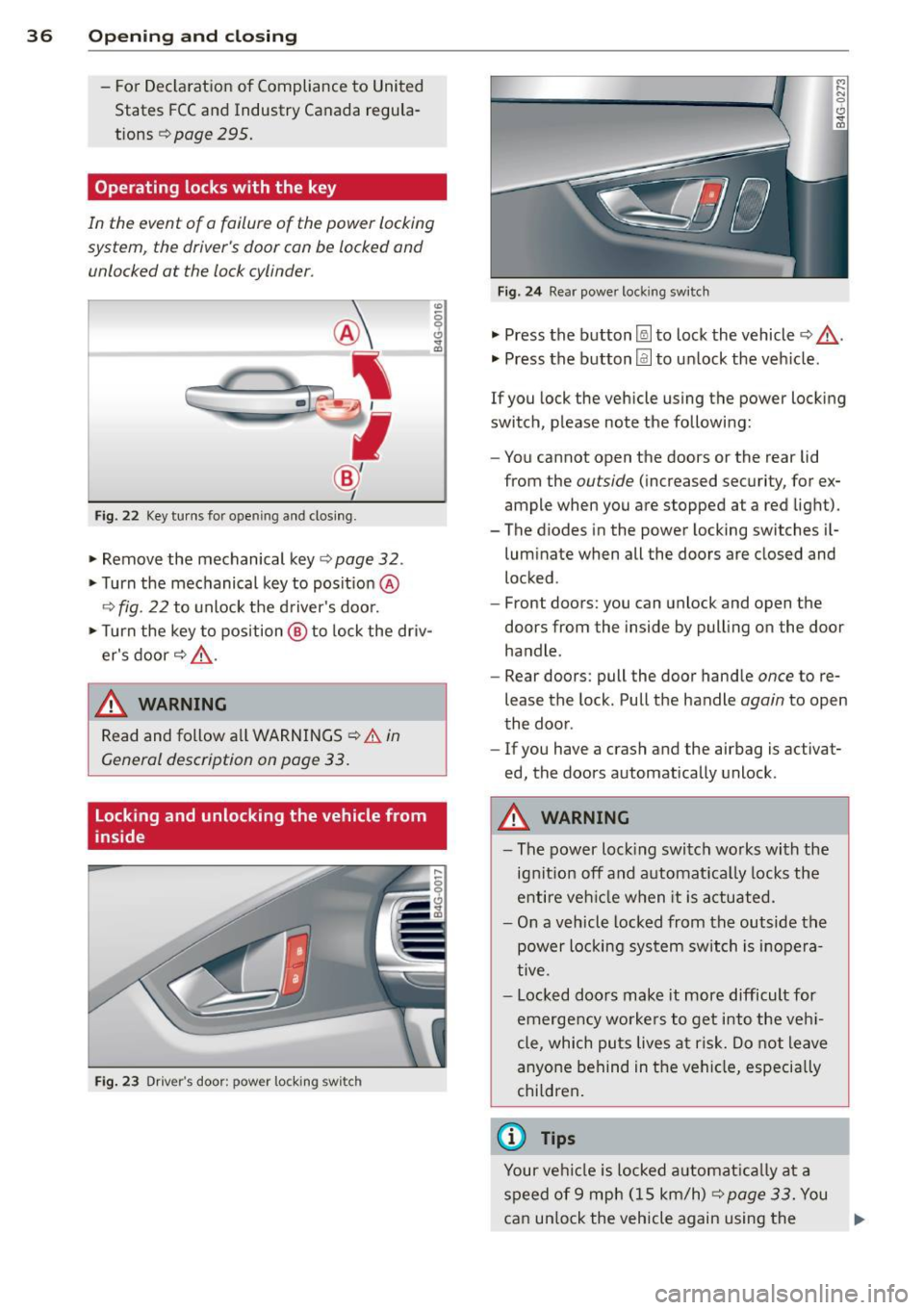
Operating locks with the key
In the event of a failure of the power locking
syst em , the driver 's door can be locked and
unlocked at the lack cylinder .
Fig. 22 Key turns fo r openi ng a nd closing.
"" Remove the mechanical key c:> page 32 .
""Turn the mechanical key to posit ion @
c:> fig . 22 to unlock the d river's door.
""T urn the key to position @ to lock the driv
er's door
c:> ,&. .
.&_ WARNING
"' ~ 0 0 c!,
i
-
Read and follow a ll WARNINGS c:> & in
General description on page 33.
Locking and unlocking the vehicle from
inside
Fi g. 2 3 Drive r's door ; pow er lo ckin g sw it c h
F ig. 2 4 Rear powe r loc king sw itc h
"" Press the button~ to lock the vehicle c:> ,&. .
"" Press the b utton @l to un lock the veh icle .
If you lock the vehicle using the power locking
switch, p lease note the followi ng:
- You cannot open the doo rs or the rear lid
from the
ou tside (inc reased security, for ex
ample when you are s topped at a red light).
- The diodes in the power locking switches i l-
lum inate when all the doors are closed and
locked .
- Front doors: you can unlock and open the
doors from the inside by pull ing on the door
handle .
- Rear doors : pull the door hand le
once to re
lease the lock . Pull t he handle
again to open
the door .
- If you have a crash and the airbag is activa t
ed, the doors automatically unlock .
.&_ WARNING
=
-The power loc king swi tch wo rks wi th the
ignit ion off and a utomat ica lly locks the
e nt ire veh icle w hen it is a ctua ted.
- On a v eh icl e locked from the outside t he
power locking system switch is inopera
tive .
- Loc ked doo rs make it more difficult for
emerge ncy worke rs to ge t into the veh i
cle , which pu ts lives at ri sk. Do not leave
an yo ne be hind in t he ve hicle, especi ally
chi ldren .
© Tips
Your ve hicl e is l ocked a utomat ically a t a
s p eed of 9 mp h (15 km/h)
c:> page 33. You
can un lo ck the vehicle again using the ..,.
Page 41 of 314
M N
0 I.J "". rl I.O
"' rl
"' rl
Child safety lock for
the rear doors
The power child safety lock locks the rear win
dows and prevent the rear doors from being
opened from the inside .
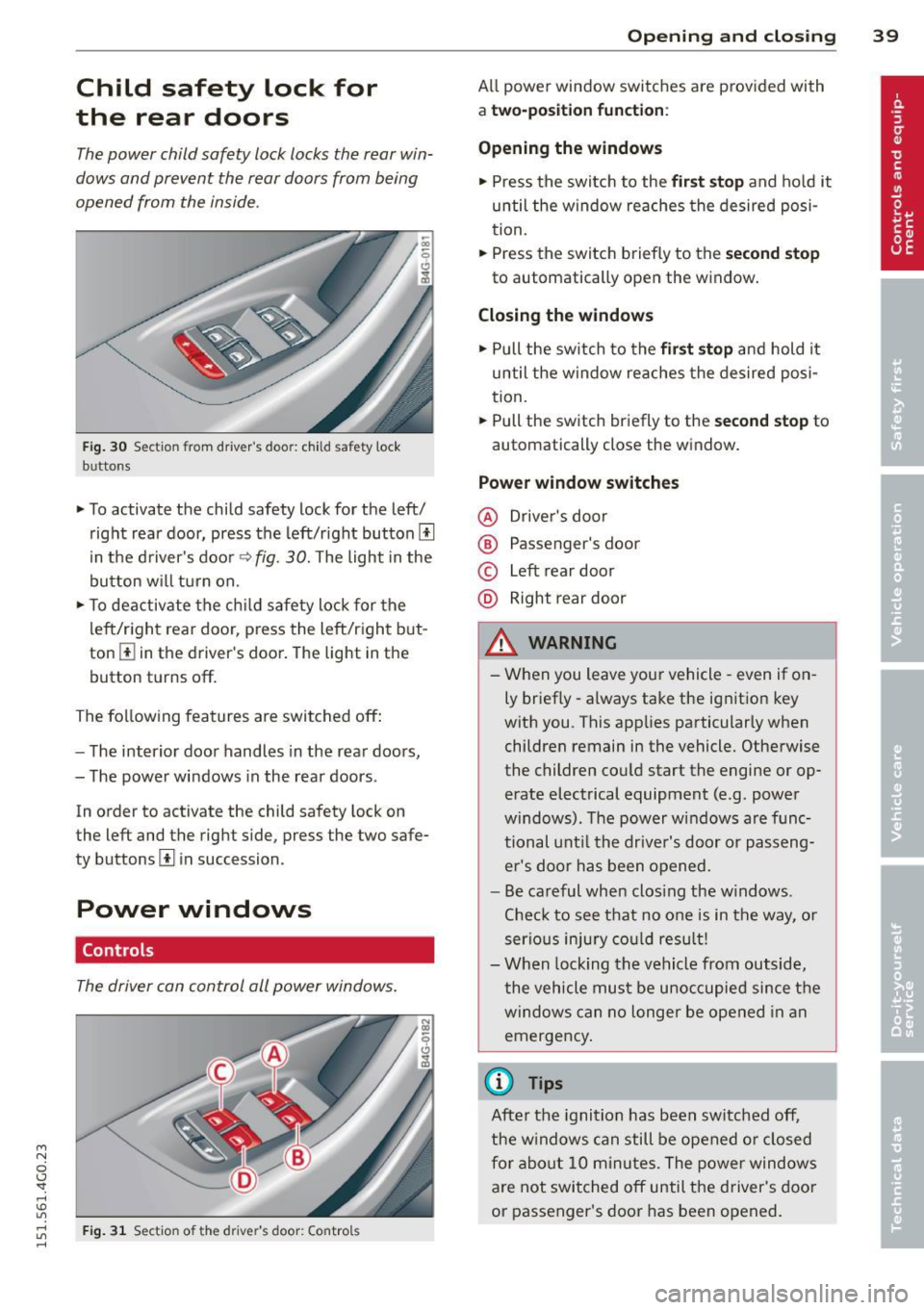
Fig. 30 Sectio n fr om driv er' s door : child sa fety lock
b uttons
• To activate the child safety lock for the left/
right rear door, press the left/right button
[!l
in the driver's door¢ fig. 30. The light in the
button w ill turn on.
• To deactivate the child safety lock for the
left/right rear door , press the left/right but
ton [!] in the driver's door. The light in the
button turns off.
The following features are switched off:
- The interior door handles in the rear doors,
- The power windows in the rear doors .
In order to activate the ch ild safety lock on
the left and the right side , press the two safe
ty buttons
[!l in succession .
Power windows
Controls
The driver can control all power windows.
Fig . 31 Sectio n of t he dr iv er 's d oor: Control s
Opening and closing 39
All power window switches are prov ided with
a two-po sition function :
Opening the windows
• Press the switch to the first stop and hold it
until the window reaches the desired posi
tion.
• Press the switch briefly to the
second stop
to automatically open the window.
Closing the windows
• Pull the switch to the first stop and hold it
until the window reaches the desired posi
tion.
• Pull the switch briefly to the
second stop to
automatically close the window.
Power window switches
@ Driver's door
® Passenger's door
© Left rear door
@ Right rear door
& WARNING
-When you leave your vehicle -even if on
ly briefly -always take the ignition key
with you . This applies particularly when
children remain in the vehicle. Otherwise
the children could start the engine or op
erate electrical equipment (e .g . power
windows). The power windows are func
tional until the driver's door or passeng
er's door has been opened.
- Be careful when clos ing the w indows .
Check to see that no one is in the way, or
serious injury could result!
- When locking the vehicle from outside,
the vehicle must be unoccupied since the
windows can no longer be opened in an
emergency.
(D Tips
After the ignition has been switched off,
the windows can still be opened or closed
for about 10 minu tes. The power windows
are not switched off until the driver's door
or passenger's door has been opened.
Page 42 of 314
40 Opening and clo sing
What to do after a malfunction
The one-touch open and close function must
be reactivated if the battery has been discon
nected .
,. Pull and hold the power window switch until
the window is fully closed .
,. Release the switch and then pull it again for
at least one second.
Valet parking
The valet parking feature protects the lug
gage compartment from unauthorized ac cess.
Fig. 32 Luggage compartment : valet park ing button
W ith "valet parking" activated, the rear lid
cannot be opened.
... Remove the mechan ical key
¢ page 32.
"' Open the glove compartment and activate
<=> fig. 32 the "valet parking" feature by
pressing the
I VA LET I button. The ind icator
light in the switch illuminates .
,. Close the glove compartment and lock it
with the mechanica l key .
"' Lock both rea r seatbacks with the mechani
c a l key ¢
page 64.
"' Leave the master key wi th the service per
sonnel for parking and keep the mechanical
key with you.
When the "vale t parking" fea ture is activa ted :
- the u nlocking button for the rear lid c:;, in
the d river's doo r is inactive
- the b utton c:;, on the maste r key is inact ive
- the opening hand le in the rear lid is inactive. T
he vehicle can be driven and locked and un
locked with the master key . Access to the lug
gage compartment is b locked .
When the valet pa rking func tion is switched
on, the message
Valet parking acti vated ap
pears in the instrument cluste r display when
you sw itch the ignition on .
Sliding/tilting sunroof
Operation
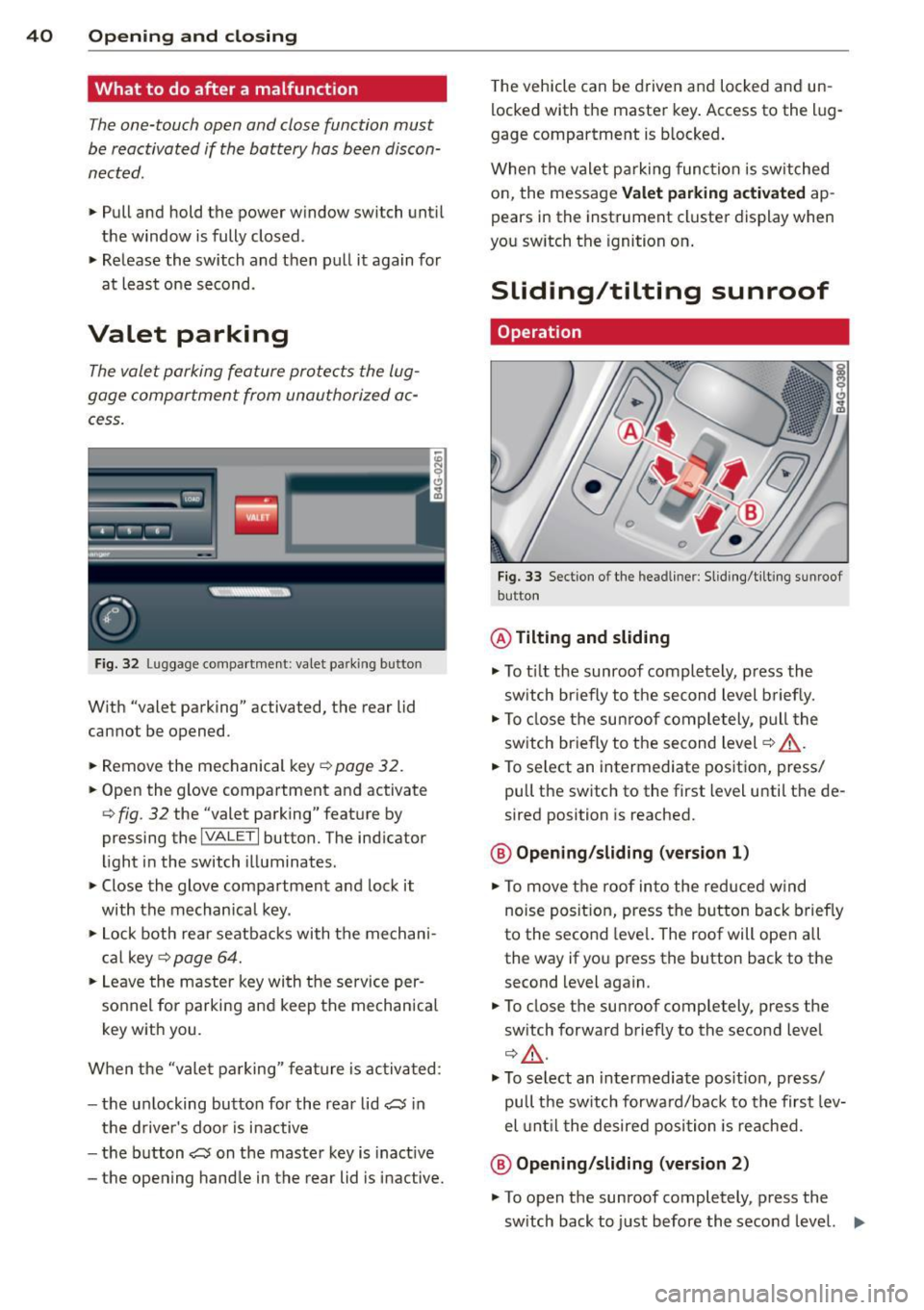
Fig . 33 Sect io n of th e headl iner : Sl idi ng/t ilti ng su nroof
but ton
@ Tilting and sliding
,. To t ilt the sunroof completely , press the
sw itch br iefly to the second level b riefly.
"' To close the su nroof comp letely, pull the
sw itch br iefly to the second level¢,& .
"' To select an intermediate pos it ion, press/
pull the switch to the first level until t he de
sired position is reached.
@ Opening /sliding (version 1 )
"'To move the roof into the reduced w ind
noise posit ion, press the button back brief ly
to the second leve l. The roof will ope n all
the way if you press the button back to the second level again .
"' To close the sunroof completely, press the
sw itch forward briefly to the second level
¢ £ .
,. To select an intermediate pos it ion, press/
pull the switch forwa rd/back to the first lev
el unti l the desired posi tion is reached.
@ Opening /sliding (version 2)
"' To open the sunroof completely, p ress the
sw itch back to j ust before the second level. ..,_