brake AUDI A6 2016 User Guide
[x] Cancel search | Manufacturer: AUDI, Model Year: 2016, Model line: A6, Model: AUDI A6 2016Pages: 294, PDF Size: 73.88 MB
Page 22 of 294
Instruments and indicator lights
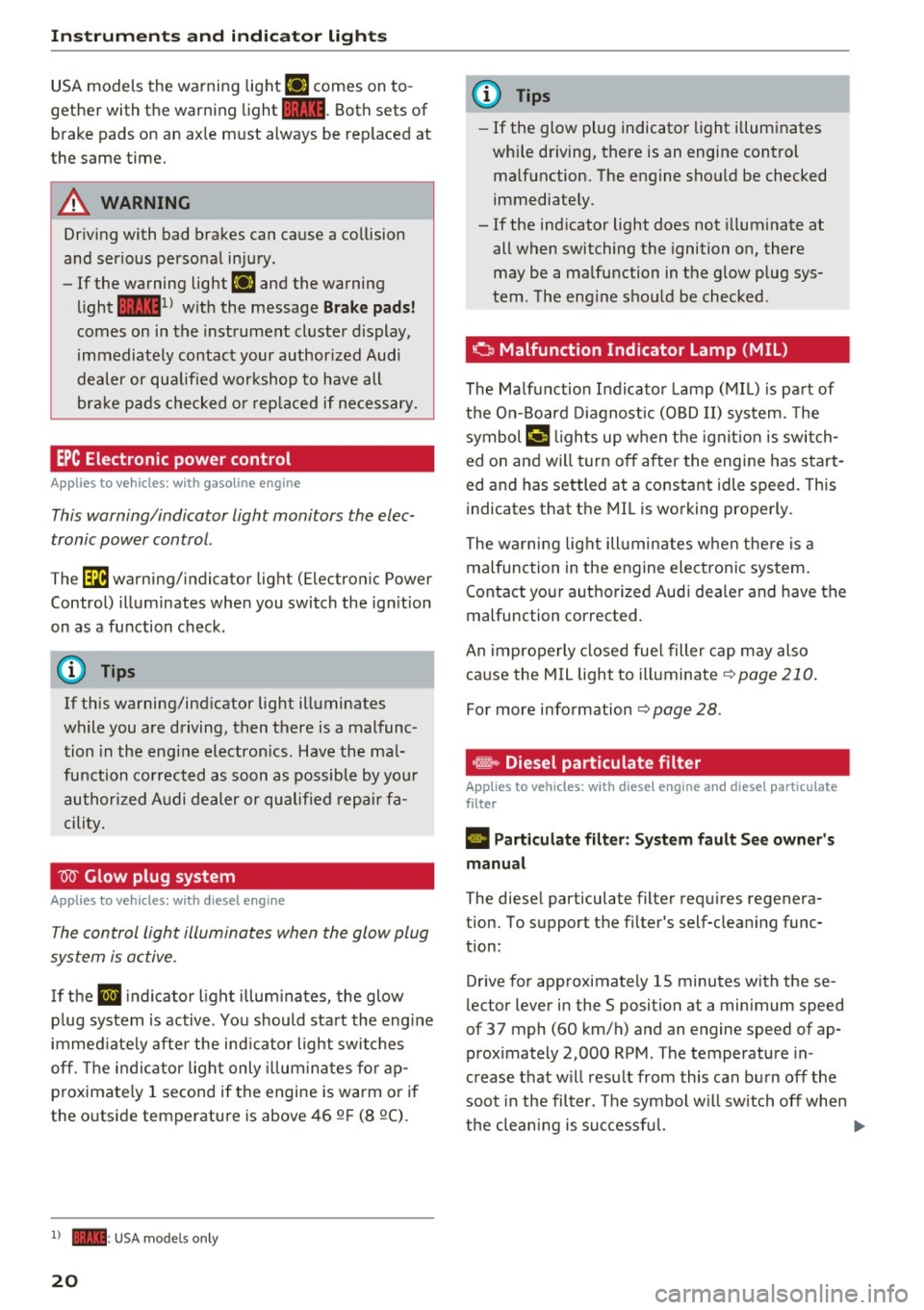
USA models the warning light l'iJ comes on to
gether with the warning light
1111. Both sets of
brake pads on an axle must always be replaced at
the same time.
.,&. WARNING
Driving with bad brakes can cause a collision
and serious personal injury .
- If the warning light
l'iJ and the warning
light
11111> with the message Brake pads!
comes on in the instrument cluster display,
immediately contact your authorized Audi
dealer or qualified workshop to have all
brake pads checked or replaced if necessary.
EPC Electronic power control
App lies to veh icles: w ith gaso li ne engine
This warning/indicator light monitors the elec
tronic power control .
The~ warning/indicator light (Electronic Power
Control) illuminates when you switch the ignition
on as a function check.
(D Tips
If this warning/indicator light illuminates
while you are driving, then there is a malfunc
tion in the engine electronics. Have the mal
function corrected as soon as possible by your
authorized Audi dealer or qualified repair fa
cility.
W Glow plug system
App lies to veh icles: w ith d iesel e ngi ne
The control light illuminates when the glow plug
system is active.
If the IJ indicator light illuminates, the glow
plug system is active . You should start the engine
immediately after the indicator light switches
off. The indicator light only illuminates for ap
proximately 1 second if the engine is warm or if
the outside temperature is above 46 QF (8 QC).
l) •= USA mo del s only
20
(D Tips
- If the glow plug indicator light illuminates
while driving, there is an engine control
malfunction. The engine should be checked
immediately .
- If the indicator light does not illuminate at
all when switching the ignition on, there
may be a malfunction in the glow plug sys
tem . The engine should be checked .
o Malfunction Indicator Lamp (MIL)
The Malfunction Indicator Lamp (MIL) is part of
the On-Board Diagnostic (OBD II) system. The
symbol
¢'4 lights up when the ignition is switch
ed on and will turn off after the engine has start
ed and has settled at a constant idle speed. This
indicates that the MIL is working properly.
The warning light illuminates when there is a
malfunction in the engine electronic system.
Contact your authorized Audi dealer and have the
malfunction corrected.
An improperly closed fuel filler cap may also
cause the MIL light to illuminate
~ page 210.
For more information ~ page 28.
· ~ Diesel particulate filter
Applies to veh icles : wi th diese l eng ine a nd diese l part iculate
filter
II Particulate filter: System fault See owner's
manual
The diesel particulate filter requires regenera
tion. To support the filter's self-cleaning func
tion:
Drive for approximately 15 minutes with these
lector lever in the S position at a minimum speed
of 37 mph (60 km/h) and an engine speed of ap proximately 2,000 RPM. The temperature in
crease that will result from this can burn off the
soot in the filter. The symbol will switch off when
the cleaning is successful. .,.
Page 63 of 294
-Never carry any beverage containers with
hot liquids, such as hot coffee or hot tea, in
the vehicle while it is moving. In case of an
accident, sudden braking or other vehicle
movement , hot liquid could spill, causing
scalding burns. Spilled hot liquid can also
cause an accident and personal injury .
- Use only soft cups in the cupholder . Hard
cups and glasses can cause injury in an acci
dent.
- Never use the cupholder or adapter as an
ashtray -risk of fire.
(D Note
Only drink containers with lids should be car
ried in the cupholder . Liquid could spill out
and damage your vehicle's electronic equip
ment or stain the upholstery, etc.
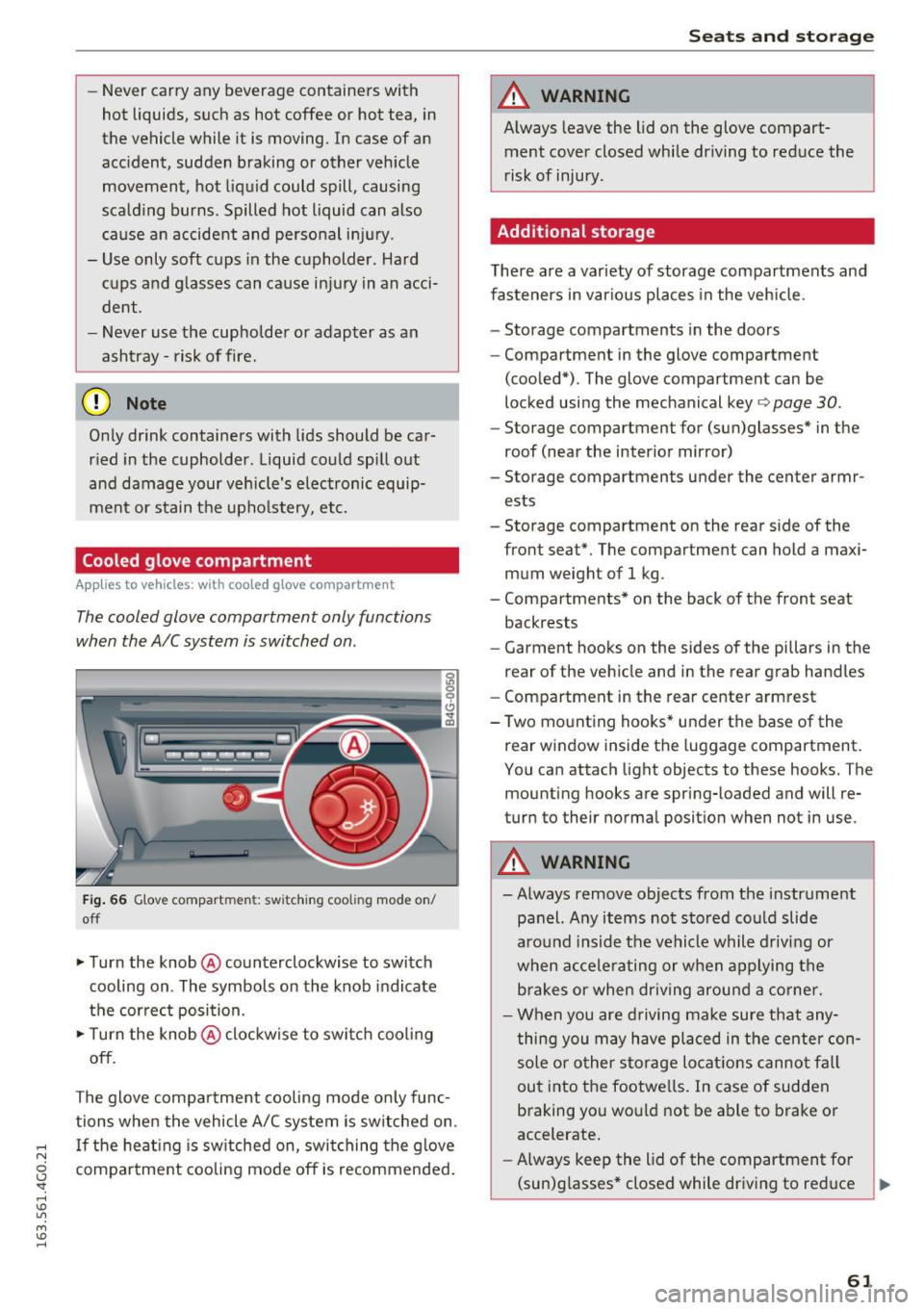
Cooled glove compartment
Applies to vehicles : wit h cooled glove compartment
The cooled glove compartment only functions
when the AIC system is switched on .
Fig. 66 Glove compartmen t: sw itching cooli ng mode on/
off
.. Turn the knob @counterclockwise to switch
cooling on . The symbols on the knob indicate
the correct position.
.,. Turn the knob @clockwise to switch cool ing
off.
The glove compartment cooling mode only func
tions when the vehicle A/C system is switched on .
..... If the heating is switched on, switching the glove
N
g compartment cooling mode off is recommended.
'
Seats and storage
A WARNING
-Always leave the lid on the glove compart-
ment cover closed while driving to reduce the
risk of injury.
Additional storage
There are a variety of storage compartments and
fasteners in various places in the vehicle.
- Storage compartments in the doors
- Compartment in the glove compartment
(cooled*) . The glove compartment can be
locked using the mechanical key ¢
page 30.
-Storage compartment for (sun)glasses* in the
roof (near the interior mirror)
- Storage compartments under the center armr ests
- Storage compartment on the rear side of the
front seat*. The compartment can hold a maxi
mum weight of 1 kg .
- Compartments* on the back of the front seat
backrests
- Garment hooks on the sides of the pillars in the
rear of the vehicle and in the rear grab handles
- Compartment in the rear center armrest
- Two mounting hooks* under the base of the rear window inside the luggage compartment.
You can attach light objects to these hooks. The
mounting hooks are spring-loaded and will re
turn to their normal position when not in use .
A WARNING
--Always remove objects from the instrument
panel. Any items not stored could slide
around inside the vehicle while driving or
when accelerating or when applying the
brakes or when driving around a corner.
- When you are driving make sure that any
thing you may have placed in the center con
sole or other storage locations cannot fall
out into the footwells. In case of sudden
braking you would not be able to brake or
accelerate.
- Always keep the lid of the compartment for
(sun)glasses* closed while dr iving to reduce ..,.
61
Page 76 of 294
Driving
There must be at least 10 inches (25 cm) be
tween your chest and the center of the steering
wheel. If you cannot sit more than 10 inches (25
cm) from the steer ing wheel, see if adaptive
equipment is available to help you reach the ped
als and increase the distance from the steering
wheel.
For detai led information on how to adjust the
driver's seat, see
¢ page 54 .
In vehicles with the memory function*, the steer
ing column sett ings are stored together with the
seat position.
A WARNING
Improper use of steer ing whee l adjustment
and improper seating position can cause ser i
ous pe rsonal injury.
- Adjust the steering wheel column only when
the vehicle is not moving to prevent loss of
vehicle control.
- Adjust the driver's seat or steering wheel so
that there is a minimum of 10 inches (25
cm) between your chest and the steer ing
wheel
r::.> page 126, fig. 143. If you cannot
mainta in this min imum distance, the airbag
system cannot protect you properly.
- If phys ica l limitations prevent you from sit
t ing 10 inches (25 cm) or more from the
steering wheel , check with your authorized
Audi dealer to see if adaptive equ ipment is
available.
- If the steering wheel is aligned with your
face, the supp lemental driver's airbag can
not provide as m uch protection in an acci
dent. Always make sure that the steering
wheel is aligned w ith your chest.
- Always hold the steer ing whee l with your
hands at the 9 o'clock and 3 o'clock posi
tions to reduce the risk of personal injury if
the driver's airbag deploys .
- Never hold the steer ing wheel at the 12
o'clock posit ion or w ith your hands inside
the steering wheel rim or on the steering
wheel hub . Holding the steer ing whee l the
wrong way can cause ser ious injuries to the
hands, arms and head if the driver's airbag
deploys.
74
-
Easy seat entry
Applies to vehicles: with power steering wheel adjustment
Easy seat entry makes it easier to enter and exit
the vehicle by adjusting the steering column au
tomatically .
.,. In the Infotainment system, selec t: the ICARI
function button > (Car )* Systems control but
ton
> Vehicle settings > Seats > Driver's seat>
Easy seat entry> On.
When easy seat entry is switched on, the steer ing
column goes back up into the park position when
the ignit ion is switched off . After enter ing the ve
hicle, the steering col umn returns to t he sto red
pos ition once the ign it ion is swi tched on.
Starting and stopping
the engine
Starting the engine
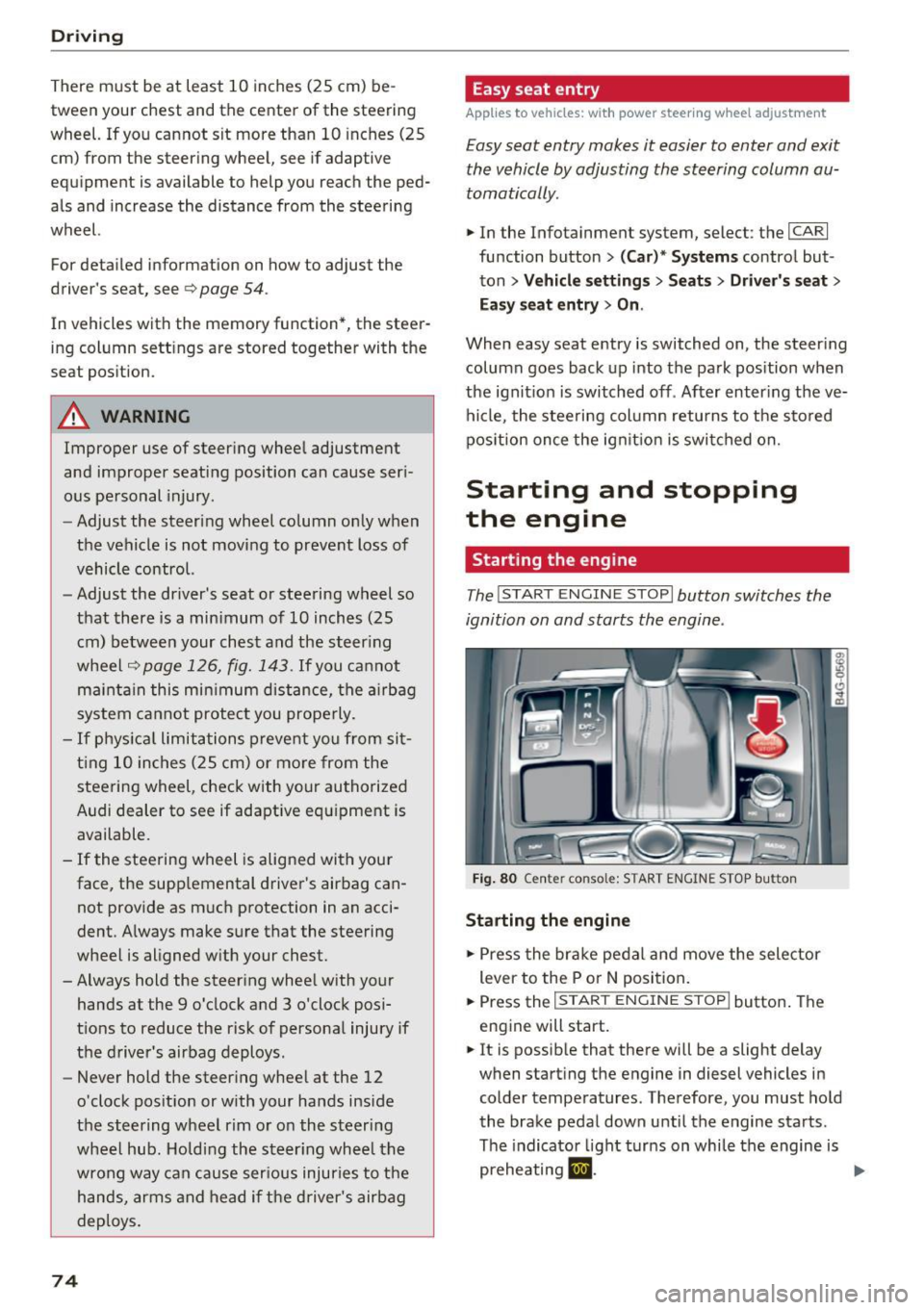
The I START ENGINE STOP I button switches the
ignition on and starts the engine .
Fig. 80 Cente r conso le: S TART ENGINE STOP b utt on
Starting the engine
.,. Press the brake pedal and move the selector
lever to the P or
N position.
... Press the
!STAR T ENGINE ST OP ! button. The
engine will start.
.,. It is possible that there will be a slight delay
when starting the engine in diesel vehicles in colder temperatures . Therefore, you must hold
the brake pedal down until the engine starts.
The indicator light turns on while the engine is
preheating
1,1 . ..,.
Page 77 of 294
Switching the ignition on/off
If you would like to switch the ignition on with
out starting the engine, follow these steps:
.,. Press the
I STAR T ENGINE STOPI button with·
out pressing the brake pedal.
.,. To switch the ignition off, press the button
again. The needle in the tachometer moves into
the
OFF position.
The prewarming runs automatically in diesel
vehicles when the ignition is switched on.
Equipment that uses a lot of electricity is switch
ed off temporarily when you start the engine.
If the engine should not start immediately, the
starting process is automatically stopped after a
short time. Repeat starting procedure .
Start-Stop-System*
Note the information in c> page 79, Start-Stop
System.
A WARNING
- Never allow the engine to run in confined
spaces, because this increases the risk of as
phyxiation.
- Never turn off the engine before the vehicle
has come to a complete stop.
- The brake booster and power steering no
longer function when you stop the engine.
You must use more force when braking or
steering. Because you cannot brake and
steer as you usually would, this could lead
to accidents and serious injuries. These
functions are still active if the Start-Stop
System* has stopped the engine.
(D Note
Avoid high engine speed, full throttle, and
heavy engine load as long as the engine has
not reached operating temperature yet. You
could damage the engine.
@ For the sake of the environment
Do not let the engine run while parked to
warm up. Begin driving immediately. This re
duces unnecessary emissions.
-
Driving
{!) Tips
- After starting a cold engine, there may be a
brief period of increased noise because the
oil pressure must first build up in the hy
draulic valve adjusters. This is normal and
not a cause for concern .
- If you leave the vehicle with the ignition
switched on, the ignition will switch off af
ter a certain amount of time. Make sure that electrical equipment such as the exterior
lights are switched off.
Stopping the engine
.,. Bring your vehicle to a complete stop.
.,. Move the selector lever to the P or N position.
.. Press the
!START ENGINE STOP ! button
r:!>poge 74, fig. 80.
Steering lock
The steering locks when you turn the engine off
using the
I START ENGINE STOPI button and
open the driver's door. The locked steering helps
prevent vehicle theft.
Emergency off
If necessary, the engine can be switched off with
the selector lever in the R or D/S position. The
engine stops if you press and hold the
!START ENGINE STOP ! button at speeds below
6 mph (10 km/h) and press the brake pedal.
A WARNING
-Never turn off the engine until the vehicle
has come to a complete stop.
- The brake booster and power steering only
work when the engine is running.
If the en
gine is off, you have to use more force when
steering or braking. Because you cannot
steer and brake as you usually would, this
could lead to crashes and serious injuries.
- For safety reasons, you should always park
your vehicle with the selector lever in P.
Otherwise, the vehicle could inadvertently
roll away.
-
75
Page 78 of 294
Driving
-After the engine has been sw itched off, the
rad iator fan can continue to run for up to 10
minutes - even with the ign ition switched
off . It ca n also switch on again after some
t ime if the coolant temperature rises as the
r esult of a heat buildup o r if the eng ine is
hot and the eng ine compartme nt is addi
ti onal ly he ated by the su n's rays.
@ Note
Do not stop the engine immed iate ly after
hard o r ex tended d riving. Keep the engine
running for app rox im ately two m inutes to
prevent exces sive hea t build-up.
Messages
Turn off ignition before leaving car
T his message appe ars and a warn ing tone so unds
if you o pen the d river's door when the ignition is
sw itche d on .
Press brake pedal to start engine
This message appea rs if you do not press the
brake pedal whe n starting the engine.
fll Is key in the vehicle?
T his indi cato r light turn s on and t his mess age ap
pea rs i f the ig nition key was removed from the
ve hicle when t he engine was ru nning. If the igni
tion key is no longer in the veh icle, yo u can not
switch on the ignition or start the engine once
you stop it. You also cannot lock the vehicle from
the outside.
Shift to P , otherwise vehicle can roll away .
Doors do not lock if le ver is n ot in P.
This message appears for safety reasons if the
transmission is not in the P pos it ion when you
sw itch the ignition off . Move the selector lever to
the P position. Otherwise the vehicle is not pro
tected from rolling and it ca nnot be locked.
DJ Key is not recognized. Hold back of key
against marked area . See owner's manual
If the i ndicator lig ht tu rns on and th is mess age
appears, there is a mal function
q page 76 .
76
Turn off ignition before leaving car. Battery is
discharg ing
This driver message appears if the drive r's door is
opened wh ile the ign ition is switche d on. Always
swi tch off the ignition i f yo u are leav ing the ve hi
cle. Refer to
~ page 80.
Shift to P and turn off ignition before leaving
car, otherwise vehicle can roll away
This message appears if the d river 's door is
opened wh ile the ignition is switc hed on and the
selector lever is not in the P po sition . Move the
selector lever i nto the P posi tion and sw itch the
igni tion off when you exit the veh icle. O therwise
the ve hicle co uld ro ll. Refer to~
page 80 .
'
Starting the engine when there is a
malfunction
It may not be possible to start the engine under
certain circumstances, for example if the battery
in the vehicle key is drained, if interference is af
fected the key or if there is a system malfunc
tion.
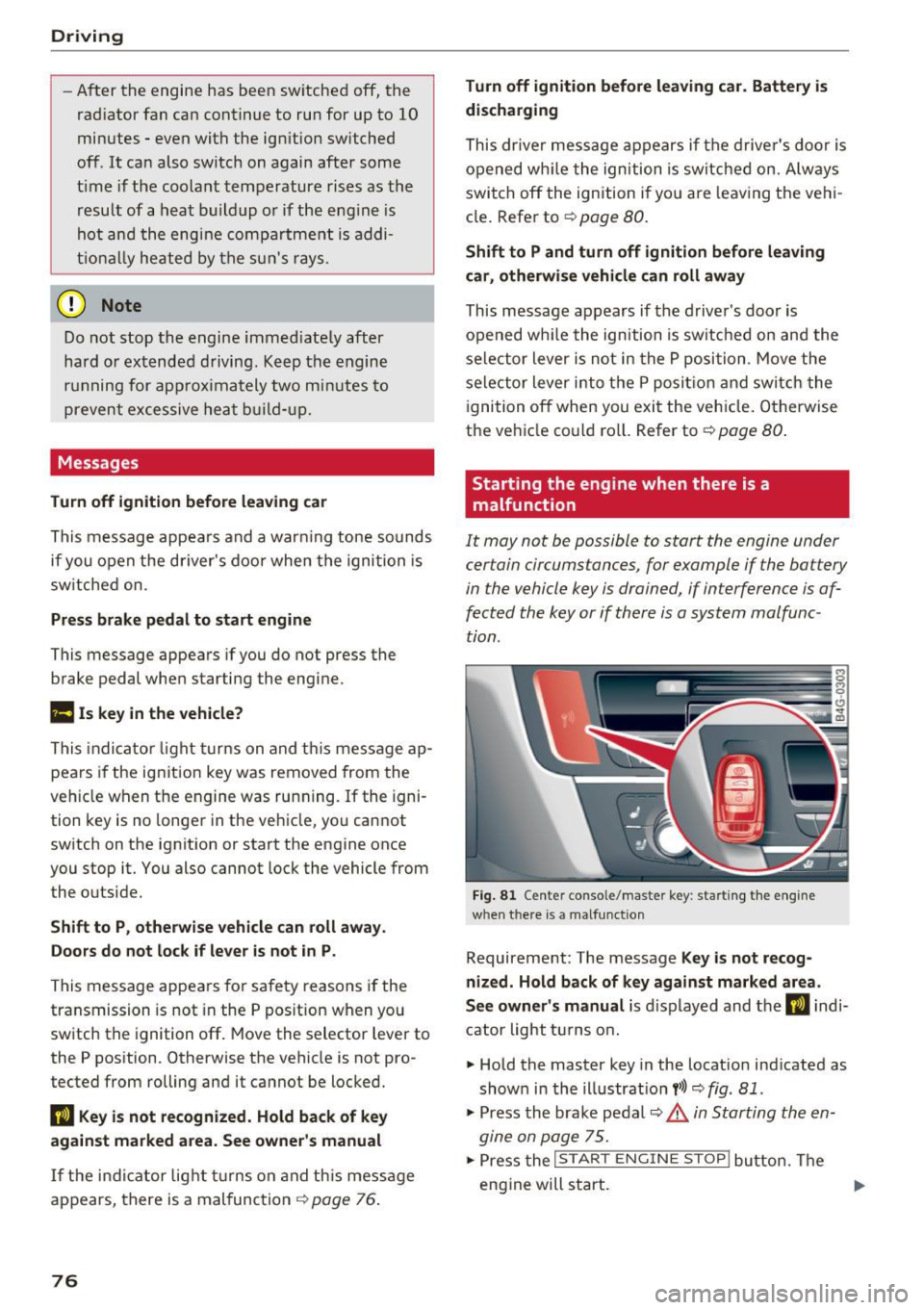
F ig. 81 Cente r conso le/mas te r key : sta rting the eng ine
w hen th ere is a malfunct io n
Requirement: The message Key is not recog
nized. Hold back of key against marked area .
See owner's manual
is d isplayed and t he DJ indi
c at or light t urns o n.
• Hold the master key in the locat io n ind icated as
show n in the ill ustrat io n
y>l) q fig . 81 .
• Press the bra ke pe dal q &_ in Starting the en
gine on page 75.
.,. Press the ~I S_ T_A_R_ T_E_ N_G_I_N_E_S_ T_O_P ~I bu tto n. Th e
eng ine will s tart.
Page 79 of 294
.. Drive to an authorized A udi dealer or author
ized Audi Service Facility immediately to have
the malfunction corrected.
@ Tips
You can view the message again by pressi ng
the
I START E NGINE STOP! button.
Electromechanical
parking brake
Operation
The elec trome chanical parking brake replaces
the hand brake.
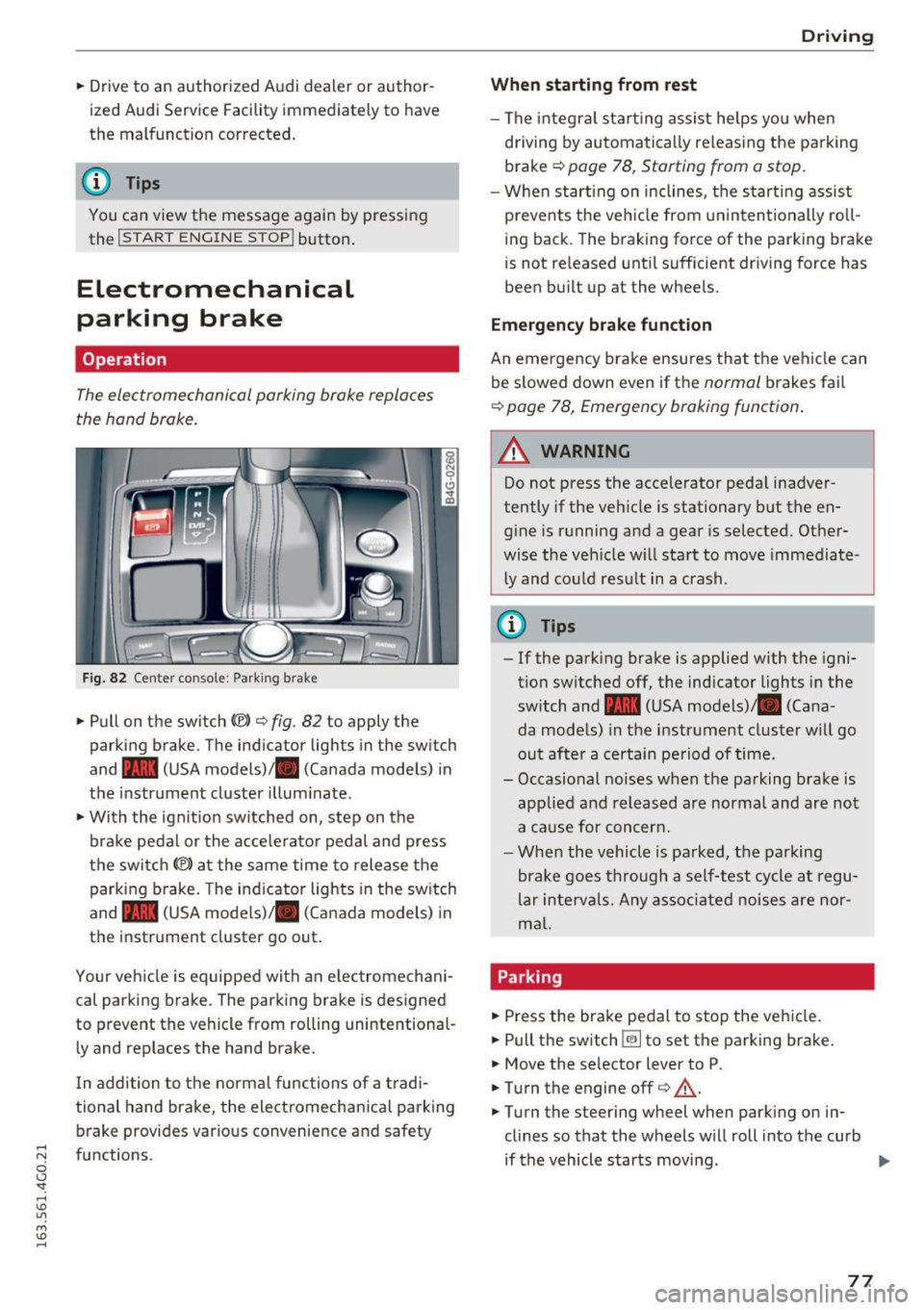
Fig. 8 2 Center co nsole : Park ing b rake
.. Pull on the switch C®> c> fig . 82 to apply the
parking brake . The ind icator lights in the sw itch
and - (USA
models) ,11 (Canada models) in
the instr ument cluster illum inate .
.. With the ign it ion sw itched on, step on the
bra ke pedal or the a cce le rato r pedal and press
the switch
(®) at the same time to release t he
parking b rake. The ind icator lights in the sw itch
and - (USA
models) ,11 (Canada models) in
the instrument cluster go out .
Your ve hicle is equipped with an e lec tromechani
cal parking brake. The parking brake is designed
to prevent the vehicle from rolling unintentional
l y and rep laces the hand brake.
I n addition to t he norma l func tions of a tradi
tional hand brake, the electromechanica l parking
b rake provides various conve nience and safety
;::j fu nctions .
0 CJ '
Drivi ng
When starting from rest
-The integra l sta rting assist helps yo u when
driving by au toma tically re leas ing the parking
brake
Q page 78 , Starting from a stop.
- When start ing on inclines, t he s tarti ng assist
prevents the veh icle from un in ten tionally ro ll
ing back . The braking force of the parking bra ke
is not re leased unti l sufficient dr iving force has
been bu ilt up at the whee ls.
Emergency brake function
An emergency brake ensures that t he vehicle can
be s lowed down even if t he
normal brakes fail
Q page 78, Emergency braking function .
A WARNING
--
Do not press the accelerator peda l inadver
tently if the veh icle is stationary but the en
g ine is running and a gear is selected. Other
wise the veh icle w ill sta rt to move immediate
l y and co uld res ult in a crash.
@ Tips
- If the park ing bra ke is applied w ith the igni
tion switched off, the indicator lights in the
switch and -(USA
models) ,11 (Cana
da models) in the instr ument cluster will go
out afte r a certain pe riod of time.
- Occasional noises when the parking brake is
applie d and released are normal and are not
a ca use for con cern.
- When the vehicle is pa rked, the parking
brake goes through a self-test cycle at regu
lar in tervals. Any as so ci ate d noi ses are nor
ma l.
Parking
.. Press the brake pedal to stop the veh icle.
.. Pull the switch ~ to set the pa rking brake .
.. Move the selector lever to P .
.. Turn the engine off
c> &, .
.,. Turn the steering wheel when park ing on in
clines so that the wheels w ill roll into the curb
if the vehicle starts moving.
77
...
Page 80 of 294
Driving
& WARNING
-Always take the vehicle key with you when
leaving the vehicle, even for a short period
of time. This a pplies particularly when chi l
dren rema in in the vehicle . Ot herwise ch il
dre n could star t the engi ne, release the
par kin g br ake o r o per ate ele ct rical e quip
ment su ch as power win dows, whi ch in
creases the risk of an acc ident .
- No one sho uld rem ain in t he vehicle when i t
is lo cked, es pec ially children. Locked doors
make it mo re diff icu lt fo r emergency work
ers to get into the vehicle, which puts lives
at risk.
Starting from a stop
The start assist function ensures that the park
ing brake is released automatically upon start
ing.
Stopping and setting the parking brake
.,. Pull t he swi tch ~ to set the p arki ng brak e.
Starting and automatically releasing the
parking brake
.,. When yo u press the accelerator pedal, the
par king b rake is autom atically rele ased and
yo ur vehicle begins to move.
T he parki ng b rake can be set if you must stop the
ve hicl e at a s to p lig ht or in t raff ic. Th e ve hicle
does not h ave to be he ld w ith the bra ke pedal.
T he parkin g brake e liminates the tendency to
creep when a selector lever position is engaged .
The parking b rake releases automatica lly and the
ve hicle beg ins to move as soon as you p ress the
accelerator pedal as usual.
Starting on slopes
W hen starting on inclines, the hill star t ass ist
p revents the ve hicle from unintentionally ro lli ng
back . The braking force of the park ing brake is
not released until sufficient d riving force has
been b uilt up at the w heels.
78
(D Tips
Fo r safety reasons, the par king brake is re
l eased a utomatically on ly when the d river's
safety be lt is engaged in the b uck le.
Starting to drive with a trailer
To prevent rolling back unintentionally on an in
cline, do the following:
.,. Keep the switch pull ed ~ and press t he accel
erator pedal. The parking brake stays app lied
and prevents the veh icle from roll ing backward .
.,. You can release the switch ~ once yo u are su re
that you are transferring enough driving force
to the whee ls by press ing the accelerator pedal.
Depend ing on the weight of t he rig (vehicle and
trailer) and the sever ity of the incline, you may
r oll backwards as you sta rt .
Emergency braking function
This is used if the conventional brake system
fails or lock s up.
.,. To brake your veh icle in an eme rge ncy, pull the
~ switch and hold it pu lled .
.,. As soon as you re lease the~ switch or acceler-
ate, the braking stops .
If you p ull the switch
«v> and hold it above a
speed of about 5 mph (8 km/h), the emergency braking function is init iated. The vehicle is braked
at all fou r whee ls by activati ng the hydraulic
brake system . The brake performance is s imilar
to making an emergency stop~.&. .
In order not to activate the emergency braking by
mistake, an aud ible warn ing to ne (buzzer)
sou nds when the~ switch is pulled . As soon as
the ~ switch is re leased, or the accele rator peda l
i s dep ressed, eme rge ncy braking stops.
& WARNING
Eme rgen cy b raking sho uld o nly be used in an
e m ergency, when the no rmal brake ped al has
failed or the brake pedal is obst ructed. Using
the park ing bra ke to pe rform emergency
b raking w ill slow your vehicle down as if yo u
Page 81 of 294
..... N
0 CJ '
the associated components (ABS, ASR, EDL)
cannot overcome the laws of physics. In cor
ners and when road or weather conditions are
bad, a full brake applicat ion can cause the ve
hicle to s kid or the rea r end to break away,
w hic h inc reases the r isk of an a cc iden t.
Start-Stop-System
Description
Applies to vehicles: with Sta rt-Stop-System
T he Sta rt-Stop -System can help increase fuel
economy and reduce CO2 emissions .
I n Start -Stop mode , the eng ine sh uts
off auto
mat ica lly when the veh icle is stopped , such as at
a traffic light. The ignition remains switched on
during this stop phase. The eng ine will restart
automatically when needed.
Vehicles with 6 -cylinder-eng ine: The Start-Stop
System is a utomatically activated each time you
switch on the ignit ion.
Vehicles with 4-cylinder -eng ine, 5-mode l: Th e
l ast Start -Stop-System setting will be restored
when the ignition is switched on .
Basic requirements for Start -Stop mode
- T he driver's door is closed.
- T he driver' seat belt is la tched .
- The hood is closed .
- The veh icle must have been dr iven faster than
2.5 mph (4 km/h) since the last stop .
- A tra iler is not hitched to t he vehicle.
(D Note
Always sw itch the Start-Stop-System off
when dr iv ing th rough water
c:> page 79.
(D Tips
The e ngine sto ps shortly before the vehicle
comes to a stop
1l. The full funct io n of the
brake booster and the power steering is still
ava ilab le.
M ~ ll de pend ing on e ngine
D rivi ng
Stopping/starting the engine
Applies to vehicles: with Start-Stop -System
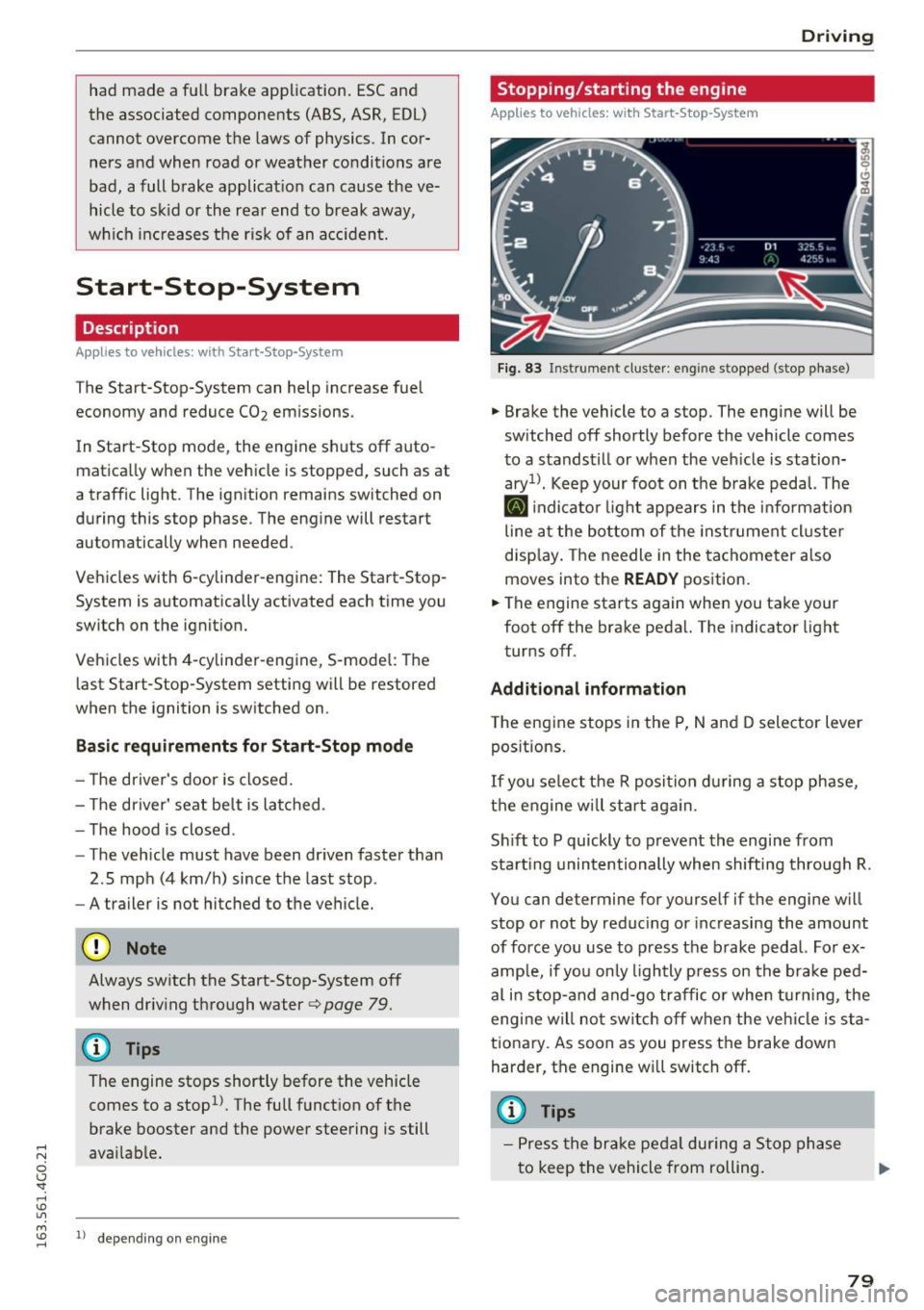
Fi g. 83 Inst rume nt c lu ste r: en gin e stopped (stop p hase )
"' Brake the vehicle to a stop. The engine will be
sw itched
off shortly before the vehicle comes
to a stands till or when the veh icle is station
aryn. Keep your foo t on the b rake pedal. The
II indicato r light appears in the info rmat ion
line a t the bo ttom of the instrument cl uste r
disp lay . T he needle in the tachometer a lso
moves into the
READY pos ition.
"' The engine sta rts again whe n you take your
foot
off the bra ke pedal. The indicator light
turns
off.
Additional information
T he engine stops in the P, N and D selector lever
pos itions.
If you se lect t he R posi tion d uring a stop phase,
t h e e ngine will sta rt aga in.
Sh if t to P quickly to p revent the engine from
sta rt ing unintentionally when shifting through R.
You can determine for yourse lf if the engine w ill
stop or not by reduc ing or increasing the amount
of force you use to press the b rake pedal. For ex
amp le, if yo u only ligh tly p ress on the bra ke pe d
al i n stop- and and -go traffic o r whe n turning, the
engi ne will no t sw itch
off w hen the ve hicle is sta
tiona ry. As soon as you press the brake down
harder, the engine w ill switch
off .
(D Tips
- P ress the brak e pe dal during a Stop ph ase
t o keep the vehicle from rolling.
79
Page 82 of 294
Driving
-The ignition will turn off if you press the
I STAR T ENGINE STOP! button during a stop
phase. The needle in the tachometer moves
into the
OFF position.
General information
Applies to veh icles: with Start-Stop-System
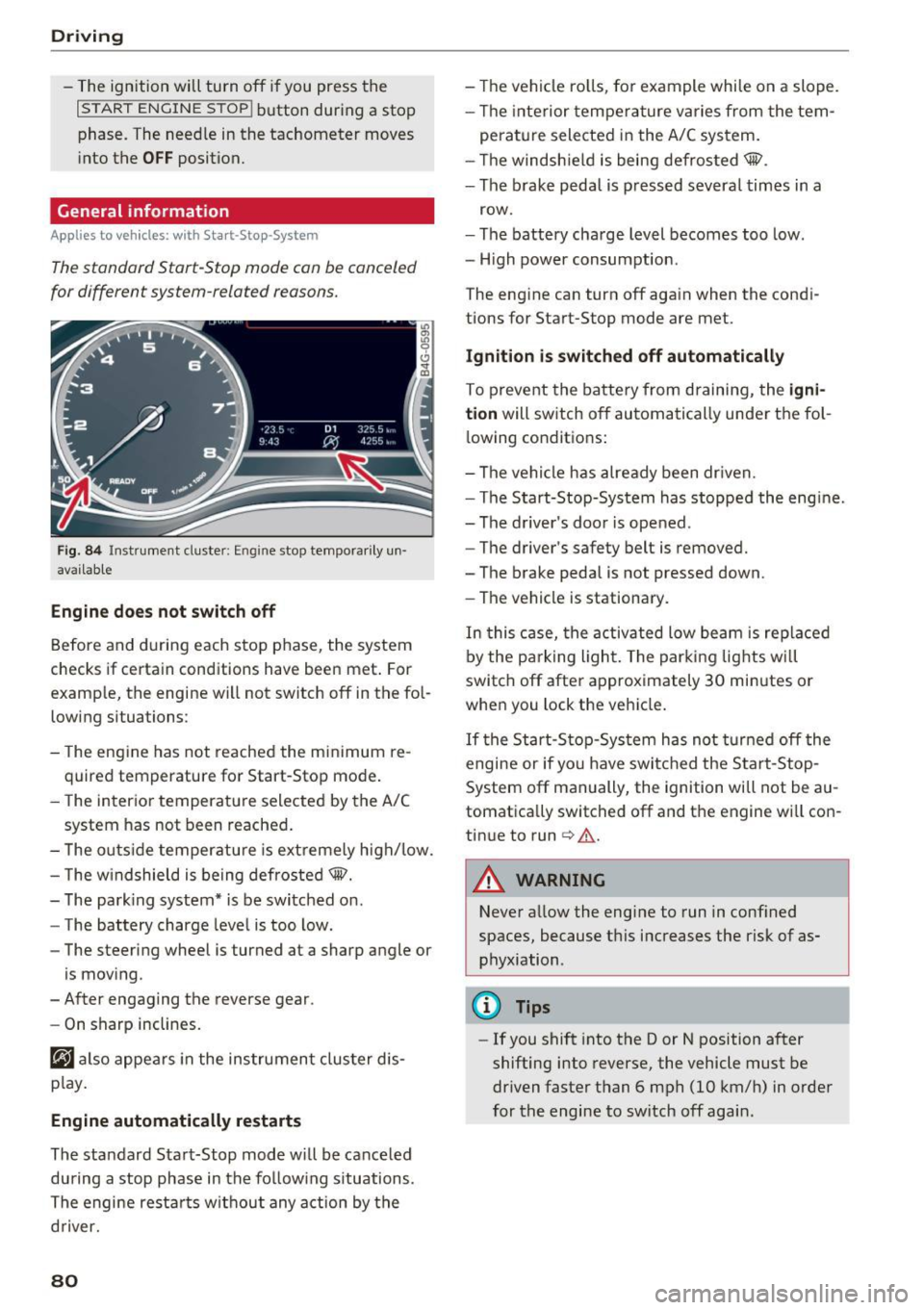
Th e standard Start-Stop mode con be canceled
for different system-related reasons.
Fig. 84 Instrument cluste r: En gin e stop temporarily un·
available
Engine does not switch off
Before and during each stop phase, the system
checks if certain conditions have been met. For
example, the engine will not switch
off in the fol
lowing situations :
- The engine has not reached the minimum re
quired temperature for Start-Stop mode.
- The interior temperature selected by the A/C
system has not been reached.
- The outside temperature is extremely high/low.
- The windshield is being defrosted®.
- The parking system* is be switched on.
- The battery charge level is too low.
- The steering wheel is turned at a sharp angle or
is moving .
- After engaging the reverse gear .
- On sharp inclines.
@j also appears in the instrument cluster dis
play.
Engine automatically restarts
The standard Start-Stop mode will be canceled
during a stop phase in the following situations .
The engine restarts without any action by the
driver.
80
- The vehicle rolls, for example while on a slope.
- The interior temperature varies from the tem-
perature selected in the A/C system.
- The windshield is being defrosted®.
- The brake pedal is pressed several times in a
row.
- The battery charge level becomes too low.
- High power consumption.
The engine can turn
off again when the condi
tions for Start-Stop mode are met.
Ignition is switched off automatically
To prevent the battery from draining, the igni
tion
will switch off automatically under the fol·
lowing conditions:
- The vehicle has already been driven.
- The Start-Stop-System has stopped the engine.
- The driver's door is opened.
- The driver's safety belt is removed.
- The brake pedal is not pressed down .
- The vehicle is stationary.
In this case, the activated low beam is replaced
by the parking light. The parking lights will
switch
off after approximately 30 minutes or
when you lock the vehicle.
If the Start-Stop-System has not turned off the
engine or if you have switched the Start-Stop
System
off manually, the ignition will not be au
tomatically switched
off and the engine will con
tinue to run
cc> .&. .
A WARNING
Never allow the engine to run in confined
spaces, because this increases the risk of as
phyxiation .
(D Tips
-If you shift into the D or N position after
shifting into reverse, the vehicle must be
driven faster than 6 mph (10 km/h) in order
for the engine to switch off again .
Page 84 of 294
Driving
Cruise control system
Switching on
Applies to vehicles: with cruise control system
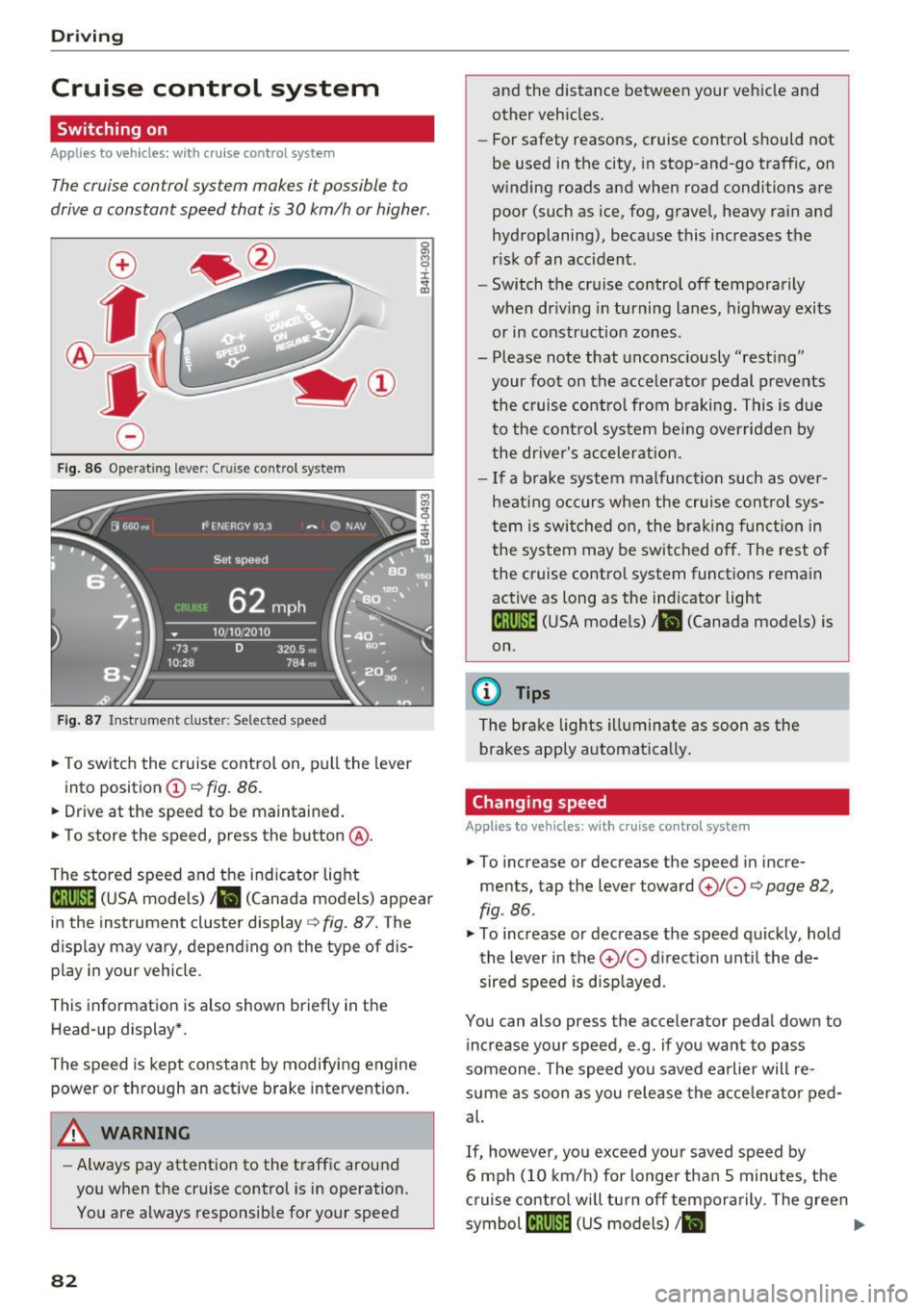
The cruise control system makes it possible to
drive a constant speed that is 30 km/h or higher.
0
f
®t
0
F ig. 86 Operating lever: Cruise control system
F ig. 87 Instrument cluster: Selected speed
,. To switch the cruise control on, pull the lever
into position
(D c::> fig. 86.
,. Drive at the speed to be maintained .
,. To store the speed, press the button @.
The stored speed and the indicator light
lij;(l)~i4 (USA models) 1B (Canada models) appear
in the instrument cluster display
c:> fig. 87. T he
display may vary, depending on the type of dis
play in your vehicle .
This information is also shown briefly in the
Head-up display*.
The speed is kept constant by modifying engine
power or through an active brake intervent ion.
A WARNING
- Always pay attention to the traffic around
you when the cruise control is in operation.
You are always responsible for your speed
82
-
and the distance between your vehicle and
other vehicles.
- For safety reasons, cruise control should not
be used in the city, in stop-and-go traffic, on
winding roads and when road conditions are
poor (such as ice, fog, gravel, heavy rain and
hydroplaning), because this increases the
r isk of an accident.
- Switch the cruise control off temporarily
when dr iving in turning lanes, highway exits
or in construction zones .
- Please note that unconsciously "resting"
your foot on the accelerator pedal prevents the cruise contro l from braking. This is due
to the control system being overridden by
the driver's acceleration.
- If a brake system malfunction such as over
heating occurs when the cruise control sys
tem is switched on, the braking function in
the system may be switched off. The rest of
the cruise control system functions remain active as long as the indicator light
1ij;(i)~14 (USA models) 1B (Canada models) is
on .
(D Tips
The brake lights illuminate as soon as the
brakes apply automat ically.
Changing speed
Applies to vehicles: with cruise co ntrol system
,. To increase or decrease the speed in incre
ments, tap the lever toward
010 c::> page 82,
fig . 86 .
,. To increase or decrease the speed quickly, hold
the lever in the
010 direction until the de
sired speed is disp layed.
You can also press the accelerator pedal down to increase your speed, e .g . if you want to pass
someone . The speed you saved earlier will re
sume as soon as you release the accelerator ped
al.
If, however, you exceed your saved speed by
6 mph (10 km/h) for longer than 5 minutes, the
cruise contro l will turn off temporarily. The green
symbol
[tj;(l)~i4 (US models) 1 B ..,.