heating AUDI A6 2017 User Guide
[x] Cancel search | Manufacturer: AUDI, Model Year: 2017, Model line: A6, Model: AUDI A6 2017Pages: 280, PDF Size: 70.24 MB
Page 64 of 280
Warm and cold
The maximum amo unt of air flows mainly from
the vents below the windshield. Recircu lat ion
mode switches off . The temperature should be
set to approximately 72
°F (22 °() .
The IAUTO I button switches the defroster off .
IClill REAR I Switching the rear window defogger
on/off
The rear window heater on ly operates when the
engine is running . It switches off automatica lly
after a few minutes, depending on the outs ide
temperature .
To prevent the rear w indow heater from switch
ing off automatically, press and ho ld the
IQijl REARI
button for more than 2 seconds . This is stored
until the ignit ion is switched off.
G'.l Adjusting seat heating*
Pressing the button switches the seat hea ting on
at the highest setting (level 3). The LEDs indicate
the tempera ture level. To reduce the tempera
ture, press the button again. To switch the seat heating off, press the button repeatedly until the
LED turns off.
After 10 minutes, the seat heating automatically
switches from level 3 to level 2 .
4-zone deluxe automatic climate control
A ppl ies to: ve hicles with 4-zo ne deluxe auto matic cl imate cont rol
Air vents
You can open or close the center and rear vents in
the cockpit and the vents in the rear center con
sole using the ridged thumbwheels . The levers
adjust the direction of the airflow from the vents.
A WARNING
- You shou ld not use the recirculation mode
for an extended period of time since no
fresh air is drawn in . W ith the air-condition
ing sw itched off, the windows can fog up,
which increases the risk of an acc ident.
- Individ uals with reduced sensit iv ity to pa in
or temperature could develop burns when
using the seat heating function. To red uce
the risk of injury, these individuals should
not use seat heating.
(D Note
To avoid damage to the heating elements in
the s eats , do not knee l on the seats or place
heavy loads on a small area of the seat.
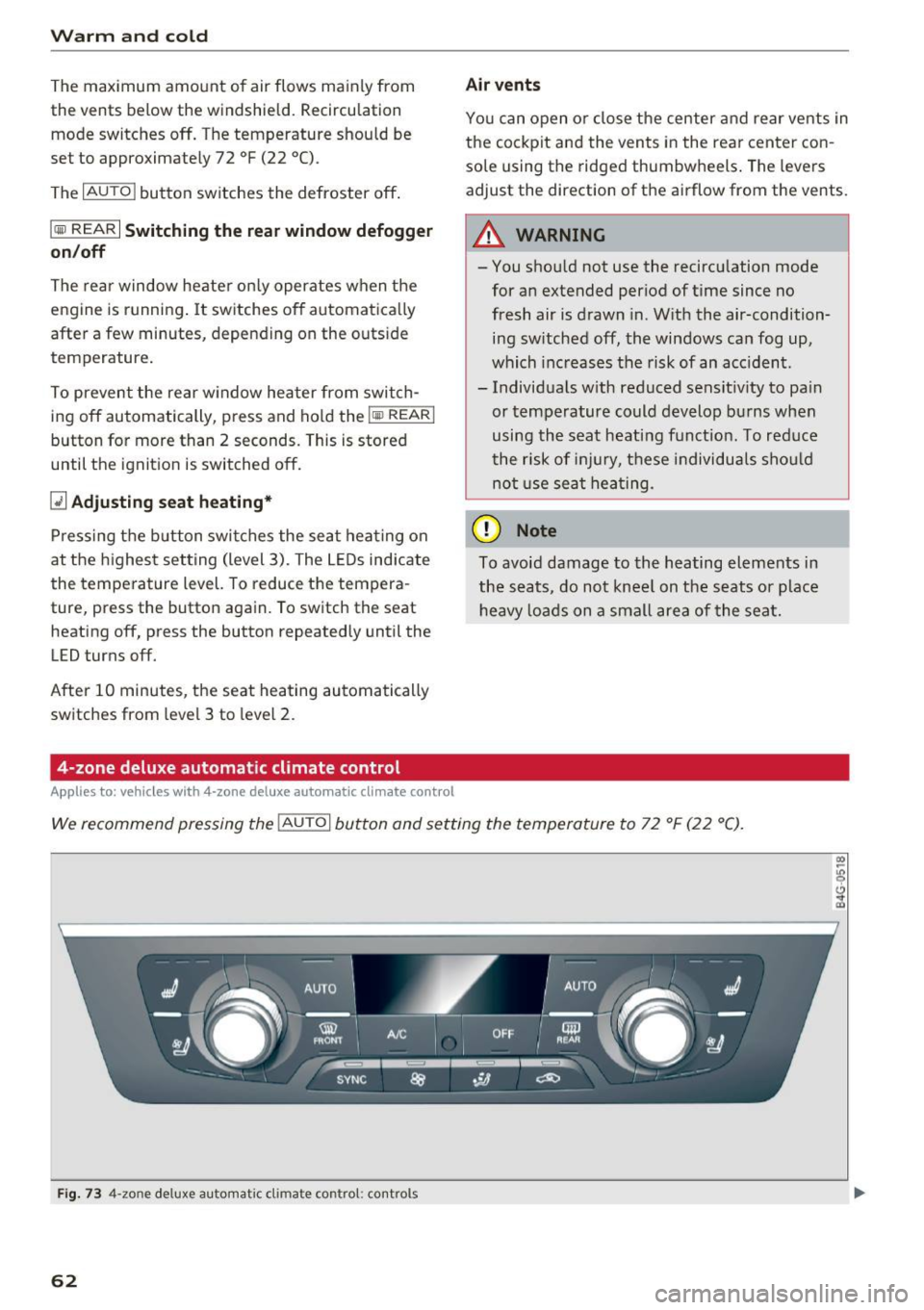
We recommend pressing the IAU TO I button and setting the temperature to 72 °F (22 °C).
Fig. 73 4-zo ne deluxe automat ic climate contro l: controls
62
Page 65 of 280
co
co
.... N
" N .... 0 0 <.:l '
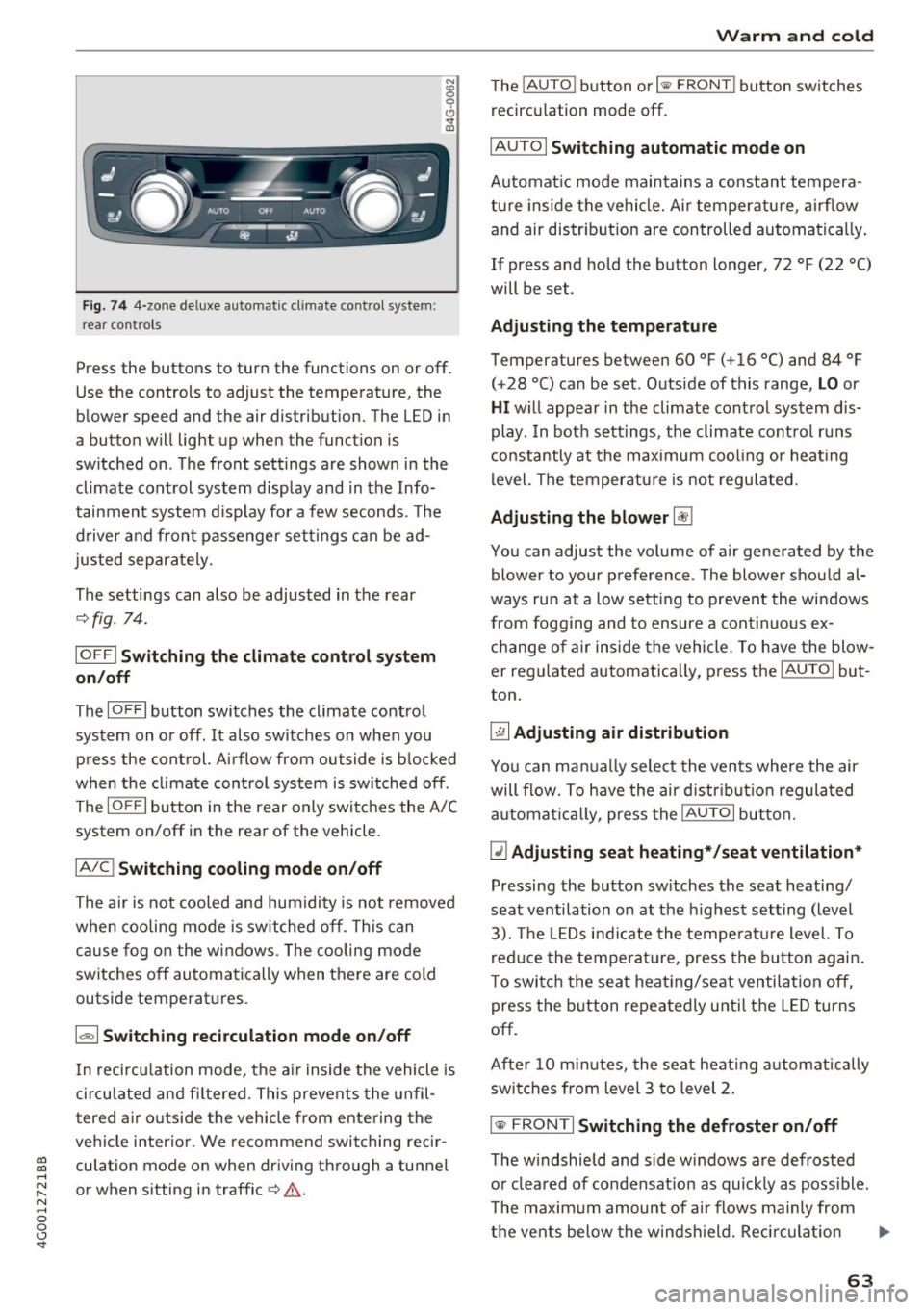
re ar con tro ls
Press the buttons to turn the functions on or off .
Use the controls to adjust the temperature, the
blower speed and the air distribution. The LED in
a button will light up when the function is
sw itched on . T he front settings are shown in the
climate control system display and in the Info
tainment system d isp lay for a few seconds. The
d river and front passenger settings can be ad
justed separately.
The settings can also be adjusted in the rear
~ fig. 74.
IO FF I Sw itchin g the clim ate cont rol s ystem
on /off
The IO FFI button switches the climate control
system on or off.
It also sw itches on when you
press the control. Ai rflow from outside is b locked
when the climate control system is switched off .
The
IO FF I button in the rear only switc hes the A/C
system on/off in the rear of the vehicle .
IA/Cl Switching cooling mod e on /off
The air is not cooled and humidity is not removed
when cooling mode is switched off. This can
cause fog o n the windows . The cooling mode
switches off automatically when there are cold
outside temperatures.
1 6<) 1 Sw itching recirculation m ode on /off
In recircu lation mode, the a ir inside the vehicle is
circu lated and fi ltered. This prevents the unfil
tered a ir o utside the vehicle from entering the
vehicle interior. We recommend switching recir
culation mode on when driving through a tunnel
or when sitting in traffic~&. .
Warm and c old
The !AU TO I button or lllill F RON TI button switches
recircu lation mode off.
I AUTO I Switching automatic mode on
Automat ic mode main tains a cons tant tempera
ture inside the vehicle. Air temperatu re , airf low
and air distr ib ution are controlled automatically.
If press and hold the button longer, 72 °F (22 °C)
will be set .
Adju stin g the temperature
Temperatures between 60 °F ( +16 °() and 84 °F
(+28 °() ca n be set . Outside of this range,
LO or
HI w ill appear in the climate control system dis
play . In both settings, the climate control runs
constantly at the max imum cool ing or heat ing
level. The temperature is not regu lated.
Ad ju sting the blower~
You can adjust the volume of a ir generated by the
blower to your preference . The blower shou ld al
ways run at a low sett ing to prevent the windows
from fogging and to ensure a cont inuo us ex
change of air inside the vehicle , To have the blow
er regu lated automatically , press the
IAU TO ! but
ton .
~ Adju sting air distribution
You can ma nually select the vents where the air
will flow. To h ave the air d istr ibut ion regulated
a utomat ica lly, press the
IAUTOI but ton.
~ Adjusting seat he ating* /seat v entilation *
Pressing the button sw itches the seat heating/
seat ventilation on at the h ighest setting (level
3). The LEDs indicate the tempe rature level. To
reduce the temperat ure, press the b utton again.
To switc h the seat heat ing/seat ventilation off,
press the button repeatedly until the LED turns
off.
After 10 m inutes, the seat heat ing a utomatically
swi tches from level 3 to level 2.
l
The w indshield and side windows a re defrosted
or clea red of condensat ion as quickly as poss ible.
T he maxim um amount of air flows mainly from
the vents below the windsh ield. Reci rc u lat ion
Ill>-
63
Page 66 of 280
Warm and cold
mode switches off. The temperature shou ld be
set to approximate ly 72 °F (22 °C).
The
IAUTOI button switches the defroster off.
IQiiJ REARI S witching the re ar window defo gger
o n/off
The rear window heater on ly operates when the
engine is running.
It sw itches off a utomat ica lly
afte r a few minutes, depending on the outs ide
temperature.
To prevent the rear w indow heater from switch
ing off automatically, p ress and ho ld the
l iiiP REAR I
button for more than 2 seconds . This is stored
until the ignition is switched off.
ISYNC I Sy nchronization
When synchronization is switched on, the set
tings for the drive r's side are applied to the front
passenger's side (ex cept for seat heating/ventila
tion*). The settings in the rear are a lso synchron
ized. Synchronization switches off if the settings
are adjusted on the front passenger's side or in
the rear.
You can synch ronize the settings in a row by
pressing and holding a contro l. For example, to
apply the settings for the front passenger's side
to the driver's side, press and ho ld the contro l on
the front passenger's side. The same applies to
the rear .
Res idua l h eat *
With the ignition turned off, you can activate the
residual heat function by pressing the~ button
¢ fig. 73. The residual heat from the coolant is
used to heat the vehicle interior. The residual
heat function switches off automatically after
about 30 m inutes .
Air vents
You can open or close the center and rear vents in
the cockpit and the vents in the rear center con
sole and door pillars using the ridged thumb
wheels . The levers adjust the direction of the air
flow from the vents .
64
A WARNING ,_
- You shou ld not use the recircu lation mode
for an extended period of time since no
fresh air is drawn in. W ith the air-condition
ing sw itched off, the windows can fog up,
which inc reases the risk of an acc ident.
- Individuals w ith reduced sensit iv ity to pa in
or temperature could develop bu rns when
using the sea t heati ng f unct ion. To red uce
the risk of i nju ry, these individuals sho uld
not use seat heating.
(D Note
To avoid damage to the heating elements in
the seats, do no t knee l on the se ats or place
heavy loads on a small area of the seat.
Basic settings
The climate control system basic settings are ac
cessed in the Infotainment system.
"' Select: the I CARI funct ion button > (Car )* Sys-
tems
contro l button > AC .
Rea r seat setting s*
When this function is se lected, all settings for
the rear can be adjusted through the climate con
trol system in the cockpit. The climate control
system settings cannot be adjusted in the rear
seat at the same time. This funct ion sw itches off
after a ce rtain per iod of t ime o r whe n one of the
contro ls in the coc kp it is pressed.
Automatic recirculation*
The sensitivity level of the automatic recircula
t ion mode can be set at various levels from
Off to
Sen siti ve . Reci rculat ion mode is contro lled auto
matically. If the windows fog up, p ress the
I@ FRO NT ! button.
Footwell temperature *
You can adjust the footwell temperature so that
i t is cooler or warme r.
Automat ic au xilia ry heater*
In vehicles with diesel engines*, the auxiliary
heater helps to warm the vehicle interior more
Page 67 of 280
co
co
.... N
" N .... 0 0 <..:l 'SI'
quickly. The auxiliary heating activates automati
cally when the when the automatic auxiliary
heater funct ion is act ivated .
Steering wheel heating
App lies to: ve hicles with steering w heel heating
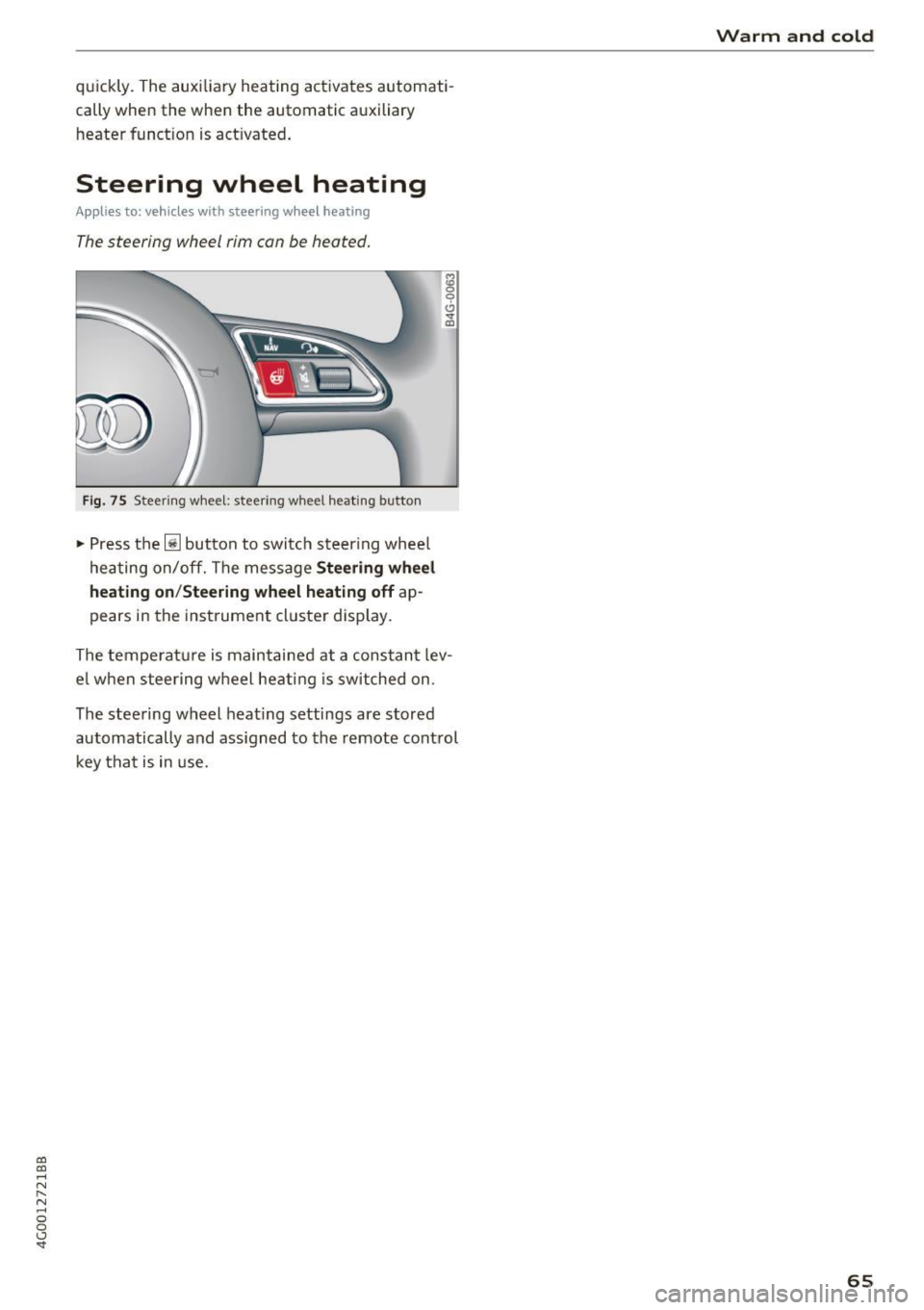
The steering wheel rim can be heated.
Fig. 75 Steeri ng wheel: steering w heel heating button
"' Press the ljJ button to switc h steering whee l
hea ting on/off. The message
Stee ring wheel
heating on /Steering wheel heating off
ap
pears in the inst rument cluster display.
The temperat ure is maintained at a constant lev
e l w hen steering w heel heat ing is switched on .
The steering wheel heat ing settings are stored
automatically and ass igned to the remote control
key tha t is in use.
Warm and cold
65
Page 70 of 280
Driving
lead to greater tire wear and will affect driving
behavior.
Do not drive on
winter tires year-round, as this
will consume up to 10% more fuel.
Eliminate unnecessary weight
Since every kilogram of extra
weight increases
fuel consumption, a quick inspection of the lug
gage compartment may be worth it to avoid un
necessary weight.
When not being used, a roof rack should be re moved to decrease the wind resistance of the ve
hicle. You will save approximately 12% of your
fuel when at speeds from 62- 7 5 mph (100-120 km/h) .
Save energy
The engine drives the generator, which generates
electricity; the fuel consumption also increases
with the demand for electricity. Therefore, switch electrical equipment off when you no longer
need it. Examples of equipment that uses a lot of
energy are air blowers at a high setting, the rear
window defogger and seat heating*.
CD Note
Do not leave engine idling unattended after
starting.
If warning lights should come on to
indicate improper operation, they would go
unheeded. Extended idling also produces
heat, which could result in overheating or
other damage to the vehicle or other proper
ty .
CD Note
- Have your vehicle maintained properly and
in accordance with the service recommenda
tions in your Warranty
& Maintenance book
let . Lack of proper maintenance as well as
improper use of the vehicle will impair the
function of the emission control system and
could lead to damage.
- Do not alter or
remove any component of
the Emission Control System unless ap
proved by the manufacturer.
- Do not alter or remove any device, such as
heat shields, switches, ignition wires,
68
valves, which are designed to protect your
vehicle's Emission Control System and other
important vehicle components.
(D Tips
The consumption estimates as published by
ENVIRONMENTAL PROTECTION AGENCY
(EPA) and Transport Canada may not corre
spond to your actual consumption on the
road, which will vary depending upon vehicle
load and speed, road and weather conditions,
trip length, etc.
Steering
Manual steering wheel position adjustment
Applies to: vehicles with manual steering wheel adjustment
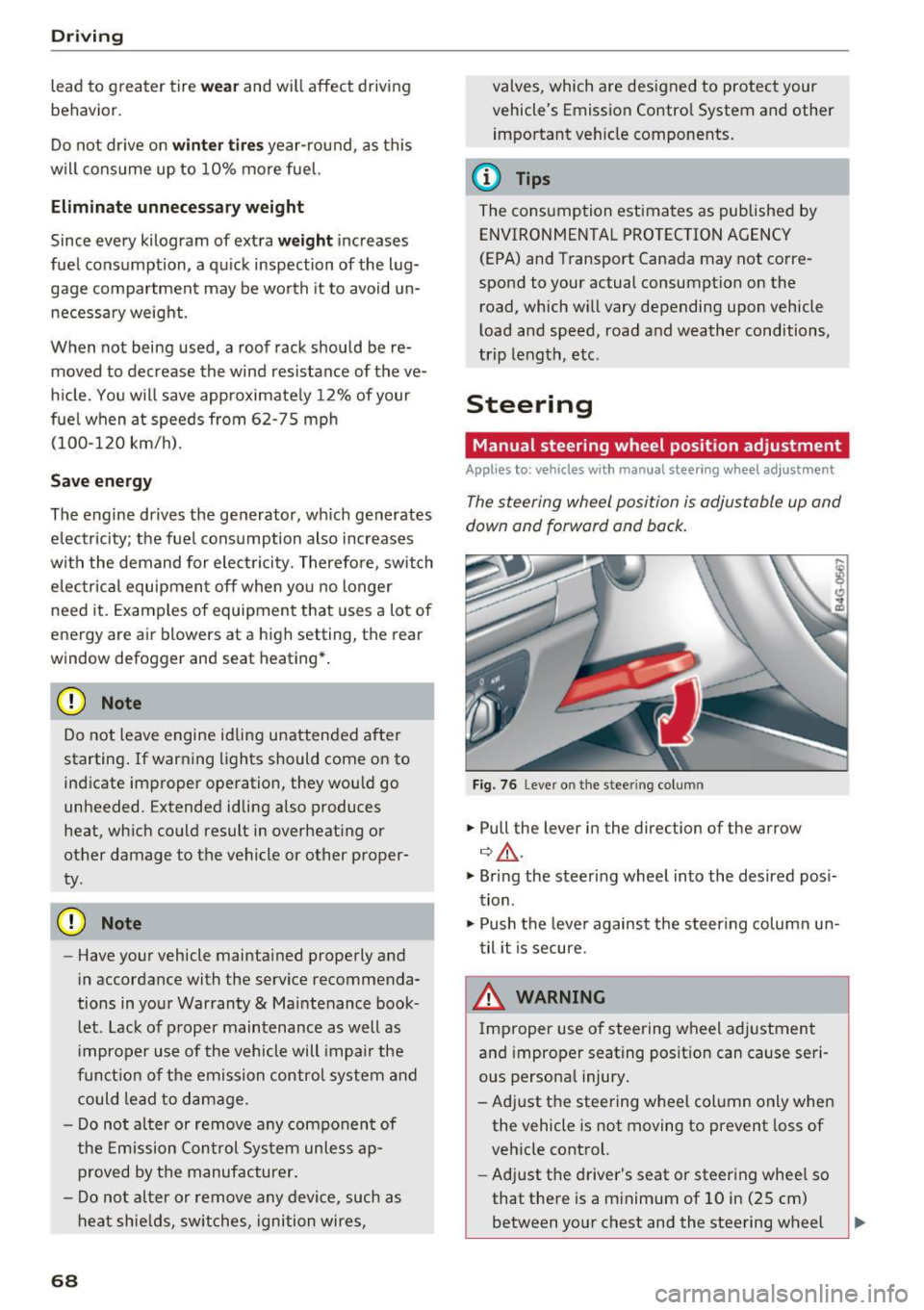
The steering wheel position is adjustable up and
down and forward and back.
Fig. 76 Lever o n the stee ring col umn
.,. Pull the lever in the direction of the arrow
¢ ,&. .
.,. Bring the steering wheel into the desired posi
tion .
.,. Push the lever against the steering column un
til it is secure.
& WARNING
Improper use of steering wheel adjustment
and improper seating position can cause seri
ous personal injury.
- Adjust the steering wheel column only when the vehicle is not moving to prevent loss of
vehicle control.
- Adjust the driver's seat or steering wheel so
that there is a minimum of 10 in (25 cm)
between your chest and the steering wheel -
Page 72 of 280
Driving
Easy seat entry
Applies to: ve hicles w ith power steering whee l adj ustment
Easy seat entry makes it easier to enter and exit
the vehicle by adjusting the steering column au
tomatically .
.-In the Infotainment system, select the ICARI
funct ion button > (C ar) * Systems control but
ton
> Vehi cle settings > Seat s > Dr iver' s seat >
Easy seat ent ry > On .
When easy seat entry is switched on, the steering
column goes back up into the park position when
the ignition is switched off . After entering the ve
h icle, the steering co lumn re turns to the stored
position once the ignition is sw itched on.
Starting and stopping
the engine
Starting the engine
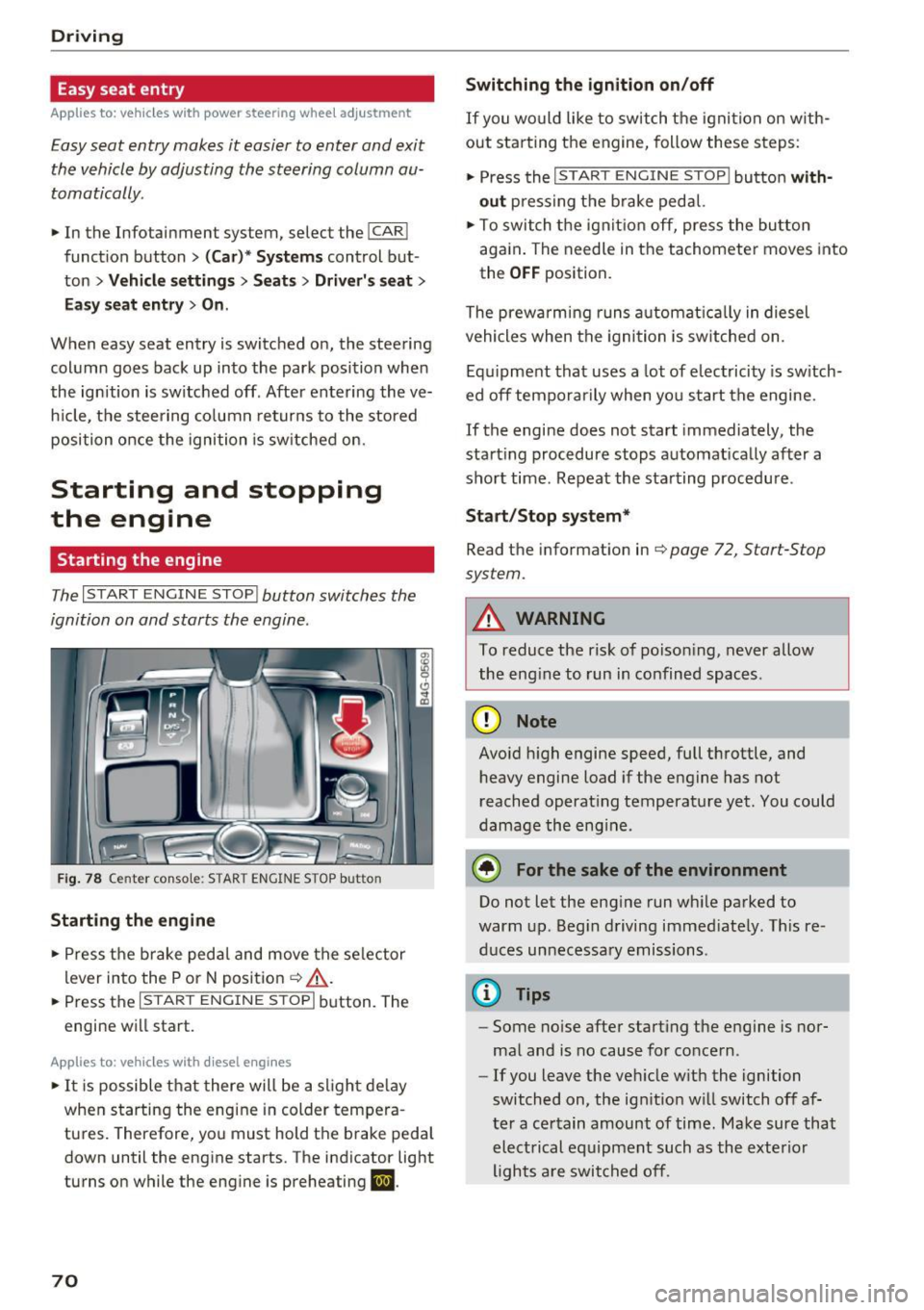
The I START ENGINE STOP I button switches the
ignition on and starts the engine.
Fig. 78 Center console: STAR T ENGINE STOP button
Starting the engine
.- Press the brake pedal and move the se lector
lever into the P or N posit ion ¢
&_.
.-Press the I START ENGINE STOPI button. The
engine will start.
App lies to: ve hicles w ith diesel e ngi nes
.- It is possible t hat there will be a slight de lay
when starting the engine in colder tempera
tures. Therefore, you must hold the brake peda l
down until the engine starts. The indicator light
turns on while the engine is preheating
II .
70
Switching the ignition on /off
If you wo uld like to switch t he igni tion on w ith
out star ting the engine, follow these s teps:
.- Press the
I START ENGINE STOP I button with
out press ing the b rake pedal.
.- To switch the igni tion off, press the bu tton
aga in . The needle in the tachomete r moves into
the
O FF position.
The prewarming runs a utomat ica lly in diesel
vehicles when the igni tion is sw itched on .
Equ ipment that uses a lot of electricity is sw itch
ed off tempo rarily when you start the engine.
If the engine does not start immediately, the
start ing procedure stops automat ically after a
short time. Repeat the starting procedure .
Start /Stop system*
Read the information in¢ page 72, Start-Stop
system.
A WARNING
To reduce the risk of poison ing, never allow
the eng ine to run in confined spaces.
(D Note
Avo id h igh engine speed, full throttle, and
heavy engine load if the engine has not
reached operat ing temperature yet. You could
damage the eng ine.
® For the sake of the environment
Do not let the eng ine run wh ile parked to
warm up. Beg in driving immed iately. Th is re
d uces unnecessary emissions .
(D Tips
-Some noise after start ing the engine is nor
ma l and is no cause for concern .
- If you leave the veh icle w it h the ignition
switched on, the ign ition w ill switch off af
ter a certain amount of time. Make sure that electrical equipment such as the exterior
lights a re switched off.
-
Page 83 of 280
co
co
.... N
" N .... 0 0 <..:l '
¢fig. 86.
~ To shift down one gear, tap the 0 shift paddle.
The transmission automatically shifts up or down before critical engine speed is reached.
The transmission only allows manual shifting
when the engine speed is within the permitted
range.
Kick-down
Kick-down enables maximum acceleration.
When you press the accelerator pedal down be
yond the resistance point, the automatic trans
mission downshifts into a lower gear, depending
on vehicle speed and engine RPM.
It shifts up in
to the next higher gear once the maximum speci
fied engine RPM is reached.
A WARNING
Please note that the wheels could spin on
slick or slippery roads when kick-down is ac
tive.
Launch control program
A ppl ies to: ve hicles wit h S tro nic
-
The launch control program provides the best
possible acceleration when starting from a stop.
Requirement: the engine must be at operating
temperature and the steering wheel must not be
turned .
~ Deactivate the Start/Stop system*¢ page 74.
The LED in the l0 u•I button turns on.
~ Switch the Electronic Stabilization Control
(ESC) sport mode on ¢
page 121. The II i ndi
cator light turns on.
~ Pull the selector lever back out of the D/S posi
tion briefly to select the S position or select the
DYNAMIC driving mode in drive select
¢page 106.
~ Press the brake pedal firmly with your left foot
and hold it all the way down for at least one
second .
Driving
~ At the same time, press the gas pedal all the
way down with your right foot until the engine reaches and stays at a high RPM level.
~ Remove your foot from the brake pedal within
five seconds ¢_& .
A WARNING
-Always adapt your driving to the traffic flow.
- Only use the Launch control program when
road and traffic conditions allow it and oth
er drivers will not be endangered or both
ered by your driving and the vehicle's accel
eration.
- Please note that the drive wheels can spin
and the vehicle can break away when sport
mode is switched on, especially when the
road is slippery.
- Once the vehicle has started moving, press
the
I.P-O FFI button briefly to turn the sport
mode off.
@ Tips
- The transmission temperature may increase
significantly after using the launch control
program. If that happens, the program may
not be available for a few minutes.
It will be
available again after a cool-down period.
- When accelerating using the launch control
program, all vehicle parts are subject to
heavy loads. This can lead to increased
wear.
Transmission malfunction
DD Transmission: please press brake pedal and
select gear again
Press the brake pedal and select the desired se
lector lever position again. You can then continue
driving.
DD Transmission overheating: Please drive con
servatively.
The transmission temperature has increased sig
nificantly due to the sporty driving manner. Drive
in a less sporty manner until the temperature re
turns to the normal range and the indicator light switches of. .,..
81
Page 89 of 280
co
co
.... N
" N .... 0 0 <..:l '
your foot on the accelerator pedal prevents
the cruise control from braking. This is be
cause pressing the accelerator pedal over
rides the cruise control system .
- If a brake system malfunction such as over
heating occurs when the cruise control sys
tem is switched on, the braking function in
the system may be switched off. The rest of
the cruise control system functions remain
active as long as the
(tj;(IM@ (USA models) /
ii (Canada models) indicator light is on.
@ Tips
The brake lights turn on when the brakes are
applied automat ically .
Changing speed
Applies to: vehicles with cruise control system
.. To increase or decrease the speed in incre
ments, tap the lever toward
010 ¢ page 86,
fig. 88 .
.. To increase or decrease the speed quickly, hold
the lever in the
G)/0 direction until the de
sired speed is displayed.
You can also press the accelerator pedal down to
increase your speed, for example if you want to
pass someone. The speed you set earlier will re
sume as soon as you release the accelerator ped
al.
However, if you exceed your saved speed by 5
mph (10 km/h) for longer than 6 minutes, the
cruise control system turns off temporarily .
The green
ltj;(i )~i@ (USA models) 1 '11 (Canada mod
els) indicator light in the speedometer turns off
and the stored speed is maintained.
Preselecting the speed
App lies to: ve hicles with cru ise control system
You can pre-select your desired speed when the
vehicle is stationary.
.. Switch the ignition on.
.. Pull the lever into position
(D ¢ page 86,
fig. 88 .
Assist
.. To increase or decrease the speed, tap the lever
toward
0 10 .
.. To store the speed displayed, release the lever.
T his function makes it possible, for example, to
save the speed you want before driving on the
highway. Once on the highway, activate the
cruise control by pulling the lever toward @.
Switching off
Appl ies to : vehicles with cruise co ntrol system
Temporary deactivation
.. Press the brake pedal, or
.. Press the lever into position @ (not clicked into
place)
¢ page 86, fig. 88, or
.. Drive for longer than 5 minutes faster than 5
mph (10 km/h) above the stored speed .
Switching off completely
.. Press the lever into position @(clicked into
place), or
.. Switch the ignition off.
The speed you stored will be maintained if the cruise control has been switched off temporarily .
To resume the stored speed, release the brake pedal and pull the lever to position@.
Switching the ignition off will erase the stored
speed .
A WARNING
--You should only resume the stored speed if it
i s not too high for existing traff ic conditions.
Otherw ise you can inc rease the risk of an acci
dent.
87
Page 122 of 280
Intelligent Technology
Intelligent Technology
Electronic Stabilization
Control (ESC)
Description
Elect ronic Stabilization Control (ESC) suppo rts
driver safety.
It red uces the risk of slipping and
improves dr iving stability. ESC detects crit ica l sit
uations such as the veh icle oversteering and un
dersteering or the wheels are sp inning. The vehi
cle is stabilized by app lying the brakes or reduc
ing engine torque. As soon as the ESC is active ly
regulat ing, the
D.1 indicato r light blin ks in the in
s trumen t clus ter.
The fo llow ing systems are integrated in the ESC :
Ant i-lock braking system (ABS)
ABS p revents the whee ls from locking whe n brak
ing. The vehicle can sti ll be steered even during
hard brak ing. Apply steady press ure to the brake
pedal. Do not pump the pedal. A puls ing in t he
b rake pedal indicates that the system is acting to
s tabilize the vehicle .
Br ake assist system
The brake assist system can decrease brak ing dis
tance . It increases brak ing power when the driver
presses the brake pedal q uick ly in emergency sit
uations . You must press and hold t he b rake pedal
until the dangerous sit uat io n is over . In veh icles
with adapt ive c ruise control*, the bra ke as sist
sy stem is more sensitive if t he di sta nce detec ted
t o the vehicle dr iv ing ahead is too small. On
ve hicl es with act ivated and f unct io ni ng night vi
sion assist*, the brake assist system can respond mo re sensit ively if there is a warning .
Anti-slip regulation (ASR)
ASR red uces eng ine power when the drive w heels
be gin sp inning an d adapts the force to the road
conditions. This makes it easie r to sta rt, acceler
ate and dr ive up h ills.
Electronic differential lock (EDL)
T he EDL applies the b rakes to a whee l t h at s tarts
sp inning and tra nsfe rs t he dr ive powe r to t he
o ther driving wheel or wheels (if the veh icle is
120
equipped with a ll w hee l drive*) . T h is f unction is
not avai lab le at higher speeds .
I n extreme cases , EDL automat ic al ly swi tches off
to keep t he b rake o n the br aked wheel from ove r
heating. The ve hicle is still working correct ly. ED L
will switc h on again automatically when condi
tions have returned to normal.
Steering recommendation
The ESC he lps to s tabili ze th e vehicle by ch ang ing
t h e s teer ing torque.
I n veh icles with dynamic s teer ing*, ESC a lso
helps to stab ilize the s teeri ng in cr it ic al situ a
tions.
Selective wheel torque control
Se lective wheel to rque control is used when d riv
i ng on curves . The front whee l on the ins ide of
t h e curve or both whe els on the i nside of th e
cu rve are braked se lectively as needed. This al
l ows mo re pre cise driving in curves .
Automatic post -collision braking system
The "a utomat ic post -coll is io n braking system"
can help to reduce the risk of sl iding and of addi
tiona l co llisions after an acc iden t. If the a irbag
c on tro l modu le dete cts a collision above a cer tain
vehicle speed, the veh icle is braked by t he ESC.
The veh icle does not brake automatically if:
- the drive r presses the accelerator pedal, or
- the bra king force generate d by the pressed
brake pedal is greater than the b raking force
that would be in itiated by the system, or
- the ESC, the bra ke system or the vehicle elect ri
cal system are not functioning.
A WARNING
- The ESC and its integ rated systems can not
overcome the lim its imposed by natura l
p hys ica l laws. Th is is es pec ially i mpo rtan t
on s lippery or we t roads. If the system s be
g in a cting to s tabili ze yo ur vehicle, you
should immedi ately alte r your speed to
match the road and tra ffi c conditions. Do
not let the inc reased safety provided tempt
Page 127 of 280
co
co
.... N
" N .... 0 0 <..:l '
battery diagno sis , idling current management ,
and dynamic energy management.
Battery diagnosis
The batte ry diagnosis determines the vehicle bat
tery charge level. The sensors detect the battery,
the battery current, and the battery temperature.
The current charge leve l and the performance of
the vehicle battery are determined based on this.
Idling current management
The idl ing current management decreases the
energy used whi le pa rked . With the engine
switched off, it manages the energy distribution
to the different electrical components . Data from
the battery diagnosis is taken into account for
this.
Depending on the vehicle battery charge level,
e lectrical equipment is switched off one item af
ter the other to prevent the vehicle battery from
draining and to maintain the starting ability.
Dynamic energy management
While driving, dynamic energy management dis
tributes the appropriate amount of energy to the
e lectrical equipment. It controls the battery
charge level so that the amount of energy is not
greater than the amount being generated in or
der to mainta in an optimal veh icle battery charge
level.
(D Tips
- Energy management cannot overcome the
laws of physics . Note that the charge level
and length of the vehicle battery life are
limited.
- When the start ing ability is endangered, the
(•) indicator light turns on
~ page 14.
What you should know
Maintaining the starting ability is the highest
priority.
A lot of stress is placed on the vehicle battery
when dr iving short distances, during c ity dr iving,
and at cold times of the year . A lot of energy is
Intelligent Technology
u sed but little is generated. It is also critical
when the engine is not running but electrical
equipment is switched on. In this case, energy is
used but none is generated.
In situations like this, energy management wi ll
active ly regulate the distribution of energy .
Long periods without use
If you do not drive your vehicle for severa l days or
weeks, electrical equ ipment is gradually scaled
back or switched off. This reduces energy use and
ensures the vehicle will be able to start after long
periods of time . Some convenience functions,
s u ch as interior lighting or power seat ad just
ment, may not be ava ilable under certain circum
stances. These conven ience functions will be
available again once you switch the ignition on
and start the engine.
With the engine switched off
The vehicle battery will dra in if you use Infotain
ment functions such as listening to the radio
whi le the engine is switched off .
T he vehicle's ability to start may be impaired by
the energy use, a message will appear in the In
fotainment system display.
The message indicates that the system wi ll
switch off automatically soon. If you would like
to continue using the functions, you must start
the engine.
With the engine running
Although e lectr ica l ene rgy is generated while
driving , the vehicle battery can drain. This can
happen if litt le energy is generated but much is
used, and the charge level of the vehicle battery
is not optimal.
To restore the balance of energy, components
that require large amounts of energy are tempo rarily scaled back or sw itched off. Heat ing sys
tems in particular requ ire a great deal of energy.
If you notice, for example, that the seat heating*
or rear window defogger is not work ing, then it
has been tempora rily reduced or sw itched off.
Th ese systems are available again as soon as the
energy supply has been restored. .,.
125