instrument cluster AUDI A6 2018 Owner's Manual
[x] Cancel search | Manufacturer: AUDI, Model Year: 2018, Model line: A6, Model: AUDI A6 2018Pages: 266, PDF Size: 41.38 MB
Page 104 of 266
Assistance systems
that are between approximately 32 ft (10 m) and
295
ft (90 m) in front of the vehicle and within
the detection zone. Within the limits of the sys
tem
c:> page 102, a pedestrian or wild animal de
tected when the low beams are switched on is
highlighted in yellow
c:> fig. 108. Animal recogni
tion is not active within highly developed areas.
The system only detects large wild animals such
as deer.
(D Tips
If another display such as navigation replaces
the image from the night vision assist
the~--,
symbol appears in a tab c:>fig. 109. You can
access night vision assist using the multifunc
tion steering wheel buttons
c:> page 20.
Pedestrian and wild animal warning
Applies to: vehicles with night vision assist
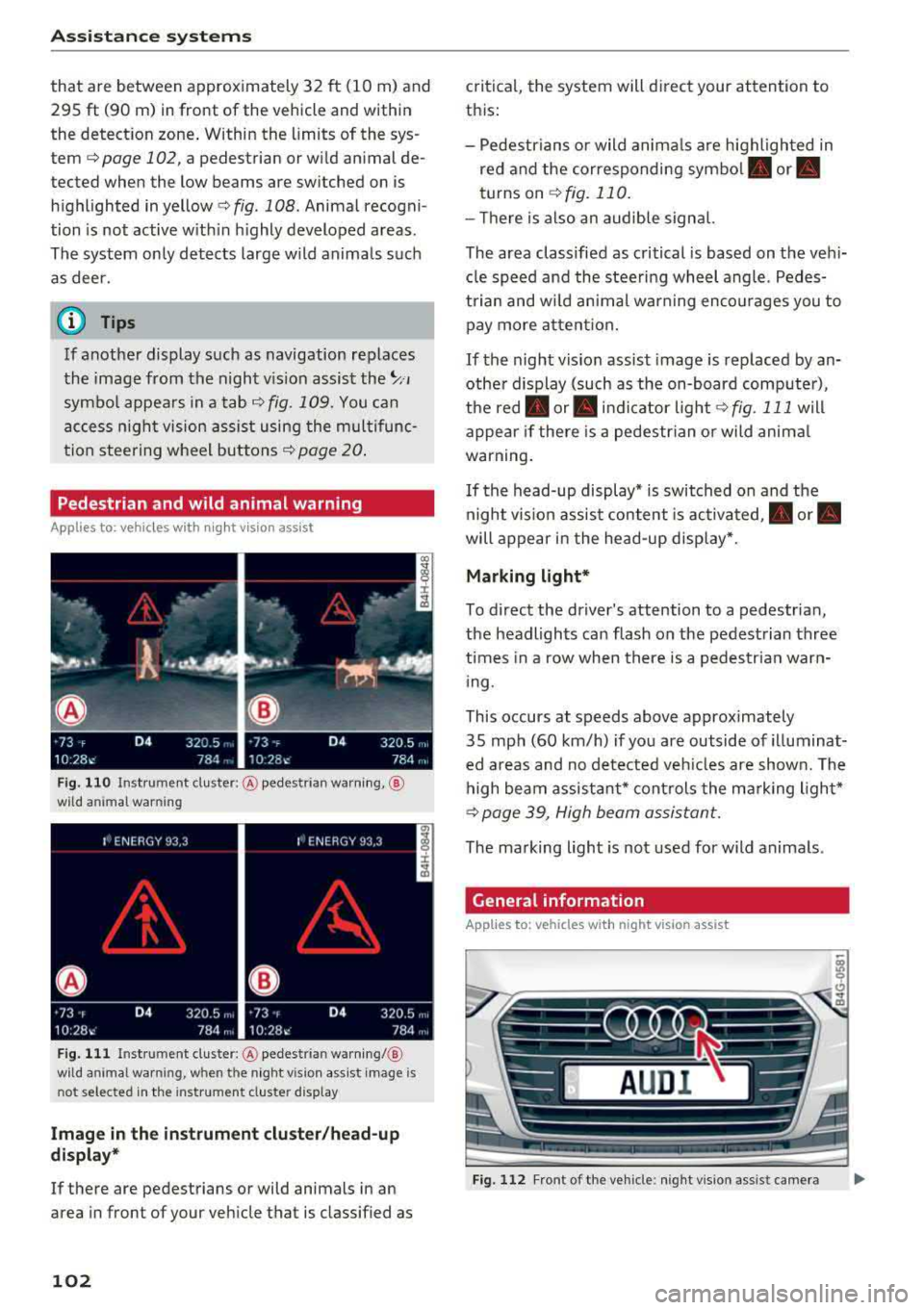
Fig . 110 Inst rument cluster :® pedestrian warning, ®
wild animal warning
Fig. 111 In strument cl uster: ® pedestrian warning/ @
w ild an imal warning, when the night vision assist image is
n ot selected in the instrument cl uster display
Image in the instrument cluster/head-up
display*
If there are pedestrians or wild animals in an
area in front of your vehicle that is classified as
102
critical, the system will direct your attention to
this :
- Pedestrians or wild animals are highlighted in
red and the corresponding
symbol . or.
turns on c:>fig. 110.
- There is also an audible signal.
The area classified as critical is based on the vehi
cle speed and the steering wheel angle. Pedes
trian and wild animal warning encourages you to pay more attention.
If the night vision assist image is replaced by an
other display (such as the on-board computer),
the
red . or. indicator light c:> fig. 111 will
appear if there is a pedestrian or wild animal
warning.
If the head-up display* is switched on and the
night vision assist content is activated, .
or.
will appear in the head-up display*.
Marking light*
To direct the driver's attention to a pedestrian,
the headlights can flash on the pedestrian three
times in a row when there is a pedestrian warn
ing.
This occurs at speeds above approximately
35 mph (60 km/h) if you are outside of illuminat
ed areas and no detected vehicles are shown. The
high beam assistant* controls the marking light*
c:> page 39, High beam assistant.
The marking light is not used for wild animals .
General information
Applies to: vehicles with night vision assist
Fig. 112 Fro nt of the vehicl e: night vision assist camera
Page 105 of 266

a co ,...,
N
" N ,...,
0 0 <..:l '
of the night vision assist system:
- Poor visibility such as snow, rain, fog or heavy
spray
- Dirty lens on the night vision assist camera
Make sure the night vision assist camera
c::> fig. 112 is not covered by stickers, deposits or
any other obstructions because that can affect
the camera function. For information on clean
ing, see
c::> page 221 .
The pedestrian and wild animal recognition de
pends on the temperature difference between
the person/wild animal and the background. Peo ple/wild animals may not be detected if the dif
ference is too small. The pedestrian/wild animal
marking and the marking light* deactivate at
temperatures above approximately 77 °F (25 °C)
and during daylight.
If the night vision assist im
age is selected in the instrument cluster display,
then the
D symbol appears at the top on the
right side .
_&, WARNING
Pay attention to traffic and the area around
your vehicle when night vision assist is switch
ed on. The driver is always responsible for as
sessing the traffic situation.
- Night vision assist can only warn about peo
ple and wild animals located within the visu
al range of the infrared camera. The visual
range corresponds to the image in the in
strument cluster display.
- Night vision assist may not detect people or
wild animals and mark them if
-they are not in an upright position, for ex
ample if they are sitting or lying down
and/or
-the silhouette in the display appears in
complete or interrupted, for example be
cause the person is partially covered by a
vehicle or the animal is partially covered
by tall grass. This could increase the risk
of an accident.
- Never try to swerve around animals if doing
so will endanger you or other road users, be
cause this increases the risk of an accident.
Assistance systems
(D Tips
-Even though the system evaluates the
shape and heat given off by all detected ob
jects, there are limits to the system . There
may be false warnings.
-For technical reasons, the image pauses in
split second intervals.
Switching on/off
Applies to: vehicles with night vision assist
Fig. 113 Area around the light switc h: night vis ion assist
button
Requirement: switch the ignition on and turn the
light switch to the
AUTO position.
.. Press the~ button c::> fig. 113. The heat image
from the night vision camera appears in the in
strument cluster display .
., Press the~ button again to switch the night
vision assist off.
If conditions are bright enough, night vision as
sist can be switched on without moving the light
switch to the
AUTO position. Pedestrian and wild
animal highlighting and warnings are only active
when it is dark outside and the headlights are
switched on.
Adjusting the contrast
Applies to: vehicles with night vision assist
.. Select: the I CAR! function button > (Car)* Sys
tems
contro l button > Driver assistance >
Night vision assist contrast .
When the night vision assist is switched on and
the image is visible in the instrument cluster dis
play, you can adjust the contrast in the image
from
Min to Max .
103
Page 136 of 266
Safety belts
Safety belts
General information
Always wear safety belts!
Wearing safety belts correctly saves lives!
This chapter explains why safety be lts are neces
sary, how they work and how to adjust and wear
them correctly.
.,. Read all the information that follows and heed
all of the instructions and WARNINGS.
A WARNING
Not wearing safety belts or wearing them im
properly increases the risk of serious personal
injury and death.
- Safety belts are the single most effective
means available to reduce the risk of serious
injury and death in automob ile acc idents.
For your protection and that of your passen
gers, always correctly wear safety belts
when the vehicle is moving.
- Pregnant women, injured, or physically im
paired persons must also use safety belts.
Like all vehicle occupants, they are more
likely to be serious ly injured if th ey do not
wear safety belts. The best way to protect a
fetus is to protect the mother
-throughout
the entire pregnancy.
Number of seats
Your Audi has a total of five seating positions:
two in the front and three in the rear. Each seat
ing position has a safety belt.
A WARNING
Not wearing safety belts or wearing them im
properly increases the risk of serious personal
inju ry and death.
- Never strap more tha n one person, includ
i ng small children, into any belt. It is espe
cially dangerous to place a safety belt over a
child sitting on you r lap.
- Never let more people ride in the vehicle
than there are safety belts available.
134 -
Be sure everyone riding in the vehicle is
proper ly restrained with a separate safety
belt or child restraint.
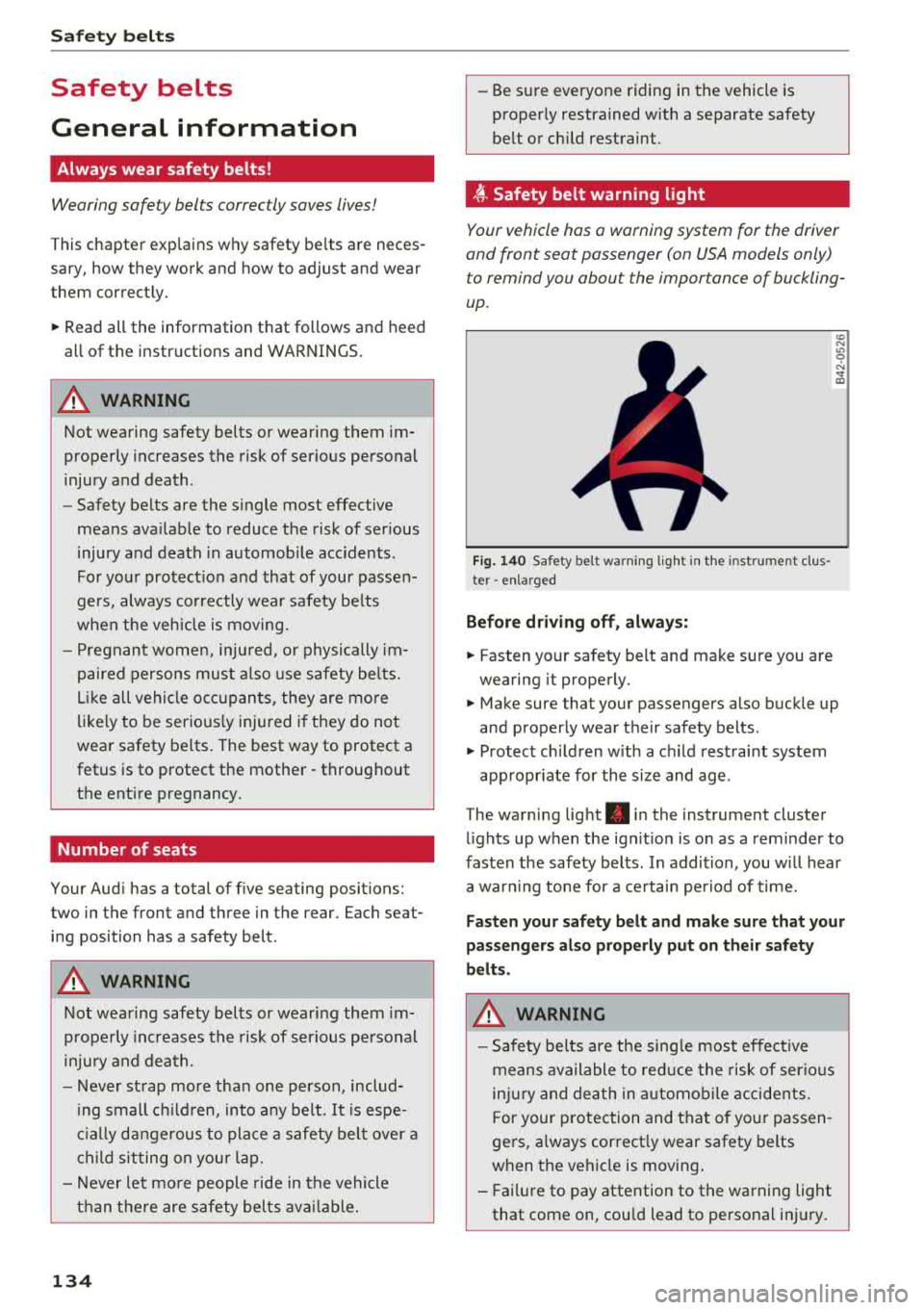
~ Safety belt warning light
Your vehicle has a warning system for the driver
and front seat passenger (on USA models only) to remind you about the importance of buckling
up .
Fig. 140 Safety belt warn ing lig ht in the instrument clus
ter
-enlarged
Before driving off , always:
.,. Fasten your safety belt and make sure you are
wearing it properly .
U) N
"' 9 N
and properly wear their safety belts .
.,. Protect children with a ch ild restraint system
appropr iate for the size and age .
The warning light . in the instrument cluster
lights up when the ign it ion is on as a reminder to
fasten the safety belts . In addition , you will hear
a war ning tone for a certain period of time.
Fasten your safety belt and make sure that your
passengers also properly put on their safety
belts.
A WARNING
-
- Safety belts are the single most effective
means available to reduce the risk of serious
inj ury and death in automobile accidents.
Fo r your protection and that of your passen
gers, a lways correct ly wear safety belts
when t he vehicle is moving .
- Fai lure to pay attention to the warning light
that come on, cou ld lead to personal injury.
Page 152 of 266
Airbag syste m
Airbag System for the front passenger seat from
doing its job in a crash.
The front Advanced Airbag S ystem con sists
of the follo wing :
-Crash sensors in the front of the vehicle that
measure vehicle acceleration/deceleration to
provide information to the Advanced Airbag
System about the severity of the crash.
- An electronic control unit, with integrated
crash sensors for front and side impacts. The
control unit "decides" whether to fire the front
airbags based on the information received from
the crash sensors . The control unit also "de
c ides" whether the safety belt pretens ioners
shou ld be activated .
- An Advanced Airbag with gas generator and
contro l valve for the driver ins ide the steer ing
whee l hub.
- An Advanced Airbag with gas generator and
contro l valve inside the instrument pane l for
the front passenger.
- A capacitive passenger detect io n system under
neath t he front passenger seat cover. This sys
tem measures the elect rical capac ita nce of the
person in the seat. The info rm ation registe red
is sent continuous ly to the e lectronic control
unit to regulate deployment of the front Ad
vanced Airbag on the passenger side .
- An airbag monitoring system and indicator
light in the instrument cluster
Q page 154 .
-A sensor in each front seat registers the dis
tance between the respective seat and the
steering wheel or instrument pane l. The infor
mation reg istered is sent continuously to the
electronic control un it to regulate deployment
of the front Advanced Airbags .
- The
PASS ENGER AIR BA G OFF light comes on
and stays on in the center of the instrument
panel
Q page 154, fig . 154 and tells you when
the front Advanced A irbag on the passenger
s ide has been turned off .
- A sensor in the safety belt latch for the driver
and for the front seat passenge r that senses
whethe r th at safety belt is latched or not and
t ransm its this info rmat ion to the electronic
contro l unit.
150
_&. WARNING
Damage to the front passenger seat can pre
vent the front airbag from work ing properly.
- Improper repair or disassembly of the front
passenger and driver seat will prevent the
Advanced A irbag System from function ing
properly.
- Repairs to the front passenger seat must be
performed by qualified and properly trained
wo rkshop personne l.
- Never remove the front passenger or driver seat from the vehicle .
- Never remove the upholstery from the front
passenger seat.
- Never d isassemble or remove parts from the
seat or disconnect wires from it.
- Never carry sharp objects in your pockets or
put them on the seat. The capacit ive pas
senger detect ion mat in the front passenger
seat will not function p roperly if it is punc
tured.
- Never carry things on your lap or carry ob
jects on the front passenger seat. Such ob
jects can influence the capacitance regis
tered by the capaci tive passenger detection
system, so that incorrect in format ion is pro
vided to the airbag control unit.
- Never store i tems under the front passenger
seat. Parts of the Advanced Airbag System
under the passenger seat could be dam
aged, p reventing them and the airbag sys
tem from working p roper ly.
- Never p lace seat covers or replacement up
holstery that have not been specifically ap
proved by Audi on the front seats.
- Seat covers can prevent the Advanced Air
bag System from recognizing child re
straints or occupants on the front passenger
seat and prevent the side airbag in the seat
backrest from deploying properly.
- If a seat heater has been retrofitted or oth
erwise added to the front passenger seat,
never install any child res tra int system on
this seat.
- Never use cushions, p illows, blankets, or
sim ila r items on the front passenge r seat.
The additional laye rs prevent the capac it ive
Page 201 of 266
a co .... N
" N .... 0 0 \,;J '
thorized Aud i Serv ice Facility for more infor
mation.
- Do not connect or disconnect the charging
cable while charg ing because this increases
the risk of an explosion.
(D Tips
-Only charge the vehicle battery through the
connections in the engine compartment.
- Read all of the manufacturer's instructions
for the charger before charging the ve hicle
battery.
Windshield washer system
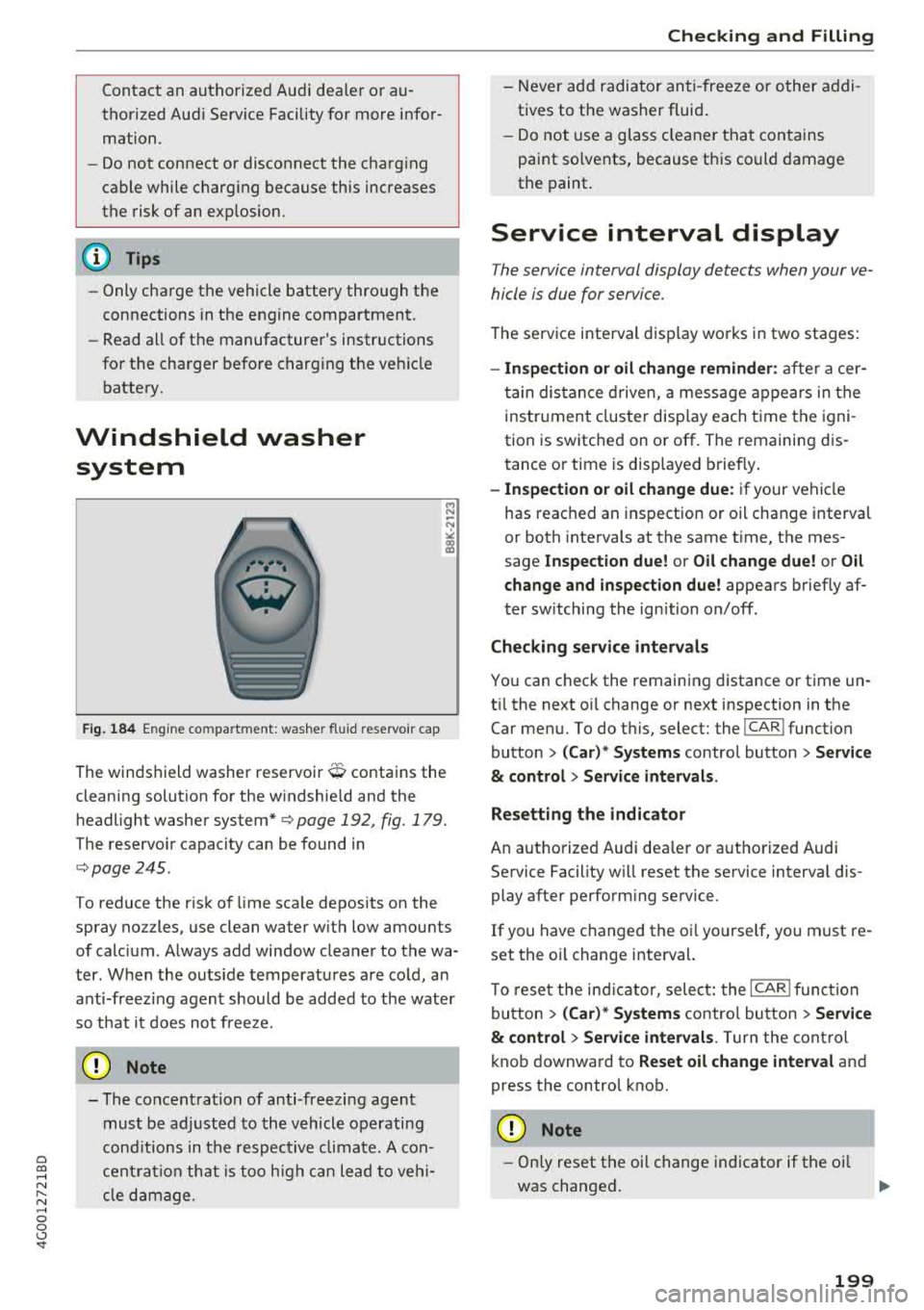
F ig. 184 Eng ine co mpartment: washer flu id reservoir cap
M N ~ N
"' a, a,
The winds hield washer reservoir O contains the
cleaning solution for the windshield and the
headlight washer system*
c::;,page 192 , fig . 179.
The reservoir capacity can be found in
c::;, page 245 .
To reduce the risk of lime sca le deposits on the
spray nozzles, use clean water w ith low amounts
of calc ium . Always add window cleaner to the wa
ter . When the outs ide temperatures are cold, an
anti-freez ing agent should be added to the water
so that it does not freeze.
0 Note
- The concentration of anti-freezing agent
must be adjusted to the vehicle operating
cond itions in the respect ive climate. A con
centration that is too high can lead to vehi
cl e damage.
Checking and Filling
- Never add radiato r anti -freeze or other addi
tives to the washer fluid .
- Do not use a glass cleaner that contains
paint solvents, because this could damage
the paint.
Service interval display
The service interval display detects when your ve
hicle is due for service .
The service interval display works in two stages:
-Inspection or oil change reminder : after a cer-
tain distance driven, a message appears in the
instrument cluster display each time the igni
tion is switched on or off. The remaining dis
tance or time is disp layed briefly.
-Inspection or oil change due: if your vehicle
has reached an inspection or oil change interval
or both intervals at the same time, the mes
sage
Inspection due! or Oil change due! or Oil
change and inspection due!
appears briefly af
ter switching the ignition on/off .
Checking service intervals
You can check the remaining distance or time un
til the next oi l change or next inspection in the
Car menu. To do this, select: the
I CAR I function
button
> (Car)* Systems control button > Service
& control > Service intervals .
Resetting the indicator
An authorized Audi dea ler or authorized Audi
Service Facility w ill reset the service interval dis
play after perform ing service .
If you have changed the oi l yourse lf, you must re
set the oil change interval.
To r eset the indicat or, select: the
I CARI function
button
> (Car)* Systems control button > Service
& control > Service intervals . Turn the control
knob downward to
Reset oil change interval and
press the control knob.
@ Note
- Only reset the oi l change indicator if the oi l
was changed.
199
Page 221 of 266
a co ,...,
N
" N ,...,
0 0 \,;J '
proper tire maintenance, and it is the driver's re
sponsib ility to ma intain correct tire pressure,
even if under-inf lation has not reached the level
to trigger illum ination of the TPMS low tire pres
sure telltale .
Your veh icle has also been equ ipped w ith a TPMS
malfunct ion indicator to indicate when the sys
tem is not operating properly. The TPMS mal
function indicator is combined w ith the low tire
pressure telltale. Whe n the system detects a
malfunct ion, the telltale will flash for approxi
mately one minu te and then remain cont inuous ly
i llum inated. This sequence wi ll continue upon
subseq uen t veh icle start -ups as long as the ma l
function exists.
When the malfunct ion i ndicator is ill uminated,
the system m ay not be ab le to detec t or sig nal
l ow tire press ure as intended. TPMS ma lfunctions
may occur for a var iety of reasons, incl uding the
installation of replacement or alternate tires or
wheels on the vehicle that prevent the TPMS
from functioning properly. Always check the TPMS malfunction telltale after rep lacing one or
more t ires or whee ls on your vehicle to ensu re
that t he replacement or alternate ti res and
wheels allow the TPMS to cont inue to func tion
p roperly.
If the tire pressure monitoring system
indicator appears
A ppl ies to: ve hicles with Tire Pressure Moni toring System in
di cato r
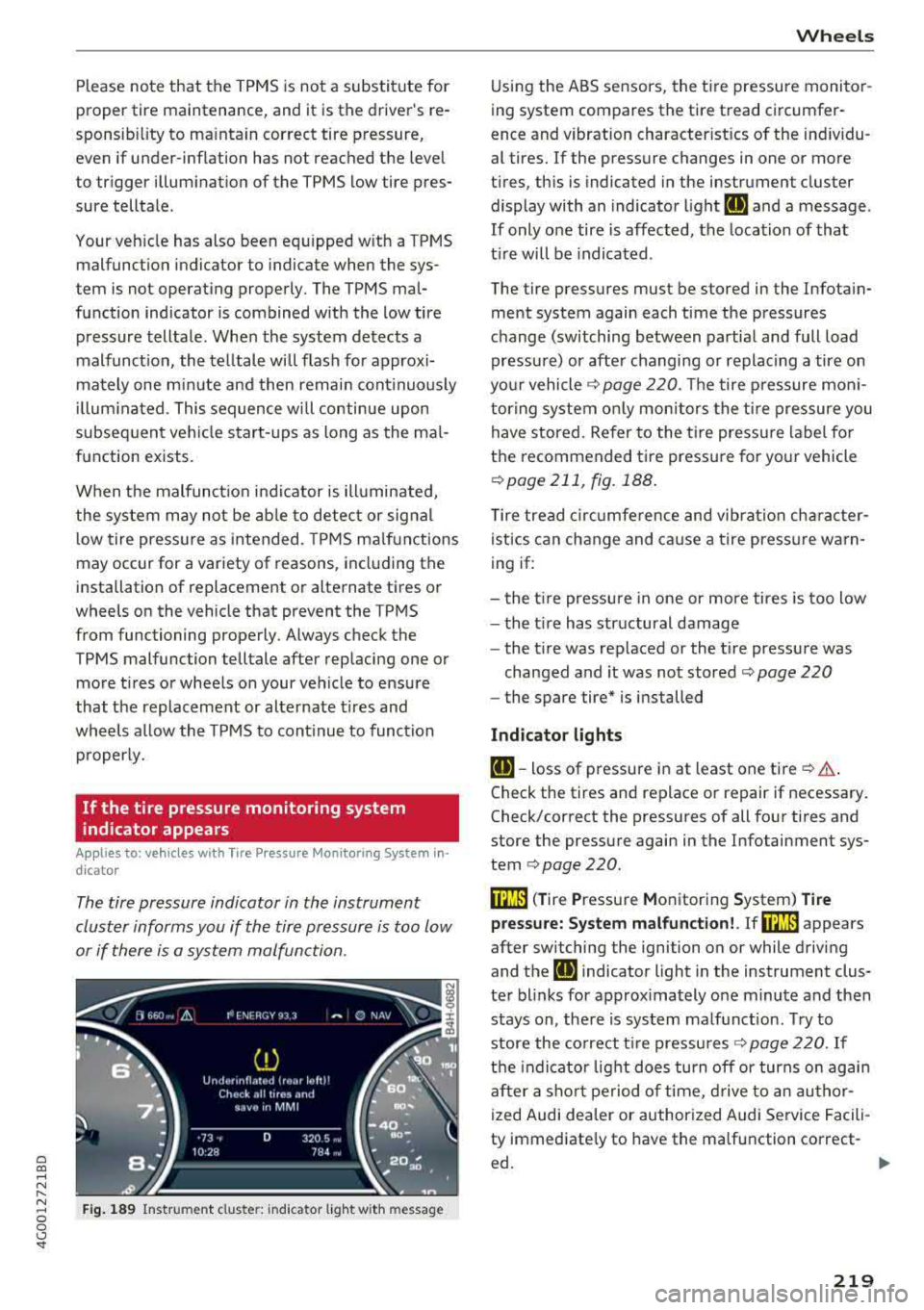
The tire pressure indicator in the instrument
cluster informs you if the tire pressure is too low
or if there is a system malfunction .
Fig. 1 89 Instrument cl uste r: in dicator l ight w it h m essage
Wheels
Using the ABS sensors, the tire pressure monito r
ing system compares the tire tread circumfer
ence and vibration characterist ics of the ind ividu
al tires. If the pressure changes in one or more
t ires, th is is indicated in the instrument cluster
display with an indicator l ight
IE and a message .
If only o ne tire is affected, the location of tha t
t ir e will be indicated .
The tire pressures must be stored in the Infotain ment system again each time the pressures
change (switching between partial and full load
pressure) or afte r changing or replac ing a tire on
yo ur vehicle
Q page 220. The tire p ressure mon i
tor ing system on ly mon itors the t ire pressure you
have stored. Refer to the t ire press ure label fo r
the recommended ti re pressure for yo ur vehicle
Q page 211, fig. 188 .
Tire tread c ircu mfe rence and vibr ation cha racter
istics can change and ca use a tire press ure warn
ing if:
- the t ire pressure in one or more tires is too low
- the t ire has str uctural damage
- the t ire was replaced or the t ire pressure was
changed and it was not stored
Q page 220
- the spare tire* is i nstalled
Indicator light s
IE-toss of pressure in at least one tire Q & .
Check the tires and replace or repair if necessary .
Check/correct the pressures of all four tires and
store the pressu re again in the Infotainment sys
tem
Q page 220.
m ( T ire Pressure Monitoring System) Ti re
pressure: System malfunction!.
If rn:m appears
after switching the ignition on or while driving
and the
IE indicator light in the instrument clus
te r blinks for approx imately one minute and then
stays on, the re is system malf unct ion . Try to
store the co rrect t ire pressu res
Q page 220. If
t h e indicat or light does turn off or turns on agai n
af ter a sho rt pe riod o f time, d rive to an au thor
ized Audi dea ler or authorized Audi Service Facili
ty immediate ly to have the ma lfunction correct-
ed.
~
219
Page 258 of 266
Index
Headlight range contro l system . . . . . . . . . . 38
Indicator light . . . . . . . . . . . . . . . . . . . . . . . 1 8
H eadlig hts . . . . . . . . . . . . . . . . . . . . . . . . . . . 39
Clea ning . . . . . . . . . . . . . . . . . . . . . . . . . . . 222
H eadlig ht range contro l system . . . . . . . . . 38
Washer system . . . . . . . . . . . . . . . . . . . . . . 44
H ead restra ints . . . . . . . . . . . . . . . . . . . . . . . 128
Ad justi ng .. .. .. ............. . 48, 49 , 128
Removing and ins tall ing . . . . . . . . . . . . . . . 49
H eated
Exterior mirrors . . . . . . . . . . . . . . . . . . . . . . 42
Rea r window (4-zone deluxe automatic cli
mate control) . . . . . . . . . . . . . . . . . . . . . . . . 6 2
Rea r window (del uxe automat ic climate con
t rol) . . . . . . . . . . . . . . . . . . . . . . . . . . . . . . . 60
Seats (4 -zone deluxe automatic climate con -
trol) . . . . . . . . . . . . . . . . . . . . . . . . . . . . . . . 61
Seats (de luxe automatic climate contro l) . . 60
Washer no zzles . . . . . . . . . . . . . . . . . . . . . . 44
H ea ting . . . . . . . . . . . . . . . . . . . . . . . . . . . . . . 58
H eavy clothing and safety belts . . . . . . . . . . 1 36
High beams Assistant. . . . . . . . . . . . . . . . . . . . . . . . . . . . 39
Hi ll
descent contro l . . . . . . . . . . . . . . . . . . . . 77
Hi ll hold ass ist . . . . . . . . . . . . . . . . . . . . . . . . 74
also refer to Hi ll hold ass ist . . . . . . . . . . . . 74
Homelink (garage door opener) . . . . . . . . . . 36
H oo ks . . . . . . . . . . . . . . . . . . . . . . . . . . . . . . . 56
H orn . . . . . . . . . . . . . . . . . . . . . . . . . . . . . . . . . 6
How are child restraint system anchors re lat-
ed to chi ld safety . . . . . . . . . . . . . . . . . . . . . 180
H ow many airbags does my veh icle have? . . 149
H ow safety belt pretens ioners work . . . . . . 140
I
Ignition
Indicator light . . . . . . . . . . . . . . . . . . . . . . . 15
Sw itching on/off . . . . . . . . . . . . . . . . . . . . . 68
I mba lance (wheels) .. .. ..... ... .. .. ... 210
Immob il izer . . . . . . . . . . . . . . . . . . . . . . . 22, 25
Important things to do before driving . . . . 125
I mp roperly worn s afety be lts . . . . . . . . . . . 140
Indicator lights . . . . . . . . . . . . . . . . . . . . . . . . 10
Infant seats . . . . . . . . . . . . . . . . . . . . . . . . . 172
I nspection inte rval . . . . . . . . . . . . . . . . . . . . 199
256
Installing child safety seats
Safety be lts . . . . . . . . . . . . . . . . . . . . . . . . 177
Installing the upper tether st rap on t he a n
c h orage . . . . . . . . . . . . . . . . . . . . . . . . . . . . . 183
Instrument cluster . . . . . . . . . . . . . . . . . . . . . . 9
Ind icator lig hts . . . . . . . . . . . . . . . . . . . . . .
10
Messages . . . . . . . . . . . . . . . . . . . . . . . . . . . 10
Instruments . . . . . . . . . . . . . . . . . . . . . . . . . . . 9
Adjusting illumination . . . . . . . . . . . . . . . . . 41
Interior ligh ting
Ambient lighting . . . . . . . . . . . . . . . . . . . . . 41
Front and rear . . . . . . . . . . . . . . . . . . . . . . . 41
Intermittent (windsh ie ld w ipers) . . . . . . . . . 44
l
Jump-start ing 239
Jumper cables . . . . . . . . . . . . . . . . . . . . . . . . 240
K
Key ..... ... .. .. .... .. ... .. ..... ... .. . 25
Indicator lig ht . . . . . . . . . . . . . . . . . . . . . . . 69
Key not recognized . . . . . . . . . . . . . . . . . . . 70
Key replacement . . . . . . . . . . . . . . . . . . . . . 25
Mechan ica l key . . . . . . . . . . . . . . . . . . . . 25, 26
Replacing the battery . . . . . . . . . . . . . . . . . 26
Un locking/locking .. .. ............. 27, 29
Key recognit ion (climate control system) . . . 58
K ick -dow n (au tomatic transm ission) . . . . . . . 78
Knee a irbags . . . . . . . . . . . . . . . . . . . . . . . . . 158
Description . . . . . . . . . . . . . . . . . . . . . . . . . 158
How they work . . . . . . . . . . . . . . . . . . . . . . 159
Impo rtant safety instr uctions . . . . . . . . . . 160
L
Lane assist
refer to Active lane ass ist . . . . . . . . . . . . . . 95
LATCH . . . . . . . . . . . . . . . . . . . . . . . . . . . . . . 180
Description . . . . . . . . . . . . . . . . . . . . . . . . . 181
Installing a ch ild restraint . . . . . . . . . . . . . 182
Location . . . . . . . . . . . . . . . . . . . . . . . . . . . 181
Mount ing and re leas ing the anchorage
hoo k ..... .. .. .. .. .. ............. .. 182
Launc h control program . . . . . . . . . . . . . . . . . 78
Leat her care/ cleaning . . . . . . . . . . . . . . . . . 224
Leav ing home . . . . . . . . . . . . . . . . . . . . . . . . . 40