center console AUDI A7 2012 Owners Manual
[x] Cancel search | Manufacturer: AUDI, Model Year: 2012, Model line: A7, Model: AUDI A7 2012Pages: 294, PDF Size: 73.33 MB
Page 44 of 294
42 Clear vision
visibility conditions. For example, fog cannot be detected by the light sensors.
So always switch on the headlights
io
under these weather conditions and
when driving in the dark.
- Crashes can happen when you cannot see
the road ahead and when you cannot be
seen by other motorists . Always turn on
the headlights so that you can see ahead and so that others can see your car from
the back.
(D Note
The rear fog lights should only be turned
on in accordance with traffic regulation, as
the lights are bright for following traffic.
@ Tips
-In the event of a light sensor malfunc
tion, the driver is notified in the instru
ment cluster display~
page 21.
-You will hear a warning tone if you open
the driver door when the exterior lights
are switched on.
- Please observe legal regulations when
using the lighting systems described .
Emergency flasher
The emergency flasher makes other motorists
aware that you or your vehicle are in an emer
gency situation.
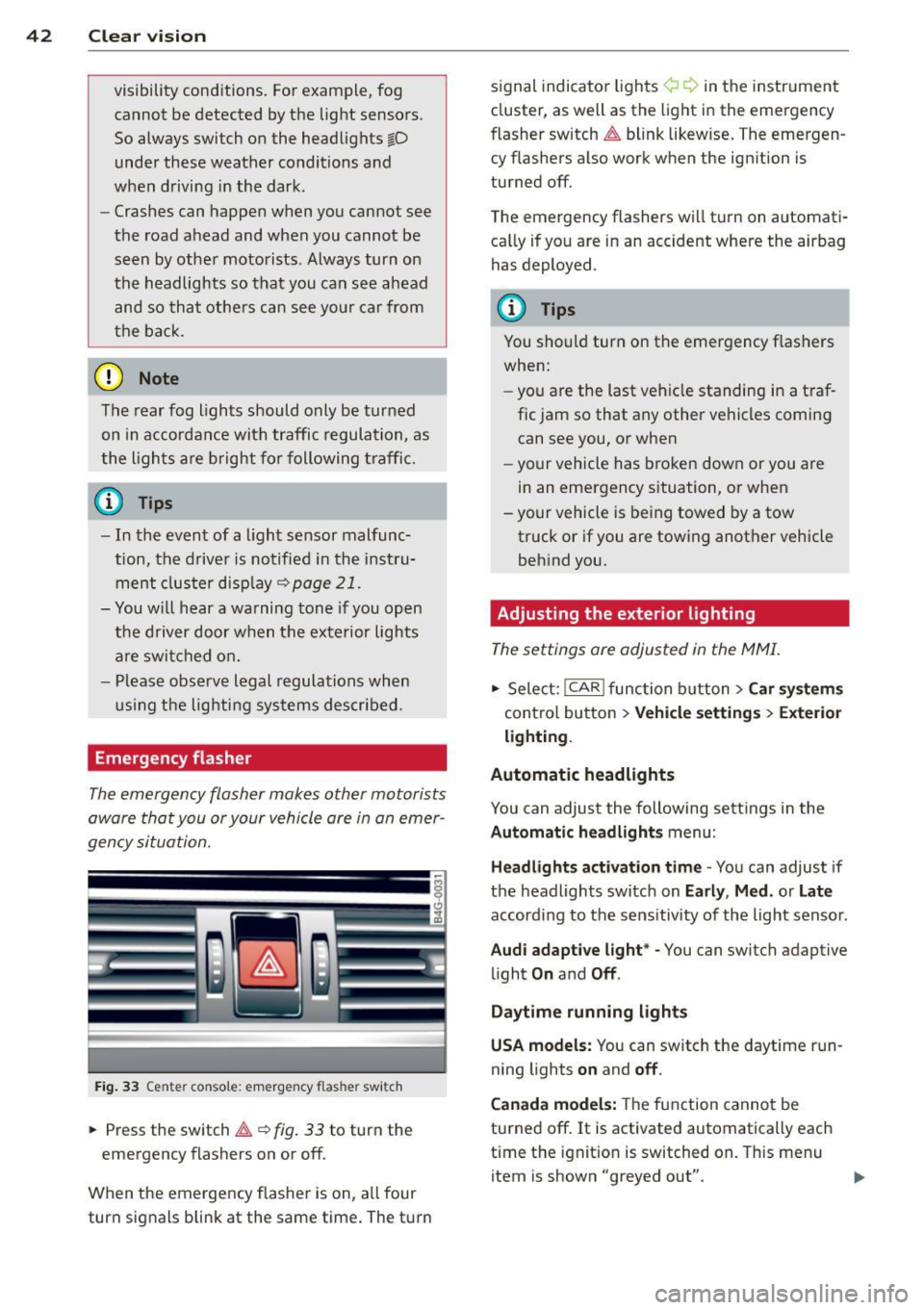
Fig. 33 Center console : emerge ncy flasher switch
• Press the switch~~ fig. 33 to turn the
emergency flashers on or off.
When the emergency flasher is on, all four
turn signals blink at the same time. The turn signal
indicato r lights ¢ Q in the instrument
cluster, as well as the light in the emergency
fl asher switch ~ blink likewise. The emergen
cy flashers also work when the ignition is
turned off.
The emergency flashers will turn on automati
cally if you are in an accident where the airbag
has deployed .
(D Tips
You should turn on the emergency flashers
when:
- you are the last vehicle standing in a traf
fic jam so that any other vehicles coming
can see you, or when
- your vehicle has broken down or you are
in an emergency situation, or when
- your vehicle is being towed by a tow
truck or if you are towing another vehicle
behind you.
· Adjusting the exterior lighting
The settings ore adjusted in the MMI.
• Select: I CAR I function button > Car systems
control button > Vehicle settings> Exterior
lighting.
Automatic headlights
You can adjust the following settings in the
Automatic headlights menu :
Headlights activation time -You can adjust if
the headlights switch on
Early , Med. or Late
according to the sensitivity of the light sensor .
Audi adaptive light* -You can switch adaptive
light
On and Off .
Daytime running lights
USA models:
You can switch the daytime run
ning lights
on and off.
Canada models:
The function cannot be
turned off.
It is activated automatically each
time the ignition is switched on. This menu
item is shown "greyed out".
Page 56 of 294
54 Seats and storage
• To recall a seating profile, press and hold
the memory button until the seat is adjust
ed to the stored settings .
• To sw itch the memory function for the driv
er or front passenger off, press the
I OFF I
button . The word OFF lights up when the
memo ry fu nction is switched off. Seating
profiles will not be stored.
.&, WARNING
-For safety reasons, the seat se tting
should only be recalled when the vehicle
is stationary -otherwise yo u risk havi ng
an accident.
- If necessary, you stop the process by
pressing the
IOF FI button or any of the
memory buttons .
Ashtray
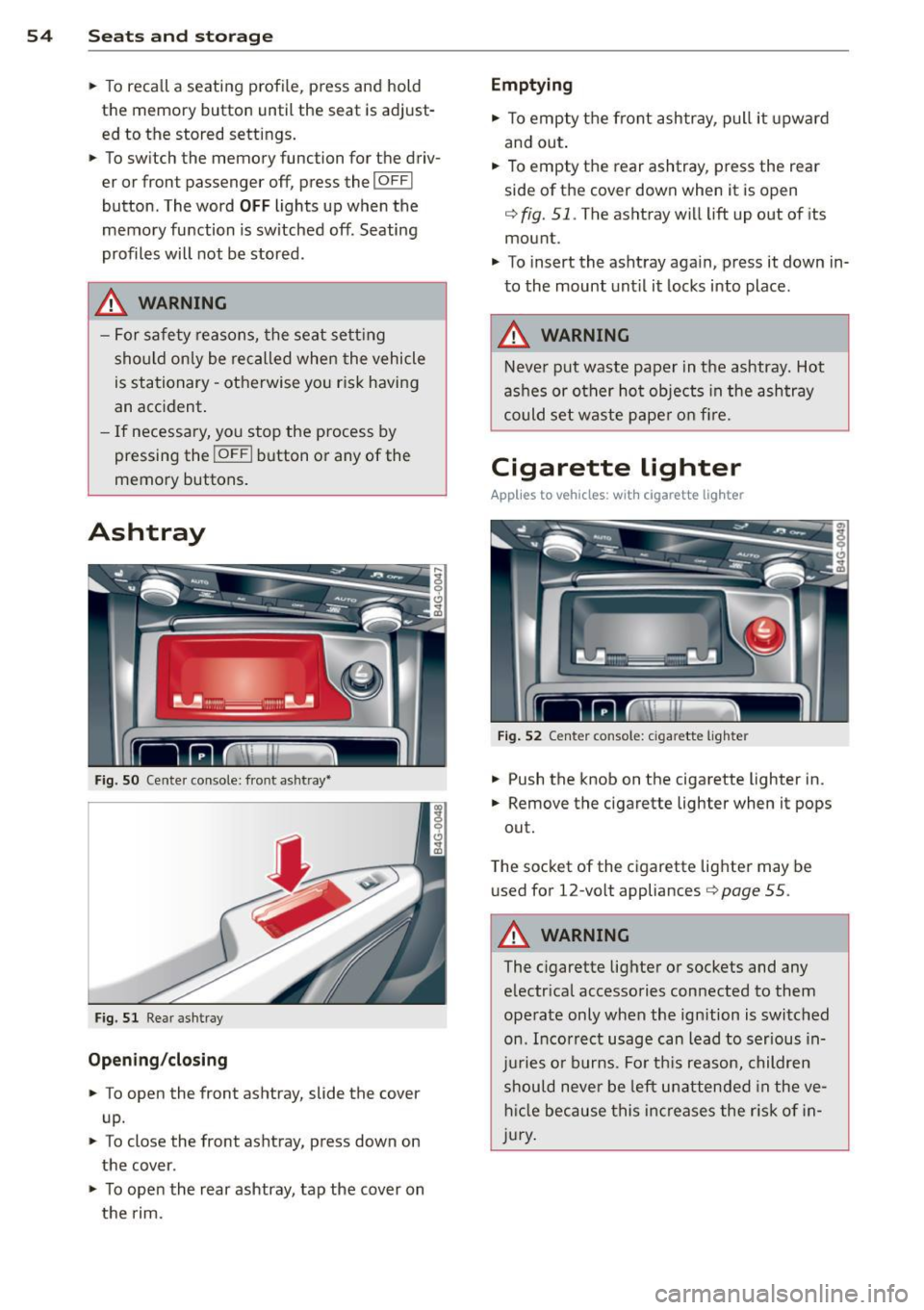
Fig. S O Cente r console: front ashtray•
Fig. 51 Rear ashtray
Opening /closing
• To open the front ashtray, slide the cover
up.
• To close the front ashtray, press down on
the cover .
• To open the rear ashtray, tap the cover on
the rim.
Emptying
• To empty the front ashtray, pull it upward
and out.
• To empty the rear ashtray , press the rear
side of the cover down when it is open
q fig. 51. The ashtray will lift up out of its
mount.
• To insert the ashtray aga in, p ress it down in
to the mount unt il it locks into place .
.&, WARNING
-Neve r put waste paper in the ashtray. Hot
ashes or oth er ho t objects in the ashtray
could set waste pape r o n fire.
Cigarette lighter
Applies to veh icles: w ith cigarette lighter
F ig. 52 Center console: cigarette lighte r
• Push the knob on the cigarette lighter in.
• Remove the cigarette lighter when it pops
out.
T he socket of the cigarette lighte r may be
used for 12-volt appliances
Q page 55 .
.&, WARNING
-
The cigarette lighter or sockets and any
e lectr ica l accessories con nected to them
operate only when the ign ition is switched
on . Incorrect usage can lead to serious in
j u ries or burns . Fo r th is reason, children
should never be left unatten ded in the ve
h icl e because this inc reases the r is k of i n
j u ry .
-
Page 57 of 294

12-volt sockets
Fig. 53 Section of the trim panel of the luggage com
partment: 12-volt socket
Fig . 54 Rear center console: 12-volt socket
~ To reach the 12-volt socket in the luggage
compartment, press the net down or re
move the bracket from the mounts
Qfig . 53.
There is an additional 12-volt socket in the
front and rear center console¢
fig. 54.
0 5 0
/li
The 12 volt sockets may be used for 12-volt
appliances with max imum cons umption of up
to 120 watts.
Before you purchase any accessories, always
r ead and fol low the information in
¢ page 2 75, Additional accessories and parts
replacement .
A WARNING
The sockets and the e lectrica l accessories
connected to them operate on ly when the
ignition is switched on. Incorrect usage
can lead to serious injuries or burns. To re
duce the risk of injuries, never leave chil
dren unattended in the vehicle with the ve
hicle key.
S ea ts a nd s to rage 55
(D Note
To avoid damaging the socket, only use
plugs that fit properly.
- Never connect equipment that generates
electrical current, such as a solar pane l
or battery charger, to the 12 volt socket.
This could damage the vehicle's electri cal system.
- The 12 volt socket shou ld only be used
for a short period of ti me as a power
source for electrical equ ipment. Please
use the electr ical sockets in the vehicle
when con necting equ ipment for longer
periods.
- To avoid damaging the socket, only use
plugs that fit properly.
(D Tips
When the engine is off and accessories are
still plugged in and are on, the vehicle ba t
tery can still be d rained.
Storage
(upholder
Fi g. 55 Ce nter console: cupholder
Fig. 56 Rear center armrest: cupholde r extended
Page 59 of 294
-Compartment in the rear center armrest
- Storage in the trim panels in the luggage
compartment
A WARNING
- Always remove objects from the instru
ment panel. Any items not stored could
slide around inside the vehicle while driv ing or when accelerating or when apply
ing the brakes or when driving around a
corner.
- When you are driving make sure that
anything you may have placed in the cen
ter console or other storage locations cannot fall out into the footwells. In case
of sudden braking you would not be able
to brake or accelerate.
- Always keep the lid of the compartment
for (sun)glasses* closed while driv ing to
reduce the risk of injury dur ing a sudden
braking maneuver or in the event of an
accident.
- Any articles of cloth ing that you have
hung up must not in terfere with the driv
er's view . The coat hooks are designed
only for lightweight clothing. Never hang
any clothing with hard, pointed or heavy
objects in the pockets on the coat hooks.
During sudden braking or in an accident -
especially if the airbag is deployed -
these objects could injure any passen gers inside the vehicle.
- To reduce the r isk of personal injury in an
acc ident or sudden stop, always keep the
glove compartmen t closed while dr iv ing.
- Read and fo llow all WARNINGS
~ page 159, Important safety instruc
tions on the side airbag sys tem.
- Hang clothes i n such a way that they do
not impair the dr iver's v is ion.
- The coat hooks must only be used for
lightwe ight cloth ing. Do not leave any
heavy or sharp edged obje cts in the pock
ets which may interfere with the side cur
tain airbag deployment and can cause persona l injury in a cras h.
- Do not use coat hangers for hanging
clothing on the coat hooks as this can in-
Sea ts a nd s to rage 57
terfere with proper deployment of the
side curtain a irbags in an acc ident.
- Do not hang heavy objects on the coat
hooks , as they could cause personal in
jury in a sudden stop.
(D Note
Objects located on the rear shelf that rub
against the rear window could damage the heating wires for the rear window defog
ger.
Roof rack
Description and mounting locations
Additional cargo can be carried with a roof luggage rack.
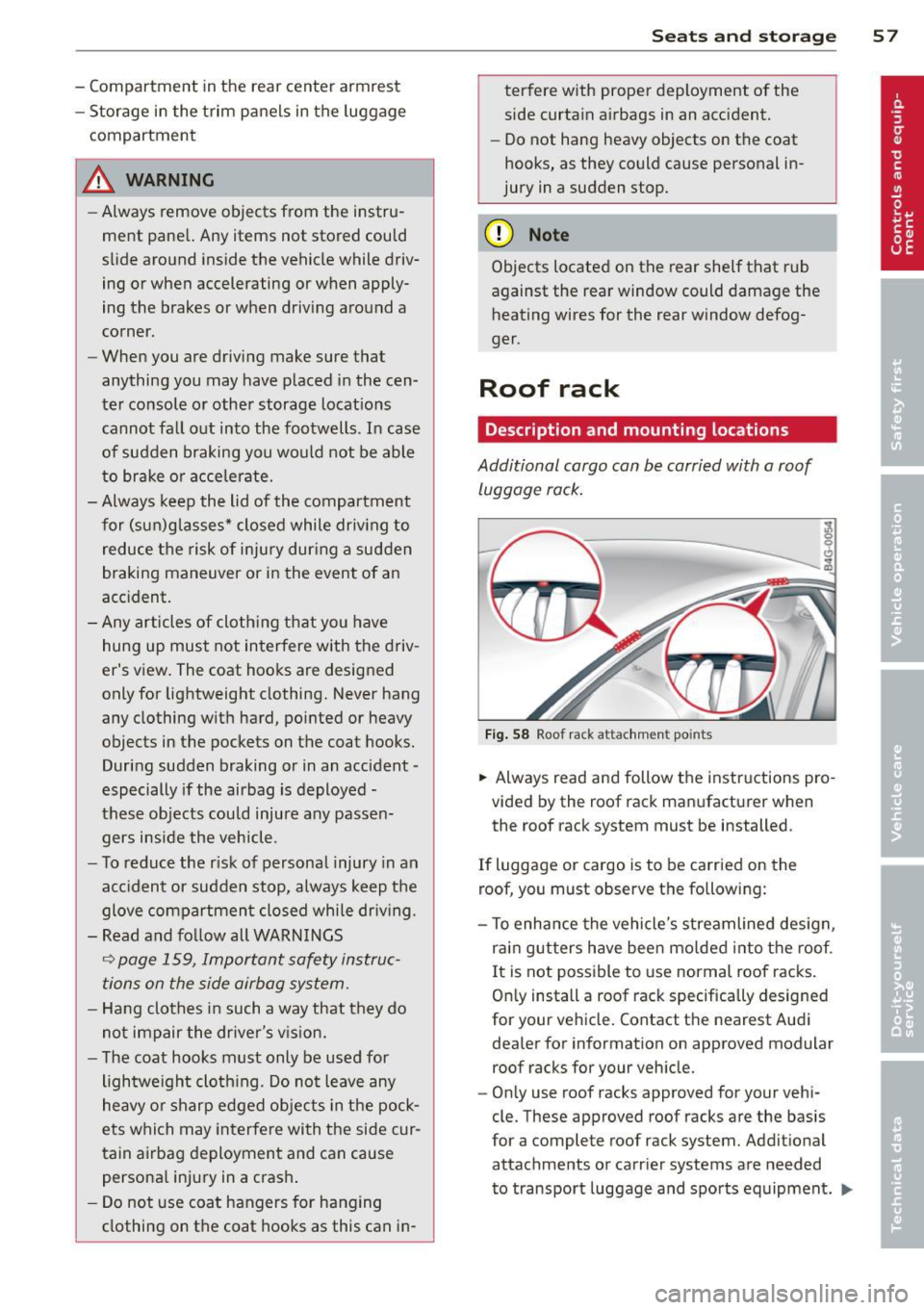
F ig . 58 Roof rack attachment points
... Always read and follow the instructions pro
vided by the roof rack manufacturer when
the roof rack system must be installed .
If luggage or cargo is to be carried on the
roof, you must observe the following:
- To enha nce the vehicle's streamlined design,
rai n gutters have been mo lded into t he roof.
I t is not possible to use normal roof racks .
On ly install a roof rack specifically designed
for your veh icle. Contact the nearest Aud i
dealer for information on approved modular
roof racks for your veh icle.
- On ly use roof racks approved for your vehi
cle. These approved roof racks are the basis
for a complete roof rack system. Addit ional
attachments or carrier systems are needed
to transport luggage and sports equipment .
IJll-
Page 68 of 294
66 Warm and cold
l
ed or cleared o f condensation as quickly as
possib le. The maximum amo unt of air flows
mainly from the vents below the windshield.
Recirculation mode switches off .
The
IAU TOI b utton switches the defroster off.
ICmJ REAR I Switching rear window heater
on /off
The rear w indow heater only operates when
the engine is running . It switches off auto
matica lly after a few minutes, depending on
the outside temperature.
To prevent the rear w indow heater from
switch ing off automatically, press and hold
the ~ button for more than 2 seconds. This
remains stored unti l the ignition is switched
off.
~ Ad justing s eat h eat ing
Press ing the button switches the seat heat ing
on at the highest setting ( leve l 3) . T he LEDs
indicate the temperature leve l. To reduce the
temperature, press the button again. To
switch the seat heating off, press the button
repeatedly unt il the LED turns off.
After 10 minutes, the seat heating automati
cally switches from leve l 3 to level 2.
The seat heating for both outer rear seats* is
ad justed using the buttons in the center con
sole.
Air vents
You can open or close the center and outer
vents in the cockpit and the vents in the rear center console using the ridged thumbwhee ls.
The levers adj ust the direction of the airflow
from the vents.
T he air temperature in the rear can be ad just
ed so that it is warmer or co lder by turning
the knob to the red or blue area.
A WARNING
- Do not use th is sett ing for extended peri
ods of time. The w indows could fog up
since no fresh air can enter the vehicle. If
the wi ndows fog up, press the air rec ircu
lation button again immed iate ly to
sw itch off the air recircu lation function
or select defrost.
- I ndividuals w ith reduced sensitivity to
pa in or temperature cou ld deve lop burns
when using the seat heating fu nction. To
red uce the risk of injury, these indiv idu
a ls shou ld not use seat heating.
0 Note
To avoid damage to the heat ing elements
i n the seats, do not kneel o n the sea ts or
place heavy loads on a sma ll area of the
seat.
Page 70 of 294

68 Warm and cold
IAUTO I Switching automatic mode on
Automatic mode m ainta ins a constant tem
perat ure inside the vehi cle. Air tempera ture,
airflow and air d istribution a re controlled a u
tomatically.
Adjusting the temperature
T empe ratu res between 60 °F (+16 °C) and
84 °F ( +28 ° C) c an be se t. O uts ide of this
range,
lo or hi w ill appear in the climate con
trol system disp lay. At both of these settings,
the cl imate control system r uns continuously
at max imum cooling or heat ing power. There
is no temperature regu lation.
~ Adjusting the airflow
You can a djust the airf low manually to s uit
your needs . To have the airf low reg ulated a u
tomatically, press the
! AUTO ! button.
~ Adjusting the air distribution
You can manu ally se lect the ve nts w here the
a ir will flow. To have the air d istribu tion reg u
l ated automatically, press the
IAUTOI bu tton.
~ I~ * Adjusting seat heating/
ventilat ion*
Pr ess ing the button swi tches the sea t heat
ing/ventilation on at the highest sett ing ( leve l
3). The LEDs indicate the heating/venti lat ion
leve l. To reduce the heating/vent ilation, press
the butto n aga in. To switch the seat heat ing/
ve nti lation off, press the button repeatedly
u ntil the LED turns off.
After 10 minutes, the seat heating automati
cally switches from leve l 3 to level 2.
l
e d or cleared of con densation as quickly as
possib le. The max imum amo unt of air flows
mainly from the vents be low the windshield.
Recirculation mode switches off.
The
IAUTOI bu tton switches the defroster off.
lliiil REAR ! Switching rear window heater
on /off
T he rea r window heate r only operates w hen
the engine is running. It sw itches off auto
matically after 10 to 20 minutes, depending
o n the outside temperature.
T o p revent the rea r window heate r from
switching off automatically, p ress and ho ld
t h e ~ button for more than 2 seconds. Th is
rema ins stored until the ignition is switched
off .
ISYNC I Synchronization*
When synchronization is switched on, the
same settings are applied to bot h the dr iver
and fr ont passenger, except for the seat heat
i ng/venti lation *. The rear zo ne is also
synchronized. Synchronization switches off
whe n the se ttings for the front passenge r side
o r r ear are ad justed.
You can also switch synchronizati on o n by
pressing and holding a dial. For example, if
you press and hold t he di al on the front pas
senger si de, the setti ngs for that s ide a re
t ran sfer red to t he d rive r si de. The same ap
plies to the re ar.
Air vents
You can open o r close the center and ou ter
vents i n the cockpit and the vents in the rear
c ente r console and doo r pillars us ing t he
ridged t humbwheels. The levers adjust the d i
r ect ion o f the airfl ow from the vents.
A WARNING
-Do not use t his se tt ing fo r extended peri
ods of time . The w indows cou ld fog up
since n o fresh air can enter the vehicle. I f
the windows fog up, press the air rec ircu
lation butt on agai n immed iate ly to
sw itch off the air recirc ulation function
or sel ect defrost.
- Individ uals w ith reduced se nsitivity to
pa in or te mperature cou ld deve lop burns
when using the s eat heating fu nction . To
re duc e the risk of i njury, these i nd iv idu-
a ls should n ot us e sea t heating.
~
Page 73 of 294

steering column will continue moving as long as you are pressing the switch.
There must be at least 10 inches (25 cm) be
twe en your chest and the cente r of the steer
ing wheel. If you cannot sit more than 10 in
ches (25 cm) from the steering wheel, see if
adaptive equipment is available to help you
reach the pedals and increase the distance
from the steer ing wheel.
F or detailed information on how to adjust the
driver's seat, see
r::> page 51.
In vehicles with the memory f unction*, the
steering column settings are stored together
with the seat position.
A WARNING
Improper use of steering wheel adjust
ment and improper seating position can
cause serious personal injury.
- Adjust the steering wheel column only
when the vehicle is not moving to pre
vent loss of veh icle control.
-
- Adjust the driver's seat or steering wheel
so that there is a min imum of 10 inches
(25 cm) between your chest and the
steering wheel¢
page 119, fig. 128. If
you cannot maintain this minimum dis
tance, the airbag system cannot protect
you p roperly.
- If phys ical limitations prevent you from
sitting 10 inches (25 cm) or more from
the steering wheel, check with your au
thorized Audi dealer to see if adaptive
equipment is availab le.
- If the steering wheel is aligned with your
face, the supplemental driver's airbag
cannot provide as much protection in an accident. Always make sure that the
steering wheel is aligned with your
chest.
- Always hold the steering wheel with your
hands at the 9 o'clock and 3 o'clock posi
t ions to reduce the risk of personal injury
if the driver's airbag deploys.
- Never hold the steering whee l at the 12
o'clock posit ion or w ith your hands inside
On the road 71
the steerin g wheel rim or on the steering
wheel hub. Holding the steering wheel
the wrong way can cause serious injuries
to the hands, arms and head if the driv
er 's airbag deploys.
Easy entry feature
Applies to vehicles: with electrically adjustable steer ing
wheel
The easy entry feature makes it easier to en
ter and exit the vehicle by automatically ad
justing the steering wheel.
.. Select in the MMI : ICAR lfunction button>
Car systems control button > Vehicle set
tings
> Seats > Driver's seat > Easy entry >
On.
When the easy entry feature is turned on, the
stee ring wheel moves up to the park position
when you switch off the ignition. After you en
ter the vehicle, the steering wheel moves to
the stored position as soon as you switch on
the ignit ion .
Starting and stopping
the engine
Starting the engine
This button switches on the ignition and
starts the engine.
Fig . 76 Center console: S TART ENGINE ST OP button
.. Step on the brake pedal and move the selec
tor lever to
P or N ¢ _&...
.. Press on the ~ ,s_T_A_R_T_E_N_G_I_N_E_S_T_O_P~I button
~ fig. 76 -the engine will start. ..,.
Page 75 of 294

-If you leave the vehicle with the ignition
switched on, the ignition will switch off
after a certain period of time . Please
note that e lectrica l equipment such as
exterior lights will switch off as well
when that happens.
Stopping the engine
.,. Bring your vehicle to a complete stop.
.,. Move the selector lever to the
P or N posi
t ion.
.,. Press the
!START ENGINE STOPI button
¢page 71, fig. 76.
Emergency off
If necessary, the engine can be sw itched off
with the selector leve r in the
R or D/ S posi
tion . The engine stops if you p ress the
I START ENGINE STOPI button at speeds below
6 mph (10 km/h) and press the brake pedal.
A WARNING
- Never turn off the engine until the vehi
cle has come to a complete stop.
- The brake booster and power steering
only work when the engine is running. If
the engine is off, you have to use more
force when steering or braking. Because
you cannot steer and brake as you usua l
ly would, this could lead to crashes and
serious injur ies.
- For safety reasons, you should always
park your vehicle with the selector lever
in P. Othe rwise, the veh icle could inad
vertent ly roll away.
- After the engine has been switched off,
the radiator fan can continue to r un for
up to 10 minutes - even with the ign it ion
swit ched off.
It can a lso swi tch on aga in
after some time if the coo lant tempera
ture rises as the result of a heat buildup
or if the engine is hot and the engine
compartment is additionally heated by
the sun's rays.
On th e road 73
(D Note
Do not stop the engine immediately after
hard or extended driving. Keep the engine
running for approximately two minutes to
prevent excess ive heat bu ild-up.
Starting the engine if there is a
malfunction
It may not be possible to start the engine un
der certain circumstances, for example if the
battery in the vehicle key is drained, if inter
ference is affected the key or if there is a sys
tem malfunction.
F ig . 77 Center console/master key: start ing the eng ine
i f there is a malfunction
Requirement : The message K ey not recog
nized . Ho ld back of k ey against mark ed area .
Se e own er's manual.
must appear and the in
di cator light
I] must swi tch on.
.,. Hold the master key vertically in the loca
tion indicated
y >>) 9 fig. 77.
.,. Press the b rake pedal¢
& in Starting the
engine on page
72.
... Press the '"" I s"'T ,..,A ""'R ,.,,T ,..., E"' N...,. G = I N~ E-=s"'T '""o '"" P,..,I button.
The engine will start.
... Drive to your authorized Audi dea ler imme
diately to have the malfunction corrected.
(D Tips
You can view the message again by press i ng the
I STAR T ENGINE STOP ! button.
Page 104 of 294

102 Automatic Transmission
Automatic
Transmission
tiptronic®
Introduction
Applies to vehicles: with tiptro nic
Your vehicle is equipped with an electronically
controlled automatic transmission. Upshifting
and downshifting takes place
automatically.
The transmission is also equipped with tip
tronic ®.
It allows the driver to shift gears
manually if desired ¢ page 105.
Driving the automatic transmission
Applies to vehicles: with tiptronic
Fig. 109 Shift gate o n the center console: selecto r lev ·
er w ith release button
Starting the engine
• The selector lever must be in P or N.
Starting off
• Press and hold the brake pedal.
• Press and hold the release button in these
lector lever handle and move the selector
lever from
P or N to 0/5 and re lease the but·
ton¢ .&_.
• Wait briefly until the transmission has shift·
ed (you will feel a slight movement).
• Remove your foot from the brake pedal and
accelerate.
Rocking back and forth to become
unstuck
• Shift only between D/5 and R when the ve·
hicle is at a full stop and the engine is run
ning at idle speed.
Stopping
• Press and hold the brake peda l until the ve
hicle has come to a comp lete stop.
• Keep the brake peda l depressed so that the
vehicle cannot roll forward or backward
while it is idling
c:> .&_ .
.,. Once stopped,
do not depress the accelera
tor pedal to rev up the engine
c:> .&_ .
Parking
• Press and hold the brake pedal until the ve
hicle has come to a complete stop.
• Set the parking brake firm ly
c:> page 75 ,
Parking .
.,. Press and hold the release button in these
lector lever handle, move the selector lever
into
P and then let go of the release button
Q .&_.
The selector lever must be in
P or N. If one of
the driving positions is engaged a safety
switch will prevent the engine from being
sta rted . See also
c:>p age 71.
Before you move the selector lever from the P
posit ion, you must always apply the brake
peda l before and while depressing the button
in the handle of the selector lever.
_&. WARNING
- Unintended vehicle movement can cause
serious injury .
- When the selector lever is in a driving
pos ition, the vehicle may creep, even at
idle speed. Therefore do not release
the parking brake or foot brake unti l
you are ready to move, because power
is transmitted to the wheels as soon as
a driving position is engaged.
- Do not accelerate while selecting a
driving position. At this time the en
gine must be at idle speed so that un
due stress is not placed on the clutches
in the transmission .
- Remember: Even when stopped briefly with the automatic transmission in D/S
or R, engine power is being transmit·
ted to the wheels. Your veh icle cou ld
Page 108 of 294

106 Autom atic Tran smissi on
To d ownsh ift
.,. Push the lever to the m inus position 0 -
When acce lerat ing, the transm iss ion w ill au
tomatically sh ift into the next gear befo re the
engine reaches its maxim um RPM.
If you apply a light throttle when accelerat ing , tiptronic will automatically shift from 1st
to 2nd gea r to save fuel.
If you apply a heavy
thrott le, the transmission will stay in 1st gear
unti l near maximum RPM is reached, or unt il
the driver shifts into 2nd gear .
If you take your foot off the accelerator peda l
when dr iving down a steep i ncl ine, tiptronic
will downshift from the selected gear into the
next lower gear until it reaches 1st gear,
based on road speed and engine RPM. Auto
matic downshifting is interrupted as soon as
you apply the throttle again.
(D Tips
- When you shift into the next lower gear,
the transmiss ion will downshift only
when there is no possibility of over-rev
v ing the engine.
- When the kick-down comes on, the transmission will sh ift down to a lower
gear, depending on vehicle and engine
speeds.
- tiptronic is inoperative when the trans
mission is in the fail-safe mode .
Steering wheel with tiptronic
Applies to vehicles: with tiptron ic steer ing wheel
The shift buttons on the steering wheel allow
the driver to shift gears manually .
Fig. 1 14 Stee ring wheel: Sh ift butto ns
.,. To downshift, touch the button on the left
0 -
.,. To upshift, touch the button on the r ight
0 -
The shift buttons are activated when the se
lector lever is in
D /S or in the manual shift
program (tiptronic).
Of course , you can continue to use the manua l
shift program with the selector lever on the
center console.
Transmission malfunction
Applies to vehicles: with tiptronic
[O] Transm iss ion : pleas e pre ss the br ake ped
al and select the pos ition again
Press the brake pedal and select the desired
selector lever position again. You can then
continue driving.
[O] Tran smi ssio n hot: ple ase m odify dri ving
style
The transm iss io n temperat ure has in cr eased
s ignificantly due to the spor ty driving manner.
Drive in a less sporty ma nner until the tem
perature returns to the normal range and the
indicator light switches of.
[O] Transmi ssion malfun ction: You can c on
tinue driv ing
T he re is a system malfunction i n the t ransm is
s ion. You m ay cont inue drivi ng. Drive to you r
authorized Aud i dea ler o r qualified repa ir fa
c il ity soon to have the malfunction corrected.
[O] Transmis sion malfun ction: Limited driv
ing functionality
There is a system malfunction in the t ransm is
s ion . The transm ission is switching to emer
gency mode . This mode o nly shifts into ce r
ta in gears o r will no longer shift at all. The en
gine may sta ll. Drive to your authorized Audi
dealer or qualified repair faci lity immediately
to have the malfunction corrected .
[O] Transmi ssion malfunc tion: St op and shift
~p ~