towing AUDI A7 2012 Owners Manual
[x] Cancel search | Manufacturer: AUDI, Model Year: 2012, Model line: A7, Model: AUDI A7 2012Pages: 294, PDF Size: 73.33 MB
Page 5 of 294
Driver and passenger side footwell . . . 123
Pedal area . . . . . . . . . . . . . . . . . . . . . . . 123
Stowing luggage . ..... ... .. .. .. .. 124
Report ing Safety Defects . . . . . . . . . . . 126
Safety belts ... ..... ... .. .. .. . .
General notes ............ .... .. . .
Why safety belts? ........ .... .. . .
Safety belts ............ .... ... . .
Safety belt pretens ioners ...... .. . . 128
128
129
131
135
Airbag system ................. 137
Important things to know . . . . . . . . . . 137
F ront airbags . . . . . . . . . . . . . . . . . . . . 141
Mo nitoring the Advanced Airbag
System . . . . . . . . . . . . . . . . . . . . . . . . . 149
Knee airbags . . . . . . . . . . . . . . . . . . . . . 154
Side airbags . . . . . . . . . . . . . . . . . . . . . 157
Side curtain airbags . . . . . . . . . . . . . . . 160
Child Safety .. .. .... ... .. .. ... .
Important things to know . ... .. .. . .
C hild safety seats . ..... ... .. .. .. . .
Instal ling a child safety seat .. .. .. . .
LATCH Lower anchorages and tethers
for chi ldren . ............. .... .. . .
Addit ional Information 163
163
169
174
177
181
Audi pre sense . . . . . . . . . . . . . . . . 182
Preventat ive passenger protection 182
Vehicle operat ion . . . . . . . . . . . . . 184
Intelligent technology . . . . . . . . 184
Not ice about data recorded by veh icle
control modules . . . . . . . . . . . . . . . . . . 184
E lect ron ic stabilization program ( ESP) 184
Rear spoiler . . . . . . . . . . . . . . . . . . . . . 186
Braki ng . . . . . . . . . . . . . . . . . . . . . . . . . 18 7
E lect ro-mechanical power assist . . . . . 189
Driving with your quattro ® . . . . . . . . . 189
Energy management . . . . . . . . . . . . . . 190
Driving and environment . . . . . 19 2
The first 1,000 miles (1 ,500 km) and
afterwards . . . . . . . . . . . . . . . . . . . . . . 192
Catalytic converter . . . . . . . . . . . . . . . . 193
Avoid damaging the vehicle. . . . . . . . . 193
Table of contents 3
Driving through wate r on roads . . . . . 194
Operate yo ur vehicle economically and
min imize poll ution. .. .. ... .... ... . 194
Trailer towing . . . . . . . . . . . . . . . . . 197
Driving with a trailer . .. ..... ... .. .
Trai ler tow ing tips
Vehicle care ...... .. .. ..... ... .
Cleaning and protection ..... .
197
198
200
200
General information . . . . . . . . . . . . . . 200
Care of exterior . . . . . . . . . . . . . . . . . . 200
Care of interior . . . . . . . . . . . . . . . . . . . 206
Fuel supply and filling your
fuel tank .............. .........
211
Gasoline . . . . . . . . . . . . . . . . . . . . . . . . 211
Fuel tank .. .. .. .. .. . .. .... ...... . 212
Checking and filling . . . . . . . . . . . 216
En gine hood . . . . . . . . . . . . . . . . . . . . . 216
E ngine compartment........... ... 218
E ngine o il . . . . . . . . . . . . . . . . . . . . . . . 218
E ngine cooling sys tem . . . . . . . . . . . . . 223
Brake fluid . . . . . . . . . . . . . . . . . . . . . . 225
Battery . . . . . . . . . . . . . . . . . . . . . . . . . 226
Windsh ie ld/headlight washer
container . . . . . . . . . . . . . . . . . . . . . . . 230
Tires and wheels . . . . . . . . . . . . . . 231
Tires . . . . . . . . . . . . . . . . . . . . . . . . . . . 231
Tire pressure monitoring system 249
Do-it-yourself service . . . . . . . . . 252
What do I do now? . . . . . . . . . . . . 2S2
Emergency warn ing triangle . . . . . . . . 252
Vehicle tool kit . . . . . . . . . . . . . . . . . . . 252
Chang ing a wheel . . . . . . . . . . . . . . . . . 254
Fuses and bulbs . . . . . . . . . . . . . . . 260
Fuses ........ ... .. .............. 260
Bul bs. . . . . . . . . . . . . . . . . . . . . . . . . . . 263
Emergency situations . . . . . . . . . 264
General . . . . . . . . . . . . . . . . . . . . . . . . . 264
Star ting by pushing or towing . . . . . . . 264
Starting with jumpe r cable s . . . . . . . . 264
U se o f ju mpe r cables . . . . . . . . . . . . . . 265
•
•
Page 6 of 294
4 Table of contents
Eme rgency towing with comme rcial
tow truck . .... . ...... ... .. .. ... .
Lift ing vehicle .. ... .... ... .. .. ... .
Technical data ...... ... .. .. ... .
General information .. .. .... . .
Exp lanation of technical data . .. .. . .
Vehicle ident ificat ion ...... .. .. .. . .
Weights ... ... .. ..... ... .. .. .. . .
Dimensions .... .... .... .. .. .. .. . .
Data .. .. ............... .. .. ... .
310 hp, 3 .0 liter 6 -cylinder engine .. .
Consumer Information ... .. . .
Warranty coverages ........... .. . .
Operating your vehicle outside the
U .S.A . o r Canada ... .... .. .. .. .. . .
Aud i Service Repair Ma nuals and 266
268
270
270
270
270
270
271
272
272
273 273
273
L it era ture . . . . . . . . . . . . . . . . . . . . . . . 273
M aintenance . . . . . . . . . . . . . . . . . . . . . 273
Addit ional accessories , modifications
and parts replacement . . . . . . . . . . . . 275
Declaration of Compliance ,
Te lecommunication and E lectronic
Systems . . . . . . . . . . . . . . . . . . . . . . . . 276
Index . . . . . . . . . . . . . . . . . . . . . . . . . . 278
Page 23 of 294
Instruments and warning/indicator lights 21
@ Tips
Have the bulb replaced or the connection
repaired by your authorized Audi Service
department.
~()) Headlight range control
II Headlight range control: defective!
If
the symbol illuminates, the headlight range
contro l is no longer working properly . Have
the system checked and repa ired at your Aud i
dealer .
l§O Adaptive Light
Applies to vehicles: with Adapt ive Light
rlJ Audi adaptive light: system fault
If the indicator light turns on and this mes
sage appears, there is a malfunction in the
adapt ive light system. The headlights still
function .
Go to an authori zed dea lership to have the
headlights or the control unit for the Adapt ive
Light repaired .
~D Light/rain sensor
f'al Automatic headlights/automatic wipers:
system fault
If
the indicator light turns on and th is mes
sage appears, the light/ra in sensor is not
functioning correctly .
For safety reasons the low beams are turned
on permanent ly w ith the switch in
AUTO.
However, you can continue to turn the lights
on and off using the light switch. You can still
control all funct ions that are independent of
the rain sensor through the windshield wiper
l eve r.
Contact your author ized Audi dealer as soon
as possible to have the prob lem cor rected.
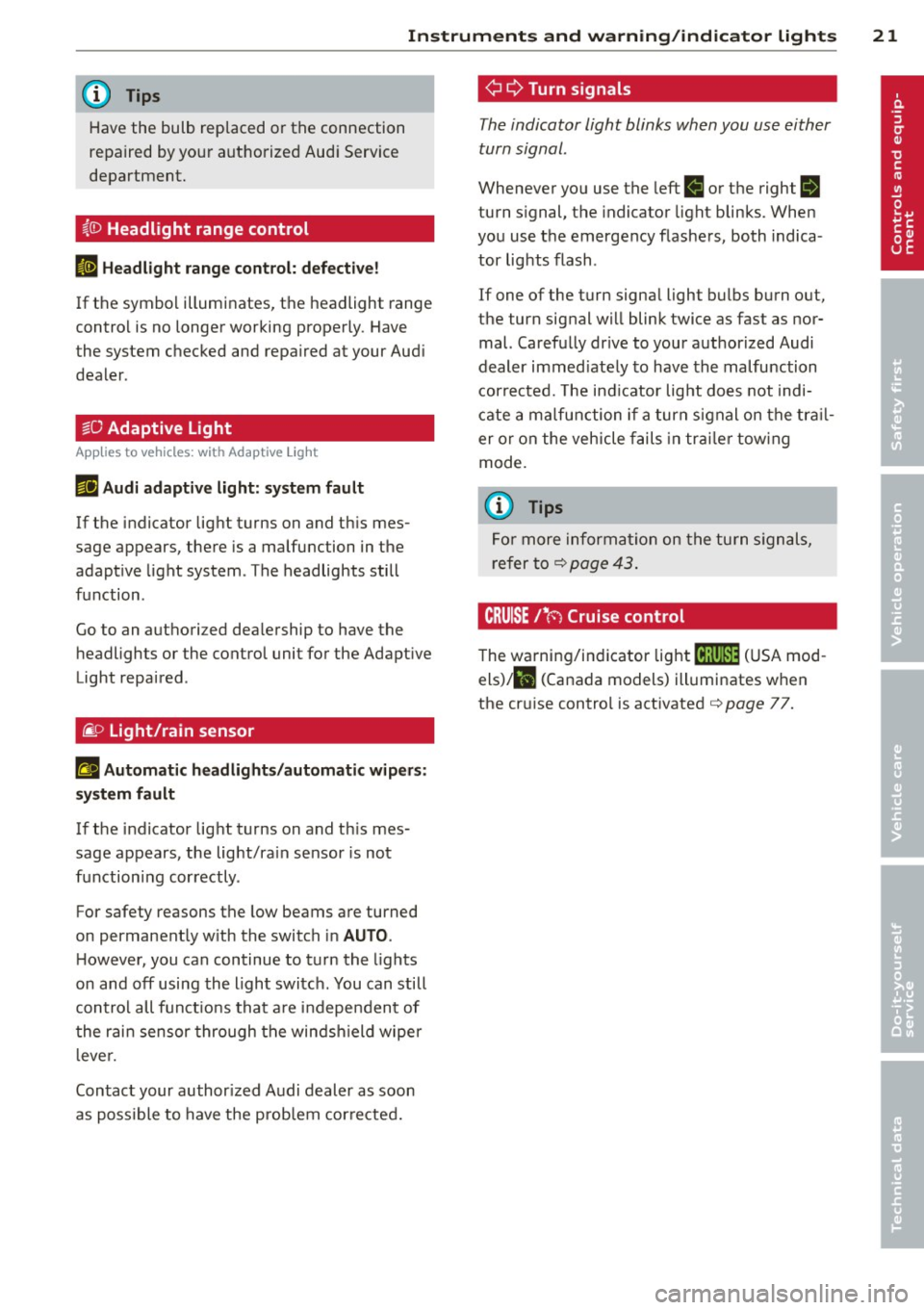
¢ Q Turn signals
The indicator light blinks when you use either
turn signal .
Whenever you use the left II or the right rl
turn signal, the indicator light blinks. When
you use the emergency flashers, both indica
tor lights flash .
If one of the turn signa l light bulbs burn out,
the turn signal will blink twice as fast as nor
mal. Carefully dr ive to your authorized Audi
dealer immed iately to have the malfunction
corrected. The ind icator light does not indi
cate a malfunction if a turn signal on the tra il
er or on the vehicle fails in trailer towing
mode.
(D Tips
For more information on the turn signals,
refer to
¢ page 43.
CRUISE/' (-) Cruise control
The warning/indicator light mi1'lm (USA mod
els)/ll (Canada models) illuminates when
the cruise control is activated¢
page 77.
Page 44 of 294
42 Clear vision
visibility conditions. For example, fog cannot be detected by the light sensors.
So always switch on the headlights
io
under these weather conditions and
when driving in the dark.
- Crashes can happen when you cannot see
the road ahead and when you cannot be
seen by other motorists . Always turn on
the headlights so that you can see ahead and so that others can see your car from
the back.
(D Note
The rear fog lights should only be turned
on in accordance with traffic regulation, as
the lights are bright for following traffic.
@ Tips
-In the event of a light sensor malfunc
tion, the driver is notified in the instru
ment cluster display~
page 21.
-You will hear a warning tone if you open
the driver door when the exterior lights
are switched on.
- Please observe legal regulations when
using the lighting systems described .
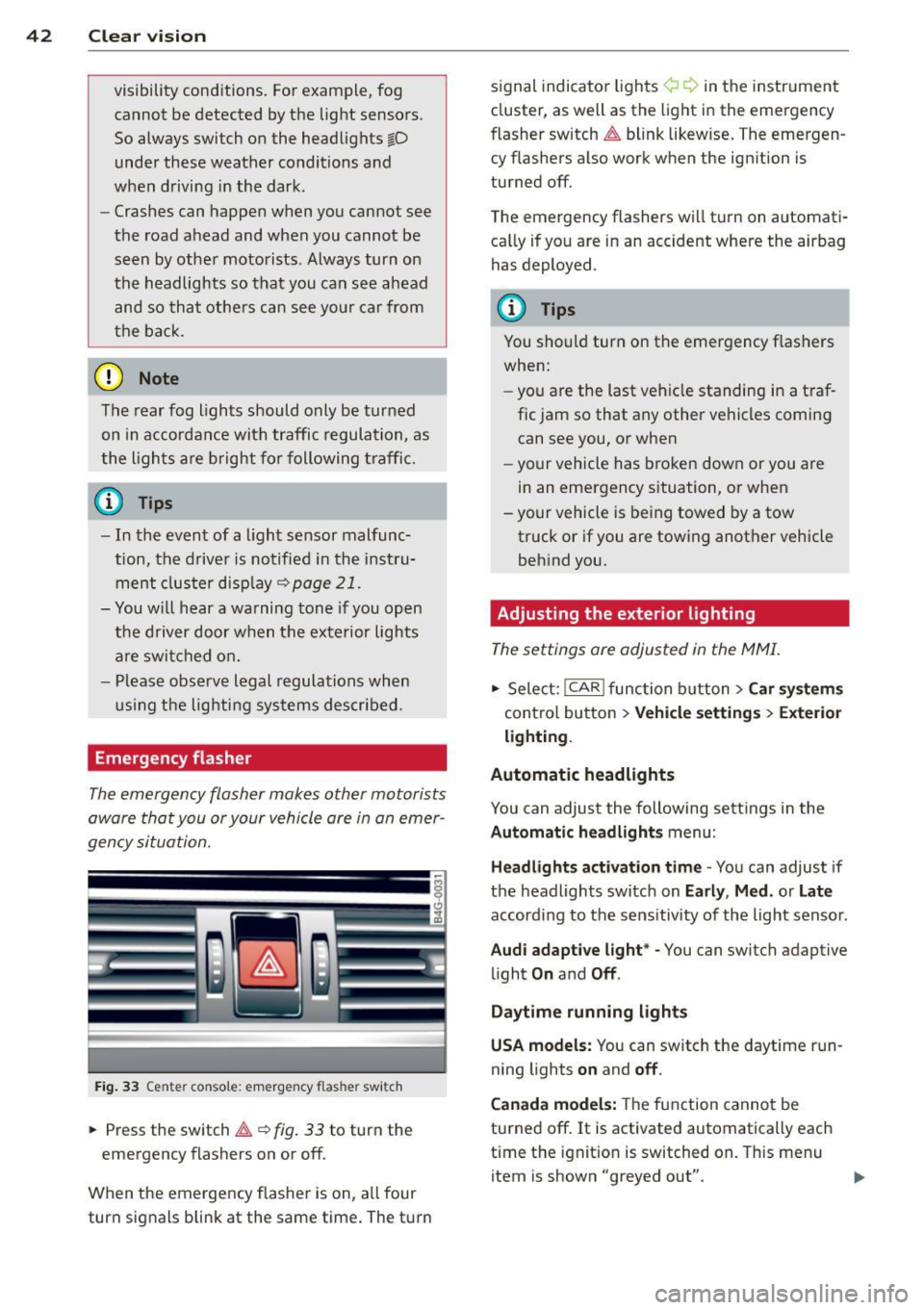
Emergency flasher
The emergency flasher makes other motorists
aware that you or your vehicle are in an emer
gency situation.
Fig. 33 Center console : emerge ncy flasher switch
• Press the switch~~ fig. 33 to turn the
emergency flashers on or off.
When the emergency flasher is on, all four
turn signals blink at the same time. The turn signal
indicato r lights ¢ Q in the instrument
cluster, as well as the light in the emergency
fl asher switch ~ blink likewise. The emergen
cy flashers also work when the ignition is
turned off.
The emergency flashers will turn on automati
cally if you are in an accident where the airbag
has deployed .
(D Tips
You should turn on the emergency flashers
when:
- you are the last vehicle standing in a traf
fic jam so that any other vehicles coming
can see you, or when
- your vehicle has broken down or you are
in an emergency situation, or when
- your vehicle is being towed by a tow
truck or if you are towing another vehicle
behind you.
· Adjusting the exterior lighting
The settings ore adjusted in the MMI.
• Select: I CAR I function button > Car systems
control button > Vehicle settings> Exterior
lighting.
Automatic headlights
You can adjust the following settings in the
Automatic headlights menu :
Headlights activation time -You can adjust if
the headlights switch on
Early , Med. or Late
according to the sensitivity of the light sensor .
Audi adaptive light* -You can switch adaptive
light
On and Off .
Daytime running lights
USA models:
You can switch the daytime run
ning lights
on and off.
Canada models:
The function cannot be
turned off.
It is activated automatically each
time the ignition is switched on. This menu
item is shown "greyed out".
Page 63 of 294
_& WARNING
-The backrest must always be securely
latched so that the safety belt of the cen
ter seating pos ition can work properly to
help protect the occupant.
- The backrest must be securely latched in position so that no items contained in
the luggage compartment can slide for
wa rd upon sudden braking .
-Always check whether the latch is ful ly
engaged by pu lling the seatback for
ward.
- Never allow safety belts to become dam
aged by being caught in doo r o r seat
hardware.
- T orn or frayed safety belts can tear and
damaged belt ha rdware can break in a
crash . Inspect the be lts period ically .
Belts showing damage to webbing, bind
ings, buckles, or retractors must be re
placed.
(D Note
- If yo u move the front seat back when the
rear seat backrest is fo lded forward, you
could damage the head restraints on the rear seat.
- Slide the belt guide on the outside safety
belt all the way up before folding the
backrest back forward. Make sure the
seat belt is not pinched or damaged
whe n the rear seat backrest if folded
back. Other objects should be removed
from the rear seat bench to protect the
seatbac k from damage.
S ea ts a nd s to rage 61
Tie-downs and cargo net
The cargo net* prevents small objects from
sliding .
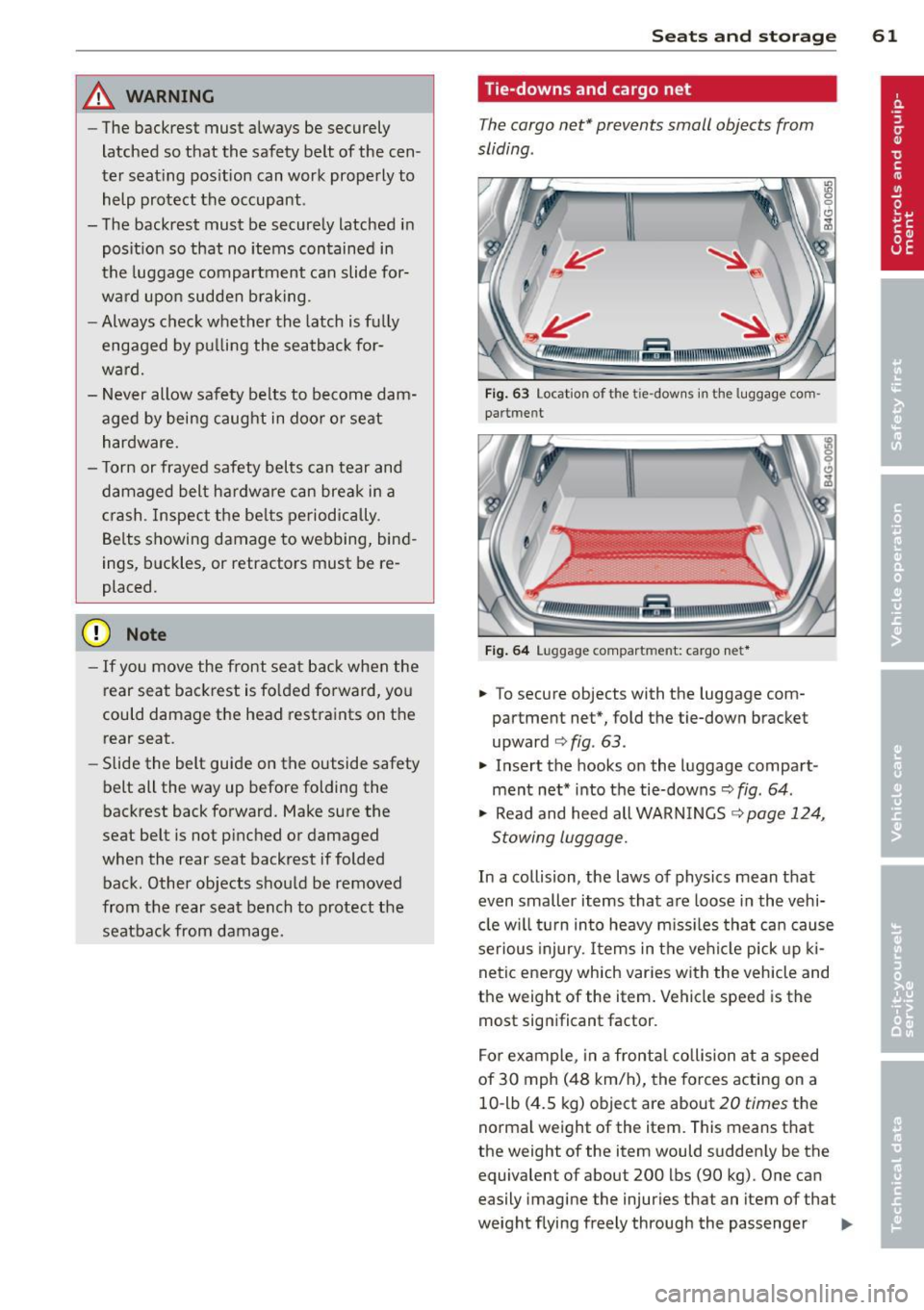
Fig . 63 Locat ion of t he t ie -dow ns in the lu ggage co m
partme nt
r.lllf2z:::11:,;;;,1m,mn,um- .f31111mffi11\\\\\iUt1tlil!IIII.
Fig . 6 4 Luggage compart men t: cargo net *
.. To secure objects with the luggage com
partment net*, fold the tie-down bracket
upward
r:> fig . 63 .
.. Insert the hooks on the luggage compa rt
ment net* into the tie-downs
r:> fig. 64 .
.,. Read and heed all WARN INGS r:> page 124,
Stowing luggage.
In a collision, the laws of physics mean that
even smaller items that are loose in the vehi·
cle w il l turn in to heavy m iss iles that ca n cause
serious injury. Items in the vehicle pick up ki
netic ene rgy which varies with the vehicle and
the weight of the item. Vehicle speed is the
most significant factor.
For example, in a fronta l collision at a speed
of 30 mph (48 km/h), the forces acting on a
10 -lb (4.5 kg) object are about
20 times the
norma l weight of the item. This means t hat
the weight of the item would sudden ly be the
equivalent of about 200 lbs (90 kg). One can
easily imagine the injuries that an item of that
weight flying freely through the passenger .,,.
Page 74 of 294

72 On the road
By pressing the I STAR T ENGINE S TOP I button
without depressing the brake peda l, the igni
tion is on and switched
off by pressing it
again .
After a cold engine is started, the re may be a
brief period of increased noise because oil
pressure must first bu ild up in the hydraulic
va lve adjusters. This is normal and not a cause
f or concern.
If the engine should not start immediately,
the starting process is automatically stopped
after a short time . Repeat starting procedure.
Driver m essag e in th e in strum ent clu ster
d is pl ay
P re ss brake pedal to sta rt engi ne
This message appears if you press the
I START ENGINE STOP ! button to start the en
gine and do not depress the brake peda l. The
engine can on ly be started if the brake pedal
is depressed.
B C o nve nience ke y: Is ke y not in th e vehi
cle?
This message appears a long with the B sym
bol i f the master key is removed from the ve
hicle with the engine r unning . It is intended
to remind you (e .g . when changing drivers)
not to continue the journey without the mas
te r key .
If the master key is no longer in the vehicle,
you cannot switch on the ignit ion after stop
ping the engine and yo u also cannot start the
engine again. Moreover, you cannot lock the
vehicle from the outs ide with the key.
S hift to P , o ther wise v ehicl e can roll away.
Doors do not lock if le ver i s not i n P.
This message appears for sa fe ty reasons
a long w ith an audib le warning tone if the
P
selector lever posit ion is not engaged when
stopping the eng ine with the
I STAR T ENGINE S TOP ! button. Select the P se
lector lever posit ion. Otherwise the veh icle
could roll and it cannot be locked .
Key not recogni sed . H old bac k of ke y against
ma rked are a. See o wner' s manual.
If the indicator l ight turns on and this mes
sage appears, there is a malf unct ion
¢ page 73.
Steering lock
The steering locks when you turn the eng ine
off using the I STAR T ENGINE S TOP I butto n
and open t he driver's doo r. T he loc ked s teer
i ng helps prevent vehicle theft.
& WARNING ~
- Never a llow the engine to run in confined
spaces -danger of asphyx iat ion .
- Never turn
off the engine until the vehi
cle has come to a complete stop .
- The brake booster and powe r steering
only work when the engine is running . If
the engine is
off, you have to use more
force when steering or brak ing . Because
you cannot steer and brake as you usual ly would, th is cou ld lead to crashes and
serious injuries .
(Q) Note
-Avo id h igh engine rpm, full thrott le and
heavy eng ine loads until the eng ine has
reached operating temperature -other
wise you risk engine damage .
- The engine cannot be started by pushing
or towing the vehicle.
- If the eng ine has been under heavy load
for an extended per iod, heat builds up in
the engine compartment after the en
gine is switched
off -there is a risk of
damaging th e engine. Allow the engine
to run at idle for about 2 minutes before
switching it
off .
@ Tips
-If you open the driver's doo r with the ig
nition on, a buzzer sou nds and the mes
sage
Ignition i s on appears in the instru
ment cl uste r display . Sw itch the ignition
off . ll-
Page 96 of 294
94 Audi side assist
right of your travel lane, depending on wheth
er you drive in the center of your lane or closer
to the edge.
If you drive in narrow lanes, s ide ass ist's de
tection area may a lso include other lanes -es
pecia lly if you tend to drive on the edge of
your lane¢
fig. 99. Under these condit ions,
vehicles can also be detected that are two lanes away, and side assist then could switch
between the informat ional and warning stage
signals .
When driving in very w ide lanes, vehicles in
the adjacent lane may not be detected be
cause they are not inside the detection area .
Notes
Messages in instrument cluster display
Applies to vehicles: with side assis t
If side assist turns off automatically, the indi
cator light on the button wi ll go out and you
will see a message in the instrument cluster
d isplay:
Audi side assist: not available. sensors
blocked
The side assist sensors are built into the rear
bumper on the left and right (not visible on
the outside)
¢ page 88, fig. 91 . To ensure that
you do not adversely affect the way side assist
functions, foreign objects (such as stickers or
b icycle racks) should not be attached to the
a rea on the rear bumper where the sensors
are located. If side assist functions are ad
versely affected, you will see this message in
the instrument cluster display. Remove any
thing that may be blocking the sensors .
If no vehicle is detected for a longer period of
time while driving, side assist will also switc h
off a utomatica lly.
Audi side assist currently not available
If there is a temporary problem (such as the
ve hicle's battery charge being low), s ide ass ist
cannot be activated tempo rari ly.
Audi side assist: system fault
Have the system checked by an authorized Au
di dealer or qualified workshop.
Audi side assist: not available when
towing
T he radar senso r's view is limited when tow
ing a trai le r. For vehicles with a fa ctory instal
led towing hitch or a trailer hitch that was in
stalled later according to factory specifica
tions, side assist is automatically deactivated
as soon as the electrical connection to the
trailer's electrical socket is made, and this sta
tus message appears in the instrument clus
ter display . Deactivation cannot be guaran
teed when using a retrofitted towing hitch
that was
not installed according to factory
specifications.
Safety tips
Appl ies to vehicles : wi th side assist
The side assist detection may be limited when
driving aro und narrow street corners, on hilly
streets, and under poor weather cond itions.
It is possible that the radar sensors may also
detect other objects, such as high or stag
gered guardrails .
Side assist does not measure actual lane
width. The system assumes a fixed lane width.
Detection in the left and right lanes is based
o n this ass umed lane width . When driving on
narrow roads or when driving to the left or
right of the center of a trave l lane, it is poss i
ble that vehicles will be detected that are
not
in the lane next to the lane you are using.
A WARNING
- Improper reliance on the side assist sys
tem can cause collis ion s and serious per
sonal injury:
- Never rely only on side assist when
changing lanes .
- Always check rear view mirrors to make
sure that it is safe to change lanes.
- Side assist cannot detect all vehicles un-
der all conditions- danger of accident! ..,.
Page 105 of 294
"creep" forward or backward. When
stopped, keep the brake pedal fully de
pressed and use the park ing brake if
necessary to keep the veh icle from roll
ing.
- If the selector lever is unintentionally
moved into N wh ile you are driving, take
your foot off the accele rator pedal and
wait for the engine to return to idle speed before selecting a d riving position.
- Never shift into R or P when the vehicle is in motion.
- Never get out of the driver's seat when
the engine is running.
- If you must get out of the vehicle, move
the se lector lever securely into the P po
sit ion and apply the par king brake firm ly.
- If the engine must remain running , never
have any driv ing position engaged when
chec king under the hood. Make sure the
selector lever has securely engaged and is locked in P with the parking bra ke
firmly set ¢
page 210, Engine compart
ment .
Otherw ise, any increase in engine
speed may set the vehicle in mot ion,
even with the parki ng brake applied.
Selector lever positions
Applies to vehicles: with tiptronic
This section describes the selector lever posi
tions and driving ranges.
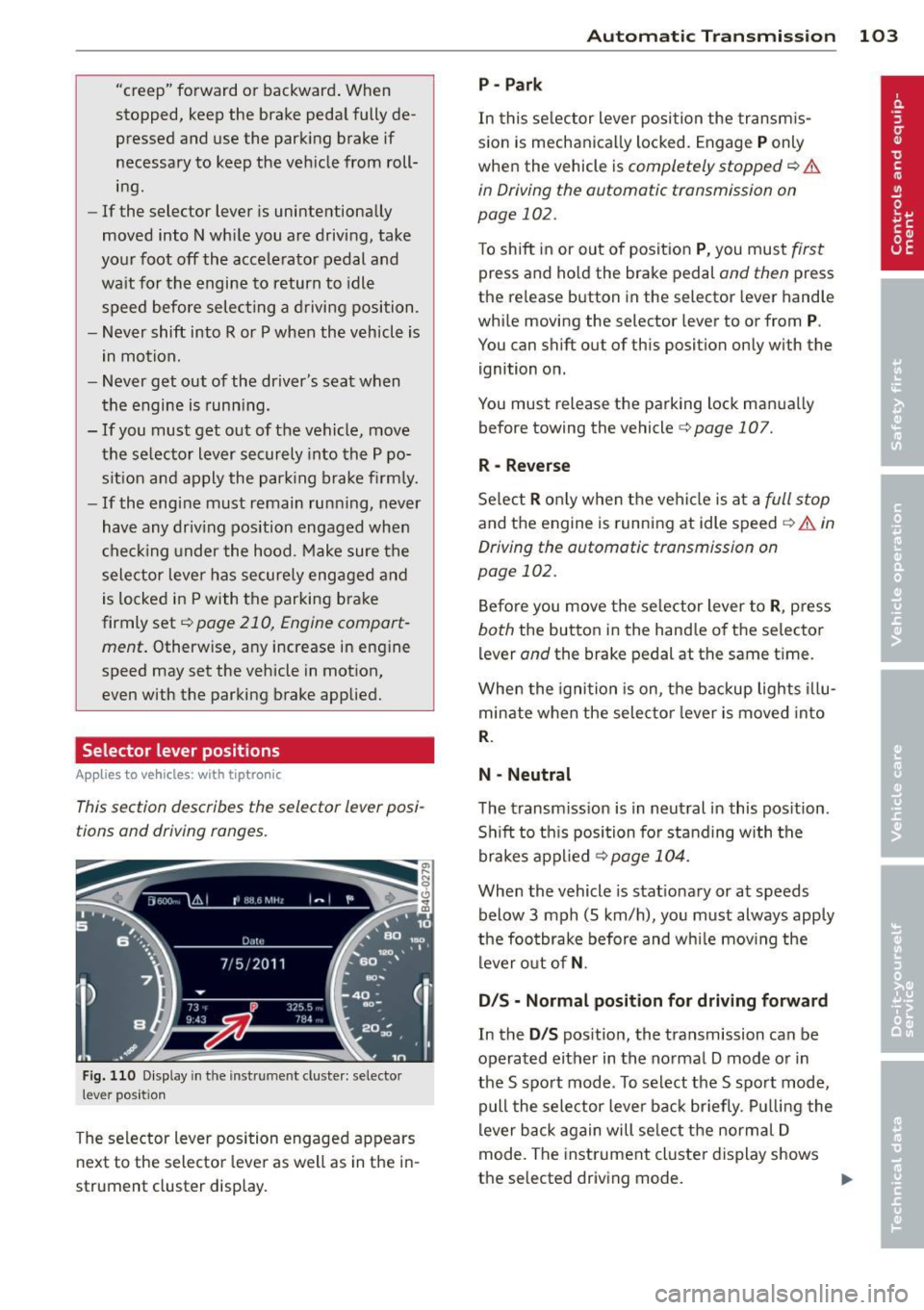
F ig . 1 10 D isplay in th e inst rument cluste r: selec to r
lever position
The selector lever position engaged appears
next to the selector lever as well as in the i n
strument cluster display.
Automatic Tra nsmi ssi on 10 3
P-Park
In this se lector lever posi tion the transm is
s ion is mechanica lly locked. Engage
P only
when the vehicle is
completely stopped ¢ &
in Driving the automatic transmission on
page 102.
To shift in or out of posit ion P , you mus t first
press and ho ld the brake pedal and then press
the re lease button in the selector lever hand le
whi le moving the selector lever to or from
P.
You can shift out of this position only with the
ignition on.
You must release the parking lock man ua lly
before towing the vehicle
c:> page 107.
R -Reverse
Se lect R o nl y when the vehi cle is at a full s top
and the engine is running at idle speed ¢ A in
Driving the automatic transmission on
page 102.
Be fore you move the se lector lever to R , press
both the button in the hand le of th e selector
lever
and the brake pedal at the same ti me .
When the igni tion is on, the backup lights illu
minate when the selec tor lever is moved into
R.
N -Neutral
The transm iss ion is in neut ral in this pos ition .
S hi ft to th is position for standing with the
brakes a pplied
¢ page 104.
When the vehicle is stat ionary or at speeds
below 3 mph (5 km/h), yo u must always apply
the foo tbrake before and w hile mov ing the
lever o ut of
N .
D/S - Normal posit ion for driving forward
In the D/S pos ition, the transmission can be
operated either in the no rmal D mode o r in
the S spo rt mode . To select the S spo rt mode,
pull the selector lever bac k br iefly . Pul ling the
lever b ack again will se lect the norma l D
mode. The inst rument cl uster display shows
the selected driving mode.
II>
Page 126 of 294
124 Driving Safel y
Floor mats used in your vehicle m ust be at
tached to these fasteners. Proper ly securing
the floor mats will prevent them from s liding
into pos itions that could interfere with the
pedals or impair safe operation of your vehicle
in other ways .
A WARNING
Pedals that cannot move freely can result
in a loss of veh icle contro l and increase the
r isk of serious personal injury .
- Always make sure that floor mats are
properly secured.
- Never place or insta ll floor mats or other
floor coverings in the vehicle that cannot be properly secured in place to prevent
them from slipping and interfering w ith
the pedals or the ability to control the
vehicle.
- Never place o r insta ll floor ma ts or other
floor coverings on top of a lready insta l
led floor mats. Additional floor mats and
other coverings w ill reduce the size of
the pedal area and interfere with the
pedals.
- Always properly reinstall and sec ure floor
mats that have been taken out for clean
ing.
- Always make sure that objects cannot fall into the driver footwe ll wh ile the ve
hicle is moving. Objects can become
trapped under the b rake pedal and accel
erator peda l causing a loss of veh icle
c o ntrol.
Stowing luggage
Loading the luggage compartment
All luggage and other objec ts must be prop
erly stowed and secured in the luggage com
partment.
L oose items in the luggage comp art ment can
shift suddenly, changing veh icle hand ling
characteristics. Loose items can also increase
the risk of serious personal injury in a sudde n
vehicle maneuver or in a collision . ..
Distribute the load even ly in the luggage
compartment .
.. Always place and proper ly secure heavy
items in the luggage compartment as far
forward as possible .
.. Secure luggage using the tie -downs prov id
ed
¢ page 59, Luggage compartment.
.. Make s ure that the rear seatback is securely
la tc hed in place.
A WARNING
Imp roperly store d luggage or other items
can fly thro ugh the vehi cle causing ser ious
personal injury in the event of hard brak
i ng or an accident. To help reduce t he risk
of ser ious personal in jury:
- Always put objects, fo r example, luggage
or other heavy items in the luggage com pa rtment.
- Always secure objects in the luggage
compartment using the t ie-down hoo ks
and suitable straps.
A WARNING
=
Heavy loads w ill influence the way yo ur ve-
hi cle handles . To help reduce the risk of a
l oss of contro l leading to serious pe rsonal
i njury :
-Always keep in mind when transporting
heavy objects, that a change i n the cen
ter of gravity can also cause changes in
veh icle ha ndling:
- Always distribute the load as evenly as
poss ible.
- Place heavy objects as far forward in
the luggage compartment as possible .
- Never exceed the Gross Axle Weight Rat
ing or the Gross Vehicle We ight Rating
specified on the safety compliance stick
er on the left door jamb. Exceed ing per
miss ible weight standards can cause the
veh icle to slide and handle differently .
- Please observe information on safe dr iv
ing
¢page 118.
Page 186 of 294
184 Intelligent technology
Intelligent technology
Notice about data
recorded by vehicle
control modules
Your veh icle is not equipped with an Event Da
ta Recorde r (EDR), ins talled by some manu
facture rs fo r the express p urpose of capturing
data for retrieval after an accident or cras h
event . EDR's are sometimes ca lled "crash re
corders".
Some state laws restr ict the retr ieval or down
loading of data stored by EDR's that were in
stalled in a vehicle for the express purpose of retrieving data after an accident or crash
event without the owner's consent.
A ltho ugh yo ur vehicle is not equ ipped wit h an
EDR, it is equipped with a number of electron
ic control modules for various vehicle systems
such as, for examp le, eng ine f unction, em is
sion control, as well as for the airbags and
safety belts.
These electronic contro l modules also record
vehicle-re lated data during norma l vehicle op
erat ion for diagnostic and repa ir purposes.
The recording capacity of the electronic con
trol modules is limited to data (no sound is re
corded) and only a small amount of data is ac
tually recorded ove r a ve ry limited pe riod of
time and stored when a sys tem faul t or o ther
cond ition is sensed by a cont ro l u nit. Some of
the data then stored may re late to vehicle
speed, direction, braking as we ll as restraint
system use and performance in the event of a
crash or other condit ion. Stored data can only
be read and downloaded w ith special equip
ment.
Electronic stabilization
program (ESP)
Description
ESP helps to improve road holding and vehicle
dynamics to help reduce the probability of
skidd ing and loss of veh icle control. It works
only when the eng ine is running. ESP detects certain difficult driving situat
ions, including
when the vehicle is beginning to spin (yaw) o ut of control and helps you to get the veh icle
back under contro l by se lectively braking the
whee ls, and/or reducing engine power and
providing steer ing ass istance to he lp hold the
vehicle o n the dr ive r's intended cou rse. The in
dicato r light
G] in the instrument cluste r
blinks when ESP is taking action to help you
control the veh icle.
ESP has l imitations.
It is importa nt to remem
ber that ESP cannot overcome the laws of
physics. It will not always be able to help out
under a ll cond it ions you may come up aga inst.
F or example, ESP may not always be able to
help you master situations where there is a
s u dden change in the coefficient of friction of
the road surface. When there is a section of dry road that is sudden ly covered w ith water,
s lush or snow, ESP cannot perform the same
way it wou ld on the dry surface . If the ve hicle
hydroplanes (rides on a cushion of water in
stead of the road surface), ESP will not be
able to help you steer the vehicle be cause con
tact with the pavement has been interrupted
and the vehicle cannot be braked or steered .
D uring fast cornering, particularly on winding
roads, ESP cannot a lways deal as effectively
with difficult driv ing situations than at lower
speeds. When towing a trailer, ESP is not able
to help you regain control as it would if you
were not tow ing a trailer.
Always adjust your speed and driving style to road, traffic; and weather condit ions. ESP can
not override the vehicle's physical limits, in
crease the availab le tract ion, or keep a ve hicle
on the road if road departu re is a result of
drive r inattent io n. Instead, ESP improves the
poss ibil ity of keeping the vehi cle under con
trol and on the road during extreme maneu
vers by using the d river's steering inputs to
help keep the vehicle going in the intended di
rection . If you are traveling at a speed that
ca uses you to run off the road before ESP can
provide any assistance, you may not experi
ence the benefits of ESP .