instrument cluster AUDI A7 2013 Owner's Manual
[x] Cancel search | Manufacturer: AUDI, Model Year: 2013, Model line: A7, Model: AUDI A7 2013Pages: 310, PDF Size: 77.45 MB
Page 99 of 310
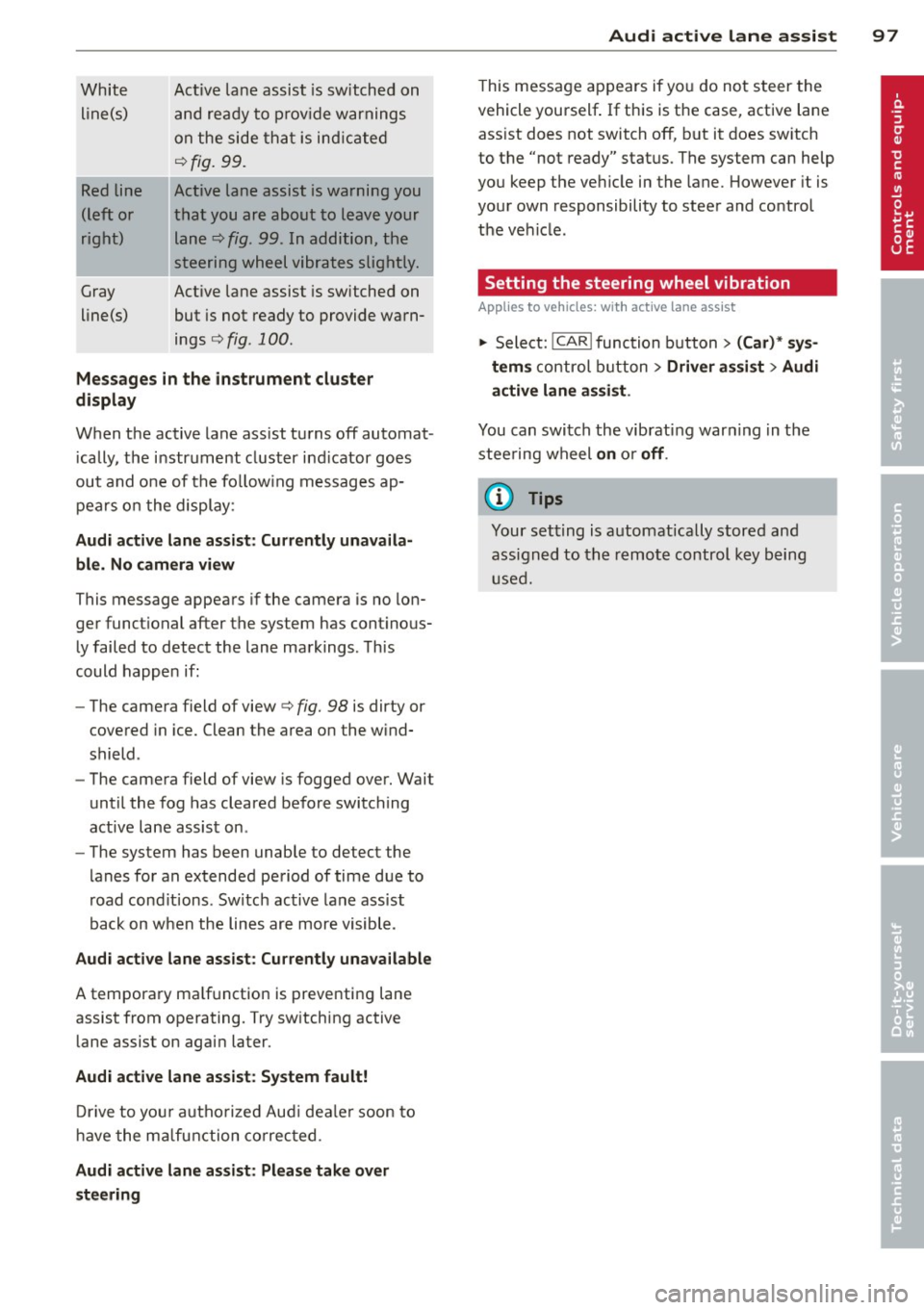
White line(s)
Red line
(left or
right)
Gray
line(s) Act
ive lane assist is switched on
and ready to p rov ide warnings
on the side that is ind icated
Q fig. 99.
Act ive lane assist is warning you
that you are about to leave your lane
Q fig. 99. In addition, the
steering wheel vibrates slightly.
Act ive l ane assist is switched on
but is not ready to provide warn
ings
Q fig . 100 .
Mes sages in the instrument clu ster
display
When the active lane ass ist turns off automat
i cally, the i nstrument cluster ind icator goes
out and o ne of the fo llow ing messages ap
pears on the display :
Audi active lane a ssist : Currently un availa
ble . No camera view
This message appears if the camera is no lon
ger funct ional after the system has cont inous
ly failed to detec t the lane markings . This
could happe n if:
- The camera field of view
Q fig. 98 is dirty or
covered in ice. Clean the area o n the wind
shield .
- The camera field of view is fogged over. Wait
until the fog has cleared before switching
active lane assis t on .
- The system has been unable to detect the
lanes for an extended period of time due to
road cond it ions . Switch active lane ass ist
back on when the lines are more visible .
Audi active lane assist: Currently un available
A temporary ma lf u nction is preventing lane
assist from operating. Try sw itching active
lane assist on again later.
Audi active lane a ssist : Sy stem fault!
D rive to you r a utho rized Aud i dea le r soon to
h ave the ma lfunction co rrec ted .
Audi active lane a ssist : Pl ea se take over
s te ering
Audi acti ve lane a ssis t 97
This message appears if yo u do not s teer the
vehicle yourself . If this is the case, active lane
ass ist does not switch off, b ut it does sw itch
to the "not ready" stat us. The system can help
you keep the ve hicle in the lane. However it is
your own responsibility to steer and control
t h e ve hicle .
Setting the steering wheel vibration
Applies to vehicles: with active lane assist
11> Select: !CAR !function button> (Car) * sys
tem s
control button > Driver assi st > Audi
active lan e assi st.
You can switch the vibrat ing war ning in t he
stee ring wheel
on o r off .
(D Tips
Your setting is a utomat ically stored and
assigned to the remo te control key being
used.
Page 103 of 310
@ Tips
-Side assist is not active while you are
making the adjustment.
- Your settings are automatically stored
and assigned to the remote control key
being used.
Driver messages
App lies to vehicles: with side assist
If side assist switches off by itself, the LED in
the button turns off and a message will ap
pear in the instrument cluster display:
Audi side assist: Currently unavailable. No
sensor vision
The radar sensors' vision is affected. Do not
cover the area in front of the sensors with bike
wheels, stickers, dirt or other objects. Clean
the area in front of the sensors, if necessary
c>fig. 104 .
Audi side assist: Currently unavailable
Side assist cannot be switched on temporarily
because there is a malfunction (for example,
the battery charge level may be too low).
Audi side assist: System fault!
The system cannot guarantee that it will de
tect vehicles correctly and it is switched off .
The sensors have been displaced or are faulty.
Have the system checked by an authorized
Audi dealer or authorized Audi Service Facility
soon.
Audi side assist: Unavailable when towing.
Side assist switches off automatically when a
factory-installed trailer hitch is connected to
the electrical connector on the trailer. There is
no guarantee the system will switch off when
using a retrofitted trailer hitch. Do not use
side assist when towing a trailer.
Audi side assist 101
Page 107 of 310
Night vision assistant
Night vision assistant
with detected pedestrian marking
Description
App lies to vehicles: with night v isio n assistant
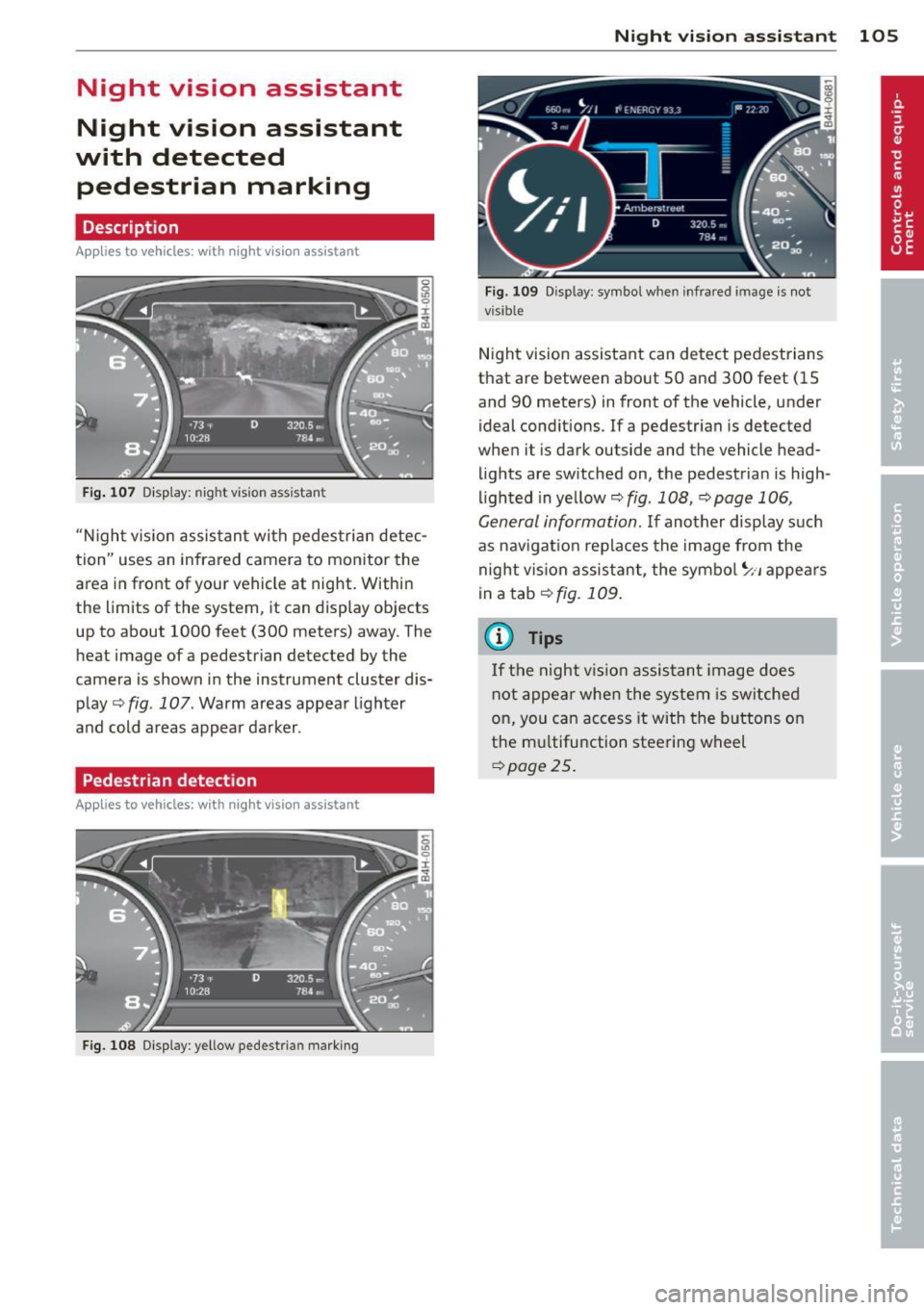
Fig . 107 Display: nig ht v is ion assistant
"N ight v is ion assistant with pedestrian detec
tion" uses an infrared camera to monitor the
area in front of your vehicle at night. Within
the limits of the system , it can display objects
up to about 1000 feet (300 meters) away. The
heat image of a pedestrian detected by the
camera is shown in the instrument cluster dis
play
Q fig . 107 . Warm areas appear lighter
and cold areas appear darker .
Pedestrian detection
Applies to vehicles: with n ig ht v ision ass istant
Fig. 108 Display : yellow pedestrian marking
Night vision assistant 105
Fig. 1 09 D isp lay: symbo l w hen infrare d image is not
visi ble
Night vision assistant can detect pedestrians
that are between about 50 and 300 feet (15
and 90 meters) in front of the vehicle, under
ideal conditions .
If a pedestrian is detected
when it is dark outside and the vehicle head
lights are switched on, the pedestrian is high
lighted in yellow
Q fig . 108, Q page 106,
General information.
If another display such
as navigation replaces the image from the
night vision assistant, the symbo l~,, appears
in a tab
Q fig. 109.
(D Tips
If the night vision assistant image does
not appear when the system is sw itched
on, you can access it with the buttons on
the multifunction steering wheel
Q page25.
Page 111 of 310
Automatic Transmission
S tronic ®, tiptronic
Introduction
Applies to vehicles: with S tronic/tiptronic
The automat ic transmission is controlled elec
tronically. The transmission upshifts or down
shifts automatically depending on which drive
program is se lected .
When a
moderate driving style is used, the
transmission selects the most economica l
driving mode. It will then change up ear ly and
de lay the downshifts to give better fuel econ
omy.
The transmission switches to a sporty mode
after a kick-down or when the driver uses a
sporty driving style characterized by quick ac
celerator pedal movements, heavy accelera
tion, frequent changes in speed and traveling
at the maximum speed.
If desired, the driver can also se lect the gears
manually (t iptronic mode ) i=> page 113.
Various automatic transmissions may be in
stalled, depending on the model:
S tronic® transmission
The 5 tronic ® is a dual-clutch transmission.
Power is transferred using two clutches that
work independently from one another . They
replace the torque converter used in conven
tional automatic transmissions and allow the
vehicle to accelerate without a noticeable in
terruption in traction .
tiptronic transmission
In the tiptronic transmission, power is trans
ferred by a torque converter .
Automatic Transmission 109
Selector lever positions
Applies to vehicles: with S tronic/tiptronic
Fig. 115 Disp lay in the instrument cluste r: selector
lever pos ition
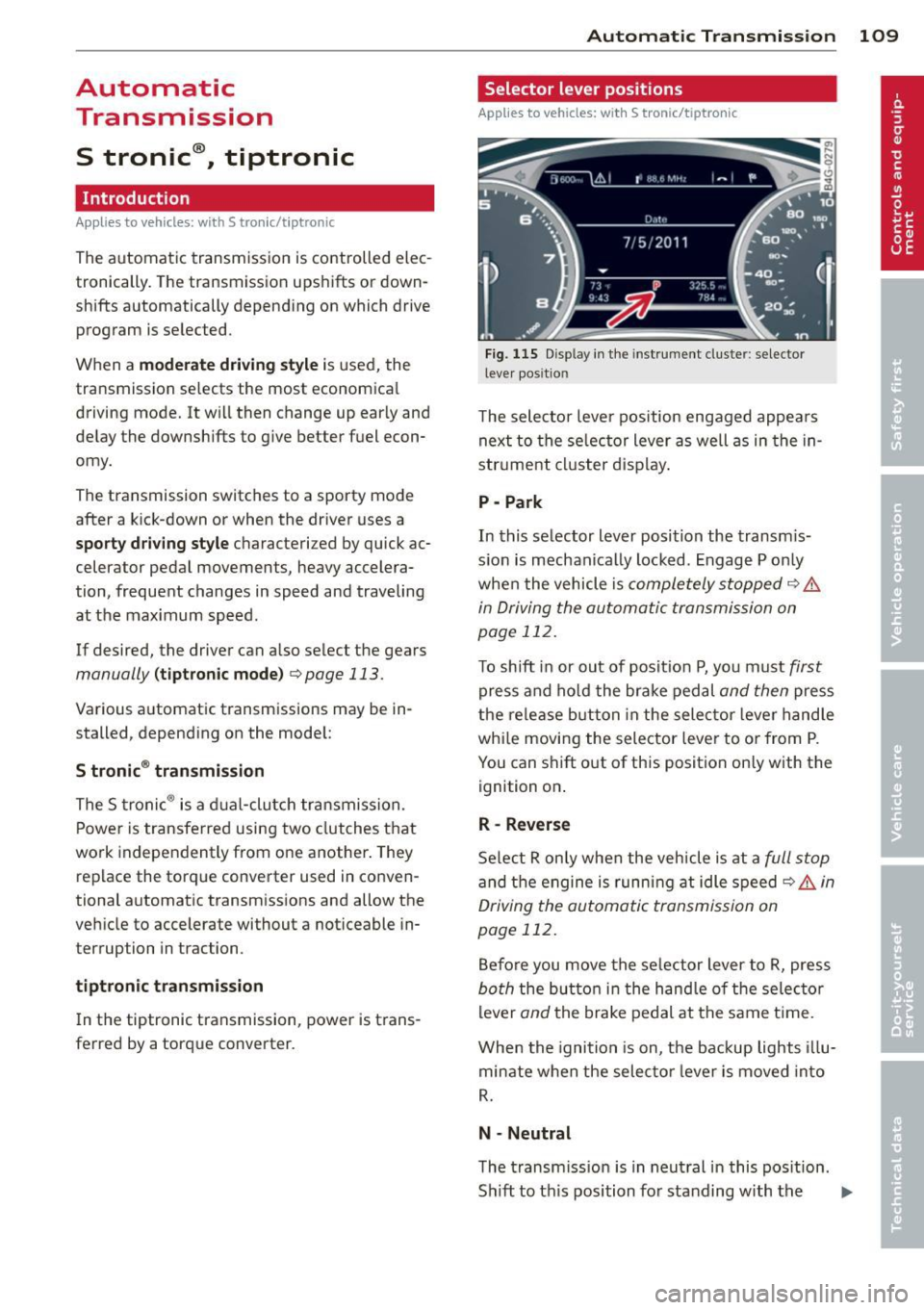
T he selector lever position engaged appears
next to the selector lever as well as in the in
strument cluster display.
P -Park
In this selector lever position the transmis
sion is mechanically locked. Engage P only
when the vehicle is
completely stopped q .&.
in Driving the automatic transmission on
page 112.
To shift in or out of position P, you must first
press and hold the brake pedal and then press
the release b utton in the selector lever handle
whi le moving the selector lever to or from P.
You can shift out of this position only with the
ignition on .
R- Reverse
Select R on ly when the vehicle is at a full stop
and the engine is running at idle speed c> .&, in
Driving the automatic transmission on
page 112.
Before you move the selector lever to R, press
both the button in the hand le of the selector
lever
and the brake pedal at the same t ime.
When the ignition is on, the backup lights illu
minate when the selector lever is moved into
R.
N -Neutral
The transmission is in neutral in this position.
Sh ift to th is position for standing with the ..,.
Page 112 of 310
110 Automatic Transmission
brakes applied ¢ & in Driving the automatic
transmission on page
112.
When the veh icle is stationary or at speeds
be low 1 mph (2 km/h), you must always apply
the footbrake before and while moving the
lever out of N.
D/S -Normal position for driving forward
In the D/S position, the transmiss io n can be
operated e ither in the normal mode Dor in
the sport mode S. To select the sport mode S,
pull the se lector lever back briefly . Pulling the
lever back again will select the normal mode
D. The instrument cluster display shows the
selected driving mode.
In the
normal mode D, the transmission auto
matica lly selects the suitab le gear ratio. It de
pends on engine load, vehicle speed and driv
ing style.
Select the
spo rt mode S for sporty driving.
The vehicle makes fu ll use of the engine's
power. Shifting may become noticeable when
accelerating.
When the vehicle is stationary or at speeds
be low 1 mph (2 km/h), you must always apply
the foot brake before and while moving the lever to D/S out of N.
A WARNING
Read and follow all WARNINGS¢ & in
Driving the automatic transmission on
page
112.
d) Note
-
Coasting downhill with the transmission in
N and the engine not running w ill result in
damage to the automatic transmission
and possibly the catalytic converter.
@ Tips
- Audi drive select: you can adjust the
sporty sh ift characteristics in the
Dy
namic driving mode.Swill appear in the
i nst rument cluste r d isplay instead of D.
-If you accidentally select N while driv ing,
take your foot off the acce lerator pedal immediately and wait
for the engine to
slow down to idle before selecting D/S.
-If there is a power failure, the selector
lever will not move out of the P position.
The emergency release can be used if
this happens
¢page 115.
Automatic Shift Lock (ASL)
Applies to vehicles : wit h S t ronic/tipt ro ni c
The Automatic Shift Lock safeguards you
against accidentally shifting into a forward or
the reverse gear and causing the vehicle to
move unintentionally.
( )
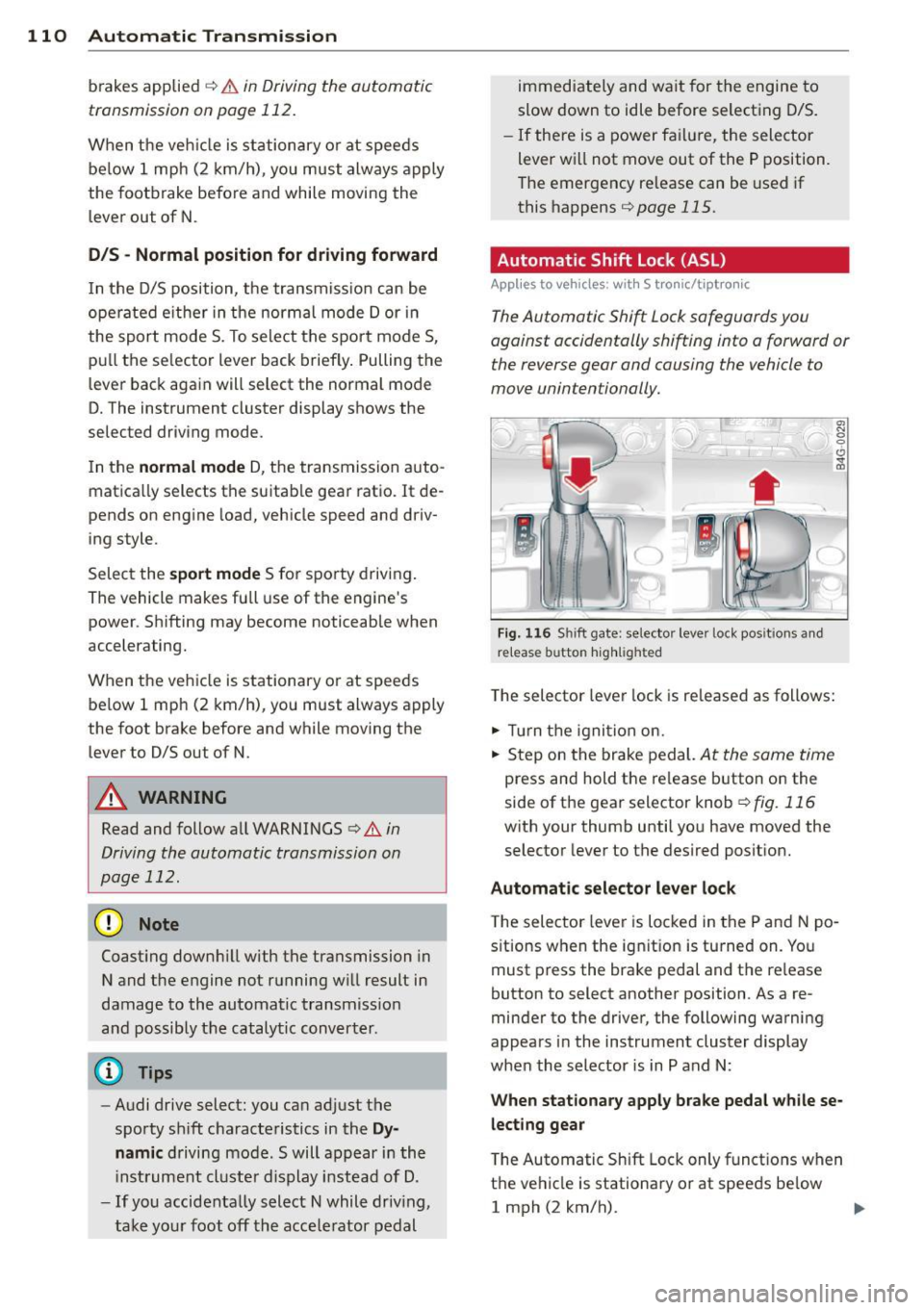
Fig. 116 Shi ft gate: selector leve r loc k pos it ions and
r e lease button highlighted
The selector lever lock is released as follows:
.,. Tu rn the ignition on.
.,. Step on the brake pedal.
At the same time
press and hold the release button on the
side of the gear selector knob
¢ fig. 116
with your thumb until you have moved the
selector lever to the desired position.
Automatic selector lever lock
The selector lever is locked in the P and N po
s itions when the ignit ion is tu rned on. You
must press the brake pedal and the re lease
button to select another position . As a re
minder to the driver, the following warning
appears in the instrument cluster display
when the selector is in P and N:
When stationary apply brake pedal while se
lecting gear
T he Automatic Shift Lock only functions when
the vehicle is stationary or at speeds be low
1 mph (2 km/h).
Page 115 of 310
_& WARNING
Hill descent control cannot overcome
physical limitations, so it may not be able
to ma intain a constant speed under all
conditions. Always be ready to apply the
brakes.
Manual shift program
Applies to vehicles: with 5 tronic/tiptronic
Using the manual shift program you can
manually select gears .
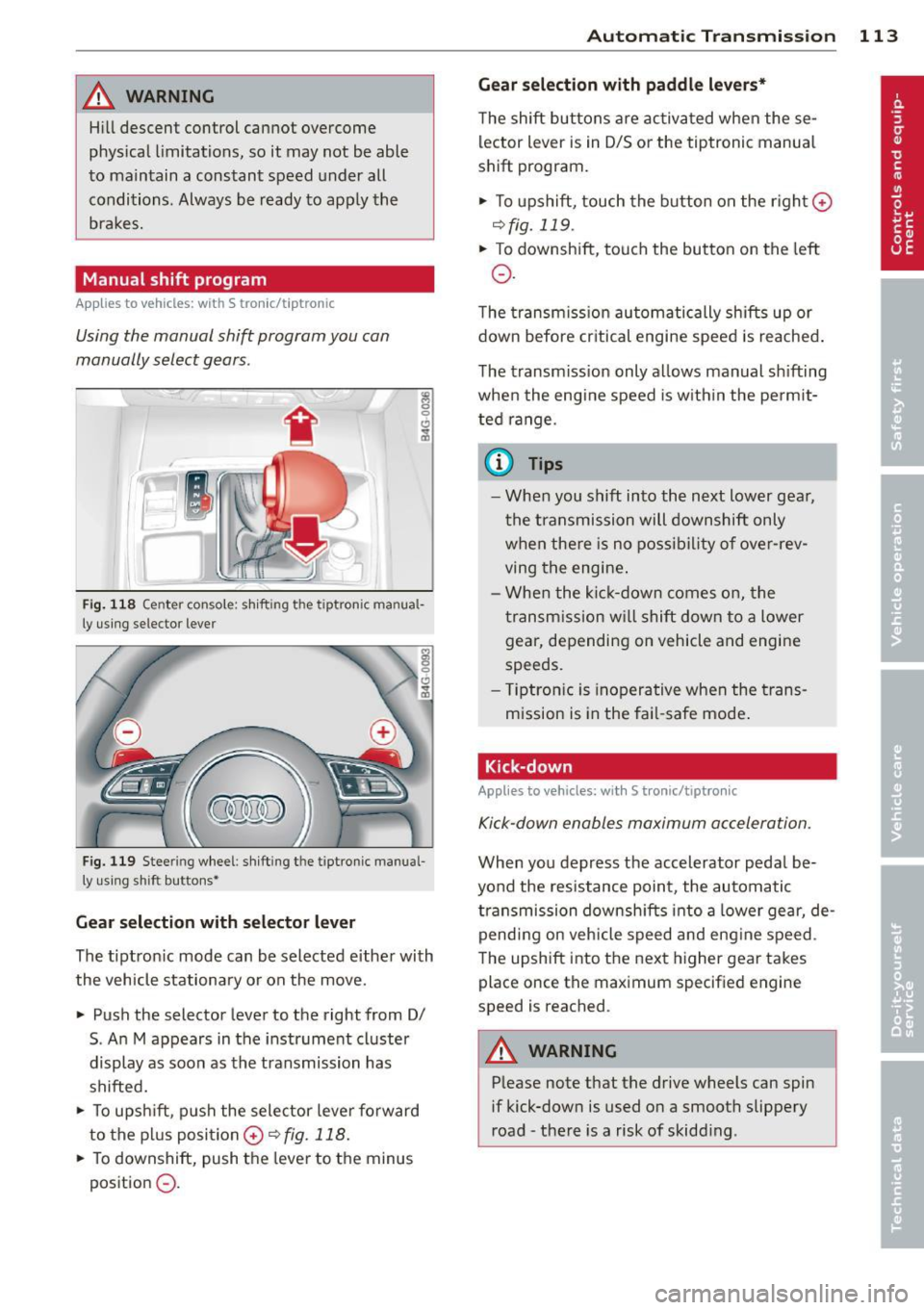
Fig. 118 Ce nter con sole : s hi fting t he tiptronic ma nua l
ly using selector lever
Fig. 119 Stee ring wheel: sh ift ing t he tiptron ic manua l
ly using shi ft buttons•
Gea r selection with selecto r le ver
The t iptron ic mode can be selected either with
the vehicle stationary or on the move.
• Push the selector lever to the right from 0/
S . An M appears in the instrument cluster
display as soon as the transmission has
shifted.
• To upsh ift, p ush the selector leve r fo rward
to the p lus posi tion
0 ~ fig. 118.
• To downshift, push the lever to the minus
position
0 .
Automatic Tra nsmi ssi on 11 3
Gear select ion w ith padd le l evers*
The shift buttons are activated when these
lector lever is in D/S or the tiptronic manua l
shift program.
• To upshift, touch the button on the r ight
0
~fig. 119.
• To downshift, touch the button on the left
0 .
The transm iss ion automatically shifts up or
down before cr itical engine speed is reached .
The transm iss ion only allows manual sh ifting
when the engine speed is w ith in the pe rmit
ted range.
a) Tips
- When you shift into the next lower gea r,
the t ransmission will downshift only
w hen there is no possibility of ove r-rev
ving the engine .
- Whe n the ki ck-down comes on, the
transm ission wi ll shift down to a lower
gear, depending on vehicle and engine
speeds.
- T iptro nic is inoperative when the trans
mission is in the fai l-safe mode .
Kick-down
Applies to vehicles: wit h S tronic/t iptronic
Kick-down enables maximum acceleration.
When you depress the accelerator peda l be
yo nd the resistance point, the automatic
transmission downsh ifts i nto a lower gear, de
pending on veh icle speed and eng ine speed .
The upshift into the next higher gear takes
place once the maximum specified engine
speed is reached .
A WARNING
--Please note t hat the drive wheels can spin
if kick-down is used o n a smooth slippery
road -the re is a risk of skidding .
Page 116 of 310

114 Automatic Transmission
Launch Control Program
Applies to vehicles: with S tro nic
The Launch Control Program provides the
best acceleration possible when starting from
a stop .
Requirement: The engine must be at operat
ing temperature and the steering wheel must
not be turned .
.. Press the
I~ O FFI button <=> page 198 while
the engine is running. The
II indicator light
illuminates in the instrument cluster and
Stabilization control (ESC): Off Warning!
Reduced stability
appears in the driver in
formation system display.
.. Move the selector lever to position D/S to
select sport mode (5) or select
Dynamic
mode in Audi drive select<=> page 103.
.. Press the brake pedal strongly with your left
foot and hold it down for at least
1 second.
.. At the same time, press the accelerator
pedal down completely with your right foot
until the engine reaches and maintains a
high RPM.
.. Remove your foot from the brake pedal
within S seconds ¢
Li)..
.&_ WARNING
-Always adapt your driving to the traffic
flow .
- Only use the Launch Control Program
when road and traffic conditions allow it
and other drivers will not be endangered
or annoyed by yo ur driving and the vehi
cle's acce lerat ion.
- Please note that the driving wheels can
spin and the vehicle can break away
when ESC is sw itched off, espec ially
when the road is slippery.
- Once the vehicle has started moving,
press the
I~ OF F! button br iefly to turn
the ESC on.
- The transmission temperat ure may in
crease significantly after using the
launch control program. If that happens, the program
may not be available for a
few minutes . It wi ll be available again af
ter a cool-down period.
- When accelerating using the la unch con
tro l program, all vehicle parts are subject
to heavy loads. This can resu lt in in
creased wear .
Transmission malfunction
Applies to vehicles: wit h S tronic/tiptro nic
[O] Transmission: Press brake pedal and se
lect gear again
Press the brake pedal and select the desired
selector lever position again. You can then continue driving .
[O] Transmission overheating: Please drive
conservatively
The transmission temperature has increased
s ignificantly due to the sporty driving manner .
Drive in a less sporty manner until the tem
perature returns to the normal range and the
indicator light switches of.
[O] Transmission malfunction: You can con
tinue driving
T he re is a system mal function in the transmis
sion . You may continue driving. Drive to your
authorized Audi dea ler or qualified repair fa
cility soon to have the malfunction corrected.
[O] [O] Transmission malfunction: You can
continue driving with limited functionality
There is a system malfunction in the transmis
s ion. The transmission is switching to emer
gency mode. This mode on ly shifts into cer
tain gears or will no longer shift at all. The en
gine may sta ll. Drive to your authorized Audi
dealer or qualified repair facility immediately
to have the malfunction corrected.
[O] Iii Transmission malfunction: No reverse
gear. You can continue driving
S tronic® transmission: There is a system mal
f unct ion in the transmission. The transmis
sion is switching to emergency mode . This
mode only shifts into certain gears or will no
l onger shift at a ll. The engine may stall. You .,..
Page 142 of 310
140 Safety belts
Safety belts
General notes
Always wear safety belts!
Wearing safety belts correctly saves lives!
This chapter explains why safety belts are nec
essary, how they work and how to adjust and
wear them correctly .
.. Read all the information that follows and
heed all of the instructions and WARNINGS.
A WARNING
Not wearing safety belts or wearing them
improperly increases the risk of serious
personal injury and death.
- Safety belts are the single most effective
means available to reduce the risk of se
rious injury and death in automobile acci
dents. For your protection and that of
your passengers, always correctly wear
safety belts when the vehicle is moving.
- Pregnant women, injured, or physically
impaired persons must also use safety
belts . Like all vehicle occupants, they are
more likely to be seriously injured if they
do not wear safety belts. The best way to
protect a fetus is to protect the mother -
throughout the entire pregnancy.
Number of seats
Your Audi has a total of four seating positions: two in the front and two in the rear. In some
vehicles, there are five seating positions: two in the front and three in the rear. Each seating
position has a safety belt.
A WARNING
Not wearing safety belts or wearing them
improperly increases the risk of serious
personal injury and death.
- Never strap more than one person, in
cluding small children, into any belt.
It is
especially dangerous to place a safety
belt over a child sitting on your lap. -
Never let more people ride in the vehicle
than there are safety belts available.
- Be sure everyone riding in the vehicle is
properly restrained with a separate safe
ty belt or child restraint.
~ Safety belt warning light
Your vehicle has a warning system for the
driver and front seat passenger (on USA mod
els only) to remind you about the importance
of buckling-up.
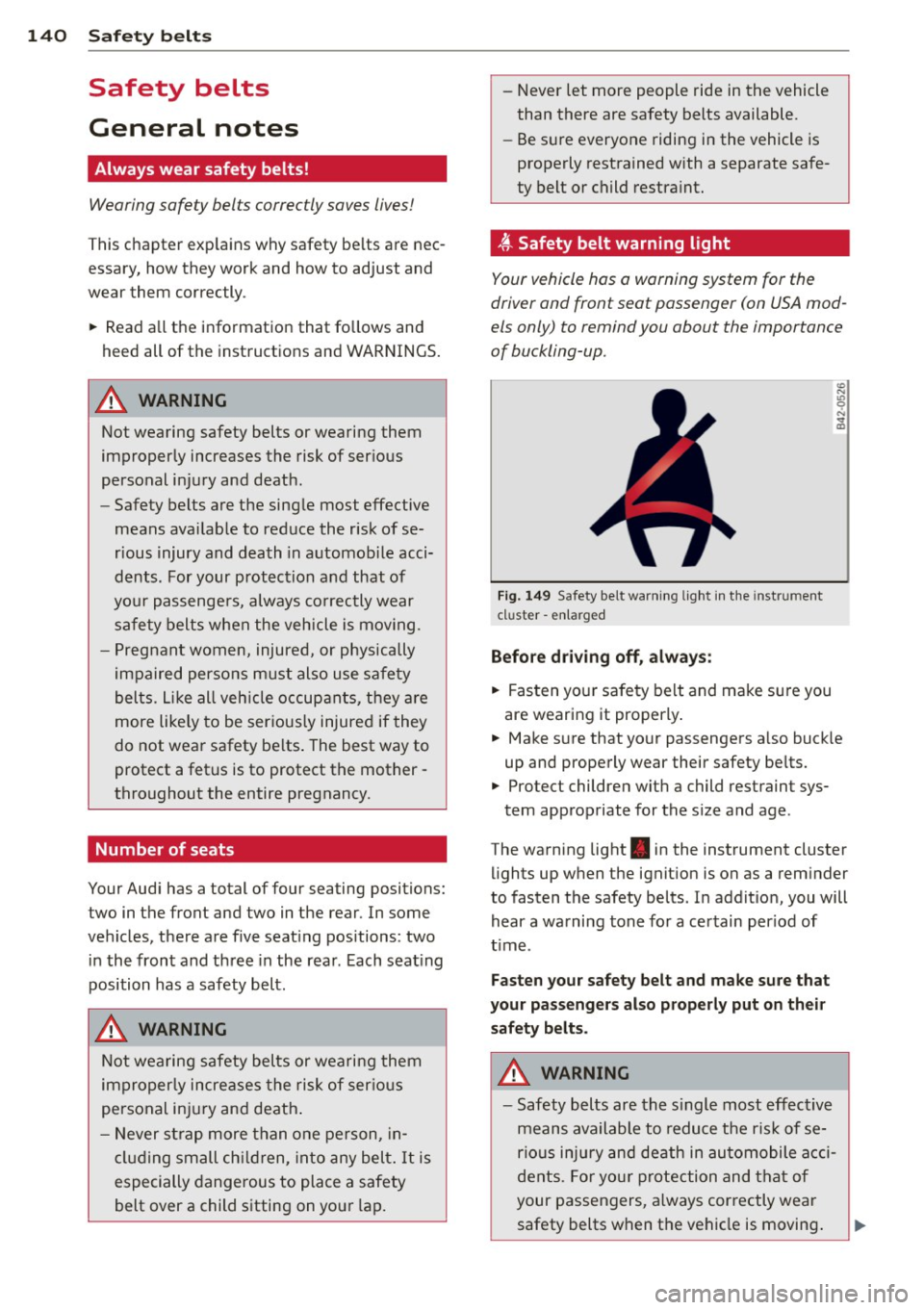
Fig. 149 Safety belt warning light in the instrument
cluster -enlarged
Before driving off, always:
.. Fasten your safety belt and make sure you
are wearing it properly.
.. Make sure that your passengers also buckle
up and properly wear their safety belts.
.. Protect children with a child restraint sys-
tem appropriate for the size and age .
The warning light . in the instrument cluster
lights up when the ignition is on as a reminder
to fasten the safety belts. In addition, you will hear a warning tone for a certain period of
time .
Fasten your safety belt and make sure that
your passengers also properly put on their
safety belts.
A WARNING
-- Safety belts are the single most effective
means available to reduce the risk of se
rious injury and death in automobile acci
dents. For your protection and that of
your passengers, always correctly wear
safety belts when the vehicle is moving.
Page 154 of 310
152 Airbag sys te m
If the front passenger airbag is turned off, the
PASSENGER AIR BAG OFF light comes on in
the instrument cluster and stays on.
I f the front passenger airbag deploys, the
F ederal Standard requires the airbag to meet
the " low risk" deployment criteria to reduce
the r isk of injury through interaction with the
a irbag. "Low risk" deployment occurs in those
crashes that take place at lower decelerations
as defined in the electronic control unit
c::> page 162, PASSENGER AIR BAG OFF light.
A lways remember, a chi ld seat or infant carri
er installed on the front seat may be struck
and knocked out of position by the rap idly in
flating passenger's a irbag in a frontal colli
sion . The airbag could greatly reduce the ef
fectiveness of the ch ild restraint and even se
rio usly inju re the child during inflat ion.
For this reason, and because the back seat is
the safest place for chi ldren - when properly
restra ined accord ing to their age and size - we
strongly recommend that children always sit in the back seat
c::> page 175, Child Safety .
& WARNING
-
A child in a rearward-facing child seat in
stalled on the front passenger seat will be
ser iously injured and can be killed if the
front airbag inflates - even with an Ad
vanced Airbag System.
- The inflating a irbag will hit the child seat
or infant carrier with great force and w ill
smash the ch ild seat and child against
the backrest, center armrest, door or roof.
- Always install rear-facing child seats on
the rear seat.
- If you must install a rearward facing
child seat on the front passenge r seat
because of except iona l circumstances
and the
PASSENGER AIR BAG OFF light
does not come on and stay on, immedi
ately install the rear-f acing chi ld seat in a
rear seating position and have the ai rbag
system inspected by your Aud i dealer. -
Forward-facing child seats installed on
the front passenger's seat may interfere
with the deployment of the a irbag and
cause serious persona l injury to the
child.
& WARNING
-If, in except ional circumstances, you must
i nstall a forward-facing child restraint on
the front passenge r's seat:
- Always make sure the forward-facing
seat has been designed and certified by
its manufacture r fo r use on a fron t seat
with a passenger fron t and s ide a irbag.
- Never p ut the fo rward -facing child re
s tra int up agains t or very near the instru
men t panel.
- Always move the passenge r seat into its
rearmost pos ition in the seat's fore and
aft ad justment range, as fa r away from
the airbag as possible before installing
the forward-facing ch ild restra int . The
backrest must be ad justed to an upright
position.
- Make sure that the
PASSENGER AIR BAG
OFF
li ght comes on and stays on all the
time whenever the ignition is switched on .
& WARNING
-To reduce the risk of serious injury, make
sure that the
PASSENGER AIR BAG OFF
light w ill be displayed whenever a child re
straint is installed on the front passenger
sea t and the ignition is sw itche d on .
- If the
PASSENGER AIR BAG OFF light
does no t stay on, perform the checks de
scribed
<>page 161, Monitoring the Ad
vanced Airbag System.
- Ta ke t he chi ld restraint off the front pas
senger sea t and install it prope rly at one
of the rear seat positions i f the
PASSEN
GER AIR BAG OFF
light does not stay on.
- Have the airbag system inspected by
your Aud i dea le r i mmediately.
Page 159 of 310
backrest must be adjusted to an upright
posit ion.
- Always make sure that there is nothing
on the front passenger seat that will
cause the capacitive passenger detection
system in the seat to s ignal to the A irbag
System that the seat is occupied by a person when it is not, or to signa l that it
is occupied by som eone who is heavier
than t he pe rson actually s itting on t he
sea t. T he presence of addition al obje cts
cou ld cause the passenger front airbag
to be t urned on when it sho uld be off, or
cou ld cause t he airbag to work in a way
that is different from the way it wou ld
have worked without the object on the
seat.
- Make sure that the
PASSENGER AIR BAG
OFF
light comes on and stays on all the
t ime w henever the ignition is switc hed
on.
Advanced Airbag System components
The front passenger seat in your vehicle has a
l ot of very important parts of the Advanced
A irbag System in it. These parts incl ude t he
c a pac itive passenger de te ct ion sys tem, wir
ing, b racke ts, and more . The cont ro l uni t
monitors the system o n the front passenger
seat when the ign ition is switched on and
turns the airbag indicator light on w hen a
malfunct ion in the one of the system compo
nents is detected ¢
page 162. Beca use the
fro nt passenge r seat contains important parts
of the Advanced Airbag System, you must
take care to p revent it from bei ng damaged.
D amage to the seat may preven t the Ad
vanced A irbag System for the front passenger
seat from doing its job in a crash .
The front Advanced Airbag System
consists of the following:
-Crash sensors in the front of the veh icle tha t
measure ve hicle acceleration/dece le ration
to provide information to the Advanced Air bag System about the severity of the crash.
A irbag system 157
- An elect ron ic contro l unit, with integrated
crash sensors fo r front and side impacts .
T he control un it "decides" whether to f ire
the front a irbag s based on the informat ion
received from the crash sensors. The control
unit also "decides" whether the safety belt
prete nsione rs should be act iva ted .
- An Advanced A irbag w it h gas generator and
cont ro l valve for the driver ins ide the steer
ing wheel h ub.
- An Advanced A irbag w ith gas generator and
cont ro l valve inside the instrument pa nel for
the front passenger .
- A capacit ive passenger detection system un
de rneath the front passenger seat cover .
This system measu res the ele ct rical capac i
t ance of the perso n in the seat. The informa
t ion regis tered is se nt cont inuo usly to the
elec tronic con trol un it to regu late dep loy
ment of the front Advanced A irbag on the
passenger side.
-An airbag monitoring system an d ind icator
light in the instr ument cluster ¢
page 161.
-A senso r in each front seat registers the dis
tance between the respective seat a nd the
steering whee l or instrument panel. The in
formation registered is sent cont inuo usly to
the electron ic contro l unit to regulate de
ployment of the front Adva need A irbags .
- The
PASSENGER AIR BAG OFF li ght comes
on and stays on in the center of the instr u
ment panel ¢
fig. 163 and te lls you when
the front Advanced Airbag o n the passenger
side has been turned off .
- A senso r in t he safety belt latch fo r the d riv
er and fo r the front seat passenger that
senses whethe r th at safety belt is latched or
no t and tra nsmi ts this informa tion to the
elec tro nic con trol un it.
A WARNING
D amage to the fron t passenger se at can
p revent the front air bag from work ing
p roperly.
- Imp roper repai r or disassembly of the
front passenge r and dr iver seat will pre
vent the Advanced Airbag System from
functioning properly.
-
•
•