light AUDI A7 2018 Repair Manual
[x] Cancel search | Manufacturer: AUDI, Model Year: 2018, Model line: A7, Model: AUDI A7 2018Pages: 274, PDF Size: 42.77 MB
Page 104 of 274

Assistance systems
@ Tips
-Side assist is not active while you are mak
i ng the adjustment.
- Your settings are automatically stored and
assigned to the remote control key being
used.
Messages
Applies to: ve hicles w ith Audi side assist
If side ass ist switches off by itself, the LED in the
button turns off and a message will appear in the
instrument cluster display:
Audi side assist: Currently unavailable . No
sensor vision
The radar sensor v is ion is impaired . Do not cover
the area in front of the sensors with b ike wheels,
stickers, dirt or other objects . Clean the area in
front of the sensors, if
necessary¢ page 100,
fig . 107.
Audi side assist: Currently unavailable
Side assist cannot be switched on at th is time be ·
cause there is a malfunction (for example, the
battery charge level may be too low).
Audi side assist: System fault!
The system cannot guarantee that it w ill detect
vehicles correctly and it has switched off. The sensors have been moved or are faulty. Have the
system checked by an authorized Audi dealer or
authorized Audi Service Facility soon.
Audi side assist: Unavailable when towing
Side assist switches off automatically when a fac
tory-installed trailer hitch is connected to the
electrical connector on the trailer . There is no
guarantee the system will sw itch off when using
a retrofitted trailer hitch. Do not use side assist
when towing a trailer.
102
Night vision assist with
pedestrian and wild
animal detection
Description
App lies to: vehicles wit h night vision assist
The night vision assist can detect, highlight and,
if necessary, warn about pedestrians and large wild animals.
Night vision assist with pedestrian and wi ld ani
mal detection assists you at night by using an
in ·
frared camera to monitor the area in front of
your vehicle, within the limits of the system. It can d isplay objects up to a distance of approxi
mately 1000 feet (300 m). The thermal image
detected by the camera is shown in the instru
ment cluster display. Warm areas appear lighter
and cold areas appear darker.
Highlighting detected pedestrians and wild
animals
Applies to: vehicles wit h night vision assist
Fig. 109 In stru men t cl uste r: yellow highlighted pedes ·
tria ns
Fig. 110 Instrument cl uster : sy mbol when the infrar ed im
age is not v isible
Within th e limits of the system, the night vision
ass ist can detect pedestrians and wild animals
..,..
Page 105 of 274

a co ,...,
N
" N ,...,
0 00 <.,;) '
295
ft (90 m) in front of the vehicle and within
the detection zone . Within the limits of the sys
tem¢ page 103 , a pedestrian or w ild animal de
tected when the low beams are sw itched on is
h ighlighted in
yellow ¢ fig. 109 . Animal recogni
tion is not active w it hi n highly developed areas .
The system on ly de tects large wild anima ls such
as deer.
(D Tips
If another display such as navigation replaces
t he image from the night v is ion assist
the~ .,
symbo l appea rs in a tab ¢ fig. 110. You can
a ccess nigh t vision assist using the mul tifunc
t ion stee ring w heel
buttons ¢ page 21.
Pedestrian and wild animal warning
Applies to: vehicles with night vision assist
Fig . 111 In stru ment clust er: @ pede stri an warn ing ,@
wi ld ani mal warnin g
Fig. 112 In str ument clus te r: @ pedest ria n warn ing /@
wi ld an imal warning, when t he nigh t vis ion a ssis t image is
n ot se lec ted in the instrument clust er dis p lay
Image in the instrument cluster /head -up
di splay*
If there are pedestrians or wild animals in an
area in front of your veh icle that is class ified as
A ssi st a nce systems
critica l, the system will d irect your atten tion to
t h is:
- Pedestr ians or wild anima ls are h ighlighted in
red and the cor responding
symbo l. or.
turns on ¢fig. 111 .
-There is also an audib le sign al.
T he area classified as critical is based on the vehi
cle speed and the steering wheel angle . Pedes
t rian and w ild an imal warning encourages you to
pay more atten tion.
If the night vision assist image is replaced by an
othe r display (such as the on-board comp ute r) ,
t h e
red . or. in d ic ator lig ht ¢ fig . 112 will
appea r if the re is a pedestrian o r wild animal
war ning .
If the head-up display* is sw itched on and the
night v ision assist content is activated, .
or.
will appear i n the head-up displ ay *.
Marking light*
T o direct the driver's attention to a pedestr ian ,
the headlights can flash on the pedest rian three
tim es in a row whe n there is a pedestr ian war n
ing .
This occurs at speeds above approximately
35 mph (60 km/h) if yo u are outside of illuminat
ed a reas and no de tected ve hicles are shown. Th e
high be am assistant* con trols the m arking ligh t*
¢ page 40, High beam assis tant.
T he ma rking light is not used for wild anima ls .
General information
Applies to: vehicles with night vision assist
Fig . 11 3 Front of t he ve hicle : n ig h t v is io n ass ist camer a
103
Page 106 of 274

Assistance systems
The following situations may affect the function
of t he night vision assist system:
- Poor visibility such as snow, rain , fog or heavy
spray
- Dirty lens on the night vision assist camera
Make sure the night vision ass ist camera
¢ fig. 113 is not covered by stickers, deposits or
any other obstructions because that can affect
the camera function. For information on clean
ing, see
¢ page 228.
The pedestrian and wild animal recognition de
pends on the temperature difference between
the person/wild animal and the background. Peo ple/wild animals may not be detected if the dif
ference is too small. The pedestrian/wild animal
marking and the marking light* deactivate at
temperatures above approximately 77 °F
(25 °()
and during daylight. If the night vision assist
im
age is selected in the instrument cluster display,
then the
II symbol appears at the top on the
right side.
..&_ WARNING
Pay attention to traffic and the area around
your vehicle when night vision assist is switch
ed on. The driver is always responsible for as
sessing the traffic situation.
- Night vision assist can only warn about peo
ple and wild animals located within the visu
al range of the infrared camera. The visual
range corresponds to the image in the in
strument cluster display.
- Night vision assist may not detect people or
wild animals and mark them if
- they are not in an upright position, for ex
ample if they are sitting or lying down
and/or
- the silhouette in the display appears in
complete or interrupted, for example be
cause the person is partially covered by a
vehicle or the animal is partially covered
by tall grass. This could increase the risk
of an accident.
- Never try to swerve around animals if doing
so will endanger you or other road users, be
cause this increases the risk of an accident.
104
@ Tips
- Even though the system evaluates the
shape and heat given off by all detected ob
jects, there are limits to the system. There
may be false warnings.
- For technical reasons, the image pauses in
split second intervals.
Switching on /off
Applies to: vehicles with night vision assist
Fig. 114 Area around the ligh t switc h: ni gh t vis ion assist
button
Requirement: switch the ignition on and turn the
light switch to the
AUTO position.
.,. Press the~ button ¢ fig. 114. The heat image
from the night vision camera appears in the in
strument cluster display .
.,. Press the~ button again to switch the night
vision assist off .
If conditions are bright enough, night vision as
sist can be switched on without moving the light
switch to the
AUTO position. Pedestrian and wild
animal highlighting and warnings are only active
when it is dark outside and the headlights are
switched on.
Adjusting the contra st
Applies to: vehicles with night vision assist
.,. Select: the I CARI function button > (Car)* Sys
tems
contro l button > Driver assistance >
Night vision assist contrast.
When the night vision assist is switched on and
the image is visible in the instrument cluster dis
play, you can adjust the contrast in the image
from
Min to Max .
Page 107 of 274

a co .... N
" N .... 0 00 \.J '
Applies to: vehicles with night vision assist
Night vi sion assist : S ys te m fault
The system cannot guarantee correct function
and is sw itched off . See an author ized Audi deal
er or authorized Audi Service Facility for ass is
tance.
Night vision a ssist : Currently una vailabl e
The system cannot guarantee correct function at
this t ime and is switched off.
Night vis ion assi st: Onl y av ailable at night with
light s turned on
Nig ht vision ass ist only wo rks when it is dar k out
side and the head lights are on.
Night vision a ssist : Pede strian marking curr ent
l y unavail abl e
The pedestrian and wild animal marking was
sw itched off by the system .
Audi drive select (drive
settings)
Introduction
Drive select makes it possible to experience dif
ferent types of veh icle settings in one vehicle .
The dr iver can se lect
Comf ort , Auto a nd D ynamic
modes in the I nfota inme nt system to switch be
tween , fo r example , a sporty and a comfo rtable
driving mode .
I n the
Indi vidual mode, the sett ings can be ad
justed to your perso nal preferences . This makes
it poss ible to comb ine settings such as a sporty
engine setting with light steering.
Description
The fo llowing systems, among other things, are
infl uenc ed by drive select:
Engine and automatic transmission
D epending on the mode, the e ng in e and auto
mat ic transmission respond more q uickl y o r in a
more balanced manner to accelerator pedal
A ss istance systems
movements . In the sporty dynamic mode, the
transmission shifts at higher speed ranges .
Adaptive air suspension*
The adapt ive a ir suspens ion* is an e lectron ica lly
contro lled air suspens io n and dampi ng sys tem.
T he adjustment depends o n the dr iving mode se
l ected, steering movements, the driver's braking
and acce leration, and as the road surface, ve hicle
speed and load.
T he vehi cle ground clearance depends on t he
mode selected and the speed . When you are in
the
a uto mode, the highway setting is activated
when you dr ive above 75 mph (120 km/h) for
more than 30 seconds. The ground clearance is
increased automatically if the speed drops below
44 mph (70 km/h) for more than 120 seconds .
Suspension control*
With the Audi Dynamic Ride Contro l damping
contro l, dampening characteristics of the vehicle
can be individually adjusted us ing drive select.
This makes it possib le to satisfy the des ire for
sporty suspens ion (DYNAMIC) and comfortable
suspension (COMFOR T) without g iv ing up bal
anced tu ning (AUTO) .
Steering
The power steering adapts. Indirect steering that
moves easily as in comfort mode is espec ially
su ited to long drives on a highway . The dynamic
mode provides sporty, direct steeri ng .
Applies to: vehicles with dynamic steering
The steering ratio changes based on veh icle
speed in order to maintain optimum steering ef
fort for the driver at all times . Th is sets the steer
i ng to be less sensitive at h igher speeds i n orde r
to prov ide improved ve hicl e cont rol. At red uced
speeds, stee ring is more d irect in orde r to keep
the steering effort as minimal as possible when
the driver is maneuvering the ve hicle. At low and
average speeds, dynamic steering * additionally
provides more responsive steering performance.
Sport differential *
As a compone nt o f the all whee l dr ive sys tem
(qua ttro)
q page 124, the sport different ia l dis -
tributes the driving power to the rear axle
.,.
105
Page 108 of 274

Ass is tanc e system s
depending on the situation. The distribution of
power varies from balanced (comfort) to sporty
(dynamic) depending on the selected mode. The
goal is a high leve l of agility and ab ility to accel
erate on curves. The ve hicle is very respons ive to
steer ing .
Co rne ring light *
The cornering light adapts the high beams to the
direction of the curve depending on the speed.
The pivot ing action and the light ing also adapt to
the mode.
Adapti ve c ruise control *
The behavior when acce lerating can be adjusted
from comfortable to sporty, depending on the
drive select mode. Adaptive cruise control a lso
responds to the driving behavior of the veh icle
ahead in a more conservative or sporty manner.
Engine sound *
The engine sound adapts to the current mode
and can be subtle to sporty .
@ Note
Applies to: vehicles with adaptive air suspension
-Make sure there is enough clearance above
and below t he ve hicle when parking. The
height of the vehicle (ground clearance) can
change once it is parked due to temperature
fl uctuations, changes to t he load condit ions
and c hanges to the d rivi ng modes.
- When transporting the veh icle on a car car
r ier, tra in, sh ip or by other means, only t ie
the ve hicle dow n at t he ru nning surface of
the tires, w hich is the outer circ umfe rence.
Securing t he vehi cle at t he axle compo
nents, suspension struts or towing eyes is
not permitted because the pressu re in t he
a ir s uspension struts can change dur ing
Adjusting the Individual mode
transport . The vehicle may not be secured
sufficiently if this happens.
(D Tips
- In some models, the max imum ve hicle
speed can on ly be reached in t he auto and
dynamic modes.
- Th e S se lector lever position a utomat ica lly
engages if the dynamic mode is selected.
- Applies to: vehicles with dynamic steering:
operating noise is heard when sta rting o r
stopping the engine. This does not indicate
a problem .
Selecting the driving mode
.,. To select the mode, select the follow ing in the
Infotainment:
! CAR ! function button> Comfort ,
Auto , Dynamic or Individual.
.,. Applies to: vehicles with a ti:~ button on the
steering wheel: press the button repeatedly u n
til the desired mode appea rs in the instrument
cl uste r d isplay.
You
can change the driv ing mode whe n the vehi
cle is stationary or while d riv in g. If traff ic per
mits, afte r changing modes, briefly t ake your
foot o ff t he accelerator pedal so t hat the recently
selected mode is also activated for t he engine.
Comfort -provides a comfort-or iented vehicle
setup a nd is s uited fo r long d rives o n highways.
Auto -provides a n overall comfortable yet dy
nam ic dr iv ing feel and is suited for everyday use .
Dynamic -gives the driver a sporty driving fee l
and is suited to a sporty driving style .
Individu al -¢ page 106 .
A WARNING
Pay attention to traffic when ope rating the
drive select to reduce the r isk of an accident.
-
You can adjust the vehicle settings to your personal preferences .
.,. Select: the !CAR! function button > S et individ
ual
control b utton . Once you select the men u,
106
you will a utomatica lly drive in the Indi vidual
mode .
Page 110 of 274

Parking syste m s
Parking systems
General information
A pplies to: ve hicles w ith pa rk in g system plus/rearview cam
era/peripheral camera
Depending on your vehicle 's equipment , various
parking aids will help you when parking and ma
ne uvering.
The
p ark in g sys tem plu s assists you when park
ing by aud ibly and visua lly indicating objects de
tected
in front of and behind the veh icle
Q page 109.
The rea rv iew c am era shows the area beh ind the
veh icle in the Infotainment system d isp lay. The
lines in the rearv iew came ra image he lp you to
pa rk or maneuve r
Qpage 110.
The peripher al c am era s assist you with parking
and maneuvering . You are aided by var ious cam
eras depend ing on the vehicle equipment leve l
Qpage 113. The pa rk ing system pl us functions
are also available
Q page 109 .
& WARNING
-Always look for traffic and check the area
around your vehicle by looking at it direct ly
as well. The parking system cannot replace
the driver's attent ion. The driver is always
respons ible when enter ing or leav ing a park
ing space and dur ing s imilar maneuvers.
- Please note that some surfaces, such as
clothing, are not detected by the system .
-
-Sensors and cameras have blind spots in
wh ich people and objects cannot be detect
ed . Be especially caut ious of small children
and animals .
- The sensors can be displaced by impacts or
damage to the radiator gr ille, bumper,
wheel housing and the underbody . The park
ing system may be impa ired as a result.
Have a n author ized A udi dealer or au thor
ized Audi Service Facility check their func
tion .
- Make s ure the senso rs ar e not obst ructed by
stickers, deposits or other materia ls. If they
are, the sensor function could be impaired.
For additiona l information on cleaning, see
Q page 228.
108
@ Note
-Some objects are not detected or disp layed
by t he system under certain c ircumstances:
- objects such as barrier cha ins, tra iler draw
ba rs, ve rtical po les o r fences
- objects above the sensors such as wall ex
tensions
- objects with certain s urfaces or structures
such as cha in li nk fe nces or powder snow
- If you continue driving closer to a low ob
ject, it may disappear from the sensor range . Note that you will no lo nger be
wa rned about th is obstacle.
- Keep enough distance from the curb to re
duce the risk of damage to the rims .
(D Tips
-The system may prov ide a war ning even
though there are no obstacles in the cover
age area in some situations, such as :
- certain road surfaces or when there is tall
grass
- exte rna l ul trasonic sources such as from
cleaning vehicles
- in heavy rain, snow, o r th ick vehicle ex
h a u st
- We recommend th at you practice p arki ng in
a traffic -free loca tion or parking lot to be
come fami liar with the system . When doing
this, there s hou ld be good light and weath
er conditions.
- You can change the vo lume and pitch of the
signa ls as well as the d isp lay
Q page 118.
- Please refer to the instructions for towing a
trai ler located in
Q page 118.
-What appea rs in the infotainment d isplay is
somewhat time -de layed.
- Th e sensors m ust be ke pt clean and free of
snow and ice for the parking aid to operate .
Page 122 of 274
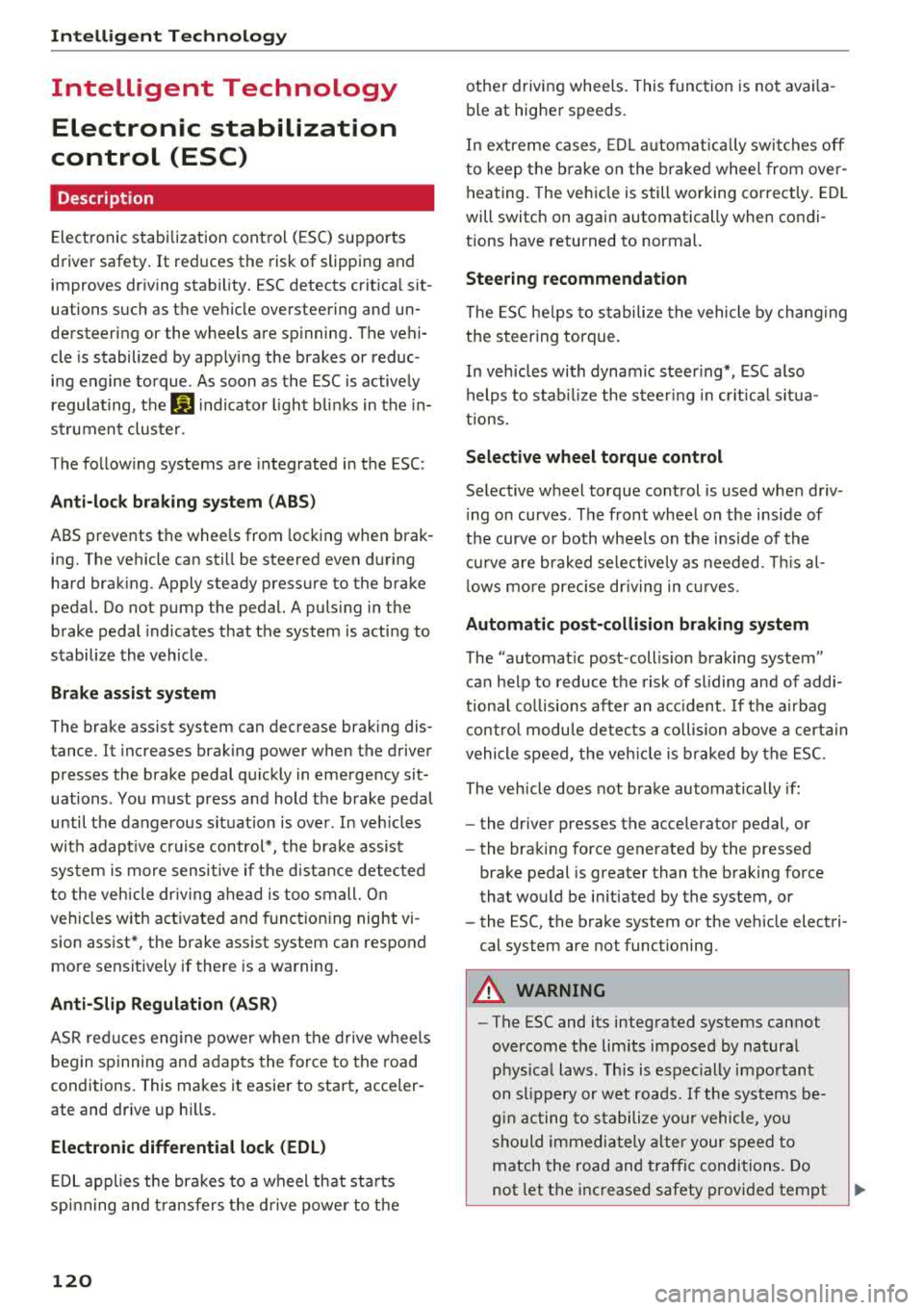
Intelligent Technology
Intelligent Technology Electronic stabilization
control (ESC)
Description
Elect ronic stabili zation control ( ESC) suppo rts
driver safety. It red uces the risk of slipping and
improves dr iving stabi lity. ESC detects crit ica l sit
uations such as the vehicle overstee ring and un
dersteeri ng or the w heels are sp inning. The vehi
cle is stabilized by app lying the brakes or reduc
i n g e ngine torque . As soon as the ESC is active ly
regula ting, t he
Ii) indicato r light blink s in the in
s trumen t clus ter.
The fo llow ing systems are in tegrated in the ESC:
Anti-lock braking system (ABS)
ABS p reve nts the whee ls from lock ing whe n brak
ing. The vehicle can st ill be steered even d uring
hard brak ing. Apply steady press ure to the bra ke
pedal. Do not pump the pedal. A puls ing in t he
b rake pedal indicates that the system is act ing to
s tabili ze the vehicle .
Brake assist system
The brake assist system can dec rease brak ing dis
tance. It inc reases brak ing power when the d river
presses the brake pedal q uick ly in eme rgency sit
uations . You must press and hold t he b rake pedal
until the dangerous si tuatio n is ove r. In veh icles
w ith adapt ive c ruise con trol*, the bra ke assist
sys te m is more sensitive if t he di stan ce detec ted
t o the veh icle dr iv ing a head is too small. On
ve hicl es w ith ac tivated and funct io ni ng night vi
sion assist*, the brake assist system can respond mo re sensit ively if there is a warning .
Anti-Slip Regulation (ASR)
ASR reduces eng ine power when the drive w heels
beg in sp inning a nd ad ap ts the force to the road
conditions. This makes i t easie r to sta rt, acceler
ate and dr ive up h ills.
Electronic differential lock (EDL)
ED L appl ies the bra kes to a w heel that st arts
sp inning and transfe rs th e dr ive powe r to the
120
othe r driving whee ls. This func tion is no t ava ila
ble at higher s peeds .
I n extre me cases , EDL au tomat ic al ly swi tches off
to keep t he b rake o n the br aked whee l from ove r
h eating. The ve hicle is still wo rking co rrect ly. EDL
will switch on agai n automatically when co ndi
tions have returned to normal.
Steering recommendation
The ES C he lps to s tabili ze th e vehicle by ch ang ing
t h e steer ing torque.
In veh icles wi th dyna mic steer ing*, ESC a lso
h elps to stab ilize the steer ing in cr it ica l sit ua
t ion s.
Selective wheel torque control
Se lective wheel to rque con trol is used when driv
i ng o n curves . The fron t whee l on the inside of
t h e curve or bo th whee ls on the i nside of th e
cu rve are braked se lective ly as needed. This al
l ows mo re prec ise dr iving in curves .
Automatic post -collision braking system
The "automa tic post -coll is io n braking system"
can hel p t o reduce the risk of sl iding and of addi
tiona l co llisions after an acc iden t. If th e a irbag
c ontro l modu le de tec ts a c ollisi on above a cert ain
vehicle speed, the ve hicle is brak ed by the ESC.
The veh icle does not brake automatically if :
- the drive r presses t he acce lerator pedal, or
- the bra kin g force generate d by the presse d
brake pedal is greater than the b raking force
that wo uld be in itiated by the system, or
- the ESC, the bra ke system or the ve hicle elect ri
cal system are not functioning.
A WARNING
- The ESC and its integ rated systems can not
overcom e the lim its imposed by natura l
p hys ica l laws . Thi s is esp ec ially impo rtan t
on s lippery or wet roa ds. If the sys te m s be
g in a cting to stab ilize y our vehicle, y ou
s ho uld immedi ately alter y o ur speed to
match the road an d traffic condi tions . Do
not let the increased safety provi ded tem pt
Page 123 of 274

a co ,...,
N
" N ,...,
0 00 <..:l '
your risk of a collision.
- Please note the risk of a co llision increases
when driving fast, especially through curves
and on slippery or wet roads, and when driv
ing too close to objects ahead. The ESC and
its integrated systems cannot always pre
vent collisions -there is still a risk of acci
dents!
- Press the accelerator pedal carefully when
accelerating on even, slippery surfaces such
as ice and snow. The drive wheels can spin
Switching on /off
Intelligent Technology
even when these control systems are instal
led and this can affect driving stability and increase the risk of a collision.
(D Tips
- ABS and ASR only function correctly when
all four wheels are equipped with identical
tires. Different tire sizes can lead to a reduc tion in engine power.
- You may hear noises when the systems de
scribed are working.
ESC turns on automatically when you start the engine.
Fig . 138 Ce nter console: O FF ~ button
The following examples are unusual situations
where it may make sense to switch sport mode
on in order to allow the wheels to spin:
ESC levels
Sport mode on
- Rocking the vehicle to free it when it is stuck
- Driving in deep snow or on loose ground
- Driving with snow chains
Applies to: RS models: the ESC is designed to
function in levels. Depending on the level that is
selected, the stabil izat ion function of the ESC is
limited or switched off. The amount of stabiliza
tion control will differ depending on the level.
Sport mode off
Behavior
The ESC and ASR stabilization functions Th
e full stabilization function of the ESC
are limited
c:::> &. . and ASR is available again.
Operation Press the I~ OFF I button . Press the I~ OF FI button again .
Indicator .turns on. II turns off.
lights
Me ssa ges Stabilization control (ESC): Sport Warn- Stabilization control (ESC): On
ing! Reduced stability
121
Page 124 of 274
Intelligent Technology
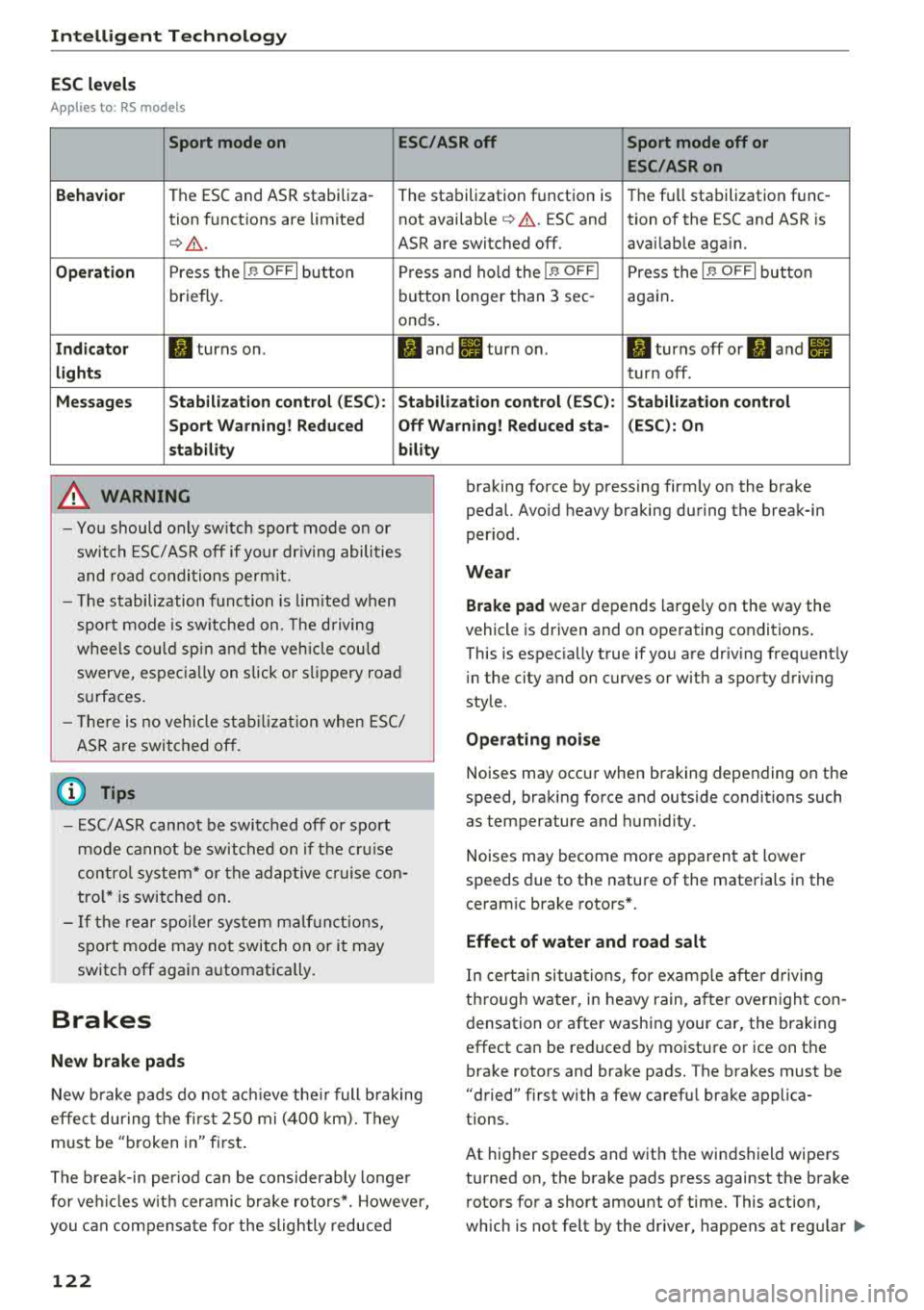
ESC levels
Applies to : RS models
Sport mode on ESC/ASR off Sport mode off or
ESC/ASRon
Behavior
The ESC and ASR stabiliza -
The stabilization function is Th
e fu ll stabilization func-
tion functions are limited not available
¢ .&. . ESC and tion of the ESC and ASR is
¢ .&_. ASR are switched off. avai lab le aga in.
Operation Press the I~ OFFI button Press and hold the I~ OFFI Press the I ~ OFFI button
briefly. button
longer than 3 sec-
again.
onds .
Indicator II turns on. II and II turn on. II turns off or II and II
lights turn off.
Messages Stabilization control (ESC): Stabilization control (ESC): Stabilization control
Sport Warning! Reduced Off Warning! Reduced sta- (ESC): On
stability bility
A WARNING
-You should only switch sport mode on or
switch ESC/ ASR off if your driving abilities
and road conditions permit.
- The stabilization function is limited when
sport mode is switched on. The driving
wheels could spin and the vehicle could swerve, especially on slick or slippery road
surfaces.
- There is no vehicle stabilization when ESC/
ASR are switched off.
(D Tips
- ESC/ASR cannot be switched off or sport
mode cannot be switched on if the cruise
control system* or the adaptive cruise con
trol* is switched on.
- If the rear spoiler system malfunctions,
sport mode may not switch on or it may
switch off again automatically.
Brakes
New brake pads
-
New brake pads do not achieve their full braking
effe ct during the first 2S0 mi (400 km). They
must be "broken in" first.
The break-in period can be considerably longer
for vehicles with ceramic brake rotors*. However,
you can compensate for the slightly reduced
122
braking force by pressing firmly on the brake
pedal. Avoid heavy braking during the break-in
period.
Wear
Brake pad
wear depends large ly on the way the
vehicle is driven and on operating conditions .
This is espec ia lly true if you are driv ing frequently
i n the city and on curves or with a sporty driving
style.
Operating noise
Noises may occur when braking depending on the
speed, braking force and outside conditions such
as temperature and humidity.
Noises may become more apparent at lower
speeds due to the nature of the materials in the
ceramic brake rotors*.
Effect of water and road salt
In certain situations, for example after driving
through water, in heavy rain, after overnight con
densation or after washing your car, the braking
effect can be reduced by moisture or ice on the
brake rotors and brake pads. The brakes must be
"dried" first with a few carefu l brake applica
tions.
At higher speeds and with the windshield wipers
turned on, the brake pads press against the brake
rotors for a short amount of time. This action,
which is not felt by the dr iver, happens at regular
IJIJ,
Page 125 of 274
a co .... N
" N .... 0 00 \.J '
the brakes in wet weather.
The braking effect can also be reduced if you are
driving on salted roads and you do not apply the
brakes for long periods of time. The layer of salt
on the brake rotors and pads must be worn off
first when the brakes are applied.
Due to its surface, the ceramic brake rotor* ab
sorbs moisture in certain situations. Therefore,
there will temporarily be less braking force than
when the brakes are dry. You can compensate for
this by pressing the brake pedal harder.
Corrosion
Leaving the vehicle parked for long periods of
time, low mileage and avoiding heavy braking
can contribute to corrosion on the brake rotors
and to dirty brake pads.
If you usually avoid heavy braking or if there is
corrosion present, occasional heavy braking at
high speeds is recommended to clean the brake
rotors and
pads ¢.&. .
Brake system malfunction
If you notice that the brake pedal travel has sud
denly increased, then a brake circuit in the dual
circuit brake system may have malfunctioned. Drive to an authorized Audi dealer or authorized
Audi Service Facility immediately to have the
problem corrected. On the way there, drive with
reduced speed and keep in mind that you will
need a longer distance to stop and you will need
to press the brake pedal harder .
Low brake fluid level
When the brake fluid level is low, malfunctions in
the brake system may occur . The brake fluid level
is electronically monitored .
Brake booster
The brake booster amplifies the pressure you ap
ply to the brake pedal. It only works when the en
gine is running.
A WARNING
-Only apply the brakes for the purpose of
cleaning the brake system when road and
-
Intelligent Technology
traffic conditions permit. You must not en
danger other road users. This increases the
risk of an accident.
- Never let the vehicle roll while the engine is
stopped because this increases the risk of an
accident.
- New brake pads do not achieve their full
braking effect during the first 250 mi
(400 km) . They must be "broken in" first.
The break-in period can be considerably lon
ger for vehicles with ceramic brake rotors*.
However, you can compensate for the
slightly reduced braking force by pressing
firmly on the brake pedal. Avoid heavy brak
ing during the break-in period.
- Certain weather and operating conditions
such as driving through water, driving in
heavy rain or driving after washing your ve
hicle can impair the effectiveness of the
brakes. In the winter, ice may build up on
the brake pads, rotors and drums. Check
these components by braking carefully. Ap
plying the brakes carefully several times
dries the brakes and removes ice build-up .
- The efficiency of the brakes can also be im
paired by driving for long stretches on roads
covered with salt without using the brakes.
You can remove salt deposits from the
brake rotors and pads by carefully applying
the brakes several times.
- If the front spoiler is damaged or you install
another spoiler, make sure the front wheel
brakes are ventilated properly. Otherwise,
the brake system could overheat, which re
duces their effectiveness.
- Failure of a brake circuit impairs braking
performance, which increases braking dis
tance. Avoid driving the vehicle and have it
towed it to the nearest authorized Audi
dealer or authorized Audi Service Facility.
- If the brake booster is not working, you will
have to press much harder on the brake
pedal to compensate for the lack of the
booster .
@ Note
-Never let the brakes "rub" by pressing the
pedal lightly when braking is not actually
123