steering AUDI A7 2021 Owner´s Manual
[x] Cancel search | Manufacturer: AUDI, Model Year: 2021, Model line: A7, Model: AUDI A7 2021Pages: 350, PDF Size: 126.66 MB
Page 292 of 350

Wheels
& Loose wheel warning: malfunction! See
owner's manual
There is a system malfunction. Drive immediately
to an authorized Audi dealer or authorized Audi
Service Facility to have the malfunction repaired.
ZA\ WARNING
Wheel bolts that are tightened incorrectly can
become loose and result in loss of vehicle con-
trol, which increases the risk of an accident.
— If a message appears, reduce your speed im-
mediately and avoid any hard steering or
braking maneuvers. Stop as soon as possible
and check the wheel bolts.
— Check your wheels for damage. Have the
damaged wheels checked and/or replaced
immediately by an authorized Audi dealer or
authorized Audi Service Facility.
— Under certain conditions (such as a sporty
driving style, winter conditions, or unpaved
roads), the message may be delayed.
— The driver is responsible for ensuring that
the wheels are attached correctly.
G) Tips
— The loose wheel warning system can also
stop working when there is an ESC malfunc-
tion.
— Using snow chains may result in a system
malfunction.
Winter tires significantly improve the vehicle's
handling when driving in winter conditions. Be-
cause of their construction (width, compound,
tread pattern), summer tires provide less traction
on ice and snow.
> Use winter tires on all four wheels.
> Only use winter tires that are approved for your
vehicle.
> Please note that the maximum permitted
speed may be lower with winter tires > A\ in
General information on page 274. An author-
ized Audi dealer or authorized Audi Service Fa-
cility can inform you about the maximum per-
mitted speed for your tires.
290
> Check the tire pressure after installing wheels
=> page 284.
The effectiveness of winter tires is reduced great-
ly when the tread is worn down to a depth of
0.16 in (4 mm). The characteristics of winter tires
also decrease greatly as the tire ages, regardless
of the remaining tread.
@) For the sake of the environment
Reinstall summer tires at the appropriate
time, because they provide better handling
when roads are free of snow and ice. Summer
tires cause less road noise, tire wear, and fuel
consumption.
(i) Tips
You can also use all season tires instead of
winter tires. Please note that in some coun-
tries where winter tires are required, only win-
ter tires with the 4 symbol may be permit-
ted.
Snow chains improve both driving and braking in
winter road conditions.
> Only install snow chains on the front wheels.
> Check and correct the seating of the snow
chains after driving a few feet, if necessary. Fol-
low the instructions from the manufacturer.
> Note the maximum speed of 30 mph
(50 km/h). Observe the local regulations.
Use of snow chains is only permitted with certain
rim/tire combinations due to technical reasons.
Check with an authorized Audi dealer or author-
ized Audi Service Facility to see if you may use
snow chains.
Use fine-mesh snow chains. They must not add
more than 0.40 inch (10.5 mm) in height, includ-
ing the chain lock.
You must remove the snow chains on roads with-
out snow. Otherwise, you could impair driving
ability and damage the tires.
Page 295 of 350

4K8012721BF
Wheels
Gata e Mle a)
Eye) ye
Applies to: vehicles with Tire Pressure Monitoring System in-
dicator
Laie Mee 1 Keds
The tire pressure indicator in the instrument
cluster informs you if the tire pressure is too low
or if there is a system malfunction.
Using the ABS sensors, the tire pressure monitor-
ing system compares the tire tread circumference
and vibration characteristics of the individual
tires. If the pressure changes in one or more
tires, this is indicated in the instrument cluster
display with an indicator light (J and a message.
If only one tire is affected, the location of that
tire will be indicated.
The tire pressures must be stored again each
time you change the pressures (switching be-
tween partial and full load pressure) or after
changing or replacing a tire on your vehicle
= page 293. The tire pressure monitoring system
only monitors the tire pressure you have stored.
Refer to the tire pressure label for the recom-
mended tire pressure for your vehicle
=> page 284, fig. 173.
Tire tread circumference and vibration character-
istics can change and cause a tire pressure warn-
ing if:
— The tire pressure in one or more tires is too low
— The tires have structural damage
— The tire was replaced or the tire pressure was
changed and it was not stored > page 293
— Tires that are only partially used are replaced
with new tires
Indicator lights
If the @ indicator light turns on, there is a loss
of pressure in at least one tire .> A\ Check the
tires and replace or repair if necessary. Check and
correct
the pressures of all four tires and store
the pressure again > page 293.
ia Tire pressure: malfunction! See owner's
manual
fo appears after switching the ignition on or
while driving and the @) indicator light in the in-
strument cluster blinks for approximately one
minute and then stays on, there is system mal-
function. Try to store the correct tire pressures
=> page 293. In some cases, you must drive for
several minutes after storing the pressures until
the indicator light turns off. If the indicator light
does turn off or turns on again after a short peri-
od of time, drive to an authorized Audi dealer or
authorized Audi Service Facility immediately to
have the malfunction corrected.
Z\ WARNING
—If the tire pressure indicator appears in the
display, reduce your speed immediately and
avoid any hard steering or braking maneu-
vers. Stop as soon as possible and check the
tires and their pressure.
— The driver is responsible for maintaining the
correct tire pressure. You must check the
tire pressure regularly.
— Under certain conditions (such as a sporty
driving style, winter conditions, or unpaved
roads), the tire pressure monitoring system
indicator may be delayed.
Gi) Tips
— The tire pressure monitoring system can al-
so stop working when there is an ESC mal-
function.
— Using snow chains may result in a system
malfunction.
—The tire pressure monitoring system in your
Audi was calibrated with “Audi Original
Tires” > page 281. Audi recommends using
these tires.
Storing tire pressures
Applies to: vehicles with Tire Pressure Monitoring System in-
dicator
If the tire pressure changes or a tire is replaced,
it must be confirmed in the MMI.
> Before storing the tire pressures, make sure the
tire pressures in all four tires meet the speci-
fied values and are adapted to the load
> page 284.
> Switch the ignition on.
>» Applies to MMI: Select on the home screen: VE-
HICLE > Settings & Service > Tire pressure
293
Page 297 of 350
4K8012721BF
Wheels
— Do not change the tire pressure when the
temperature of the tire is extremely high.
This could result in serious damage to the
tire and even cause the tire to burst, increas-
ing the risk of an accident.
— A tire with low pressure flexes more. This
heats the tire up too much. This could cause
the tread to separate and even cause the tire
to burst, increasing the risk of an accident.
— The tire pressure monitoring system does
not warn about damage or defects in the
tire construction that could cause the tire to
burst, for example. Inspect your tires regu-
larly.
@ Tips
—If tires are replaced, the sensors and valves
do not need to be removed or replaced. Only
replace the valve stem and, if necessary, the
valve and the wheel electronics. If you have
questions, see an authorized Audi dealer or
authorized Audi Service Facility.
— An incorrect display or a malfunction in the
tire pressure monitoring system can occur
after using the tire mobility kit*. Have the
sensors replaced by an authorized Audi
dealer or authorized Audi Service Facility.
— The system complies with United States FCC
regulations and ISED regulations
=> page 329.
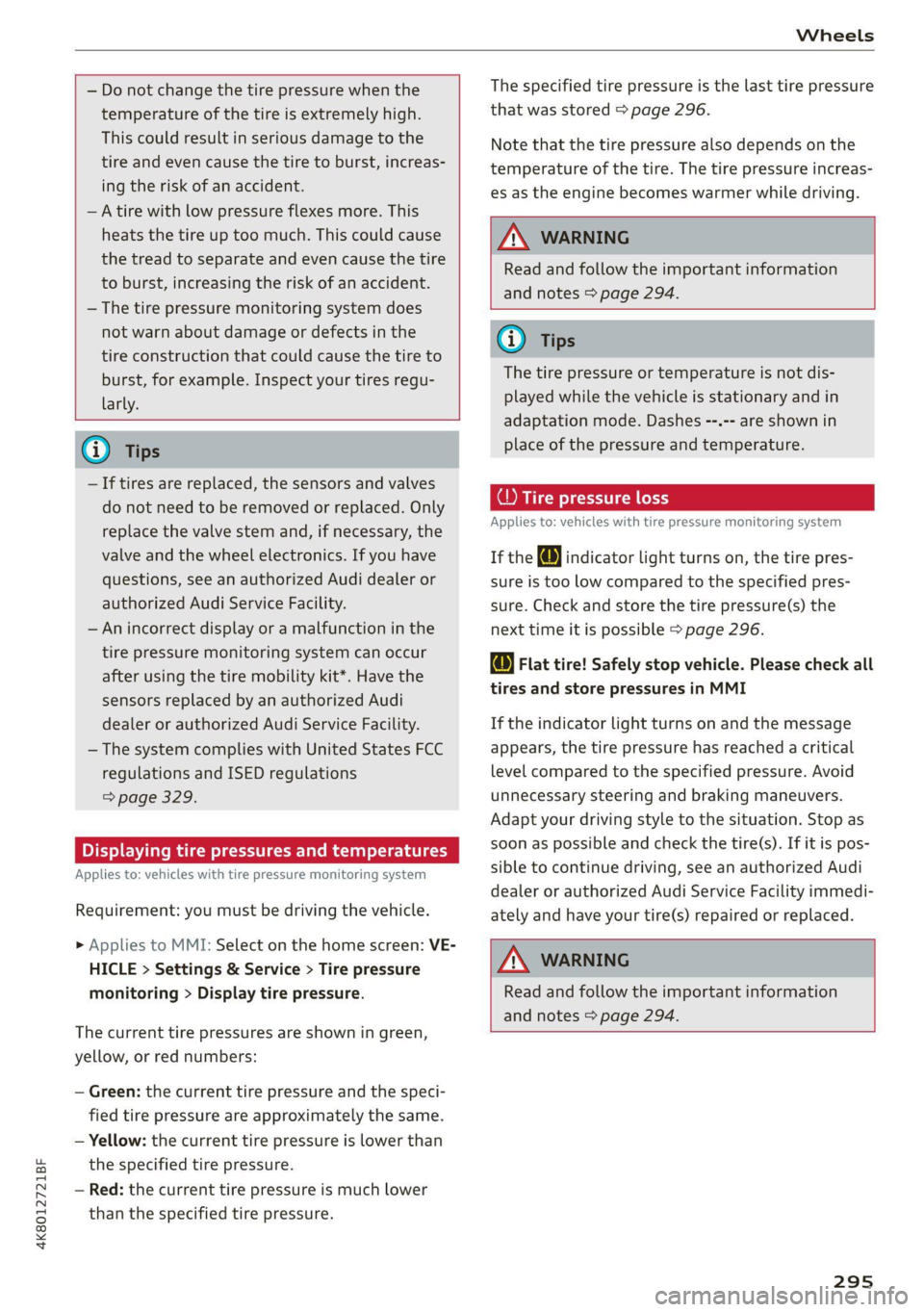
Displaying tire pressures and temperatures
Applies to: vehicles with tire pressure monitoring system
Requirement: you must be driving the vehicle.
> Applies to MMI: Select on the home screen: VE-
HICLE > Settings & Service > Tire pressure
monitoring > Display tire pressure.
The current tire pressures are shown in green,
yellow, or red numbers:
— Green: the current tire pressure and the speci-
fied tire pressure are approximately the same.
— Yellow: the current tire pressure is lower than
the specified tire pressure.
— Red: the current tire pressure is much lower
than the specified tire pressure.
The specified tire pressure is the last tire pressure
that was stored > page 296.
Note
that the tire pressure also depends on the
temperature of the tire. The tire pressure increas-
es as the engine becomes warmer while driving.
Z\ WARNING
Read and follow the important information
and notes > page 294.
@ Tips
The tire pressure or temperature is not dis-
played while the vehicle is stationary and in
adaptation mode. Dashes --.-- are shown in
place of the pressure and temperature.
Tire pressure loss
Applies to: vehicles with tire pressure monitoring system
If the @ indicator light turns on, the tire pres-
sure is too low compared to the specified pres-
sure. Check and store the tire pressure(s) the
next time it is possible > page 296.
@ Flat tire! Safely stop vehicle. Please check all
tires and store pressures in MMI
If the indicator light turns on and the message
appears, the tire pressure has reached a critical
level compared to the specified pressure. Avoid
unnecessary steering and braking maneuvers.
Adapt your driving style to the situation. Stop as
soon as possible and check the tire(s). If it is pos-
sible to continue driving, see an authorized Audi
dealer or authorized Audi Service Facility immedi-
ately and have your tire(s) repaired or replaced.
Z\ WARNING
Read and follow the important information
and notes > page 294.
295
Page 316 of 350

Emergency assistance
bar is not available. Use a towing cable made of
synthetic elastic cable similar elastic material.
ZA WARNING
— Towing highly increases the risk of an acci-
dent, for example from colliding with the
towing vehicle.
— To reduce the risk of an accident, do not al-
low anyone to remain inside the vehicle
when it is being transported by a tow truck
or a special transporter.
@) Note
— If normal towing is not possible, for exam-
ple if the transmission is faulty or if the
towing distance is greater than 30 miles
(50 km), then transport the vehicle on a
special carrier.
— If the vehicle is towed by a tow truck at the
axle that is not permitted, this can cause se-
vere damage to the transmission.
— The vehicle must not be tow started for
technical reasons.
@) Tips
— If the power supply is interrupted, then it
will not be possible to move the selector
lever out of the "P" position. The parking
lock must be released using the emergency
release before towing the vehicle
> page 99.
— Switch Audi pre sense* off > page 169 when
loading the vehicle onto a vehicle carrier,
train, ship, or other type of transportation,
or when towing the vehicle. This can prevent
an undesired intervention from the pre
sense* system.
— Follow the local legal regulations for tow-
ing.
Read and follow the important information under
=> page 313.
314
Preparations
> Only secure the towing cable or tow bar at the
designated towing loops > page 315,
=> page 315.
> Make sure the towing cable is not twisted. Oth-
erwise it could disconnect from the towing loop
while towing.
> Switch the emergency flashers on in both
vehicles > page 55. However, do not do this if it
prohibited by law.
Towing vehicle (front)
> Only start to drive when the towing cable is
taut.
> Press the brake pedal very carefully.
> Avoid sudden braking or driving maneuvers.
Vehicle being towed (rear)
> Make sure the ignition is switched on so that
the steering wheel is not locked and so that you
can use the turn signals, the horn, and the
windshield wipers if needed > A\.
> Switching it off before the vehicle has stopped
may impair the function of the brake booster
and power steering. You would then need to
use more force to steer and brake the vehicle.
> Release the parking brake > page 107.
> Select the “N” selector lever position.
> Make sure the towing cable is always taut.
ZA\ WARNING
— Never tow a vehicle using a tow bar or tow-
ing cable if the vehicle does not have electri-
cal power.
— If the vehicle runs out of power while it is
being towed, stop towing the vehicle imme-
diately and consult an authorized Audi deal-
er or qualified repair facility.
Page 320 of 350

Fuses and bulbs
Fuse panel @) (red) (
No. | Equipment 9 |Adaptive cruise assist, front wheel sensors
1 | Engine ignition coils 11 Intersection assistant, driver assist sys-
3 |High-voltage heating, compressor tems
5 |Engine mount 12
| Exterior sound generator
6 |Automatic transmission 15 [USB input
7 |Instrument panel
8 |Climate control system blower Fuse assignment - left side of cockpit
9 |Windshield wiper control module
10 | Dynamic steering
11 | Engine start
12 | Electric oil pump
Fuse panel @) (black)
No. | Equipment
1 |Front seat heating
2 |Windshield wipers
3 | Left headlight electronics
4 | Panoramic glass roof
5 | Left front door control module
6 | Sockets
7 |Right rear door control module
8 |All wheel drive control module
9 | Right headlight electronics
Windshield washer system/headlight
10 Fig. 193 Left side of th kpit: f L with plasti
washer system control module fin Oe a
11 | Left rear door control module
12 | Parking heater Fuse panel (d) (black)
: No. | Equipment
Fuse panel (5) (brown) a P -
= 2 |Steering column adjustment
No. | Equipment
— - > 3 |DVD drive
Seat ventilation, seat electronics, rearview -
-
1 mirror, rear climate control system control 4 | Steering column electronics
panel, diagnostic connection, traffic infor- 5 |Light switch, switch panels
mation antenna (TMC) 6 |Volume control
2 Vehicle electrical system control module, 7 |Instrument cluster
diagnostic interface 8 |Upper/lower display
3_| Sound generator 9 | Steering wheel heating
4 |Transmission heating valve —
5 [engine start Fuse panel) (Gravn)
7 |Active accelerator pedal No. equipment
8 | Night vision assist 2 |Infotainment system
3 | Audi music interface
318
Page 321 of 350

4K8012721BF
Fuses and bulbs
Fuse panel (2) (brown) Fuse panel (2) (black)
4 |Head-up display Luggage compartment lid central locking,
g Climate control system, fragrance system, 11 | fuel filler door, luggage compartment cov-
ionizer eh
9 |Steering column lock 12 |Luggage compartment lid control module
Fuse panel (2) (red)
No. Equipment
1 |Suspension stabilization control module
2 |Service disconnect switch
4 |Electric drive system
5 | Brake system, brake booster
6 |High-voltage battery water pump
7 |Auxiliary climate control
8 |Climate control system compressor
9 |Auxiliary battery control module
10 | High-voltage battery
11 |High-voltage charger
14 |Thermomanagement, water pump
15 | Thermomanagement control module
Fuse panel (3) (brown)
No. | Equipment
1 | Driver assistance systems control module
2 | Audi phone box
Fig. 194 Luggage compartment floor: fuse panel with
plastic clip
Front seat electronics, right lumbar sup-
a port
Fuse panel (@) (black) 4 |Side assist
No. | Equipment 5 |Rear climate control system control panel,
1 | Thermal management Infotainment system control panel
3 | Passenger’s side rear safety belt tensioner 6 |Tire pressure monitoring system
4 |Driver’s side rear safety belt tensioner 7 |Emergency call system
5 |Air suspension/suspension control 8 Auxiliary heating radio receiver, tank mod-
6 |Automatic transmission control module ule
7 |Rear sliding sunroof, rear spoiler 9 |Automatic transmission selector lever
8 |Rear seat heating 10 TV tuner, data exchange and telematics
9 | Convenience system control module, left centro mouule
tail light
ll Convenience access and start authoriza-
10 | Front belt tensioner on driver's side tion control module
12 | Garage door opener
13 | Rearview camera, peripheral cameras
319
Page 338 of 350

Index
Diteetor yess 6 s cscaves ws sacewes v6 aneims v © sxeams 6 0 202
Business card... 6... eee eee eee 203
SCttinGSanww + wuwn x 3 mee ee ReUeE SE eee & 205
Display
Cleaning’s « «sew 2s seas © 2 eww vo ene woe 301
DispOSalis: + = secre 5 5 was 5 ¥ ees eo ee Ge 326
DistanG@ies = : ees = : wes ¢ 2 eee Yo ewe Ye: 17
Distance WarhiiG sca + < sees 2 3 has os eS 164
Doors
Childisafety lock sxe < « same s » ews = 2 eres = 46
Door:comtact:switeh i « sess 2s sansa vo scares a 5 56
Mechanically unlocking and locking....... 39
Power closing/closing aid............... 36
Driver information system................ 13
Drives
refer to Media... ...s0scceees eens 236; 239
Drive select
refer to Audi drive select............... 111
Drive'SySteMm « sessen « swswss 6 2 cae 3 ¥ a0 100, 105
Audi drive select..............000000- 111
DrivingiGOwniBills ecerese © versus ie o vvasene a + wavess 109
Driving programs « x saves vo meses xo esas 6 96, 162
Driving through water............-...0- 110
Driving’ CUIMGls « « seme ss eee so ees eae a 17
Driving tips
Driving through water................- 110
Efficient driving. ..........00 eee ee eee 103
Uphill ahd Gownhill we » s wore 2 x eae o 2 caer 109
Driving track. . 2.2... ee eee ee eee eee 109
Driving uphills...................0000. 109
DVD drive... .. 0.2.02. eee 237
Dynamic all-wheel steering.............. 113
E
BERL l « cncmena eo wwesien we meres so sete sw cane 206
Settings........... 0... e eee eee eee 206
EDL
refer to Electronic Differential Lock...... 115
EDR
refer to Event Data Recorder (EDR)...... 321
Efficienity a8SiSbies « caw x x eews vo eam ex 152
Predictive Comtrobsisin: 0 o seve w scum 2 v sueawe 158
Electrical:system’. « « wessce so wena ee ene soe 269
Electric ranges s ¢ evans s+ meas s ¥ cae 5 2 meee 224
Electromechanical parking brake......... 107
Electronic Differential Lock.............. 116
336
Electronic immobilizer .............0.004. 41
Electronic Stabilization Control........... 115
Embedded SIM: card « « saws x « wwe x s gue 8 209
EMergency:aSsist sasws s ness 3 5 nee so teeE 174
Emergency assistance..............-... 305
Emergency braking function............. 108
Emergency call..............000.. 204, 213
Emergency flashers.............--..00-- 55
Emergency fueling............--..20005 257
Emergency M0de esc + secs es ences oo acee 3 99
Emergency operation
Doors... 2... eee eee eee ee 39
FUSLTINLERGGOF sx ¢ « casas» 2 news a 3 mae 2 a 258
Luggage compartment lid............... 46
Panoramic glass roof.............200005 49
Emissions control system.............. 259
EMeErgy CONSUMENSHs «i iii + asus oo eacem wo 8 18
Energy flow display® wees ¢ s wees s 6 ween s ve 102
Energy management.................5. 104
Etergy TECOVERYase « 2 caps 5 « smerny 5 o eye 101
Engine
Breaking'inl's « sevas « ¢ saves « » newer x 2 Mowe @ 100
COOLANE «, cassne « « snawins = w eeawens © a temsem « areneten 266
Emergency stop. ... 0.06... eee ee eee eee 93
JUMP Starting « + mews s x eews 5 a sowe 4 eee 311
Start/Stop system............-0000005 104
Starting/stopping.............0...00ee 93
Engine braking effect
refer to Recuperation...............-. 101
Engine compartment
Opening and closing the hood.......... 261
OVERVIOW'. score na sesrene a w eaesere oo sieeern a 8 ae 262
Safety precautions..............00000 259
Engine data
refer to Sport displays .............0065- 16
Engine oil
AGING « ccs scorn 2 3 ceveum eo aman oe Eos
Changing
Checking oillevel.............2--000-- 262
CONSUMpPtiON ss ¢ ¢ eees ¢ eee oo ee oo 262
Indicator light........... 0. cece eee eee 263
Replacement interval................. 273
Temperature display................0-. 16
Engine sound
Audi drive:selectii: « ccine os vomem 2 seas ¥ as 112
Engineistartsystem vce + acs 6 2 wanes 6 2 vonse 94
Page 340 of 350

Index
GVWR
refer to Gross Vehicle Weight
Rating (GVWR) @ sews ¢ « weae a ¢ eaves x s aoe 332
H
HandStre@’s « scces ss cecan & saree = ¢ See sf 198
Hands Free Profile..................005 198
Head-up display
AGjUStNGiacx = = acey « & pea = e eee 2 awe ge 28
Adjusting the brightness................ 57
Operating .... 6... cece eee eee eee 28
Headlight range control............-...0- 52
Headlights
Cleaning... .... eee eee eee eee 299
Headlight range control................ 52
Washersystems: « scsi «wen © 6 evainin © 6 woaee 59
Washer system (filling washer fluid) ..... 272
Head restraints
ACjUStiNG rss » 5 ame ¢ 9 seuR ta eR x ROE aE 67
Removing and installing................ 67
Heated rear window...........0seceeeeuee 89
Heated steering wheel........... 000.0008 90
H@atiiGicias + < sate 3 & sees + 2 ees te eR SBS 87
HFP
refer to Hands Free Profile............. 197
High-voltage battery................... 119
Audi e-tron compact charging system.... 128
Charging........... eee eee ee eee 119,122
Charging display on the vehicle......... 123
Charging equipment................0- 126
Charging methods.................... 119
Charging ports on the vehicle........... 119
Charging timers . ¢ evi ss eve sv oxen 2 ve 120
Connecting the charging cable.......... 122
Messages while driving
Not running for long periods of time..... 121.
Opening the charging port door......... 122
Quick charging....................00. 119
Setting the timer’: « e.as ss sees ae eens es 124
Transporting charging equipment....... 127
High-voltage system............--000-- 119
High beams
High beam assistant.................4. 53
HighwayiliQhts.. « anor » suensus te « vomces a + aorewe i 6 52
Hill descenticontrrolis: « swans < v coves w ovarme a 0 109
Hill Hold iassist s seesiie oo sccm o susan av wenen wes 95
338
Home
refer to Home address...........-.04. 222
Home address..........2..00 eee eee eee 222
HomeLink
refer to Garage door opener............. 49
Home screen... 1.2.0... eee eee eee eee 20
HOM... eee 6
Hotspot
refer to Wi-Fi... 6.2... cece eee eee ee 211
I
Ignition
Switching on and off..............20005 93
Imbalance (wheels) .........00.0ees e008 283
Immobilizer
refer to Electronic immobilizer........... 40
Indicator lights’: » sce: : eens ss eee se eee ee 7
Inspection interval..............000000. 273
Instrument cluster.............0.-00 eee 12
Adjusting the layout................... 14
Cleaning iis « 6 scree oo comme 2 wonaes wo ween ao 301
Engine code........... ee cee eee ee eee 252
FaillP@iss = = sees se ees ¥ eee Ge BOERS ee 12
On-board computer ...........+-0e0e eee 17
Operating............... 0.0 e eee eee 13
Service interval display................ 273
Software information...........-.0005 252
Switching tabs.......... 0... e eee eee 13
Switching the view.............-.-0000 ee 14
Vehicle FUNCTIONS . wii ie cares bo orn sw ae 17
Version information.................. 252
Instrument illumination................- 57
Integrated assistance................0-. 21.
Integrated Toll Module................. 149
Intelligent search
NaVvigatiOMncss » samen © emcnene a 2 emamem @ H amen 217
Interference-Causing Equipment Standard
(ICES)... eee eee 330
TARERIOF LIGHT. . » ccesvie © masons © acasem es 56, 57
Interior: Monitoring. . = wes «6 wees oo wen © 39
Intermittent mode (windshield wipers) ..... 59
International travel.................00. 212
Internet
refer toconnect.......... cece eee ee eee 208
Internet radio
refer
to Online radio.............. 232, 233
Page 342 of 350
Index
OPenatintg’s « exsaces wo wees so wsuoes ov smsaaee ao 220
Setting the destination................ 219
MAP
refer to Message Access Profile......... 205
Map preview. ....... 0. c cece eee eee 219
Map update............ 0. ee eee eee eee 224
MYAUGi app = eeu: ss eens se ees ee wes ae 225
OMMING « serene « 8 waves +o wea © wera ¥ wa a 6 224
USB connection...........050 eee e eee 225
Massage function.......... 0.002 e eee eee 64
Front... 2... cee eee eee eee 65
Mechanical key...........-00 00. e eee 40
Media... 0.0.0... cc cece cece ee eee 236, 239
DFIVES wc 3 2 eee 3 Hawes 5 Y RaeR a 2 Bea § Eee 236
Supported formats ............-00000- 244
Media: center's « « sews x # mows 2s nam 2 ¥ came 2 240
Memory functions «© eeay se eeay ee ore oy 71
Menu language
refer to Setting the language........... 249
Menu pathSiss « « sees se eee ve pews be pees ee 20
Message Access Profile...............0- 205
MeSSaQ0S:: « ¢ sins = ¢ ates & £ Saees ¢ F Heres Fee 205
Mild hybrid drive system...... 0... e eee 100
Mirror compasS..... 2... .0 eee eee eee eee 61
Mirrors
Adjusting exterior mirrors.............-. 57:
DIMMING « = ses oo eee v wom sv me a a ee 58
VaNityeQUPNOR’s comers » + exstioze 0 © aanzace » 6 anaeue oo 59
MMI
refer to Multi Media Interface........... 21
Mobile device
referto Telephone...........-.0eee00 197
Mobile device reminder signal............ 201
Mountain passes.................0.00. 109
Mountain roads..................00008 109
Multifunction steering wheel
Buttons... 0... 02... eee 13, 32
Operating’: « sce 5 ¢ wwe « x ome so ewe & 2 Os 13
Programming buttons...............0.- 32
Voice recognition system.............-. 29
Multi Media Interface................... 21
Menus and symbols..............2+-00- 22
Operating’: « secs 6 wen oo maw oo wee 5 19,22
Switching the displays on or off.......... 21
AUC Ges os csensins = suateans % 5, samme i ot semniens ot ners 32
MYAUGL « « ccsitiss oo coveens vw eescons oo evans & we 33,209
myAudi navigation................. 216, 219
MYAUGI USERS 6 & seccens oo saves vo mecein wo eae as 33
N
NaTrOW Aras esis ss news se eee & eres ae BE 163
Natural leather care and cleaning......... 302
NaVIGStiON « = zeus = wee sv wee ss nemE eee 216
Better route sissoa 2 sawn = men 2 2 maven 6 3 v0 226
Calling... 2... eee eee eee eee ee 219
Changing the scale..........ceeeeveee 219
also refer to Map. = swe. 2 even 2s een eve 220
Navigation database
Version information...............00- 252
Navigation (instrument cluster) .......... 222
ee ee ee ee 83
NHISAs « « ewe » ¢ cen 2 e cows o ews 2 ewe 328
Night vision assist...............-.0.000- 148
Cleaning the camera... ve6. 6s cee ee eee 299
Notification center...............2-.000. 24
Oo
Octane rating (gasoline)................ 254
OdoMtieter’s « seve. ss seme e ome a e eee ve ee 16
Resetting eva v x seas « sworn oo comes wo weno 16
Office address
refer to Business address...........005 222
OFF (climate control system) .............. 88
Oil
referto Engine oil..............00000. 262
On-board computer.............000-0 00s 17
On Board Diagnostic System (OBD)... 259, 321
Online map
refer to Satellite map...............-. 223
Online radio.............. 0.00. e eee eee 232
also refer to Online radio.......... 232, 233
Online roadside assistance.............. 214
Online services
PefeF tO CONNEC ss = xaea ss ewe ee Hae ze: 208
Online system update.................. 250
Online traffic information............... 225
Opening 36
Automatic luggage compartment lid...... 44
Convenience opening................... 48
Fuel filler door... .... eee eee eee eee 256
Hood... 12... . eee eee eee ee 261
Page 343 of 350
4K8012721BF
Luggage compartment lid............... 44
Luggage compartment lid with foot motion . 45
Panoramic glass roof..............2.005 48
Sunshaden(noof)!: = ssicca: ic x awn xo cenmene m 1 ones 48
Windows ...... 0... eee eee eee 47
Opening and closing
refer to Unlocking and locking........ 36,41
Opening the charging port door.......... 122
Operating
Head-up display: « s wu < » asm : seems i pe 28
Instrumenticluste tess is s sane os saves & 6 oars 13
Multifunction steering wheel............ 13
Multi Media Interface............... 19,22
TEXBINPUBS » sexorcs « 2 conozes » 2 smrans oo ponies oo: vee 26
TOUCH GISPlay'. « « xsuis + o aesse © 0 eomnese « manen 19
Voice recognition system............... 29
Operating mode.................--005. 101
Optional equipment number............. 331
Options
Media.... 0... cece eee eee eee eee 243
RadiOtss « » sane a + meme a 2 meee a 2 eens & 2 ae 233
Qutside noise = seas < = gers se eee se eewS se 103
OVervieW(COCKPit) s some » x mows 5 3 ees a a eR 6
P
Paint code... 2.6... cece eee eee 331
Paint damage............2.- cee ee eae 300
PANIC button.............-. 000 e cece eee 40
PANIC FUMEEOM ss 0 « wissane ow suaeane o » ageimae 0 9) axes 40
Panoramiciglass. roof. . ose. cen ee ote ee 48
Convenience opening and closing......... 48
Emergency closing « « css + = ses se ees ees 49
Quick opening and closing.............. 49
Parental control
DVD... 0. eee eee 243
Park assist plus..............000 020000 186
Rating sociwe x = camsne x wwnmne ¥ 2 aeveene renee 94
Parking aid... = sce s = ceva ye exm ve mw oe 176
Adjusting the volume...............-5 178
Automatic activation................0- 177
Cleaning the sensors and camera........ 299
Deactivating rear cross-traffic assist ..... 183
Park assist plus..............002-000. 186
Parking aid plUS « scsi cee se eee ce wes 176
Parking space search.............-.... 184
Peripheral cameras..............0000. 179
Rearview Cametarciccs «6 cscs v2 comes +o ssecens 179
Remote controlled parking............. 190
Switching off maneuver assist.......... 196
Parking and maneuvering..............- 176
Parking brake
refer to Electromechanical parking brake. 107
Parking heater
refer to Auxiliary climate control......... 90
Parking lightsiesiu 2s some s sons ev omeam ee one 52
Parking lock emergency release........... 99
Pass-through seas s « ses 3 v ween yw eee so oe 85
Pedals... 2.2... cece eee eee eee 97
Pedestrian detection................00. 148
Perchlorate... 2.0... 0... eee eee eee eee 326
Performance/torque display
refer to Sport displays.................. 16
Peripheral cameras............---000-- 179
Phone
Connecting a second mobile device...... 198
Disconnecting a mobile device.......... 199
Settings...............0 0.02.0. 204
Phonebook
refer to Directory. .... 0. ec cece eee eae 202
PIN
4-digit myAudi PIN.................00- 33
Protection cmc sv wens wo iwc x 2 ames ae mene 34
Playback (triedia)s. 2 sissies 6 mesos eo ome os 239
Plug-in hybrid drive..............2.-00. 101
COOLANE sresie 5 6 crests ow ermene oe weaver 266, 267
Power meter............ 0.0 c eee ee eee 15
Plug-in hybrid mode.............--..00- 101
Podcast
refer to Online radio.............. 232, 233
Polishing... 0.0... 0.0 e eee ee eee eee 300
Pollutant filter... 2.2... 0.0.0... eee eee 87
Power'closing: (doors) « « svecis. + seve ayers « « 36
POWeEr MEER’ cicwous « 2 sucees 2 sxawous wx somwees o 42,15
POWePr’SOURGES's 3 & siesac 4 a arene aw sevens 82, 238
Power WINdOWS ...... 00 ee cee rece ee ne eeee 47
Malfunction..............00 02000 e eee 47
Power windows malfunction.............. 47
Predictive:control.. « scva so even ee wean 2 4 oe 158
Predictive messages..............05 98, 153
pre sense
refer to Audi presense................ 166
Presentation mode..............---00 ee 227