brakes AUDI A7 2021 Owner´s Manual
[x] Cancel search | Manufacturer: AUDI, Model Year: 2021, Model line: A7, Model: AUDI A7 2021Pages: 350, PDF Size: 126.66 MB
Page 4 of 350
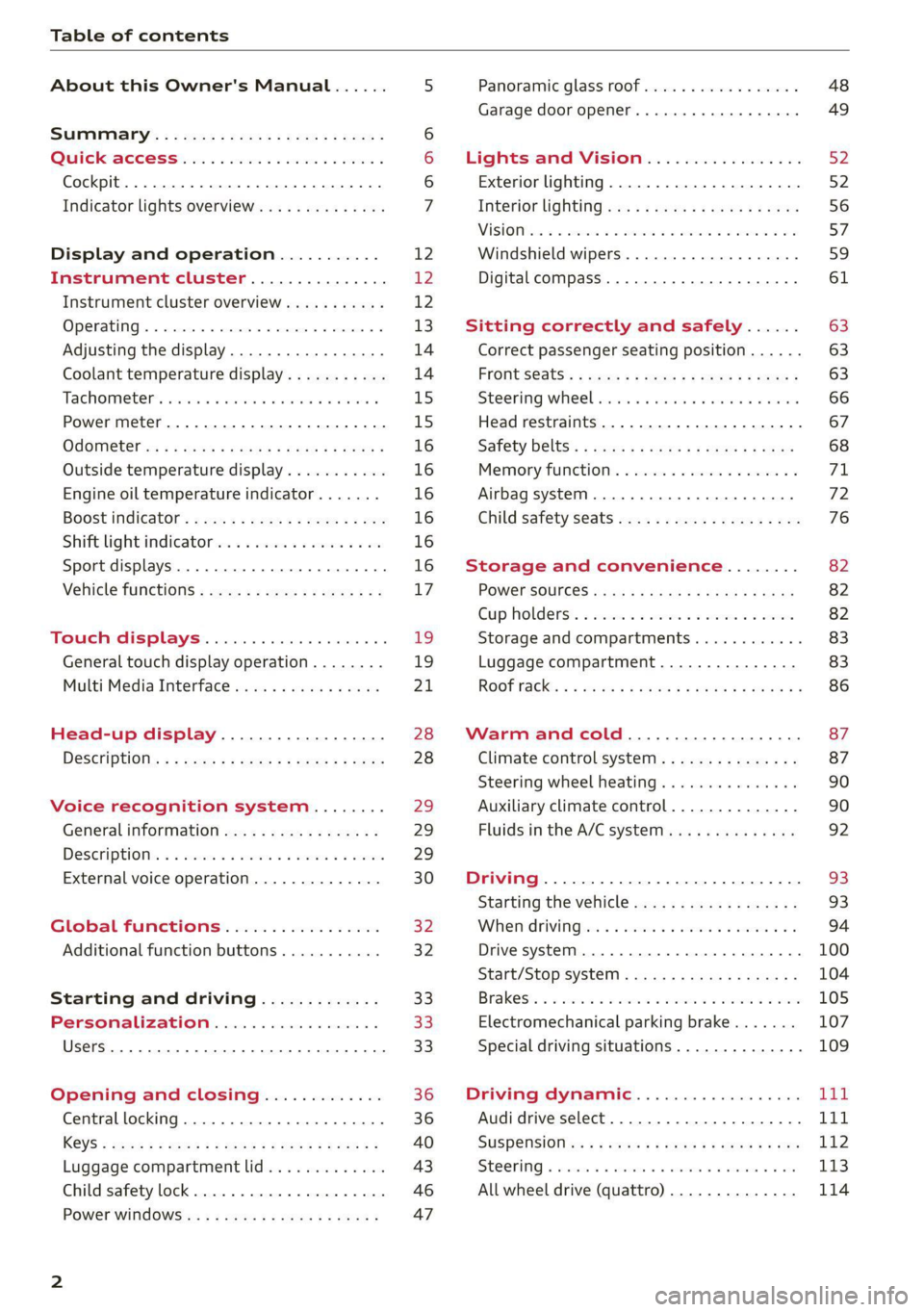
Table of contents
About this Owner's Manual......
SUMIMAry: < = exe : eens: Seen cs sens
QutckeaeCe ssh: «i esis se ois a eaves @
Cockpit. ...... 0... eee eee eee eee
Indicator lights overview...........4..
Display and operation...........
Instrument cluster...............
Instrument cluster overview...........
Operating. ecccuse w+ were oo wens oo ayes 9 ¥
Adjusting the display.................
Coolant temperature display...........
Tachometer’ series i ewe so snes ¥ & ome
Power meter...............0 00000005
QdOMe@ter a: =e giws + pases 2 pees se Hees <
Outside temperature display...........
Engine oil temperature indicator.......
Boost indicator’: 2 2c« «= sesa ¢ x sews «x 2x8
Shiftilightindicator ics «+ sca + 2 oman 2 6 ox
Sport displays...............0 eee eee
Vehicle functions............-.00-005
Touch displays.................008
General touch display operation........
Multi Media Interface................
Head-up display..................
Descriptionis: ss gem = x eames ¢ eee ge eee
Voice recognition system........
General information.................
DeSeriptionis = ssssas « « wens s + eres « + aes
External voice operation..............
Global functions.................
Additional function buttons...........
Starting and driving.............
Personalization..................
Luggage compartment lid.............
Child safety lock.............0...000.
POWEr WIKdOWS 6: «oxen se aes ye eee
NOD
OO
12 12 12
13
14 14
15 15
16
16
16
16
16
16 17
1
19
21
28 28 29 29
29
30
32 32 33 33 33
36 36
40
43
46 47
Panoramic glass roof................. 48
Garage door opener..........--.00 eee 49
Lights and Vision................. 52
Exterior lighting...................4. 52
Interior liQhting ss =e aves ss eews so eos 56
ViSIOMsn « 3 ses 3 3 ema oo wena vo ae © ove 57
Windshield wipers.............-..45- 59
Digital compass.............-.-0000- 61
Sitting correctly and safely...... 63
Correct passenger seating position...... 63
Frontseats:: » ssw. « ¢ sews & » saws +s ewe < 63
Steering wheel seis < «cies ¥ eerie ss eee 66
Head restraints.................0000. 67
Safety Beltsi: s sass x eeups ¢ < saves 2 e cee 68
Memory function . « scons ecw ee cro ee 71
Airbag system... ... 2.62... 0 ee eee eee 72
Child safety seats.................04- 76
Storage and convenience........ 82
POWErSOURCES coisa gs seen ss wae se aes 82
Gup holders. ¢ ssn ss wee 2 2 see 2 & pee 82
Storage and compartments............ 83
Luggage compartment............... 83
ROOF hacks « = weies x = wae 2 s eae 2 & ween 2 86
Warm and cold.................45 87
Climate control system............... 87
Steering wheel heating............... 90
Auxiliary climate control.............. 90
Fluids in the A/C system. .........0065 92
Driving .............. 0.0... eee eee 93
Starting the vehicle...............0.0. 93
When driving isis ss iovsvie se aerswce oo anes oe 94
Drive system... 2.2... ee eee eee eee 100
Start/Stop system .........ee cece eee 104
BrakeS's so isemi 2 wane w aman a 2 oer as ie 105
Electromechanical parking brake....... 107
Special driving situations.............. 109
Driving: dynamic. . « sic. 6 6 see a 6 se Ld
Audi drive select..................00. Tay
SUSPENSION es « + exes ¢ ¢ eres +o ees vv eae 112
SUECOKING « wvessse oo csisweue 6 & saouwun 6 a atonae 6 WB 113
All wheel drive (quattro) .............. 114
Page 103 of 350

4K8012721BF
Driving
ae pm elare Mel ah-)
Applies to: vehicles with plug-in hybrid drive
With plug-in hybrid drive, you can select between
the electric and combustion engine drive systems
or combine them > page 101, > page 97.
Applies to: vehicles with plug-in hybrid drive
The vehicle is able to recover energy by using “re-
cuperation”. The electric drive system operates
like a generator and converts a large portion of
kinetic energy into electrical energy that is stored
in the high-voltage battery. The vehicle is braked
during recuperation, which is similar to the en-
gine braking effect on a vehicle with a combus-
tion engine. This will happen automatically when
you press the brake pedal while driving in “D”
gear, or when you remove your foot from the ac-
celerator pedal.
When you press the brake pedal, recuperation is
used to brake the vehicle. The brakes will only be
activated if necessary. When driving normally,
this makes it possible to brake using only recu-
peration just before coming to stop and to lose
little energy and range from braking.
Settings options
You can set if recuperation should be adjusted to
be proactive*, for example, to the road.
> Applies to: MMI: Select on the home screen:
VEHICLE > Charging & Efficiency > Efficiency
assist > Intelligent coasting.
ZX WARNING
In certain situations, the recuperation may
brake proactively. However, the recuperation
braking effect is limited. Always be ready to
brake to reduce the risk of an accident.
G) Tips
If the ESC is limited or switched off, automat-
ic recuperation is not available and will not
brake.
Plug-in hybrid mode
Applies to: vehicles with plug-in hybrid drive
Switching the plug-in hybrid mode
The <¥ button is located in the function bar on
the lower display.
> Press
Hybrid driving
If the
with the combustion engine or with the electric
motor if the conditions for it have been met
= page 101, Conditions for electric driving.
Depending on the motor, you may be able to
switch among various hybrid modes:
> Applies to: MMI: Select on the home screen:
VEHICLE > Charging & Efficiency > e-tron
mode.
© Auto Hybrid - The electric motor and combus-
tion engine work efficiently together. This mode
is particularly effective for long trips.
“= Battery Hold - The vehicle is driven predomi-
nantly with the combustion engine to maintain
the high-voltage battery charge level for as long
as possible.
If % is displayed, the navigation route guidance
is active and the vehicle is taking the route data
into account for selecting the drive mode. The ve-
hicle will calculate what sections of the route
should be driven on using electric power in order
to achieve the most efficient driving style that is
possible. Electric driving is preferred for sections
of the route predicted to have lower speeds, such
as in towns or traffic jams.
Electric driving
The <8" button will be green when EV mode is
switched on. The vehicle can be driven by the
electric motor if the conditions for this have been
met > page 101, Conditions for electric driving.
Conditions for electric driving
— The high-voltage battery charge level and tem-
perature must be sufficient.
101
>
Page 105 of 350

4K8012721BF
Driving
You can display the projected range of the vehi-
cle.
> Applies to: MMI: Select on the home screen:
VEHICLE > Vehicle data.
> You may need to scroll down to the Range
monitor display.
@ Range potential (value)
@ Range potential (graphic)
@®) Total range (graphic)
@ Total range (value)
© Electric range (value)
Range potential: the value indicates an addition-
al amount of distance that can be gained by turn-
ing off certain convenience functions. The con-
venience functions with high energy usage are
listed on the display.
@ Tips
— The range can also be displayed in the in-
strument cluster in the on-board computer.
— The range that is indicated is based on the
previous and predicted consumption values.
For example, these can be affected if con-
venience functions are turned on.
yc latialey
Applies to: vehicles with plug-in hybrid drive
You can display statistics about the trips traveled
using electric power and those using fuel. The
values are taken from the short-term memory
and long-term memory of the on-board comput-
er.
> Select on the home screen: VEHICLE > Vehicle
data.
> If necessary, scroll to the e-tron short-term
statistics or e-tron long-term statistics.
Vehicle sound
Applies to: vehicles with plug-in hybrid drive
The electric drive system generates considerably
less noise than a combustion engine. An artificial
engine sound is generated when driving electri-
cally so that the vehicle can be heard from the
outside when driving. The vehicle sound auto-
matically fades out at higher speeds when the
sounds from the tires and wind start increasing.
Z\ WARNING
Other road users may not be able to defini-
tively hear electric vehicles when they are
driving. This increases the risk of an accident
particularly when driving in areas with little
traffic, when maneuvering, or when driving in
reverse.
iets eae R deol eli ede late LO
Ce TWAT)
Your driving style greatly influences the amount
of fuel and energy consumed, the environmental
impact, and the wear on the engine, brakes, and
tires. Note the following information for efficient
and environmentally-conscious driving:
— Turn off electrical equipment that is not need-
ed, for example seat heating*.
— Anticipate upcoming traffic situations while
driving to avoid unnecessary acceleration and
braking.
— Avoid driving at high speeds.
— Avoid adding extra weight to the vehicle if pos-
sible, for example by not leaving roof racks or
bike racks installed when they are not needed.
— Make sure the tire pressure is correct.
— Have maintenance performed regularly on the
vehicle.
— Do not let the engine run while the vehicle
parked.
— Do not drive with winter tires during the summ-
er.
— Use the Start/Stop system.
— Utilize the engine braking effect.
— Avoid driving short distances when possible.
G@) Tips
The amount of noise produced by the vehicle
can increase significantly when driving with a
sporty style. Show respect to others around
you and the environment with the way you op-
erate your vehicle, especially at night.
103
Page 107 of 350

4K8012721BF
Driving
@) Note
Always switch the Start/Stop system off when
driving through water > page 104.
G) Tips
— Depending on the driving situation, the en-
gine may already stop when coasting before
the vehicle has come to a complete stop.
— Ifyou select the "D" position after shifting
into reverse, the vehicle must be driven fast-
er than 6 mph (10 km/h) in order for the
Start/Stop system to become active again.
This makes it possible to maneuver without
stopping the engine.
Stopping and starting the engine
Applies to: vehicles with Start/Stop system
> Press and hold the brake pedal until the vehicle
has stopped. The @ indicator light appears in
the instrument cluster once the engine stops
automatically.
> The engine starts again when you remove your
foot from the brake pedal. The indicator light
turns off.
If the parking brake is set, the engine will only
start again when the accelerator pedal is pressed.
@ Tips
— Press the brake pedal during a Stop phase
to keep the vehicle from rolling.
— The ignition will turn off if you press the
START ENGINE STOP] button during a Stop
phase.
— If you leave the vehicle briefly during a Stop
phase and then enter again, the driver's
door must be closed and the safety belt
must be fastened in order for the engine to
be able to restart.
— You can control if the engine will stop or not
by reducing or increasing the amount of
force you use to press the brake pedal. For
example, if you only lightly press on the
brake pedal in stop-and-go traffic or when
turning, the engine will not switch off when
the vehicle is stationary. If you press the
brake pedal harder, the engine will switch
off.
Starting and stopping the engine automat-
ically
Applies to: vehicles with Start/Stop system
The system checks if certain conditions are met
before and during the Stop phase, and deter-
mines if the engine stops and how long it re-
mains stopped. For example, if power usage is
high, the engine will not be stopped. Along with
other conditions, the following factors influence
the automatic engine start or stop:
— Environmental conditions (slopes, inclines, ele-
vation, temperature)
— Battery (charge status, temperature, power us-
age)
— Engine temperature
— Assist systems
— Driving behavior
Applies to: vehicles with Start/Stop system
Drive system: please start the vehicle manually
This message appears when specific conditions
are not met during a Stop phase. The Start/Stop
system will not be able to restart the engine. The
engine must be started with the
START ENGINE STOP] button.
Vehicle starting system: malfunction! Please
contact Service
There is a malfunction in the Start/Stop system.
Drive the vehicle to an authorized Audi dealer or
authorized Service Facility as soon as possible to
have the malfunction corrected.
Brakes
General information
You can apply the vehicle's brakes using the brake
pedal. >
105
Page 108 of 350

Driving
Operating noise
Noises may occur when braking depending on the
speed, braking force, and outside conditions such
as temperature and humidity.
Braking effect
The response time from the brakes depends on
the weather and environmental conditions. To
ensure the optimal braking effect, the brake sys-
tem is cleaned at regular intervals. This is done
by applying the brake pads to the brake rotors for
a short period of time when driving at high
speeds when the windshield wipers are switched
on.
If the brake system becomes damp, for example
after driving in heavy rain, the braking effect may
be delayed. Other factors that could temporarily
increase the response time of the brakes include:
— Wet conditions
— Low temperatures, ice, and snow
— Roads covered in salt
— Dirty brake pads
Corrosion
Corrosion may form on the brake rotors if there is
no heavy braking, if the vehicle is not driven for
long periods of time, or if the vehicle is not driv-
en
frequently or for long distances. In this case,
braking heavily several times while driving at
high speeds can clean the brake rotors > A\.
Applies to: vehicles with plug-in hybrid drive: Se-
lect the “N” gear so that recuperation is not used
for braking.
Brake pads
New brake pads do not achieve their full braking
effect during the first 250 miles (400 km). They
must be “broken in” first. However, you can com-
pensate for the slightly reduced braking force by
pressing firmly on the brake pedal. Avoid heavy
braking during the break-in period.
Applies to: vehicles with plug-in hybrid drive: Be-
cause recuperation is also used for braking, the
break-in period for new brake pads is 500 miles
(800 km).
106
Brake pad wear depends largely on the way the
vehicle is driven and on operating conditions.
Brake pad wear increases when driving frequently
in the city or short distances or when using a very
sporty driving style.
Ceramic brakes
Applies to: vehicles with ceramic brakes
Ceramic brakes provide excellent deceleration
rates.
The break-in period for new ceramic brakes may
be significantly longer than for standard brake
rotors. Due to the properties of the material,
they may cause noises at lower speeds. Ceramic
brakes also absorb more moisture in wet condi-
tions. Therefore, there will temporarily be less
braking force than when the brakes are dry. You
can compensate for this by pressing the brake
pedal harder.
Automatic post-collision braking system
The automatic post-collision braking system can
help to reduce the risk of sliding and of addition-
al collisions after an accident. If the airbag con-
trol module detects a collision, the vehicle is
braked by the ESC.
The vehicle does not brake automatically if one of
the following occurs:
— The driver presses the accelerator pedal, or
— The braking force generated by the pressed
brake pedal is greater than the braking force
that
would be initiated by the system
— The ESC, the brake system, or the vehicle elec-
trical system is not functioning
ZA WARNING
— Only apply the brakes for the purpose of
cleaning the brake system when road and
traffic conditions permit. You must not en-
danger other road users and increase the
risk of an accident.
— Due to the risk of injury, only have an au-
thorized Audi dealer or authorized Audi
Service Facility work on the brake system.
Incorrect repairs could impair the function.
Page 109 of 350

4K8012721BF
Driving
— Never let the vehicle roll while the engine is
stopped because this increases the risk of an
accident.
— During automatic braking maneuvers, the
brake pedal may move downward automati-
cally. To reduce the risk of injury, do not
place your foot under the brake pedal.
() Note
— Never let the brakes “rub” by pressing the
pedal lightly when braking is not actually
necessary. This can cause the brakes to over-
heat and increases braking distance and
causes wear.
— Observe the important information for driv-
ing downhill > page 109. This especially ap-
plies when towing a trailer.
@ Tips
— If you retrofit your vehicle with a front spoil-
er, wheel covers or similar items, make sure
that the air flow to the brakes is not ob-
structed. Otherwise the brake system can
overheat.
— Also refer to the information about brake
fluid > page 269.
Messages
EG / @ Brakes: malfunction! Stop vehicle
safely
There is a malfunction in the brake system. If
BS / Bana B also turn on, there is a malfunc-
tion in the ABS, ESC, and braking distribution. If
the brake booster is not working, you have to use
much more force when braking the vehicle.
Do not continue driving. See an authorized Audi
dealer or authorized Audi Service Facility for as-
sistance. Read and follow the other safety pre-
cautions > A\.
GG / @ Brake pads: wear limit reached. You
can continue driving. Please contact Service
The brake pads are worn. Drive to an authorized
Audi dealer or authorized Audi Service Facility as
soon as possible to have the malfunction correct-
ed.
Brake booster: limited functionality. You can
continue driving. Please contact Service
There is a brake booster malfunction. The brake
booster is available, but its effectiveness is re-
duced. The braking performance may be different
compared to the usual performance. Drive to an
authorized Audi dealer or authorized Audi Service
Facility immediately to have the malfunction cor-
rected.
Brake booster: deactivated. See owner's manual
The brake booster remains active for a brief peri-
od of time after switching off the ignition. Secure
the vehicle against rolling > page 94.
Other indicator lights
When you switch the ignition on, the TG /@
indicator light turns on briefly to check the func-
tion. If the indicator light does not turn on, there
is a system malfunction.
riie/ stays on, there is a malfunction in
the brake system.
@- A high load was placed on the brakes from
driving downhill for a long period of time. Follow
the instructions in the message to utilize the en-
gine braking effect and to relieve the brakes.
Z\ WARNING
If a malfunction occurs in the ABS, ESC, and
braking distribution, interventions that stabi-
lize the vehicle will no longer be available.
This could cause the vehicle to swerve, which
increases the risk that the vehicle will slide.
Do not continue driving. See an authorized
Audi dealer or authorized Audi Service Facility
for assistance.
Electromechanical
parking brake
Operating the parking brake
The electromechanical parking brake is used to
secure the vehicle from rolling away unintention-
ally.
The @) switch is located under the selector lever
in the center console. It turns on when the >
107
Page 111 of 350

4K8012721BF
Driving
If the message stays on, if the parking brake can-
not be released, or if the message appears while
driving, do not continue driving. Secure the vehi-
cle against rolling before exiting the vehicle
= page 94. See an authorized Audi dealer or au-
thorized Audi Service Facility for assistance.
fw Parking brake: malfunction! Please contact
Service
There is a malfunction in the parking brake. Drive
to an authorized Audi dealer or authorized Audi
Service Facility immediately to have the malfunc-
tion corrected. Do not park the vehicle on inclines
and shift to “P”.
A / {Q) Parking brake: warning! Vehicle parked
too steep
The braking force may not be enough to secure
the vehicle from rolling away. Park the vehicle in
a place with less of an incline.
fa / Parking brake: applied
The parking brake is set. Press and hold the brake
pedal
to release the parking brake.
Special driving situations
Sy Seas ASLAN LLS)
Applies to: RS models
When driving in a sporty style, the wear on all ve-
hicle components is greatly increased, especially
on the engine, transmission, tires, brakes, and
suspension. This can result in increased wear. Al-
so note the following points:
— Make sure the vehicle is in good condition.
Make sure to check the brake pads, tire tread,
and tire pressure (when tires are warm).
— Beforehand, warm up the engine by driving no
higher than two-thirds of the maximum permit-
ted engine RPM. The engine oil must be
brought to a minimum temperature of 158 °F
(70°C).
— Before stopping the vehicle, allow the engine
and brakes to cool back down to a regular oper-
ating temperature by driving normally.
If necessary, use the following functions:
— Dynamic Audi drive select mode* > page 111
— Launch Control > page 98
— Limit ESC > page 116
@ Tips
Wear caused by load does not constitute a ve-
hicle fault as defined by the terms of the war-
ranty.
Driving uphill and downhill
When driving uphill, downhill, or at high alti-
tudes, note the following information:
— Drive slowly and carefully.
— Do not try to turn around if you cannot safely
drive on an incline or hill. Instead, drive in re-
verse.
— When driving down hills, you can activate the
hill descent control if you press the brake pedal
while driving in “D” gear. The automatic trans-
mission will select a gear suitable for driving
down the hill and will attempt to maintain the
speed at which the vehicle was traveling at the
time the brake pedal was pressed. Press the
brake pedal if necessary. The hill descent con-
trol will switch off once the hill levels out or
you press the accelerator pedal.
— Utilize the engine braking effect when driving
downhill by selecting the “S” driving program
=> page 96. This especially applies when towing
a trailer. This reduces the load on the brakes.
— Apply the brakes in intervals and do not press
the brake pedal continuously.
ZA\ WARNING
— Only drive on inclines that your vehicle is de-
signed to handle. Do not exceed the hill
climbing ability of your vehicle. Your vehicle
could tip or slide.
— Do not drive at an angle on steep inclines
and hills. If your vehicle is about to tip, you
must immediately start steering in the di-
rection of the downward slope to reduce the
risk of an accident.
— Always be ready to brake when using the hill
descent control function.
109
Page 112 of 350

Driving
Driving through water
If you must drive through water, follow these in-
structions:
— Check the stability of the ground, the current,
and the water depth. If the ground is unstable,
there is a strong current, or there are waves,
the water must only reach up to the lower edge
of the body at the most.
— Deactivate the Start/Stop system.
— Drive carefully and no faster than at walking
speeds to prevent the front of the vehicle from
creating waves, because they could splash
above the lower edge of the body. Oncoming
vehicles could also create waves.
— Do not stop the vehicle while in the water.
— Drive in reverse.
— Do not turn the engine off.
After driving through water, press the brake
pedal carefully to dry the brakes so that the
full braking effect will be restored.
Vehicle components such as the engine, drive
system, suspension, or electrical system can
be severely damaged by driving through wa-
Lele
If possible, avoid driving through salt water
because it increases the risk of corrosion. Use
fresh water to clean any vehicle components
that come into contact with salt water.
110
Page 117 of 350

4K8012721BF
Driving dynamic
The all-wheel drive system is designed for high
engine power. Your vehicle is exceptionally pow-
erful and has excellent driving characteristics
both under normal driving conditions and on
snow and ice. Always read and follow safety pre-
cautions > A\.
Quattro ultra
Applies to: vehicles with quattro ultra
If the driving situation does not require all wheel
drive, then the rear section of the drivetrain will
decouple and thus save fuel. The system con-
stantly determines and anticipates if all wheel
drive is needed. This allows the rear drivetrain to
recouple shortly before it is needed.
ZA WARNING
— Even in vehicles with all wheel drive, you
should adapt your driving style to the cur-
rent road and traffic conditions to reduce
the risk of an accident.
— The braking ability of your vehicle is limited
to the traction of the wheels. In this way, it
is not different from a two wheel drive vehi-
cle. Do not drive too fast because this in-
creases the risk of an accident.
— Note that on wet streets, the front wheels
can “hydroplane’” if driving at speeds that
are too high. Unlike front wheel drive
vehicles, the engine RPM does not increase
suddenly when the vehicle begins hydro-
planing. Adapt your speed to the road condi-
tions to reduce the risk of an accident.
Syed)
Applies to: vehicles with sport differential
The sport differential distributes the drive power
to the rear axle based on the situation. The goal
is a high level of agility and ability to accelerate
on curves. The vehicle is very responsive to steer-
ing. The settings depend on the selected Audi
drive select* mode.
t3] All-wheel drive: malfunction! You can con-
tinue driving. Please contact Service
Drive immediately to an authorized Audi dealer
or authorized Audi Service Facility to have the
malfunction repaired.
it} Sport differential: malfunction! Please con-
tact Service
Drive immediately to an authorized Audi dealer
or authorized Audi Service Facility to have the
malfunction repaired.
it} All-wheel drive: too hot. Please adapt driv-
ing style. See owner's manual
The transmission temperature has increased sig-
nificantly due to the sporty driving manner. Drive
in a less sporty manner until the temperature re-
turns to the normal range and the indicator light
switches of.
73} Sport differential: temperature too high.
Please adapt driving style
The transmission temperature has increased sig-
nificantly due to the sporty driving manner. Drive
in a less sporty manner until the temperature re-
turns to the normal range and the indicator light
switches of.
ZA\ WARNING
Contact an authorized Audi dealer or author-
ized Audi Service Facility if the sport differen-
tial is faulty or malfunctioning. The repair
must be performed by trained personnel us-
ing the correct oil in order to ensure safety.
Electronic Stabilization
Control
Electronic Stabilization Control (ESC) supports
driver safety. It reduces the risk of slipping and
improves driving stability. ESC detects critical sit-
uations, such as if the vehicle is oversteering or
understeering, or if the wheels are spinning.
The brakes are applied or the engine torque is re-
duced in order to stabilize the vehicle.
The following stabilization functions are integrat-
ed into the ESC, among others: >
115
Page 118 of 350

Driving dynamic
Anti-lock braking system (ABS)
ABS prevents the wheels from locking when brak-
ing. The vehicle can still be steered even during
hard braking. Apply steady pressure to the brake
pedal. Do not pump the pedal.
A pulsing in the brake pedal indicates that the
system is acting to stabilize the vehicle.
Anti-Slip Regulation (ASR)
ASR reduces drive power when the wheels begin
spinning and adapts the power to the road condi-
tions. This will increase the driving stability.
Electronic Differential Lock (EDL)
The EDL applies the brakes to wheels that are
slipping and transfers the drive power to the oth-
er wheels. This function is not available at higher
speeds.
In extreme cases, EDL automatically switches off
to keep the brake on the braked wheel from over-
heating. The vehicle is still functioning correctly.
EDL will switch on again automatically when con-
ditions have returned to normal.
Selective wheel torque control
Selective wheel torque control is used when driv-
ing on curves. Braking is targeted toward the
wheels on the inside of the curve as needed. This
allows more precise driving in curves.
Power steering
The ESC can also support vehicle stability
through steering.
ZA\ WARNING
— The ESC and its integrated systems cannot
overcome the limits imposed by natural
physical laws. This is especially important on
slippery or wet roads. If the systems begin
acting to stabilize your vehicle, you should
immediately alter your speed to match the
road and traffic conditions. Do not let the in-
creased safety provided tempt you into tak-
ing risks. This could increase your risk of a
collision.
— Please note the risk of a collision increases
when driving fast, especially through curves
116
and on slippery or wet roads, and when driv-
ing too close to objects ahead. There is still
a risk of accidents because the ESC and its
integrated systems cannot always prevent
collisions.
— Accelerate carefully when driving on
smooth, slippery surfaces such as ice and
snow. The drive wheels can spin even when
these control systems are installed and this
can affect driving stability and increase the
risk of a collision.
G) Tips
— The ABS and ASR only function correctly
when all four wheels have a similar wear
condition. Different tire sizes can lead toa
reduction in engine power.
— You may hear noises when the systems de-
scribed are working.
The So button (or , depending on the model)
for controlling the ESC is located in the center
console, in front of the selector lever. The ESC is
automatically switched on when the ignition is
switched on.
Limiting ESC
In some situations, it may make sense to limit
the stabilizing function of the ESC so that the
wheels can spin, for example to rock a vehicle to
free it when it is stuck or to drive with snow
chains. The ESC can also be limited to provide
more sporty driving characteristics with fewer
stabilizing corrective actions.
—To limit the ESC, press the oF button briefly.
The B indicator light will turn on.
— To completely reactivate the ESC stabilization
function, press the button again. The indicator
light turns off.
Switching off ESC
For a more active control of the vehicle where the
stabilizing functions of the ESC cannot intervene,
the ESC can be switched off.