warning lights AUDI A8 2011 User Guide
[x] Cancel search | Manufacturer: AUDI, Model Year: 2011, Model line: A8, Model: AUDI A8 2011Pages: 302, PDF Size: 76.07 MB
Page 23 of 302

Instruments and warning/indicator lights 21
If the indicator light turns on and th is mes
sage appears, there is a ma lfunction in the
tank system.
Drive to your authorized Aud i dea ler immedi
ately to have the mal function cor rected .
Ci:> Windshield washer flu id level
fl! Please refill washer fluid
If the symbol illuminates, add windshield
washer fluid to the washer system/headlight
washer system* ~
page 236.
~ Windshield wipers
!I Windshield wiper defective
There is a malfunct ion with the windshield
wipers.
D rive to you r autho rized Aud i deale r immedi
ately to have the mal function cor rected.
~/}D /0$ Defective light bulb warning
I-If the indicator light turns on, a bulb has
failed. The message indicates the location of
the bulb .
ffil-if a fog lamp* has failed, the indicator
light turns on to indicate the location on the
vehicle .
rm-if a rea r fog lamp has failed, the indicator
light turns on to indicate the location on the
vehicle.
Vehicle lights: malfunction
If the message appears, there is a malfunc
tion in the headlights or light switch .
Drive to your authorized Audi dea ler immedi
ately to have the malfunction corrected.
A WARNING
- light bulbs are pressurized and could ex
plode while they are being changed caus
ing serious personal injury.
- Work with due care when handling the
high-voltage section of gas discharge (xenon)
lights. Failure to do so cou ld re
sult in death or serious injury .
(D Tips
Have the b ulb replaced or the connection
repaired by your authorized Audi Service
department.
~(D Headlight range control
II Headlight range control: defective!
If the symbol illuminates, the head light range
control is no longer working properly. Have
the system checked and repaired at your Audi
dealer.
§0 Adaptive Light
App lies to vehicles: wit h Adaptive Lig ht
rJI Audi adaptive light: system fault
If the indicator light turns on and this mes
sage appears, there is a malfunct ion in the
adaptive light system. The headlights still
funct ion.
Go to an authorized dealership to have the
headlights or the control unit for the Adaptive
light repaired.
@> Light/rain sensor
fl Automatic headlights/automatic wipers:
system fault
If the indicator light turns on and this mes
sage appears, the light/rain sensor is not
funct io ni ng correctly .
For safety reasons the low beams are turned
on permanently with the switch in
AUTO.
However, you can continue to turn the lights
o n and off using the light switch . You can st ill
control all functions that are independent of
the rain sensor through the w indshield wiper
l ever.
Contact your authorized Audi dealer as soon
as possible to have the problem corrected .
Page 24 of 302
22 Instruments and warning/indicator lights
~ Dynamic steering
t1r- J Steering: system fault. you can continue
driving
If the indicator light turns on and the mes
sage appears, the steer ing may be more diffi
cult to move or mo re sensitive than usual. The
steer ing wheel may also be at an angle when
driving straight.
Drive slow ly to your author ized Audi dealer or
qual ified workshop to have the malfunction
corrected.
t 1r J Dynamic steering: initialising
If this driver message appears and the ind ica
tor light is flashing on the instrument panel,
dynamic steering is being reinitialized . Once
you start the engine after this is finished, the steering wheel w ill be easy to move . Re-in iti
a lization m ight be necessary if the steering
wheel was moved hard to the left and r ight
while the vehicle was not moving. The display
goes out as soon as initialization is complete.
A WARNING
Have the dynamic steering system mal
function repaired as soon as possible by an authorized Audi dealer or any qualified
workshop - risk of accident!
@ Tips
- The dynamic steering stability systems
are not available in the event of a system
malfunction.
- For additional information on dynamic
steering, refer to
c> page 106.
I- I Sport differential
l'I Sport differential: system fault
There is a malfunction with the sport differen
tial.
Drive to you r authorized Aud i dea ler immedi
ate ly to have the malfunction corrected .
Ill Sport differential: overheating T
he transmission temperature has increased
significantly due to the sporty driving manner .
Drive in a less sporty manner until the tem
perature returns to the normal range and the
indicator light switches of.
A WARNING Co....- -
Contact your authorized Audi dealer or a
qualified workshop if the sport differential
i s faulty or malfunct ioning. The repair
must be performed by trained personnel
using the correct oil in order to ensure
safety .
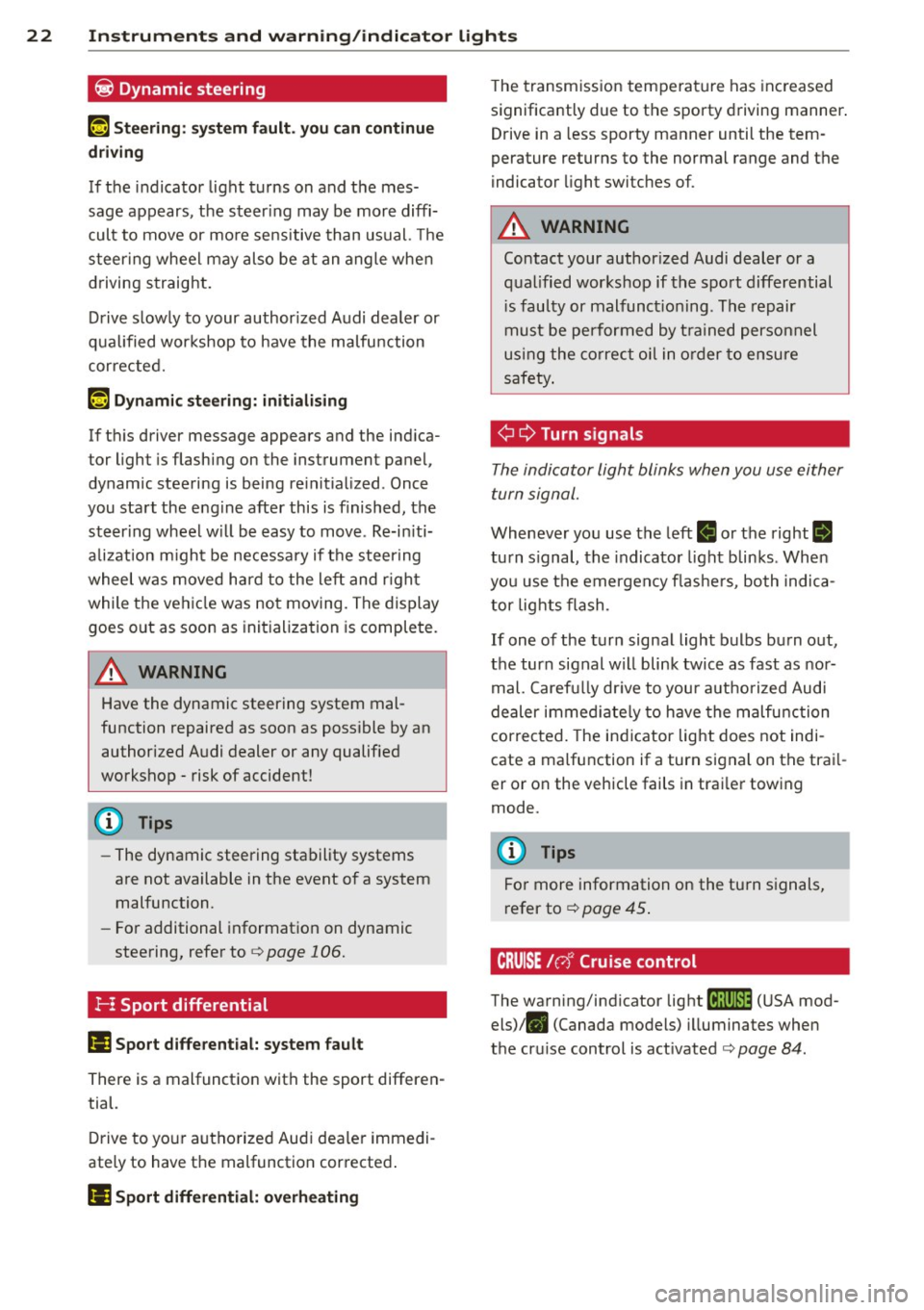
¢¢ Turn signal s
The indicator light blinks when you use either
turn signal.
Whenever you use the left ll or the right rl
turn s ignal, the indicato r light blinks . When
you use the emergency f lashers, both indica
tor lights flash .
If one of the turn signal light bulbs burn out,
the turn signal will blink twice as fast as nor
mal. Carefully drive to your authorized Aud i
dealer immed iate ly to have the malfunction
corrected. The indicator light does not indi
cate a ma lfunction if a turn signal on the trai l
er or on the vehicle fails in trai ler towing
mode.
(D Tips
For more information on the turn signals,
refer to
c> page 45.
CRUISE /C'J' Cruise control
The warning/indicator light
f;;(l)~i~ (USA mod
els)/ . (Canada models) illuminates when
the cruise control is act ivated
c> page 84 .
Page 25 of 302

Instrument s and warning /indicator lights 23
Driver information
display
Overview
Fig. 4 Driver information system in the in strum ent
cluster
Fig . 5 Display: example of the informat ion line
The driver information system contains infor
mation
@ that is displayed on tabs@
¢ fig. 4 . The following content is possible de
pending on vehicle equipment:
@
Tab
1
®
Content
Vehicle functions :
On-board computer <=;>page 24
Digital speedometer
Efficiency program *
r::!;> page 25
Cruise control* ¢ page 84
Adaptive cruise control and Audi
braking guard*¢
page 86
Audi lane assist* <=> page 95
Display darkened
--~~-
@ ®
Tab Content
2 Indicator lights and messages
Warning when a door, the hood or
the rear lid is not closed
¢page27
3
4
5
6
Service interval display¢ page 26
Speed warning system <=;>page 84
Night vision ass istant* ¢ page 109
Audio/video
Telephone*
Navigation *
Th e second and third tabs are only visible if at
least one indicator light or message is shown
or if that system is sw itched on.
The status line © is located in the bottom
part of the disp lay
¢ fig. 4. It displays the ex
terior temperature, time, selector lever posi
tion, trip odometer and odometer.
For some vehicle functions, you can access the
trip information from the temporary memory
r::!;> page 24 in the line (D ¢ fig . 5 .
&_ WARNING
--
- Never rely exclusively on the outside
temperature display to determine if a
road surface is icy or not. Keep in mind
that road surfaces, especially bridges
and overpasses, could be ice cove red and
slippery even at an outside temperatu re
above 41 °F
(+5 °().
-Always remember, even if the "snow
f la ke" symbo l (ice warning) does not ap
pear in the disp lay, black ice could be on
the road.
-Always reduce your speed and d rive with
special care in cold weather cond itions
when the chance of encountering icy road surfaces increases.
(j) Tips
- At temperatures below 14 °F (+ 5 °C) a
snowflake symbol appears ahead of the
temperature display.
It is intended to re-
mind the driver to pay special attention
~
Page 26 of 302
24 Instruments and warning /indicator lights
to ice on the ro ad ¢ & . If the vehicle is
stationary, o r if you are dr iving at a very
l ow speed, the tempe rat ure shown in the
display might be slightly higher t han the
actua l outside temperature. This is
ca used by the heat being rad iated from
t h e eng ine.
- You can se lect the un its used for temper
atu re, speed and other measurements in
the MMI.
- Fo r information on the audio/video and
nav iga tion* functions, refer to the sepa
r ate MMI owner's manual.
Operation
The driver information system is operated us
ing the buttons on the multifunction steering
wheel.
ffi
------,±.
~
Fig. 6 Multifunct ion steer ing wheel: ope rat ing the driv
e r info rmation system
Fi g. 7 Driver infor mat ion syste m: opening t he veh icle
functio ns me nu
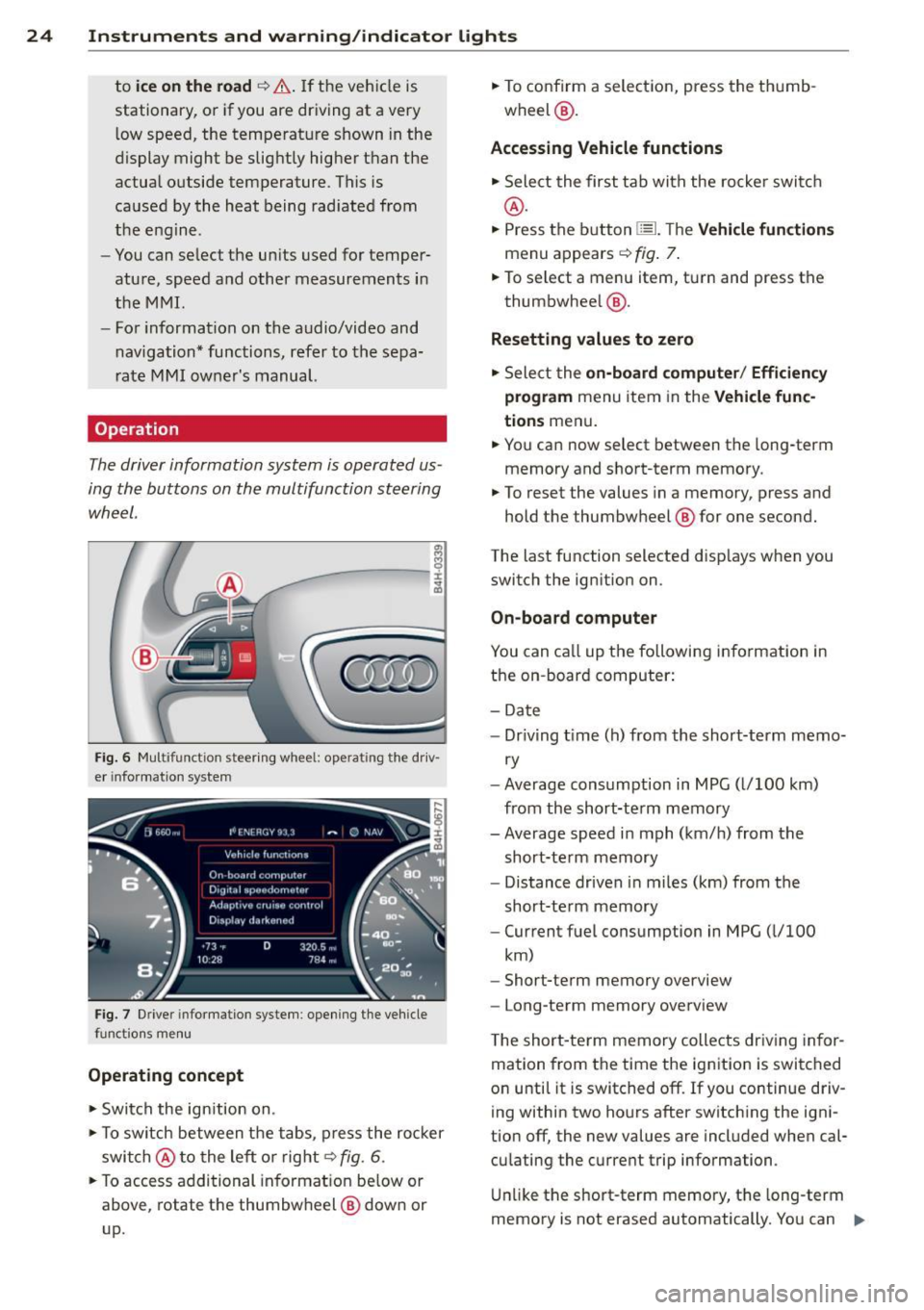
Operating concept
.. Swi tch the ign itio n on.
.. To switch between the tabs, press the ro cker
swi tch @ to the left o r right¢
fig. 6.
.. To access additional in format io n be low or
above, rotate the thumbw heel @ dow n or
up. ..
To confirm a selec tion, press the thumb
wheel @.
Accessing Vehicle functions
.. Sele ct the first tab with the ro cke r swit ch
@.
.. Press the button 1::::L Th e Vehicle function s
menu appears¢ fig . 7.
.. To select a menu item, turn and press t he
thumbwhee l@ .
Resetting values to zero
.. Sele ct the on-board computer / Efficiency
program
menu item in the Vehicle func
tions
men u.
.. You can now select between the long-term
memory and short-term memory.
.. To reset the values in a memory, press and
hold the thumbw heel @ for one second.
The last function selected d isp lays when you
switch the ignition on .
On-board computer
You can ca ll up the followi ng i nformation in
the on -board computer:
- Date
- Dr iv ing t ime (h) from the short-term memo-
ry
- Average consumption in MPG ( l/100 km)
from the short-te rm memory
- Average speed i n mph (km/h) from the
short-te rm memory
- Distance driven in miles (km) from the
short-term memory
- Current fuel consumption in MPG ( l/100
km)
- Short-term memory overview
- Long-te rm memory ove rview
T he short-te rm memory collects dr iv ing in for
mation from the time the ignition is switched
on unti l it is switched off. If you continue driv
ing within two ho urs after switch ing the ign i
tion off, the new values are incl uded when cal
cu lating the cu rrent trip information .
Unli ke the short-term memory, the long-term
memo ry is not erased automatically. Yo u can .,..
Page 27 of 302
Instruments and warning/indicator lights 25
select the time period for evaluating trip in
formation yourself.
For some vehicle functions, you can access the
trip information from the temporary memory
in the line(D¢page23,
fig. 5.
Efficiency program*
The efficiency program can help you to use
less fuel.
It evaluates driving information in
reference to fuel consumption and shows oth
er equipment influencing consumption as well
as sh ift recommendat ions. ¢
page 25. Fuel
economy messages ¢
page 25 provide tips
for efficient driving . The efficiency program
uses distance and consumption data from trip
computer 1 .
To display the efficiency program, call up
Ve
hicle functions and select the menu option
Efficiency program. If the data are deleted in
the efficiency program , those values are also
reset in trip computer .
@ Tips
-All stored values will be lost if the vehi
cle battery is disconnected.
- Fuel consumptions (average and cur rent), range and speed are displayed in
metric units on Canadian models.
Other equipment
Applies to vehicles: with efficiency program
Fig. 8 Tri p comp uter: other equ ipment
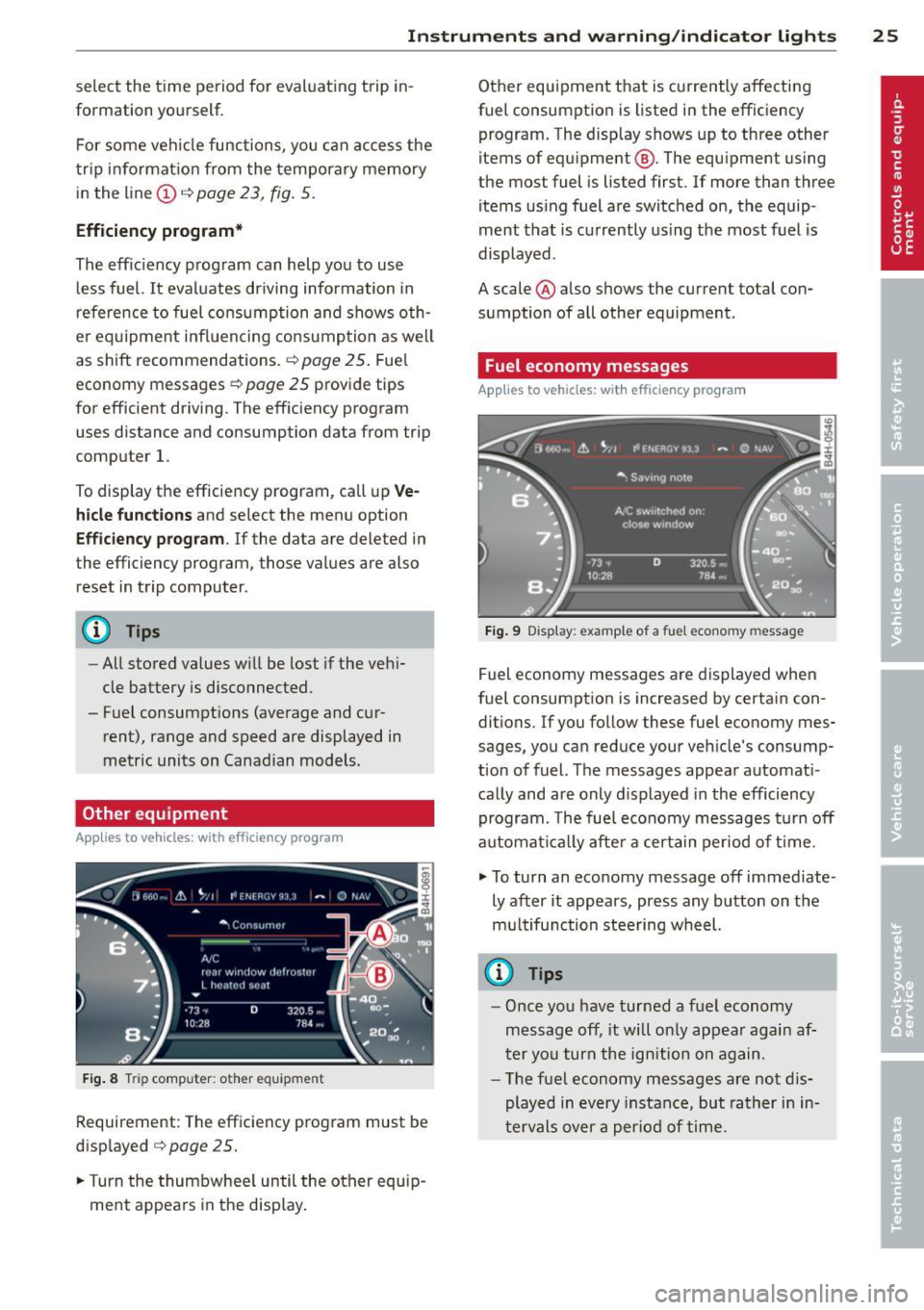
Requirement : The efficiency program must be
displayed
¢ page 25 .
.,. Turn the thumbwheel until the other equip
ment appears in the display. Other equipment that is currently affecting
fuel consumption is listed in the efficiency program. The display shows up to three other
items of equipment @. The equipment using
the most fuel is listed first . If more than three
items using fuel are switched on, the equip
ment that is currently using the most fuel is
displayed .
A scale @also shows the current total con
sumption of all other equipment.
Fuel economy messages
App lies to vehicles: with efficiency program
Fig. 9 Display : example o f a fu el econo my m essa ge
Fuel economy messages are displayed when
fuel consumption is increased by certain con
ditions. If you follow these fuel economy mes
sages, you can reduce your vehicle's consump
tion of fuel. The messages appear automati
cally and are only displayed in the efficiency
program. The fuel economy messages turn off
automatically after a certain period of time .
.,. To turn an economy message off immediate
ly after it appears, press any button on the
multifunction steering wheel.
@ Tips
- Once you have turned a fuel economy
message off, it will only appear again af
ter you turn the ignition on again.
- The fuel economy messages are not dis
played in every instance, but rather in in
tervals
over a period of time.
Page 28 of 302
26 Instruments and warning/indicator lights
Odometer
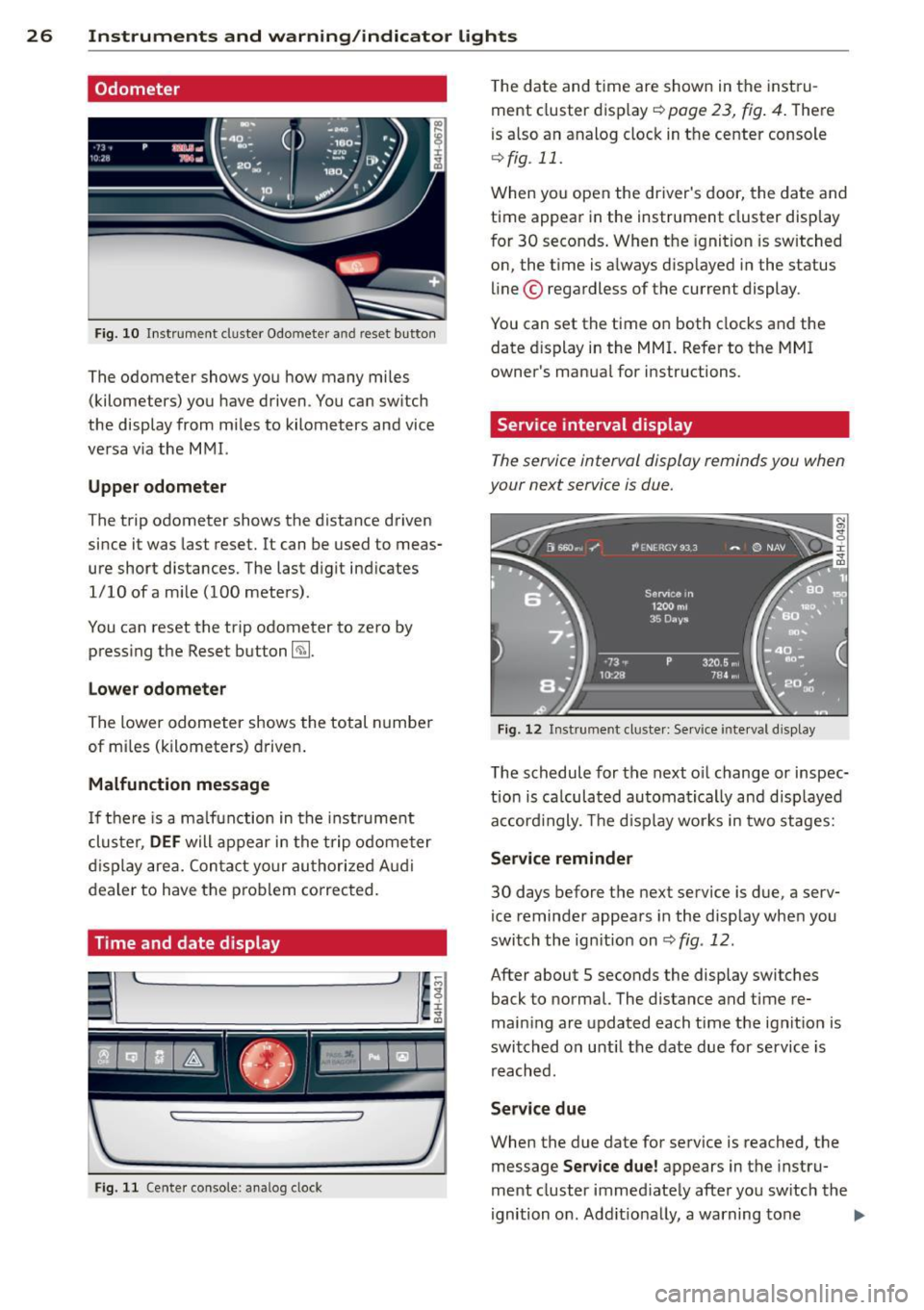
Fig . 10 In str ument cl uster Odo mete r an d reset b utto n
The odometer shows yo u how many mi les
(kilometers) you have driven . Y o u can sw itch
the display from mi les to kilometers and vice
ve rsa v ia the M MI.
Upper odometer
The trip odometer shows the distance driven
since it was last reset. It can be used to meas
ure short distances. The last d igit ind icates
1/10 ofa m ile (100 mete rs) .
You can reset the trip odometer to zero by press ing the Reset button ~-
Lower odometer
The lower odometer shows the total n umber
of mi les (k ilometers) d rive n.
Malfunction message
If th ere is a ma lfunction in the instrume nt
clu ster,
DEF will appear in the t rip o dome te r
di sp lay are a. Con ta ct yo ur au tho riz e d Audi
dealer to have the prob lem correc ted.
Time and date display
F ig . 11 Cente r console: analog clock
T he date and time are shown in the inst ru
ment cluster display ~
page 23, fig . 4 . The re
is a lso an analog cloc k in t he center console
¢ fig . 11.
W hen yo u open the driver's door, the da te and
time appear in the instrument cluster disp lay
f or 30 seconds . When t he ignition is sw itched
on, the t ime is a lways d isp layed i n the status
line © regardless of the current display .
You can set the time o n both clocks and the
date d isplay in the MMI. Refer to the MMI
owner 's manua l for i nstructions.
Service interval display
The service interval display reminds you when
your next service is due.
Fi g. 12 Instrument cl uste r: Se rvice inte rva l d is pl ay
The schedule for the next o il change or inspec
t io n is ca lculat ed au toma tica lly an d disp layed
a cc ord ingly. The d isp lay wor ks in two stages:
Service reminder
30 days before the next serv ice is due, a serv
ice reminde r appea rs in the display whe n you
switch the ig nition on
¢ fig . 12.
After about 5 seconds the display switches
back to normal. The distance and time re
main ing a re updated each t ime the ignit ion is
swi tched on u ntil the date due for service is
r e ach ed.
Service due
When the due date for service is reached, t he
message
Service due! appears in the instru
ment cluster immed iate ly afte r yo u sw itch the
ignition on . Add it io na lly, a warning to ne .,.
Page 29 of 302
Instrument s and warning /indicator lights 2 7
sounds. After about S seconds the display
switches back to normal.
Calling up th e service schedules
If or when an oil change or inspe ct io n is due,
can be shown in the MM I disp lay by select ing
the servi ce inte rva l disp lay in the car menu .
Select the
I CA R I function button > Car s ys
tems
contro l button > Servicing & chec ks >
Service interval d isplays.
Resetting the service interval display
Your au thori zed A udi dealer w ill reset the cor
responding service sched ule after per forming
the approp riate service on yo ur vehicle. You
also have the possib ility to reset the o il
change sched ule after having performed an
oil change accord ing to Audi specifications.
Select the
I CAR I function button > Car sys
tems
control bu tton > Servicing & checks >
Service interval display s > Reset oil change
interval.
CJ) Note
If you disconnect the battery termina ls , no
calc ulations can be made for the service
interval display d uring this tim e and no
service remi nder w ill appea r. Remembe r
t h at observ ing the prope r serv ice intervals
is v ita lly impo rtant to ex tend ing the life o f
your veh icle , particu larly the engine, a nd
maintaining its va lue . Even if t he mileage
driven is low, the maximum period of one
year from one service to the next must not
be exceeded.
{!) Tips
- Do not reset the display between o il
changes, otherw ise the display will be i n
cor rect.
- The information in the Service Reminder
r ema ins stored even when the vehicle
battery is discon nected .
Open door /hood /rear lid warning
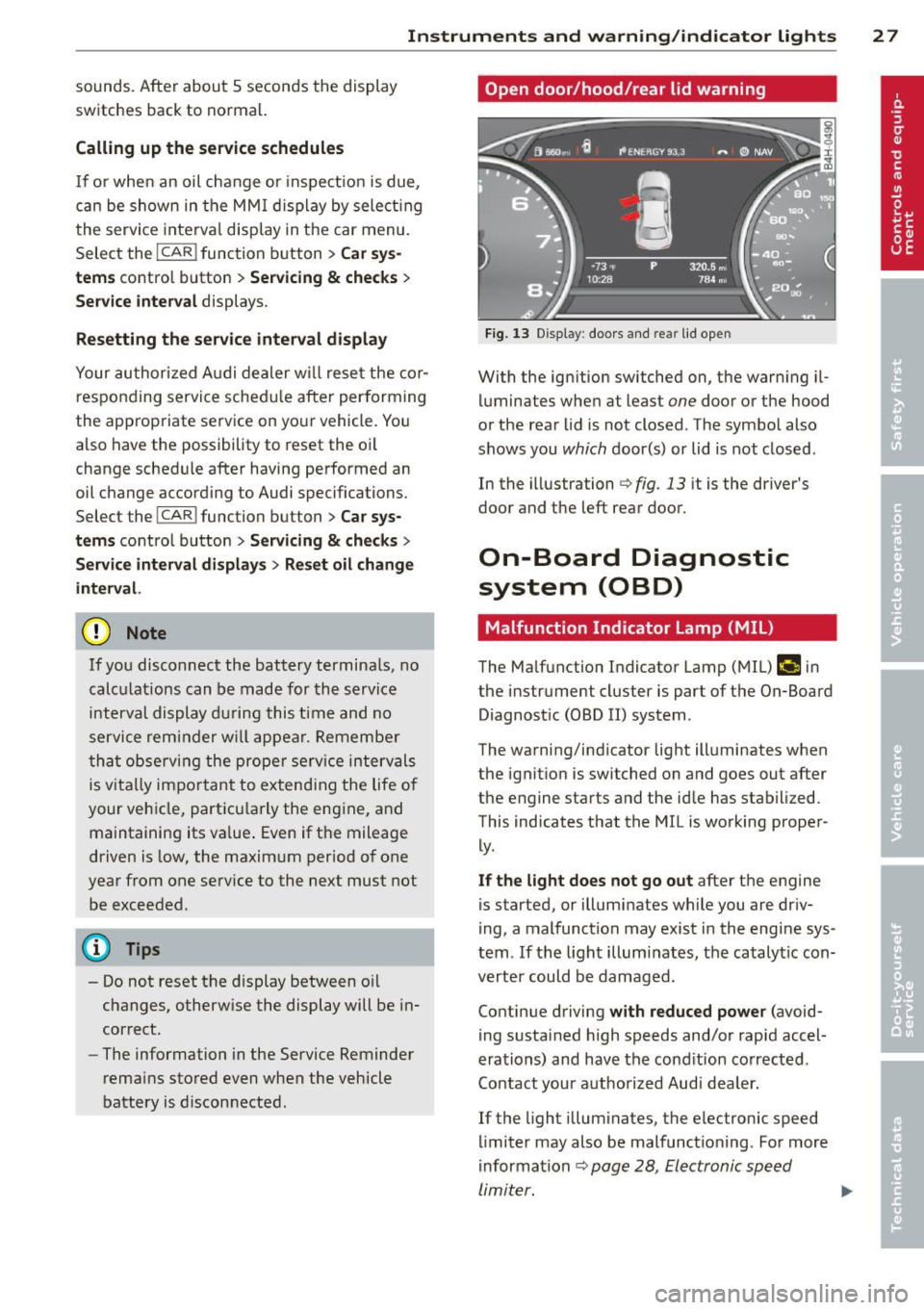
Fi g. 13 Display : doo rs a nd re ar lid open
With the ign ition switched on, the warn ing il
luminates when at least
one door or the hood
or the rear lid is not closed . The symbo l also
shows you
which door(s) or lid is not closed .
In the illustrati on
i:> fig . 13 it is the driver's
door and the left rear door.
On-Board Diagnostic
system (OBD)
Malfunction Indicator Lamp (MIL )
The Ma lfunction Indicator Lamp (MIL) fllllij in
the instrument cluster is part of t he On-Board
Diagnost ic (OBD II) system.
The warning/indicator light ill uminates when
the ignitio n is switched on and goes out after
the engine starts and the id le has stabilized.
This indicates that the MIL is working proper
ly .
If the light does not go out after the engine
is started, or illuminates while you are driv
i ng, a malfunction may exis t in the engi ne sys
tem . If the light illumi nates, the catalyt ic con
verter could be damaged .
Contin ue d riving
with reduced power (avoid
i ng s ustai ned h igh speeds and/or rapid accel
erations) and have the cond ition co rrected .
Contact your aut horized Aud i dea le r.
If the light illum inates, the electronic speed
li miter may also be malfunct io ni ng . For more
i nformation
~ pag e 28, Electronic speed
limiter. ...,
Page 41 of 302

Power windows
Controls
The driver can control all power windows.
Fig. 30 Section of the driver's door: Controls
All power window switches are provided with
a two-pos ition function:
Opening the windows
"' Press the switch to the first stop and hold it
until the window reaches the desired posi
tion.
"' Press the switch briefly to the
second stop
to automatically open the window .
Closing the windows
"' Pull the switch to the first stop and hold it
until the window reaches the desired posi
t ion.
"' Pull the switch briefly to the
second stop to
automatical ly close the window.
Power window switches
@ Driver's door
@ Passenger's door
© Left rear door
@ Right rear door
® Safety button (or two safety buttons in ve
hicles with power child safety locks
<=>page38)
Child safety lock
When the safety button® c:> fig. 30 is press
ed, the LED in the button lights up. The fol
l owing features are switched off:
- The power windows in the rear doors,
Opening and closing 39
- The buttons for the power sun shades* in
the side windows,
- The buttons for the power sun shade* in the
rear window,
- Front passenger power seat adjustment*
button.
&_ WARNING ~
- When you leave your vehicle -even if on-
ly briefly - always take the ignit ion key
with you. This applies particularly when
children remain in the vehicle. Otherwise
the children could start the engine or op
erate electrical equipment (e.g. power
windows). The power windows are func
tional until the driver's door or passeng
er 's door has been opened.
- Be careful when closing the windows.
Check to see that no one is in the way, or
serious injury could result!
- When locking the vehicle from outside,
the vehicle must be unoccupied since the
windows can no longer be opened in an
emergency .
(j) Tips
- The driver can lower or ra ise the power
sun shades* in the sid e windows by using
switches © and @.
- After the ignition has been switched off,
the windows can st ill be opened or
closed for about 10 minutes. The power
windows are not switched off until the
driver's door or passenger's door has
been opened.
What to do after a malfunction
The one-touch open and close function must
be reactivated if the battery has been discon
nected.
"' Pull and ho ld the power window switch until
the window is fully closed.
"' Release the switch and then pull it again for
at leas t one second.
Page 46 of 302
44 Clear vision
Highway light function*
(vehicles with LED
headlights) -this function adapts the lighting
for highway driving based on vehicle speed.
.&_ WARNING
- Automatic headlights are only intended
to assist the driver . They do not relieve
the driver of his responsibility to check the headlights and to turn them on man
ually according to the current light and
visibility conditions . For example, fog
cannot be detected by the light sensors.
So always switch on the headlights §,0
under these weather conditions and
when driving in the dark.
- Crashes can happen when you cannot see the road ahead and when you cannot be seen by other motorists. Always turn on
the headlights so that you can see ahead
and so that others can see your car from
the back .
(D Note
The rear fog lights should only be turned
on in accordance with traffic regulation, as
the lights are bright for following traffic.
(D Tips
- In the event of a light sensor malfunc
tion, the driver is notified in the instru
ment cluster display
q page 21 .
-You will hear a warning tone if you open
the driver door when the exterior lights
are switched on.
- Please observe legal regulations when
using the lighting systems described .
Emergency flasher
The emergency flasher makes other motorists
aware that you or your vehicle ore in on emer
gency situation .
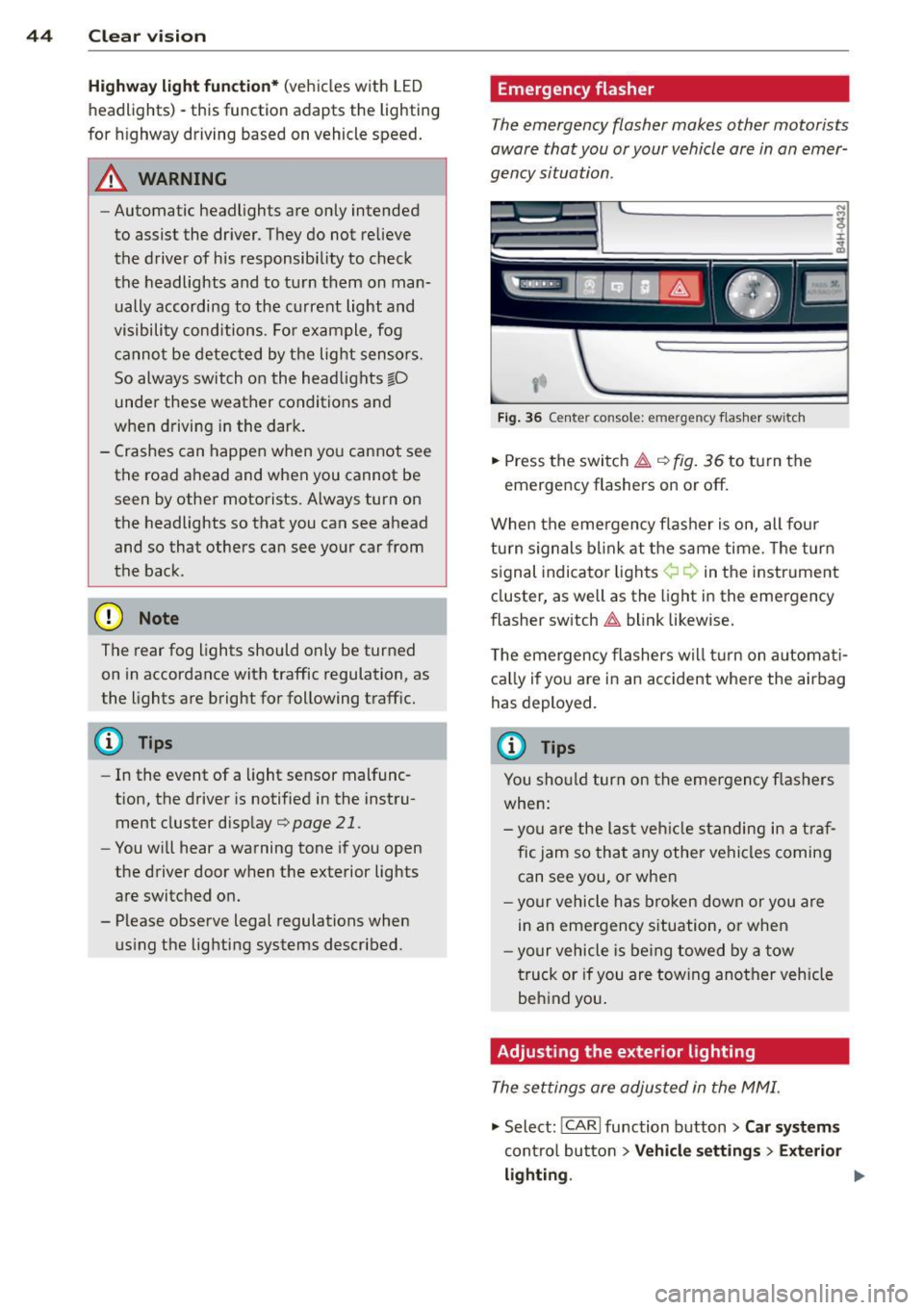
Fig. 36 Ce nte r co nso le: em erg en cy flash er sw itch
.,. Press the switch~ c:> fig. 36 to turn the
emergency flashers on or off.
When the emergency flasher is on, all four
turn signals blink at the same time. The turn
signal indicator lights¢¢ in the instrument
cluster, as well as the light in the emergency
flasher switch
~ blink likewise.
The emergency flashers will turn on automati
cally if you are in an accident where the airbag
has deployed.
@ Tips
You should turn on the emergency flashers
when:
- you are the last vehicle standing in a traf
fic jam so that any other vehicles coming
can see you, or when
- your vehicle has broken down or you are
in an emergency situation, or when
-your vehicle is being towed by a tow
truck or if you are towing another vehicle
behind you.
Adjusting the exterior lighting
The settings ore adjusted in the MMI.
"'Select: !CARI function button> Car systems
control button > Vehicle settings > Exterior
lighting. ""
Page 51 of 302

(!)-Rain s ensor mode. The windshield wipers
switch on once the vehicle speed exceeds ap proximately 2 mph (4 km/h) and it is raining.
The higher the rain sensor sensitivity is set (switch @to the right), the earlier the wind
shield wipers react to moisture on the wind
shield. You can deactivate ra in sensor mode in
the MMI, which will then activate intermittent mode. Select:
ICARI function button> Car sys
tems
control button > Driver assist > Rain
se nsor
> Off. In intermittent mode, you can
adjust the interval time using the switch @.
@-Slow wiping
®-Fast wiping
@ -Single wipe. If you hold the lever in this
position longer, the wipers switch from slow
wiping to fast wiping.
® -Clean the windshield. The wipers wipe
one time after several seconds of driving to
remove water droplets. You can switch this
f unction
off by moving the lever to position ®
within 10 seconds after the afterwipe . The af
terwipe function is reactivated the next time
you switch the ignition on .
Cleaning the headlights. The headlight wash
er system* only functions when the lights are
switched on. The headlights and the night vi
sion system camera* are cleaned automatical ly the first time the lever is press in position
® and every 8 times it is pressed after that.
They are also cleaned every time you hold the lever in position ® for longer than 8 seconds.
A WARNING
-The rain sensor is only designed to assist
and support the driver. It remains entire
ly the driver's responsibility to monitor
outside weather conditions and to man
ually activate the wipers as soon as rain
or drizzle reduces visibility through the
windshield .
- The windshield must not be treated with
water-repellent materials . They can in
crease glare under poor visibility condi
tions such as wetness, darkness, or when
the sun is low on the horizon. In addi-
Clear vision 49
tion, they can cause the windshield wip
ers to chatter.
- Properly functioning windshield wiper
blades are required for a clear view and
safe driving
c:::> page SO, Replacing
windshield wiper blades.
([) Note
-In the case of frost, check whether the
windshield wiper blades are frozen to
the windshield. Switching on the wind
shield wipers can damage the wiper
blades!
- Prior to using a car wash, the windshield
wiper system must be switched
off (lever
in position 0) . This helps to prevent unin
tentional switching on and damage to
the windshield wiper system.
- Do not use the wipers to clear a frosted
window. Using the wipers as a conven ient ice scraper will destroy the wiper
blades .
(D Tips
- The windshield wipers are switched off
when the ignition is off. Activate the
windshield wipers after the ignition is
switched back on by moving the wind
shield wiper lever to any position.
- Worn or dirty windshield wiper blades
result in streaking. This can affect the
rain sensor function . Check your wind
shield wiper blades regularly .
- The washer fluid nozzles of the wind
shield washer system are heated at low
temperatures when the ignition is on.
- When stopping temporarily, e.g. at a
traffic light, the set speed of the wind
shield wipers is automatically reduced by
one speed.