ECU AUDI A8 2012 User Guide
[x] Cancel search | Manufacturer: AUDI, Model Year: 2012, Model line: A8, Model: AUDI A8 2012Pages: 300, PDF Size: 75.06 MB
Page 96 of 300
94 Audi adap tive cruise control and br aking guard
stopped vehicle or stationary obstacle
(end of a traffic jam or veh icle that has
broken down in traffic).
- Always remember that the radar sensor
for the Audi braking guard works only
within defined detection and range limits
that may prevent the proper detection of
other vehicles .
- The radar sensor's function and range
can be reduced by rain, snow and heavy
spray. Moving vehicles up ahead may not
be promptly detected or may not be de
tected at al l.
- Reflective surfaces includ ing crash barri
ers or tunnel entrances may impair the
func tion of the radar sensor.
{D) Tips
- You can cancel the braking w ith increas
i ng force that is initiated by the system
by braking yo urself, by accelerating no
ticeab ly or by swerving.
- Audi braking guard error messages
¢page 94.
- Keep in mind that braking gua rd can
brake u nexpectedly. Always secure any
ca rgo or objec ts th at yo u are transport
i ng to reduce the risk of damage or in
ju ry.
Settings in the MMI
Applies to vehicles: with Audi adaptive cruise co ntrol
.. Se lect: I CARI function button > Ca r sys tem s
control button > Drive r assist > Audi b rak
ing guard .
System -
Switch Audi braking g uard On and
Off . When you switch the ignition on, the
message
Aud i braking gua rd off appears if
the system is switched off.
Ea rly warnin g -The distance and approach
warn ings in the display can be switched
On /
Off .
(D Tips
- Your settings are automatically stored
and ass igned to the remote control key being used at the times the settings are
made.
- If you switch the ESC to sport mode, A u
di braking gua rd switc hes off a utomat i
cally r=:>page
189.
- Switch A udi braking guard off when you
are loading the vehicle onto a vehicle car
rier, train, ship or other type of transpor
tat ion. This can prevent undesired warn
ings from the braking guard system.
Messages
Applies to vehicles: with Aud i adaptive cru ise contro l
ACC unavailable
ACC and b raking gua rd: unavailable
T he system cannot detect moving vehicles up
ahead correctly and is switched off. The sen
sors have been displaced or a re not working
proper ly . The Audi pre sense functions may a l
so be affected. Drive to your authorized Audi
dealer or authorized A udi service facility im
med iate ly to have the malfunction corrected.
ACC: unavaila ble at thi s time. No sen sor vi
sion
ACC and braking guide: un ava ilabl e at thi s
time . No s ensor vi sion
Th is message appears if the sensor v iew is ob
structed, for examp le by leaves, snow, heavy
spray o r d irt. Clean the sensors
r=;, page 87,
fig. 86 .
ACC: unavailabl e at this time. Inclin e too
s teep
The road exceeds the max imum possible an
gle for proper adaptive cru ise control opera
t ion. Adaptive cru ise cont rol is switched off.
ACC: only selector lever pos itions D , S or M
available
Se lect the D, Sor M selector lever position .
ACC: un available at thi s time . Parking brake
s et
T he adapt ive cru ise control system switches
off au tomatically if the par king b rake is set. .,.
Page 106 of 300
104 Audi dri ve sele ct
surface o f the tires, which is the outer
circumference. Securing the vehicle at
the axle components, s uspension struts
or towing eyes is not perm itted because
the pressure in the air suspension struts
can change during transport. The veh icle
may not be secured suff ic iently if this
happens .
- If you are go ing to tow a trailer, you
must activate the trailer operat ion mode
¢page 199.
@ Tips
- In some models, the maximum vehicle
speed can only be reached in the
auto
and dynamic modes.
- Selecting the
dynamic mode results in
spo rty sh ifting character istics. The S
gear position engages automati cally.
- In vehicles that have dynamic steering*,
operating noise is heard when starting or
stopp ing the eng ine . Th is does not ind i
cate a problem.
- In vehicles with sport differential*, the
dynam ic mode is deactivated whe n tow
i ng a traile r.
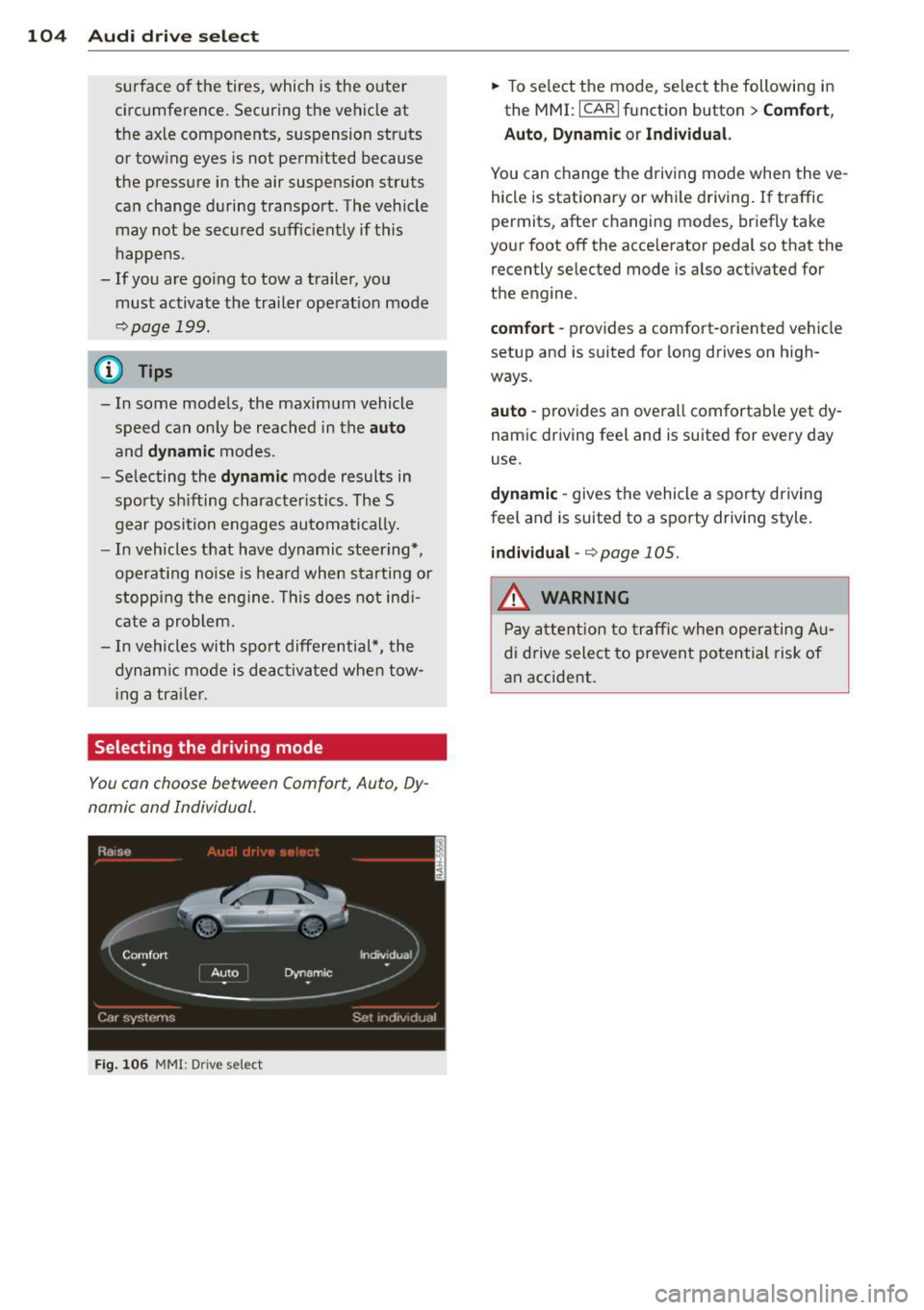
Selecting the driving mode
You can choose be tween Comfort, Auto, Dy
namic and Individual.
Fi g. 106 MM!: D rive se lect
.,. To se lect the mode, select the following in
the MMI :
I CARI function button> Comfort ,
Auto , Dynamic or Indi vidu al.
You can change the driving mode when the ve
hicle is stationary or while driving . If traffic
permits, after changing modes, briefly take
your foot off the accelerator pedal so that the
recently selected mode is also activated for
the engine.
comfort -provides a comfort-oriented vehicle
setup and is suited for long drives on high
ways.
auto -provides an overall comfortable yet dy
nam ic driving feel and is suited for every day
use.
d yna mi c -gives the vehicle a sporty driving
feel and is suited to a sporty driving style .
individual -¢ page 105.
A WARNING
Pay attention to traffic when operating Au
d i drive select to prevent potential risk of
an accide .nt.
Page 113 of 300
To shift from N to D when traveling at speeds
be low S km/h, press the brak e pedal and se
lect the D se lector lever position
~ .& .
Unde r certain conditions such as driving in the
mountains or when towing a trailer , it may be
helpful to switch to manual mode temporarily
to sh ift
manually to adapt to the driv ing con
ditions
r:=:> page 112.
S -Sport
The 5 position can be selected fo r sporty driv
ing. Upshifting at a higher RPM makes full use
of the engine's power.
You can only select the S selector lever posi
tion when Dis engaged . Move the selector
l ever back to engage the 5 selector lever posi
tion. To select the D sel ector lever position
again when 5 is engaged, move the selector
lever back
r:=:> .&.
The 5 selector lever position engages auto
matica lly when you select the dynamic mode
in Audi drive se lect .
A WARNING
-Never engage R or P wh ile driving. It
could cause a crash.
-
- Power is still transmitted to the whee ls
when the engine is running at idle. To
prevent the vehicle from "creeping", you
must keep your foot on the brake in all
selector lever positions except P and N
when the eng ine is running. Do not inad
vertent ly press the accelerator pedal
when the vehicle is stationary . Otherwise
the vehicle will start to move immediate
ly. This cou ld happen even if the parking
brake is activated .
- Before opening the hood, select the P se
lector lever position and set the parking
brake. This reduces the risk of a crash . A l
ways read and follow the applicable
warnings
r:=:> page 213, Engine compart
ment.
- Never get out of the driver's seat when
the engine is running.
Automatic Transmission 111
-If you must get out of the vehicle , move
the selector lever secure ly into the P po
sition and apply the parking brake firmly.
@ Tips
- If you unintentionally shift into the N se
lector lever position while driving, take
your foot off the accelerator pedal and
wa it for the engine to slow down until it
is idling before you sh ift into Dor 5.
Driving tips
The gears shif t automa tically.
Starting from a stop
.. Press and hold the brake pedal.
.. Start the engine
r:=:>page 80.
.. Press the b utton on the s elector lever and
select the D, 5 or R se lector lever position
r:=:> page 109 .
.. Wait a moment until the transmiss ion
shifts . You will notice a slight movement
when the gear engages .
"" Release the brake peda l and press the accel
erator pedal
r:=:> &, .
Stopping temporarily
.. Press the brake pedal to stop the veh icle,
for example at a traffic light. Do not press
the acce lerator pedal when doing this.
"" To prevent the vehicle from rolling when
you start driving, set the parking brake
when stopp ing on large inclines
r:=:> &, .
.,. Th e parking brake will release automatica lly
and the vehicle will start moving once you
press the acce lerato r pedal.
Parking
If the selector lever is not in the P position
when you open the driver's door, the vehicle
could roll . The message
Transmission: Car
may roll! Shift to park!
appears .
.. Press and hold the bra ke peda l¢ &, .
"" Set the park ing brake.
.. To engage the P se lector lever position,
press the button on the selector lever and
shift into the P position
r:=:> page 109 .
Page 116 of 300

114 Automatic Transmission
one of the sli ts on the cover and pry the cov
er
off .
.. Pu ll the band @ in the direction of the ar
row until the release lever locks in place
<=>fig . 119.
• Fold the upper section of the release lever
down into the recess .
Resetting the parking lock
.. Press the button @ and the release lever at
the same time. You can now push the lever
back into its orig inal position . Make sure the
lever locks in place <=>
fig. 120 .
• Install the cover .
The indicator light
[O] and the N position indi
cator in the instrument cluster turn on when
the park ing lock is released using the emer
gency re lease . The message
Risk of rolling! P
not possible . Please set the parking brake
al
so appears .
.&_ WARNING
If you release the parking lock using the
emergency release, secure your vehicle
with the parking brake or the brake pedal
if the parking brake is not working. The ve
hicle can roll away if it is not secured and
cause a crash.
-
Page 129 of 300
-Passengers must always sit in an upright
position and never lean against or place
any part of their body too close to the
area where the airbags are located.
- Passengers who are unbelted, out of po
sition or too close to the airbag can be
seriously injured by an airbag as it un
folds with great force in the blink of an
eye.
- Always make sure that there are at least
10 inches (25 cm) between the front
passenger's breastbone and the instru
ment panel.
- Always make sure that there are at least
4 inches (10 cm) between the front pas
senger's knees and the lower part of the
instrument panel.
- Each passenger must always sit on a seat
of their own and properly fasten and
wear the safety belt belonging to that
seat.
- Before driving, always adjust the front
passenger seat and head restraint prop
er ly.
- Always keep your feet on the floor in
front of the seat. Never rest them on the
seat, instrument panel, out of the win
dow, etc. The airbag system and safety
belt will not be able to protect you prop
erly and can even increase the risk of in
jury in a crash .
- Never drive with the backrest reclined or
tilted far back! The farther the backrests are tilted back, the greater the risk of in
jury due to incorrect positioning of the
safety belt and improper seating posi
tion.
- Children must always ride in child seats
¢
page 166. Special precautions apply
when installing a child seat on the front
passenger seat¢
page 142.
Driving Safely 127
Proper seating positions for passengers
in rear seats
Rear seat passengers must sit upright with
both feet on the floor consistent with their
physical size and be properly restrained
whenever the vehicle is in use.
To reduce the risk of injury caused by an incor
rect seating position in the event of a sudden
braking maneuver or an accident, your pas
sengers on the rear bench seat must always
observe the following:
.,. Adjust the head restraint so the upper edge
is as even as possible with the top of your
head. If that is not possible, try to adjust
the head restraint so that it is as close to
this position as possible¢
page 128 .
.,. Keep both feet flat in the footwell in front
of the rear seat.
.,. Fasten and wear safety belts properly
¢page 137.
.,. Make sure that children are always properly
restrained in a child restraint that is appro
priate for their size and age
r::, page 166.
,& WARNING
..-
Passengers who are improperly seated on
the rear seat can be seriously injured in a
crash.
- Each passenger must always sit on a seat
of their own and properly fasten and
wear the safety belt belonging to that seat.
- Safety belts only offer maximum protec
tion when the safety belts are properly
positioned on the body and securely
latched . By not sitting upright, a rear
seat passenger increases the risk of per
sonal injury from improperly positioned
safety belts!
- Always adjust the head restraint properly
so that it can give maximum protection.
•
•
Page 131 of 300
The following bulletins list only some sample positions that will increase the risk of serious
in ju ry and death . Our hope is that these exam
p les will make you more aware of seating po
sitions that are dangerous.
The refore, wh en ev er th e vehicl e is
mov ing:
- never stand up in the vehicle
-never stand on the seats
- never knee l on the seats
- never ride with the seatbac k reclined
- never lie down on the rear seat
- never lean up against the instrument panel
- never sit on the edge of the seat
- never sit s ideways
- never lean out the window
- never put yo ur feet out the window
- never put yo ur feet on the ins trument panel
- never rest your feet on the seat cushion o r
back of the seat
- never r ide in the footwe ll
- never ride in the cargo area
A WARNING
Imprope r seat ing positions increase the
r isk of se rious personal injury and death
whenever a veh icle is being used.
- Always make sure that all vehicle occu
pants stay in a p ro per seating pos it ion
and are properly restr ained whenever the
vehicle is be ing used.
Driver and passenger
side footwell
Important safety instructions
A WARNING
Always make sure that the knee a irbag can
inf late without interference. Objects be
tween yourse lf and the airbag can increase
the risk of injury in an acc ident by interfer
ing w it h the way the a irbag deploys or by
being p ushed into you as the airbag de
ploys.
-
Dr iving S afel y 129
-No persons (children) or animals sho uld
ride in the footwell in front of the pas
senger seat. If the airbag dep loys, this
can result in ser ious or fatal injuries.
- No objects of any kind should be carried
in the footwell area in front of the driv
er 's or passenger's seat. Bulky objects
(shopping bags, fo r example) can ham
pe r o r prevent proper deployment of the
airbag. Small obje cts can be thrown
through the vehicle if the airbag deploys
an d inju re you or your passenge rs .
Pedal area
Pedals
The pedals must always be free to move and
must never be interfered with by a floor mat
or any other object.
Make sure that a ll peda ls move free ly without
interference and that nothing prevents them
from return ing to their orig inal positions.
Only use floor mats t hat leave the pedal area
free and can be secured with floor mat fasten
ers.
If a brake circ uit fai ls, inc reased brake pedal
trave l is required to b ring the vehicle to a f ull
stop .
A WARNING
-Pedals that cannot move free ly can cause
loss of vehicle control and increase the risk
of ser ious injury.
- Never p lace any objects in the drive r's
footwell. An ob ject cou ld get into the
pedal area and interfere with pedal func
tion. In case of sudde n brak ing o r an ac
cident, yo u wou ld not be able to b rake or
accelerate!
- Always ma ke sure that nothing can fall
or move into the driver's footwel l. •
•
Page 132 of 300
130 Driving Saf ely
Floor mats on the driver side
Always use floor mats that can be securely
attached to the floor mat fasteners and do
not interfere with the free movement of the
pedals.
~ Make sure that the floor mats are properly
secured and cannot move and interfere with
the pedals¢ ,&..
Use only floor mats that leave the pedal area
u nobstructed and that are firmly secured so
that they cannot s lip out of position . You can
obtain sui table floor mats from your author
ized A udi Dea ler.
Floor mat fasteners are installed in your Audi.
F loor mats used in your vehicle must be at
tached to these fasteners. Properly secur ing
the floor mats will prevent them from sliding into pos itions that could interfere with the
pedals or impair safe operation of your vehicle
in other ways .
_& WARNING
Pedals that canno t move freely can resu lt
in a loss of vehicle contro l and increase the
risk of se rious personal injury.
- Always make su re that floor mats are
properly secured .
- Never place o r insta ll floo r ma ts or other
floo r coverings in the vehicle tha t cannot
be properly secured in place to prevent
them from slipping and interfering with
the pedals or the ability to control the
vehicle.
- Never place or insta ll floo r mats or other
floor coverings on top of a lready insta l
led floor mats. Additional floor mats and
other coverings w ill reduce the size of
the pedal area and interfere with the
peda ls.
- Always properly reinstall and secure floor mats that have been taken out for clean
ing.
-Always make sure that objects cannot fall into the driverfootwe ll wh ile the ve
hicle is moving. Objects can become trapped under the brake pedal and acce
l
erator pedal causing a loss of vehicle
control.
Stowing luggage
Loading the luggage compartment
All luggage and other objects must be prop· erly stowed and secured in the luggage com·
partment.
Loose items in the luggage compa rtment can
shift suddenly, chang ing vehicle handling
c h aracteristics. Loose items can a lso increase
the risk of ser ious persona l inju ry in a sudden
vehicle maneuver o r in a co llision.
~ Distribute the load eve nly in the luggage
compa rtment.
~ Always pla ce and properly secure heavy
items in the luggage compartment as far
forwa rd as possible.
~ Secure luggage using the tie-downs provid·
ed
¢ page 66, Luggage compartment .
A WARNING
-Improperly stored luggage or other items
can fly through the vehicle causing ser ious
personal injury in the event of hard brak·
i ng or an accident. To help reduce the risk
of ser ious perso nal in ju ry:
- Always put objects, for example, luggage
or other heavy items in the luggage com
pa rtment.
- Always secure objects in the luggage
compa rtment using the t ie-down hooks
and suitable st raps.
A WARNING
H eavy loads w ill inf luen ce the way yo ur ve
hicl e ha ndles. To help reduce t he risk of a
l oss of contro l leading to serious pe rsonal
i nj ury :
- Always keep in mind when transporting
heavy objects, that a change in the cen
ter of gravity can also cause changes in
veh icle handling:
Page 133 of 300
-Always distribute the load as evenly as
possible.
- Place heavy objects as far forward in
the luggage compartment as possible.
- Never exceed the Gross Axle Weight Rat
ing or the Gross Vehicle Weight Rating
specified on the safety compliance stick
er on the left door jamb. Exceeding per
missible weight standards can cause the
vehicle to slide and handle differently .
- Please observe information on safe driv
ing
o page 124 .
A WARNING
-
To help prevent poisonous exhaust gas
from being drawn into the vehicle, always
keep the rear lid closed while driving .
- Never transport objects larger than those fitting completely into the luggage
area because the rear lid cannot be fully
closed.
- If you absolutely must drive with the rear
lid open, observe the following notes to
reduce the risk of poisoning:
-Close all windows,
- Close the power roof,
- Open all air outlets in the instrument
panel,
- Switch off the air recirculation,
- Set the fresh air fan to the highest
speed.
A WARNING
Always make sure that the doors, all win dows, the power roof and the rear lid are
securely closed and locked to reduce the
risk of injury when the vehicle is not being
used .
- After closing the rear lid, always make
sure that it is properly closed and locked.
- Never leave your vehicle unattended es pecially with the rear lid left open. A
child could crawl into the vehicle through
the luggage compartment and close the
rear lid becoming trapped and unable to
get out . Being trapped in a vehicle can
lead to serious personal injury .
-
Driving Safely 131
-Never let children play in or around the
vehicle.
- Never let passengers ride in the luggage
compartment. Vehicle occupants must
always be properly restrained in one of
the vehicle's seating positions .
(D Tips
-Air circulation helps to reduce window
fogging. Stale air escapes to the outside
through vents in the trim panel, on the
left side of the luggage compartment. Be sure to keep these slots free and
open .
- The tire pressure must correspond to the
load . The tire pressure is shown on the
tire pressure label. The tire pressure la
bel is located on the driver's side B-pillar.
The tire pressure label lists the recom
mended cold tire inflation pressures for
the vehicle at its maximum capacity
weight and the tires that were on your
vehicle at the time it was manufactured.
For recommended tire pressures for nor
mal load conditions, please see chapter
opage 239.
Tie-downs
The luggage compartmen t is equipped with
four tie-downs to secure luggage and o ther
items .
Use the tie-downs to secure your cargo prop
erly
o page 130, Loading the luggage com
partment .
In a collision , the laws of physics mean that
even smaller items that are loose in the vehi
cle will become heavy missiles that can cause
serious injury. Items in the vehicle posses s en
ergy which vary with vehicle speed and the
weight of the item. Vehicle speed is the most
significant factor.
For example, in a frontal collision at a speed
of 30 mph (48 km/h), the forces acting on a
10-lb (4 .5 kg) object are about 20 times the
normal weight of the item . This means that
the weight of the item would suddenly be
•
•
Page 134 of 300
132 Driving Safely
about 20 0 lb s. (9 0 kg ). Y ou can im agine the between you, your dealer, or
inju ries t hat a 200 l bs. (90 kg) item f ly in g
Audi of America, Inc. freely throug h the passenge r com partment
could cause in a collision like th is.
To contact the NHTSA, you may
A WARNING either call:
W eak, damage d or im proper straps us ed
Tel.: 1-888-327-4236 (TTY: to s ecure i tems to t ie-downs ca n fail du r-
ing h ard b ra ki ng o r in a coll isi on and cause
1-800-424-9153) or
se rio us p erso nal inj ury .
1-800-424-9393 - Always use suitabl e mou nti ng straps and
pr operly s ecur e it e m s to th e t ie -dow ns in
or you may write to: t h e lug gage comp art m en t t o help p re -
v en t it ems from sh ift ing o r flyi ng fo r-
NHTSA war d as dang erous missi les.
U.S. Department of Transporta-- Neve r at tach a c hild safety se at te th er
strap to a tie -do wn.
tion
Reporting Safety 1200 New Jersey Ave., S. E.
West Building
Defects
Applicable to U.S.A.
Washington, DC 20590
You can also obtain other infor-
If you believe that your vehicle
mation about motor vehicle
has a defect which could cause
safety from:
a crash or could cause injury or
death, you should immediately http://www.safercar.gov
inform the National Highway
Applicable to Canada
Traffic Safety Admini stration
If you live in Canada and you
(NHTSA) in addition to notify-
believe that your vehicle has a
ing Audi of America, Inc.
defect that could cause a crash,
If NHTSA receives similar com- injury or death, you should im-
plaints, it may open an investi- mediately inform Transport
gation, and if it finds that a Canada, Defect Investigations
safety defects exists in a group and Recalls. You should also no-
of vehic les, it may order a recall
tify Volkswagen Group Canada,
and remedy campaign. Howev- Inc.
....
er, NHTSA cannot become in-
valved in individual problems
Page 139 of 300
Important safety instructions about
safety belts
Safety belts must always be correctly posi
tioned across the strongest bones of your
body.
~ Always wear safety belts as illustrated and
described in this chapter.
~ Make sure that your safety belts are always
ready for use and are not damaged.
A WARNING
Not wearing safety belts or wearing them
improperly increases the risk of serious
personal injury and death. Safety belts can
work only when used correctly .
- Always fasten your safety be lts correctly
before driving off and make sure all pas
sengers are correc tly restrained.
- For maximum protection, safety belts must always be positioned properly on
the body .
- Never strap more than one person, in
cluding small children, into any belt.
- Never place a safety belt over a child sit
ting on your lap.
- Always keep feet in the footwell in front
of the seat while the vehicle is being d riv
en .
- Never let any person ride with their feet on the instrument panel or sticking out
the window or on the seat.
- Never remove a safety belt while the ve
hicle is moving. Doing so will increase
your risk of be ing injured or killed.
- Never wear belts twisted.
- Never wear belts over rigid or breakable
objects in or on your clothing, such as
eye glasses, pens, keys, etc., as these may cause injury.
- Never allow safety belts to become dam
aged by being caught in door or seat
hardware .
- Do not wear the shoulder part of the belt
under your arm or otherwise out of posi
tion . Safety belts
13 7
- Several layers of heavy clothing may in
terfere with correct positioning of belts and reduce the overall effectiveness of
the system .
- Always keep belt buckles free of anything
tha t may prevent the buckle from latch
ing securely .
- Never use comfort clips or devices that
create slack in the shoulder belt . Howev
er, special clips may be requ ired for the
proper use of some child restraint sys
tems .
- Torn or frayed safety belts can tear, and
damaged belt hardware can break in an
accident. Inspect belts regularly.
If web
bing , bindings, buckles , or retractors are
damaged, have belts replaced by an au
thorized Audi dealer or qualified work shop.
- Safety belts that have been worn and
loaded in an accident must be replaced
with the correct replacement safety belt
by an authorized Audi dealer . Replace
ment may be necessary even if damage
cannot be clearly seen . Anchorages that
were loaded must also be inspected.
- Never remove, modify, disassemble, or
try to repair the safety belts yourself.
- Always keep the bel ts clean. Dirty belts
may not work properly and can impair
the function of the inertia reel
c::> page 212, Safety belts .
Safety belts
Fastening safety belts
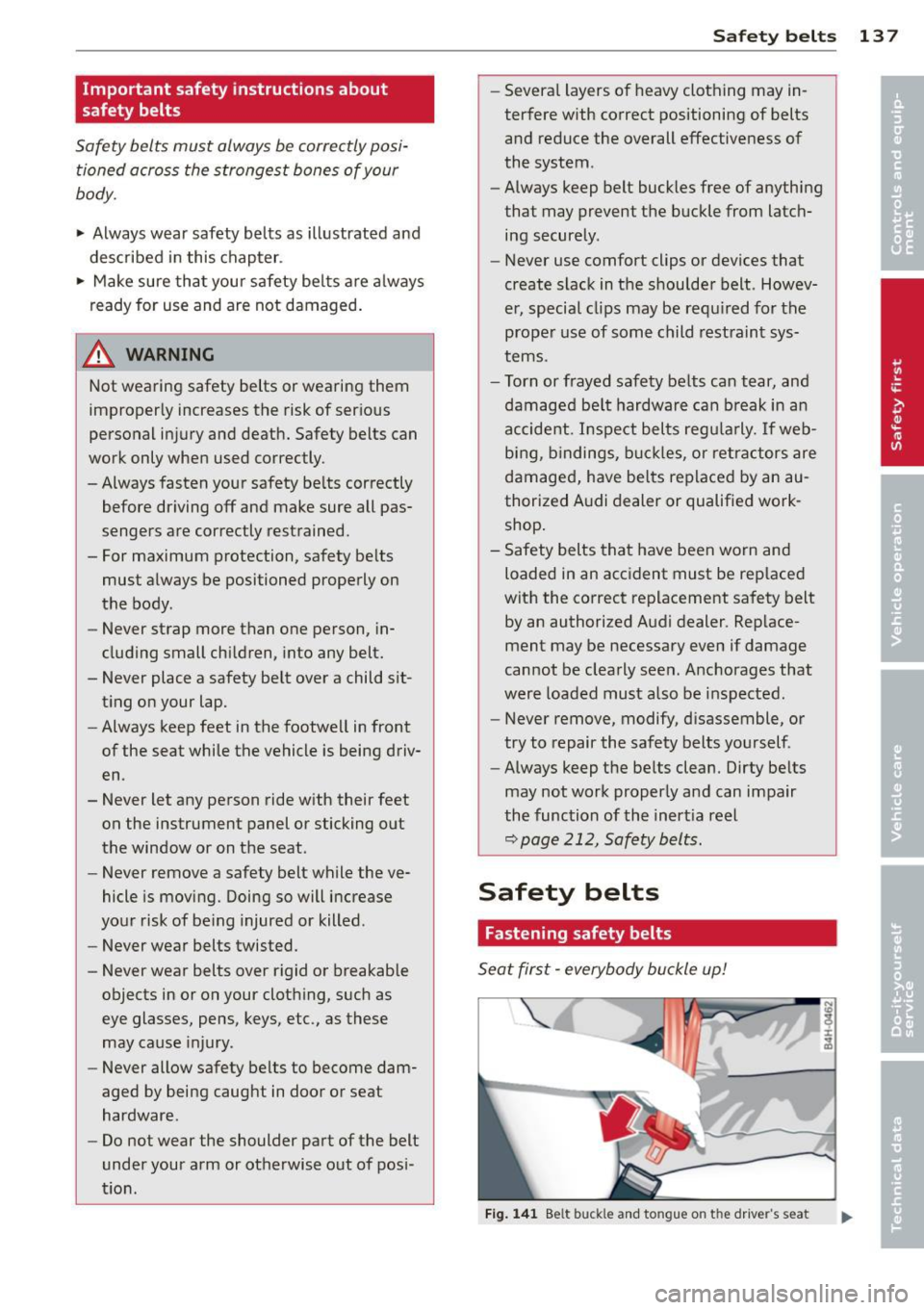
Seat first -everybody buckle up!
Fig. 141 Bel t b uckle and to ngue on the driver's seat