lights AUDI A8 2015 Service Manual
[x] Cancel search | Manufacturer: AUDI, Model Year: 2015, Model line: A8, Model: AUDI A8 2015Pages: 312, PDF Size: 79.18 MB
Page 97 of 312

Audi adaptive cruise control and braking guard 95
tachometer @and is also shown briefly in
thedisplay @c::>fig.101.
.. You must also press the brake pedal when
the vehicle is stopped.
Switching adaptive cruise control off
.. Push the lever away from you into position
@ until it clicks into place. The message
ACC off appears.
@ Indicator lights
II-Adaptive cru ise contro l is switched on.
No vehicles are detec ted up ahead. The stored
speed is ma intained.
• -A moving vehicle is detected up ahead.
The adaptive cruise control system regulates
the speed and distance to the moving vehicle
ahead and acce lerates/brakes automatical ly.
fit -Adaptive cruise contro l is switched on. A
mov ing vehicle up ahead was detected. Your
vehicle remains stopped.
• -When automatic brak ing is not able to
keep enough distance to a previously detected
moving vehicle up ahead, you must take con
trol and brake
c::> page 97, Prompt for driver
intervention.
© Display
If adaptive cruise control is not shown in the
d isp lay, you can call it up with the multifunc
tion steering wheel buttons c::>
page 23.
Based on the symbols in the d isplay, you can
determine if the system is maintaining a dis
tance to the vehicle ahead and what that d is
tance is.
No vehicle · No veh icle ahead was detected .
White vehicle -A vehicle ahead was detected.
Red vehicle -Prompt for the driver to take ac
tion
<=:> page 97.
Both
arrow s on the scale© indicate the dis
tance to the vehicle ahead. No arrow appears
when the vehicle is on an open road and there
is no object ahead . If an object is detected
:;, ahead , the arrow moves on the scale .
"' ,....,
"' ,....,
The green zone on the scale shows the stored
distance. For information on changing the
stored distance, refer to
c::> page 96. If the
distance selected is too close or may soon be
come too close, the arrows move into the red
zone on the sca le .
A WARNING
Improper use of the adaptive cruise con
trol can cause collisions, other accidents
and serious personal injur ies .
- Pressing the
!SET ! button when driv ing at
speeds below 20 mph (30 km/h), will au
tomatically accelerate the vehicle to 20
mph (30 km/h), which is the minimum
speed that can be set.
(D Tips
-If you switch the ignit ion or the adaptive
cruise control off, the set speed is erased
from the system memory.
- You cannot switch the Electronic Stabili
zation Control (ESC) to the SPORT mode
when adaptive cruise control is switched
on.
Changing the speed
Applies to vehicles: with Aud i adapt ive crui se control
0
f
• 0
Fig. 102 Selector lever: ch ang ing the speed
.. To increase or reduce the speed in incre
ments,
tap the lever up or down.
-0:, N 0 ± ... a)
.. To increase or reduce the speed quickly, hold
the lever up or down until the red LED @
reaches the desired speed
c::> page 94,
fig.101. ~
Page 113 of 312

Night vision assistant
Night vision assistant
with pedestrian and
wild animal detection
Description
App lies to vehicles: with night visio n assistant
Night vision assistant with pedestrian and
wild animal detection assists you in darkness
by using an infrared camera to monitor the
area in front of your vehicle, within the lim its
of the system.
It can display objects up to ap
proximately 1000 feet (300 meters) away.
The heat image detected by the camera is
shown in the instrument cluster display.
Warm areas appear lighter and cold areas ap pear darker.
Pedestrian and wild animal detection
Applies to vehicles: with nig ht visio n assistant
Fig . 117 Display: yellow pedestrian marking
Fig. 118 Display: symbol when infrared image is not
visible
Within the limits of the system, night vision
assistant can detect pedestrians and wild ani
mals that are within the detection range be
tween approximately 32 feet (10 meters) and
295 feet (90 meters) in front of the vehicle .
Night vision assistant 111
When it is dark outside and the headlights are
switched on, detected pedestrians and wild
animals are marked in ye llow
¢ fig. 117with
in the limits of the system
¢page 112. Wild
animal detection is not active in built-up
areas. The system only detects large wild ani
mals such as deer .
(!) Tips
-If another display such as navigation re
places the image from the night vis ion
assistant, the~,, symbol appears in the
tab
¢fig. 118. You can call up night vi
sion assistant using the buttons on the
mu ltifunc tion steering wheel
r::;, page 24.
Pedestrian and wild animal warning
App lies to vehicles: wi th night vision assistan t
Fig. 119 Instrument cluste r: @ pedest rian warning,
@ wild animal warning
Fig. 120 Instrument cluster : @ pedestr ian warning/
® wild animal warning when the night vision assistant
im age is not selected in th e instrument cluster display
Instrument cluster display/Head-up
Display*
If pedestrians or wild animals are detected in
an area in front of your vehicle that is consid
ered critical, the system will attempt to draw
your attention to this by:
111>--
Page 115 of 312
rl N
rl N
0 J:
"". rl I.O
"' rl
"' ......
Switching on and off
App lies to vehicles: with night visio n ass istan t
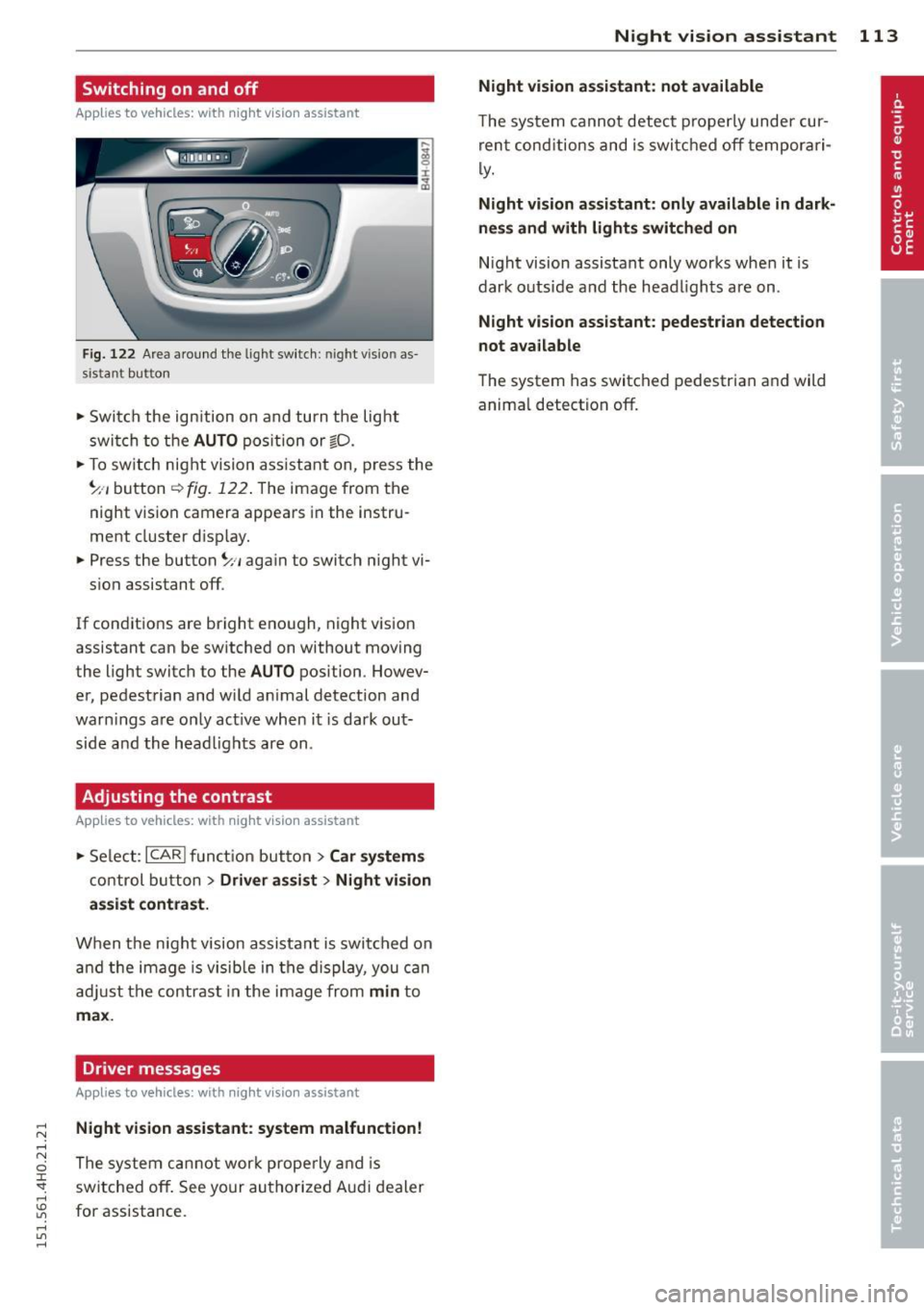
Fig . 1 22 Area aro und the light switch: n ight visio n as
sistant butto n
~ Swi tch the ign ition on and turn t he lig ht
swi tch to t he AUTO position or gD.
~ To sw itch night visi on a ssista nt on, press the
~ -, b utton
r::!) fig. 122 . The image from the
night vision camera appears in the instru
ment cluster d isp lay.
~ Press the button~ ,, aga in to switch night vi
s ion assistant off .
If con ditions are bright enough, night vision
assistant can be sw itched on without moving
the light switch to the AUTO position . Howev
er, pedestrian and w ild an imal detection and
warn ings are o nly act ive when it is dark out
side a nd the hea dlights are on.
Adjusting the contrast
A pp lies to vehicles: with night visio n ass istant
~ Se lect : ICARI fu nct ion but to n > Car sy stem s
control button > Driver assist > Night vision
a ssist contrast.
Wh en t he n ight vision assista nt is swi tched on
a nd the image is visib le in the di splay, you c an
adju st the contr ast in t he image from
min to
max.
Driver messages
A ppl ies to vehicles: with night visio n assistant
Night vision assistant : system malfunction!
The system c annot wor k prope rly an d is
switche d
off . See your au thorize d Aud i dealer
for assistance.
Night vision assistant 113
Night vision assistant: not available
T he system cannot detec t prope rly under cur
ren t cond ition s and is swit ched off tempor ari
l y.
Night vision assistant: only available in dark
ness and w ith lights switched on
N ight vision assistant only works whe n it is
dark o utside a nd the head lights are on.
Night vision assistant: pedestr ian detection
not ava ilable
The system has switc hed pedestrian and wild
anima l detectio n off.
Page 117 of 312

,....,
N ,....,
N
0 J:
'SI: ,...., \!) 1.1'1 ,...., 1.1'1 ,....,
Selector lever lock
The selector lever lock prevents you from sel ecting a position unintentionally, causing the
vehicle to roll. When engaging some selector lever positions, you must press the button on
the selector lever
c:> fig. 124 and/or press the
brake pedal.
You must press the brake pedal to engage a
selector lever position when the engine is run
ning while the vehicle is stationary. The ar
rows
c:> fig. 125 indicate when you need to
press the button on the selector lever.
The selector lever does not lock if you shift
from D to R within one second. This allows
you to "rock" the vehicle to free it when it is
stuck.
P- Park
The whee ls are locked in this position. Only
shift into park when the vehicle is stationary
c:> &. To engage the P se lector lever position,
press the button on the selector lever and
shift into the P position .
You can only shift out of park when the engine is running and you are pressing the brake ped
al. Press the button on the selector lever to
release the parking lock and select the desired
selector lever pos it ion .
P engages automatically when you switch the
engine off while D, Sor R is engaged or in
manual mode .
If you switch the engine off when N is engag
ed, the transmission remains in N for approxi
mately 30 minutes and then Pis engaged.
You must use the emergency release proce dure to release the parking lock before towing
the vehicle
c:> page 119.
R -Reverse
The reverse gear is engaged in this position .
Only select reverse when the vehicle is sta
tionary and the engine is running at idle speed
c:> &. To engage the R selector lever position,
press the button on the selector lever, press
Automatic Transmission 115
the brake peda l and move the selector lever
into the R position.
T he back-up lights turn on when you select
the R selector lever position wh ile the engine
is running .
N -Neutral
The transmission is in idle in this pos it ion . To
engage the N selector lever posit ion, press
the button on the selector lever and shift into
the N position.
If you switch the eng ine off when N is engag
ed, the transmission remains in N for approxi
mately 30 minutes and then Pis engaged.
You cannot select the N position when the ig
nition is switched off. When driv ing through
an automat ic car wash, first select the N posi
tion and then switch the engine off
c:> table on
page 216.
The veh icle cannot be locked when the selec
tor lever is in the N position.
D/S - Posit ion for driv ing forward
In the D/S position, the transmission can be
operated either in the normal mode D or in
the sport mode S . You can only select the S se
lector lever position when Dis engaged. Move
the selector lever back to engage the S selec
tor lever position. To select the D selector lev
er position again when Sis engaged, move the
selector lever back
c:> .&. . To shift from N to D
when traveling at speeds below 1 mph (2km/
h), press the brake peda l and select the D se
lector lever position
c:> .&. .
In the normal mode D, the transmission auto
matically selects the suitable gear ratio.
It de
pends on engine load, vehicle speed and driv
ing style.
Se lect the
sport mode S for sporty driving.
The vehicle makes fu ll use of the engine's
power. Shift ing may become noticeab le when
accelerat ing.
The S selector lever position engages auto
matically when you select the dynamic mode
in Audi drive select.
liJI,
Page 133 of 312

Homelink
Universal remote
control
General information
Applies to vehicles: with Home link unive rsal remote con
tro l
The Homelink universal remote control can
be programmed with hand -held transmitters
from existing equipment
Using the Homelink universal remote control,
you can operate equ ipment such as garage
doors, property gates and house lights from inside your vehicle .
Using the Homelink universal remote control,
you can replace up to three separate hand
held transmitters for equipment on your
property with just one universal remote con
trol. Most of these transmitters a re used to
operate ga rage doors and property gates. The
individual transmitters are programmed at
the front bumper. That is where the control
module is located.
The transmitters must be programmed first in
order to operate systems using the Homelink
universal remote control.
A WARNING , .,.
- Never use the Homelink transmitter
with any garage door opener that does
have not the safety stop and reverse fea
ture as required by federal safety stand
ards . Th is includes any garage door open
er model manufactured before April 1,
1982.
- A garage door opener which cannot de
tect an object, signaling the door to stop
and reverse does not meet current feder
al safety standards . Us ing a garage door
opener without these features increases
risk of serious injury or death.
- For safety reasons never release the
parking brake or start the engine while
anyone is standing in front of the vehicle .
- A garage door or an estate gate may sometimes be set in motion when the
H ome link 131
Homelink remote control is being pro
grammed. If the device is repeatedly ac
tivated, this can overstrain motor and
damage its electrical components -an
overheated motor is a fire hazard!
- To avoid possible injuries or property
damage, please always make absolutely
certa in that no persons or objects are lo
cated in the range of motion of any
equipment being ope rated.
(D Tips
- If you would like additional information
on the Home link Universal Transce iver
'
Homelink compatib le products, or to
purchase other accessories such as the
Homelink Lighting Package, please con
tact Homelink at 1-800-355-3515 or on
the Internet at www.homelink.com.
- For Declaration of Comp liance to United
States FCC and Ind ustry Canada reg ula
tions
~ page 293.
Operation
Applies to vehicles: with Homeli nk
Fig. 151 Contro l u ni t in the head liner
"' 8 ±
" m
Requ irement: The buttons must be program
med
~ page 132.
"Press the programmed button~ & in Gen
eral information on page 131
to open the
garage door. The light @will bl ink or turn
on .
" Press the button again to close the garage
door
¢ .&. in General information on
pag e 131 . .,.
Page 145 of 312
,....,
N ,....,
N
0 J:
'SI: ,...., \!) 1.1"1 ,...., 1.1"1 ,....,
Safety belts
General notes
Always wear safety belts!
Wearing safety belts correctly saves lives!
This chapter explains why safety belts are nec
essary, how they work and how to adjust and
wear them correctly.
~ Read all the information that follows and
heed all of the instructions and WARNINGS.
A WARNING
Not wearing safety belts or wearing them
improperly increases the risk of serious
personal injury and death .
- Safety belts are the single most effective
means available to reduce the risk of se
rious injury and death in automobile acci
dents . For your protection and that of
your passengers, always correctly wear
safety belts when the vehicle is moving.
- Pregnant women, injured, or physically
impaired persons must also use safety
belts. Like all vehicle occupants, they are
more likely to be seriously injured if they
do not wear safety be lts . The best way to
protect a fetus is to protect the mother -
throughout the entire pregnancy.
Number of seats
Your Audi has a total of five seating positions:
two in the front and three in the rear. In some
vehicles, there are four seat ing positions : two
in the front and two in the rear. Each seating
position has a safety belt .
A WARNING
Not wearing safety belts or wearing them
improperly increases the risk of serious
personal injury and death .
- Never strap more than one person, in
cluding small chi ldren, into any belt. It is
especially dangerous to place a safety
belt over a child sitting on your lap.
Safety belts 143
-Never let more people ride in the vehicle
than there are safety belts available.
- Be sure everyone riding in the vehicle is
properly restrained with a separate safe
ty belt or child restraint.
~-Safety belt warning light
Your vehicle has a warning system for the
driver and front seat passenger to remind you
about the importance of buckling-up.
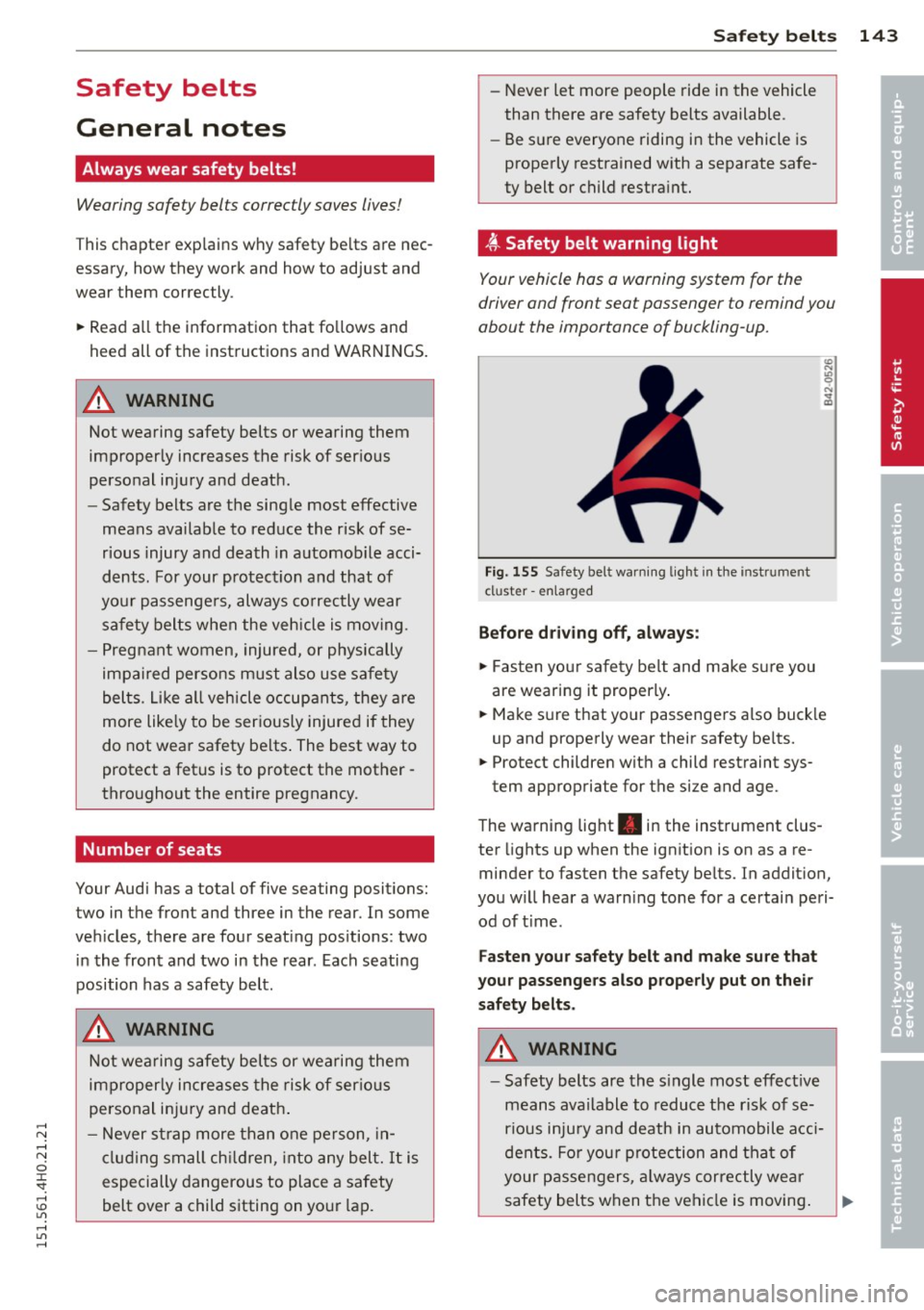
Fig. 155 Safety bel t warning light in the instrument
cl uster -enla rged
Before driving off, always:
~ Fasten your safety belt and make sure you
are wearing it properly .
~ Make sure that your passengers also buck le
up and properly wear their safety belts.
~ Protect children with a child restraint sys-
tem appropriate for the size and age.
The warning light . in the instrument clus
ter lights up when the ignition is on as a re
minder to fasten the safety belts. In addition,
you will hear a warning tone for a certain peri od of time.
Fasten your safety belt and make sure that
your passengers also properly put on their
safety belts.
A WARNING
- Safety belts are the single most effective
means available to reduce the risk of se
rious injury and death in automobile acci
dents. For your protection and that of
your passengers, always correctly wear
safety belts when the vehicle is moving. •
•
Page 201 of 312
rl N
rl N
0 J:
"". rl I.O
"' rl
"' ......
@ Tips
-ABS and AS R on ly wor k co rrectly when
a ll fo ur wheels are eq uipped w ith identi
ca l tires . Different tire s izes can lead to a
r educt io n in eng ine power.
- You may hear noises when the sys tems
desc ribed are working.
Switching on and off
Intelligent technology 199
- If
the ind ica tor li ght &J or m] (US A
mode ls)/ ri] (Ca nada models) ap pears,
t h ere may be a malfunction
c::> page 19,
¢ page 18.
ESC turns on automatically when you start the engine.
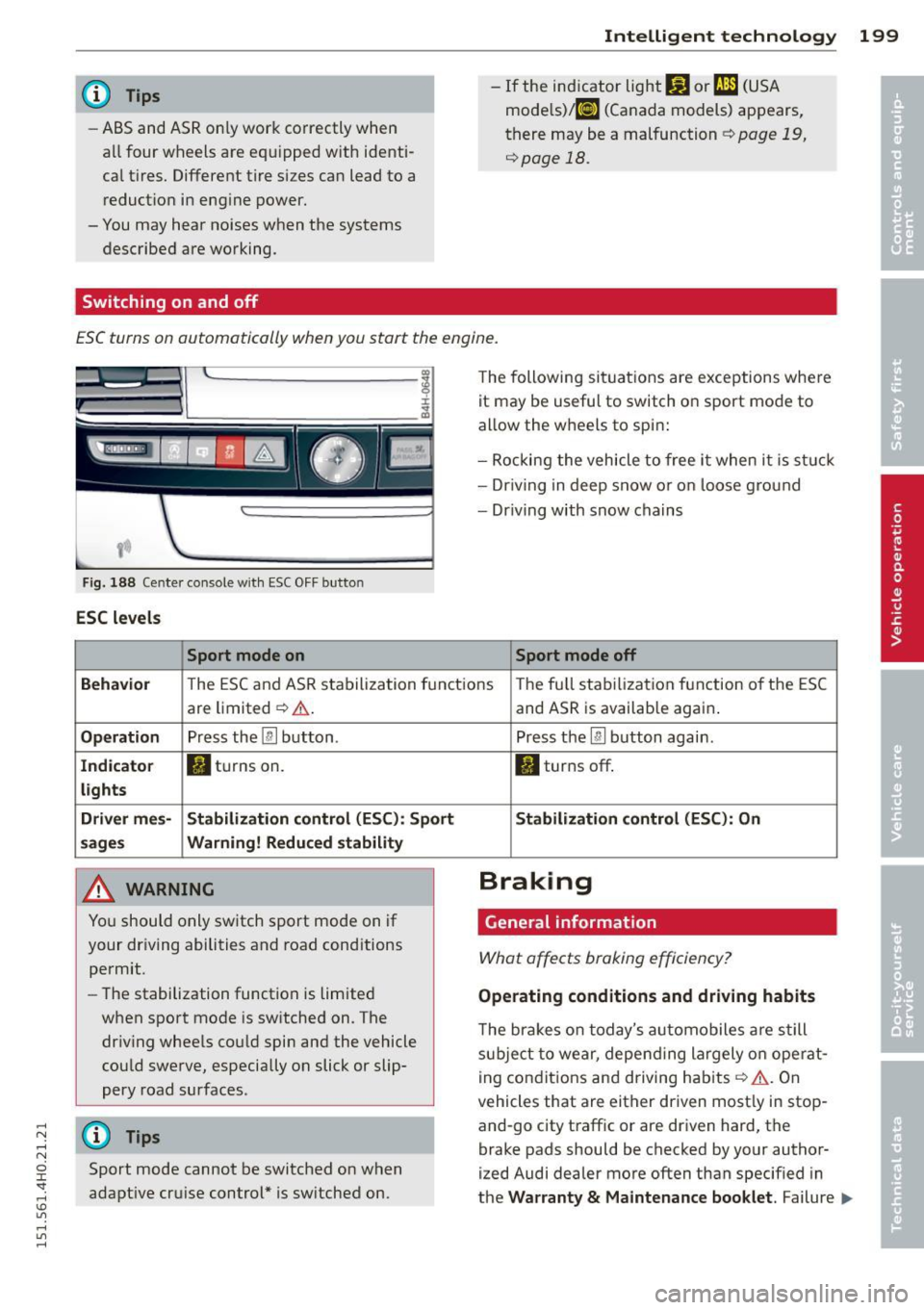
Fig . 188 Center co nsole with ESC O FF bu tton
ESC levels
Sport mode on
The following si tua tions are exceptions whe re
it may be usefu l to switch o n sport mo de to
allow the w heels to spi n:
- Rockin g the vehicle to free it when i t is st uck
- Dr iv ing in deep s now o r on loose g ro un d
- Dr iving with snow chains
Sport mode off
Behavior
T he E SC and AS R sta bilization f unct io ns The fu ll sta biliz ati on f uncti on o f the ES C
are limited ¢,& .
Operation Press the [ru button .
Indicator • tur ns on.
lights
Driver mes· Stabilization control (ESC): Sport
sages Warning! Reduced stability
A WARNING
Yo u should o nly sw itch sport mo de on i f
your dr iv ing abili ties and road cond itions
permit.
- The stabilization function is limited
when sport mode is sw itched on. The
dr iv ing whee ls co uld spin and the vehicle
cou ld swe rve , especially on slick or slip
pery road surfaces .
(D Tips
Sport mode cannot be switched o n when
adapt ive cr uise c ontrol* is sw itched on.
-
and AS R is availab le again .
Press the
[ru button again .
II turns off .
Stabilization control (ESC): On
Braking
General information
What affects braking efficiency?
Operating conditions and driving habits
The bra ke s on today's au to m obiles a re s till
sub ject t o wear, depe nding la rgely o n ope rat
i ng con dit ions and d riving habits ¢
A. On
vehicles that are either driven most ly in stop
and-go city traff ic or are driven hard , the
brake pads should be checked by your author
ized Audi dealer more often than specif ied in
t h e
Warranty & Maintenance booklet . Failure .,._
Page 203 of 312

,....,
N .... N
0 J:
'SI: .... \!) ..,.,
.... ..,., ....
coatings will be cleaned off after a few
careful brake applicat ions.
- Driving for an extended period of time on
salt-covered roads without us ing your
brakes can also affect braking efficiency.
Clean off accumulated salt coating from
brake discs and pads w ith a few careful
brake applicat ions.
- If you damage the front spoiler, or if you
install a different spoiler, be sure the air
flow to the front brakes is not obstruct ed. Otherwise the brake system could
overheat reducing the effectiveness of
the ent ire brake system.
- Failure of one bra ke c ircui t will impair
t he braking capabi lity res ulting in an in
creased stopp ing distance . Avoid driv ing
the vehicle and have it towed to the near
est Aud i dea le r or q ualified workshop .
- Never let the vehicle ro ll to a stop w ith
the engine shut off.
- If the bra ke booster is not work ing, the
brake pedal must be pressed considera
bly harder to make up for the lack of
booster assistance.
Electromechanical
power assist, dynamic
steering
The electrome chanical power assist helps the
driver when steering.
Powe r stee ring adapts electronically based on
the veh icle speed.
Indicator lights and mess ages
• Stee ring defecti ve! Stop th e vehicle
If th is ind icator light turns on and stays on
and this message appears, the power steering
may have fa iled.
Do
not co ntinu e driving . See yo ur authorized
Aud i dea ler or other qualified repa ir facility
for assistance .
'Tj Steering: System fault You can contin ue
driving
Int ellig ent technolog y 201
If the indicator light turns on and the mes
sage appears, the steering may be more diffi
cu lt to move or more sensitive than usual. The
steering wheel may also be at an ang le when
driv ing straight.
Drive slowly to your a uthorized Audi dealer or
qualified workshop to have the ma lf u nction
corrected.
'T-ij Dynamic stee ring: Init ializing
If this d rive r message appears and the i ndica
tor lig ht is flas hing on the instrumen t panel,
dynam ic s teer ing* is being rein it ia liz ed. After
starting the engine, the stee ring wheel will
move s light ly . Re-initialization might be nec
essary if the steering wheel was moved hard
to the left and right whi le the vehicle was not
moving. The display goes out as soon as initi
alization is complete .
Drive slowly to your authorized Audi dea ler or
qualified workshop to have the malf u nction
corrected.
A WARNING
H ave the dy namic steering* system mal
f u nction repa ired as soon as possible by an
authorized Audi dea ler or qua lified wor k
shop -risk of acc ident!
(D Tips
If the . or 'Tj indicator light only stays
on for a short t ime, you may continue dr iv
i ng .
- The dynamic steering* stab il ity systems
are not ava ilab le in the event of a system
ma lfunction .
- For add itiona l information o n dynamic
steering*, refer to
~page 108.
•
•
Page 205 of 312

.... N .... N
0 J:
'SI: .... \!) 1.1'1
.... 1.1'1 ....
temperature. This determines the current
state of charge and the power of the battery.
Idling current management
Idling current management reduces energy
consumpt ion while the vehicle is stand ing.
With the ignition switched off, it contro ls the
energy supply to the various e lectrica l compo
nents . Data from battery diagnosis is consid
ered.
D epending on the battery's state of charge,
individua l consumers are gradua lly turned off
to prevent excessive discharge of the battery
and thus maintain starting capability.
Dynamic energy management
While the veh icle is being driven, dynamic en
ergy management dist ributes the energy gen
erated according to the needs of the individu
a l components . It reg ulates consumption, so
that more electrical energy is not being used
than is being generated and ensures an opti
mal state of charge for the battery.
- But even energy management cannot
negate the limits of physics. Consider
that the power and life of a battery are
limited.
- If starting ab ility is threatened, the indi
cator light (•) appears
c> page 16, Cl
Battery .
What you should know
The highest priority is given to maintaining
starting capability .
The battery is severely taxed in short-distance
driving, in city traffic and during the cold time
of year. Abundant electrical energy is re
qu ired, but only a little is generated. It is also
cr itica l if the engine is not running and electri
cal components are turned on. In th is in
stance energy is being consumed but none is
be ing generated .
Intelligent technology 203
It is in precisely these situations that you will
notice energy management active ly regu lat
ing the distribution of energy.
Vehicle stands for an extended period
If you do not drive your vehicle over a period
of several days or weeks, e lectrica l compo
nents are gradually cut back or switched off.
This reduces energy consumption and main
tains starting capability over a longer period.
Some of the convenience functions may not
operate, such as the interior lights or the
power seat adjustment. The convenience
functions will be available again when you
switch on the ignition and start the eng ine.
With the engine turned off
If you listen to the radio, for example, with
the engine turned off or use other MMI func
tions, the battery is being discharged.
If starting capability is jeopardi zed due to en
ergy consumption , the following warning ap
pears in the MM I display:
Please start the engine soon or the system
will be turned off.
The warning indicates that the system will be
turned off automatically after 3 minutes. If
you w ish to continue using the functions, you
have to start the engine.
With the engine running
Although electrical energy is generated when
the vehicle is being driven, the battery can be
come discharged . This happens mostly when
li ttle energy is being generated and a great
deal consumed and the battery's state of
charge is not optimal.
T o b ring the energy ba lance back into equili
brium , consumers wh ich requ ire espe cially
large amounts of energy are temporarily cut
back or switched off . Heating systems in par
ticular require a great deal of energy. If you
notice, for examp le, that the heated seats* or
the heated rear window are not heating, they
have been temporarily cut back or switched .,.
•
•
Page 210 of 312
208 Driving and en vir onm ent
The consumption estimates as published
by ENVIRONMENTAL PROTECTION AGENCY
(EPA) and Transport Canada may not corre
spond to your actual consumption on the
road, which will vary depending upon vehi
cle load and speed, road and weather con
ditions, tr ip length, etc .
Drive smoothly and keep a lookout
ahead
Vehicles use the most fuel when they are ac
celerating.
• Avoid unnecessary accelerating and braking.
Vehicles use the most fuel when they are ac
celerating . If you anticipate what is going to
happen next, you will need to brake less and,
thus , accelerate less. Let the vehicle coast
whenever poss ible -for example when you see
that the next traffic l ight is red.
Avoid full throttle
Driving at moderate speeds saves fuel and
improves your mileage.
• Try and keep well below your car's max imum
speed .
Accelerating gently reduces fuel consump
tion, engine wear, and does not disturb the
environment .
Fuel consumption, exhaust emissions and en
g ine noise increase d isproportionately at high
speeds. If you dr ive at approximately three
quarters of top speed, fue l consumption will
be reduced by one half. Neve r dr ive faste r
than the posted speed limit and wea ther con
d itions permit.
Reducing unnecessary idling
Even when your car is just idling it burns up
fuel.
• Shut the engine off when you are not dr iv ing
the vehicle. •
Do not warm up the vehicle by letting the
engine run at id le .
T he id ling phase is automatically red uced for
vehicles with the Start -Stop -System*. It is ef
ficient to switch off the engine in vehicles
without the Start -Stop-System when stopped
at rai lroad crossings and long red lights . Turn
ing the engine off for just 30-40 seconds
saves more fuel than is burned by starting the engine aga in .
It takes a long time for the engine to warm up
fully when it is running at idle. However, wear
and noxious emissions are espec ially high
when the eng ine is warm ing up . So you should
drive away as soon as you start the engine and
avo id running at high rpms while the engine is
still warming up.
W Note
Do not leave engine idling unattended af
ter start ing . If wa rning lights should come
on to indicate improper operation, they
wo uld go unheeded. Ex tended idling also
produces heat, wh ich could result in ove r
heating or other damage to the ve hicle or
other property .
Regular maintenance
A badly tuned engine unnecessarily wastes a
lot of fuel.
• Have your veh icle serviced at reg ular in ter -
vals .
By having your ve hicle regu la rly se rviced by an
Audi dealer he lps to ensu re that it runs p rop
erly and economically . The condition of your
vehicle not only affects its safety and ability to
ho ld its va lue, it also affects
fuel con sump
tion .
Ch eck your oil e ach time you
fill y our tank.
The amount of o il used is re lated to engine
load and speed.
It is normal for the oil consumption of a new
engine to reach its lowest value after a certa in
mileage has bee n driven . ..,.