trailer AUDI A8 2015 Owners Manual
[x] Cancel search | Manufacturer: AUDI, Model Year: 2015, Model line: A8, Model: AUDI A8 2015Pages: 312, PDF Size: 79.18 MB
Page 5 of 312
,....,
N ,....,
N
0 J:
'SI: ,...., \!) 1.1'1 ,...., 1.1'1 ,....,
Error messages . . . . . . . . . . . . . . . . . . 130
Trailer hitch . . . . . . . . . . . . . . . . . . . . . 130
Homelink 131
Universal remote control . . . . . . . . . . . 131
Safety fir st . . . . . . . . . . . . . . . . . . . . 133
Dri ving Safely . . . . . . . . . . . . . . . . . 133
Gene ral notes . . . . . . . . . . . . . . . . . . . . 133
Proper occupant seating posit ions . . . 134
Driver and passenger side footwell . . . 138
Pedal area . . . . . . . . . . . . . . . . . . . . . . . 138
Stowing luggage . . . . . . . . . . . . . . . . . 139
Report ing Safety Defects . . . . . . . . . . . 141
Safety belts . . . . . . . . . . . . . . . . . . . 143
Ge neral notes . . . . . . . . . . . . . . . . . . . . 143
Why safety be lts? . . . . . . . . . . . . . . . . 14 4
Safety belts . . . . . . . . . . . . . . . . . . . . . 1 46
Safety bel t pre tens io ners . . . . . . . . . . 1 49
Airbag system ........... .. .. . .
Impo rtant th ings to know .. .. .. .. . .
Fr ont airbags . ........... .. .. .. . .
M on itoring the Advanced Airbag
System .... .. .. ... . .... ... .. .. . .
Knee airbags . .. .. ..... ... .. .. .. . .
Side airbags .. ........... .. .. .. . .
Side curta in a irbags ....... .... .. . .
Child Safety ............... .. . .
Important things to know .. .. .. .. . .
C hi ld safety seats ... ...... .... .. . .
Install ing a child safety seat .. .. .. . .
L ATC H Lower ancho rages and tethe rs
for ch ild ren . ............. .... .. . .
Addit ional Information
Audi pre sense ..... ... .. .. .. . .
P reven tat ive passenger p rotection
Vehicle operat ion ..... .. .. .. . .
Intelligent technology .. .. .. . .
Not ice about da ta re cor ded by the
E vent Data Recorder and veh icle 151
1
51
1 55
16 1
166
168
171
174
174
180
184
187
193
194
194
196
196
control mod ules . . . . . . . . . . . . . . . . . . 196
Electronic Stabilization Control (ESC) . 197
Braking . . . . . . . . . . . . . . . . . . . . . . . . . 199
Table of contents 3
El ectromechanical power assist,
dynamic steering . . . . . . . . . . . . . . . . . 201
Driv ing with your q uattro . . . . . . . . . . 202
Energy management ............. . 202
Driving and environment . . . . . 205
The first 1,000 miles (1,500 km) and
afterwards . . . . . . . . . . . . . . . . . . . . . . 205
Catalytic co nverter . . . . . . . . . . . . . . . . 206
Diesel particulate filter . . . . . . . . . . . . 206
Sh utting down vehicle . . . . . . . . . . . . . 207
Avoid damaging the vehicle . . . . . . . . . 20 7
Drivi ng throug h wate r on roads . . . . . 20 7
Oper ate yo ur vehicle economically an d
min imize poll ution . . . . . . . . . . . . . . . . 207
Trailer towing . . . . . . . . . . . . . . . . . 210
Drivi ng with a trailer . . . . . . . . . . . . . . 210
Trai ler towing tips . .. .. .. .. .. .. .. . 212
Vehicle care . . . . . . . . . . . . . . . . . . . 214
Vehicle care and cleaning . . . . . 214
Genera l information . . . . . . . . . . . . . . 214
Car washes . . . . . . . . . . . . . . . . . . . . . . 214
Cleaning and care information . . . . . . 215
Fuel supply and filling your
fuel tank . . . . . . . . . . . . . . . . . . . . . . .
220
Gasoline . . . . . . . . . . . . . . . . . . . . . . . . 220
Diesel fue l . . . . . . . . . . . . . . . . . . . . . . 221
Fuel tank . . . . . . . . . . . . . . . . . . . . . . . . 222
Se lective cata lytic reduction . . . . . . . . 225
Checking and filling . . . . . . . . . . . 228
Engine hood . . . . . . . . . . . . . . . . . . . . . 228
En gine compartment . . . . . . . . . . . . . . 230
E ngine o il . . . . . . . . . . . . . . . . . . . . . . . 231
E ngine cooling sys tem . . . . . . . . . . . . . 236
B ra ke fluid . . . . . . . . . . . . . . . . . . . . . . 239
Battery . . . . . . . . . . . . . . . . . . . . . . . . . 240
Windsh ie ld/headlight washer
conta iner . . . . . . . . . . . . . . . . . . . . . . . 244
Tires and wheels . . . . . . . . . . . . . . 245
Tires . . . . . . . . . . . . . . . . . . . . . . . . . . . 245
Tire pressure monitor ing system . . . . 263
•
•
Page 25 of 312

Instrument s and warning /indicator lights 23
I--: Sport differential
IIJ Sport differential: system fault
There is a malfunction with the sport differen
tial.
Drive to your authorized Audi dea ler immedi
ately to have the malfunction corrected.
IIJ Sport differential: overheating
The transmission temperature has increased
sign ificantly due to the sporty dr iving manner .
D rive in a less sporty manner until the tem
perature returns to the normal range and the
indicato r light switches of .
.&_ WARNING
-
Contact your authorized Audi dealer or a
qualified workshop if the sport different ial
is faulty or ma lfunctioning. The repa ir
must be performed by trained personnel
using the correct oil in order to ensure
safety.
¢ Q Turn signals
The indicator light blinks when you use either
turn signal.
Whenever you use the left Nor the right a
turn signal, the indicator light blinks. When
you use the emergency flashers, both indica
tor lights flash .
If one of the turn signal light bulbs burn out,
the turn signal will blink tw ice as fast as nor
mal. Carefully drive to your authorized Audi
dealer immediately to have the malfunct ion
corrected. The indicator light does not indi
cate a malfunction if a turn signa l on the trail
er or on the vehicle fails in trailer towing
mode.
(D Tips
For more information on the turn signals,
refer to¢
page 48.
Driver information
display
Overv iew
Fig . 4 Drive r info rmation system in the inst rument
cluster
Fig. 5 Display: examp le of the info rmat ion lin e
The driver information system contains infor
mation @ that is displayed on tabs @
¢ fig. 4. The following content is possible de
pending on vehicle equipment:
@
®
Tab Content
1 Vehicle
functions :
On-board computer ¢ page 25
Efficiency program*¢ page 26
Digital speedometer
Cruise control*¢
page 90
Adaptive cruise control and braking
guard* ¢
page 92
Audi active lane ass ist* <=> page 101
Display darkened ...
Page 89 of 312

,....,
N ,....,
N
0 J:
'SI: ,...., \!) 1.1'1 ,...., 1.1'1 ,....,
Starting off with a trailer
To prevent rolling back unintentionally on an
incline, do the following:
11-Keep the switch© pulled and depress the
accelerator. The parking brake stays applied
and prevents the vehicle from rolling back
ward .
11-You can release the switch<®> once you are
su re that you a re develop ing enough for
ward momentum at the wheels as you de
press the accelerator.
D epending on the weight of the r ig (vehicle
and tra ile r) and the severi ty of the incl ine, you
may roll backwards as you start. Yo u can pre
vent rolling backwards by holding the parking brake switch<®) p ulled out and acce lerating -
just as you would when starting on a hill with
a conventional hand brake.
Emergency braking
In the event that the conventional brake sys
tem fails or locks.
11-In an emergency, pull the switch(®) and
contin ue to p ull it to slow your vehicle down
with the parking brake.
11-As soon as you release the switch (®) or ac-
ce lerate, the braking process stops.
If you pull the switch<®> and hold it above a
speed of about 5 mph (8 km/h), the emergen
cy braking function is initiated. The vehicle is
braked at all four wheels by activating the hy
draulic brake system. Th e brake performance
i s similar to making an emergency stop
~ &..
In order not to activate the emergency brak
ing by m istake, an audible warning tone (buz
ze r) sou nds when the switch C®> is pulled. As
soon as the switch(®) is released, or the accel
e rator pedal is dep ressed, emergency b ra ki ng
stops.
_& WARNING
Emergency braking should only be used i n
an emergency, when the normal foot brake
has failed or the brake pedal is obstructed .
On the ro ad 87
Using the parking b rake to pe rform emer
gency brak ing will slow your vehicle down
as if you had made a full brake application.
The laws of physics cannot be suspended
even with ESC and i ts associated compo
nents (ABS, ASR, EDL). In corners and
when road o r weathe r cond itions are bad,
a full brake appl ication can ca use the vehi
cle to sk id or the re ar end to break away -
risking an acciden t.
Start-Stop-System
' Description
Applies to vehicles: wit h Start -Stop-System
The Start-Stop-System can help increase fuel
economy and reduce CO2 emissions .
In the Start-Stop-mode, the engine shuts off
automat ica lly w hen the vehicle is stopped,
such as at a traffic light. The ignition remains
switched on du ring this stop phase. The en
gine wi ll be automat ica lly restarted when
needed.
The last Start-Stop-System sett ing (on/off us
ing the button
I O\l ~I) will be restored when the
i gnition is turned on. The L ED in the
1(7() .. 1 but
ton turns on when the Star t-Stop-System is
swi tched off man ually.
Basic requirements for the Start -Stop
mode
- The d rive r's doo r is closed.
- The d river ' seat belt is latched .
- The hood is closed .
- The vehicle must have been driven faster
than
2.5 mph (4 km/h) since the last stop.
- A trailer is not hitched to the vehicle.
_& WARNING
-Never let the vehicle roll with the eng ine
sw itched off. You cou ld lose control over
the vehicle. Th is can lead to a collision
and serio us in ju ries.
- The brake booster and the steering sup port do not work while the engine is
Page 106 of 312

104 Audi side assist
Audi side assist
Lane Change Assistant
Description
App lies to vehicles: wit h side ass ist
Fig . 111 Sensor detection range
Fig. 112 Disp lay on the exterio r mirror
Side assist he lps you monitor your blind spot
and traffic behind your veh icle. Within the
limits of the system, it warns you about
vehicles that are coming closer or that are
traveling with you within sensor range
(D
c:> fig . 111: if a lane change is class ified as crit
ical, the display @ in the exterior mirror
c:>fig. 112 turns on.
The display in the left exterior mirror provides
assistance when mak ing a lane change to the
le ft, while the display in the right exter ior mir
ror provides assistance when making a lane
cha nge to the right.
Information stage
As long as you do not activate the turn signal,
side assist
informs you about vehicles that are
detected and class ified as critical. The display
in the respective mirror turns on, but is d im. T
he display remains dim intentionally in the
information stage so that your view toward
the front is not disturbed .
Warning stage
If you activate the turn signal, s ide ass ist
warns you about vehicles that are detected
and classified as critical. The display in the re
spective mirror blinks brightly . If this hap
pens, check traffic by glancing in the rearview
mirror and over your shoulder
c:> .&. in General
information on page 105.
Applies to vehicles with active lane assist*:
The display in each mirror can a lso blink if you
have not activated the turn signal: If you are
approaching a detected lane marker line and
it appears you will leave the lane, side assist
will warn you about detected vehicles that are classified as critical.
(0 Tips
- You can adjust the brightness of the dis
play @
c::> page 106.
-Please refer to the instructions for tow
ing a trailer located in
~ page 105.
Page 107 of 312

.... N .... N
0 J:
-
"' ....
General information
Applies to vehicles: with side assist
®
©
Fig . 113 Dr iving situations
AUDI
Fig. 114 Rear of t he ve hicle: positio n of t he se nsors
Side assist functions at speeds above approx i
mately 19 mph (30 km/h).
@ Vehicl es th at ar e approaching
In certain cases, a vehicle will be classified as
cr itical for a lane change even if it is still
somewhat far away. The fas ter a vehicle ap
p roaches, the sooner the display in the exteri
or m irror will t urn on.
@ V ehicles traveling with you
Vehicles traveling w ith you are indicated in the
exterior m irror if they are classified as cr itical
for a lane change. All vehicles detec ted by
side assist are indicated by the time they en
ter your "blind spot", at the latest.
Audi side assist 105
© Veh icle s left behind
If you s low ly pass a vehi cle that s ide assist has
detected (the difference in speed between the
vehicle and you r vehicle is less than 9 mph or
15 km/h), the display in the exterior mirror
turns on as soon as the vehicle enters your blind spot.
The disp lay will not t urn on if you quickly pass
a vehicle that side assist has detected (the dif
ference in speed between the veh icle and your
vehicle is greater than 9 mph or 15 km/h).
Functi onal limitations
The radar sensors are designed to detect the
left and right adjacent lanes when the road
lanes are the normal width. In certain situa
tions, the d isp lay in the exterior mirror may
turn on even though there is no veh icle locat
ed in the area that is cr itical for a lane change.
For example:
- if the lanes are narrow or if your are dr iving
on the edge of your lane.
If this is the case,
the system may have detected the vehicle in
another lane that is
not adjacent to your
current lane .
- if you a re driving through a curve. Side assist
may react to a vehicle that is one lane ove r
from the adjacent lane.
- if side assist reacts to other objects (such as
high or d isp laced guard rails) .
- In poor weather conditions. The side assist
functions are l imited .
Do not cover the radar sensors
c> fig. 114 with
stickers, depos its, bicycle wheels or other ob
jects, because this will affect the funct ion. Do
not use s ide ass ist when towing a trailer. For
i nformation on cleaning, refer to
c> page 214.
_&. WARNING
- Always pay attention to traffic and to t he
area a round your ve hicl e. S ide assist can
not replace a driver's attention. T he driv
er a lone is always responsible for lane
changes and similar driving mane uvers.
Page 109 of 312

.... N .... N
0 J:
'SI: .... \!) 1.1"1
.... 1.1"1 ....
@ Tips
-Side assist is not active whi le you are
making the adjustment.
- Your settings are automatica lly stored
and assigned to the remote control key
being used.
Driver messages
Applies to vehicles: with side assist
If side ass ist switches off by itself, the LED in
the button turns off and a message will ap
pear in the instrument cluster d isplay:
Audi side assist: Currently unavailable . No
sensor vision
The radar sensors' vision is affected. Do not
cover the area in front of the sensors with bike
wheels, stickers, dirt or other objects. Clean
the area in front of the sensors, if necessary
c>page 105, fig . 114.
Audi side assist: Currently unavailable
Side assist cannot be swi tched on temporarily
because there is a malfunction (for example,
the battery charge leve l may be too low) .
Audi side assist: System fault!
The system cannot guarantee that it will de
tect vehicles correctly and it is switched off .
The senso rs have been displaced or are faulty.
Ha ve the sys tem checked by an authorized
Aud i dealer o r autho rized Aud i Service Fac ilit y
soon.
Audi side assist: Unavailable when towing.
Side assist sw itches off automatically when a
factory- installed trailer hitch is connected to
the electrical connector on the trailer. There is
no guarantee the system will switc h off when
using a retrofitted trailer hitch. Do not use
side assist when towing a trailer .
Audi side assist 107
Page 111 of 312
the drive select mode. Adaptive cruise control
also responds to the driving behavior of the
veh icle ahead in a more conservative or sporty
manner.
E ngin e soun d*
The sound of the engine is adapted to the se
l ected mode and ranges from subtle to sporty.
(D Note
- Make sure there is eno ugh clea rance
above and below the veh icle when park
i ng. The height of the vehicle can change
once it is parked due to temperature
fluctuations, changes to the load cond i
tions and changes to the dr iv ing modes,
which can affect clearance.
- When transporting the veh icle on a car
carrier, tra in, ship or by other means, on
ly tie the veh icle down at the running
surface of the tires, which is the outer
circumference. Secur ing the vehicle at
the axle components, s uspension struts
or tow ing eyes is not pe rm itted because
the pressure in the air suspension stru ts
can cha nge during transport . The vehicle
may not be sec ured s ufficient ly if this
happens.
- If you a re going to tow a trailer, you
must activate the trailer operation mode
C? poge210.
@ Tips
- In some models, the maximum vehicle
speed can only be reached in the
auto
and dynami c modes.
- Se lecting the
d ynamic mode results in
sporty shifting characteristics . The S
gear position engages automatically.
- In vehicles that have dynamic steering*,
operating noise is heard when starting or
stopping the engine. Th is does not indi
cate a problem.
Audi dri ve sele ct 109
-In ve hicles w ith sport differentia l*, the
dynamic mode is deactivated when tow
ing a trailer.
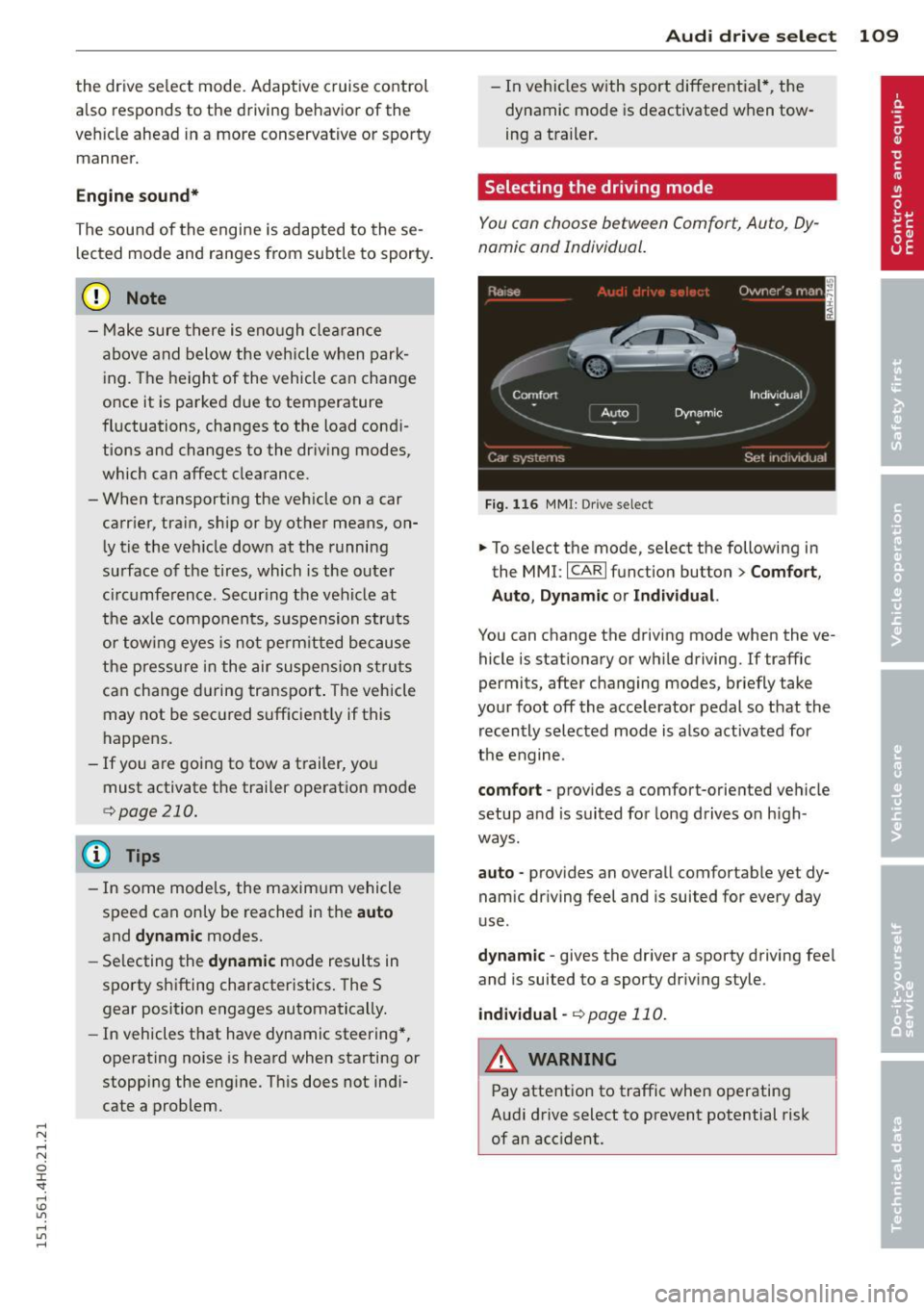
Selecting the driving mode
You con choose between Comfort, Auto, Dy
namic and Individual.
F ig. 116 MMI: Drive select
.,. To select the mode, se lect the following in
the MMI:
I CARI function button > C om fort ,
Auto , Dynamic or Individu al.
You can change the driving mode when the ve
hicle is stationary or wh ile driving. If traffic
permits, after changing modes, briefly take
your foot off the accelerator pedal so that the recently selected mode is also activated for
the engine.
comfort -provides a comfort-oriented ve hicle
setup a nd is suited for long drives on h igh
ways .
auto -provides an overall comfortable yet dy
namic dr iving feel and is suited for every day
use .
dy nami c -gives the driver a sporty driving fee l
and is suited to a sporty driv ing style.
indi vidual -¢page 110.
A WARNING
Pay attention to traffic when operating
Audi drive select to prevent potential risk
of an accident.
Page 118 of 312

116 Automatic Tran sm iss ion
& WARNING
-Never e ngag e R or P w hile driving . It
could cause a cras h.
-
-Power is sti ll t ransmi tte d to t he whee ls
whe n the e ngine is runni ng at idle . To
prevent the vehicle from "creepin g", you
must keep your foot on the brake in all
selector lever positions except P and N
when the eng ine is running. Do not inad
vertent ly press the accelerator pedal
when the veh icle is stationary . Otherwise
the vehicle will s tart to move immediate
ly. This cou ld happen even if the parking
brake is activa ted .
- Be fore opening the hood, select the P se
lector lever position and set the par king
brake. This red uces the risk of a crash. Al
ways read and follow the applicable
warnings
<=)page 228.
-Never get out of the driver's seat when
the engine is running.
- If you mus t get out of the vehicle, move
the se lector lever securely into the P po
sition an d apply the park ing brake .
(D Tips
-If you u nin tentionally shift into the N se
l ector lever posi tion while dr iv ing, ta ke
your foot off the acce lerator pedal and
wait for the e ngine to slow down until it
i s idling before you shift into Dor S.
Driving tips
The gears shi~ automatically .
Starting from a stop
"" Press and ho ld the brake pedal.
"" Sta rt the eng ine
c:> page 83.
"" Press the but ton on the se lector lever and
select the D, S or R selecto r lever pos it ion
c:> page 114 .
""Wait a moment until the transmission
shifts. You w ill not ice a slight movement
when the gear engages .
"" Re lease the brake pedal and press the accel
erator pedal¢ ,& .
Stopping temporarily
""Press the brake pedal to s top the ve hicle, for
examp le a t a traffic light . Do not press the
accelerato r peda l when doing this.
"" To prevent the vehicle from ro lling when yo u
start dr iving, set the parking brake when
stopping on large incl ines
c:> ,& .
"" The parking brake will release automat ica lly
and the vehicle will start mov ing once you
press the acce lerator pedal.
Parking
If the se lector lever is not in the P position
whe n you open the driver's door, the ve hicle
could roll. The message
Transmission: Car
may roll! Shift to park!
appears .
"" Press and hold the brake pedal¢ ,& .
"" Set the park ing brake.
"" To engage the P se lector lever position,
press the button on the selector lever and
shift into the P posit ion
c:> page 114 .
Under certa in conditions such as dr iv ing in the
mountains or when towing a trailer, it may be
helpful to switch to manual mode tempo rari ly
to shift
manually to adapt to the driving con
di tions
c:> page 117.
On s lopes, activate the parki ng bra ke first and
then move the selecto r leve r to the P position .
T his prevents too much st ress from be ing
pla ced on the locking mec hanism.
& WARNING
Read an d fol low all WAR NIN GS ¢ .&. in Se
lecting a selector lever position on
page 116.
- The vehicle can also roll when the engine
is stopped.
- Do not press t he acceler ator pe dal when
chan ging the se lector leve r posi tion
while the veh icle is stationary and t he
engine is running . This cou ld result in a
crash.
- Never engage R o r P while driving .
It
could cause a crash.
- Power is still transmitted to the wheels
when the engine is runn ing at idle. To
IJJ,,
Page 122 of 312
120 Parking system s
Parking systems
General information
A ppl ies to vehicles: with parkin g system plus/rear view
camera/peripheral cameras
Depending on your vehicle's equ ipment, vari
ous parking a ids wi ll help yo u when pa rk ing
and maneuve ring.
The
parking sy stem plu s with rear view cam
era
ass ists you when park ing by aud ibly and
visua lly indicating objec ts detected
in front of
and behind the vehicle. The rear view came ra
shows the area behind the vehicle in the Info
tainment display . This display assists yo u
when you are cross or paralle l pa rking
co page 121.
The pe ripheral camera s assist yo u with pa rk
ing and maneuvering . You are aided by various
cameras depending on the vehicle equipment
leve l
co page 124. In add it ion, you are assist
ed by the functions from the sensors
co page 121, Sensors, co page 123, Visual
display.
A WARNING
- Always look fo r traff ic and check the area
around you r vehicle by looking at it di
rect ly as we ll. The parking sys tem canno t
rep lace t he drive r's a ttent ion. The dr iver
is a lways respons ible for safety during
parking and for all other maneuvers.
- Please note tha t some sur faces, such as
clothing, are not detected by the system .
- Sensors and cameras have blind spots in
wh ich peop le and objects cannot be de
tected . Be especially cautious of children
and animals.
- The sensors can be displaced by impacts or damage to the radiato r grille, bumpe r,
wheel housing and the underbody. The park ing systems may become impaired
as a result. Have your authorized Audi
dealer or qualified workshop check their
f unction.
- Make sure the sensors are not covered by
stickers, deposits or any othe r obstruc
t ions as it may impair the senso r func- tion. Fo
r informat ion on cleaning, refe r
to
co page 214.
@ Note
- Some objects are not detected by the
system under certain ci rcumstances:
- Objects such as barrie r chains, trailer
draw bars, vertical poles or fe nces
- Objects above the sensors such as wall
extensions
- Objects w ith specific surfaces or struc
tures such as chain link fences or pow
de r snow.
- If you conti nue driving closer to a low- ly
ing object, it may disappea r from the
sensor range. Note that you w ill no lon
ger be warned about this obstacle.
0) Tips
- The system may provide a warning even
tho ugh there are no obstacles in the cov
erage a rea in some situations, such as:
- certain road su rfaces or for long grass .
- ex terna l ult raso nic sources e.g. from
cleaning vehi cles.
- h eavy ra in, s now or thick ve hicle ex
ha ust.
- We recommend tha t yo u pr actice park
ing in a t raff ic-free locat ion or par king
lot to become familiar w it h the system.
Whe n doi ng this, the re should be good
light and weathe r cond itions.
- Yo u can change the vol ume and pitch of
the s ignals as we ll as the disp lay
co page 130.
-Please refer to the instr uctions for tow
ing a t railer
co page 130.
-W hat appea rs in the infotainment dis
play is somewhat time-delayed.
Page 124 of 312
122 Parking systems
If the distance to an obstacle remains con
stant, the volume of the distance warning
gradually drops after about four seconds (this
does not apply in the continuous tone range).
Rear view camera
The rear view camera is located above the rear
license plate bracket. Make sure that the lens
for the parking system
c:> fig. 132 is not cov
ered by deposits or any other obstructions be
cause this can affect the function of the park
ing system. For information on clean ing, refer
to
c:> page 214.
The rear view camera coverage area includes
(D ¢fig . 131. Only this area is shown in the
Infotainment display. Objects that are outside
of this area @are not displayed.
The accuracy of the orientation lines and the
blue surfaces is reduced if the adaptive air
suspens ion* is faulty, if the vehicle is lifted or
if the
dynamic mode is activated c;, page 108.
A WARNING
-Always read and follow the applicable
warnings
c:> &. in General information on
page 120.
- If the position and the installation angle
of the rear view camera was changed, for
example, after a collision, do not contin
ue to use the system for safety reasons.
Have it checked by your authorized Audi
dealership or authorized repair facility.
- Only use the rear view camera to assist
you if it shows a good, clear picture. For example, the image may be affected by
the sun shining into the lens, dirt on the
lens or if there is a system fault.
- Use the rear view camera only if the lug
gage compartment lid is completely
closed. Make sure any objects you may
have mounted on the luggage compart
ment lid do not block the rear view cam
era.
- The camera lens enlarges and distorts
the field of vision . The object appears
both altered and inaccurate on the
screen. -
In certain situations, people or objects in
the display appear closer or further
away:
- objects that do not touch the ground,
such as the bumper of a parked vehicle,
a trailer hitch or the rear of a truck. Do
not use the help lines in this case.
- If driven from a level surface onto an
incline , or a downward slope.
- If driven toward protruding objects.
-If the vehicle is carrying too much load
in the rear.
(D Note
-Always read and follow the applicable
warnings
c:> 0 in General information on
page 120.
- The orange colored orientation lines in
the Infotainment display show the vehi cle path depending on the steering
wheel angle. The front of the vehicle
front swings out more than the rear of
the vehicle. Maintain plenty of distance
so that your outside mirror or a corner of
your vehicle does not collide with any ob
stacles.
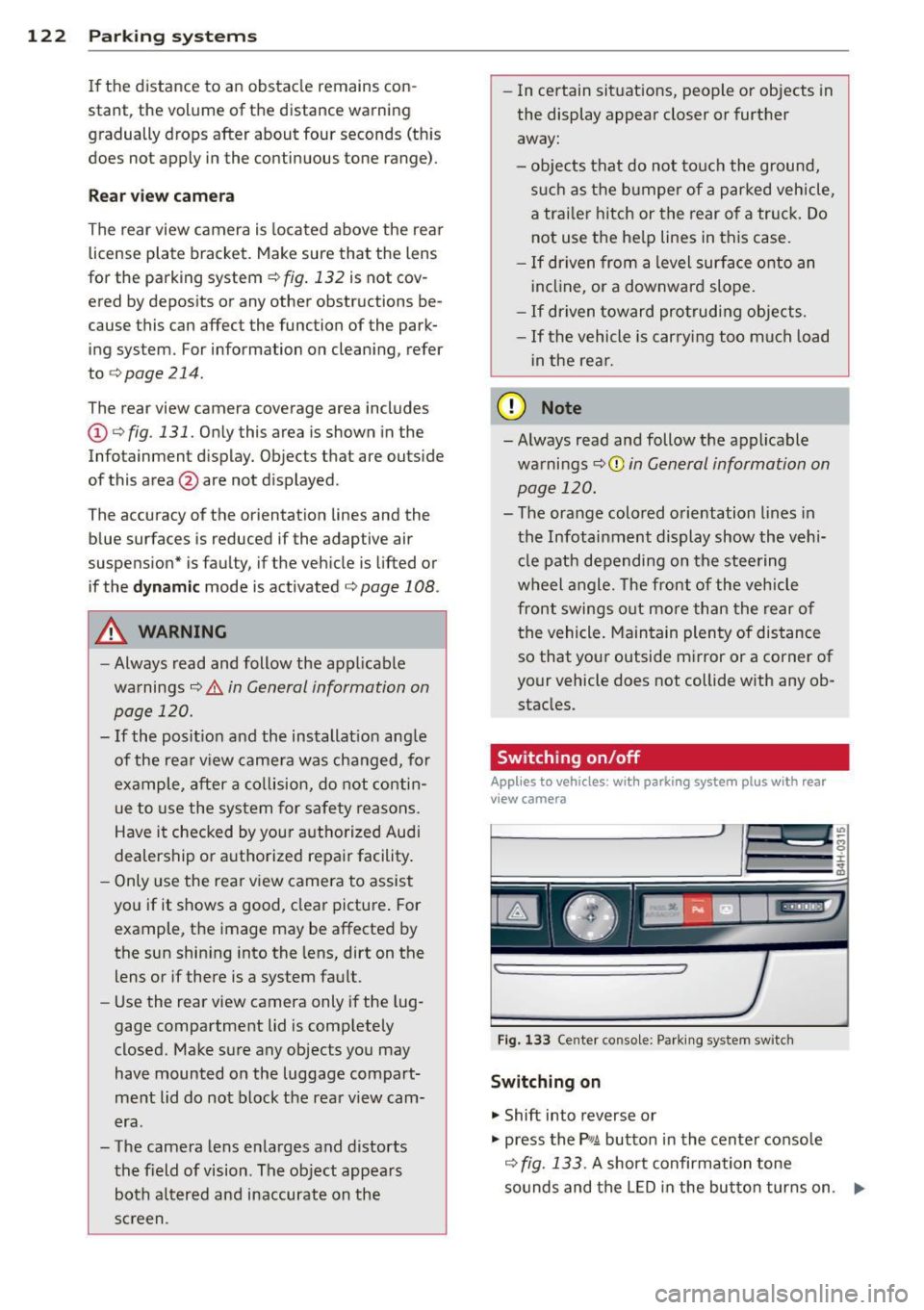
Switching on/off
Applies to vehicles : with parking system pl us with rear
v iew camera
Fig . 133 Center console: Parking system sw itch
Switching on
.,. Shift into reverse or
.,. press the
PwA button in the center console
c:> fig. 133 . A short confirmation tone
sounds and the LED in the button turns on. .,..