belt AUDI A8 2017 Owners Manual
[x] Cancel search | Manufacturer: AUDI, Model Year: 2017, Model line: A8, Model: AUDI A8 2017Pages: 354, PDF Size: 88.68 MB
Page 6 of 354
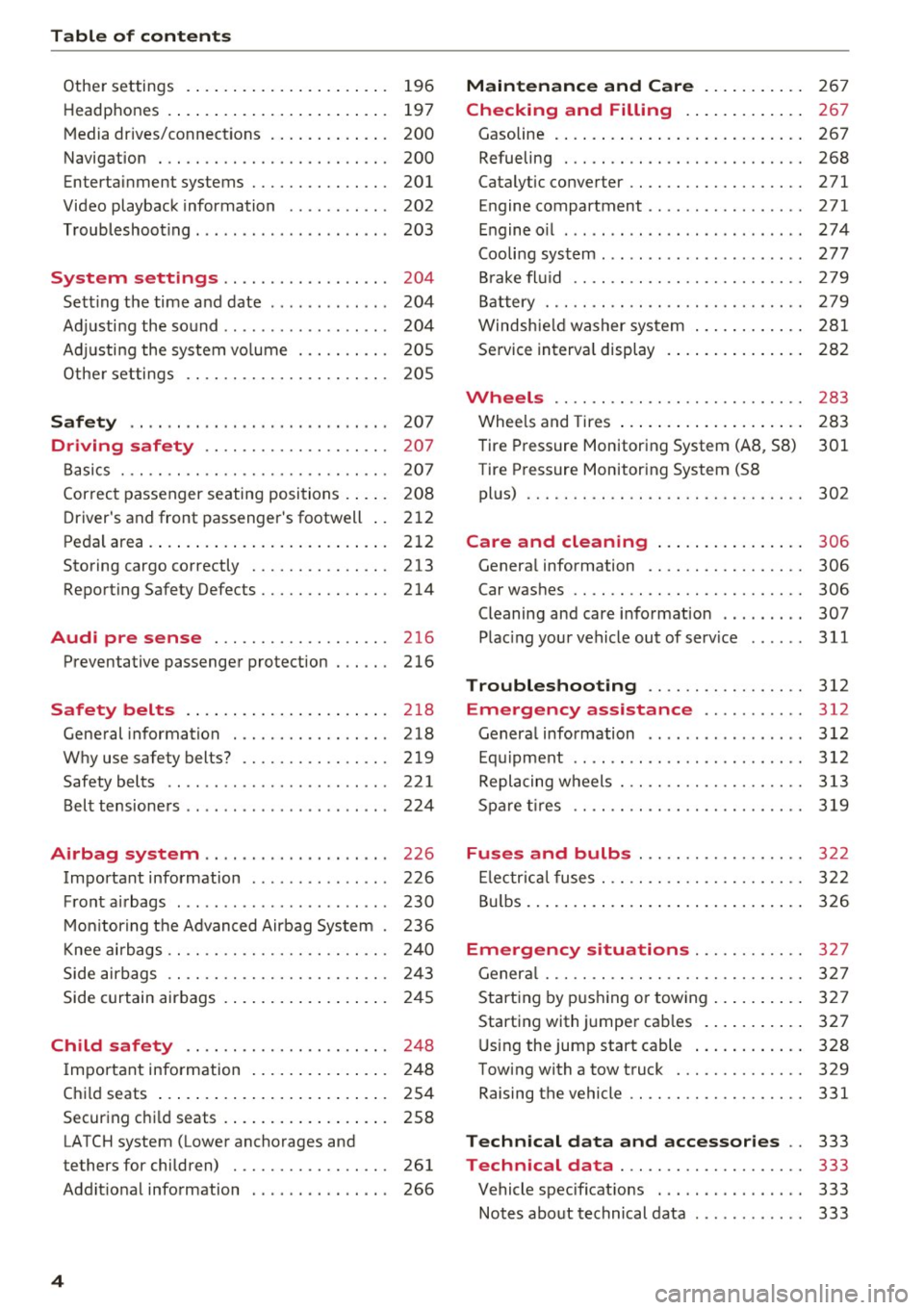
Table of content s
Other settings . . . . . . . . . . . . . . . . . . . . . . 196
H eadphon es . . . . . . . . . . . . . . . . . . . . . . . . 197
Media drives/connections . . . . . . . . . . . . . 200
Nav iga tion . . . . . . . . . . . . . . . . . . . . . . . . . 200
En te rt ainment sys tem s . . . . . . . . . . . . . . . 201
Video playback information . . . . . . . . . . . 2 02
Troubleshoot ing . . . . . . . . . . . . . . . . . . . . . 203
System settings . . . . . . . . . . . . . . . . . . 204
Sett ing the time and date . . . . . . . . . . . . . 204
Adjusting the so und . . . . . . . . . . . . . . . . . . 204
Ad justi ng the system vo lume . . . . . . . . . . 20 5
Othe r settings . . . . . . . . . . . . . . . . . . . . . . 205
Safety .. .. .. ... ... ...... ... .... .. . 207
Driving safety . . . . . . . . . . . . . . . . . . . . 207
Basics . . . . . . . . . . . . . . . . . . . . . . . . . . . . . 207
Correct passenger seating positions . . . . . 208
D river's and front passenger 's footwell . . 212
Pedal ar ea. ... ... .. .. ..... ... .. .. .. . 212
Storing cargo cor rectly . . . . . . . . . . . . . . . 213
Reporting S afety Defects... ........ .. . 214
Audi pre sense .. ..... ......... .. . 216
Preventative passenger protection 216
Safety belts . . . . . . . . . . . . . . . . . . . . . . 218
Gene ral information . . . . . . . . . . . . . . . . . 218
Why use safety belts? . . . . . . . . . . . . . . . . 219
Safety belts . . . . . . . . . . . . . . . . . . . . . . . . 221
Bel t tensioners . . . . . . . . . . . . . . . . . . . . . . 224
Airbag system . . . . . . . . . . . . . . . . . . . . 226
Important information . . . . . . . . . . . . . . . 226
F ront ai rbags . . . . . . . . . . . . . . . . . . . . . . . 230
M on itor ing the Advanced Airbag System . 236
Knee ai rbags . . . . . . . . . . . . . . . . . . . . . . . . 24 0
Side airbags . . . . . . . . . . . . . . . . . . . . . . . . 24 3
Side curtain airbags . . . . . . . . . . . . . . . . . . 24 5
Child safety . . . . . . . . . . . . . . . . . . . . . . 248
I mportant info rmation . . . . . . . . . . . . . . . 248
Chi ld seats . . . . . . . . . . . . . . . . . . . . . . . . . 254
Securing chi ld seats . . . . . . . . . . . . . . . . . . 258
LATCH system (Lower anchorages and
t ethe rs for children) . . . . . . . . . . . . . . . . . 261
Addit io nal information . . . . . . . . . . . . . . . 266
4
Maintenance and Care . . . . . . . . . . . 267
Checking and Filling . . . . . . . . . . . . . 267
Gasoline . . . . . . . . . . . . . . . . . . . . . . . . . . . 267
Refueling . . . . . . . . . . . . . . . . . . . . . . . . . . 268
Catalytic converter .. .. ............. .. 271
E ngine compartment ................. 271
E ngine o il . .. .. .. .. .. .... .... ..... .. 274
Cooling sys tem . . . . . . . . . . . . . . . . . . . . . . 277
B rake fl uid . . . . . . . . . . . . . . . . . . . . . . . . . 279
B att ery . . . . . . . . . . . . . . . . . . . . . . . . . . . . 279
Windshie ld washer system . . . . . . . . . . . . 2 81
Service interva l display . . . . . . . . . . . . . . . 28 2
Wheels .... .. .. .. .. ............. .. 283
Whee ls and Tires . . . . . . . . . . . . . . . . . . . . 283
Tire Pressure Monitoring System (A8 , 58) 301
Tir e Pressure Monitor ing System (58
pl us) . . . . . . . . . . . . . . . . . . . . . . . . . . . . . . 302
Care and cleaning . . . . . . . . . . . . . . . . 306
Genera l information . . . . . . . . . . . . . . . . . 306
Car was hes . . . . . . . . . . . . . . . . . . . . . . . . . 306
Cleaning and care i nformation . . . . . . . . . 307
Plac ing your vehicle out of serv ice . . . . . . 311
Troubleshooting . . . . . . . . . . . . . . . . . 312
Emergency assistance .......... . 312
Genera l info rmation . . . . . . . . . . . . . . . . . 312
E q ui pment .. .. .. .. .. ... ....... ... .. 312
Replacing wheels . . . . . . . . . . . . . . . . . . . . 313
S pa re ti res .. .. .. .. .. ............. .. 319
Fuses and bulbs . . . . . . . . . . . . . . . . . . 322
El ectr ica l fuses . . . . . . . . . . . . . . . . . . . . . . 322
Bu lbs. . . . . . . . . . . . . . . . . . . . . . . . . . . . . . 326
Emergency situations ............ 327
Genera l . . . . . . . . . . . . . . . . . . . . . . . . . . . . 327
Start ing by pus hing or tow ing . . . . . . . . . . 327
Starting with jumper cab les . . . . . . . . . . . 327
U sing the jump start cabl e . . . . . . . . . . . . 328
Towing with a tow truck . . . . . . . . . . . . . . 329
Raising the vehicle .. .. ............. .. 331
Technical data and accessories . . 333
Technical data . . . . . . . . . . . . . . . . . . . . 333
Vehicle specificat ions . . . . . . . . . . . . . . . . 333
Notes abo ut technical data . . . . . . . . . . . . 333
Page 19 of 354
0 co .... N ,..._
N .... 0 0 :c '
In the Infotainmen t system, yo u can specify
which informa tion should be displayed: This
could be Navigation information* or Night vision
assist *, for example.
The display of certa in information and some of
the red indicator lights cannot be hidden in the
I nfotainment system .
Display brightness
You can adjust the display brightness in the Info
tainment system. The display b rightness decreas
es automati cally as the amoun t of light decreas
es. The backg ro und brightness is adjusted with
the instrument illumination ¢
page 47.
(D Note
To preven t scratches on the g lass cove ring the
head -up d isplay, do not place any objects in
the projection opening .
(D Tips
-Sunglasses w ith polar izat ion fi lte rs and u n
favorab le lighting conditions can have a
negative effect on the display.
- An optim um display depends on the seat
position and the height adjustment of the
head -up display.
- A specia l windshield is needed for the head
up disp lay function.
- For in formation on cleaning, refer to¢
ta
ble on page 308 .
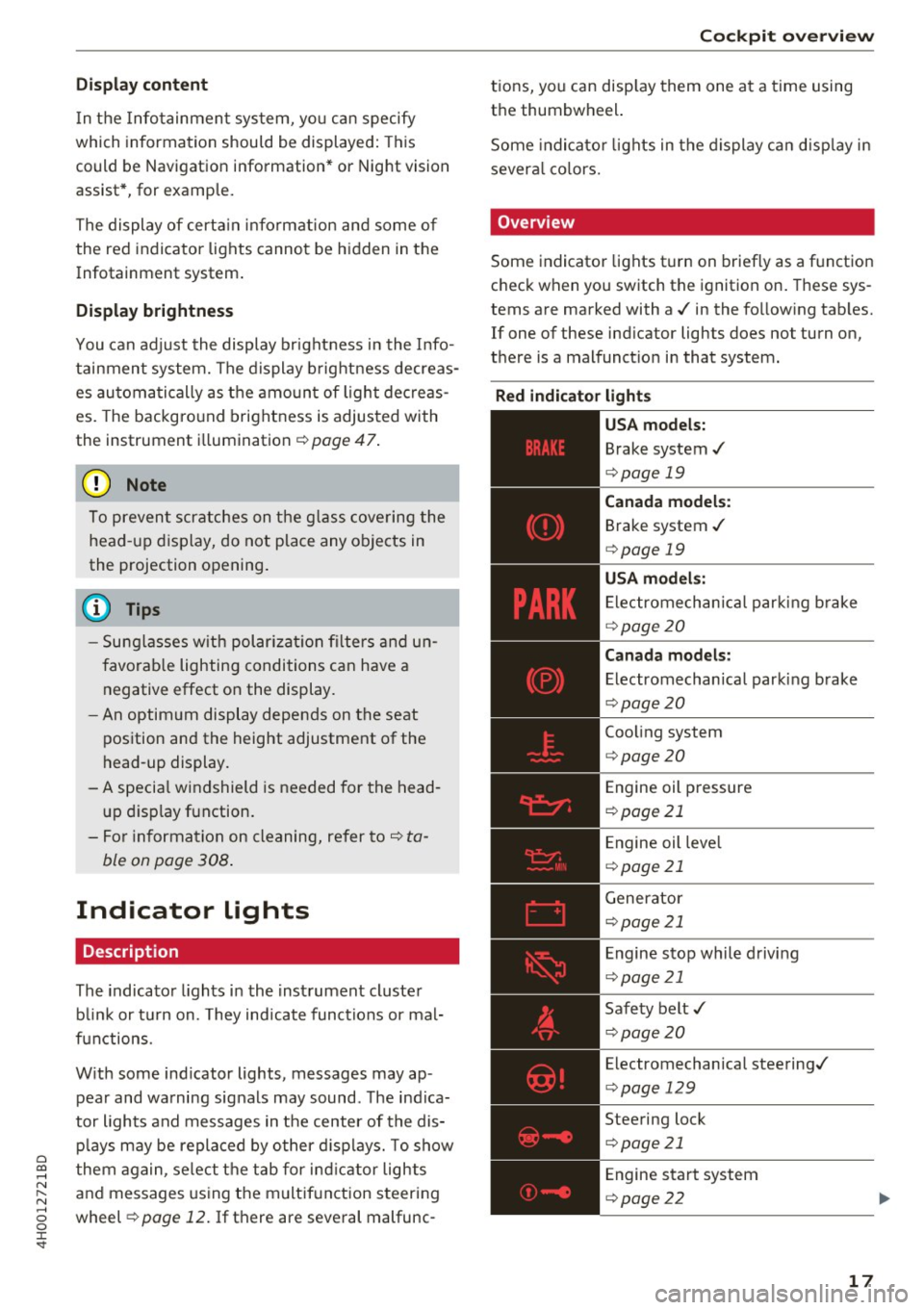
Indicator lights
Description
The indicator lights in the inst rument cluster
b lin k or t urn on. They indicate functions or mal
f u nctions.
W it h some ind icator lights, messages may ap
pear and wa rning signals may sound . The indica
tor lights and messages in the center of the dis p lays may be replaced by other d isp lays. To show
them again, se lect t he tab for ind icator lights
and messages using the m ultif unction steering
wheel ¢
page 12. If there are seve ral malfunc -
Cockpit o ve rv iew
tions, you can disp lay them one a t a time using
the thumbwheel.
Some indicato r lights in the display ca n disp lay in
severa l co lors.
' Overview
Some indicator lights t urn on briefly as a f unction
c h eck when you switch the ignition on . These sys
tems are marked with a./ in the fo llow ing tab les.
If one of these ind icator lights does not turn on,
there is a malfunct io n in that system.
Red indicator light s
-------------
US A models:
Brake system./
¢page 19
Canada model s:
Brake system ./
¢page 19
USA model s:
Electrome chanica l par kin g b rake
¢ page20
Canada models:
Electromechanica l parking brake
¢ page20
Coo ling system
¢ page 20
Engine oil pressure
¢page 21
Engine oil leve l
¢page 21
Generator
¢page 21
Engine stop while driv ing
¢ page 21
Safety belt ./
¢page20
Electromechanical steering./
¢page 129
Steering lock
¢page 21
Engine start system
¢page 22
17
Page 22 of 354
Cockpit over view
- If the brake system indicator light does not
turn off or it t urns on while driv ing, the
brake fluid level in the reservoir is too low,
and this increases the risk of an acc ident .
Stop the vehicle a nd do not continue dr iv
ing . See an author ized Audi dealer or au
t h o rized Aud i Serv ice Facility fo r ass istance.
- If the brake system indicator light turns on
togethe r with the ABS and ESC ind icator
l igh ts, the ABS/ ESC regula ting func tion may
be malfunctioning. Fu nctions that stabilize
the vehicle are no longer ava ilable . This
could cause the vehicle to swerve, whic h in
creases the risk that the ve hicle wi ll slide.
Do not continue driving. See an author ized
Audi dealer or author ized Audi Service Facili
ty for assistance.
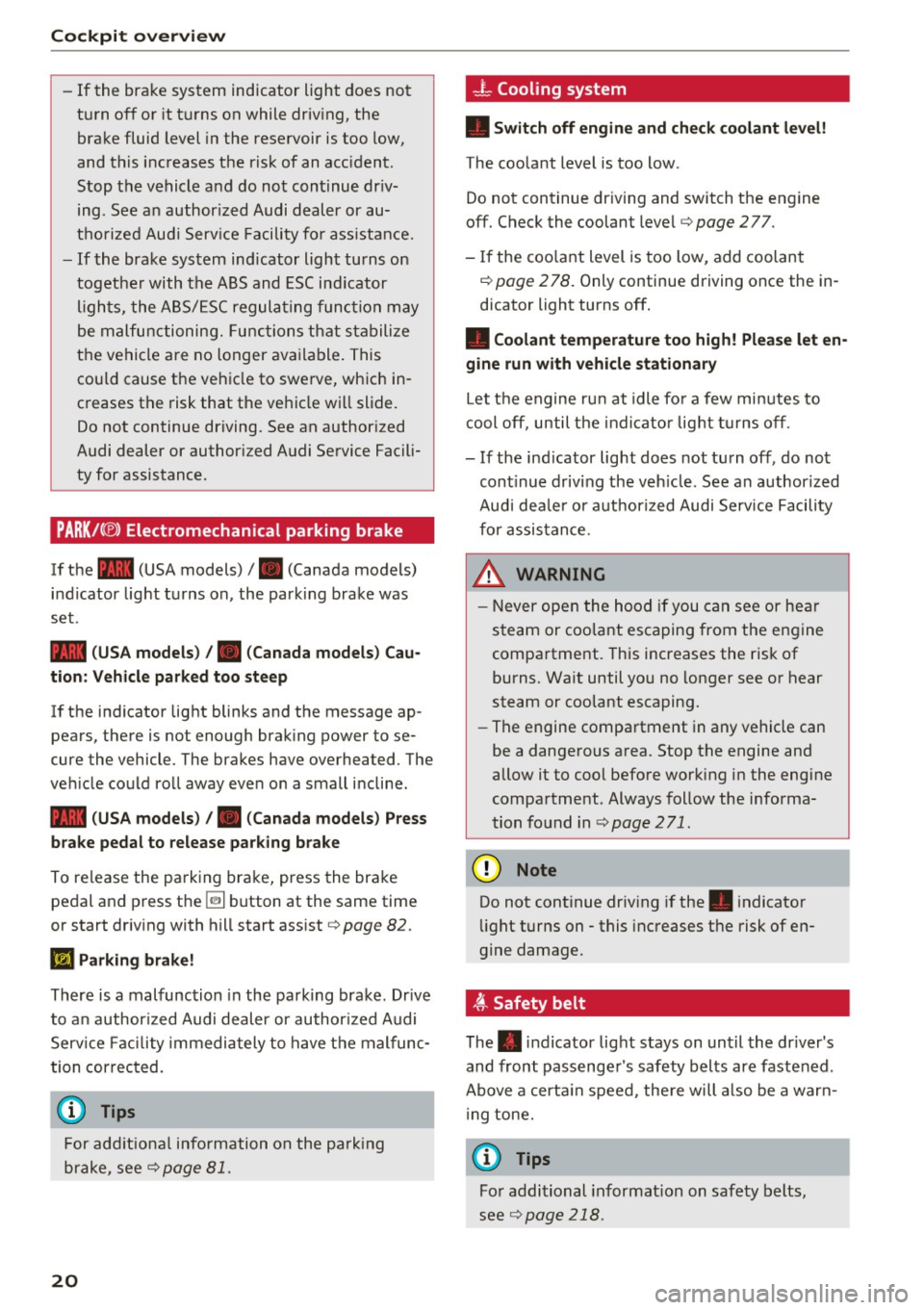
PARK/( ®) Electromechanical parking brake
If the -(USA models) /. (Canada models)
i n dicator light t urns on, the park ing brake was
set .
- (USA models) /. (Canada models) Cau·
tion : Vehicle parked too st eep
If the indicator light blinks and the message ap
pears, the re is not enough brak ing power to se
cure the vehicle . The b rakes have overhea ted. The
ve hicle could roll away eve n on a small incline.
- (USA models) /. (Canada models) P ress
brake pedal to release parking b rake
To re lease the parking brake, press the brake
pedal and press the~ button at the same time
or start driv ing with hill start ass ist
¢ page 82 .
Ill Parking brake!
There is a malfunction in the park ing brake . Dr ive
t o a n author ized Audi dealer or au thor ized Audi
Serv ice Facil ity immediately to have t he mal func
tion correc ted.
(j) Tips
For add it io na l information on the park ing
brake, see
c::> page 81.
20
_ L Cooling system
• Swit ch off engine and check coolant level!
T he coolant level is too low .
Do not continue dr iv ing and switch the eng ine
off. Check the coolant level
c::> page 2 77 .
- If the coo lant level is too low , add coolant
c::> page 2 78 . Only continue driving once the in
dicator light turns off.
• Coolant temperature too high! Please let en
gine run with vehicle stationary
Let the engine ru n at idle fo r a few min utes to
cool off, until t he ind icator lig ht t urns off .
- If the ind icator light does not turn off , do not
cont inue driving the veh icle. See an authorized
Aud i dea le r or aut horized Audi Serv ice Facility
for assistance.
.&_ WARNING
- Never ope n the hood if you can see or hear
steam or coo lant escaping from the engine
compa rtment. This increases the risk of
burns. Wait until you no longer see o r hear
steam or coolant escaping.
- The engine compartment in any vehicle can
be a dange rous a rea. Stop the engine and
allow it to cool before working in the engine
compa rtment . Always follow the informa
tion fo und in
c::> page 2 71.
(I) Note
Do not continue driv ing if the . indicator
li ght turns on -this increases the risk of en
gine damage .
~ Safety belt
The. indicator lig ht stays on unti l the dr iver 's
and front passenge r's safety belts are faste ned .
Above a certa in speed, the re will a lso be a warn
i ng tone.
@ Tips
Fo r addi tional info rmat ion on saf ety belts,
see
c::> page 218 .
Page 25 of 354
0 co .... N ,..._
N .... 0 0 :c '
fully to the nearest authorized Audi dea ler or
authorized Audi Service Fac il ity and have the
malfunction corrected.
(D Tips
For addit ional information on ESC and ABS,
refer to¢
page 126.
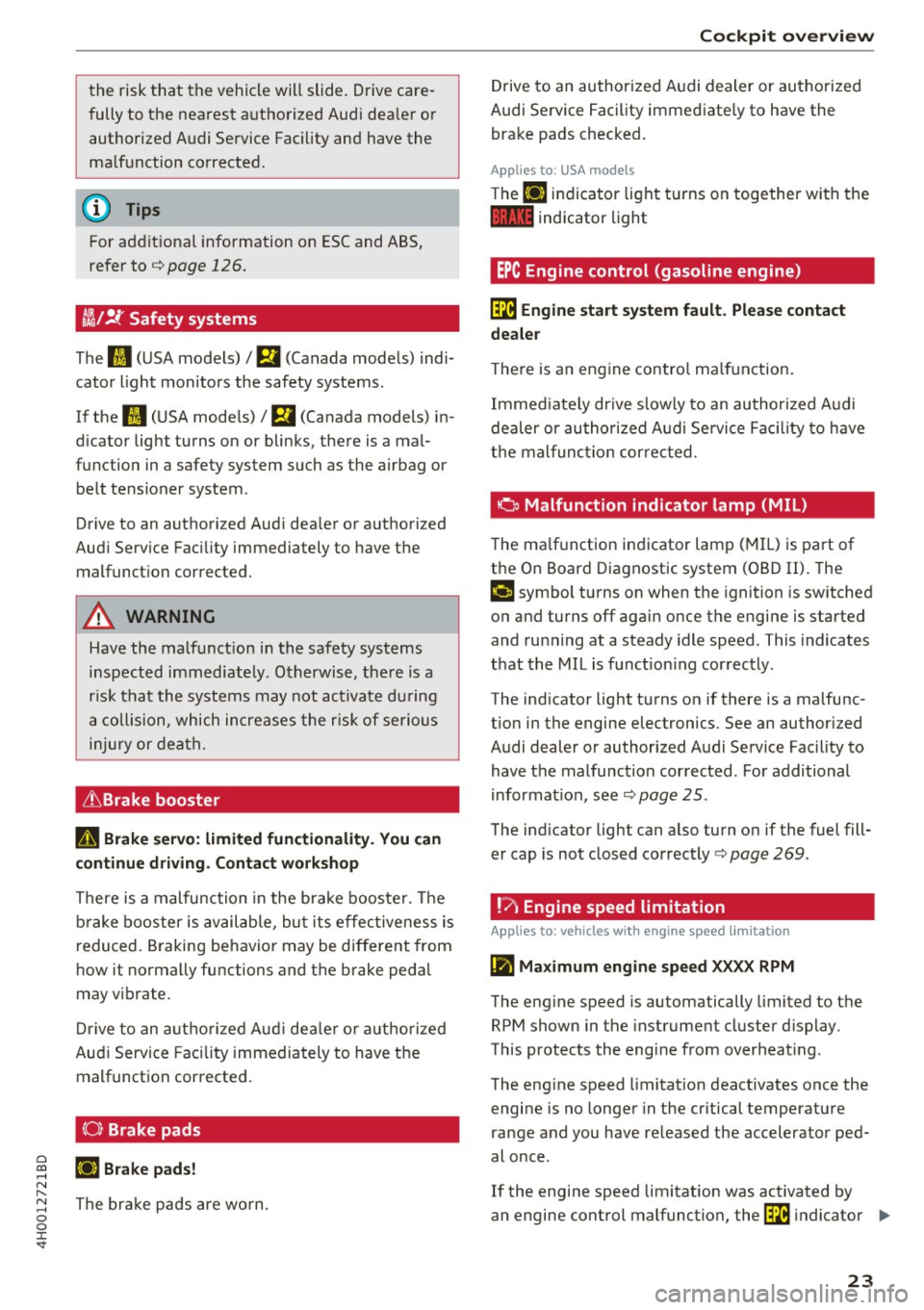
ffl;/ !f Safety systems
The II (USA models)/ m (Canada mode ls) indi
cator light monitors the safety systems.
If the
II (USA mode ls)/ m (Canada models) in
d ic ator light turns on or blinks, there is a mal
function in a safety system such as the airbag or belt tensioner system .
Drive to an authorized Aud i dea ler or a uthori zed
Aud i Service Facility immedia tely to have the
malfunct ion corrected.
A WARNING
Have the malf unct ion in the safety systems
inspected immediately. Otherwise, the re is a
r is k th at the systems may not activate du ring
a co llision, which increases the risk of serio us
injury or death.
& Brake booste r
II Brake servo : limited functionality . You can
continue driving. Contact workshop
-
There is a malfunction in the brake boos ter. The
b ra ke booster is availab le, bu t its effec tiveness is
r educed. Braking behavior may be diffe rent from
h ow it no rmally functions and t he brake peda l
may vibrate.
D rive to an aut ho rize d Aud i dea le r o r au thorized
Aud i Service Facility immediately to have t he
malfunct ion corrected.
(0) Brake pads
llJ Brake pads!
T he br ake pads are wo rn. Cockpit o
verview
Drive to an authori zed A udi dealer or au thorized
Audi Service Facility immediate ly to have the
brake pads checked.
Applies to USA models
T he llJ indica tor light turns on togethe r wi th the
1111 indicator light
EPC Engine control (gasoline engine)
~ Engine start system fault . Please contact
deale r
The re is an eng ine contro l ma lf u nction.
Immed iate ly dr ive s low ly to an author ized A udi
dealer or au thor ized A udi Se rvice Fa cility to have
t h e mal func tion corre cted.
a Malfunction indicator lamp (MIL)
The ma lf u nction indicator lamp ( MIL) is part of
the On Board Diagnostic system (OBD II). The
¢4 c;ymbol turns on when the ignition is sw itched
on and turns off aga in once the engine is started
and ru nning at a steady idle speed . This indicates
t h at the MIL is f unct ion ing cor rectly .
The ind icator light turns on if there is a malfunc
t ion in the engine electronics . See an authorized
Audi dealer or authorized A udi Service Fac ility to
have t he mal funct ion cor rected . Fo r additional
informa tion, see
¢ page 25 .
The ind icator light can a lso turn o n if the fuel fill
er cap is not closed correctly¢
page 269.
!?' Engine speed limitation
Applies to : vehicles with engine speed limitatio n
~ Maximum engine speed XXXX RPM
The eng ine speed is automatically limited to the
RPM shown in the instrument cluster d isplay.
This protects the engi ne from overheat ing .
The eng ine speed limitation deactivates once the
engine is no longe r in the critical temperatu re
range and you have re leased the accelerator ped
al once .
If the engine speed limitation was activated by
an engine cont rol malfunction, the~ indicator ..,.
23
Page 56 of 354
Sea ts and stor age
Seats and storage
General information
A WARNING
Refer to ¢ page 207, Driving safety for im
portant information, tips, suggestions and
warnings that you should read and follow for
your own safety and the safety of you r pas
sengers.
Front seats
Controls
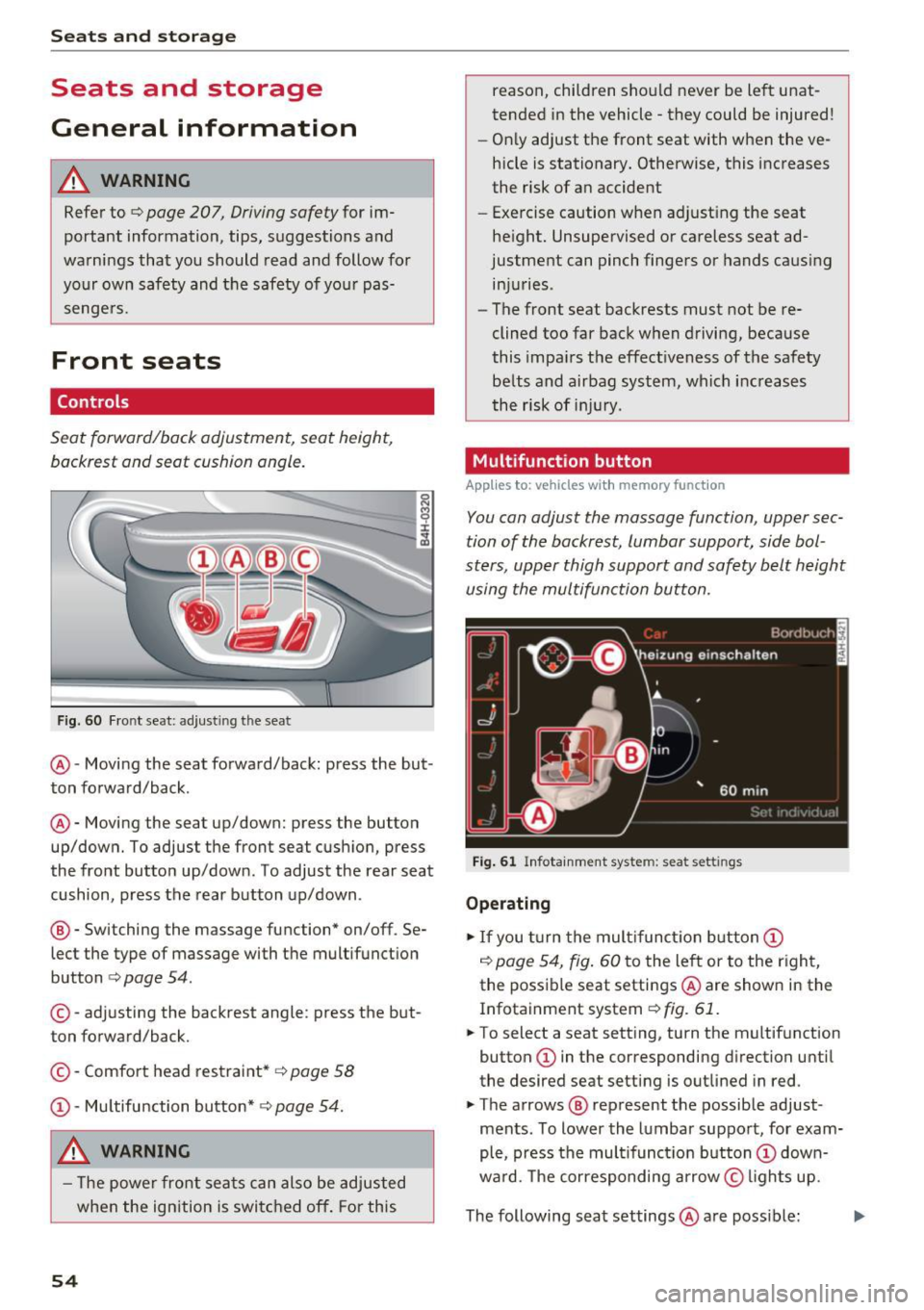
Seat forward/back adjustment, seat height, backrest and seat cushion angle.
F ig. 60 Fr ont seat: adjust ing the seat
@ -Moving the seat forward/back: press the but
ton forward/back .
@ -Moving the seat up/down: press the button
up/down. To adjust the front seat cushion, press
the front button up/down. To adjust the rear seat
cushion, press the rear button up/down .
® - Switching the massage function* on/off . Se
lect the type of massage with the multifunction
button
c:> page 54.
© - adjusting the backrest angle : press the but
ton forward/back.
© -Comfo rt head restraint*
c:> page 58
@ -Mu ltifunction button* c:> page 54.
A WARNING
- The power front sea ts can also be adjusted
when the ign ition is switc hed off . For this
54
reason, children sho uld never be left unat
tended in the vehicle - they could be injured!
- On ly adjust the front seat with when the ve
hicle is stationary. Otherwise, this increases
the risk of an accident
- Exercise caution when adjust ing the seat
height. Unsupervised or careless seat ad
justment can pinch fingers or hands causing in juries .
- The front seat backrests must not be re
clined too far back when driving, because
this impa irs the effectiveness of the safety
belts and airbag system, which increases
the risk of inj ury.
Multifunction button
App lies to: vehicles wit h memory funct ion
You can adjust the massage function, upper sec
tion of the backrest, lumbar support, side bol
sters, upper thigh support and safety belt height using the multifun ction button.
Fig . 61 Infota inment system : seat sett ings
Ope rating
.. If you turn the mult ifunct ion button @
c:> page 54, fig . 60 to the left or to the right,
the poss ible seat settings @are shown in the
Infotainment system
c:> fig. 61.
.. To select a seat setting, turn the multifunction
button @ in the corresponding direction until
the desired seat setting is outlined in red .
.. The arrows ® represent the possible adjust
ments . To lower the lumbar support, for exam
ple, press the mult ifunct ion button @ down
ward. The corresponding arrow © lights up.
The following seat settings @are poss ible: ..,_
Page 57 of 354
C) C0 ....
"' ,....
"' .... 0 0 :r
St retch , Lumbar or Shou lder
massage type or
off. You can adjust the intensity of each massage
from 1 through 5. You can switch the selected
massage on/off using the button@
c> page 54,
fig. 60 .
Safety belt height adju stment * -adjust the safe
ty belt up or down
c> page 223 .
Upper ba ckre st * -angle the upper area of the
backrest forward or back.
Lumbar support -you can adjust the lumbar sup
port up/down and to be stronge r/weaker.
S eat bo lsters * -you can increase/decrease the
l ateral support in the seat using the s ide bo lsters
at the seat surface and the backrest.
Upper thigh support * -you can increase/de
crease the upper th igh support.
(0 Tips
- The massage function* switches off auto
matically after approx imately 10 minutes.
- In vehicles with the recl ining rear seat, only
the seat belt he ight and thigh support can
be adjusted on the front passenger seat us
i ng the multif unction button.
- The air i n the s ide bo lsters* is released as
soon as the driver's door opens. Th is makes
i s possible to enter and exit the vehicle
more comfortab ly. As soon as you sta rt driv
i ng the ve hicle, the s ide bo lsters fill.
Center armrest
Appl ies to vehicles w ith a front center armrest
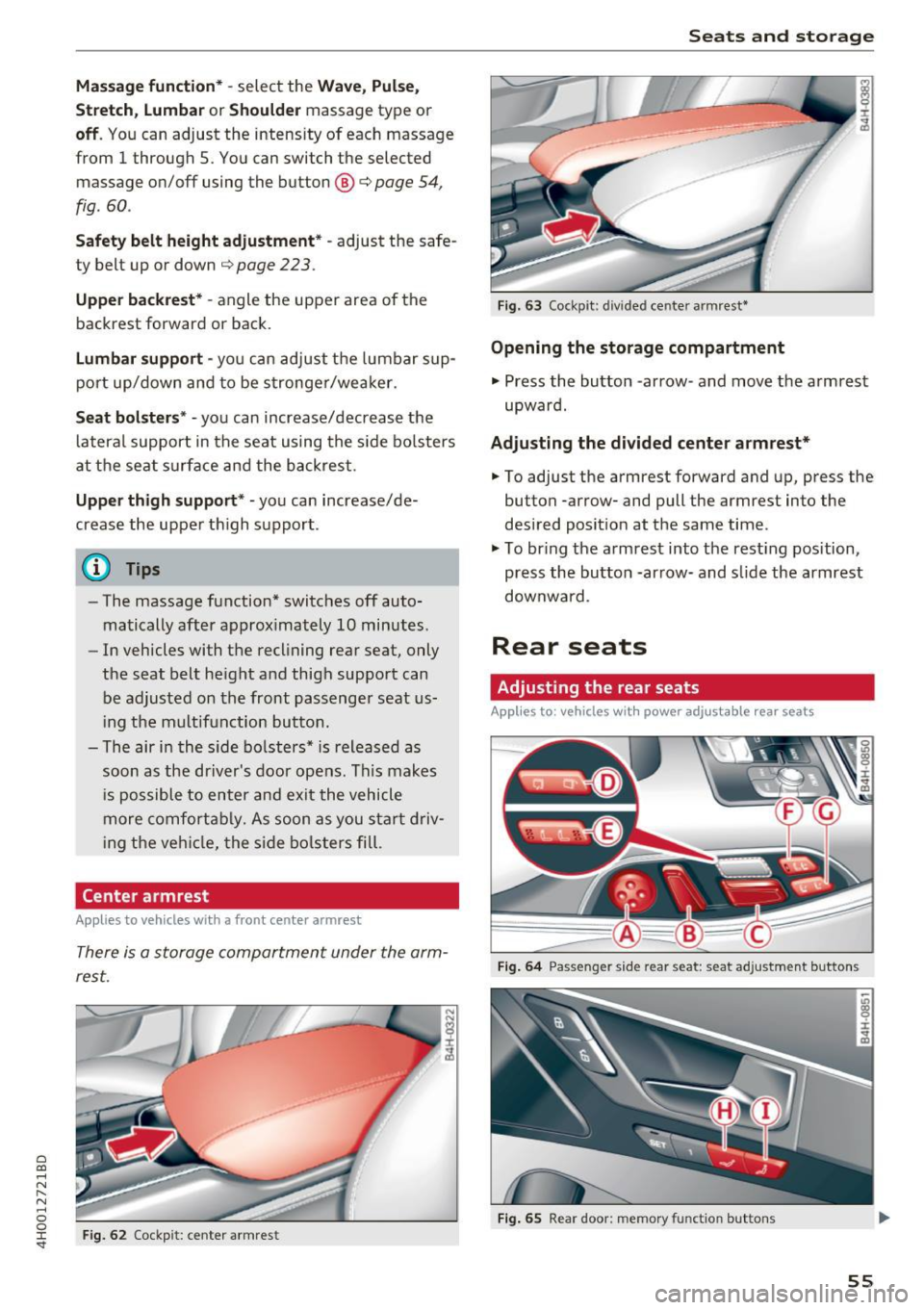
There is a storage compartment under the arm
rest.
N
I
Fig. 62 Cockpit: center armrest
Seats and storag e
---
Fig. 63 Cockpit: divided center armrest •
Opening the storage compartment
.,. Press the button -arrow-and move the armrest
upward.
Ad ju sting the divided center arm rest *
.,. To adjust the armrest forward and up, press the
button -arrow- and pull the armrest into the
desired posit ion at the same time .
.,. To br ing the armrest into the resting position,
press the button -arrow- and s lide the armrest
downwa rd .
Rear seats
Adjusting the rear seats
Applies to : vehicles w ith power adjustable rear seats
F ig . 64 Passenger side rear seat: seat adjustment buttons
F ig . 65 Rear doo r: memory function buttons
55
Page 61 of 354
C) C0 ....
"' " "' .... 0 0 :r
To prevent the head restraints from running into the headline, they are automat ically
Memory function
Description
Appl ies to: vehicles wit h memory function
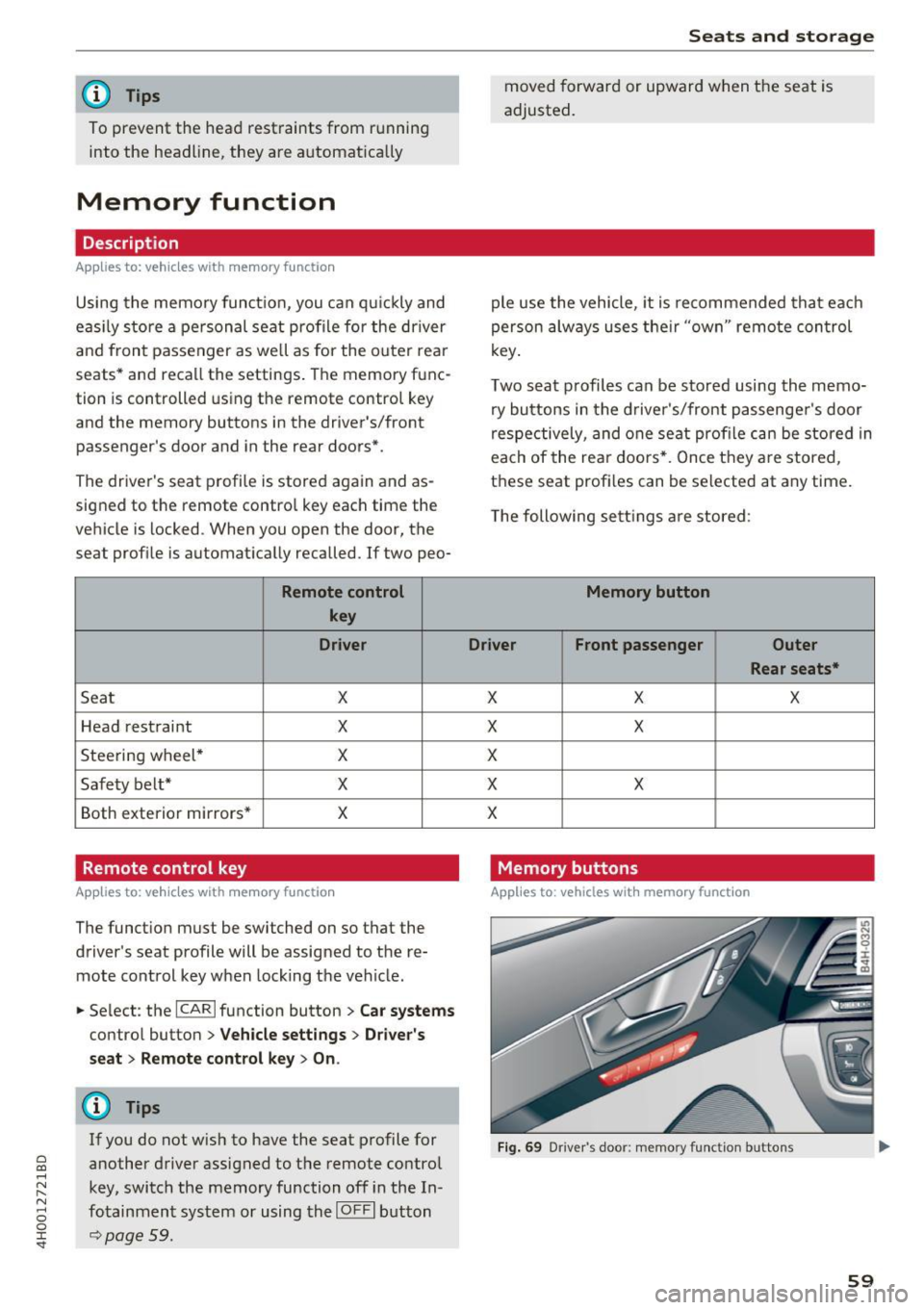
Using the memo ry funct ion, you can q uickly and
eas ily store a pe rsonal seat profile for the driver
and front passenger as we ll as for the o uter rear
seats* and recall the settings. The memory func
tion is controlled using the remote contro l key
and the memory buttons in the driver's/front
passenger's door and in the rear doors*.
The driver's seat profi le is stored again and as
signed to the remote control key each time the
vehicle is locked. When you open the door, the
seat profile is automat ically recalled. If two peo-
Remote control
key
Dr iver
Seat X
Head rest raint X
Steering wheel * X
Safety belt* X
Both exterior mirrors* X
Remote control key
Applies to: vehicles with memory function
The function must be switched on so that the
driver's seat profile will be assigned to the re
mote control key when lock ing the vehicle .
.. Se lect : the
I CAR I function button > C ar sy stem s
control button > Veh icle setting s> Driver' s
s eat > Remote control ke y> On.
(D Tips
If you do not wish to have the seat p rofile for
another driver assigned to the remote control
key, switch the memory function off in the In
fotainment system or using the
IO FFI button
~page 59.
Seats and storag e
moved forward or upward when the seat is
adjusted.
ple use the vehicle, it is recommended that each
person always uses the ir "own" remote control
key .
Two seat profiles can be stored using the memo ry buttons in the d river 's/front passenger 's door
respectively, and one seat profile can be stored in
each of the rear doors *. Once they a re stored,
these seat profi les can be se lected at any time.
T he following sett ings a re stored :
Memory button
Driver Front passenger Outer
Rear seats*
X X X
X
X
X
X X
X
Memory buttons
Applies to: veh icles w ith memory function
F ig . 69 Dr iver 's door: memory function buttons
59
Page 80 of 354

Driving
This driver message appears for safety reasons if
the transmission has not be en shifted to the P
position when you switch the ign ition off. Move
the selector lever to the P posit ion. Otherwise the
ve hicle is not protected from ro lling and it cannot
be locked .
II Key is not re cognized. Hold ba ck of ke y
aga inst marked area. See owner's manual
If t he indicator light t urns on and this message
appears, there is a malfunction ~
page 78.
Turn off ignition before leaving car
This message appea rs if the dr iver 's door is
opened while the ignition is switched on . A lways
sw itch off the ignition if you are leaving the vehi
cle.
Shift to P and turn off ignition befor e leaving
car, otherwi se vehicle c an roll away
This message appears if the driver 's door is
ope ned while the ignition is switched on and the
transmission has not been shifted to the P posi
tion . Sh ift the t ransm iss ion into the P posit io n
a nd turn off the ignition if yo u are leav ing the ve
h icle. O therwise t he vehi cle co uld rol l.
Starting the engine when there is a
malfunction
It may not be possible to start the engine under
certain circumstances, for example if the battery
in the vehicle key is drained, if interference is af
fected the key or if there is a system malfunc
tion.
N
c::==== =~
±
- ------- ~
Fig . 9 1 Cente r conso le/ re m ote cont ro l key: sta rt ing the
eng ine if t here is a malf u nction
Requirement: the message K ey is not recog
nized . Hold back of key against marked area.
78
See owner's manual must appear and the II in
dicator light must tu rn on .
.,. Hold the remote cont rol key vertically in the lo
ca tion i ndicated
t1>) ~ fig. 91.
.,. Press the brake pedal.
.,. Press the I S TAR T
ENGINE ST OP I button . The
eng ine will start.
.,. Drive to an authori zed Audi dealer or author
ized Aud i Service Facility immediately to have
the malfu nction corrected .
(D Tips
You can view the message aga in by pressing
the lS TAR T
ENGI NE ST OP I button .
Start/Stop system
Description
Applies to: vehicles with Start/Stop system
The S ta rt/Stop sys tem can help increase fue l
eco nomy and reduce CO2 emissions .
In Sta rt/S top mode, the eng ine s huts off auto
ma tically when the vehicle is stopped, such as a t
a traffic light . The ignition rema ins switched on
duri ng th is stop phase . The engine w ill restart
automat ica lly when needed .
The last Start/S top system setting is restored
when the ignition is sw itched on .
Basic requirements for Start /Stop mode
- Th e driver 's doo r must be closed .
- Th e driver 's seat belt much be fas tened.
- The hood must be closed.
- The vehicle m ust have driven faster than
2.5 mph (4 km/h) since the last t ime it stop
ped.
- A trailer m ust not be hitched to the vehicle .
A WARNING
-Never turn off the engine before the vehicle
has come to a complete stop. The full func
t ion of the bra ke booster and the power
steer ing is not guaranteed. You must use
mo re fo rce to tu rn o r bra ke. Be cause you
canno t stee r and bra ke as y ou usually
Page 83 of 354

C) C0 ....
"' " "' .... 0 0 :r
parking brake
Fig . 94 Center conso le: park ing brake
Your vehicle is equipped with an e lectromechani
cal parking brake@~
fig. 94. The parking brake
is designed to prevent the vehicle from rolling
un intentionally and replaces the hand brake.
Setting/manually releasing the parking
brake
.. Pull the<®> switch to set the parking brake. The
LED in the switch illuminates. The -(USA
models)/ . (Canada models) indicator light al
so turns on in the instrument cluster display .
.. To release the parking brake manually, press
the brake or acce lerator pedal while the igni
t ion is switched on and press the© switch at
the same time. The LED in the button and the
indicator light in the display turn off.
Releasing the parking brake automatically
Requirement: the driver's door must be closed,
the dr iver's safety belt must be latched and the
parking brake must be set.
.,. To start driving and release the park ing brake
automatically, press the acce lerator peda l as
usual.
In addition to releasing the parking brake auto mat ically, other convenience and safety funct ions
are available when you start driving~
page 82,
Starting from a stop.
Preventing the automatic parking brake
release
The vehicle could begin rolling unintentionally,
depending on the hill or if towing a trailer.
Driving
.. To prevent the parking brake from releasing au
tomatically, pull and hold the(®) switch and press the accelerator peda l. The parking brake
remains set and prevents the vehicle from roll
ing backward .
.,. You can release the<®> switch again once you
are sure that you are giving enough driving
force to the wheels by press ing the accelerator
pedal.
Emergency braking function
You can use the emergency braking function in an
emergency situation, or if the standard brake op
eration malfunctions or is disabled.
.. Pull and hold the(®) switch.
.. As soon as you release the <®> switch or acceler-
ate, the braking stops.
Pulling and ho lding the© switch wh ile driving
the vehicle activates the emergency braking func
tion. The vehicle is braked at all four wheels by
activating the hydraulic brake system. The brak
ing effect is sim ilar to heavy braking ~_& .
To reduce the risk of activating the emergency
braking by mistake, a warning tone (buzzer)
sounds when the© switch is pulled . Emergency
braking stops as soon as the© switch is released
or the accelerator pedal is pressed.
Parking
.. Press the brake pedal to stop the veh icle.
.,. Pull the(®) switch to set the parking brake.
.,. Select the P selector lever position .
.,. Tu rn the engine off~_& .
.,. Turn the steering w heel when parking o n in
clines so that the wheels w ill roll into the curb
if the vehicle starts moving.
& WARNING
-
-Do not press the acce lerator peda l inadver
tently if a gear is selected when the vehicle
is stationary and the engine is running. Oth
erwise, the vehicle will start to move imme
diately and this could result in an accide nt.
- Eme rgency braking should only be used in
an emergency, when the normal brake pedal
has failed or the brake pedal is obstructed . ..,.
81
Page 84 of 354

Driving
During emergency braking, your vehicle will
brake similar to heavy braking. ESC and the
associated components (ABS, ASR, EDL)
cannot overcome the laws of physics. In cor
ners and when road or weather conditions
are bad, a full brake application can cause
the vehicle to skid or the rear end to swerve,
which increases the risk of an accident.
- If the power supply fails, you cannot set the
parking brake if it is released. In this case,
park the vehicle on level ground and secure
it by placing the selector lever in the P posi
tion. See an authorized Audi dealer or au
thorized Audi Service Facility for assistance.
- Always take the vehicle key with you when leaving your vehicle, even for a short period
of time. This applies particularly when chil
dren remain in the vehicle . Otherwise chil
dren could start the engine, release the
parking brake or operate electrical equip
ment such as power windows, which in
creases the risk of an accident.
- No one should remain in the vehicle when it is locked -especially children. Locked doors
make it more difficult for emergency work
ers to get into the vehicle, which puts lives
at risk.
(D Tips
When stopping at a traffic signal or stopping in city traffic, you can set the parking brake
manually. The vehicle does not have to be
held with the brake pedal. The parking brake
eliminates the tendency to creep when a se
lector lever position is engaged. As soon as
you press the accelerator pedal, the parking brake releases automatically and your vehicle
starts to move
c> page 82.
(D} Tips
-Occasional noises when the parking brake is
set and released are normal and are not a
cause for concern.
- The parking brake goes through a self-test
cycle at regular intervals when the vehicle is
stopped. Any noises associated with this are normal.
82
- If there is a power failure, the parking brake
will not set if it is released, and it will not release if it is set ¢&. . See an authorized
Audi dealer or authorized Audi Service Fa cility for assistance .
Starting from a stop
Various convenience and safety functions may be
available when the vehicle begins driving, de
pending on vehicle equipment .
Starting on hills with the parking brake set
Requirement: the driver 's door must be closed
and the driver's safety belt must be fastened.
.,. To start driving comfortably when on a hill, set
the parking brake and begin driving as usual.
The braking force of the parking brake does not
release automatically until the wheels build up
enough driving force.
Starting on hills with hill hold assist
Hill hold assist makes it easier to start on hills.
Requirement: the driver's door must be closed
and the engine must be running.
.,. To activate hill hold assist, press and hold the
brake pedal for several seconds. The vehicle
must be in an uphill direction of travel.
After releasing the brake pedal, the braking pow
er is maintained for a brief moment
c> &. to pre
vent the vehicle from rolling back when starting.
During this time, you can easily begin to move
your vehicle.
&_ WARNING
A ppl ies to: ve hicles with hill hold assist
- If you do not begin driving immediately or
the engine stalls after releasing the brake
pedal, your vehicle may begin to roll back
ward. Press the brake pedal or set the park
ing brake immediately .
- The intelligen t technology of hill hold assist
cannot overcome the limitations imposed by
natural physical laws. The increased comfort
offered by hill hold assist should not cause
you to take safety risks .