wheel AUDI A8 2018 User Guide
[x] Cancel search | Manufacturer: AUDI, Model Year: 2018, Model line: A8, Model: AUDI A8 2018Pages: 356, PDF Size: 54.71 MB
Page 45 of 356
lL t:0 .-,
"' ......
"' .-, 0 0 :c "
Exterior Lighting
Switching the headlights on and off
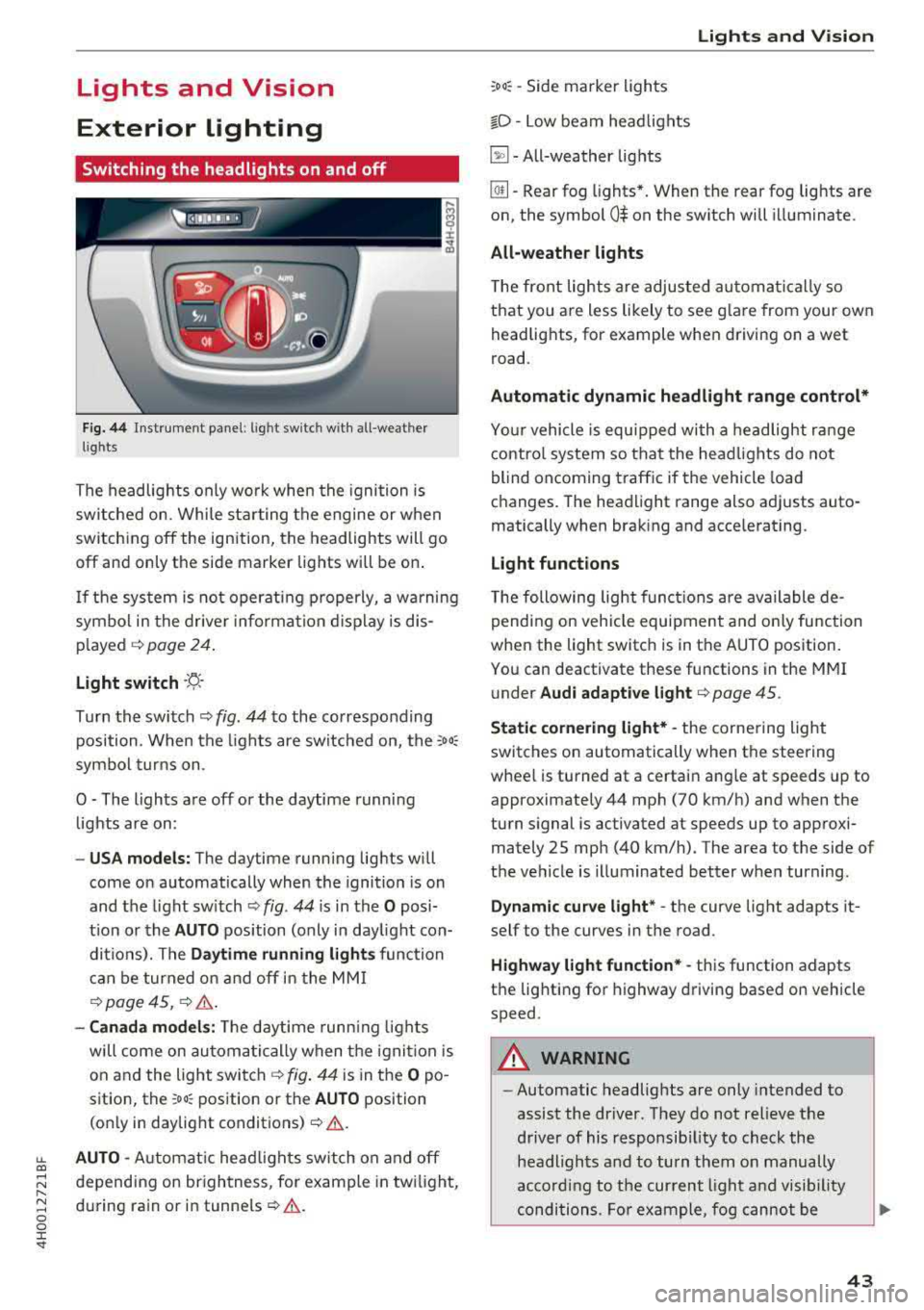
F ig . 44 Instrument panel: l ig ht switc h w ith all -weather
l ig hts
The headlights only wo rk when the ignition is
switched on. While sta rting the engine or when
switch ing off the ign ition, the headlights will go
off and only the side marker lig hts will be on .
I f the sys tem is not operating p roperly, a w arning
symbol in the dr ive r informa tion d isplay is dis
p layed .::>
page 24.
Light switch --r;_-
T u rn the switch .::> fig. 44 to the co rresponding
position . When the lights are switched on, the
:o o:
sym bol turn s on .
0 - The lights a re off or the daytime runni ng
lights are on :
-USA models: The daytime running lig hts will
come on automatically when the ignition is on
and the light sw itch .::>
fig. 44 is in the O posi
t ion or the
AUTO position (only i n day light con
di tions). The
Daytime running lights function
c an be turned o n and off i n the MM I
¢ page 45, i=> &..
-Canada model s: The dayt ime runn ing lights
will come on au toma tic ally when the igni tion is
on and the light swi tch .::>
fig. 44 is in the O po
s ition, the
:oo: pos ition or the AUTO position
(o nly in daylig ht
conditions) .::>&. .
AUTO -Automat ic head lig hts sw itch on and off
depend ing on br ightness, for example in tw ilight,
d uring rain or in
tunne ls ¢ &. .
Lights and V ision
:oo: -Side marker ligh ts
io -Low beam head lights
~ -All-weather lig hts
lw -Rear fog lights*. When the rear fog lights are
on, the symbol
0$ on the sw itch will i lluminate.
All-weather lights
The front lights are adjus ted au toma tica lly so
that you are less likely to see g lare from your ow n
head lig hts, for example when driving on a wet
road.
Automatic dynamic headlight range control*
Yo ur vehicle is equ ipped with a headlight r ange
contro l system so tha t the head lig hts do not
blind oncoming t raffic if the vehicle load
changes . T he hea dlight range also adj usts auto
matically when brak ing and acce lerating .
Light functions
The following light funct io ns are available de
pending on veh icle equipment and o nly fu nction
whe n the light switc h is in t he AUTO position.
You can deactivate these functions in the MMI
under
Audi adaptive light ¢ page 45.
Static cornering light* -the corne ring light
switches on automatically when the steering
wheel is turned at a certai n angle at s peeds up to
approximately 44 mph (70 km/h) and when the
turn s ignal is activated at speeds up to approxi
mately 25 mp h (40 km/h) . The area to t he side of
t h e ve hicle is illuminated better w hen turning.
Dynamic curve light * -the curve light adapts it
self to the curves in the road .
Highway l ight function* -this function adapts
t h e lig hting for highway driving based on vehicle
speed .
A WARNING ~ --Automatic headlights are only intended to
assist the driver. They do no t relieve the
driver of his responsib ility to check the
headligh ts and to turn them on manually
ac co rding to t he cur rent light a nd vis ib ili ty
conditions . Fo r example, fog cannot be
43
Page 59 of 356
lL t:0 ....
"' " "' .... 0 0 :c '
the left/right button @ unti l the leg support
reaches the desired position.
.,. To angle the leg support so that it is more up
right/more recl ined or to move it forward/back,
adjusting the front passenger's seat according
ly .
Adjust ing the f ront pa ssenge r's seat
.,. Make s ure that the front passenger's seat ad
justment is switched on in the Infotainment system
c:> page 58.
.,. To activate the front passenger's seat adjust
ment, press the button ®·
.,. To adjust the front passenger's seat forward/
back, press the butto n© forward/back.
.,. To move the front p assenger's seat up/down,
press the button © upward/downwa rd.
.,. To adjust the front passenger's seat back rest so
that is more upright/more reclined, press the
button ®forward/back.
.,. Applies to vehicles with reclining seat*: to ad
just the reclining/standard seat position, press and hold the button
@ /(D until the front pas
senger's seat reaches its end posit ion .
,&. WARNING
-The power seats can also be adjusted w hen
the igni tion is switched
o ff. For this reason,
children should never be left unattended in
the vehicle beca use they cou ld be injured.
-Be careful whe n adj usting the sea t. Unsu
pervised or c areless seat adjustment can
pinch fingers or hands ca using injur ies .
-Applies to vehicles with reclining seat* :
-Do not use the front passenger's seat for
seating when it is in the recl ining posit ion.
This inc reases the risk of ser ious injury or
death.
-Never adjust the reclining position when
the front passenger's seat is occupied .
This inc reases the risk of injury.
-Do not tilt the display if the driver's v iew
of the right exterio r mirror w ill be ob
s tructed .
-Make sure the area between the leg sup
port and the front passenger's seat back-
S eats and storag e
rest is clear before fo ld ing the leg support
in so that you are not p inched.
(D Tips
-T he massage function switches off auto
matically after approximate ly 10 minutes .
-If you cannot adjust the reclining seat* or
the front passenger's seat from the rear, it
is possib le that:
-the front passenger's seat memory func
tion is switched
off c:> page 59, or
-the child safety lock is switched on (the ~
button c:> page 3 7 or the r ight t button
c:> page 37 is tu rned on in the d river's
door), or
-the front passenger seat adj ustment is
switched
off in the Infota inment system
c:>page 58 .
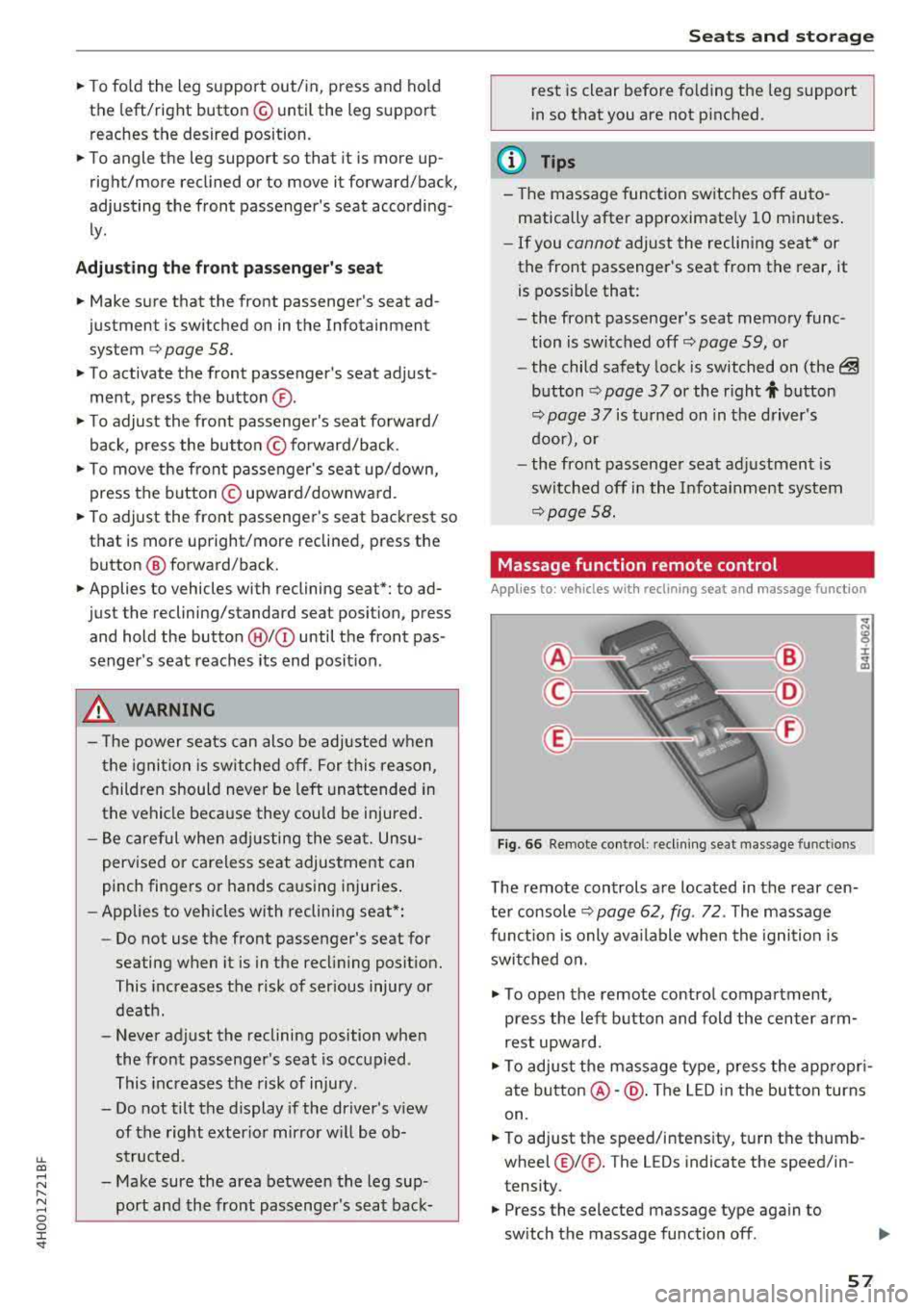
Massage function remote control
Appl ies to: vehicles wit h reclinin g seat an d massa ge function
Fig . 66 Remote control: recli ning seat massage funct ions
T he remote controls are located in the rear cen
te r console
c:> page 62, fig. 72 . The massage
func tion is only ava ilable when the igni tion is
swi tched on.
.,. To open the remote co ntro l compartment,
press the left b utton and fold the center arm
rest upwa rd.
.,. To adjus t the massage type, press the app ropr i
ate
button @-@ . The LED in the button turns
on.
.,. To adjust the speed/i ntens ity, tu rn the thumb
wheel@I® . The LEDs indicate the speed/in
tensity.
.,. Press the selected massage type again to
sw itch the massage function
off .
57
Page 61 of 356
u. co .... N
" N .... 0 0 :c '
sides with both hands and slide it upward unti l
you fee l it click into place.
~ To move the head restraint down, press the
button (small
arrow)¢ fig. 68 and slide the
head restraint downward.
A WARNING
Always read and follow the applicab le wa rn
ings
¢page 211.
Memory function
Description
Applies to: vehicles with memory function
-
Using the memory function, you can quickly and
eas ily store a personal seat profile for the driver
and front passenger as well as for the outer rear
seats* and recall the settings. The memory func
tion is controlled us ing the remote control key
and the memory buttons in the drive r's/front
passenger's door and in the rea r doo rs*.
The driver's seat profile is stored again and as
signed to the remote control key each time the
ve hicle is locked. When you open the door, the
seat profi le is automat ica lly reca lled. If two pea-
Remote control
key
Driver
Seat X
Hea d rest raint X
Steering wheel* X
Sa fety belt* X
Both exterior mirrors* X
Remote control key
Applies to: vehicles with memory function
The functio n must be switched on so that the
d river's seat p rofile will be assig ned to t he re
mote cont rol key w hen locking the vehicle .
~ Select: the ICARI function button > Car systems
contro l bu tton > Vehicl e setting s > Driver' s
s eat > Remo te control ke y > On.
Seat s and sto rag e
(D Tips
To prevent the head restraints from running
i nto the headline, they are automatically
moved forward or upward when the seat is
adjusted.
ple use the vehicle, it is recommended that each
person always uses the ir "own" remote control
key.
T wo seat profiles can be stored using the memo
ry buttons in the driver's/front passenger's door
respectively, and one seat profile can be stored in
each of the rear doors*. Once they are stored,
these seat profiles can be selected at any time.
The following sett ings are stored:
Memory button
Driver Front passenger Outer rear seats*
X X X
X X
X X X
X
(D Tips
If yo u do not wish to have t he seat profi le for
another dr iver assigned to the remote cont rol
key, sw itch the memory function
off in the In
fotai nment system or using the
!O FF ! button
¢page 60.
59
Page 73 of 356
Adjusting the temperature
Temperatures between 60 °F ( +16 ° C) and 84 °F
(+28 °C) can be set . Outside of this range,
LO or
HI will appear in the climate contro l system dis
p lay . At both of these settings, the climate con
trol system runs continuously at maximum cool
ing or heating power. There is no temperature
regulation.
~ Adjusting the amount of air
You can adjust the airf low manually to suit your
ne eds . The blower should always run at a low set
ting to prevent the windows from fogging and to
ensure a continuous exchange of air ins ide the
vehicle. To have the airflow regulated automat i
cally, press the
IAUTO I button.
~ Adjusting the air distribution
You can manually se lect the vents where the air
will flow. To have the a ir distribution regu lated
automatically, press the
IAUTO I button.
Ill/ lil* Adjusting seat heating/ventilation*
Pressing the button switches the seat heating/
venti lation on at the highest setting (level 3). The
LEDs indicate the temperature level. To reduce
the temperature, press the button aga in. To
sw itch the seat heating/ventilation off, press the
button repeatedly until the LED turns off.
After 10 minutes, the seat heating/ventilation
automatically switches from level 3 to level 2.
l
or cleared of condensation as quickly as possible.
The maximum amount of air flows main ly from
the vents below the windshield. Recirculation
mode switches off. The temperature shou ld be
set to approximately 72 °F (22 °().
The
IAUTOI button switches the defroster off .
IQil REAR I Switching the rear window defogger
on and off
The rear window defogger only operates when
~ the engine is running. It switches off automati-....
~ cally after 10 to 20 minutes, depending on the N
~ outside temperature. 0 :c '
To prevent the rear window defogger from
switching off automatica lly, press and hold the
loo REAR I button for more than three seconds .
This is stored until the ignition is switched off.
I SYNC! Synchronization*
When synchron ization is switched on, the set
tings for the driver's side are applied to the front
pass enge r's side (except for seat heating/venti la
tion*). The rear is also synchronized in vehicles
with the 4-zone deluxe automatic climate control
system*. Synchronization switches off if the set
t ings are adjusted on the front passenger's side
or in the rear*.
You can synchronize the sett ings in a row by
pressing and holding a knob. For example, to ap
ply the sett ings for the front passenger's side to
the driver's side, press and hold the knob on the
front passenger 's side.
Vents
You can open or close the center and rear vents in
the cockpit and the vents in the rear center con
sole and door pillars using the ridged thumb
wheels. The levers adjust the direction of the air
flow from the vents.
Residual heat
You can act ivate the residual heat function when
the ignition is switched off by pressing and hold
ing the
lj) button. The residual heat from the
coolant is used to heat the vehicle interior . T he
r esidua l heat function switches off automatically
after about 30 minutes .
_&. WARNING
-You should not use the recirculation mode
for an extended period of time since no
fresh air is drawn in. With the air-condition
ing switched off, the windows can fog up,
which increases the risk of an acc ident.
- Individuals with reduced sensitivity to pain
or temperature could develop burns when
using the seat heating function. To reduce
the r isk of injury, these individua ls should
not use seat heating .
71
Page 74 of 356
Warm and cold
(D Note
To avoid damage to the heating elements in
the seats, do not kneel on the seats or place
heavy loads on a small area of the seat.
Basic settings
The climate control system basic settings ore ac
cessed in the Infotainment system.
,.. Select: the ICARI function button > Car systems
control button > AC.
Rear seat settings*
When this function is selected, all settings for
the rear can be adjusted through the climate con
trol system in the cockpit. The climate control
system settings cannot be adjusted in the rear
seat at the same time. This function switches off
after a certain period of time or when one of the
dials in the cockpit is pressed.
Auto recirculation*
The sensit ivity level of the automatic recircula
tion mode can be set at various levels from
Off to
Sensitive. When recirculation mode 1~ 1 is switch
ed on, the air recirculation is controlled automat
ically. If the windows fog up, press the
I ® FRONT I
button.
Footwell temperature
You can adjust the footwell temperature so that
it is cooler or warmer .
Solar roof*
Parking ventilation is controlled automatically in
the
Auto setting.
When the ignition is switched off, solar-powered
parking ventilation may switch on, as long as
- there is sufficient sunlight,
- the outside temperature is not too low,
- the sunroof is closed or tilted and
-Auto (Infotainment system) is set
72
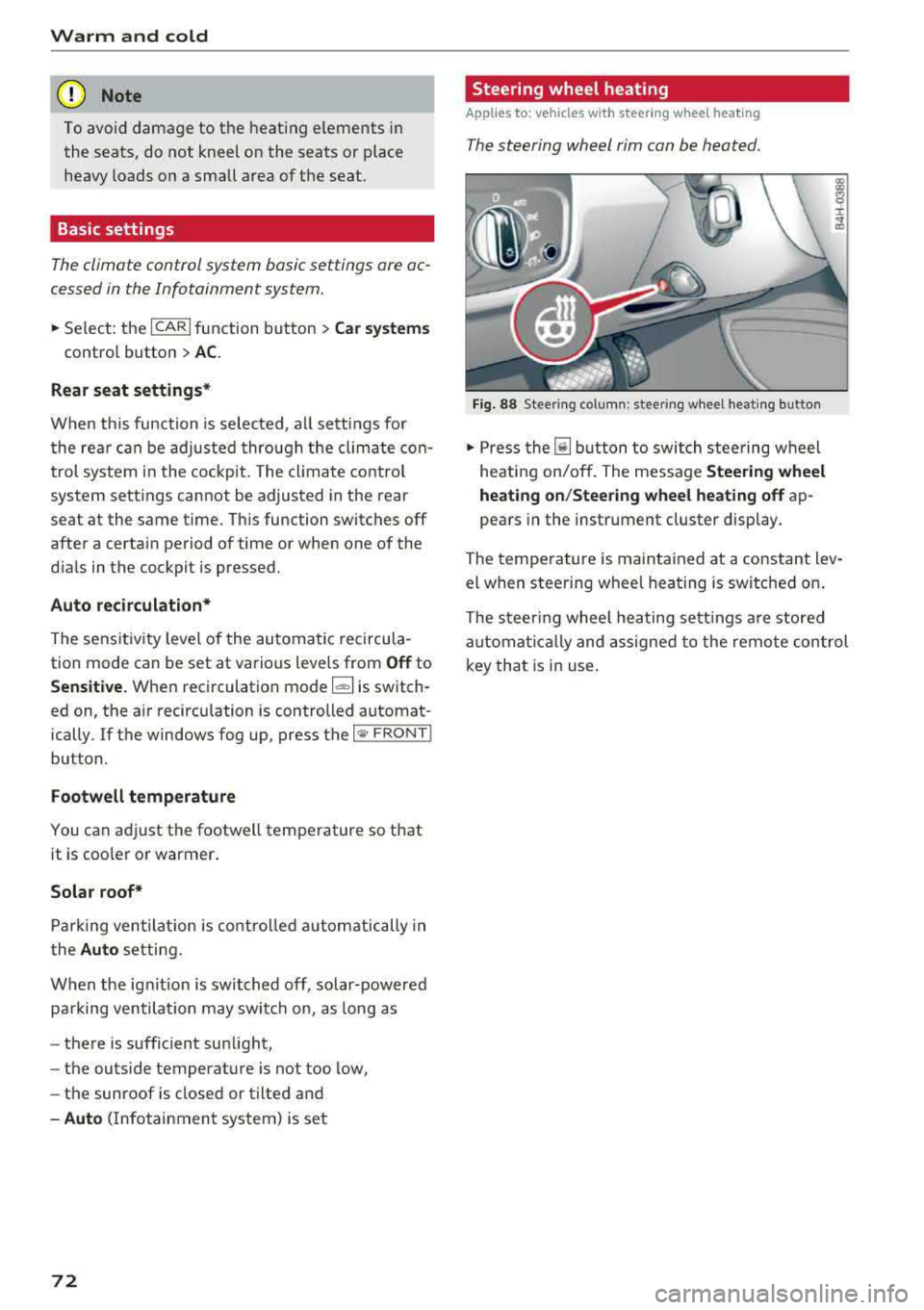
Steering wheel heating
Applies to: vehicles with steering wheel heating
The steering wheel rim can be heated .
Fig. 88 Steering column: steering wheel heating button
,.. Press the [il button to switch steering wheel
heating on/off. The message
Steering wheel
heating on/Steering wheel heating off
ap
pears in the instrument cluster display.
The temperature is maintained at a constant lev
el when steering wheel heating is switched on.
The steering wheel heating settings are stored
automat ical ly and assigned to the remote control
key that is in use.
Page 77 of 356
lL t:0 ....
"" ......
"" .... 0 0 :c '
The engine drives the generator, wh ich generates
electricity; the fue l consumption also increases
with the demand for electricity. Therefore, switch
e lectrical equipment off when you no longer
need it. Examples of equipment that use a lot of
energy are air blowers at a high setting, the rear
window defogger and seat heating*.
CD Note
Do not leave engine idling unattended after
starting. If warning lights should come on to
ind icate improper operation, they would go
unheeded. Extended idling also produces
heat, wh ich could result in overheat ing or
other damage to the vehicle or other p roper-
ty.
CD Note
-Have your vehicle maintained properly and
i n accordance with the service recommenda
tions in your Warranty
& Ma intenance book
l et. Lack of proper maintenance as well as
i mproper use of the vehicle will impair the
function of the emission control system and
could lead to damage.
-Do not alter or remove any component of
the Emission Control System unless ap proved by the manufacturer.
-Do not alter or remove any device, such as
heat shie lds, switches, ignition wires,
valves, which are designed to protect your
vehicle's Emission Control System and other
important vehicle components .
@ Tips
The consumption estimates as published by
ENVIRONMENTAL PROTECTION AGENCY
(EPA) and Transport Canada may not corre
spond to your actual consumption on the
road, which will vary depending upon vehicle
load and speed, road and weather conditions
trip length, etc.
'
D rivi ng
Steering
Adjusting the steering wheel position
The steering column can be power adjusted up
and down and forward and back.
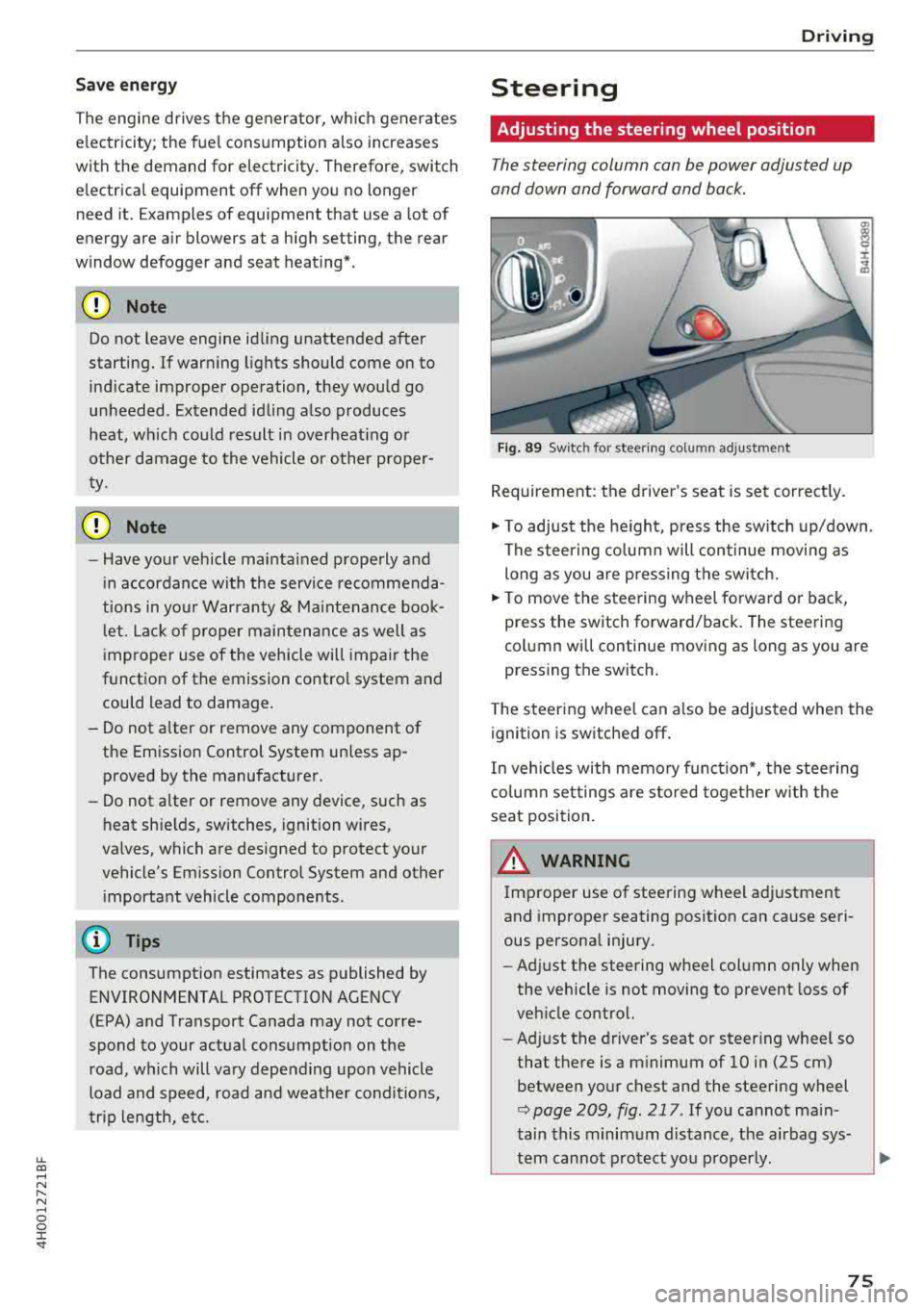
F ig . 89 Sw itc h for steering colu mn adjustment
Requirement: the driver's seat is set correct ly.
"' To adjust the he ight, press the sw itch up/down .
The steering co lumn will continue movi ng as
long as you are pressing the switch.
"' To move the steering wheel forwa rd or back,
press the switch forward/back. The steering
column will continue moving as long as you are
pressing the switch.
T he steering wheel can a lso be adjusted when the
ignition is switched off .
In veh icles with memory function*, the steering
co lumn settings are s to red toget her w ith the
seat position.
A WARNING
Improper use of steering wheel adjustment
and improper seating position can cause seri
ous personal injury.
- Adjust the steering wheel column only when
the vehicle is not moving to prevent loss of
veh icle control.
- Ad just the driver's seat or steer ing whee l so
that the re is a m inimum of 10 in (25 cm)
between your chest and the steering wheel
r::;, page 209, fig . 217 . If you cannot main
tain this minimum distance, the airbag sys-
tem cannot protect you p roperly.
~
75
Page 78 of 356
Driving
-If physica l limitations prevent you from sit
t ing 10 in (25 cm) or more from the steer
ing wheel, check with your authorized Audi
dealer to see if adaptive equ ipment is avail
able .
-If the steering wheel is aligned with your
face, the supp lemental driver's airbag can
not prov ide as m uch protection in an acci
dent. A lways make s ure that the steering
wheel is aligned w ith your che st.
-Always hold the steer ing whee l with your
hands a t the 9 o' clock and 3 o'clock pos i
t ions to reduce the ris k of person al injury if
the driver 's airbag deploys.
-Never hold the s teer ing whee l at the 1 2
o'clock pos it io n or w ith your ha nds inside
the steering wheel rim or on the steer ing
wheel hub . Holdi ng the steering whee l the
wrong way can cause serious injuries to the hands, arms and head i f the driver's airbag
deploys.
Entry assistance
Easy seat entry makes it easier to enter and exit
the vehicle by adjusting the steering column au
tomatically.
• In the Infotainment system, select the ! CARI
funct ion b utton > Car systems contro l button >
Vehicle settings > Seats > Drive r's seat > Easy
seat entry > On .
When easy seat entry is switched on, the stee ring
column goes back up into the park position when
the ignition is switched off. After entering the ve
h icle, the steering co lumn returns to the stored
position once the ignition is sw itched on .
76
Starting and stopping
the engine
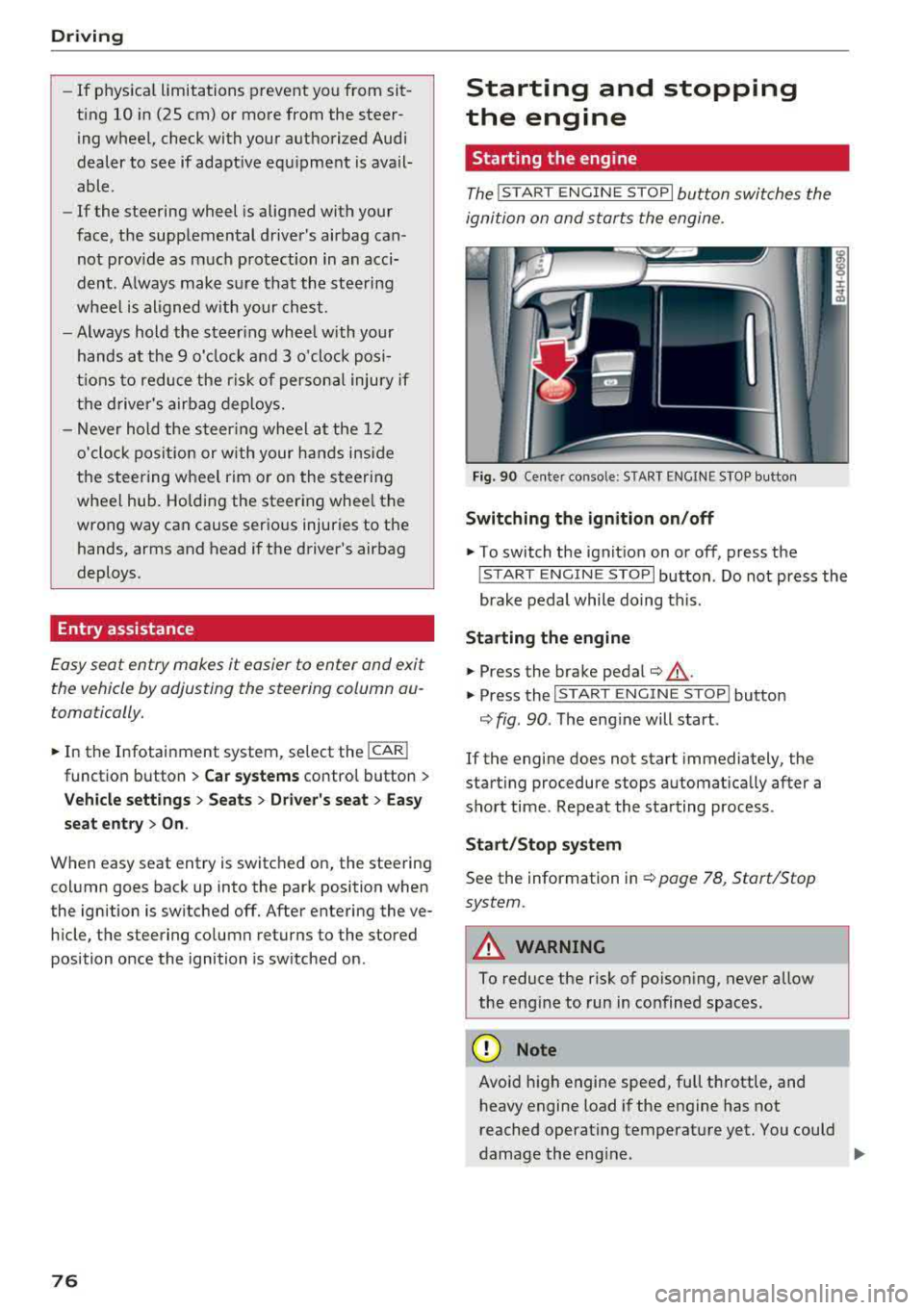
Starting the engine
The ! START ENGINE S T OPI button switches the
ignition on and starts the engine.
Fi g. 90 Ce nter conso le: STAR T ENGINE S TOP but ton
Switching the ignition on /off
• To switch t he ign it ion on or off, press the
! S TAR T ENGINE STOPI button . Do not press the
brake pedal while do ing this.
St arting the engine
• Press the brake pedal¢ &_.
• Press the I START ENGINE STOP I button
¢ fig. 90 . The eng ine will start .
If the engine does not start immediately, the
start ing procedure stops automat ica lly after a
sho rt time . Repeat the sta rting process .
Start/Stop syst em
See the information in ¢ page 78, Start/Stop
system.
A WARNING
To reduce the risk of poison ing, never allow
the eng ine to run in co nfined spaces .
(D Note
Avoid high engine spee d, full throttle, and
h eavy engine load if the engine has not
reached operat ing temperat ure yet . You could
-
damage the eng ine. .,..
Page 81 of 356
lL t:0 ....
"' " "' .... 0 0 :c '
would, th is could lead to accidents and ser i
ous injuries .
- To reduce the risk of injuries, make sure that
the Start/Stop system is turned off when
working in the engine compartment
i=> page80 .
(D Note
Always switch the Start/Stop system off when
driving through water
i::> page 80.
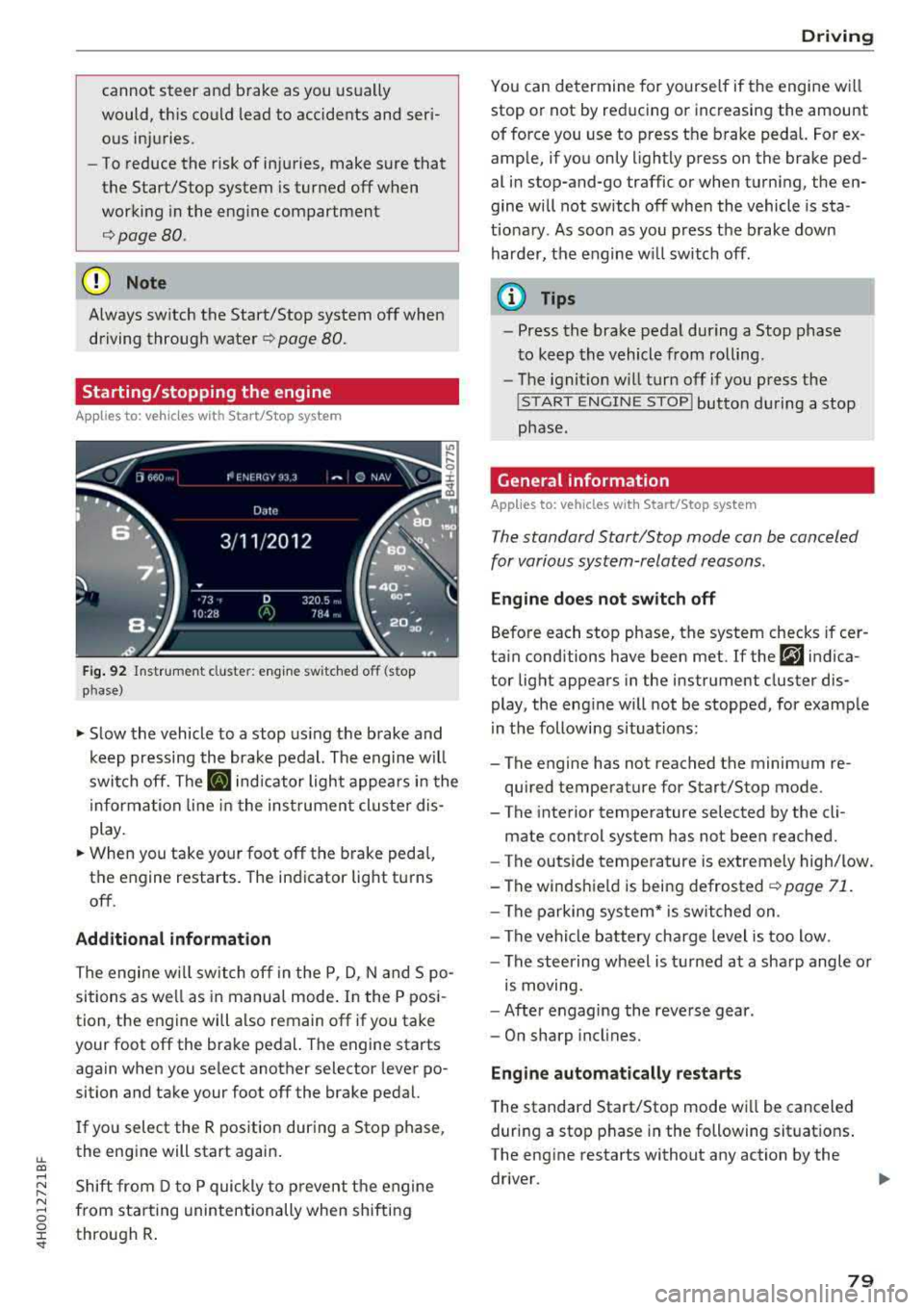
Starting/stopping the engine
App lies to: ve hicles with Start/Stop system
Fig. 92 Instrument cluste r: eng ine sw itched o ff (stop
p hase)
~ S low the vehicle to a stop us ing the brake and
keep pressing the brake pedal. The engine w il l
switch off. The
II indicator light appears in the
informa tion line in the instrument cluster dis
play.
~ When you take your foot off the brake peda l,
the engine restarts. The indicator lig ht turns
off .
Additional information
The engine w ill switch off in the P, D, N and S po
sitions as we ll as in manual mode . In the P posi
tion, the engine will also remain off if you take
your foot off the brake pedal. The engine starts
again when you se lect another selector lever po
sition and take your foot off the brake pedal.
I f you select the R pos ition during a Stop phase ,
the engine will start again.
Shift from D to P quickly to p revent the engine
from star ting unintentionally when shifting
through R .
Drivi ng
You can de termine for yourse lf if the engine w ill
stop or not by reducing or increasing the amount
of force you use to press the brake pedal. For ex
amp le, if you only lightly press on the brake ped
al in stop-and-go traffic or when turning, the en
gine will not switch off when the vehicle is sta
t io nary . As soon as you press the brake down
harder, the engine w ill switch off .
(D Tips
-Press the brake pedal during a Stop phase
t o keep the vehicle from rolling .
- The ignit ion w ill turn off if you press the
! S T ART ENGINE STOPI button du ring a stop
phase.
General information
Applies to: vehicles w ith Start/Stop system
The standard Start/Stop mode can be canceled
for various system-related reasons.
Eng ine doe s not switch off
Before each stop phase, the system checks if cer
tain conditions have been met . If the
r,J indica
tor light appears in the instrument cluster dis
play, the eng ine will not be stopped, for example
in the following situations:
- The engine has not reached the minimum re
quired temperature for Start/Stop mode.
- T he interior temperature selected by the cli-
mate control system has not been reached.
- The outside temperature is extremely high/low.
-The winds hie ld is being defrosted
~ page 71.
-The parking sys tem* is switched on .
- The vehicle battery cha rge level is too low .
- The steering wheel is tu rned at a sha rp angle or
is moving.
- After engaging the reve rse gear .
- On sharp incl ines.
Eng ine automatically restarts
T he standard Start/Stop mode wi ll be canceled
during a stop phase in the following situat ions .
The eng ine restarts without any action by the
driver .
79
Page 83 of 356
lL t:0 ....
"' ......
"' .... 0 0 :c '
parking brake
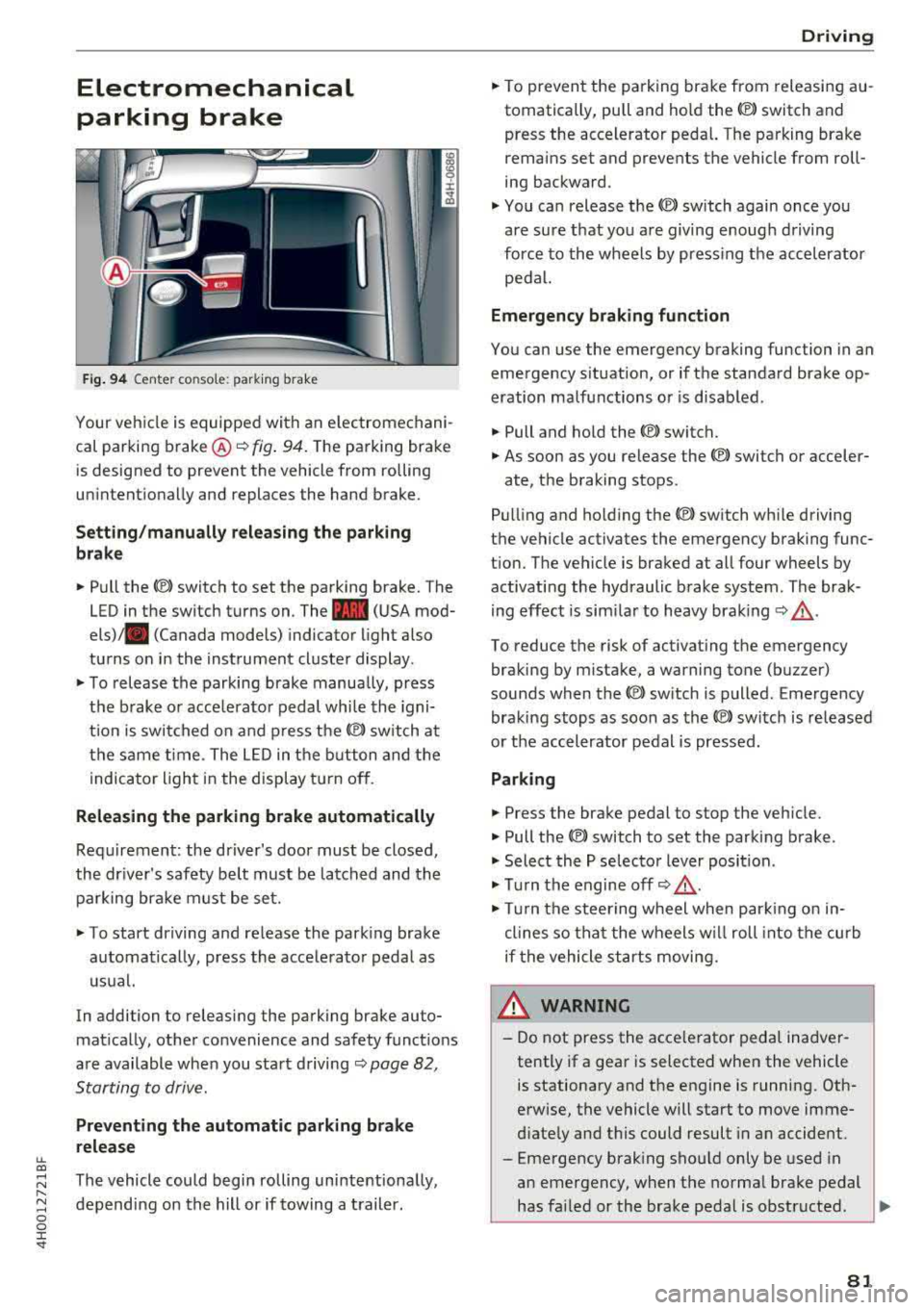
Fig. 94 Center console: parking brake
Your vehicle is equipped with an electromechani
cal parking brake ®
i=)fig. 94. The parking brake
is designed to prevent the vehicle from rolling
unintentionally and replaces the hand brake.
Setting/manually releasing the parking
brake
.. Pull the C®> switch to set the parking brake. The
LED in the switch turns on. The
-(USA mod
els) . (Canada models) indicator light also
turns on in the instrument cluster display.
.. To release the parking brake manua lly, press
the brake or acce lerator pedal while the igni
t ion is switched on and press
the(®) switch at
the same time. The LED in the button and the
indicator light in the display turn off.
Releasing the parking brake automatically
Requirement: the driver's door must be closed,
the driver's safety belt must be latched and the parking brake must be set.
.. To start driving and release the parking brake
automatically, press the accelerator pedal as
usual.
In addition to releasing the parking brake auto
matically, other convenience and safety functions
are available when you start driving
i=)page 82,
Starting to drive.
Preventing the automatic parking brake
release
The vehicle could begin rolling unintentionally,
depending on the hill or if towing a trailer.
Driving
.. To prevent the parking brake from releasing au
tomatically, pull and hold the<®> switch and press the accelerator pedal. The parking brake
remains set and prevents the vehicle from roll
ing backward .
.,. You can release the<®> switch again once you
are sure that you are giving enough driving
force to the wheels by pressing the accelerator
pedal.
Emergency braking function
You can use the emergency braking function in an
emergency situation, or if the standard brake op
eration malfunctions or is disabled.
.. Pull and hold the<®> switch.
.. As soon as you release the <®> switch or acceler-
ate, the braking stops.
Pulling and ho lding
the(®) switch while driving
the vehicle activates the emergency braking func
tion. The vehicle is braked at all four wheels by activating the hydraulic brake system. The brak
ing effect is similar to heavy braking
i=) ,& .
To reduce the risk of activating the emergency
braking by mistake, a warning tone (buzzer)
sounds when the
<®l switch is pulled. Emergency
braking stops as soon as
the© switch is released
or the accelerator pedal is pressed.
Parking
.. Press the brake pedal to stop the vehicle.
.. Pull the<®> switch to set the parking brake .
.,. Select the P selector lever position .
.,. Turn the engine off i=) ,&.
.,. Turn the steering wheel when parking on in
clines so that the wheels w ill roll into the curb
if the vehicle starts moving.
8_ WARNING
-Do not press the acce lerator pedal inadver
tently if a gear is selected when the vehicle
is stationary and the engine is running. Oth
erwise, the vehicle will start to move imme
diately and this could result in an accident.
-Eme rgency braking should only be used in
an emergency, when the normal brake pedal
has failed or the brake pedal is obstructed .
.,.
81
Page 87 of 356
u. co ..... N
" N ..... 0 0 :c '
lect the R or P posit ions w hile d riving.
- Power is sti ll transmitted to the w heels
when the eng ine is r unning at idle. To pre
vent the veh icle from "creeping", you must
keep your foot on the brake i n all se lector
lever posi tions (except P and N) when the
eng ine is ru nning. Do not inadvertent ly
press the acce le ra to r pedal whe n the veh icle
is sta tionary. Oth e rw ise the vehicle will s tart
to move immed iate ly, even if t he pa rking
bra ke is set . This could r esult in a crash.
- B efore open ing the hood, se lect t he P s ele c
to r leve r pos it ion and se t the pa rk ing br ake.
T his red uces the r is k of an accident. Always
read and fo llow the applicable warnings
¢ page 2 72, Working in the engine com
partment.
- Never leave yo ur vehicle with the engine
running wh ile in gear. If yo u must leave
yo ur vehicle when the engine is ru nning, set
the parking brake and move t he se lector lev
er to the P pos ition .
(D Tips
If you accidentally se lect N w hile driving, take
your foot off the acce lerato r peda l and wa it
for the engine to s low down to idle before se
lect ing Dor S.
Driving tips
Starting the engine
.,. T he selector lever must be in the P or the N po
s it ion.
St arting from a stop
.. Press and hold the brake pedal.
.. Start the engine¢ page 76.
.. Press the button o n the selector lever and se
lect the D, Sor R selector lever pos ition
¢ page 83 .
.,. Wait a moment unt il the t ransm iss ion shifts .
Yo u will no tice a slight movement when t he
gear engages.
.. Release t he brake pedal and press the acce le ra
tor pedal
¢ ,&. .
Driving
Various convenience functions are available for
starting on hi lls
¢ page 82.
Stopping temporarily
.,. Press the bra ke pedal to stop the ve hicle, for
examp le a t a tra ffic lig ht. Do not press the ac
celerator pedal when doing this .
.. To prevent the vehicle from ro ll ing when you
start driving, set the pa rking brake when stop
ping on steep
hills ¢&. and ¢@ .
.. The parking brake will release automat ically
and the vehicle will start movi ng once you press
the accelerator pedal.
Stopping /par king
If the selector lever is not in the P position when
you open the driver's door, the vehicle cou ld roll.
The message
V ehicle may roll! Selector le ver not
in P
appears.
.. Press and hold the b rake peda l¢ ,&. .
.. Set the park ing brake.
.. To engage the P selector lever position, press
the button on the selector lever and shift into
the P position ¢ page 83 .
Under certain conditions, such as driving in the
mountains or when towing a trai ler, it may be
helpful to switch to manual mode temporar ily
and shift manually to adapt to the drivi ng cond i
tions ¢ page 86 .
On hills, activate the park ing brake first and then
shift into the P
position ¢ page 81 . This prevents
too much stress from being p laced on the lock ing
mechan ism .
.&, WARNING
- The vehicle can roll even if t he ignit ion is
sw itche d off .
- D o not press the acce le rato r peda l when
cha ng ing the se lec to r lever posi tion while
t he ve hicle is s ta ti onary and the engi ne is
r u nning . This could result in a crash.
- T o redu ce the r is k of an accident, neve r se
lec t the R o r P posi tions while driv ing.
- P owe r is still tr ansmit ted to t he wheels
when the engine is runn ing at idle . T o pr e
vent the vehicle from "creepi ng", yo u must
-
85