warning lights AUDI A8 2018 Owner's Manual
[x] Cancel search | Manufacturer: AUDI, Model Year: 2018, Model line: A8, Model: AUDI A8 2018Pages: 356, PDF Size: 54.71 MB
Page 79 of 356
u. co .... N
" N .... 0 0 :c '
-Some noise after starting the engine is nor
mal and is no cause for concern.
- If you leave the vehicle with the ignition
switched on, the ignition will switch off af
ter a certain amount of time. Make sure that
electrical equipment such as the exterior
lights are switched off.
Stopping the engine
.,. Bring the vehicle to a full stop.
.,. Select the P or N selector lever position .
.. Press the I START ENGI NE STOPI button
~ page 76, fig. 90.
Steering lock
The steering locks when you turn the engine off
using the lSTART
ENGINE STOPlbutton and
open the driver's door. The locked steering helps
prevent vehicle theft.
Emergency off function
If it is absolutely necessary, the engine can also
be turned off while driving in the
R, Dor S selec
tor lever position at speeds below 6 mph (10 km/
h). To stop the engine, press and hold the
I START ENGINE STOPI button and also press the
brake pedal.
& WARNING
-Never turn off the engine before the vehicle
has come to a complete stop. The full func
tion of the brake booster and the power
steering is not guaranteed. You must use
more force to turn or brake. Because you
cannot steer and brake as you usually
would, this could lead to accidents and seri
ous injuries .
-Always take the key with you whenever you
leave your vehicle. Otherwise, the engine
cou ld be started or electrical equipment
such as the power windows could be operat
ed. This can lead to serious injury.
-For safety reasons, always park the vehicle
with the selector lever in the P position .
Driving
Otherwise, there is the risk that the vehicle
could roll unintentionally.
@ Note
If the engine has been under heavy load for
an extended period of time, heat builds up in
the engine compartment after the engine is
switched off and there is a risk of damaging
the engine. For this reason, let the engine run
at idle for approximately two minutes before
shutting it off .
(D Tips
For up to 10 minutes after stopping the en
gine, the radiator fan may turn on again auto
matically or it may continue to run (even if
the ignition is switched off) for the following
reasons :
- The coolant temperature is increasing due
to trapped heat.
- If the engine is warm and the engine com
partment also heats up from strong sun
light.
Messages in the instrument cluster display
Turn off ignition before leaving car
This message appears and a warning tone sounds
if you open the driver's door when the ignition is
switched on.
Press brake pedal to start engine
This message appears when you press the
I START ENGINE STOP ! button to start the engine
and do not press the brake pedal while doing so.
The engine can only be started when the brake pedal is pressed .
Ill Is key in the vehicle?
This indicator light turns on and this message ap
pears if the ignition key was removed from the
vehicle when the engine was running. If the igni
tion key is no longer in the vehicle, you cannot
switch on the ignition or start the engine once
you stop it. You also cannot lock the vehicle from
the outside .
.,.
77
Page 82 of 356
Driving
-The inter ior temperature differs from the tem
perature se lected in the A/C system.
-The windshield is being defrosted q page 71 .
-The brake pedal is pressed seve ral t imes in a
r ow.
-T he vehicle ba tte ry charge Leve l is too Low.
-Power consumption is high .
Ignition is switched off automatically
To prevent the veh icle battery from drain ing, the
ignit ion w ill switch off
automatically under the
following conditions:
-The vehicle has already been driven .
-The Start/Stop system has stopped the e ngine.
- T he driver's door is opened.
- T he dr iver's safety be lt is unb uckled.
- The brake pedal is not p ressed .
-The vehicle is stationary .
In this case, the activated low beam is replaced
by the parking Light. The parking Lights will
sw itch off after app roximately 30 minutes or
when you Lock the vehicle .
If the Start/Stop system has not turned off the
engine o r if you have sw itched the Start/Stop sys
tem off manually, the ignition will not be auto mat ically switched off and the engine w ill contin
ue to r un
q I!::::,. .
.&_ WARNING
To re duce the risk of poisoni ng, neve r allow
t he engine to r un in confined s paces.
(D Tips
If you select the D, N or S selector Lever posi
tion after shifting into reverse, the vehicle
m ust be driven faster than 6 mph (10 km/h)
in orde r for the engine to switch off again.
80
-
Manually switching the Start/Stop system
off/on
Appl ies to : vehicles wi th Start/Stop sys te m
If you do not wish to use th e system, you con
switch i t off manually.
------------ ~
:i:
~
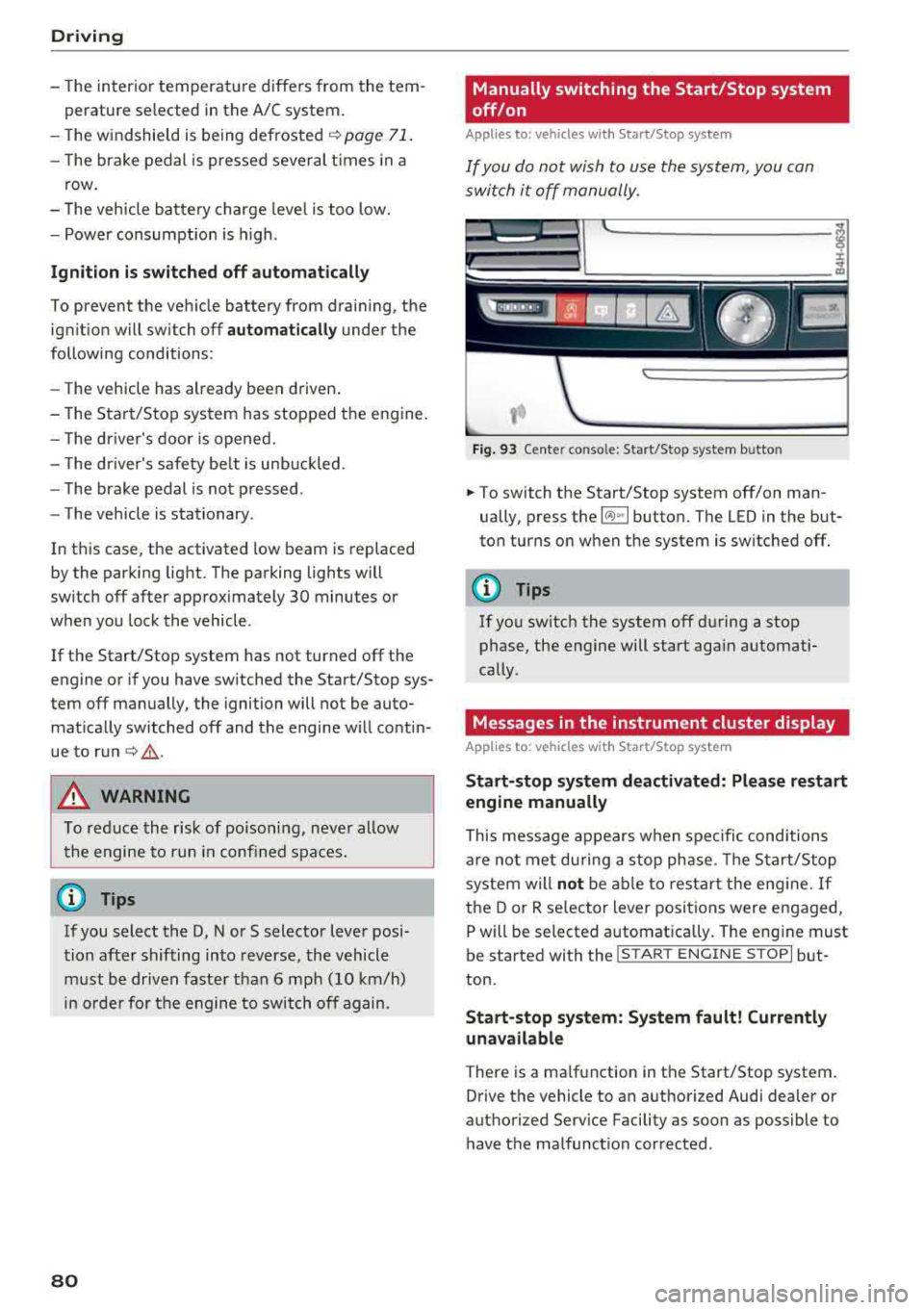
Fig . 93 Ce nte r conso le: Start/Stop system b utto n
.. To switch the Start/Stop system off/on man
ually, press the
l (A) ~I button. The LED in the but
ton turns on when the system is switched off.
(D Tips
If you switch the system off d uring a stop
phase, the engine will start aga in automati
cally .
Messages in the instrument cluster display
Applies to: vehicles wit h Start/Stop syste m
Start-stop system deactivated: Please restart
engine manually
This message appears w hen spec ific conditions
are not me t du ring a stop phase. The S tart/S top
system will
not b e abl e to re st art the eng ine. If
the D or R se lector Lever positions were engaged,
P will be selected a utomat ically . The eng ine must
be started with the
I START ENGI NE STOPI but
ton.
Start -stop system: System fault! Currently
unavailable
There is a ma lfunction in the Start/Stop system.
Drive the vehicle to an authorized Audi dea ler or
authorized Serv ice Facility as soon as possible to
have t he malfunction corrected .
Page 86 of 356
Drivin g
you can s hift past the N and R se lector lever
positions.
Selector lever lock
The se lector lever lock prevents you from se lect
ing a posit ion un intent ionally, causing the vehicle
to ro ll. When engaging some selector lever posi
tions, you must press the button on the selector
lever ¢ fig. 96 and/or press the brake pedal.
You must p ress t he brake pedal to engage a se
lector lever posit ion when the engine is running
and the vehicle is stationary . The arrows ¢
fig. 97
indicate when you need to press the button on
the selector lever.
The se lector lever does not lock if you shift from
D to R within one second . This a llows you to
"rock" the vehicle to free it when it is stuck.
P - Park
This se lecto r lever position p revents the veh icle
from roll ing. Only s hift into park w hen the veh i
cle is
stationary ¢.&. . To engage the P selector
lever position, press the button on the selector
lever and s hift into t he P position .
You can on ly shift out of pa rk when the engine is
running and you are pressing the brake peda l. To
release the parking lock . press the b utton on the
selector lever and select the desired position .
P engages automat ically when you switch the en
gine
off while D, Sor R is engaged or in manual
mode .
I f you sw itch the engine off w hen the N pos ition
is selected, the t ransm iss ion rema ins in N fo r ap
p roximate ly 30 minutes and then Pis engaged .
You must use the park ing lock emergency release
befo re towing the
vehicle¢ page 88.
R- Reverse
The reverse gear is engaged in this pos ition. Only
select reverse gear when the veh icle is stationary
and the eng ine is running at idle
speed ¢.&, . To
e n gage the R selecto r leve r pos it ion, press the
button on the selector lever, p ress the brake ped
a l and move the se lector lever into the R pos it io n .
84
The reverse lights turn on when you select the R
selector lever position whi le the engine is run
ning.
N -Neutral (idle )
The transmission is in idle in th is position. To en
gage the N selector leve r position, press the but
ton on the selector lever and shift into the N po
sition .
If you switc h the eng ine
off when the N pos it io n
i s selected, the transmission remains in N for ap
proximately 30 minutes and then Pis engaged.
Yo u cannot se lect t he N pos it ion when the ig ni
t ion is switched
off. When dr iv ing t hrough an au
tomat ic car wash, fi rst select the N position and
t h en turn the engine off ¢
page 306.
For safety reasons, the veh icle cannot be loc ked
whe n the t ransmiss io n is in t he N pos it io n.
D IS -Driving forward
When the transm ission is in the D/S posit ion, it
can be operated e ither in the normal D mode or
i n the S sport mode. Move the selector lever back
to engage the S sport mode. You ca n only select
t h e S se lector lever position when D is engaged.
To se lect the D selector lever position again w hen
S is engaged, move the selector lever
back¢ &..
To s hift from N to D w hen traveling at speeds be
l ow 1 mp h (2 km/h), press the br ake pedal and
shi ft into the D
position ¢.&. .
In the normal mod e D, the transmission auto
matically selec ts the su itable gear ratio .
It de
pends on engine load , veh icle speed a nd d rivi ng
sty le.
Se lect the
s port mod e S for spo rty d riving. The
vehicle makes f ull use of the eng ine's power.
S hi ft ing may become no ticeable when acceler at
i ng .
The S se lecto r lever posit io n engages automat i
ca lly w hen you sele ct dynamic mode in d rive se
l ect .
& WARNING
-The vehi cle can roll even if the ignit ion is
switched
off .
-
Page 91 of 356
lL t:0 ....
'"" ......
'"" .... 0 0 :c '
General information
Your Audi was designed primarily for passenger
transportation .
If you plan to tow a trailer, please remember that
the additional load will affect durability, econo my and performance.
Trailer towing not only places more stress on the
vehicle, it also calls for more concentration from
the driver.
For this reason, always follow the operating and
driving instructions provided and use common
sense.
(D Note
If you are going to tow a trailer, you must ac
tivate the trailer operation mode
c:> page 89, Operating instructions.
Technical requirements
Trailer hitch
Use a weight-carrying hitch conforming to the
gross trailer weight. The hitch must be suitable
for your vehicle and trailer and must be mounted
securely on the vehicle's chassis at a
technically
sound
location . Use only a trailer hitch with a re
movable ball mount. Always check with the trail
er hitch manufacturer to make sure that you are
using the correct hitch.
Do not use a bumper hitch .
The hitch must be installed in such a way that it
does not interfere with the impact -absorbing
bumper system . No modifications should be
made to the vehicle exhaust and brake systems .
From time to time, check that all hitch mounting
bolts remain securely fastened.
When you are not towing a trailer, remove the trailer hitch ball mount . This prevents the hitch
from causing damage should your vehicle be
struck from behind
£:=? .&, .
Trailer towing
Trailer brakes
If your trailer is equipped with a braking system,
check to be sure that it conforms to all regula
tions.
T he trailer hydraulic brake system must not be
directly connected to the vehicle's hydraulic
brake system.
Safety chains
Always use safety chains between your vehicle and the trailer.
Trailer lights
Trailer lights must meet all regulations. Be sure
to check with your Audi dealer for correct wiring,
switches and relays .
Mirrors
If you are unable to see the traffic behind you us
ing the regular outside mirrors, then you
must in
stall extended mirrors . It is important that you
always have clear vision to the rear .
.,&. WARNING
-After removing the trailer hitch, do not store
it in your vehicle. In case of sudden braking,
the hitch could fly forward and injure you or
your passengers.
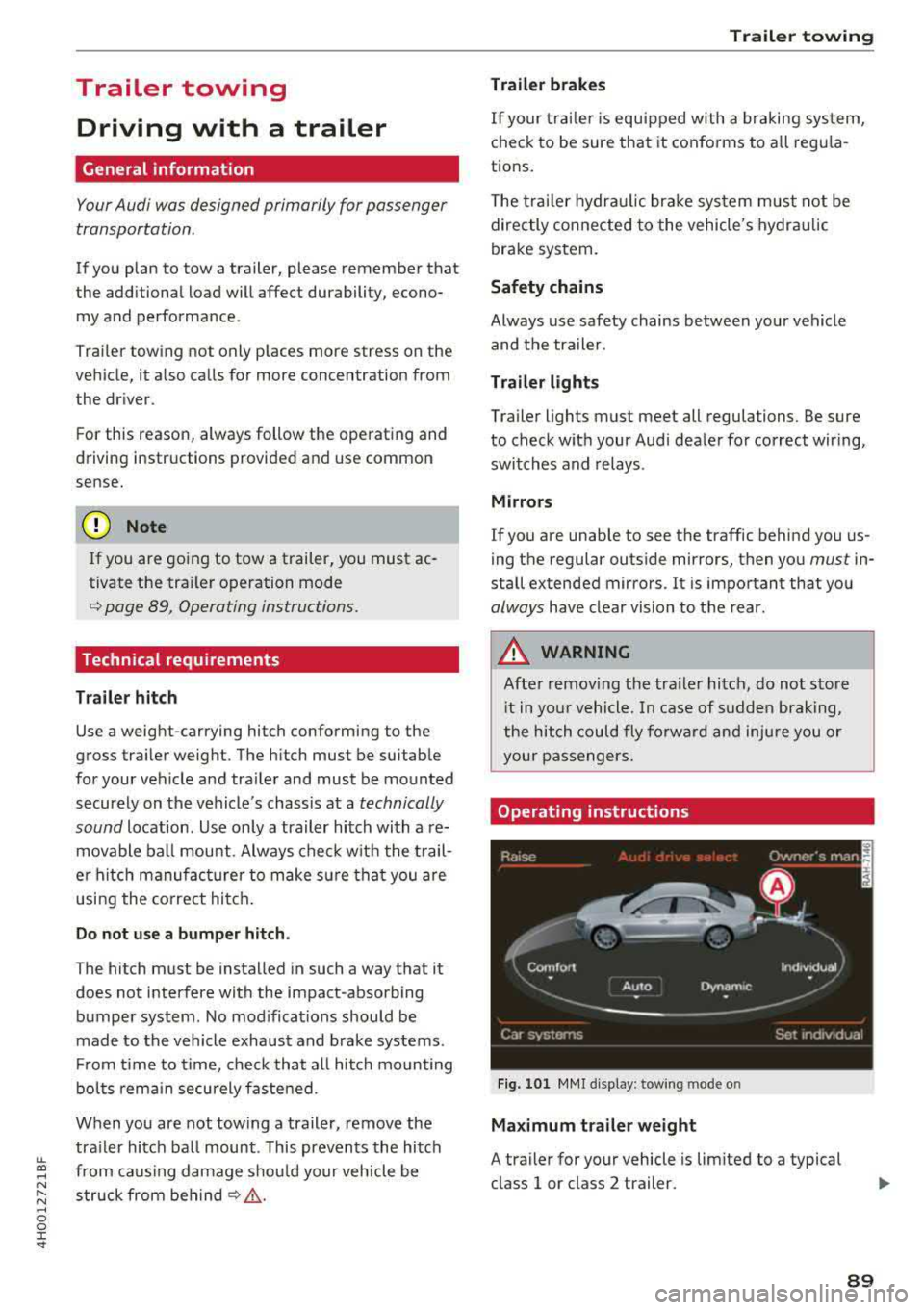
Operating instruction s
Fig. 101 MMI display: towing mode o n
Maximum trailer weight
A trailer for your vehicle is limited to a typical
class 1 or class 2 trailer.
89
Page 93 of 356
u. co .... N
" N .... 0 0 :c '
When driv ing with a trailer, activate the trailer
mode of the air suspension. Switch the air sus
pension trailer mode on when you are towing a
trailer . This will limit the regulation by the air
suspension while driving. Select in the MMI:
ICARI function button> (Car)* systems control
button >
Vehicle settings > Air susp.: towing >
On.
Coolant temperature
The coolant temperature gauge ¢ page 9 must
be observed carefully . The coolant temperature
can increase if you dr ive on long inclines in a low
gear at h igh engine speeds . Reduce your speed
i mmed iately if the LEDs in the top part of the dis
p lay turn on.
For more information about ind icator lights, re
fer
to . ¢ page 20.
A WARNING
Anyone not properly restrained in a moving
veh icle is at a much greater risk in an acci
de nt. Never let anyone ride in you r car who is
not properly wearing the restraints p rovided
by Audi.
Trailer towing
information
Important to know
-
Your ve hicle handles different ly when towing a
tra ile r because of the additiona l we ight and dif
ferent weight distribution . Safety, performance
and economy wi ll greatly depend on how careful
l y you load your trailer and operate your rig.
Before you actually tow your trailer, practice
turning, stopping and backing up in an area away
from traffic . Keep practicing until you have be
come comp letely familiar with the way your vehi
cle-trailer combination behaves and responds.
Backing up is difficult and requires practice .
Backing up with a trailer generally requires steer
ing action opposite to that when backing up your
vehicle without a trailer.
Trailer towing
Maintain a greater distance between your vehicle
and the one in front of you . You will need more
room to stop . To compensate for the trailer, you
will need a larger than normal turning radius.
When passing, remember that you cannot accel
erate as fast as you normally wou ld because of
the added load. Make sure you have enough room
to pass. After passing, allow p lenty of room for
your trailer before changing lanes again.
Avoid jerky starts, sharp turns or rapid lane
c h anges.
(D Tips
-Do not tow a trailer during the break-in peri
od of your ve hicle.
-If you tow a trailer, your Audi may require
more frequent maintenance due to the ex
tra load
¢ page 336 .
Parking on a slope
Do not park on a slope with a trailer. If it cannot
be avoided, do so only after doing the following:
When parking:
.,. App ly the foot brake.
.,. Have someone place chocks under both the ve
hicle and the trailer wheels .
.,. With chocks in place, slowly release the brakes
until the wheel chocks absorb the load .
.,. Tur n the whee ls towards the curb .
.,. Apply the parking brake .
.,. Select the P selector lever posit ion.
When restarting after parking:
.. App ly the foot brake .
.. Start the engine .
.,. Select the D selector lever position.
.,. Release the parking brake and slowly pull out
and away from the wheel chocks.
.,. Stop and have someone retrieve the wheel
chocks .
(D Tips
If you move the selector lever of the automat
i c transmission to P befo re applying the park-
in g brake and before blocking the wheels, you
.,_
91
Page 96 of 356
Assistance systems
-Please note that unconsciously "resting"
your foot on the accelerator pedal prevents
the cruise control from braking. This is be
cause pressing the accelerator pedal over
rides the cruise control system.
- If a brake system malfunction such as over
heating occurs when the cruise control sys
tem is switched on, the braking function in
the system may be switched off. The rest of
the cruise control system funct ions remain
active as long as the
@;\IM~ (USA models) /
l'I (Canada models) indicator light is on.
(D Tips
The brake lights turn on when the brakes are
applied automatically.
Changing the speed
.,. To incr ease or decrease the speed in incre
ments, tap the lever toward
010 ¢ page 93,
fig . 102.
.. To increase or decrease the speed quickly, hold
the lever in the
0 10 direction until the de
s ir ed speed is displayed.
You can a lso press the accelerator pedal down to
increase your speed, for example if you want to
pass someone. The speed you set earlier w ill re
sume as soo n as you release the accelerator ped
al.
However, if you exceed your saved speed by 5
mph (10 km/h) for longer than 6 minutes, the
cru ise control system turns off temporarily.
The
green@;\1)~1~ (USA mode ls) !l'I (Canada mod
els) indicator light in the speedometer turns off
and the stored speed is maintained.
Preselecting a speed
You can pre-select your desired speed when the
vehicle is stationary.
.. Switch the ignition on .
.. Pull the lever into position (D i::> page 93,
fig. 102 .
.. To increase or decrease the speed, push the lev
er toward
0 10 .
94
.. To store the speed displayed, release the lever.
This function makes it possible , fo r example, to
save the speed you want before driving on the
highway. Once on the highway , activate the
cruise contro l by pulling the lever toward
(D.
Switching off
Deactivating temporarily
.. Press the brake pedal, or
.. Press the lever into position @(not clicked into
place)
¢ page 93, fig. 102, or
.. Dr ive for longer than 5 minutes faster than 5
mph (10 km/h) above the stored speed.
Switching off completely
.. Press the lever into position@(clicked into
place), or
.. Switch the ignition off .
The speed you stored will be maintained if the
cruise contro l has been switched off temporarily .
T o resume the stored speed, release the brake
pedal and pull the lever into position
(D.
Switching the ignition off will erase the stored
speed.
A WARNING
You sho uld only resume the stored speed if it
is not too high for existing traffic conditions.
Otherwise you can increase the risk of an acc i
dent.
Page 100 of 356
Ass is tance sy stem s
Switch ing adaptive cruise control off
.,. Push the lever away from you into position @
until it clicks into place . The message
ACC: off
appears.
@ Indicator lights
It -adaptive cruise cont rol is switched on . No
objects a re detected ahead . T he stored speed is
main tained.
• -an object ahead was detected. The adaptive
cru ise control system regulates the speed and
d istance to the object ahead a nd accelerates/
b rakes a utomatically .
(ii-adaptive cruise control is switched on . An
object ahead was detec ted . Your vehicle rema ins
stopped and w ill not start dr iv ing a utomat ically .
•-The automatic braking is no t enough to
maintain a sufficient distance to an object ahead .
You must
i nte rvene ~ page 100, Driver interven
tion request.
© Instrument cluster display
If adaptive cruise control is not shown in the in
strument cluster display, you can call it up usi ng
the multifunction stee ring wheel b uttons
~ page 12.
Based on the graphics in the d isplay, you can de
termine if the system is ma inta ining a distance to
the object ahead and what that distance is .
No vehicl e -no object was detected ahead.
White vehicle -an ob ject was detected ahead.
Red vehicle -request for driver intervention
~ page 100 .
Both arrow s on the scale © indicate the distance
to the object ahead. No arrow appea rs when the
ve hicl e is o n an open road and there is no obje ct
ahead. If an object is de tected ahead, the arrow
moves on the scale.
The green zo ne on the scale indicates the sto re
d istance. For information o n chang ing the d is
tance, refer to
Q page 99 . If the distan ce se
lected is exceeded or not reached, the a rrow
moves into the red zone on the sca le .
98
A WARNING
If you press the !SET ! button when driving at
speeds below 20 mph (30 km/h), the veh icle
accelerates automatically up to 20 mph (30
km/h), wh ich is the minim um speed that can
be set .
(D Tips
-If you switch the ign it ion or the adaptive
cruise control sys tem off, the set speed is
erased fo r safety reasons .
-The electronic stabilization control (ESC)
and the an ti-slip-regulat ion (ASR) are auto
matically switc hed on when the adaptive
cruise cont rol is swi tched on.
Changing the speed
Applies to: vehicles with Audi adaptive cruise control
0
f
•
0
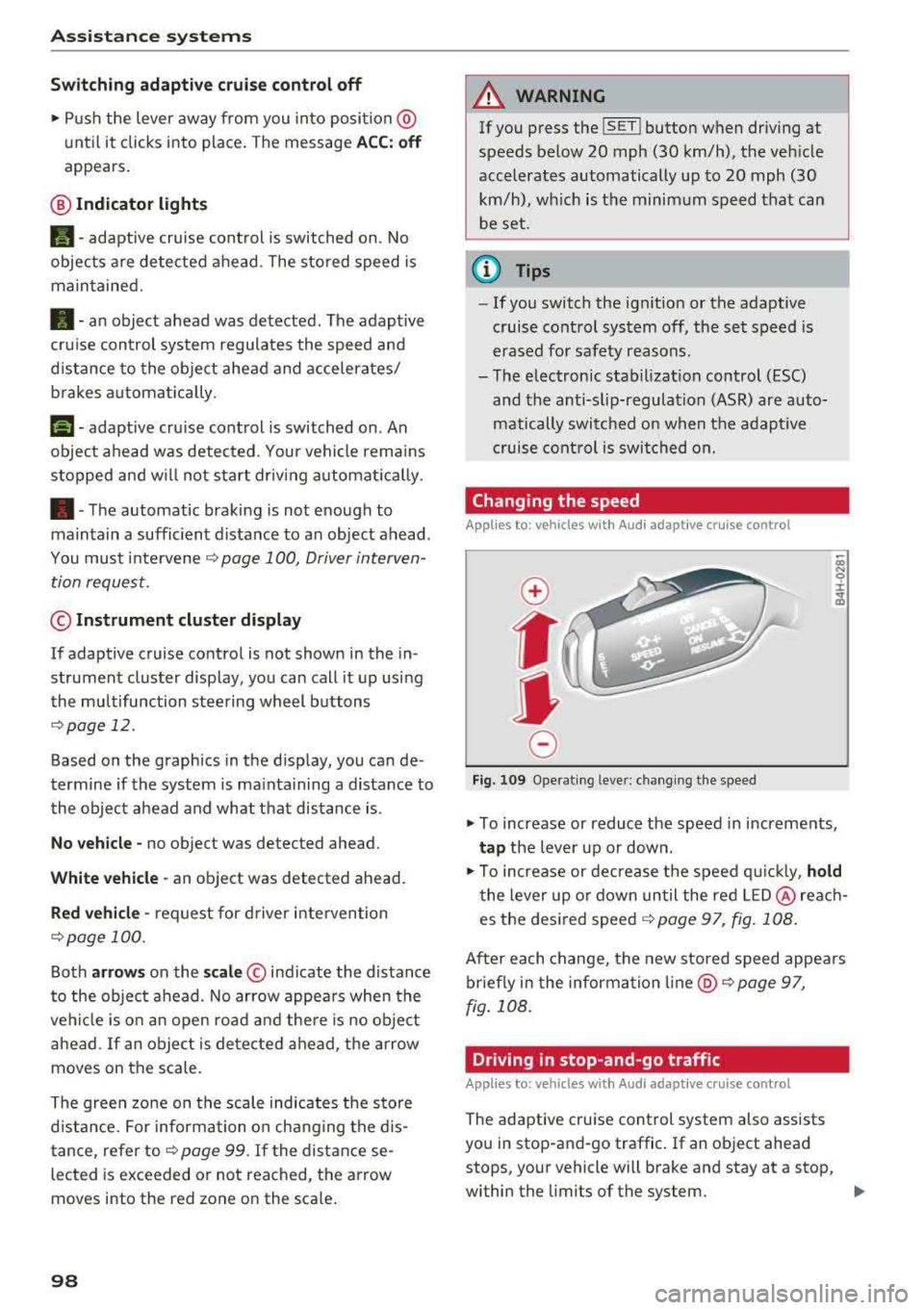
Fig. 10 9 Operat ing leve r: ch ang ing the speed
.,. To increase or reduce the speed in increments,
ta p the lever up or down .
.,. To increase or decrease t he speed q uickly, hold
t he lever up o r down un til the red LED @ reac h
es the desired
speed ~ page 97, fig. 108 .
After each change, the new stored speed appea rs
briefly in the information
li ne @ ~ page 97,
fig . 108 .
Driving in stop-and-go traffic
Applies to: vehicles with Audi adaptive cruise control
The adapt ive cru ise control system also assists
you in stop-and-go traffic . If an object ahead
stops, your vehicle will brake and stay at a stop,
within the limits of the system.
..
Page 112 of 356
Assistance systems
critical, the system will direct your attention to
this :
- Pedestrians or wild animals are highlighted in
red and the corresponding
symbol . or.
turns on c::> fig. 125.
- There is also an audible signal.
The area classified as critical is based on the vehi
cle speed and the steering wheel angle. Pedes
trian and wild animal warning encourages you to pay more attention.
If the night vision assist image is replaced by an
other display (such as the on-board computer),
the
red . or. indicator light c::> fig. 126 will
appear if there is a pedestrian or wild animal
warning.
If the head-up display* is switched on and the
night vision assist content is activated, .
or.
will appear in the head-up display*.
Marking light*
To direct the driver's attention to a pedestrian,
the headlights can flash on the pedestrian three
times in a row when there is a pedestrian warn
ing.
This occurs at speeds above approximately 35 mph (60 km/h) if you are outside of illuminat
ed areas and no detected vehicles are shown . The
high beam assistant* controls the marking light*
c::> page 44, High beam assistant .
The marking light is not used for wild animals .
General information
Applies to: vehicles with night vision ass ist
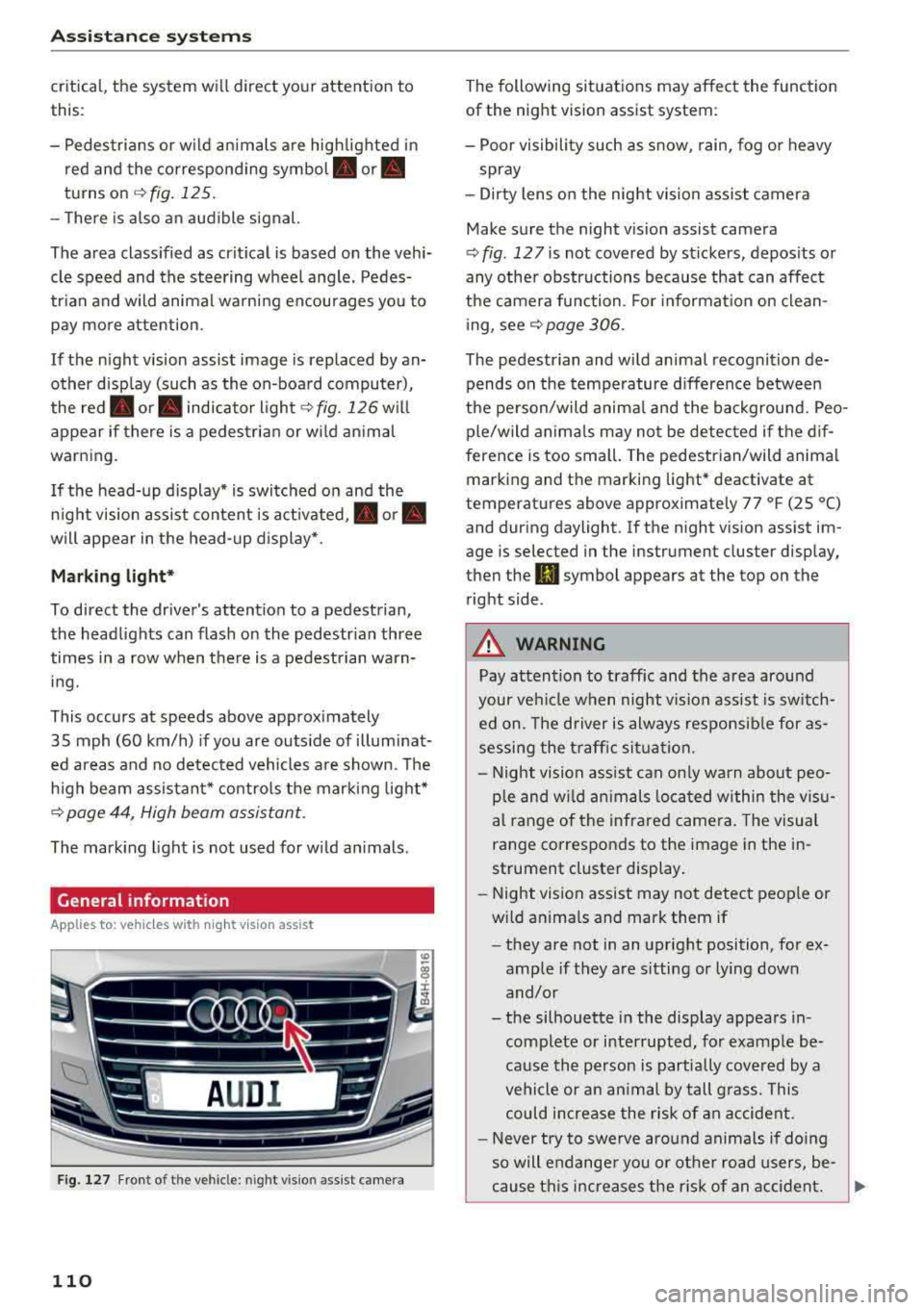
Fig. 127 F ront of th e vehicl e: nigh t visio n as sist c amer a
110
The following situations may affect the function
of the night vision assist system:
- Poor visibility such as snow , rain, fog or heavy
spray
- Dirty lens on the night vision assist camera
Make sure the night vision assist camera
c::> fig . 12 7 is not covered by stickers , deposits or
any other obstructions because that can affect
the camera function . For information on clean
ing, see
c::> page 306.
The pedestrian and wild animal recognition de
pends on the temperature difference between
the person/wild animal and the background. Peo
ple/wild animals may not be detected if the dif
ference is too small. The pedestrian/wild animal
marking and the marking light* deactivate at
temperatures above approximately 77 °F (25 °C)
and during daylight . If the night vision assist im
age is selected in the inst rument cluster display,
then the
II symbol appears a t the top on the
right side .
,& WARNING
,-
Pay attention to traffic and the area around
your vehicle when night vision assist is switch
ed on. The driver is always responsible for as
sessing the traffic situation.
- Night vision assist can only warn about peo
ple and wild animals located within the visu
al range of the infrared camera. The visual
range corresponds to the image in the in
strument cluster display .
- Night vision assist may not detect people or
wild animals and mark them if
- they are not in an upright position, for ex
ample if they are sitting or lying down
and/or
- the silhouette in the display appears in
complete or interrupted, for example be
cause the person is partially covered by a
vehicle or an animal by tall grass . This
could increase the risk of an accident.
- Never try to swerve around animals if doing
so will endanger you or other road users, be
cause this increases the risk of an accident.
Page 113 of 356
lL t:0 ....
"' ......
"' .... 0 0 :c '
-Even though the system evaluates the
shape and heat given off by a ll detected ob·
j ects, there are limits to the system. The re
may be false warn ings.
- For technica l reasons, the image pa uses in
sp lit second intervals.
Switching on/off
Applies to: veh icle s with night vision assist
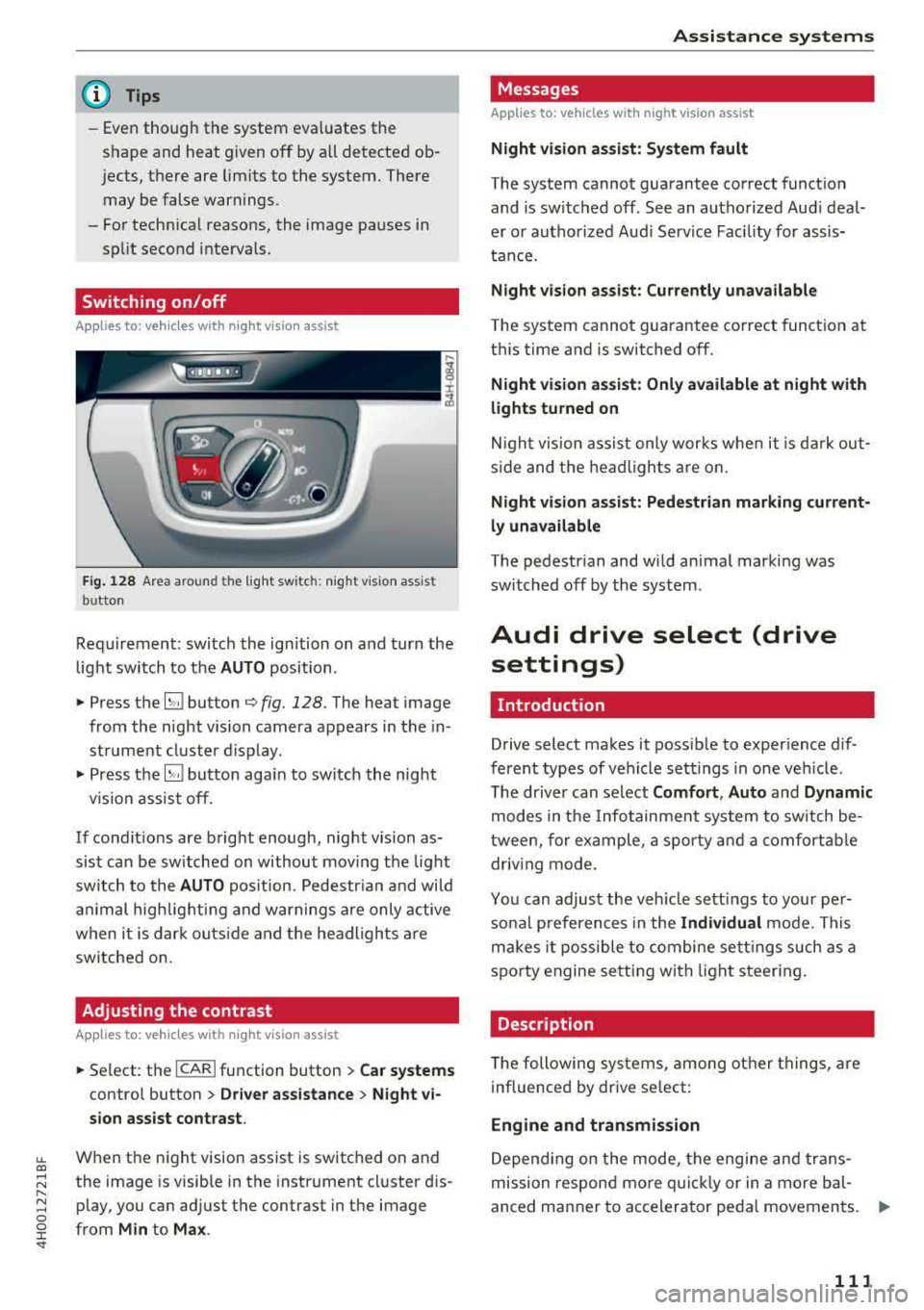
Fig. 128 A rea aro und th e light sw itc h: n ig h t vis ion ass ist
bu tton
Req uirement: switch the ignition on and turn the
light switch to the
AUTO position .
• Press the~ button q fig. 128. The hea t image
from the night vision camera appears in the in
str ument cluster d isplay .
• Press the~ button aga in to switch the night
v ision assist off.
If condit ions are bright enough, night vision as
sist can be sw itched on without moving the light
sw itch to the
AUTO pos it ion. Pedestr ian and wild
a ni mal highlig hting and warnings are only active
when i t is dar k ou tside and t he headlights are
switched on.
Adjusting the contrast
Applies to: vehicles with night vision assist
• Se lect: the I CAR I function button > Car systems
contro l button > Driver a ssistance > Night vi
sion assist contrast .
When the night vision assist is switched on and
the image is visible in the instrument cl uster d is
p lay, you can adjust the contrast in the image
from
Min to Ma x.
Assi st a nce systems
Messages
Applies to: vehicles with night vision assist
Night vi sion as sist : System fault
T he system cannot guarantee correct funct ion
and is switched off . See an authorized Aud i deal
er or autho rized Aud i Service Fac ility fo r assis
tance.
Night vision assist: Currently unavailable
The system cannot gua rantee co rrect function at
th is time and is switched off .
Night vision as sist: Only available at night with
lights turned on
N igh t vision assist only works whe n it is da rk out
s ide and the headlights a re on.
Night visi on a ssist: Pedestrian marking current
ly unavailable
T he pedestrian and wi ld animal marking was
swi tched off by the sys tem .
Audi drive select (drive
settings)
Introduction
Drive select makes it possib le to exper ience dif
ferent types of vehicle sett ings in one veh icle .
T he driver can select
Comfort , Auto and Dynamic
modes in the Infotainment system to sw itch be
tween, for example, a sporty a nd a comfortab le
driv ing mode .
Yo u can adjust the veh icle sett ings to your per
so nal preferences in the
Individual mode. This
makes i t possible to combine se ttings such as a
spo rty engine se tt in g with light s teer ing.
Description
T he following systems, among other things, are
influenced by drive se lect:
Engine and transmission
D epend ing on the mode, the engi ne and trans
mission respon d mo re qu ickl y or in a more bal
anced manner to accelerator peda l movements.
ll>
111
Page 130 of 356
Intelligent Technology
you into taking risks. T his could increase
your risk of a co llision.
- Please note the risk of a co llision increases
when driving fast, especially through curves
and on slippery or wet roads, and when driv
ing too close to objects ahead. The ESC and
its integrated systems cannot always pre
vent collisions - there is still a risk of acc i
dents!
- Press the accelerator pedal carefully when
acce lerating on even, slippery surfaces such
as ice and snow. The drive wheels can spin
Switching on and off
even when these control systems are instal
led and this can affect driving stability and
increase the risk of a collision.
(D Tips
- Th e ABS and ASR only function correct ly
when a ll four wheels have a simi lar wear
condition. Different tire sizes can lead to a
reduction in engine power.
- You may hear noises when the systems de
scribed are working.
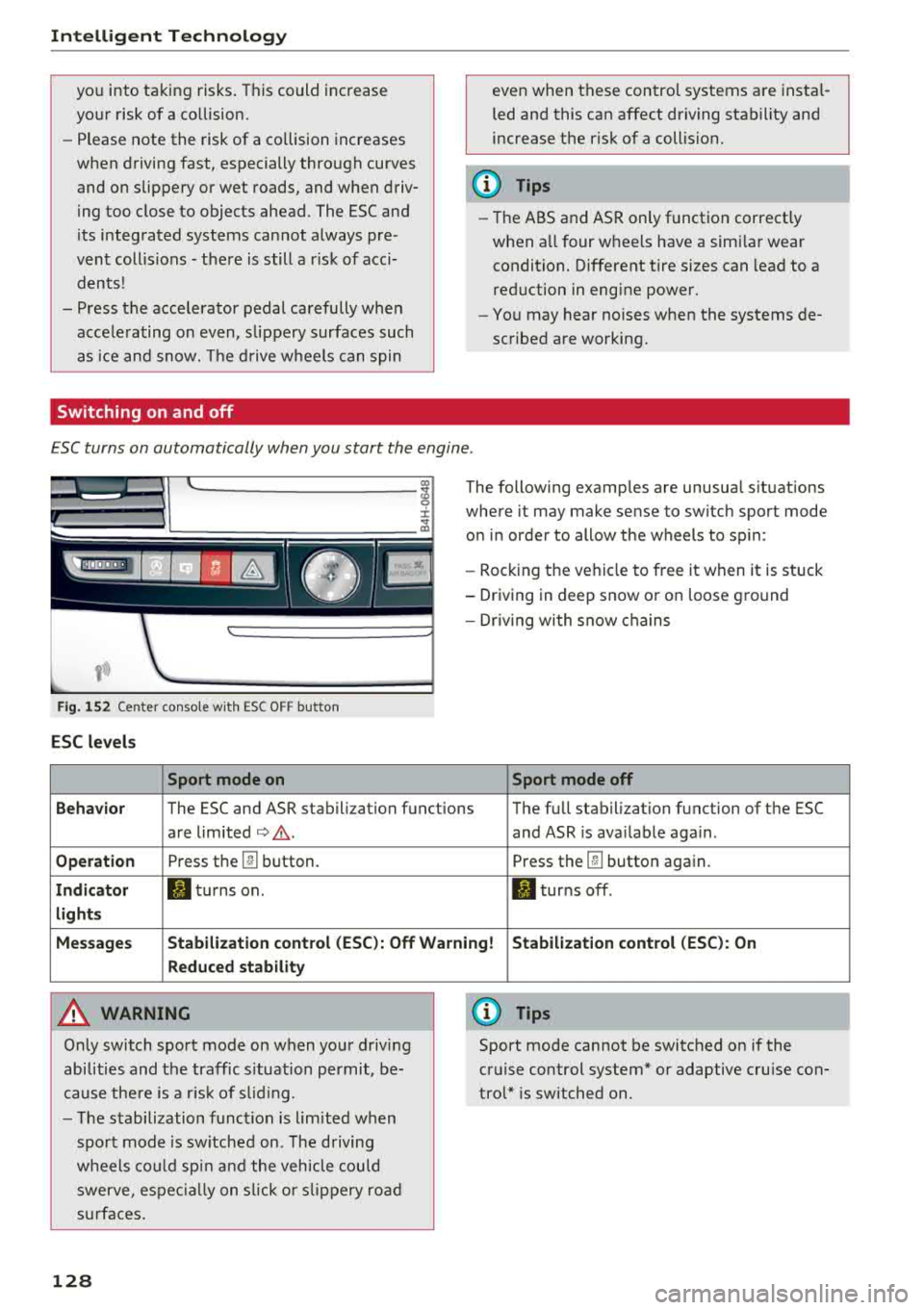
ESC turns on automatically when you start the engine .
Fig . 152 Center conso le wit h ESC O FF but ton
ESC levels
Sport mode on
The following examples are unusual situations
where it may make sense to switch sport mode
on in order to allow the wheels to sp in:
- Rocking the ve hicle to free it when it is stuck
- Driving in deep snow or on loose ground
- Dr iv in g with snow chains
Sport mode off
Behavior
The ESC and ASR stabilization functions The full stabilization function of the ESC
are limited
¢ .&. . and ASR is ava ilable aga in .
Operation Press th e @ button. Press the@button again.
Indicator II turns on. II turns off .
lights
Messages Stabilization control (ESC): Off Warning! Stabilization control (ESC): On
Reduced stability
A WARNING
Only switch sport mode on when your driving
abilities and the traffic s ituation permit, be
cause there is a risk of s liding.
- The stabilization function is l im ited when
sport mode is sw itched on. The driving
whee ls could spin and the veh icle could
swerve , espec ially on slic k or slippery road
s urfac es.
128
0) Tips
Sport mode cannot be switched on if the
cruise control system* or adaptive cruise con
trol* is switched on .