interior light AUDI A8 2021 User Guide
[x] Cancel search | Manufacturer: AUDI, Model Year: 2021, Model line: A8, Model: AUDI A8 2021Pages: 362, PDF Size: 99.29 MB
Page 98 of 362

Storage and convenience
> To switch the refrigeration function off, turn
the knob clockwise until the symbols indicate
that refrigeration is switched off 2).
@) Tips
The glove compartment cooling mode only
functions when the vehicle A/C system is
switched on.
Folding tray tables
Applies to: vehicles with folding tray tables
Fig. 83 Rear center console*: extending and adjusting the
folding tray table
Opening and closing the folding tray table
> Press the button forward on the center armrest
and fold the center armrest upward.
> Fold the tray table arm upright and all the way
forward @).
> Tilt the tray table toward the seat (2) and fold
the tray table to the side in the horizontal direc-
tion®.
> Slide the tray table outward @).
> Unfold the tray table. If necessary, the horizon-
tal angle of the tray table can be adjusted. To
do this, press the lever G) on the side of the
tray upward.
96
> To fold the table in, perform all of the steps in
reverse order.
ZA WARNING
— Do not open the folding tray table while
driving. In the event of an accident or sud-
den braking or swerving, passengers could
collide with the tray tables, and objects
placed on the tables could be thrown
through the vehicle interior, increasing the
risk of injury.
—To reduce the risk of pinching, open the
folding tray table carefully.
— Be careful when adjusting the front seats. To
reduce the risk of pinching, pay attention to
the rear passengers when the folding tray
tables are open.
@) Note
Be very careful when adjusting the front seats
to avoid damaging the folding tray tables or
seats.
Storage area behind the rear head
ary
Applies to: vehicles without rear center airbag:
The storage area can be used to carry light pieces
of clothing.
ZA WARNING
The storage compartment must not be used
to transport heavy objects, hard objects, or
animals. Such objects endanger vehicle occu-
pants and increase the risk of injury during
sudden driving or braking maneuvers or in an
accident.
C@) Note
Make sure that the heating grid strips for the
rear window defogger are not damaged by
abrasive objects.
G) Tips
To ensure the ventilation functions correctly,
the ventilation slots between the rear window
and the storage area must not be covered.
Page 99 of 362

4N0012721BF
Storage and convenience
Additional storage
Depending on vehicle equipment, there are a va-
riety of storage areas, compartments, and retain-
ers, such as the glove compartment, for safely
storing and securing objects.
Z\ WARNING
—To reduce the risk of injury, make sure all
storage compartments are always closed
while driving.
— Loose objects can be thrown around the ve-
hicle interior during sudden driving or brak-
ing maneuvers, which increases the risk of
an accident. Store objects securely while
driving.
— Only use the storage compartments in the
door trim panels to store small objects that
will not stick out of the compartment and
impair the function of the side airbags.
— Only lightweight clothing should be hung
from the garment hooks in the vehicle. Do
not use clothes hangers to hang clothing.
The pockets of the clothing must not con-
tain any heavy, breakable, or sharp-edged
objects. This could impair the effectiveness
of the side curtain airbags.
— Make sure your view toward the rear is not
blocked, for example by hanging clothing or
objects in the vehicle.
Luggage compartment
General information
All pieces of luggage or objects must be securely
fastened in the luggage compartment. Note the
following to maintain good vehicle handling:
> Distribute the load evenly in the luggage com-
partment.
> Stow heavy luggage as far forward in the lug-
gage compartment as possible.
> Use non-elastic cords attached to the tie-downs
to secure objects.
ZA WARNING
— Loose objects can be thrown around the ve-
hicle interior during sudden driving or brak-
ing maneuvers, which increases the risk of
an accident. Always stow objects securely in
the luggage compartment and secure them
at the tie-downs. Use straps suitable for
heavy objects.
— If pieces of luggage or objects are secured
to the tie-downs with unsuitable or dam-
aged straps, this can increase the risk of in-
jury during braking maneuvers or accidents.
— When transporting heavy objects, the vehi-
cle characteristics will change due to the
shift in the center of gravity, which increases
the risk of an accident. You may need to
adapt your driving style and speed to the
current conditions.
— The cargo net* is only strong enough to se-
cure light objects. Heavy objects are not ade-
quately secured. Attempting to secure heavy
objects increases the risk of injury.
— Never exceed the permitted axle and load
and vehicle weight > page 344.
— Never secure a child safety seat to the tie-
downs.
— Never leave your vehicle unattended, espe-
cially if the luggage compartment lid is
open. Children could enter the luggage com-
partment and close the luggage compart-
ment lid from the inside. This creates the
risk of fatal injury, since the children would
be locked in and may not be able to escape
by themselves.
— Do not allow children to play in or on the ve-
hicle. Close and lock the luggage compart-
ment lid as well as all other doors when you
leave the vehicle.
— Never transport passengers in the luggage
compartment. Every passenger must be cor-
rectly secured with the safety belts in the
vehicle > page 80.
® Note
— Make sure that the heating grid strips for
the rear window defogger are not damaged
by abrasive objects.
— Plug-in hybrid drive: Never exceed the maxi-
mum cargo weight for the cargo floor that is
specified on the sticker. Otherwise, the
high-voltage battery that is located
97
Page 104 of 362

Warm and cold
button or deactivate all three arrows. With °,
the air will be directed toward the windshield.
Applies to: vehicles with 4-zone automatic cli-
mate control: You can press J in the rear control
panel multiple times to adjust the air distribution
based on the direction of the arrow.
® Defrosting
The windshield and side windows are defrosted
or cleared of condensation as quickly as possible.
Align the outer air vents with the side windows.
The maximum amount of air flows mainly from
the vents below the windshield. Recirculation
mode switches off. The temperature should be
set at 72 °F (+22 °C) or higher. Depending on the
outside temperature, the A/C cooling mode may
automatically switch on.
& Rear window defogger
The rear window defogger only operates when
the engine is running. It switches off automati-
cally after 10 to 20 minutes, depending on the
outside temperature.
To prevent the rear window defogger from
switching off automatically, press and hold the
{® button for more than three seconds. It will re-
main on until the ignition is switched off.
Auto
/& Recirculation mode
In recirculation mode, the air inside the vehicle is
circulated and filtered. This prevents the unfil-
tered air outside the vehicle from entering the
vehicle interior > A\.
Pressing <> switches recirculation mode on or
off manually.
AUTO
When switched on, automatic recirculation <3
controls the recirculation mode automatically.
You must press the & button if fog forms on the
windows.
«? Seat heating
Applies to: vehicles with heated seats
The seat heating temperature can be set at mul-
tiple levels. Press w) once to switch on the highest
level. Press 4? again to decrease the temperature
one level at a time. The seat heating is switched
off if the button is not illuminated.
102
You can adjust the seat temperature balance®* in
the seat settings.
Applies to: surface heating: You can set whether
surfaces are also heated when the seat heating is
switched on > page 103.
2) Seat ventilation
Applies to: vehicles with seat ventilation
The seat ventilation intensity can be set to multi-
ple levels. Press 2) once to switch on the highest
level. Press 2) again to decrease the heat level
one level at a time. The seat ventilation is switch-
ed off if the button is not illuminated.
fz Foot heating
Applies to: vehicles with a reclining seat system and foot
heating
Fold out the leg support and select the setting
for the reclining seat in the Rear Seat Remote*
= page 75. You can now switch the foot heating
on or off with .
The foot heating intensity can be set at multiple
levels. Press 2 once to switch on the highest lev-
el. Press again to decrease the heat level one
level at a time. The foot heating is switched off if
the button is not illuminated.
The foot heating switches off automatically when
the leg support is folded in.
& Child safety lock*
If 8 lights up in the Rear Seat Remote*, the pa-
rental control is active and operation is locked
=> page 51.
“3 Ionizer
Applies to: vehicles with ionizer
Hazardous particles and germs in the air may be
reduced through ionization. This helps to im-
prove the air quality for individuals in the passen-
ger compartment.
&* Fragrance
Applies to: vehicles with fragrance function
The fragrance function will dispense a scent in
the vehicle interior. It is dispensed through the
front outer vents. This will produce a pleasant
scent. The fragrance is time-delayed, especially >
Page 106 of 362
Warm and cold
Steering wheel heating
Switching on and off
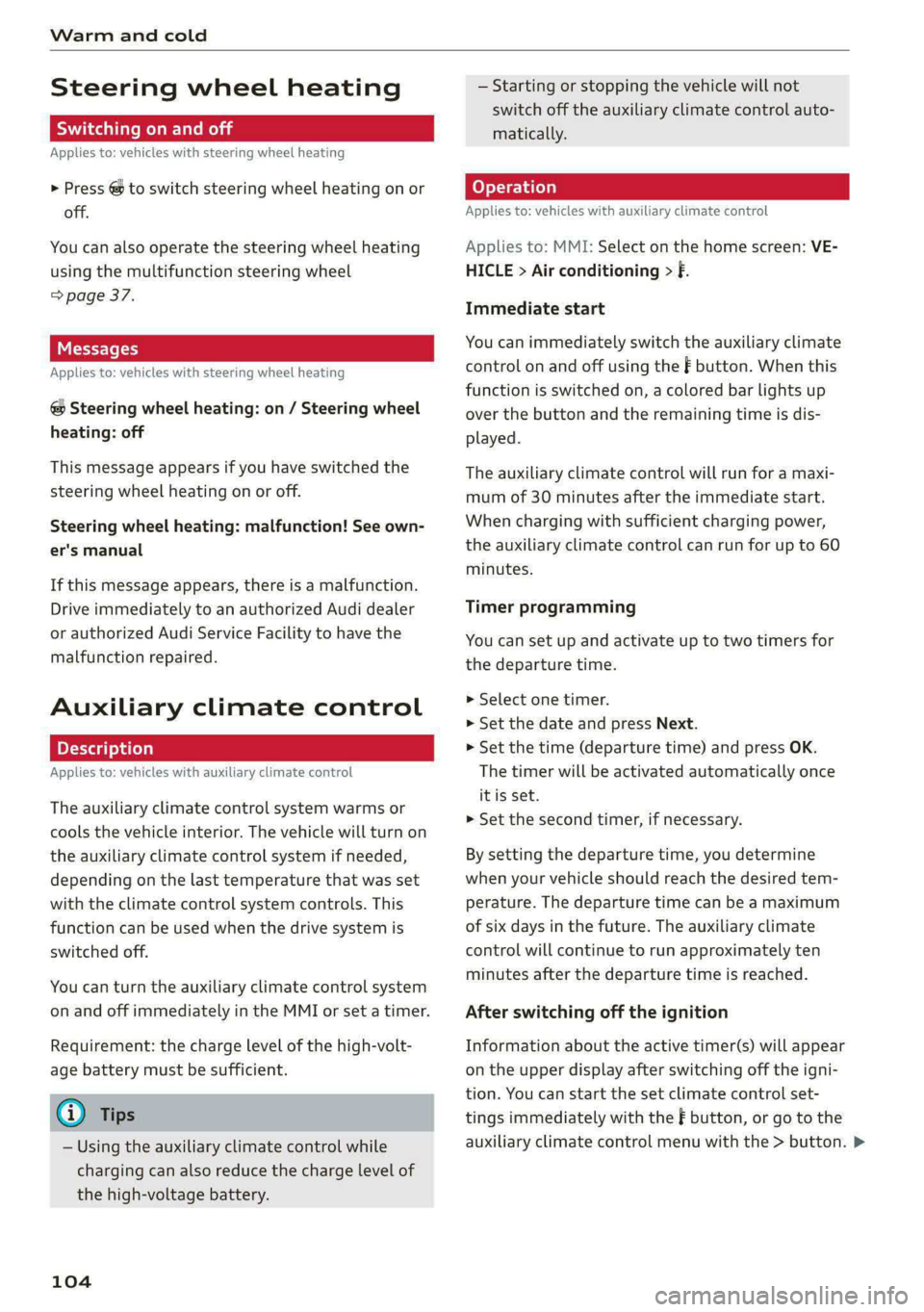
Applies to: vehicles with steering wheel heating
> Press @ to switch steering wheel heating on or
off.
You can also operate the steering wheel heating
using the multifunction steering wheel
=> page 37.
Messages
Applies to: vehicles with steering wheel heating
@ Steering wheel heating: on / Steering wheel
heating: off
This message appears if you have switched the
steering wheel heating on or off.
Steering wheel heating: malfunction! See own-
er's manual
If this message appears, there is a malfunction.
Drive immediately to an authorized Audi dealer
or authorized Audi Service Facility to have the
malfunction repaired.
Auxiliary climate control
Applies to: vehicles with auxiliary climate control
The auxiliary climate control system warms or
cools the vehicle interior. The vehicle will turn on
the auxiliary climate control system if needed,
depending on the last temperature that was set
with the climate control system controls. This
function can be used when the drive system is
switched off.
You can turn the auxiliary climate control system
on and off immediately in the MMI or set a timer.
Requirement: the charge level of the high-volt-
age battery must be sufficient.
G) Tips
— Using the auxiliary climate control while
charging can also reduce the charge level of
the high-voltage battery.
104
— Starting or stopping the vehicle will not
switch off the auxiliary climate control auto-
matically.
Applies to: vehicles with auxiliary climate control
Applies to: MMI: Select on the home screen: VE-
HICLE > Air conditioning > f.
Immediate start
You can immediately switch the auxiliary climate
control on and off using the — button. When this
function is switched on, a colored bar lights up
over the button and the remaining time is dis-
played.
The auxiliary climate control will run for a maxi-
mum of 30 minutes after the immediate start.
When charging with sufficient charging power,
the auxiliary climate control can run for up to 60
minutes.
Timer programming
You can set up and activate up to two timers for
the departure time.
> Select one timer.
> Set the date and press Next.
> Set the time (departure time) and press OK.
The timer will be activated automatically once
itis set.
> Set the second timer, if necessary.
By setting the departure time, you determine
when your vehicle should reach the desired tem-
perature. The departure time can be a maximum
of six days in the future. The auxiliary climate
control will continue to run approximately ten
minutes after the departure time is reached.
After switching off the ignition
Information about the active timer(s) will appear
on the upper display after switching off the igni-
tion. You can start the set climate control set-
tings immediately with the F button, or go to the
auxiliary climate control menu with the > button. >
Page 152 of 362
Assist systems
Assist systems
General information
SP ae eel idol ay
ZA WARNING
— As the driver, you are always completely re-
sponsible for all driving tasks. The assist
systems cannot replace the driver's atten-
tion. Give your full attention to driving the
vehicle, and be ready to intervene in the
traffic situation at all times.
— Activate the assist systems only if the sur-
rounding conditions permit it. Always adapt
your driving style to the current visual,
weather, road, and traffic conditions.
— Loose objects can be thrown around the ve-
hicle interior during sudden driving or brak-
ing maneuvers, which increases the risk of
an accident. Store objects securely while
driving.
— For the assist systems to be able to react
correctly, the function of the sensors and
cameras must not be restricted. Note the in-
formation on sensors and cameras
> page 151.
@ Tips
— Pay attention to applicable local regulations
relating to driving tasks, leaving space for
emergency vehicles, vehicle distance, speed,
parking location, wheel placement, etc. The
driver is always responsible for following
the laws that are applicable in the location
where the vehicle is being operated.
— You can cancel a steering or braking inter-
vention by the system, by braking or accel-
erating noticeably, steering, or deactivating
the respective assist system.
— Always check the assist systems settings be-
fore driving. The settings could have been
changed, for example by other drivers or by
using another user.
150
System limitations
ZA\ WARNING
—The use of an assist system cannot over-
come the natural laws of physics. A collision
cannot be prevented in certain circumstan-
ces.
— Warnings, messages, or indicator lights may
not be displayed or initiated on time or cor-
rectly, for example, if vehicles are approach-
ing very fast.
— Corrective interventions by the assist sys-
tems, such as steering or braking interven-
tions, may not be sufficient or they may not
occur. Always be ready to intervene.
G) Tips
— Due to the system limitations when detect-
ing the surrounding area, the systems may
warn or intervene unexpectedly or too late
in certain situations. The assist systems may
also interpret a driving maneuver incorrectly
and then warn the driver unexpectedly.
— The systems may not function as expected
in unusual driving situations, such as driving
offroad, on unpaved roads, on loose ground,
on inclines, or on grooves in the road.
— The systems may not function correctly in
unclear traffic situations, such as turning
lanes, exit ramps, construction zones, rises
or dips that obstruct visibility, intersections,
toll stations, or city traffic.
— The detection of the surrounding area can
be limited, for example by vehicles driving
ahead or by rain, snow, heavy spray, or light
shining into the camera.
— The steering wheel touch recognition may
be limited when you wear gloves. Steering
intervention requests from the steering as-
sist systems may occur more frequently.
— If accessories have been mounted on the
steering wheel, the steering assist systems
may
be limited. The frequency of steering
intervention requests from the steering as-
sist systems may vary as well.
Page 188 of 362
Driver assistance
as well as the vehicle's surroundings with di-
rect eye contact.
— The system may not react if vehicles are ap-
Proaching very fast.
@ Tips
— The coverage areas of the sensors > fig. 135
are diagrams and do not represent a true-
to-scale image of the sensor ranges.
— The system complies with United States FCC
regulations and ISED regulations
> page 341.
Emergency assist
Applies to: vehicles with emergency assist
General information
Within the limits of the system, emergency assist
can detect inactivity from the driver. In these in-
stances, the system will warn the driver, assume
control of the vehicle if necessary, and bring the
vehicle automatically to a stop in the lane.
Regardless of the speed, the emergency assist is
automatically available when the adaptive cruise
assist* is activated. When the adaptive cruise as-
sist* is deactivated, the system is only available
at speeds above approximately 40 mph
(65 km/h).
Emergency assist functions
Measures may be initiated in stages. The vehicle
can be controlled with the limits of the system.
The measures depend on the dangerous situation
and the vehicle equipment:
— Visual and audio warnings
— Vehicle control
— Reduction of vehicle speed in stages
— Lowers the volume of the Infotainment system
— Tugs on the safety belt
— Activates the brakes
— The emergency flashers are activated
) This function is not available in every market and on all ve-
hicle equipment levels.
186
— Audi pre sense preemptive safety measures are
triggered > page 179
— The brakes are applied until the vehicle is sta-
tionary
As soon as the vehicle comes to a full stop, the
vehicle prepares for the vehicle passengers to be
rescued. The parking brake is set, “P” gear is en-
gaged, the doors are unlocked, and the interior
lighting is activated. The emergency call) will be
started if necessary once the vehicle has been
stationary
for several seconds.
Display
If /3\ is displayed for example, the emergency
assist is active.
Overriding the emergency assist
You can override emergency assist as follows
SA:
— Move the steering wheel. Or
— Press the brake pedal. Or
— Press the accelerator pedal distinctly.
When stationary, you can end the emergency as-
sist by leaving the "P" position or releasing the
parking brake > page 121.
Switching the emergency assist on and off
The system can be switched on and off in the
MMI > page 153.
Messages
rg or Eis displayed when there is a malfunc-
tion, the emergency assist functions may be un-
available or may be limited.
A message that indicates the cause and possible
solution may appear with some displays. The
weather conditions may be too poor or a sensor
may be covered. Clean the area in front of the
sensors > page 152 and try to turn the system on
again later.
Page 287 of 362

4N0012721BF
Checking and Filling
should only be performed by an authorized Audi
dealer or authorized Audi Service Facility > A\.
Multiple batteries with different technologies
may be installed in your vehicle:
— Vehicle battery (for example, for starting the
engine, basic power supply) > page 285, 12
Volt vehicle battery or > page 286, Other bat-
tery types
— Auxiliary battery (for example, for recuperation
or optional equipment) > page 286, Other bat-
tery types
— Plug-in hybrid drive: High-voltage battery (for
example, for electric driving) > page 131, In-
troduction.
Not running the vehicle for long periods of
time
The battery will gradually drain if the vehicle
does not run for long periods of time. To ensure
that the vehicle can still be started, the electrical
equipment will be limited or switched off. Some
convenience functions, such as interior lighting
or power seat adjustment, may not be available
under certain circumstances. The convenience
functions will be available again when you start
the
engine.
Even when electrical equipment is switched off,
the equipment can still drain the battery if the
vehicle is not driven for long periods of time.
Deep draining results in a chemical reaction that
destroys the inside of the battery. The battery
must be charged every month to prevent this
= page 286. Contact an authorized Audi dealer or
authorized Audi Service Facility for more infor-
mation.
Winter operation
Cold weather places an especially high load on
the 12 Volt vehicle battery. Have the battery
checked by an authorized Audi dealer or author-
ized Audi Service Facility before cold weather be-
gins.
this, all work must be performed only by an
authorized Audi dealer or authorized Audi
Service Facility.
— Never connect a charging cable or jump
start cable directly to the 12 Volt vehicle
battery. Only use the connections in the en-
gine compartment > page 286.
Z\ WARNING
California Proposition 65 Warning:
— Battery posts, terminals and related acces-
sories contain lead and lead compounds,
chemicals known to the State of California
to cause cancer and reproductive harms.
Wash hands after handling.
@) Note
— If the vehicle will be parked for long periods
of time, protect the battery against the cold
so that it will not be destroyed by “freezing”
=> page 286, Charging the 12 Volt vehicle
battery.
— There are electrical components under the
cargo floor behind a trim panel that warm
up during operation. To reduce the risk of
the components overheating, do not store
objects such as blankets under the cargo
floor. If the components overheat, they will
switch off temporarily. This will be indicated
by a message that will be displayed in the
instrument cluster until the temperature re-
turns to normal.
12 Volt vehicle battery
Explanation of warnings:
Always wear eye protection.
Battery acid is highly corrosive. Always
wear protective gloves and eye protection.
Fire, sparks, open flame, and smoking are
forbidden.
Z\ WARNING
— All work on the battery or electrical system
in your vehicle can result in injuries, chemi-
cal burns, accidents, or burns. Because of
A highly explosive mixture of gases can
form when charging batteries. >
@
>
©
285
Page 332 of 362

Fuses and bulbs
Fuse assignment - left side of cockpit
RAZ-0202
Fig. 210 Left side of the cockpit: fuse panel with plastic
clip
Fig. 211 Left side of the luggage compartment: fuse panel
with plastic clip
2 | Engine components 10 | Volume control
3 | Engine components 11 | Light switch, switch panels
4 |Engine components 12 | Steering column electronics
5 | Brake light sensor 14 | MMI Infotainment system control module
6 | Engine components 15 |Steering column adjustment
7 |Engine components 16 | Steering wheel heating
8 | Engine components
9 | Engine components ae ft side of the luggage
10 | Oil pressure sensor, oil temperature sensor (eelar|PEINE Ee
11 | Engine components g
12 | Engine components
13 | Engine cooling
14 | Engine control module, fuel injectors
15 | Engine sensors
16 | Fuel pump
330
No. Equipment No. | Equipment
Climate control system, interior air sensor 1_| Thermal management
2 | Audi phone box 5 |Air suspension/suspension control
Climate control system, fragrance system, 6 |Automatic transmission control module
3 particulate matter sensor 7 |Right rear seat adjustment
4 |Head-up display 8 | Rear seat heating
S_ |Audi music interface, USB input 9 |
Left tail light
6 |Instrument panel 10 | Front belt tensioner on driver's side
7 | Steering column lock
8 |Upper/lower display
9 |Instrument cluster
Page 353 of 362

4N0012721BF
Interior lighting © ssc ve snes vo ene oo oe 62, 63
Interior MONITONING & & sis so ese oe eee oo 44
Intermittent mode (windshield wipers) ..... 66
International travels « wow» ss eau 4 a worms & 225
Internet
refer toCOnnect « sews «wien oo ewes eo oe 222
Internet radio
refer to Online radio.............. 246, 247
Intersection assistanteoes « scsi so sien oo one 185
TOMIZEPS < sce oo case w % esorm 6 > oom sw OTR 102
iPhone
refer to Audi music interface........... 252
J
JUMMPEStartin gions 6 o sess + a sane oo secu vo ave 323
K
ROY, cassis oe emia oo mee 6 © arenas oo ene F 8 41,45
Convenience opening and closing......... 53
Key replacement..........:ceeeee eens 45
Mechanical key icc 2 saunas s ave «2 emiee eee 45
Not recognized...............0 eee eae 108
PANIC button.....................0005 45
Replacing the battery.................. 47
Unlocking and locking...............005 46
Vehicle code... 2.0... 0... eee eee eee 45
Key user... 2... eee eee 39
Kick-down .. eee eee eee ee 112
L
Lane assist
refer to Lane departure warning......... 176
refer to Lane guidance.............45- 176
Lane departure warning...............-. 176
Cleaning the camera area.............. 311
Lane :qQuidanee:s « sssvise s ¢ siveine os eres ae wes 169
Laptimer’s sess « = new a ¢ eee + + neres oe nes 158
Laser lighting): ¢ sees ¢ ¢ sews se eee a e eee « 60
LaSerSeaniners » mew: + 2 meme 5 2 eeeS Xe a 151
Cleaning « « css «= sewn ee sone oo ae wo os 312
LATCH (securing child safety seats)......... 91
Leather care andcleaning............... 313
Legal information
License subscriptions................. 266
Software information...............05 266
Software licensesinis ss swcvsie « 0 sane © savers © 266
Version information.............-.00- 266
Legsupport....................000000. 75
License plate bracket................0.. 340
Lifting points (vehicle jack).............. 321
Light/rain sensor
Headlights .......... 6... cece eee eee 58
Intermittent mode (windshield wipers) .... 66
Lighting
Exterior’: = ess ss eee sy eee eo ee ee pees 58
FM GONIOR sesius ow susie 0 v aces 6 o eawaue 9 w aeneand wa 62
LIQHES « issssns so aeiwies ow mene + wan © ¥ MERITS oa 8 58
Lights on the charging port
refer to Charging display............... 135
Listening to music
referto Media................-.. 250, 253
Load... 2... eee 344
GOGALUSETS iin «a secnene « rains oo cuesems @ 2 osmeee wo « 38
Locking and unlocking
By remote control... 2.2... cece eee eee 46
Using the lock cylinder................. 44
With the convenience key............... 46
Low beam headlights.................... 58
LTE
refer to Exterior antenna.............. 212
Luggage compartment................-. 97
Power SOUrCES .... eee eee eee eee 94
Valet Parking’: s » asec: seme x : xeuu « t eae & 55
also refer to Luggage compartment...... 97
Luggage compartment lid................ $1
Closing button.............. 0000000005 49
Generalinformation...............0005 48
Mechanically unlocking...............-- 51
Opening. and Closing ecco s 0 sissies sss so 49
Opening and closing with foot motion..... 50
Opening from the inside in an emergency.. 51
Power opening and closing.............. 49
Lumbar’supports sisicn se esova 2 maces eo a 71,74
M
Maintenances. « cmos s 2 eos 9 2 aes 4 e eee 338
Maintenance intervals.................. 287
Malfunction Indicator Lamp (MIL)........ 274
Maneuver assist........-..0 0000s ee eens 207
Manually releasing the charging connector. 137
Manually releasing the charging port door.. 137
351