display AUDI ALLROAD 2000 Owner's Manual
[x] Cancel search | Manufacturer: AUDI, Model Year: 2000, Model line: ALLROAD, Model: AUDI ALLROAD 2000Pages: 306, PDF Size: 9.95 MB
Page 140 of 306

--------------------CONTROLS AND
EQUIPMEN T
When the red blinking symbols appear,
three warning tones will sound at the same
time. These symbols represent Danger.
• Do not continue to operate the
vehicle. The problem muat be lo
cated and corrected immediately.
Pull off the road to a safe area, well away
from traffic, stop the engine and operate the
emergency flasher. Use other warning de
vices to alert motorists. Contact your autho
rized Audi Dealer or a qualified workshop.
In the event of multiple malfunctions, the
symbols will blink successively in two-sec
ond interva ls. The symbols will continue to
blink until the malfunction is corrected.
Note If a malfunction is detected while you are
using the Navigation System, the Naviga
tion System display will be switched off for
a few seconds and the Priority 1 Warning
symbol will appear. After that, the symbol
will change into the Priority 2 display, and
the Navigation System will be visible once
again.
As long there is a Priority 1 malfunction
present, Priority 2 malfunctions will not be
displayed. Ye
llow Symbols (priority 2)
Brake light is defective
Headlight and/or taillight is defective
B rake pads worn
Windshield wiper fluid reserv oir
level is too low (moving symbol)
Fuel level is low (@)
�
0 Battery
voltage is too low/too high 0
Check engine oil level
Engine oil sensor defective �ENSOR
Speed warning (USA Models)
Speed warning (Canada Models)
Dynamic headlight dimmer
control not functioning 9
8
When the yellow symbols appear, only one
warning tone will sound at the same time.
These symbols represent a Warn ing.
Have the malfunction displayed corrected
as soon as possible. In the event of mul tiple
malfunctions, the symbols will appear suc
cessively in two-second intervals.
139
Page 141 of 306
CONT
ROLS AND
EQUIPMENT--------------------
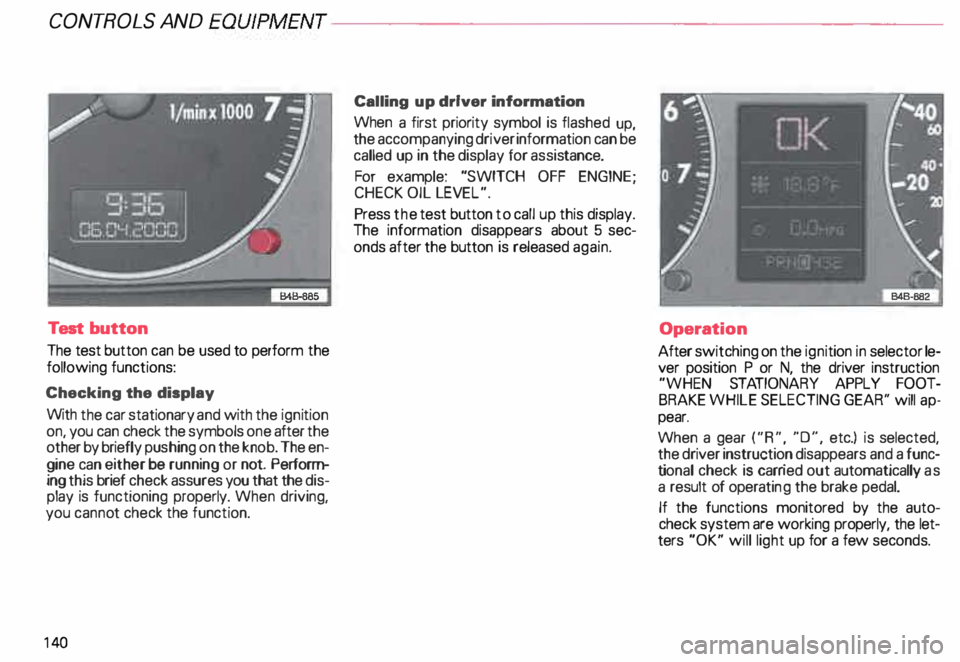
Test button
The test button can be used to perform the
following functions:
Checking the display
With the car stationary and with the ignition
on, you can check the symbols one after the
other by briefly push ing on the knob. The en
gine can either be running or not. Perform
ing this brief check assures you that the dis
play is functioning properly. When driving,
you canno t check the function.
14 0 Calling
up driver information
When a first priority symbol is flashed up,
the accompanying driver information can be
called up in the display for assis tance.
For example: "SWITCH OFF ENGINE ;
CHECK OIL LEVEL".
Press the test button to call up this display.
The information disappears about 5 sec
onds after the button is released again.
Operation
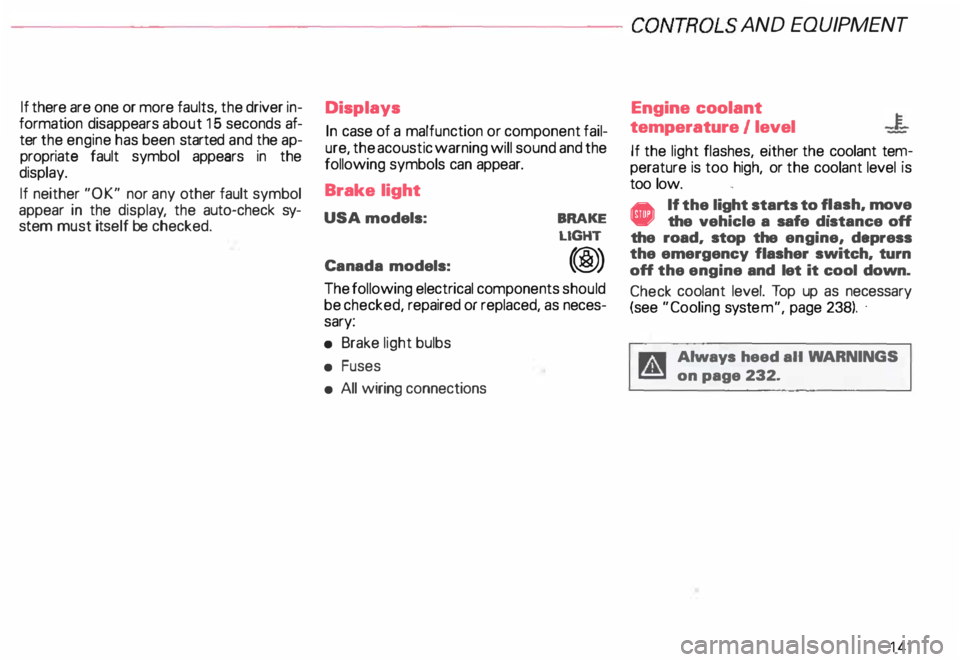
After switching on the ignition in selector le
ver position P or N, the driver instruction
"WHEN STATIONARY APPLY FOOT
BRAKE WHILE SELECTING GEAR'' will ap
pear.
When a gear ("R", "0", etc.) is selected,
the driver instruction disappears and a func
ti onal check is carr ied out automatically as
a result of operati ng the brake pedal.
If the functions monitored by the auto
check system are working properly, the let
ters "OK" will light up for a few seconds.
Page 142 of 306
--------------------CONTROLS AND
EQUIPMEN T
If there are one or more faults, the driver in
formation disappears about 15 seconds af
ter the engine has been started and the ap
propriate fault symbol appears in the
display.
If neither "OK" nor any other fault symbol
appear in the displa y, the auto-check sy
stem must itself be checked. Displays
In case of a malfunction or component fail
ure, the acoustic warning will sound and the
following symbols can appear.
Brake light
USA models:
Canada models: BRAKE
LIGHT
(@)
The following electrical components should
be checked, repaired or replaced, as neces
sary:
• Brake light bulbs
• Fuses
• All wiring connections Engine
coolant
temperature /level
If the light flashes, either the coolant ten:
perature is too high, or the coolant level1s
too low.
• If the light starts to f_lash, move
the vehicle a safe d1stance off
the road, stop the engine, depress
the emergency flasher switch, turn
off the engine and let it cool down.
Check coolant level. Top up as necessary
(see "Cooling system", page 238). ·
g Always heed all WA RNINGS
� on page 232.
141
Page 146 of 306
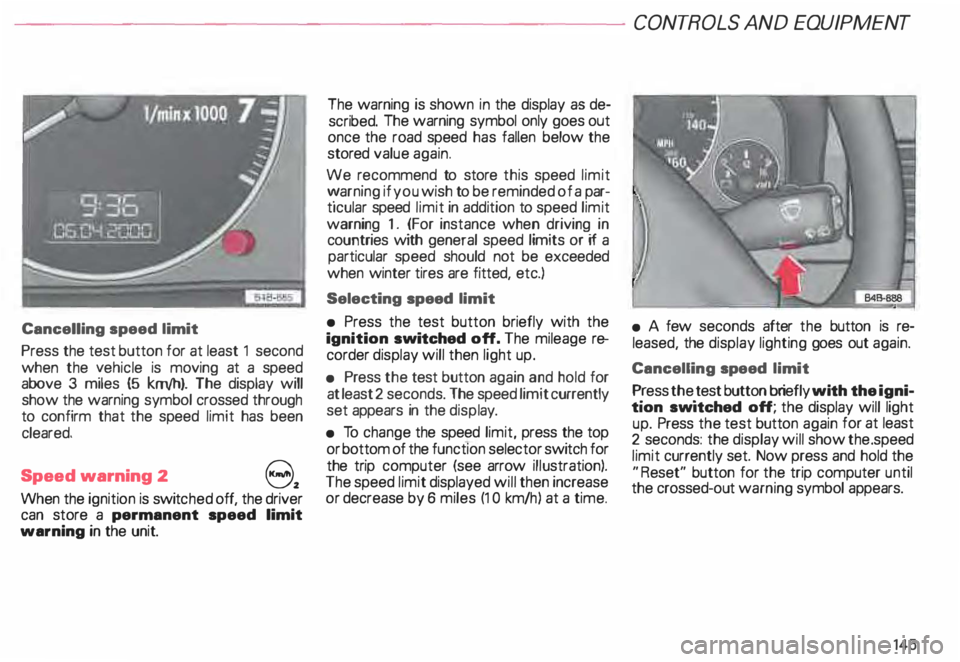
Cancelling speed limit
Press the test button for at least 1 second
when the yehicle is moving at a speed
above 3 miles (5 km/h). The display will
show the warning symbol crossed through
to confirm that the speed limit has been
cleared.
Speed warning 2
82
When the ignition is switc hed off, the driver
can store a permanent speed limit
warning in the unit. The
warning is shown in the display as de
scribed. The warning symbol only goes out
once the road speed has fallen below the
stored value again.
We recommend to store this speed limit
v:' arning if you wish to be reminded of a par
ticular speed limit in addition to speed limit
warning 1. (For instance when driving in
countries with general speed limits or if a
particular speed should not be exceeded
when winter tires are fitted, etc.)
Selecting speed limit
• Press the test button briefly with the
ignition switched off. The mileage re
corder display will then light up.
• Press the test button again and hold for
at least 2 seconds. The speed limit currently
set appears in the disp lay.
• To change the speed limit, press the top
or bottom of the function selector switch for
the trip computer (see arrow illustration).
The speed limit displayed will then increase
or decrease by 6 miles (1 0 km/h ) at a time. CONT
ROLS AND EQUIPMENT
• A few seconds after the button is re
leased, the display lighting goes out again.
Cancelling speed limit
P _ress the .test button briefly with the igni
tion sw1tched off; the display will light
up. Press the test button again for at least
2 seconds: the display will show the .speed
limit currently set. Now press and hold the
"R eset" button for the trip computer until
the crossed-out warning symbol appears.
145
Page 147 of 306
CONT
ROLS AND EQUIPMENT---------------------
Trip computer
This feature generates much helpful infor
mation by simple touch control. For the driv
er's convenience, the computer's memory
display window is integrated in the instru
ment cluster.
The computer function control
switches are located in the windshield
wiper switch lever.
The switches are functional only when the
ignition is turned on. Depressing the upper
or lower edge of the rocker switch (see ar
row in illustration) will display functions ei
ther in forward or reverse order.
14 6 The
"Reset" touch control on the
bottom of the switch serves several
functions.
By depressing "Reset" for 2 seconds, the
"d riving time", "average fuel consump
ti on", and "average driving speed" can be
reset.
The "miles or kilometres to empty" display
cannot be reset.
By pushing "Reset" briefly, the computer's
alert signal for driving time can be inter
rupted.
The digital display in the instrument cluster
can be switched on and off by pressing the
"R eset" button briefly.
When the ignition is switched on, the
display shows the function that was last se
lected.
All the stored values are cancelled if the bat
tery is disconne cted. The
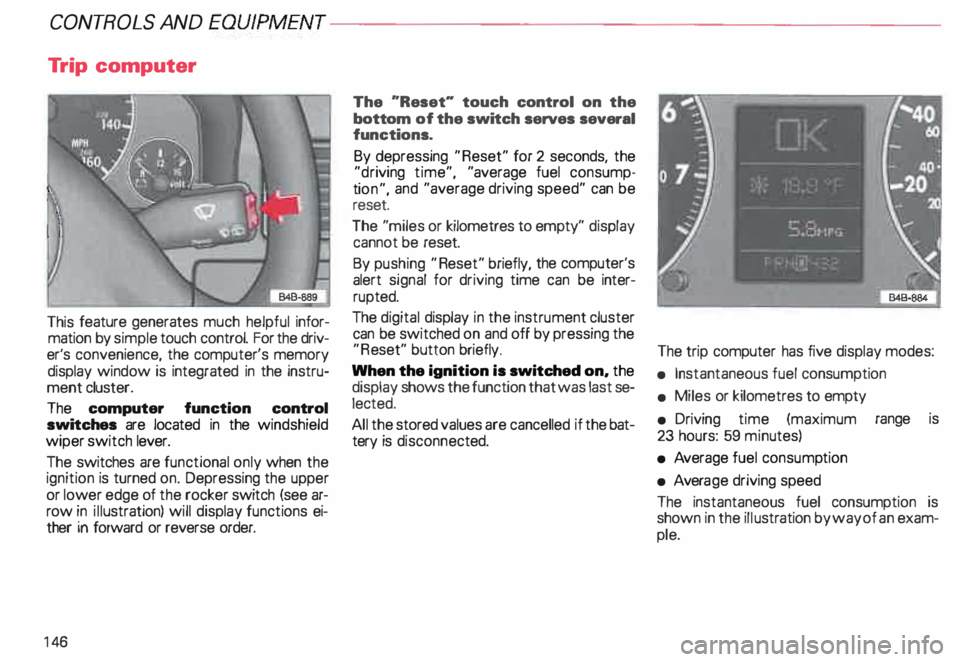
trip computer has five display modes:
• Instantaneous fuel consumption
• Miles or kilometres to empty
• Driving time (maximum range is
23 hours: 59 minutes)
• Average fuel consump tion
• Avera ge driving speed
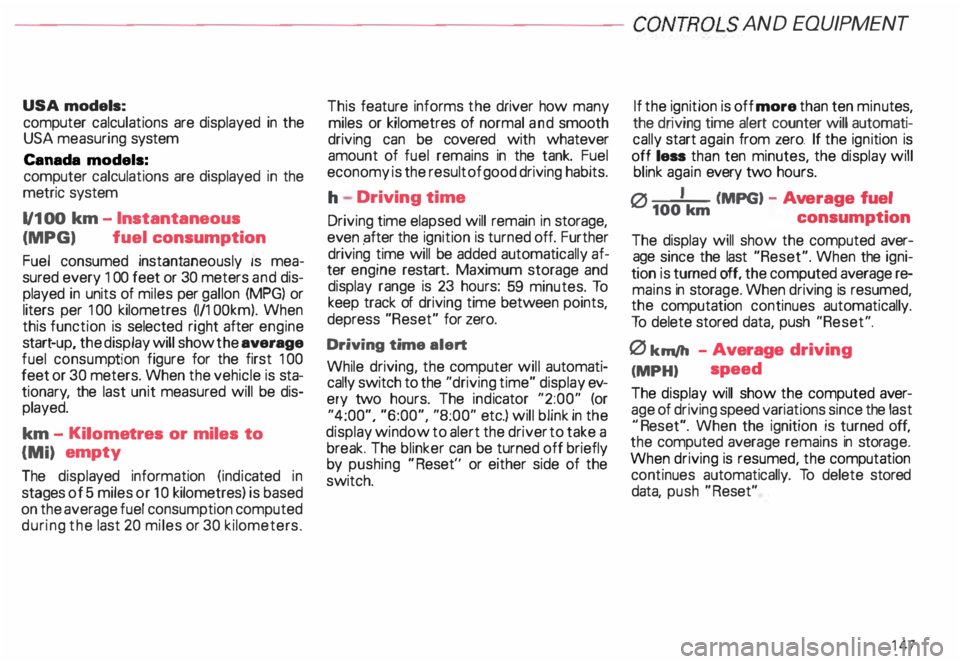
The instantaneous fuel consumption is
shown in the illustration by way of an exam
ple.
Page 148 of 306
---------------------CONTROLS AND
EQUIPMEN T
USA models:
computer calculations are displayed in the
USA measuring system
Canada models:
computer calculations are displayed in the
metric system
1/1 00 km -Instantaneous
(MPG) fuel
consumption
Fuel consumed instantaneously IS mea
sured every 1 00 feet or 30 meters and dis
played in units of miles per gallon (MPG) or
liters per 100 kilometres (1/1 OOkm). When
this function is selected right after engine
start -up, the display will show the average
fuel consump tion figure for the first 100
feet or 30 meters. When the vehicle is sta
tionar y, the last unit measured will be dis
played.
km -Kilome tres or miles to
{Mi) empty
The displa yed information (indicated in
stages of 5 miles or 1 0 kilometres) is based
on the average fuel consumption computed
during the last 20 miles or 30 kilometers. This
feature informs the driver how many
miles or kilometres of normal and smooth
driving can be covered with whatever
amount of fuel remains in the tank. Fuel
economy is the result of good driving habits.
h Driving time
Driving time elapsed will remain in storage,
even pfter the ignition is turned off. Further
driving time will be added automat ically af
ter engine restart. Maximum storage and
display range is 23 hours: 59 minutes. To
keep track of driving time between points,
depress "Reset" for zero.
Driving time alert
While driving, the computer will automati
cally switch to the "driving time" display ev
ery two hours. The indicator "2:00" (or
"4:00", "6:00", "8:00" etc.) will blink in the
display window to alert the driver to take a
break. The blinker can be turned off briefly
by pushing "Reset'' or either side of the
switch. If the
ignition is off more than ten minu tes,
the driving time alert counter will automati
cally start again from zero. If the ignition is
off less than ten minutes, the display will
blink again every two hours.
0 I (MPG) -Ave rage fuel
100 km
consumption
The display will show the computed aver
age since the last "Reset". When the igni
tion is turned off, the computed average re
mains in storage. When driving is resumed,
the computation continues automatically.
To delete stored data, push "Reset".
0 km/h -Average driving
(MPH) speed
The display will show the computed aver
age of driving speed variations since the last
"R eset". When the ignition is turned off,
the computed average remains in stora ge.
When driving is resumed, the computation
continues automatically. To delete stored
data, push "Reset"
147
Page 150 of 306
Front
fog lights
�D
Do not try to turn the light switch toward the
front fog light symbol.
With ignition on, the fog lights can be
switched on in combination with low
beams.
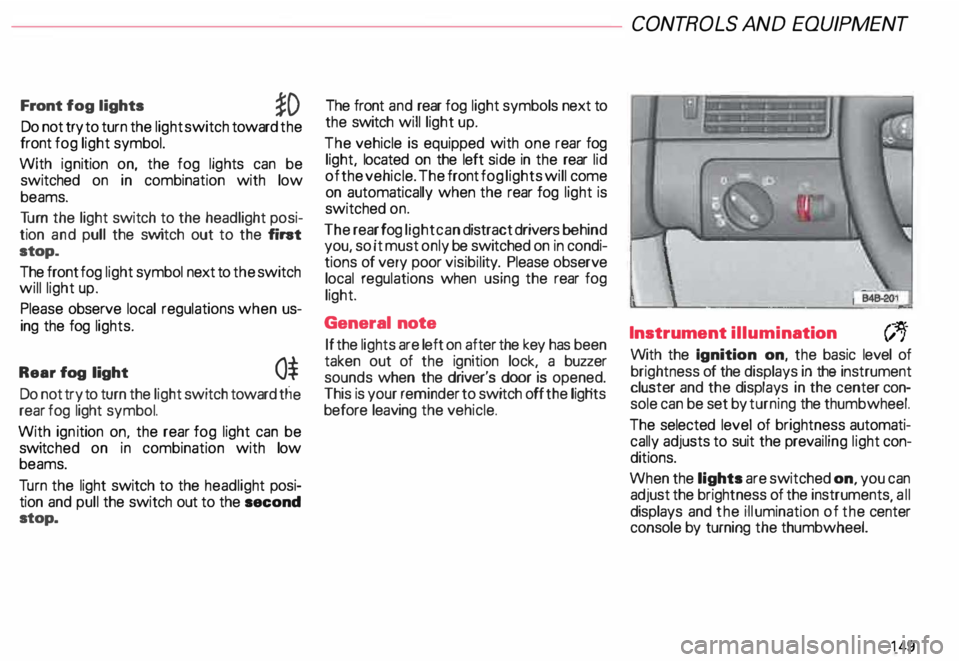
Tu rn the light switch to the headlight posi
tion and pull the switch out to the fint
stop.
The front fog light symbol next to the switch
will light up.
Please observe local regulations when us
ing the fog lights.
Rear fog light
0$
Do not try to turn the light switch toward tlie
rear fog light symbol.
With ignition on. the rear fog light can be
switc hed on in combination with low
beams.
Tu rn the light switch to the headlight posi
tion and pull the switch out to the second
stop. The front
and rear fog light symbols next to
the switch will light up.
The vehicle is equipped with one rear fog
light, located on the left side in the rear lid
of the vehicle. The front fog lights will come
on automatically when the rear fog light is
switched on.
The rear fog light can distract drivers behind
you, so it must only be switched on in condi
tions of very poor visibil ity. Please observe
local regulations when using the rear fog
light.
General note
If the lights are left on after the key has been
taken out of the ignition lock, a buzzer
sounds when the driver's door is opened.
This is your reminder to switch off the ligHts
before leaving the vehicle. CONT
ROLS AND EQUIPMEN T
Instrument illumination
(;,.
With the Ignition on, the basic level of
brightness of the displays in the instrument
cluster and the displays in the center con
sole can be set by turning the thumbwheel.
The selected level of brightness automati
cally adjusts to suit the prevailing light con
ditions.
When the lights are switched on, you can
adjust the brightness of the instruments all
displays and the illumination of the ce�ter
console by turning the thumbwheel.
149
Page 154 of 306
Ride height adjustment (4 Level Air Suspension)
......., _____ ___ �--
-�
�. 842· 8!18 ..J
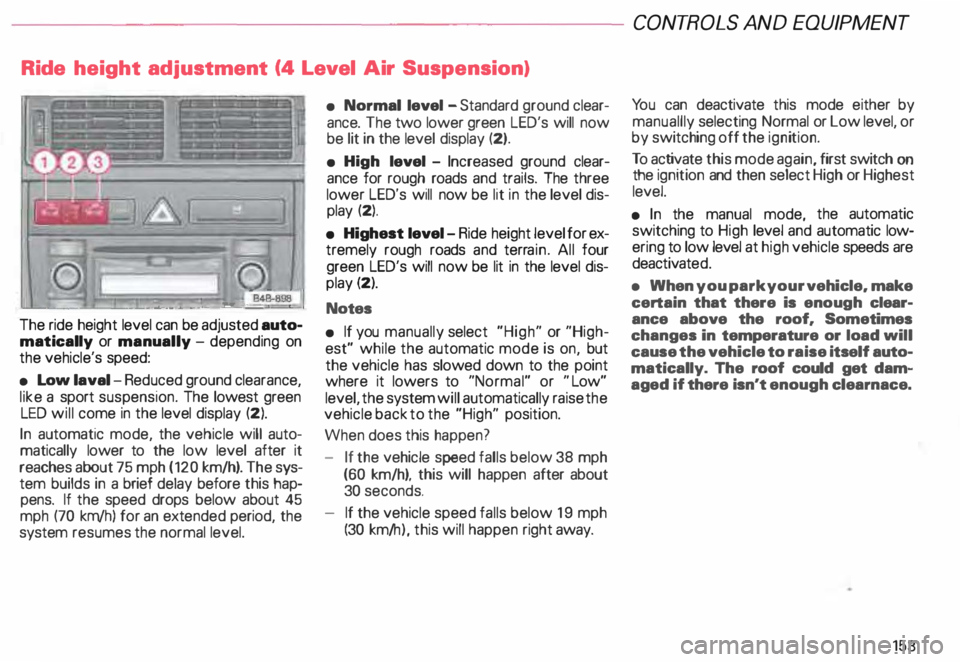
The ride height level can be adjusted auto
matically or manually -depending on
the vehicle's speed:
• Low laval -Reduced ground clearance,
like a sport suspension. The lowest green
LED will come in the level display (2).
In automatic mode, the vehicle will auto
matically lower to the low level after it
reaches about 75 mph (120 km/h). The sys
tem builds in a brief delay before this hap
pens. If the speed drops below about 45
mph (70 km/h) for an extended period, the
system resumes the normal level. •
Normal level -Standard ground clear
ance. The two lower green LED's will now
be lit in the level display (2).
• High level -Increased ground clear
ance for rough roads and trails. The three
lower LED's will now be lit in the level dis
play (2).
• Highest level-Ride height level for ex
tremely rough roads and terrain. All four
green LED's will now be lit in the level dis
play (2).
Notes
• If you manually select "High" or "High
est" while the automatic mode is on, but
the vehicle has slowed down to the point
where it lowers to "Normal" or "Low"
level, the system will automatically raise the
vehicle back to the "High" position.
When does this happen?
- If the vehicle speed falls below 38 mph
(60 km/h), this will happen after about
30 seconds.
- If the vehicle speed falls below 19 mph
(30 km/ h), this will happen right away. CONT
ROLS AND EQUIPMEN T
Yo u can deactivate this mode either by
manuallly selecting Normal or Low level, or
by switching off the ignition.
To activate this mode again, first switch on
the ignition and then select High or Highest
level.
• In the manual mode, the automatic
switching to High level and automatic low
ering to low level at high vehicle speeds are
deactivat ed.
• When you park your vehicle. make
certain that there is enough clear
ance above the roof. Sometimes
changes in temperature or load will
cause the vehicle to raise itself auto
matically. The roof could get dam
aged if there isn't enough clearnace.
153
Page 155 of 306
CONT
ROLS AND
EQUIPMENT---------------------
Manual mode
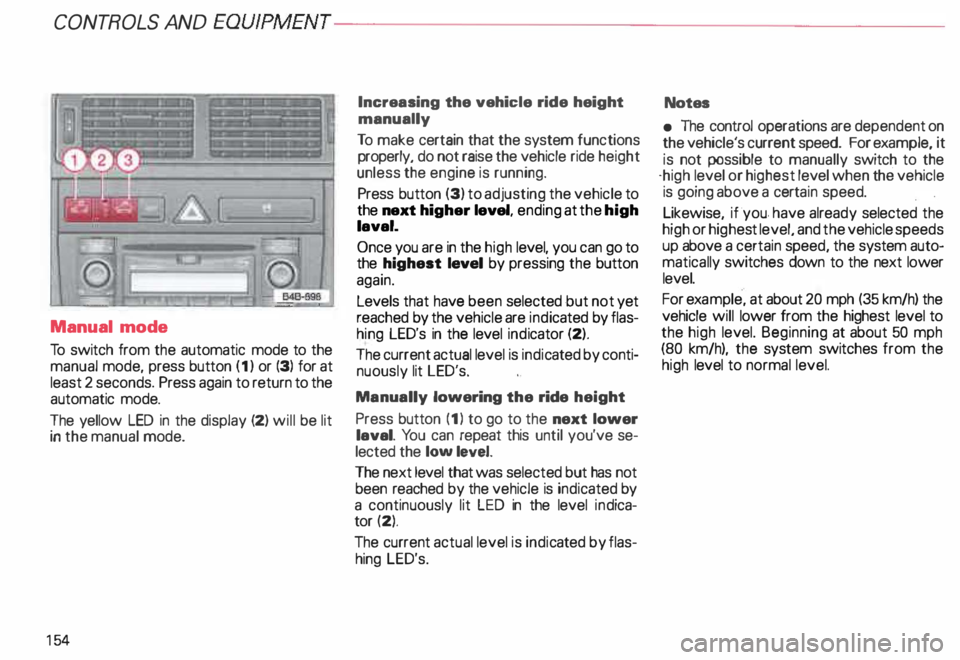
To switch from the automatic mode to the
manual mode, press button (1) or (3) for at
least 2 seconds. Press again to return to the
automatic mode.
The yellow LED in the display (2) will be lit
in the manual mode.
15 4 Increasing
the vehicle ride height
manually
To make certain that the system functions
properly, do not raise the vehicle ride height
unless the engine is running.
Press button (3) to adjusting the vehicle to
the next higher level, ending at the high
laval.
Once you are in the high level, you can go to
the highest laval by pressing the button
again.
Levels that have been selected but not yet
reached by the vehicle are indicated by flas
hing LED's in the level indicator (2).
The current actual level is indic ated by conti
nuously lit LED's.
Manually lowering the ride height
Press button (1) to go to the next lower
laval. You can repeat this until you've se
lected the low level.
The next level that was selected but has not
been reached by the vehicle is indicated by
a continuously lit LED in the level indica
tor (2).
The current actual level is indic ated by flas
hing LED's. Notes
• The control operations are dependent on
the vehicle's current speed. For example, it
is not possible to manually switch to the
·high level or highest level when the vehicle
is going above a cert ain speed.
Likewise, if ·you. have already selected the
high or highe st level, and the vehicle speeds
up above a certain speed, the system auto
matically switches down to the next lower
level.
For example, at about 20 mph (35 km/h) the
vehicle will lower from the highest level to
the high level. Beginning at about 50 mph
(80 km/h), the system switches from the
high level to normal level.
Page 158 of 306
Headlight flasher
You can signal with your headlights by pull
ing the lever toward the steering wheel.
When flashing headlights, the blue indicator
light will come on. Xenon
lights*
After starting the engine the Xenon head
ligh ts are automatically adjusted to the load
and angle of the vehicle (for example, during
acceleration, braking). This prevents on
coming traffic from experiencing unneces
sary glare from your headlights.
If the system is not operating properly, a
warning symbol will be displayed in the
Auto Check Control -see page 144. CONTROLS
AND EQUIPMENT
157