light AUDI ALLROAD 2000 Owner's Manual
[x] Cancel search | Manufacturer: AUDI, Model Year: 2000, Model line: ALLROAD, Model: AUDI ALLROAD 2000Pages: 306, PDF Size: 9.95 MB
Page 74 of 306
---------------------CONTROLS AND
EQUIPMENT
�W ARNING
• The right hand outside mirror
has a convex (curved) surface. Re
member that vehicles or other ob
jects seen in a convex mirror will
appear smaller and farther away
than when seen in a flat mirror. If
you use this mirror to estimate dis
tances of following vehicles when
changing lanes, you could esti
mate incorrectly and cause an ac
cident.
• Whenever possible, use the in
side mirror to determine the actual
distance and size of vehicles or
other objects seen in the convex
mirror. Adj
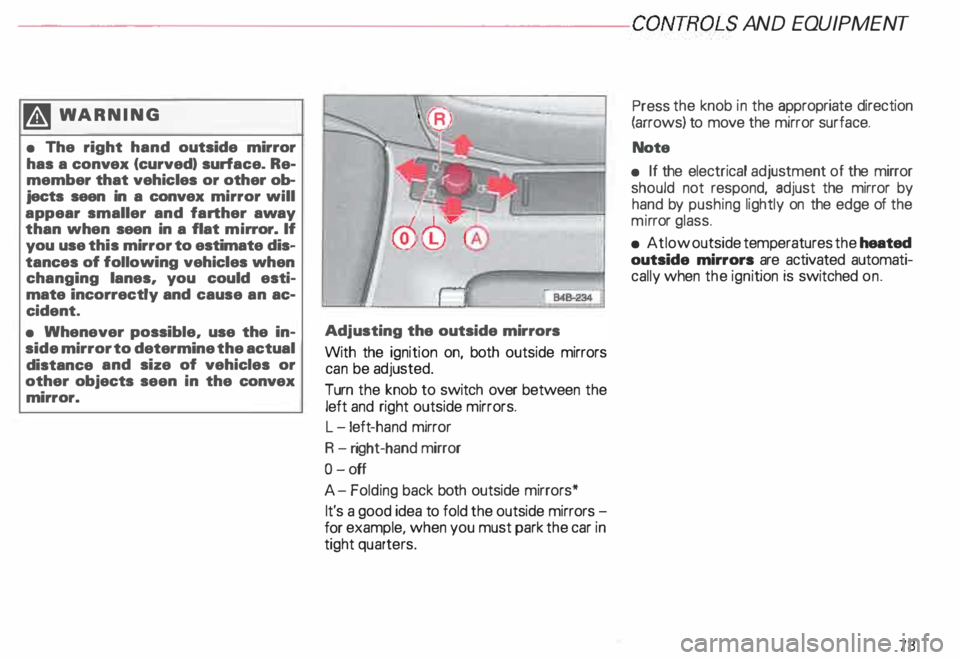
usting the outside mirrors
With the ignition on, both outside mirrors
can be adjusted.
Turn the knob to switch over between the
left and right outside mirrors.
L -l eft -hand mirror
R -right-hand mirror
0- off
A- Folding back both outside mirrors*
It's a good idea to fold the outside mirrors
for example, when you must park the car in
tight quarters. Press
the knob in the appropriate direction
(arrows) to move the mirror surface.
Note
• If the electrical adjustment of the mirror
should not respond, adjust the mirror by
hand by pushing lightly on the edge of the
mi rror glass.
• At low outside temperatures the heated
outside mirrors are activated automati
cally when the ignition is switched on.
73
Page 75 of 306
CONTROLS AND EQUIPMENT---------------------
Folding down of the outside
mirror passenger•s side1l
When you move the selector lever I gear
shift lever into R (Reverse), the outside mir
ror on the passenger's side will tilt slightly
downwards, provided you have switched to
the right-hand outside mirror.
This makes it possible to see the edge of
the curb when parking your vehicle. The
mirror will return to its original position as
soon as you move the selector lever I gear
shift lever out of R (Reverse), or if you
switch the remote control back to the driv
er's outside mirror.
1 l Only on
vehicles with memory for driver's seat.
74 Memory*
The setting of the outside mirrors is auto
matically stored in the memory for the driv
er's seat adjustment together with the seat
position.
Memory function for driver's seat and out
side mirrors see page 81.
Adjust the mirrors os described and then
store this setting together with your seating
position memory.
Page 78 of 306
·---------------------CONTROLS AND
EQUIPMENT
We recommend that you adjust the driver's
seat as follows:
adjust the seat in fore and aft direction so
that you can easily push the pedals all the
way while keeping your knee slightly
bent.
adjust the seatback so that when you sit
with your back against the seatback, you
can still grasp the top of the steeri ng
wheel.
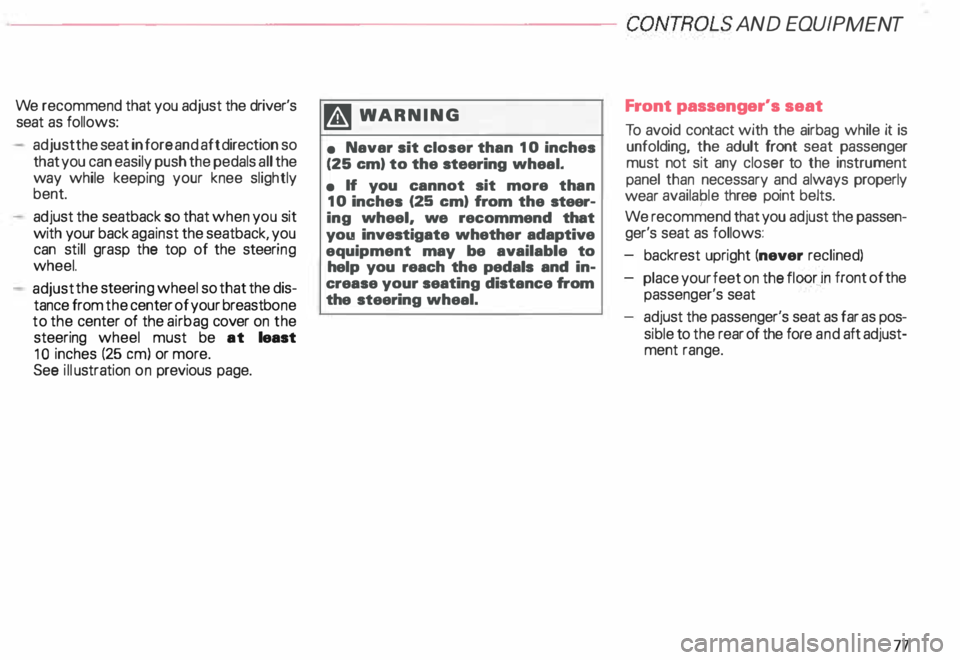
adjust the steeri ng wheel so that the dis
tance from the center of your breastb one
to the center of the airbag cover on the
steering wheel must be at least
10 inches (25 em) or more.
See illustration on previous page. �W
ARNING
• Navar sit closer than 10 inches
(25 em) to the steering wheal.
• If you cannot sit more than
10 inches (25 em) from the steer
ing wheel, we recommend that
you investigate whether adaptive
equipment may be available to
help you reach the pedals and in
crease your seating distance from
the steering wheal. Front
passenger's seat
To avoid contact with the airbag while it is
unfolding, the adult front seat passenger
must not sit any closer to the instrument
panel than necessary and always properly
wear availaple three point belts.
We recommend that you adjust the passen
ger's seat as follows:
backrest upright (never reclined)
place your feet on the
floor _in front
of the
passenger's seat
adjust the passenger's seat as far as pos
sible to the rear of the fore and aft adjust
ment range.
77
Page 85 of 306
CONTROLS AND EQ
UIPMEN T---------------------
Retrieving using the
memory buttons
• With the passenger's door open, de
press and release the desired memory but
ton. The seat will automatically adjust to the
stored position.
• If the door has been closed, you must
then depress and hold the memory button
until the seat has reached its stored posi
tion.
Note
You can not reca ll the stored seat adjust
ment for the front passenger's seat using
the remote control in the master key.
84 Emergency
Off
In an emergency, you can interrupt
any retrieval procedure by
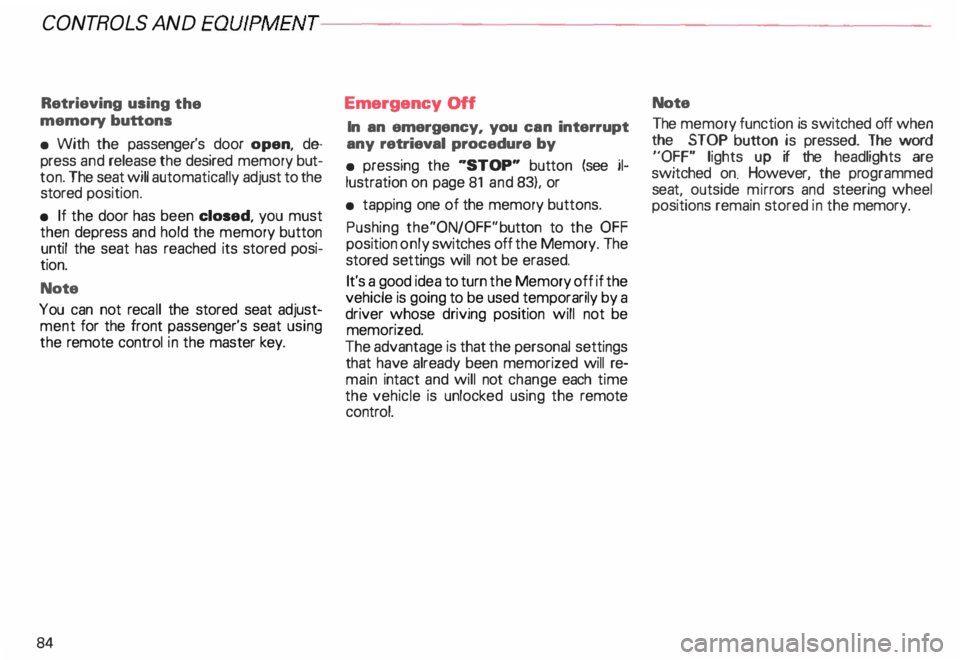
• pressing the '"STOP'" button (see il
lustration on page 81 and 83). or
• tapping one of the memory buttons.
Pushing the"ON/OFF"button to the OFF
position only switches off the Memory. The
stored settings will not be erased.
It's a good idea to turn the Memory off if the
vehicle is going to be used temporarily by a
driver whose driving position will not be
memorized.
The advantage is that the personal settings
that have already been memorized will re
main intact and will not change each time
the vehicle is unlocked using the remote
control. Note
The memory function is switched off when
the STOP button is pressed. The word
''OFF" lights up if the headlights are
switched on. However, the programmed
seat, outside mirrors and steering wheel
positions remain stored in the memory.
Page 90 of 306
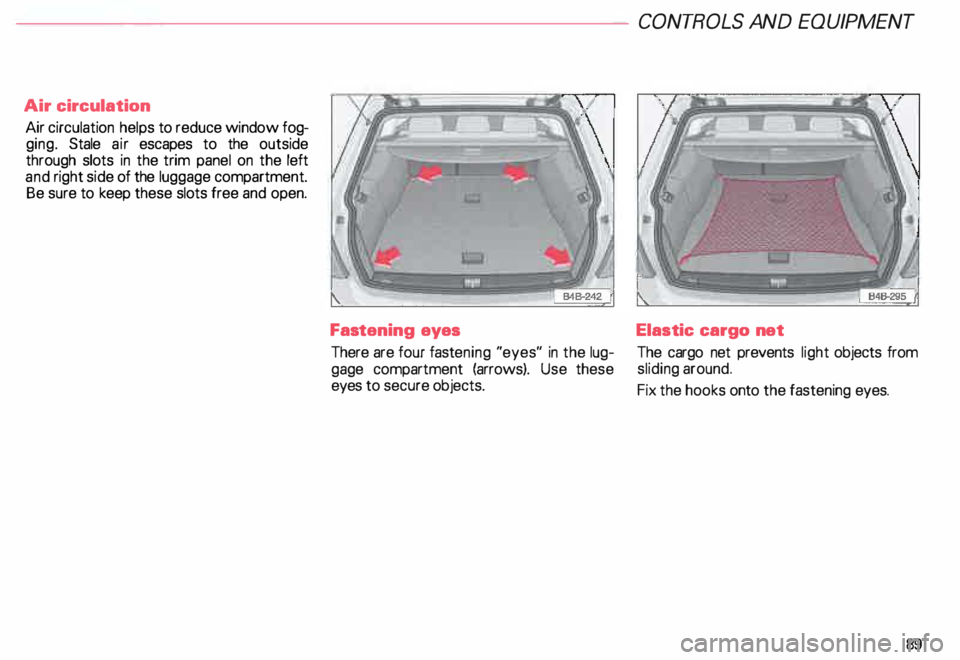
Air
circulation
Air circulation helps to reduce window fog
ging. Stale air escapes to the outside
through slots in the trim panel on the left
and right side of the luggage compartment.
Be sure to keep these slots free and open.
Fastening eyes
There are four fastening "eyes" in the lug
gage compartment (arrows). Use these
eyes to secure objects. CONT
ROLS AND EQUIPMEN T
Elastic cargo net
The cargo net prevents light objects from
sliding around.
Fix the hooks onto the fastening eyes.
89
Page 91 of 306
CONTROLS AND EQUIPMENT---------------------
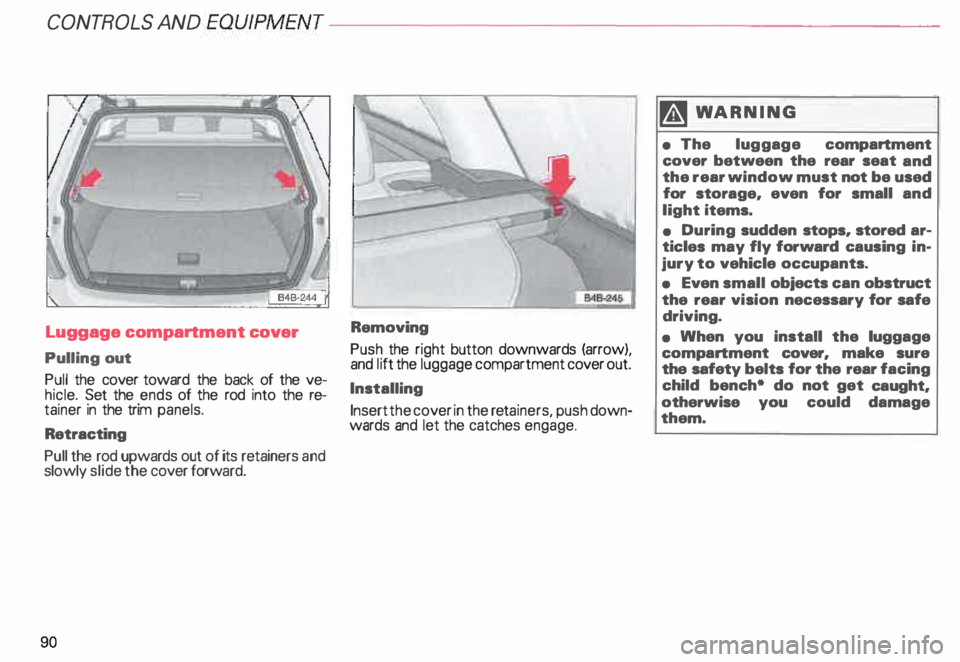
Luggage compartment
cover
Pulling out
Pull the cover toward the back of the ve
hicle. Set the ends of the rod into the re
tainer in the trim panels.
Retracting
Pull the rod upwards out of its retainers and
slowly slide the cover forward.
90 Removing
Push
the right button downwards (arrow),
and I itt the luggage compartment cover out.
Installing Insert the cover in the reta iners, push down
wards and let the catches engage. �W
ARNING
• The luggage compartment
cover between the rear seat and
the rear window must not be used
for storage, even for small and
light items.
• During sudden stops, stored ar
ticles may fly forward causing in
jury to vehicle occupants.
• Even small objects can obstruct
the rear vision necessary for safe
driving.
• When you install the luggage
compartment cover, make sure
the safety belts for the rear facing
child bench• do not get caught,
otherwise you could damage
them.
Page 97 of 306
CONTROLS
AND
EQUIPMENT---------------------
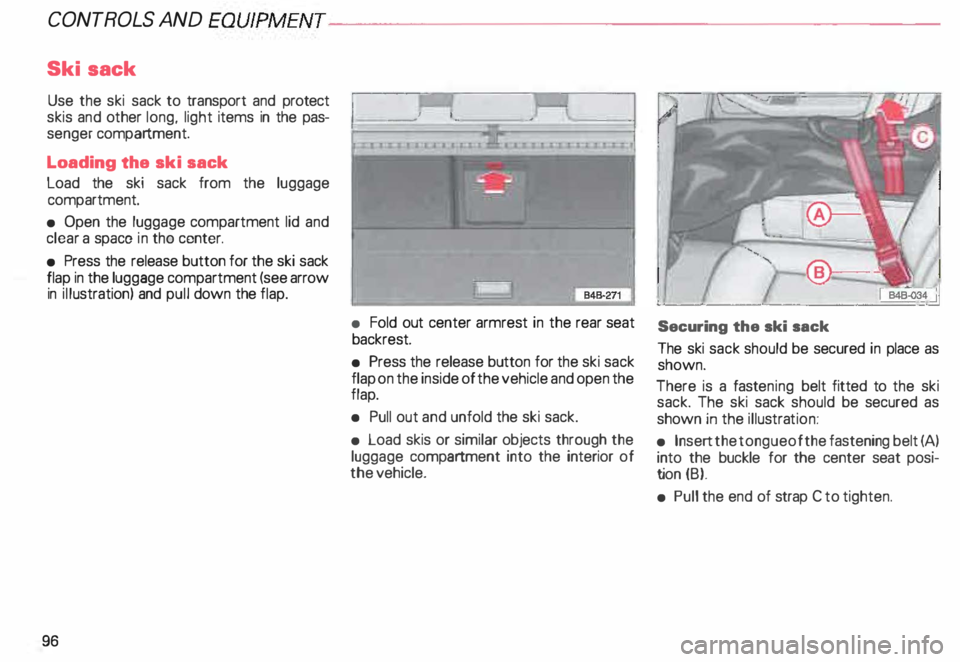
Ski sack
Use the ski sack to transport and protect
skis and other long, light items in the pas
senger compartment.
Loading the ski sack
Load the ski sack from the luggage
compartment.
• Open the luggage compartment lid and
clear a space in tho center.
• Press the release button for the ski sack
flap in the luggage compartment (see arrow
in illustration) and pull down the flap.
96 •
Fold out center armrest in the rear seat
backrest.
• Press the release button for the ski sack
flap on the inside of the vehicle and open the
flap.
• Pull out and unfold the ski sack.
• Load skis or similar objects through the
luggage compartment into the interior of
the vehicle. Securing
the ski sack
The ski sack should be secured in place as
shown.
There is a fast ening belt fitted to the ski
sack. The ski sack should be secured as
shown in the illustra tion:
• Insert the tongue of the fastening belt (A)
into the buckle for the center seat posi
ti on (B).
• Pull the end of strap C to tighten.
Page 98 of 306
---------------------CONTROLS
AND EQUIPMENT
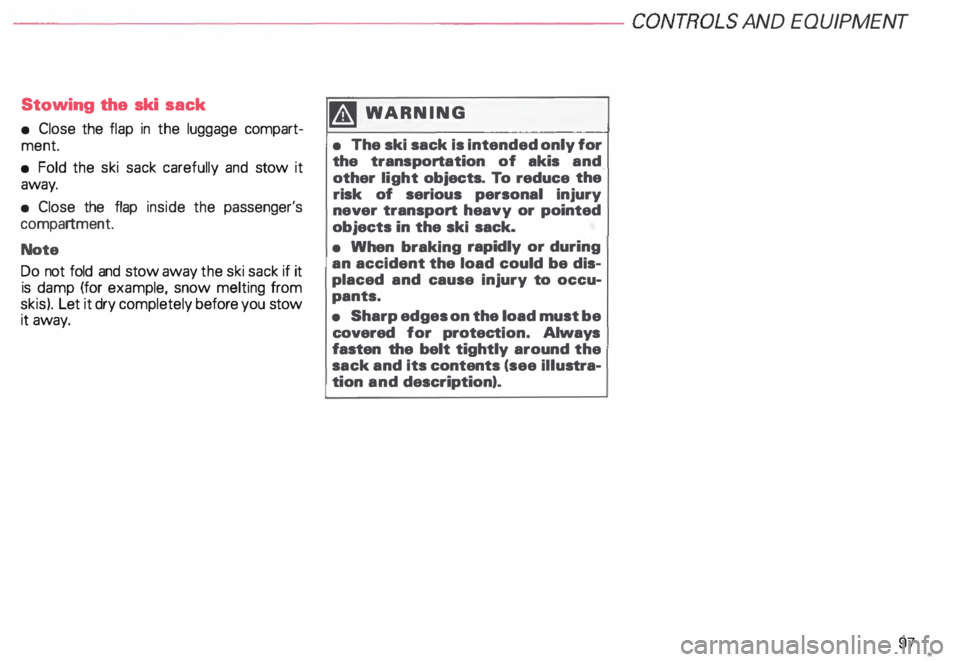
Stowing the ski sack
• Close the flap in the luggage compart
ment.
• Fold the ski sack carefully and stow it
away.
• Close the flap inside the passenger's
compartment.
Note
Do not fold and stow away the ski sack if it
is damp (for example, snow melting from
skis). Let it dry completely before you stow
it away. �W
ARNING
• The ski sack is intended only for
the transportation of akis and
other light objects. To reduce the
risk of serious personal injury
never transport heavy or pointed
objects in the ski sack.
• When braking rapidly or during
an accident the load could be dis
placed and cause injury to occu
pants.
• Sharp edges on the load must be
covered for protec tion. Always
fasten the belt tightly around the
sack and its contents (see illustra
tion and description).
97
Page 104 of 306
Parking
brake lever
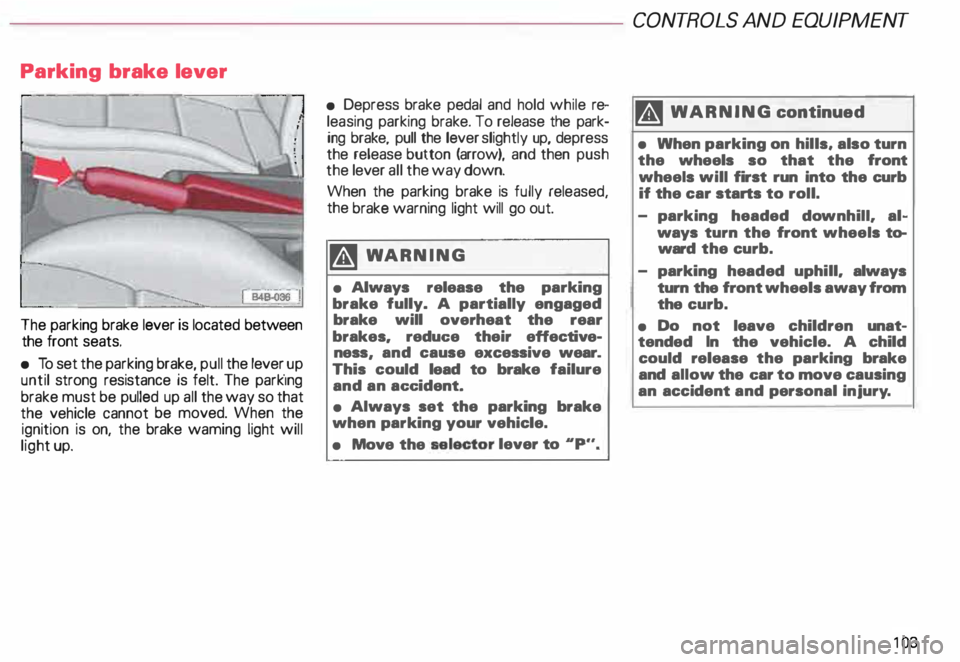
The parking brake lever is located between
the front seats.
• To set the parking brake, pull the lever _up
until strong resistance is felt. The park1ng
brake must be pulled up all the way so that
the vehicle cannot be moved. When the
ignition is on, the brake waming light will
light up. •
Depress brake pedal and hold while re
leasing parking brake. To release the park
ing brake, pull the lever slightly up, depress
the release button (arrow), and then push
the lever all the way down.
When the parking brake is fully released,
the brake warning light will go out.
�W ARNING
• Always release the parking
brake fully. A partially engaged
brake will overheat the rear
brakes. reduc:e their effective
ness and cause excessive wear.
This • could lead to brake failure
and an ac:c:ident.
• Always set the parking brake
when parking your vehicle.
• Move the selector
lever to .. p.,. CONT
ROLS AND EQUIPMENT
II WARNING continued
• When parking on hills, also turn
the wheels so that the front
wheels will first run into the curb
if the car starts to roll.
- parking headed downhill. al
ways turn the front wheels to
ward the curb.
- parking headed uphill. always
turn the front wheels away from
the curb.
• Do not leave children unat
tended In the vehicle. A child
could release the parking brake
and allow the c:ar to move causing
an accident and personal injury.
10 3
Page 106 of 306
Tiptronic®
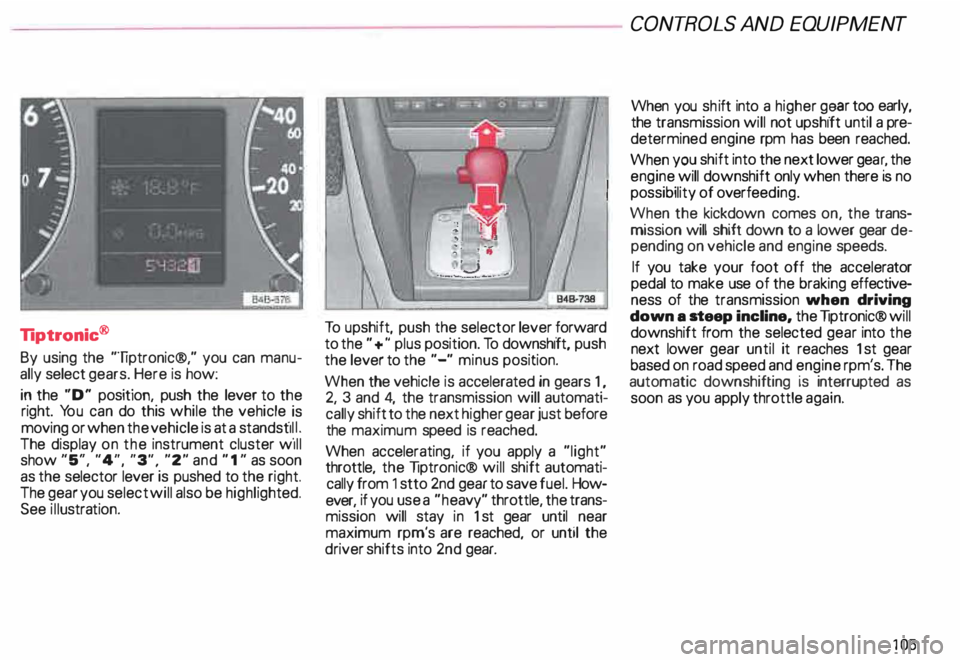
By using the "liptronic®," you can manu
ally select gears. Here is how:
in the "D" position, push the lever to the
right. You can do this while the vehicle _is
moving or when the vehicle is at a standst11 _1.
The display on the instrument cluster w1ll
show "5", "4", "3", "2" and " 1" as soon
as the selector lever is pushed to the right.
The gear you select will also be highli ghted.
See illustra tion. To
upshift, push the selector lever forward
to the "+" plus position. To downshift, push
the lever to the "-" minus position.
When the vehicle is accelerated in gears 1,
2, 3 and 4, the transmission will automati
cally shift to the next higher gear just before
the maximum speed is reached.
When accelerating, if you apply a "light"
throttle, the liptronic® will shift automati
cally from 1 stto 2nd gear to save fuel. How
ever, if you use a "he avy" throttle, the trans
mission will stay in 1st gear until near
maximum rpm's are reached, or until the
driver shifts into 2nd gear. CONT
ROLS AND EQUIPMENT
When you shift into a higher g� ar tO? early,
the transmission will not upshift until a pre
determined engine rpm has been reached.
When you shift into the next lower gea �. the
engine will downshift only when there IS no
possibility of overfee ding.
When the kickdown comes on, the trans
mission will shift down to a lower gear de
pending on vehicle and engine speeds.
If you take your foot off the accelerator
pedal to make use of the braking effective
ness of the transmission when driving
down a .teep incline, the liptronic® will
downshift from the selected gear into the
next lower gear until it reaches 1st gear
based on road speed and engine rpm's. The
automatic downshifting is interrupted as
soon as you apply throttle again.
105