lights AUDI ALLROAD 2000 Owner's Manual
[x] Cancel search | Manufacturer: AUDI, Model Year: 2000, Model line: ALLROAD, Model: AUDI ALLROAD 2000Pages: 306, PDF Size: 9.95 MB
Page 126 of 306
---------------------CONTROLS AND EQUIPMENT
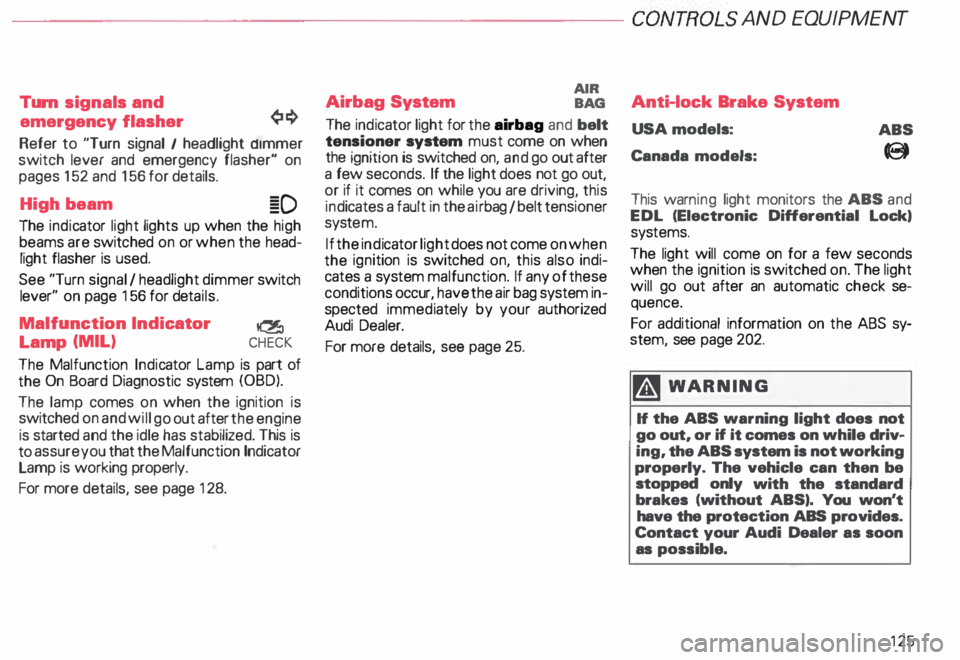
Turn signals and
emergency flasher
Refer to "Turn signal I headlight d1mmer
switch lever and emergency flasher" on
pages 152 and 156 for details.
High beam �D
The indicator light lights up when the high
beams are switched on or when the head
light flasher is used.
See "Turn signal I headlight dimmer switch
lever" on page 156 for details.
Malfunction Indicator
�
Lamp (MIL) CHECK
The Malfunction Indicator Lamp is part of
the On Board Diagnostic system (OBD).
The lamp comes on when the ignition is
switched on and will go out after the engine
is started and the idle has stabilized. This is
to assure you that the Malfunction Indicator
Lamp is working properly.
For more details, see page 128. Airbag
System AIR
BAG
The ind icator light for the airbag and belt
tensioner system must come on when
the ignition is switched on, and go out after
a few seconds. If the light does not go out,
or if it comes on while you are driving, this
ind icates a fault in the airbag I belt tensioner
syste m.
If the indicator light does not come on when
the ignition is switched on, this also indi
cates a system malfunction. If any of these
conditions occur, have the air bag system in
spected immediately by your authorized
Audi Dealer.
For more details, see page 25. Anti-lock
Brake System
USA models:
Canada models: ABS
8
This warn ing light monitors the ABS and
EDL (Electronic Differential Lock,
sys tems.
The light will come on for a few seconds
when the ignition is switched on. The light
will go out after an automatic check se
quence.
For additional information on the ABS sy
stem, see page 202.
� WARNING
If the ABS warning light does not
go out, or if it comes on while driv
ing, the ABS system is not working
properly. The vehicle can then be
stopped only with the standard
brakes (without ABS,. You won't
have the protection ABS provides.
Contact your Audi Dealer as soon
as possible.
125
Page 127 of 306
CONTROLS
AND EQUIPMENT---------------------
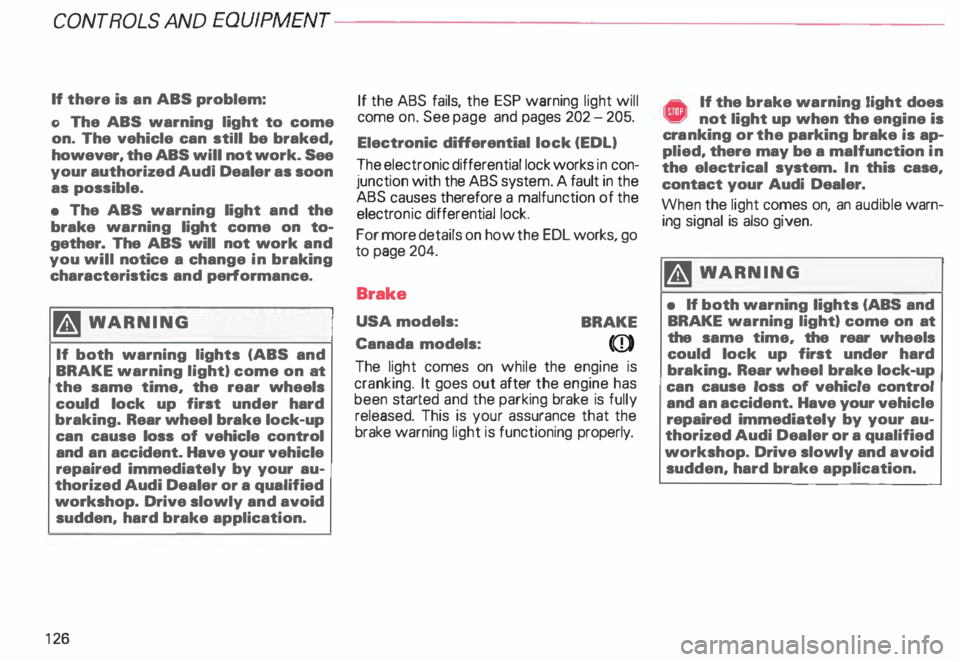
If there is an ABS problem:
o The ABS warning light to come
on. The vehicle can still be braked,
however, the ABS will not work. See
your authorized Audl Dealer as soon
as possible.
• The ABS warning light and the
brake warning light come on to
gether. The ABS will not work and
you will notice a change in braking
characteristics and performance.
�W ARNING
If both warning lights (ABS and
BRAKE warning light) come on at
the same time, the rear wheels
could lock up first under hard
braking. Rear wheel brake lock-up
can cause loss of vehicle control
and an accident. Have your vehicle
repaired immediately by your au
thorized Audi Dealer or a qualified
workshop. Drive slowly and avoid
sudden, hard brake application.
12 6 If
the ABS fails, the ESP warning light will
come on. See page and pages 202 -205.
Electronic differential lock (EDL)
The electronic differential lock works in con
junction with the ABS system. A fault in the
ABS causes therefore a malfunction of the
electr onic differential lock.
For more details on how the EDL works, go
to page 204.
Brake
USA models:
BRAKE
Canada models:
(Q))
The light comes on while the engine is
cranking. It goes out after the engine has
been started and the parking brake is fully
released. This is your assurance that the
brake warning light is functioning properly. A If the brake warning light does ¥ not light up when the engine is
cra nking or the parking brake is ap
plied, there may be a malfunction in
the electrical system. In this case,
contact your Audi Dealer.
When the light comes on, an audible warn
ing signal is also given.
�W ARNING
• If both warning lights (ABS and
BRAKE warning light) come on at
the same time, the rear wheels
could lock up first under hard
braking. Rear wheel brake lock-up
can cause loss of vehicle control
and an accident. Have your vehicle
repaired immediately by your au
thorized Audi Dealer or a qualified
workshop. Drive slowly and avoid
sudden, hard brake application.
Page 128 of 306
f4
WARNING continued
• If the brake warning light does
not go out with the engine running
and the parking brake released, or
lights up while you ere driving, the
fluid level in the brake fluid reser
voir is too low.
• If you believe that it Is safe to do
so, proceed immediately at low
speed to the nearest authorized
Audi Dealer or qualified workshop
and have the brake system in
spected.
• Please be very careful and be
sure to remember that after sev
eral brake applications, you will
need greater pressure on the brake
pedal to stop your vehicle. Conse
quently, you must allow for in
creased braking distances. Trying
to brake as quickly as usual could
lead to an accident.
For details see "Brakes.. on page
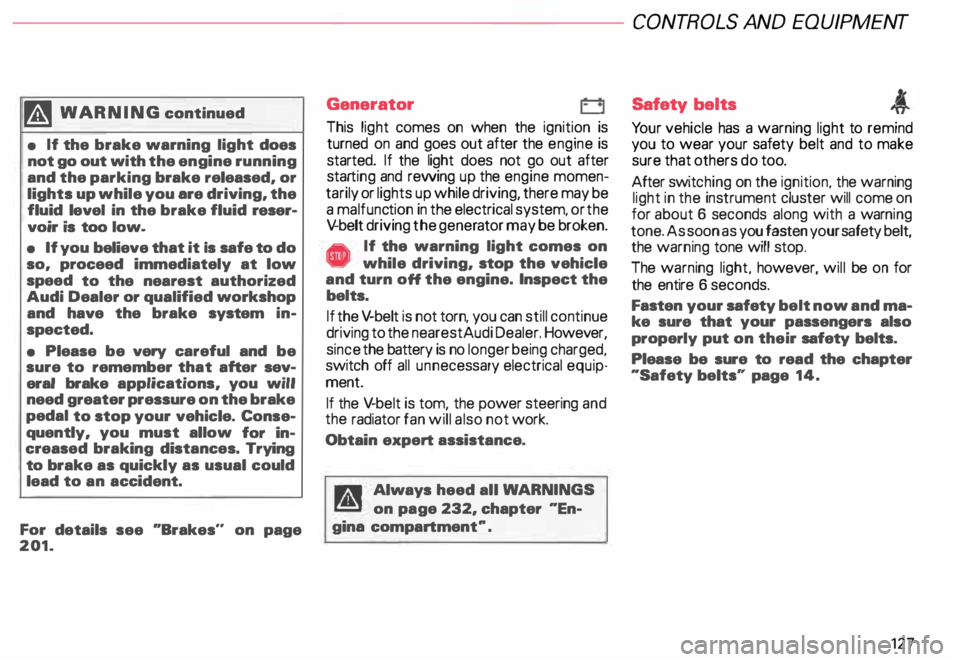
201. Generator
This
light comes on when the ignition is
turned on and goes out after the engine is
started. If the light does not go out after
star ting and rewing up the engine momen
tarily or lights up while driving, there may be
a malfunc tion in the electrical system, or the
V- belt driving the gener ator may be broken. A If the warning light comes on
V while driving, stop the vehicle
and turn oft the engine. Inspect the
belts.
If the V-belt is not torn, you can still continue
driving to the nearestAudi Dealer. However,
since the battery is no longer being charged,
switch off all unne cessary electrical equip
ment.
If the V- belt is tom, the power steering and
the radiator fan will also not work.
Obtain expert assistance.
g Always heed all WA RNINGS
r!!l on page 232, chapter "En
gine compartment '". CONT
ROLS AND EQ UIPMENT
Safety belts
Yo ur vehicle has a warning light to remind
you to wear your safety belt and to make
sure that others do too.
After switching on the ignition, the warning
light in the instrument cluster will come on
for about 6 seconds along with a war ning
tone. As soon as you fasten your safety belt,
the warning tone will stop.
The warning light, however, will be on for
the entire 6 seconds.
Fasten your safety belt now and ma
ke sure that your passengers also
properly put on their safety belts.
Please be sure to read the chapter
"Safety belts" page 14.
127
Page 139 of 306
CONT
ROLS AND EQUIPMEN T-------------------------------------------
Radio frequency display
If the radio is switched on and no second
priority faults are present, the OK symbol
will go out and the display will show the fre
quenc y selected and various other informa
tion. This feature depends on the type of ra
dio fitted.
These displays are in addition to the radio
display -see separate operating instruc
tions for radio.
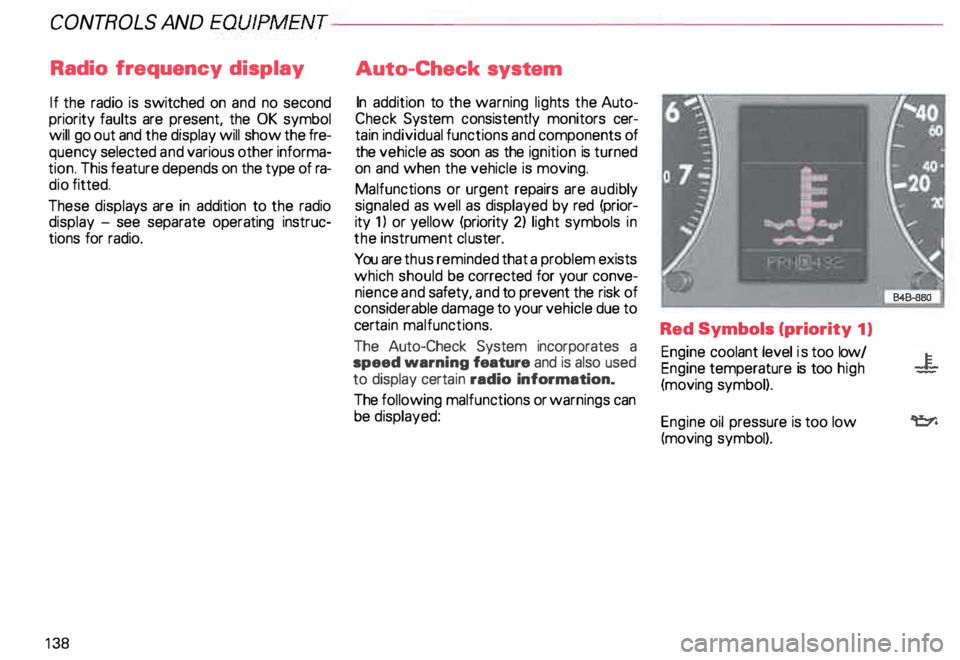
13 8 Auto-Check
system
In addition to the warning lights the Auto
Check System consistently monitors cer
tain individual functions and components of
the vehicle as soon as the ignition is turned
on and when the vehicle is moving.
Malfunctions or urgent repairs are audi bly
signaled as well as displayed by red (prior
ity 1) or yellow (priority 2) light symbols in
the instrument cluster.
You are thus reminded that a problem exists
which should be corrected for your conve
nience and safety, and to prevent the risk of
considerable damage to your vehicle due to
cert ain malfunctions.
The Auto-Check System incorporates a
speed warning feature and is also used
to display certain radio information_
The following malfunctions or warnings can
be displayed: Red Symbols (priority
1)
Engine coolant level is too low/
Engine temperature is too high
(moving symbol).
Engine oil pressure is too low
(moving symbol).
Page 144 of 306
---------------------CONTROLS AND EQUIPMENT
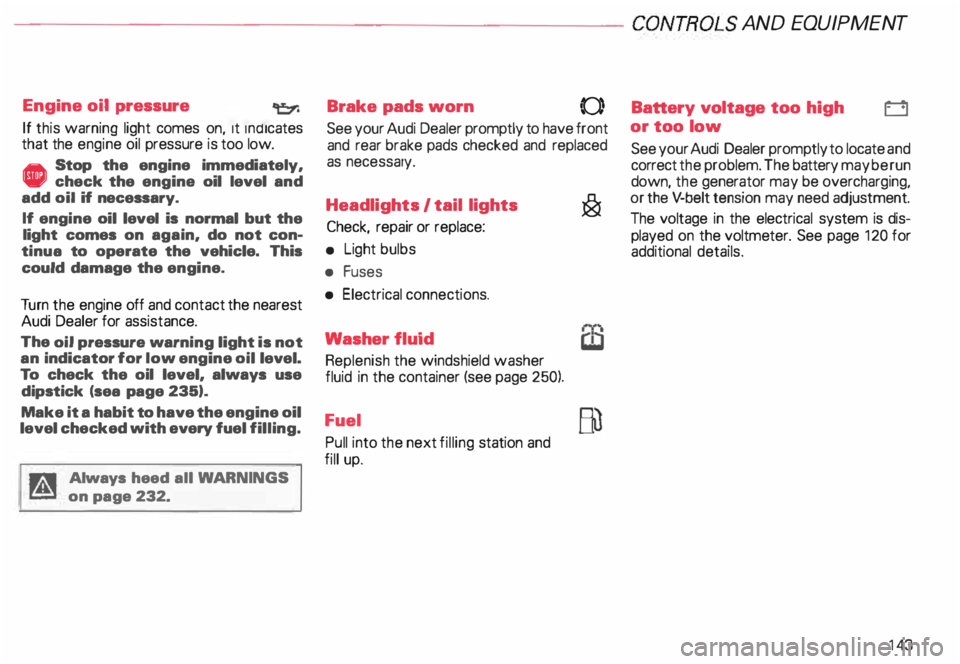
Engine oil pressure
If this warning light comes on, 1t Indi cates
that the engine oil pressure is too low.
• Stop the engine immediately,
check the engine oil level and
add oil if necessary.
If engine oil level is normal but the
light comes on again, do not con
tinua to operate the vehicle. This
could damage the engine.
Tu rn the engine off and contact the nearest
Audi Dealer for assistance.
The oil pressure warning light is not
an indicator for low engine oil level.
To check the oil level, always use
dipstick (sea page 235).
Make it a habit to have the engine oil
level checked with every fuel filling.
A Always heed all WA RNINGS
� on page 232. Brake
pads worn
0
See your Audi Dealer promptly to have front
and rear brake pads checked and replaced
as necessary.
Headlights I tail lights
�
Check, repair or replace:
• Light bulbs
• Fuses
• Electrical connections.
Washer fluid
Replenish the windshield washer
fluid in the container (see page 250).
Fuel Pull into the next filling station and
fill up. Battery
voltage too high
t::::1
or too low
See your Audi Dealer promptly to locate and
correct the problem. The battery may be run
down, the generator may be overcharging,
or the V-belt tension may need adjustment.
The voltage in the electrical system is dis
played on the voltmeter. See page 120 for
additional details.
143
Page 145 of 306

CONTROLS AND EQUIPMENT---------------------
Check
engine oil level �N
Check the engine oil level as soon as pos
sible by using the dip stick. Add engine oil
accordingly. See page 236.
Engine oil sensor
defective �ENOOR
Contact an authorized Audi dealer and have
the engine oil sensor inspected.
Speed warning 8 or 8
The stored speed h·as been exceeded. Slow
down or set new speed.
Dynamic headlight dimmer �(D
control• not functioning =1.
•
Have your authorized Audi dealer repair the
headlight dimmer control.
Refer to "Xenon lights" on page 157 for de
tails.
14 4 Speed
warning
You can store a road speed which is not to
be exceeded. As soon as you exceed that
speed by approximately 6 miles (1 0 kilome
ters), a warning tone sounds and "MPH"
("k m/h ") appears in the disp lay.
Nota Always monitor the vehicle speed by
means of the speedometer. The speed
warning device may only be used as a re
minder not to exceed the posted speed
limit. The
following describes how to store or de
lete speed warnings 1 and 2.
Speed warning 1
The ''MPH" ("km/h ") disappears when you
reduce the speed below the stored speed.
Also, the ''MPH" goes out when the driving
speed increases approximately 25 mph
(40 km/h) over the set speed for at least
1 0 seconds. The stored speed is not de
leted.
Selec ting speed limit
Press the test button for the Auto-Check
control briefly when the desired speed is in
dicated on the speedometer. The speed
warning symbol lights up when the button
is released to confirm that the selected
speed has been stored.
The set speed limit remains stored until
another speed is selected by pressing the
button again or until the memory is cleared.
Page 149 of 306
CONTROLS ANDEO�PMENT-----------------------------------------
Switches
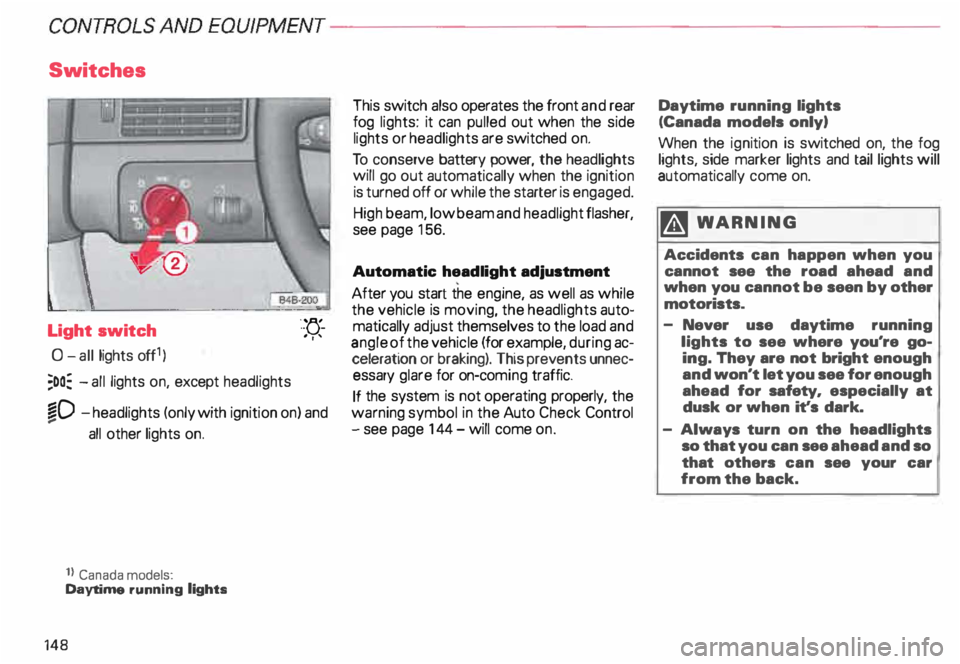
Light switch
0- all lights off1)
;oo: -all lights on, except headlights "-
YJ.-
. ''
�D -headlights (only with ignition on) and
...
all other lights on.
1} Canada models:
Daytime running lights
148 This
switch also operates the front and rear
fog lights: it can pulled out when the side
lights or headlights are switched on.
To conserve battery power, the headlights
will go out automatically when the ignition
is turned off or while the starter is engaged.
High beam, low beam and headlight flasher,
see page 156.
Automatic headlight adjustment
After you start the engine, as well as while
the vehicle is moving, the headlights auto
matically adjust themselves to the load and
angle of the vehicle (for example, during ac
celeration or braking). This prevents unnec
essary glare for on-com ing traffic.
If the system is not operating properly, the
warning symbol in the Auto Check Control
- see page 144- will come on. Daytime
running lights
(Canada models only)
When the ignition is switched on, the fog
lights, side marker lights and taillights will
automatically come on.
�W ARNING
Accidents can happen when you
cannot see the road ahead and
when you cannot be seen by other
motorists.
- Never use daytime running
lights to see where you're go
ing. They are not bright enough
and won't let you see for enough
ahead for safety, especially at
dusk or when it's dark.
- Always turn on the headlights
so that you can see ahead and so
that others can see your car
from the back.
Page 150 of 306
Front
fog lights
�D
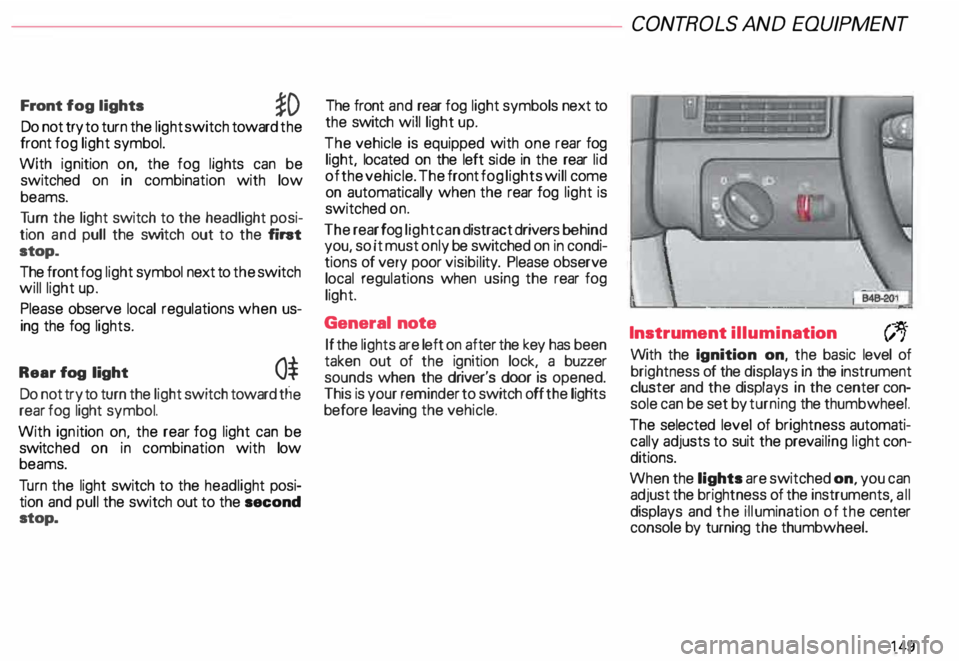
Do not try to turn the light switch toward the
front fog light symbol.
With ignition on, the fog lights can be
switched on in combination with low
beams.
Tu rn the light switch to the headlight posi
tion and pull the switch out to the fint
stop.
The front fog light symbol next to the switch
will light up.
Please observe local regulations when us
ing the fog lights.
Rear fog light
0$
Do not try to turn the light switch toward tlie
rear fog light symbol.
With ignition on. the rear fog light can be
switc hed on in combination with low
beams.
Tu rn the light switch to the headlight posi
tion and pull the switch out to the second
stop. The front
and rear fog light symbols next to
the switch will light up.
The vehicle is equipped with one rear fog
light, located on the left side in the rear lid
of the vehicle. The front fog lights will come
on automatically when the rear fog light is
switched on.
The rear fog light can distract drivers behind
you, so it must only be switched on in condi
tions of very poor visibil ity. Please observe
local regulations when using the rear fog
light.
General note
If the lights are left on after the key has been
taken out of the ignition lock, a buzzer
sounds when the driver's door is opened.
This is your reminder to switch off the ligHts
before leaving the vehicle. CONT
ROLS AND EQUIPMEN T
Instrument illumination
(;,.
With the Ignition on, the basic level of
brightness of the displays in the instrument
cluster and the displays in the center con
sole can be set by turning the thumbwheel.
The selected level of brightness automati
cally adjusts to suit the prevailing light con
ditions.
When the lights are switched on, you can
adjust the brightness of the instruments all
displays and the illumination of the ce�ter
console by turning the thumbwheel.
149
Page 157 of 306
CONTROLS
AND EQUIPMENT---------------------
Turn signals, headlight dimmer switch lever
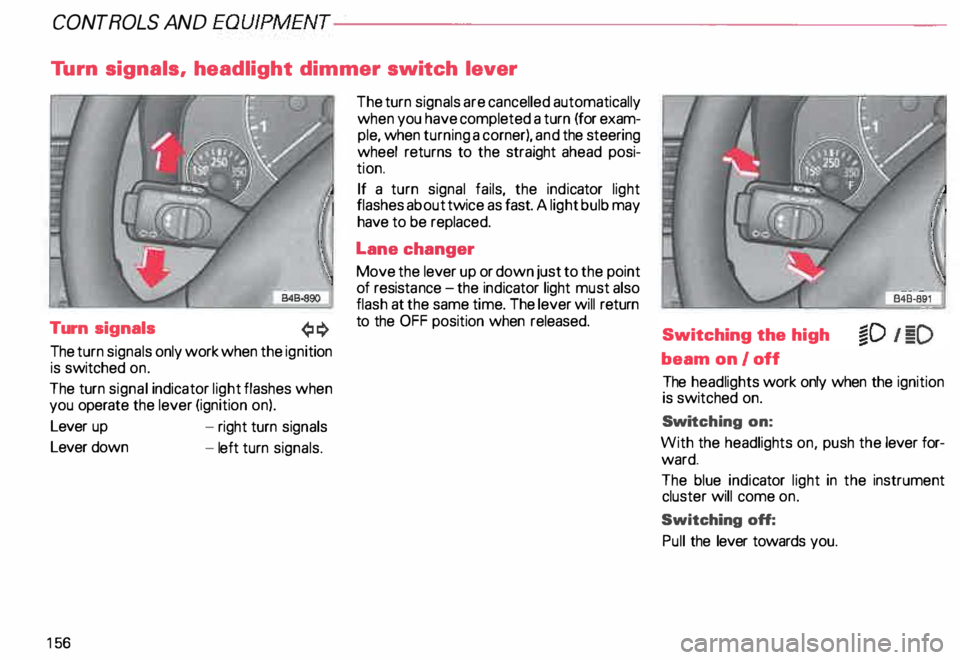
Turn signals
The turn signals only work when the ignition
is switched on.
The turn signal indicator light flashes when
you operate the lever (ignition on).
Lever up
Lever down
15 6 -
right turn signals
- left turn signals. The
turn signals are cancelled automatically
when you have completed a turn (for exam
ple, when turning a corner), and the steering
wheel returns to the straight ahead posi
tion.
If a turn signal fails, the indicator light
flashes about twice as fast. A light bulb may
have to be replaced.
Lane changer
Move the lever up or down just to the point
of resista nce-the ind icator light must also
flash at the same time. The lever will return
to the OFF position when released.
Switching the high
beam on/off
The headlights work only when the ignition
is switched on.
Swi tching on:
With the headlights on, push the lever for
ward.
The blue indicator light in the instrument
cluster will come on.
Switching off:
Pull the lever towards you.
Page 158 of 306
Headlight flasher
You can signal with your headlights by pull
ing the lever toward the steering wheel.
When flashing headlights, the blue indicator
light will come on. Xenon
lights*
After starting the engine the Xenon head
ligh ts are automatically adjusted to the load
and angle of the vehicle (for example, during
acceleration, braking). This prevents on
coming traffic from experiencing unneces
sary glare from your headlights.
If the system is not operating properly, a
warning symbol will be displayed in the
Auto Check Control -see page 144. CONTROLS
AND EQUIPMENT
157