lights AUDI ALLROAD 2000 User Guide
[x] Cancel search | Manufacturer: AUDI, Model Year: 2000, Model line: ALLROAD, Model: AUDI ALLROAD 2000Pages: 306, PDF Size: 9.95 MB
Page 70 of 306
·--------------------CONT
ROLS AND EQUIPMENT
Power windows
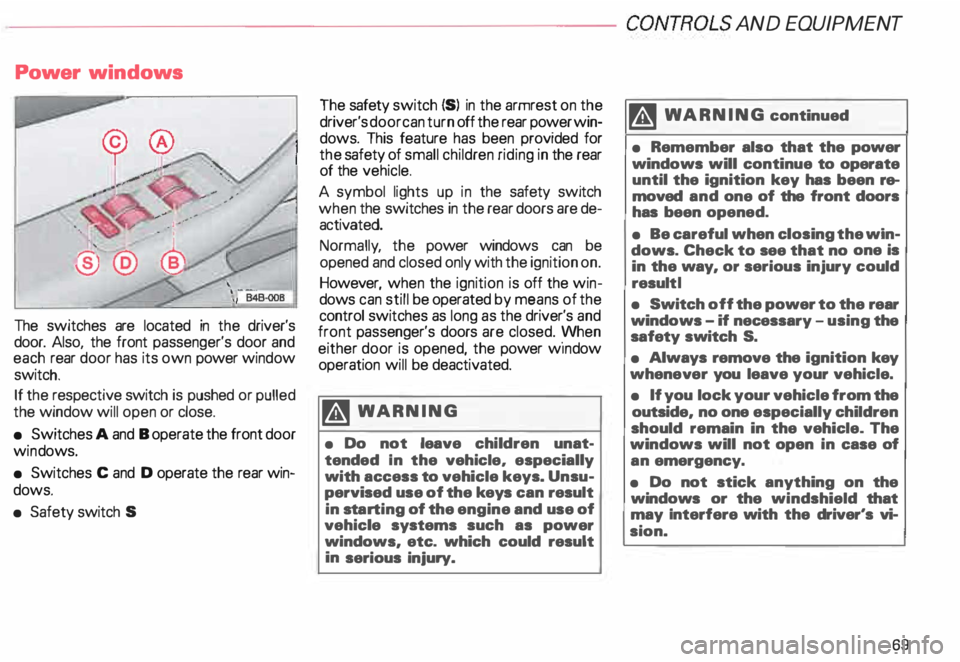
The switches are located in the driver's
door. Also, the front passenger's door and
each rear door has its own power window
switch.
If the respective switch is pushed or pulled
the window will open or close.
• Switches A and B operate the front door
win dows.
• Switches C and D operate the rear win
dows.
• Safety switch S The
safety switch {S) in the armrest on the
driver's door can turn off the rear power win
dows. This feature has been provided for
the safety of small children riding in the rear
of the vehicle.
A symbol lights up in the safety switch
when the switches in the rear doors are de
activated.
Normally , the power windows can be
opened and closed only with the ignition on.
However, when the ignition is off the win
dows can still be operated by means of the
control switches as long as the driver's and
front passenger's doors are closed. yvhen
either door is opened, the power w1ndow
operation will be deactivated.
�W ARNING
• Do not leave children unat
tended In the vehicle, especially
with access to vehicle keys. Unsu
pervised use of the keys can result
in sta rting of the engine and use of
vehicle systems such as power
windows, etc. which could result
in serious injury. m
WARNING continued
• Remember also that the power
windows will continue to operate
until the ignition key has been re
moved and one of the front doors
has been opened.
• Be careful when closing the win
dows. Check to see that no one is
in the way, or serious injury could
result I
• Switch off the power to the rear
windows -if necessary -using the
safety switch S.
• Always remove the ignition key
whenever you leave your vehicle.
• If you lock your vehicle from the
outside, no one especially children
should remain in the vehicle. The
windows will not open in case of
an emergency.
• Do not stick anything on the
windows or the windshield that
may Interfere with the driver's vi
sion.
69
Page 73 of 306
CONT
ROLS AND EQUIPMENT
Mir rors
Adjust the outside and inside mi rrors before
driving and after adjusting your seat to prop
er driving position. It is im porta nt for safe
driving that you have good vision to the rear.
Inside dey-night mirror
Manual anti-glare adjustment
Yo u can adjust the day -night mirror from
clear daylight visibility to non-glare visibility
at night by moving the lever at the bottom
of the mirror.
To ensure the best possible antiillare ef
fect, the lever on the lower edge of the mir
ror should be pointing forwards when the
basic setting is made.
Daylight driving -lever to front
Night driving -lever to rear.
72 Automatic
anti-glare adjustment•
When the ignition is switc hed on the interior
mirror will darken automatically depending
on the amount of light shinin g into the car
from the rear (e. g. headlights).
When you move the selector lever I gear
shift lever into Reverse R or when you
switch the interior lights on, the inside mir
ror will return to its original position (dim
ming effect off).
The mirror will return to the original position
(i. e. not anti-dazzle) when the selector lever
I gearshift lever is moved to position R. Outside
mirrors
Adjust the outside mirrors so that the side
of your own vehicle can just be seen. This
setting ensures the best possible field of
view, and in addition it serves as an instant
check on the mirror setti ng.
Self-d imming day I night outside
mirrors
The dimming of the outside mirrors is con
trolled by the inside day I night mirror.
The dimming of the outside mirrors works
only properly and without any interference,
if the rear window shade* is rolled up and I
or the light shining on the inside mirror is not
blocked by other objects.
Page 85 of 306
CONTROLS AND EQ
UIPMEN T---------------------
Retrieving using the
memory buttons
• With the passenger's door open, de
press and release the desired memory but
ton. The seat will automatically adjust to the
stored position.
• If the door has been closed, you must
then depress and hold the memory button
until the seat has reached its stored posi
tion.
Note
You can not reca ll the stored seat adjust
ment for the front passenger's seat using
the remote control in the master key.
84 Emergency
Off
In an emergency, you can interrupt
any retrieval procedure by
• pressing the '"STOP'" button (see il
lustration on page 81 and 83). or
• tapping one of the memory buttons.
Pushing the"ON/OFF"button to the OFF
position only switches off the Memory. The
stored settings will not be erased.
It's a good idea to turn the Memory off if the
vehicle is going to be used temporarily by a
driver whose driving position will not be
memorized.
The advantage is that the personal settings
that have already been memorized will re
main intact and will not change each time
the vehicle is unlocked using the remote
control. Note
The memory function is switched off when
the STOP button is pressed. The word
''OFF" lights up if the headlights are
switched on. However, the programmed
seat, outside mirrors and steering wheel
positions remain stored in the memory.
Page 114 of 306
Ignition
switch
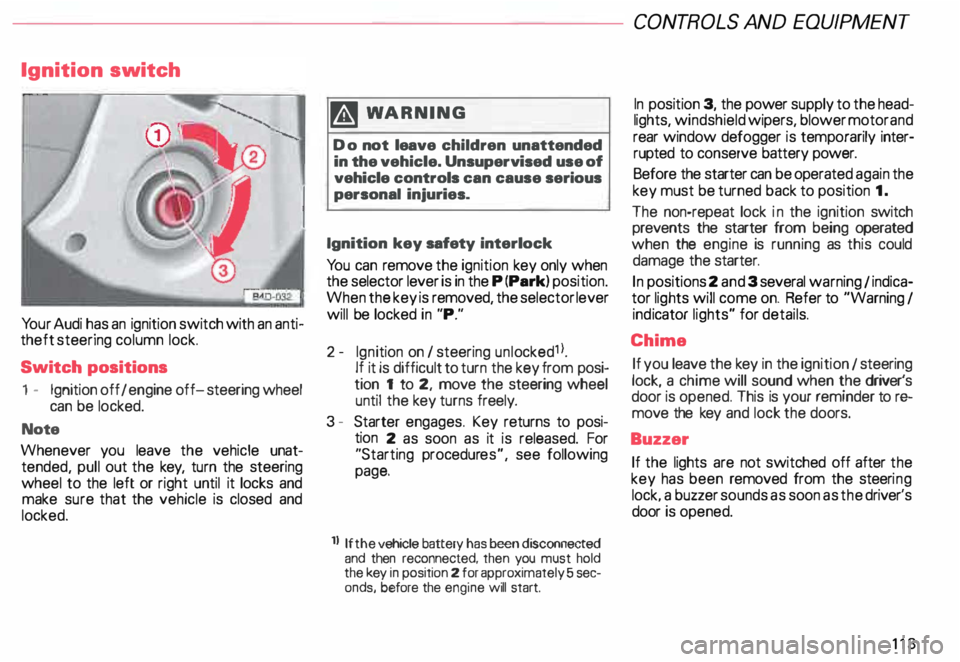
Yo ur Audi has an ignition switch with an anti
theft steering column lock.
Switch positions
1 - Ignition off I engine off-steering wheel
can be locked.
Note
Whenever you leave the vehicle unat
tended, pull out the key, turn the steering
wheel to the left or right until it locks and
make sure that the vehicle is closed and
locked. m
WARNING
Do not leave children unattended
in the vehicle. Unsupervised use of
vehicle controls can cause serious
personal injuries.
Ignition key safety interlock
Yo u can remove the ignition key only when
the selector lever is in the P (Park) position.
When the key is removed, the selector lever
will be locked in "P."
2- Ignition on I steering unlocked1 l.
If it is difficult to turn the key from posi
tion 1 to 2, move the steering wheel
until the key turns freely.
3 - Starter engages. Key returns to posi
tion 2 as soon as it is released. For
"Starting procedures", see following
page.
ll If the
vehicle battery has been disconnected
and then reconnected, then you must hold
the key in position 2 for approximately 5 sec
onds, before the engine will start. CONT
ROLS AND EQUIPMEN T
In position 3, the power supply to the head
lights, windshield wipers, blower motor and
rear window defogger is temporarily inter·
rupted to conserve battery power.
Before the starter can be operated again the
key must be turned back to position 1.
The non-repeat lock in the ignition switch
prevents the starter from being operated
when the engine is running as this could
damage the starter.
In positions 2 and 3 several warning 1 indica
tor lights will come on. Refer to "Warning I
ind icator lights" for details.
Chime If you leave the key in the ignition 1 steering
lock, a chime will sound when the driver's
door is opened. This is your reminder tor&
move the key and lock the doors.
Buzzer If the lights are not switched off after the
key has been removed from the steeri ng
lock. a buzzer sounds as soon as the driver's
door is opened.
113
Page 117 of 306
CONTROLS AND EQUIPMENT---------------------
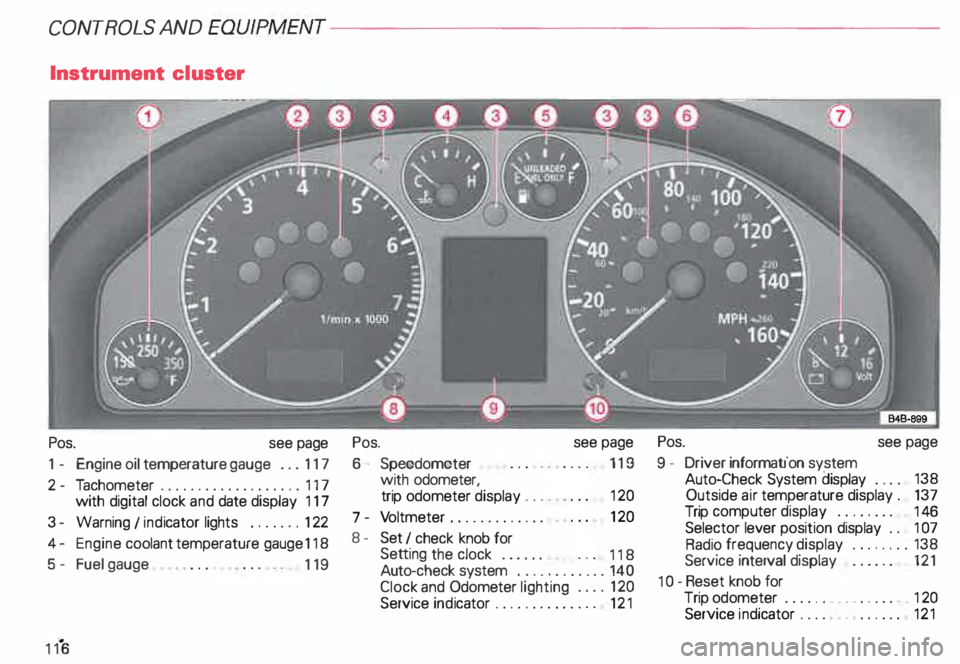
Instrument cluster
Pos. see page
1 - Engine oil temperature gauge ... 117
2 - Tachometer ...... ........... .. 117
with digital clock and date display 117
3- Warning I ind icator lights ..... .. 122
4 - Engine coolant temperature gauge 118
5- Fuel gauge
119 Pos.
6 · Speedometer
with odometer,
trip odometer display ... .
7 - Vo ltmeter ............ .
8 - Set I check knob for see
page
119
12 0
12 0
Setting the clock . . . . . .
118
Auto -check system ............ 140
Clock and Odometer lighting .... 12 0
Service indicator . . . . . . . . . . . . . . 121 Pos.
see page
9 - Driver information system
Auto-C heck System display . . . . 138
Outside air temperature display .
137
Trip computer display . . . . . . . . 146
Selector lever position display . .
1 07
Radio frequency display ........ 138
Service interval display . . . . . . 121
1 0 -Reset knob for
Trip odometer ......•.. _ ..... .. 120
Service indicator . . . . . . . . . . . . 121
Page 119 of 306
CONTROLS AND
EQUIPMENT-----------------------------------------
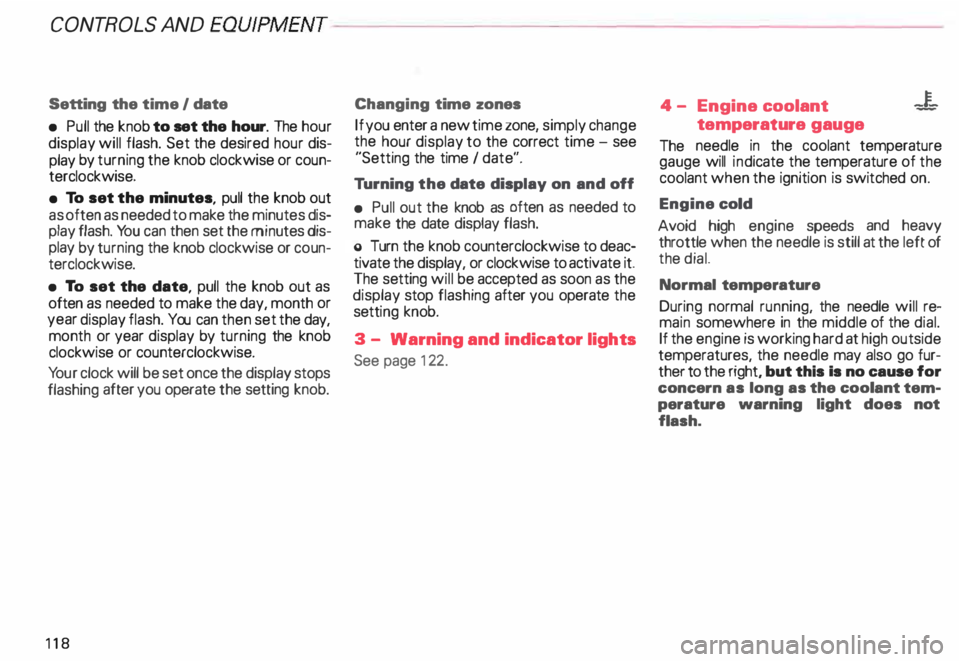
Setting the time I date
• Pull the knob to set the hour. The hour
display will flash. Set the desired hour dis
play by turning the knob clockwise or coun
terclockwise.
• To set the minutes, pull the knob out
as often as needed to make the minutes dis
play flash. You can then set the minutes dis
play by turning the knob clockwise or coun
terclockwise.
• To set the date, pull the knob out as
often as needed to make the day, month or
year display flash. You can then set the day,
month or year display by turning the knob
clockwise or counterclockwise.
Yo ur clock will be set once the display stops
flashing after you operate the setting knob.
118 Changing
time zones
If you enter a new time zone, simply change
the hour display to the correct time -see
"Setting the time I date".
Tu rning the date display on and off
• Pull out the knob as often as needed to
make the date display flash.
o Turn the knob counterclockwise to deac
tivate the display, or clockwise to activate it.
The setting will be accepted as soon as the
display stop flashing after you operate the
setti ng knob.
3 - Warning and indicator lights
See page 122. 4
- Engine coolant -¥
-
temperature gauge
The needle in the coolant temperature
gauge will indicate the temperature of the
coolant when the ignition is switched on.
Engine cold
Avoid high engine speeds and heavy
throttle when the needle is still at the left of
the dial.
Normal temperature
During normal running, the needle will re
main somewhere in the middle of the dial.
If the engine is working hard at high outside
temperatures, the needle may also go fur
ther to the right, but this Is no cause for
concern as long as the coolant tem
perature warning light does not
flash.
Page 120 of 306
--------------------CONTROLS AND EQUIPMENT
Warning light
If the coolant warning light m the Auto
Check System (see page 141) flashes when
driving, the engine may be overheated be
cause of low coolant level.
Note
Do not install accessories (addi
tional lights or Insect screens. for
example) on top of the front bumper.
They may restrict engine cooling
and cause engine damage.
Always heed all WA RNINGS
on page 142 and 232. 5
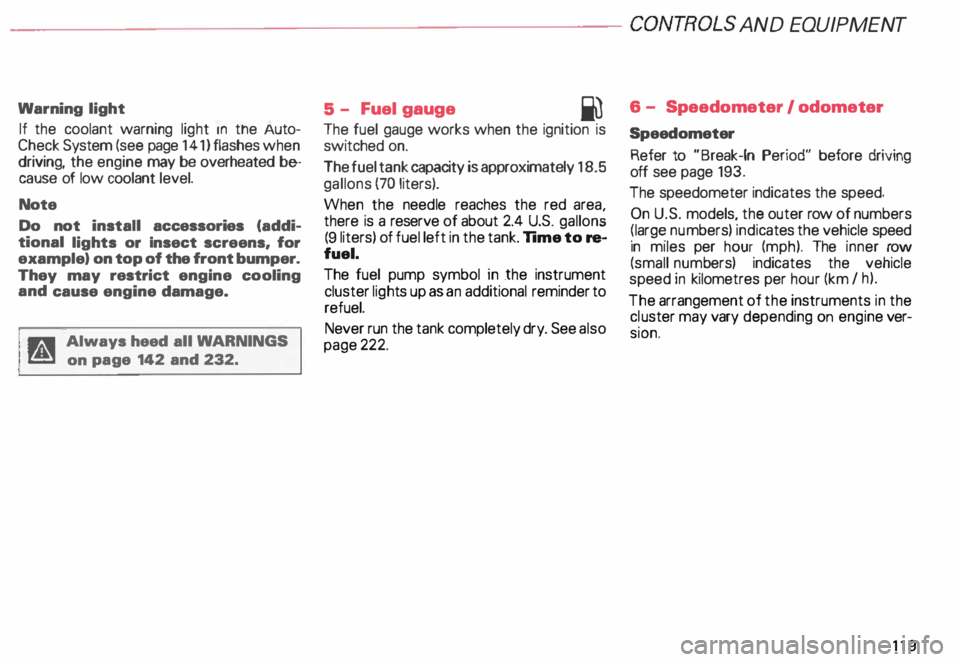
- Fuel gauge
iU
The fuel gauge works when the ignition is
switched on.
The fuel tank capacity is approximately 18.5
gallons (70 liters).
When the needle reaches the red area
there is a reserve of about 2.4 U.S. gallon �
(9 liters) of fuel left in the tank. lime to re
fuel.
The fuel pump symbol in the instrument
cluster lights up as an additional reminder to
refuel.
Never run the tank completely dry. See also
page 222. 6
- Speedometer I odometer
Speedometer Refer to "Break-In Period" before driving
off see page 193.
The speedometer indicates the speed.
On U.S. models, the outer row of numbers
� larg ": numbers) indicates the vehicle speed
1n m1les per hour (mph). The inner row
(small numbers) indicates the vehicle
speed in kilometres per hour (km I h).
The arrangement of the instruments in the
c !uster may vary depending on engine ver
SIOn.
119
Page 123 of 306
CONT
ROLS AND EQUIPMENT
Warning /Ind icator lights
Yo ur vehicle is equipped with several impor
tant warning and indic ator lights to help you
monitor the continued reliable operation of
your vehicle. Furthermore, certain func
tions and vehicle components are consis
tently monitored by the Auto-Check System
(see page 138). Please be sure to get to
know these lights so if one should come on
you know what to do.
12 2 �W
ARNING
• Failure to heed warning lights
and other important vehicle infor
mation may result in serious per
sonal injury or vehicle damage.
• Whenever stalled or stopped for
repair, move the vehicle a safe dis
tance off the road, stop the en
gine, and turn on the emergency
flasher -see page 152.
• The engine compartment of any
motor vehicle is a potentially haz
ardous area. Before you check any
thing in the engine compartment,
stop the engine and let it cool
down. Always exercise extreme
caution when working under the
engine hood. -sea page 232. -Always heed all WA RNINGS
l!!l on page 232, chapter ""En
gine compartment ...
Page 124 of 306
---------------------CONTROLS AND
EQUIPMENT
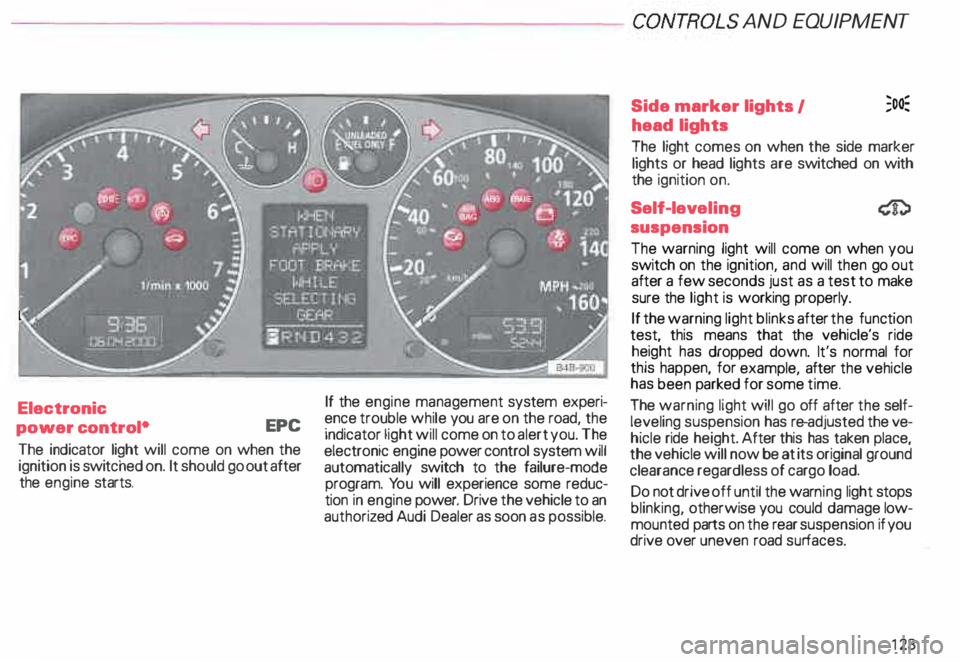
Electronic
power control• EPC
The indicator light will come on when the
ignition is switc hed on. It should go out after
the engine starts. If
the engine management system experi
ence trouble while you are on the road, the
indicator light will come on to alert you. The
electronic engine power control system will
automatically switch to the failure-mode
program. You will experience some reduc
tion in engine power. Drive the vehicle to an
authoriz ed Audi Dealer as soon as possible. Side
marker lights I ;o�
head lights
The light comes on when the side marker
lights or head lights are switched on with
the ignition on.
Self-lev eling
suspension
The warning light will come on when you
switch on the ignition, and will then go out
after a few seconds just as a test to make
sure the light is working properly.
If the warning light blinks after the function
test, this means that the vehicle's ride
height has dropped down. It's normal for
this happen, for example, after the vehicle
has been parked for some time.
The warning light will go off after the self
leveling suspension has re-adjusted the ve
hicle ride height. After this has taken place,
the vehicle will now be at its original ground
clearance regardless of cargo load.
Do not drive off until the warn ing light stops
blinking, otherwise you could damage low
mounted parts on the rear suspension if you
drive over uneven road surfaces.
123
Page 125 of 306
CONTROLS AND
EQUIPMEN T--------------------
If the warning light is flashing, it can also
mean that the vehicle is riding ''too high"
(above the highest level). Once again, do
not drive off until the warning light stops
flashing.
If the .warning light stays on continuous ly,
there 1s a problem with the ride height ad
JUStment system. The light will also come
on continuously if the vehicle is on an ex
treme incline.
Tro uble in the ESP may also cause the warn
ing light to remain on continuously.
A system failure can cause the vehicle to
have too little or too much ground clear
ance. Drive very carefully and slowly to your
nearest authorized Audi dealer and have the
fault corrected.
See page 153 for additional information.
12 4 Electronic Stability
Program {ESP)
The indicator light lights up when the igni
tion is turned on, and it must go out after
about 2 seconds.
When the ESP system is in control mode,
this indicator light will flash while the ve
hicle is being operated.
When you start the engine, the ESP
may shut off for safety reasons. The indica
tor light also turns on to indicate this statu s.
If this should happen, you can reactivate the
ESP by turning the ignition off and then on
� gain. This indicator light will go out, indicat
Ing that the system is once again operating
properly.
If the system is off or is malfunctioning, the
indi cator light will remain on.
Since the ESP system works together with
the ABS system, the ESP indicator light will
also come on if the ABS stops operating. Electronic
immobilizer
�
When you turn on the ignition, the vehicle
key data are automatically scanned. The in
dicator light will come on briefly, indicating
that the data verification procedure has
been acknowledged.
If a non-coded vehicle key was used (for ex
ample a duplic ate key), the control light
goes to a continuous flashing mode. If this
happens, the vehicle cannot be started. See
also page 57