engine oil AUDI ALLROAD 2000 Owners Manual
[x] Cancel search | Manufacturer: AUDI, Model Year: 2000, Model line: ALLROAD, Model: AUDI ALLROAD 2000Pages: 306, PDF Size: 9.95 MB
Page 7 of 306

TABLE OF CO
NTENTS----------------------------------------------
Cigar ette lighter I Socket ....... 181
Storage compartments
Steering wheel with
Audio controls .......••.... 0
Steering wheel with
radio and telephone equipment
in the steering wheel .
Mobile telephones and
CB radios ..
earphone ..•
Roof rack ... ..
I VEHICLE
OPERATION
The first 1,000 miles (1 500 km)-182
18 5
186
189 19 0
191
and afterwa rds ....... ....... .. 193
Operate your vehicle safely . . . . . 194
Operate your vehicle economically
and minimize pollution . . 195
Driving on rough roads or
rugged terrain . . . . . . . . . . 199
Braking . . . . . . . . . . . . . . . . . 201
Ele ctronic differential lock
(EDL) 204
6 Electronic
Stability Program
(ESP) .. .. .. .. .. .. .. .. .. 205
Driving with your quattro® . . . . . . 207
Trailer towing . . . . . . . . _ ... _ . . 208
I VEHICLE
CARE
Cleaning and protection 212
Fuel tank . . . . . . . .
222
Fuel supply . _ .... .. _ . . . . . . . . . . 225
Maintenance ..• •. .
Engine hood .
. . .
Engine compartment
Engine oil ..... ..... .
Engine cooling system
o •• •••
Power steering
Brake fluid ..
Battery ...
Air cleaner
Spark plugs
Belts . . . . .
. __ ..• .. ...
Windshield I
headlight washer container ..... 228
231
232
234
238
241
242
244 248
249
249
250 Wiper
blades
lires I Wheels
Difficult operating
conditions ...... . .
Additional accessories, Modifications and
Parts replacement ...... . .
I DO-IT-YOURSELF
SERVICE
First aid kit ....•.
Emergency
warning triangle . . . . . . . . .
Jack and tools ... .• . _ .. ..• .. ..
Spare wheel .. .. . .. ... . ..
Changing a wheel . . . • . . . . .
Fuses ........ .. . . . .. .. _ .. ..
Replacing bulbs
Installing I
replacing a radio
Emergency starting
Emergency towing with
commercial tow truck
Lifting vehicle .... . 251
252
262
262
263
263
264
266
267 274
277
277
278
281
283
Page 12 of 306

----------------------------------------------GENERALILLUSTRA nON
Symbol
�
0 rp
w
iU
�N
�ENSOR
8 18
�[) =i•
�D 0$ Headlights
I tail lights
malfunction
Brake pads worn
Washer fluid level low
Fuel level low
Engine oil level low
Engine oil sensor defective
Speed warning
Dynamic headlight dimmer control
not functioning
Front fog lights
Rear fog light Page
14 3
143 143
143
144
144
144
14 4
149
149 Note
If one of the lights marked with 0 comes on suddenly while you
are driving, move a safe distance off the road. Turn off the engine,
turn the emergency flasher on and use other warning devices to
alert other motorists. Go to listed page in your Owner's Manual for
explanations.
11
Page 117 of 306
CONTROLS AND EQUIPMENT---------------------
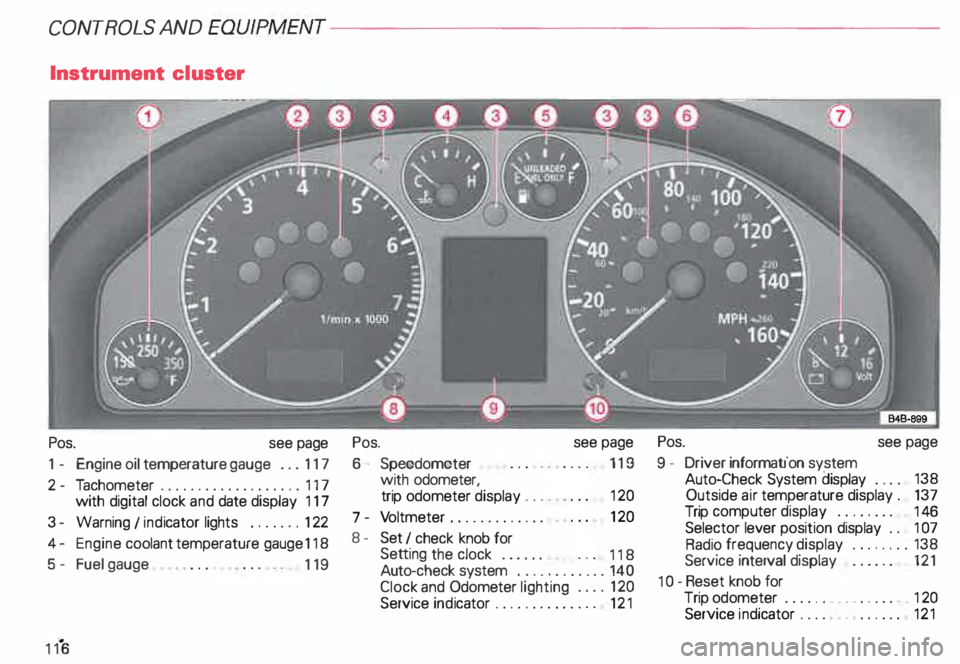
Instrument cluster
Pos. see page
1 - Engine oil temperature gauge ... 117
2 - Tachometer ...... ........... .. 117
with digital clock and date display 117
3- Warning I ind icator lights ..... .. 122
4 - Engine coolant temperature gauge 118
5- Fuel gauge
119 Pos.
6 · Speedometer
with odometer,
trip odometer display ... .
7 - Vo ltmeter ............ .
8 - Set I check knob for see
page
119
12 0
12 0
Setting the clock . . . . . .
118
Auto -check system ............ 140
Clock and Odometer lighting .... 12 0
Service indicator . . . . . . . . . . . . . . 121 Pos.
see page
9 - Driver information system
Auto-C heck System display . . . . 138
Outside air temperature display .
137
Trip computer display . . . . . . . . 146
Selector lever position display . .
1 07
Radio frequency display ........ 138
Service interval display . . . . . . 121
1 0 -Reset knob for
Trip odometer ......•.. _ ..... .. 120
Service indicator . . . . . . . . . . . . 121
Page 118 of 306
The illustration on previous page shows the
arrangement of the instrument cluster in a
U.S. vehicle.
1 - Engine oil temperature
gauge �
Of (C)
Engine oil temperature ranges from 150 OF
(60 °C) to 350 °F (180 °C). With the needle
around 150 °F (60 °C), do not accelerate un
der full load.
If the needle moves into the upper zone in
excepti onal cases, reduce your speed. The
needle should then return to the normal
zone.
If the needle stays in upper zone, stop the
vehicle, switch off the engine and check the
oil leve l. If the oil level is correct and the oil
pressure warning light does not flash when
the engine is started, you can drive to the
next authorized Audi Dealer but do·not run
engine at high speeds. 2
- Ta chometer with clock
Ta chometer
The red area at the end of the scale indi
cates maximum permissible engine rpm
(rev olutions per minute) for all gears after
the break-in period. Before reaching this
area, the next higher gear or selector lever
position "D" should be selected or the foot
eased off the accelerator pedal.
r.Gb Upshifting early saves fuel and
1!/!:i reduces engine noise.
Shift to the next lower gear when engine
rpm drops below 1,500 rpm. CONT
ROLS AND EQUIPMENT
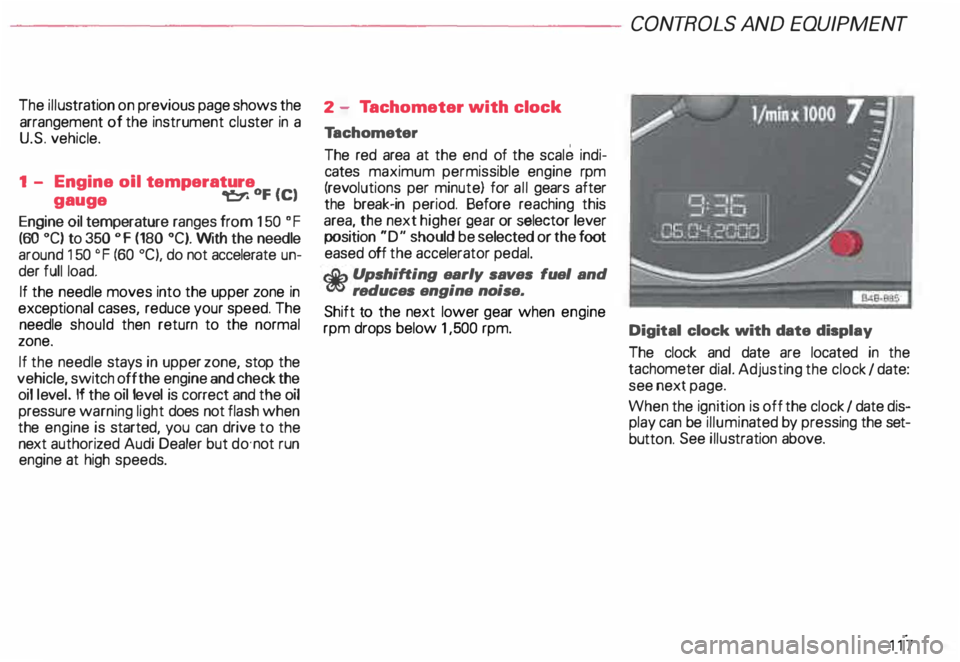
Digital clock with date display
The clock and date are located in the
tachometer dial. Adjusting the clock I date:
see next page.
When the ignition is off the clock I date dis
play can be illuminated by pressing the set
butt on. See illustration above.
117
Page 139 of 306
CONT
ROLS AND EQUIPMEN T-------------------------------------------
Radio frequency display
If the radio is switched on and no second
priority faults are present, the OK symbol
will go out and the display will show the fre
quenc y selected and various other informa
tion. This feature depends on the type of ra
dio fitted.
These displays are in addition to the radio
display -see separate operating instruc
tions for radio.
13 8 Auto-Check
system
In addition to the warning lights the Auto
Check System consistently monitors cer
tain individual functions and components of
the vehicle as soon as the ignition is turned
on and when the vehicle is moving.
Malfunctions or urgent repairs are audi bly
signaled as well as displayed by red (prior
ity 1) or yellow (priority 2) light symbols in
the instrument cluster.
You are thus reminded that a problem exists
which should be corrected for your conve
nience and safety, and to prevent the risk of
considerable damage to your vehicle due to
cert ain malfunctions.
The Auto-Check System incorporates a
speed warning feature and is also used
to display certain radio information_
The following malfunctions or warnings can
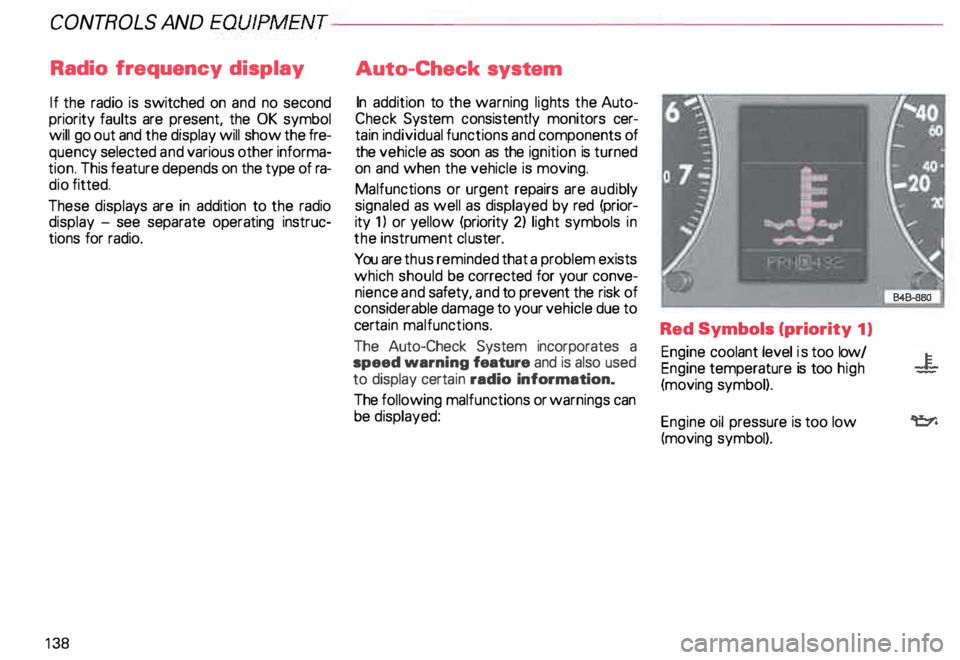
be displayed: Red Symbols (priority
1)
Engine coolant level is too low/
Engine temperature is too high
(moving symbol).
Engine oil pressure is too low
(moving symbol).
Page 140 of 306

--------------------CONTROLS AND
EQUIPMEN T
When the red blinking symbols appear,
three warning tones will sound at the same
time. These symbols represent Danger.
• Do not continue to operate the
vehicle. The problem muat be lo
cated and corrected immediately.
Pull off the road to a safe area, well away
from traffic, stop the engine and operate the
emergency flasher. Use other warning de
vices to alert motorists. Contact your autho
rized Audi Dealer or a qualified workshop.
In the event of multiple malfunctions, the
symbols will blink successively in two-sec
ond interva ls. The symbols will continue to
blink until the malfunction is corrected.
Note If a malfunction is detected while you are
using the Navigation System, the Naviga
tion System display will be switched off for
a few seconds and the Priority 1 Warning
symbol will appear. After that, the symbol
will change into the Priority 2 display, and
the Navigation System will be visible once
again.
As long there is a Priority 1 malfunction
present, Priority 2 malfunctions will not be
displayed. Ye
llow Symbols (priority 2)
Brake light is defective
Headlight and/or taillight is defective
B rake pads worn
Windshield wiper fluid reserv oir
level is too low (moving symbol)
Fuel level is low (@)
�
0 Battery
voltage is too low/too high 0
Check engine oil level
Engine oil sensor defective �ENSOR
Speed warning (USA Models)
Speed warning (Canada Models)
Dynamic headlight dimmer
control not functioning 9
8
When the yellow symbols appear, only one
warning tone will sound at the same time.
These symbols represent a Warn ing.
Have the malfunction displayed corrected
as soon as possible. In the event of mul tiple
malfunctions, the symbols will appear suc
cessively in two-second intervals.
139
Page 141 of 306
CONT
ROLS AND
EQUIPMENT--------------------
Test button
The test button can be used to perform the
following functions:
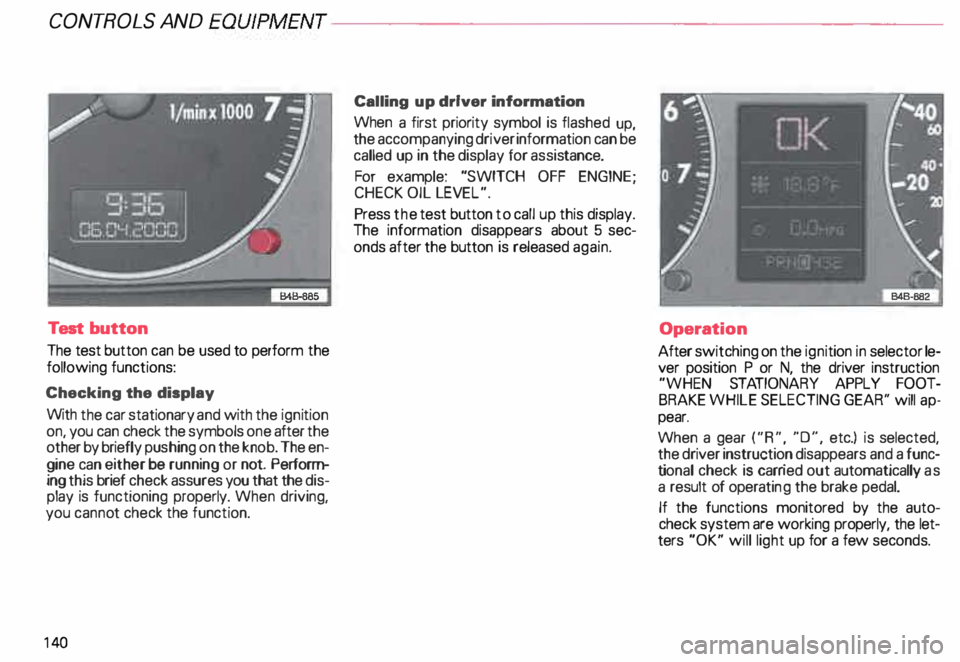
Checking the display
With the car stationary and with the ignition
on, you can check the symbols one after the
other by briefly push ing on the knob. The en
gine can either be running or not. Perform
ing this brief check assures you that the dis
play is functioning properly. When driving,
you canno t check the function.
14 0 Calling
up driver information
When a first priority symbol is flashed up,
the accompanying driver information can be
called up in the display for assis tance.
For example: "SWITCH OFF ENGINE ;
CHECK OIL LEVEL".
Press the test button to call up this display.
The information disappears about 5 sec
onds after the button is released again.
Operation
After switching on the ignition in selector le
ver position P or N, the driver instruction
"WHEN STATIONARY APPLY FOOT
BRAKE WHILE SELECTING GEAR'' will ap
pear.
When a gear ("R", "0", etc.) is selected,
the driver instruction disappears and a func
ti onal check is carr ied out automatically as
a result of operati ng the brake pedal.
If the functions monitored by the auto
check system are working properly, the let
ters "OK" will light up for a few seconds.
Page 144 of 306
---------------------CONTROLS AND EQUIPMENT
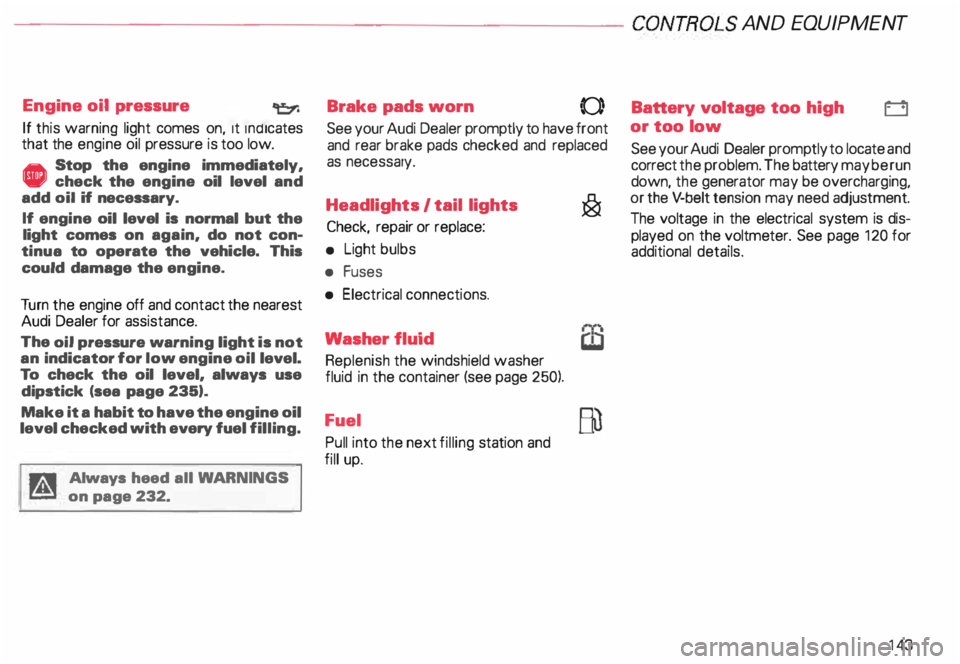
Engine oil pressure
If this warning light comes on, 1t Indi cates
that the engine oil pressure is too low.
• Stop the engine immediately,
check the engine oil level and
add oil if necessary.
If engine oil level is normal but the
light comes on again, do not con
tinua to operate the vehicle. This
could damage the engine.
Tu rn the engine off and contact the nearest
Audi Dealer for assistance.
The oil pressure warning light is not
an indicator for low engine oil level.
To check the oil level, always use
dipstick (sea page 235).
Make it a habit to have the engine oil
level checked with every fuel filling.
A Always heed all WA RNINGS
� on page 232. Brake
pads worn
0
See your Audi Dealer promptly to have front
and rear brake pads checked and replaced
as necessary.
Headlights I tail lights
�
Check, repair or replace:
• Light bulbs
• Fuses
• Electrical connections.
Washer fluid
Replenish the windshield washer
fluid in the container (see page 250).
Fuel Pull into the next filling station and
fill up. Battery
voltage too high
t::::1
or too low
See your Audi Dealer promptly to locate and
correct the problem. The battery may be run
down, the generator may be overcharging,
or the V-belt tension may need adjustment.
The voltage in the electrical system is dis
played on the voltmeter. See page 120 for
additional details.
143
Page 145 of 306

CONTROLS AND EQUIPMENT---------------------
Check
engine oil level �N
Check the engine oil level as soon as pos
sible by using the dip stick. Add engine oil
accordingly. See page 236.
Engine oil sensor
defective �ENOOR
Contact an authorized Audi dealer and have
the engine oil sensor inspected.
Speed warning 8 or 8
The stored speed h·as been exceeded. Slow
down or set new speed.
Dynamic headlight dimmer �(D
control• not functioning =1.
•
Have your authorized Audi dealer repair the
headlight dimmer control.
Refer to "Xenon lights" on page 157 for de
tails.
14 4 Speed
warning
You can store a road speed which is not to
be exceeded. As soon as you exceed that
speed by approximately 6 miles (1 0 kilome
ters), a warning tone sounds and "MPH"
("k m/h ") appears in the disp lay.
Nota Always monitor the vehicle speed by
means of the speedometer. The speed
warning device may only be used as a re
minder not to exceed the posted speed
limit. The
following describes how to store or de
lete speed warnings 1 and 2.
Speed warning 1
The ''MPH" ("km/h ") disappears when you
reduce the speed below the stored speed.
Also, the ''MPH" goes out when the driving
speed increases approximately 25 mph
(40 km/h) over the set speed for at least
1 0 seconds. The stored speed is not de
leted.
Selec ting speed limit
Press the test button for the Auto-Check
control briefly when the desired speed is in
dicated on the speedometer. The speed
warning symbol lights up when the button
is released to confirm that the selected
speed has been stored.
The set speed limit remains stored until
another speed is selected by pressing the
button again or until the memory is cleared.
Page 198 of 306
----------------------VEHICLE
OPERATION
,:lib Remove
supplementary roof
� rack components when not In
use.
At high road speeds, the increased air �e
sistance caused by the cross bars also In
creases fuel consumption.
,:lib Switch oH any electrical equip
� ment when no longer needed.
The more electricity you consume, the
higher the fuel consumption.
,:lib Check your vehicle 's fuel co?'l!�Sr sumption regularly. Keep a writ
ten record or use the trip odometer .
Check your fuel consumption ea?h time you
refu el. By doing this, you can d1scov �r a �y
inc onsistencies which could result 1n In
creased fuel consumption and have these
checked before other problems appear. •
Check your oil each time you fill
your tank
The amount of oil used is related to engine
load and speed.
It is normal for the oil consumption of a new
engine to reach its lowest value after a cer
tain mileage has been driven.
You must drive your vehicle about 3,000
miles (5 000 kilome tres) before you can
properly assess oil consumption.
This also applies to fuel consumption and
engine output.
• The published ENVIRONME NTAL
PROTECTION AGENCY (EPA) and
Tr ansport Canada consumption esti
mates may not correspond to your
actual consumption on the road.
which will vary depending upon ve
hicle load and speed. road and
weather conditions. trip length. etc. The
catalytic converter is an efficient
"clean-up" device built into the exhaust
system of the vehicle. The catalyttc convert
er burns many of the pollutants in the ex
haust gas before they are released into the
atmosphere.
The exclusive use of unleaded fuel is
critically important fo.r the life of
the catalytic converter and proper
functioning of the engine - see
page 225.
The catalytic converter will be per
manently damaged by:
• Exc eeding the correct engine oil
level - see page 236;
• Driving until the fuel tank be
comes completely empty. The en
gine could misfire. Unburned fuel
could also get into the exhaust sys
tem and this could cause the catalyt
ic converter to overheat;
197