fog light AUDI ALLROAD 2000 Owners Manual
[x] Cancel search | Manufacturer: AUDI, Model Year: 2000, Model line: ALLROAD, Model: AUDI ALLROAD 2000Pages: 306, PDF Size: 9.95 MB
Page 10 of 306
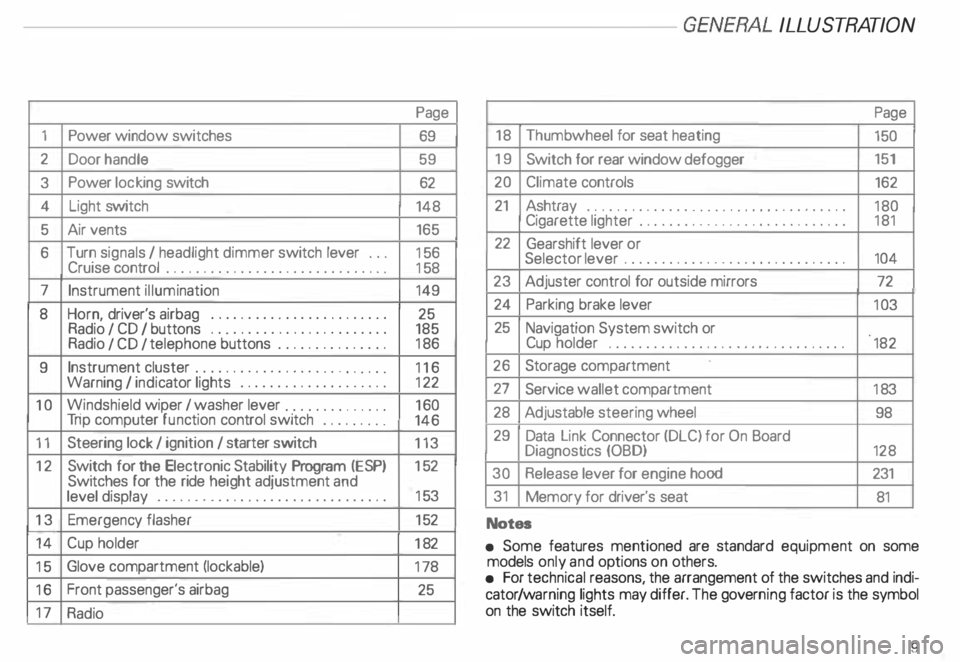
1
2
3
4 5
6
7
8
9
10
11 12
13 14
15
16
17 Power
window switches
Door handle
Power locking switch
Light switch
Air vents
Turn signals I headlight dimmer switch lever ...
Cruise control ................. .............
Instrument illumination
Horn, driver's airbag •••••
0 •• 0 •• 0 0 •• 0 ••• 0 ••• 0
Radio I CD I buttons ................
........
Radio I CD I telephone buttons ...............
Instrument cluster ....... ... ... ... ... .. .....
Warning I indi cator lights ••••••••
0 0
••••••••••
Windshield wiper I washer lever ..............
Tri p computer function control switch .........
Steering lock I ignition I starter switch
Switch for the Electronic Stability Program (i::SP)
Switches for the ride heigh t adjustment and
level display •••••••••••••••
0 •• 0 •• 0 0 •• 0 0 ••••
Emergenc y flasher
Cup holder
Glove compartment (lockable)
Front passenger's airbag
Radio Page
69
59 62
148 165
15 6
15 8
149
25
185
18 6
11 6
12 2
16 0
146
113
15 2
15 3
15 2
18 2
17 8
25 -------GE NERA L ILLUST
RATION
Page
18 Thumb wheel for seat heating
150
19 Switch for rear window defogger 151
20 Climate controls
162
21 Ashtray ...................................
180
Cigarette lighter ............................ 181
22 Gearshift lever or
Selector lever ..............................
104
23 Adjuster control for outside mirrors
72
24 Parking brake lever
103
25 Navigation System switch or
Cup holder
•••••••••••••••• 0 •••• 0 •••• 0 •••••
182
26 Storage compartment
27 Service wallet compartment
183
28 Adjustable steering wheel
98
29 Data Link Connector (DLC) for On Board
Diagnostics (OBD)
128
30 Release lever for engine hood 231
31 Memory for driver's seat
81
Notes
• Some features mentioned are standard equipment on some
models only and options on others.
• For technical reasons, the arrangement of the switches and indi
cator /warning lights may differ. The govern ing factor is the symbol
on the switch itself.
9
Page 12 of 306

----------------------------------------------GENERALILLUSTRA nON
Symbol
�
0 rp
w
iU
�N
�ENSOR
8 18
�[) =i•
�D 0$ Headlights
I tail lights
malfunction
Brake pads worn
Washer fluid level low
Fuel level low
Engine oil level low
Engine oil sensor defective
Speed warning
Dynamic headlight dimmer control
not functioning
Front fog lights
Rear fog light Page
14 3
143 143
143
144
144
144
14 4
149
149 Note
If one of the lights marked with 0 comes on suddenly while you
are driving, move a safe distance off the road. Turn off the engine,
turn the emergency flasher on and use other warning devices to
alert other motorists. Go to listed page in your Owner's Manual for
explanations.
11
Page 90 of 306
Air
circulation
Air circulation helps to reduce window fog
ging. Stale air escapes to the outside
through slots in the trim panel on the left
and right side of the luggage compartment.
Be sure to keep these slots free and open.
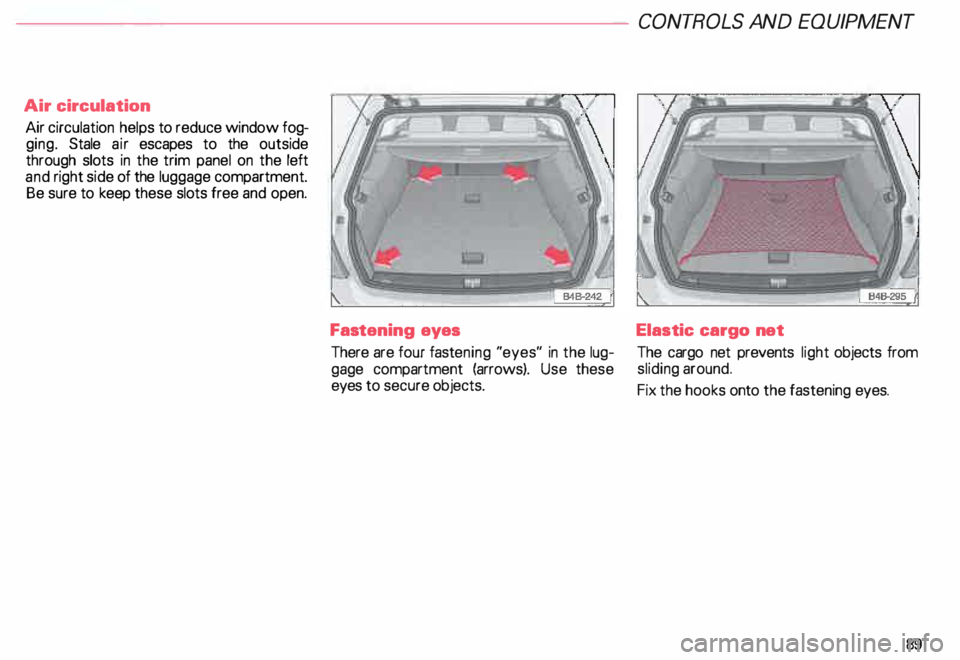
Fastening eyes
There are four fastening "eyes" in the lug
gage compartment (arrows). Use these
eyes to secure objects. CONT
ROLS AND EQUIPMEN T
Elastic cargo net
The cargo net prevents light objects from
sliding around.
Fix the hooks onto the fastening eyes.
89
Page 114 of 306
Ignition
switch
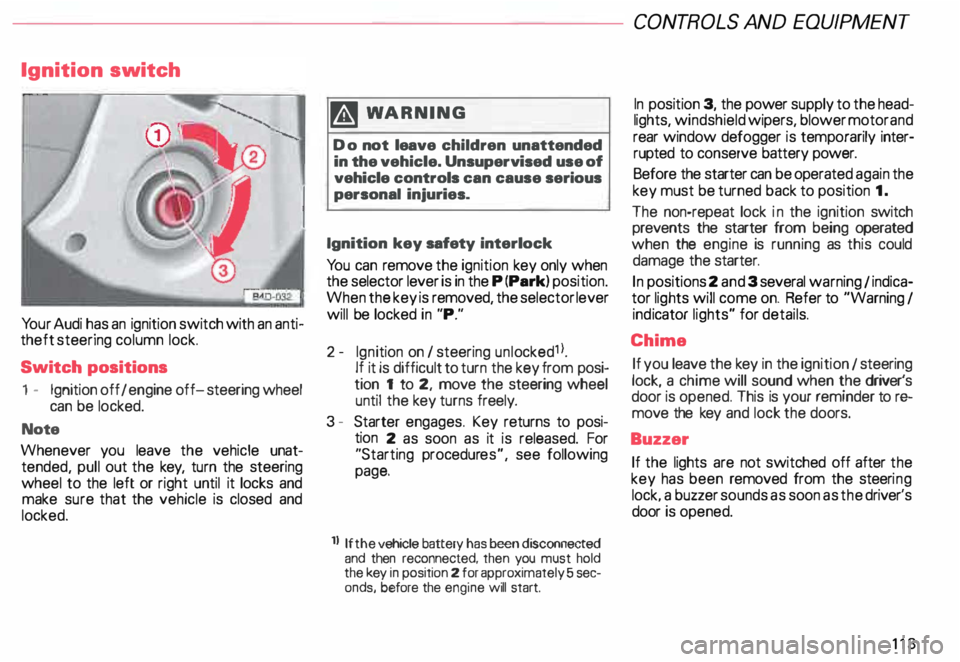
Yo ur Audi has an ignition switch with an anti
theft steering column lock.
Switch positions
1 - Ignition off I engine off-steering wheel
can be locked.
Note
Whenever you leave the vehicle unat
tended, pull out the key, turn the steering
wheel to the left or right until it locks and
make sure that the vehicle is closed and
locked. m
WARNING
Do not leave children unattended
in the vehicle. Unsupervised use of
vehicle controls can cause serious
personal injuries.
Ignition key safety interlock
Yo u can remove the ignition key only when
the selector lever is in the P (Park) position.
When the key is removed, the selector lever
will be locked in "P."
2- Ignition on I steering unlocked1 l.
If it is difficult to turn the key from posi
tion 1 to 2, move the steering wheel
until the key turns freely.
3 - Starter engages. Key returns to posi
tion 2 as soon as it is released. For
"Starting procedures", see following
page.
ll If the
vehicle battery has been disconnected
and then reconnected, then you must hold
the key in position 2 for approximately 5 sec
onds, before the engine will start. CONT
ROLS AND EQUIPMEN T
In position 3, the power supply to the head
lights, windshield wipers, blower motor and
rear window defogger is temporarily inter·
rupted to conserve battery power.
Before the starter can be operated again the
key must be turned back to position 1.
The non-repeat lock in the ignition switch
prevents the starter from being operated
when the engine is running as this could
damage the starter.
In positions 2 and 3 several warning 1 indica
tor lights will come on. Refer to "Warning I
ind icator lights" for details.
Chime If you leave the key in the ignition 1 steering
lock, a chime will sound when the driver's
door is opened. This is your reminder tor&
move the key and lock the doors.
Buzzer If the lights are not switched off after the
key has been removed from the steeri ng
lock. a buzzer sounds as soon as the driver's
door is opened.
113
Page 149 of 306
CONTROLS ANDEO�PMENT-----------------------------------------
Switches
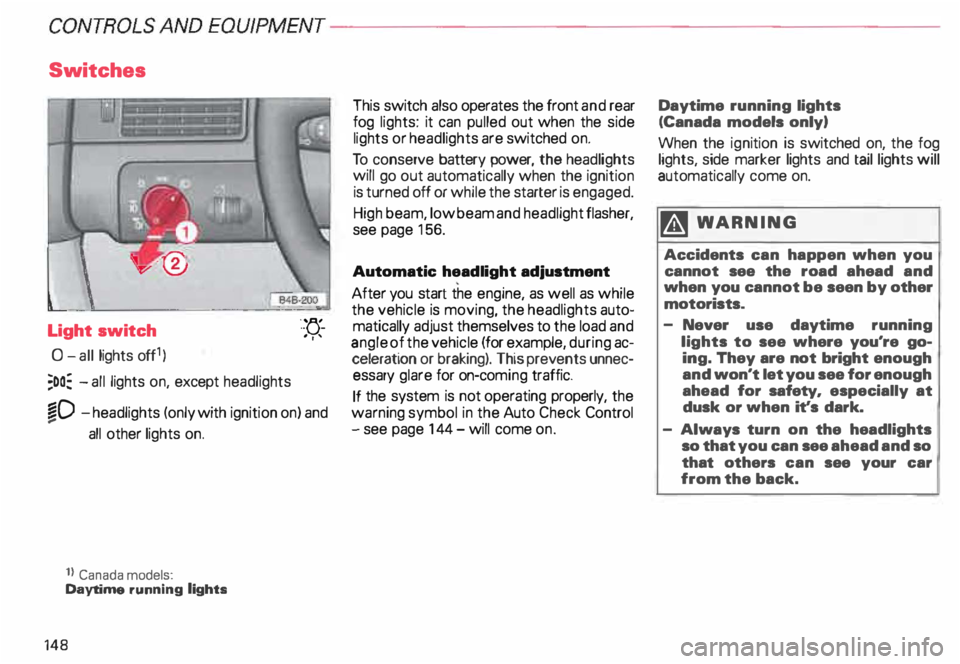
Light switch
0- all lights off1)
;oo: -all lights on, except headlights "-
YJ.-
. ''
�D -headlights (only with ignition on) and
...
all other lights on.
1} Canada models:
Daytime running lights
148 This
switch also operates the front and rear
fog lights: it can pulled out when the side
lights or headlights are switched on.
To conserve battery power, the headlights
will go out automatically when the ignition
is turned off or while the starter is engaged.
High beam, low beam and headlight flasher,
see page 156.
Automatic headlight adjustment
After you start the engine, as well as while
the vehicle is moving, the headlights auto
matically adjust themselves to the load and
angle of the vehicle (for example, during ac
celeration or braking). This prevents unnec
essary glare for on-com ing traffic.
If the system is not operating properly, the
warning symbol in the Auto Check Control
- see page 144- will come on. Daytime
running lights
(Canada models only)
When the ignition is switched on, the fog
lights, side marker lights and taillights will
automatically come on.
�W ARNING
Accidents can happen when you
cannot see the road ahead and
when you cannot be seen by other
motorists.
- Never use daytime running
lights to see where you're go
ing. They are not bright enough
and won't let you see for enough
ahead for safety, especially at
dusk or when it's dark.
- Always turn on the headlights
so that you can see ahead and so
that others can see your car
from the back.
Page 150 of 306
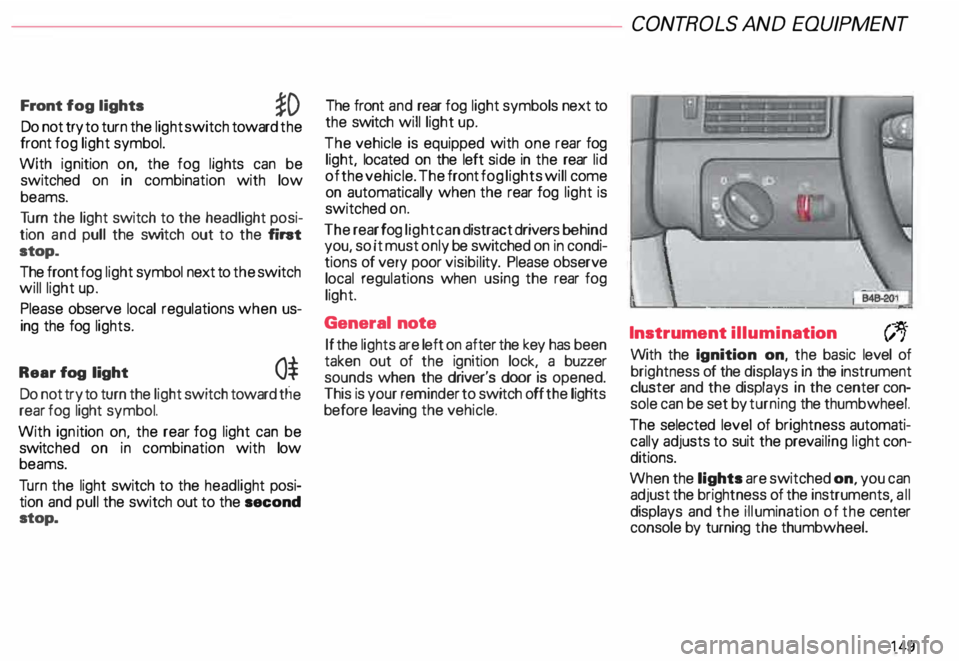
Front
fog lights
�D
Do not try to turn the light switch toward the
front fog light symbol.
With ignition on, the fog lights can be
switched on in combination with low
beams.
Tu rn the light switch to the headlight posi
tion and pull the switch out to the fint
stop.
The front fog light symbol next to the switch
will light up.
Please observe local regulations when us
ing the fog lights.
Rear fog light
0$
Do not try to turn the light switch toward tlie
rear fog light symbol.
With ignition on. the rear fog light can be
switc hed on in combination with low
beams.
Tu rn the light switch to the headlight posi
tion and pull the switch out to the second
stop. The front
and rear fog light symbols next to
the switch will light up.
The vehicle is equipped with one rear fog
light, located on the left side in the rear lid
of the vehicle. The front fog lights will come
on automatically when the rear fog light is
switched on.
The rear fog light can distract drivers behind
you, so it must only be switched on in condi
tions of very poor visibil ity. Please observe
local regulations when using the rear fog
light.
General note
If the lights are left on after the key has been
taken out of the ignition lock, a buzzer
sounds when the driver's door is opened.
This is your reminder to switch off the ligHts
before leaving the vehicle. CONT
ROLS AND EQUIPMEN T
Instrument illumination
(;,.
With the Ignition on, the basic level of
brightness of the displays in the instrument
cluster and the displays in the center con
sole can be set by turning the thumbwheel.
The selected level of brightness automati
cally adjusts to suit the prevailing light con
ditions.
When the lights are switched on, you can
adjust the brightness of the instruments all
displays and the illumination of the ce�ter
console by turning the thumbwheel.
149
Page 152 of 306
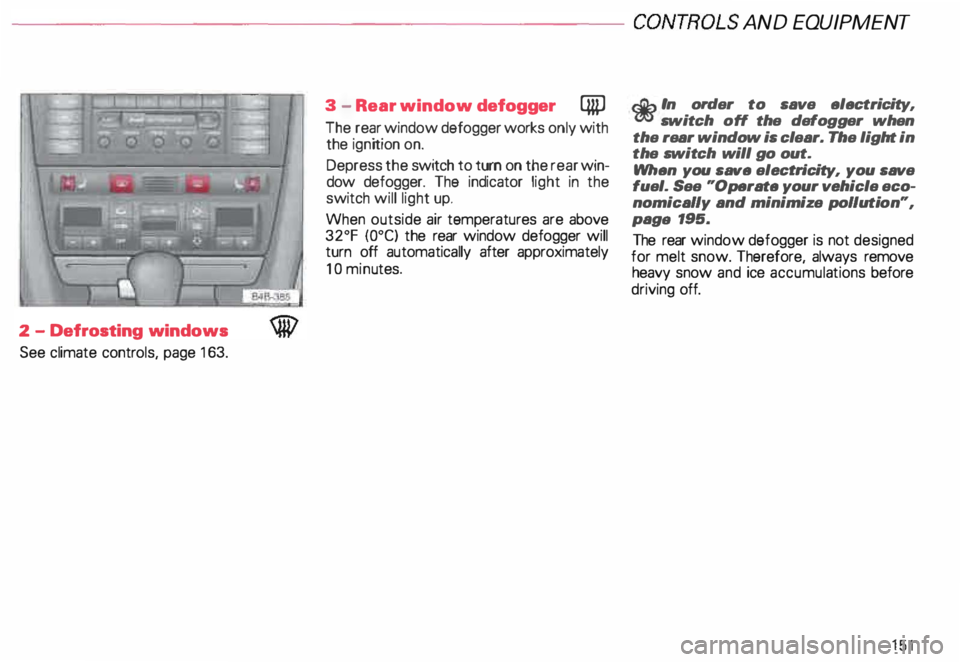
---------------------CONTROLS
AND EQUIPMENT
2 -Defrosting windows
See climate controls, page 163. 3
-Rear window defogger QiP
The rear window defogger works only with
the ignition on.
Depress the switch to turn on the rear win
dow defogger. The indicator light in the
switch will light up.
When outside air temperatures are above
32°F {0°C) the rear window defogger will
turn off automatically after approximately
10 minu tes.
r.Gb In order to save electricity, m switch off the defogger when
the rear window is clear. The light in
the switch will go out.
When you save electri city, you save
fuel. See "Operate your vehicle eco
nomically and minimize pollution",
paga 195.
The rear window defogger is not designed
for melt snow. Therefore, always remove
heavy snow and ice accumula tions before
driving off.
151
Page 164 of 306
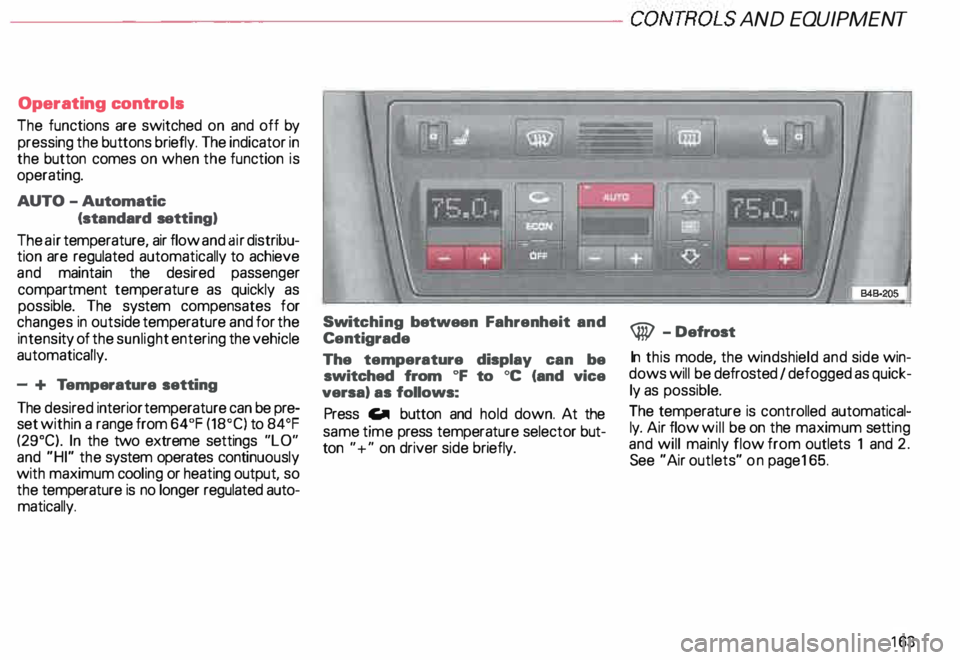
---------------------CONTROLS AND EQUIPMENT
Operating controls
The functions are switched on and off by
pressing the buttons briefly. The indicator in
the button comes on when the function is
operating.
AUTO -Automatic
(standard setting)
The air temperature, air flow and air distribu
tion are regulated automatically to achieve
and maintain the desired passenger
compartment temperature as quickly as
possible. The system compensates for
changes in outside temperature and for the
intensi ty of the sunlight entering the vehicle
automatically.
- + Temperature setting
The desired interior temperature can be pre
set within a range from 64°F (18°C) to 84°F
(29°C). In the two extreme settings "LO"
and "HI" the system operates continuously
with maximum cooling or heating output, so
the temperature is no longer regulated auto
matically. Swit
ching between Fahrenheit and
Centigrade
The temperature display can be
switched from oF to oc (and vice
versa) as follows:
Press Gill button and hold down. At the
same time press temperature selector but
ton "+" on driver side briefly. @
-Defrost
In this mode, the windshield and side win
dows will be defrosted I defogged as quick
ly as possible.
The temperature is controlled automatical
ly. Air flow will be on the maximum setting
and will mainly flow from outlets 1 and 2.
See "Air outlets" on pag e165.
163
Page 216 of 306
Waxing
Please refer to the important information on
page 212.
• A good wax coati ng protects the vehicle
paint to a large extent against the environ
mental influences listed under "Washing"
and even agains t light scratches.
• When water doesn't form small drops
and roll off clean paint, apply a coat of good
hard wax. Even if a wax solution is used reg
ularly for washing your vehicle, it is advis
able to protect the paint with a coat of hard
wax at least twice a year.
• To protect bright metal trim, use car wax.
• Protect plastic body parts painted the
same as the vehicle body with car wax.
• Do not use car wax on ...
- matte or anodized metal trim
rubber or rubber-l ike trim. Tr
im strips
Dirty patches and marks on the trim strips
should be removed with a pH-balanced
cleaning agent (do not use a chrome
cleaner). Audi Dealers carry cleaning prod
ucts which have been tested for use on your
vehicle and are not harmful to the environ
ment.
To avoid corrosion on the exterior trim
str ips, only a pH-balanced solution should
be used for the windshield washer.
To uch-up paint
Yo ur Audi Dealer has touch-up paint for mi
nor scratches and stone chips. Scratches
should be touched up soon after they occur
to prevent corrosion.
If a spot starts to rust, however, a simple
touch-up job won't be enough. The affected
surface must be smoothed with sand paper
and covered with an anti-rust primer before
the painted finish can be restored.
The n umber for the original vehicle paint can
be found on the vehicle identification label
- see page 291 . VE
HICLE CARE
Windows Clean all windows regularly to remove road
film and car- wash wax buildup. Use a luke
warm soap and water sol uti on or an alcohol
based commercial window cleaning agent.
If a chamois is used for polishing the glass,
it should be used exclusively for that pur
pose.
Also, be sure to clean all windows regularly
on the inside.
Use a plastic scraper to remove snow and
ice from windows and mirrors. To help pre
vent dirt from scratching the windo w, al
ways scrape in a forward direction -push
ing the scraper away from you-never back
and forth.
Note
To prevent damage the wires of the rear
defogger, do not place any adhesive stick
ers in the inside of the rear window over the
wires.
215
Page 246 of 306
-------------------------VEHICL E CA RE
Do not disconnect the vehicle bat
tery when the ignition is switched
on or when the engine is running.
Otherwise, you will damage elec
tronic components in the electrical
system.
When working on the engine, pro
tect the battery housing from ultra
violet (UV) rays by not parking the
vehicle in direct sunlight. Winter
operation
During the winter months, battery capacity
tends to decrease as temperatures drop.
More power is also consumed while start
ing, and the headli ghts, rear window defog
ger, etc., are used more often.
Av oid unne cessary power consumption,
particularly in city traffic or when trave:ling
only short distances. Let your authonzed
Audi Dealer check the capacity of the ve
hicle battery before winter sets in. A well
charged battery will not only prevent start
ing problems but will also last longer.
If your vehicle is left standing for
several weeks at extremely low tem
peratures, the vehicle battery
should be removed and stored
where it will not freeze. This will
prevent it from being damaged. Location
of vehicle battery
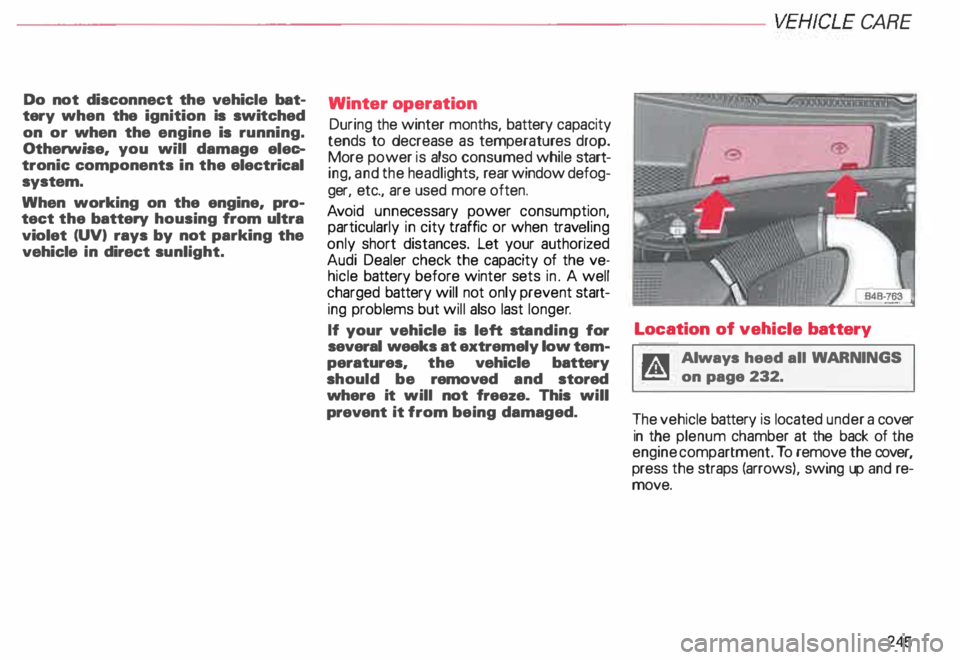
g Always heed all WAR NINGS
� on page 232.
The vehicle battery is located under a cover
in the plenum chamber at the back of the
engine compartment. To remove the cover,
press the straps (arrows ), swing up and re
move.
245