power steering AUDI E-TRON 2020 User Guide
[x] Cancel search | Manufacturer: AUDI, Model Year: 2020, Model line: E-TRON, Model: AUDI E-TRON 2020Pages: 316, PDF Size: 85.96 MB
Page 107 of 316

4KE012721BE
Driving dynamic
Selective wheel torque control
Selective wheel torque control is used when driv-
ing on curves. Braking is targeted toward the
wheels on the inside of the curve as needed. This
allows more precise driving in curves.
Power steering
The ESC can also support vehicle stability
through steering.
ZA WARNING
—The ESC and its integrated systems cannot
overcome the limits imposed by natural
physical laws. This is especially important on
slippery or wet roads. If the systems begin
acting to stabilize your vehicle, you should
immediately alter your speed to match the
road and traffic conditions. Do not let the in-
creased safety provided tempt you into tak-
ing risks. This could increase your risk of a
collision.
— Please note the risk of a collision increases
when driving fast, especially through curves
and on slippery or wet roads, and when driv-
ing too close to objects ahead. There is still
a risk of accidents because the ESC and its
integrated systems cannot always prevent
collisions.
— Accelerate carefully when driving on
smooth, slippery surfaces such as ice and
snow. The drive wheels can spin even when
these control systems are installed and this
can affect driving stability and increase the
risk of a collision.
— As the vehicle load increases, especially the
roof load, the vehicle's center of gravity also
increases along with the risk of the vehicle
tipping. To reduce the risk of an accident, al-
ways adapt your driving style to the current
conditions and avoid sudden driving maneu-
vers.
@) Tips
— The ABS and ASR only function correctly
when all four wheels have a similar wear
condition. Different tire sizes can lead toa
reduction in motor power.
— You may hear noises when the systems de-
scribed are working.
The 0 button for controlling the ESC is located
in the center console, in front of the selector lev-
er. The ESC is automatically switched on when
the ignition is switched on.
Limiting ESC
In some situations, it may make sense to limit
the stabilizing function of the ESC so that the
wheels can spin, for example to rock a vehicle to
free it when it is stuck or to drive with snow
chains. The ESC can also be limited to provide
more sporty driving characteristics with fewer
stabilizing corrective actions.
—To limit the ESC, press the So button briefly.
The B indicator light turns on.
— To completely reactivate the ESC stabilization
function, press the button again. The indicator
light turns off.
Depending on the Audi drive select mode that is
selected, one of the following ESC modes will be
selected automatically:
— sport - this mode is designed for driving ona
level surface. It is used in all Audi drive select
modes except offroad.
— offroad - this mode is suited for driving offroad
and is designed for uneven terrain or loose
ground. If you select the offroad Audi drive se-
lect mode, the offroad ESC mode will be auto-
matically used.
Switching off ESC
For a more active control of the vehicle where the
stabilizing functions of the ESC cannot intervene,
the ESC can be switched off.
—To switch off the ESC, press and hold the Sor
button for more than three seconds. The B
and aa indicator lights turn on.
— To completely reactivate the ESC stabilization
function, press the button again. The indicator
lights turn off.
105
>
Page 148 of 316

Driver assistance
Switching lane guidance on and off
Applies to: vehicles with adaptive cruise assist and lane guid-
ance
B8V-0692
Fig. 109 Turn signal lever: Lane guidance and lane depar-
ture warning button
Within the limits of the system, lane guidance
provides corrective steering to assist the driver
with keeping the vehicle in the center of the lane
as much as possible. This feature can be deacti-
vated.
Switching lane guidance on and off
Requirement: lane guidance must be preselected
in the MMI > page 151.
> To activate/deactivate the availability of the
lane guidance, press the button on the turn sig-
nal lever > fig. 109.
The system will assist the driver by providing cor-
rective steering only when adaptive cruise assist
is actively regulating and availability is switched
on.
Overview of displays and lane guidance
limitations
The indicator @9 in the Driver assistance display
indicates the availability of lane guidance
=> page 143, fig. 106.
© - Lane guidance is active.
&- Lane guidance is not active.
If the or indicator light turns on white on
at least one side, or the [J indicator light turns
on white in the Driver assistance display, then
lane guidance is not active. This may be due to
the following reasons:
— The necessary lane marker lines have not been
detected (for example, in a construction zone
146
or because the lines are obstructed by snow,
dirt, water, or lighting)
— The lane is too narrow or too wide
— The curve is too narrow
— The driver's hands are not on the steering
wheel
— Visibility is obstructed by a rise or dip.
— The turn signal was activated.
Steering intervention request
If no steering activity is detected or the steering
power from the system is not sufficient, the driv-
er steering intervention request will alert the
driver using audio and visual signals. Take over
the steering and keep your hands on the steering
wheel so that you will be ready to steer at any
time. The system will become inactive after a
short time and will only be active again later.
If the driver does not take over steering, adaptive
cruise assist will be canceled. If the vehicle is
equipped with emergency assist and it is ready to
function, it will be activated if possible
=> page 162.
Z\ WARNING
Observe the safety precautions and note the
limits of the assist systems, sensors, and
cameras > page 127.
@) Tips
— Always keep your hands on the steering
wheel so you can be ready to steer at any
time. The driver is always responsible for
adhering to the regulations applicable in
the country where the vehicle is being oper-
ated.
— It is recommended to only switch on lane
guidance on well-constructed roads.
—The > fig. 109 button switches lane guid-
ance availability and the lane departure
warning on or off simultaneously, if lane
guidance is preset in the adaptive cruise as-
sist settings.
Page 170 of 316

Parking and maneuvering
@ Use the blue markings to help you estimate
the distance to an obstacle. Each marking
represents approximately 3 feet (1 meter).
The blue area represents an extension of the
vehicle's outline by approximately 16 feet (5
meters) to the rear.
@® You can recognize the rear bumper in the
lower display.
@ You should stop driving in reverse when the
red orientation line touches the edge of an
object, at the latest.
Trailer view
Applies to: vehicles with trailer view
The trailer view > fig. 129 assists you in position-
ing the vehicle in front of a trailer.
— Applies to: vehicles with peripheral cameras:
Switch to the Rear view > page 169, fig. 130.
— Select Trailer view in the upper display when
the parking aid is active |---|.
Now you can position your vehicle in front of the
trailer. The orange orientation line ©) > fig. 129
indicates the expected path toward the trailer
hitch. Use the blue markings © to help you esti-
mate the distance to the trailer hitch. Each mark-
ing represents approximately 1 foot (0.30 me-
ters). The width of the blue surface represents
the maximum steering wheel angle.
Symbols
If 2/&9/< is displayed and the display area
represented by that symbol is not available, then
the camera on the that side is not available. The
power exterior mirrors may have been folded in
or a door or the luggage compartment lid may
have been opened.
If # is displayed, there is a system malfunction
and the display area represented by that symbol
is not available. The camera is not working in this
area.
If Avis displayed, the respective ultrasonic sensor
is icy or dirty. Clean the area in front of the sen-
sors > page 129.
If one of the symbols continues to be displayed,
drive immediately to an authorized Audi dealer or
168
authorized Audi Service Facility to have the mal-
function repaired.
ZA\ WARNING
— Observe the safety precautions and note the
limits of the assist systems, sensors, and
cameras > page 127.
— Sensors and cameras have spots in which
the surrounding area cannot be detected.
Objects, animals, and people may only be
detected with limitations may not be detect-
ed at all. Always monitor the traffic and the
vehicle's surroundings directly and do not
become distracted.
@) Note
— The orange orientation lines @ show the di-
rection the rear of the vehicle will be travel-
ing, based on the steering wheel angle. The
front of the vehicle swings out more than
the rear of the vehicle. Maintain plenty of
distance so that an exterior mirror or a cor-
ner of the vehicle does not collide with any
obstacles.
— Keep enough distance from the curb to
avoid damage to the rims.
— Only use the images provided by the camera
on the rear of the vehicle when the luggage
compartment lid is completely closed. Make
sure any objects you may have mounted on
the luggage compartment lid do not block
the rearview camera.
G) Tips
— Applies to: vehicles with air suspension: The
accuracy of the orientation lines and blue
surfaces on the camera display decreases
when the vehicle is raised or lowered with
the air suspension.
— There is no distance warning for the rear
and the sides* when trailer towing mode is
detected. The front sensors remain activat-
ed. The visual display switches to trailer
mode. There is no guarantee the functions
will be deactivated when using a retrofitted
trailer hitch.
Page 228 of 316
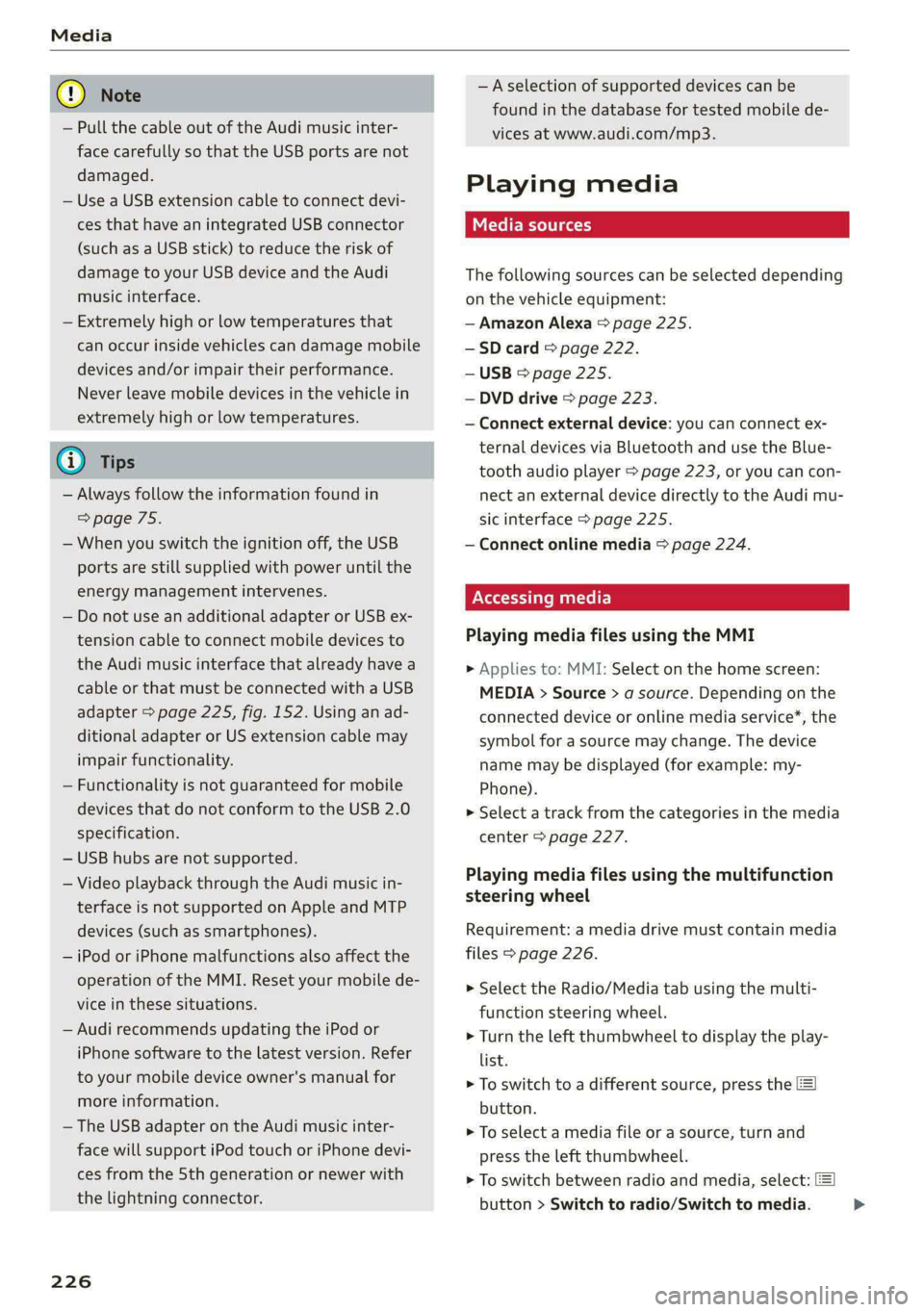
— Pull the cable out of the Audi music inter-
face carefully so that the USB ports are not
damaged.
— Use a USB extension cable to connect devi-
ces that have an integrated USB connector
(such as a USB stick) to reduce the risk of
damage to your USB device and the Audi
music interface.
— Extremely high or low temperatures that
can occur inside vehicles can damage mobile
devices and/or impair their performance.
Never leave mobile devices in the vehicle in
extremely high or low temperatures.
@ Tips
— Always follow the information found in
=> page 75.
— When you switch the ignition off, the USB
ports are still supplied with power until the
energy management intervenes.
— Do not use an additional adapter or USB ex-
tension cable to connect mobile devices to
the Audi music interface that already have a
cable or that must be connected with a USB
adapter > page 225, fig. 152. Using an ad-
ditional adapter or US extension cable may
impair functionality.
— Functionality is not guaranteed for mobile
devices that do not conform to the USB 2.0
specification.
— USB hubs are not supported.
— Video playback through the Audi music in-
terface is not supported on Apple and MTP
devices (such as smartphones).
— iPod or iPhone malfunctions also affect the
operation of the MMI. Reset your mobile de-
vice in these situations.
— Audi recommends updating the iPod or
iPhone software to the latest version. Refer
to your mobile device owner's manual for
more information.
— The USB adapter on the Audi music inter-
face will support iPod touch or iPhone devi-
ces from the 5th generation or newer with
the lightning connector.
226
—Aselection of supported devices can be
found in the database for tested mobile de-
vices at www.audi.com/mp3.
Playing media
The following sources can be selected depending
on the vehicle equipment:
— Amazon Alexa > page 225.
-—SD card > page 222.
— USB > page 225.
— DVD drive > page 223.
— Connect external device: you can connect ex-
ternal devices via Bluetooth and use the Blue-
tooth audio player > page 223, or you can con-
nect
an external device directly to the Audi mu-
sic interface > page 225.
— Connect online media > page 224.
PN matte)
Playing media files using the MMI
> Applies to: MMI: Select on the home screen:
MEDIA > Source > a source. Depending on the
connected device or online media service*, the
symbol for a source may change. The device
name may be displayed (for example: my-
Phone).
> Select a track from the categories in the media
center > page 227.
Playing media files using the multifunction
steering wheel
Requirement: a media drive must contain media
files > page 226.
> Select the Radio/Media tab using the multi-
function steering wheel.
> Turn the left thumbwheel to display the play-
list.
> To switch to a different source, press the
button.
> To select a media file or a source, turn and
press the left thumbwheel.
> To switch between radio and media, select:
button > Switch to radio/Switch to media. >
Page 284 of 316

Emergency assistance
— When the parking lock is engaged, neither
the front nor rear axle may be lowered or
raised more than 10. The driveshafts or
tires could be seriously damaged.
— Towing must not be used to charge the
high-voltage battery (recuperation), be-
cause this could result in major damages to
the tow vehicle or the vehicle being towed.
— The vehicle must not be tow started for
technical reasons.
@ Tips
— Switch Audi pre sense* off > page 158 when
loading the vehicle onto a vehicle carrier,
train, ship, or other type of transportation,
or when towing the vehicle. This can prevent
an undesired intervention from the pre
sense* system.
— Follow the local legal regulations for tow-
ing.
Read and follow the important information under
=> page 281.
Preparations
> Only secure the towing cable or tow bar at the
designated towing loops > page 282,
> page 283.
> Make sure the towing cable is not twisted. Oth-
erwise it could disconnect from the towing loop
while towing.
> Switch the emergency flashers on in both
vehicles > page 47. However, do not do this if it
prohibited by law.
Towing vehicle (front)
> Only start to drive when the towing cable is
taut.
> Press the brake pedal very carefully.
> Avoid sudden braking or driving maneuvers.
Vehicle being towed (rear)
> Make sure the ignition is switched on so that
the steering wheel is not locked and so that you
can use the turn signals, the horn, and the
windshield wipers if needed > A\.
282
> Switching it off before the vehicle has stopped
may impair the function of the brake booster
and power steering. You would then need to
use more force to steer and brake the vehicle.
> Release the parking brake > page 96.
> Select the “N” selector lever position.
> Switch the ESC off to avoid error messages
=> page 105.
> Make sure the towing cable is always taut.
ZA WARNING
— Never tow a vehicle using a tow bar or tow-
ing cable if the vehicle does not have electri-
cal power.
— If the vehicle runs out of power while it is
being towed, stop towing the vehicle imme-
diately and consult an authorized Audi deal-
er or qualified repair facility.
Front towing loop
Fig. 176 Front bumper: installing the towing loop
The threaded opening for the towing loop is lo-
cated on the right side of the front bumper.
» Remove the towing loop from the vehicle tool
kit > page 274.
> Press the cap inward with brief, strong pressure
=> fig. 176. The cap will loosen from the bump-
er.
> Tighten the towing eye as far as it will go into
the mount. Use a suitable object to tighten the
towing eye completely and securely in the
mount.
> After using, place the towing loop back in the
vehicle tool kit.
Page 307 of 316
4KE012721BE
Index
Listening to music
refertoMedia.............0ee eee 222,226
Load... 2.2... eee eee 298
Locking and unlocking
By remote control............00 cece ee 34
Using the lock cylinder...............05 32
With the convenience key............... 34
Low. beam headlights visu. so cews ov ones oo ses 45
Luggage compartment.................. 77
Cargo floor. ...... eee eee eee 80
Cover... eee eee eee eee 78
Increasing the size... 61... cee eee eee 79
POWEPSOUNCESxcccie. oo sine ow mri ww enetiede wwe 75
also refer to Luggage compartment...... 77
Luggage compartment lid
Closing bUttON : ¢ s ses +e eves se een ce vee 37
Generalinformation...............000- 35
Mechanically unlocking..............0-. 38
Opening and closing................... 36
Opening and closing with foot motion..... 38
Power opening and closing.............. 37
Lumbar support.............-.000 2-000 57
M
Maintenance « sresive sv srvice vv avers ve asaeata 0 8 292
Maintenance intervals.................. 246
Manually releasing the charging connector. 114
Manually releasing the charging port door.. 114
Map
Changing the scale..........cc0ee eee 202
Display... 2... eee eee eee 204
Operating « s sees ss ees ss eee se eee ee we 203
Setting the destination................ 202
MAP
refer to Message Access Profile......... 181
Map Previewer ssc os wasen oo man os wwrine 201
Map Updates « 2 sewn ss ween ov mee 2 a eee 209
ORL ennsss 6 oxeriexe © 0 aunsesn oo ennnece am coouene a 209
SD card/USB connection............... 209
Massage function...............-000 eee 57
PRrOnts 2 seess x = sie x 2 ees 7 8 eee ee eae Fe 58
Mechanical keys » 2 wow s y mew ss mews gy eee 33
Media......... 0... cc eee 222, 226
DIiVGS': + 2 osu « 2 goa 3 2 yee 2 Yee 2 a ew 222
Supported formats............-....-. 232
Mediacenter’s « csisccs +o cscs « « somine 0 © asoeune oo 227
Memory card
SD card reader (MMI) .............0005 222
Supported types and formats........... 232
Memory fUNCtION cas + = eons se reas xo Rees ee 64
Menu language
refer to Setting the language........... 236
Menu paths: < ¢ ees se ewes ae pees ee een ee 16
Message Access Profile...........-...0- 181
MessageS..... 1... 0-00 eee cece eee ee 181
Mirror COMPASS... 1... cece eee eee 54
Mirrors
Adjusting exterior mirrors............... 49
DIMMING ¢ ¢ sews s & ewe 4 x mows + eae 2 HIE 50
MaNTEYZOTITOR. creams» « snsem » 9 wet oo enue x 6 51
MMI
refer to Multi Media Interface........... 17
Mobile device
refer to Telephone............00eee eee 173
Mobile phone network
Connection settings...............005 185
Motor compartment
Opening and closing the hood.......... 241
Overview... ..... cece cece eee eee eee 242
Safety precautions................2.-. 240
Storage
compartment............00e00 76
MOUGNtain pPasseses « wees ss news oy aoe ewe 98
MOUNTAIN TOAdS's: « & sem = & sews = x neues +o ee 98
Multifunction steering wheel
Buttons: « sxisess os swiss @ 3 omar ao ena oa 12, 26
Operating...................0.00.0000. 12
Programming buttons.................- 26
Voice recognition system............... 24
Multi Media Interface................... “7
Menus.and symbols « wscsa «occa © cence «nn 18
Operating................2.02.000. 15,18
Switching the displays on or off.......... 17
MUlt@ icy: « 2 ame « 5 sews s 2 Wem 2 2 eee & ee 8 26
myAudi..
2.2... ee eee eee 27
Automatic login: « « sess ¢ s ame ¢ ¢ wens s ¢ os 27
myAudi navigation................. 197,201
N
Narrow areaSien: s = ees gs sea yo seen es 151
Natural leather care and cleaning......... 271
305
Page 311 of 316

4KE012721BE
Index
Sliding/tilting sunroof
refer to Panoramic glass roof............ 4l
Smart favorites..............2..22000. 217
Smartphone
Wireless charging ............seee eee 175
also refer to Telephone................ 173
SHOW /CHAINS’: » sz: « = same 5 o eee ge ete 264
Socket
refer to Power sources.............0000. 75
Software
Update « wsccons x 2 census « s aesusws «0 seouevs & weteusasw 237
Software information
Legalnotes................000 02000 238
Software version (MMI)
Version information...............00- 238
Sound
refer to Adjusting the sound............ 236
Speed limit information
refer to Traffic sign recognition......... 132
Speed limits
refer to Traffic sign recognition......... 132
Speedometer « ssw «secs ze wecen vv amie ve 11,
Speed warning system...............0.. 132
Starting climate control after unlocking..... 86
Starting to drive: < = sess = eens = seus ¢ s ree 89
StGerinG’s x : nas s & Sages ¢ & Sa 7h SES Ts 103
AUGiArIVESCLEGE aici 2 2 sven oo soon wo ore 101
also refer to Steering..............005 103
Steeringilocks. « « sscwne x scans 2 6 swarm 0 ove 88, 103
Steering wheel
Adjusting... ...... 0... e cence eee eee 59
Steering wheel heating................. 85
also refer to Multifunction steering wheel. . 12
Steps for determining correct load limit... 262
Stopover (navigation) « sess «ves ss vows s 202
SUOraGe)s « 2 aes & 2 eee xe emew 7 EE EE Res 76
Storage compartment................0-5 76
Storage compartment in motor compartment .76
Stored stations
Feferto Presets’. « «ccc. se aes de wane ses 216
Streaming
refer to Online media................. 224
Subtitles’\(DVD) seuss es seum 4 ¢ som 2 seme 2 230
Sunshade
Rear window/rear doors.............005 51
ROOP's = wees «sees yo meee yy Sem oe REY ee 41
also refer to Panoramic glass roof........ Al
SUNWISOMS « sons: = 3 oes 2 o come 2 wom 2 ee < 50
SUSPENSION « nowe + s wees s eee oe eee es ee 102
Audi drive:select’. xsi
SWerveassist «woos so mews eo eee oo ewe © x 157
Symbols
Charging equipment............. 0006. 115
Navigation.................0....000. 203
TrathiGeens = ¢ sms = neues & = REE § EHR soe 210
also refer to Indicator lights.............. 7
SYNC (climate control system)............ 83
SYStEMISEELINGS « saws 2 2 aaveu = eeq@my + yar 4 236
T
Tail lights
Cleanings: «a access & + asisans oo excans « 0 amen vo 269
Technicalidatats « i isso + seocinave x ivan a avevom 297
Technical modifications................. 292
Telephone’: « = seuss ¢ s gees eo even yo apes oe 173
Audi phone: boxes + « seco ee ewes ee mews © 175
Connecting acellphone............... 173
Dialing anumber.............--0.---- 179
Options during aphonecall............ 180
Playing music. ......... 0. cece eee eee 223
Temperature display (outside temperature) .. 13
TOXGHAPULE secs 5 & excens 9 % axewens 9 © ewan aw © samen 21:
Text messages
Settings.......... 0.00. eee eee eee 181
Text messaging settings............... 181
also refer to Text messages............ 181
Tie2dOWiHS': + sess x 2 saues g 2 onewe 5 x mows ¥ 2 gee 79
Tightening specification
Wheel Doltsiinc «0 cus: + i acu 2 mecwee 2 anasee 279
Tightening specification (wheel bolts) .... . 279
TUNMC's © weeus & ¥ seeue = & eee co eee 2 a ew za 14
Timer (high-voltage battery)............. 114
Tire Mobility System (tire repair set)....... 274
THOS eee eee 248
Loose wheel warning.............-.... 263
LOW=profilestires. sewn x o ssesse © o anevee © sane 264
Repair set.............0... 0.0.00 000- 274
ReplAGiig « sews + x meme = azemn 2 nae & Ree 276
Page 313 of 316
4KE012721BE
Index
Wheelibollts ascscs sv scm a 5 ammunne oo mex w 3 ane 262
anti-theft... 0... 2... cece 277
Tightening specification............... 279
WIGEIS 5 sus & saves @ males a aR DE aI SE 248
Gleaning « = sees oe eww oo een oo see Yo Oe 270
Glossary of tire and loading terminology... 251
Loose wheel warning.............-.... 263
Replacing) san 3 + wees 2 x mows « v uews 2 ous 276
Tire pressure monitoring system........ 266
Tires and vehicle load limits............ 260
Wheelwrench....................0.00. 274
Wi-Fi
HOtspOt'Settings:. <= cscs ce ceeus eres se 192
Online Media « sires sx sess op aonoses @ a comes « 224
Using ahotspot.............00--00 eee 188
Wild animal recognition................ 135
Window and mirror heating............... 86
Windows
Child safety lock........ 2... .. ee eee eee ee 39
Cleaning and removing ice............. 270
Convenience opening and closing......... 40
Defrosting......... 0... cece ee eee ee 84
Opening and closing................5-. 39
Power Windows: « = sss = y sees & 2 ewe & oo 39
Windshield
Cleaning « « cesses a x sumer: wo 2 amwies vx ane x x ce 51
also refer to Windshield................ 51
Windshield washer system........... 51, 246
Reservoir capacity.................... 298
Windshield wipers...............-000005 51
Winter operation
Auxiliary climate control...............5 85
Car washes season «a anise s a aneuase so anonane «0 268
Cooling systeM........-...0-.00 ee eee 242
Defrosting windows.................05- 84
Rear window defogger...........-....- 84
Removing ice from windows............ 270
Seat heating............ 2... cee eee eee ee 84
SNOW CHalNS sss ss news oe woes o gee 6 = HO 264
Steering wheel heating................. 85
Tir€S oe eee ee 263
Vehicle battery (12 Volt)............... 245
Windshield washer system............. 246
Winter tinesSiccoc << aime oo oie a a omen oo one 263
Wireless CarPlay
refer to Audi smartphone interface...... 234
Wireless charging
Audi phone box
311