transmission AUDI E-TRON 2020 User Guide
[x] Cancel search | Manufacturer: AUDI, Model Year: 2020, Model line: E-TRON, Model: AUDI E-TRON 2020Pages: 316, PDF Size: 85.96 MB
Page 197 of 316
4KE012721BE
Emergency call
the emergency call button (2) will blink. The
emergency call will be made. The emergency call
cannot be canceled.
LED status
— Green - The emergency call function is availa-
ble.
— Red - There is a malfunction in the emergency
call function. Contact an authorized Audi dealer
or authorized Audi Service Facility. Note the
messages about the availability of the emer-
gency function > page 195.
— Off - The emergency call function is not availa-
ble, perhaps because no network is available.
Warnings
If there is a critical system failure in the emer-
gency call systems, the vehicle occupants will re-
ceive the following warning: see > page 195, LED
status and > page 195, Messages.
@) Tips
If the emergency call is canceled due toa
poor connection, then the system automati-
cally tries to connect again.
Messages
Applies to: vehicles with emergency call function
& Emergency call function: malfunction! Re-
stricted functionality. Please contact Service
If this indicator light turns on and this message
appears, the emergency call function is restrict-
ed. For example, you cannot call the emergency
call center, but data may still be transmitted un-
der certain circumstances. Drive to an authorized
Audi dealer or authorized Audi Service Facility im-
mediately to have the malfunction corrected.
&S Emergency call function: malfunction! Func-
tion unavailable. Please contact Service
If this indicator light turns on and this message
appears, you cannot make an emergency call.
Drive to an authorized Audi dealer or authorized
)) The availability of the services offered depends on the
country and may change in the future.
Audi Service Facility immediately to have the
malfunction corrected.
Online roadside
assistance
Applies to: vehicles with online roadside assistance
An online roadside assistance call )) is a combina-
tion of data transmission and a phone call. The
data transmission from your vehicle forwards im-
portant information to the Audi service center,
such as the vehicle and position data.
Cee Te Re tee cary
Applies to: vehicles with online roadside assistance
RAZ-0443
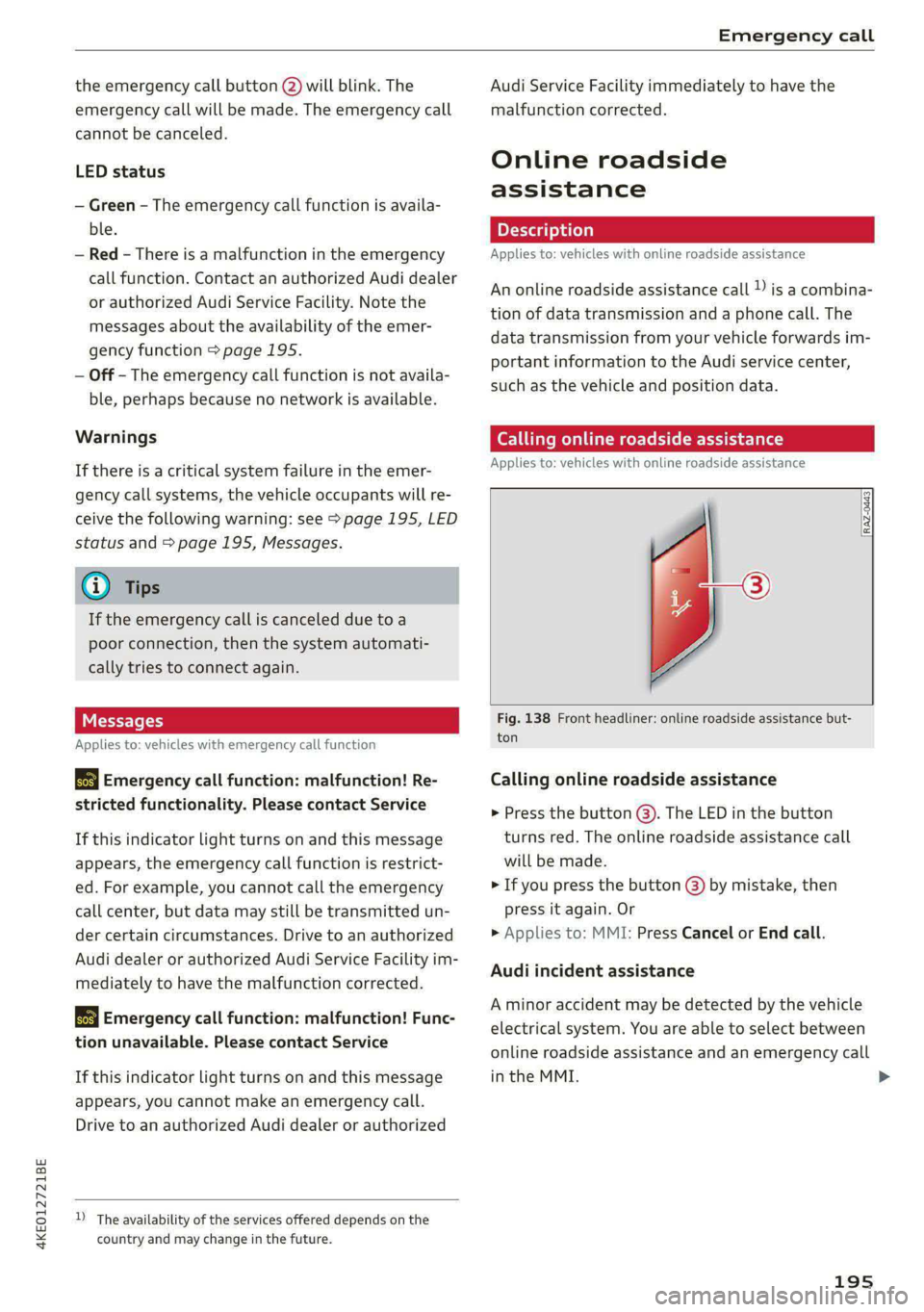
Fig. 138 Front headliner: online roadside assistance but-
ton
Calling online roadside assistance
> Press the button (@). The LED in the button
turns red. The online roadside assistance call
will be made.
> If you press the button () by mistake, then
press it again. Or
> Applies to: MMI: Press Cancel or End call.
Audi incident assistance
A minor accident may be detected by the vehicle
electrical system. You are able to select between
online roadside assistance and an emergency call
in the MMI. >
195
Page 253 of 316

4KE012721BE
Wheels
Glossary of tire and loading
terminology
Accessory weight
means the combined weight (in
excess of those standard items
which may be replaced) of auto-
matic transmission, power steer-
ing, power brakes, power win-
dows, power seats, radio, and
heater, to the extent that these
items are available as factory-in-
stalled equipment (whether in-
stalled or not).
Aspect ratio
means the ratio of the height to
the width of the tire in percent.
Numbers of 55 or lower indicate a
low sidewall for improved steer-
ing response and better overall
handling on dry pavement.
Bead
means the part of the tire that is
made of steel wires, wrapped or
reinforced by ply cords and that is
shaped to fit the rim.
Bead separation
means a breakdown of the bond
between components in the bead.
Cord
means the strands forming the
plies in the tire.
Cold tire inflation pressure
means the tire pressure recom-
mended by the vehicle manufac-
turer for a tire of a designated
size that has not been driven for
more than a couple of miles (kilo-
meters) at low speeds in the three
hour period before the tire pres-
sure is measured or adjusted.
Curb weight
means the weight of a motor ve-
hicle with standard equipment in-
cluding the maximum capacity of
fuel, oil, and coolant, air condi-
tioning and additional weight of
optional equipment.
Extra load tire
means a tire designed to operate
at higher loads and at higher in-
flation pressures than the corre-
sponding standard tire. Extra load
tires may be identified as “XL”,
“xl”, “EXTRA LOAD”, or “RF” on
the sidewall.
251
Page 283 of 316

4KE012721BE
Emergency assistance
@) Note
The compressor must be switched off after six
minutes at the most to reduce the risk of
overheating. Let the compressor cool down
for several minutes before using it again.
G) Tips
The ESC must not be limited or switched off
when driving with the collapsible spare tire
=>page 105.
Jump starting
The vehicle cannot be operated when the 12 Volt
vehicle battery is drained. Your vehicle must not
be jump started in this case. Contact an author-
ized Audi dealer or authorized Audi Service Facili-
ty.
@) Note
The vehicle battery must not be bridged using
conventional jump start methods.
— You may neither give nor receive a jump
start. Otherwise, the electronic systems in
the vehicle may be severely damaged.
— The jump start pins in the motor compart-
ment are designed specifically for qualified
technicians.
Towing
General information
You should only perform the steps that follow if
you have the necessary tools and technical ex-
pertise.
Towing requires a certain amount of practice.
Audi recommends contacting a towing company
to have the vehicle transported.
You should only have your vehicle towed by an-
other vehicle when disabled in exceptional cir-
cumstances. Inexperienced drivers should not
tow.
Notes on towing
— The maximum permitted towing speed is 30
mph (50 km/h).
— The maximum permitted towing distance is 30
miles (50 km).
Additional information on towing with a tow
truck
The vehicle may only be towed with the front axle
raised. Do not wrap any chains or cables around
the brake lines.
Tow bar and towing cable
The vehicle can be towed with a tow bar or tow-
ing cable. Both drivers should be familiar with
the special considerations when towing, especial-
ly when using a towing cable.
Always make sure the traction force does not ex-
ceed the permitted level and there are no shock
loading conditions. There is always the risk of the
coupling becoming overloaded when driving off-
road.
For the most safety and security, drive with a tow
bar. You should use a towing cable only if a tow
bar is not available. Use a towing cable made of
synthetic elastic cable similar elastic material.
Z\ WARNING
— Towing highly increases the risk of an acci-
dent, for example from colliding with the
towing vehicle.
—To reduce the risk of an accident, do not al-
low anyone to remain inside the vehicle
when it is being transported by a tow truck
or a special transporter.
® Note
—Ifthe /E| indicator light turns on, there is a
fault in the cooling circuit. The vehicle must
not be towed. The drive system can be se-
verely damaged.
— If normal towing is not possible, for exam-
ple if the transmission is faulty or if the
towing distance is greater than 30 miles
(50 km), then transport the vehicle on a
special carrier.
— If the vehicle is towed by a tow truck at the
axle that is not permitted, this can cause se-
vere damage to the transmission.
281
>
Page 291 of 316

4KE012721BE
Data privacy
— How far (if at all) the driver was depressing the
accelerator and/or brake pedal; and,
— How fast the vehicle was traveling.
These data can help provide a better understand-
ing of the circumstances in which crashes and in-
juries occur. NOTE: EDR data are recorded by your
vehicle only if a non-trivial crash situation occurs;
no data are recorded by the EDR under normal
driving conditions and no personal data (e.g.
name, gender, age, and crash location) are re-
corded. However, other parties, such as law en-
forcement, could combine the EDR data with the
type of personally identifying data routinely ac-
quired during a crash investigation.
To read data recorded by an EDR, special equip-
ment is required, and access to the vehicle or the
EDR is needed. In addition to the vehicle manu-
facturer, other parties, such as law enforcement,
that have the special equipment, can read the in-
formation if they have access to the vehicle or the
EDR.
Assist system monitor
This vehicle is equipped with an Assist System
Monitor (ASM). The ASM collects data that is not
stored by the EDR in the event of an accident. The
main task of the ASM is to make it possible to un-
derstand the role and the behavior of the assist
systems in these accident situations. In addition
to the data that the EDR stores, the ASM records
data related to the assist systems starting sever-
al seconds before the accident or near-accident.
The data collected by ASM depends on the equip-
ment and may include the following information:
status information of the assist systems (for ex-
ample, if they are switched on or off, system
events, etc.), control interventions (for example,
by ESC, ABS, Audi pre sense’, etc.), and assist
systems settings (such as speed settings).
Special devices and access to the vehicle or to the
ASM are necessary in order to read the data from
the ASM memory. In addition to the vehicle man-
ufacturer, third parties such as law enforcement
authorities can also read and analyze the stored
data if they have access to the vehicle or to the
ASM.
Data usage
Audi can read out the information stored in the
data memories or similar data, or give this infor-
mation to third parties, especially in the follow-
ing situations:
— If the vehicle owner or lessee agrees
— If there is an official request from the police
— Ifa court or authorities request it
If legally permitted, Audi can also use the data
for analysis of vehicle operation and safety per-
formance or provide this data to third parties for
research purposes.
Transmitted information
Data collection
Applies to: vehicles with data collection
Depending on the country, AUDI AG may collect
data for the following purposes, for example: of-
fer and product optimization, public safety, pro-
vision of Audi connect remote vehicle services,
and adaptation to customer expectations. For ex-
ample, various technical function data, environ-
mental data, driving data, and usage data will be
collected for a specific purpose and forwarded to
AUDI AG. The data will be sent from the vehicle
at the time the data was collected.
Applies to: MMI: You can find additional informa-
tion about data collection in the MMI. Select on
the home screen: SETTINGS > General > Legal
notes > About Audi connect.
If you would like to deny data transmission to
AUDI AG, contact an authorized Audi dealer or
authorized Audi Service Facility for more infor-
mation. You also have the option to deactivate
data transmission within the privacy settings.
Privacy settings
Applies to: vehicles with Audi connect
> Applies to: MMI: Select on the home screen:
SETTINGS > Privacy settings.
When using Audi connect services or during data
collection, data will be transmitted from the ve-
hicle.
289
>
Page 292 of 316

Data privacy
> To display additional information about the pri-
vacy settings and the associated symbols in the
status bar, press @ in the MMI.
Requirement: the ignition must be switched on.
Setting the maximum privacy settings
When the Activate privacy mode function is
switched on, the data connection is deactivated
or sending of data is restricted, but all safety-re-
lated, legal, or contractually required Audi con-
nect services remain activated. The majority of
the Audi connect services are deactivated.
When the function is switched off, the data con-
nection will be available in order to use Audi con-
nect services.
Adjusting individual privacy settings
In the MMI, you can adjust individually which da-
ta should be transmitted from the vehicle. If you
switch on a data category, the data will be trans-
mitted.
@) Note
You are responsible for all precautions taken
for data protection, anti-virus protection, and
protection against loss of data on mobile de-
vices that are used to access the Internet
through the Wi-Fi hotspot.
@ Tips
— The following interfaces are not affected by
changes to the privacy settings: Bluetooth,
Bluetooth Low Energy (BLE), Wi-Fi, Audi
smartphone interface (ASI), Near Field
Communication (NFC), charging communi-
cation (high-voltage system), Electronic Toll
Collect (ETC), On-Board Diagnostic System
(OBD) if equipped.
— If the maximum privacy settings are switch-
ed on, your vehicle may not receive security
updates and certificates for establishing an
encrypted connection, depending on vehicle
equipment. In order to receive security up-
dates and certificates, switch the maximum
privacy settings off for at least ten minutes
every six months. Make sure that your vehi-
cle is connected to the Internet. A symbol in
290
the MMI status bar indicates if the required
data connection is available > page 19.
— If the transmission of data is limited, it will
have the following effects on the exchange
of data for Audi connect services and emer-
gency calls, if equipped:
—The emergency call function will remain
available without restrictions and will con-
tinue to transmit data.
— If an online roadside assistance call is ini-
tiated, no data will be transmitted, but a
call will be made.
— If the Geofencing Alert, Speed Alert,
and/or Valet Alert services have been acti-
vated by the key user, then they will re-
main available without restrictions and
continue to transmit data.
— Stored destinations (favorites, last desti-
nations) are only stored in the vehicle. If
you allow transmission of data again,
these destinations will be synchronized via
the myAudi account. To prevent synchroni-
zation of destinations, delete the destina-
tions before you allow data to be trans-
mitted again.
Applies to: vehicles with Audi connect Infotainment
AUDI AG collects, uses, stores and shares your
personal information, such as contact data, vehi-
cle data, usage data, driving data and precise ge-
olocation, in order to provide you with the prod-
ucts and services you have purchased or request-
ed, and for a number of other purposes, for ex-
ample, to track quality issues, to performance
and safety, to meet our internal compliance or le-
gal requirements and to market to customers
and potential customers. For a more complete
list of the data we collect, how we use it and with
whom we share it, please visit your Audi nation-
al/sales region website at www.audi.com.
The collection, use and sharing may vary depend-
ing on your model and model year, your subscrip-
tion status, or the service offering. For example,
collection, use and sharing may vary between
Audi connect services, if you have designated a
key user, or if you are driving a model equipped >
Page 299 of 316

4KE012721BE
Technical data
Technical data
Identification data
Vehicle data label
XXX X= HKNK WOK XX
(Hae wrccnce XX XNKKKNKK
Frm XXX XX
2
XX XKXKKKX XK. XX XK
(3) / SERB
ENG. CODE / TRANS CODE
XXX KW XXX
XXXX XXX XXX
@ in | INNENAUSST.
PAINT NO. J INTERIOR
M. -AUSST./ OPTIONS
XXXX /XXXX XXX / XX
EOA 7D5 4UB 6XM 5SG 5RW
2EH JOZ 1LB 1AS 1BA
3FC SMU 7X1
FOA 9G3 0G7 OYH OJF
TL6 3KA 8EH UIA X9B QZ7
1xw 8Q3 9Q8 824 D2D
716 CV7 7KO 4X3 2K2
34 4KC 3Y0 413 5D2
1SA 7GB QIA 4GQ
RAZ-0668
SH
ee
Fig. 185 Vehicle identification label
The vehicle identification label > fig. 185 is locat-
ed in the luggage compartment under the cargo
floor cover.
The vehicle identification label information can
also be found in the Warranty & Maintenance
booklet.
Vehicle data
The sticker contains the following vehicle data:
@ Vehicle Identification Number (VIN)
@ Vehicle type, motor output, transmission
® Motor and transmission codes
@) Paint and interior codes
© Optional equipment numbers
Vehicle identification number (VIN)
The VIN is located in the following areas:
— Applies to: MMI: Select on the home screen:
VEHICLE > Settings & Service > Vehicle infor-
mation.
— On the vehicle identification label
— At the front behind the windshield
— Inthe motor compartment on the right side
Notes about technical data
The values may vary based on special equipment
as well as market-specific equipment and meas-
uring methods.
Please note that the specifications listed in the
vehicle documentation always take precedence.
G) Tips
Any technical data that is missing was not
available at the time of printing.
Length (in (mm)) | Width (in (mm)) | Width across the | Height at curb
mirrors (in (mm)) | weight (in (mm))
e-tron 193.0 (4,901) 76.2 (1,935) 80.4 (2,043) - 65.1 (1,653)
86.2 (2,189)
e-tron Sportback 193.0 (4,901) 76.2 (1,935) 80.4 (2,043) - 65.0 (1,651) -
86.2 (2,189) 65.1 (1,653)
297
Page 310 of 316

Index
Removing the caps (wheel bolts)......... 277
REPAailS saion o & naena os wa oF eK 6 BRR oo 292
Repeats = s cses = eas 4 i sien oy ceo ge ee 228
Replacement key. « i ec ess een ge eer se ore 33
Replacement parts..............-02 ee ee 294
Replacing fuses ...........0.e cece eee 284
Reporting Safety Defects................ 294
Reverse gear
PefeP tO Gal's « s mass = ¢ neues 5 a aes s 2 ees 90
RIMS 2... eee 262
Cleaning’s < « ccs =» goes te eewe es oes eos 270
Road Cartieh wxsex + wean x 2 mame oe Roum a ge 102
Rolling ability
Electromechanical parking brake......... 96
ICL aSSIStiecss cs ssawens sv winenne » 0 soanane a 9 exnitone 97
Transmission idle...................00. 91
Roof
refer to Panoramic glass roof............ 41
Roof lodd «= seen s enema ¢ eaues 8 ¢ wees 5 toes 298
Roof rack... 2... eee eee eee eee 80
also refer to Roof rack..............000- 80
Route guidance
SEOPPIING secvees sv sxoess ov exams & a cavers vo ome 203
also refer to Navigation............... 197
Route planner (e-tron)............000 00 202
Running direction (tires)................ 279
S
Safety beltSiesccs 2 a aces vw cece < womens wv nec & 61
Cleaning..... 2.0... 6c cece eee eee eee 271
LOGKINGicws = & worms = 2 eee & 2 eee £ o ome ee 72
Securing child safety seats.............. 72
Satellite:map « sess = 2 evar ee wesw 2 wasn © 208
Screen
refer to Touch display................0. 15
Serewd river's « o wweis 6 o wane 6 eae ae sore ve 274
SDieard reader (MMI) sie. ss scons oe sani vo 222
Search-area (POD) sews « s wees x y cee x 2 nese 200
Search for charging station
refer to Online Points of Interest........ 200
Search function
refer to Free text search............... 230
Seatheating vveisi « « cao © 6 maven « weno © wrewess 84
Seats
Adjusting the front seats............... 57
Cleaning « < ¢ ses ss sees co ees ce ease es 271
308
FOlGINGsecers «a cserens w= mwenecs «ws mnavees ww eee eH 79
Front passenger’s seat adjustment....... 59
Head restraints... ...0.. eee cece eee eee 60
Massage-FUnction wccnes scence se oem oe ere 57
Memory function............00 eee eee 64
Resetting the position.................. 58
Storing’a seatiprofile « sicis « «sete «x owas a « 64
Seat Ventilation: ss ssws seas x s wae 2 es 84
Selecting a source (media).............. 226
Selector levers » = wens 2 » wer 5 os meme: > eer 90
Self-learning navigation
refer to Personal route assistance....... 205
Sensors
Coverage areas
Locations........ 0.0... 0c eee eee eee
Service interval display..............00. 246
Setting measurement units.............. 236
SOtbINGSions «sms +o cei meen ¢ mane ev BH 236
Announcements and tones............. 236
BlWGtoOth ; « = sees y = sees =p eewe se eee 237
Daterand timers «x sess sx swan x awa 2s 236
Language.............. ce eee eee ee 236
Measurement units..............00005 236
Mediates <6 nai se ames 6 wa os ween as wen 231
Navigation.............0 02sec eee eee 211
R&GIG
SyStEM . 6. eee ete eee 236
Time zone... 22... eee eee eee 236
WiFFUHOtspOt © cases x « cares ¢ © awe 2 8 pew e 192
Setting the charging target.............. 113
Setting the language................00. 236
Setting the time..............--.000005 236
Shade
Rear window/rear doors..............-. 51
Shift paddles
Adjusting recuperation................. 93
Ship carrier's » awn s eeaes + yews « ween so oe 102
Shortcut
referto Shortcuts’. « svc ee ees so ores a oe 20
Shorteutsevs 2 2 soscve se even 2 o eween ¥ x wea © 8s 20
SHUffl@ sos s = eerom « = nes 5 e eeen ee cee eee 228
Side@aSSiSticcs x ¢ seve + ¢ ceewe & 2 eee Be ee 158
Cleaning’SeNSOLs: soi. ss exe e ecomes & wanes 269
SIM at « 3 ses os neces vo seme vy Pre ey sees 188
SiriusXM alert notifications.............. 217