parking brake AUDI E-TRON 2020 Owner's Manual
[x] Cancel search | Manufacturer: AUDI, Model Year: 2020, Model line: E-TRON, Model: AUDI E-TRON 2020Pages: 316, PDF Size: 85.96 MB
Page 174 of 316

Parking and maneuvering
your vehicle is pulled too far into the park-
ing space so that it is hidden by adjacent
vehicles.
Gi) Tips
— Once an automatic brake activation occurs,
the system cannot initiate another activa-
tion for several seconds.
— System functions may not be available if the
ESC is limited or switched off, or if there is a
malfunction.
— If there is an acoustic warning signal from
the rear cross-traffic assist, then the park-
ing aid may not warn you of detected obsta-
cles under certain circumstances.
— The system is not available when the vehicle
detects that you are towing a trailer. There
is no guarantee the functions will be deacti-
vated when using a retrofitted trailer hitch.
Do not use these functions when towing a
trailer.
— For an explanation on conformity with the
FCC regulations in the United States and the
Industry Canada regulations, see
=> page 295.
— The coverage area of the sensors > fig. 131
is a diagram and does not represent a true-
to-scale image of the sensor ranges.
172
Page 242 of 316
Checking and Filling
Checking and Filling
Motor compartment
(eT r eeeuel ela)
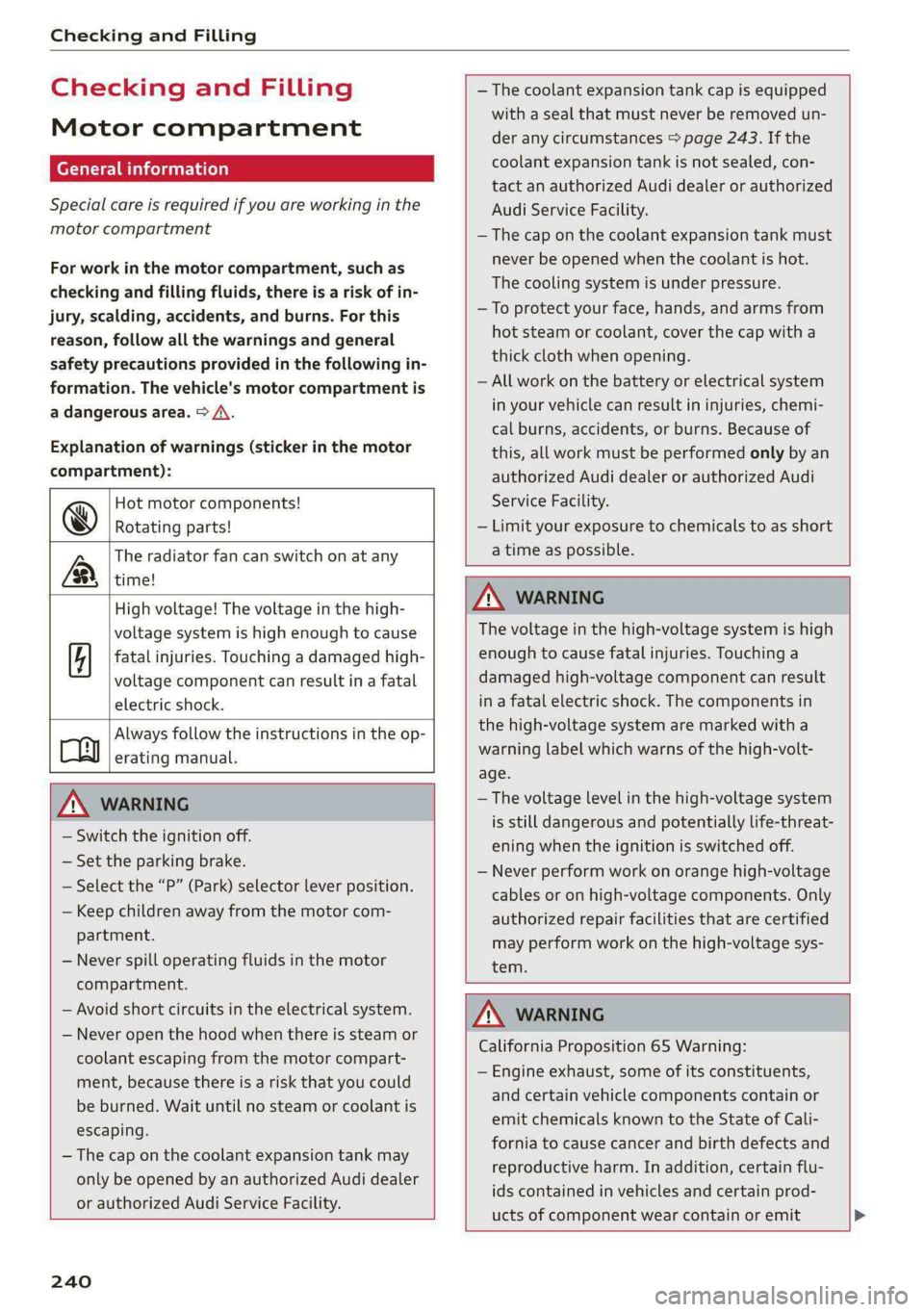
Special care is required if you are working in the
motor compartment
For work in the motor compartment, such as
checking and filling fluids, there is a risk of in-
jury, scalding, accidents, and burns. For this
reason, follow all the warnings and general
safety precautions provided in the following in-
formation. The vehicle's motor compartment is
a dangerous area. > /A\.
Explanation of warnings (sticker in the motor
compartment):
Hot motor components!
@® Rotating parts!
The radiator fan can switch on at any
LB, time!
— The coolant expansion tank cap is equipped
with a seal that must never be removed un-
der any circumstances > page 243. If the
coolant expansion tank is not sealed, con-
tact an authorized Audi dealer or authorized
Audi Service Facility.
— The cap on the coolant expansion tank must
never be opened when the coolant is hot.
The cooling system is under pressure.
—To protect your face, hands, and arms from
hot steam or coolant, cover the cap with a
thick cloth when opening.
— All work on the battery or electrical system
in your vehicle can result in injuries, chemi-
cal burns, accidents, or burns. Because of
this, all work must be performed only by an
authorized Audi dealer or authorized Audi
Service Facility.
— Limit your exposure to chemicals to as short
a time as possible.
High voltage! The voltage in the high-
voltage system is high enough to cause
fatal injuries. Touching a damaged high-
voltage component can result in a fatal
electric shock.
Always follow the instructions in the op-
Cy erating manual.
ZA\ WARNING
— Switch the ignition off.
— Set the parking brake.
— Select the “P” (Park) selector lever position.
— Keep children away from the motor com-
partment.
— Never spill operating fluids in the motor
compartment.
— Avoid short circuits in the electrical system.
— Never open the hood when there is steam or
coolant escaping from the motor compart-
ment, because there is a risk that you could
be burned. Wait until no steam or coolant is
escaping.
— The cap on the coolant expansion tank may
only be opened by an authorized Audi dealer
ZA WARNING
The voltage in the high-voltage system is high
enough to cause fatal injuries. Touching a
damaged high-voltage component can result
in a fatal electric shock. The components in
the high-voltage system are marked with a
warning label which warns of the high-volt-
age.
— The voltage level in the high-voltage system
is still dangerous and potentially life-threat-
ening when the ignition is switched off.
— Never perform work on orange high-voltage
cables or on high-voltage components. Only
authorized repair facilities that are certified
may perform work on the high-voltage sys-
tem.
or authorized Audi Service Facility.
240
ZA\ WARNING
California Proposition 65 Warning:
— Engine exhaust, some of its constituents,
and certain vehicle components contain or
emit chemicals known to the State of Cali-
fornia to cause cancer and birth defects and
reproductive harm. In addition, certain flu-
ids contained in vehicles and certain prod-
ucts of component wear contain or emit
Page 276 of 316
Emergency assistance
Emergency assistance
General information
> Park the vehicle as far as possible from moving
traffic in the event of a breakdown. In the event
of a flat tire, park the vehicle ona level surface.
If you are ona steep hill, be especially careful.
> Set the parking brake.
> Switch the emergency flashers on.
> Have the passengers exit the vehicle. They
should move to a safe place, for example be-
hind a guard rail.
ZX WARNING
Follow the steps given above. This is for your
protection and the for the safety of others on
the road.
Equipment
e tool kit, tire m
vehicle jack
Applies to: vehicles with the vehicle tool kit, tire mobility kit,
and vehicle jack
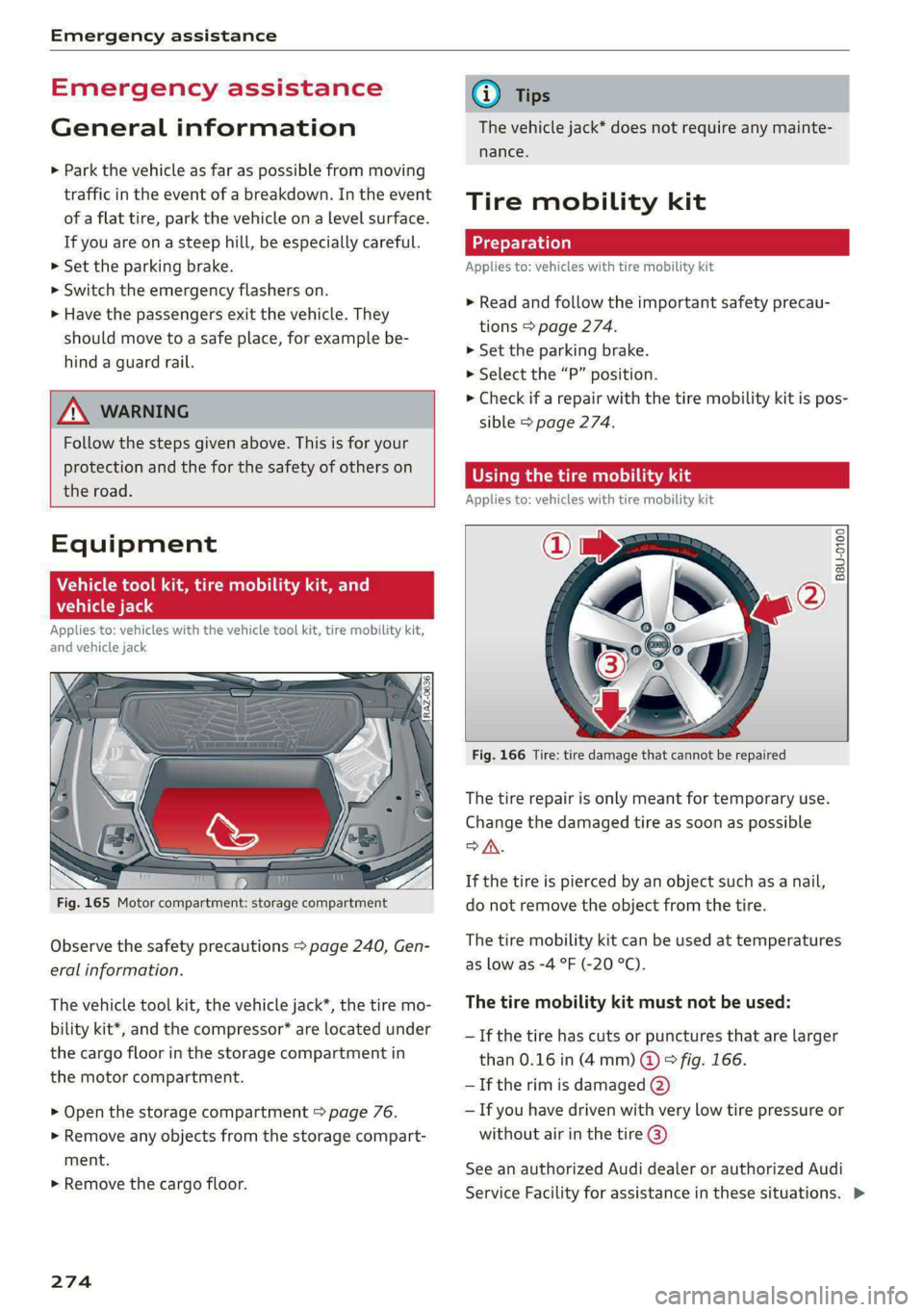
Fig. 165 Motor compartment: storage compartment
Observe the safety precautions > page 240, Gen-
eral information.
The vehicle tool kit, the vehicle jack*, the tire mo-
bility kit*, and the compressor* are located under
the cargo floor in the storage compartment in
the motor compartment.
> Open the storage compartment > page 76.
> Remove any objects from the storage compart-
ment.
> Remove the cargo floor.
274
@) Tips
The vehicle jack* does not require any mainte-
nance.
Tire mobility kit
Applies to: vehicles with tire mobility kit
> Read and follow the important safety precau-
tions > page 274.
>» Set the parking brake.
> Select the “P” position.
> Check if a repair with the tire mobility kit is pos-
sible > page 274.
OE Mame) LS aL
Applies to: vehicles with tire mobility kit
B8U-0100
Fig. 166 Tire: tire damage that cannot be repaired
The tire repair is only meant for temporary use.
Change the damaged tire as soon as possible
SA.
If the tire is pierced by an object such as a nail,
do not remove the object from the tire.
The tire mobility kit can be used at temperatures
as low as -4 °F (-20 °C).
The tire mobility kit must not be used:
— If the tire has cuts or punctures that are larger
than 0.16 in (4mm) @ © fig. 166.
— If the rim is damaged (2)
— If you have driven with very low tire pressure or
without air in the tire @)
See an authorized Audi dealer or authorized Audi
Service Facility for assistance in these situations. >
Page 278 of 316

Emergency assistance
> Inflate the tire to between 29 psi (200 kPA)
and 36 psi (250 kPA) and read the pressure on
the gauge.
> If this tire pressure is not reached, remove the
filler hose. Drive slowly approximately 33 feet
(10 m) forward or in reverse so that the sealant
can be distributed in the tire. Inflate the tire
again> A\.
Z\ WARNING
— Read and follow the manufacturer's safety
precautions on the compressor and in the in-
structions on the bottle of sealant.
— Ifa tire pressure of 29 psi (200 kPA) cannot
reached after inflating for 6 minutes, then
the tire is too severely damaged. Do not con-
tinue driving.
— If the tire cannot be repaired with the tire
sealant, see an authorized Audi dealer or au-
thorized Audi Service Facility for assistance.
@ Tips
Do not operate the compressor for more than
six minutes continuously, or it can overheat.
Once the compressor has cooled, you can con-
tinue to use it.
Completing
Applies to: vehicles with tire mobility kit
> Affix the sticker that says "max. 50 mph (max.
80 km/h)" that is provided with the tire mobili-
ty kit within the driver's field of vision.
> Stop the vehicle after driving for about 10 mi-
nutes and check the tire pressure.
> If the tire pressure is lower than 19 psi (130
kPA), then the tire is too severely damaged. Do
not continue driving.
ZX WARNING
Pay attention to the following after repairing
the tire:
— Do not drive faster than 50 mph (80 km/h).
— Avoid hard acceleration or braking and driv-
ing fast around curves.
— The vehicle may become more difficult to
control.
276
— If the tire is too severely damaged, see an
authorized Audi dealer or authorized Audi
Service Facility for assistance.
(@) For the sake of the environment
You can give the used tire sealant bottle to an
authorized Audi dealer or authorized Audi
Service Facility for disposal.
G) Tips
Remember to obtain a new bottle of sealant
from an authorized Audi dealer or authorized
Audi Service Facility after repairing a tire.
Replacing wheels
You must complete the preparation before
changing a tire.
> Read and follow the important safety precau-
tions > page 274.
> Set the parking brake.
> Select the “P” position.
> When towing a trailer: disconnect the trailer
from your vehicle.
> Lay out the vehicle tool kit > page 274 and the
spare tire > page 280.
> Applies to: vehicles with air suspension: Select
on the home screen: VEHICLE > Settings &
Service > Air suspension: wheel change.
> Switch the ignition off.
ZX WARNING
The vehicle must also be secured to prevent it
from rolling when using the vehicle jack*. Use
suitable objects to block the front and back of
the wheel that is diagonal from the wheel
with the flat tire.
Page 284 of 316

Emergency assistance
— When the parking lock is engaged, neither
the front nor rear axle may be lowered or
raised more than 10. The driveshafts or
tires could be seriously damaged.
— Towing must not be used to charge the
high-voltage battery (recuperation), be-
cause this could result in major damages to
the tow vehicle or the vehicle being towed.
— The vehicle must not be tow started for
technical reasons.
@ Tips
— Switch Audi pre sense* off > page 158 when
loading the vehicle onto a vehicle carrier,
train, ship, or other type of transportation,
or when towing the vehicle. This can prevent
an undesired intervention from the pre
sense* system.
— Follow the local legal regulations for tow-
ing.
Read and follow the important information under
=> page 281.
Preparations
> Only secure the towing cable or tow bar at the
designated towing loops > page 282,
> page 283.
> Make sure the towing cable is not twisted. Oth-
erwise it could disconnect from the towing loop
while towing.
> Switch the emergency flashers on in both
vehicles > page 47. However, do not do this if it
prohibited by law.
Towing vehicle (front)
> Only start to drive when the towing cable is
taut.
> Press the brake pedal very carefully.
> Avoid sudden braking or driving maneuvers.
Vehicle being towed (rear)
> Make sure the ignition is switched on so that
the steering wheel is not locked and so that you
can use the turn signals, the horn, and the
windshield wipers if needed > A\.
282
> Switching it off before the vehicle has stopped
may impair the function of the brake booster
and power steering. You would then need to
use more force to steer and brake the vehicle.
> Release the parking brake > page 96.
> Select the “N” selector lever position.
> Switch the ESC off to avoid error messages
=> page 105.
> Make sure the towing cable is always taut.
ZA WARNING
— Never tow a vehicle using a tow bar or tow-
ing cable if the vehicle does not have electri-
cal power.
— If the vehicle runs out of power while it is
being towed, stop towing the vehicle imme-
diately and consult an authorized Audi deal-
er or qualified repair facility.
Front towing loop
Fig. 176 Front bumper: installing the towing loop
The threaded opening for the towing loop is lo-
cated on the right side of the front bumper.
» Remove the towing loop from the vehicle tool
kit > page 274.
> Press the cap inward with brief, strong pressure
=> fig. 176. The cap will loosen from the bump-
er.
> Tighten the towing eye as far as it will go into
the mount. Use a suitable object to tighten the
towing eye completely and securely in the
mount.
> After using, place the towing loop back in the
vehicle tool kit.
Page 288 of 316

Fuses and bulbs
Fuse panel (a) (black) Fuse panel (4) (brown)
9 |Instrument cluster No. | Equipment
10 | Volume control 2 | Right front safety belt tensioner
11 | Light switch, switch panels 4 |Left front safety belt tensioner
12 | Steering column electronics 5 |Air suspension/suspension control
15 | Steering column adjustment 6 |Right headlight
16 | Steering wheel heating 7 |Left headlight
Fuse panel @) (black) 8 Left rear door control module
No. Equipment 9 |Right rear door control module
1 |Front seat heating 10 | Infotainment system control module
2 |Cimatecantral system 11 | Driver assistance systems control module
3 | Left headlight electronics 12 | Diagnostic intentawe
4 |Panoramic glass roof Fuse panel (5) (black)
5 |Left front door control module No. | Equipment
6 | Sockets 1 Seat electronics, front seat ventilation,
8 | Instrument panel rearview mirror, diagnostic connection
9 | Right headlight electronics 2 Vehicle electrical system control module,
Windshield washer system/headlight diagnostic interface
10 washer system 3 | Exterior sound generator
12 | Parking lock 5 | Electric drive
- 7 |Active accelerator pedal
iss cares) 8 | Night vision assist
Baia Equipment 9 |Adaptive cruise assist
1 | Anti thettalarmisystem Intersection assistant, driver assist sys-
2 |Drive system control module 11 terns
3 | Emergency call system 15 |USB input
4 | Selector lever
5 [Horn eer ggage comp:
6 |Parking brake
7 High-voltage battery, battery monitoring iB ° 5] 5 ny ~ a (a |
control module A) LD.
8 | Roof electronics control module
10 | Airbag control module
11 | Left front lumbar support
12 | Diagnostic connector, light/rain sensor
14 | Right front door control module
15 | Climate control system, body electronics Fig. 183 Left side of the luggage compartment: fuse panel
16 | Climate control system blower with plastic clip >
286
Page 304 of 316
Index
Driver information system................ 12
Drives
refer to Media................-.. 222,226
Drive select
refer to Audi drive select............... 101
Drive systeM... 0... eee eee ee 92
Audi drive'select » ss « s swe 4 2 seen ss 101
Emergency Off esses. «2 eases 4s ewan «wasn 6 6 88
Switching on and off...............000- 88
Driving down hills......... 0.00... c eee eee 98
Driving programs « « scvers ev vases « # essen 91,151
Driving through water................05. 99.
DEiVING UME: ¢ = sewn « » mews 2 y ew ¢ ewer as g 14
Driving tips
Driving through water..............0005 99
Efficient driving................000000- 94
Offroad GHiVING « wsme wormx 2 sewn xe tow ee 99
Uphill and downhill.................0.. 98
Driving:up hills:. « 5 sie 2s wns os men oo ewe 98
DVD drive (media drives)................ 223
E
E-mail
Messageroptionste:s « « sees « sascees ¥ 0 seems 182
SettingS .. 0.6... cece eee eee eee 182
EDL
refer to Electronic Differential Lock...... 104
EDR
refer to Event Data Recorder (EDR)...... 288
Efficiency assist «: « sees s x ees se een ewe 140
Electrical system. .........-.. eee eee ee 244
Electric drive systeM..........0 2.00 e eee 92
Electricity
refer to Energy ess xs sews se ees se eee 107
Electric motor
COOLANE sso x 2 sews 5 e ears & & eee 2 2 RES + 242
Electric range’: s : samy « & eases « © eave 4s eee 208
Electromechanical parking brake.......... 96
Electronic Differential Lock.............. 104
Electronic immobilizer...............00-. 34
Electronic Stabilization Control........... 104
Embedded SIM card.........0.ceeeeeuee 188
Emergencyassist ccc ss scam vena eo woven 162
Emergency assistance woccs sc ceuwa see a es 274
Emergency braking function.............. 97
302
Emergency'calliiss © a saver v samen ¥ seve 179, 194
Emergency flashers..........0.eeceeeeee 47
Emergency mode « vas s i sews ss eeun sv eeu s 92
Emergency operation
DOOMS 2 « sess so wane oceans vee wo ote 32
Luggage compartment lid............... 38
Panoramic glass roof.................-. 41
Energy
Current consumption................... 14
Reducing consumption................. 94
ENergy TECOVENY cers xo essere wo eessine wo ctv & oa 92
Engine braking effect
refer to Recuperation.................. 92
Engine’StartisyStei over. « cose o 6 evenenn occa 89
Entry/exit UIGhting:in. . «sce sv nasi sw mane ve 47
Entry
assistance: « «sess % wens 6 o savers & were 58
also refer to Exit assistance............. 58
ESCOPROAM cecisecs 5 «: sacra 5 x answers « o amaesnn aw oi 105
eSIM
refer to Embedded SIM card............ 188
Event Data Recorder (EDR).............. 288
Exiteassistanee «case so sauce ao nine ow mm os 58
EXIGE Wari Giccses « 5 sscses « & assem oo seamen oo ewes 160
Exterior lighting: « «eves + 2 omen oe see 2 2 ws 45
Exterior MUIfOrS saws ss cews so caw s waa ss 49
Foldingisettings snc = semis a 2 suansne 0 s wasn 6 30
External voice operation................. 25
FE
Factory default settings
Multi Media Interface................. 237
FaStrOute’s cuse x «ance ao uminece ow anaes + een 198
Favorites
Bluetooth.............. 0.02. 238
NaViGatiOniscs « weees + wees o x some ¢ 5 nee 200
TELEPHONE sesso: x x amewes ov sawn o 2 omens @ oom 178
Federal Communications Commission (FCC) . 295
File formats (media drives) .............. 232
FOG WINKOWS), see = wacx © s eeu 4 s em « go 84
Folding the rearseats.............-..0-- 79
Footwell temperature............00.000. 85
For the sake of the environment
L@AKS icc: & : sayse 5 2 ewe 2 2 See x ee ge 241
Forward gear
FEFEPTO' GEA sx = « name = ¥ carne « ¥ nase x 2 eae 90
Page 308 of 316
Index
Navigatlon «cscs o 2 comes ws succes ¥ x soneees wo one 197
Better route......... 2... eee eee 210
CalinGtesys s x ees x eeeey x BEER Fe ROR See 201
Changing the scale iw-ia se cain ae cece oo ove 201
also refertoMap..........0..ee eee eee 203
Navigation database
Version information................-- 238
Navigation (instrument cluster) .......... 205
Net... ieee eee eee 76
SY 294
Night:visioniassists. « cess ss cave oo cscs o ove 135
Cleaning the camera.............-.0.. 269
Notification center.................-000- 19
Oo
Odometer... ... ccc cece cee eee eee 13
Resetting............0..0..0 2.002000 ee 13
Office address
refer to Business address.............. 206
Offroad
refer to Offroad driving...............4. 99
Offroad drivingies «2 cas + ¢ sew x 2 gees 2 2 yee 99
OFF (climate control system) .............. 83
Ofi-board computer's ss cau s x ees sy tems 14
On Board Diagnostic System (OBD)........ 288
Online destination
refer to Online Points of Interest........ 200
Online map
refer to Satellite map...............-. 208
Online: media... = s ese: =v cee se see se oe 224
Online Points of Interest................ 200
OMUMETAGIO = ses x ¢ aewe x ¥ Seems te Seas ZS 218
also refer to Online radio.............. 218
Online roadside assistance.............. 195
Online services
refer torConnects « scx o wiwr ee oem ao we 187
Online system update...............00. 237
Online traffic information............... 210
OPSHING’: « + seen ¢ = eeuee se eee se ees ee ee 29
Automatic luggage compartment lid...... 37
Convenience opening................... 40
HOGG « = wens x = eee ¥ 2 em Fe ew 2 2 ew 241
Luggage
compartment lid............... 36
Luggage compartment lid with foot motion . 38
Panoramic glass roof...............0005 41
306
Sunshade (roof) + « cocie x a ascoane wo mewees 9 0 41
Windows ...... 0. e eee eee eee 39
Opening and closing
refer to Unlocking and locking........ 29, 34
Opening the charging port door.......... i
Operating
Head-up display..............-..2-005- 23
Tnstrumentclusten « seas ¢ savior » oncom a 9 ee 12
Multifunction steering wheel............ 12
Multi Media Interface............... 15,18
TEXtIN PUB sis 2 sane » ewe es ween «6 ese a ¥ 21
Touch display...........-..00 0.00 e eee 15
Voice recognition system............... 24
Optional equipment number............. 297
Options
Medidton = 2 gaws ss meee s Hoon 4 + neue os oe 230
Navigationices « wees + even 6+ nase sv mewn 211
Radio... 2.6... ce eee eee eee eee eee 219
QUBSIASHMOISES. 5 craters vo sxnsee am enszede a «seme 94
Overview: (COCKPID) Hine x & sens + eee oo enaren w a0 6
P
Paint icOde ia 2 2 ccwiane wo wie = oom wm ams 297
Paint damages = 2 scare owen so ewe 2 wee 270
PANICG bUttOlins ¢ ¢ cewe 2 » eee 2s Hem 2 9 eee 33
PANIC TUNCCION cence 2 x see x 2 nem =u wwe + we 33
Panoramic glass roof..............00000- 41
Convenience opening and closing......... 40
Emergency closing..............eee eee 41
Quick opening...............002- 000 41
Parental control
DVD sess x = says 5 2 gee x & gate so ae cE
Parking aid was ¢ « awe ¢ o eens ¢ 8 eee y Fees a
Adjusting the volume
Automatic activation
Cleaning sensors/camera....
Deactivating rear cross-traffic assist... . . LV
Parking aid plus...............00-000- 164
Peripheral cameras...........---000-5 166
Rearview Caimiera sacs ss ces ss mews se eee 166
Trae reviews a + sicnoas oo weve < mime = = xen 168
Parking and maneuvering..............- 164
Parking brake
refer to Electromechanical parking brake.. 96
Parking heater
refer to Auxiliary climate control......... 85
Page 310 of 316

Index
Removing the caps (wheel bolts)......... 277
REPAailS saion o & naena os wa oF eK 6 BRR oo 292
Repeats = s cses = eas 4 i sien oy ceo ge ee 228
Replacement key. « i ec ess een ge eer se ore 33
Replacement parts..............-02 ee ee 294
Replacing fuses ...........0.e cece eee 284
Reporting Safety Defects................ 294
Reverse gear
PefeP tO Gal's « s mass = ¢ neues 5 a aes s 2 ees 90
RIMS 2... eee 262
Cleaning’s < « ccs =» goes te eewe es oes eos 270
Road Cartieh wxsex + wean x 2 mame oe Roum a ge 102
Rolling ability
Electromechanical parking brake......... 96
ICL aSSIStiecss cs ssawens sv winenne » 0 soanane a 9 exnitone 97
Transmission idle...................00. 91
Roof
refer to Panoramic glass roof............ 41
Roof lodd «= seen s enema ¢ eaues 8 ¢ wees 5 toes 298
Roof rack... 2... eee eee eee eee 80
also refer to Roof rack..............000- 80
Route guidance
SEOPPIING secvees sv sxoess ov exams & a cavers vo ome 203
also refer to Navigation............... 197
Route planner (e-tron)............000 00 202
Running direction (tires)................ 279
S
Safety beltSiesccs 2 a aces vw cece < womens wv nec & 61
Cleaning..... 2.0... 6c cece eee eee eee 271
LOGKINGicws = & worms = 2 eee & 2 eee £ o ome ee 72
Securing child safety seats.............. 72
Satellite:map « sess = 2 evar ee wesw 2 wasn © 208
Screen
refer to Touch display................0. 15
Serewd river's « o wweis 6 o wane 6 eae ae sore ve 274
SDieard reader (MMI) sie. ss scons oe sani vo 222
Search-area (POD) sews « s wees x y cee x 2 nese 200
Search for charging station
refer to Online Points of Interest........ 200
Search function
refer to Free text search............... 230
Seatheating vveisi « « cao © 6 maven « weno © wrewess 84
Seats
Adjusting the front seats............... 57
Cleaning « < ¢ ses ss sees co ees ce ease es 271
308
FOlGINGsecers «a cserens w= mwenecs «ws mnavees ww eee eH 79
Front passenger’s seat adjustment....... 59
Head restraints... ...0.. eee cece eee eee 60
Massage-FUnction wccnes scence se oem oe ere 57
Memory function............00 eee eee 64
Resetting the position.................. 58
Storing’a seatiprofile « sicis « «sete «x owas a « 64
Seat Ventilation: ss ssws seas x s wae 2 es 84
Selecting a source (media).............. 226
Selector levers » = wens 2 » wer 5 os meme: > eer 90
Self-learning navigation
refer to Personal route assistance....... 205
Sensors
Coverage areas
Locations........ 0.0... 0c eee eee eee
Service interval display..............00. 246
Setting measurement units.............. 236
SOtbINGSions «sms +o cei meen ¢ mane ev BH 236
Announcements and tones............. 236
BlWGtoOth ; « = sees y = sees =p eewe se eee 237
Daterand timers «x sess sx swan x awa 2s 236
Language.............. ce eee eee ee 236
Measurement units..............00005 236
Mediates <6 nai se ames 6 wa os ween as wen 231
Navigation.............0 02sec eee eee 211
R&GIG
SyStEM . 6. eee ete eee 236
Time zone... 22... eee eee eee 236
WiFFUHOtspOt © cases x « cares ¢ © awe 2 8 pew e 192
Setting the charging target.............. 113
Setting the language................00. 236
Setting the time..............--.000005 236
Shade
Rear window/rear doors..............-. 51
Shift paddles
Adjusting recuperation................. 93
Ship carrier's » awn s eeaes + yews « ween so oe 102
Shortcut
referto Shortcuts’. « svc ee ees so ores a oe 20
Shorteutsevs 2 2 soscve se even 2 o eween ¥ x wea © 8s 20
SHUffl@ sos s = eerom « = nes 5 e eeen ee cee eee 228
Side@aSSiSticcs x ¢ seve + ¢ ceewe & 2 eee Be ee 158
Cleaning’SeNSOLs: soi. ss exe e ecomes & wanes 269
SIM at « 3 ses os neces vo seme vy Pre ey sees 188
SiriusXM alert notifications.............. 217