hood open AUDI E-TRON 2020 Owners Manual
[x] Cancel search | Manufacturer: AUDI, Model Year: 2020, Model line: E-TRON, Model: AUDI E-TRON 2020Pages: 316, PDF Size: 85.96 MB
Page 31 of 316

4KE012721BE
Opening and closing
Opening and closing
Central locking
General information
Z\ WARNING
— If you leave the vehicle, switch the ignition
off and take the key with you. This applies
particularly when children remain in the ve-
hicle. Otherwise, children could start the ve-
hicle or operate electrical equipment (such
as power windows), which increases the risk
of an accident.
— Applies to: vehicles with anti-theft alarm
system: No one, especially children, should
stay in the vehicle when it is locked from the
outside, because the windows can no longer
be opened from the inside > page 32, Anti-
theft alarm system. Locked doors make it
more difficult for emergency workers to en-
ter the vehicle, which puts lives at risk.
All doors and the luggage compartment lid can
be centrally unlocked and locked at once. You can
select in the MMI if the entire vehicle or only the
driver's door should unlock when unlocking the
vehicle > page 30. The turn signals flash twice
when you unlock the vehicle and flash once when
you lock the vehicle. If they do not flash when
locking, check if all doors and lids are closed.
Depending on the vehicle equipment, you may
have different options for centrally unlocking and
locking your vehicle.
— Vehicle key > page 34
— Sensors in the door handles > page 34
— Lock cylinder on the driver's door > page 32
— Central locking switch inside > page 31
Vehicle key
The term “vehicle key” refers to the remote con-
trol key or convenience key*. The convenience
key* is a remote control key with special func-
tions > page 34 and > page 88.
Power closing*
When closing a door or the luggage compart-
ment lid, you only have to Let it fall lightly into
the latch. It then closes automatically > A.
Automatic locking
If you unlock the vehicle but then do not open
any of the doors, the luggage compartment, or
the hood within a short period time, the vehicle
locks again automatically. This feature prevents
the vehicle from being accidentally left unlocked
for a long period of time.
Automatic locking (Auto Lock)
The Auto Lock function locks all doors and the
luggage compartment lid once the speed has ex-
ceeded approximately 9 mph (15 km/h). The ve-
hicle will unlock again if the unlock function in
the central locking switch is pressed, the “P” gear
is engaged, or the ignition is switched off.
You can open the doors individually from the in-
side by pulling the door handle one time. To open
the rear doors individually, you must pull the
door handle twice.
In the event of a crash with airbag deployment,
the doors will also automatically unlock to allow
access to the vehicle.
Unintentionally locking yourself out
Only lock your vehicle when all of the doors and
the luggage compartment lid are closed and
there is no key in the vehicle. This reduces the
risk of locking yourself out accidentally.
The
following features help to reduce the risk of
locking your vehicle key in the vehicle:
— If the driver's door is open, the vehicle cannot
be locked by pressing the & button on the re-
mote control key or by touching the locking
sensor* on a door.
— If the vehicle key that was used most recently is
inside the luggage compartment, the luggage
compartment lid will automatically open again
after it closes > ©.
— If the last vehicle key that was used is detected
inside the vehicle, it will not be possible to lock >
29
Page 35 of 316

4KE012721BE
Opening and closing
Break-in security feature
The alarm will sound if there is a break-in at the
doors, hood, and/or luggage compartment lid.
Interior/towing protection monitor
The alarm will be triggered if there are move-
ments detected in the vehicle interior (for exam-
ple, by animals) or if there is a change in the vehi-
cle angle (for example, when the vehicle is being
towed).
You can prevent the alarm from being triggered
by deactivating the interior/towing protection
monitor.
Deactivating the interior/towing protection
monitor
There are the following options for deactivating
the interior/towing protection monitor:
> Press the & button on the vehicle key a second
time within two seconds. Or
> Applies to: vehicles with convenience key:
Touch the sensor on the door handle a second
time within two seconds. Or
> Turn the mechanical key in the door lock to the
close position a second time within 2 seconds.
If you lock the vehicle, then the interior/towing
protection monitor will stay off until the next
time the vehicle is unlocked.
ZA\ WARNING
No one, especially children, should stay in the
vehicle when it is locked from the outside, be-
cause the windows can no longer be opened
from the inside. Locked doors make it more
difficult for emergency workers to enter the
vehicle, which puts lives at risk.
@) Tips
The interior/towing protection monitor only
functions correctly when the windows and the
panorama glass roof* are closed.
RAZ-0621
Fig. 25 Your vehicle key set
@ Vehicle key
You can unlock and lock your vehicle with the ve-
hicle key.
@ Mechanical key and release button for
mechanical key
A mechanical key is integrated in the vehicle key.
To remove it, press the release button and re-
move the mechanical key.
Using the mechanical key, you can:
— Lock or unlock the glove compartment.
— Manually unlock and lock the doors > page 32.
— Unlock the luggage compartment lid using the
emergency release > page 38.
@ Key fob with vehicle code
Applies to: vehicles with Audi connect vehicle control
Open the key tag and scratch to reveal the vehicle
code. You can unlock the Audi connect vehicle
control services* for your vehicle with this vehicle
code. For additional information, see
= page 189. If a key fob is lost, contact an au-
thorized Audi dealer or authorized Audi Service
Facility.
@ PANIC button
In an emergency, you can press the PANIC button
to trigger the alarm for the anti-theft alarm sys-
tem. The vehicle horn and emergency flashers
will turn on if you trigger the alarm.
—To trigger the alarm, press the [PANIC] but-
ton @ © fig. 25.
33
Page 55 of 316

4KE012721BE
Lights and Vision
> Fold the windshield wiper arm away from the
windshield.
> For information on cleaning, see > table on
page 269.
Replacing the wiper blades
Requirement: the windshield wipers must be in
the service position.
> Fold the windshield wiper arm away from the
windshield.
> Press the locking knob () on the wiper blade.
Hold the wiper blade firmly.
> Remove the wiper blade from the windshield
wiper arm mount Q).
> Insert the new wiper blade into the mount on
the wiper arm until it clicks into place.
> Place the wiper arm back on the windshield.
> Exit the service position.
Z\ WARNING
— For safety reasons, the windshield wiper
blades should be replaced once or twice
each year.
— Dirty windshield wiper blades can impair vi-
sion, which increases the risk of an accident.
©) Note
— The windshield wipers must only be folded
up when in the service position! Otherwise,
you risk damaging the paint on the hood or
the windshield wiper motor.
— You should not move your vehicle or press
the windshield wiper lever when the wiper
arms are folded up from the windshield. The
windshield wipers would move back into
their original position and could damage the
hood and windshield.
@ Tips
— You can also use the service position, for ex-
ample, if you want to protect the windshield
from icing by using a cover.
— You cannot activate the service position
when the hood is open.
Cleaning/changing the rear wiper blade
[RAZ-0637
Fig. 46 Rear window wiper: installing the wiper blade
Cleaning the wiper blades
> Fold the wiper arm away from the rear window.
> For information on cleaning, see > table on
page 269.
Removing the wiper blade
> Fold the wiper arm away from the rear window.
> Remove the wiper blade from its holder.
Installing the wiper blade
> Press the wiper blade mount into the retainer.
> Fold the window wiper arm back onto the rear
window.
ZA WARNING
For safety reasons, the windshield wiper
blades should be replaced once or twice each
year.
Messages
If the > indicator light turns on, then there is a
windshield wiper malfunction. The message that
is also displayed indicates the cause and possible
solutions. If one of the messages does not turn
off, drive immediately to an authorized Audi deal-
er or authorized Audi Service Facility to have the
malfunction repaired.
ce] Automatic wipers: malfunction! See owner's
manual
The light/rain sensor is malfunctioning. You can
still control all functions that are not controlled
by the rain sensor using the windshield wiper lev-
er. Drive immediately to an authorized Audi
53
>
Page 78 of 316

Storage and convenience
A WARNING
— Do not put any hot beverages in the cup
holder while the vehicle is moving. Hot bev-
erages could spill, which increases the risk
of injury.
— Do not use any breakable beverage contain-
ers (for example, made out of glass or por-
celain). You could be injured by them in the
event of an accident.
@) Note
Beverage containers in the cup holders should
always
have a lid. Otherwise, the liquid inside
could spill and cause damage to vehicle
equipment.
Storage and
compartments
Storage compartment in motor
compartment
Be
(RAz-0593
Fig. 68 Motor compartment: storage compartment
There is a compartment in the motor compart-
ment for storing objects such as the charging sys-
tem.
Observe the safety precautions > page 240.
> Open the hood > page 241.
> To open the storage compartment cover, pull
the lever @ upward.
>» Store the objects.
> Close the storage compartment cover. It must
lock into place.
> Close the hood.
76
Other storage
Depending on the vehicle equipment, there may
be a variety of storage areas, compartments, and
retainers at various locations in the vehicle.
— Glove compartment: the glove compartment
can be locked using the mechanical key
=> page 33.
— Holders for a notepad, pen, and coins in the
glove compartment
— Storage compartment in the cockpit on the
driver's side
— Storage compartments in the door trim panels
on the driver's side and front passenger's side
— Storage compartments in the front center con-
sole
— Storage compartment under the front center
armrest
— Nets on the backrests of the front seats
— Garment hooks in the rear
— Storage compartment in the rear center arm-
rest
— Removable box under the cargo floor in the lug-
gage compartment
— Bag hooks in the luggage compartment
— Net in luggage compartment
ZA WARNING
—To reduce the risk of injury, make sure all
storage compartments are always closed
while driving.
— Loose objects can be thrown around the ve-
hicle interior during sudden driving or brak-
ing maneuvers, which increases the risk of
an accident. Store objects securely while
driving.
— Only use the storage compartments in the
door trim panels to store small objects that
will not stick out of the compartment and
impair the function of the side airbags.
— Only lightweight clothing should be hung
from the garment hooks in the vehicle. Do
not use clothes hangers to hang clothing.
The pockets of the clothing must not con-
tain any heavy, breakable, or sharp-edged
objects. This could impair the effectiveness
of the side curtain airbags.
Page 117 of 316

4KE012721BE
High-voltage system
Manually releasing the charging port door
> Open the hood > page 241.
> Open the cover in the motor compartment on
the side of the applicable charging port.
> Loosen the red loop @) ° fig. 89 from the re-
tainer and then pull on the loop carefully >@.
> If necessary, open the charging port door by
hand.
> After releasing manually, secure the loop on
the retainer and close the cover.
> Drive to an authorized Audi dealer or author-
ized Audi Service Facility immediately to have
the malfunction corrected.
Manually releasing the charging connector
If you are not able to pull the charging connector
out of the vehicle charging port, there may bea
malfunction. You must use the emergency re-
lease to release the vehicle charging connector.
Requirement: the “P” gear must be selected and
the vehicle must be unlocked.
> End the charging process > page 111.
> Open the hood > page 241.
> Open the cover in the motor compartment on
the side of the applicable charging port.
> Loosen the yellow loop (2) > fig. 89 from the re-
tainer and then pull on the loop carefully >@.
> Remove the charging connector.
> After releasing manually, secure the loop on
the retainer and close the cover.
> Drive to an authorized Audi dealer or author-
ized Audi Service Facility immediately to have
the malfunction corrected.
If the charging connector still cannot be removed
after using the emergency release, see an author-
ized Audi dealer or authorized Audi Service Facili-
ty for assistance.
@) Note
Only pull on the loop until you feel resistance.
You will not hear it release. If you continue to
pull, you could damage the emergency re-
lease mechanism.
Messages
If the or =] indicator light turns on, then the
range is low or very low. Charge the high-voltage
battery.
Warning! Please check the charging unit
cover. See owner's manual
This message appears if the charging port door is
open while driving. Stop the vehicle as soon as
possible and try to close the charging port door
using the button @) % page 111, fig. 87 or by
hand. If the charging port door cannot close
and/or the message continues to appear, drive to
an authorized Audi dealer or authorized Audi
Service Facility immediately and have the mal-
function corrected > A\ in Charging on page 112;
=>@© in Charging on page 112.
B AC charging system: malfunction! Please
contact Service
B DC charging system: malfunction! Please
contact Service
This message appears if there is a malfunction in
the charging system. Drive to an authorized Audi
dealer or authorized Audi Service Facility immedi-
ately.
Incompatible charging system. Please check
charging system
This message appears when the charging system
is incompatible. Only charge using the Audi
charging system that is designed for your vehicle.
fa Charging system: malfunction
This message appears if there is a malfunction in
the vehicle charging infrastructure or the charg-
ing station. Use a different charging station. If
this message does not turn off, contact an au-
thorized Audi dealer or authorized Audi Service
Facility.
Charging equipment
Introduction
Depending on the vehicle equipment, the Audi e-
tron compact charging system may be available.
115
>
Page 119 of 316
4KE012721BE
High-voltage system
ZA WARNING
Improper connection of the equipment-
grounding conductor is able to result in a risk
of electric shock. Check with a qualified elec-
trician or serviceman if you are in doubt as to
whether the product is properly grounded. Do
not modify the plug provided with the product
- if it will not fit the outlet, have a proper out-
let installed by a qualified electrician.
Always store the charging equipment securely
before transporting.
> Open the hood = page 241.
> Open the front storage compartment
=> page 76.
>» Stow the charging equipment in the front stor-
age compartment.
> Close the front storage compartment and the
hood.
Z\ WARNING
If the charging equipment is not secured or
positioned correctly, it can slide out of place
and endanger vehicle occupants when brak-
ing, when changing directions, or in a colli-
sion.
— Only transport the charging equipment in
the front storage compartment and never
unsecured or in the passenger compart-
ment.
(@) Note
Always lift or carry the Audi charging system
as one unit and never by the cables.
Audi e-tron compact charging system
Applies to: vehicles with Audi e-tron compact charging system
a o>:
RAZ-0726|
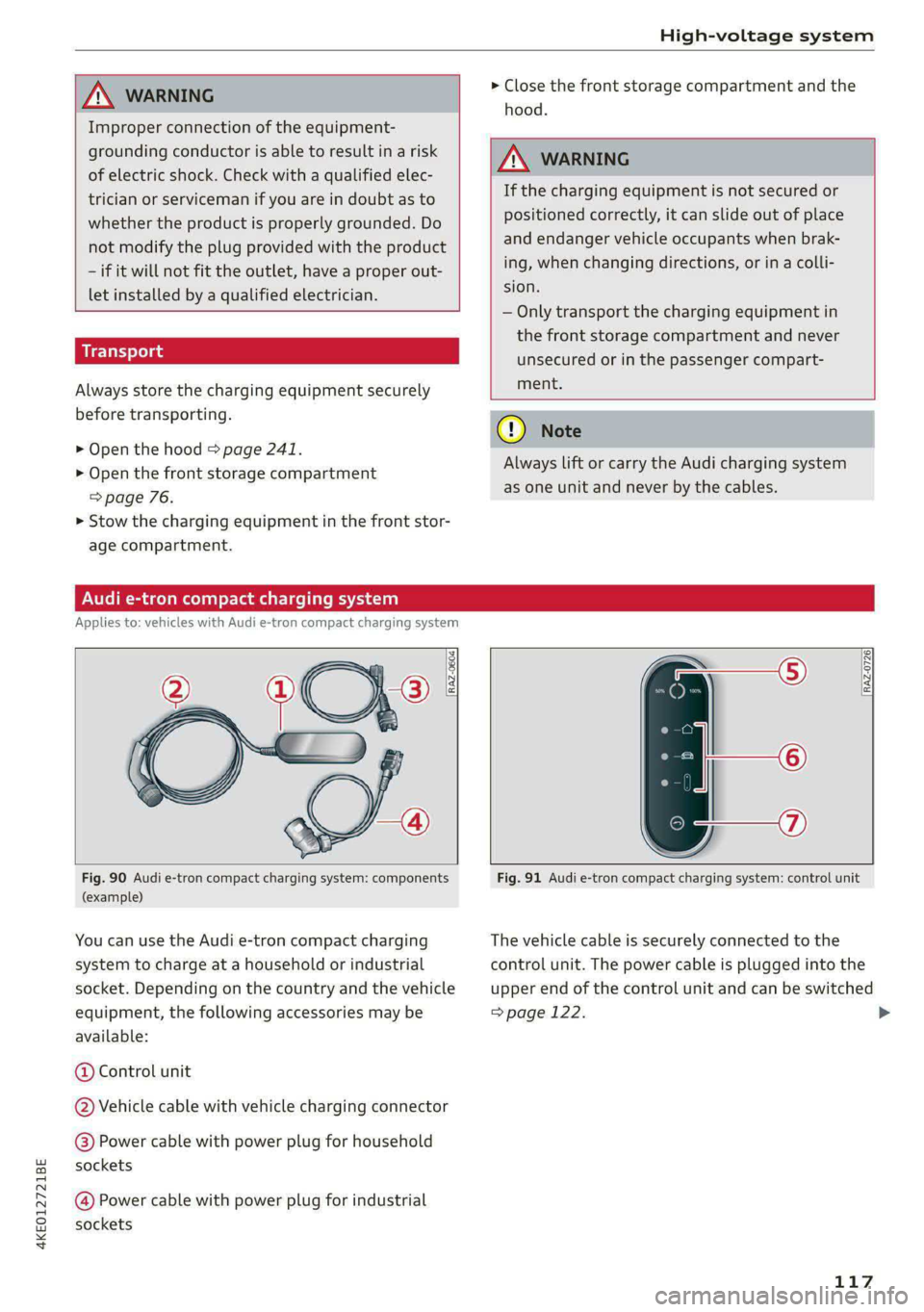
Fig. 90 Audi e-tron compact charging system: components
(example)
You can use the Audi e-tron compact charging
system to charge at a household or industrial
socket. Depending on the country and the vehicle
equipment, the following accessories may be
available:
@ Control unit
@ Vehicle cable with vehicle charging connector
@ Power cable with power plug for household
sockets
Power cable wit power plu for industrial 9g
sockets
Fig. 91 Audi e-tron compact charging system: control unit
The vehicle cable is securely connected to the
control unit. The power cable is plugged into the
upper end of the control unit and can be switched
=> page 122.
117
>
Page 242 of 316
Checking and Filling
Checking and Filling
Motor compartment
(eT r eeeuel ela)
Special care is required if you are working in the
motor compartment
For work in the motor compartment, such as
checking and filling fluids, there is a risk of in-
jury, scalding, accidents, and burns. For this
reason, follow all the warnings and general
safety precautions provided in the following in-
formation. The vehicle's motor compartment is
a dangerous area. > /A\.
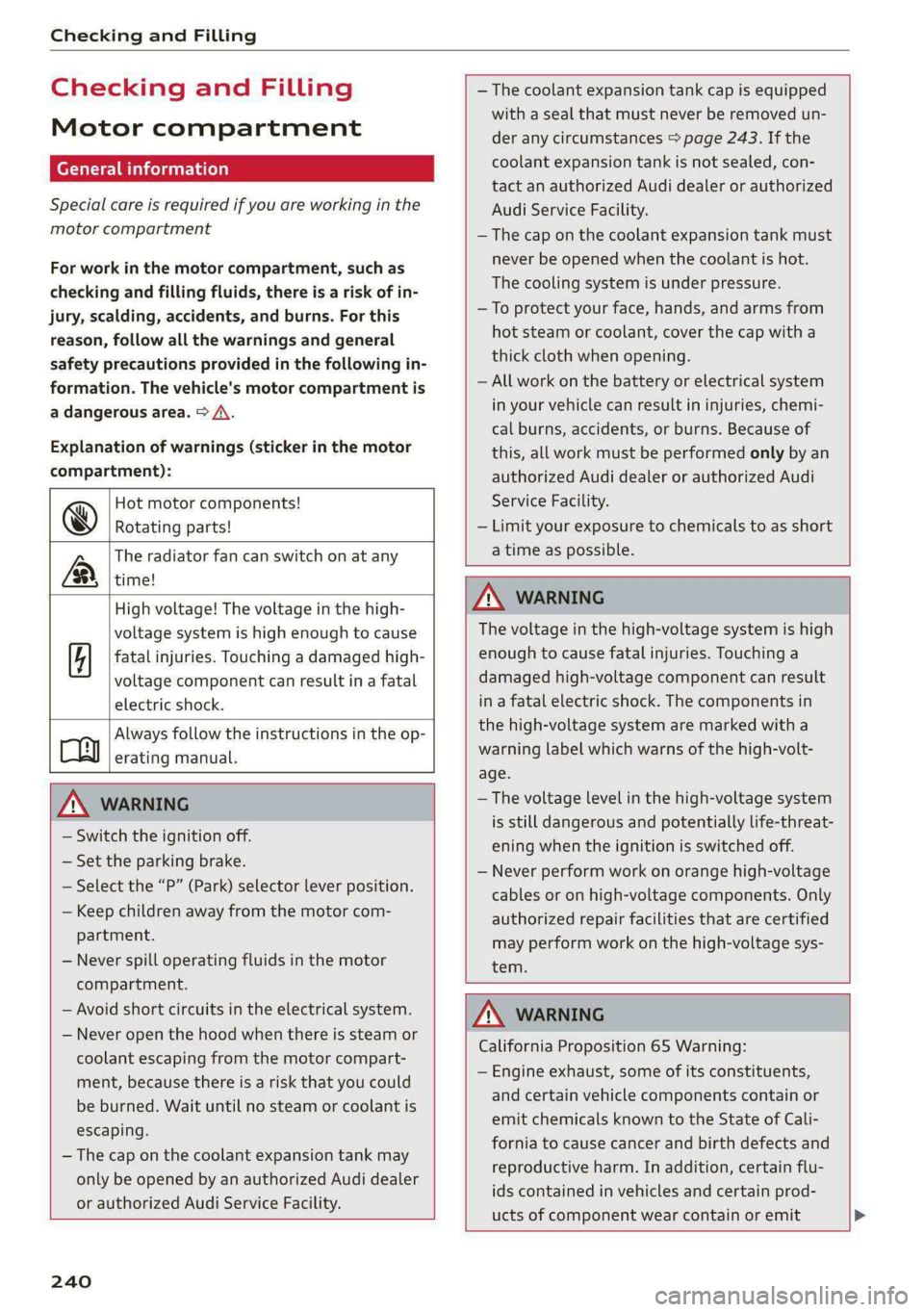
Explanation of warnings (sticker in the motor
compartment):
Hot motor components!
@® Rotating parts!
The radiator fan can switch on at any
LB, time!
— The coolant expansion tank cap is equipped
with a seal that must never be removed un-
der any circumstances > page 243. If the
coolant expansion tank is not sealed, con-
tact an authorized Audi dealer or authorized
Audi Service Facility.
— The cap on the coolant expansion tank must
never be opened when the coolant is hot.
The cooling system is under pressure.
—To protect your face, hands, and arms from
hot steam or coolant, cover the cap with a
thick cloth when opening.
— All work on the battery or electrical system
in your vehicle can result in injuries, chemi-
cal burns, accidents, or burns. Because of
this, all work must be performed only by an
authorized Audi dealer or authorized Audi
Service Facility.
— Limit your exposure to chemicals to as short
a time as possible.
High voltage! The voltage in the high-
voltage system is high enough to cause
fatal injuries. Touching a damaged high-
voltage component can result in a fatal
electric shock.
Always follow the instructions in the op-
Cy erating manual.
ZA\ WARNING
— Switch the ignition off.
— Set the parking brake.
— Select the “P” (Park) selector lever position.
— Keep children away from the motor com-
partment.
— Never spill operating fluids in the motor
compartment.
— Avoid short circuits in the electrical system.
— Never open the hood when there is steam or
coolant escaping from the motor compart-
ment, because there is a risk that you could
be burned. Wait until no steam or coolant is
escaping.
— The cap on the coolant expansion tank may
only be opened by an authorized Audi dealer
ZA WARNING
The voltage in the high-voltage system is high
enough to cause fatal injuries. Touching a
damaged high-voltage component can result
in a fatal electric shock. The components in
the high-voltage system are marked with a
warning label which warns of the high-volt-
age.
— The voltage level in the high-voltage system
is still dangerous and potentially life-threat-
ening when the ignition is switched off.
— Never perform work on orange high-voltage
cables or on high-voltage components. Only
authorized repair facilities that are certified
may perform work on the high-voltage sys-
tem.
or authorized Audi Service Facility.
240
ZA\ WARNING
California Proposition 65 Warning:
— Engine exhaust, some of its constituents,
and certain vehicle components contain or
emit chemicals known to the State of Cali-
fornia to cause cancer and birth defects and
reproductive harm. In addition, certain flu-
ids contained in vehicles and certain prod-
ucts of component wear contain or emit
Page 243 of 316
4KE012721BE
Checking and Filling
chemicals known to the State of California
to cause cancer and birth defects or other
reproductive harm.
— Battery posts, terminals and related acces-
sories contain lead and lead compounds,
chemicals known to the State of California
to cause cancer and reproductive harms.
Wash hands after handling.
@) Note
When filling fluids, be sure not to add any flu-
ids to the wrong reservoirs. Otherwise, severe
malfunctions and damage will occur.
@ For the sake of the environment
You should regularly check the ground under
your vehicle in order to detect leaks quickly. If
there are visible spots from oil or other fluids,
bring your vehicle to an authorized Audi deal-
er or authorized Audi Service Facility to be
checked.
Opening and closing the hood
The hood is released from inside the vehicle.
RAZ-0606
Fig. 156 Unlocked hood: lever
2) The &> symbol is not available in all countries.
Make sure the wiper arms are not raised up from
the windshield. Otherwise the paint could be
damaged.
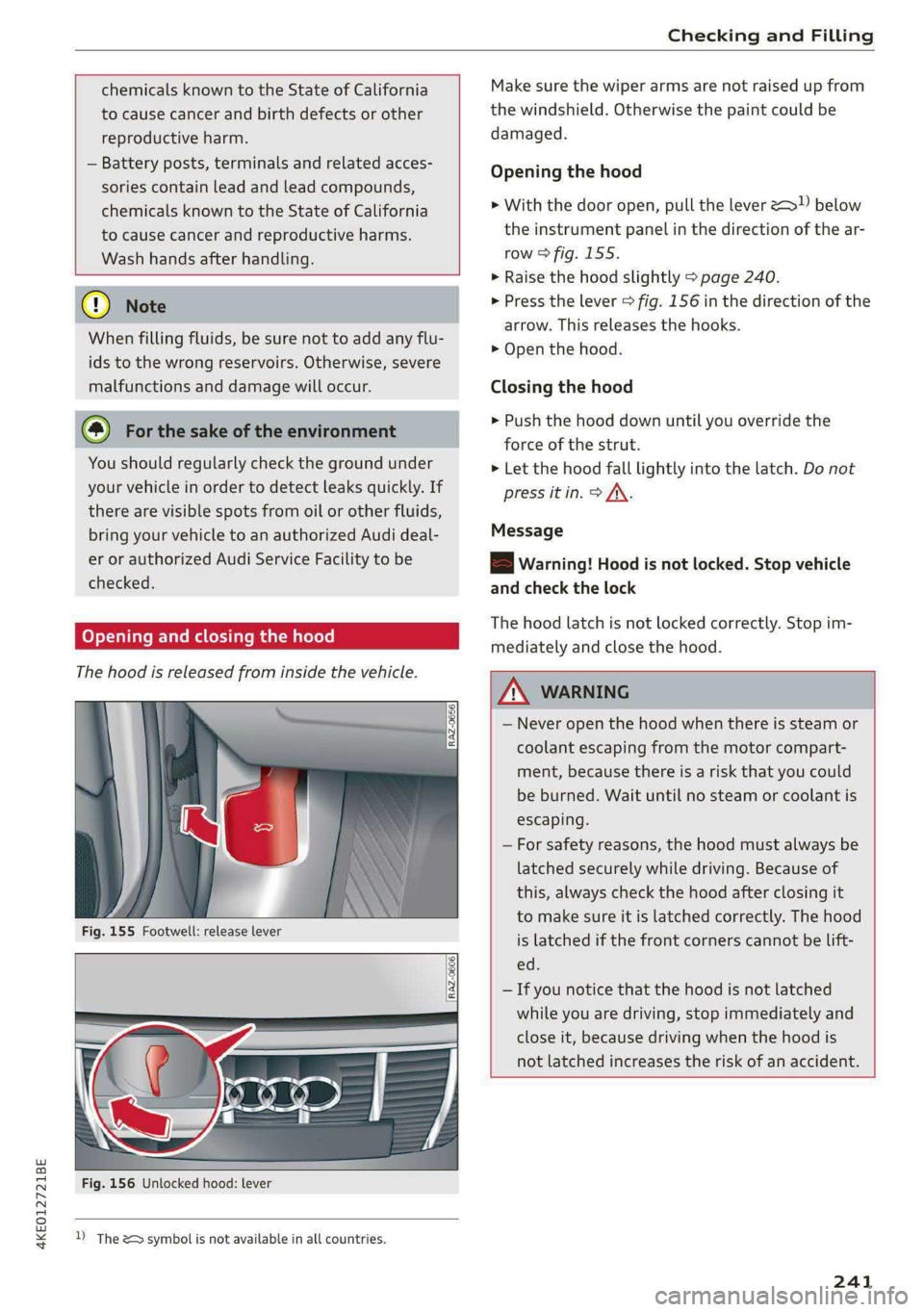
Opening the hood
> With the door open, pull the lever <>”) below
the instrument panel in the direction of the ar-
row > fig. 155.
> Raise the hood slightly > page 240.
> Press the lever > fig. 156 in the direction of the
arrow. This releases the hooks.
> Open the hood.
Closing the hood
> Push the hood down until you override the
force of the strut.
> Let the hood fall lightly into the latch. Do not
press it in. > /\.
Message
EB warning! Hood is not locked. Stop vehicle
and check the lock
The hood latch is not locked correctly. Stop im-
mediately and close the hood.
_ WARNING
— Never open the hood when there is steam or
coolant escaping from the motor compart-
ment, because there is a risk that you could
be burned. Wait until no steam or coolant is
escaping.
— For safety reasons, the hood must always be
latched securely while driving. Because of
this, always check the hood after closing it
to make sure it is latched correctly. The hood
is latched if the front corners cannot be lift-
ed.
— If you notice that the hood is not latched
while you are driving, stop immediately and
close it, because driving when the hood is
not latched increases the risk of an accident.
241
Page 245 of 316
4KE012721BE
Checking and Filling
Coolant level
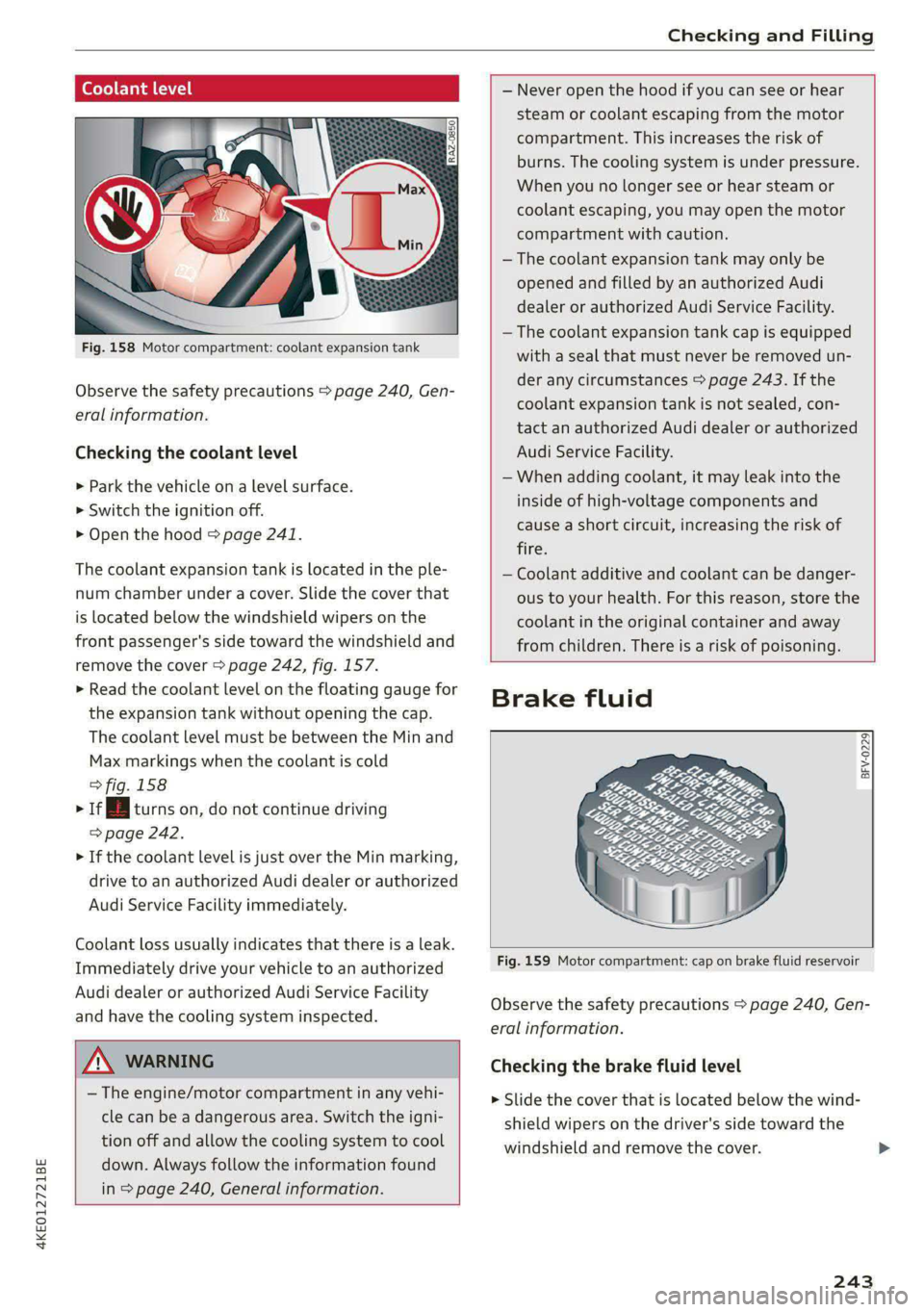
Fig. 158 Motor compartment: coolant expansion tank
Observe the safety precautions > page 240, Gen-
eral information.
Checking the coolant level
> Park the vehicle on a level surface.
> Switch the ignition off.
> Open the hood > page 241.
The coolant expansion tank is located in the ple-
num chamber under a cover. Slide the cover that
is located below the windshield wipers on the
front passenger's side toward the windshield and
remove the cover > page 242, fig. 157.
> Read the coolant level on the floating gauge for
the expansion tank without opening the cap.
The coolant level must be between the Min and
Max markings when the coolant is cold
> fig. 158
> 1 turns on, do not continue driving
=> page 242.
> If the coolant level is just over the Min marking,
drive to an authorized Audi dealer or authorized
Audi Service Facility immediately.
Coolant loss usually indicates that there is a leak.
Immediately drive your vehicle to an authorized
Audi dealer or authorized Audi Service Facility
and have the cooling system inspected.
Z\ WARNING
— The engine/motor compartment in any vehi-
cle can be a dangerous area. Switch the igni-
tion off and allow the cooling system to cool
down. Always follow the information found
in > page 240, General information.
— Never open the hood if you can see or hear
steam or coolant escaping from the motor
compartment. This increases the risk of
burns. The cooling system is under pressure.
When you no longer see or hear steam or
coolant escaping, you may open the motor
compartment with caution.
— The coolant expansion tank may only be
opened and filled by an authorized Audi
dealer or authorized Audi Service Facility.
— The coolant expansion tank cap is equipped
with a seal that must never be removed un-
der any circumstances > page 243. If the
coolant expansion tank is not sealed, con-
tact an authorized Audi dealer or authorized
Audi Service Facility.
— When adding coolant, it may leak into the
inside of high-voltage components and
cause a short circuit, increasing the risk of
fire.
— Coolant additive and coolant can be danger-
ous to your health. For this reason, store the
coolant in the original container and away
from children. There is a risk of poisoning.
Brake fluid
BFV-0229|
Fig. 159 Motor compartment: cap on brake fluid reservoir
Observe the safety precautions > page 240, Gen-
eral information.
Checking the brake fluid level
> Slide the cover that is located below the wind-
shield wipers on the driver's side toward the
windshield and remove the cover.
243
Page 307 of 316
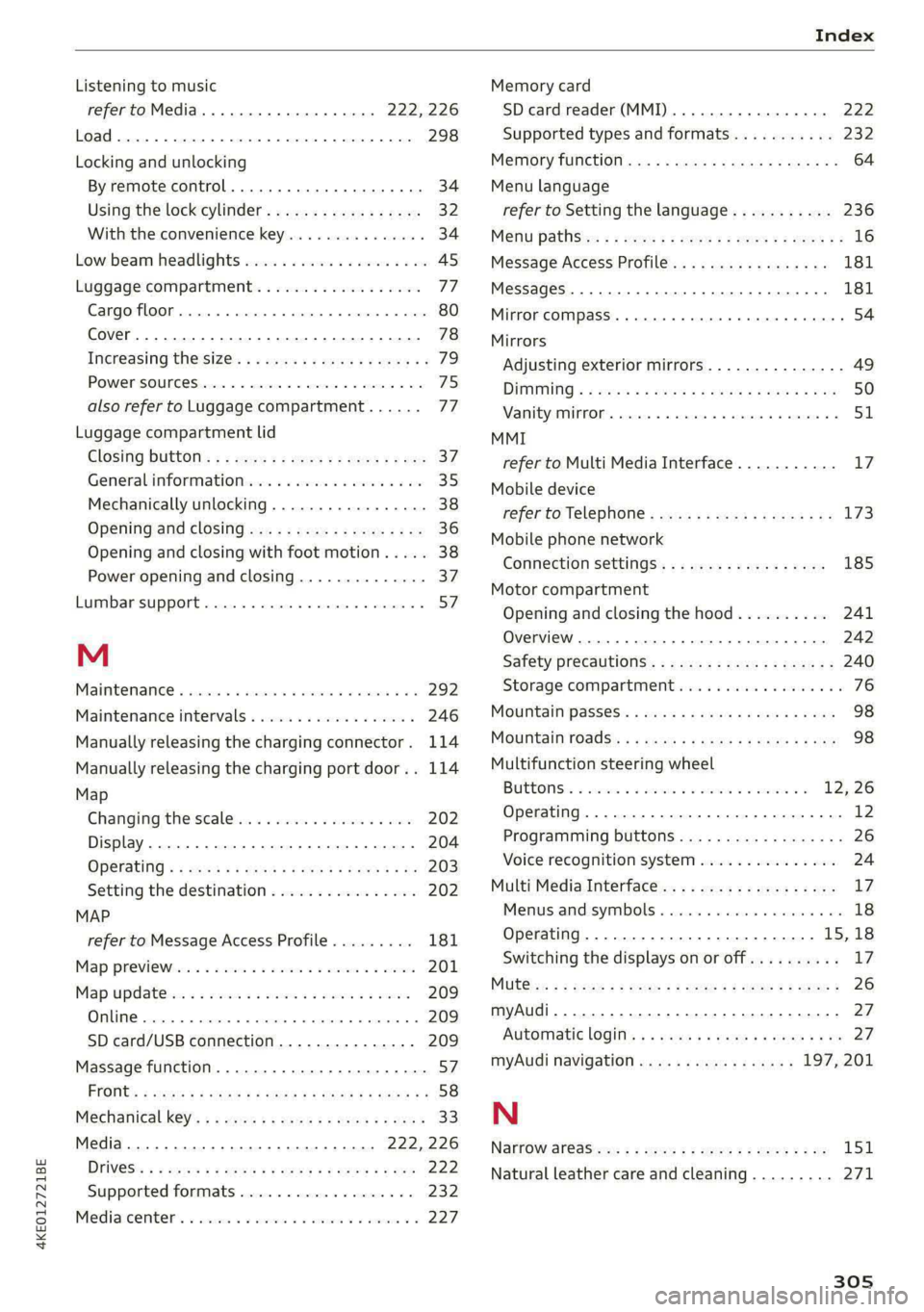
4KE012721BE
Index
Listening to music
refertoMedia.............0ee eee 222,226
Load... 2.2... eee eee 298
Locking and unlocking
By remote control............00 cece ee 34
Using the lock cylinder...............05 32
With the convenience key............... 34
Low. beam headlights visu. so cews ov ones oo ses 45
Luggage compartment.................. 77
Cargo floor. ...... eee eee eee 80
Cover... eee eee eee eee 78
Increasing the size... 61... cee eee eee 79
POWEPSOUNCESxcccie. oo sine ow mri ww enetiede wwe 75
also refer to Luggage compartment...... 77
Luggage compartment lid
Closing bUttON : ¢ s ses +e eves se een ce vee 37
Generalinformation...............000- 35
Mechanically unlocking..............0-. 38
Opening and closing................... 36
Opening and closing with foot motion..... 38
Power opening and closing.............. 37
Lumbar support.............-.000 2-000 57
M
Maintenance « sresive sv srvice vv avers ve asaeata 0 8 292
Maintenance intervals.................. 246
Manually releasing the charging connector. 114
Manually releasing the charging port door.. 114
Map
Changing the scale..........cc0ee eee 202
Display... 2... eee eee eee 204
Operating « s sees ss ees ss eee se eee ee we 203
Setting the destination................ 202
MAP
refer to Message Access Profile......... 181
Map Previewer ssc os wasen oo man os wwrine 201
Map Updates « 2 sewn ss ween ov mee 2 a eee 209
ORL ennsss 6 oxeriexe © 0 aunsesn oo ennnece am coouene a 209
SD card/USB connection............... 209
Massage function...............-000 eee 57
PRrOnts 2 seess x = sie x 2 ees 7 8 eee ee eae Fe 58
Mechanical keys » 2 wow s y mew ss mews gy eee 33
Media......... 0... cc eee 222, 226
DIiVGS': + 2 osu « 2 goa 3 2 yee 2 Yee 2 a ew 222
Supported formats............-....-. 232
Mediacenter’s « csisccs +o cscs « « somine 0 © asoeune oo 227
Memory card
SD card reader (MMI) .............0005 222
Supported types and formats........... 232
Memory fUNCtION cas + = eons se reas xo Rees ee 64
Menu language
refer to Setting the language........... 236
Menu paths: < ¢ ees se ewes ae pees ee een ee 16
Message Access Profile...........-...0- 181
MessageS..... 1... 0-00 eee cece eee ee 181
Mirror COMPASS... 1... cece eee eee 54
Mirrors
Adjusting exterior mirrors............... 49
DIMMING ¢ ¢ sews s & ewe 4 x mows + eae 2 HIE 50
MaNTEYZOTITOR. creams» « snsem » 9 wet oo enue x 6 51
MMI
refer to Multi Media Interface........... 17
Mobile device
refer to Telephone............00eee eee 173
Mobile phone network
Connection settings...............005 185
Motor compartment
Opening and closing the hood.......... 241
Overview... ..... cece cece eee eee eee 242
Safety precautions................2.-. 240
Storage
compartment............00e00 76
MOUGNtain pPasseses « wees ss news oy aoe ewe 98
MOUNTAIN TOAdS's: « & sem = & sews = x neues +o ee 98
Multifunction steering wheel
Buttons: « sxisess os swiss @ 3 omar ao ena oa 12, 26
Operating...................0.00.0000. 12
Programming buttons.................- 26
Voice recognition system............... 24
Multi Media Interface................... “7
Menus.and symbols « wscsa «occa © cence «nn 18
Operating................2.02.000. 15,18
Switching the displays on or off.......... 17
MUlt@ icy: « 2 ame « 5 sews s 2 Wem 2 2 eee & ee 8 26
myAudi..
2.2... ee eee eee 27
Automatic login: « « sess ¢ s ame ¢ ¢ wens s ¢ os 27
myAudi navigation................. 197,201
N
Narrow areaSien: s = ees gs sea yo seen es 151
Natural leather care and cleaning......... 271
305