instrument cluster AUDI Q2 2021 Owner´s Manual
[x] Cancel search | Manufacturer: AUDI, Model Year: 2021, Model line: Q2, Model: AUDI Q2 2021Pages: 364, PDF Size: 87.77 MB
Page 24 of 364
Instruments and controls
in certain situations. By following these econo
my tips, you can save
fuel.
To clear an economy
tip from the display immediately, press any of
the controls on the multi-function steering
wheel.
The date, the time and the time/date display
format can be changed via the infotainment
system
•=>
page 255.
Radio
Important: Radio mode must be activated
^>page
228, and the radio/media tab must be
displayed.
•
Press the
HH
button or the left control button
^>page
16, depending on the equipment in
your vehicle.
The following functions are available on the driv
er information system, depending on the vehicle
equipment:
- To set the waveband: Select and confirm the
waveband.
- To tune to a station from the memory list*:
Select Memory
>
desired radio station.
- To tune to a station from the station list*: Se
lect and confirm a radio station.
- To tune to a station from the favourites list:
Select Favourites > desired radio station.
- To call up a media source: Select and confirm
To media.
Other settings
Applies to: vehicles with Audi virtual cockpit
- SeLect: right control button > desired
entry.
The following settings are available depending
on which function is selected:
- Update station list*: see
<=>page
232.
- Detailed station information: See
opage
232.
Media
Important: A media drive must contain audio/
video files
^page
235, and the radio/media tab
must be displayed.
•
Press the
\M
button or the left control button
^page
16, depending on the equipment in
your vehicle.
The following functions are available on the driv
er information system, depending on the vehicle
equipment:
- To select a media source: Select and confirm a
media source, e.g. "SD
card".
- To play an audio/video file: Select and confirm
a track/file.
-To pause/resume playback: Press the right
thumbwheel (D^poge
17, Fig. 12. To continue
playback, press the right thumbwheel again.
- To restart playback of an audio file: Select the
track currently playing if it is not already selec
ted and press the left thumbwheel.
Applies to: vehicles with analogue instrument cluster
- To switch to the radio: Select and confirm a
waveband (e.g. FM).
Applies to: vehicles with Audi virtual cockpit
- To switch to radio: Select and confirm To radio.
- To call up detailed track information: SeLect
the right control button > Detailed track infor
mation.
For more information, please refer to
tapage
246.
® Note
- The MMI media drives do not support DRM-
protected files; these files are marked with
the
symbolS.
- Please note that when you are using the
driver information system to control play
back within a media source, only the playlist
selected on the MMI control console can be
played
^>page
244.
- Always note the information on the info
tainment display. It may be necessary to
use the MMI control console to operate cer
tain functions.
22
Page 25 of 364
Instruments and controls
CO
<
O
rN
r>
I-I
00
Telephone
Applies to: vehicles with telephone
Important: A mobile phone must be connected
to the MMI
^>page
173, and the telephone tab
must be displayed.
•
Press the
\M
button or the left control button
^>page
16, depending on the equipment in
your vehicle.
The following functions are available on the driv
er information system, depending on the vehicle
equipment:
- To call a contact: Select and confirm Call list /
Favourites / Directory. Select and confirm a
contact.
- Directory contacts: Only directory contacts for
which a telephone number is stored are dis
played in the driver information system. If sev
eral telephone numbers are stored for one
con
tact, the list of stored telephone numbers is
displayed first when the contact is selected. For
more information on the symbols displayed, re
fer to
^>page
185.
- Call list: The call lists contain all received,
placed and missed calls.
- Caller information*: Depending on whether the
caller is stored in the directory and whether the
telephone number is transmitted with the
call,
the name, the telephone number or Unknown
wilL
appear on the display of the driver informa
tion system.
Functions for an incoming call
- To answer a
call:
Press the left thumbwheel
when there is an incoming
call.
- To ignore a
call:
Select and confirm Ignore
when there is an incoming
call.
- To end a
call:
SeLect and confirm End
call.
Functions during a call
Applies to: vehicles with analogue instrument cluster
- To make a further
call:
Select Hold >
\M\
button
> Directory or Call list
>
entry in
list.
- To answer a further call when you are talking
on the phone and have another call on hold:
Select and confirm Replace. The current call
will be replaced by the incoming
call.
Applies to: vehicles with Audi virtual cockpit
- To make a further
call:
Select Hold > left
con
trol button > Directory or Call list
>
entry in
list.
- To answer a further call when you are talking
on the phone and have another call on hold:
Select and confirm Answer. The current call will
be replaced by the incoming
call.
Other functions are:
Microphone off: If
you
select and confirm this
option,
the caller will no longer be able to hear
you;
you will still be able to hear the caller.
Hold/Resume: You can put
a
call on hold and re
trieve
it
from the hold queue later.
Switch:
You can switch between two phone calls
(one of them will be on hold at any given time).
Select End call to end whichever call is active.
The call on hold will remain in the hold queue
and can be retrieved by selecting Resume.
Conference: Up to five callers and one caller on
hold can take part in a conference (depending on
the mobile network provider). To set up a further
call,
select Hold to place all the members of an
existing conference on
hold.
You can then press
the left control button to place another call to a
contact in the directory or the call list. Select Re
sume if
you
want to retrieve all participants in an
existing conference from the hold queue.
- The functions of the telephone can be oper
ated using the multi-function steering
wheel only if the telephone equipment was
installed at the factory.
- The functions of the telephone depend on
your mobile phone and whether they are
supported
by
your mobile network service
provider.
- The option Call waiting must be activated
on your mobile phone and on the MMI for
you to be made aware of incoming calls dur
ing a conversation. The call options depend
on your mobile network service provider.
For more information, contact your service
provider.
23
Page 26 of 364
Instruments and controls
Navigation
Applies to: vehicles with navigation system
Important: The navigation tab must be dis
played.
If route guidance has not been started, the driver
information system display will show
a
compass.
On vehicles with the Audi virtual cockpit*, the
map will be displayed.
•
Press the
HH
button or the left control button
o^page
16, depending on the equipment in
your vehicle.
The following functions are available on the driv
er information system, depending on the vehicle
equipment:
- To call up recent destinations: Select and
con
firm Last destinations > desired destination.
- To call up favourites*: Select and confirm Fa
vourites
>
desired destination.
Applies to: vehicles with analogue instrument cluster
- To display the navigation screen when route
guidance is active: Select and confirm Route
guidance.
- To display the compass when route guidance
is not active: SeLect and confirm Compass.
- To start route guidance to the stored home
address: If applicable, first select and confirm
Stop route guidance, and then select Favour
ites > Home address.
- To cancel the active route guidance: Select and
confirm Stop route guidance.
Applies to: vehicles with Audi virtual cockpit
- To start route guidance to the stored home
address: If applicable, first select and confirm
Stop route guidance, and then select Favour
ites > Home address.
- To cancel the active route guidance: Select
right control button > Stop route guidance.
Other settings
Applies to: vehicles with Audi virtual cockpit
- Select: right control button > desired
entry.
The following settings are available depending
on the equipment on your vehicle and on which
function is selected:
- Map colours
^page
221
- Map orientation
^>page
221
- Automatic zoom
^>page
221
Navigation view when route guidance is
started
Applies to: vehicles with navigation system and Audi virtual
cockpit
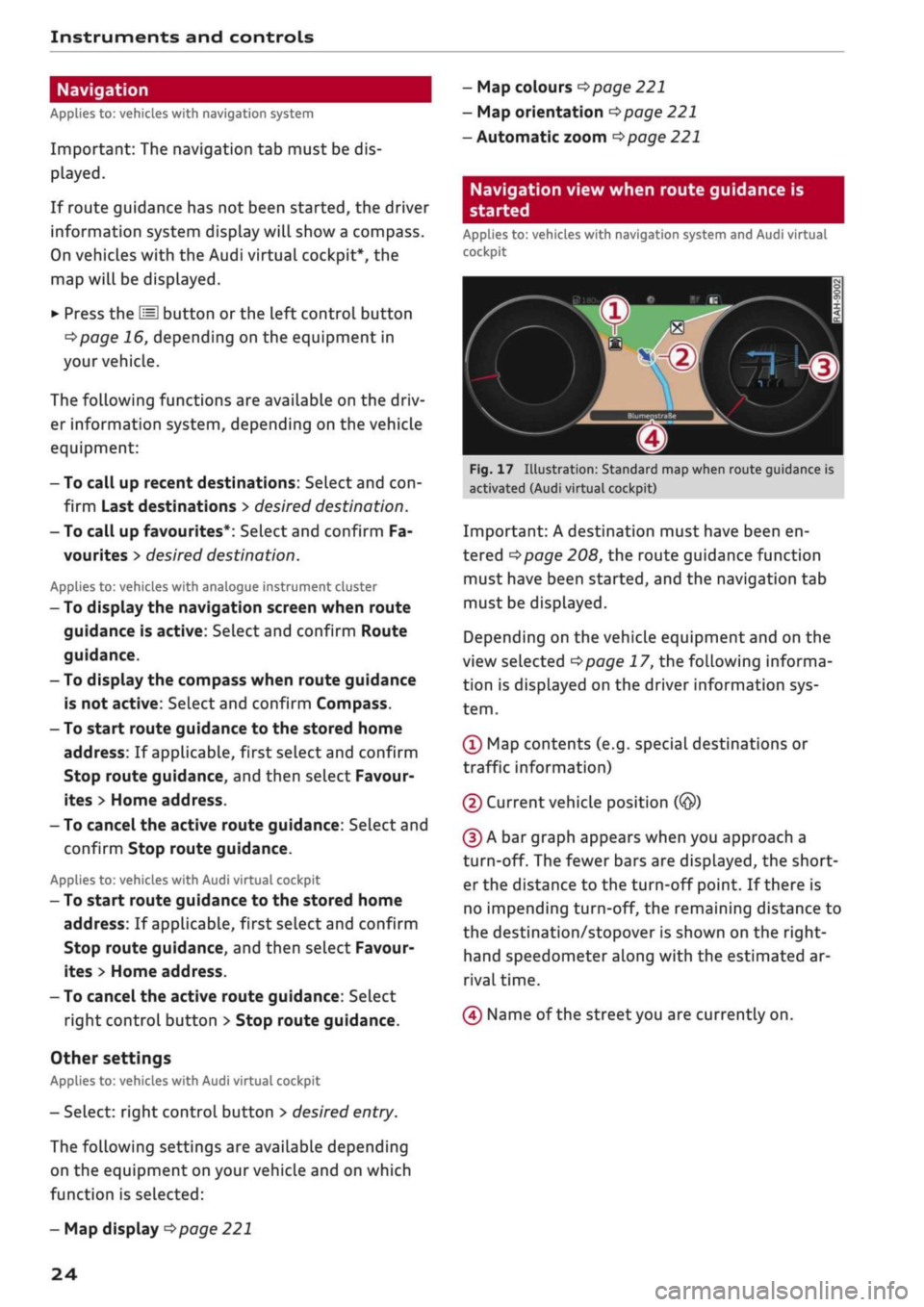
1
Fig.
17 Illustration: Standard map when route guidance is
activated (Audi virtual cockpit)
Important: A destination must have been en
tered
Opage
208, the route guidance function
must have been started, and the navigation tab
must be displayed.
Depending on the vehicle equipment and on the
view selected
Opage
17, the following informa
tion is displayed on the driver information sys
tem.
(Ï) Map contents (e.g. special destinations or
traffic information)
(2) Current vehicle position
(@)
(D A bar graph appears when you approach a
turn-off. The fewer bars are displayed, the short
er the distance to the turn-off point. If there is
no impending turn-off, the remaining distance to
the destination/stopover is shown on the right-
hand speedometer along with the estimated ar
rival time.
(4) Name of the street you are currently on.
- Map display
^>page
221
24
Page 27 of 364
Instruments and controls
CO
s
rN rN
I-I
00
Street view when route guidance is started
Applies to: vehicles with navigation system and analogue in
strument cluster
f»
Bayern
3
:OB16a/Inqolstadt
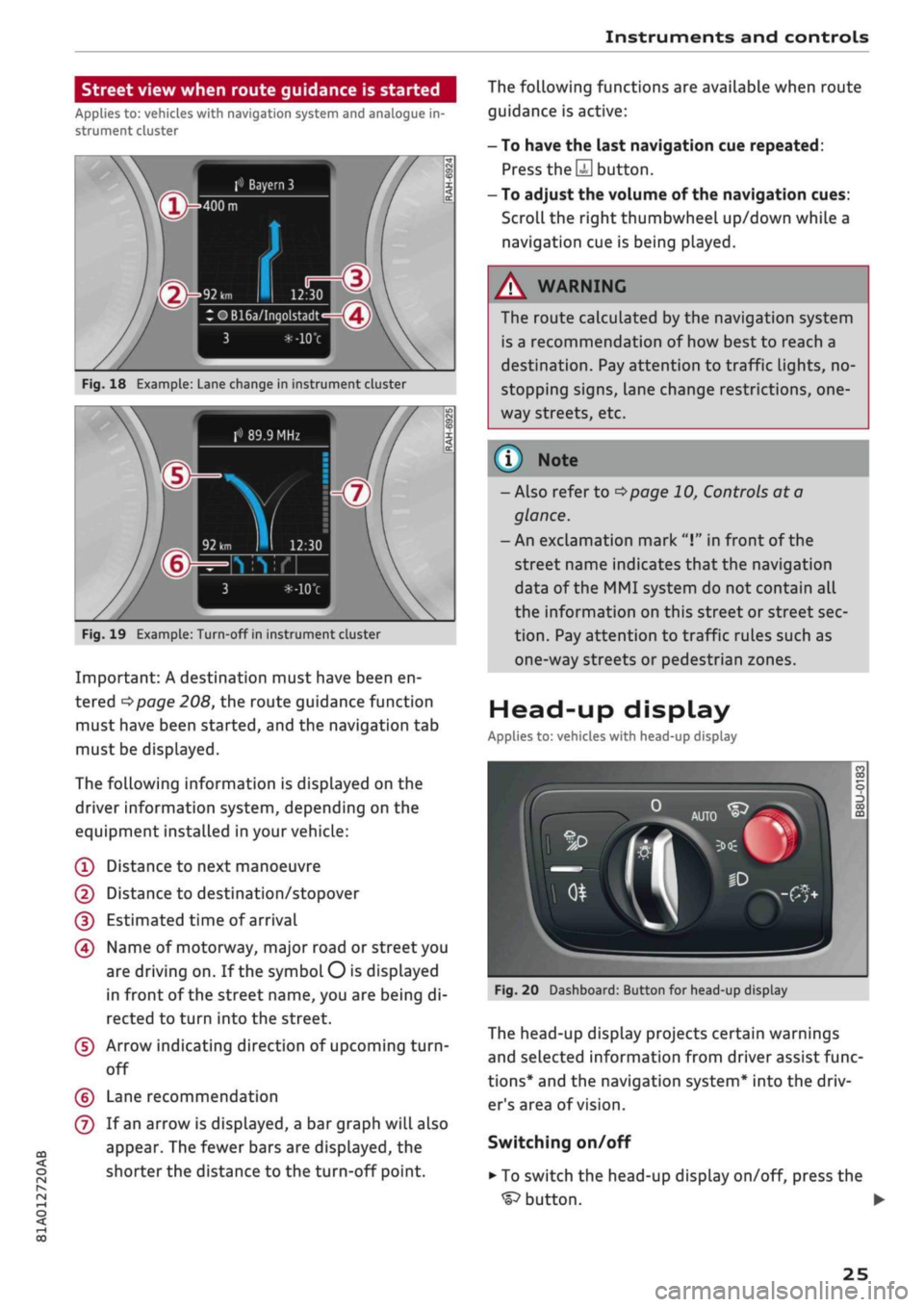
Fig.
18 Example: Lane change in instrument cluster
> 89.9 MHz
Fig.
19 Example: Turn-off in instrument cluster
Important: A destination must have been en
tered
^>page
208, the route guidance function
must have been started, and the navigation tab
must be displayed.
The following information is displayed on the
driver information system, depending on the
equipment installed in your vehicle:
(T)
Distance to next manoeuvre
@
Distance to destination/stopover
(D Estimated time of arrival
(4) Name of motorway, major road or street you
are driving on. If the symbol
O
is displayed
in front of the street name, you are being di
rected to turn into the street.
(5) Arrow indicating direction of upcoming
turn-
off
(?) Lane recommendation
(7) If an arrow is displayed, a bar graph will also
appear. The fewer bars are displayed, the
shorter the distance to the turn-off point.
The following functions are available when route
guidance is active:
- To have the last navigation cue repeated:
Press
the S
button.
- To adjust the volume of the navigation cues:
Scroll the right thumbwheel up/down while a
navigation cue is being played.
A
WARNING
The route calculated by the navigation system
is a recommendation of how best to reach a
destination. Pay attention to traffic lights, no-
stopping signs, lane change restrictions,
one
way streets, etc.
(T)
Note
- Also refer to
^>page
10, Controls at a
glance.
- An exclamation mark
"I"
in front of the
street name indicates that the navigation
data of the MMI system do not contain all
the information on this street or street sec
tion.
Pay attention to traffic rules such as
one-way streets or pedestrian zones.
Head-up display
Applies to: vehicles with head-up display
Fig.
20 Dashboard: Button for head-up display
The head-up display projects certain warnings
and selected information from driver assist func
tions*
and the navigation system* into the driv
er's area of vision.
Switching on/off
• To switch the head-up display on/off, press the
^button.
•
25
Page 28 of 364
Instruments and controls
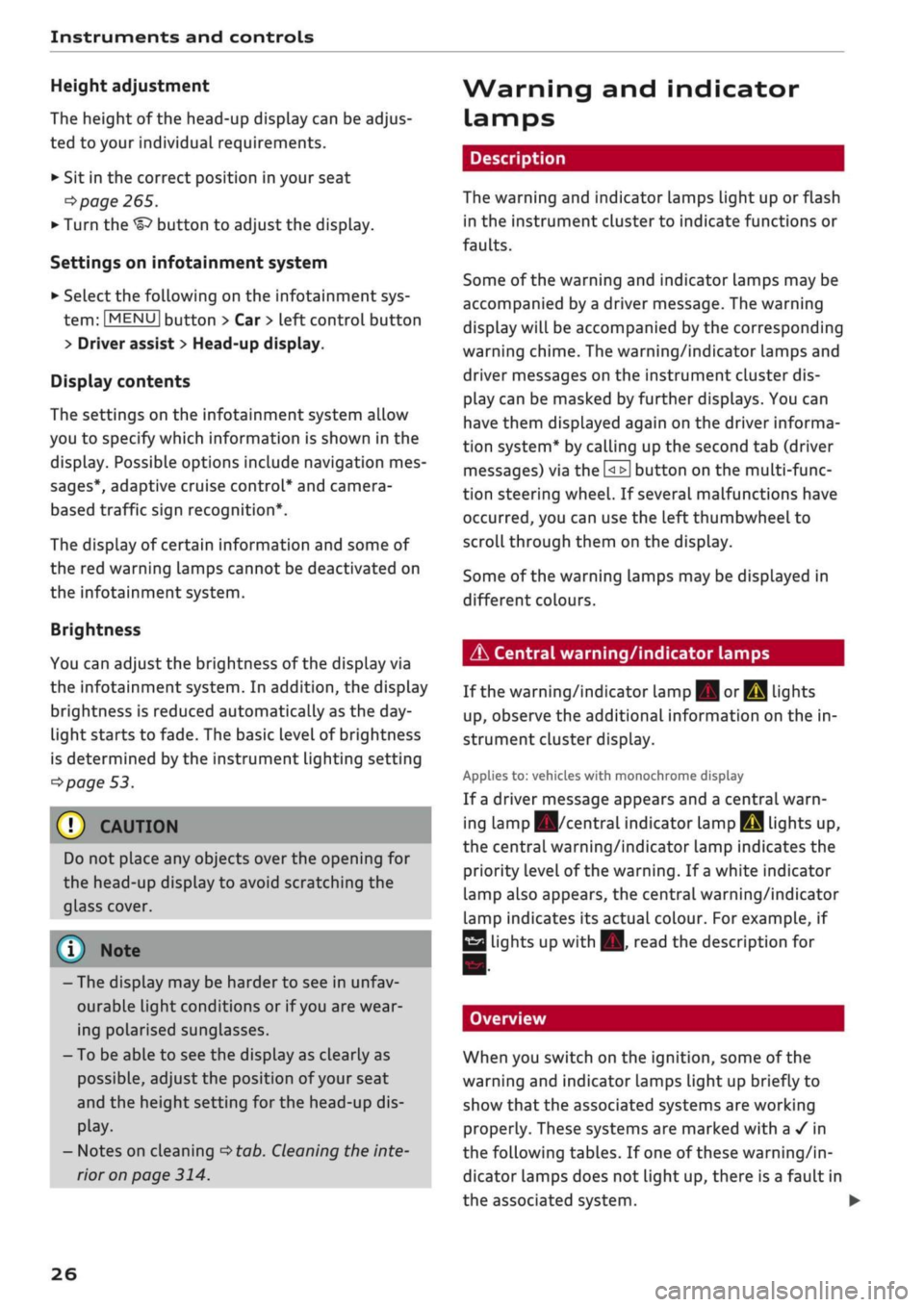
Height adjustment
The height of the head-up display can be adjus
ted to your individual requirements.
•
Sit in the correct position in your seat
•=>
page 265.
• Turn the
Settings on infotainment system
•
Select the following on the infotainment sys
tem:
IMENU|
button > Car
>
left control button
> Driver assist
>
Head-up display.
Display contents
The settings on the infotainment system allow
you to specify which information is shown in the
display. Possible options include navigation mes
sages*, adaptive cruise control* and camera-
based traffic sign recognition*.
The display of certain information and some of
the red warning lamps cannot be deactivated on
the infotainment system.
Brightness
You can adjust the brightness of the display via
the infotainment system. In addition, the display
brightness is reduced automatically as the
day
light starts to fade. The basic level of brightness
is determined by the instrument lighting setting
•=>
page 53.
© CAUTION
Do not place any objects over the opening for
the head-up display to avoid scratching the
glass cover.
© Note
- The display may be harder to see in unfav
ourable light conditions or if
you
are wear
ing polarised sunglasses.
- To be able to see the display as clearly as
possible, adjust the position of your seat
and the height setting for the head-up dis
play.
- Notes on cleaning
^tab.
Cleaning the inte
rior on page 314.
Warning and indicator
Lamps
Description
The warning and indicator lamps light up or flash
in the instrument cluster to indicate functions or
faults.
Some of the warning and indicator lamps may be
accompanied by a driver message. The warning
display will be accompanied by the corresponding
warning chime. The warning/indicator lamps and
driver messages on the instrument
duster
dis
play can be masked by further displays. You can
have them displayed again on the driver informa
tion system* by calling up the second tab (driver
messages) via the
\<±\
button on the multi-func
tion steering wheel. If several malfunctions have
occurred,
you can use the Left thumbwheel to
scroll through them on the display.
Some of the warning lamps may be displayed in
different colours.
âs
Central warning/indicator lamps
If the warning/indicator lamp
|g or pq
lights
up,
observe the additional information on the in
strument cluster display.
Applies
to: vehicles with monochrome display
If
a
driver message appears and a central warn
ing [amp
Kfl/central
indicator
lamp^S
lights up,
the central warning/indicator lamp indicates the
priority level of the warning. If
a
white indicator
lamp also appears, the central warning/indicator
lamp indicates its actual colour. For example, if
g
lights up with
H.
read the description for
Overview
When you switch on the ignition, some of the
warning and indicator lamps Light up briefly to
show that the associated systems are working
properly. These systems are marked with a
•/
in
the following tables. If one of these warning/in
dicator lamps does not light up, there is a fault in
the associated system. •
26
Page 36 of 364
Instruments and controls
the exhaust gas and damage the catalytic
con
verter.
Drive slowly to a qualified workshop without de
lay and have the fault rectified.
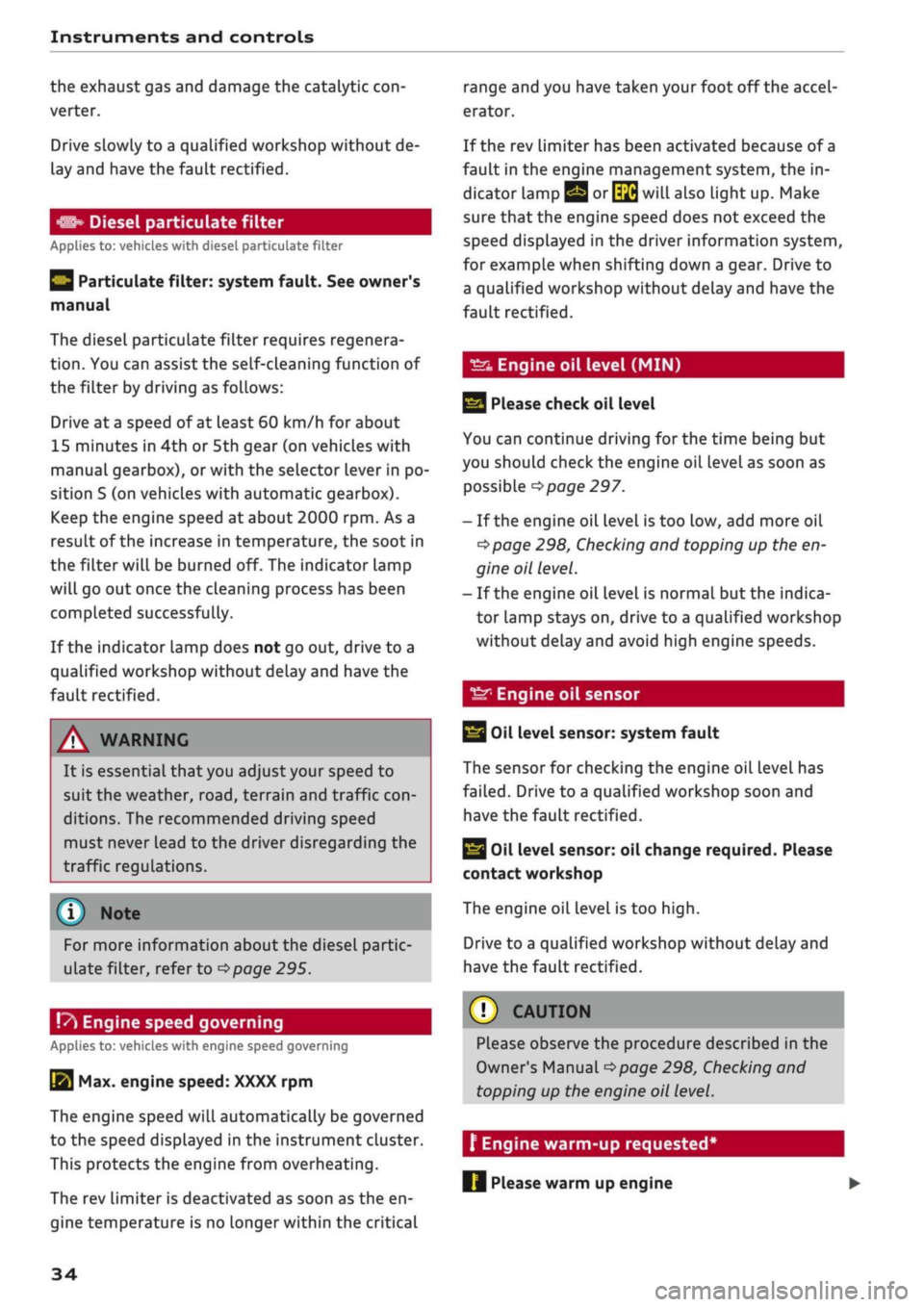
Diesel particulate filter
Applies to: vehicles with diesel particulate filter
|
Particulate filter: system fault. See owner's
manual
The diesel particulate filter requires regenera
tion.
You can assist the self-cleaning function of
the filter by driving as follows:
Drive at a speed of at least 60 km/h for about
15 minutes in 4th or 5th gear (on vehicles with
manual gearbox), or with the selector lever in po
sition S (on vehicles with automatic gearbox).
Keep the engine speed at about 2000
rpm.
As a
result of the increase in temperature, the soot in
the filter will be burned off. The indicator lamp
will go out once the cleaning process has been
completed successfully.
If the indicator lamp does not go out, drive to a
qualified workshop without delay and have the
fault rectified.
A WARNING
It is essential that you adjust your speed to
suit the weather,
road,
terrain and traffic
con
ditions. The recommended driving speed
must never lead to the driver disregarding the
traffic regulations.
(T) Note
For more information about the diesel partic
ulate filter, refer to
^>page
295.
!
»
Engine speed governing
Applies to: vehicles with engine speed governing
[51 Max. engine speed: XXXX rpm
The engine speed will automatically be governed
to the speed displayed in the instrument cluster.
This protects the engine from overheating.
The rev limiter is deactivated as soon as the en
gine temperature is no longer within the critical
range and you have taken
your
foot off the accel
erator.
If the rev limiter has been activated because of a
fault in the engine management system, the in
dicator lamp
Q or[|2g
will also light up. Make
sure that the engine speed does not exceed the
speed displayed in the driver information system,
for example when shifting down a gear. Drive to
a qualified workshop without delay and have the
fault rectified.
Engine oil level
(MIN)
23
Please check oil level
You can continue driving for the time being but
you should check the engine oil level as soon as
possible
<^page
297.
- If the engine oil level is too Low, add more oil
^>page
298, Checking and topping up the en
gine oil level.
- If the engine oil level is normal but the indica
tor lamp stays on, drive to a qualified workshop
without delay and avoid high engine speeds.
ST
Engine oil sensor
3
Oil level sensor: system fault
The sensor for checking the engine oil level has
failed.
Drive to a qualified workshop soon and
have the fault rectified.
3
Oil level sensor: oil change required. Please
contact workshop
The engine oil level is too
high.
Drive to a qualified workshop without delay and
have the fault rectified.
CAUTION
Please observe the procedure described in the
Owner's Manual
^>page
298, Checking and
topping up the engine oil level.
f Engine warm-up
requested
Please warm up engine
34
Page 48 of 364
Doors
and
windows
Child Locks
Applies to: vehicles with electric/mechanical child lock
The
child locks disable
the
rear windows and pre
vent the rear doors from being opened from
the
inside.
Driver message
in the
instrument cluster
display
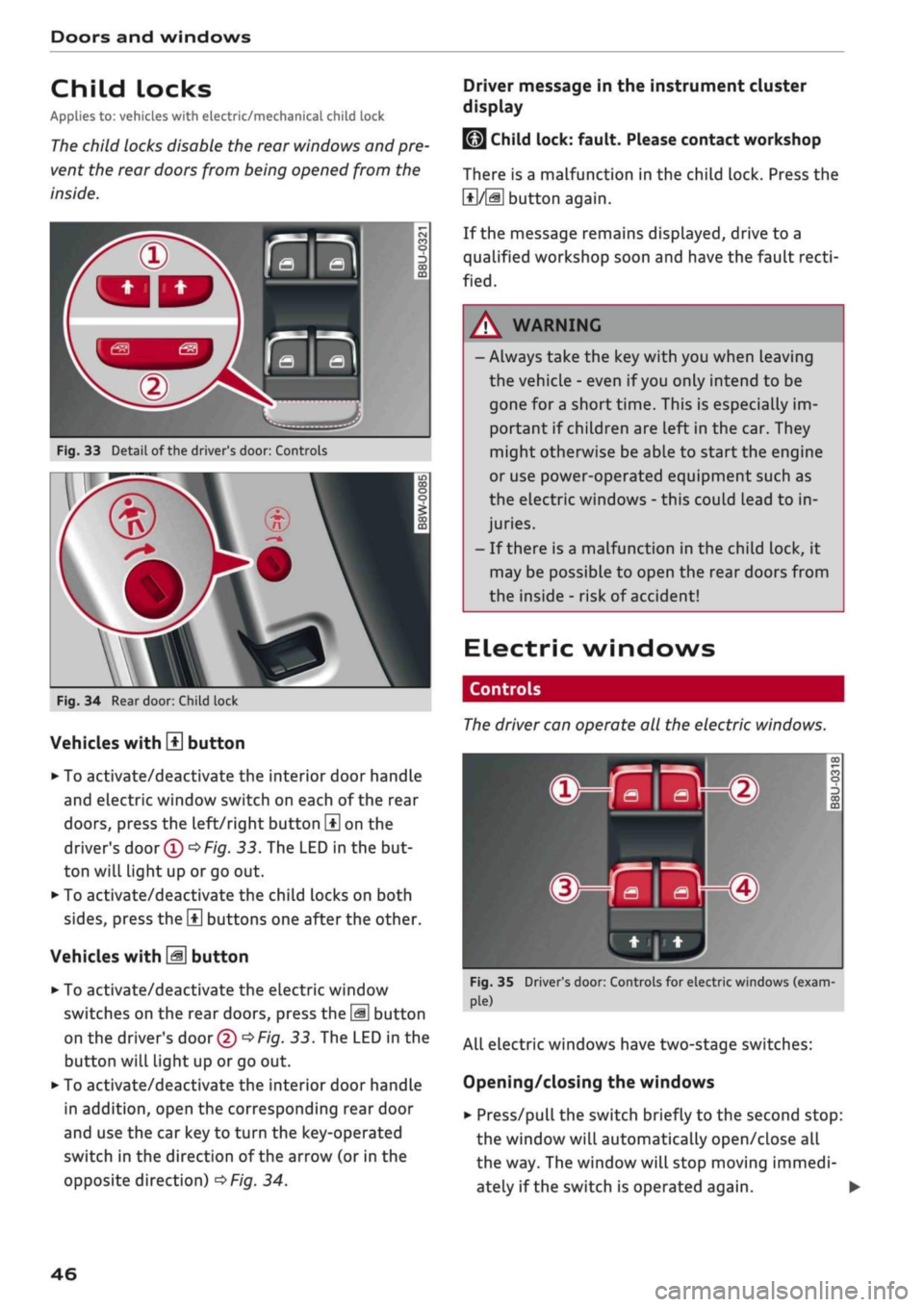
Fig.
33
Detail
of
the driver's door: Controls
Fig.
34
Rear door: Child lock
Vehicles with
H
button
• To activate/deactivate the interior door handle
and electric window switch on each
of
the rear
doors,
press the left/right button
\±\
on
the
driver's
door
(T)^Fig.
33.
The LED
in
the but
ton will light up
or
go out.
• To activate/deactivate the child locks on both
sides,
press the
B
buttons one after the other.
Vehicles with
M
button
•
To activate/deactivate the electric window
switches on the rear doors, press the
\M
button
on the driver's door
© •=>
Fig.
33.
The LED in
the
button will light up
or
go
out.
•
To activate/deactivate the interior door handle
in addition, open the corresponding rear door
and use the car key
to
turn the key-operated
switch
in
the direction
of
the arrow
(or
in
the
opposite direction)
^>Fig.
34.
LMJ
Child lock: fault. Please contact workshop
There
is
a malfunction
in
the child lock. Press
the
1*1/51
button again.
If the message remains displayed, drive
to a
qualified workshop soon and have the fault
recti
fied.
A WARNING
- Always take the key with you when Leaving
the vehicle
-
even
if
you
only intend
to be
gone
for
a short time. This
is
especially im
portant
if
children are left in the car. They
might otherwise be able
to
start the engine
or use power-operated equipment such
as
the electric windows
-
this could lead
to
in
juries.
-
If
there
is
a malfunction
in
the child lock,
it
may be possible
to
open
the
rear doors from
the inside
-
risk
of
accident!
Electric windows
Controls
The
driver can operate
all the
electric windows.
^^S
MB-®
hjHi)
Fig.
35 Driver's door: Controls for electric windows (exam
ple)
All electric windows have two-stage switches:
Opening/closing the windows
•
Press/pull the switch briefly
to
the second stop:
the window will automatically open/close
all
the way. The window will stop moving immedi
ately
if
the switch
is
operated again.
•
46
Page 53 of 364
Lights and vision
CO
<
O
rN rN
•-i
00
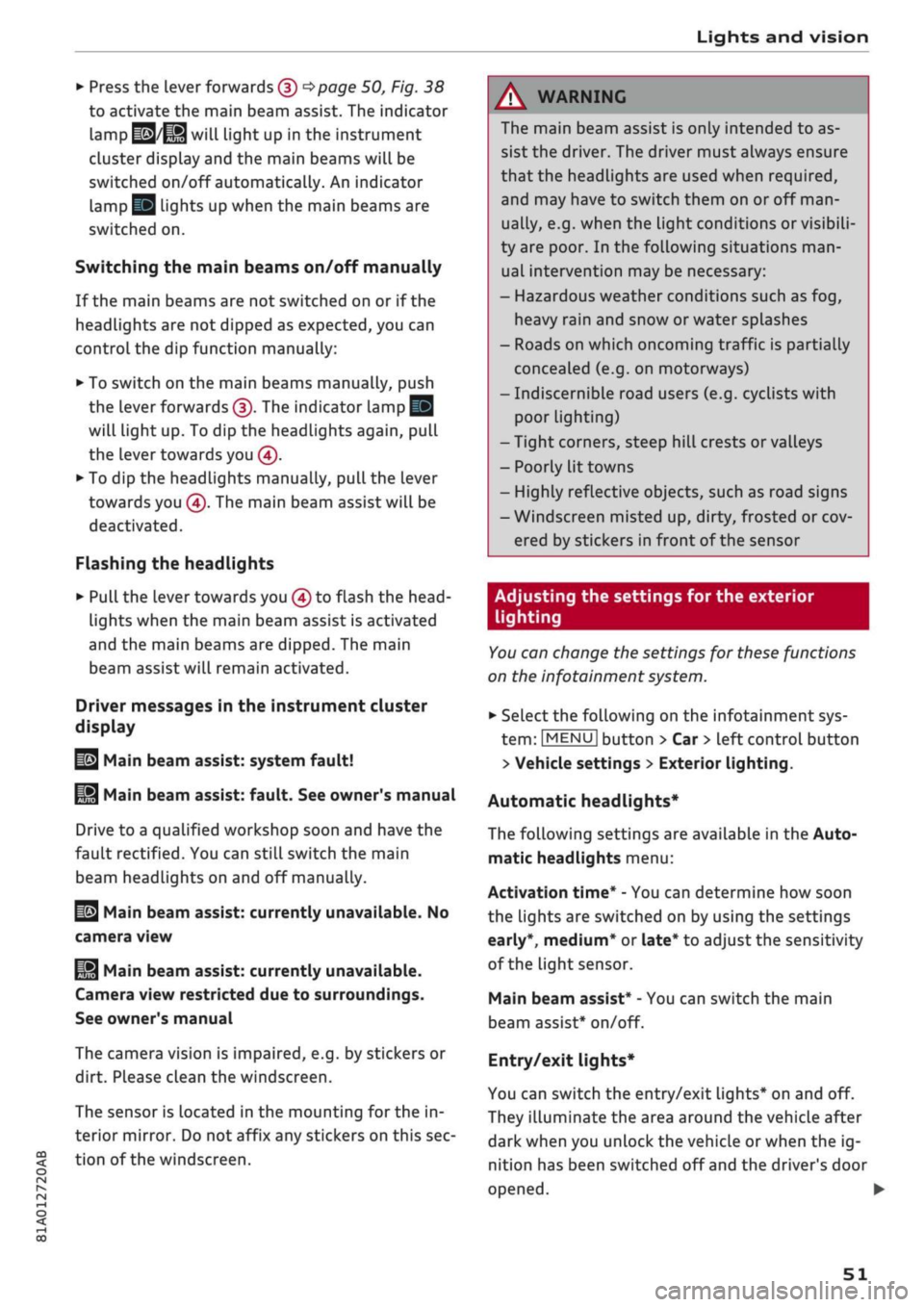
• Press the lever forwards (3)
^>page
50,
Fig. 38
to activate the main beam assist. The indicator
lamp
^/fi8
will light up in the instrument
cluster display and the main beams will be
switched on/off automatically. An indicator
lampBS
lights up when the main beams are
switched on.
Switching the main beams on/off manually
If the main beams are not switched on or if the
headlights are not dipped as expected, you can
control the dip function manually:
• To switch on the main beams manually, push
the lever forwards
(3).
The indicator Lamp
g
will
Light
up. To dip the headlights again, pull
the lever towards you 0.
• To dip the headlights manually, pull the lever
towards you
@.
The main beam assist will be
deactivated.
Flashing the headlights
• Pull the lever towards you
@
to flash the
head
lights when the main beam assist is activated
and the main beams are dipped. The main
beam assist will remain activated.
Driver messages in the instrument cluster
display
13
Main beam assist: system fault!
1H
Main beam assist: fault. See owner's manual
Drive to a qualified workshop soon and have the
fault rectified. You can still switch the main
beam headlights on and off manually.
13
Main beam assist: currently unavailable. No
camera view
HI
Main beam assist: currently unavailable.
Camera view restricted due to surroundings.
See owner's manual
The camera vision is impaired, e.g. by stickers or
dirt. Please clean the windscreen.
The sensor is located in the mounting for the in
terior mirror. Do not affix any stickers on this sec
tion of the windscreen.
A WARNING
The main beam assist is only intended to as
sist the driver. The driver must always ensure
that the headlights are used when required,
and may have to switch them on or off
man
ually, e.g. when the Light conditions or visibili
ty are poor. In the following situations
man
ual intervention may be necessary:
- Hazardous weather conditions such as fog,
heavy rain and snow or water splashes
- Roads on which oncoming traffic is partially
concealed (e.g. on motorways)
- Indiscernible road users (e.g. cyclists with
poor lighting)
- Tight corners, steep hill crests or valleys
- Poorly lit towns
- Highly reflective objects, such as road signs
-Windscreen misted up, dirty, frosted or cov
ered by stickers in front of the sensor
Adjusting the settings for the exterior
lighting
You
can change the settings for these functions
on the infotainment system.
• Select the following on the infotainment sys
tem:
IMENUI
button > Car
>
left control button
> Vehicle settings > Exterior lighting.
Automatic headlights*
The following settings are available in the Auto
matic headlights menu:
Activation time* - You can determine how soon
the lights are switched on by using the settings
early*, medium* or late* to adjust the sensitivity
of the light sensor.
Main beam assist* - You can switch the main
beam assist* on/off.
Entry/exit
lights*
You can switch the entry/exit lights* on and off.
They illuminate the area around the vehicle after
dark when you unlock the vehicle or when the ig
nition has been switched off and the driver's door
opened.
•
51
Page 81 of 364

Driving
CO
<
O
rN
IV
rN
t-H
o <
Starting the engine after
a malfunction
Applies
to: vehicles with convenience key
If the remote control key battery is exhausted or
if radio interference
or
a system malfunction oc
curs, extra steps may be necessary in order to
start the engine.
Fig.
71 Steering column/remote control key: Starting the
engine
after a malfunction
If the message
D
Key not recognised. See
own
er's manual or
|3
Remote control key: hold
back of key against marked area. See owner's
manual is displayed, you can still start the en
gine manually.
•
Manual gearbox: Press the clutch
pedal
• Automatic gearbox: Press the brake pedal.
•
Hold the remote control key against the symbol
fJ)
^>Fig.
71, as shown in the illustration.
• Press the ISTART ENGINE
STOPl
button
^ A in
Starting the engine on page 76. The engine
shouLd start.
•
Drive to a qualified workshop soon and have the
fault rectified.
Note
You can call up the driver message again by
pressing the ISTART ENGINE STOP| button.
Start/stop system
Description
Applies
to: vehicles with start/stop system
The start/stop system can help to save fuel and
reduce
CO2
emissions.
1)
May vary in different countries
In start/stop mode, the engine is switched off
automatically when the vehicle stops, e.g. at
traffic lights. The ignition remains on during this
stop phase. The engine is automatically started
on demand.
The start/stop system is automatically activated
each
time
you switch on the ignition.
Basic conditions for start/stop mode
- The driver's door must be closed.
- The driver's seat belt must be buckled.
- The bonnet must be closed.
- The vehicle must have been moving at over 3
km/h since the Last stop.
CAUTION
Always switch off the start/stop system
^>page
81 before driving through water.
©
The engine is switched
off1)
shortly before the
vehicle comes to a stop. However, the brake
servo and power steering remain fully opera
tional.
Stopping/starting the engine
Applies
to: vehicles with start/stop system
START
(M
STOP
S
Fig.
72 Instrument cluster: Engine switched off (stop
phase)
Applies
to: vehicles with manual gearbox
•
When the vehicle stops, put the gear Lever in
neutral and
take your
foot
off
the clutch pedal.
The engine will switch off. An indicator lamp
I
will light up in the instrument cluster •
79
Page 83 of 364

Driving
- The power consumption is
high.
The engine switches off again when the condi
tions for start/stop mode are once again
fulfil
led1).
Ignition is switched off automatically
To prevent the vehicle battery from being dis
charged,
the ignition will be switched off auto
matically if certain conditions are met. For in
stance:
- The start/stop system has switched off the en
gine.
- The vehicle is stationary.
- The driver has left the vehicle.
If the dipped beam headlights are switched on in
this case, the side lights will be turned on in
stead.
After approx. 30 minutes, or when you
lock the vehicle, the side Lights will be switched
off.
If the start/stop system has not stopped the en
gine or if
you
have switched off the start/stop
system manually, the engine will continue
run
ning and the ignition will not be switched off au
tomatically
^A-
A WARNING
Never run the engine in confined spaces. The
exhaust gases are toxic - risk of poisoning!
© Note
If
you
select
D
or
N
after selecting reverse
gear on a vehicle with automatic gearbox, the
car must have been moving at over 10 km/h
before the system can switch off the engine
again.
Switching the start/stop system on/off
manually
Applies to: vehicles with start/stop system
You
can switch the system off manually if you
don't want to use it.
_.
rA^OFF
un
S
o
>
CO CO
Fig.
73 Centre console: Switch for start/stop system
•
To switch the start/stop system off or on
man
ually, press the
\OE1
button. The LED in the but
ton will light up when the system is switched
off.
© Note
If
you
switch off the system during a stop
phase,
the engine will start again automati
cally.
Driver messages in the instrument cluster
display
Applies to: vehicles with start/stop system
H
Automatic
start/stop
deactivated: Please re
start engine manually
This message appears if certain conditions have
not been met during the stop phase and the
start/stop system cannot start the engine again
automatically. In this case, the engine must be
started manually.
2]
Automatic
start/stop:
system fault! Func
tion unavailable
There is a malfunction in the start/stop system.
Drive to a workshop soon and have the fault
recti
fied.
CO
rN
IV
rN
t-H
o <
1)
May vary in different countries
81