Car seat AUDI Q2 2021 Owner´s Manual
[x] Cancel search | Manufacturer: AUDI, Model Year: 2021, Model line: Q2, Model: AUDI Q2 2021Pages: 364, PDF Size: 87.77 MB
Page 4 of 364
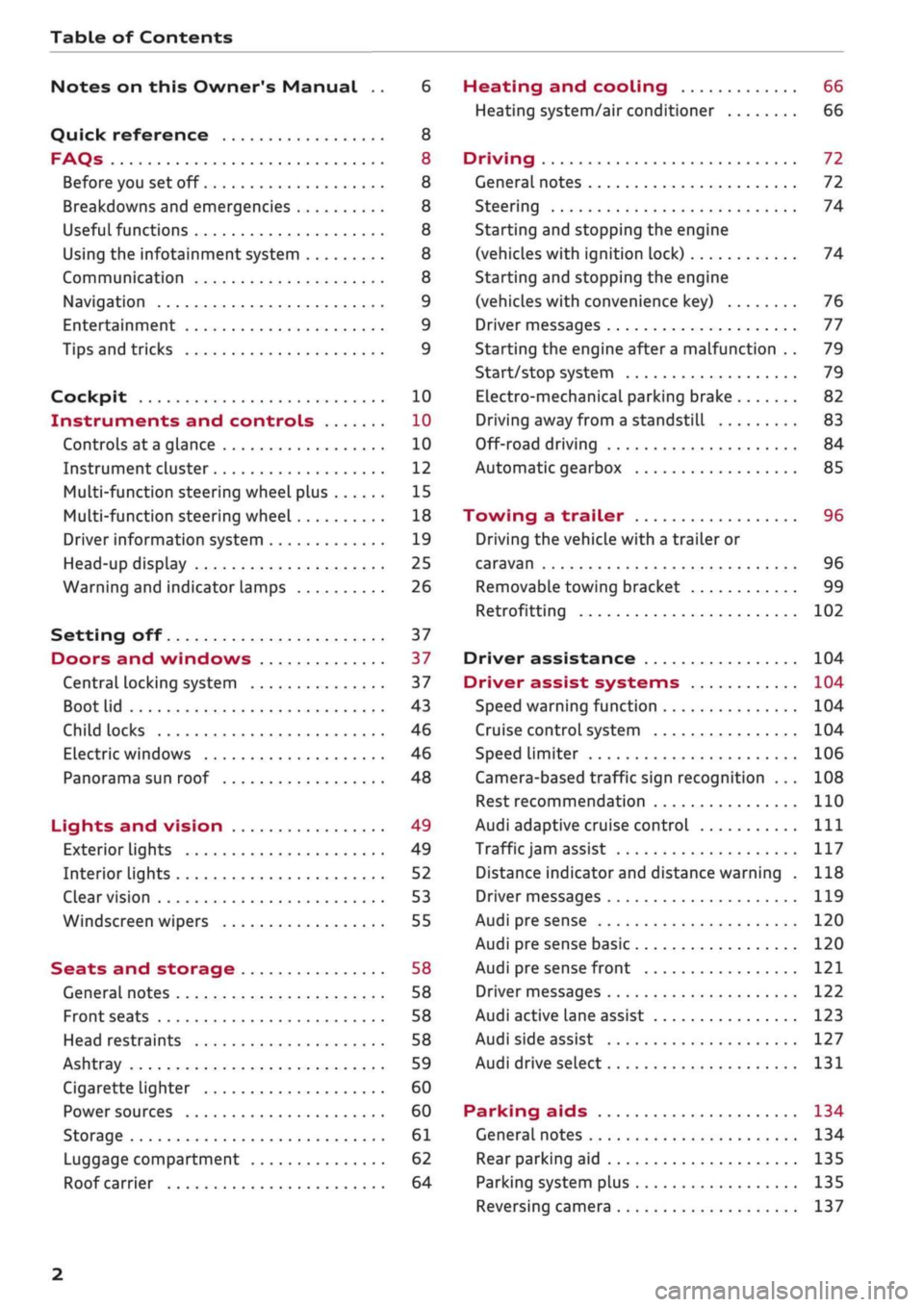
Table of Contents
Notes on this Owner's Manual .. 6
Quick reference 8
FAQs 8
Before you set off 8
Breakdowns and emergencies 8
Useful functions 8
Using the infotainment system 8
Communication 8
Navigation 9
Entertainment 9
Tips and tricks 9
Cockpit 10
Instruments and controls 10
Controls at a glance 10
Instrument cluster 12
Multi-function steering wheel plus 15
Multi-function steering wheel 18
Driver information system 19
Head-up display 25
Warning and indicator lamps 26
Setting off 37
Doors and windows 37
Central locking system 37
Boot lid 43
Child locks 46
Electric windows 46
Panorama sun roof 48
Lights and vision 49
Exterior lights 49
Interior lights 52
Clear vision 53
Windscreen wipers 55
Seats and storage 58
General notes 58
Front seats 58
Head restraints 58
Ashtray 59
Cigarette lighter 60
Power sources 60
Storage 61
Luggage compartment 62
Roof carrier 64
Heating and cooling 66
Heating system/air conditioner 66
Driving 72
General notes 72
Steering 74
Starting and stopping the engine
(vehicles with ignition lock) 74
Starting and stopping the engine
(vehicles with convenience key) 76
Driver messages 77
Starting the engine after a malfunction . . 79
Start/stop system 79
Electro-mechanical parking brake 82
Driving away from a standstill 83
Off-road driving 84
Automatic gearbox 85
Towing a trailer 96
Driving the vehicle with a trailer or
caravan 96
Removable towing bracket 99
Retrofitting 102
Driver assistance 104
Driver assist systems 104
Speed warning function 104
Cruise control system 104
Speed limiter 106
Camera-based traffic sign recognition ... 108
Rest recommendation 110
Audi adaptive cruise control
Ill
Traffic
jam assist 117
Distance indicator and distance warning . 118
Driver messages
119
Audi pre sense 120
Audi pre sense basic 120
Audi pre sense front 121
Driver messages 122
Audi active lane assist 123
Audi side assist 127
Audi drive select 131
Parking aids 134
General notes 134
Rear parking aid
135
Parking system plus 135
Reversing camera 137
2
Page 6 of 364
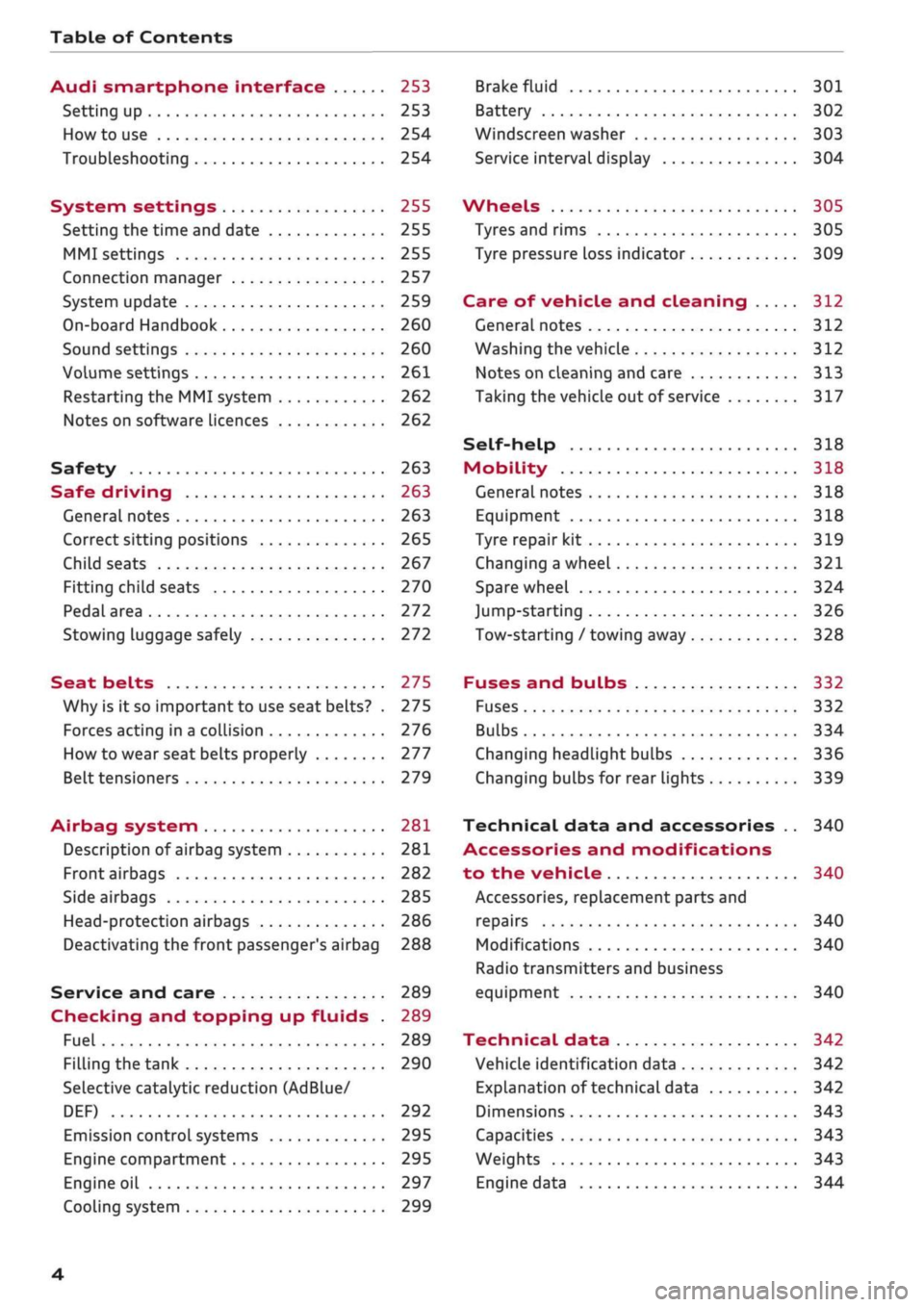
Table of Contents
Audi smartphone interface 253
Setting up
253
How to use 254
Troubleshooting 254
System settings 255
Setting the time and date 255
MMI settings 255
Connection manager 257
System update 259
On-board Handbook 260
Sound settings 260
Volume settings 261
Restarting the MMI system 262
Notes on software licences 262
Safety 263
Safe driving 263
General notes 263
Correct sitting positions 265
Child seats 267
Fitting child seats 270
Pedal area 272
Stowing luggage safely 272
Seat belts 275
Why is it so important to use seat belts? . 275
Forces acting in a collision 276
How to wear seat belts properly 277
Belt tensioners 279
Airbag system 281
Description of airbag system 281
Front airbags 282
Side airbags 285
Head-protection airbags 286
Deactivating the front passenger's airbag 288
Service and care 289
Checking and topping up fluids . 289
Fuel 289
Filling the tank 290
Selective catalytic reduction (AdBlue/
DEF) 292
Emission control systems 295
Engine compartment 295
Engine oil 297
Cooling system 299
Brake fluid 301
Battery 302
Windscreen washer 303
Service interval display 304
Wheels 305
Tyres and rims 305
Tyre pressure loss indicator 309
Care of vehicle and cleaning 312
General notes 312
Washing the vehicle 312
Notes on cleaning and care 313
Taking the vehicle out of service 317
Self-help 318
Mobility 318
General notes
318
Equipment 318
Tyre repair kit 319
Changing a wheel 321
Spare wheel 324
Jump-starting 326
Tow-starting / towing away 328
Fuses and bulbs 332
Fuses 332
Bulbs 334
Changing headlight bulbs 336
Changing bulbs for rear lights 339
Technical data and accessories .. 340
Accessories and modifications
to the vehicle 340
Accessories, replacement parts and
repairs 340
Modifications 340
Radio transmitters and business
equipment 340
Technical data 342
Vehicle identification data 342
Explanation of technical data 342
Dimensions 343
Capacities 343
Weights 343
Engine data 344
4
Page 10 of 364
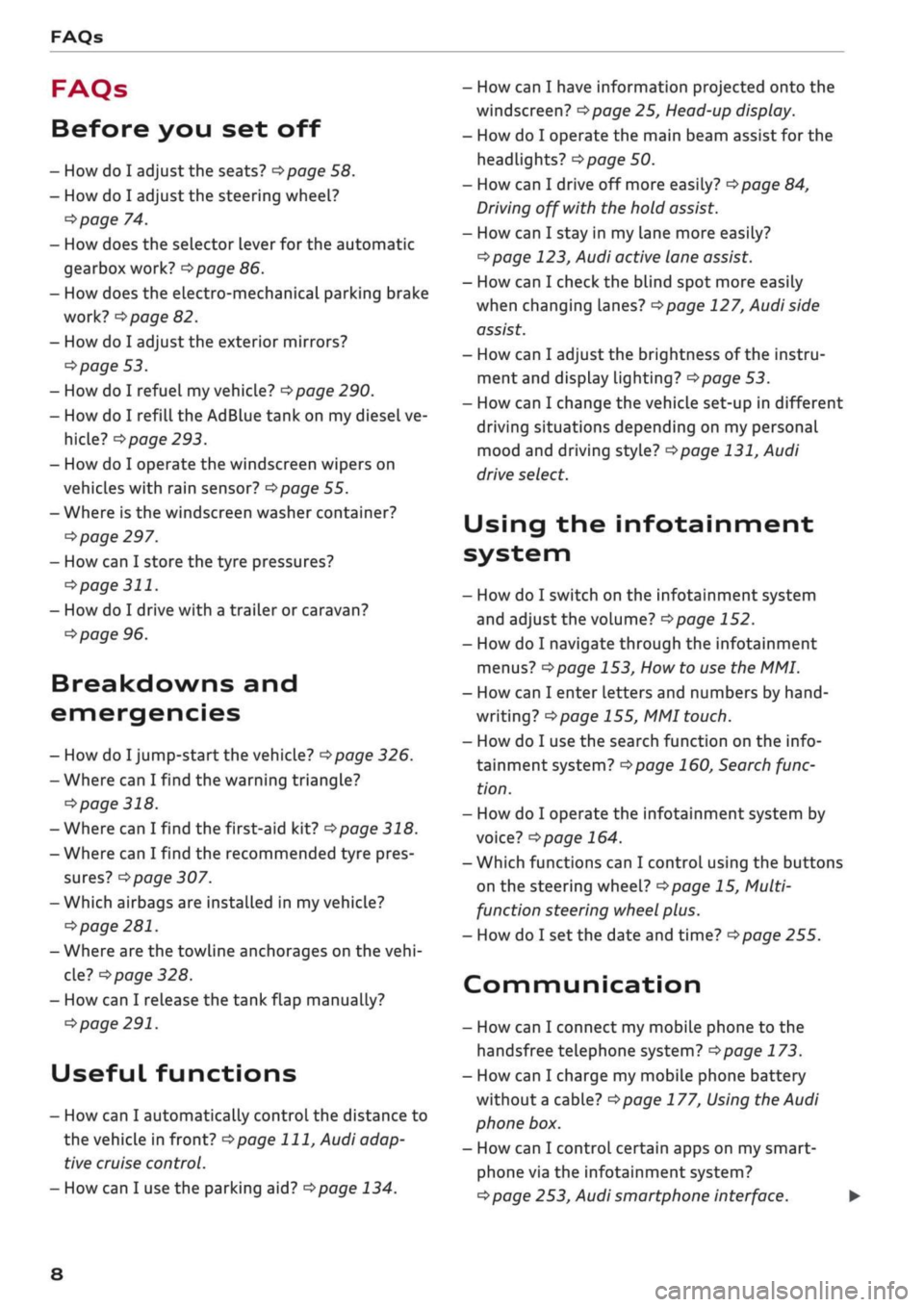
FAQs
FAQs
Before you set off
- How do I adjust the seats?
^page
58.
- How do I adjust the steering wheel?
^>page
74.
- How does the selector lever for the automatic
gearbox work?
opage
86.
- How does the electro-mechanical parking brake
work?
^>page
82.
- How do I adjust the exterior mirrors?
^>page
53.
- How do I refuel my vehicle?
^>page
290.
- How do I refill the AdBlue tank on my diesel ve
hicle?
•=>
page 293.
- How do I operate the windscreen wipers on
vehicles with rain sensor?
^>page
55.
- Where is the windscreen washer container?
•=>
page 297.
- How can I store the tyre pressures?
•=>
page
311.
- How do I drive with a trailer or caravan?
^>page
96.
Breakdowns and
emergencies
- How do I jump-start the vehicle?
^>page
326.
- Where can I find the warning triangle?
<=>page
318.
- Where can I find the first-aid kit?
•=> pagre
318.
- Where can I find the recommended tyre pres
sures?
•=>
page 307.
- Which airbags are installed in my vehicle?
•=>
page 281.
- Where are the towline anchorages on the
vehi
cle?
tapage
328.
- How can I release the tank flap manually?
•=>
page 291.
Useful functions
- How can I automatically control the distance to
the vehicle in front?
^>page
111,
Audi adap
tive cruise control.
- How can I use the parking aid?
^>page
134.
- How can I have information projected onto the
windscreen?
^>page
25, Head-up display.
- How do I operate the main beam assist for the
headlights?
^>page
50.
- How can I drive off more easily?
opage
84,
Driving off with the hold assist.
- How can I stay in my lane more easily?
cépage
123, Audi active lane assist.
- How can I check the blind spot more easily
when changing lanes?
^>page
127, Audi side
assist.
- How can I adjust the brightness of the instru
ment and display lighting?
^>page
53.
- How can I change the vehicle set-up in different
driving situations depending on my personal
mood and driving style?
^>page
131, Audi
drive select.
Using the infotainment
system
- How do I switch on the infotainment system
and adjust the volume?
^>page
152.
- How do I navigate through the infotainment
menus?
^>page
153,
How
to use the MMI.
- How can I enter letters and numbers by
hand
writing?
^>page
155, MMI touch.
- How do I use the search function on the info
tainment system?
^>page
160, Search func
tion.
- How do I operate the infotainment system by
voice?
^>page
164.
- Which functions can I control using the buttons
on the steering wheel?
^page
15, Multi
function steering wheel plus.
- How do I set the date and time?
^>page
255.
Communication
- How can I connect my mobile phone to the
handsfree telephone system?
opage
173.
- How can I charge my mobile phone battery
without a cable?
^>page
177, Using the Audi
phone box.
- How can I control certain apps on my smart-
phone via the infotainment system?
cépage
253, Audi smartphone interface. •
8
Page 11 of 364
- How can I call up information online?
^>page
191, Audi connect (infotainment).
- How can I use the Wi-Fi hotspot?
•=>page
201.
Navigation
- What ways are there to enter
a
navigation des
tination?
^>page
208.
- How do I operate the map functions?
•=>
page 219.
- How can I display traffic information?
=>
page 225.
Entertainment
- How can I listen to the radio?
^>page
228.
- How can I play media?
^page
243.
- How can I play music from my mobile phone via
the
infotainment
system?
•=>page
237, Blue
tooth audio
player.
Tips and tricks
- How can I unlock my vehicle from inside to let
passengers in?
=t>page
40.
- How can I open all the windows from outside
using the remote control key?
•=>page
47,
Convenience
open/close function.
- How can I operate both sides of the air condi
tioner together?
^page
69.
- How can I deactivate the front passenger's air-
bag?
•=>
page 288.
- How do I secure a child seat?
^>page
270.
- What do I have to be aware of when driving
through an automatic car wash?
<$page
312.
- How can I drive (more) economically?
^>page
72.
- How can I see when the next service date is?
^page
304.
Page 28 of 364
Instruments and controls
Height adjustment
The height of the head-up display can be adjus
ted to your individual requirements.
•
Sit in the correct position in your seat
•=>
page 265.
• Turn the
Settings on infotainment system
•
Select the following on the infotainment sys
tem:
IMENU|
button > Car
>
left control button
> Driver assist
>
Head-up display.
Display contents
The settings on the infotainment system allow
you to specify which information is shown in the
display. Possible options include navigation mes
sages*, adaptive cruise control* and camera-
based traffic sign recognition*.
The display of certain information and some of
the red warning lamps cannot be deactivated on
the infotainment system.
Brightness
You can adjust the brightness of the display via
the infotainment system. In addition, the display
brightness is reduced automatically as the
day
light starts to fade. The basic level of brightness
is determined by the instrument lighting setting
•=>
page 53.
© CAUTION
Do not place any objects over the opening for
the head-up display to avoid scratching the
glass cover.
© Note
- The display may be harder to see in unfav
ourable light conditions or if
you
are wear
ing polarised sunglasses.
- To be able to see the display as clearly as
possible, adjust the position of your seat
and the height setting for the head-up dis
play.
- Notes on cleaning
^tab.
Cleaning the inte
rior on page 314.
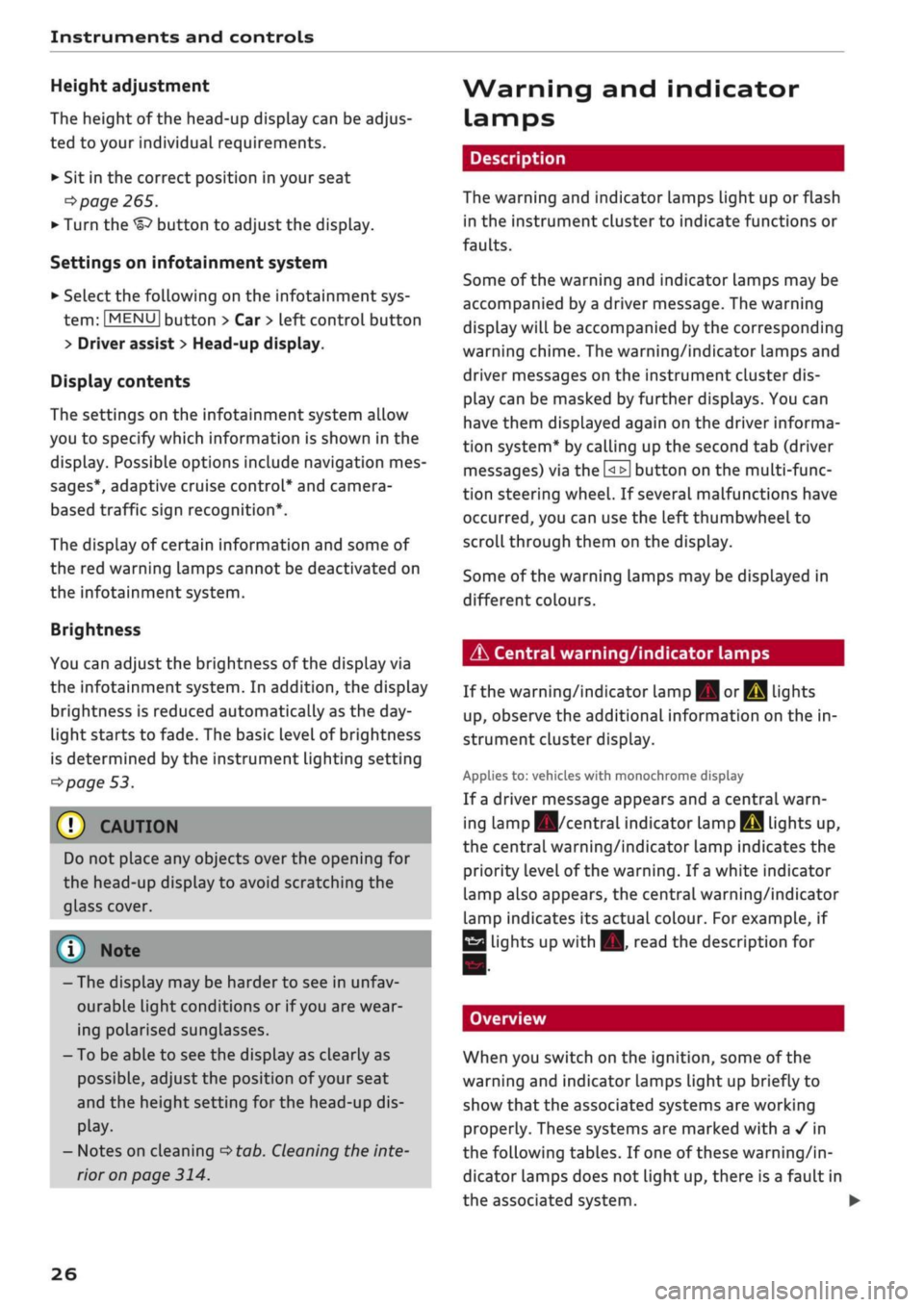
Warning and indicator
Lamps
Description
The warning and indicator lamps light up or flash
in the instrument cluster to indicate functions or
faults.
Some of the warning and indicator lamps may be
accompanied by a driver message. The warning
display will be accompanied by the corresponding
warning chime. The warning/indicator lamps and
driver messages on the instrument
duster
dis
play can be masked by further displays. You can
have them displayed again on the driver informa
tion system* by calling up the second tab (driver
messages) via the
\<±\
button on the multi-func
tion steering wheel. If several malfunctions have
occurred,
you can use the Left thumbwheel to
scroll through them on the display.
Some of the warning lamps may be displayed in
different colours.
âs
Central warning/indicator lamps
If the warning/indicator lamp
|g or pq
lights
up,
observe the additional information on the in
strument cluster display.
Applies
to: vehicles with monochrome display
If
a
driver message appears and a central warn
ing [amp
Kfl/central
indicator
lamp^S
lights up,
the central warning/indicator lamp indicates the
priority level of the warning. If
a
white indicator
lamp also appears, the central warning/indicator
lamp indicates its actual colour. For example, if
g
lights up with
H.
read the description for
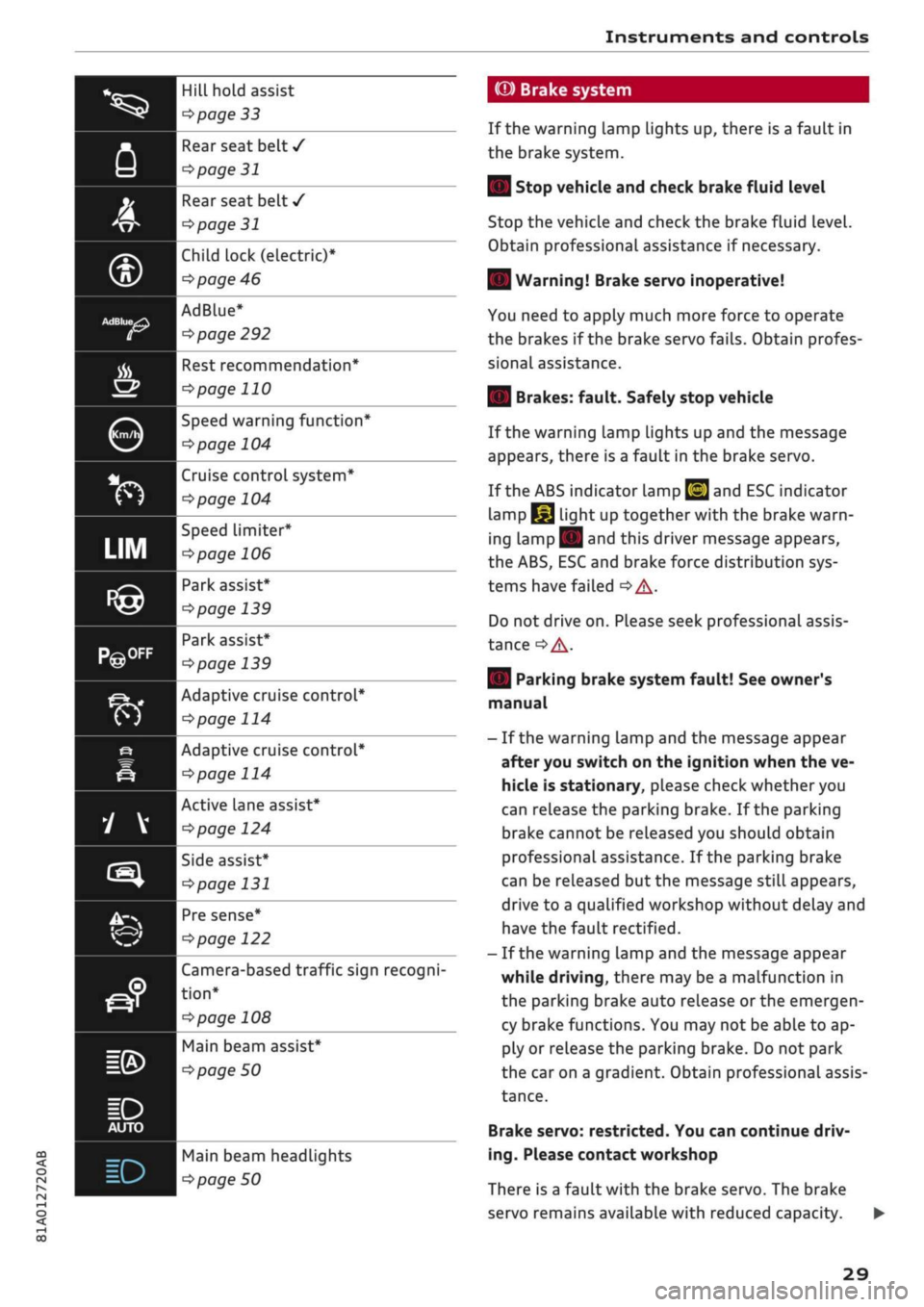
Overview
When you switch on the ignition, some of the
warning and indicator lamps Light up briefly to
show that the associated systems are working
properly. These systems are marked with a
•/
in
the following tables. If one of these warning/in
dicator lamps does not light up, there is a fault in
the associated system. •
26
Page 31 of 364
Instruments and controls
^^
CQ
<
O
rN
iv
rN
•-i
00
Hill hold assist
^>page
33
Rear seat belt
/
^>page
31
Rear seat belt
/
^>page
31
Child lock
(electric)*
cépage
46
AdBlue*
^page
292
Kfl I ^
page 122
Rest recommendation*
^>page
110
Speed warning function*
cépage
104
Cruise control system*
^>page
104
Speed limiter*
^>page
106
Park assist*
^>page
139
Park assist*
^>page
139
Adaptive cruise control*
^>page
114
Adaptive cruise control*
tapage
114
Active Lane assist*
tapage
124
Side assist*
tapage
131
Pre sense*
Camera-based traffic sign recogni
tion*
^>
page 108
Main beam assist*
^>
page 50
Main beam headLights
Pipage
50
(©) Brake system
If the warning Lamp Lights up, there is a fault in
the brake system.
| Stop vehicle and check brake fluid level
Stop the vehicle and check the brake fluid level.
Obtain professional assistance if necessary.
| Warning! Brake servo inoperative!
You need to apply much more force to operate
the brakes if the brake servo fails. Obtain profes
sional assistance.
| Brakes: fault. Safely stop vehicle
If the warning lamp lights up and the message
appears, there is a fault in the brake servo.
If the ABS indicator lamp
[g]
and ESC indicator
lamp
I^J
light up together with the brake warn
ing
Lamp||
and this driver message appears,
the ABS, ESC and brake force distribution sys
tems have failed
•=> A-
Do not drive on. Please seek professional assis
tance
^A-
| Parking brake system fault! See owner's
manual
- If the warning lamp and the message appear
after you switch on the ignition when the ve
hicle is stationary, please check whether you
can release the parking brake. If the parking
brake cannot be released you should obtain
professional assistance. If the parking brake
can be released but the message
stilL
appears,
drive to a qualified workshop without delay and
have the fault rectified.
- If the warning lamp and the message appear
while driving, there may be a malfunction in
the parking brake auto release or the emergen
cy brake functions. You may not be able to ap
ply or release the parking brake. Do not park
the car on a gradient. Obtain professional assis
tance.
Brake servo: restricted. You can continue driv
ing.
Please contact workshop
There is a fault with the brake servo. The brake
servo remains available with reduced capacity.
29
Page 34 of 364
Instruments and controls
When the vehicle has gathered speed you will al
so hear
a
warning chime.
Applies to: vehicles with manual gearbox
© Note
For further information on the seat belts
•=>
page 275.
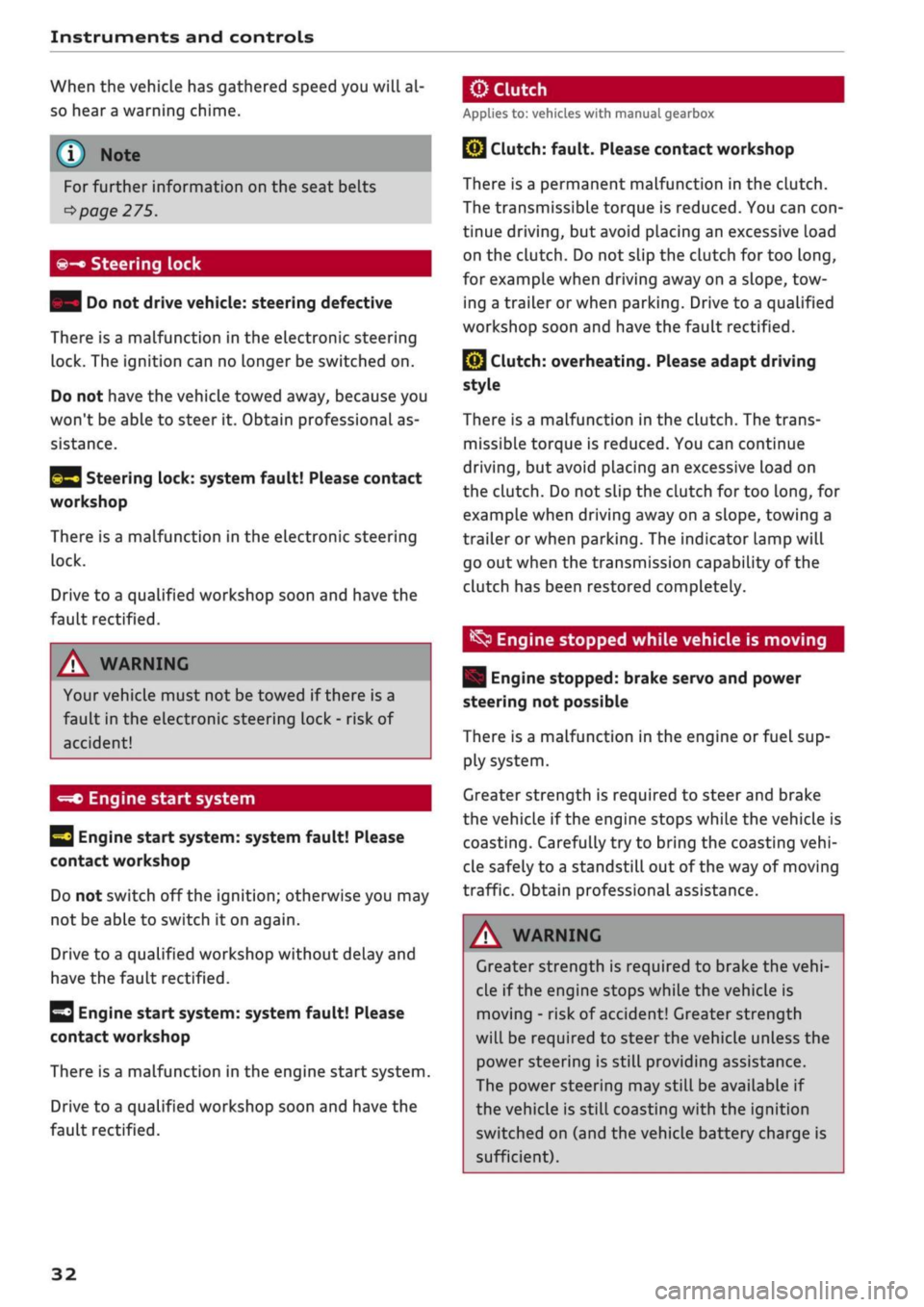
©-•
Steering lock
| Do not drive vehicle: steering defective
There is a malfunction in the electronic steering
lock. The ignition can no longer be switched on.
Do not have the vehicle towed away, because you
won't be able to steer it. Obtain professional as
sistance.
^3
Steering lock: system fault! Please contact
workshop
There is a malfunction in the electronic steering
lock.
Drive to a qualified workshop soon and have the
fault rectified.
A WARNING
Your vehicle must not be towed if there is a
fault in the electronic steering Lock - risk of
accident!
-=*>
Engine start system
H
Engine start
system:
system fault! Please
contact workshop
Do not switch off the ignition; otherwise you may
not be able to switch it on again.
Drive to a qualified workshop without delay and
have the fault rectified.
3
Engine start
system:
system fault! Please
contact workshop
There is a malfunction in the engine start system.
Drive to a qualified workshop soon and have the
fault rectified.
jBy
Clutch:
fault. Please contact workshop
There is a permanent malfunction in the clutch.
The transmissible torque is reduced. You can
con
tinue driving, but avoid placing an excessive load
on the clutch. Do not slip the clutch for too
long,
for example when driving away on a slope, tow
ing a trailer or when parking. Drive to a qualified
workshop soon and have the fault rectified.
Q}
Clutch: overheating. Please adapt driving
style
There is a malfunction in the clutch. The trans
missible torque is reduced. You can continue
driving,
but avoid placing an excessive load on
the clutch. Do not slip the clutch for too
long,
for
example when driving away on a slope, towing a
trailer or when parking. The indicator lamp will
go out when the transmission capability of the
clutch has been restored completely.
^
Engine stopped while vehicle is moving
| Engine stopped: brake servo and power
steering not possible
There is a malfunction in the engine or fuel sup
ply system.
Greater strength is required to steer and brake
the vehicle if the engine stops while the vehicle is
coasting.
Carefully try to bring the coasting
vehi
cle safely to a standstill out of the way of moving
traffic. Obtain professional assistance.
A WARNING
Greater strength is required to brake the
vehi
cle if the engine stops while the vehicle is
moving - risk of accident! Greater strength
will be required to steer the vehicle unless the
power steering is still providing assistance.
The power steering may still be available if
the vehicle is still coasting with the ignition
switched on (and the vehicle battery charge is
sufficient).
32
Page 47 of 364

Doors and windows
A WARNING
CO
s
rN rN
•-i
00
- After closing the boot lid, always check that
the catch has engaged properly. The boot lid
could otherwise open suddenly when the ve
hicle is moving - this could result in an
acci
dent.
- Always make sure that no-one is in the boot
lid's area of movement (especially near the
hinges) when it is moving. Risk of severe in
juries to fingers or hands!
- The boot lid must always be completely
closed when the vehicle is moving; other
wise toxic exhaust fumes can be drawn into
the interior.
- If
a
luggage rack (e.g. a bicycle carrier) is at
tached to the boot lid, the boot lid may not
open completely or may move downwards
by itself due to the added weight. For this
reason,
make sure you support the boot lid
or
take the luggage off the carrier before
opening the boot lid - risk of injury!
© Note
- When towing a trailer* the automatic open
function can only be operated via the re
lease catch on the boot lid.
- If the battery is low, the boot lid can still be
opened and closed manually; however, this
will require more effort. If
you
move the
boot lid slowly less effort will be required.
- When the vehicle is locked, you can unlock
the boot Lid separately by pressing the
button on the remote control key. The boot
lid will Lock automatically when you close it
again.
Releasing boot lid manually from inside
Applies to: vehicles with manual release on inside
The
boot lid can be released manually from the
inside.
Fig.
32 Detail of inside of boot lid: Access to manual re
lease
•
Fold the rear seat backrest forwards
opoge
63.
*•
Use the blade of the ignition key to prise off the
cover
(Tj^F/'g.
32.
•
Insert the key in the opening behind the cover
(D
and press the key in the direction of the ar
row until the boot is unlocked.
45
Page 51 of 364
Lights and vision
Lights and vision
Exterior lights
Switching lights on and off
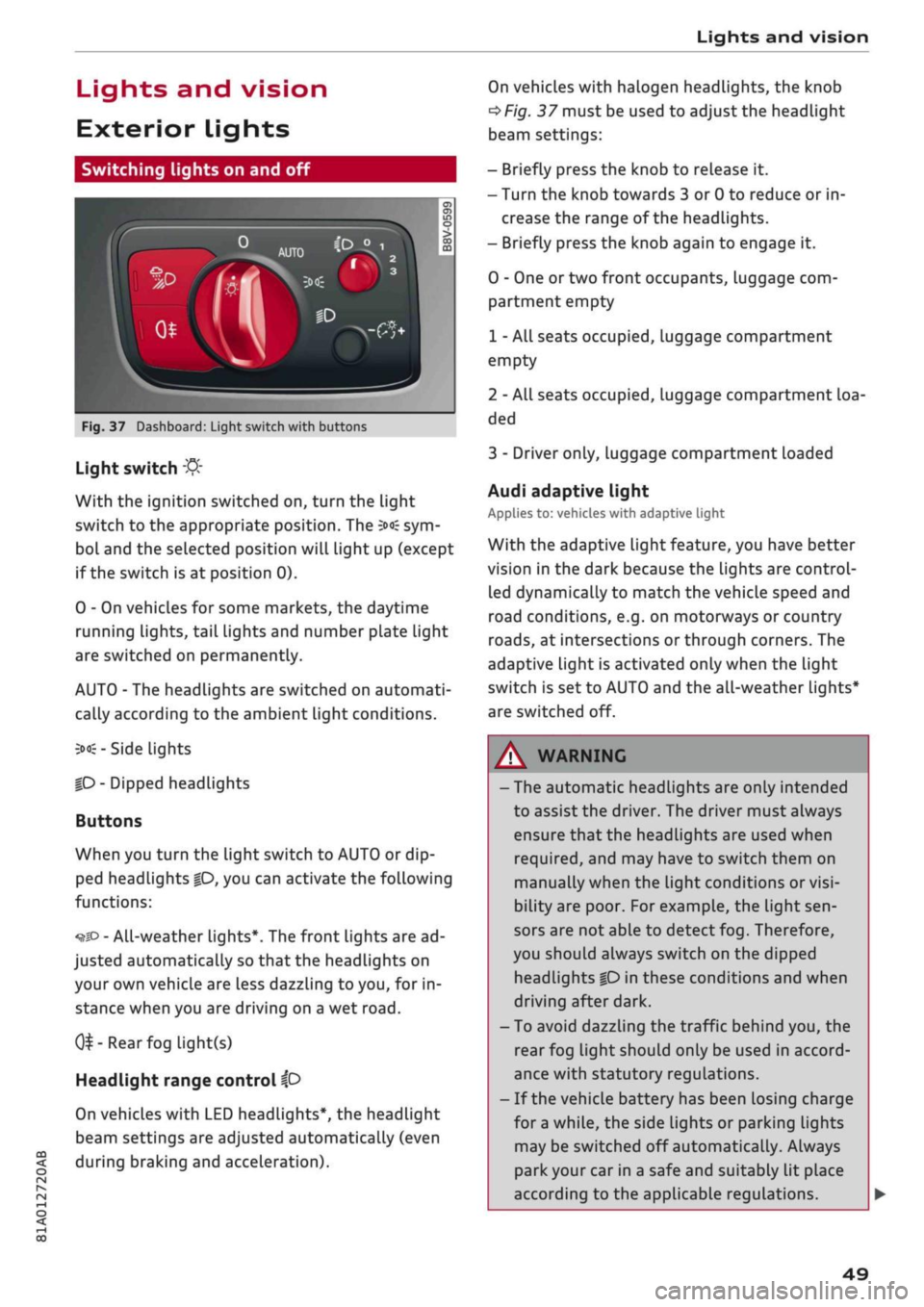
Fig.
37 Dashboard: Light switch with buttons
CO
<
O
rN rN
•-i
00
Light switch
:&
With the ignition switched on, turn the light
switch to the appropriate position. The
3»€
sym
bol and the selected position will light up (except
if the switch is at position 0).
0 - On vehicles for some markets, the daytime
running lights, tail lights and number plate Light
are switched on permanently.
AUTO - The headlights are switched on automati
cally according to the ambient light conditions.
3><£-
Side lights
|D
- Dipped headlights
Buttons
When you turn the light switch to AUTO or dip
ped headlights
|0,
you can activate the following
functions:
•^SD
- All-weather lights*. The front lights are ad
justed automatically so that the headlights on
your own vehicle are less dazzling to
you,
for in
stance when you are driving on a wet
road.
0^-Rear
fog light(s)
Headlight range control
ip
On vehicles with LED headlights*, the headlight
beam settings are adjusted automatically (even
during braking and acceleration).
On vehicles with halogen headlights, the knob
^Fig.
37 must be used to adjust the headlight
beam settings:
- Briefly press the knob to release it.
- Turn the knob towards 3 or 0 to reduce or in
crease the range of the headlights.
- Briefly press the knob again to engage it.
0 - One or two front occupants, luggage com
partment empty
1 - All seats occupied, luggage compartment
empty
2 - All seats occupied, Luggage compartment loa
ded
3 - Driver only, luggage compartment loaded
Audi adaptive light
Applies to: vehicles with adaptive light
With the adaptive light feature, you have better
vision in the dark because the Lights are control
led dynamically to match the vehicle speed and
road conditions, e.g. on motorways or country
roads,
at intersections or through corners. The
adaptive light is activated only when the Light
switch is set to AUTO and the all-weather Lights*
are switched off.
WARNING
- The automatic headlights are only intended
to assist the driver. The driver must always
ensure that the headlights are used when
required,
and may have to switch them on
manually when the light conditions or
visi
bility are poor. For example, the light
sen
sors are not able to detect fog. Therefore,
you should always switch on the dipped
headlights
|0
in these conditions and when
driving after dark.
- To avoid dazzling the traffic behind you, the
rear fog light should only be used in accord
ance with statutory regulations.
- If the vehicle battery has been losing charge
for
a
while, the side lights or parking lights
may be switched off automatically. Always
park your car in a safe and suitably lit place
according to the applicable regulations.
49
Page 60 of 364
Seats and storage
Seats and storage
General notes
A WARNING
The Safe driving chapter
^>page
263, Safe
driving contains important information, tips,
suggestions and warnings that you should
read and observe for your own safety and the
safety of your passengers.
Front seats
Manual adjustment of seats
Applies to: vehicles with manual seat adjustment
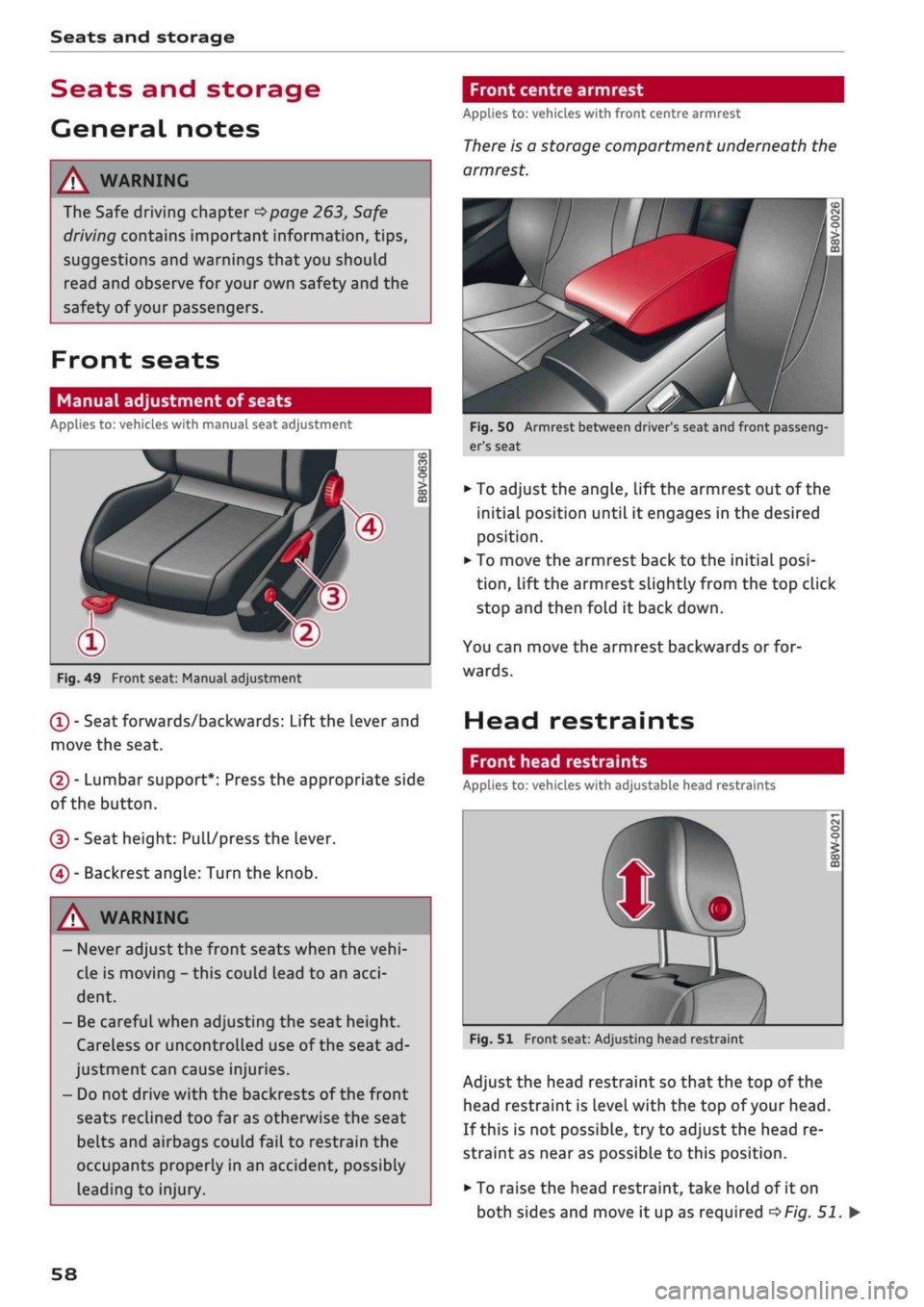
Fig.
49 Front seat: Manual adjustment
(T)
- Seat forwards/backwards: Lift the Lever and
move the seat.
(2) - Lumbar support*: Press the appropriate side
of the button.
(D - Seat height: Pull/press the lever.
(4) - Backrest angle: Turn the knob.
[A WARNING
- Never adjust the front seats when the
vehi
cle is moving - this could lead to an
acci
dent.
- Be careful when adjusting the seat height.
Careless or uncontrolled use of the seat ad
justment can cause injuries.
- Do not drive with the backrests of the front
seats reclined too far as otherwise the seat
belts and airbags could fail to restrain the
occupants properly in an accident, possibly
Leading to injury.
Front centre armrest
Applies to: vehicles with front centre armrest
There
is a storage compartment underneath the
armrest.
Fig.
50 Armrest between driver's seat and front passeng
er's seat
• To adjust the angle, lift the armrest out of the
initial position until it engages in the desired
position.
• To move the armrest back to the initial
posi
tion,
lift the armrest slightly from the top click
stop and then fold it back down.
You can move the armrest backwards or for
wards.
Head restraints
Front head restraints
Applies to: vehicles with adjustable head restraints
Fig.
51 Front seat: Adjusting head restraint
Adjust the head restraint so that the top of the
head restraint is
Level
with the top of your head.
If this is not possible, try to adjust the head re
straint as near as possible to this position.
• To raise the head restraint, take hold of it on
both sides and move it up as required
^>Fig.
51. •
58