alarm AUDI Q3 2015 Owners Manual
[x] Cancel search | Manufacturer: AUDI, Model Year: 2015, Model line: Q3, Model: AUDI Q3 2015Pages: 258, PDF Size: 64.9 MB
Page 30 of 258
28 Opening and closing
Opening and closing
Power locking system
General description
The power locking system locks or unlocks all
doors and the rear lid simultaneously.
You can lock and unlock the vehicle centrally.
You have the following choices:
- Remote master key~
page 30,
-Sensors in the front door handle on vehicles
with convenience key* ¢
page 31,
-Power locking switch ins ide¢ page 32,
oder
- Lock cylinder at the driver's door
~page 33.
Automatic locking
The automat ic locking feature locks all the ve
hicle doors and the rear lid when you drive
faster than 9 mph (15 km/h).
The car is unlocked again once the ignition key
is removed. In addition, the veh icle can be un
locked if the opening function in the power
locki ng system switch or at one of the door
levers is actuated.
Addit ionally, in the event of a crash with air
bag deployment the doors are automatically
un locked to all ow access to the vehicle.
Selective unlocking
When you lock the vehicle, the power locking
system w ill lock the doors and the rear lid.
When unlocking, you can set in the rad io or
MMI* whether only the driver's door or the
enti re vehicle should be unlocked
¢page 32.
Anti-theft alarm warning system
If the anti -theft alarm warning system de
tects a break- in into the vehicle, acoust ic and
visua l warning signals are triggered.
The anti-theft alarm system turns on auto matically when you lock the vehicle. It deacti
vates when unlocking using the remote con- trol key or by touching the sensor on the door
handle (convenience key) .
T o switch the alarm off, press the@ button on
the remote control key or conven ience key or
switch the ignition on. The a larm also stops
automatica lly after a certain amount of time .
You can also trigger the alarm by pressing the
PANIC button on your remote-control key.
This will alert other people in case of emer
gency. Press the
PANIC button again to turn
off the a larm .
Turn signals
When you unlock the vehicle, the turn sig nals
flash twice, when you lock it once. If they do
not flash, one of the doors or the luggage
compartment lid is not locked, the ignition is
sti ll switched on or the selector lever is not in
pos ition P.
Unintentionally locking yourself out
In the following cases there are safeguards to
prevent you from locking your remote master
key in the vehicle :
- The vehicle does not lock w ith the central
locking switch if the driver's door is open
~ page 32.
-On veh icles with convenience key*, if the
most recently used master key is in the lug
gage compartment, the rear lid is automati
cally un locked again after it is closed.
Do not lock your veh icle w ith the remote mas
ter key or convenience key* until all doors and
the rear lid are closed. In this way you avoid l ocking yourself out accidentally.
A WARNING
- When you leave the vehicle, always re
move the ignition key and take it with
you . This will prevent passengers (chil -
dren, for example) from accidentally be-
-
ing locked in the vehicle should they acci
denta lly press the power locking switch
in the front doors.
~
Page 33 of 258
M N M N
0 ::i co
rl I.O
"' rl
"' rl
.. Press button @ III to unlock the vehicle
r=>fig. 20 .
.. Press button @ ffi to lock the vehicle r=> A
in General description on page 28.
.. Press button ©~ briefly to unlock the rear
l id .
.. Press button @~ for at least one second
to open the rear lid .
.,. Press button @ ~I P-A-N-IC~I to trigger the
alarm. The vehicle horn and emergency
flashers turn on .
.. Press button @IPANICI again to turn off the
alarm.
If the vehi cle is unlocked and no door, the rear
lid or the hood is opened within 45 seconds,
the vehicle locks itself agai n automatically.
This feature prevents the vehicle from being
accidentally left unlocked over a long period
of time. This does not apply when you pus h
the ©~button for at least one second .
It depends on the settings in the radio or
MMI* whether the entire vehicle is unlocked
or only certain doors
r=> page 32 .
A WARNING
Read and heed all WARNINGS c:> _.&. in Gen
eral description on page 28 .
@ Tips
-In order to make sure the locking func
tion is working, you should always keep
your eye on the vehicle to make sure it is
properly locked.
- Do not use the remote control if you are
inside the car, otherwise you may unin
tentiona lly lock the vehicle, and then you
would set off the anti-theft alarm when
you try to start the engine or open a
door. In case this happens anyhow, push
the un lock button
m .
- Use the panic f unc tion only if you are in
an emergency si tua tion.
- Additional remo te control key funct ions
r=>page37.
Op enin g an d clos ing 31
Locking and unlocking with convenience
key
Appl ies to veh icles: w ith conven ience key
The doors and the rear lid can be unlocked
and locked without operating the master key.
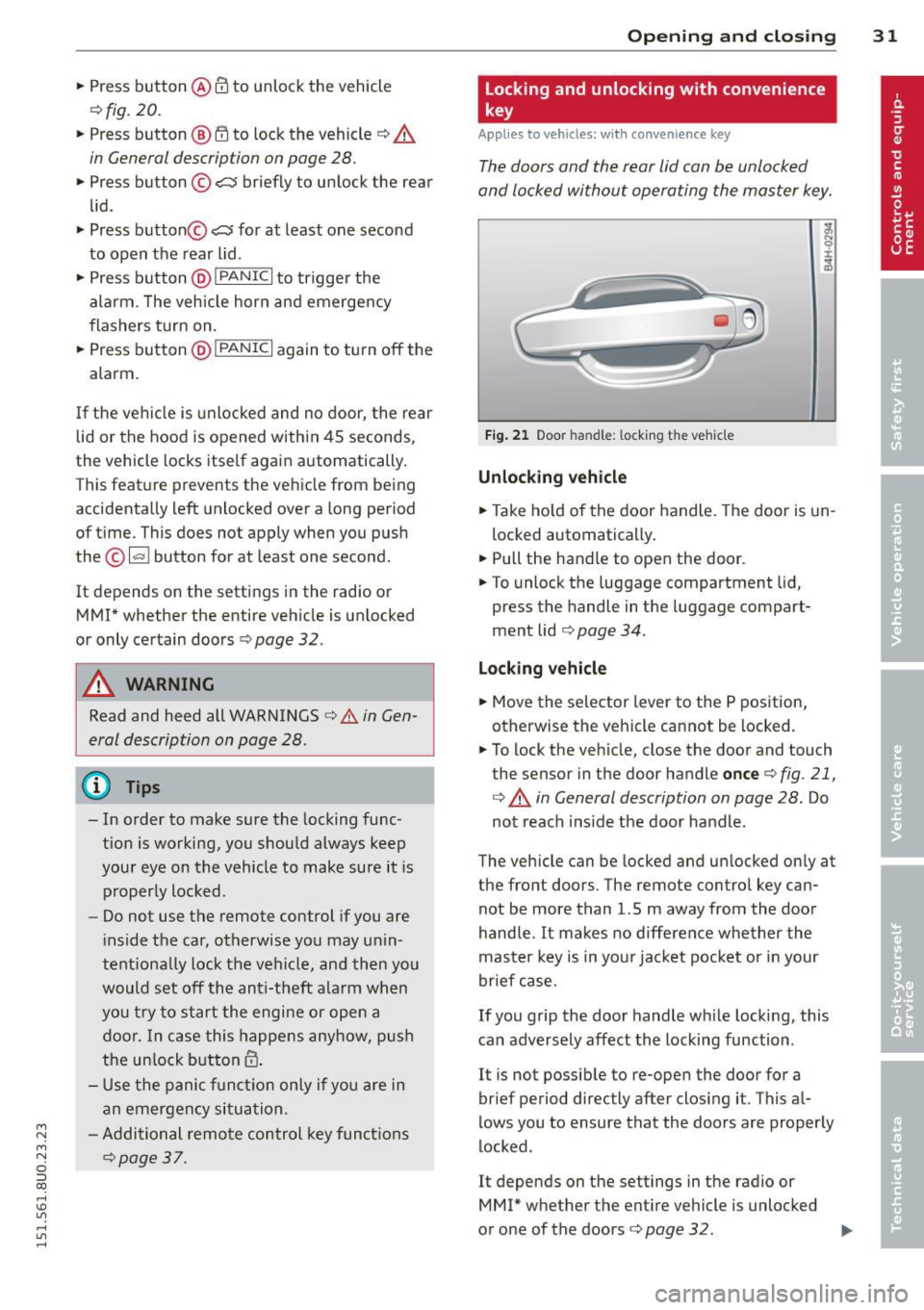
Fi g. 21 Door handle: l ocking t he veh icle
Unlocking vehicle
.. Take ho ld of the door handle. The door is un
locked automatically .
.. Pull the handle to open the door .
.. To unlock the luggage compartment lid,
press the handle in the luggage compart
ment lid
r=> page 34 .
Locking vehicle
.. Move the selector lever to the P position ,
otherwise the vehicle cannot be locked.
.. To lock the vehicle, close the door and touch
the sensor in the door handle
once c:> fig. 21,
c:> A in General description on page 28. Do
not reach ins ide the door handle .
The vehicle can be locked and unlocked only at
the front doors. The remote control key can
not be more than 1.5 m away from the door
handle .
It makes no difference whether the
master key is in you r jacket pocket or in your
brief case.
If you grip the door handle wh ile locking, this
can adversely affect the locking function .
It is not possible to re-open the door for a
brief period directly after closing it. This al
lows you to ensure that the doo rs are properly
locked .
It depends on the settings in the radio or
MM!* whether the entire vehicle is unlocked
or one of the doors
c:> page 32 . IJJ,
Page 95 of 258
M N
M N
0 ::i co ,...., \!) ..,.,
,...., ..,., ,....,
Adjusting the display and the warning tones
App lies to vehicles: with pa rking system p lus wit h rear
view ca mera
The display and warning tones con be adjust
ed in the Infotainment.
~ Se lect: I CARI f u nction button > System s or
Car systems contro l button > D riv er assi st >
Parking aid .
Display
On * -
optical d isplay is shown for the parking
system plus, rear view came ra image is shown
for parking system plus with rear view cam
era.
Off -when the park ing system is switched on,
on ly audib le signa ls are given.
Warning tones
Front volume -
Volume fo r the front area
Rear volume -Volume for the rear area
Front frequen c:y -Freq uency for the front area
Rear frequency -Frequency for the rear area
Music volume while parking -When the park
i ng system is turned on, the volume of the au
d io/v ideo source is lowered.
The new ly adjusted value is briefly heard from
the signal gene rator.
(0 Tips
- The warning tones can also be adjusted
direct ly from the visual display or the
r ear view camera image . Simply press
the
Settings cont ro l button .
- Changed settings are activated when the parking system is switched on aga in.
- The settings a re automatically stored
and ass igned to the remote control key
that is in use.
Parking systems 93
Error messages
App lies to vehicles: wi th parking syste m plus w ith rea r
v iew camera
T he re is an error i n the system if the LED i n
the
P' "A bu tton is bl ink ing and yo u hear a con
t inu ous alarm for a few seconds after sw itch
ing on the park ing system or when the park
ing system is already activated. If the error is
not co rrected before yo u switch off the ign i
tion, the LED in the
? 1J.A. button will blink the
next t ime you sw itch on the parking system by
shifting into reverse .
If a sensor is fa ulty, the~ symbol will appear
in front of/behind the vehicle in the Infota in
ment display. If a rear sensor is faulty, only
obstacles that are in areas @and @ are
shown
Q page 88, fig . 92. If a front senso r is
faulty, only obstacles that are in areas © and
@ are shown.
Drive to your authorized Audi dealer or au
t h orized repa ir facility immed iately to have
the malfunct ion corrected .
Trailer hitch
Applies to vehicles: wit h parking system pluswith rear
v iew camera a nd t railer hitch
For vehicles using the trailer socket, the park
ing system rear sensors do not turn on when
you shift into reverse gear or when you press
the
P, "~ button . This resu lts in the following re
str ictions:
There is no distance warn ing for the rear. The
front sensors remain act ivated . The visual dis
play sw itches to the trailer towing mode. The
rear view camera image will not show the or i
entat io n lines and the bl ue surfaces.
(D Tips
Trailer h itches that are not installed at the
factory may ca use the par king system to
malfunction or they may restr ict its func
tion.
Page 191 of 258
M N M N
0 ::i co
rl I.O
"' rl
"' rl
Brake fluid
Checking brake fluid level
The brake fluid level can be checked with a
quick glance.
N
N
;:;;
" 03
"'
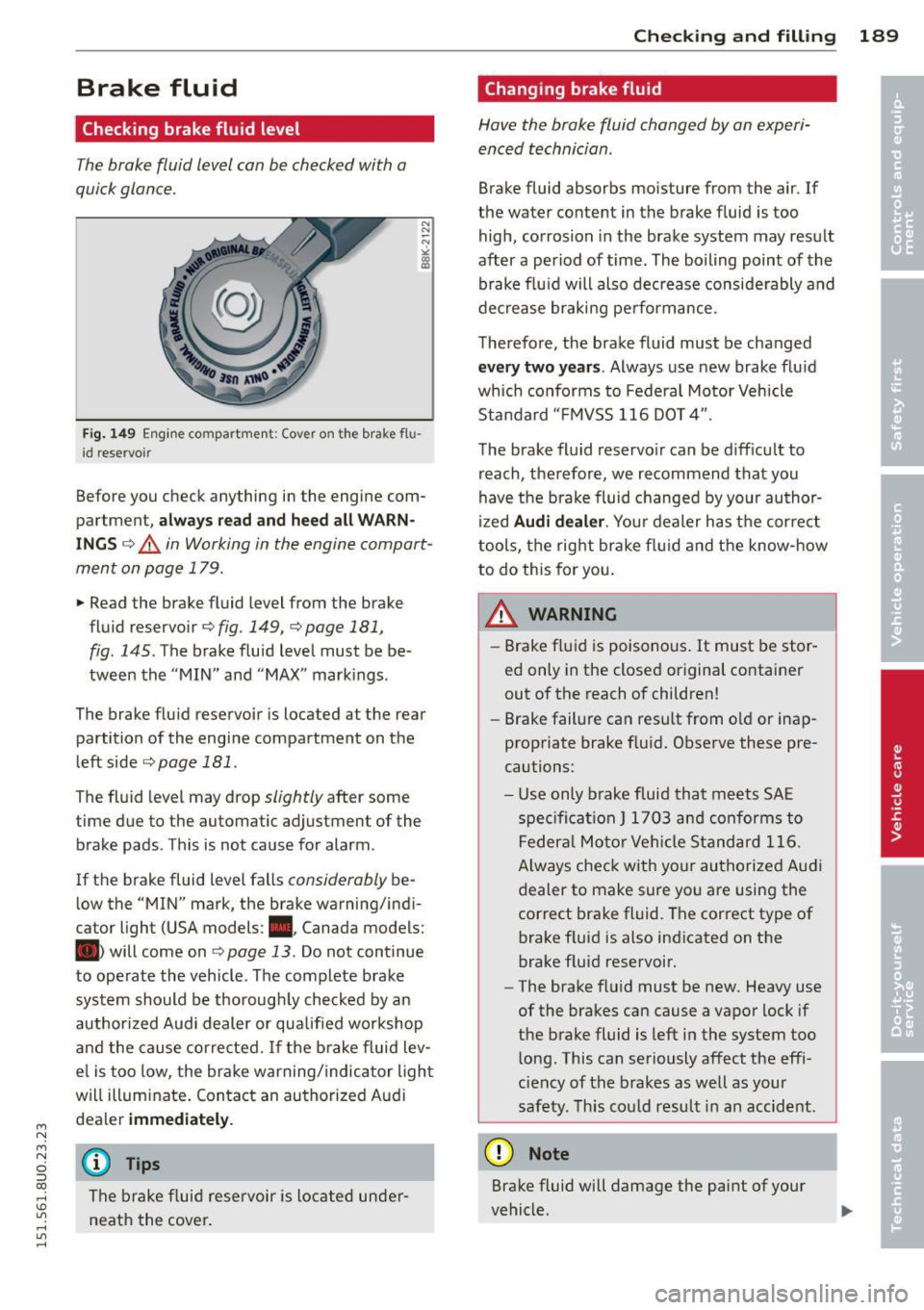
Fi g. 149 Eng ine compartment: Cover on the brake flu
id reservoir
Before you check anything in the engine com
partment,
a lwa ys read and heed all WARN
ING S c:> .&.. in Working in the engine compart
ment on page 179 .
~ Read the brake fluid level from the brake
fluid reservoir
c:> fig. 149, <=> page 181,
fig . 145.
The brake flu id level must be be
tween the "MIN" and "MAX" markings.
The brake fluid reservoir is located at the rear
partition of the engine compartment on the
left side <::;>
page 181 .
The fluid level may drop slightly after some
time due to the automatic adjustment of the
brake pads . This is not cause for alarm .
If the brake fluid level falls
considerably be
low the "MIN" mark, the brake warning/indi
cator light (USA models: ., Canada models:
• will come on
<::;> page 13. Do not continue
to operate the vehicle . The complete brake
system should be thorough ly checked by an
author ized Audi dealer or qua lified workshop
and the cause corrected.
If the brake fluid lev
e l is too low, the brake warning/indicator ligh t
will illuminate . Contact an authorized A ud i
dealer
immediately.
@ Tips
The brake f luid reservoir is located under
neath the cover .
Checking and fillin g 189
Changing brake fluid
Have the brake fluid changed by on experi
enced technician.
Brake fluid absorbs moisture from the air. If
the water content in the brake fluid is too
high, corrosion in the brake system may result
after a period of time . The boiling point of the
brake flu id will also dec rease considerably and
decrease braking pe rformance.
Therefore, the brake fluid must be changed
ev ery two years. Always use new brake flu id
which conforms to Federal Motor Vehicle
Standard "F MVSS 116 DOT 4".
The brake fluid reservo ir can be d iff icult to
reach, the refore, we recommend that you
have the brake fluid changed by your author
i zed
Audi d ealer. Your dealer has t he correct
tools, the right brake fl uid and t he know-how
to do this for you .
A WARNING -.
-Brake fluid is poisonous . It must be stor
ed only in the closed original container
out of the reach of children!
- Brake failure can resu lt from o ld or inap
propriate brake f luid. Observe these pre
cautions:
- Use only brake fluid that meets SAE
spe cificat ion
J 1 7 03 and conforms to
Federa l Moto r Ve hicl e Standard 116.
Always check with yo ur authorized Audi
dealer to make sure yo u are using the
correct bra ke fluid. The correct type of
brake f luid is also indicated on the
brake f luid reservoir.
- The brake fluid must be new. Heavy use
of the brakes can cause a vapor lock if
the brake fluid is left in the system too
l ong . This can seriously affect the effi
c iency of the brakes as well as your
safety. This cou ld resu lt in an accident.
(D Note
Brake fluid will damage the paint of your
vehicle .
Page 193 of 258
M N
M N
0 ::i co ,...., \!) 1.1'1 ,...., 1.1'1 ,....,
&
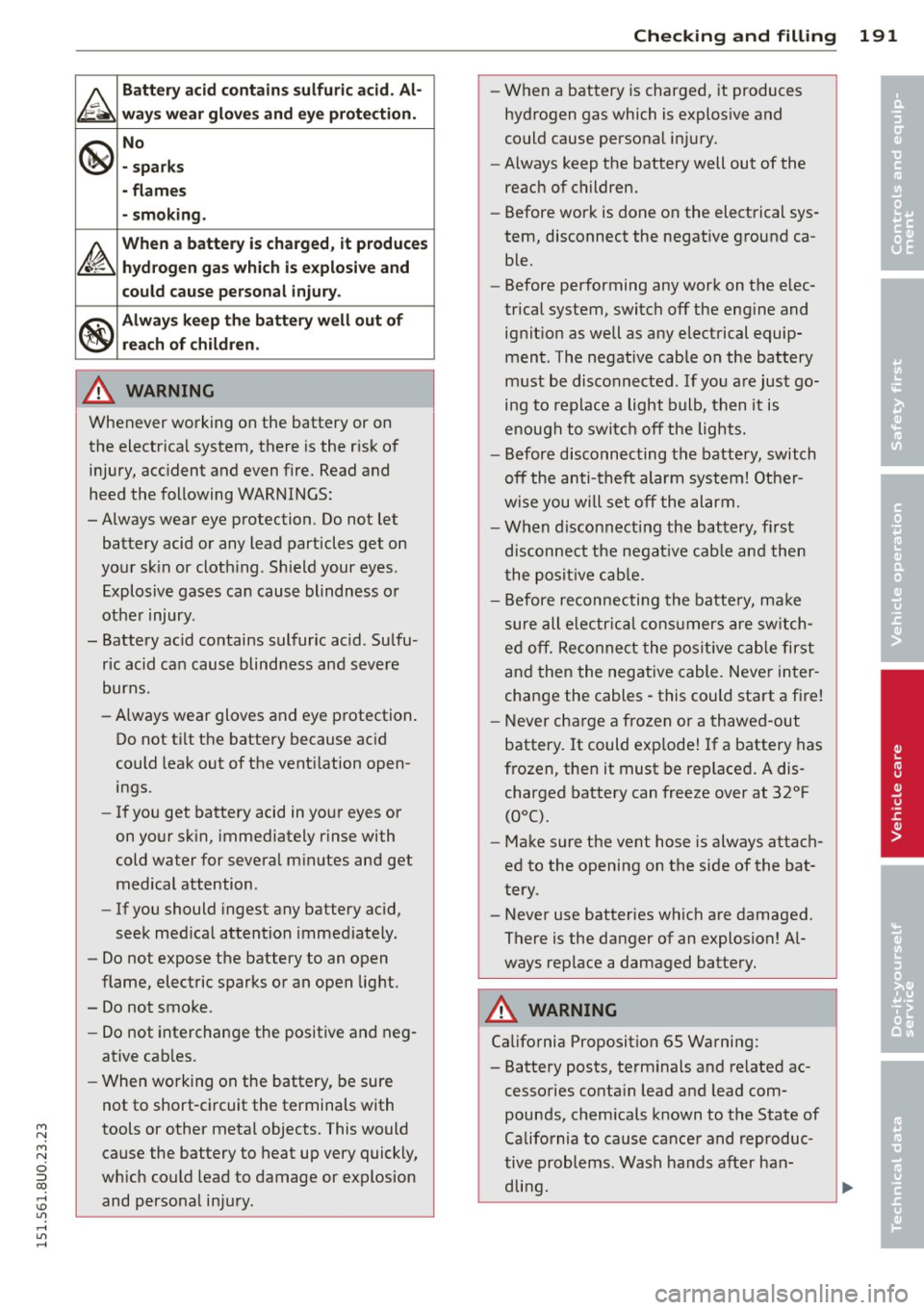
Battery acid contain s sulfuric acid. Al ·
wa ys wear glove s and e ye protection .
@
No
· sparks
- flame s
- smoking .
~
When a battery i s ch arged, it p roduce s
. hy drogen g as whi ch i s exp losive and
could cau se per sonal inju ry.
®
Always keep the batt ery well out of
re ach of children .
A WARNING
Whenever working on the battery or on
the electrical system, there is the r isk of
injury, acc ident and even fire. Read and
heed the following WARNINGS :
- Always wear eye protection. Do not let
battery acid or any lead particles get on
your sk in or cloth ing. Sh ield your eyes .
Explosive gases can cause blindness o r
other injury.
- Battery acid contains sulfuric acid . Sulfu
ric acid can cause blind ness and severe
burns.
- Always wear gloves and eye p rotection.
Do not tilt the battery because ac id
could leak out of the vent ilation open
ings.
- If you get battery acid in yo ur eyes or
on your sk in, immed iately r inse with
cold water for severa l m inutes and get
medical attention.
- If you should ingest any battery acid,
seek med ica l attention immediately.
- Do not expose the battery to an open
flame, electric sparks or an open light.
- Do not smoke.
- Do not interchange the positive and neg-
ative cab les .
- When working on the battery, be sure
not to short-circuit the terminals with
tools or other metal objects. This would cause the battery to heat up very quickly,
wh ich could lead to damage or explosion
and personal injury.
-
Checkin g and fillin g
-When a battery is charged, it produces
hyd rogen gas which is explos ive and
could cause personal injury.
- Always keep the battery well out of the
reach of children.
- Before work is done on the elect rical sys
tem, disconnect the negative ground ca ble.
- Before performing any work on the e lec
trical system, switch
off the eng ine and
ignit ion as well as any electrical equip
ment. The negative cable on the battery
must be disconnected. If yo u are just go
ing to replace a light bulb, then it is
enough to switc h
off the lights.
- Before disconnecting the battery, switch
off the anti-theft alarm system! Other
wise you wi ll set
off the al arm.
- When disconnecting the battery, first
discon nect the negat ive cab le and then
the posit ive cab le.
- Before reconnecting the batte ry, ma ke
sure all e lectr ica l consumers are sw itch
ed off . Re connect the pos it ive cable first
and then the negative cable. Neve r in ter
change the cables -this could start a fire!
- Never cha rge a frozen or a thawed-out
battery.
It could exp lode! If a battery has
frozen, then it must be replaced . A dis
charged battery can freeze over at 32°F
(QOC).
- Make s ure the vent hose is always attach
ed to the opening on the side of the bat
tery.
- Never use batteries which are damaged.
There is the danger of an explosion! A l
ways rep lace a damaged batte ry.
A WARNING
Ca lifornia Proposition 65 Warning:
- Battery posts, terminals and related ac
cessories conta in lead and lead com
pounds, chemicals known to the State of
Ca lifornia to cause cance r and reproduc
tive problems. Wash hands after han- dling.
~
19 1
•
•
Page 244 of 258
242 Index .:..:..:..::....::..
...:..._ ___________________________ _
A
A/C (automatic climate control) .. .... .. 64
Accessories .. ... ... ... .... .. .. .. .. . 239
Adaptive cruise control Cleaning the sensor ....... .. .. .... . 171
Adapt ive light ............. .. .. .. .. .. 40
Adapt ive Light (defective) ....... .. .. .. 18
Adding Engine coolant ............. .. .... . 187
Engine oil .... ........... .. .. .... . 184
W indshield washer fluid ... .... .. .. . 193
Additional accessories
Addit ives 239
E ng ine oil .... ........... .. .. .... . 184
Adjustable steering column .... .. .... .. 66
Adjusting Air distribution (automatic climate con-
trol) ... .. .. .............. ... .. .. .. 65
Front seats . . . . . . . . . . . . . . . . . . . . . . . . 50
Instrument illumination ... .. .. .. .. . .
44
Steering column ...... .... .. .. .. .. .. 66
Temperature (automat ic climate control) 65
Airbag
Warning/indicator lights ....... .... .. 16
A irba g system . . . . . . . . . . . . . . . . . 112, 128
Advanced Airbag System ........... . 116
Advanced Airbag System components . 119
Care ... .... ................ ..... . 126
Children .................. .. .... . 134
Child restraints ........... .. .. .... . 135
Components (front airbags) . . . . . . . . . 119
Danger of fitting a child safety seat on
the front passenger seat . . . . . . . . . . . . 114
Disposal . .. ... .......... .. .. .. .. . 126
Front airbags . . . . . . . . . . . . . . . . 116, 117
H ow do the front airbags work? . .. .. . 121
How many airbags does my vehicle
have? .................... .. .... . 119
How the Advanced Airbag System com-
ponen ts work together ...... .. .... . 120
Important things to know .... .. .... . 112
Indicator light .............. ... .. . 123
Monitoring ................. ... ... 123
PASSENGER AIR BAG OFF l ight .. .. .. . 123
Repairs .. .. ... .......... .. .. .. .. . 126
Safety instructions ........ .. .. .... . 125
Side airbags ................ ..... . 127 Side
curtain airbags ............... .
Weight-sensing mat .............. .
When must the system be inspected?
Alcantara Cleaning .. .... .. ............. ... .
All -wheel drive .. .. ..... ........... .
Selective wheel torque control
All wheel drive 130
134
123
173
158
153
Winter tires ... .. ............. .. .. 210
Alternator
refer to Generator ................ .. 15
Anti-freeze
refer to E ng ine coolant system . .. .. . .
Anti-lock brake system ............. . .
Anti- lock braking system 186
153
Warning/indicator lights ............. 16
Anti-slip regulation ... .......... .. .. 153
Warning/indicator lights .......... .. . 16
Anti-theft alarm warning system ... .. .. . 28
Anti-theft systems Electronic immobilizer ............... 33
Ashtray .... .... .. ............. .... . 53
Asterisk What does it mean when something is marked with an asterisk? . . . . . . . . . . . . . . 6
Audi drive select
refer to Drive select . . . . . . . . . . . . . . . . . 79
Audi Service Repair Manuals and Litera-
ture 237
AUTO Automat ic climate control . . . . . . . . . . . . 64
Automat ic headl ights ............ .. . 40
Auto Lock . . . . . . . . . . . . . . . . . . . . . . . . . . 28
Automatic be lt retractor ............. 107
Automat ic climate control
Air out lets . . . . . . . . . . . . . . . . . . . . . . . . 65
Changing temperature units ..... .. .. . 65
Operation . . . . . . . . . . . . . . . . . . . . . . . . . 64
Synchronisation . . . . . . . . . . . . . . . . . . . . 65
Automat ic Shift Lock (ASL) ........ ... . 82
Automatic transmiss ion .......... .... . 81
Automatic Shift Lock (ASL) ...... .... . 82
Driving ... .. ... ... ... .. ..... ... .. . 82
Emergency mode . . . . . . . . . . . . . . . . . . . 85
Kick-down . . . . . . . . . . . . . . . . . . . . . . . . . 85
Manual shift program .......... .. .. . 84
Removal lock (ignit ion key) ........ .. . 66