park assist AUDI Q3 2019 Owner's Guide
[x] Cancel search | Manufacturer: AUDI, Model Year: 2019, Model line: Q3, Model: AUDI Q3 2019Pages: 280, PDF Size: 72.73 MB
Page 214 of 280
Checking and Filling
The starting ability may be impaired.
If this message turns off after a little while, the
vehicle battery charged enough while driving.
If this message does not turn off, drive immedi-
ately to an authorized Audi dealer or authorized
Audi Service Facility.
ZA WARNING
When there is an electrical system malfunc-
tion, vehicle functions may not work and driv-
ing stability may be limited, which increases
the risk of an accident. Stop driving and
switch the engine off. See an authorized Audi
dealer or authorized Audi Service Facility for
assistance.
Battery
rae Le cel)
Because of the complex power supply, all work on
batteries such as disconnecting, replacing, etc.,
should only be performed by an authorized Audi
dealer or authorized Audi Service Facility > A.
Multiple batteries with different technologies
may be installed in your vehicle:
— Vehicle battery (for example, for starting the
engine, basic power supply) > page 213, Lead
battery or > page 213, Other battery types
— Auxiliary battery (for example, for recuperation
or optional equipment) > page 213, Other bat-
tery types
Not running the vehicle for long periods of
time
The battery will gradually drain if the vehicle
does not run for long periods of time. To ensure
that the vehicle can still be started, the electrical
equipment will be reduced or switched off
= page 87. Some convenience functions, such as
interior lighting or power seat adjustment, may
not be available under certain circumstances.
These convenience functions will be available
again once you switch the ignition on and start
the
engine.
Even when electrical equipment is switched off,
the equipment can still drain the battery if the
212
vehicle is not driven for long periods of time.
Deep draining results in a chemical reaction that
destroys the inside of the battery. The battery
must be charged every month to prevent this
= page 213. Contact an authorized Audi dealer or
authorized Audi Service Facility for more infor-
mation.
Winter operation
Cold weather places higher demands on the bat-
tery. This results in reduced starting ability. Have
the battery checked by an authorized Audi dealer
or authorized Audi Service Facility before cold
weather begins.
ZA\ WARNING
All work on the battery or electrical system in
your vehicle can result in injuries, chemical
burns, accidents, or burns. Because of this, all
work must be performed only by an author-
ized Audi dealer or authorized Audi Service Fa-
cility.
ZA WARNING
California Proposition 65 Warning:
— Battery posts, terminals and related acces-
sories contain lead and lead compounds,
chemicals known to the State of California
to cause cancer and reproductive harms.
Wash hands after handling.
C) Note
— If the vehicle will be parked for long periods
of time, protect the battery against the cold
so that it will not be destroyed by “freezing”
= page 213, Charging the battery.
— There are electrical components under the
cargo floor behind a trim panel that warm
up during operation. To reduce the risk of
the components overheating, do not store
objects such as blankets under the cargo
floor. If the components overheat, they will
switch off temporarily. This will be indicated
by a message that will be displayed in the
instrument cluster until the temperature re-
turns to normal.
Page 244 of 280
Emergency assistance
Emergency assistance
General information
> Park the vehicle as far as possible from moving
traffic in the event of a breakdown. In the event
of a flat tire, park the vehicle ona level surface.
It you are ona steep hill, be especially careful.
> Set the parking brake.
> Switch the emergency flashers on.
> Have the passengers exit the vehicle. They
should move to a safe place, for example be-
hind a guard rail.
Z\ WARNING
Follow the steps given above. This is for your
protection and the for the safety of other driv-
ers.
Equipment
Vehicle tool kit/vehicle jack
Applies to: vehicles with vehicle tool kit and vehicle jack
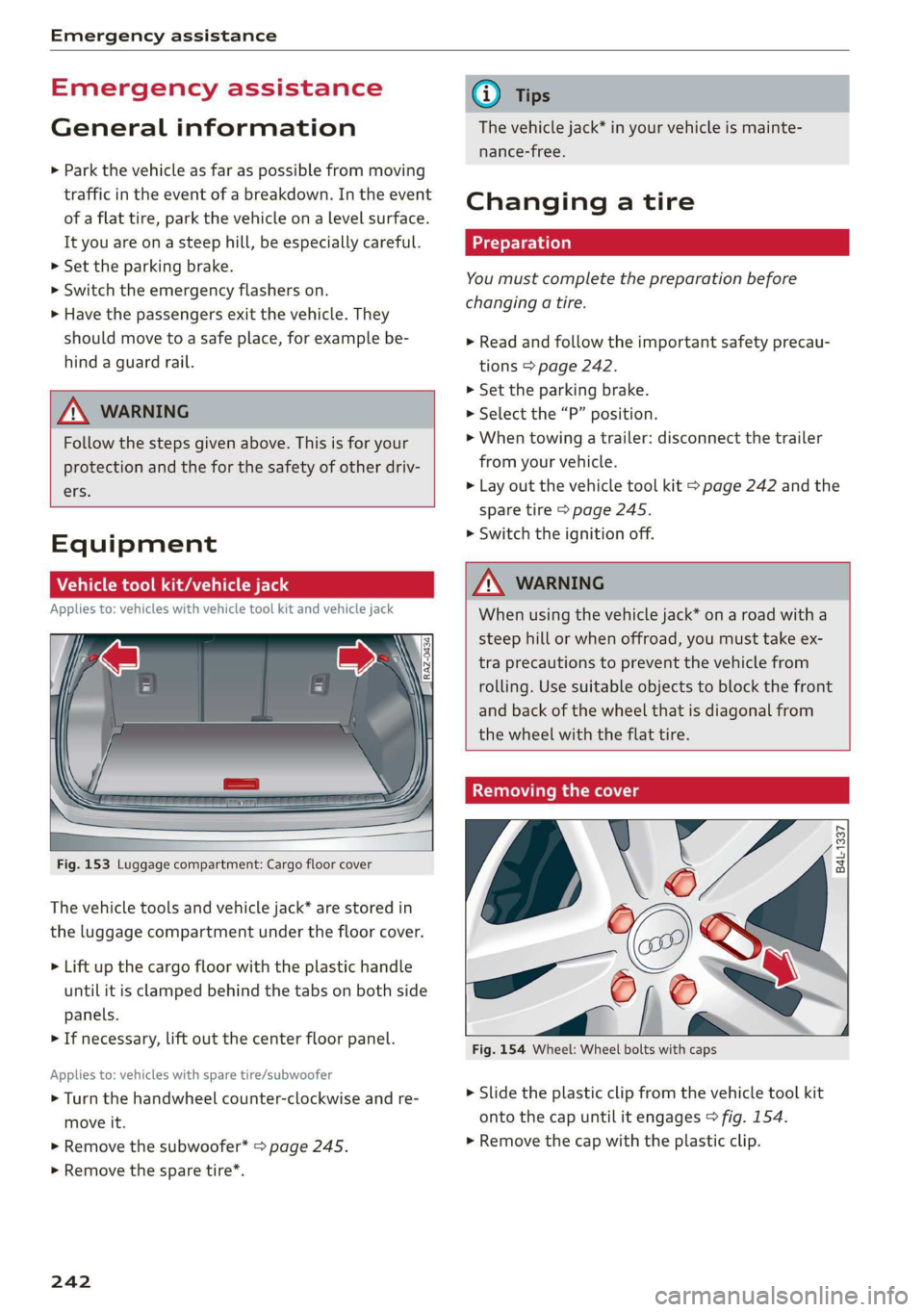
Fig. 153 Luggage compartment: Cargo floor cover
The vehicle tools and vehicle jack* are stored in
the luggage compartment under the floor cover.
> Lift up the cargo floor with the plastic handle
until it is clamped behind the tabs on both side
panels.
> If necessary, lift out the center floor panel.
Applies to: vehicles with spare tire/subwoofer
> Turn the handwheel counter-clockwise and re-
move it.
> Remove the subwoofer* > page 245.
> Remove the spare tire*.
242
@ Tips
The vehicle jack* in your vehicle is mainte-
nance-free.
Changing a tire
You must complete the preparation before
changing a tire.
> Read and follow the important safety precau-
tions > page 242.
> Set the parking brake.
> Select the “P” position.
>» When towing a trailer: disconnect the trailer
from your vehicle.
> Lay out the vehicle tool kit > page 242 and the
spare tire > page 245.
> Switch the ignition off.
Z\ WARNING
When using the vehicle jack* on a road with a
steep hill or when offroad, you must take ex-
tra
precautions to prevent the vehicle from
rolling. Use suitable objects to block the front
and back of the wheel that is diagonal from
the wheel with the flat tire.
Removing the cover
\
i
Fig. 154 Wheel: Wheel bolts with caps
X
me) 4
> Slide the plastic clip from the vehicle tool kit
onto the cap until it engages > fig. 154.
> Remove the cap with the plastic clip.
Page 250 of 280
Emergency assistance
bolted securely to the engine block, or to
the engine block itself. If the vehicle battery
in the vehicle being jump started is not
vented to the outside, there is a risk of ex-
plosion due to hydrogen gas.
Gi) Tips
Make sure that the connected jump start ca-
bles have sufficient contact with metal.
Towing
erasure)
You should only perform the steps that follow if
you have the necessary tools and technical ex-
pertise.
Towing requires a certain amount of practice. Au-
di recommends contacting a towing company to
have the vehicle transported.
You should only have your vehicle towed by an-
other vehicle when disabled in exceptional cir-
cumstances. Inexperienced drivers should not
tow.
Notes on towing
When the engine is stopped, the transmission
will not be sufficiently lubricated if traveling at
high speeds and long distances:
— The maximum permitted towing speed is 30
mph (50 km/h).
— The maximum permitted towing distance is 30
miles (50 km).
Additional information on towing with a tow
truck
The vehicle may only be towed with the front axle
raised. Do not wrap any chains or cables around
the brake lines.
If the vehicle should be towed with the axle
raised, then the ignition must be switched off to
reduce the risk of damage to the drivetrain.
Tow bar and towing cable
The vehicle can be towed with a tow bar or tow-
ing cable. Both drivers should be familiar with
248
the special considerations when towing, especial-
ly when using a towing cable.
Always make sure the traction force does not ex-
ceed the permitted level and there are no shock
loading conditions. There is always the risk of the
coupling becoming overloaded when driving off-
road.
For the most safety and security, drive with a tow
bar. You should use a towing cable only if a tow
bar is not available. Use a towing cable made of
synthetic elastic cable similar elastic material.
ZA\ WARNING
— Towing highly increases the risk of an acci-
dent, for example from colliding with the
towing vehicle.
—To reduce the risk of an accident, do not al-
low anyone to remain inside the vehicle
when it is being transported by a tow truck
or a special transporter.
@) Note
— If normal towing is not possible, for exam-
ple if the transmission is faulty or if the
towing distance is greater than 30 miles
(50 km), then transport the vehicle on a
special carrier.
— If the vehicle is towed by a tow truck at the
axle that is not permitted, this can cause se-
vere damage to the transmission.
— The vehicle must not be tow started for
technical reasons.
(i) Tips
— If the power supply is interrupted, then it
will not be possible to move the selector
lever out of the "P" position. The parking
lock must be released using the emergency
release before towing the vehicle
> page 85.
— Switch Audi pre sense* off > page 123 when
loading the vehicle onto a vehicle carrier,
train, ship, or other type of transportation,
or when towing the vehicle. This can prevent
an undesired intervention from the pre
sense* system.
Page 251 of 280
83A012721BA
Emergency assistance
— Follow the local legal regulations for tow-
ing.
Read and follow the important information under
=> page 248.
Preparations
> Only secure the towing cable or tow bar at the
designated towing loops > page 249,
=> page 249.
> Make sure the towing cable is not twisted. Oth-
erwise it could disconnect from the towing loop
while towing.
> Switch the emergency flashers on in both vehi-
cles > page 45. However, do not do this if it
prohibited by law.
Towing vehicle (front)
> Only start to drive when the towing cable is
taut.
> Press the brake pedal very carefully.
> Avoid sudden braking or driving maneuvers.
Vehicle being towed (rear)
> Make sure the ignition is switched on so that
the steering wheel is not locked and so that you
can use the turn signals, the horn, and the
windshield wipers if needed > A\.
> Switching it off before the vehicle has stopped
may impair the function of the brake booster
and power steering. You would then need to
use more force to steer and brake the vehicle.
> Release the parking brake > page 90.
> Select the “N” selector lever position.
> Make sure the towing cable is always taut.
A WARNING
Never tow a vehicle using a tow bar or towing
cable if the vehicle does not have electrical
power.
Front towing loop
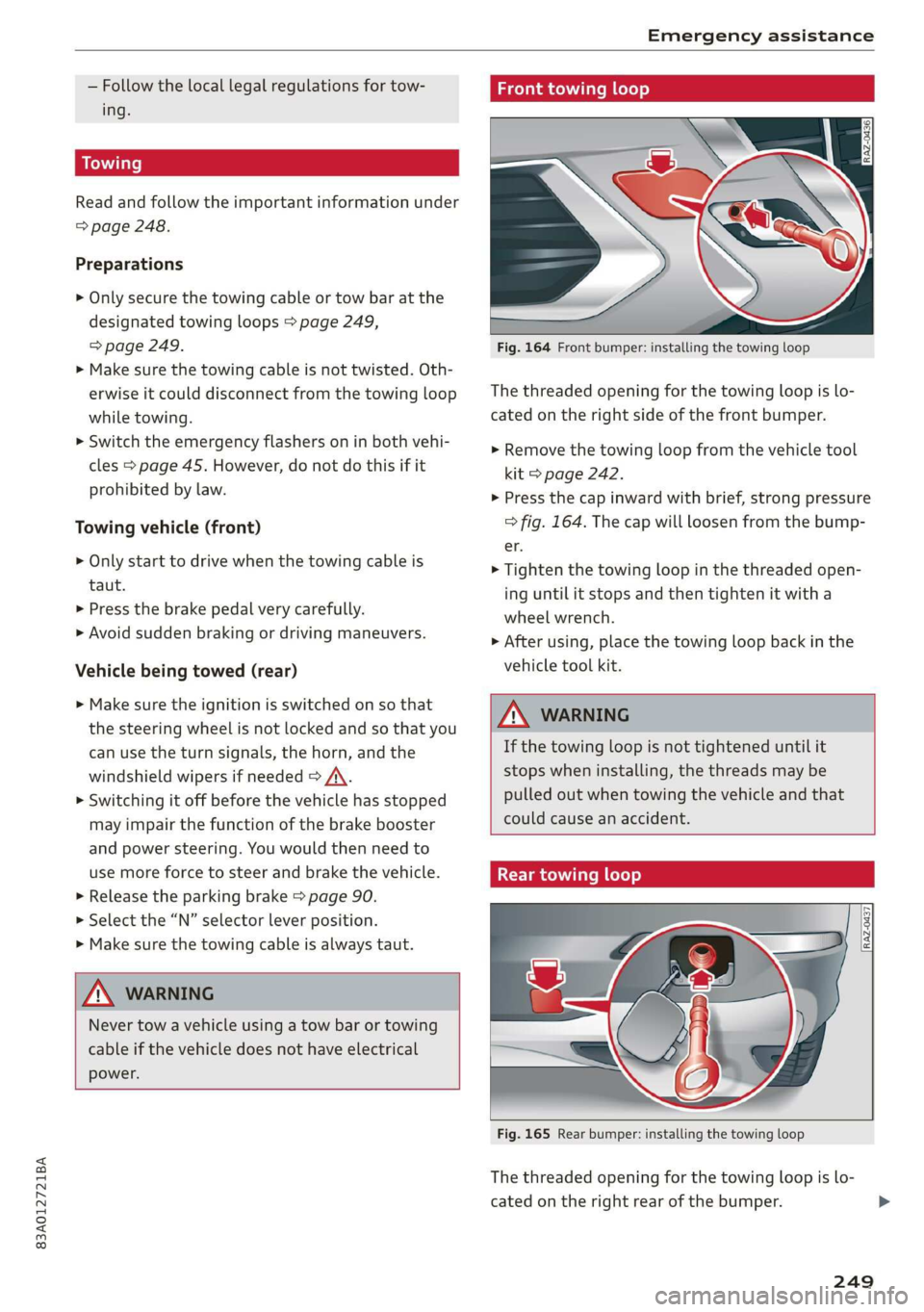
Fig. 164 Front bumper: installing the towing loop
The threaded opening for the towing loop is lo-
cated on the right side of the front bumper.
> Remove the towing loop from the vehicle tool
kit > page 242.
> Press the cap inward with brief, strong pressure
> fig. 164. The cap will loosen from the bump-
er.
> Tighten the towing loop in the threaded open-
ing until it stops and then tighten it with a
wheel wrench.
> After using, place the towing loop back in the
vehicle tool kit.
ZX WARNING
If the towing loop is not tightened until it
stops when installing, the threads may be
pulled out when towing the vehicle and that
could cause an accident.
Rear towing loop
Fig. 165 Rear bumper: installing the towing loop
The threaded opening for the towing loop is lo-
cated on the right rear of the bumper.
249
Page 255 of 280
83A012721BA
Fuses and bulbs
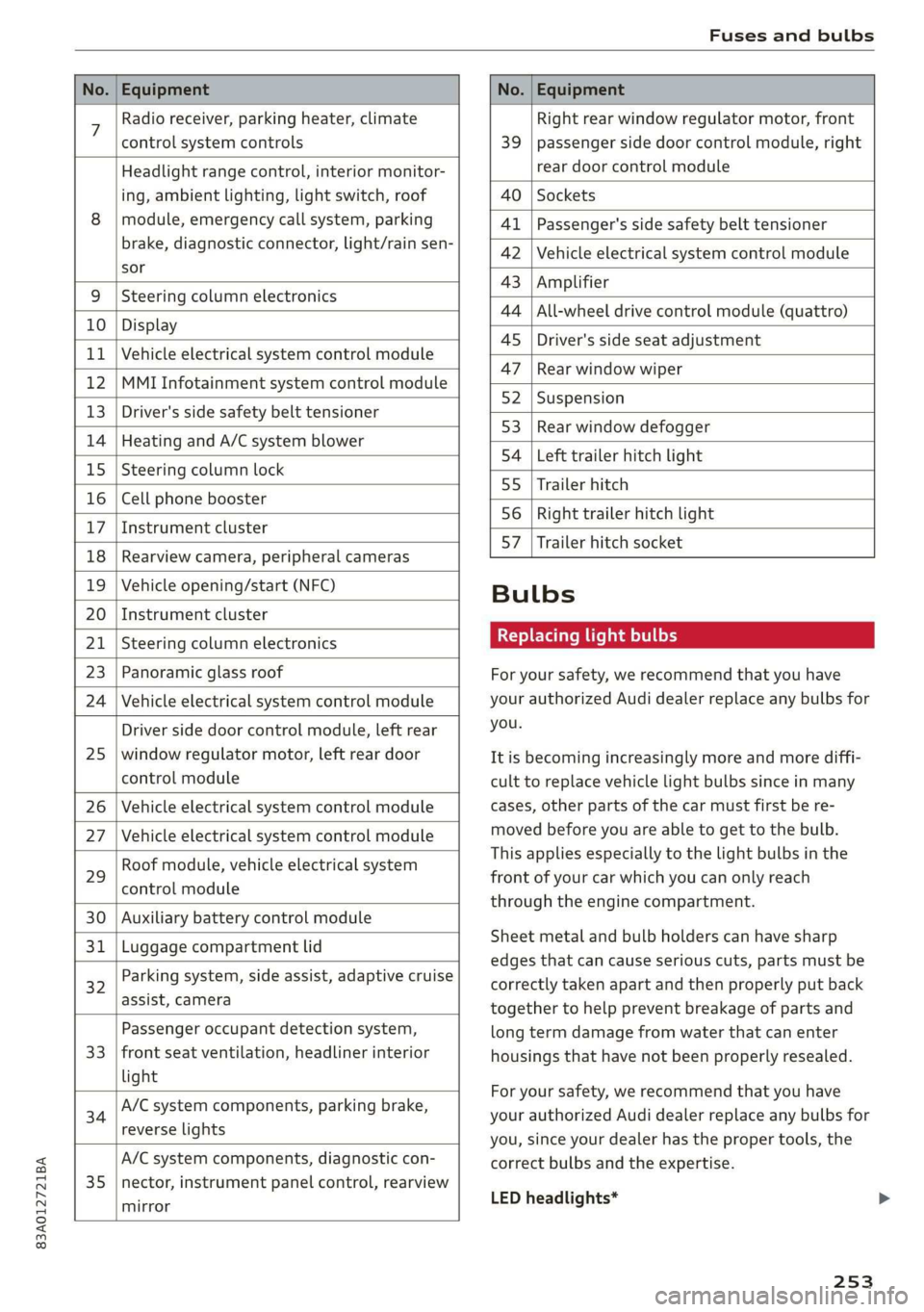
No. | Equipment No. | Equipment
7 Radio receiver, parking heater, climate Right rear window regulator motor, front
control system controls 39 | passenger side door control module, right
Headlight range control, interior monitor- rear door control module
ing, ambient lighting, light switch, roof 40 | Sockets
8 | module, emergency call system, parking 41 |Passenger's side safety belt tensioner
brake, diagnostic connector, light/raih'sen- 42 |Vehicle electrical system control module
sor
= - 43 |Amplifier
9 |Steering column electronics
- 44 | All-wheel drive control module (quattro)
10 | Display
- - 4S | Driver's side seat adjustment
11 | Vehicle electrical system control module
: 47 | Rear window wiper
12 |MMI Infotainment system control module
- ; - 52 | Suspension
13 | Driver's side safety belt tensioner
- 53 | Rear window defogger
14 | Heating and A/C system blower
: 54 | Left trailer hitch light
15 | Steering column lock
55 | Trailer hitch
16 | Cell phone booster
56 | Right trailer hitch light
17
|Instrument cluster
- - 57 | Trailer hitch socket
18 | Rearview camera, peripheral cameras
19 | Vehicle opening/start (NFC) Bulbs
20 | Instrument cluster
21 | Steering column electronics BETS Ae ha tele
23 | Panoramic glass roof For your safety, we recommend that you have
24 | Vehicle electrical system control module your authorized Audi dealer replace any bulbs for
Driver side door control module, left rear YOU
25 | window regulator motor, left rear door It is becoming increasingly more and more diffi-
control module cult to replace vehicle light bulbs since in many
26 | Vehicle electrical system control module cases, other parts of the car must first be re-
27 | Vehicle electrical system control module meved before youre able to get to the bulb:
HooFmodule,vehieleeleckrical system This applies especially to the light bulbs in the
29 front of your car which you can only reach
control module :
through the engine compartment.
30 | Auxiliary battery control module
: Sheet metal and bulb holders can have sharp
31 | Luggage compartment lid .
: - - - - edges that can cause serious cuts, parts must be
ey) Rarking system, side assist, adaptive cruise correctly taken apart and then properly put back
assist, Cameta together to help prevent breakage of parts and
Passenger occupant detection system, long term damage from water that can enter
33 | front seat ventilation, headliner interior housings that have not been properly resealed.
light
; ingbrak For your safety, we recommend that you have
34 aa io tll Deeg renee your authorized Audi dealer replace any bulbs for
reverseilights you, since your dealer has the proper tools, the
A/C system components, diagnostic con- correct bulbs and the expertise.
35 |nector, instrument panel control, rearview
mirror
LED headlights*
253
Page 273 of 280
83A012721BA
Index
Operating « « secs + x sess 6 ot wees v aeaueee w & cams 12
Programming buttons...............00. 26
Voice recognition system.............-. 24
Multi Media Interface................... 18
Menus and symbols...............--00. 19
Operating ....... 0... cee ee eee eee 16,19
Switching on or off...........-....-00. 18
Muting (mute)............. 0002s 26
MmyAUdi..... eee eee eee 27,155
myAudi navigation................. 159, 163
N
Natural leather care/cleaning............ 239
Navigation susie c+ asco xv anti © oreo wn oan 159
Better route ......... 0.0... e cece 172
GalliniGis: s vem sv news ss tee ov eee see 163
Changing the scale. ......... cece eves 163
also refertoMap............-000 eee 165
Navigation database
Version information...............04- 197
Navigation (instrument cluster).......... 166
SY 260
Notification:cemter’. csiccis . « sessue oo ernuous oo weet 20
Oo
Octane rating (gasoline)................ 199
OMOMCLER wisi & 2 mace & oO + ¥ eOER oH ERED « 14
Resetting...............0..0..000000. 14
Office address
refer to Business address.............. 168
Offroad
refer to Offroad driving...............5. 93
Offroad ArivVinG!s + = sss <= evan ¢ = Hares ¢ = Hom 93
Oil
refer to Engine oils = acs 22 ees ee eees ee 205
On-board computer................-.04. 14
On Board Diagnostic System (OBD)... 202, 255
Online destination
refer to Point of interest............... 162
Online map
refer to Satellite map................. 169
Online: Mediates. «vies ss wees ss wees @ vee 183
OnliMePAdIO sx « weam x gogo gx mem Ge Se 178
also refer to Online radio.............. 178
Online services
refertoconnect...........0+-008 154,155
Online system update.................. 196
OPO bes » sccmesnse © axensies wo > vase @ 8 meme = = com 28
Automatic luggage compartment lid...... 36
Convenience opening................085 39
Fuel filler door........ 0... c eee eee ee 200
Hood... 0... eee ee 204
Luggage compartmentlid............... 35
Luggage compartment lid with foot motion . 37
Panoramic glass roof................... 39
Sunshade (FOOT): « 2 some a @ ears oo eee a eae 39
Wind OWS 3s « cence wv cmermes a a smenees oa omemee es 38
Opening and closing
refer to Unlocking and locking........ 28, 33
Operating
Instrument cluster.................00. 12
Multifunction steering wheel............ 12
Multi Media Interface ...... 0 cece eee 16,19
Text input......... 0.00.00... eee eee 22
Touch displays: « veces s eae x > wee se ree 16
Optional equipment number............. 263
Options
Media’. » 2 seas 2 4 segue 2s sete go ewe te ee 189
NAVIQAtIOMsc i « sunsais « x wrens o 0 suessun w seats 1 172
Radio... 2.6... cece eee cee eee eee 180
Overview (cockpit) ............00 eee eee ee 6
P
Paint damage.......... cece eee eee eee 238
Paintmumbe ttc 5 cscs 2 x ennme o « cereus 6 2 sownate 1 263
PANIC: DUttONY « & cresce: 6 0 cemmmes an awawons 1 a anos 32
Pani@ TUMGtion. « secs x x covers 2 2 serie ¥ 3 aoa © 3 32
Panorama glass roof...............-.05. 39
Panoramic glass roof
Convenience opening and closing......... 39
Emergency closing..............0eeeeae 40
QuickOpening << : sree ¢ = veces s eee se we 40
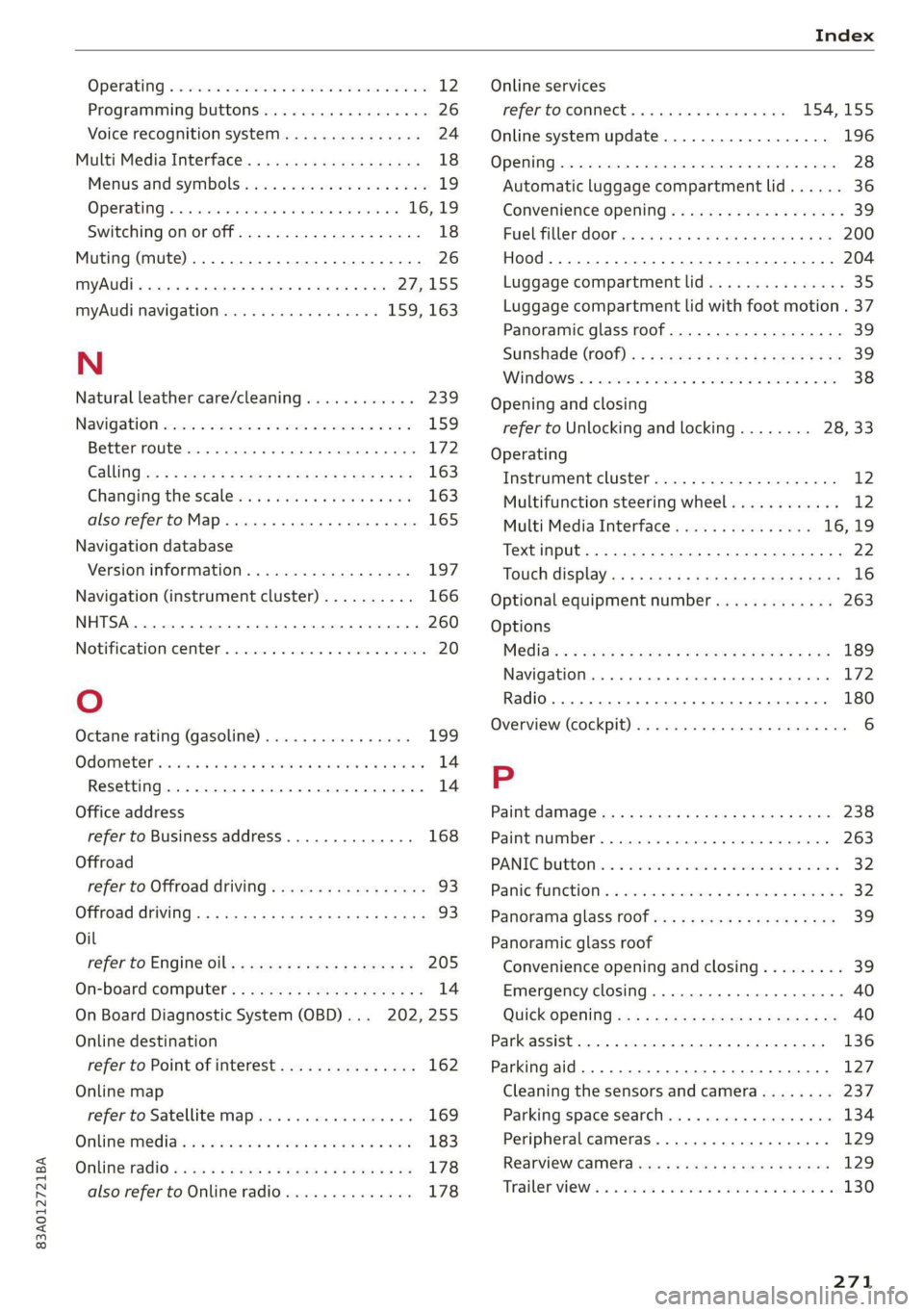
Park assist... 0.0.0... cc cece eee eee eee 136
Parking aid... ... 2... eee ee eee 127
Cleaning the sensors and camera........ 237
Parking space search.................. 134
Peripheral cameraS......- 0.0. - eee eee 129
Rearview Cameraiew. ss ews a vee as bees 129
Trailee views. 2s swavece x x sens « anamens a a amenees oo 130
271
Page 274 of 280

Index
Parking aids
Adjusting ..............0 cece eee eee 138
ParkeaSsist': « weave x sequen § 3 aameG ¢ & ae & 136
Parking and maneuvering.............-. 127
Parking brake
refer to Electromechanical parking brake.. 90
Parking lightSizx « = sax « y oss = ¢ sees 2 e eee 43
Parking lock
Manually releasing................004. 85
also refer to Gears... 1.6... cee eee ee eee 82
Parking systems
Parking system plus...............04. 127
Pass-through.............-0 eee eee eee 75
Paths... . 2... cece eee eee eee 17
Pause: (Media’files):. « «cies ov scsi 6 waves oo 185
PedalSiscis saien « x waren w ¥ eae 6 ¥ mae oo ee 84
Perchlorates + mcs + 2 mews & pase 2 s wee oe oe 258
Peripheral: cameras ses ss sua se come sg cos 129
Personal route assistance. ...........00. 167
Phone
Answering/ending acall............... 146
Connecting acellphone............... 140
Connecting a second mobile device...... 141
Disconnecting a mobile device.......... 141
SEEMS cxesise o exaasan w © means i 7 seeue 5 santas 150
Phonebook
refer to ContactS............. eee eae 144
Playback (media). « + scarce» s snesnin «sneer «0 « 185
Pointiofiintenests. + vicve x x susie x 2 euswere a ones 162
Point of interest search. .......... 000005 162
also refer to Point of interest........... 162
Polishing. .... 0.0... cece eee eee eee 238
POWerSOUNCESE: 5 6 sees as cowie 8 acm & v 72,184
Power WINdOWS « sieen . ¢ ewva s 6 eae we ews a a 38
Malfunction..............00000 0a ee 38, 39
Power windows malfunction.............. 38
pre sense
refer to Audi presense.............0.. 121
Presentation mode..............2--005 174
PLOSCES eres so smnews «a ems 9 sete oe tere @ 5 177
Presets list
refer to Presets... 0.0.0... cece eee eee 177:
Pressure
Tire pressure monitoring system........ 234
TGS: 2 cccane oo ome 2 o cae ¢ o cen Yo oR 226
Progressive steering................20055 97.
272
PROLCCUINGiices oo snesies w ot ceawis w euseees we ere 238
Pyrotechnic elements............0.0e ee 258
Q
QUACEOS + wae a s wanes a xe ee & 2 HOHE 5 £ ROTOR 6 98
Selective wheel torque control........... 99
R
RAGIOS x 5 cranes % 1 cusents © 5 sesuens 6 @ exsoams oo 175, 177:
Radio text.................0.000 00 179
Station MSt sewn: + x seme + x popes F x sRWOS Fo EE 175
Radio communications equipment........ 260
Radio equipment................--004- 260
Radio Standards Specification (RSS) ....... 261
Rain/light sensor
Headlights! ween = sases 2 3 neon § x Sou 5 ae 43
Intermittent mode (windshield wipers).... 49
Random
refer to Shuffle...............000200. 187
Range (fuelslevel)isc sx seni x sree oo aneweie a a as 14
Reading lights. <= see. 2 scum 2 2 mewn o ¥ eves 46
Rear cross-traffic‘assist - a ss caw ss oes 133
Rear lid
refer to Luggage compartment lid........ 35
RearsSeatsios 2 wens <2 were ss meme oo acne 9 6 we 55
Rearishelt': ses ¢ 2 cewe so ewe 2 2 gewe ¢ none 74
Rearview camera‘: = : asec = : sees ev owen ees 129
Rear window defogger............-.0000- 79
Reception range.............-.0-.0000- 75
Recirculation mode..............0e0 eee 79
RECUPCRAEION acosece oo suexem 4 suseene oe seem « one 15
Refi ling is oc ccs 2 x unmsen 0 mci a ema 6 200
Remote control
Garage door opener...........-.000000- 40
Remote control key............---00005 32
Remote control key 32
Convenience opening and closing......... 39
Key replacement...............-0000-- 32
LED... eee 34
Replacing the battery.................. 34
SyMehnomizationticns « « ssinem « o enero « os enewoce » oe 34
Unlocking and locking............-..005 33
also refer to Vehicle key................ 32
Removing the caps (wheel bolts)......... 242
Repairs. ...... 2.0.0... eee ee eee eee 258